







ROCCAT have a new illuminated gaming keyboard on the market featuring ROCCAT Talk Technology allowing you to combine with ROCCAT Kone[+].
Product on Review: ROCCAT™ Isku – Illuminated Gaming Keyboard
Manufacturer & Sponsor: ROCCAT / Meroncourt
Street Price: Approx. £70 GBP inc. VAT

ROCCAT have established a well-respected name in the world of gaming. Previous products like ROCCAT Kave, ROCCAT Alumic and ROCCAT Kone[+] are all highly acclaimed. Though we have seen plenty of headsets and mice from ROCCAT it’s been some time since we have seen a gaming keyboard.
Back in March at CeBIT 2011, ROCCAT showcased their upcoming products including their new Illuminated Gaming Keyboard named Isku. As revealed during this short preview, the Isku appeared to have every imaginable feature gamers could need. It falls to us today to finally to get the Isku under the spotlight and see if it really can be seen as a stronger contender within the gaming keyboard sector.
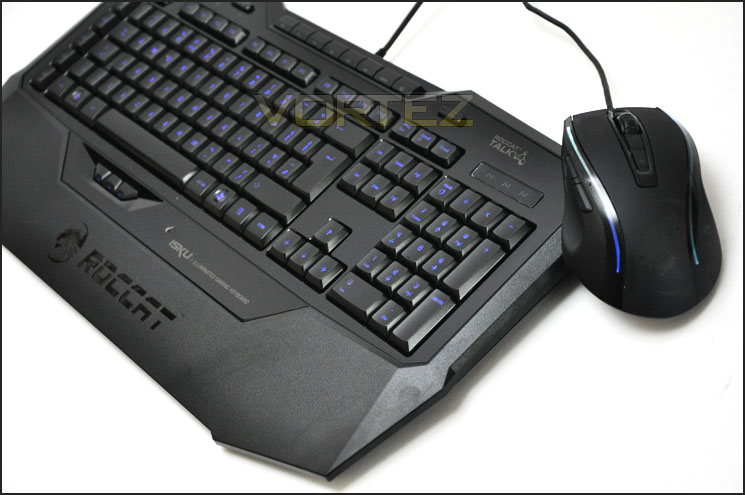
ROCCAT’s Take on ISKU
Combining the world’s smartest gaming engineering with jaw-dropping design, the ROCCAT™ Isku Illuminated Gaming Keyboard hands you the power to own any game the easy way — and be legend. Unleash the gaming legend in you right away. Or keep reading to see what you and the Isku can do
Features
GET YOUR THUMBS INTO THE FIGHT
Are all your digits in? Now you can give your thumbs something useful to do instead of just hovering over the spacebar. Our ROCCAT scientists put three individually-programmable Thumbster macro keys right below the Isku’s spacebar — each easily activated with a quick thumb strike. Perfect for casting a lightning-quick healing spell in the middle of a tough fight. Brilliant for a rapid weapon change. Think of your thumbs as two new eager allies. Thumbs up to that.
RECORD MACROS MID-ACTION
New enhanced Macro Live! technology makes in-game macro recording a joy. Simply hit the dedicated Macro Live! Recording button and let the handy new Sound Feedback tool talk you through the quick and easy recording process, step by step. You can program up to an amazing 500 actions for each of the 180 macros – giving you the freedom to lay down any orders you can dream up. And you won’t have to leave your game to do it.
RECORD MACROS AT YOUR LEISURE
If recording macros using a menu-based system is more your style then our world-famous Macro Manager software is just what you want. The award-winning Macro Manager lets you record and fine-tune your macros with incredible precision — and with intuitive ease thanks to a gorgeous and simple-to-use interface. The new Loop Function even lets you repeat your settings up to an incredible 255 times. And the internationally-adored program even comes with presets for top games and office apps — so you can enjoy your favorites with no wait.
JUMP INTO THE FRAY RIGHT AWAY
Save your favorite settings – button configurations, lighting level, DPI preference, etc. — in 5 handy profile slots and activate each instantaneously with the simple press of a button – so you can game your way with speed and ease. You’ll always know which profile you’ve chosen thanks to 5 bright LED profile indicators. And with the clever Sound Feedback tool, the world-famous ROCCAT™ Voice will even tell you which profile you’ve selected. You can even set a profile for Windows which the Isku will automatically switch back to when you’ve finished gaming.
BE THE MASTER OF DARKNESS
Backlit with ROCCAT™ Extreme Ice Blue Lighting in 6 adjustable brightness levels, the Isku makes it easy to always hit the right key — even in low lighting. The Isku’s optimized illumination also means it’s perfect for avoiding eye strain during those long gaming sessions. Plus, you can program the Isku to automatically switch its lights off if you haven’t hit a key for a length of time of your choosing – great for when you want to take a break from your game. And did we mention Isku’s keyboard illumination simply looks awesome?
PAMPER YOUR WRISTS
The Isku’s Integrated Extra-Large Granular Wrist Rest acts like a sofa for your hands, providing perfect stability and comfort — so you can avoid wrist fatigue even when gaming into the wee hours. Its advanced granular surface also enables fast, yet controlled, lateral movement – for optimized play even during the most hectic battles.
STAY LOCKED AND LOADED
Flip the Isku over (don’t worry, it won’t bite) and you’ll find 5 rubberized Non-Slip Gaming Boots and 2 rubberized Lock-Fast Gaming Feet. This means the Isku stays put — even during the most intense play session. The retractable gaming feet also position the Isku at the ideal gaming angle of 5.90 degrees – ensuring the quickest key activation and best typing comfort possible.
BE IMPRESSED WITH EVERY PRESS
The Isku boasts medium height keys with fully-optimized key architecture, giving you a perfect striking surface and ideal keystroke response — for finger action that feels right every time. The 1000Hz polling rate also ensures ultra-fast keyboard response with no lag, so your commands are carried out instantaneously. And advanced anti-ghosting technology means multiple keys can be depressed simultaneously — making sure you can take full advantage of every complex command at your disposal.
CURE CABLE CHAOS
Your headset and mouse cables can now easily be tidied away using the handy cable channels under the Isku. And no cable mess means less to get in the way of you enjoying your game.
KNOW EXACTLY WHEN THE SPAWN ARRIVES
The Isku comes standard with the ingenious ROCCAT™ Timer, which gives you a handy audible countdown timer for any event you wish. Among other uses, you’ll always know exactly how long it’ll be before something re-spawns on the battlefield – valuable info you can exploit for a tactical advantage.
CONTROL YOUR MEDIA THE EASY WAY
The Isku features a row of 8 fully-configurable media keys, optimally positioned at the top of the keyboard — for quick and easy access to 25 handy functions of your choice. It also features 12 programmable F keys, giving you a full range of customization options.
Packaging & Bundle
The Isku is presented in an attractive looking box. The front gives a depiction of the Isku gaming keyboard with key features, whilst spinning the box round on the back we have a closer look at the features with more detail.
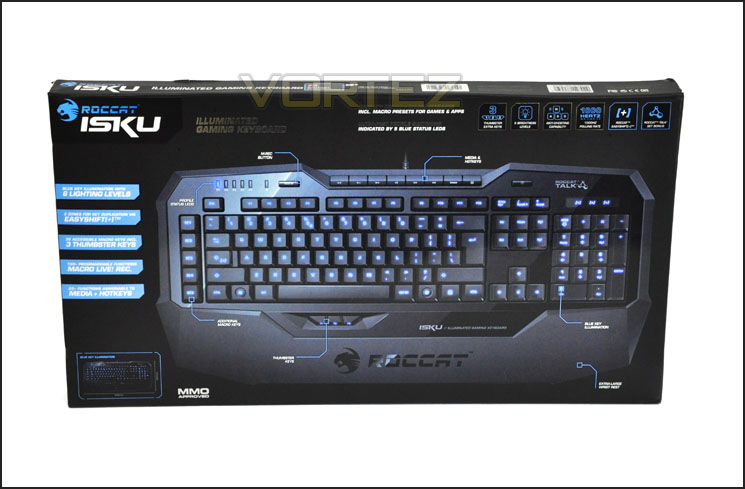
ROCCAT Isku packaging
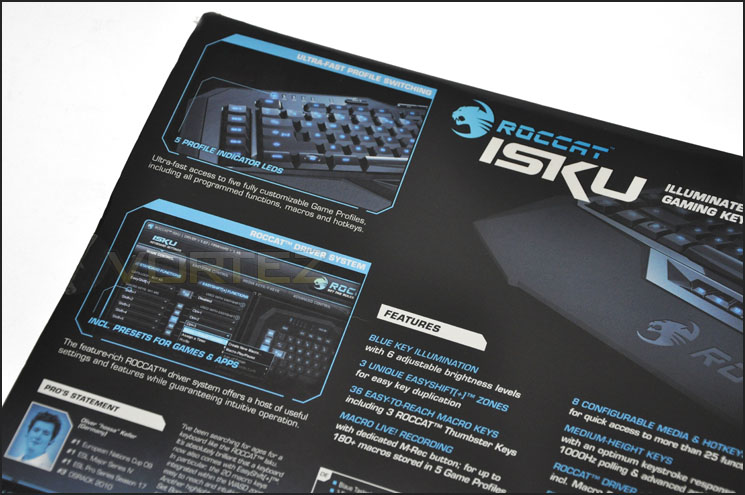
The reverse of the box showing more detail
Within the outer packaging we have another box that contains the Isku keyboard itself with protective plastic fixed to all shiny areas on the keyboard. Included with the Isku is a small package containing the driver CD, instructions manual and ROCCAT World access.
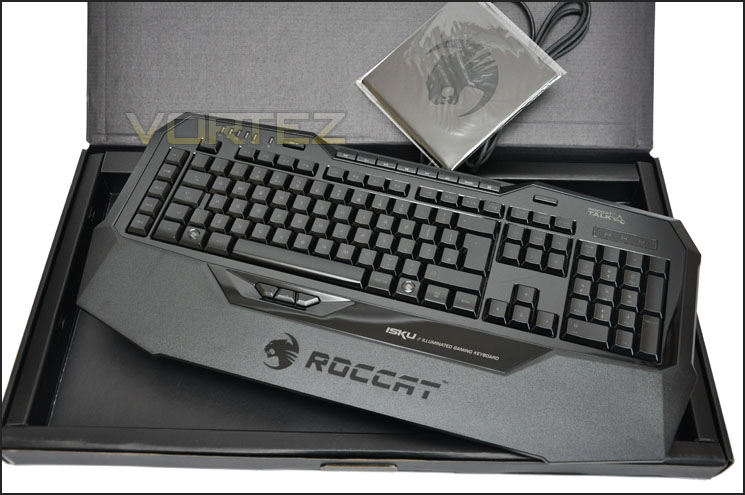
The ROCCAT Isku bundle
Let’s move in for a closer look at the Isku itself now.
Closer Look
With Isku now out of its packaging we can finally take a good look at all aspects of this gaming keyboard. From the overview we can see that the board uses both a matt and glossy plastic finish. This gives a very nice two-tone visual aspect and adds even more depth to an already feature-packed layout. The layout is similar to that of a standard keyboard although the keys are actually further over to the right due to having a series of buttons on the far left that span vertically.
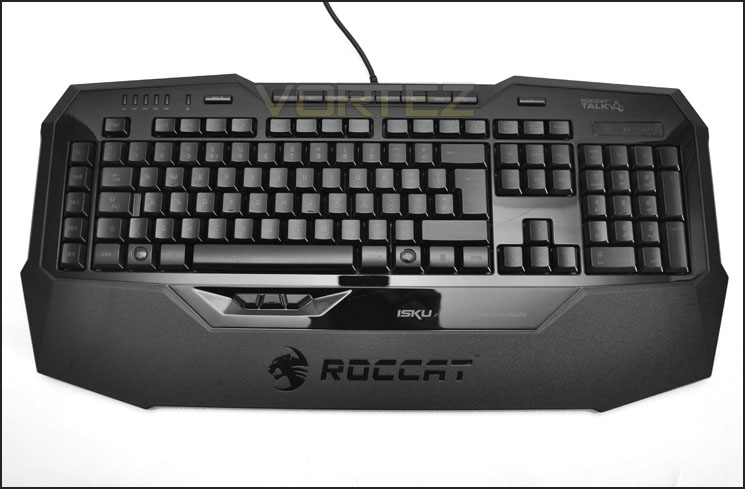
An overview of the ROCCAT Isku
Spinning the keyboard over the back – instantly you realise just how light this keyboard is. On the reverse we have 6x rubberised pads that prevent the keyboard from slipping around. We also have 2 stands that can give the keyboard additional height if this is your preference. From the photograph below you will notice there are many lines and sections on the back of Isku – these are routing channels that allow you to neatly tuck away the cable.
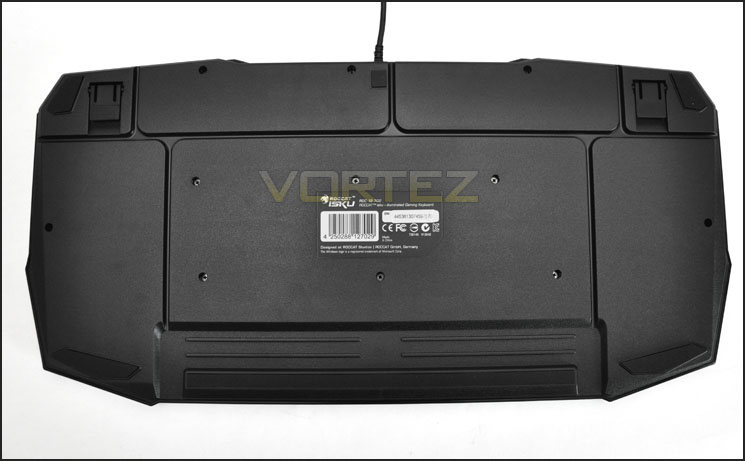
The reverse of ROCCAT Isku
Along the top of Isku we have a series of handy multimedia keys. Mute, volume control, backwards, forwards, open default web browser and windows explorer. This section of keys are very useful to have for just general usage around windows or watching movies/listening to music.
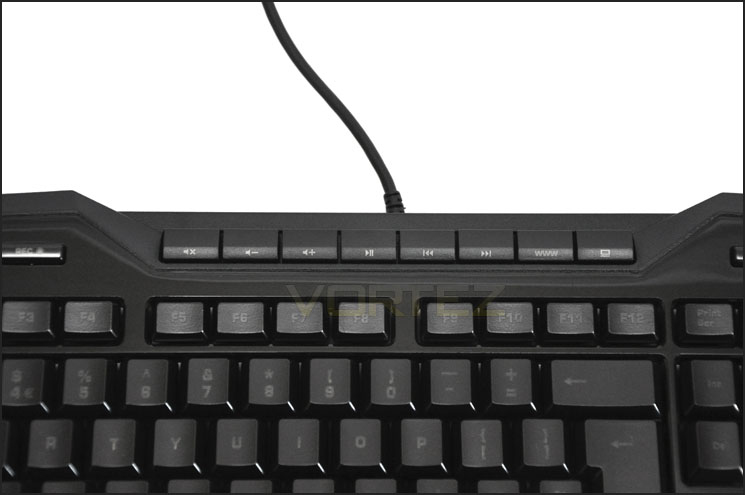
Multimedia keys are a useful addition
Further along the top of Isku there is a section of LEDs labelled P1-P5. These are profile indicators, showing you which profile you are currently using. A little later we will see that commands/macros can be saved under a maximum of 5 usable profiles. Additional to this section we have a large record button too. This assists with the recording of macros – to be able to perform these tasks we need to install ROCCAT Isku software, something which we will take a look at later.
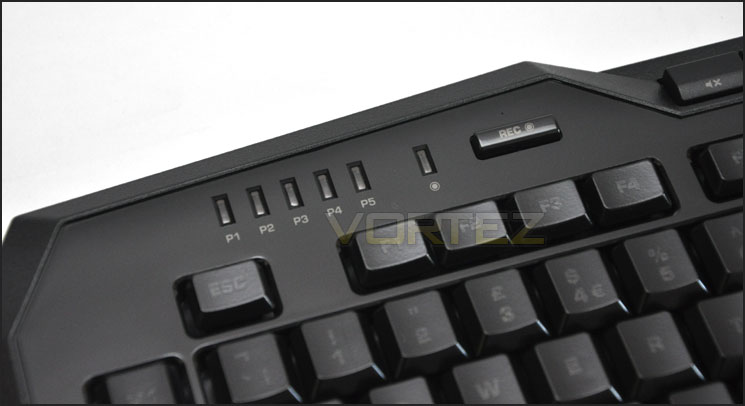
Profile indicator LEDs and Record button for Macros
Down the left side of Isku are the buttons M1-M5. Again, these can be mapped to certain commands for extra functionality.
Underneath the main keyboard area of Isku we have the thumbster keys – something we first saw on ROCCAT Arvo. These keys have been placed here for quick access via the thumb – for things like rapid weapon change. Of course, these keys can also be programmed with macros or pre-defined commands.
At this stage it’s probably a good idea to mention that the ‘Shift’ key on Isku is also the EasyShift[+]. This was first introduced with ROCCAT’s Kova+ and Kone+ gaming mice, with this key we are able to duplicate the amount of commands. ROCCAT actually comment on EasyShift[+] saying:
The M Buttons down the left side of Isku
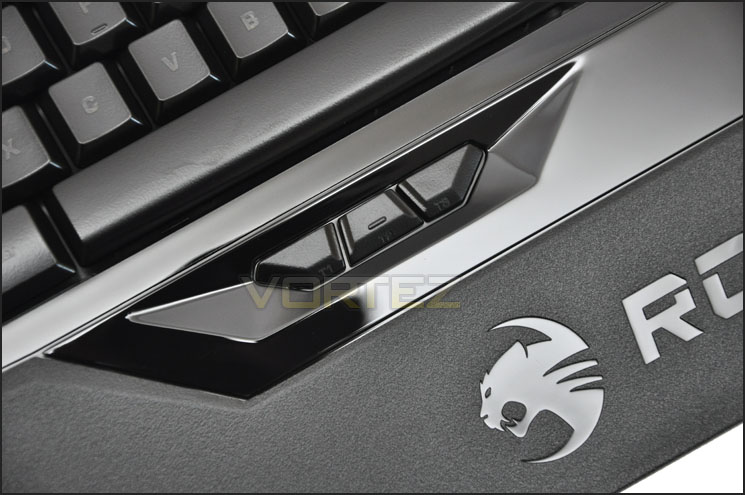
Thumbster buttons underneath the space bar
Customary to all ROCCAT products is the USB cable that has a unique shape and also has the name of the product printed on it. This is useful if you have various devices plugged in at the back (or even at the front) of your computer, you can find what goes to where quickly and easily.
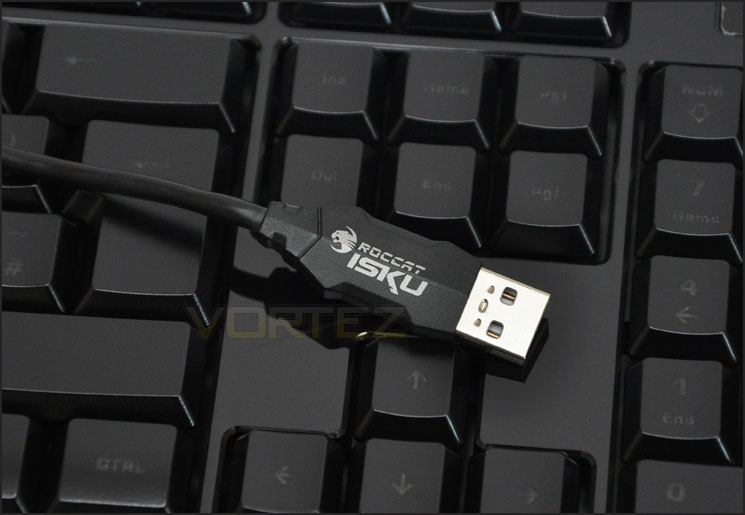
Uniquely designed USB cable
ROCCAT Talk & Isku Lighting
ROCCAT’s Isku is the first of their products to feature what they term ROCCAT Talk. Put simply, with ROCCAT Talk we can use Isku and Kone[+] together and effectively multiply the amount of useable macros. To some, this won’t matter – especially if you play FPS for example but those who are playing MMO titles, this could be something that will be very handy. Here is ROCCAT’s take on ROCCAT Talk…
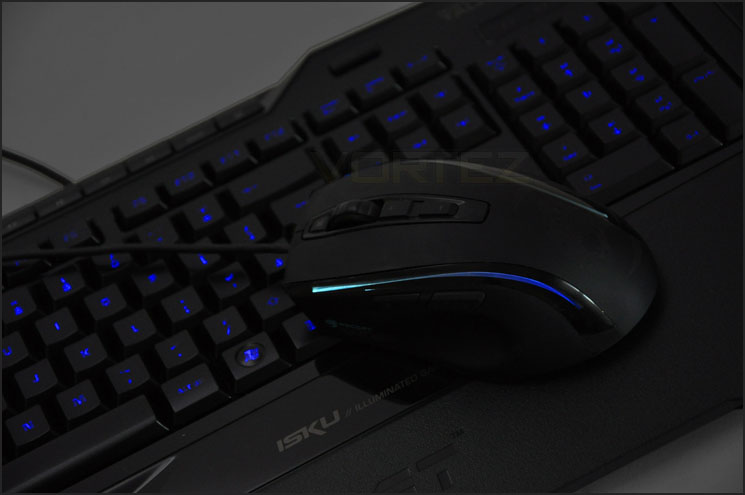
Isku and Kone[+] can be teamed up with ROCCAT Talk
This groundbreaking technology works like a dream together with our exclusive
Easy-Shift[+]™ technology. Simply use the Easy-Shift[+]™ key on your Isku to activate macros for both your keyboard and mouse — an ingenious short-cut that lets you concentrate more on your game and less on controls. Your Kone[+] will even signal you with a light flash every time it’s chatting with the Isku – so you’ll know when the two are working together.
ROCCAT™ Talk© also lets you take advantage of our exclusive Easy-Aim technology like never before. When your game demands precise marksmanship in sniper mode, simply press and hold a single keyboard key and Easy-Aim will instantly optimize the DPI setting on your Kone[+]. This two-handed custom marksmanship is the simplest and most convenient way ever to achieve pinpoint sniping accuracy. And it also frees up a Kone[+] button for another macro of your choice.
When powered up Isku’s keys illuminate blue giving a nice cool glow. The brightness of this glow can be altered with ROCCAT software or via the button located top right on the keyboard and we can even tweak glow timeout too – when you are not using the keyboard the keys can be set to drop in glow brightness and then retain their programmed glow brightness when keys are pressed again!
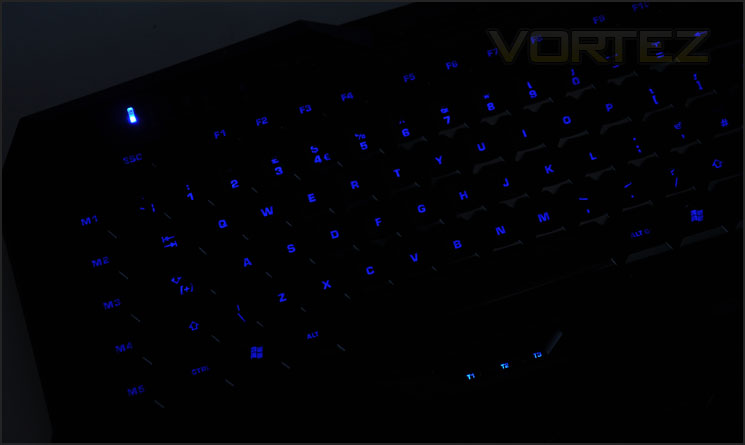
Keyboard illuminates blue when powered up
ROCCAT Software & Performance
As we have experienced in times past, ROCCAT’s software suite is rather extensive. For the Isku this trait continues. I won’t take you through every single feature within the software but will briefly mention some of the key features whilst showing each of the tabs within their software.
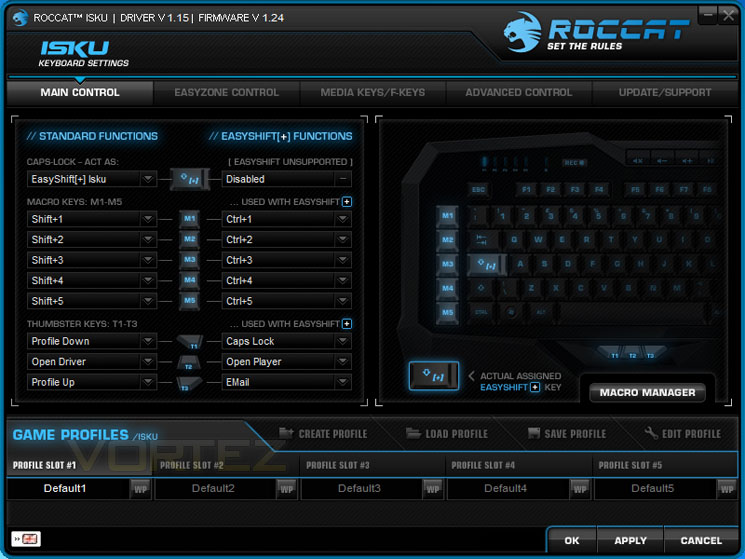
The first tab we come to within the Software suite is the Main Control section. Here we can customise the M buttons and thumbster buttons. Notice how they have standard function and then a secondary set of commands for EasyShift[+]. We can duplicate the amount of commands from all of these buttons.
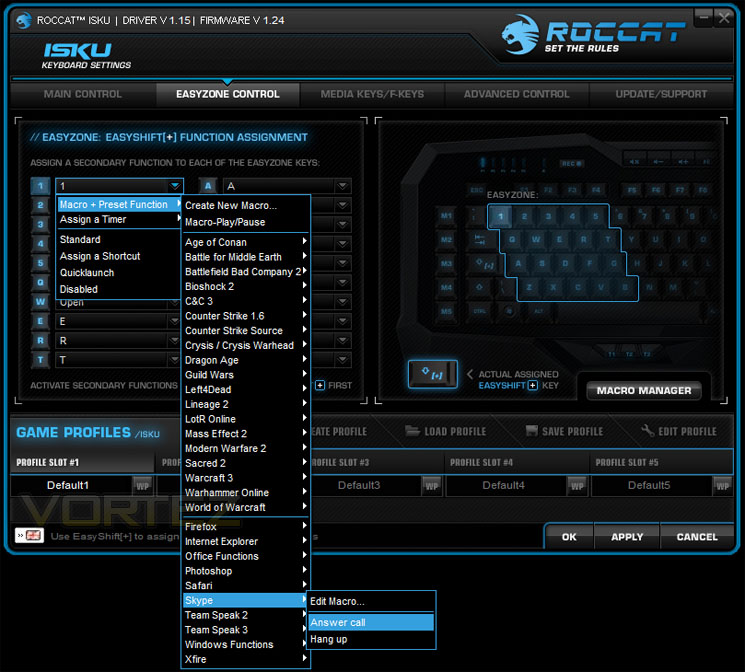
The next tab is EasyZone Control. Here we can manage shortcuts, commands and macros for these keys. We also have the option of secondary functions with EasyShift[+]. Though there are plenty of options to choose from as shown below we can always record our own macros thanks to the record function on Isku.
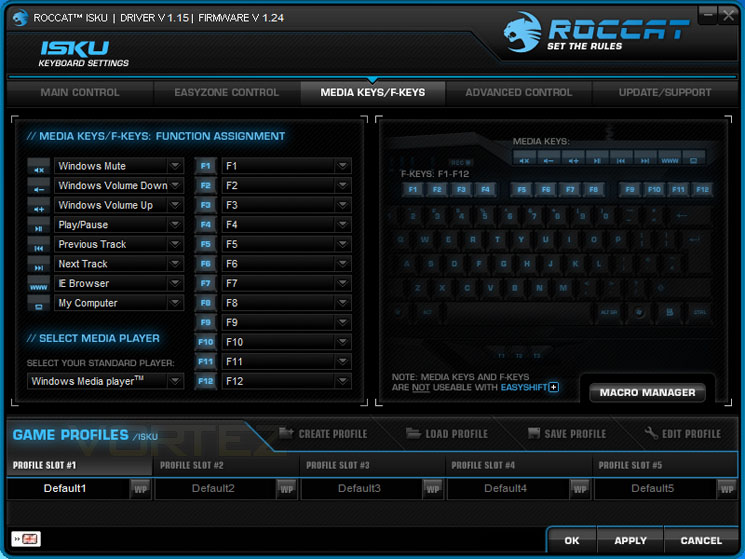
Next up is the multimedia and f key customisation. These keys are not EasyShift[+] compatible and will only function with a single key command. Here we have the choice to choose our default media playerand even apply some macros to these keys. By now you will know that the Isku is a very customisable gaming keyboard!
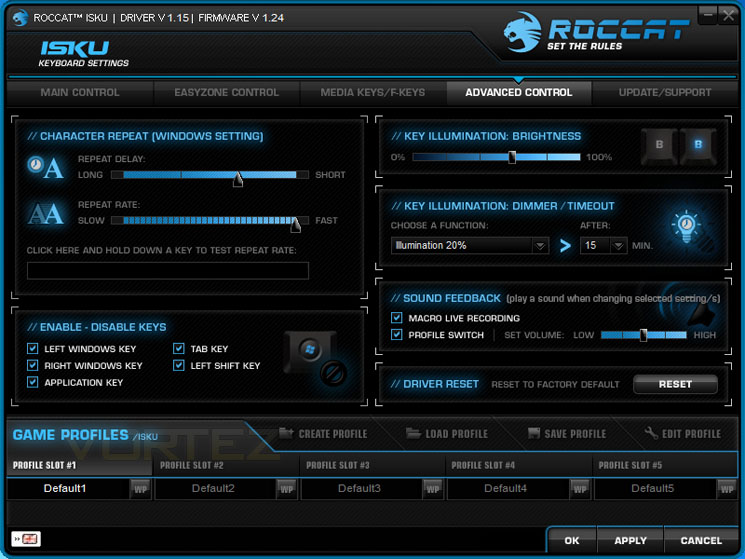
Under the Advanced tab we have control over key repeats, illumination and the ability to disable unwanted keys that may hinder gaming performance such as the ‘Windows’ key. ROCCAT have integrated sound feedback into the Isku software, something we have come to experience from the Kone[+] gaming mouse software too. On this pane we have the option of setting everything back to the factory defaults should we need to.
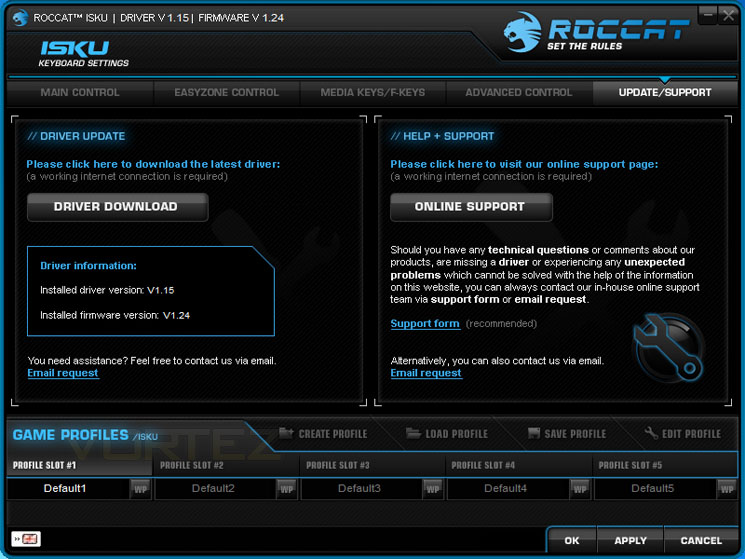
Finally, on the Update/Support tab we have the ability to update the software/firmware and get any technical assistance. Overall, ROCCAT have done a great job with this software and it continues to be one of the best suites that we have used in the gaming sector.
Performance
Upon first using the Isku I had to seriously adjust my typing style for general usage. When I type, I touch-type so I don’t look down at the keys at all and because the keys are shifted over to the right to accommodate the M1-M5 buttons this meant that I was typing reams of garbage!
After using Isku for half an hour you become accustomed to its layout and those annoyances are a thing of the past. Typing and general usage is fast and comfortable.
Due to the fact that the mouse is used more frequently than the keyboard during games means that reporting on its gaming performance is quite difficult. For those who play FPS, you generally only use WASD, a few other keys nearby and spacebar. Key presses are right in the middle of soft and hard, it has the right kind of balance needed to suit it for general usage and gaming.
Using Macros and other functions in-game are very easy thanks to the Software suite.
My only criticism is that because the area around the keys features a glossy plastic surface, smudges and marks are easily left. It isn’t long before the Isku is looking dirty!
Conclusion
Back in March we reported on the Isku’s first appearance in public domain at the CeBIT 2011 Trade Show. Our article generated lots of discussion in the community amongst gamer’s world-wide. Though we have been waiting a long time for this release, it’s a shame that ROCCAT weren’t able to support us even though we delivered some exclusive content on this new release and spent time in Germany privately with them. 2 weeks after the release we are indebted to Meroncourt for providing our sample today!
So, was it worth the wait? Some 6 months have passed and Isku is indeed an exciting product. Just about every aspect of what a gaming keyboard should be is manifest in the Isku. Functionality is a key ingredient and thanks to the combination of EasyShift[+] and extensive ROCCAT software suite we are able to apply macros and commands to most areas on the keyboard.
Isku looks great during those late-night gaming sessions with its illuminated blue glow; this glow can be altered through 6 differnet brightness modes and even has a timeout duration that can be set to dim when keys are not being used. Isku carries with it the passion that ROCCAT have when designing products, their style is distinct, recognisable and highly favoured. Having ROCCAT Talk the idea with Isku is to team the keyboard up with ROCCAT Kone[+] to multiply the functionality and command instances.
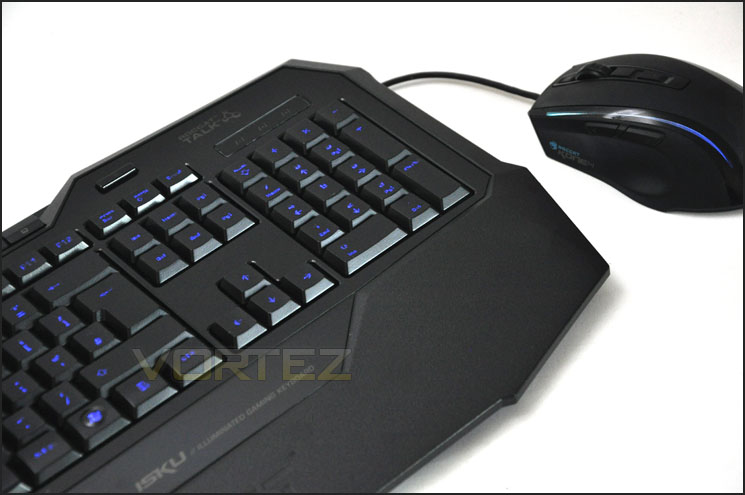
Though Isku is a great product it does have some slight niggles. After a short period of usage it isn’t long before the keyboard is looking dirty with smears due to the glossy surface. The M Buttons upon first using the Isku cause you to have to shift your finger placement to the right – being a touch-typer it took me a bit of time to get used to this.
Priced at £69.99 ROCCAT Isku is priced to take on some tough contenders from the likes of SteelSeries, Razer and Tt eSPORTS. In this price-range there are quite a few highly regarded mechanical keyboards. It really falls to your preference, do you want something that offers maximum customisation with illumination or something with feedback and durability as its key feature?
The bottom line is ROCCAT Isku is a very attractive looking gaming keyboard. It has funky illuminated keys and comes accompanied with ROCCAT’s brilliant software suite giving you the ability to customise just about every option you could ever want.
+ Looks great
+ Feels good to type on – soft/responsive
+ Can combine with Kone[+] – ROCCAT Talk
+ Illumination with brightness control
+ Lots of customisation available
+ ROCCAT Software suite is unrivalled
Cons
– Requires a bit of usage adjustment
– Gets dirty very easy
– Lacks USB/Audio jacks


Click here for an explanation of our awards at Vortez.net.


