Are you ready to control your PC and mobile device with the same keyboard? The Skeltr does just that, allowing flexible communication, both audio and written at the touch of a button.

Product on Review: ROCCAT Skeltr
Manufacturer & Sponsor: ROCCAT
Street Price: UK: $149.99, US: £169.99
ROCCAT on their inception, and even today could be accused of peddling the ‘extreme’ gamer stereotype in regards to its marketing style. Though, the truth is, they are among those at the forefront of technological innovation bringing some of the most forward thinking gaming peripherals on the market. As evidence, the ROCCAT Skeltr lands on our desks promising unity between our mobile device and PC, and that it can cut out interruptions during work or play.
By connecting to your smartphone or tablet via Bluetooth while utlising an internal audio pass-through, ROCCAT have enabled the Skeltr to answer calls using the same headset you would be using on your PC, or even reply to any instant messaging by typing on the keyboard. The Skeltr also features onboard processor and memory, RGB back-lighting, 5 dedicated macro keys as well as the ROCCAT easy-shift+ technology to maximise programmability.
Overview by ROCCAT
The Skeltr is the full-powered keyboard that unites your peripherals and mobile device, creating an unstoppable gaming force. Taking device integration to a new level, it consolidates your control by bringing your smartphone or tablet into the fold and putting it right on the frontline for all your battles.
Say goodbye to swapping between device and computer as you interrupt your gaming by responding to messages; say hello to the keyboard that lets you master worlds. Say hello to the Skeltr.
Say goodbye to swapping between device and computer as you interrupt your gaming by responding to messages; say hello to the keyboard that lets you master worlds. Say hello to the Skeltr.
Technical Specifications
– 3 programmable thumbster keys
– 5 programmable macro keys
– Easy-Shift[+]™ with 20-key EasyZone
– ROCCAT® Talk™
– Multimedia functions
– Bluetooth V3.0
– 1.8m braided USB cable
– 512kB memory + 32-bit Arm IC
– 1000Hz polling rate
– Membrane keys
System requirements
Windows® 7 64 Bit, Windows® 7 32 Bit, Windows® 8, Windows® 10
Internet connection for driver installation
USB 2.0 Port
– 5 programmable macro keys
– Easy-Shift[+]™ with 20-key EasyZone
– ROCCAT® Talk™
– Multimedia functions
– Bluetooth V3.0
– 1.8m braided USB cable
– 512kB memory + 32-bit Arm IC
– 1000Hz polling rate
– Membrane keys
System requirements
Windows® 7 64 Bit, Windows® 7 32 Bit, Windows® 8, Windows® 10
Internet connection for driver installation
USB 2.0 Port
Packaging & First Look
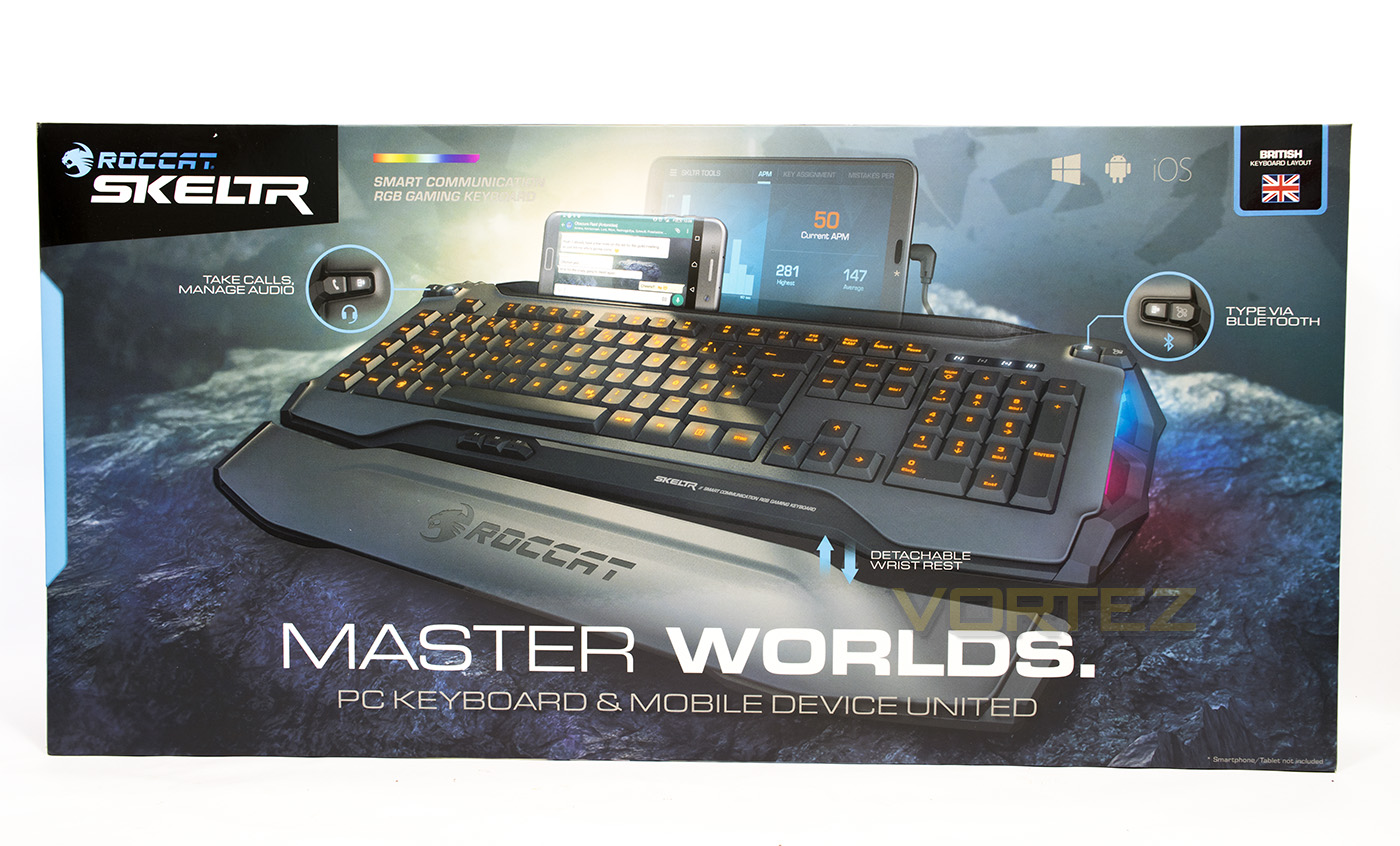
In stark contrast to our last outing with ROCCAT (the SUORA), we see bold imagery and bold headings, so much so, one could be forgiven for thinking that this keyboard was named ‘Master Worlds’, which in itself is a rather cool title. Despite that, the packaging is easily identifiable as a ROCCAT product while the information given clearly states that this is a communication based keyboard based around uniting the PC keyboard and mobile devices.
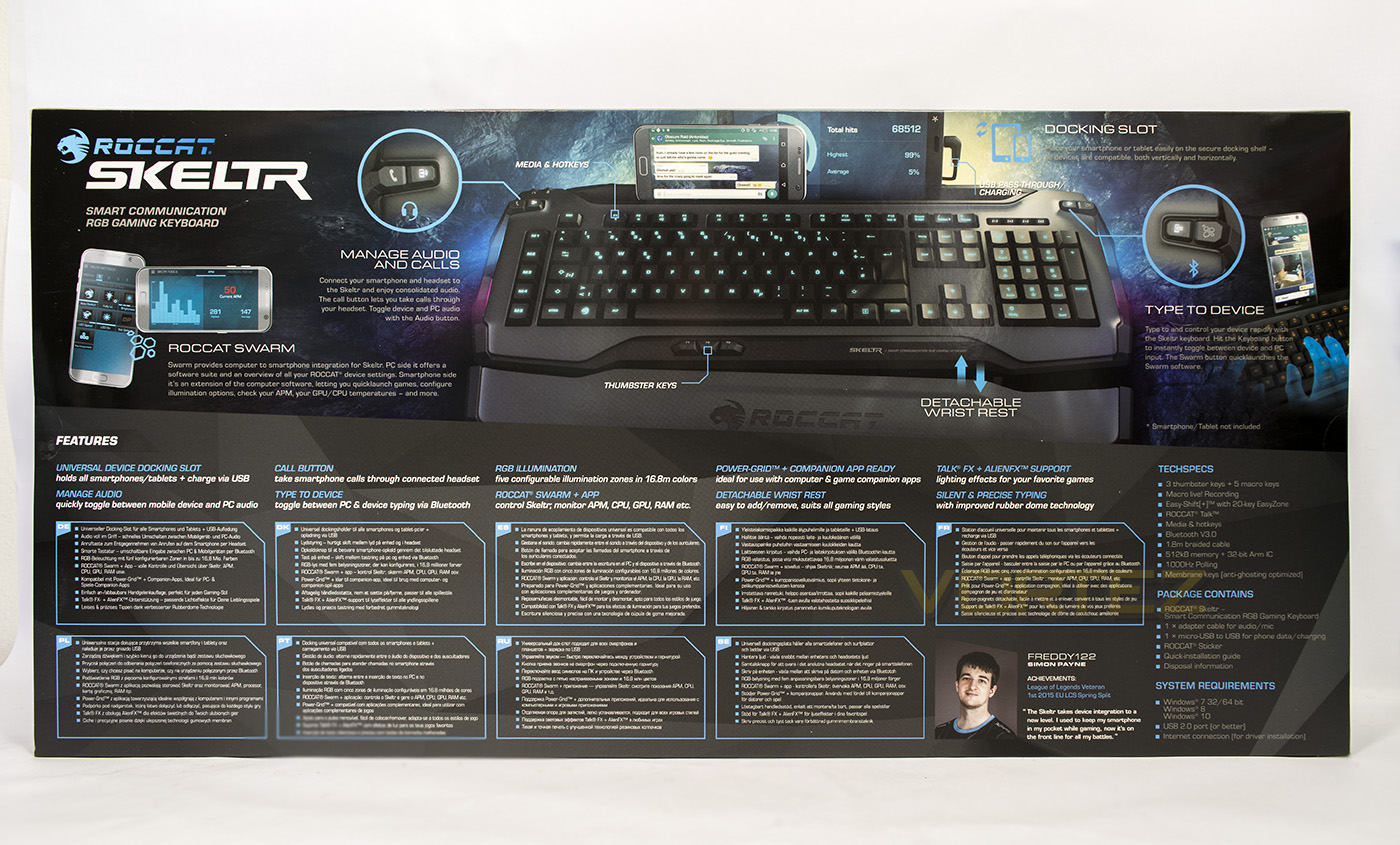
At the back we get a host of information including a diagram showing off its features, tech specs and various details.
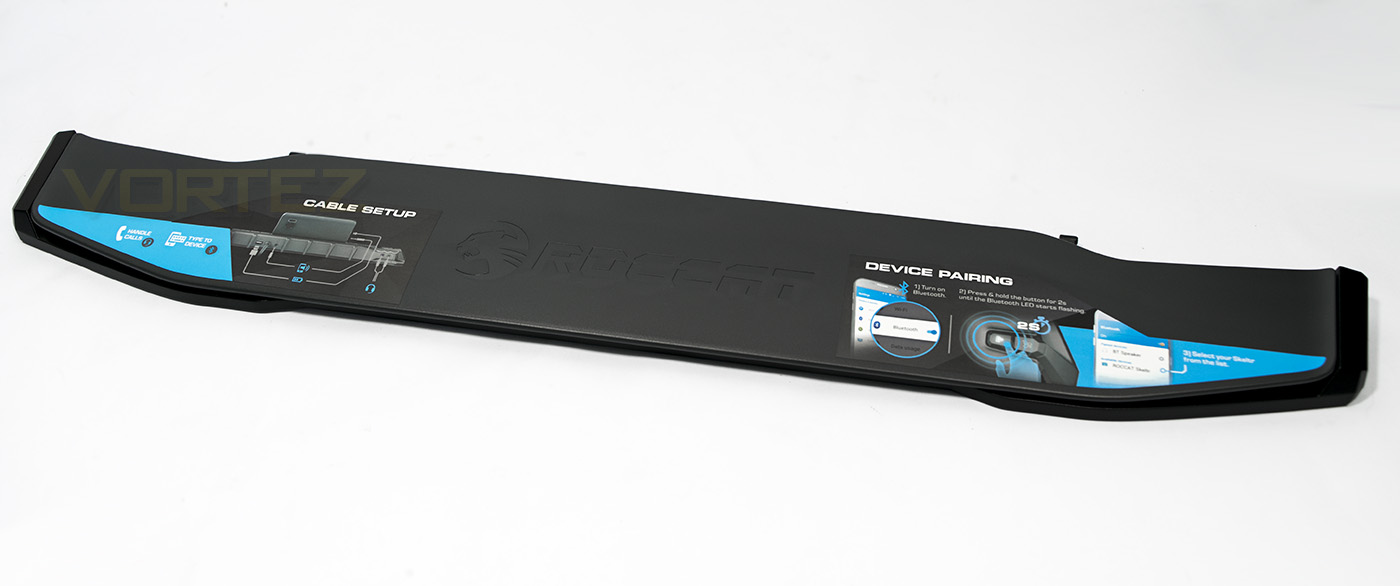
Inside the packaging we found a nice wrist rest with some information on how to pair your device with the keyboard.
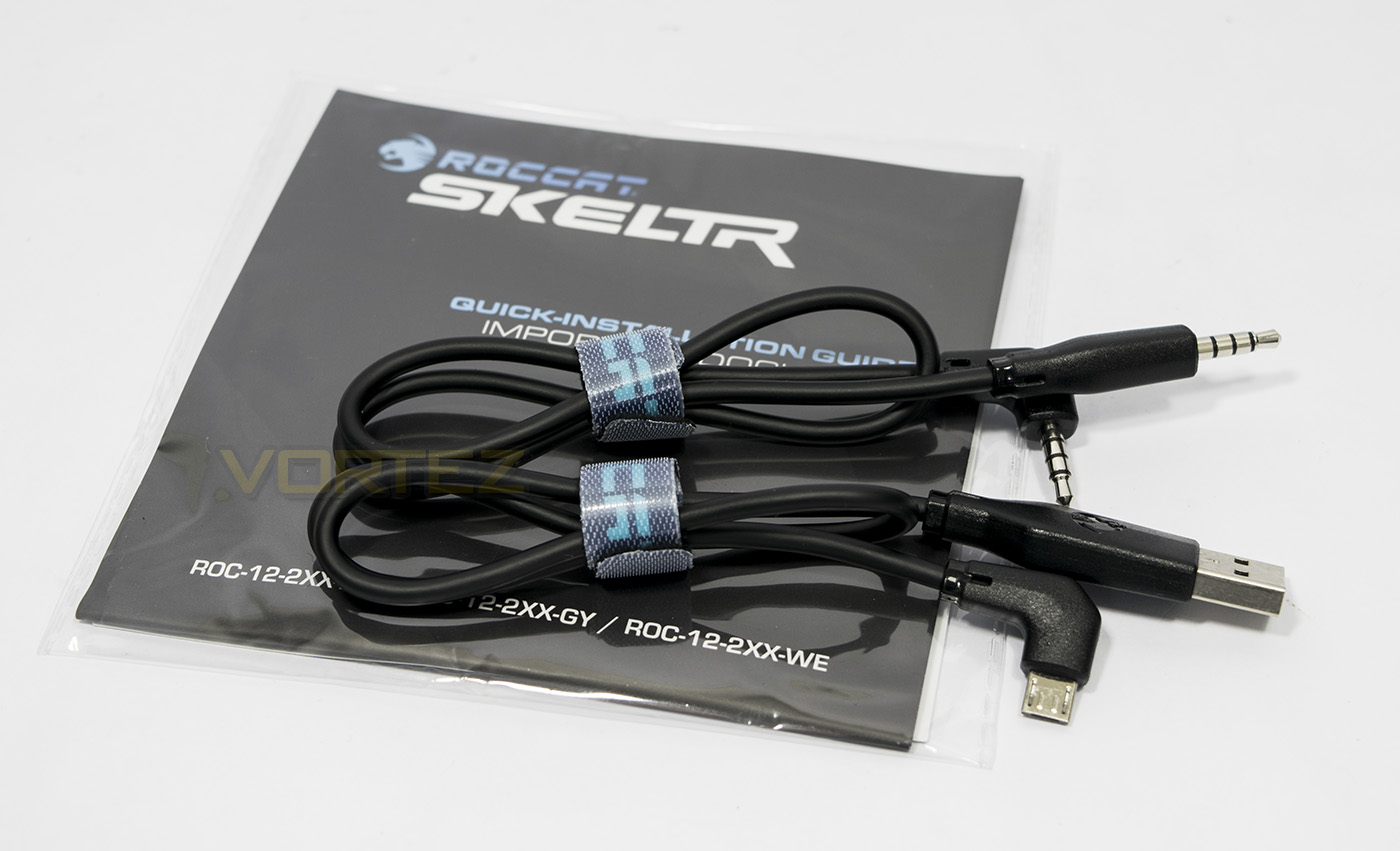
Also included is a quickstart guide and disposable information, as well as a selection of cables to connect your mobile device to the keyboard.
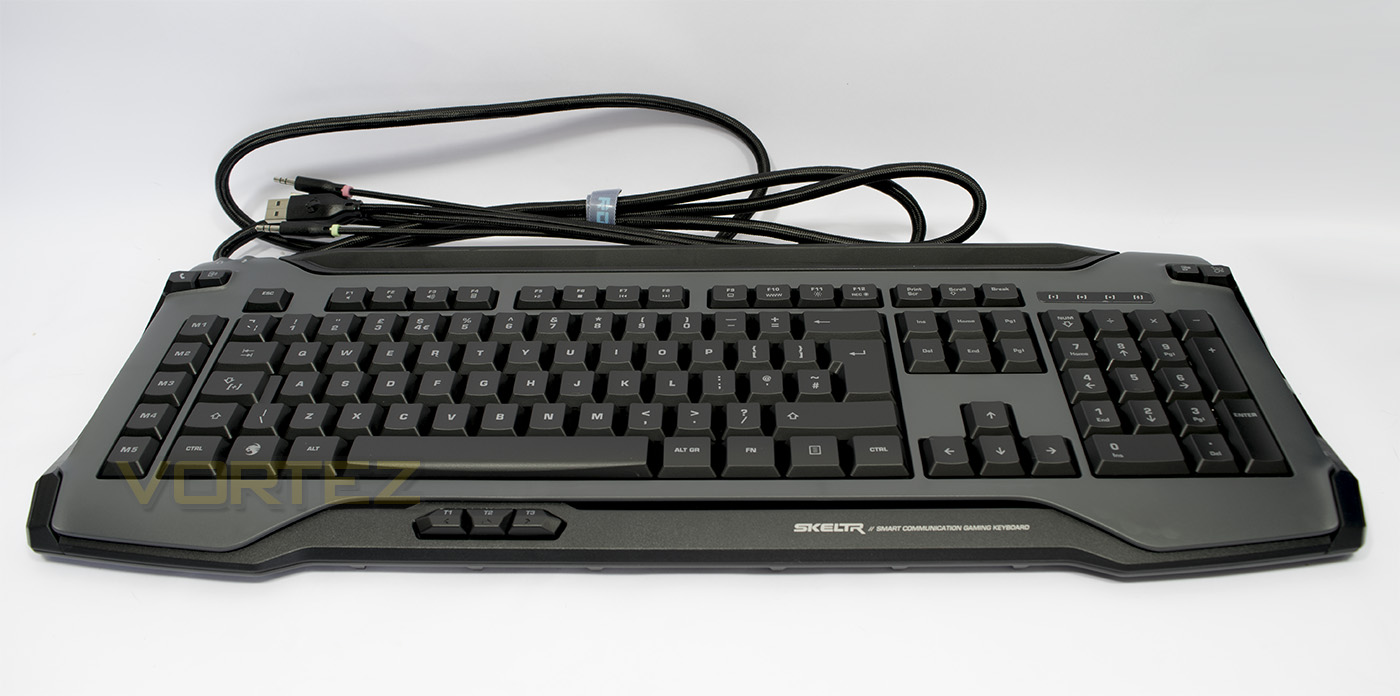
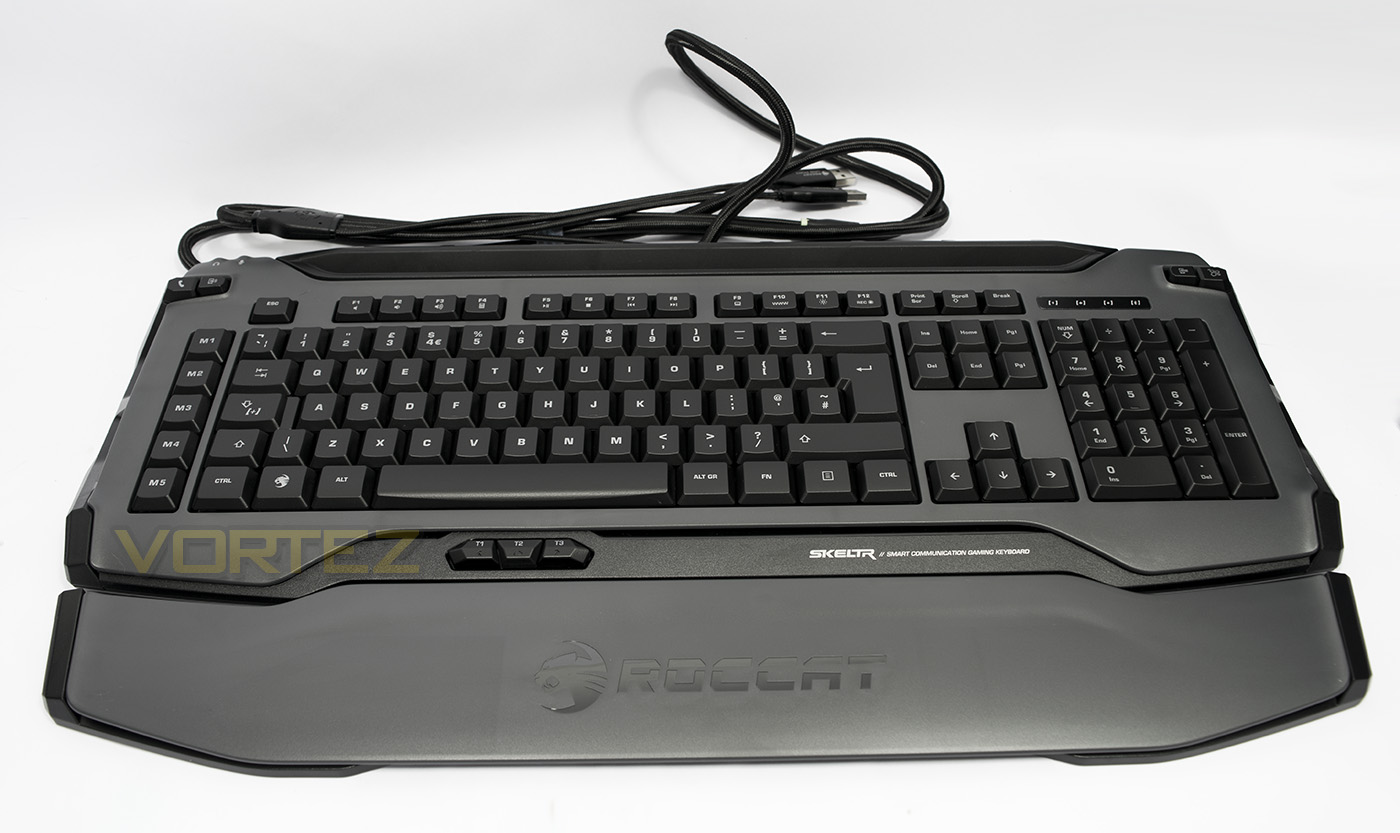
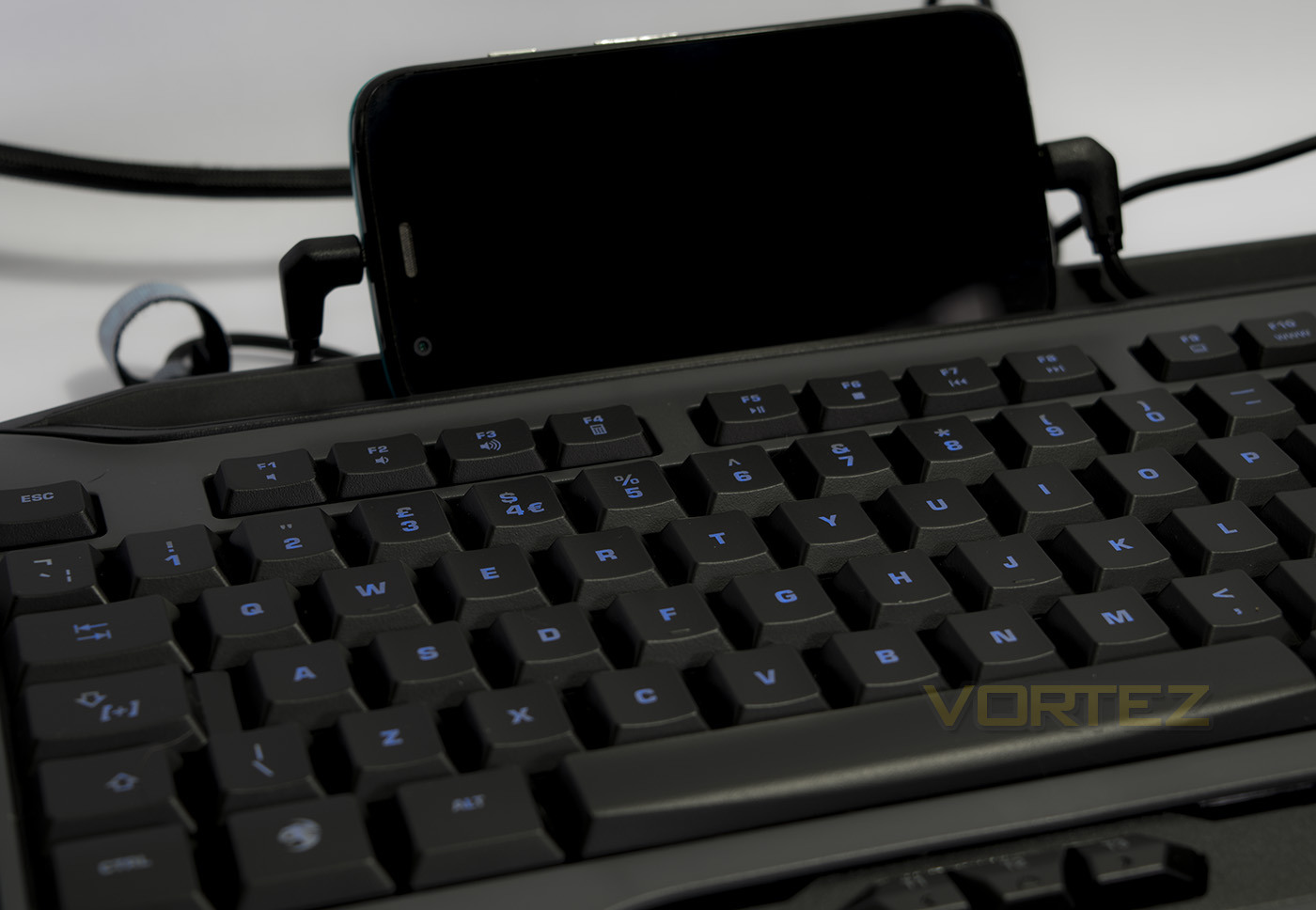
The keyboard itself has a similar design ethic as we have seen with their various contemporary mice (Kova, Kiro, Nyth) where we have a smooth, top coat of plastic set on a textured black plastic. Stand out features would be the large rubberised slot to hold tablets or smartphones, the three thumbster keys, and the row of dedicated macro keys on the left.
Closer Look
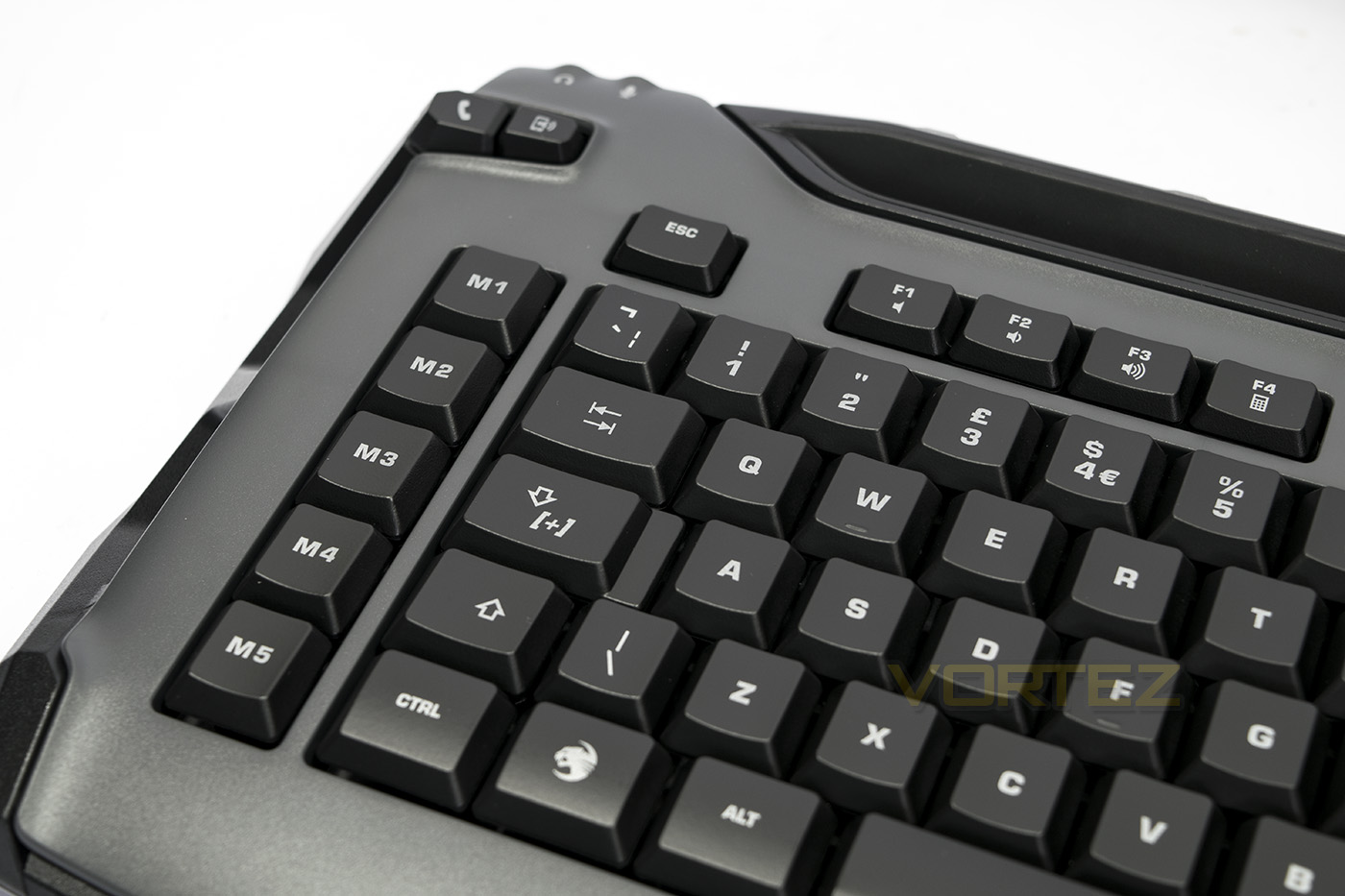
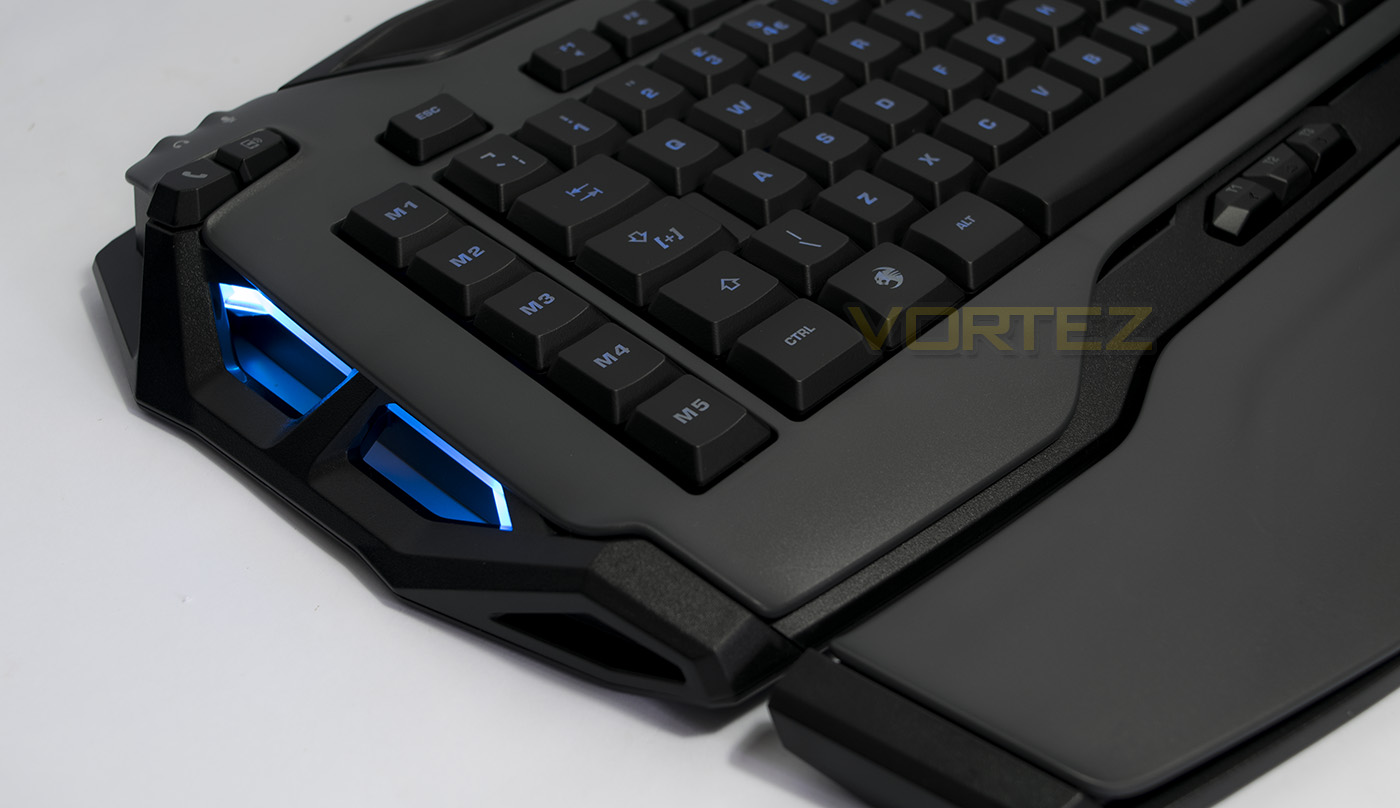
On the left side there is a row of dedicated macro keys, but towards the top edge there are also some dedicated phone function keys, including accept/end call, and toggle phone audio. Note that the Skeltr also features the ROCCAT easy-shift+ key.
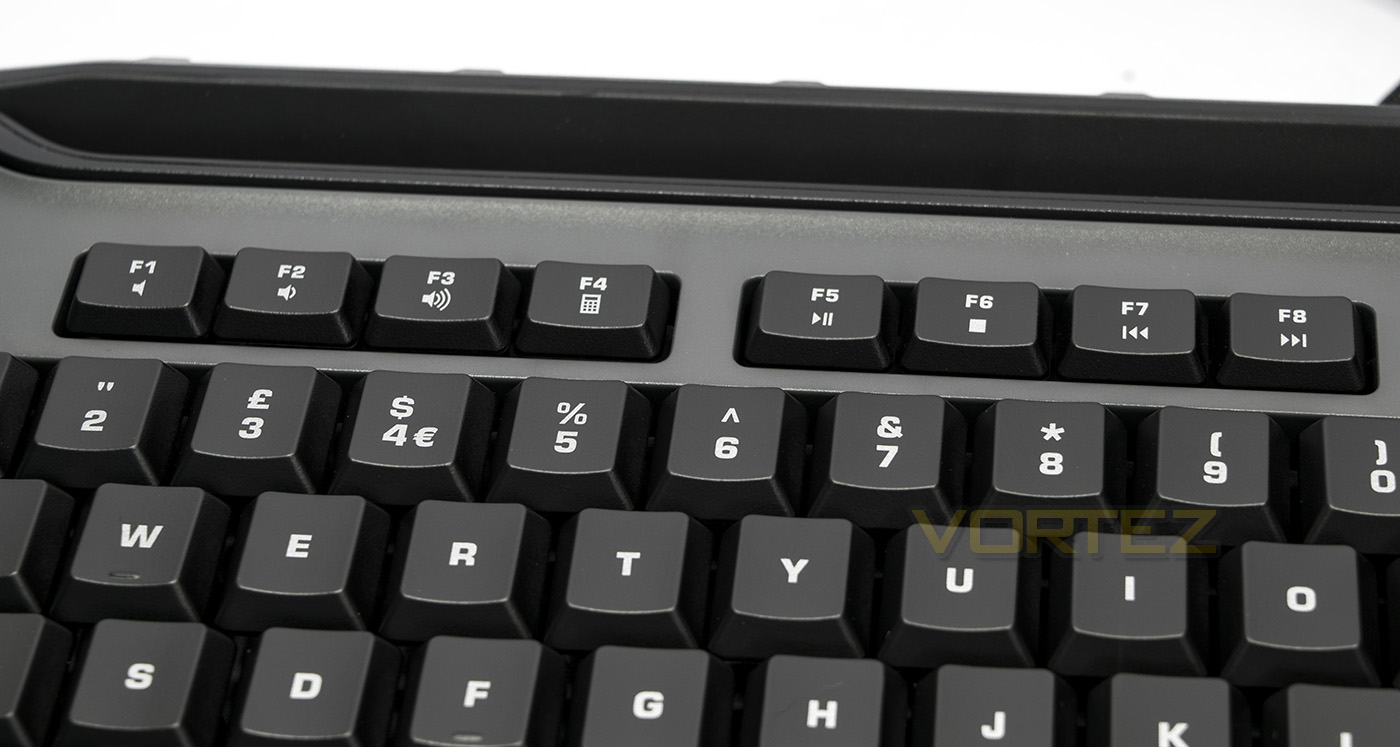
The F keys double as media keys, including mute, volume down/up, open calculator, play/pause, stop, and skip previous/next.
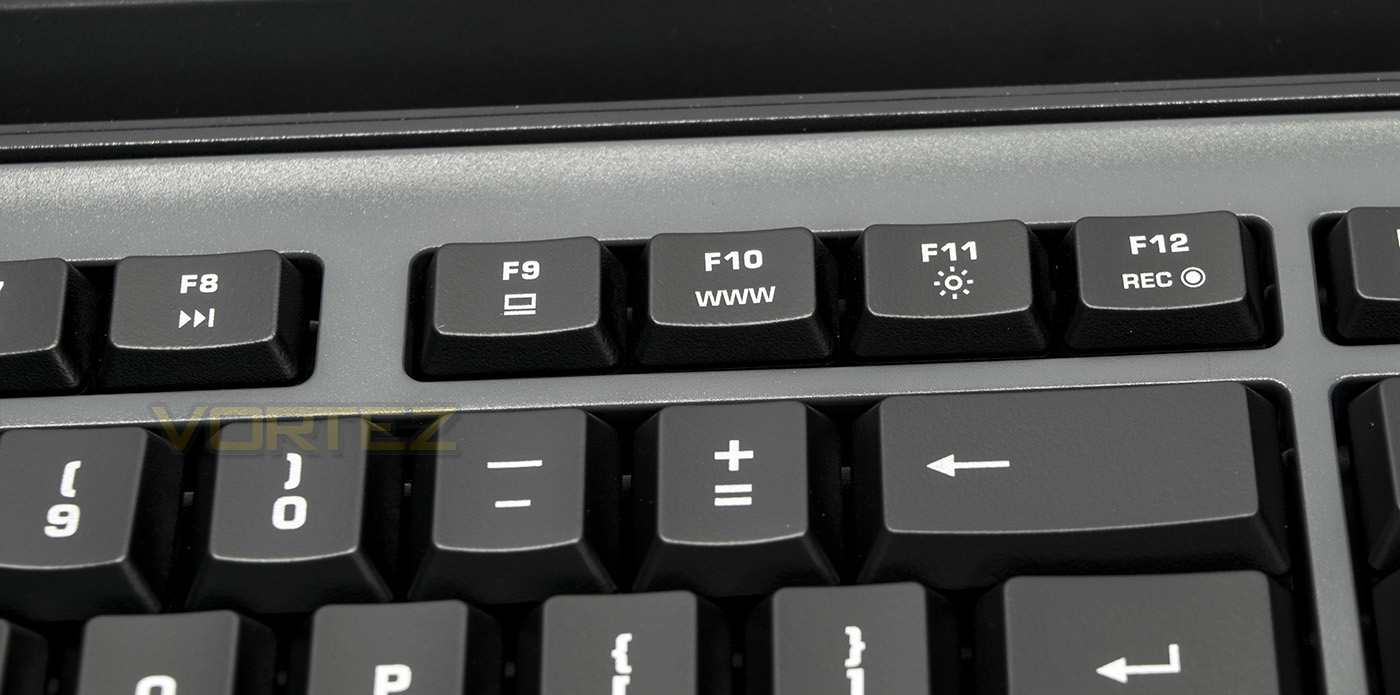
Farther along, we find open my computer, open internet browser, adjust LED brightness and record macro.
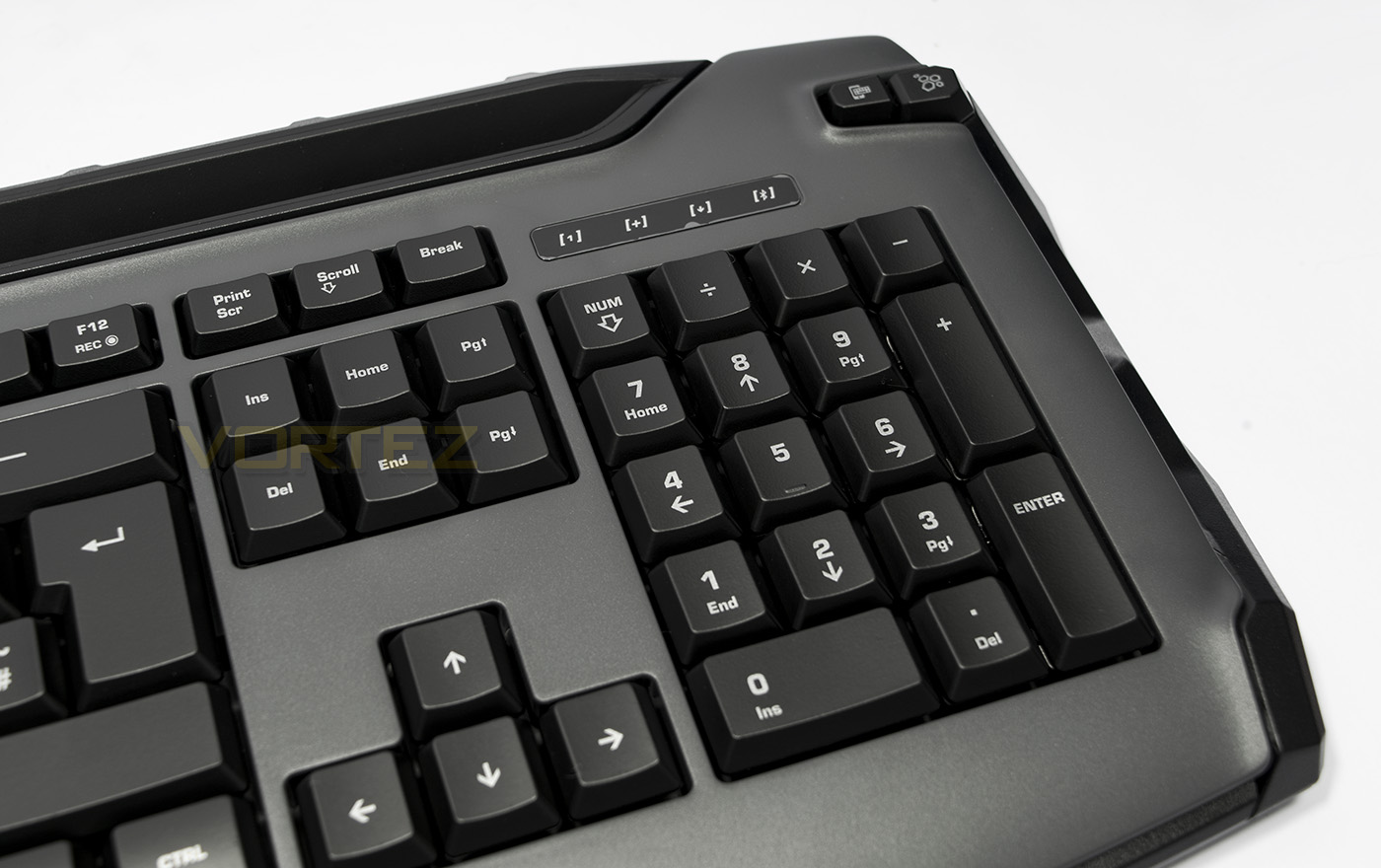
On the right side edge next to the numpad there is another pair of additional keys, one to toggle between typing on mobile device/PC (hold for 2s to pair Bluetooth) and the other is a shortcut to open the SWARM software.
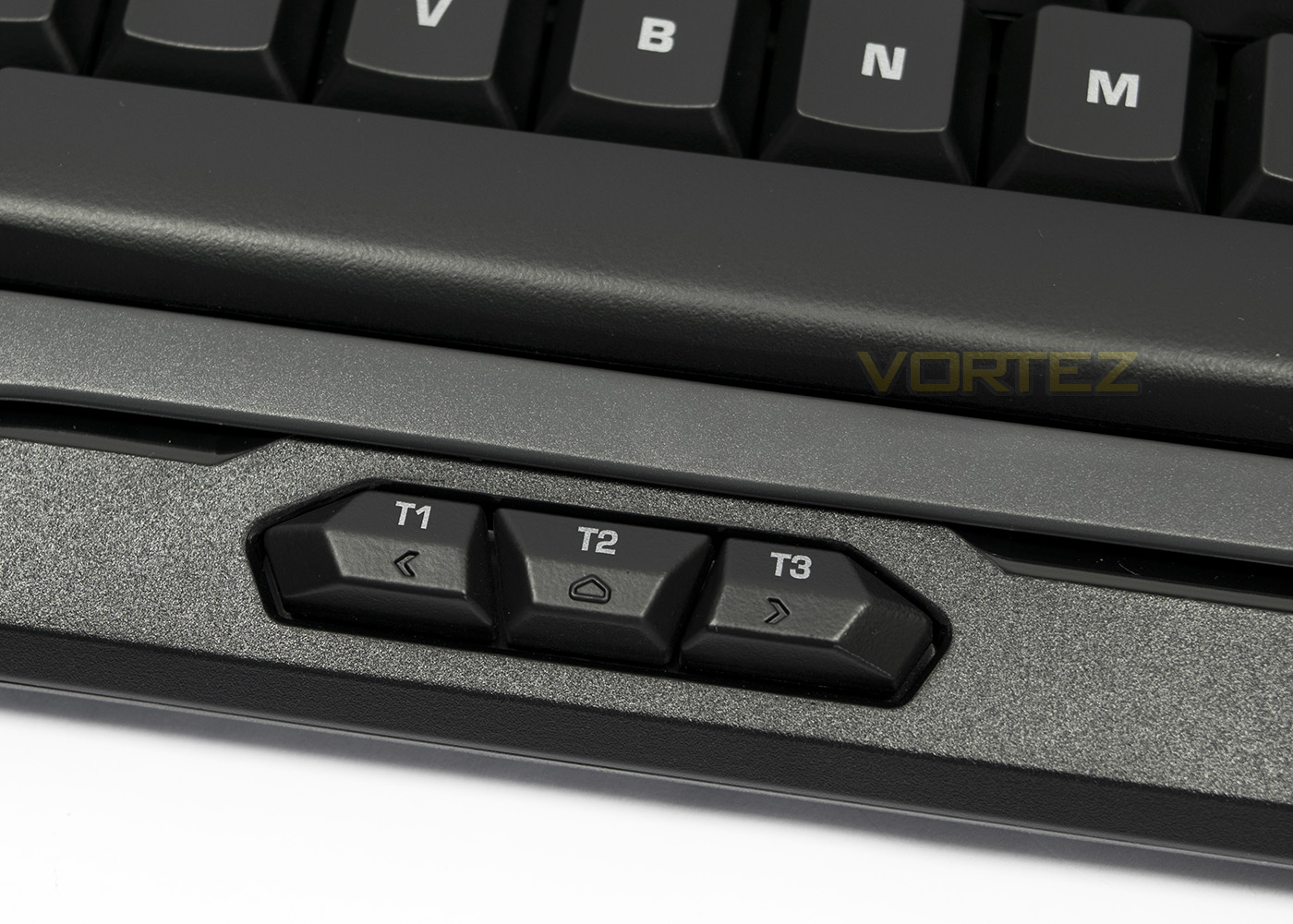
Sat just under the spacebar are the three programmable thumbster keys.
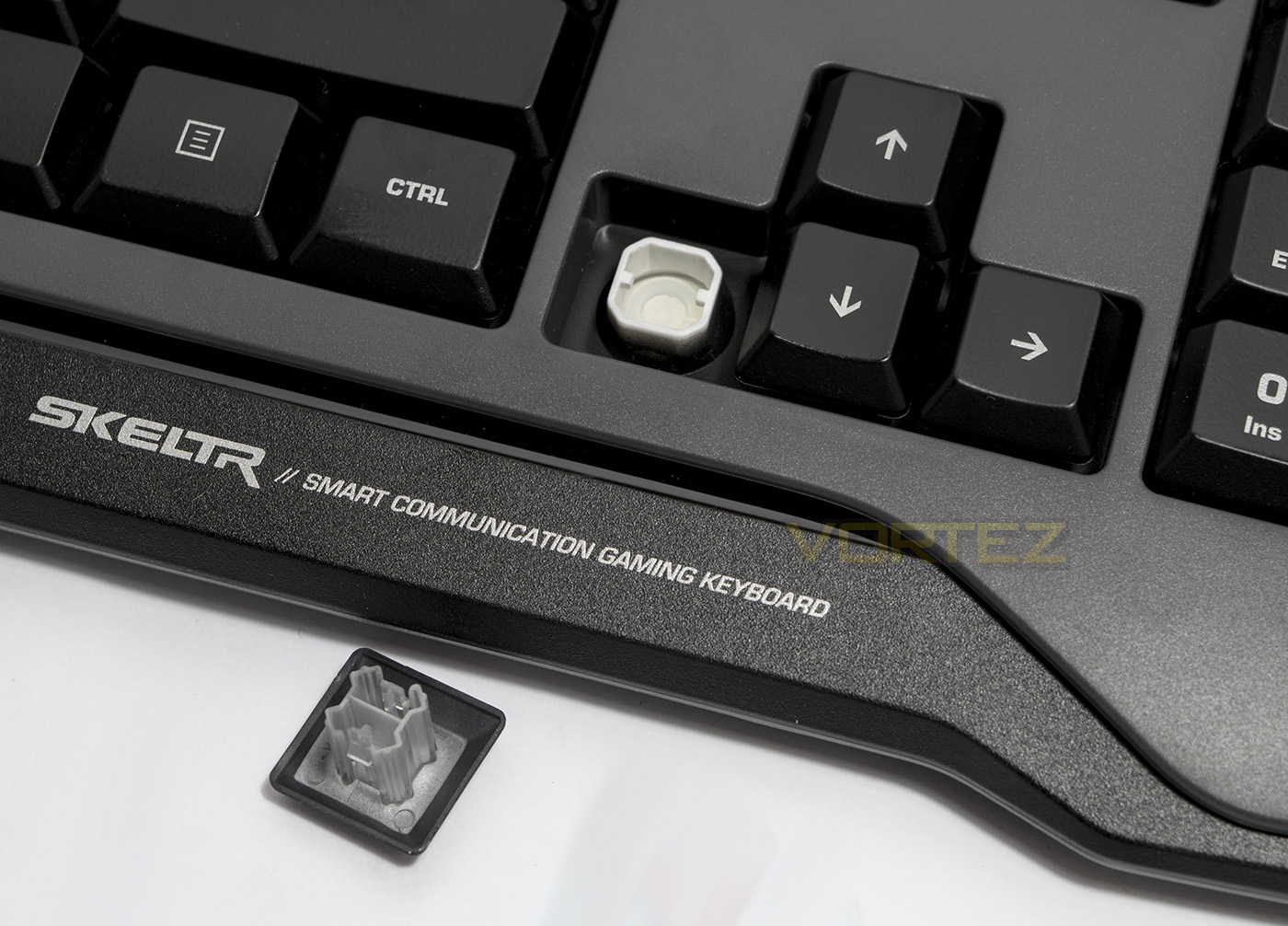
The Skeltr is a membrane keyboard and it appears to employ a stablised mechanical feel design on the keys similar to what we have seen used on the Tt eSPORTS Challenger Prime. This will ensure smooth, yet quiet typing.
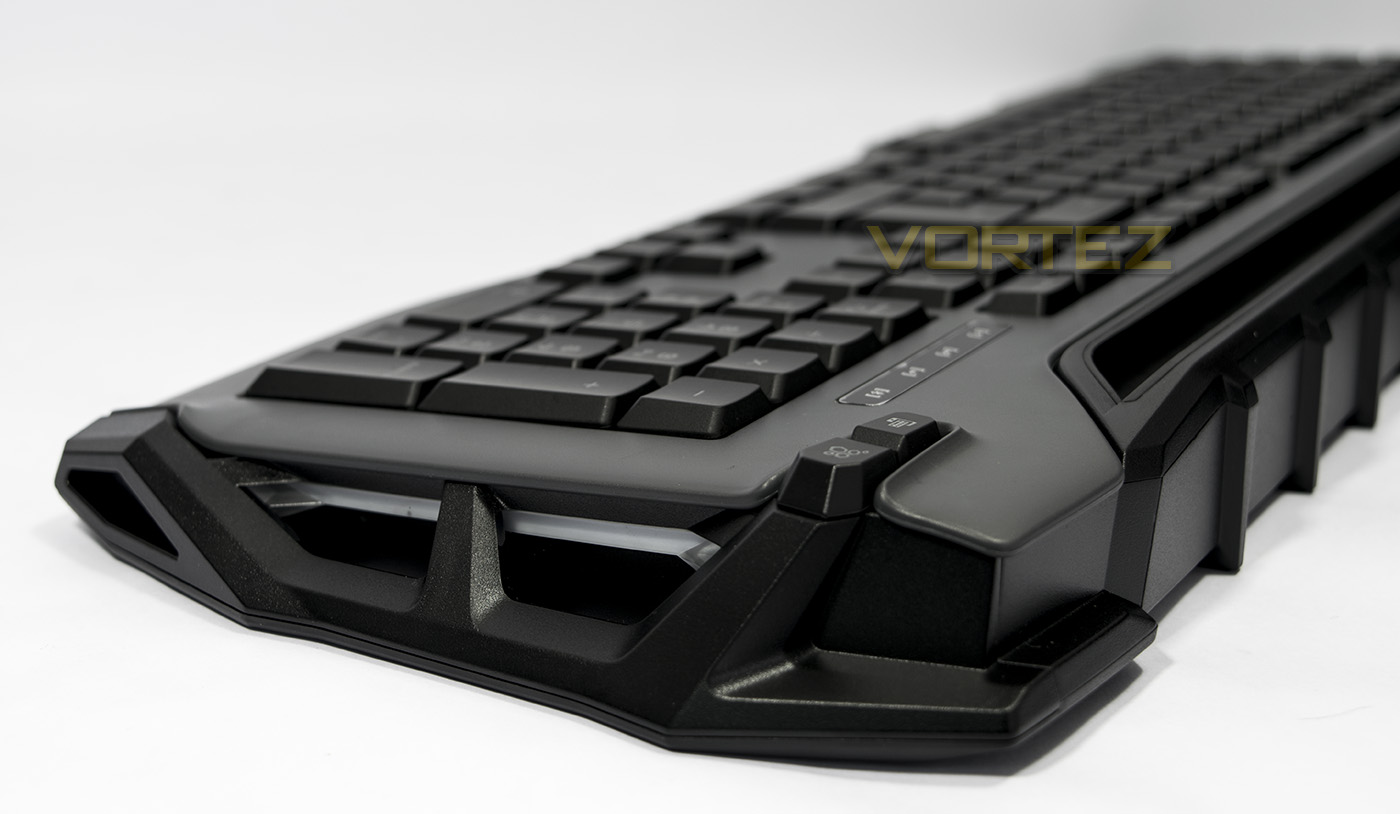
The side of the keyboard shows off a large side bracket with some LED lighting hidden behind.
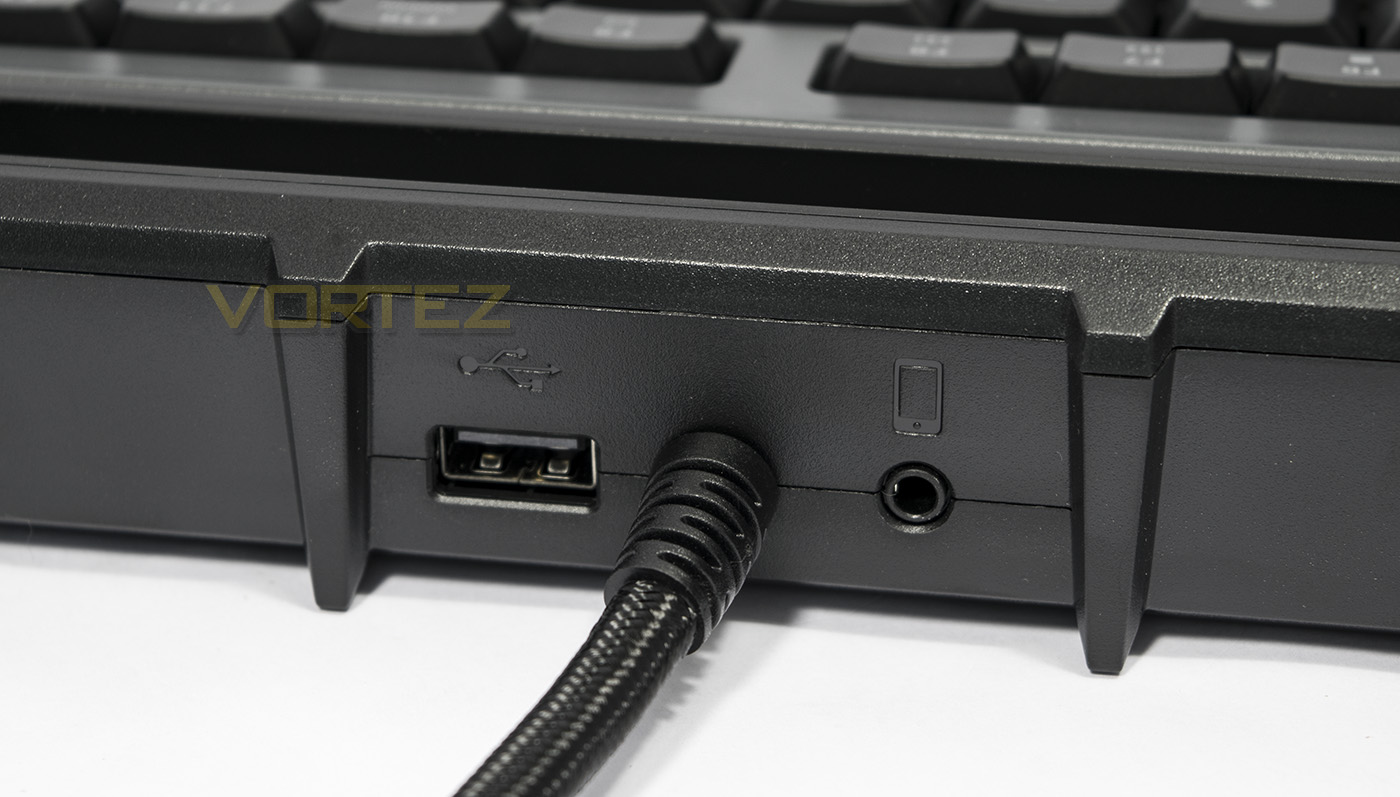
On the rear edge ROCCAT have included a USB pass-through, and an audio connector jack for your smart device.
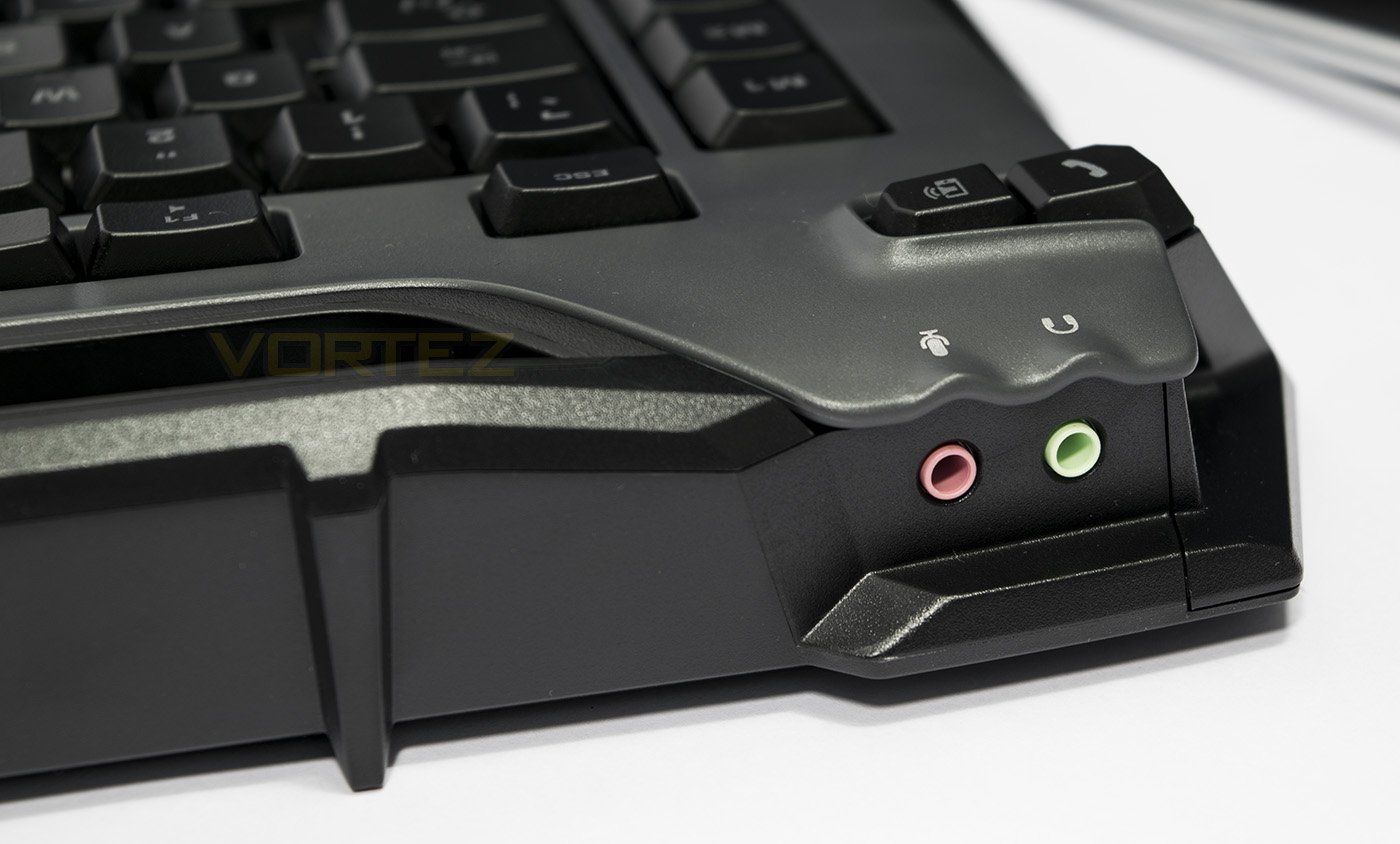
At the rear left side edge there is an audio pass-through for headphones and microphone.
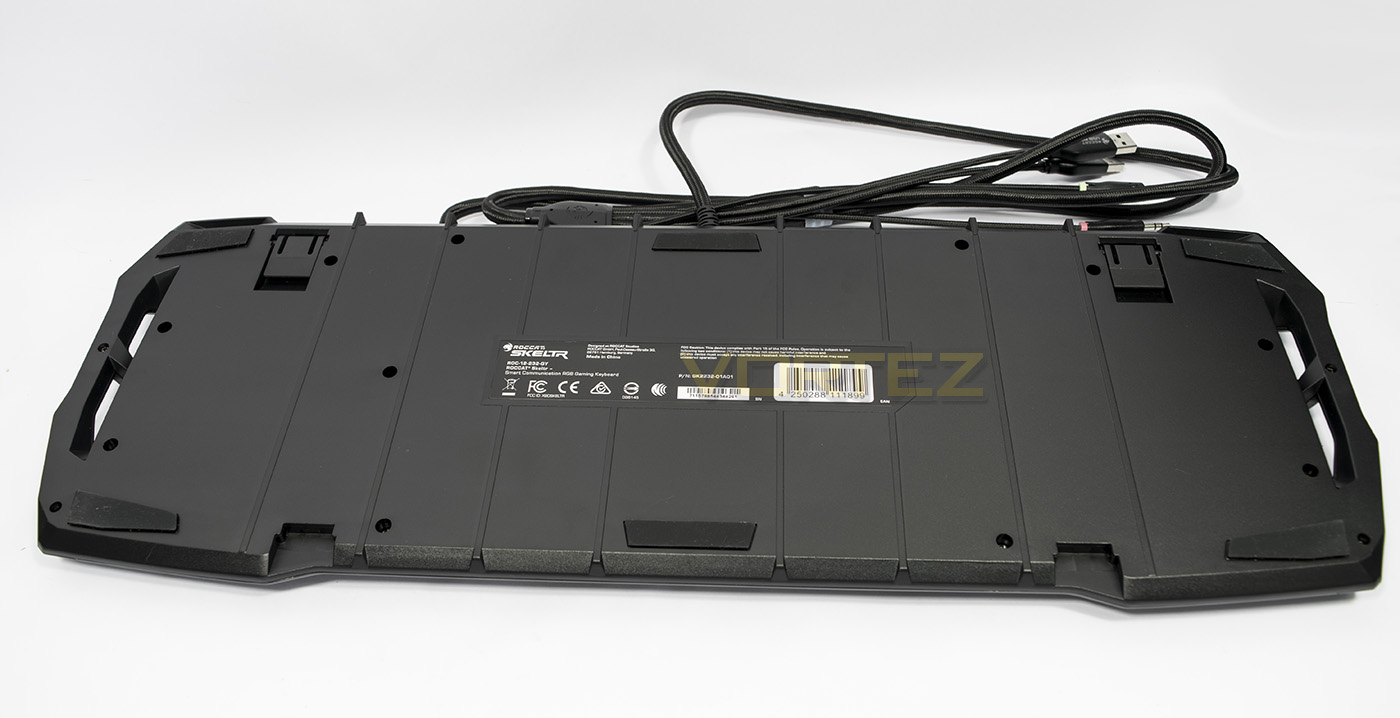
The underside is fairly standard, featuring folded feet to adjust the height/angle of the keyboard as well as some grippy rubber pads to prevent the Skeltr from slipping while in use.
Software & Lighting
The Skeltr keyboard will work standalone, but it is advised that you install the SWARM unified software driver to access all the features. There is also a SWARM app available on the Google Play store, or the Apple App Store. This will enable the maximum control of your connected devices. The SWARM application allows various controls over the Skeltr keyboard including various performance controls, key assignment, macro creation and lighting controls. Due to the onboard memory, you can save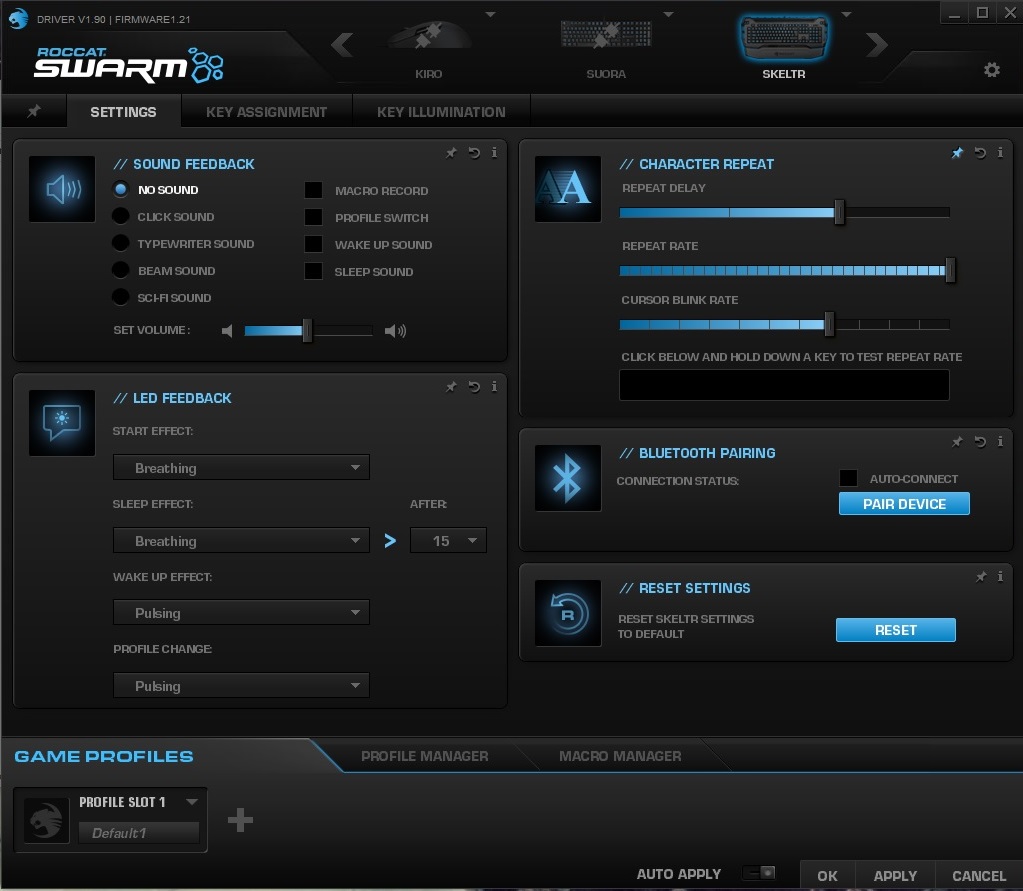
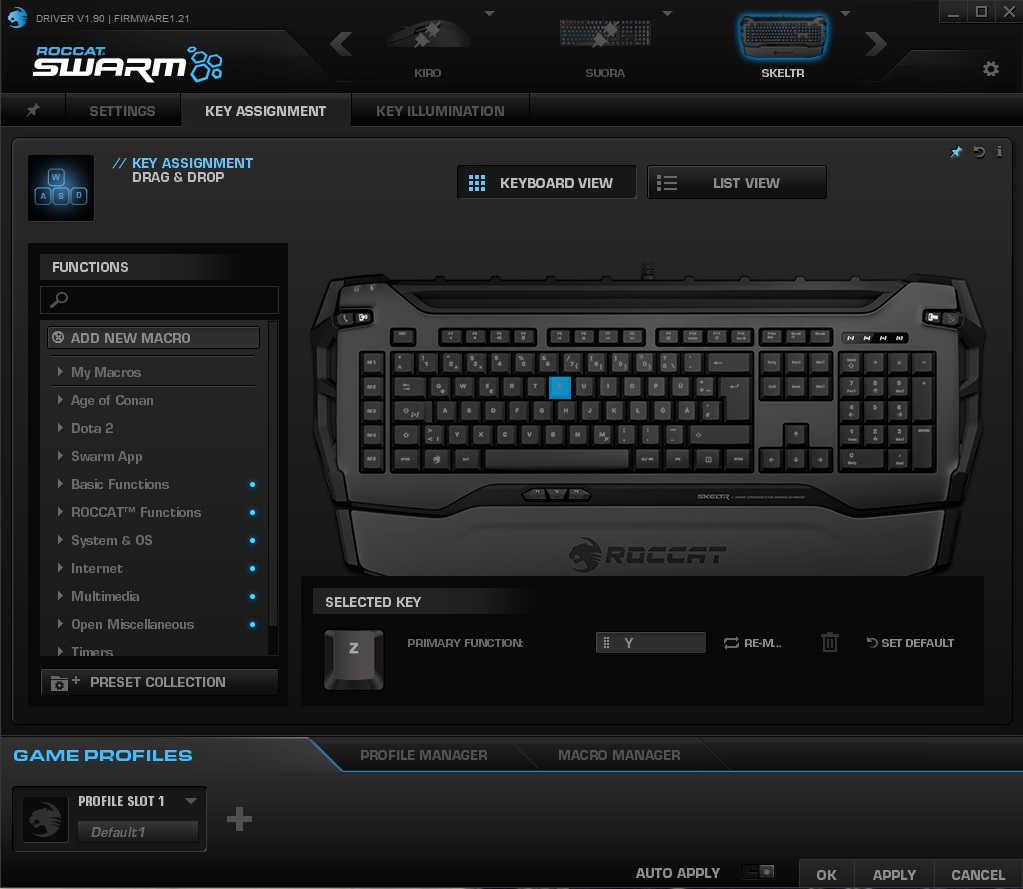
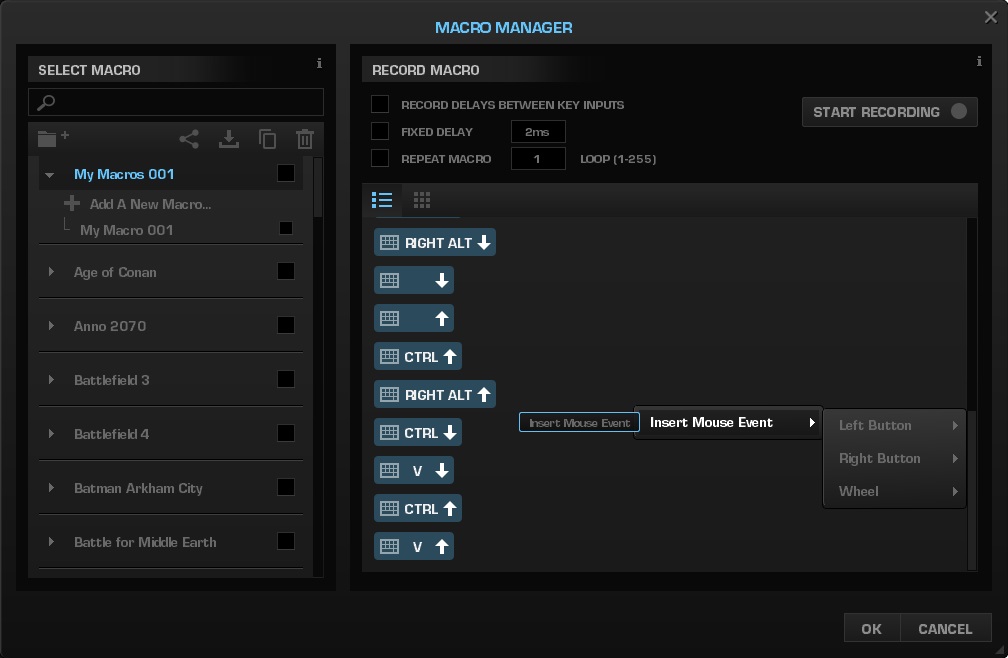
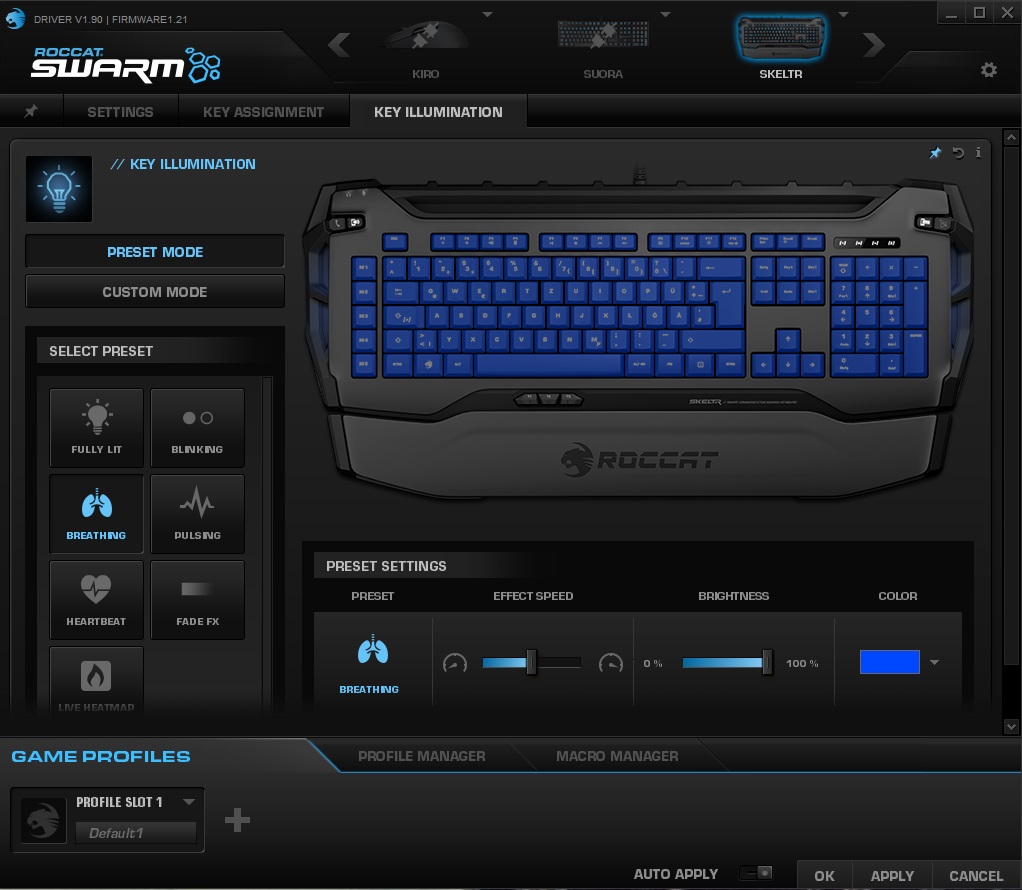
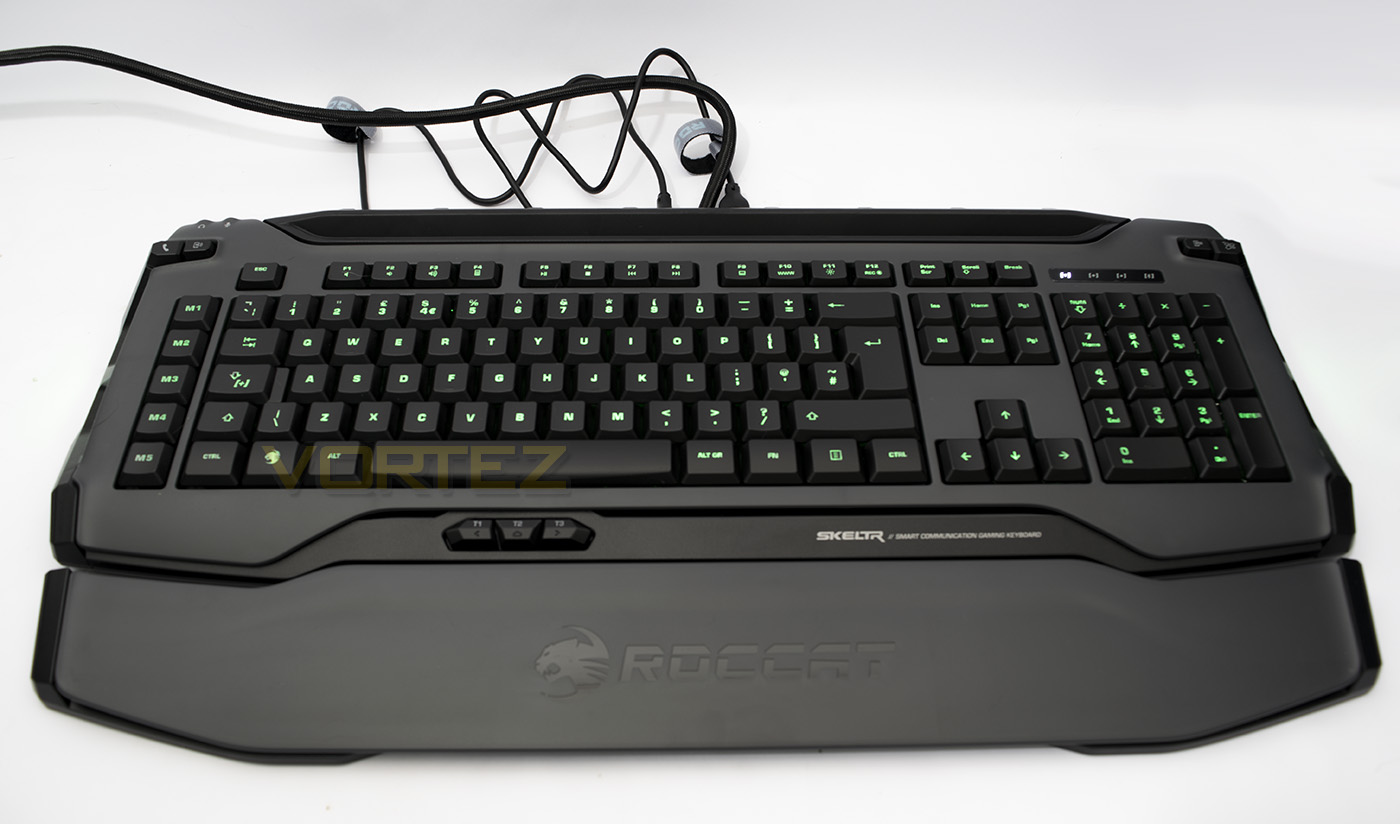
The backlighting is rather dim, and can’t be customised per-key, however it serves as a functional feature and the colour selection works well. Some of the lighting effects seem rather clunky, but it would be fair to say that the LED backlighting is more functional than a primary selling point.
Performance Testing
Setup, Design & ObservationsThe build quality of the Skeltr feels great, and I love the materials used, being the combination of smooth and textured plastics. Though as this is not a mechanical keyboard, it remains fairly lightweight. The long cables end in a selection of 2x USB cables and 2x audio jacks and so will require said space on your motherboard I/O.
In general use I found the keyboard comfortable to use without the wrist rest, but I preferred using it overall. The key presses are smooth and quiet and didn’t require too much force. The macro keys felt a little too close the right edge of the primary keyset, resulting in some accidental key presses where I would confuse the M5 key for the bottom left ctrl key, this is likely a matter of getting used to the key placements. The dedicated mobile device keys, as well as the thumbster keys had a firm click to them, making them difficult to press by accident, but also reassuring as to when you have pressed them.
Performance
Swapping between mobile device and PC typing is fairly speedy, and you can even navigate your smartphone by using enter, esc, and the cursor keys. It was difficult at first to find your bearings, but once you get used to it, swapping between PC, and replying to messages on your phone/tablet is fast and convenient. I must admit, I loved being able to speed type on my phone and spamming friends with messages so quickly blew their minds. Answering a phone call using your headset connected to the audio pass-through is fairly straight forward also, ensuring you will never miss a call while gaming again, even better, it does little to interrupt said session! (except when you are in the middle of a DOTA 2 team fight and the only thing you can muster in response to any questions is ‘what…? BLACK HOOOOOLE!!!)
As a gaming keyboard, the Skeltr felt responsive and I didn’t find myself missing mechanical switches too much, though in Aqua’s Keytest, I found that the anti-ghosting was a little hit and miss. Gamers aren’t likely to run into any issues as I consistently was able to press 6 keys simultaneously in the primary zones (WASD area, numbers keys), though in some other areas, such as the ijkl region, it could only manage 2 key presses.
Conclusion
Master Worlds, is a bold statement, but the truth lying beyond the slogans and bold livery sits a genuinely forward thinking communication device that could easily find a loving fanbase outside of gamers. The membrane typing is soft, smooth, quiet and responsive, something that will be enjoyed by many typists that are put off by the noise of mechanical switches. The ability to pair your mobile device with, and control it using the Skeltr keyboard has more application that just gaming also. Those that often find themselves writing reports, or working spreadsheets all day may not enjoy the disruption a phonecall or messages can create, having your device connected to the keyboard, to which can then forward the call to your headset, or alternatively, quickly write a reply via the keyboard itself, could potentially be revolutionary.
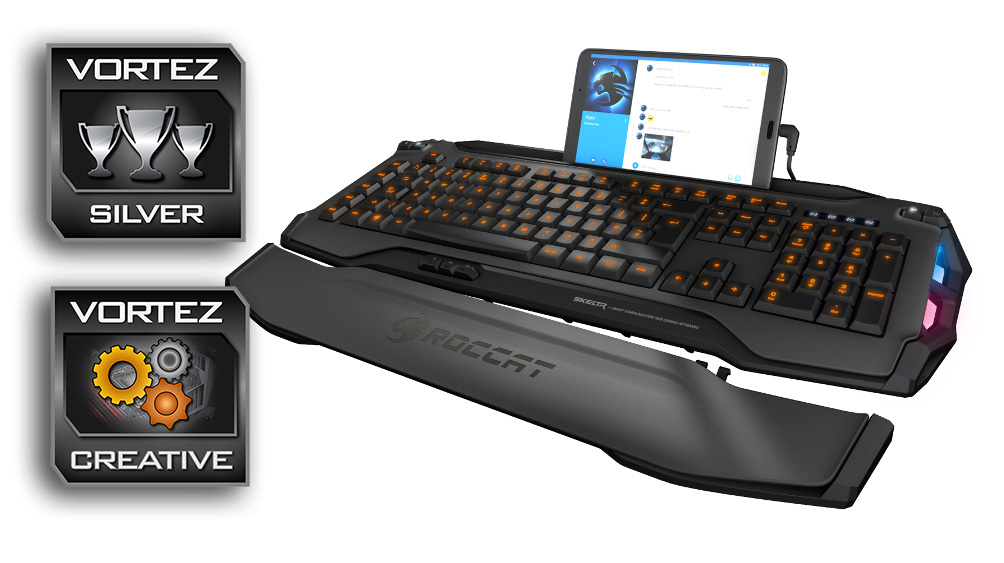
There are few real gripes with the Skeltr keyboard outside of its pricing, which right now seems to be between £140-170, and though it would be a nice thought to assume that the price would drop after widespread availability, it may not be for a while, and it may in fact retain its price for as long as it is a relatively niche product. One could argue that it feels like a £40 keyboard with Bluetooth, a rather cheap technology that always seems to have a huge aftermarket mark-up cost. I mean, why not use mechanical switches, per-key illumination, 100% anti-ghosting, hell why not even make a decent wired/wireless keyboard with built in rechargeable battery and audio/USB pass-through, it IS possible.
Still, it is what it is and the Skeltr has left a lasting impression with us as we may now demand more from our keyboards in future. This keyboard will be the crux of anyone’s system where flexible communication is vital.
ROCCAT venture deep into the realms of innovative thinking with the Skeltr keyboard. It allows users to control both their PC and mobile devices saving time, and reduce interruptions in your gaming session.
Pros.
+ Attractive design
+ Silent typing
+ Seamless interactivity between PC/Mobile device
+ Dedicated macro keys
+ Included accessories
+ Great software support
Mediocre
+- Dim back lighting
Cons.
– Not mechanical
– Price
– PRICE
+ Attractive design
+ Silent typing
+ Seamless interactivity between PC/Mobile device
+ Dedicated macro keys
+ Included accessories
+ Great software support
Mediocre
+- Dim back lighting
Cons.
– Not mechanical
– Price
– PRICE
Click here for an explanation of our awards at Vortez.net.