What more could you want from a solid, frameless keyboard sporting robust mechanical switches, anti-ghosting and a 1ms refresh rate? RGB lighting of course!

Product on Review: ROCCAT SUORA FX
Manufacturer & Sponsor: ROCCAT
Street Price: UK: £129.99, US: $149.99
We have observed a frameless design in a variety of keyboards and it is fair to say that the simple yet sleek aesthetic that reveals the rows of mechanical switches looks fantastic. Though once you have an appreciation for the ease of cleaning the design inherently provides, the aesthetics soon become a secondary consideration. Remember the days when hair, dandruff, dust, cigarette ash, and last years supper were all collected in the crevices of your keyboard, and the true extent of the nastiness was only ever revealed in that annual ‘upside down bash’? This is still a reality for many people.
The SUORA is ROCCAT’s compact and most raw gaming keyboard. It features robust TTC mechanical switches that are rated for 50 million clicks in the brown flavour (let’s think chocolate here). These switches are then mounted directly into a blackened aluminium plate, and have been given all the performance gamers would expect including N-Key Rollover (anti-ghosting), and a 1ms refresh rate (1000Hz polling). Though designed as a driverless keyboard ready for plug and play action with a dedicated Game Mode button, though with the power of ROCCAT SWARM, you have access to key remapping, 6 dedicated macro keys, and per-key customisable illumination.
Overview by ROCCAT
The Suora FX is unmistakably the mechanical keyboard of choice for gaming purists. It boasts a frameless design, the result of which is a pure and efficient keyboard for gamers who like to plug and play right from the box. Its philosophy is raw and undiluted performance, which is exactly what gamers get thanks to its robust, compact build. Built with a durable aluminum-alloy housing, its features include solid mechanical keys with a 50 million keystroke lifecycle plus a comprehensive 16.8m illumination system, and much more. The Suora FX is the mechanical keyboard that gives you raw power, unchained.
Technical Specifications
– Advanced anti-ghosting with N-key rollover
– 1000Hz polling rate
– 50 million keystroke lifecycle
– Multimedia functions
– 6 programmable macro keys
Dimensions
Depth 12.5 cm , Width 43.0 cm
System requirements
Windows® 10, Windows® 8, Windows® 7 64 Bit, Windows® 7 32 Bit
Internet connection for driver installation
USB 1.1 Port
– 1000Hz polling rate
– 50 million keystroke lifecycle
– Multimedia functions
– 6 programmable macro keys
Dimensions
Depth 12.5 cm , Width 43.0 cm
System requirements
Windows® 10, Windows® 8, Windows® 7 64 Bit, Windows® 7 32 Bit
Internet connection for driver installation
USB 1.1 Port
Packaging & First Look
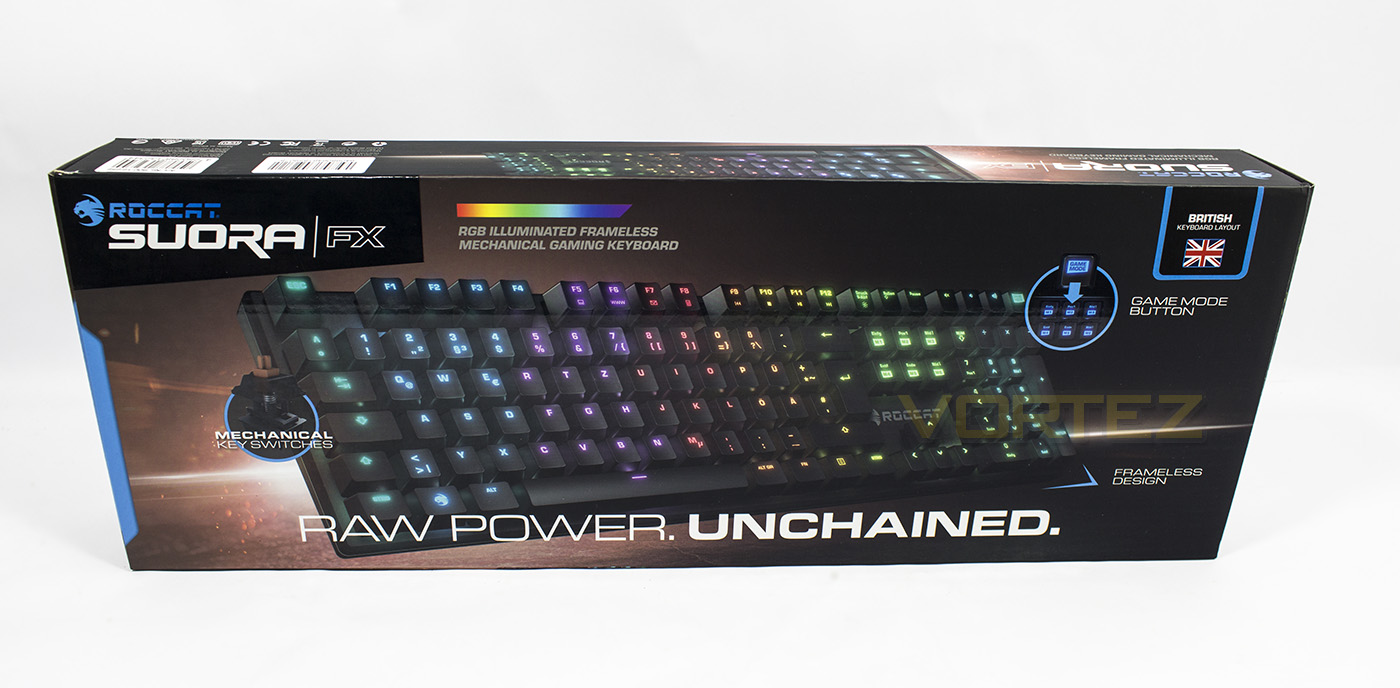
The packaging is fairly lively, featuring a large image of the product and some stand out branding. There is clear indication that this is the FX version that features full RGB lighting.
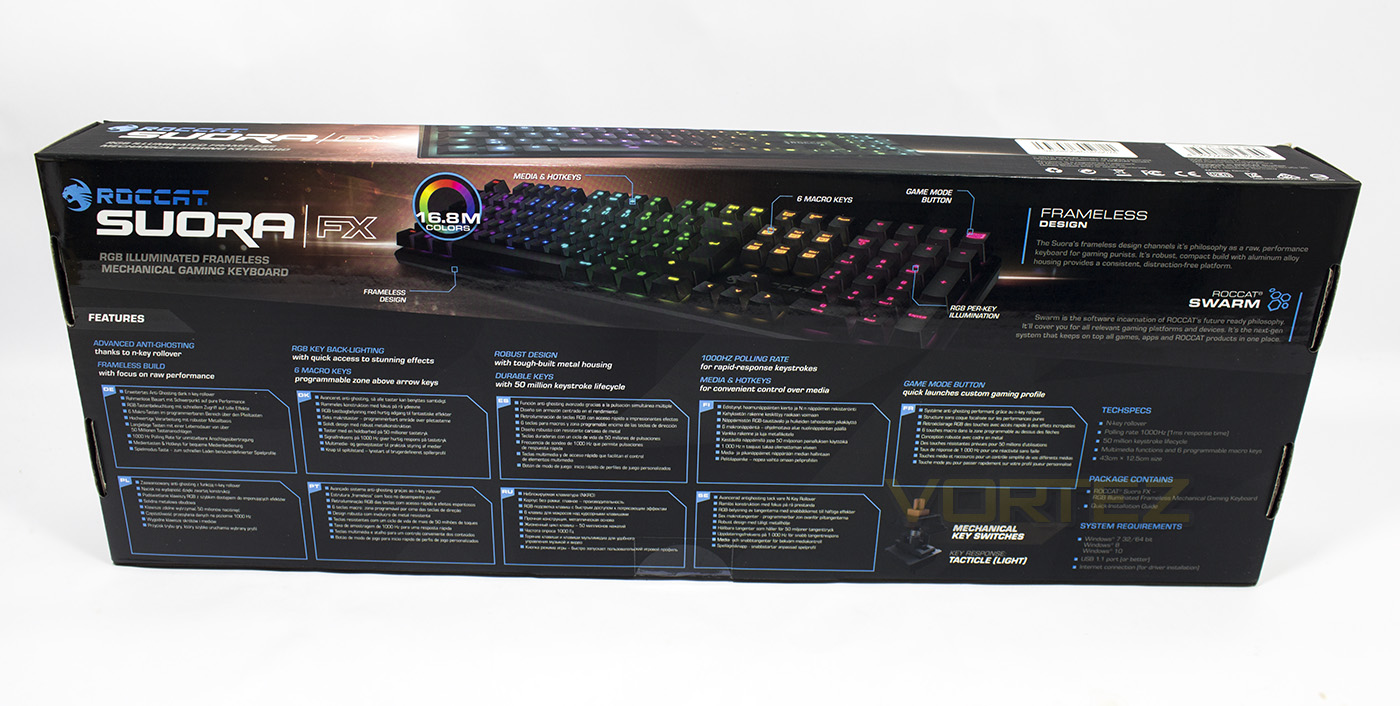
The rear side lists the various features in multiple languages alongside the specifications and a diagram.
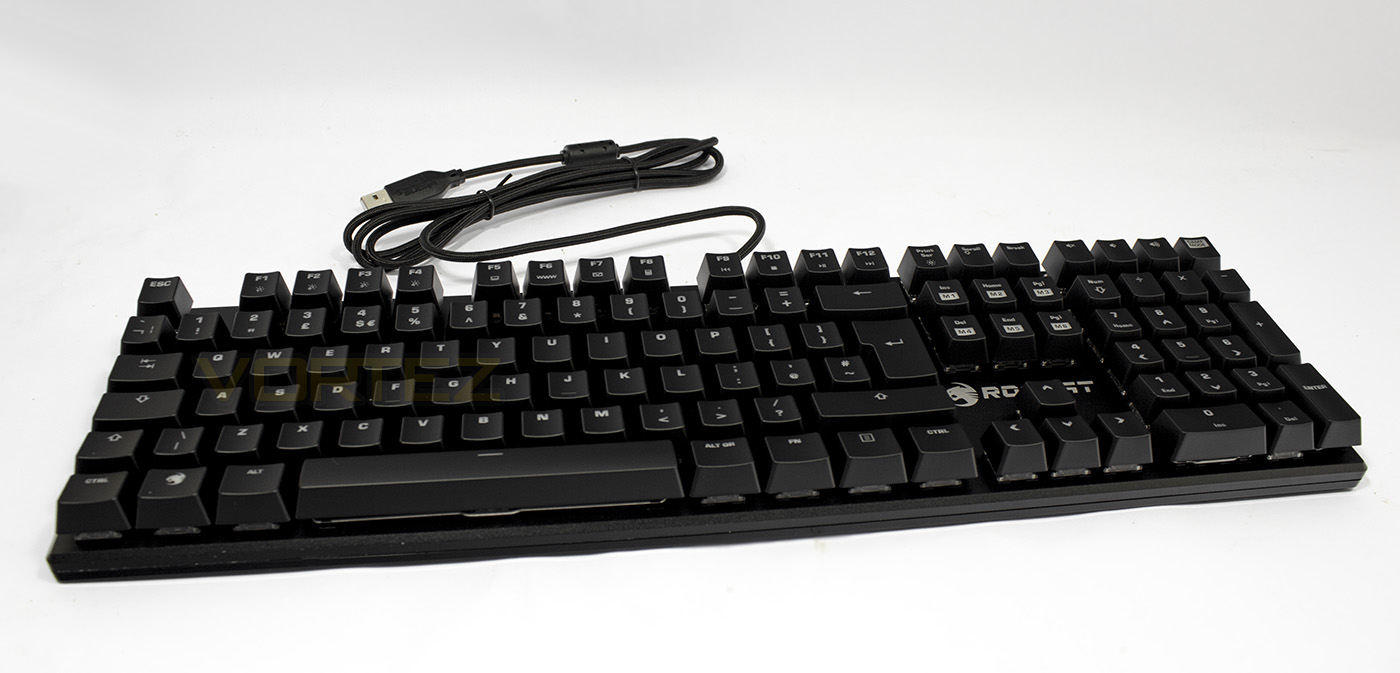
The keyboard itself is a compact 125mm x 450mm and around 38mm at its tallest point. The 1.8m cable is braided and features a gold plated USB connector.
Closer Look
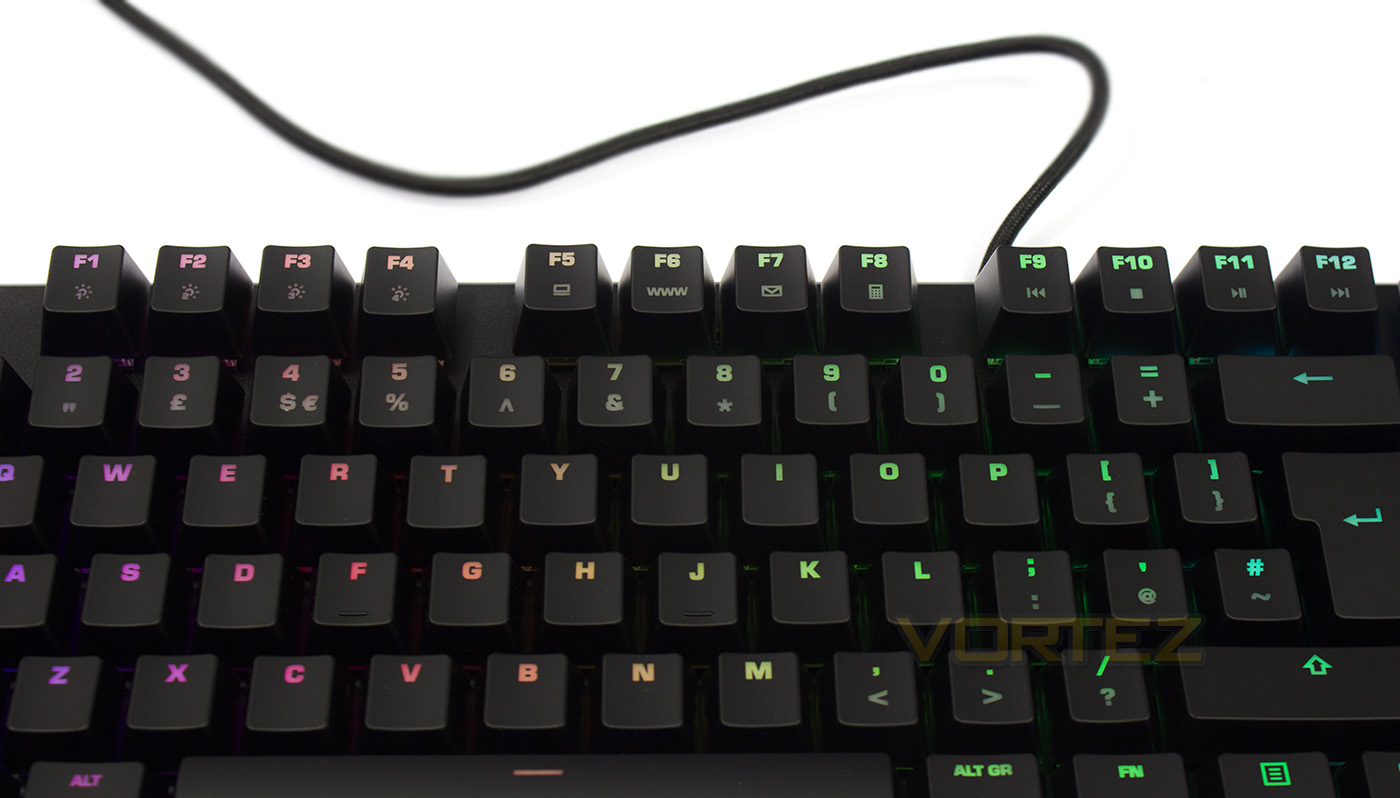
The Fn keys are slightly different than on the previous SUORA, this time taking advantage of F1-F4 for selecting various lighting modes (wave, ripple, breathing, solid). Followed by shortcuts for ‘my computer’, internet browser, mail, and the calculator. F9-F12 act as the media keys for previous track, stop, play/pause, next track.
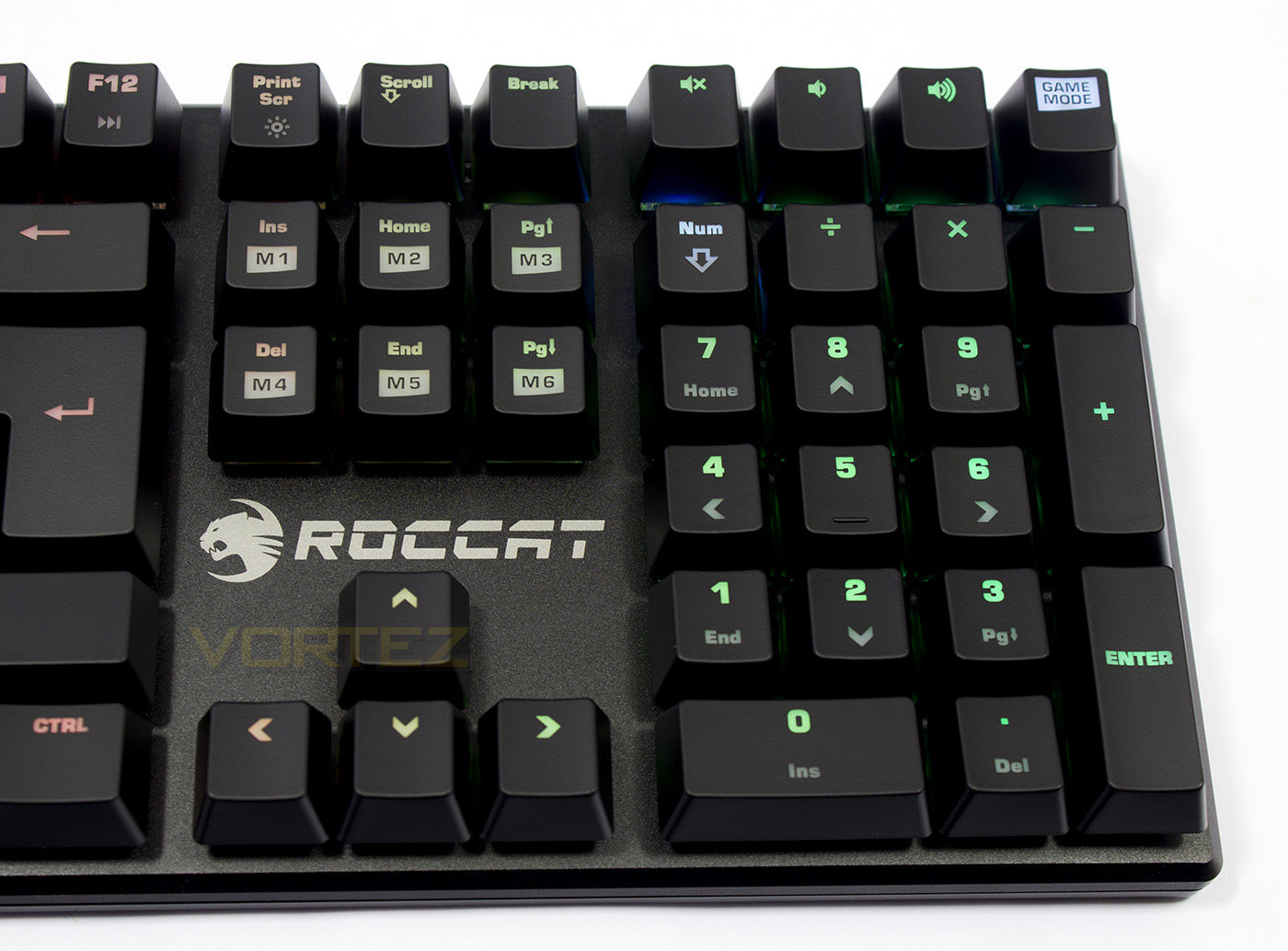
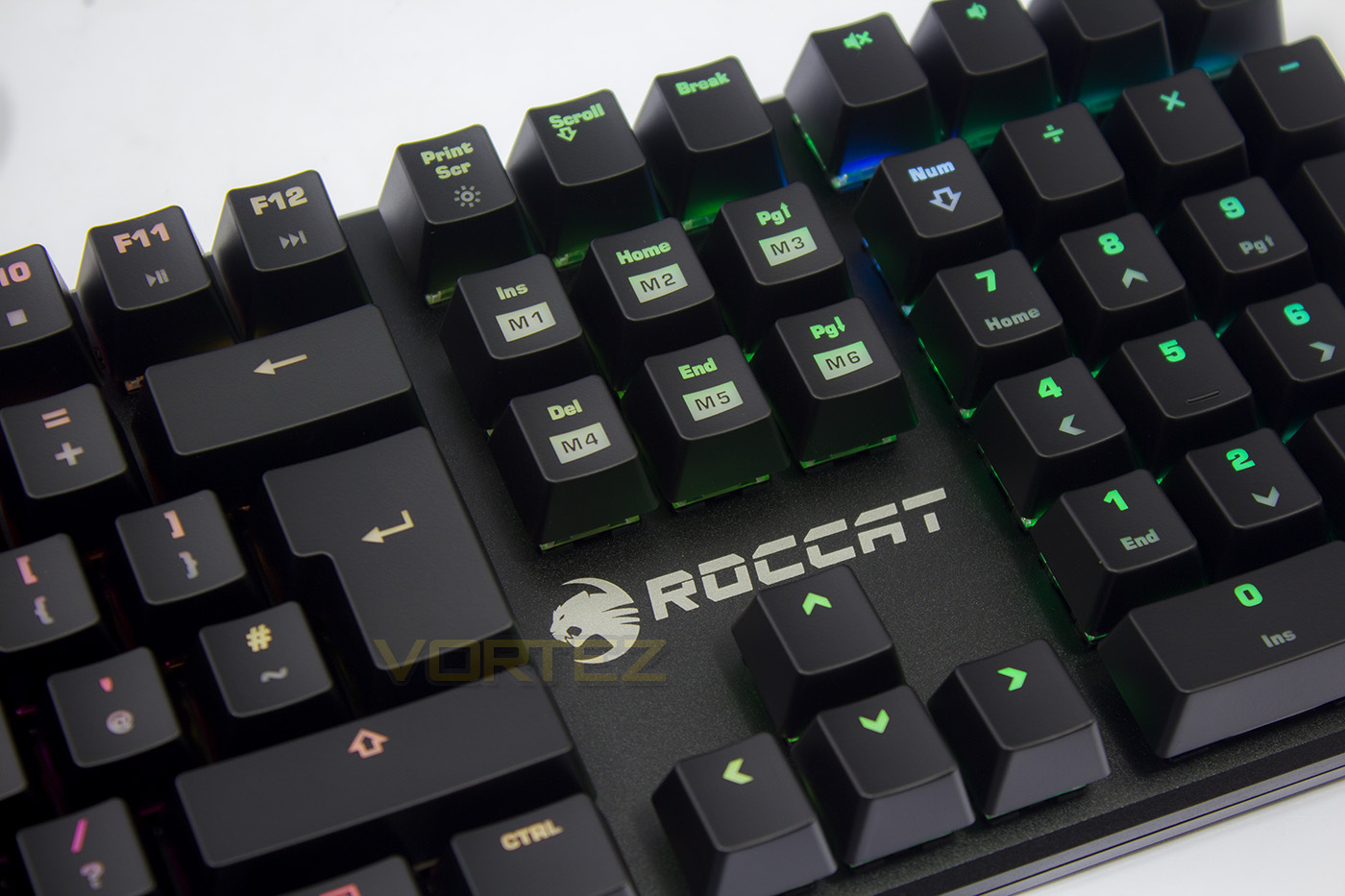
The numpad side contains various other Fn keys, as well as the Game mode dedicated macro keys that override 6 keys. Print Screen doubles up as the brightness control (offering 10 levels of brightness + off). There are dedicated keys for volume control, and the game mode button.
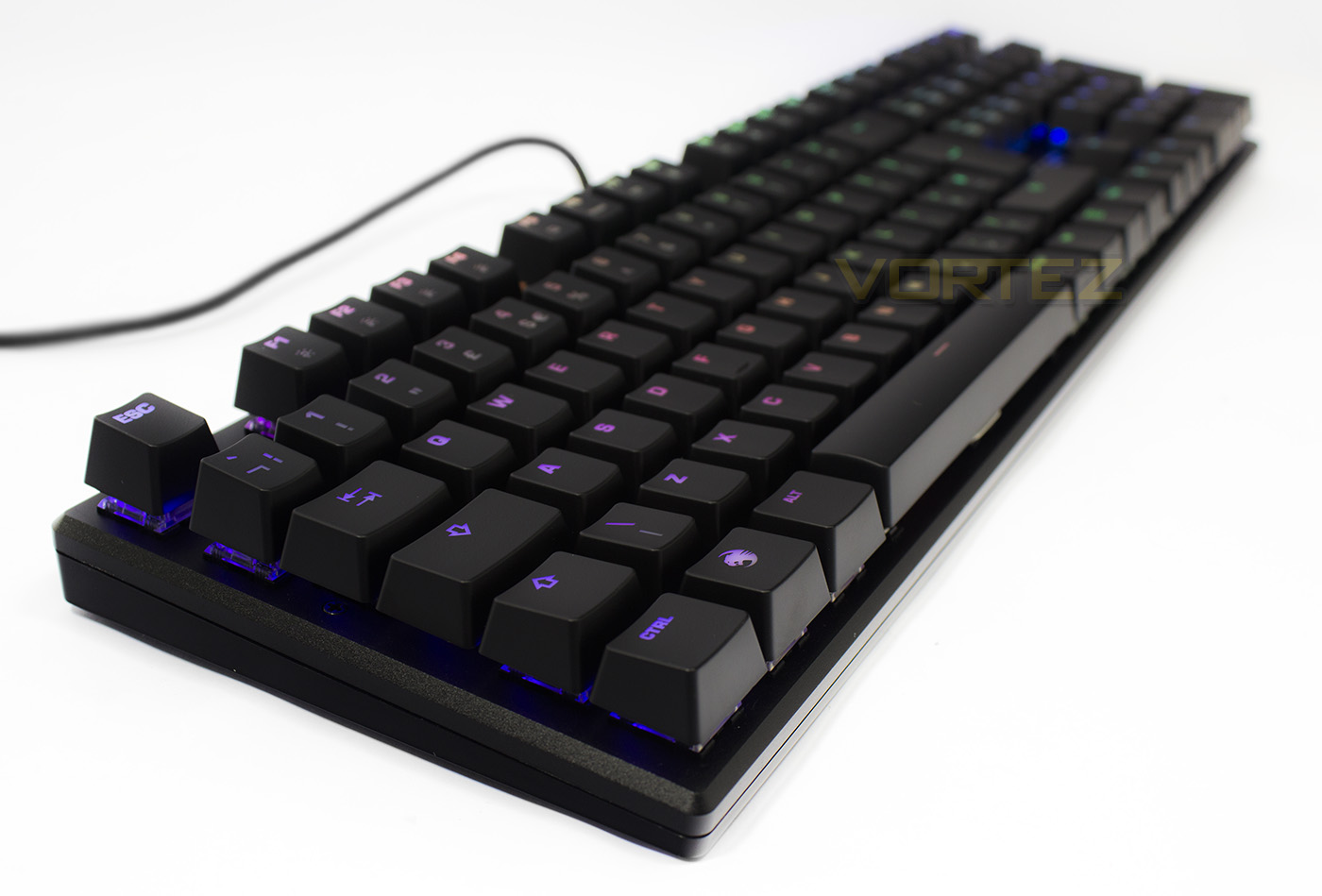
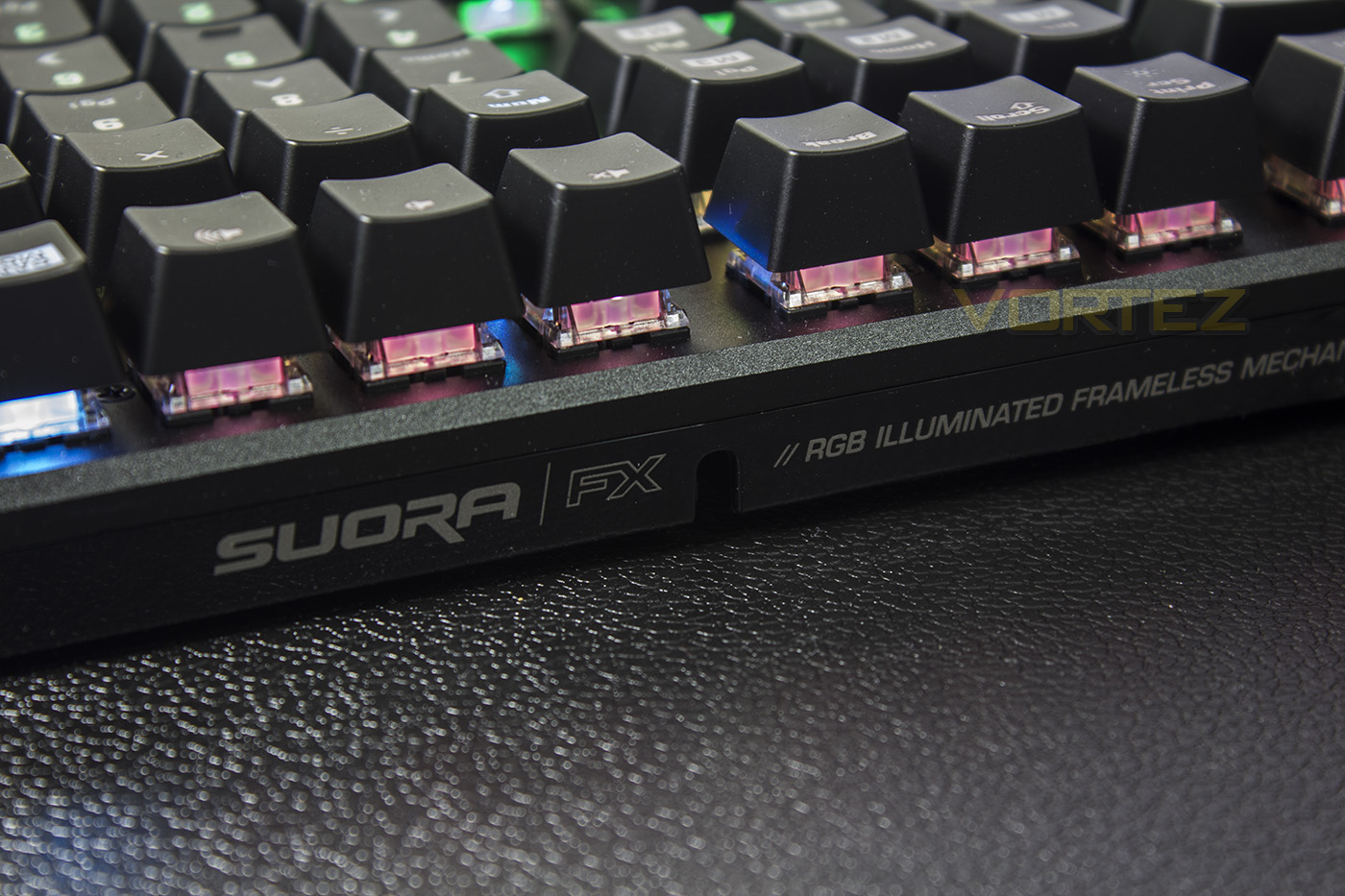
The SUORA FX is a very compact keyboard, with a bezel barely a few mm outside of the size of the keycaps, though the side view makes it appear rather tall.
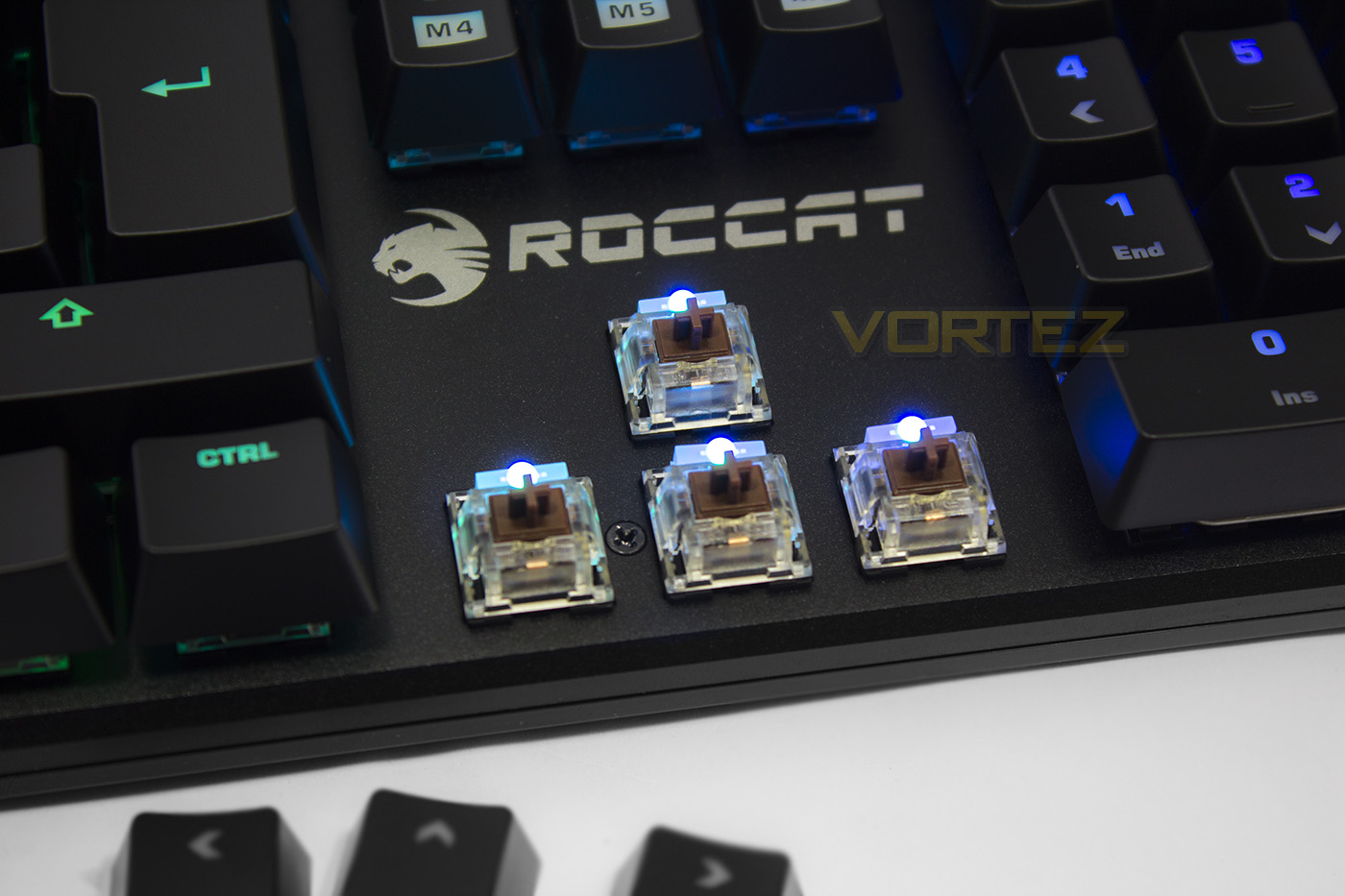
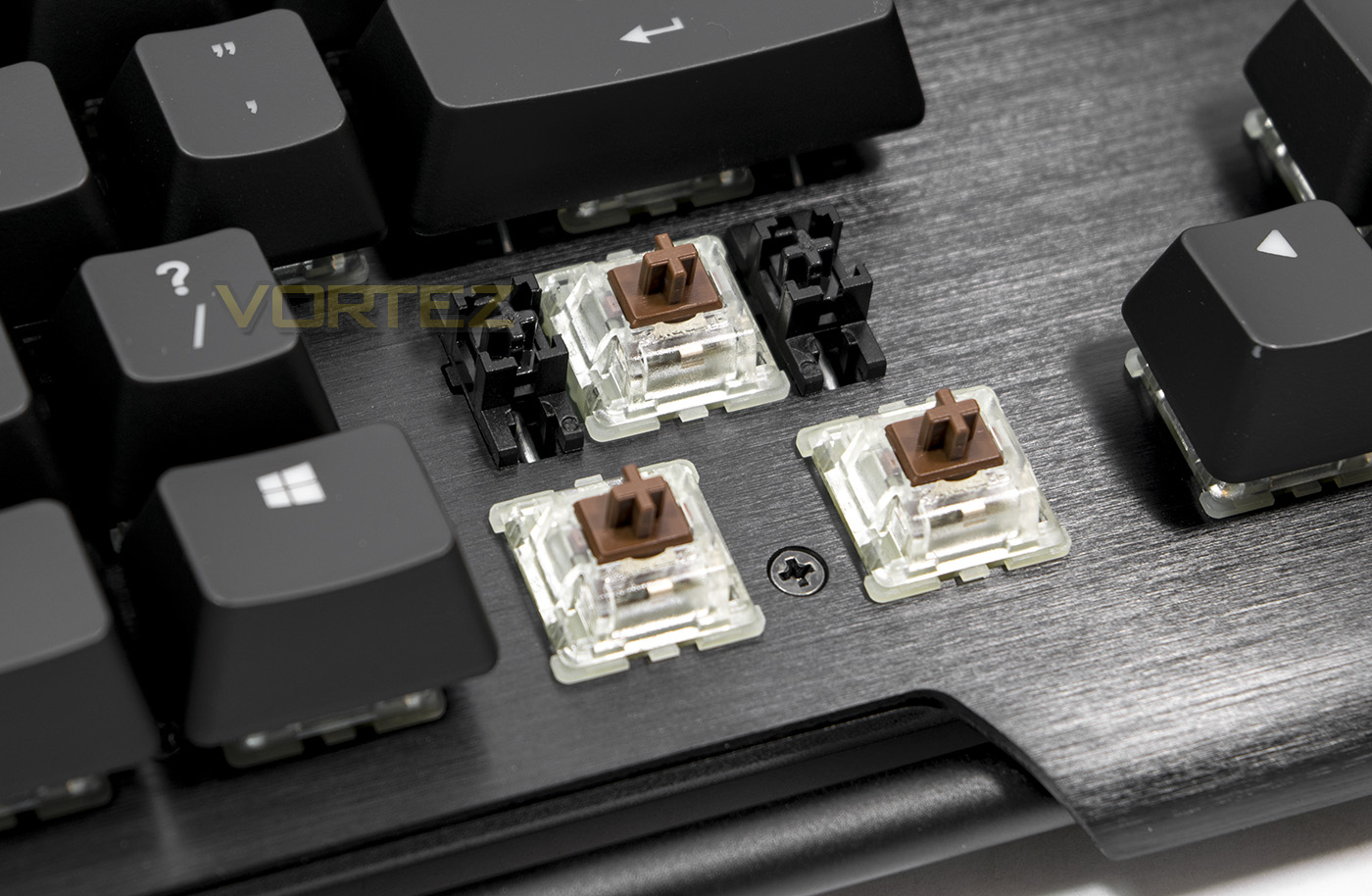
The TTC switches used are transparent, allowing the RGB LEDs to shine that little brighter and the colours to blend a little better. These are the Brown switches which is a great compromise for gamers as they provide a silent tactile bump.
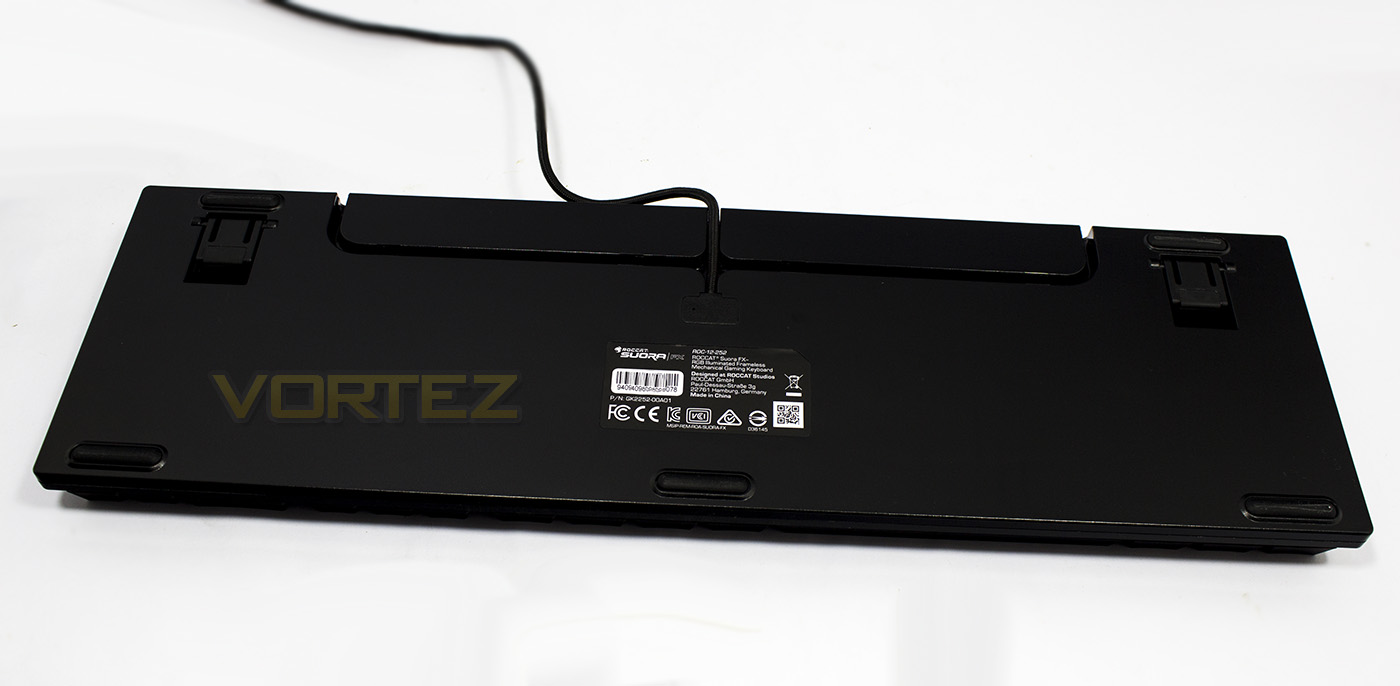
The underside features a selection of rubberised non-slip feet and the ability to adjust the angle of the keyboard. There is also a cable routing channel should you need to use it.
Software & Lighting
The SWARM software isn’t required to run the SUORA FX keyboard, but is recommended should you wish to access the full features. Once installed you will need to then download and install the specific driver for the SUORA FX keyboard. If it requires a firmware update, you will get a notice of that within the app.
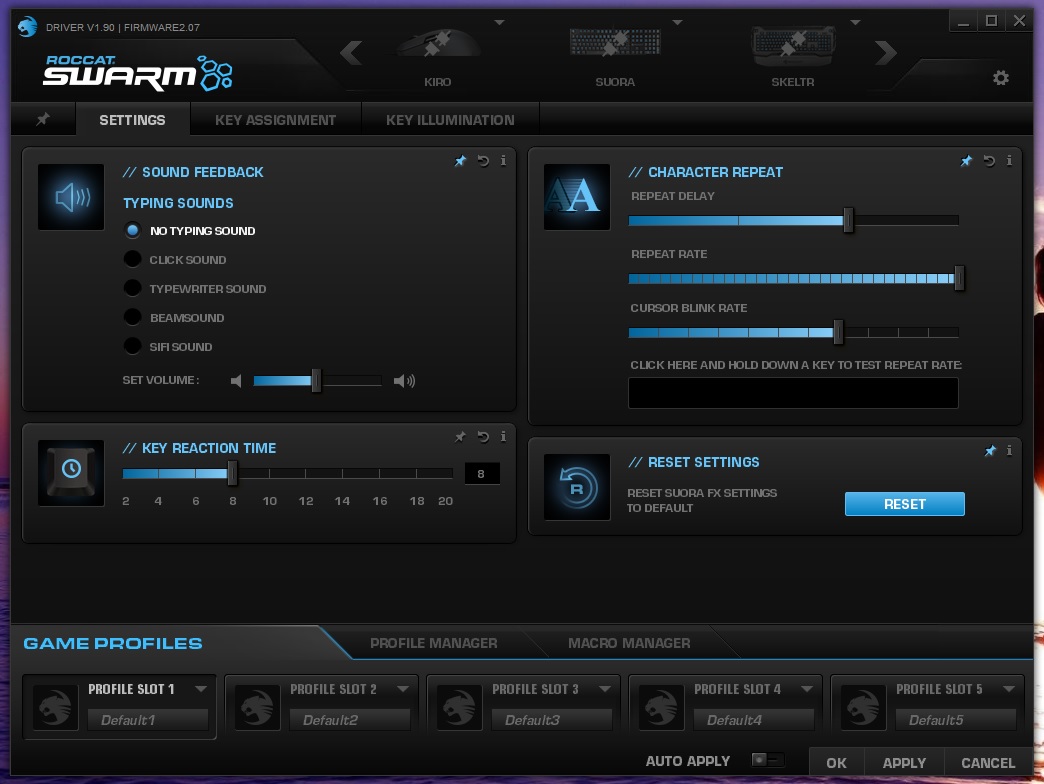
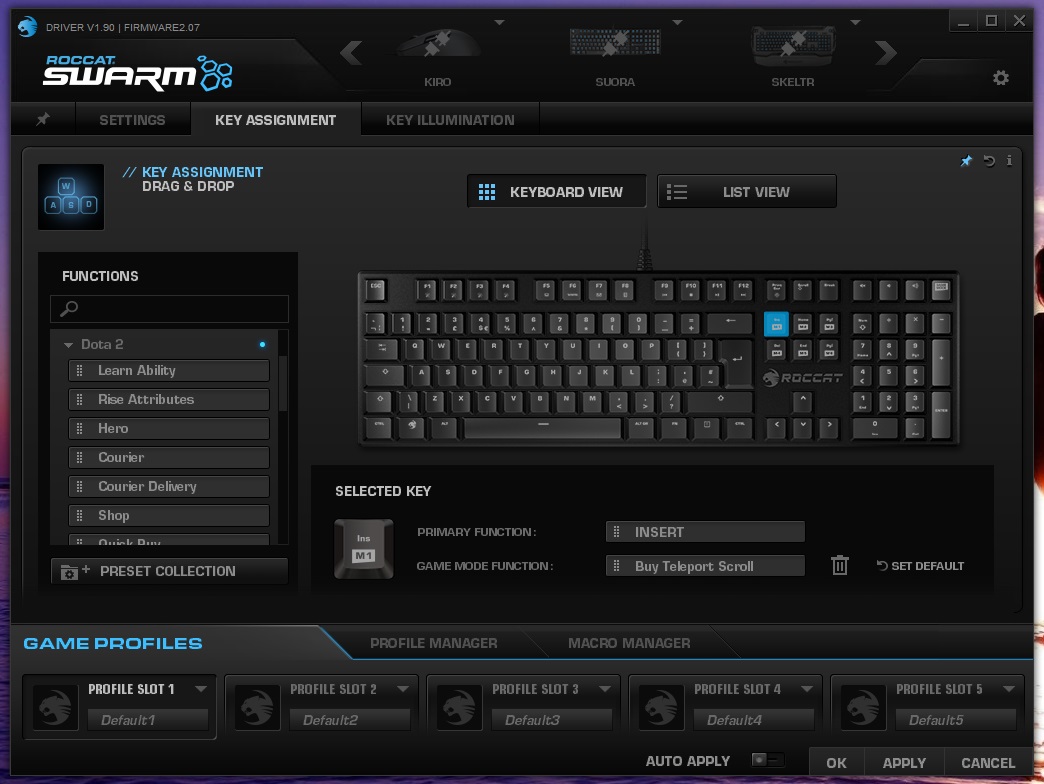
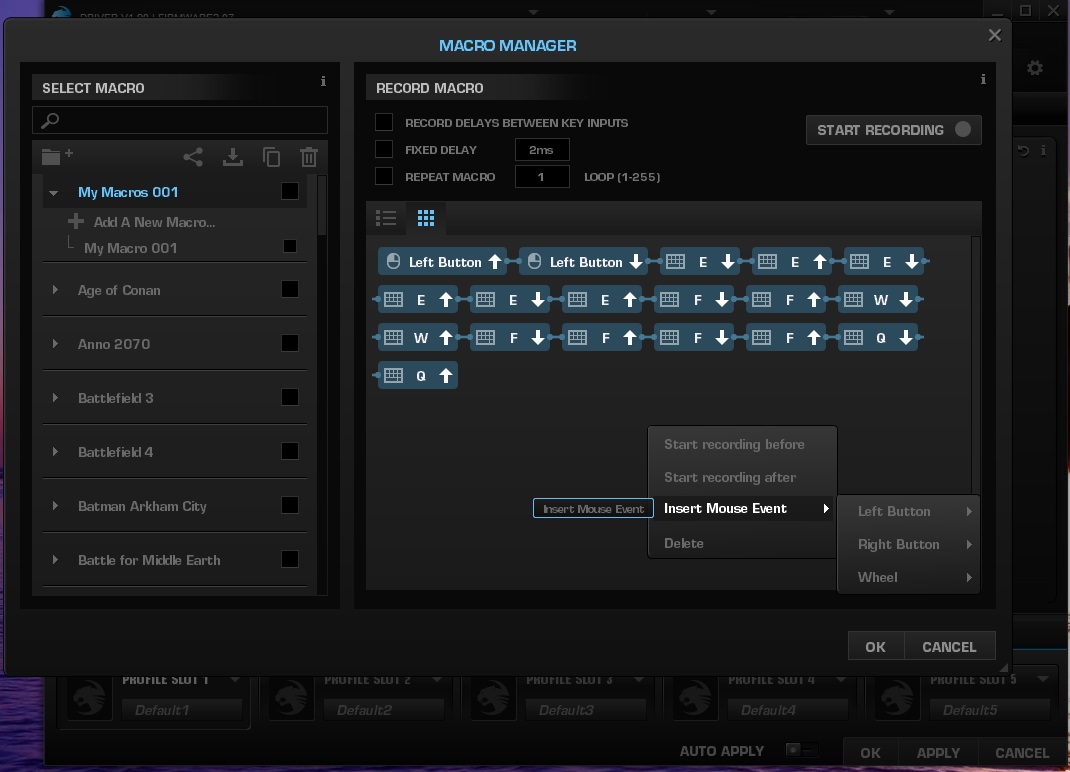
The app provides various performance options including key response speed, and repeat rate, but also features some slightly gimmicky features like the feedback sound effects. In the key assignment screen, the SUORA allows you to remap keys, while being able to program an action, command or macro to the dedicated macro keys. To do this, you must first select one of the macro keys using the on-screen keyboard, then drag over the desired command from the list in the left-hand side to the Game Mode function tab, then enable the Game Mode. In the Macro Manager, ROCCAT include a large list of pre-made macros for various popular games, though you will need to check these against your current controls if you use non-standard, and you can record and edit your own macros as desired. The recording process isn’t quite perfect as one must create several folders before you can even start recording, and then it doesn’t even record mouse actions at all, instead they need to be input afterwards in a rather awkward manner of right clicking and selecting said activity, limited to main clicks and mouse wheel, then drag it it into the desired location.
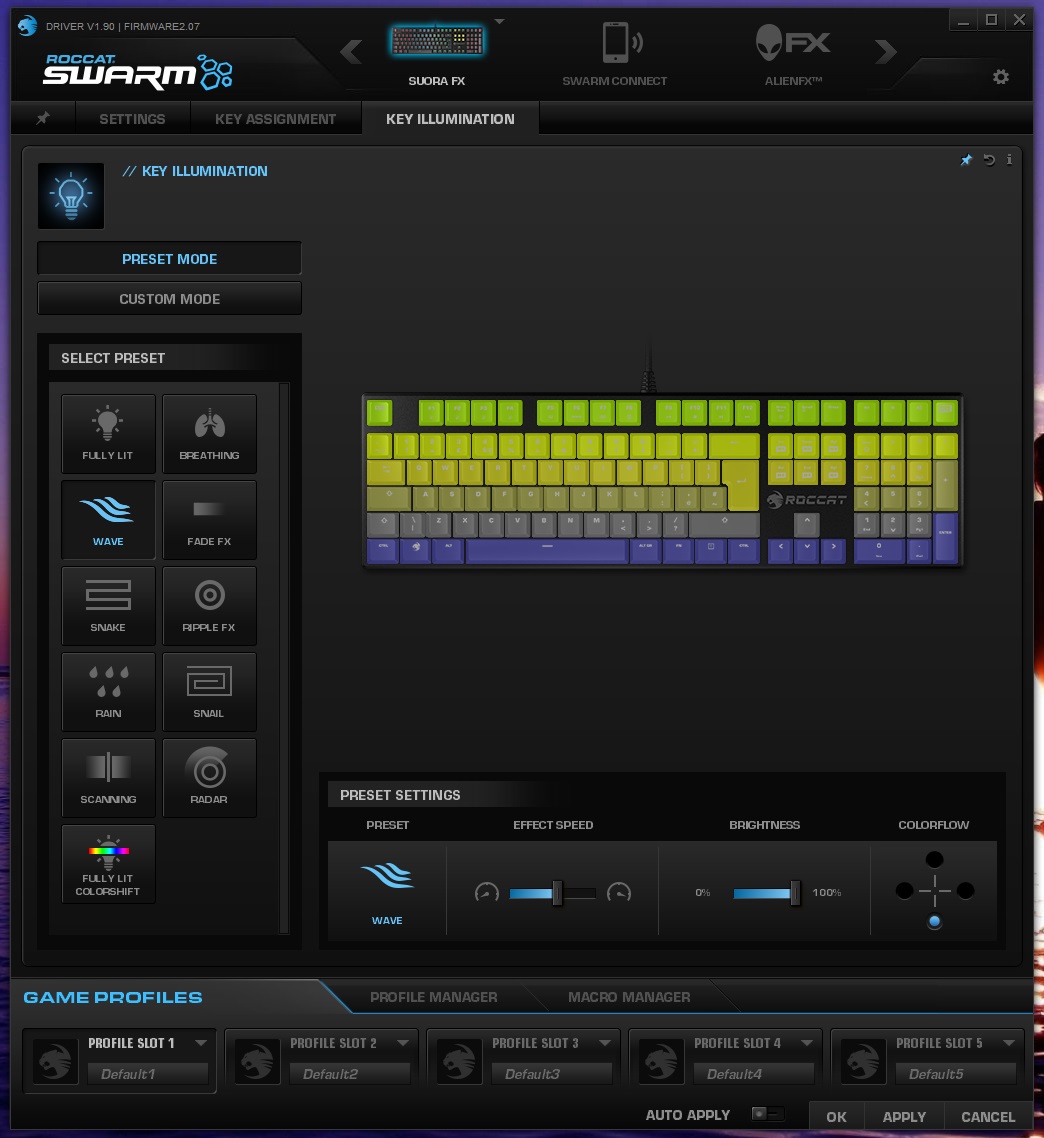
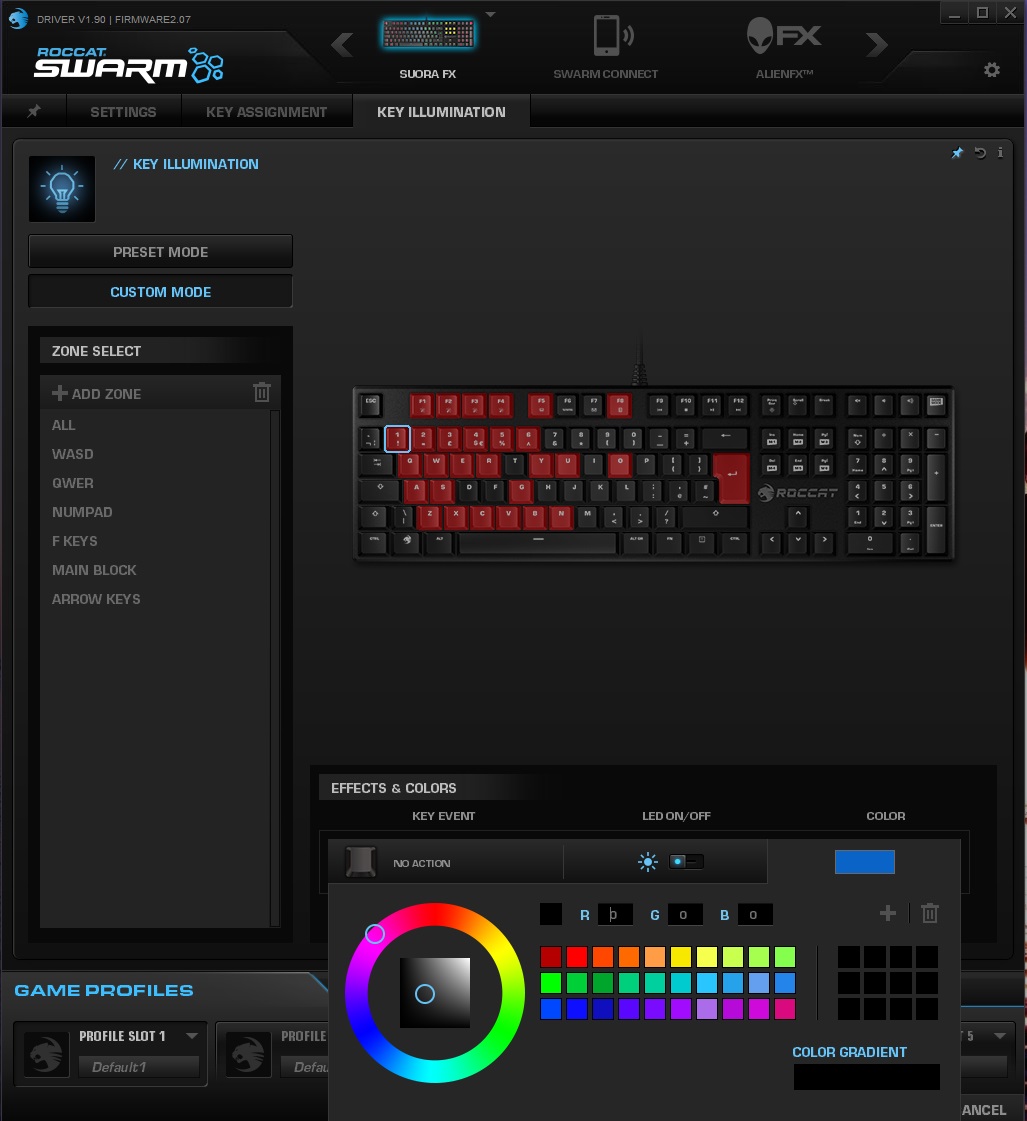
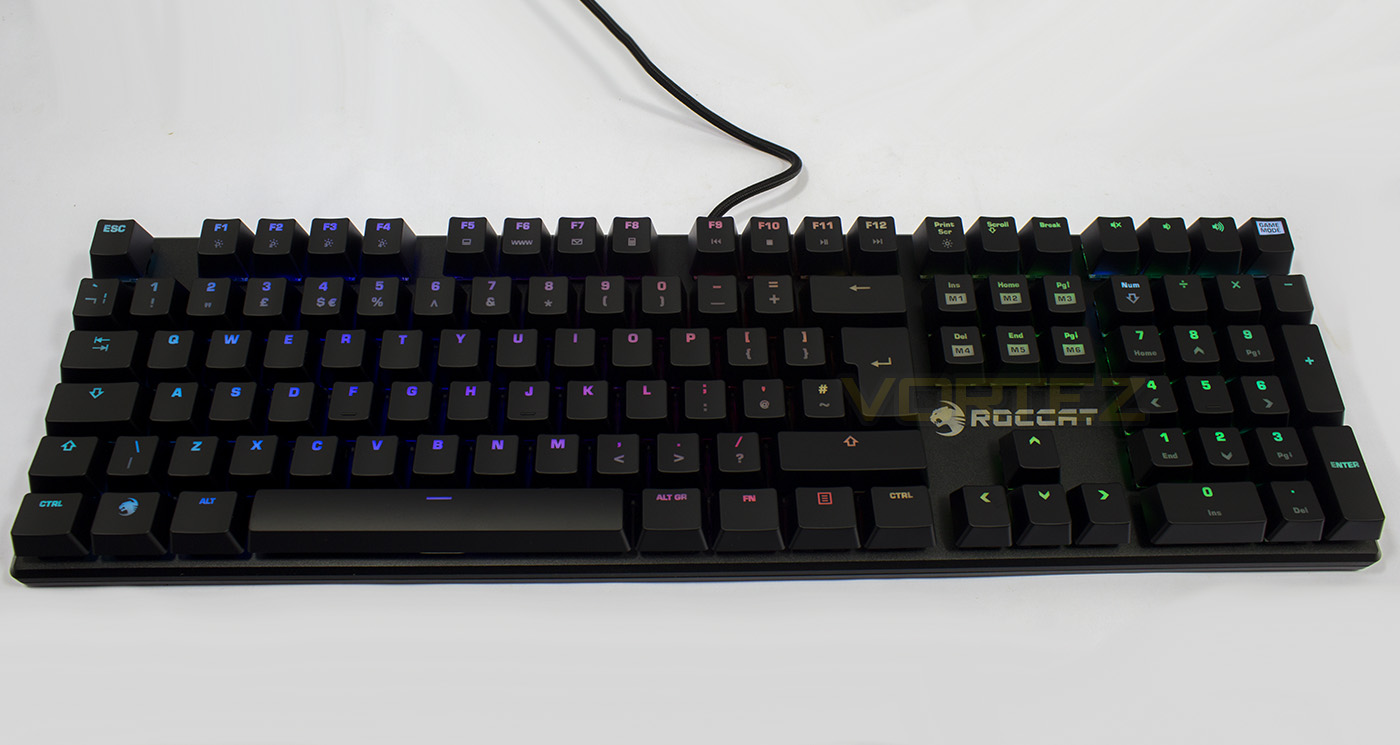
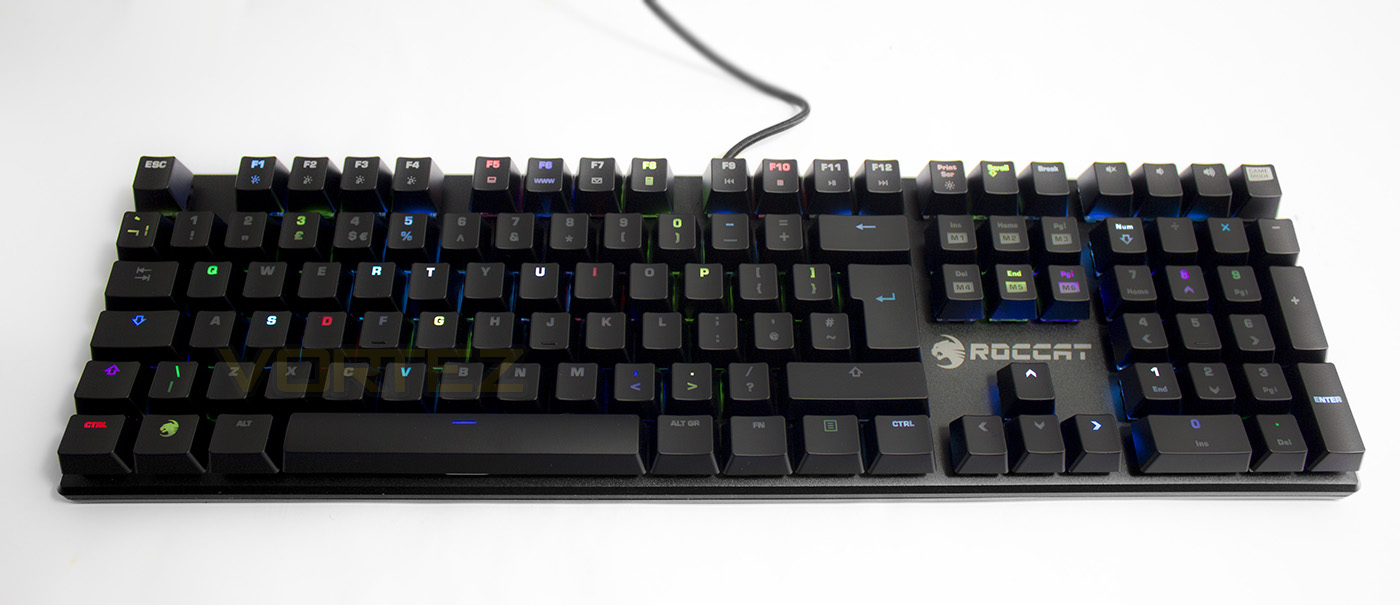
As the advanced LED lighting is the only difference between the SUORA and the SUORA FX, there are a whole load of new lighting effects available. Including the preset effects: Fully Lit (static/one colour or colour cycle), Breathing, Wave (customisable direction left/right, up/down), fade FX (keys light once pressed, then fade), snake (unplayable unfortunately), Ripple FX (with the multicolour option selected it looks like little explosions of Lego), Rain (random effect), Snail (like snake but with a trail that circles and fills in the keyboard), Scan (two vertal beams crossing the keyboard and back), Radar (circular rotation pattern), then finally, Colourshift mode, which is a standard solid spectrum cycle. Though given the option to adjust the effect speed, there seemed little difference between min-max speeds, and many (specifically the wave/radar/scan modes) seemed too fast even at the lowest setting.
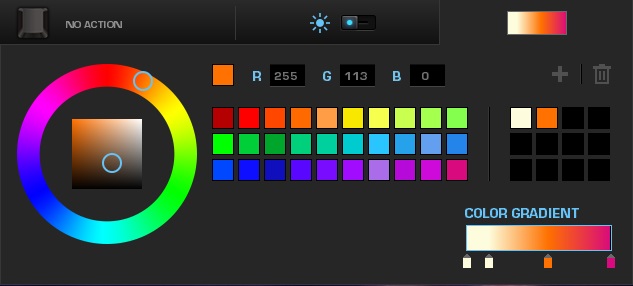
Aside from the preset lighting modes, you can customise the lighting per-key, save various lighting zones (a collection of keys you want to specifically group together) and assign specific colours to each key individually. You can also create various gradients of colour by dragging a colour down to the gradient bar, with up to six different colours. The in software/actual colour rendering is totally off all but the primary RGB colours, with yellow looking green, greens looking blue and white looking closer to an ice blue. Though as there is a colour wheel and RGB input you can get the desired colour by eye. Though unfortunately, for the animated effects, you only have a selection of preset colours or ‘Spectrum’. Note, when using the spectrum colour with any effect, it isn’t the same as ‘colourshift’, and the colours change in solid steps.
Performance Testing
Setup, Design & Observations
Once setup, the SUORA came to life in is default left-to-right wave lighting effect mode. The lock keys (caps, scroll, num, and game mode) shine white when active as an indicator.
The construction is fantastic, robust and is visually stunning, while the compact frame is marginally wider than some TKL keyboards, for example: the ROCCAT RYOS TKL PRO is 400mm wide, while the SUORA FX is a mere 430mm wide, yet features a complete numpad.
The keycaps are high quality and feel great, unlike some cheaper keyboards where they can feel rather rough and flimsy. The SUORA FX makes use of metal distribution bars for the larger keys (such as the space bar, shift, enter etc.) rather than dummy switches. The pros/cons of each method of distributing the pressure of a key press is something that hasn’t entirely been debated. It would seem that the metal distribution bar method feels more natural as it actually distributes the pressure in a more balanced way, with the added bonus of being cheaper too. The downsides are that the metal bars make it awkward to remove certain keycaps, they also create a metallic rattle noise while typing, and its unlikely the cost/saving is seen by the customer. The dummy switches (as seen here), on the other hand do cost more, but they are quieter, make removing certain key caps easier, and pretty much do the same thing. Considering the relatively extreme price hike between the SUORA and the SUORA FX (£79-129) one would have expected a little added luxury.
In use, the SUORA FX stands fairly tall (approximately 38-40mm at its highest point), though not too tall enough to cause any major discomfort. Despite the wedge-shaped taper with a lower front that helps improve the comfort, it is still in the territory that could do with being used in conjunction with a wrist rest.
Performance
In game the SUORA feels fantastic to type and game on and the TTC switches again impress us with their consistency and responsiveness. Testing out the anti-ghosting, it seems like there is no real upgrade from the non-FX SUORA as we find that the SUORA FX also is limited to around 21 simultaneous key presses. This is unlikely to ever cause a problem for even the four armed aliens amongst us, but it isn’t quite the 100% anti-ghosting that others have offered.
Conclusion
The SUORA FX comes with all the glory of the SUORA, in that is a compact, attractive looking full size keyboard that has an instant-on game mode with 6 programmable keys at the ready. The FX part gives the added benefit of per-key customisable 16.8m colour LED lighting, handy for when you want to map specific keys and controls to your game, or simply want to bring the additional colour to your desktop. The TTC switches feel fantastic, and maybe a little lighter than CHERRY MX Brown. Though some may consider it a limitation considering the SUORA/FX comes in just the one chocolatey flavour, we would suggest that it is the best flavour (at least from a subjective preference).
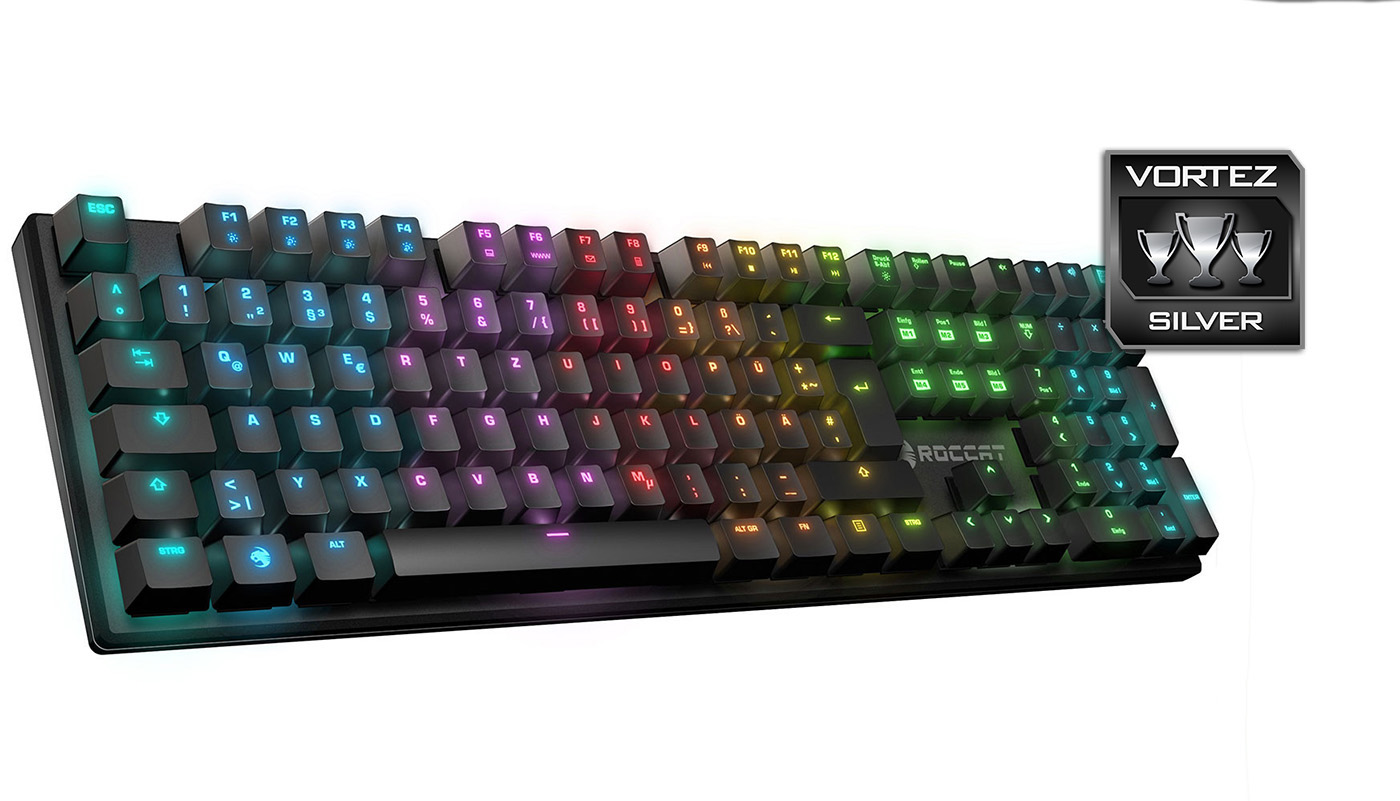
The downsides to the SUORA FX primarily stem from the pricing of £129, especially when you consider that the Razer Blackwidow x Chroma is very close in price £139, or even more substantially (at time of writing) you can find the Corsair STRAFE RGB with MX Silent switches for a staggering £116. The point is, though per-key customisable lighting is always an awesome thing to have (I rather enjoy mapping out the controls for various different games), the RGB lighting potential isn’t quite up there with Corsair RGB and Razer Chroma. The custom lighting profiles wouldn’t allow me to add any layers or effects to the key groups, and so the only real interesting thing you could do is add colour gradients. Thus, if you were hoping for an RGB keyboard that has a flashy and spectacular display beyond the ‘wave’ effect, the SUORA FX isn’t quite the option to go for.
The SUORA FX also lacks any real change to sweeten that £50 price increase over the non-FX version. There is no wrist rest included, no USB or audio pass-through, but most importantly, the SUORA FX kinda loses the premise that made the SUORA rather special: the simplicity. There is more driver involvement, and with that there is no escaping the fact that the software isn’t quite up to scratch (regarding lighting effects, ease of programming/reassigning keys, as well as the Macro Manager needing some improvement). On top of that, it would have been nice if ROCCAT added some on-board memory to store lighting/macro settings. These could then be saved to profiles assigned to the Fn + F1-F4 keys (as opposed to using them for individual lighting effects). Because of these things, it feels like the SUORA FX has moved towards territory that it isn’t quite ready for; an area that is already covered, and rather well.
The strengths of the SUORA FX shine through regardless, and it remains a good choice for those that want an attractive, compact full-sized keyboard with RGB lighting. We just feel the price hike over the non-FX SUORA is just a little too much.
The SUORA FX is a compact mechanical keyboard that is as robust as it is beautiful, the per-key customisable RGB lighting serves as that delightful cherry on top.
Pros.
+ Compact, elegant aesthetic
+ Solid construction
+ TTC Brown switches
+ Game mode with 6x programmable macro keys
+ Per-key customisable RGB lighting
Cons.
– No USB pass-through
– No wrist rest included
– Software
– Price
+ Compact, elegant aesthetic
+ Solid construction
+ TTC Brown switches
+ Game mode with 6x programmable macro keys
+ Per-key customisable RGB lighting
Cons.
– No USB pass-through
– No wrist rest included
– Software
– Price
Click here for an explanation of our awards at Vortez.net.