4 Years on from the Samsung 850 series of drives, we’ve been provided the 860 Pro, promising faster transfers and better endurance. Our verdict within..

Product on Review: Samsung 860 Pro
Manufacturer: Samsung
Street Price:256GB – £126.49/$139.99 / 512GB – £225.49/$249.99 / 1TB – £433.49/$479.99 / 2TB – £839.99/$949.99 / 4TB – £1,699.99/$1,899.99
We recently saw Samsung release information on their latest generation of SATA based solid state storage in the form of the Samsung 860 Pro and 860 Evo, available in 256GB, 512GB, 1TB, 2TB and for the first time in a consumer SSD, 4TB capacities. Today we look at the 860 Pro 256GB variant, probably the most popular of all the capacities available.
Samsung claim this to be their most consistent SSD to date, delivering faster speeds in more scenarios, even with heavy workloads or multiple tasks simultaneously. We should expect to see read speeds of 560MB/s and write speeds of 530MB/s, according to Samsung.
Not only do they claim a faster drive, it’s also more enduring. Samsung have used their latest V-NAND technology to offer up to 8x higher TBW (Terabytes written) compared to the previous 850 series. If this rings true, we should finally be at a point where the TBW of a drive is of such little concern that we barely need to mention it; good news for the consumer.
These numbers certainly read well, but with the outgoing generation being close to 4 years old now, we do expect some substantial gains. Read on to find out just how much better the 860 series is.
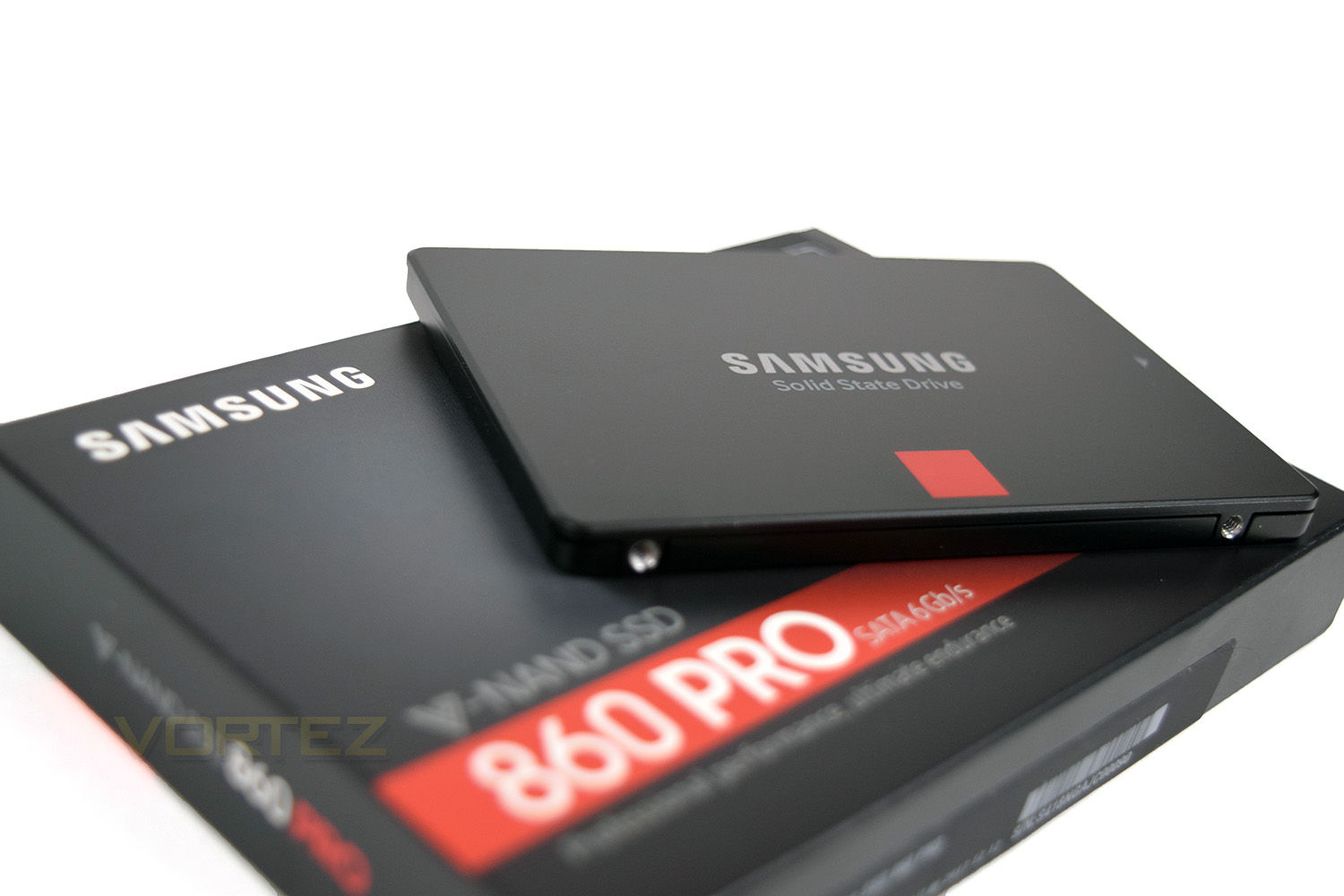
Samsung on the 860 Pro:
Get industry-leading reliability with the 860 PRO. Powered by the latest V-NAND technology and a robust algorithm-based controller, it readily handles heavy workloads of high-end PCs, workstations and NAS (Network Attached Systems) to give lasting assurance to gamers, IT and creative professionals.
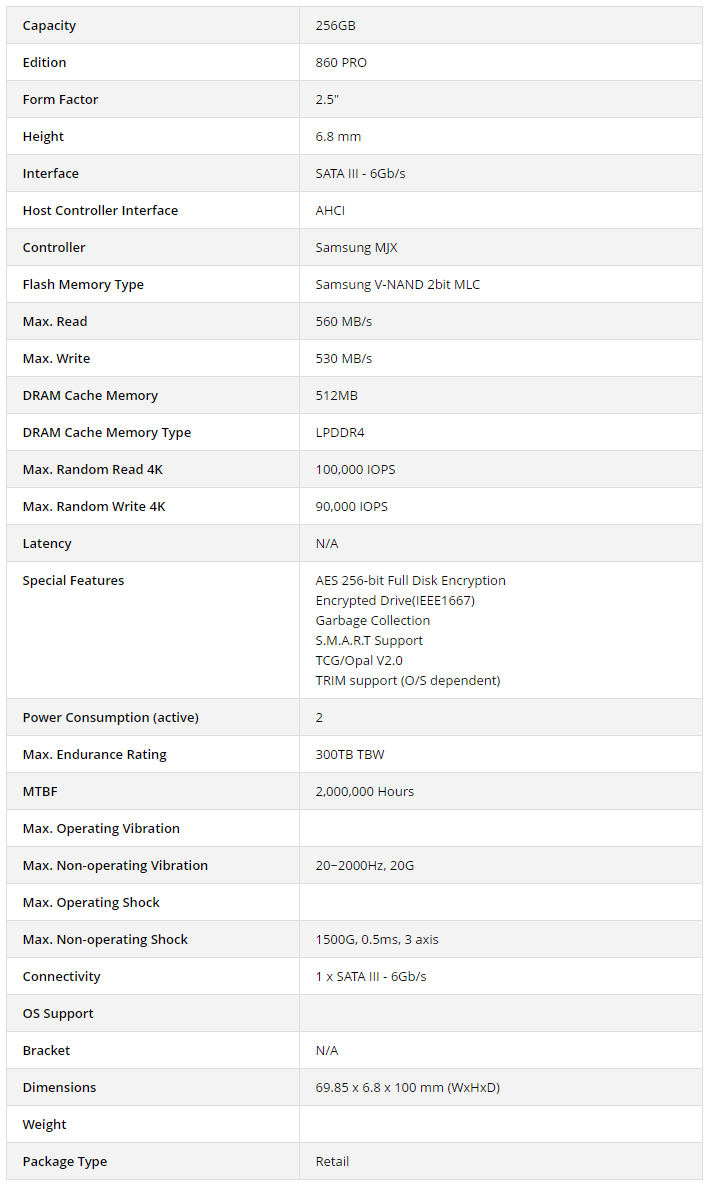
Technical Specifications
Packaging, Bundle & Closer Look
The 860 Pro lands in a rather stylish looking box with some tasteful photography on the front. We can see the capacity in the top right as well as the interface used on the red strip. At a glance, this offers everything you need on the front.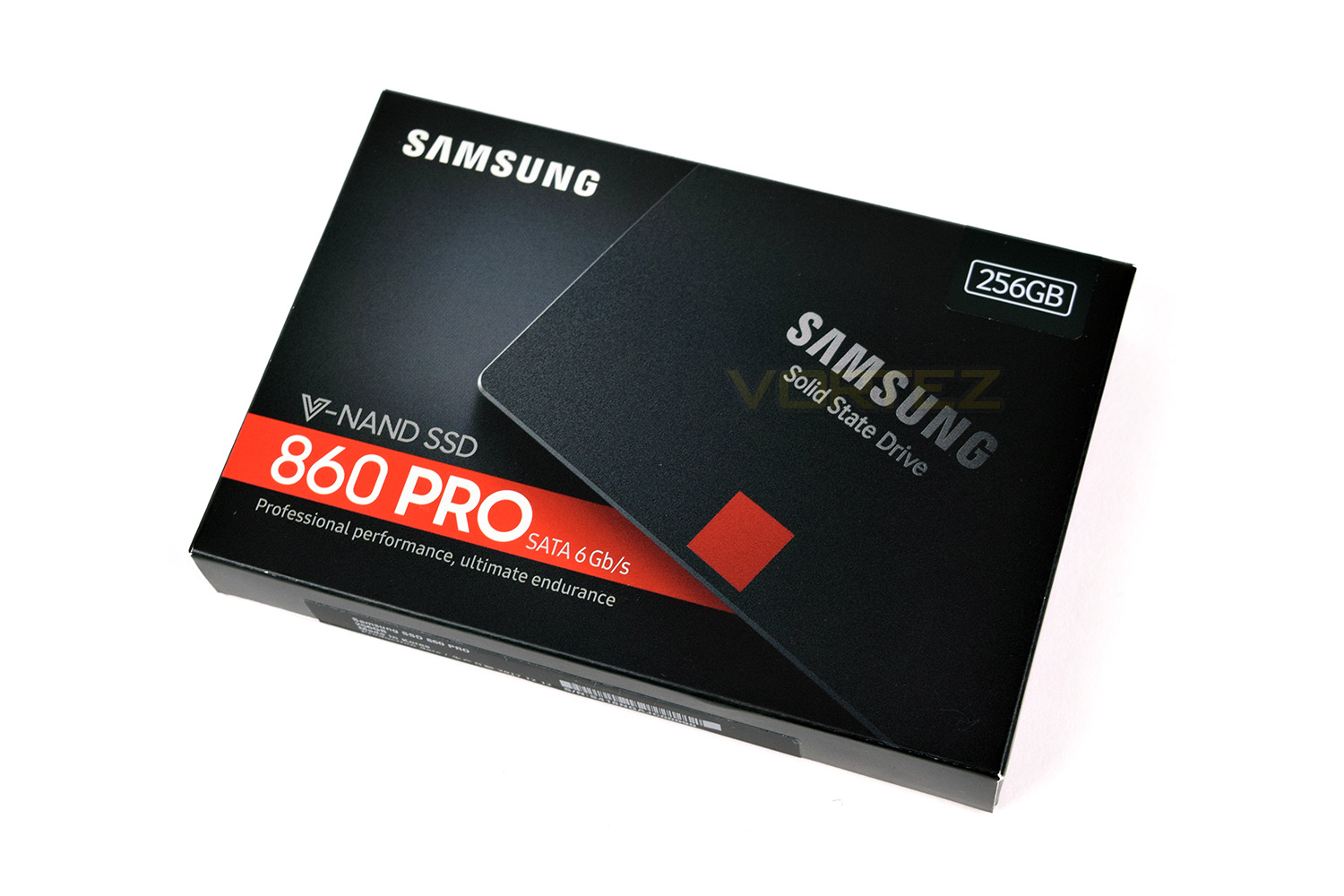
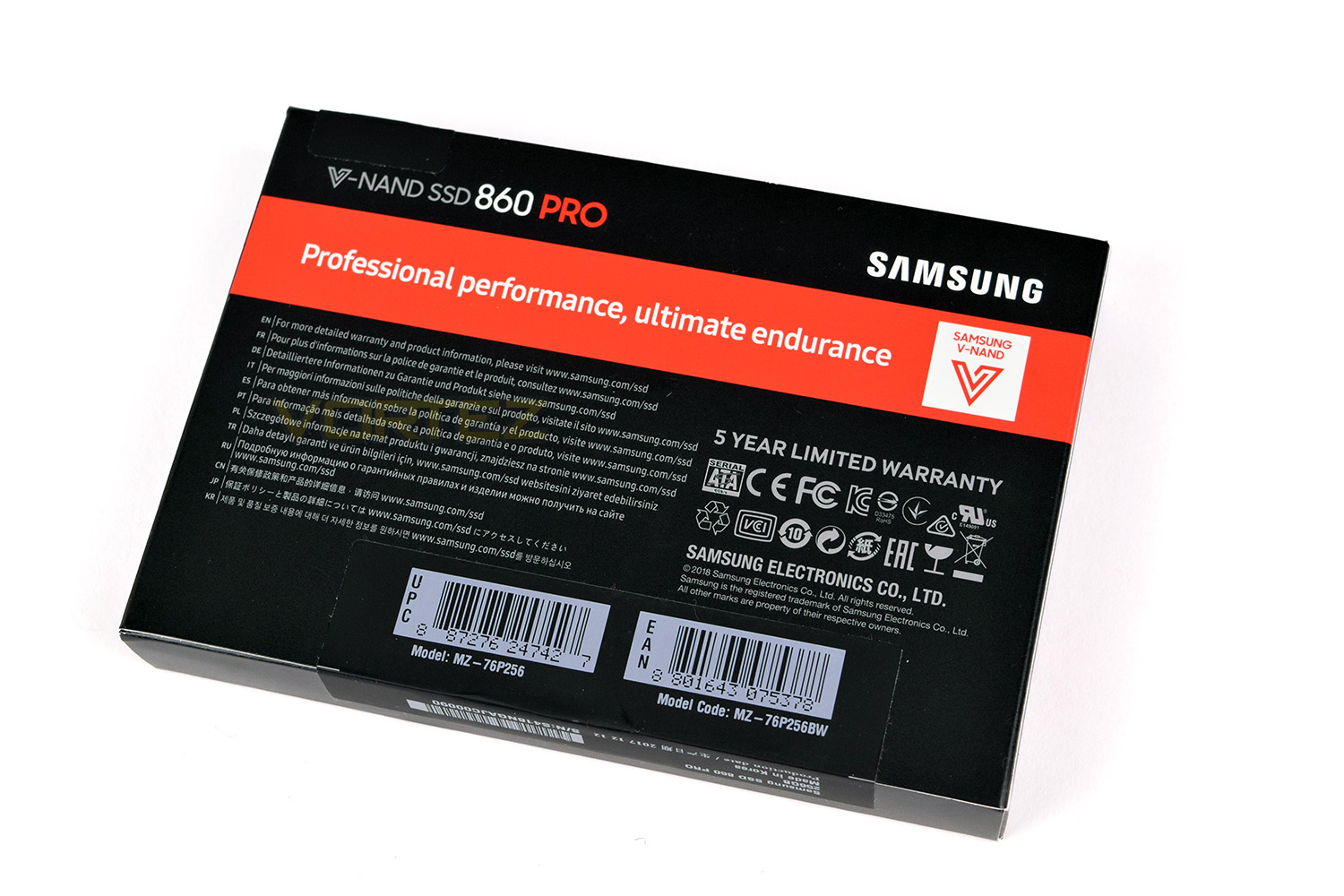
The rear of the box doesn’t really provide much more information, instead asking people to visit their website for more information.
In terms of a ‘bundle’, no such thing exists, with only an installation guide and warranty statement included. The SSD is protected by a thin plastic container, which is more than ample for a lightweight SSD such as this.
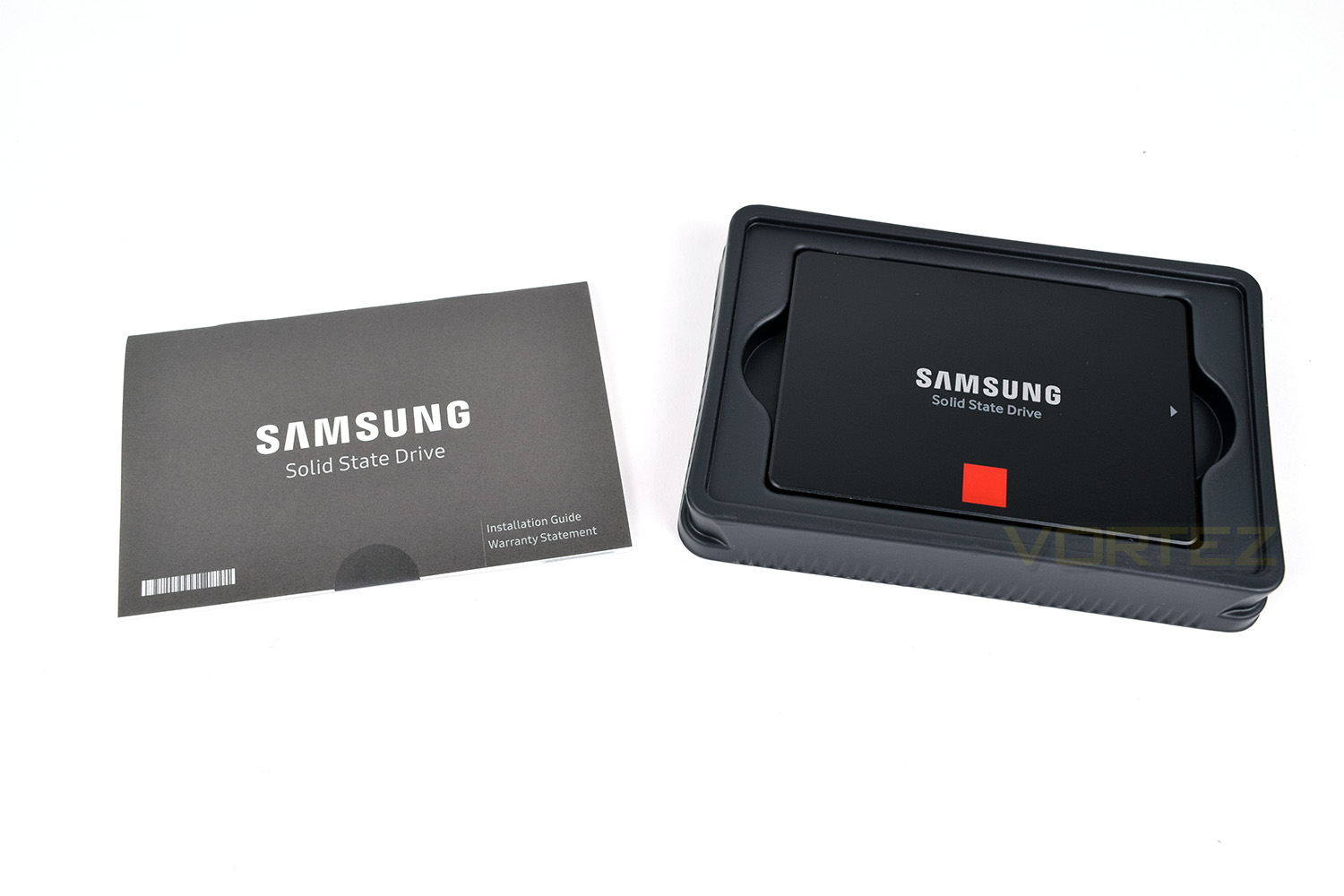
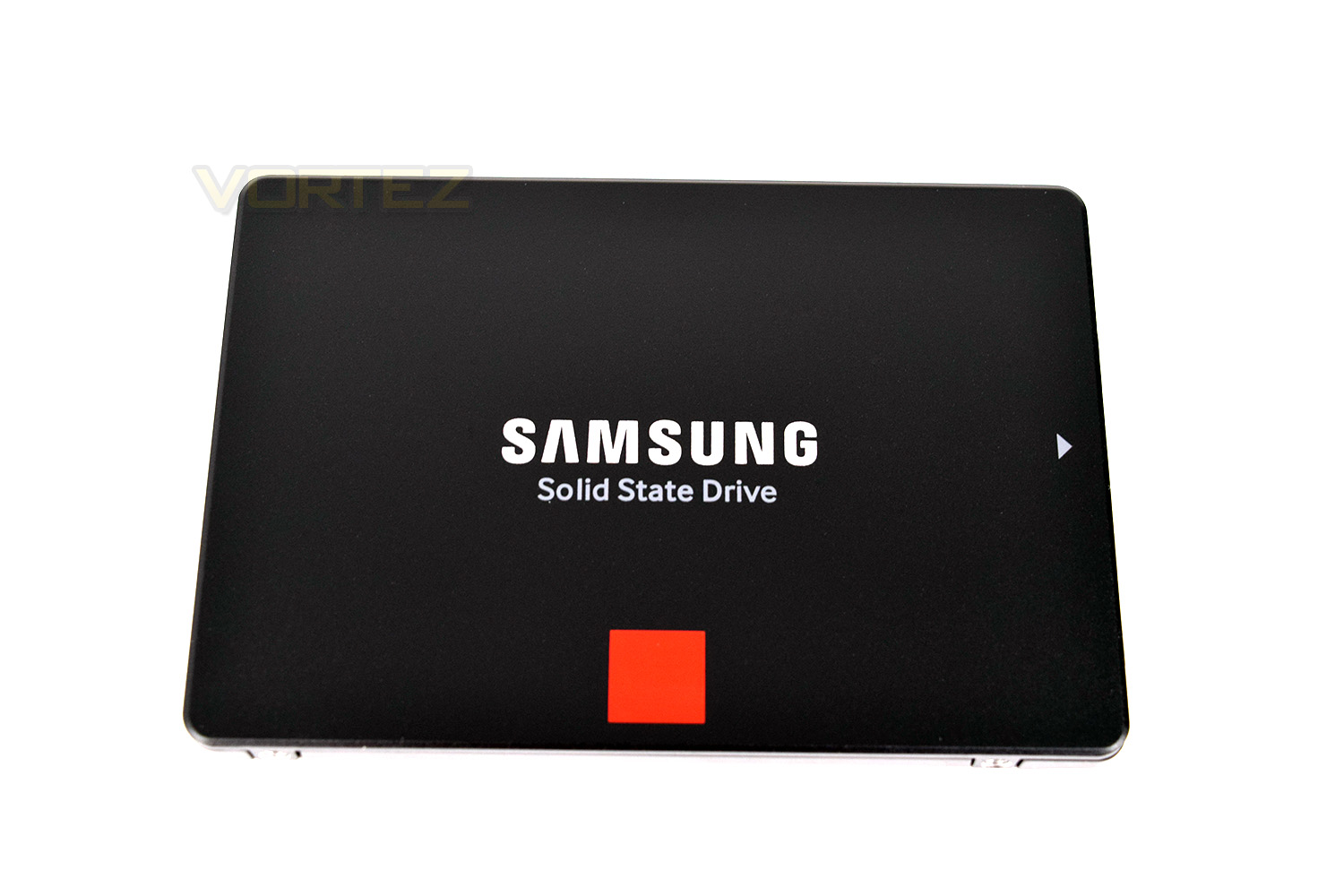
The front of the 860 Pro features the test “Samsung Solid State Drive”, a small red square and a directional arrow for installation. This certainly wouldn’t look bad in any high-end PC build or a laptop.
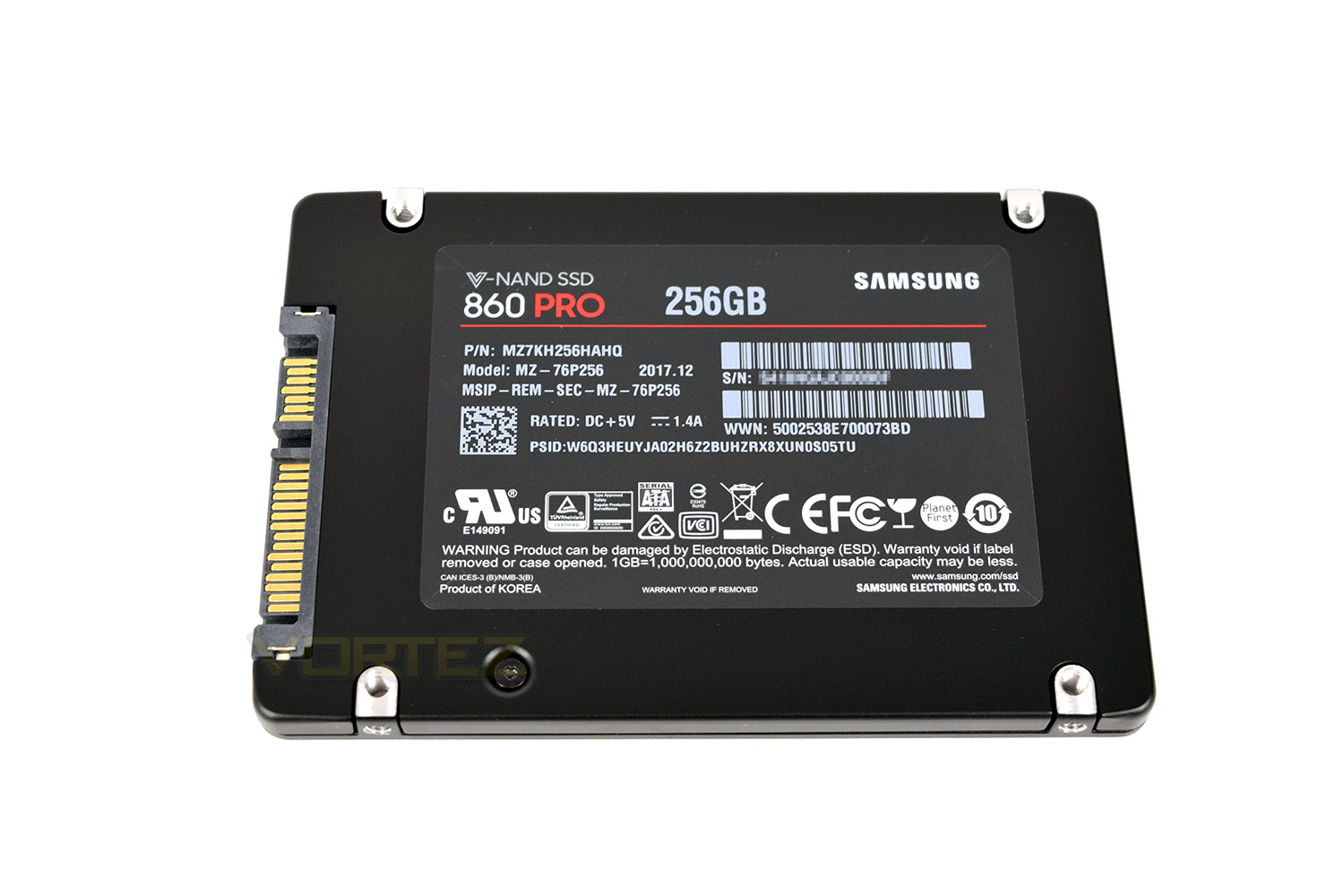
The reverse side of the drive gives you plenty of information but this will more than likely be out of sight within any build or enclosure.
Test Setup & Methodology
Our test system is formatted and a fresh version of Windows is installed with just drives in place – no additional applications. Windows is then updated to the latest release and the drivers are installed.Included in the list of benchmarks are the following applications:
Benchmarks
Anvil Pro
AS SSD
ATTO Disk Benchmark v2.46
Futuremark PCMark 8
AIDA64
AS SSD
ATTO Disk Benchmark v2.46
Futuremark PCMark 8
AIDA64
Test system
CPU: Intel Core i7 7700K
Motherboard: MSI Z270 Gaming M7
Graphics: EVGA GTX 1070 SC
Memory: 16GB CORSAIR Vengeance LPX 3200MHz DDR4
SAMSUNG SM961 256GB NVMe
Samsung 860 Pro 256GB SSD
PSU: BeQuiet Straight Power 11 650W
OS: Microsoft Windows 10 Pro 64-Bit
Monitor: ASUS ROG PG279Q
Motherboard: MSI Z270 Gaming M7
Graphics: EVGA GTX 1070 SC
Memory: 16GB CORSAIR Vengeance LPX 3200MHz DDR4
SAMSUNG SM961 256GB NVMe
Samsung 860 Pro 256GB SSD
PSU: BeQuiet Straight Power 11 650W
OS: Microsoft Windows 10 Pro 64-Bit
Monitor: ASUS ROG PG279Q
Benchmarks: Anvil Pro
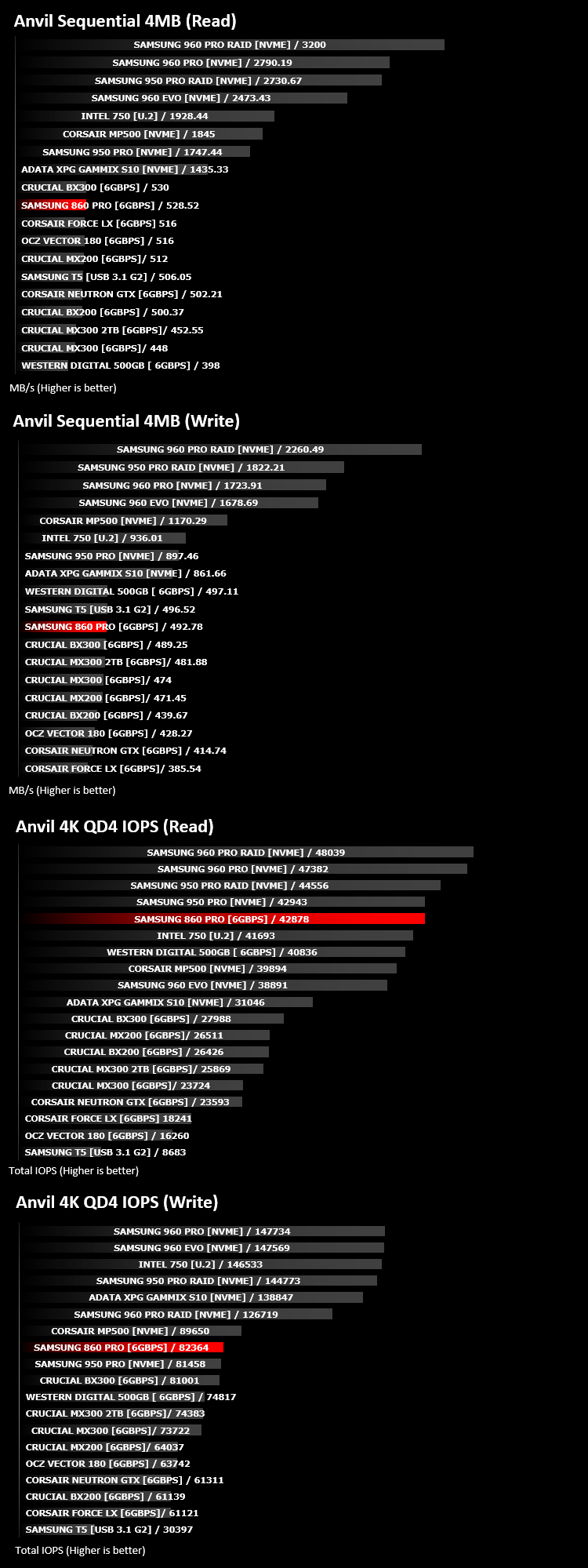
Anvil Pro from Anvil Storage utilities is one of the most popular storage benchmarking utilities today thanks to the large suit of tests available. You can test pretty much anything from Read/write Speed to IOPs with many variables to tweak allowing you to get either a single or host of results to compare with other likeminded enthusiasts. In our test we ran the standard suite 5 times, subtracting both the highest and lowest scores and determined the final result from the average of the remaining three results.
Benchmarks: AS SSD
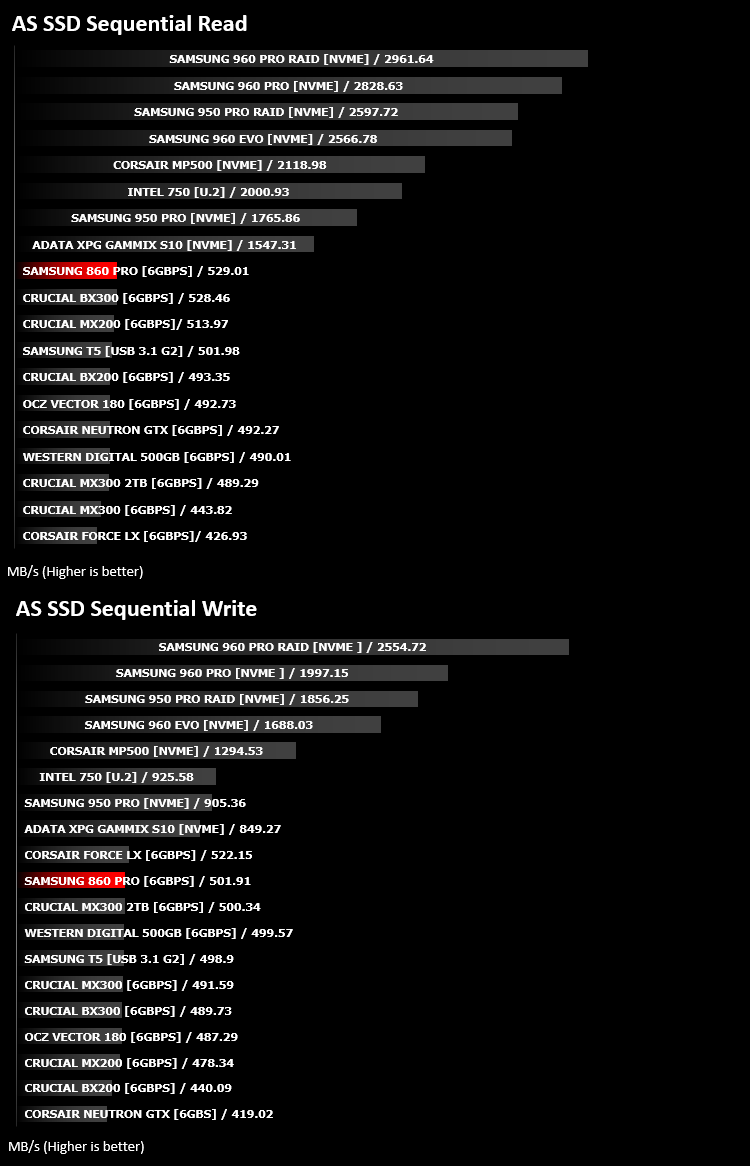
AS SSD Benchmark is a straightforward tool for measuring the speed of your SSD drive.
Simply launch the program, choose your drive, click Start, and it’ll test your SSD’s read and write speed in a variety of ways, delivering a score for each when it’s done. And if that’s not enough, there are also additional file copy and compression-related benchmarks available from the Tools menu. (The author’s support page is German only, but if you need further English explanations then there’s a thread on the program at the OCZ Technology forum.).
Simply launch the program, choose your drive, click Start, and it’ll test your SSD’s read and write speed in a variety of ways, delivering a score for each when it’s done. And if that’s not enough, there are also additional file copy and compression-related benchmarks available from the Tools menu. (The author’s support page is German only, but if you need further English explanations then there’s a thread on the program at the OCZ Technology forum.).
Benchmarks: ATTO
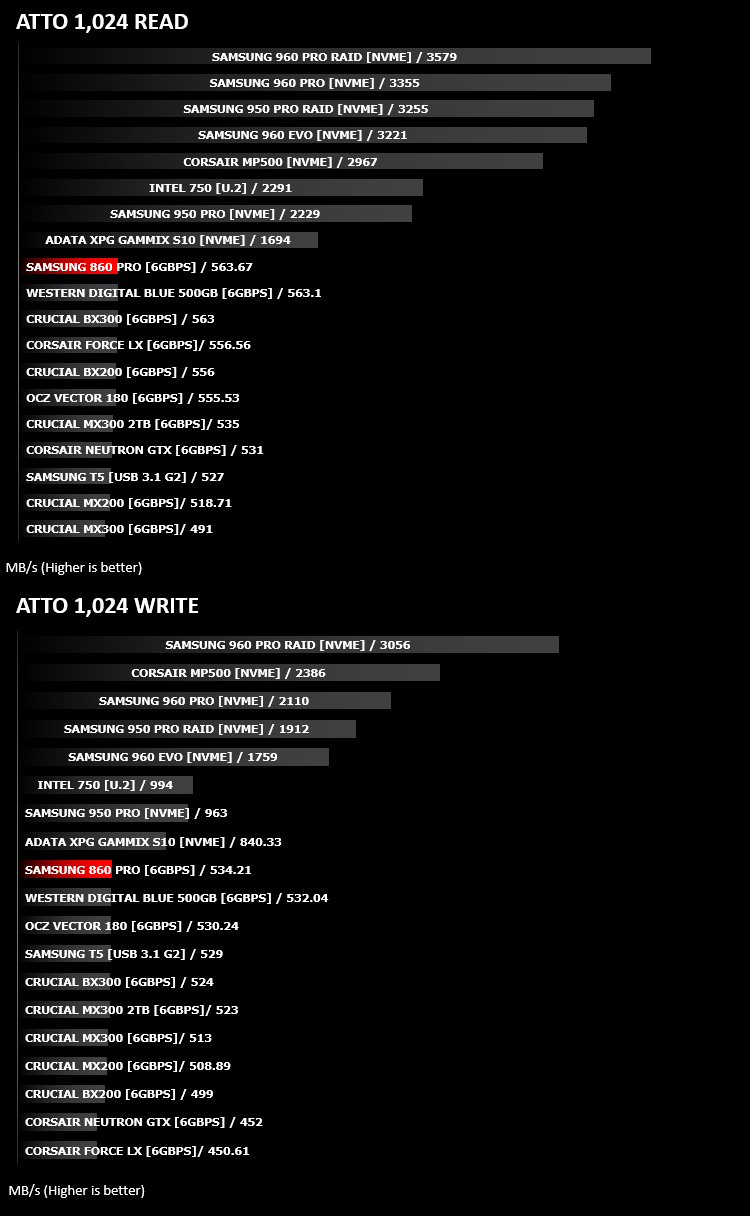
The ATTO Disk Benchmark performance measurement tool is compatible with Microsoft Windows. Measure your storage systems performance with various transfer sizes and test lengths for reads and writes. Several options are available to customize your performance measurement including queue depth, overlapped I/O and even a comparison mode with the option to run continuously. Use ATTO Disk Benchmark to test any manufacturers RAID controllers, storage controllers, host adapters, hard drives and SSD drives and notice that ATTO products will consistently provide the highest level of performance to your storage.
Benchmarks: AIDA64
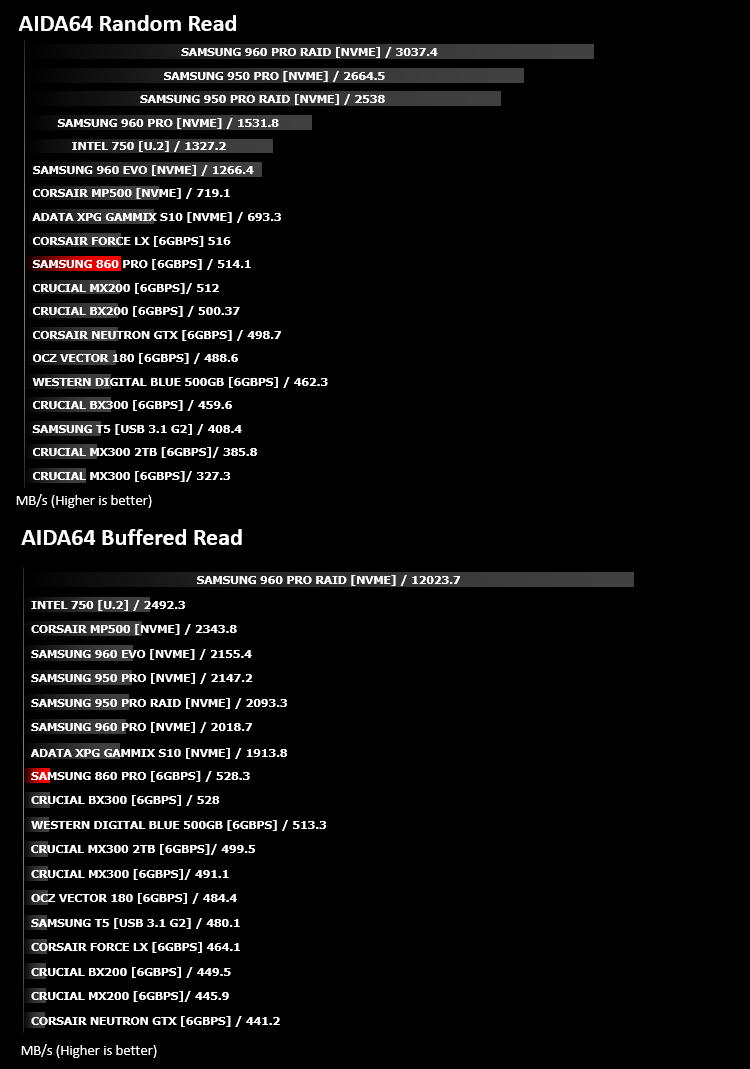
With this module, we can measure the performance of the PC’s storage devices, including (S)ATA or SCSI hard disk drives, RAID arrays, optical drives, solid-state drives (SSD), USB drives and memory cards. It also allows us to perform write tests, which helps us detect fake products and errors on the devices. In order to attain reliable benchmark results we have to make sure to close all background applications.
Benchmarks: PCMark 8
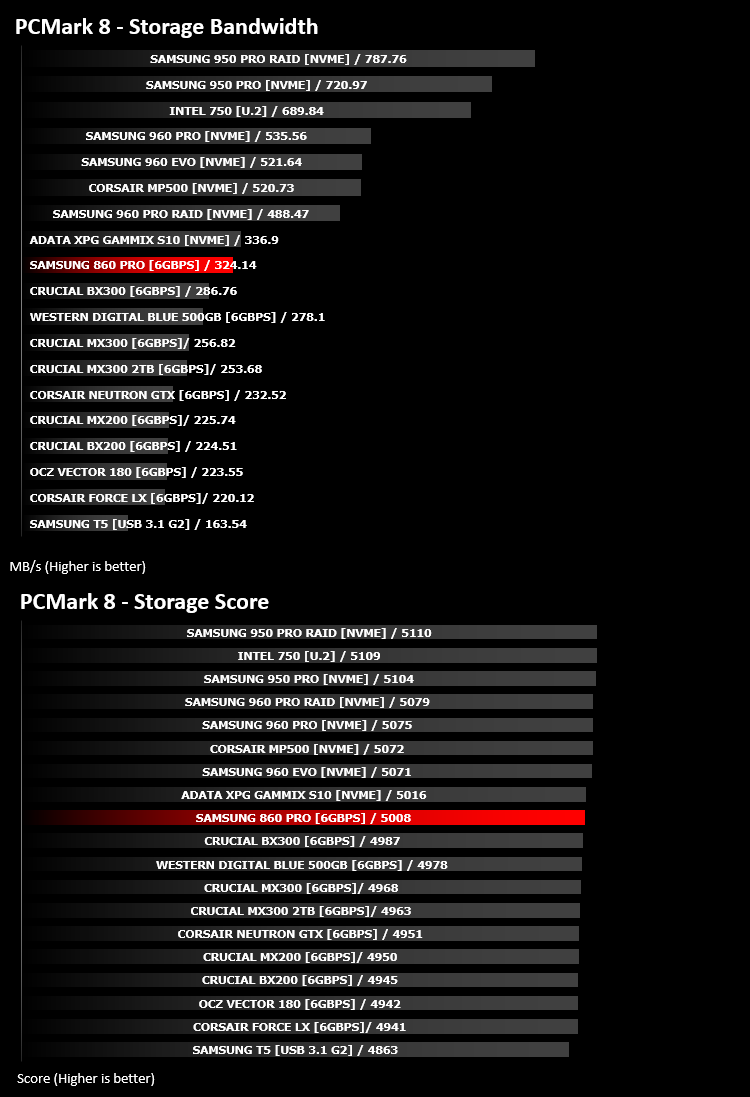
We use the Futuremark PCMark 8 utility to measure storage via Photoshop performance under both light and heavy loading conditions. Accelerated (open CL) is used to perform this test. The test is measured in seconds to complete.
Conclusion
No-one can deny the outright benefits of Solid State storage, especially in a PC you will use every day. The time savings can be massive, which in certain circumstances, could also result in cost savings, however, the initial outlay does need some consideration. The Samsung 860 Pro that we’ve tested today offers excellent performance, almost endless endurance and the drive looks great, but at £126.49 for a 256GB SSD, it’s certainly at the pricey end of the scale. Other competing drives, such as the Western Digital Blue, offers 90% of the performance for 60% of the cost.That being said, if outright speed is what you’re after, the Samsung 860 Pro series of SSDs is almost unanimously the winner in every test we ran, even worrying some NVMe options in specific workloads; this drive should not be underestimated.
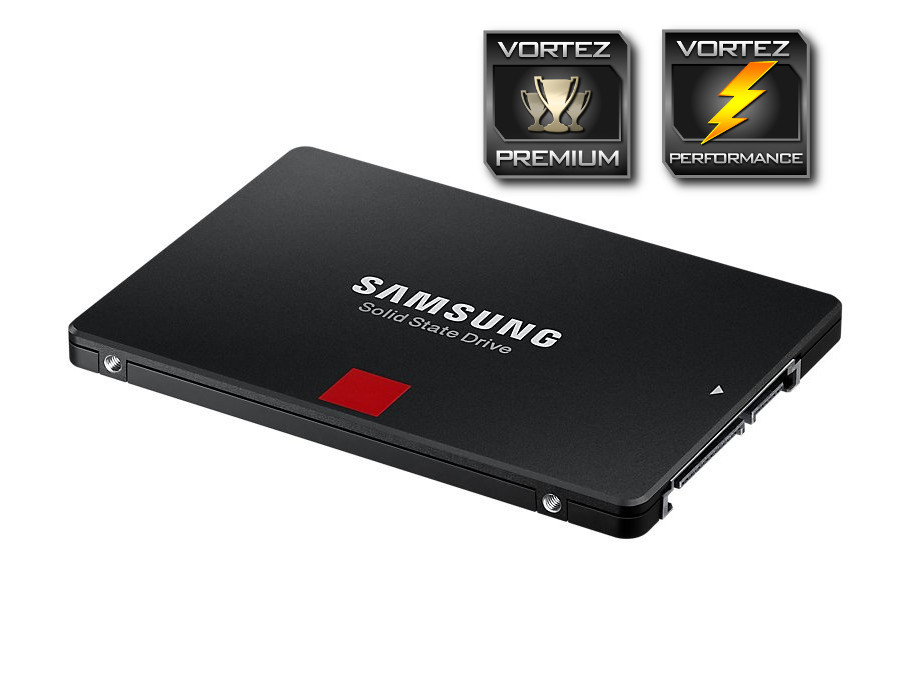
Whether it’s business or pleasure, you will not find better performance inside of a 2.5” form factor, however price is a bit of an issue.
Pros
+ Amazing performance
+ Looks good
+ Incredible endurance
+ 5 year warranty
Cons
– Pricey
+ Amazing performance
+ Looks good
+ Incredible endurance
+ 5 year warranty
Cons
– Pricey
Click here for an explanation of our awards at Vortez.net.
Stay connected with the Vortez Social Media pages:
Join in with the discussions on Discord