







The all new VS240HD is capable of sustaining up to 24 IP cameras to provide PC-less surveillance for any network, all in a professional and stylish shell.

Product on Review: VS240HD
Manufacturer and Sponsor: Synology
Street Price: £400 Inc. VAT (At time of review)
Synology are a firm favourite for Network Attached Storage (NAS). We have reviewed a multitude of Synology’s NAS product lines over the years and it’s fair to say we are a big fan, but the much respected NAS isn’t the only product Synology produce.
Today we will be taking a look at a new product to grace Synology’s Surveillance category, namely the VS240HD. VS240HD is a high-performance surveillance solution purpose-built for ease of multi-channel viewing. It can accommodate up to 24 cameras and offers PC-less functionality.
We have recently started reviewing IP cameras so today’s review should be a nice accompaniment – let’s waste no further time and begin our review of VS240HD.
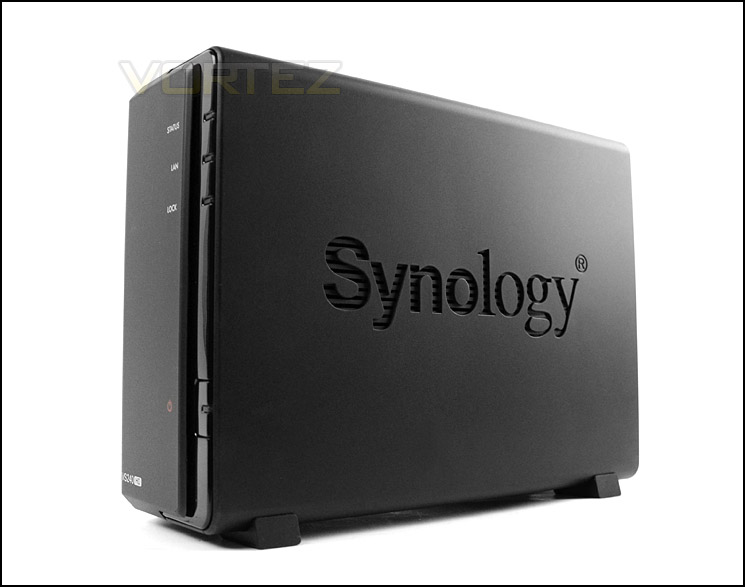
Synology on their new VS240HD
Synology VS240HD makes surveillance live-view and playback simple. Connect up to 24 high-definition IP cameras to VS240HD and pair it with a Synology server for ease of storing and retrieving footage with only a few clicks. With dual HDMI support, VS240HD ensures high-quality viewing. At the same time, multi-screen wall-mounted display is available for large-scale deployments.
Technical Specifications
Video Output:
HDMI X 2
Supported Video Resolution:
1080p
Audio Output:
3.5 mm Stereo Audio Jack X 1
USB 2.0 Port
x4 (For USB disk and mouse)
Gigabit LAN
x1
Size (HxWxD) (mm) :
166x71x224 mm
Weight:
0.87Kg
AC Input Power Voltage:
100V to 240V AC
Power Frequency:
50 / 60Hz
Operating Temperature:
32 to 113°F (0 to 45°C)
Storage Temperature:
15 to 155°F (-10 to 70°C)
Relative Humidity:
5% to 95% RH
Maximum Operating Altitude:
6,500 feet
Certification:
FCC Class B, CE Class B
HDMI X 2
Supported Video Resolution:
1080p
Audio Output:
3.5 mm Stereo Audio Jack X 1
USB 2.0 Port
x4 (For USB disk and mouse)
Gigabit LAN
x1
Size (HxWxD) (mm) :
166x71x224 mm
Weight:
0.87Kg
AC Input Power Voltage:
100V to 240V AC
Power Frequency:
50 / 60Hz
Operating Temperature:
32 to 113°F (0 to 45°C)
Storage Temperature:
15 to 155°F (-10 to 70°C)
Relative Humidity:
5% to 95% RH
Maximum Operating Altitude:
6,500 feet
Certification:
FCC Class B, CE Class B
Packaging & Bundle
The VS240HD is presented in a package which we have seen with numerous other Synology products. The box is eco-friendly and lists key features on the sides and back, a convenient plastic handle is positioned at the top of the box for transportation needs.
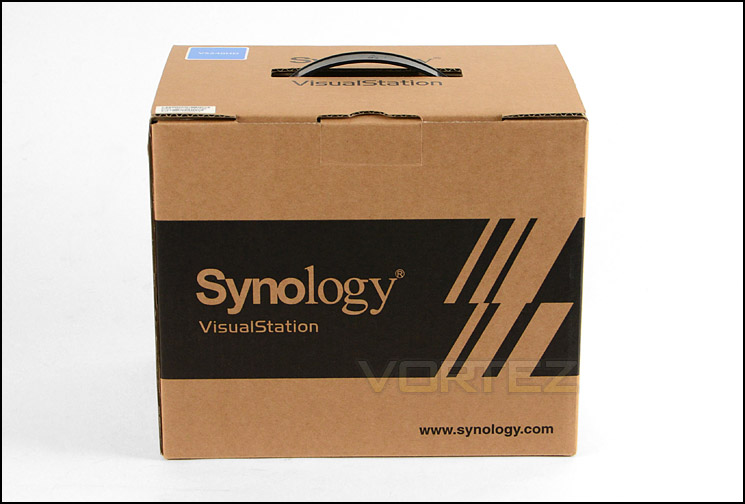
VS240HD features eco-friendly packaging
Within the box there are an assortment of included items (although, compared to NAS units there are less included extras). The following is included:
– Quick Installation Guide
– AC Power Adapter
– RJ-45 LAN Cable
Whilst a HDMI cable is not included, this is essential for video output. If you don’t have a HDMI ready monitor then a HDMI to DVI or HDMI to Display Port adapter cable will have to suffice.
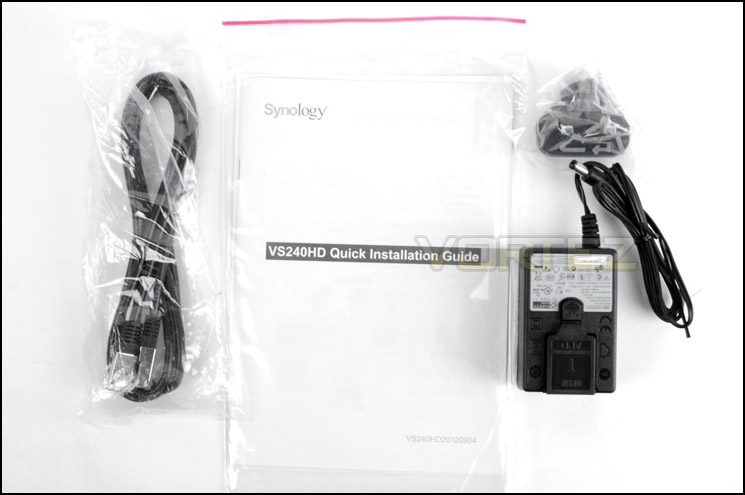
The bundled extras included with VS240HD
Closer Look
The VS240HD is a dedicated surveillance solution which models itself on the appearance of the DiskStation series of NAS from Synology. The physical characteristics are almost identical to the DS112+, with a dark, matt plastic exterior.
Each side of VS240HD features the engraved logo of Synology which also double up as ventilation outlets for the internal components. Due to its minimalistic styling the VS240HD will coordinate well with other devices such as keyboard, mouse, monitor and computer chassis. The underside of the unit has rubber feet to prevent slippage on smooth surfaces.
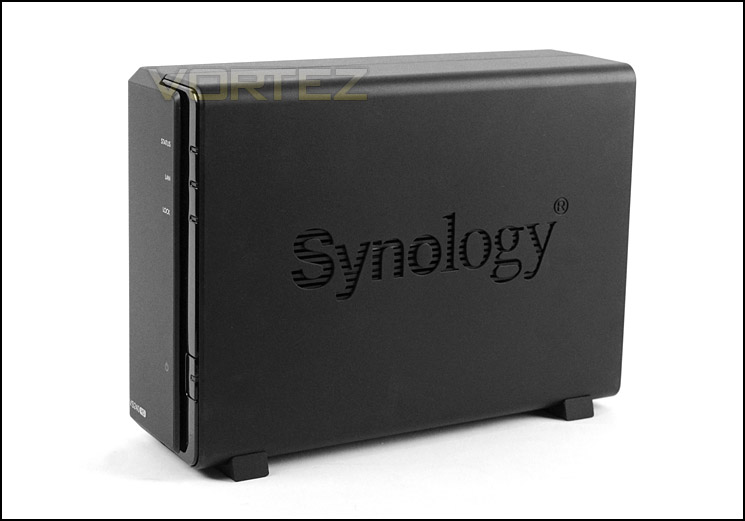
Professional and stylish characteristics
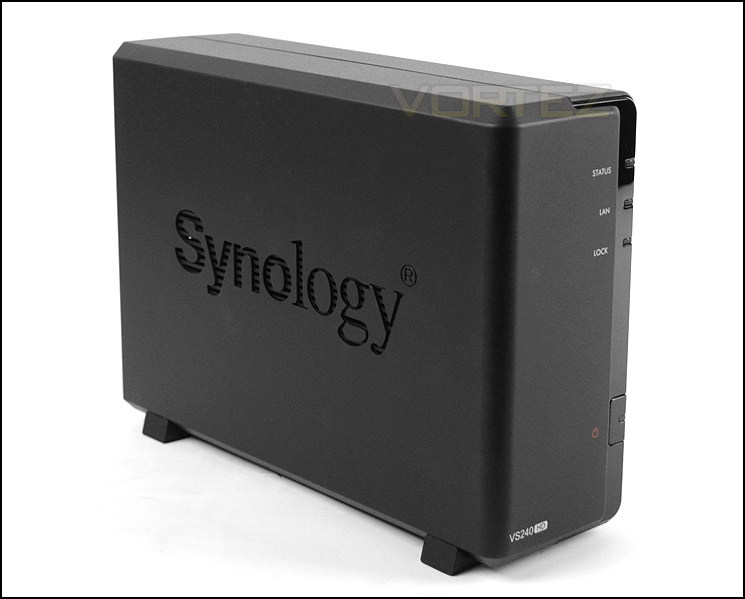
VS240HD coordinates well with other computer kit
The front of VS240HD is part glossy, part matt and has a number of LEDs for status, LAN and lock activity. On the outer edge further down the unit is a power button which glows blue when the unit is powered up.
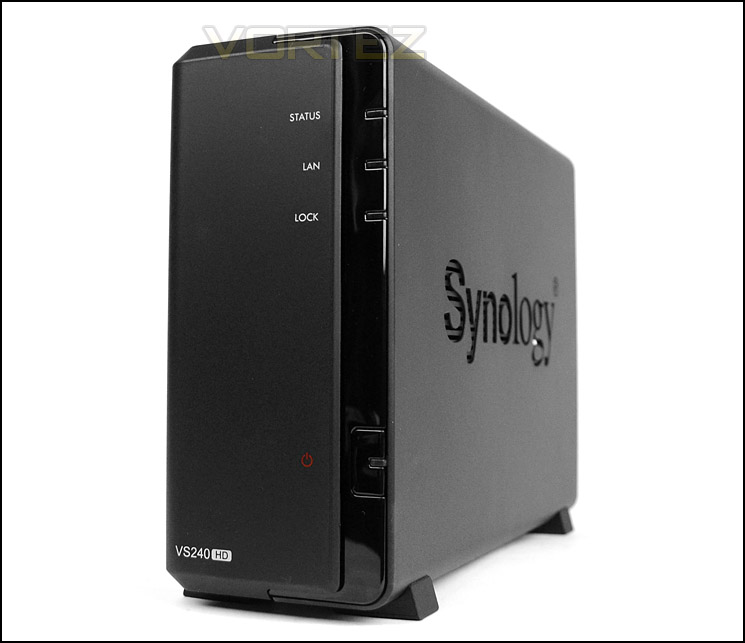
The front of VS240HD with LEDs
Around the back of the unit is the panel for connectivity. At the top of this rear panel is a label showing the serial number and mac address, followed by:
– 1x Audio Jack
– 2x HDMI ports
– 4x USB 2.0 ports
– 1x Gigabit RJ45 LAN port
– 1x DC port
– 1x Factory reset button
– 1x Kensington lock port
In order to get started with VS240HD it is a requirement to use HDMI for video output, USB port for mouse navigation and Ethernet cable for network functionality. To use VS240HD it is necessary to have a Synology NAS located on the network with Surveillance Station package installed. The NAS provides interface and the capabilities to store the video files, this is what Synology has to say about this:
Synology VS240HD makes surveillance live-view and playback simple. Connect up to 24 high-definition IP cameras to VS240HD and pair it with a Synology server for ease of storing and retrieving footage with only a few clicks. With dual HDMI support, VS240HD ensures high-quality viewing. At the same time, multi-screen wall-mounted display is available for large-scale deployments.
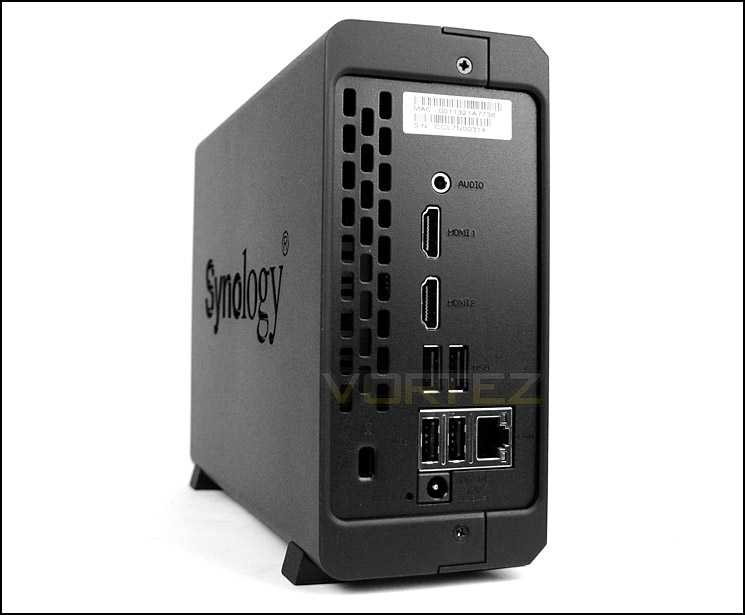
The rear of VS240HD has a variety of ports for connectivity
Adding cameras to VS240HD
There are different ways to add the camera to the VS240HD – manually or by scanning. Before you add your cameras to the unit it’s important to note that with the default license which comes with a Synology NAS you can add two IP cameras but for each additional camera a license is required for a cost of £40 per license. This can be quite a costly venture should you require more than two cameras to be attached to the system – first of all there is the outlay for the actual cameras and then there is the setback of another £40 per camera.
To add a camera a Synology NAS is required along-side the VS240HD. The NAS needs to be connected to the network and Surveillance Station package within DSM needs to be installed too.
Scanning the network for a camera
Cameras can be located by scanning the network. This makes things much simpler – especially if you aren’t familiar with the model of camera or even the IP address. For those who are novice this option is probably a good route to take.
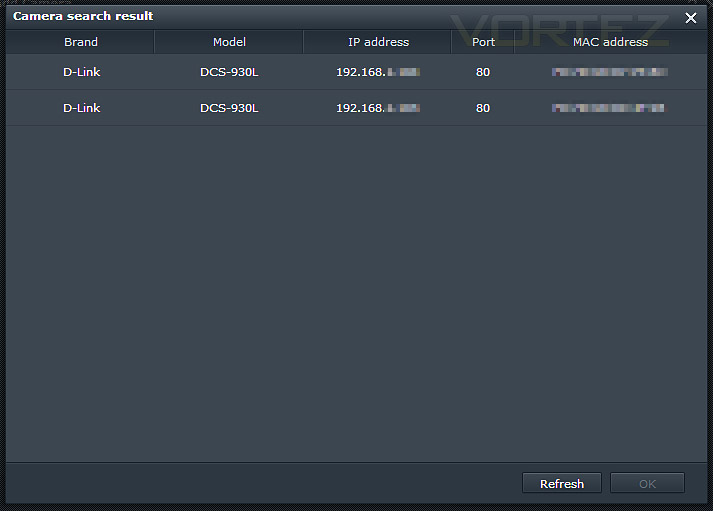
Cameras can be scanned and added
Manually adding a camera
The other option is to add the camera manually. For this method the IP address, port, brand, model and credentials are required. Although Surveillance Station supported a wide range of brands and models, it did not support our Tenvis IP cameras for some odd reason. If you are wanting to invest in this unit and have specific cameras in mind check Synology Camera Compatibility list.
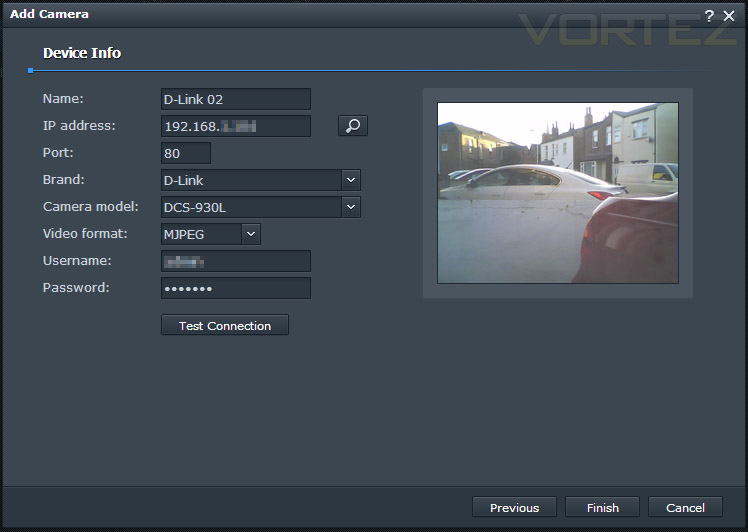
Manually adding a camera
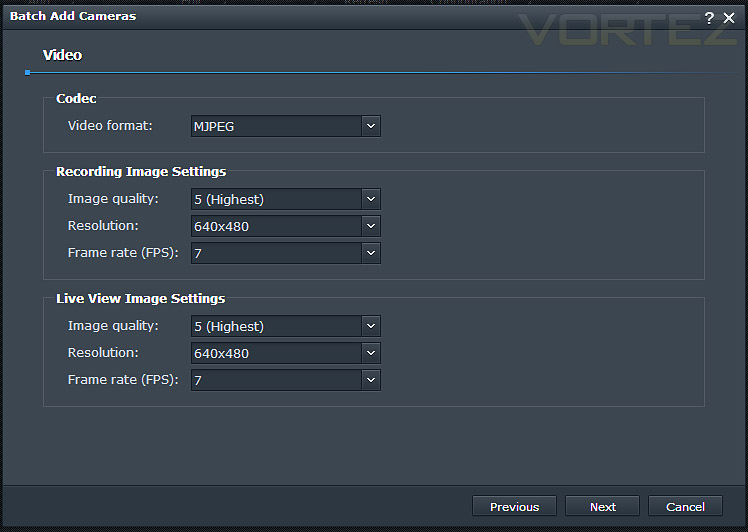
Setting specific settings
Customising cameras on VS240HD
Once a camera has been added to the system various options can be modified to control recording and such things as motion detection.
In particular, event recording can be customised with control over pre-recording and post-recording, archive duration and capacity can also be specified which is very handy.
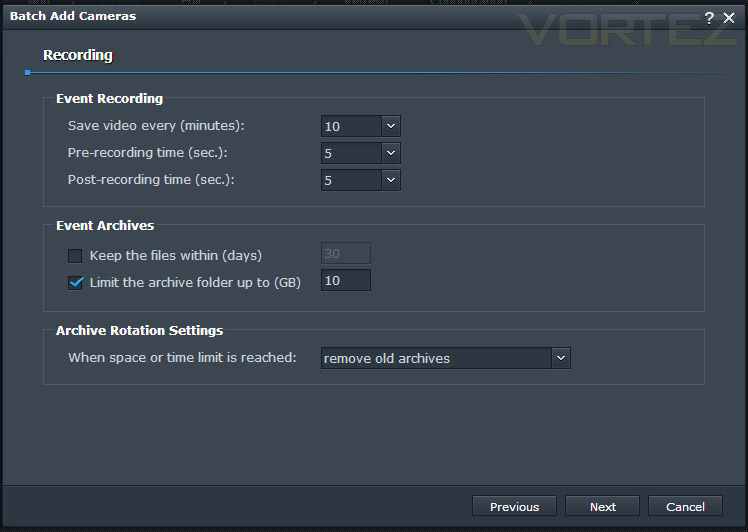
Recording settings provide control for archives and more
The actual recordings can be accessed from the NAS or VS240HD. Using the File Station below we were able to view/play recorded files. As you can see the files were often only very small because Motion Detection was enabled and the movement was often less than 40 seconds. These files can be viewed via the VS240HD and downloaded to a USB stick.
The VS240HD is a device for simply viewing and downloading content, there are limitations within the interface and the only an input device is used to navigate.
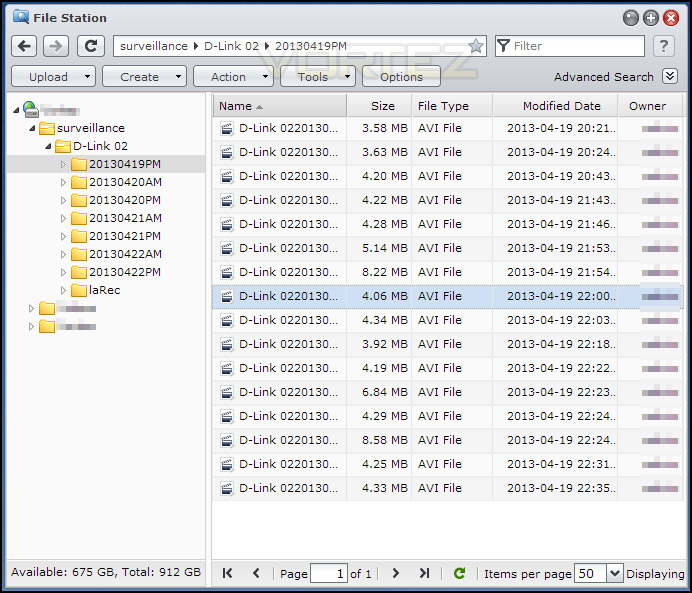
Recorded files can be seen via File Station on Synology NAS
Motion Detection is an option which can be modified within the Surveillance Station settings. Senstiivity can be altered and detection areas can also be selected, we tested this feature extensively and can confirm that it works very well – accurately recording when necessary and recording movement two seconds prior and post action.
Certain positions can be set for specic times to observe a routine. Synology say:
VS240HD allows the manipulation of PTZ on specific IP cameras by mouse-clicks. Useful angles can be saved and grouped to form “patrol” cycles while optimized live-view layouts are fully customizable just by drag-and-drop.
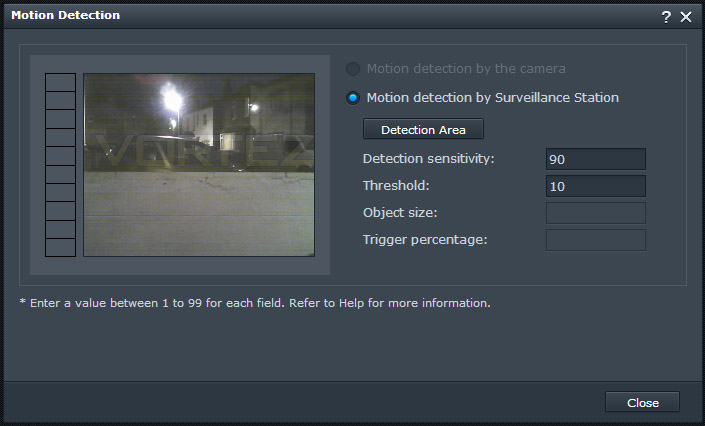
Motion Detection is a feature which can be customised
Conclusion
We recently opened up a new segment on Vortez for reviewing IP Cameras and our review subject today is the perfect device to manage this type of product.
The VS240HD is a surveillance solution designed to accommodate up to 24 IP cameras. Rather than depending on a computer system to view and deliver results, the VS240HD supplies simultaneous viewing without the need for a computer. The downside to using VS240HD is that a Synology NAS is required to pair up with the unit for both functionality and file storage. When we say downside, it is for the simple reason of cost and outlay – we are well accustomed to Synology’s DiskStation product lines and have always been impressed with their offerings.
From the get-go, the entire system is easy to setup and configure thanks to having to use Synology DSM and Surveillance Station. Once everything is setup, there are plenty of options to configure such as Motion Detection, Patrol and Recording.
At a cost of £400 the VS240HD is an investment that will be dependent on specific needs. This type of product will be suited to small to medium businesses and therefore comes at a respective cost, the pitfall comes when a Synology NAS is also required in order to get functionality coupled with the fact that each camera after the initial two are assigned, will need a license costing around £40 each. Surevillance kits with cameras and recorders start at around the £300 mark but then you do have unique characteristics which the Synology DiskStation and DSM bring and there is no doubting that a network will benefit from the added bonus of having such a NAS included on the network.
VS240HD has the capabilities to transform a network into a successful Surveillance Station. It is easy to setup, works very well and is energy efficient.
Pros
+ Slim, professional design
+ Easy to setup and configure
+ Low power consumption (14-15W)
+ Motion detection works well
Cons
– Cost
– No HDMI cable supplied
– License required per camera
– Dependent on NAS for functionality/storage
+ Slim, professional design
+ Easy to setup and configure
+ Low power consumption (14-15W)
+ Motion detection works well
Cons
– Cost
– No HDMI cable supplied
– License required per camera
– Dependent on NAS for functionality/storage

Click here for an explanation of our awards at Vortez.net.


