







Looking for a wireless router to expand your home network? Today we will be looking at an offering from Tenda, the W311R+ wireless router.

Product on Review: Tenda W311R+
Manufacturer: Tenda
Street Price: £15 inc. VAT
In today’s networking market, there are a plethora of companies and products providing businesses and consumers alike with many different networking solutions. The market has changed considerably over the past decade and with the desire to have top performing products, with stylish sleek looks at a fantastic price, companies can’t afford to get it wrong. Many companies have been evolving and providing us with such solutions for over the years but today, we will be focusing on one in particular.
Back in 1998, Tenda Technology was formed by Mr D.P Quan to be one of the leading network solution providers. Soon after releasing entering the Asian market they quickly released their brand across Europe and the Middle East. Fast forward a decade and Tenda are going from strength to strength, now providing us with a multitude of network products they have established themselves as one of the leading manufacturer of network solutions.
Today we will be taking a look at one of their products, the Tenda W311R+ Wireless N Broadband Router.
Tenda’s words on W311R+
The W311R+ 150Mbps wireless router provides an excellent solution for experiencing better wireless performance while sharing a broadband Internet connection with multiple computers over a secure wireless network. With the W311R+, you can easily connect your PCs, pads, game console and other Wi-Fi enabled devices to a wireless network with speeds of up to 150Mbps .Compliant with 802.11n standard, it delivers up to 4x faster wireless speeds and 3x farther range than 802.11g while staying backward compatible with 802.11g/ b devices. The W311R+ also includes a 4-port 10/100Mbps Ethernet switch for extra users. The W311R+ is ideal for sharing your Internet connection throughout home or small office. .
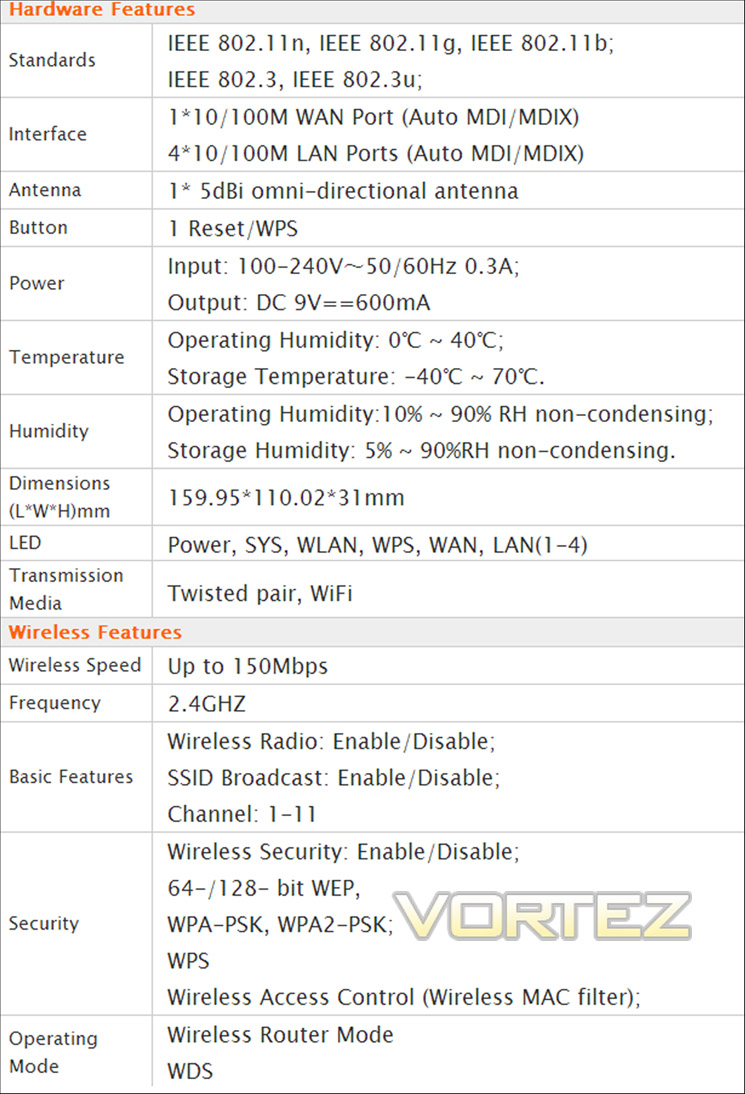
Now let’s take a look at the specifications of the W311R+
Specifications
Packaging and Contents
The router arrived in a black and white box with the specs highlighted behind an orange background. On the front there is a picture of the router, with icons in the top right hand corner highlighting some of the features. At the bottom is more information such as the detachable antenna which will we cover later in the review and the routers bandwidth control feature.
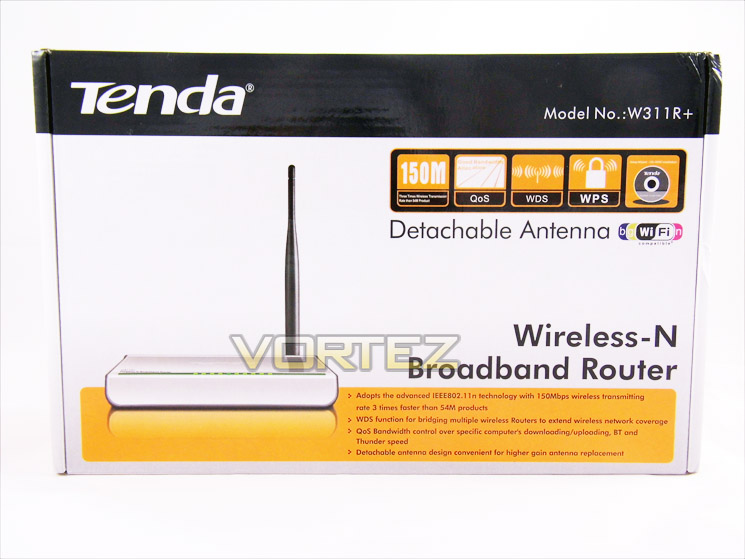
Front of the box
On the left side flap of the box is a list of the package contents, as well as the minimum requirements for the W311R+ and another picture. On the right flap are the installation steps of the router and provide text and images showing how to set up and install the router via the software that comes in the box.
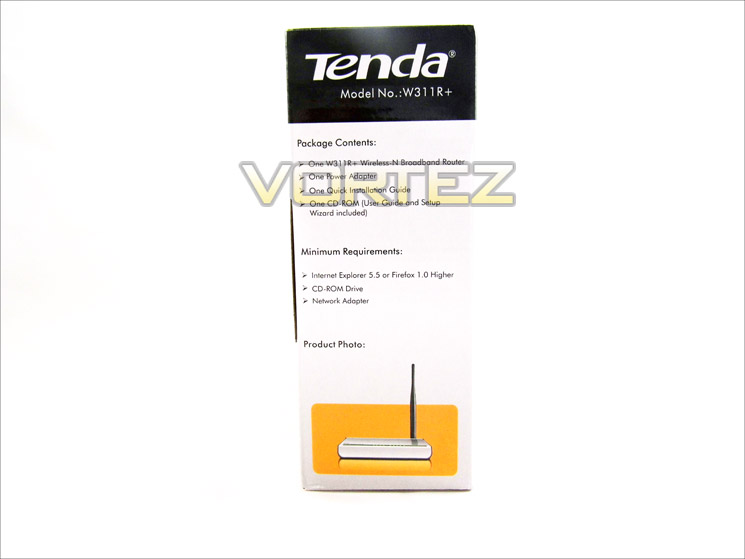
Side of the box
On the back of the box are the specifications in different languages. Also on the right side is a detailed product description and also has product features. Below these is a diagram showing the applications of the W311R+ and other accessories and compatible products available from Tenda.
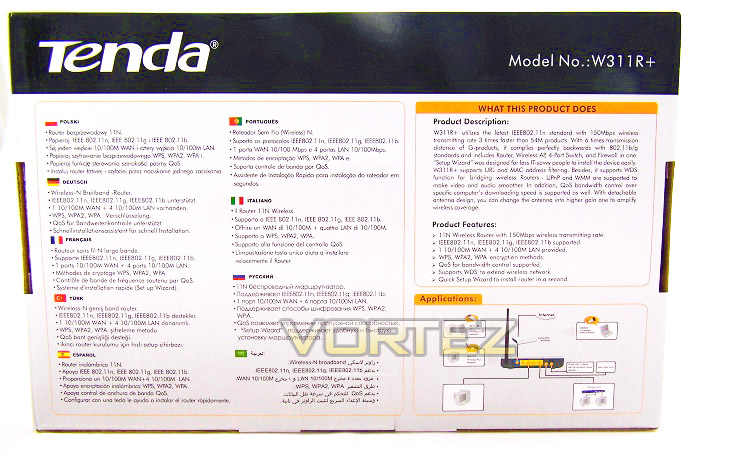
Rear of the box
As we open the box we are presented with a more detailed quick installation guide and the software on disc required to install the router. When taken out we are left with the router itself sandwiched in by a moulded cardboard box with the power adaptor and detachable antenna underneath.
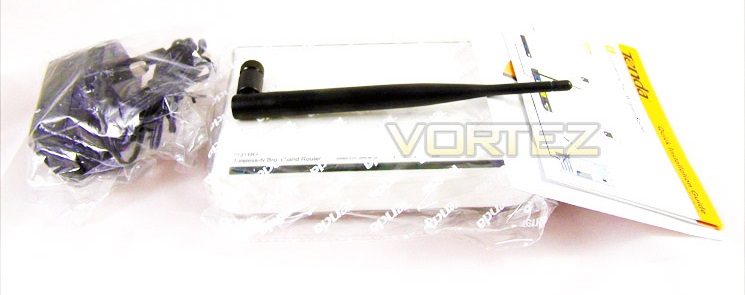
Contents of the box
Closer Look
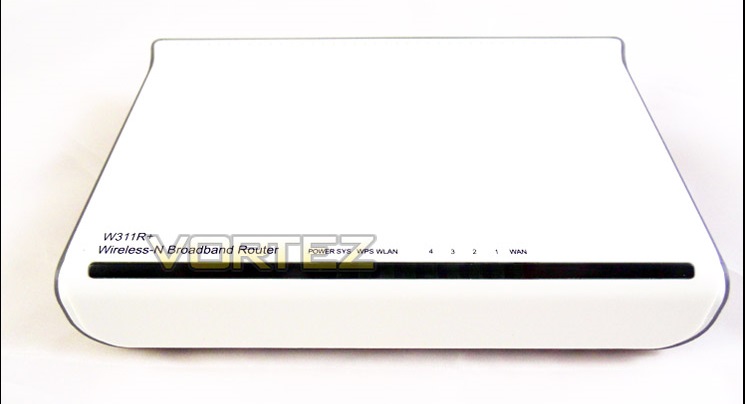
As we can see from the router is a nice clean white with gunmetal like grey on the outline. The W311R+ has green LED’s throughout. The front displays the status lights for the power, WLAN status and WAN. It also displays the model number.
Front of the router
On the rear of the router we discover what connectivity options are available. As we can see the W311R+ has 4 LAN ports to connect devices such as PC’s and games consoles and 1 WAN port to connect to a modem. The detachable antenna also connects to the port on the left side and features a power switch on the right hand side.
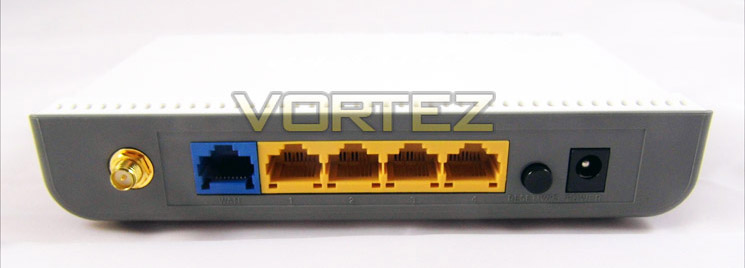
Rear of the router
As we lift the router up we are greeted with a large vent to provide cooling to prevent overheating. Also there are 4 feet (2 rubber and 2 plastic) and a sticker providing information such as the default settings for the MAC and WPS and states the serial number.
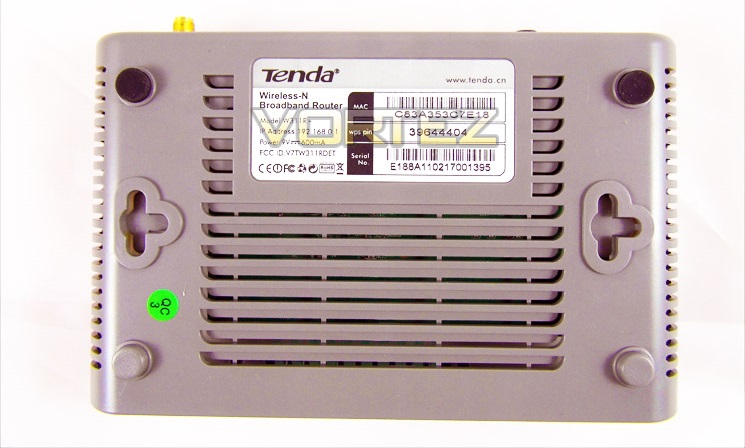
Base of the router
Configuring the W311R+
Before we could install and set up the wireless router, we first had to enable the modem only mode on our Virgin Super Hub. After this we could begin to install the W311R+.
Upon installing the detachable antenna, we decided to connect the router up to the mains and into our modem. After setting up the hardware we inserted the CD utility that came with the router and was presented with the following screen.
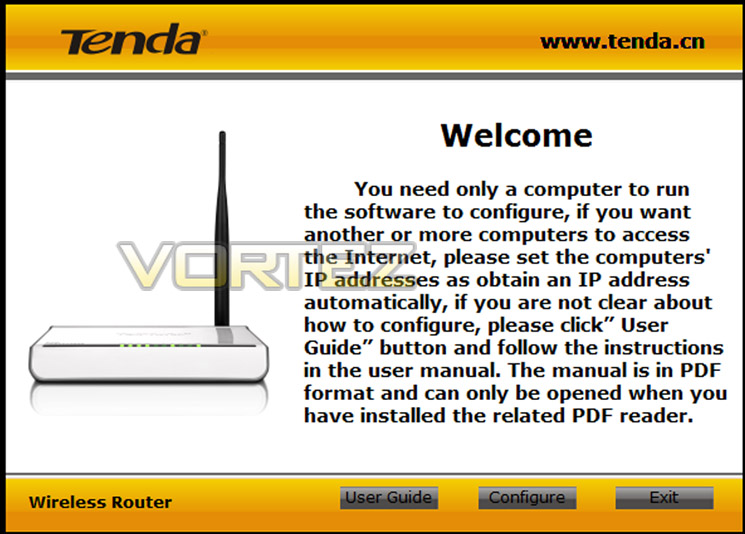
After clicking configure on the menu we were directed through the browser (Google Chrome) to the next process of configuring the router to work with the modem which is displayed here.
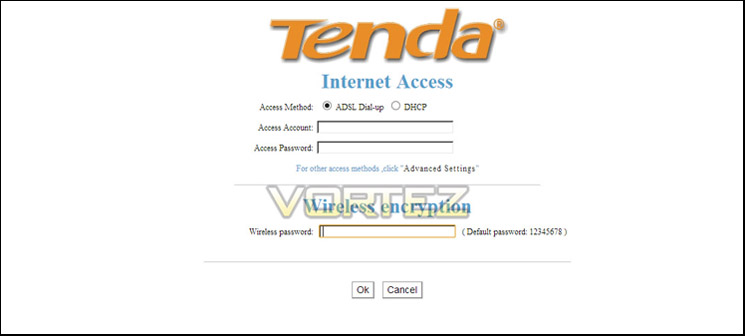
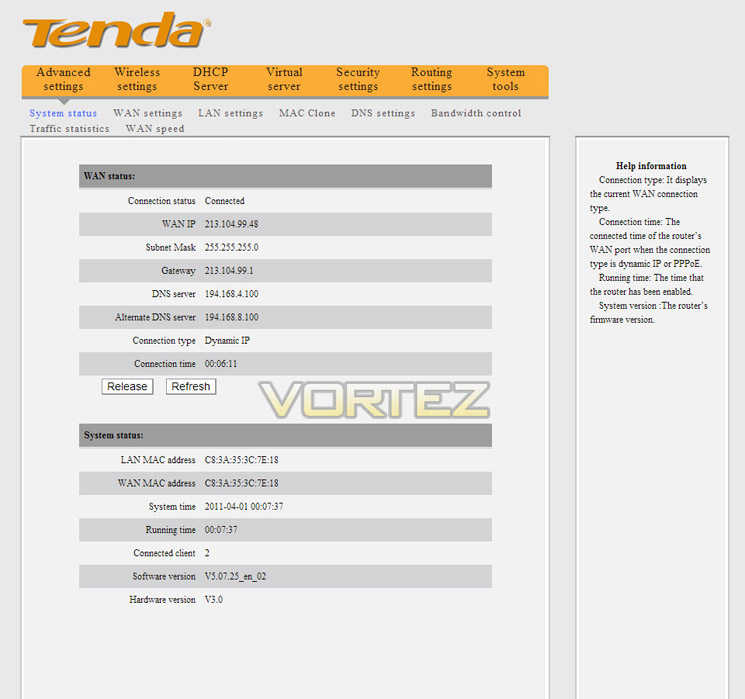
Once we had entered the relevant settings and connected up our PC wirelessly we found it connected up to our PC instantly. No connection problems and no issues whatsoever, a painless hassle free experience. We were then took to this screen which confirmed the details of our connection. We also had the option to configure other settings such as more detailed security settings, accessing the DNS settings as well as the in-built bandwidth control.
Conclusion
Having had the chance to get to grips with the W311R+ for a little while now it’s time to share our overall opinion.
It’s important to understand from the outset that this is a relatively cheap budget wireless router but do not let that put you off. At £15 its priced perfectly and provides stiff competition to other brands and models in its price range. If you are looking for a pretty easy and hassle free way of making your current modem wireless then this is the type of product you need. It is relatively quick and easy to setup and as mentioned in the review, our wireless devices picked the signal up instantly.
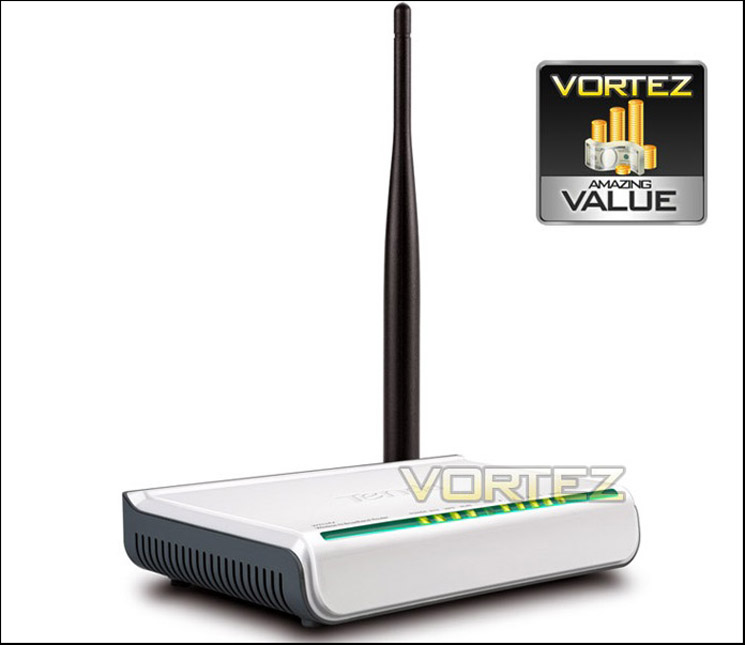
The router comes adequately packaged, is very informative and does what it says on the box with no issues whatsoever. With having the capability of connecting up to 4 wired devices and numerous wireless devices we feel it is plentiful for setting up a basic wireless home network. If we were to nitpick anything we would say we were very disappointed not to find an Ethernet “RJ45” cable included in the box and the router itself is only available in white which might not suit you if you have an all black setup. Also the feature of a detachable antenna is a little gimmicky in our opinion because if you wanted to upgrade the antenna, you could have just bought a more powerful router in the first place but don’t let that put you off, Tenda have done a good job in providing a stylish, neat and well equipped for the price solution for those people with cable providers who don’t have existing wireless routers. Overall we feel the Tenda W311R+ is very good value for money thus it rightly deserves an award.
If your in the market for an affordable but well built budget solution to enable you to connect to the internet via wireless then you have to consider the Tenda W311R+. Stylish, sleek and stunningly white, the W311R+ looks the part and for the price you really cant go wrong. The W311R+ is as easy on the eye as it is to setup which will please all users and with the capability to upgrade the antenna to a more powerful one it could be the router you are looking for. Based on this we feel the W311R+ deserves our amazing value award.
Pros
+ Good build quality
+ Stylish
+ Price
Cons
– Lack of ethernet (RJ45) cable in the box
– Only available in white
+ Good build quality
+ Stylish
+ Price
Cons
– Lack of ethernet (RJ45) cable in the box
– Only available in white

Click here for an explanation of our awards at Vortez.net.


