Gather your senses and update your UEFI BIOS as it is now time where we compare a selection of the top X370 motherboards to find out which would be best for you. Featuring: X370 Taichi, Crosshair VI Hero, AX370-Gaming K7, and the X370 XPOWER GAMING TITANIUM.
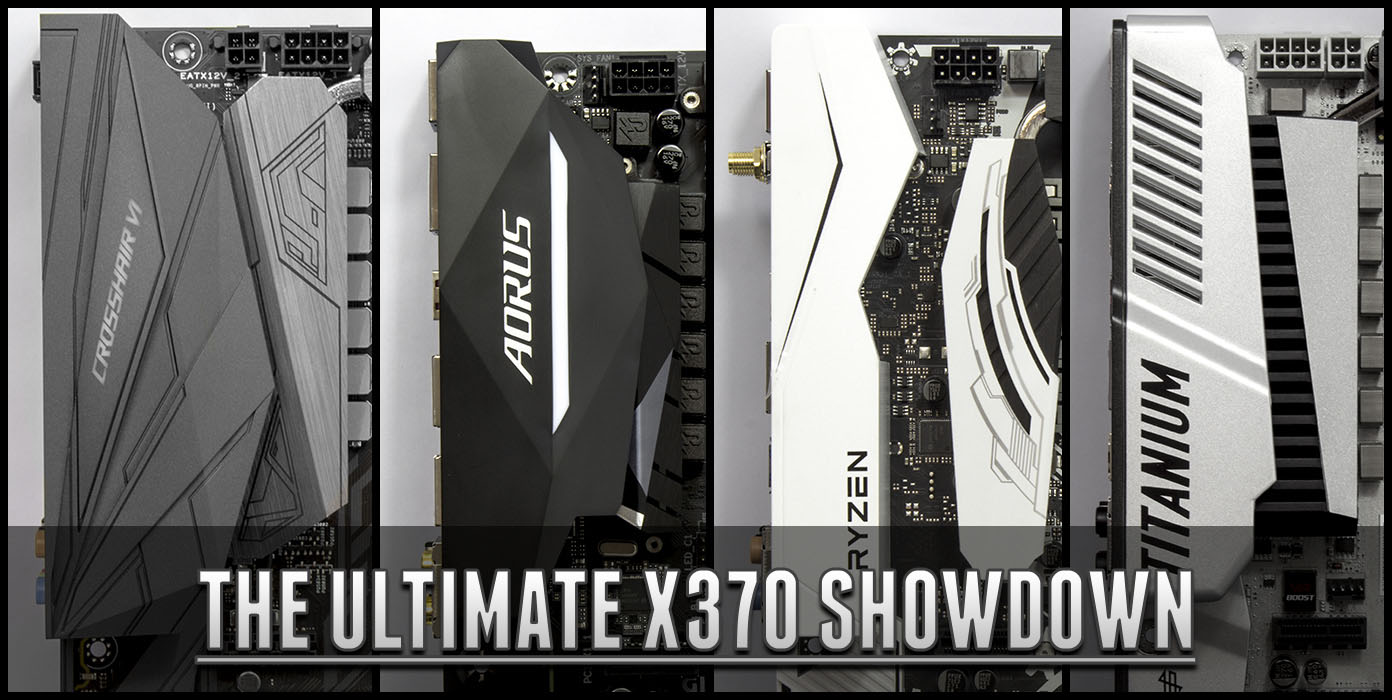
On release of Ryzen and the AM4 platform it would be fair to say that manufacturers had a fairly rough ride considering the short notice that they had, so understandably the brand new CPU architecture came along with its fair share of teething issues. Most of these centred around memory pairing and timings. Now that there has been nearly 3 months of BIOS updates to improve system stability, performance, and memory compatibility it is about time we take a look at a selection of the top motherboards the AMD platform currently has to offer.
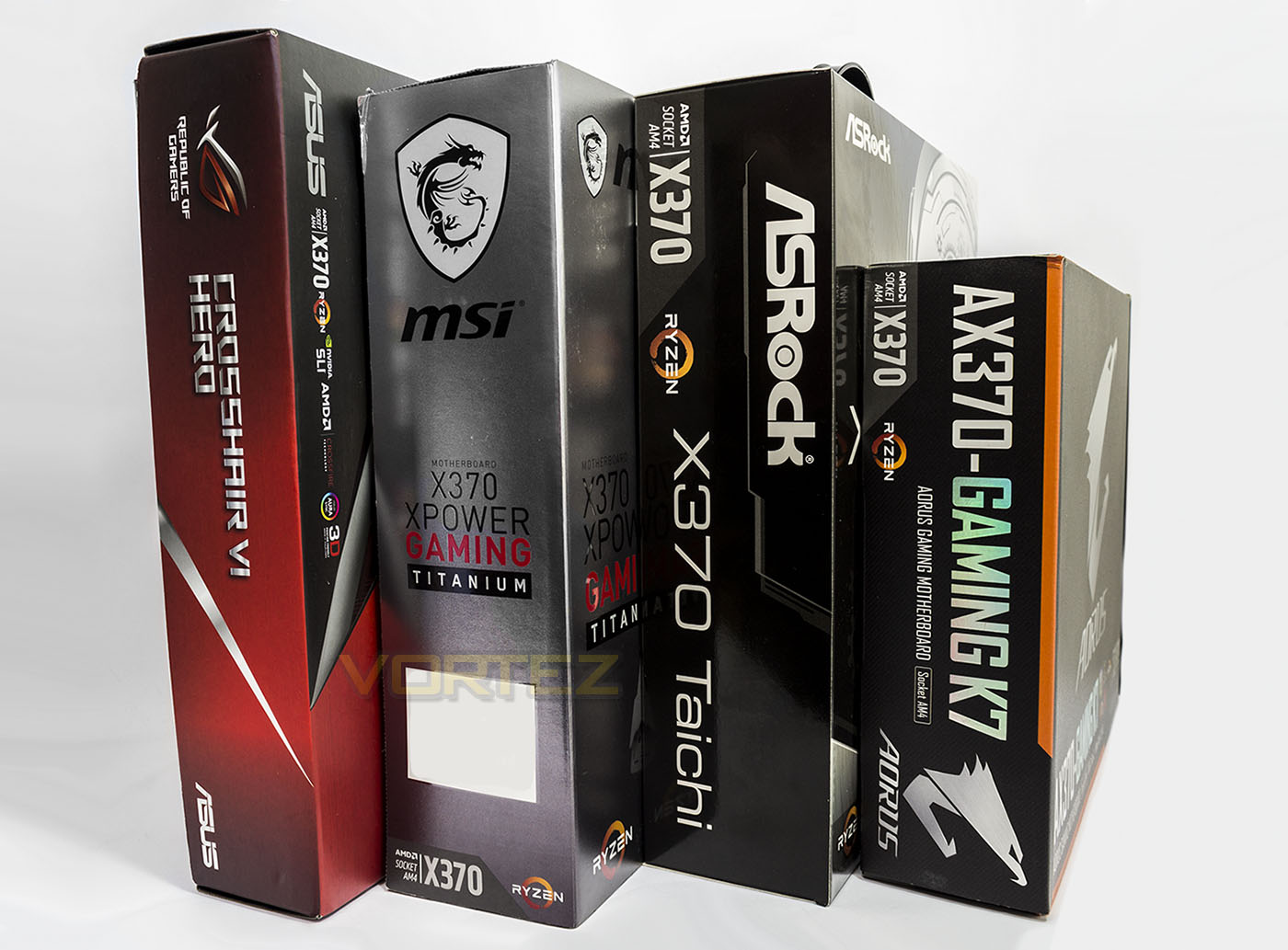
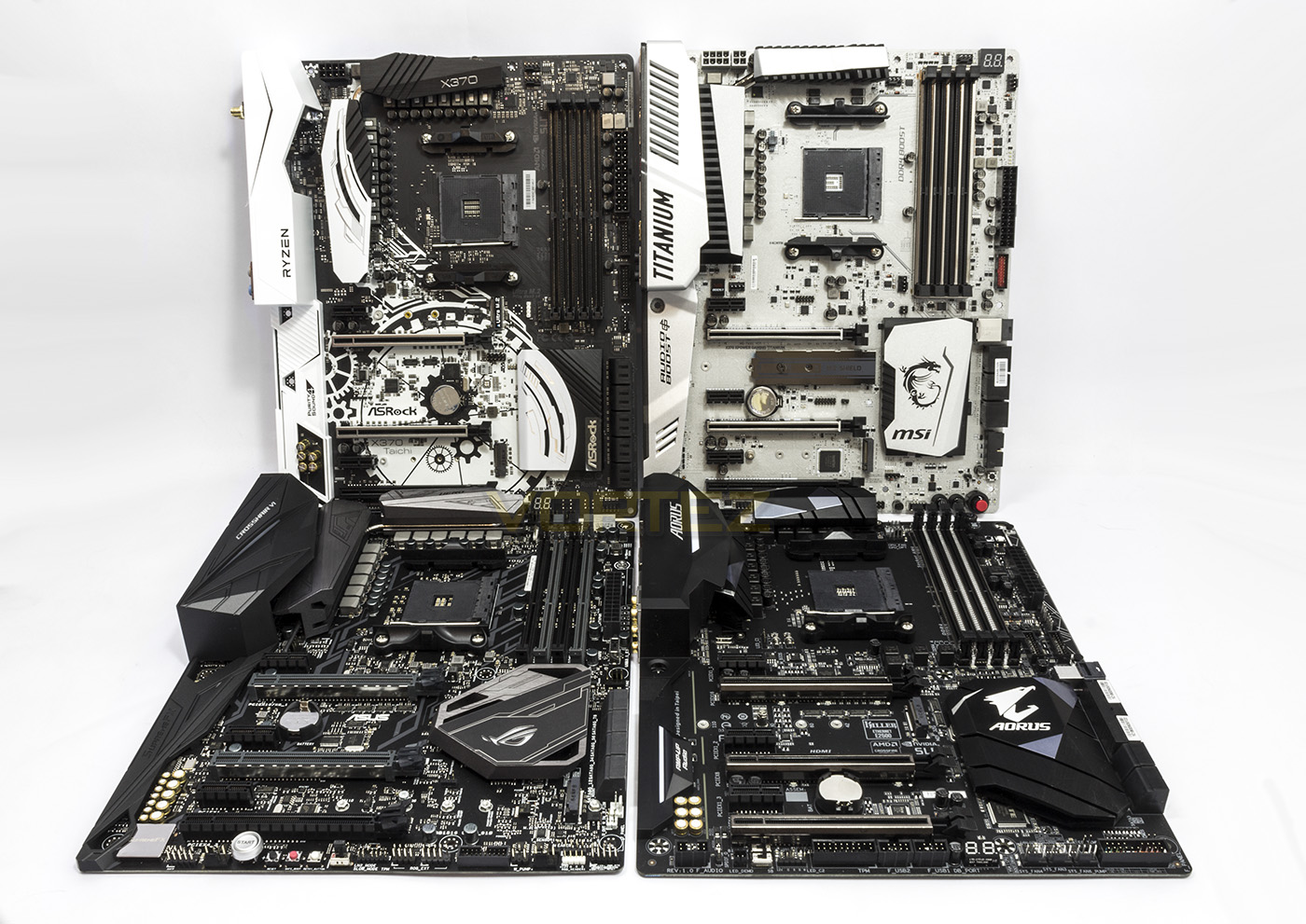
Our selection of motherboards were all available on release, however, we have now updated each to the latest available BIOS so we can objectively look at their performance and features to see which would be best for you and your requirements. The motherboards we’ll be looking at are: ASRock X370 Taichi, ASUS ROG Crosshair VI Hero, GIGABYTE AX370-Gaming K7, and the MSI X370 XPOWER GAMING TITANIUM.
Closer Look: ASRock X370 Taichi

Product on Review: X370 Taichi
Manufacturer & Sponsor: ASRock
Street Price: £229 GBP / $239 USD
Technical Specifications
The X370 Taichi which is priced around £225-230, positioning it as the second cheapest in our line-up. This is ASRocks ‘All Rounder’ motherboard that is essentially a cut down ‘Fatal1ty X370 Professional Gaming’, so it features premium components and robust design considerations such as Dual Stack Mofsets (DSM), 60A chokes in a 16 phase power design, 2oz copper PCB, and the various other inclusions falling under the ‘ASRock Super Alloy’ umbrella. As an ‘all-rounder’, it has been made with simplicity and stability in mind, and this is somewhat reflected in its stylish but neutrally toned aesthetic.
Out the box it features wireless connectivity supporting 2.4/5GHz WiFi and Bluetooth 4.2, and of all the motherboards we are looking at today, the X370 Taichi has 10x SATA 6Gb/s (2 more than natively supplied) along with 2x M.2 slots (1x compatible with M.2 SATA3 6.0 Gb/s module and M.2 PCI Express module up to Gen3 x4 (32 Gb/s), and 1x M.2 PCI Express module up to Gen2 x4 (20 Gb/s) (use of the second M.2 slot will disable the PCIe5 slot)).
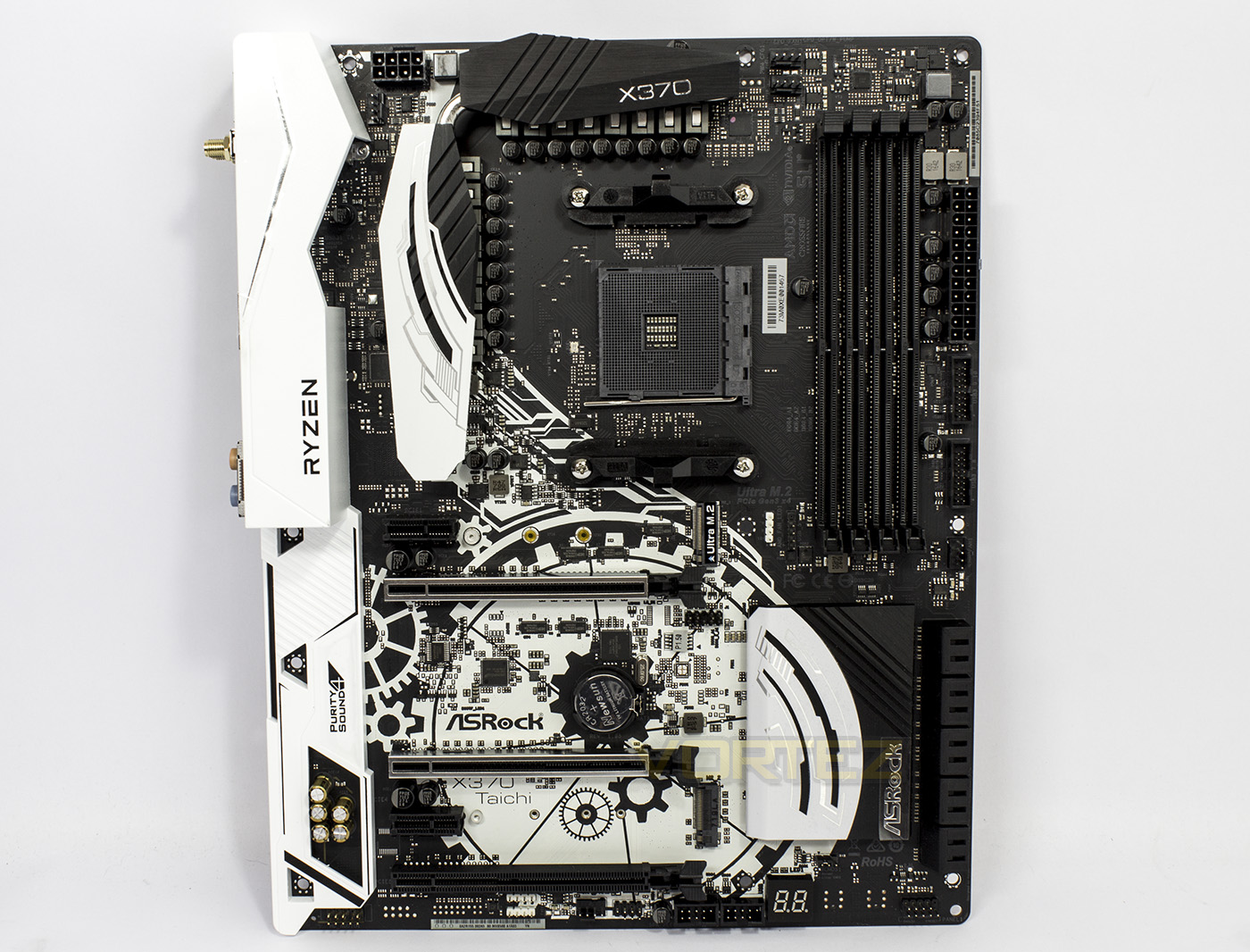
The overview of the X370 Taichi shows us an attractive black/white Yin-Yang inspired design. There is a plastic shroud covering the Rear IO and the audio circuitry along with large heatsinks surrounding the AM4 socket.
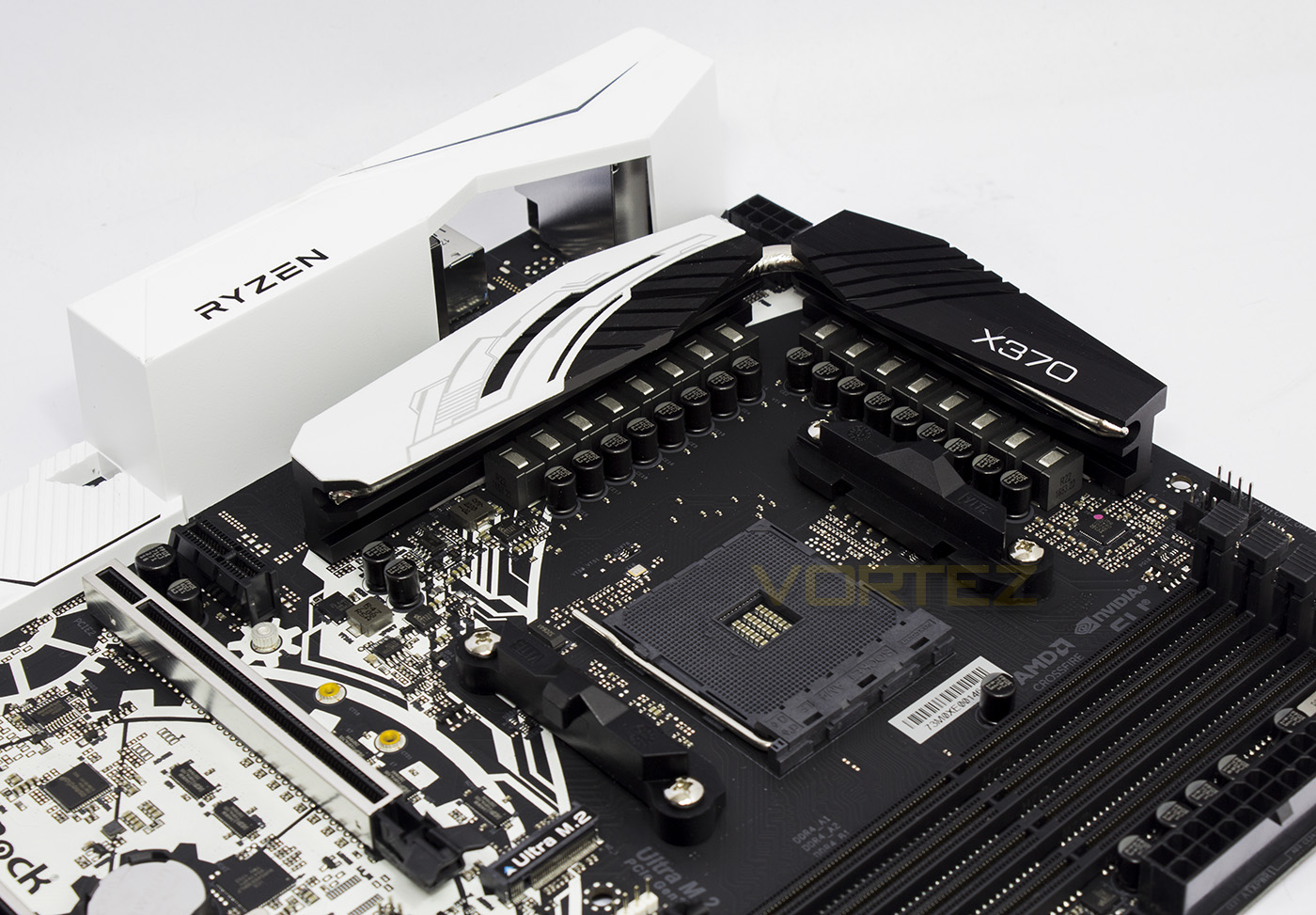
ASRock have implemented a 16 phase power design using 60A chokes to ensure stable power delivery and cool operating temperatures.
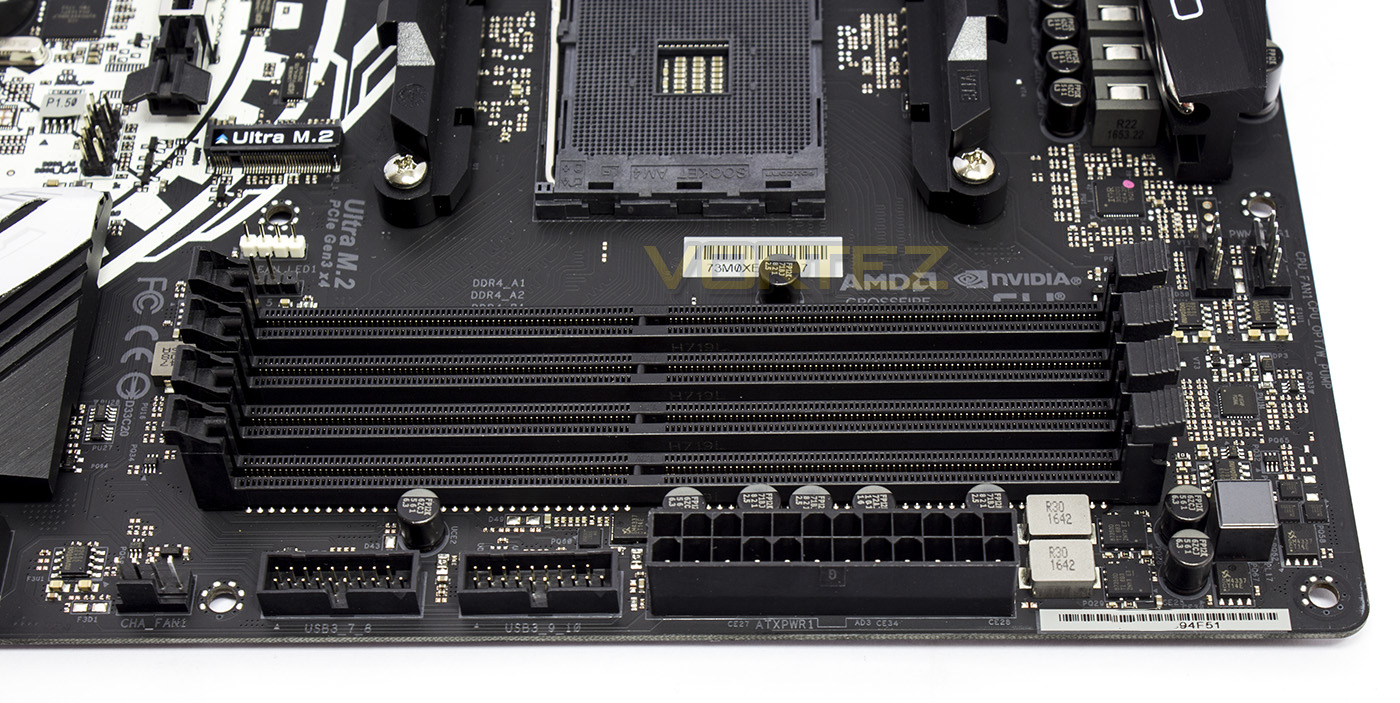
From the right moving left, we find 2x 4pin fan headers, of which the CPU OPT_ doubles as a water pump header outputting 1.5A. Next to the 24pin ATX plug there are 2x USB 3.1 G1 headers followed by another 4pin fan header. Behind the DIMMS on the left you will find the RGB AMD fan headers.
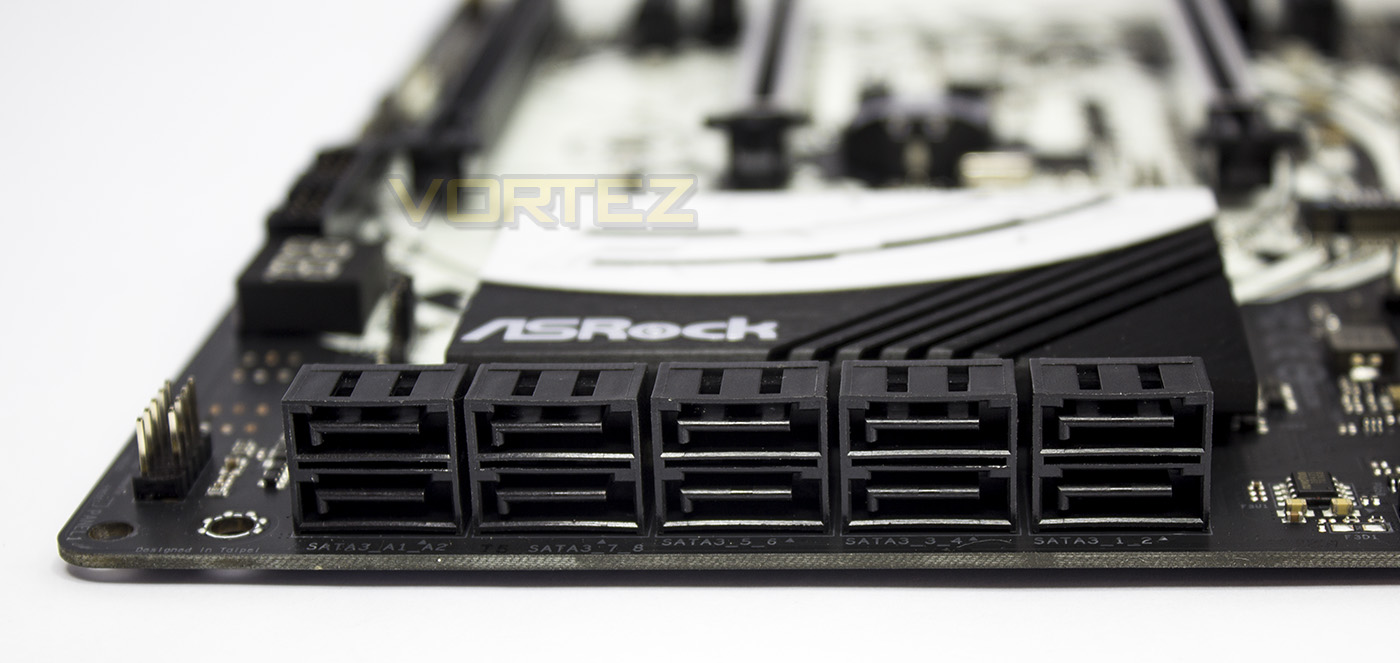
ASRock aren’t messing around here, no SATA Express, No NVMe U.2, just straight up 10x SATA 6Gb/s ports.
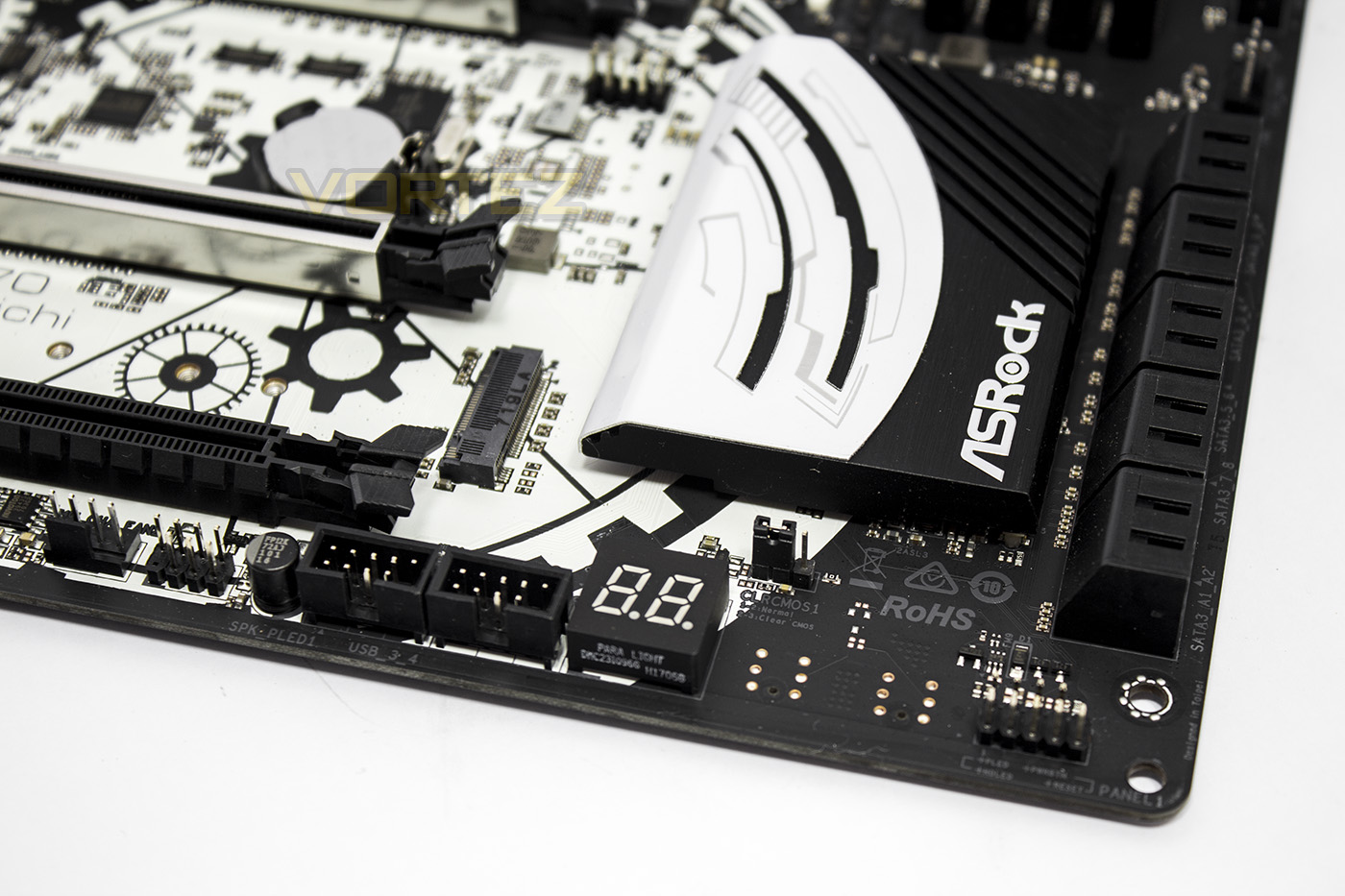
The front panel connection headers have been separated from the PLED/SPEAKER headers. There are some empty spaces with contacts that would be otherwise used for onboard buttons as featured on the X370 FATAL1TY Gaming Pro motherboards. Beneath the chipset heatsink there is a clear CMOS jumper, debug LEDs, and 2x USB 2.0 headers.
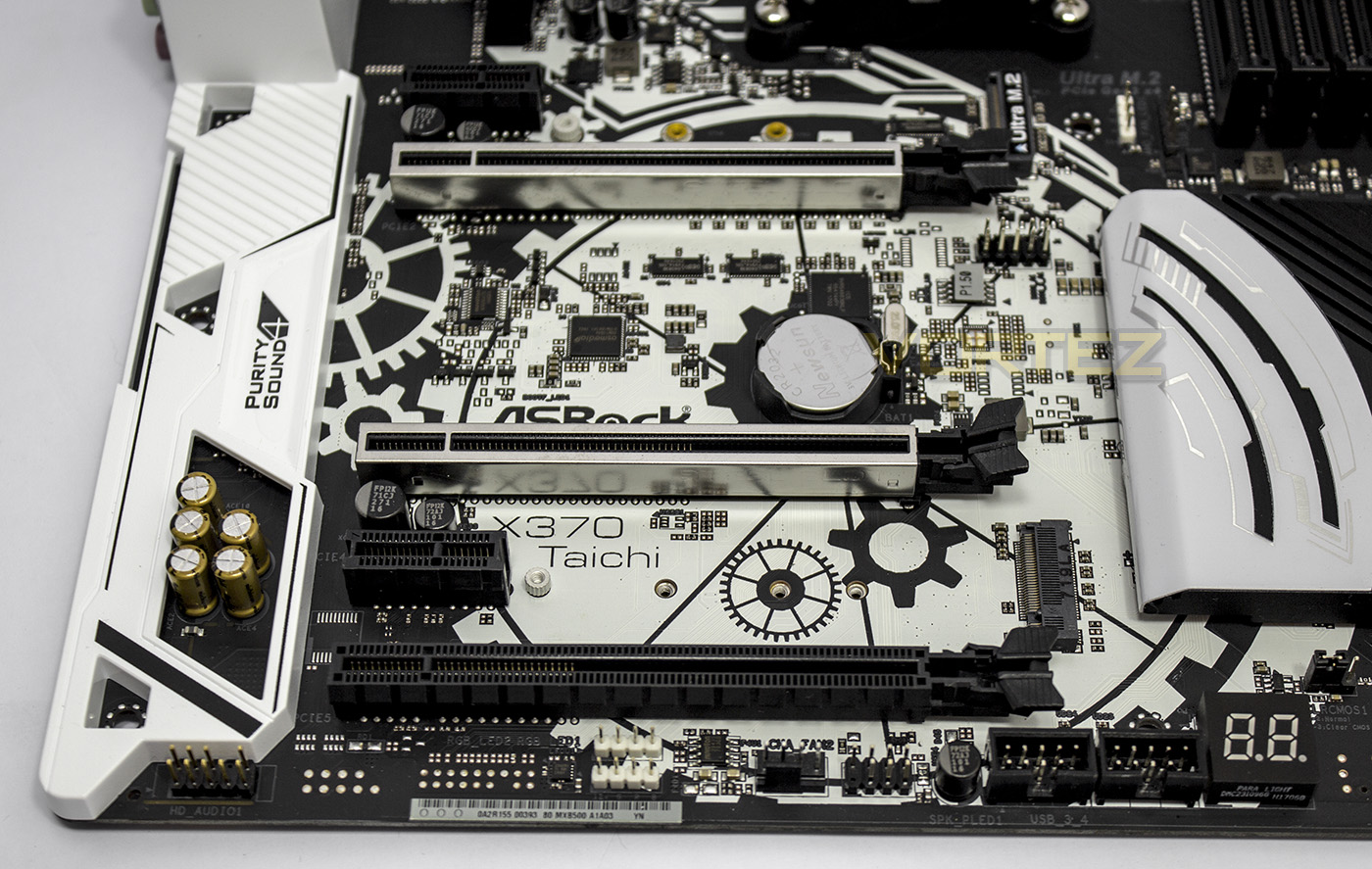
The X370 Taichi looks a little empty again, offering up just front panel HD audio, 2x RGB LED strip headers and an additional 4pin fan. There are contacts for COM and TPM pins, but they have not been used. There are 5x PCIe slots, the bottom most of which (PCIe G2 x4) is shared with the adjacent M.2 slot.
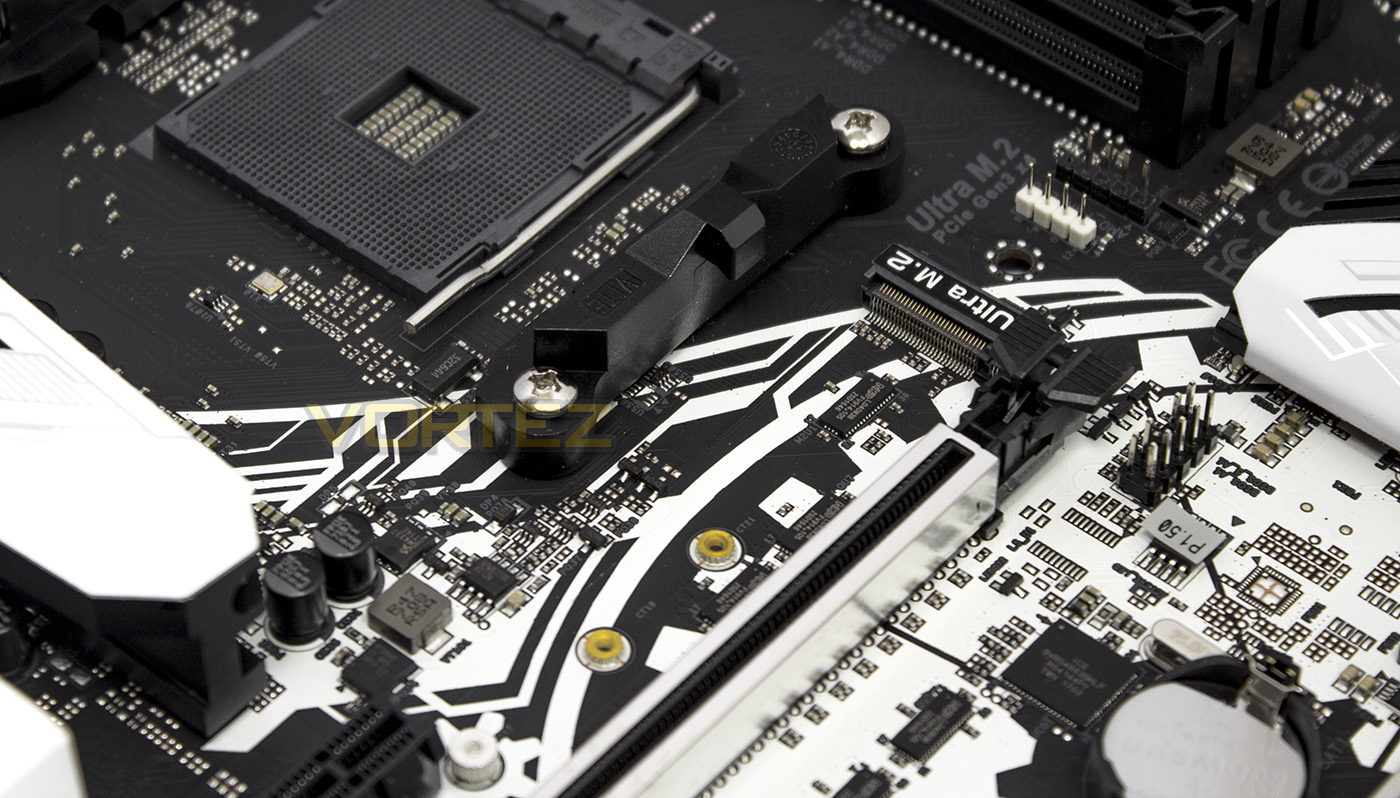
As high speed M.2 storage cards can generate quite a bit of heat, some prefer them to not be tucked underneath their graphics cards, so ASRock as situated it above the graphics card, this will also give some additional room for large CPU coolers.
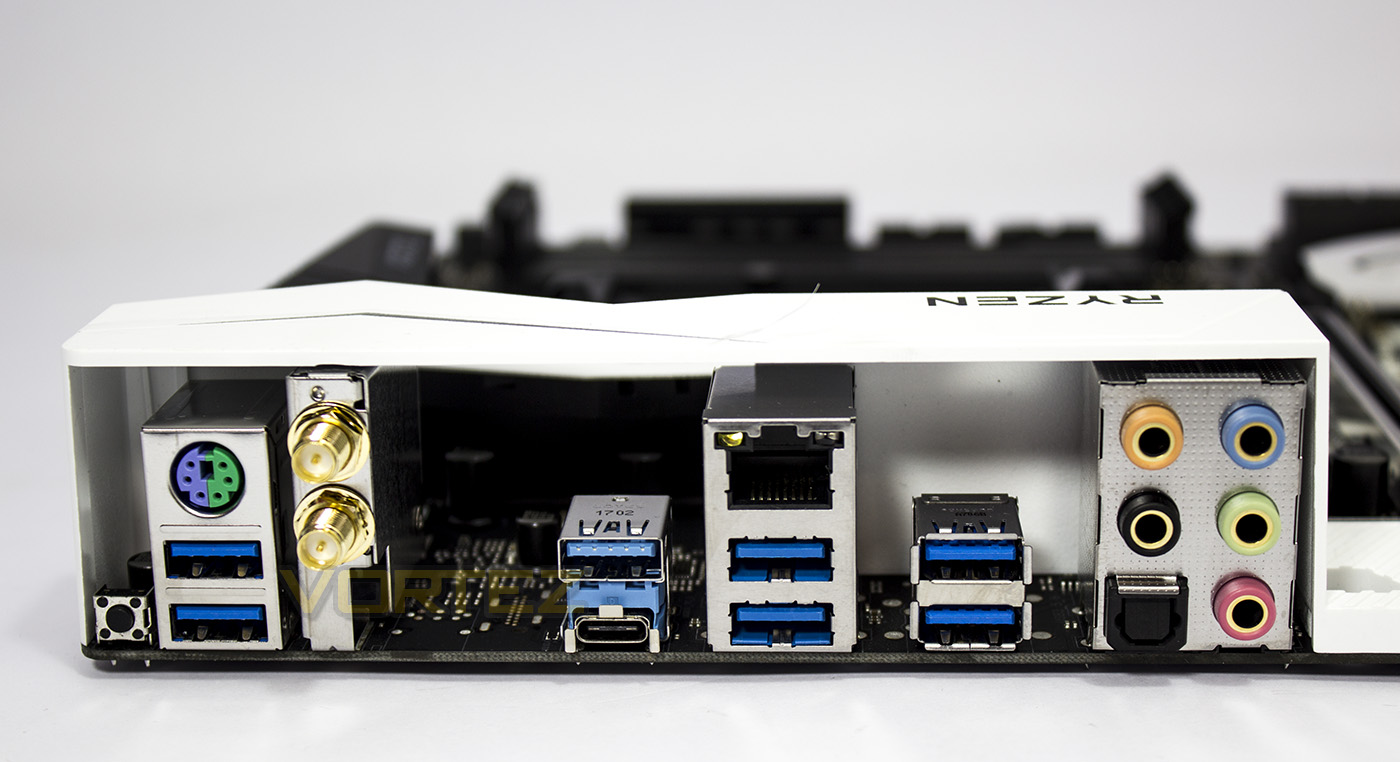
At the back, the X370 Taichi afford a dedicated clear CMOS button, a universal PS/2 port, 6x USB 3.1 G1, WiFi and Bluetooth antenna connectors, 1x USB 3.1 G2 Type A, 1x USB 3.1 G2 Type C, 1x RJ-45 LAN, HD audio jacks and optical SPDIF optical out.
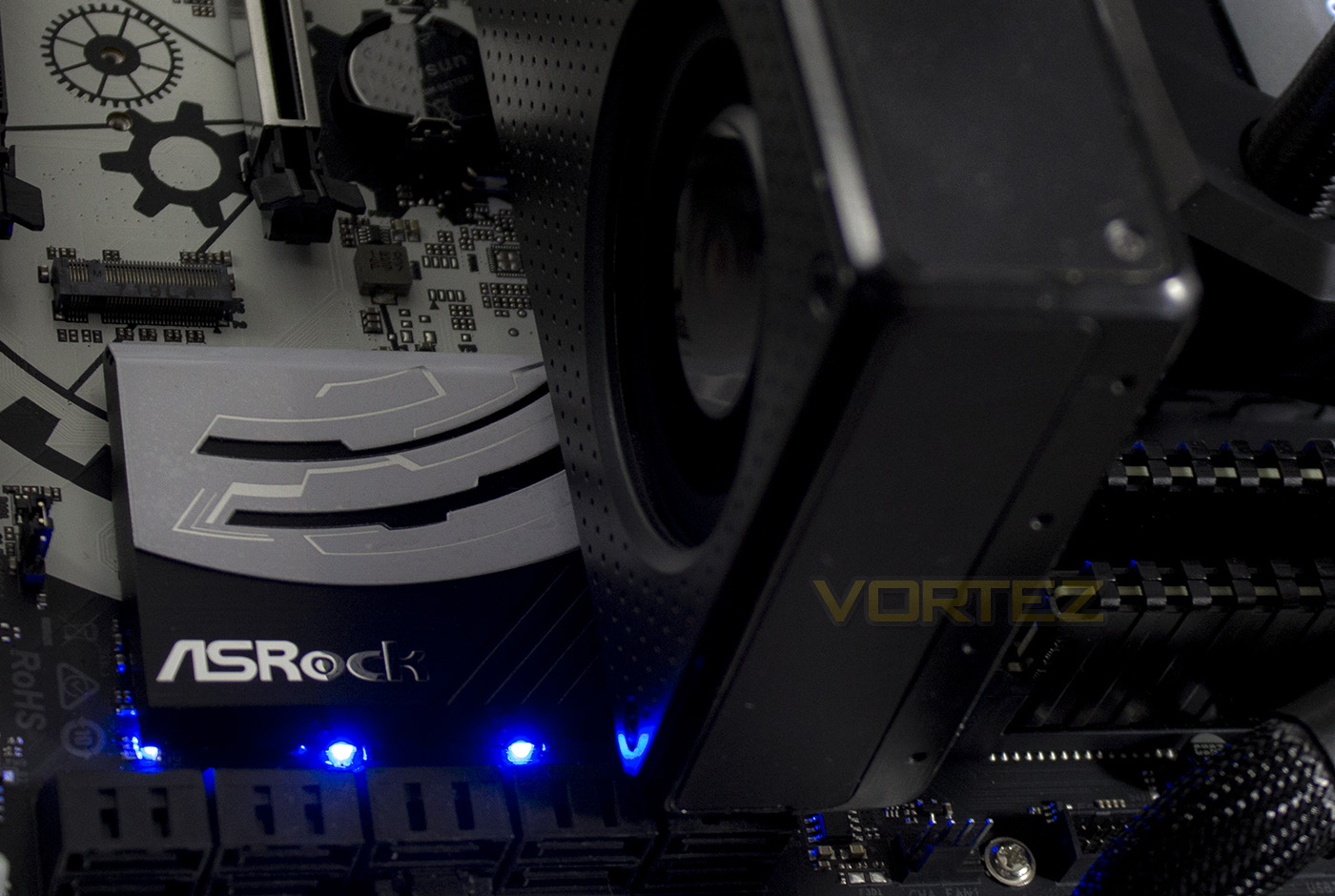
LED lighting is fairly straight forward on the Taichi, with a selection of RGB LEDs behind the chipset heatsink which can be customised with various simple effects, the software extends to controlling the additional LED strips if you connect them via the onboard RGB headers.
Closer Look: ASUS ROG Crosshair VI Hero

Product on Review: ROG Crosshair VI Hero
Manufacturer: ASUS
Street Price: £239.99 GBP / $249 USD
Technical Specifications
The ASUS ROG Crosshair VI Hero is another mid ground motherboard in regards to pricing, with a relatively small jump over the X370 Taichi, in fact some places have the ROG CH6H currently for a very reasonable £229.
As an unadulterated ROG motherboard it has features are heavily geared towards enthusiast overclockers and custom water-cooled setups. It features LN2 mode, dedicated water cooling headers to measure flow rate, as well as a ‘Pro belt’ for direct voltage measurements. The Crosshair VI Hero also features the highest accessible USB count of the motherboards we are looking at, with a total of 19, it gives users full access to all available CPU/chipset provided ports along with an additional USB 3.1 G2 front panel connector. Other stand out features would be that it has legacy AM3 cooler retention holes for backwards compatibility with older coolers, as well as unique support for 3D printed accessories.
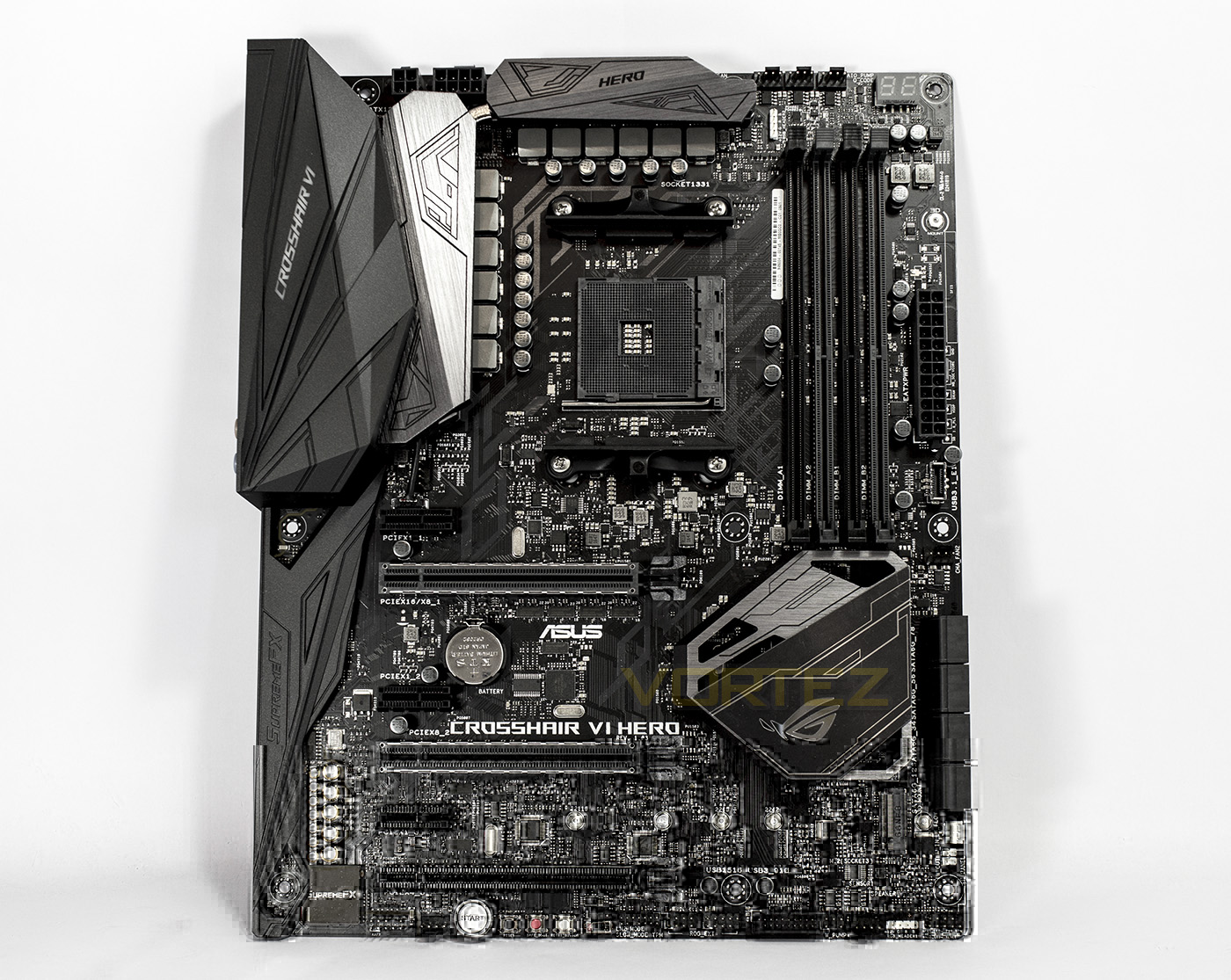
Visually, the CH6 is neutral blacks and greys, with aggressive designed heatsinks. The neutral colouring is something that has become common with the rise of RGB LED lighting, ensuring that users always have a motherboard that will fit into their chosen theme.
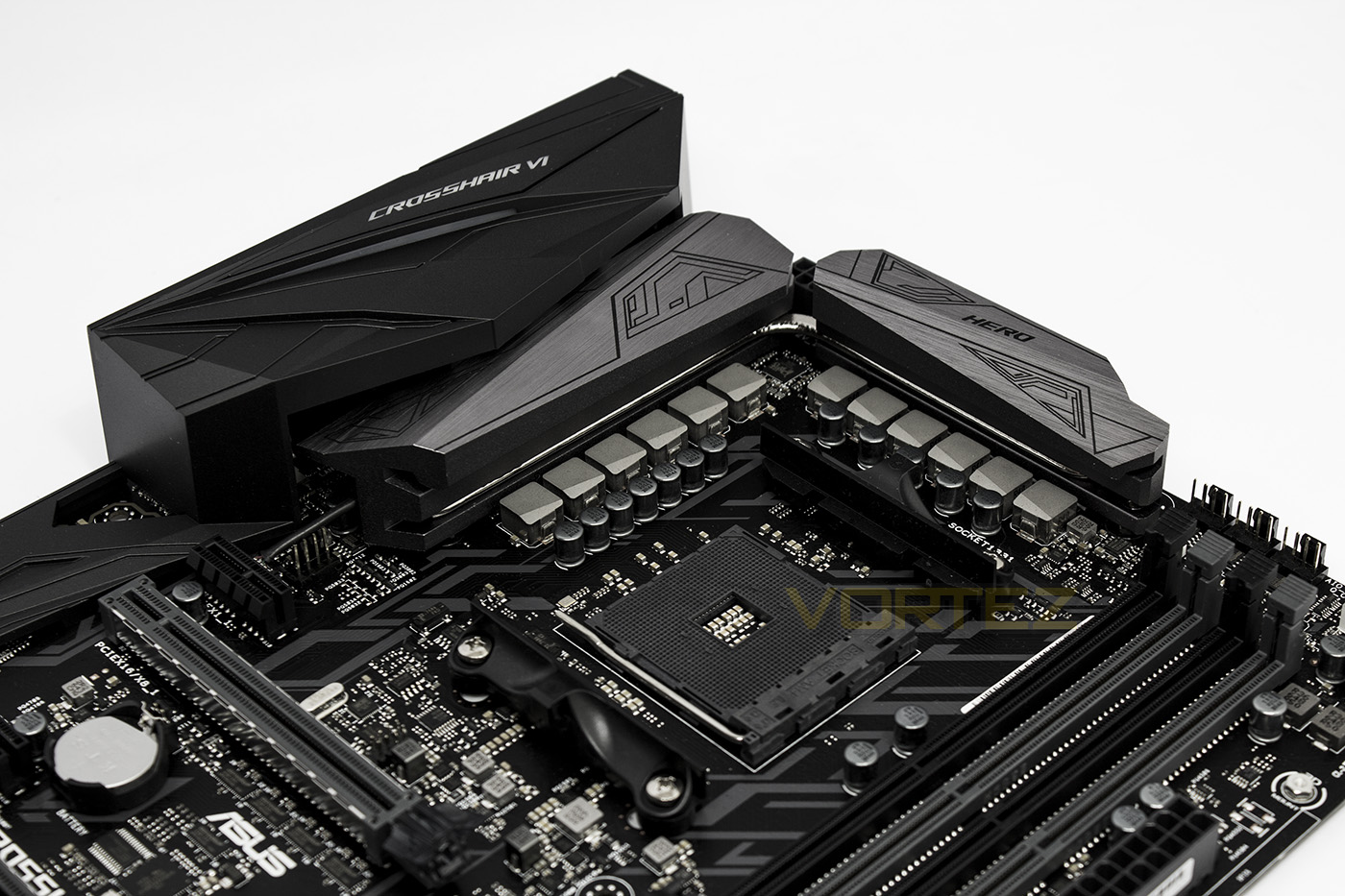
The CPU is fuelled by a 12phase power delivery system, On the left there is a 4pin fan header (all fan headers output 1A as standard, with a dedicated water-pump header able to output 3A/36W) on the right there is a row of 3x 4pin headers (CPU OPT, CPU, AIO) and hidden behind the DIMMs is the RGB AMD fan header.
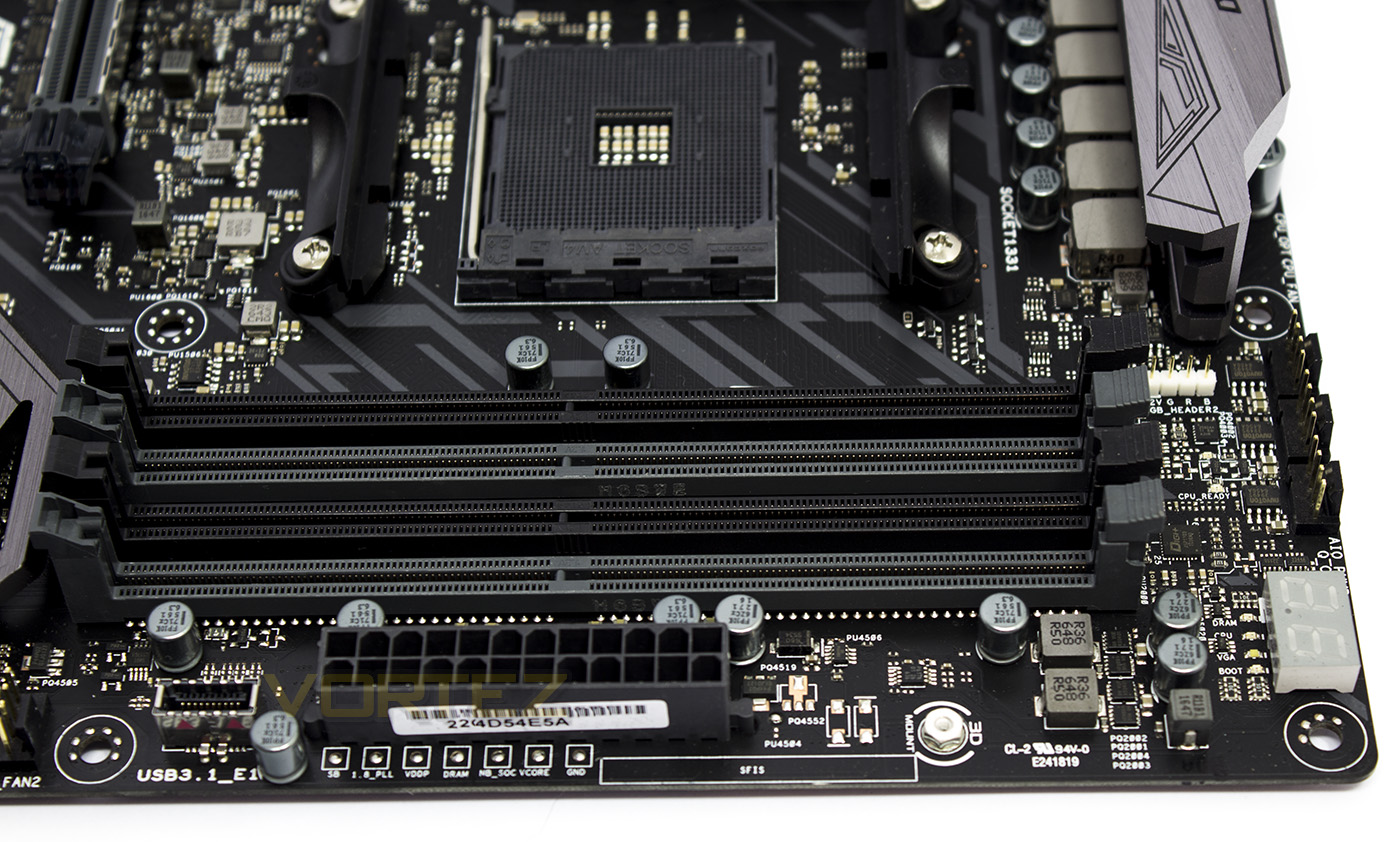
Alongside the memory slots we find a USB 3.1 G2 front panel connector, and some voltage measurement points. On the far right there is a Debug LED indicator.
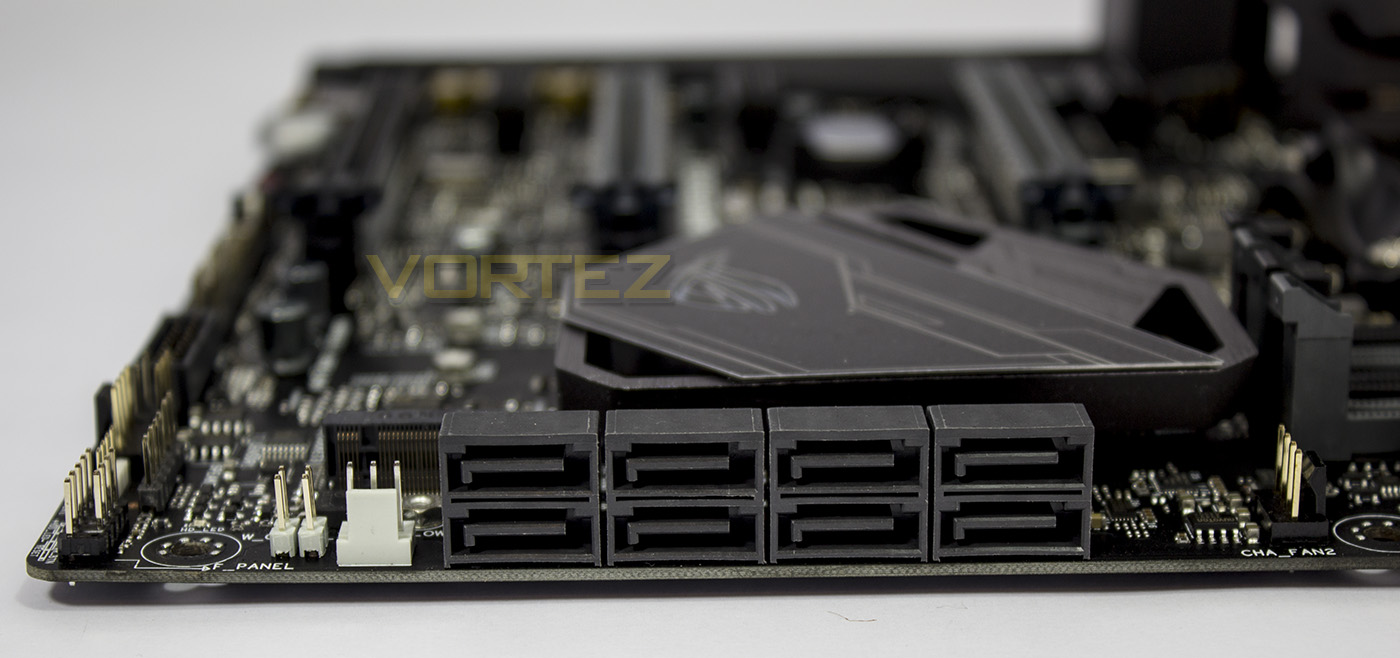
To the left of the storage area is a selection of dedicated watercooling headers, then there are 8x SATA 6Gb/s followed by another 4pin fan header.
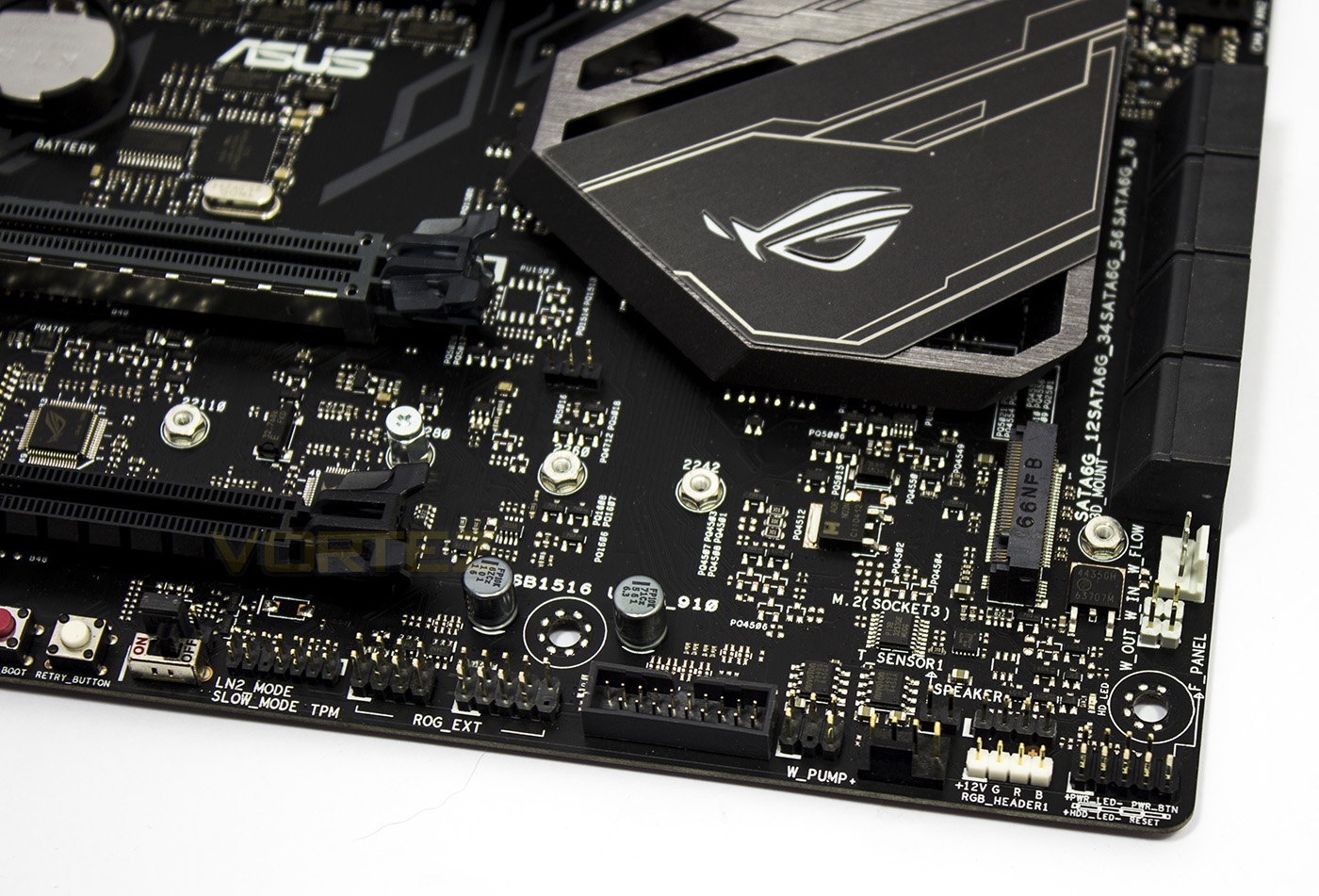
The watercooling controls include a Water In/Out and flow headers, beneath which are the standard front panel connectors. There is an additional RGB LED strip header, a 4pin Waterpump connector (3A), a temperature sensor header, speaker header and a USB 3.1 G1 header. The M.2 slot is also located in this area.
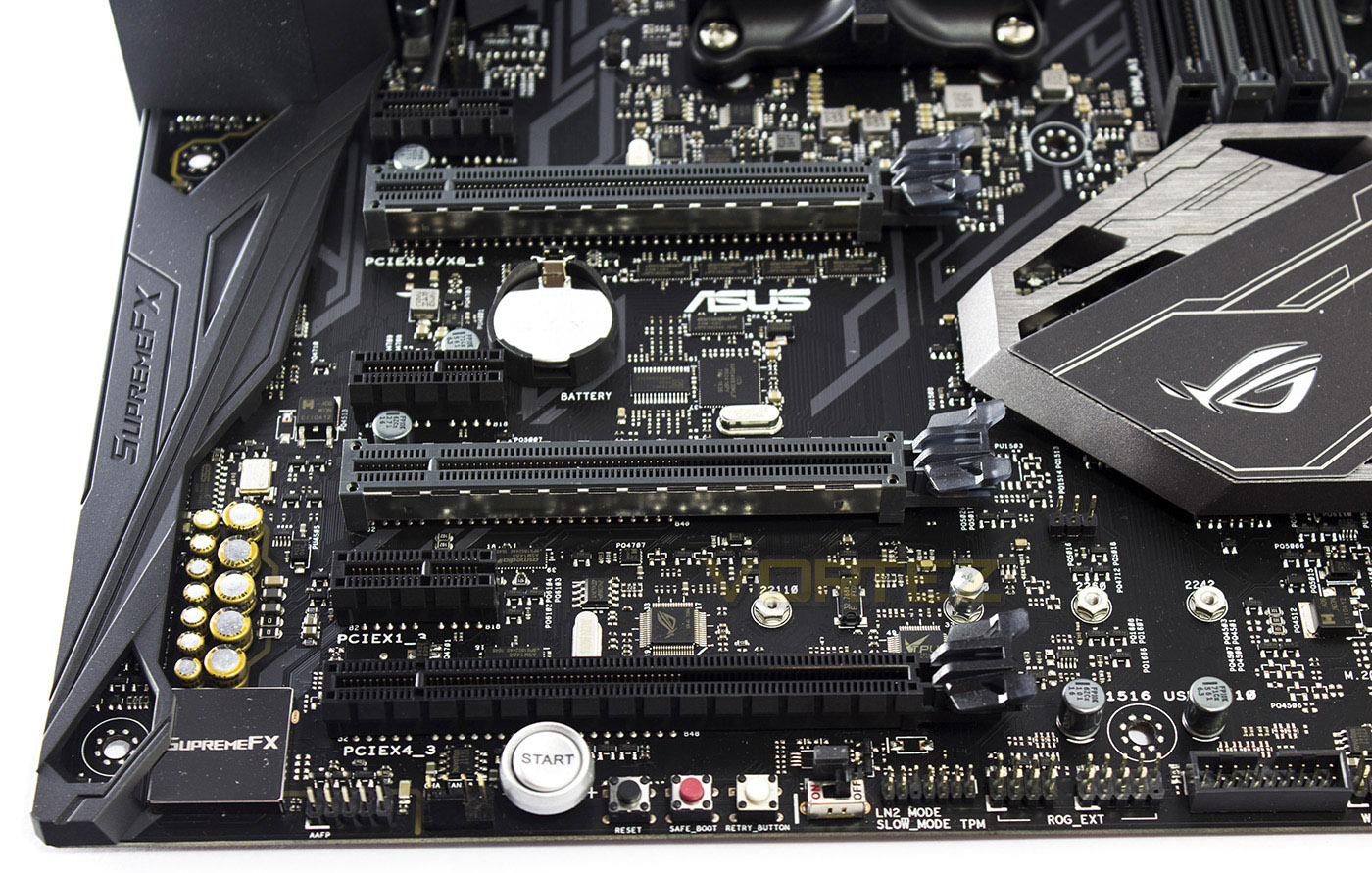
Along the bottom edge of the motherboard you will find the HD audio header, a 4pin fan header, a Start/reset/safeboot/retry buttons, an LN2 mode jumper, a slowmode switch, TPM headers, and the ROG EXT header (of which the right side cluster doubles up as a USB 2.0 header.
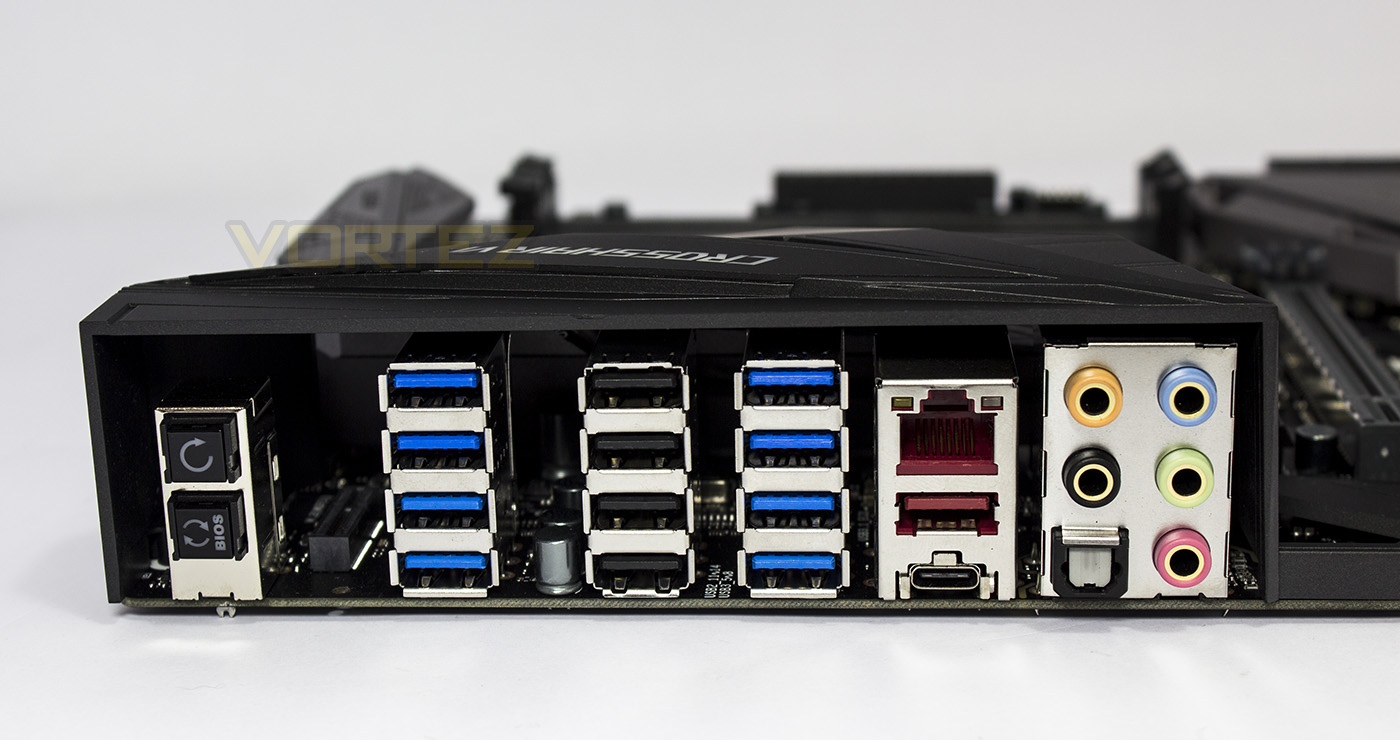
At the back there are two buttons, one is for Clear CMOS, the other is the BIOS Flashback button. Behind these buttons there is a secret M.2 E-KEY specifically for a WiFi card (included with the latest Crosshair VI Hero A/C). Followed by 8x USB 3.1 G1 ports, 4x USB 2.0 ports, 1x USB 3.1 G2 Type A, 1x USB 3.1 G2 Type C, RJ-45 LAN, HD audio jacks, and SPDIF optical audio out.
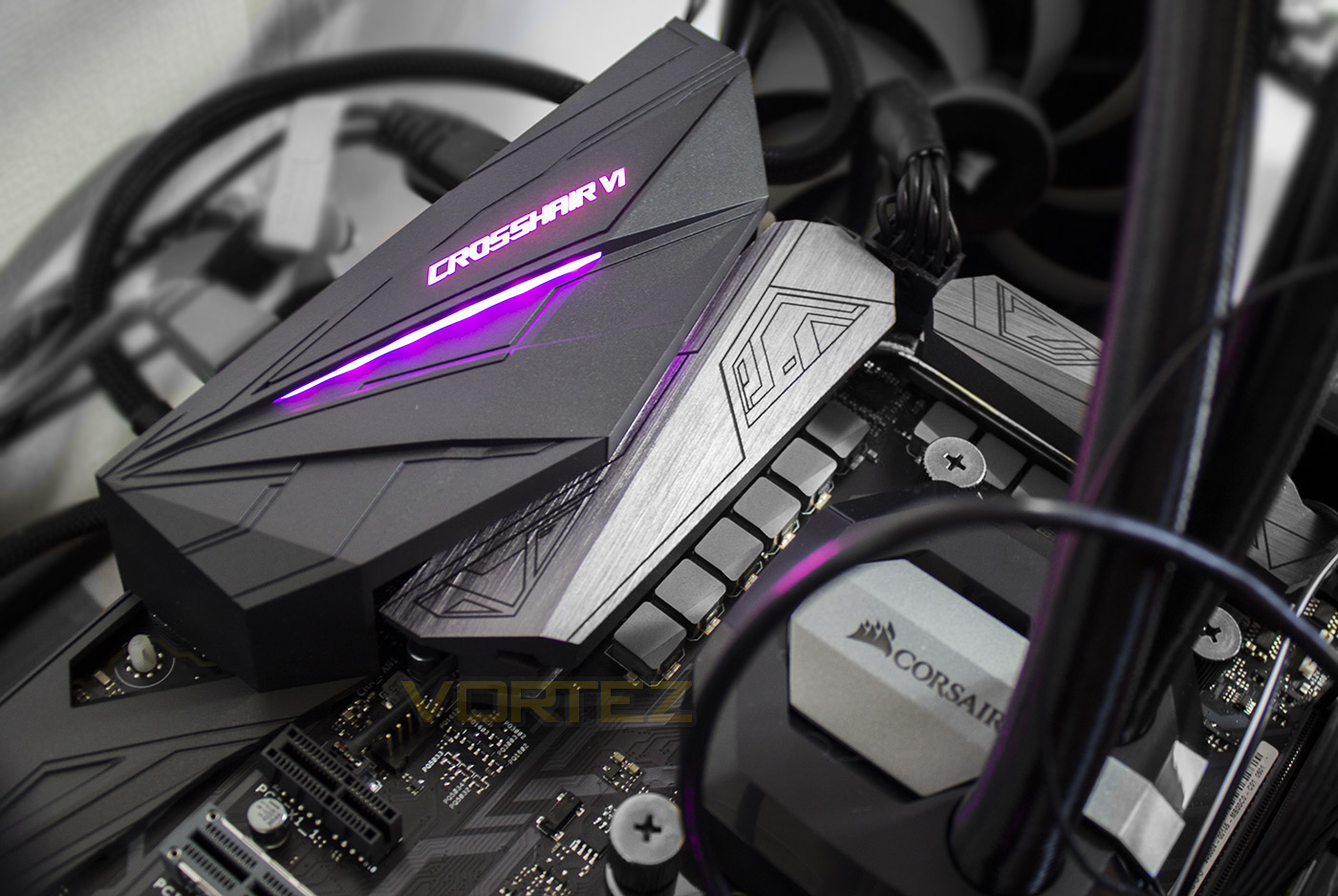
The onboard lighting is split between two locations, one above the rear IO, the other on the chipset cooler. It is bright and vibrant and can be controlled along with each of the RGB headers supplied using the ASUS AURA app.
Closer Look: GIGABYTE GA-AX370-Gaming K7

Product on Review: AORUS GA-AX370-Gaming K7
Manufacturer & Sponsor: GIGABYTE
Street Price: £214.99 GBP / $229 USD
Technical Specifications
Here we have what is likely to be the most visually striking motherboard in regards to RGB LED lighting, and yet is the lowest priced of the bunch, as it is available for around £215. The AX370-Gaming K7 has many similarities with the Gaming 5 motherboard, aside from some aesthetic and lighting differences, it has a whole host of impressive features. Doubling up on pretty much everything including dual BIOS, dual ALC 1220 audio, dual LAN (Intel/Killer). Though unfortunately, along with the ROG CH6H it doesn’t feature 2x M.2 slots. It does however feature a NVMe socket, but if you wanted to use this, it shares its PCIe lanes with the M.2 slot, meaning that you can only use one, or the other. Of all the motherboards we are looking at today, this is the only one which features SATA Express connectivity, despite some suggesting that this technology is ‘dead in the water’, there may be some that want this connection type, though most would have preferred an additional M.2 slot.
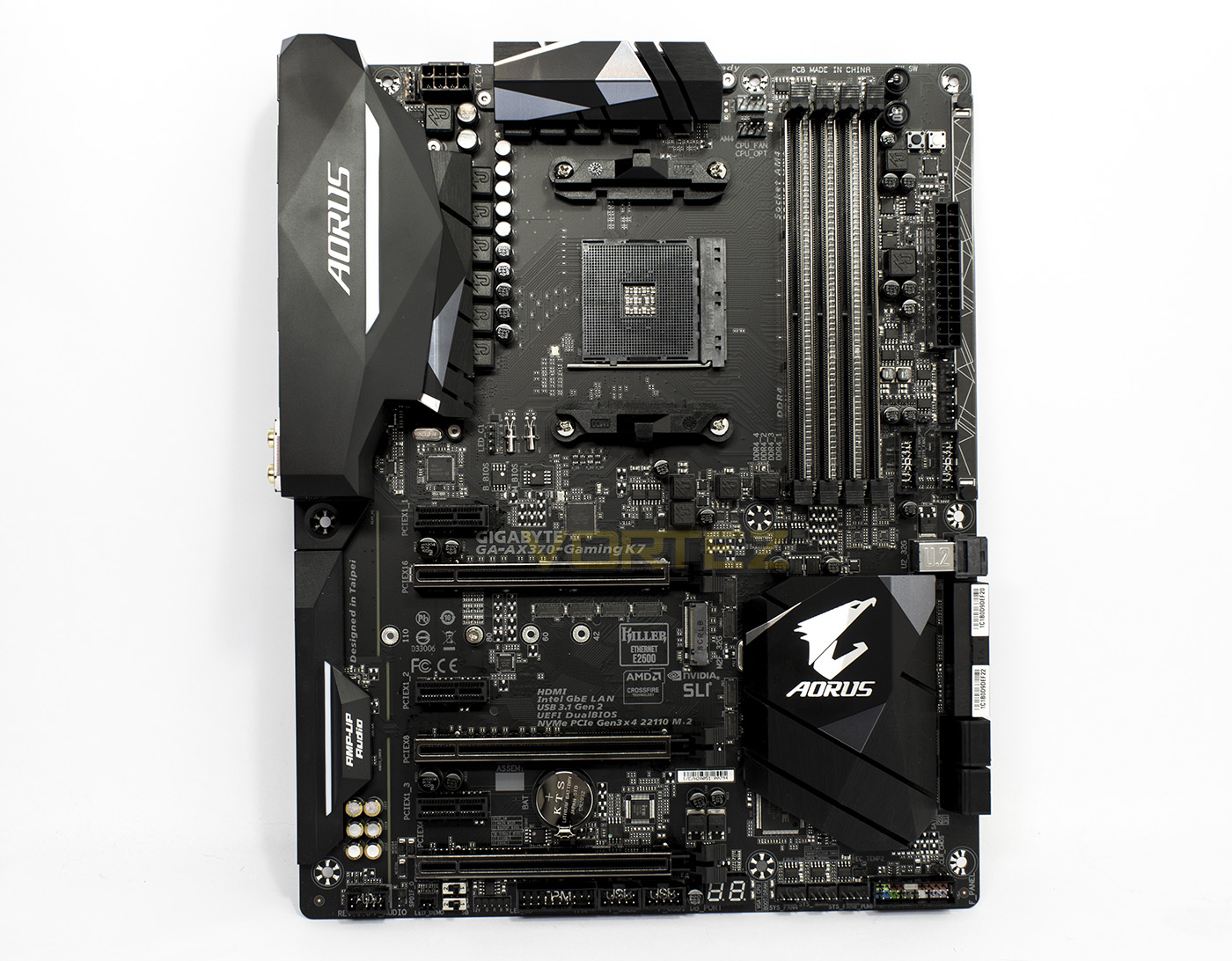
The AX370-Gaming K7 is in an all black design with additional lighting above the rear IO. There is RGB lighting between each of the memory DIMMs as well as the unique Accent LED swappable overlay.
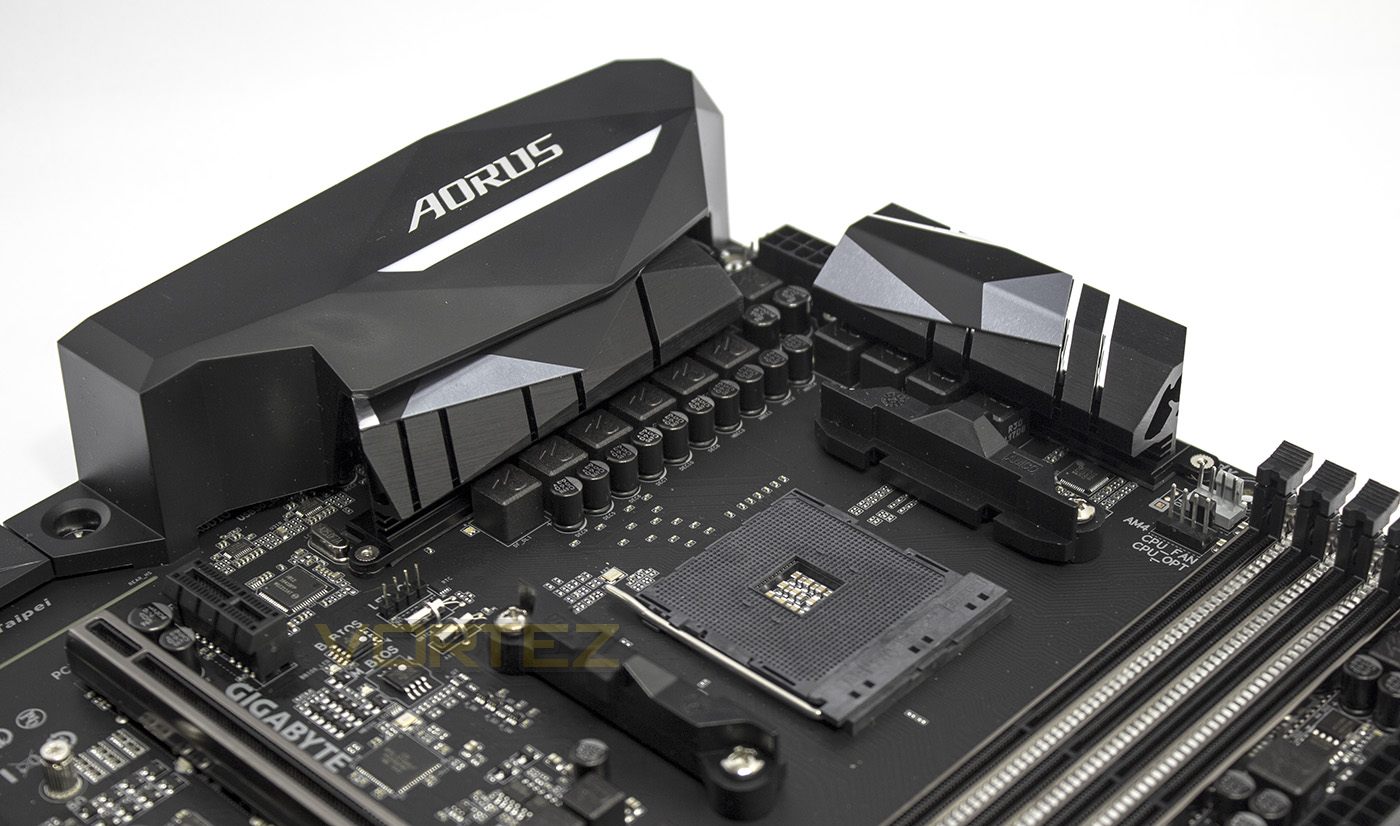
The Gaming K7 uses a 10 phase power delivery system, and also features large aluminium heatsinks. On the left you will see the RGB LED header for the AMD fan, beside the 8pin EPS socket is a 4pin fan header. On the right there are 2x 4pin fan headers.
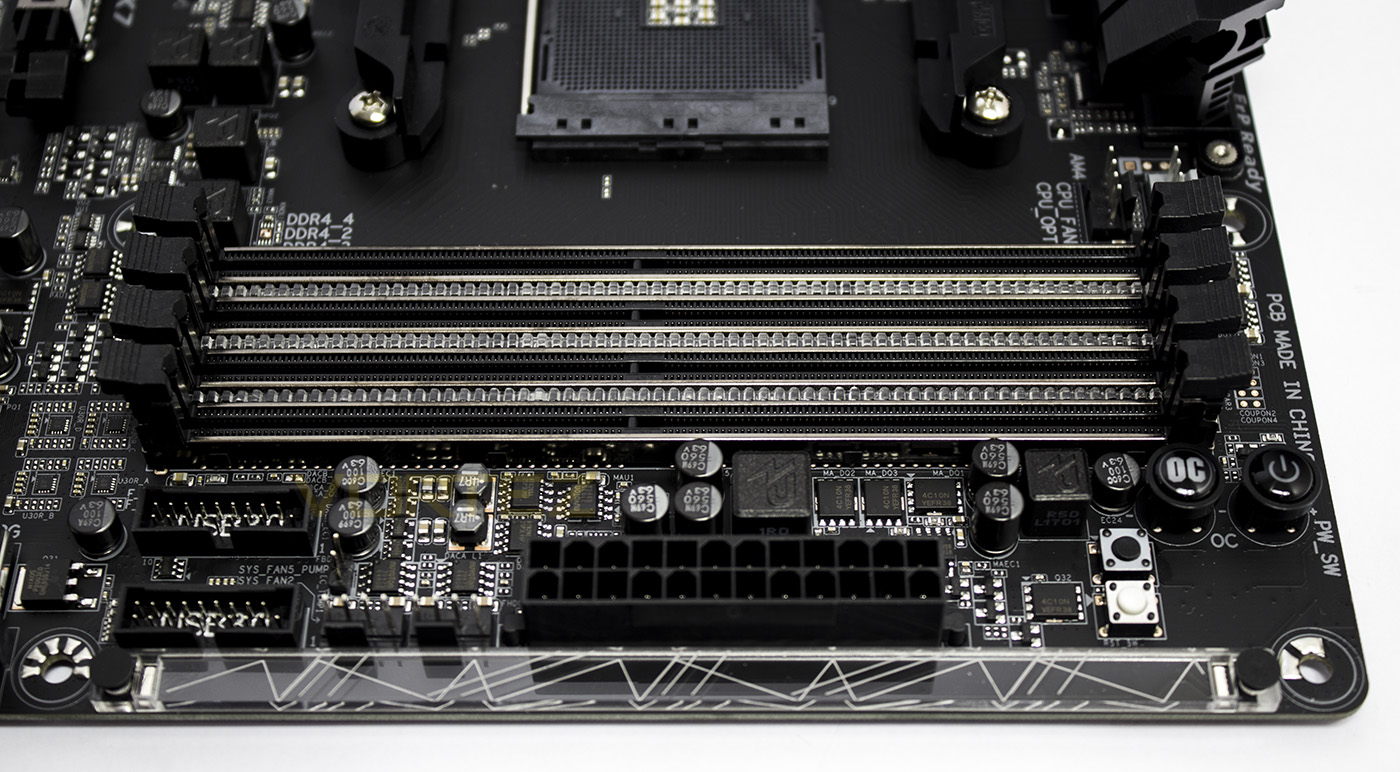
The DIMMs feature as part of GIGABYTE Fusion RGB lighting, and also feature some steel armour. Alongside the DIMMs there are 2x USB 3.1 G1 headers (one of which feature DAC-UP for clean, boosted power), 2x 4pin fan headers, one of which features 2A output for a water pump.Behind the fan headers there is a 2pin temperature sensor header, and on the right of the 24pin ATX socket there are buttons for Clear CMOS, Reset, OC, and power. Of course, we couldn’t miss the etched Accent LED acrylic overlay which can be customised and swapped out.
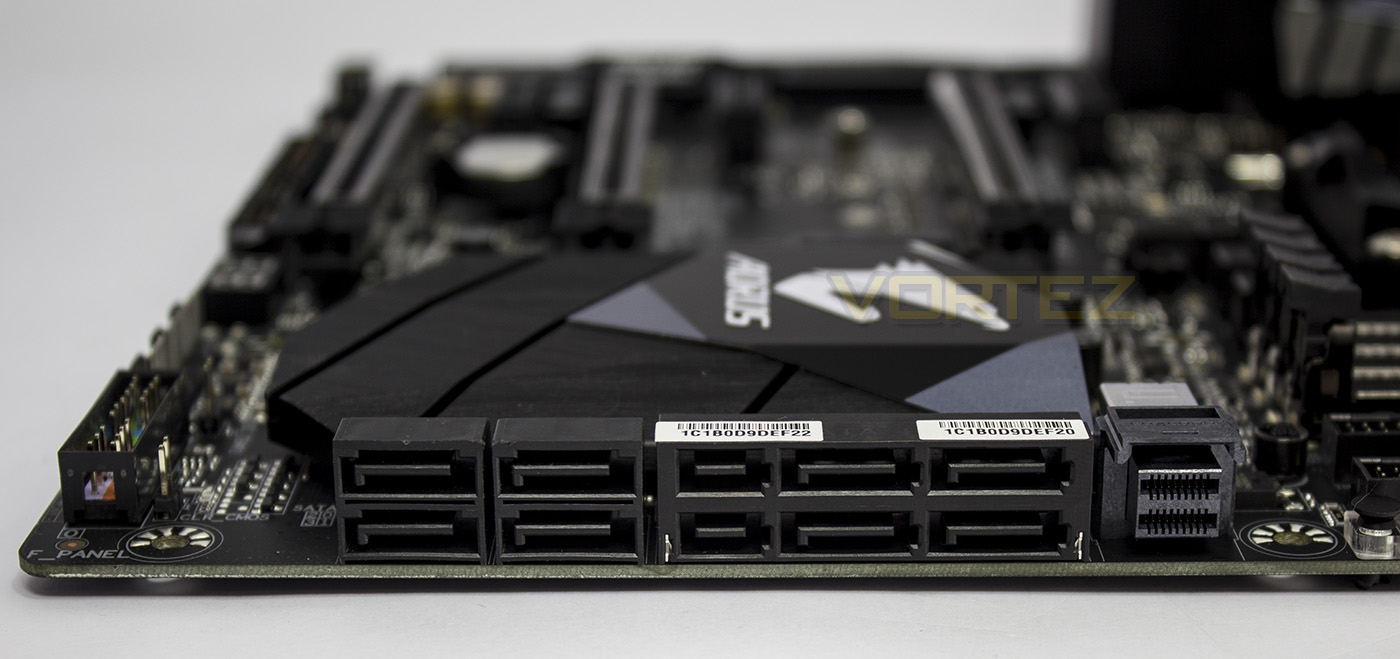
The Gaming K7 affords 8x SATA 6Gb/s 2x SATA Express, and a single NVMe socket.
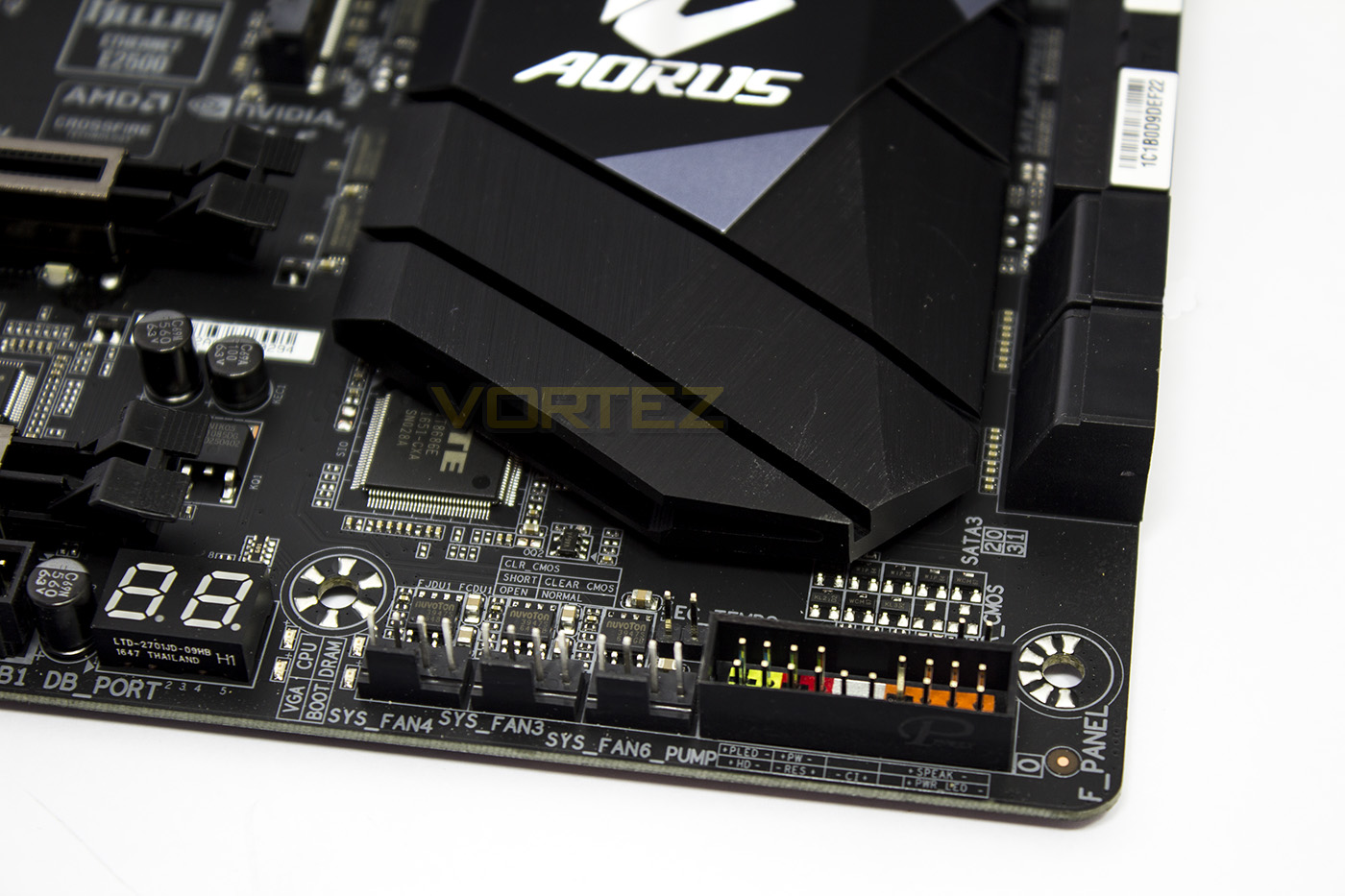
The front panel headers are all blocked together and colour coded in the bottom right corner, behind the block is a Clear CMOS header, while immediately to the left is a trio of 4pin fan headers (one of which is a 2A pump header), as well as a header for a temperature sensor. On the left most side there is a Debug LED and a set of 4x diagnostic LEDs.
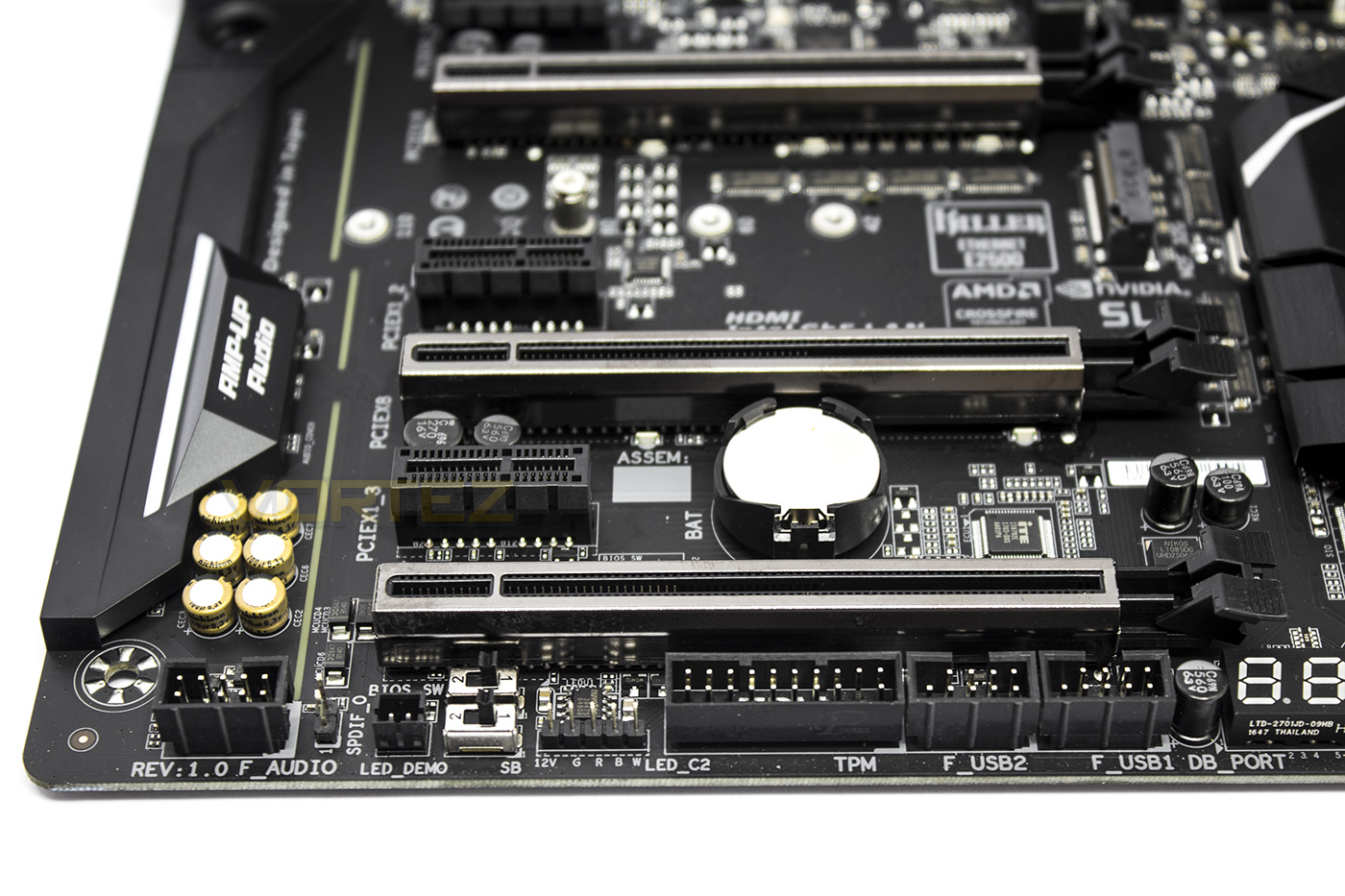
The Internal I/O gives users an internal HD audio header, Dual BIOS switches, an RGBW LED strip header, TPM connectors and 2x USB 2.0 headers.
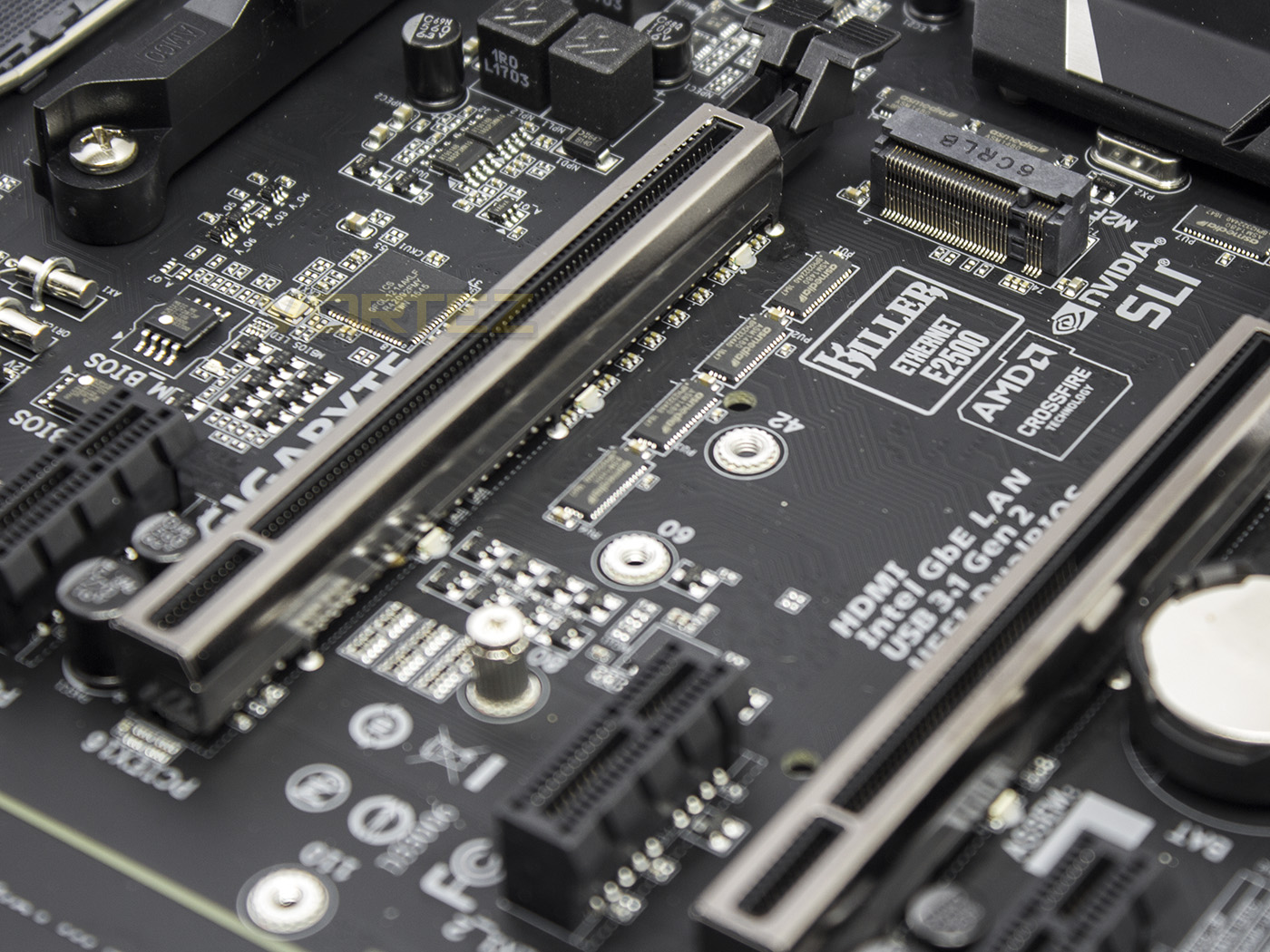
The M.2 slot is positioned underneath the primary PCIe x16 slot and features PCIe G3 x4 32Gb/s bandwidth.
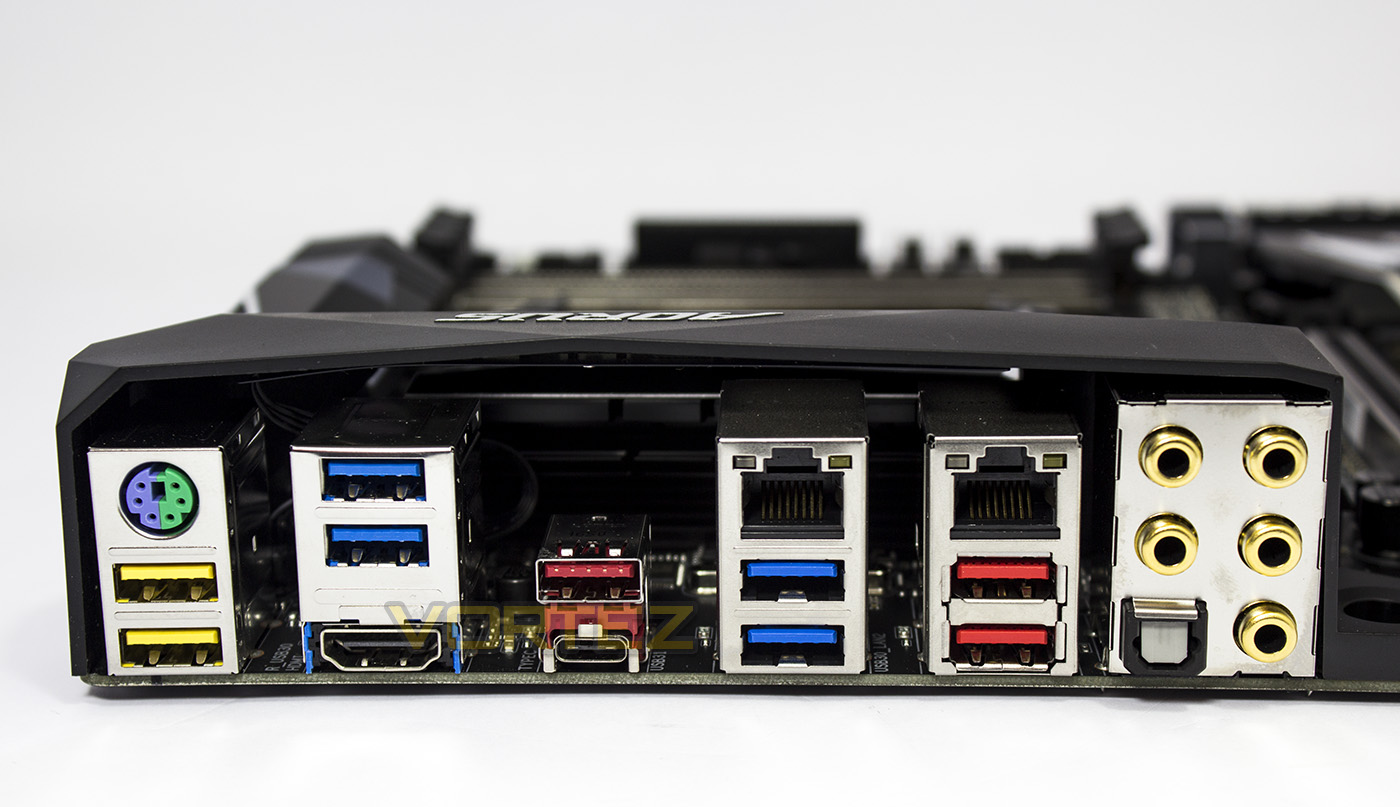
The rear I/O features a universal PS/2 port, 2x DAC-UP USB 3.1 G1, 4x USB 3.1 G1, 3x USB 3.1 G2, 1x USB 3.1 G2 Type C, a HDMI 1.4 port, 2x RJ-45 LAN, an optical SPDIF out alongside multi-channel audio jacks.
Closer Look: MSI X370 XPOWER GAMING TITANIUM

Product on Review: X370 XPOWER GAMING TITANIUM
Manufacturer: MSI
Street Price: £274.99 GBP / $299 USD
Technical Specifications
The MSI X370 XPOWER GAMING TITANIUM comes in as the most expensive motherboard at £275-300. It features a beautiful powdered metal-like finish that really stands out from the crowd. It features VRBoost to ensure the latest peripherals get the power they need, high-grade isolated audio circuitry with dedicated PCB for left and right audio channels based on the ALC 1220. Across the motherboard you caan spot Steel Armour plated parts including on the primary and secondary PCIe slots, as well as on the DIMMs and a M.2 Shield. The X370 XPOWER GAMING TITANIUM also features 2x M.2 slots as well as a NVMe U.2 socket (which is disabled if the primary M.2 slot is in use with an M.2 PCIe card). The X370 XPOWER GAMING TITANIUM also features enthusiast and pro level features including dedicated overclocking circuitry ensuring high efficiency and performance, over-voltage protection, a Slow-mode, as well as a BIOS Flashback+ feature enabling you to flash the BIOS without a CPU/GPU.
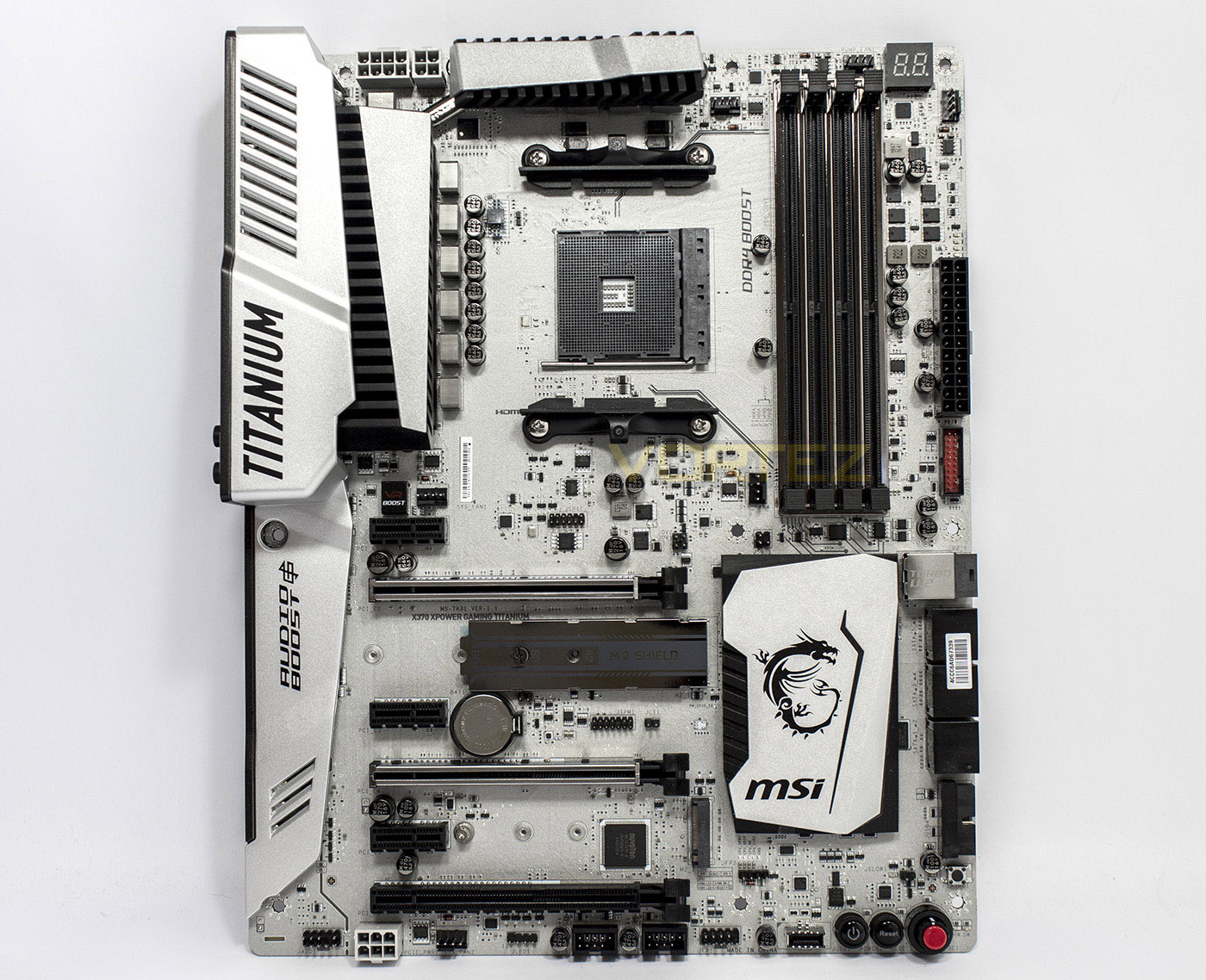
The X370 XPOWER GAMING TITANIUM glitters and shines with both the heatsinks and the PCB having a similar lustre.
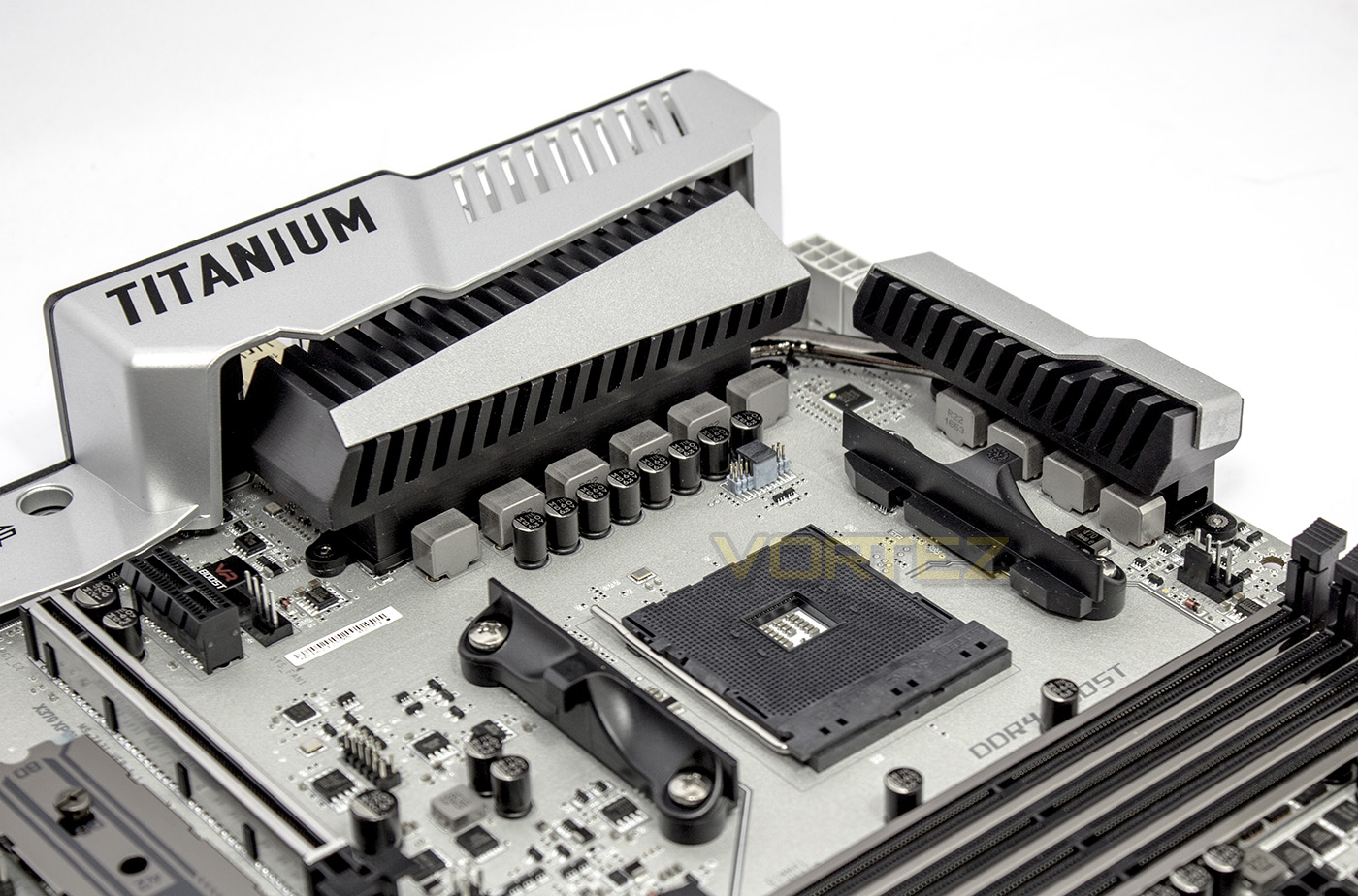
On the left there is a 4pin fan header next to the VR Boost controller, to the right of the AM4 socket is a single 4pin fan header. The socket itself is powered by a premium 10 phase system.
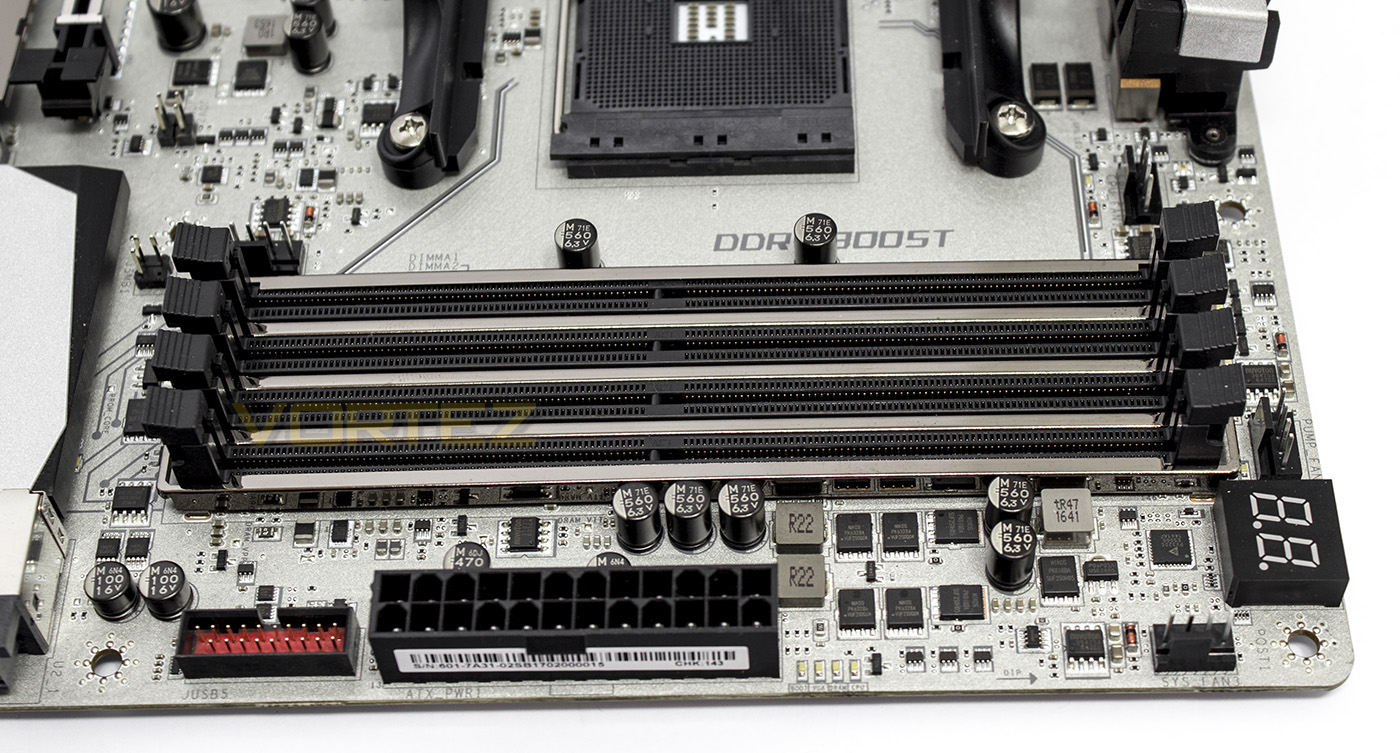
The DIMMs are armour plated and are orbited by 2 more 4pin fan headers, one of which outputs up to 2A for a water pump. From the left, there is a USB 3.1 G1 header, the 24pin ATX power socket, 4x diagnostic LEDs, 2x 4pin fan headers, (one of which outputs 2A for a pump), and a Debug LED.
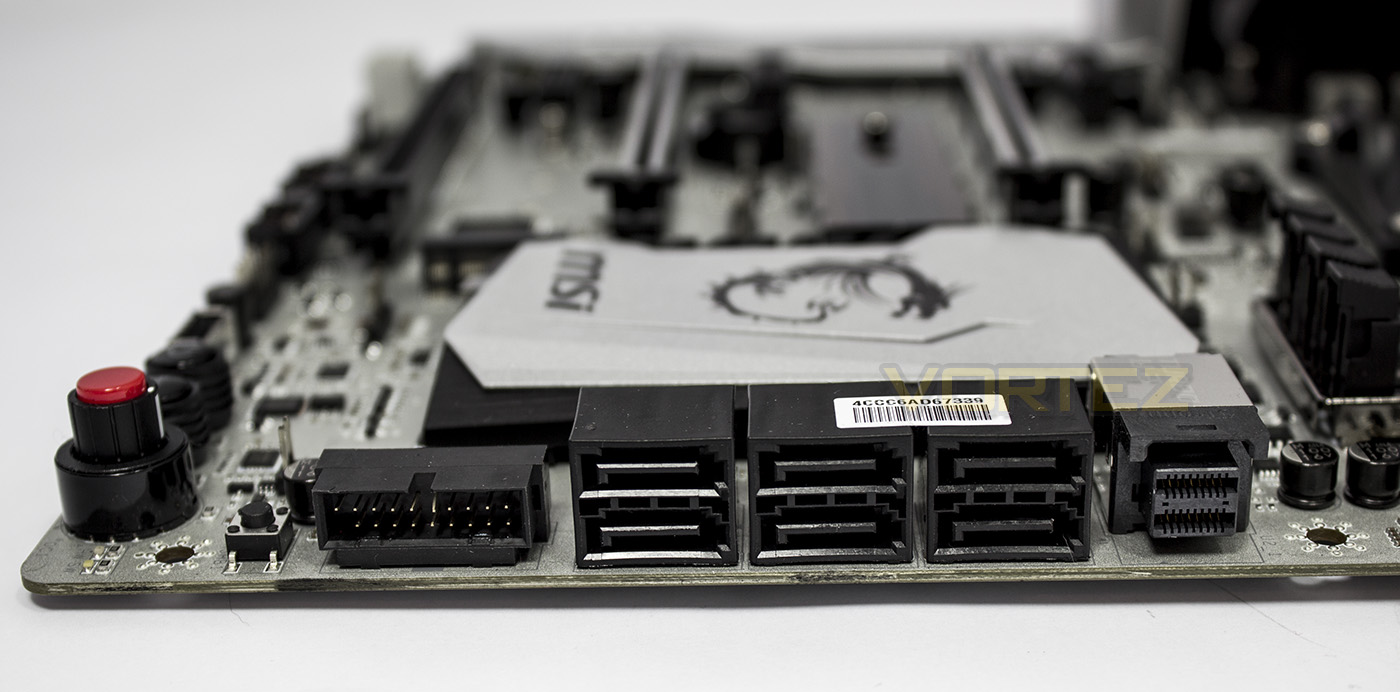
MSI offer up a reasonable 6x SATA ports and a NVMe socket, to the left of the storage block there is a small switch for the BIOS Flashback feature.
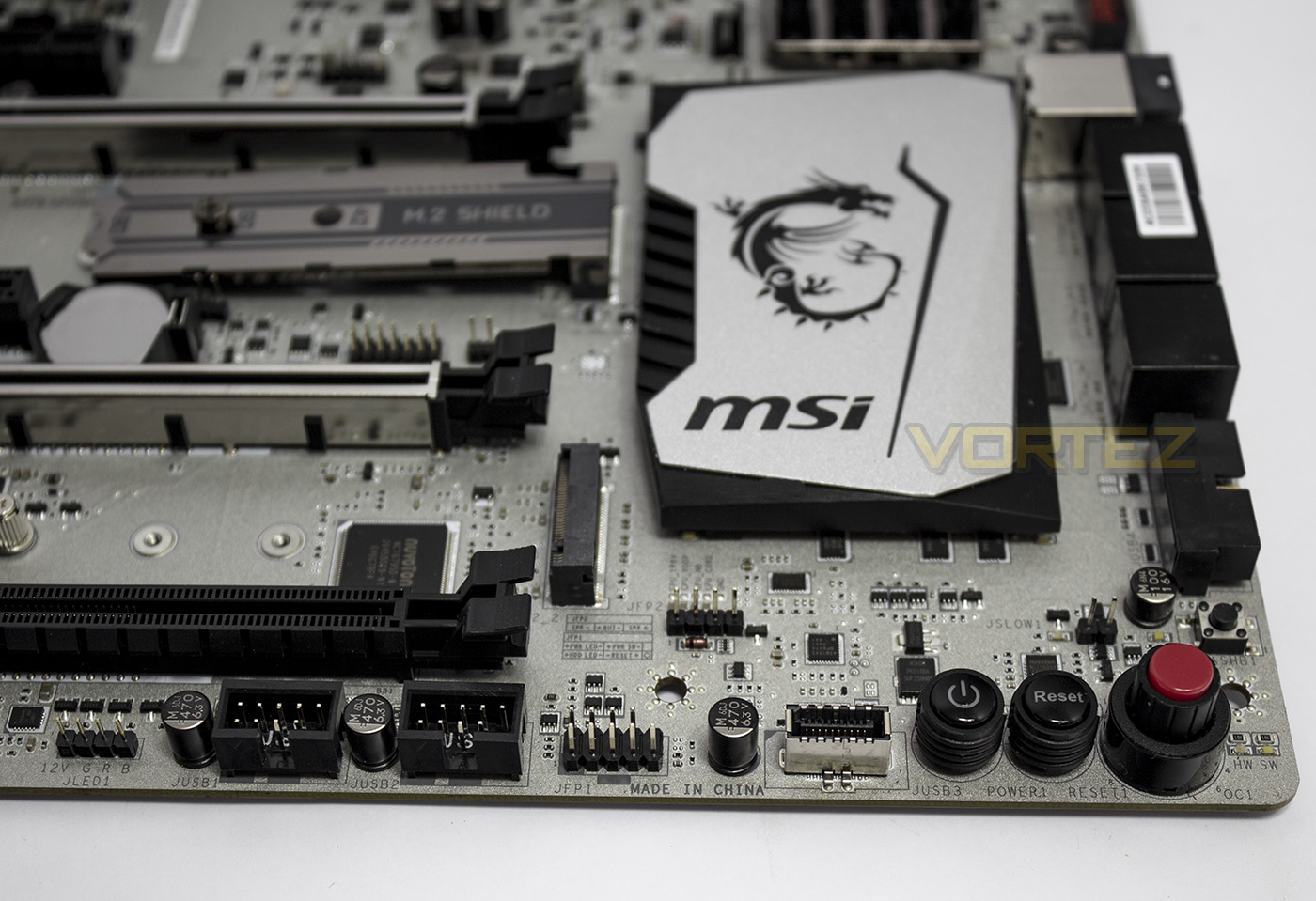
Instead of where you would expect to find the front panel headers, there are a number of buttons including power, reset and the OC Genie button. On the left there are two USB 2.0 headers, followed by the front panel headers and a right angled USB 3.1 G2 connector. Centrally you will find the speaker pins, followed by the pins which can enable ‘slow mode’ on the right.
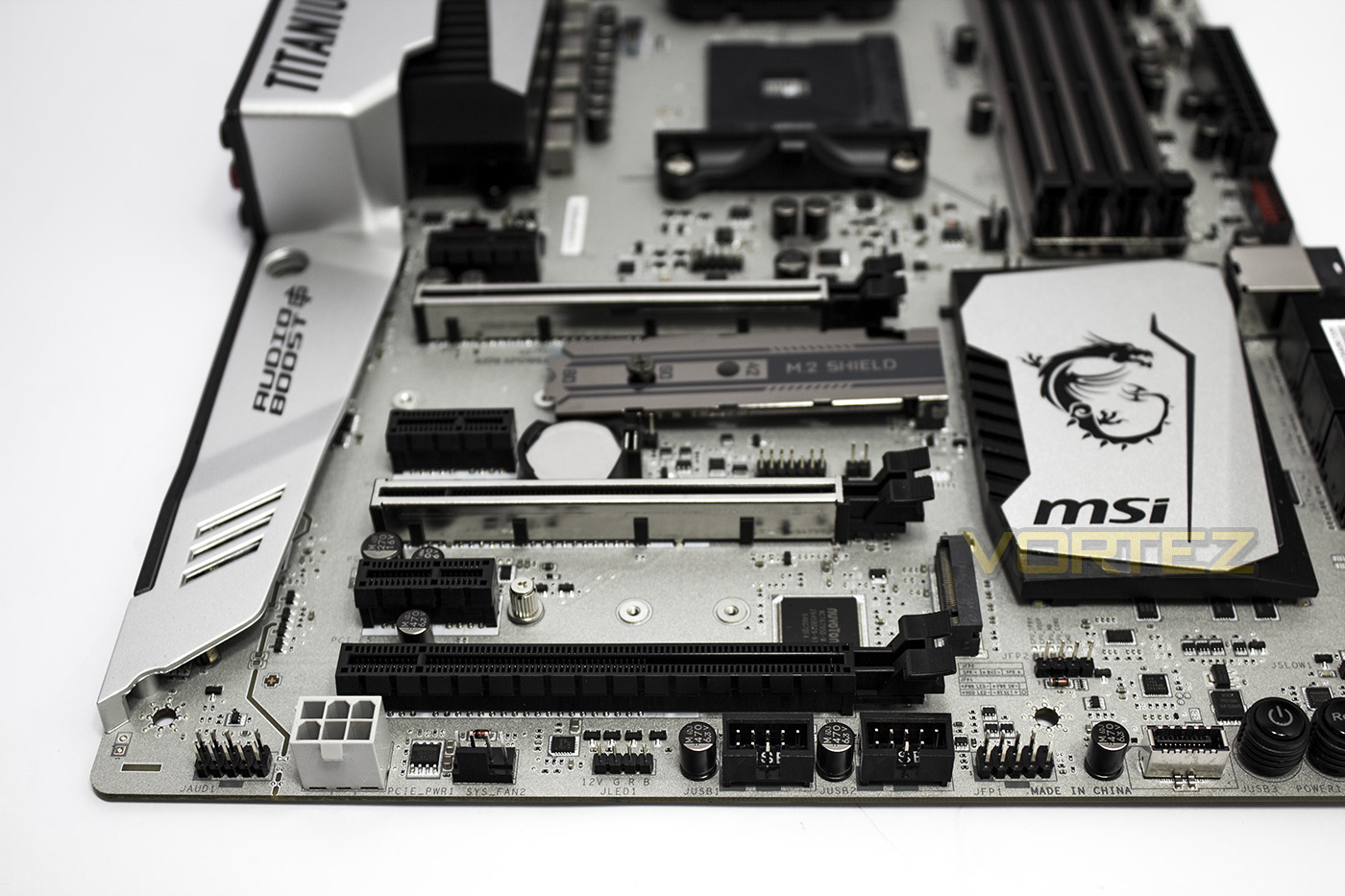
The bottom edge seems rather lite, with just the HD audio header, plug for additional PCIe power, a 4pin fan header and a RGB LED strip header.
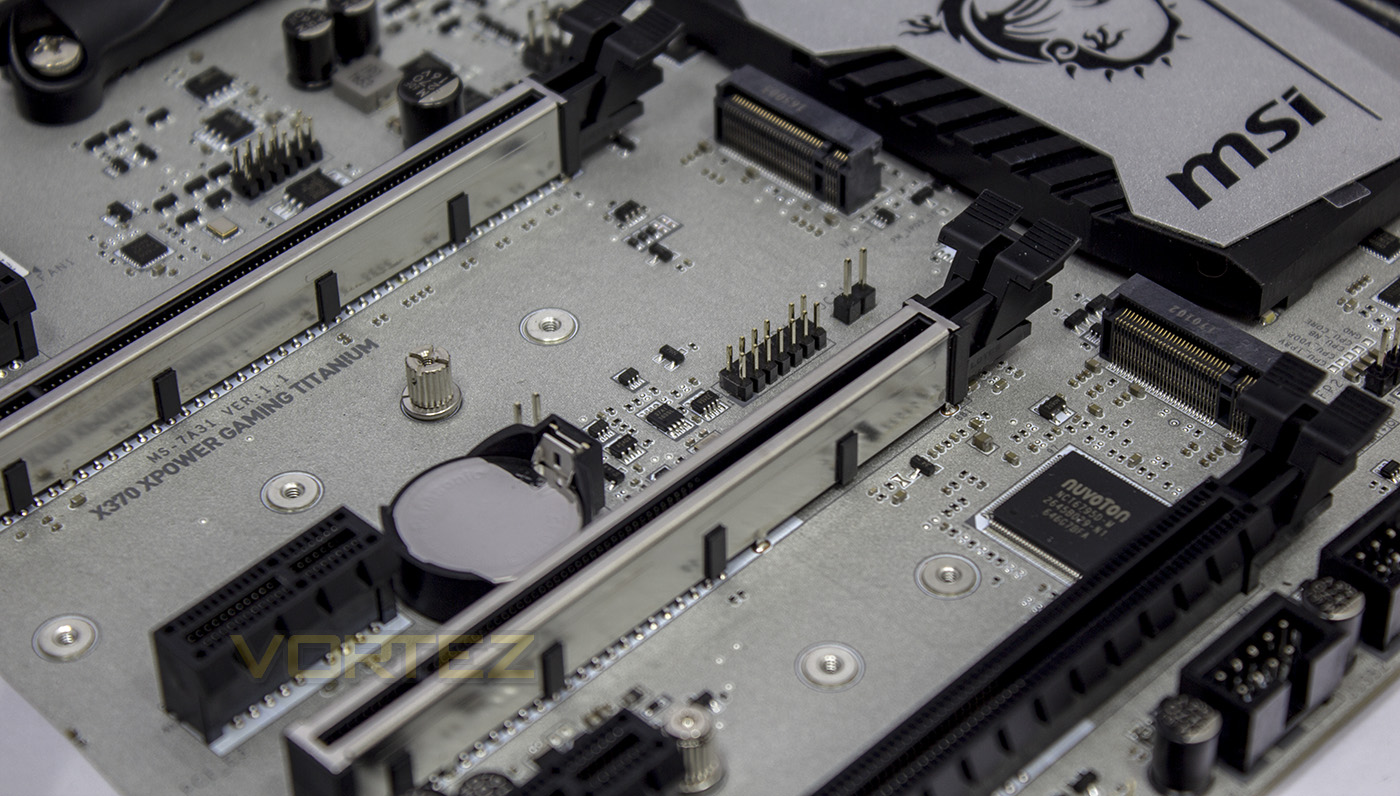
There are two M.2 slots featured on the X370 XPOWER, beneath the upper M.2 slot there are pins for a TPM and a chassis intrusion detector.
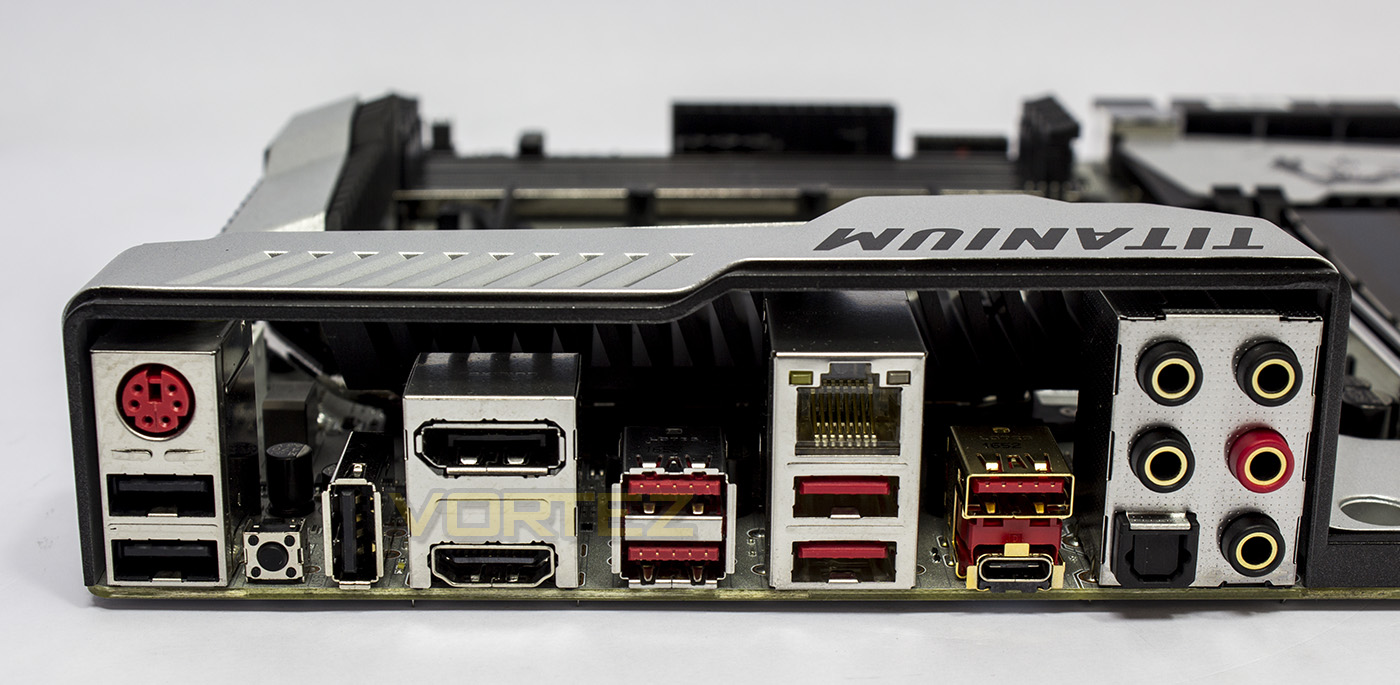
The rear I/O presents us with a universal PS/2, 2x USB 2.0, a clear CMOS button, a USB 2.0/BIOS Flashback port, a Display Port, a HDMI 2.0 port, 2x USB 3.1 G1, 2x USB 3.1 G1 (VR Ready), 1x USB 3.1 G2 Type A, 1x USB 3.1 G2 Type C, optical SPDIF out, and multi channel audio ports.
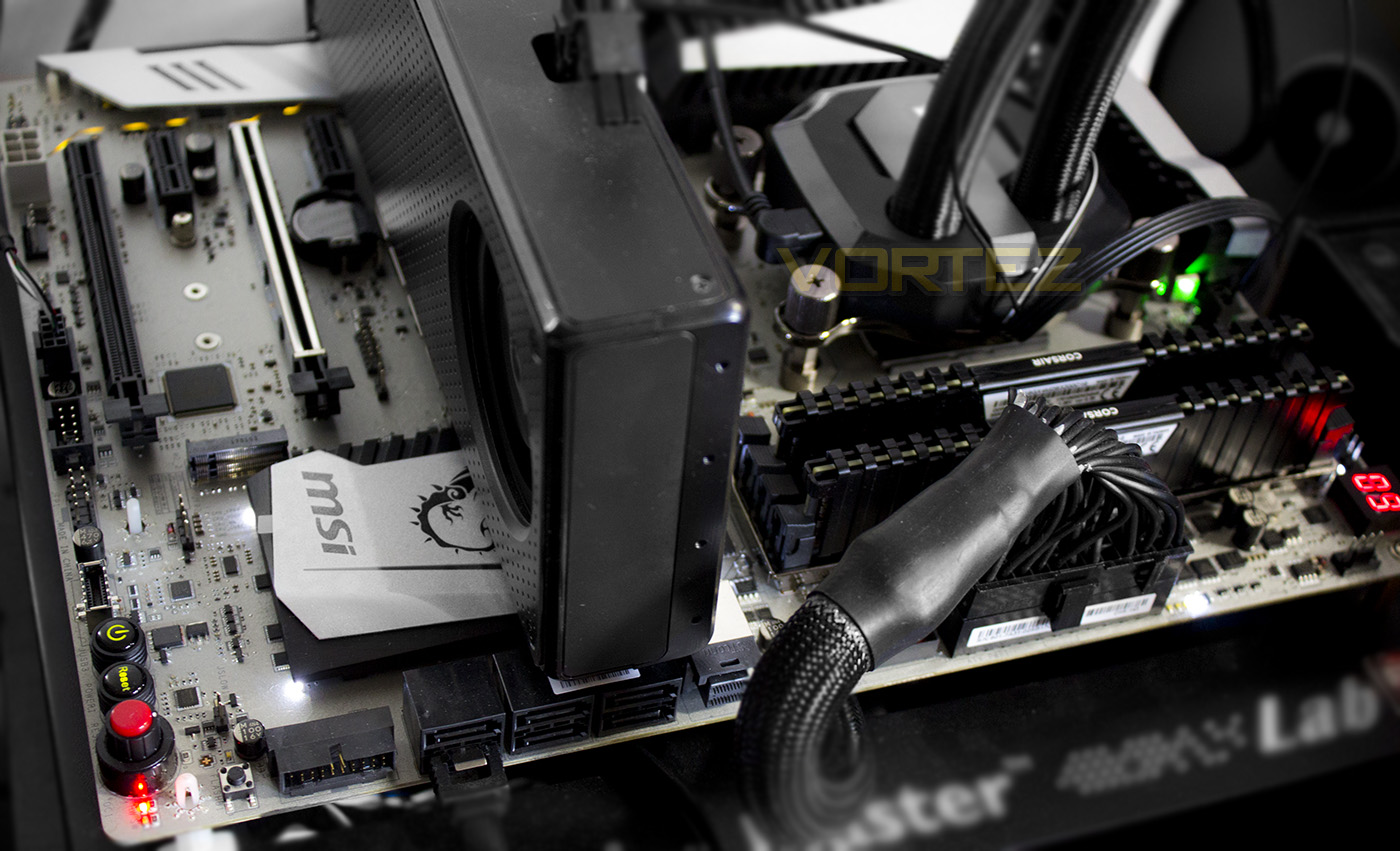
Though the MSI X370 XPOWER GAMING TITANIUM features an RGB LED header, the onboard LED lighting is fairly incoherent, with white, green, red and yellow lighting in various places.
Test Setup & Overclocking
Test SetupCPU AMD Ryzen 7 1800X
Cooling Corsair H115i
Motherboards
ASRock X370 Taichi
ASUS ROG CROSSHAIR VI HERO
GIGABYTE GA-AX370-Gaming K7
X370 XPOWER GAMING TITANIUM
Memory 2x 8GB Corsair Vengeance LPX 3200MHz @ 2667MHz
Graphics AMD Radeon RX 480 8GB
Storage Corsair Force LE 480GB
PSU Corsair RM750X 80 Plus Gold Certified PSU
Cooling Corsair H115i
Motherboards
ASRock X370 Taichi
ASUS ROG CROSSHAIR VI HERO
GIGABYTE GA-AX370-Gaming K7
X370 XPOWER GAMING TITANIUM
Memory 2x 8GB Corsair Vengeance LPX 3200MHz @ 2667MHz
Graphics AMD Radeon RX 480 8GB
Storage Corsair Force LE 480GB
PSU Corsair RM750X 80 Plus Gold Certified PSU
Benchmarks
Cinebench R15 – CPU/OpenGL Score
x264 HD 4.0 – 1st and 2nd pass encoding
SiSoftware SANDRA – CPU & Memory benchmarks
POV-RAY – CPU benchmarks
TrueCrypt – CPU benchmarks
AIDA64 – CPU benchmarks & Memory
PCMark 8 – Home Suite & Photoshop
3DMark FireStrike – 3D Benchmark
Games – Rise of the Tomb Raider & Total War: WARHAMMER
x264 HD 4.0 – 1st and 2nd pass encoding
SiSoftware SANDRA – CPU & Memory benchmarks
POV-RAY – CPU benchmarks
TrueCrypt – CPU benchmarks
AIDA64 – CPU benchmarks & Memory
PCMark 8 – Home Suite & Photoshop
3DMark FireStrike – 3D Benchmark
Games – Rise of the Tomb Raider & Total War: WARHAMMER
Other Software
Temperature Analysis: Aida64 & Ryzen Master
Stress Testing Software: AIDA64 Stability Test
CPU Specification Monitoring: CPU-Z
Performance Monitoring: MSI Afterburner
Stress Testing Software: AIDA64 Stability Test
CPU Specification Monitoring: CPU-Z
Performance Monitoring: MSI Afterburner
Overclocking
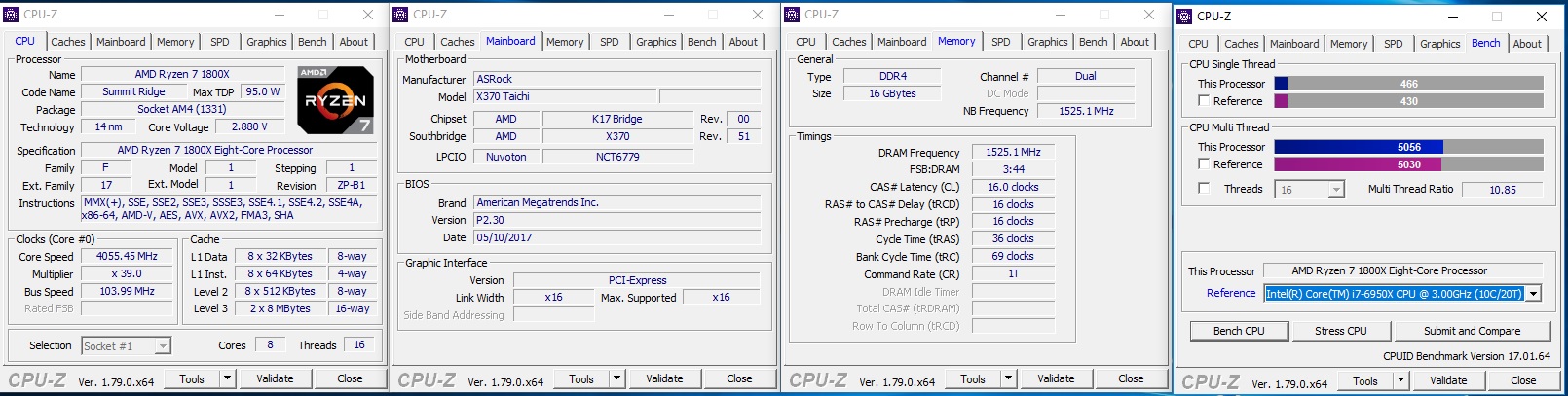
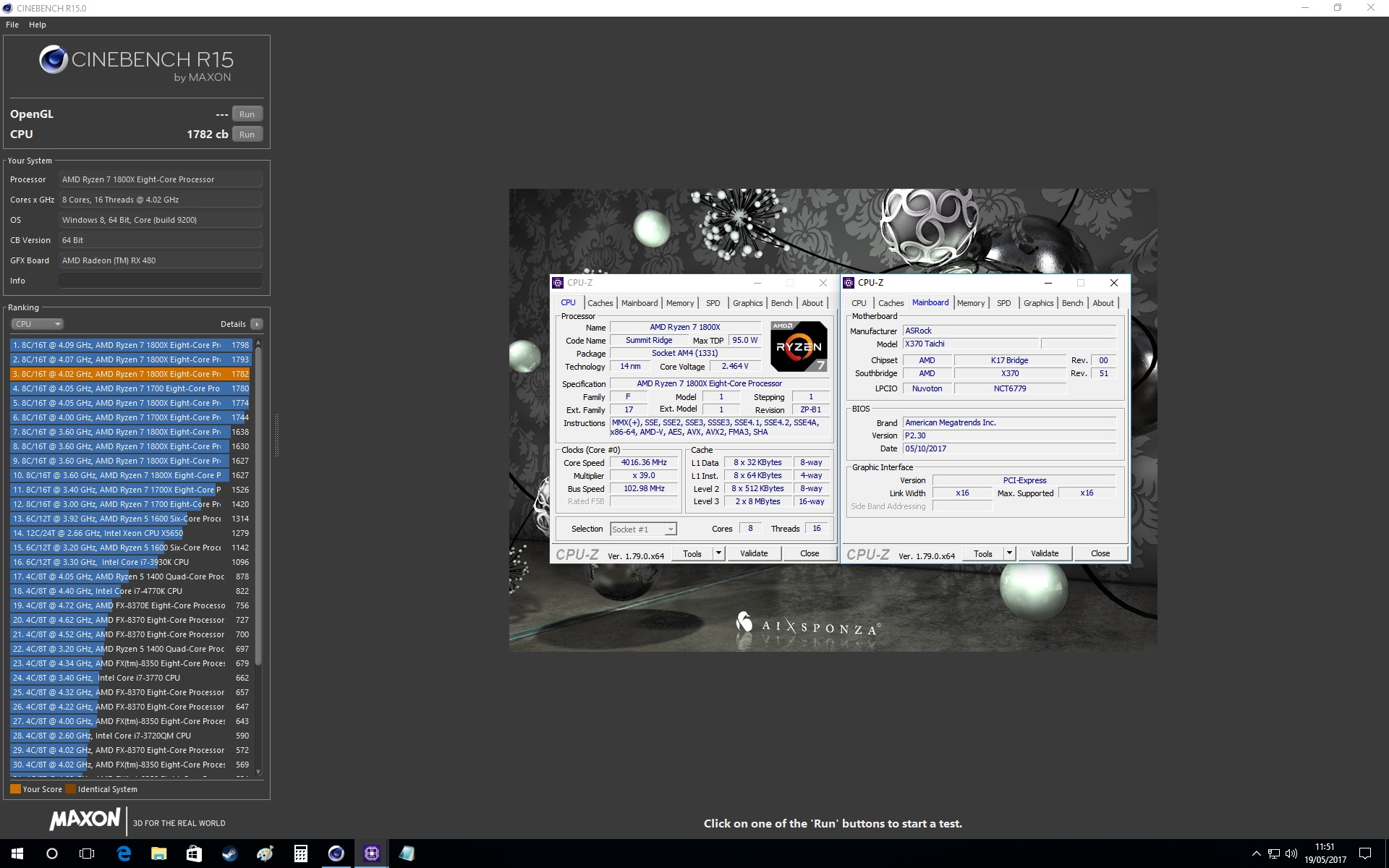
The ASRock BIOS was fairly strange to deal with in regards to overclocking, despite having a lush high-resolution BIOS, the options were in various places, and difficult to follow, especially in regards to setting manual memory timings. Though the option to adjust the baseclock was there, which will allow users to fine tune their overclock. We discovered that we could boot into Windows 10 using 3200MHz memory, but once the CPU was overclocked too, the high-speed memory caused instabilities, so for our overclocked Cinebench R15 run we had to reduce the CPU speed and memory speed to around 3000MHz. Final result was 4.02GHz @ 1.44V w/ 2993MHz Memory.
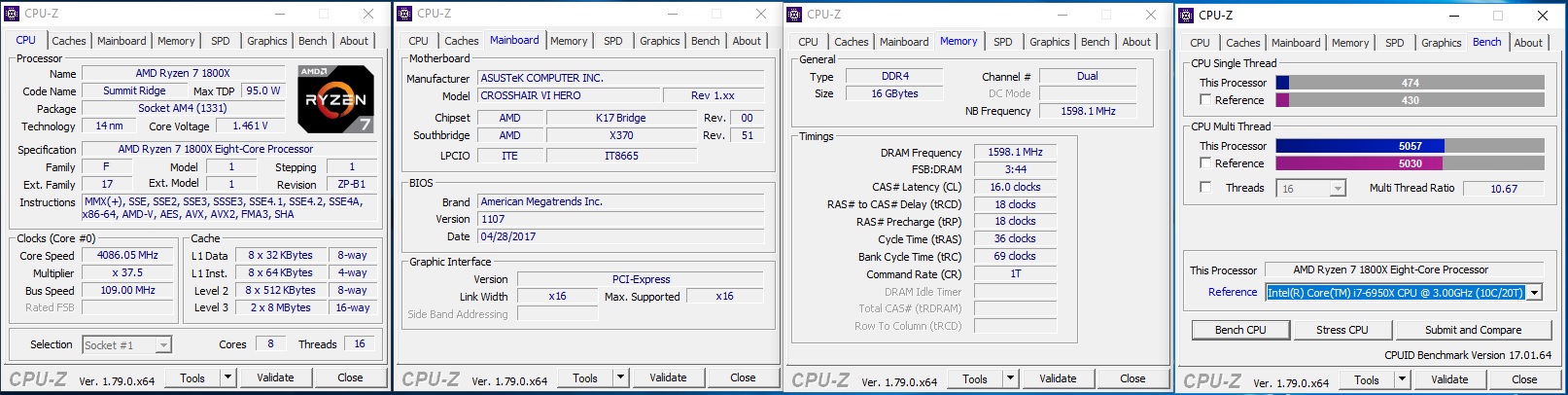
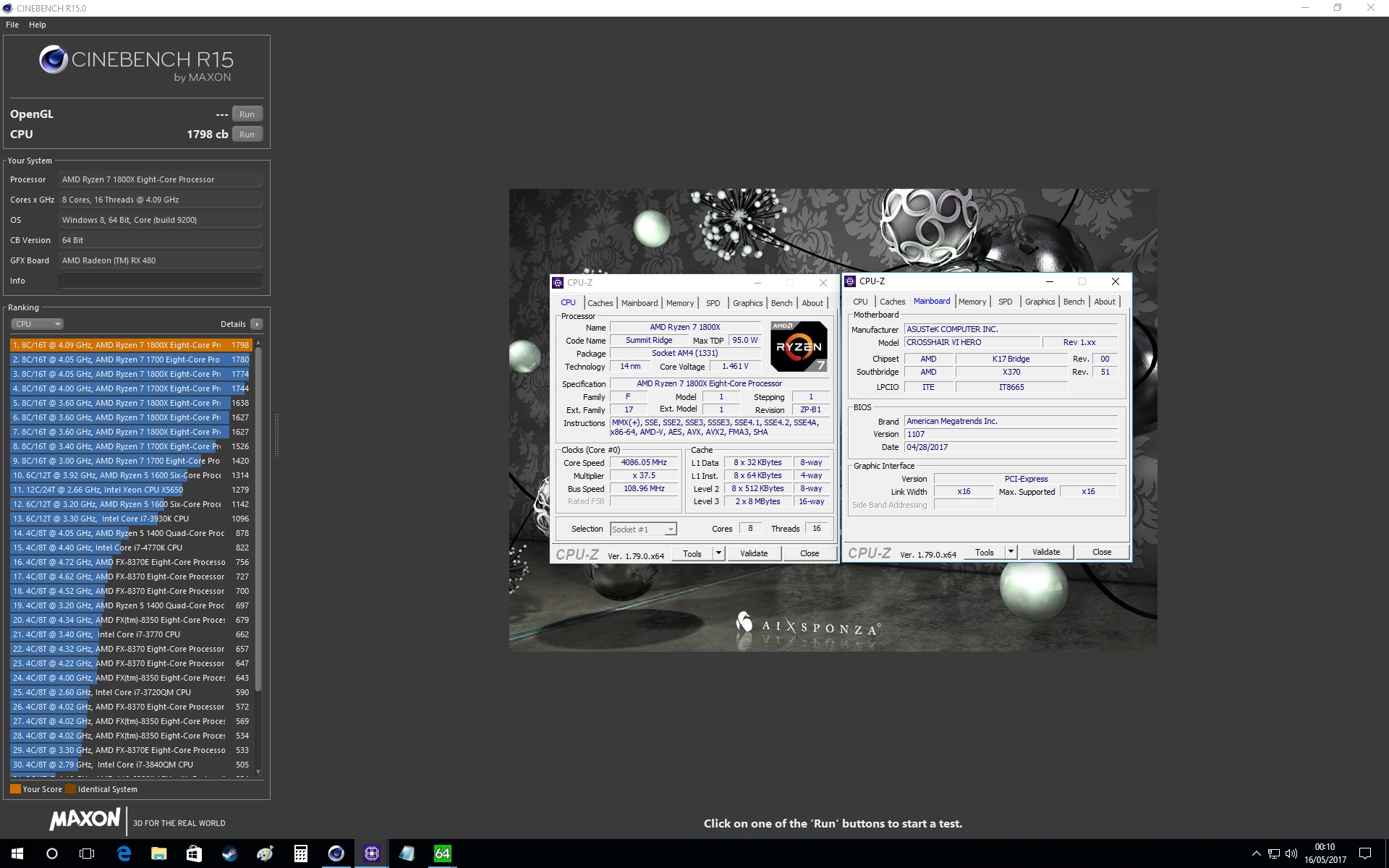
The ASUS ROG Crosshair VI Hero has a nicely laid out BIOS making it easy to navigate and find everything you need. We were particularly impressed as we were able to achieve our highest ‘bench-stable’ overclock yet at 4.09GHz @ 1.46V and 3200MHz memory. Despite the frequency advantage in both memory and CPU, it was unable to come out on top.
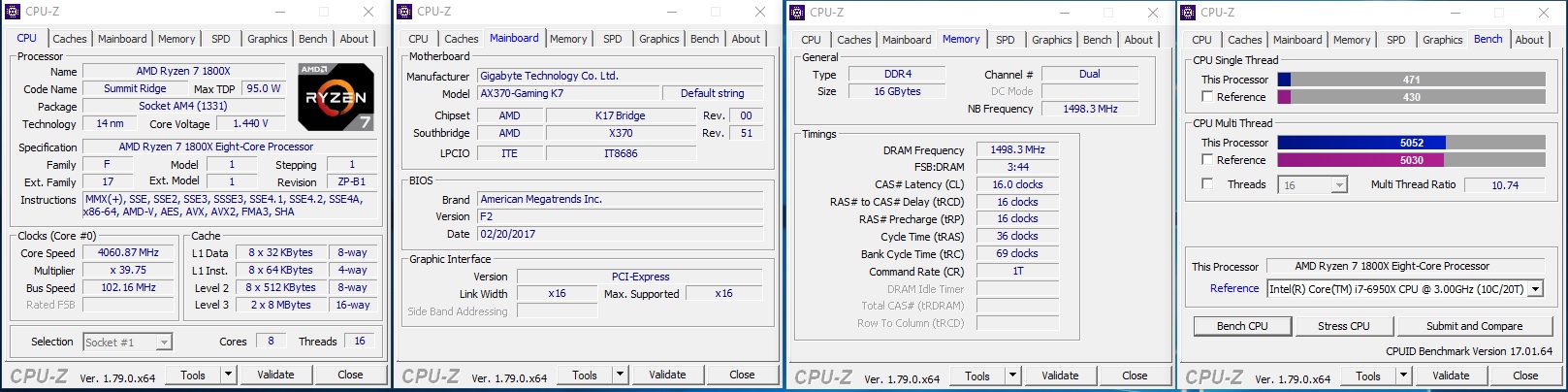
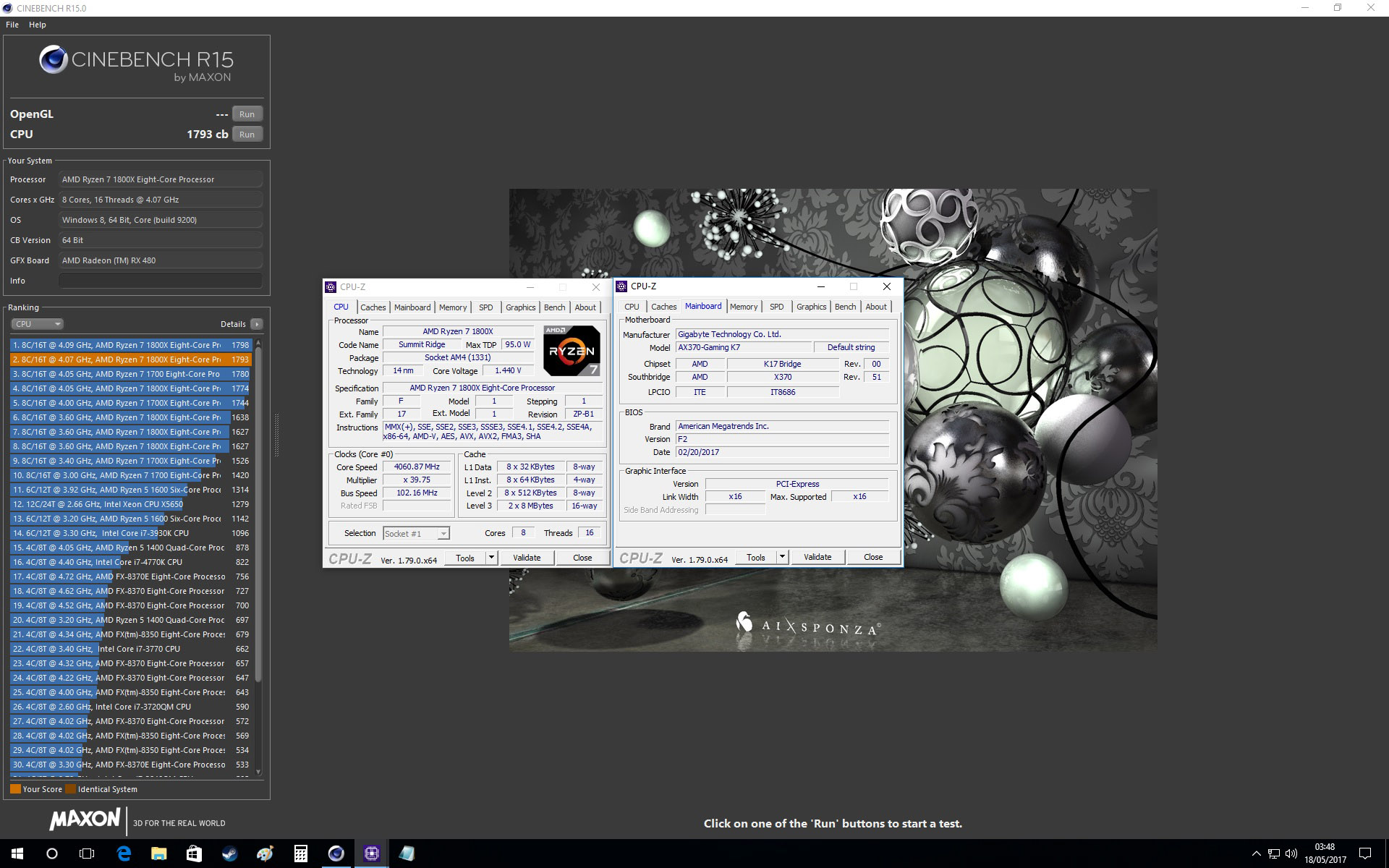
GIGABYTEs BIOS is fairly well laid out and easy to follow, but it would have been nice to access the primary overclocking features on a single page rather than various tabs. Again, the AX370-Gaming K7 was able to boot at stock CPUs with 3200MHz memory, but failed to hold that frequency once the CPU was overclocked. Final overclock result was 4.06GHz @ 1.44V w/ 3000MHz memory.
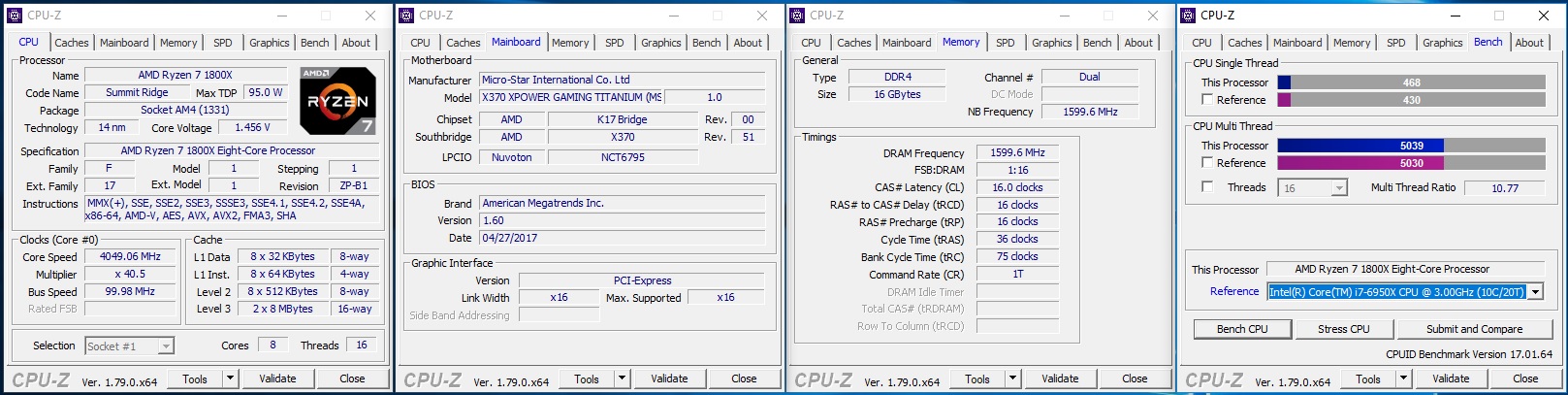
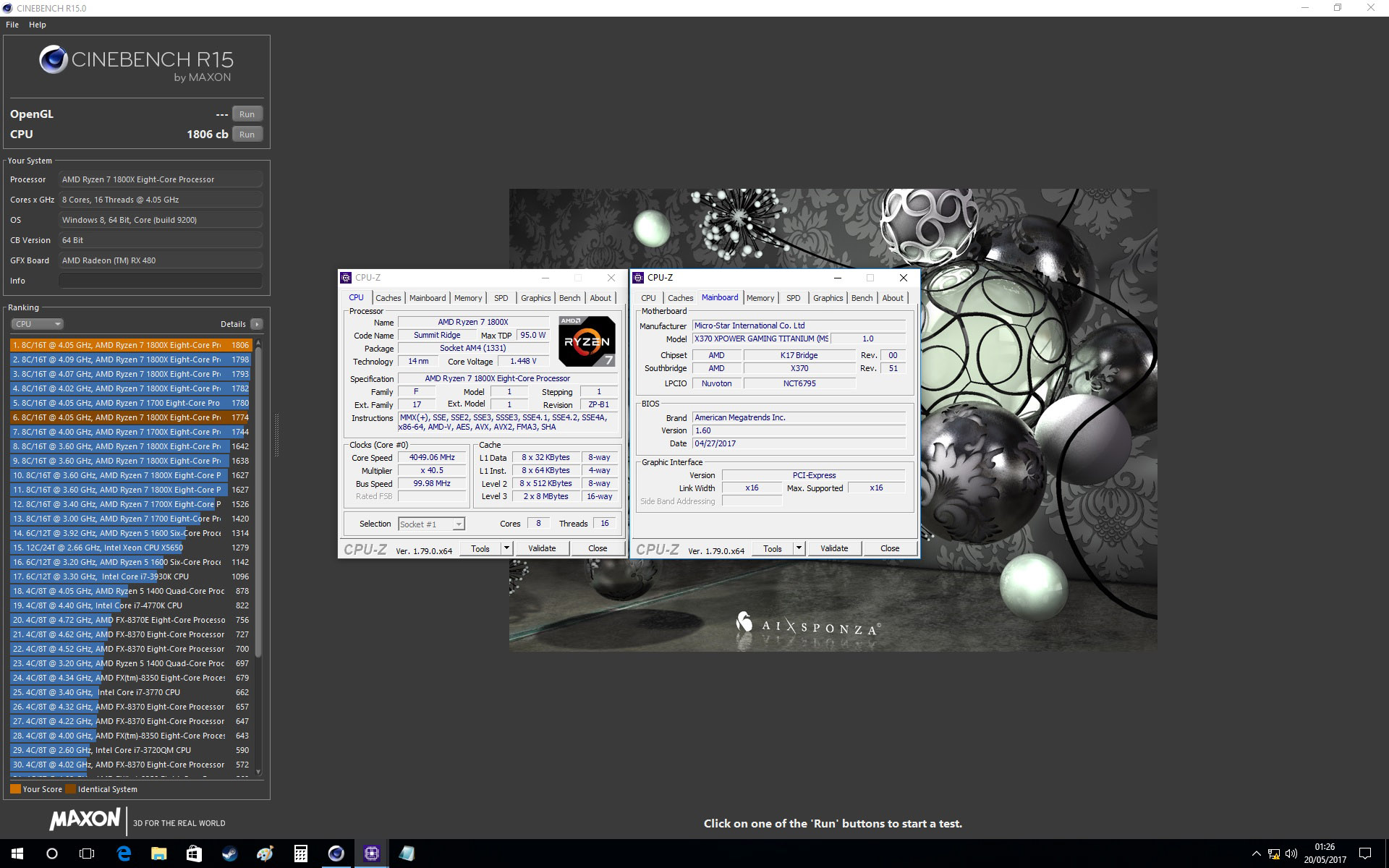
The MSI BIOS has a very nice UI making it easy to navigate through all the essential options, except we couldn’t find where to adjust the base clock..? ooops? Despite this, the MSI, as with the ROG Crosshair VI Hero, was capable of holding 3200MHz memory with an overclocked CPU. Unfortunately, it was not able to break the 4.05GHz frequency that we have found to be a common wall with our chip, not to mention that it required a little more voltage than others. Our final OC result was 4.05GHz @ 1.45V w/ 3200MHz memory. At these settings, the X370 XPOWER GAMING TITANIUM beat the CH6H in Cinebench with a score of 1806 vs 1798. Sure it’s marginal and likely within a range which could be achieved with some tweaks, but same could be applied to the MSI board also, so the performance results are very pleasing (clawing at the heels of the i7 6950X).
Benchmarks: Power Consumption
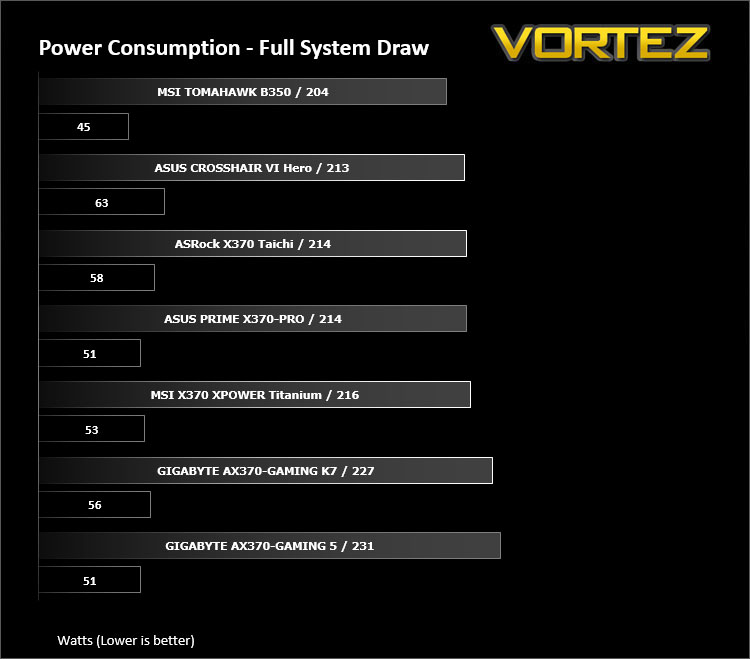
It’s interesting to note the power consumption across all motherboards. Although they are using the Z270 chipset, energy results can fluctuate between manufacturers due to the features and specifications that are integrated. First of all, for the idle tests the system is cold booted into Windows and no additional applications are executed – the watts are noted on the external energy monitor we use and then the system is loaded with 3DMark FireStrike – watts are again monitored for the duration of the test and the highest rated wattage result is then noted down. Below are the results of this energy test.
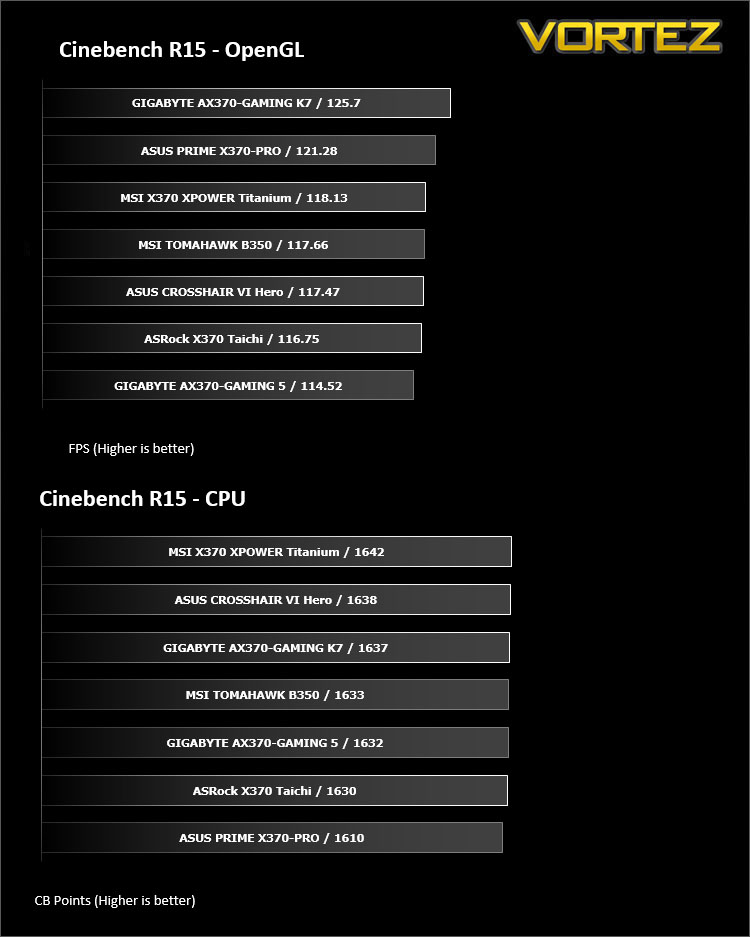
Benchmarks: Cinebench R15
CINEBENCH is a real-world cross platform test suite that evaluates your computer’s performance capabilities. CINEBENCH is based on MAXON’s award-winning animation software CINEMA 4D, which is used extensively by studios and production houses worldwide for 3D content creation. MAXON software has been used in blockbuster movies such as Iron Man 3, Oblivion, Life of Pi or Prometheus and many more.
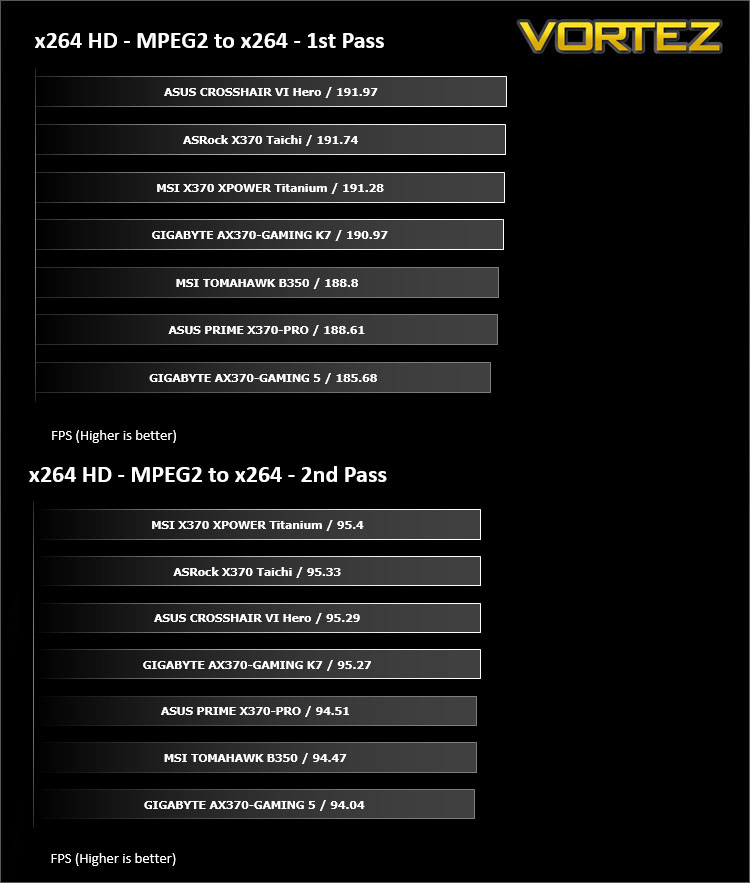
Benchmarks: X264 HD
Simply put, this test measures how fast your machine can encode a short, DVD quality MPEG-2 video clip into a high-quality x264 video clip. What’s x264, you ask? It’s more or less the next-generation Xvid/DivX codec. I think it’s ideal for a benchmark because the application (x264.exe) reports fairly accurate compression results (in frames per second) for each pass of the video encoding process, and it uses multi-core processors very efficiently.
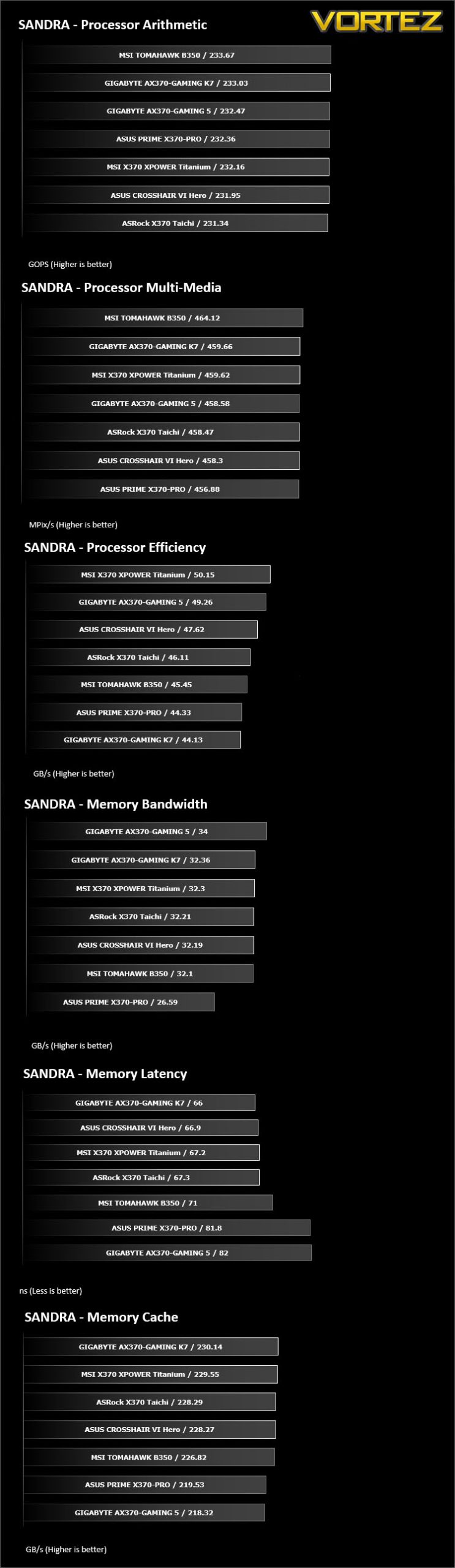
Benchmarks: SiSoftware SANDRA
SANDRA isn’t always a benchmark that is included in hardware reviews but we believe it shouldn’t be ignored. SANDRA provides a vigorous package that tests your system in a rather large array of benchmarks. There are many aspects of benchmark that can be executed. We will be considering – CPU and memory tests.
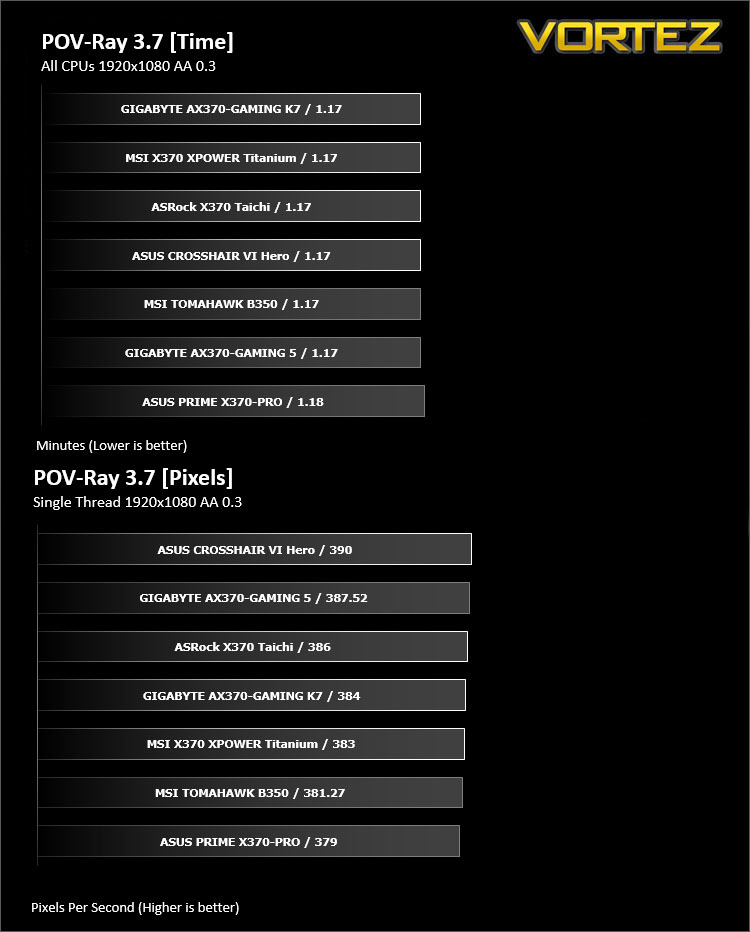
Benchmarks: POV-RAY
Persistence of Vision Raytracer’s PovRay is a free and open source 3D animator application with versions for computers with different operating systems.
This product allows users to build their custom 3D worlds with excellent quality despite their computer’s hardware. It has adjustable options for levels of radiance, refraction, and reflection. Calculation time may vary depending on the computer model, but PovRay can adapt to many computer builds, and is supported by the open source community.
This product allows users to build their custom 3D worlds with excellent quality despite their computer’s hardware. It has adjustable options for levels of radiance, refraction, and reflection. Calculation time may vary depending on the computer model, but PovRay can adapt to many computer builds, and is supported by the open source community.
Benchmarks: TrueCrypt
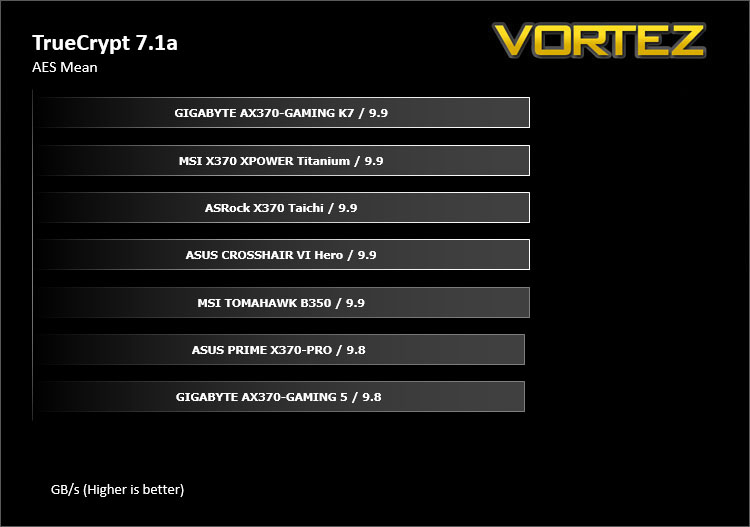
TrueCrypt is a discontinued source-available freeware utility used for on-the-fly encryption (OTFE). It can create a virtual encrypted disk within a file or encrypt a partition or (under Microsoft Windows except Windows 8 with GPT) the entire storage device (pre-boot authentication).
Benchmarks: AIDA64
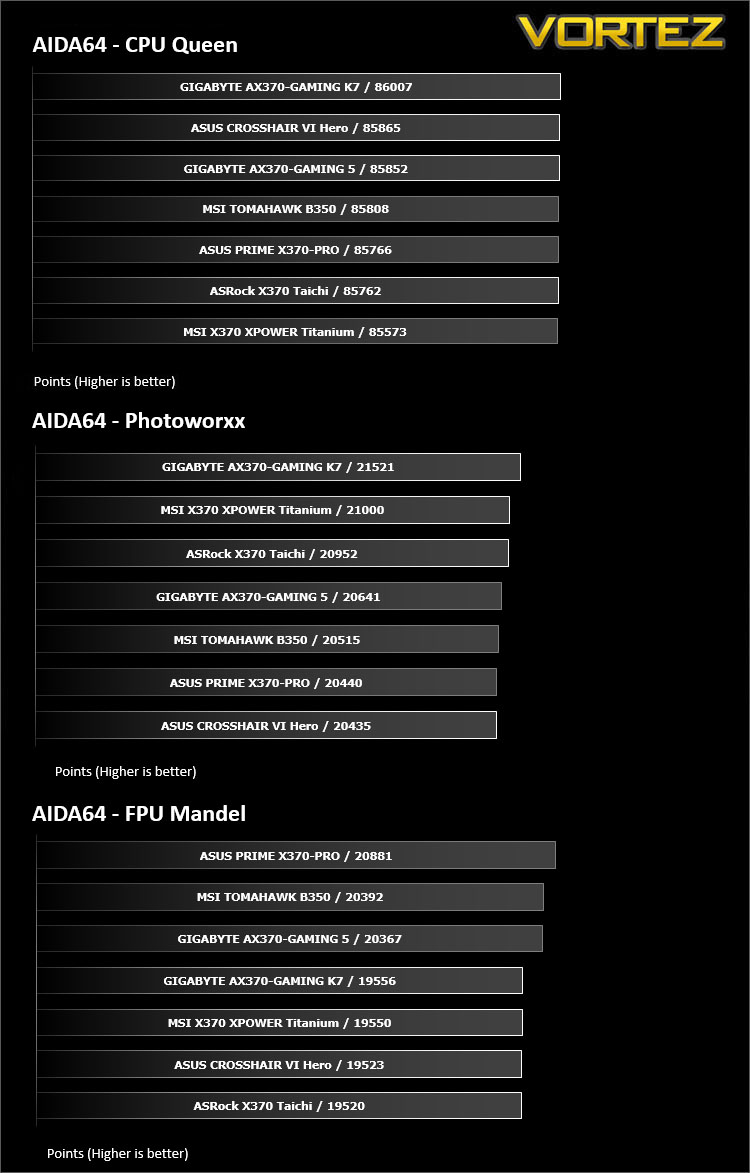
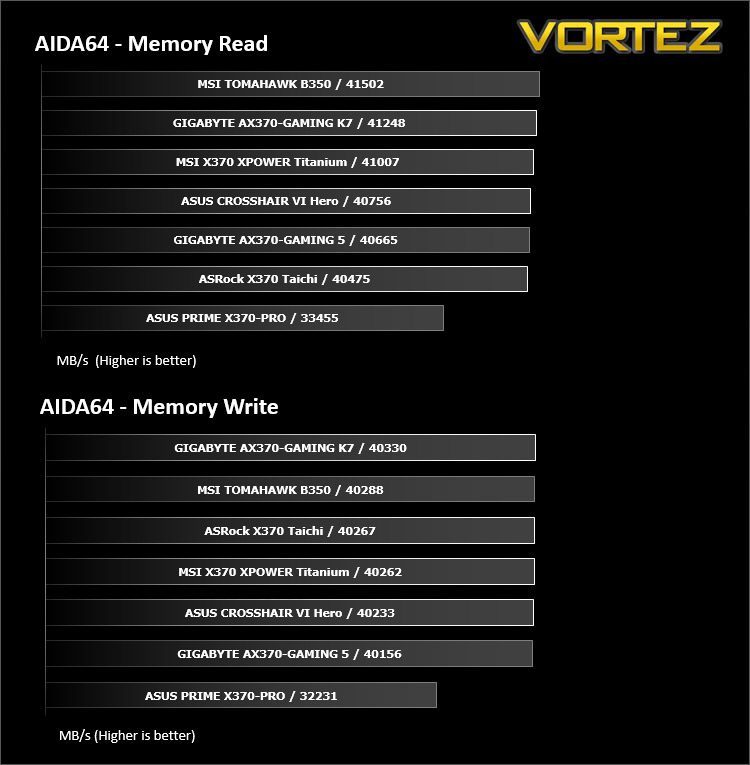
AIDA64 Product PageThis simple integer benchmark focuses on the branch prediction capabilities and the misprediction penalties of the CPU. It finds the solutions for the classic “Queens problem” on a 10 by 10 sized chessboard. At the same clock speed theoretically the processor with the shorter pipeline and smaller misprediction penalties will attain higher benchmark scores. For example — with HyperThreading disabled — the Intel Northwood core processors get higher scores than the Intel Prescott core based ones due to the 20-step vs 31-step long pipeline. CPU Queen test uses integer MMX, SSE2 and SSSE3 optimizations.
Benchmarks: PCMark 8
PCMark 8 combines performance benchmarking with battery life measurement and includes tests based on popular Adobe and Microsoft applications. Whether you are looking for long battery life, or maximum power, PCMark 8 will help you find the devices that offer the perfect combination of efficiency and performance for your needs. It’s the complete PC performance benchmark for home and business.
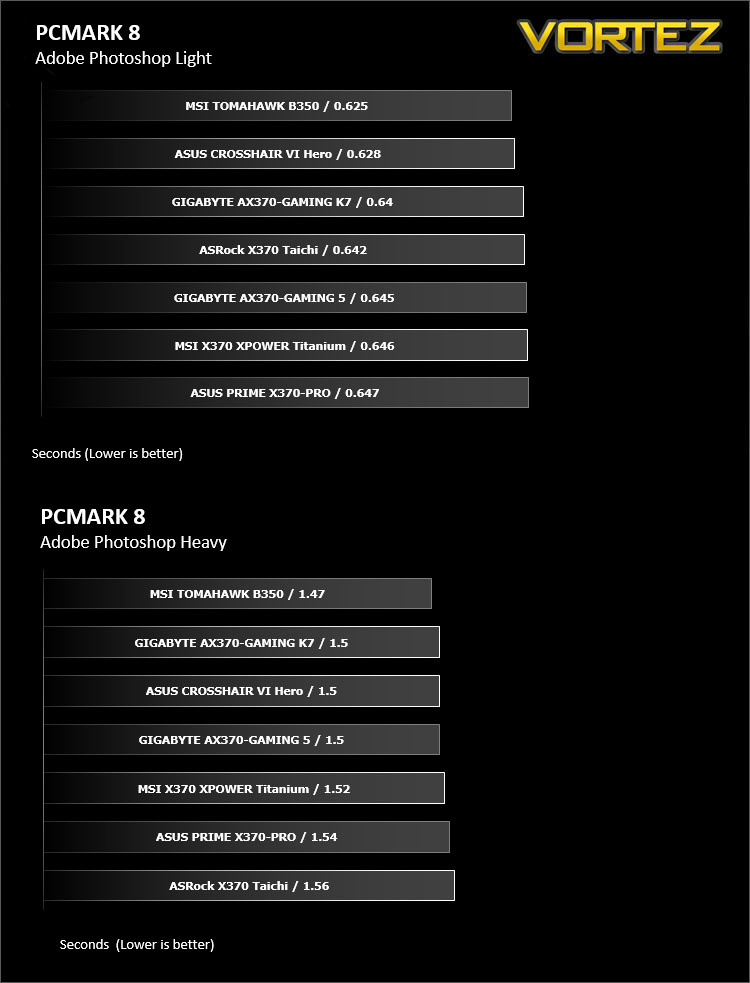
Benchmarks: PCMark 8 Photoshop
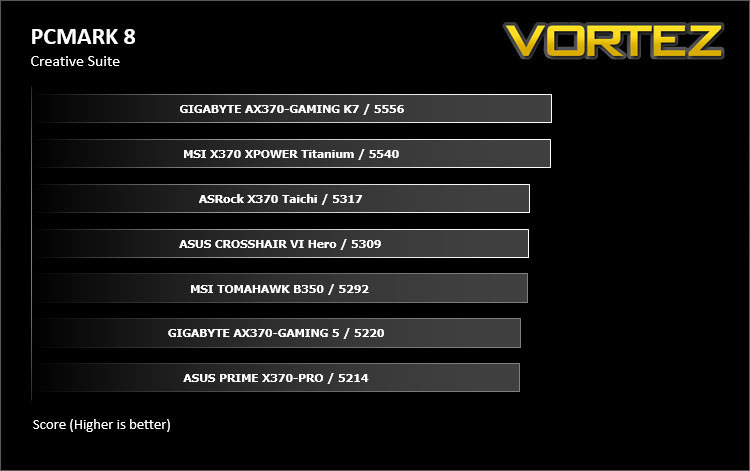
The PCMark 8 Applications benchmark measures system performance using popular applications from the Adobe Creative Suite and Microsoft Office. You can choose which tests to run based on the applications installed on your system. Each test automatically steps through a series of actions such as opening, editing and saving a file. The results are used to calculate the PCMark 8 Applications scores for the system.
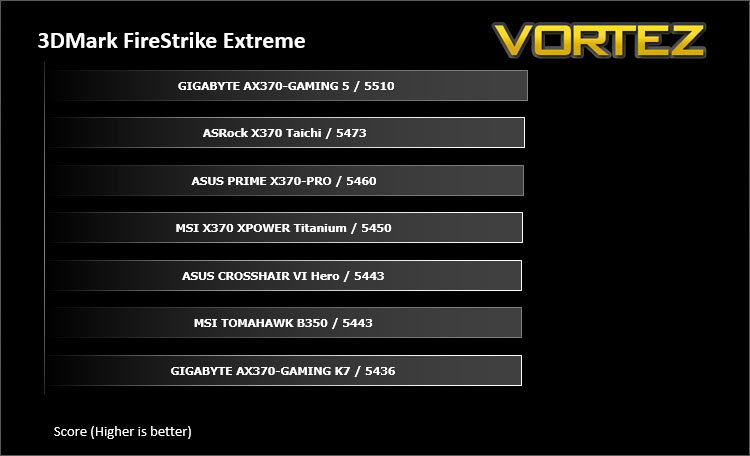
Benchmarks: 3DMark
3DMark FireStrike Product PageFire Strike is our new showcase DirectX 11 benchmark designed for high-performance gaming PCs. It is our most ambitious and technical benchmark ever, featuring real-time graphics rendered with detail and complexity far beyond what is found in other benchmarks and games today. Fire Strike will only be available in the Windows editions of 3DMark initially.
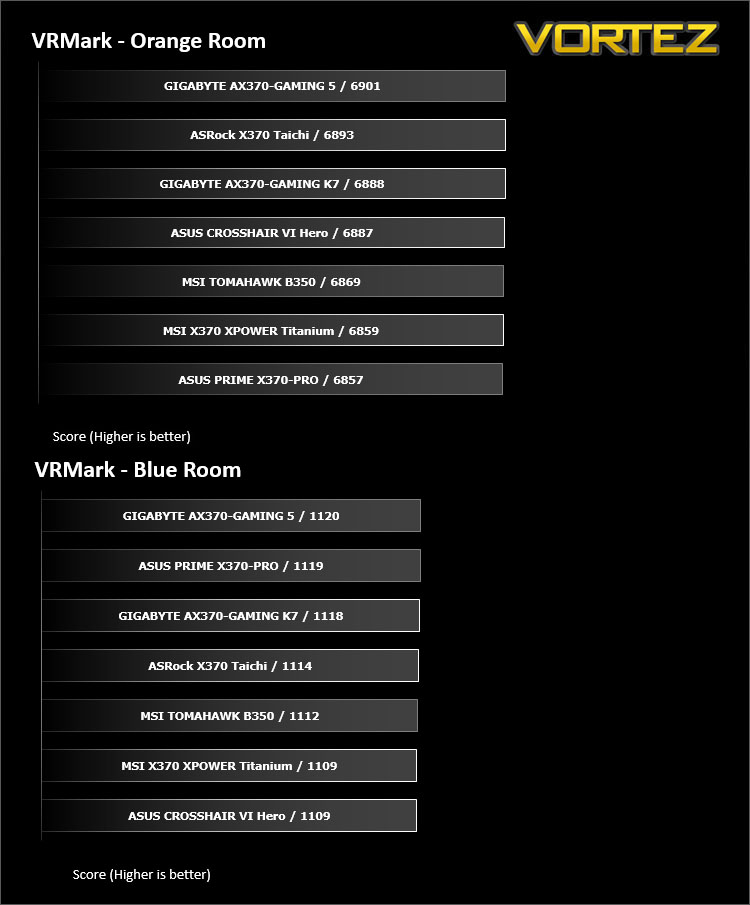
VR Performance – VRMark
VRMark Product PageVRMark includes two VR benchmark tests that run on your monitor, no headset required, or on a connected HMD. At the end of each test, you’ll see whether your PC is VR ready, and if not, how far it falls short.
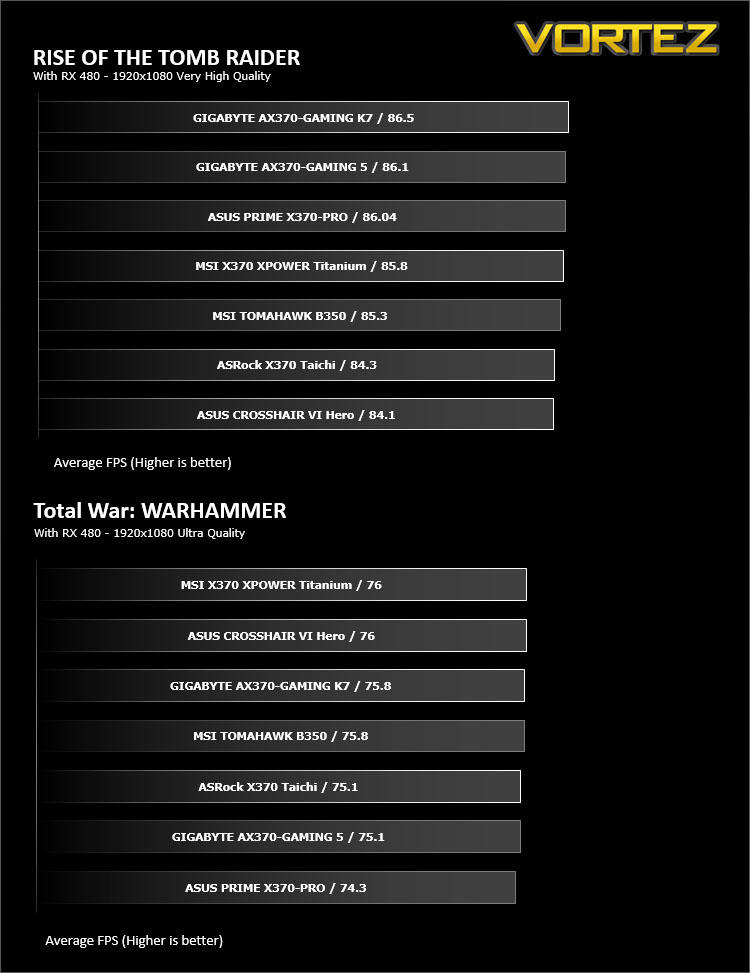
Gaming Performance – Rise of the Tomb Raider & Total War: WARHAMMER
It’s important for us to perform a number of game benchmarks as well as the synthetic tests because gamers will want to know if there are any significant benefits. So here we have two recent gaming titles.
Conclusion
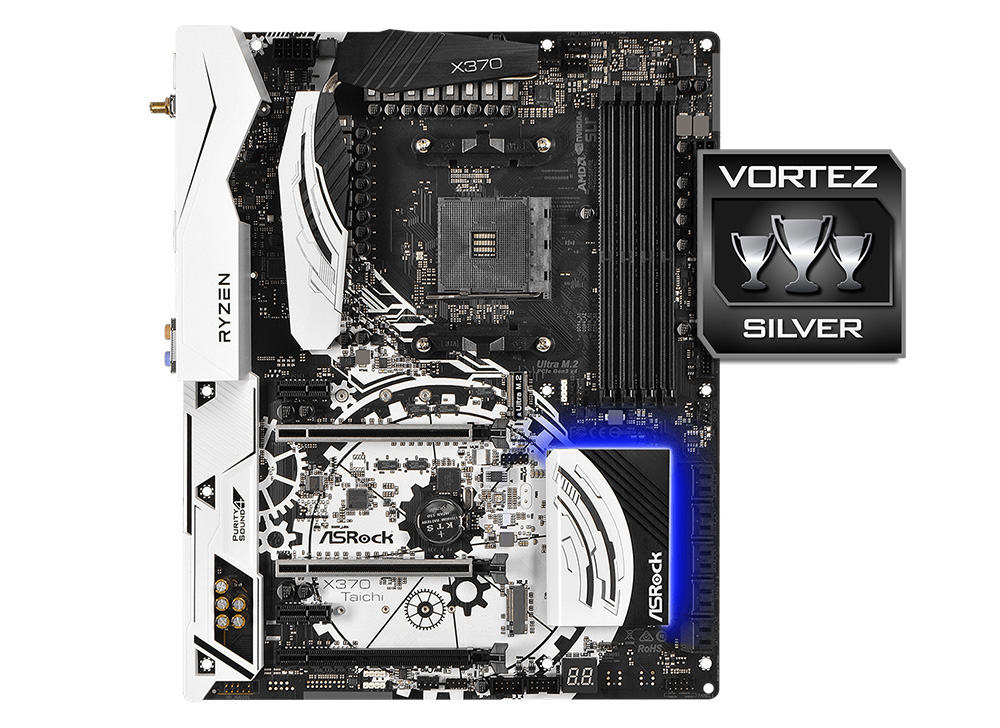
The ASRock X370 Taichi surprised us for many reasons, firstly due to its high quality, no-fuss demeanour, something that may hit a note with many people. Out the box WiFi and Bluetooth is becoming a more desirable thing, and while we could argue that the ASUS ROG Crosshair VI Hero is only £10 more expensive, if you stretch that by another £15 for the A/C version which includes a WiFi card, the numbers add up. That being said, it could just as easily be read as ‘the ROG CH6H is ONLY £20 more expensive’ and the abundance of features it offers over the ASRock X370 Taichi simply makes it a better choice in most situations.
That being said, for many people the additional 2x SATA ports and the extra M.2 slot may be reason enough to choose the X370 Taichi over the rest, not to mention that if you are someone that will never use the additional features on the ROG CH6H then you are paying more for nothing. The aesthetic preference of each motherboard will be purely subjective and down to preference and each could be used to create a very attractive system.
The main things that we found, and didn’t like with the X370 Taichi was that it was clearly a cut-down version of the Fatal1ty X370 Professional Gaming motherboard, and considering the price, we felt that the X370 Taichi itself could have done with those bonus features regardless of aiming itself as an ‘all rounder’. In fact, we would argue that many people would prefer the aesthetics of the Taichi over the Fatal1ty line purely on the basis that the motherboard itself is neutral coloured, something that has become very important in an era when RGB LED lighting will now do all the talking.
Despite those gripes, the X370 Taichi is clearly a high quality motherboard that will hold its own against its competitors, if you require a large amount of SATA ports and want out-the-box WiFi, yet do not require the frilly edges accompanied by the more Gamer/Enthusiast orientated motherboards, you will find everything you need here.
Best For: All rounder/Storage/Home server
Pros
+ 10x SATA 6Gb/s ports
+ 2x M.2 slots
+ ‘Super Alloy’ features
+ Included Wireless/Bluetooth connectivity
+ Adjustable Base Clock
+ ALC 1220 + TI NE5532 headphone amp
+ LED Debug
Mediocre
+- Waterpump headers only output 1.5a
+- Visibly cut-down PCB
+- Has the least available USB ports (16)
+- No NVMe Connector
Cons
– No video out
+ 10x SATA 6Gb/s ports
+ 2x M.2 slots
+ ‘Super Alloy’ features
+ Included Wireless/Bluetooth connectivity
+ Adjustable Base Clock
+ ALC 1220 + TI NE5532 headphone amp
+ LED Debug
Mediocre
+- Waterpump headers only output 1.5a
+- Visibly cut-down PCB
+- Has the least available USB ports (16)
+- No NVMe Connector
Cons
– No video out
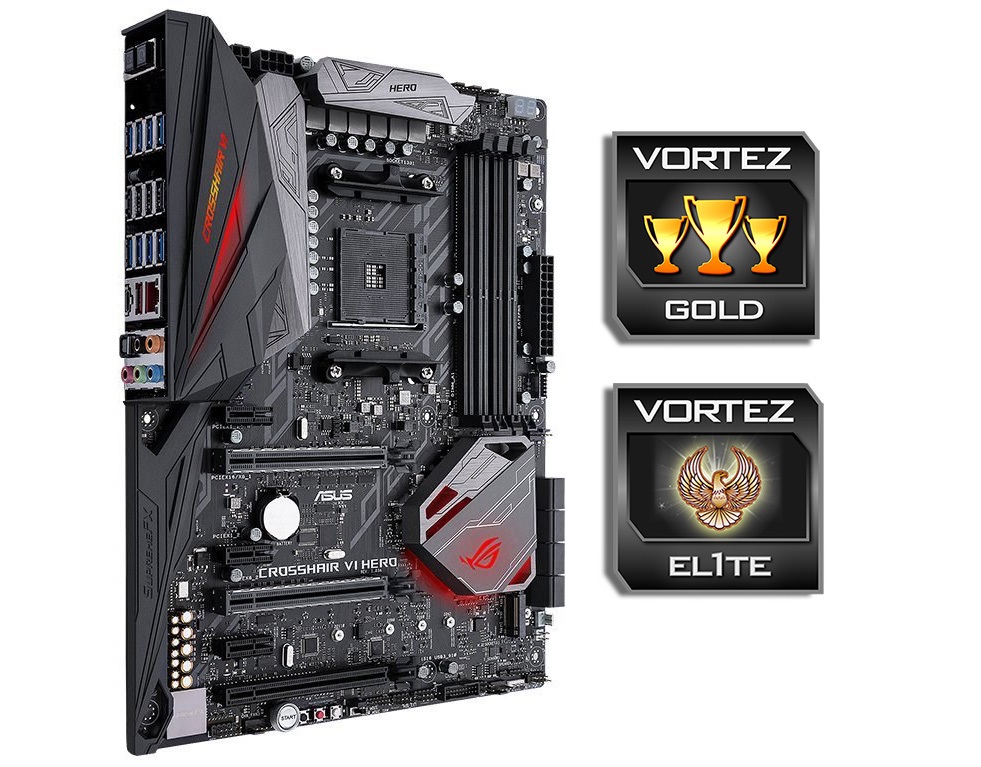
The ASUS ROG Crosshair VI Hero feels like the first ‘real’ ROG motherboard for the AMD platform for a very long time. Jam packed with enthusiast grade components, and an onboard audio system that simply says ‘we aren’t messing about’. This motherboard isn’t only just giving gamers the best out there, but caters for the pros and enthusiasts looking for a strong system for overclocking under LN2 and/or custom water cooling. In our overclocking tests, the ROG CH6H achieved our highest bench-stable frequency yet on our R7 1800X, just shy of 4.1GHz while maintaining DDR4 3200MHz frequency. Aside from the overclocking features, the board itself is a beautiful gun-metal colour on black, and features vibrant but subtle customisable RGB LED lighting along with 2x additional RGB LED strip headers. Also worth noting that this motherboard provides users with the complete USB array available plus an additional USB 3.1 G2 header, meaning that you have access to 19 USB ports in total (14 via rear I/O, 5x via internal headers). There is even a nice little surprise in the form of an additional M.2 E-Key for a dedicated WiFi/Bluetooth card.
There are some downsides to the ROG CH6H, firstly that it only has one M.2 slot for storage, and secondly, this awesome ‘Overclockers’ motherboard has ruled out its use as the board of choice for many hobbyist overclockers in regards to the up-coming APU releases, simply due to the lack of a HDMI or displayport video out.
Considering its feature set and overall appeal, ASUS have done a fantastic job of squeezing the best out of the X370 chipset, and so its worth trying to squeeze this one into your budget.
Best for: Enthusiasts/ overclocking/ Custom water-cooled systems
Pros
+ Attractive Design and Aesthetics
+ Dedicated M.2 slot for WiFi
+ Features a front panel USB 3.1 Gen2 connector
+ Dedicated water cooling features
+ Voltage readout points
+ LN2/extreme OC mode
+ Dedicated On-board controls
+ Adjustable Base-clock
+ Highest overclock achieved
+ Total of 19 accessible USB ports
+ ALC 1220 + ESS Sabre ES9023P + RC4580 op-amp Audio
+ Dedicated features for gamers and VR
+ LED Debug
Mediocre
+- Only 1x M.2 Storage slot
+- No NVMe Connector
Cons
– No video out
+ Attractive Design and Aesthetics
+ Dedicated M.2 slot for WiFi
+ Features a front panel USB 3.1 Gen2 connector
+ Dedicated water cooling features
+ Voltage readout points
+ LN2/extreme OC mode
+ Dedicated On-board controls
+ Adjustable Base-clock
+ Highest overclock achieved
+ Total of 19 accessible USB ports
+ ALC 1220 + ESS Sabre ES9023P + RC4580 op-amp Audio
+ Dedicated features for gamers and VR
+ LED Debug
Mediocre
+- Only 1x M.2 Storage slot
+- No NVMe Connector
Cons
– No video out
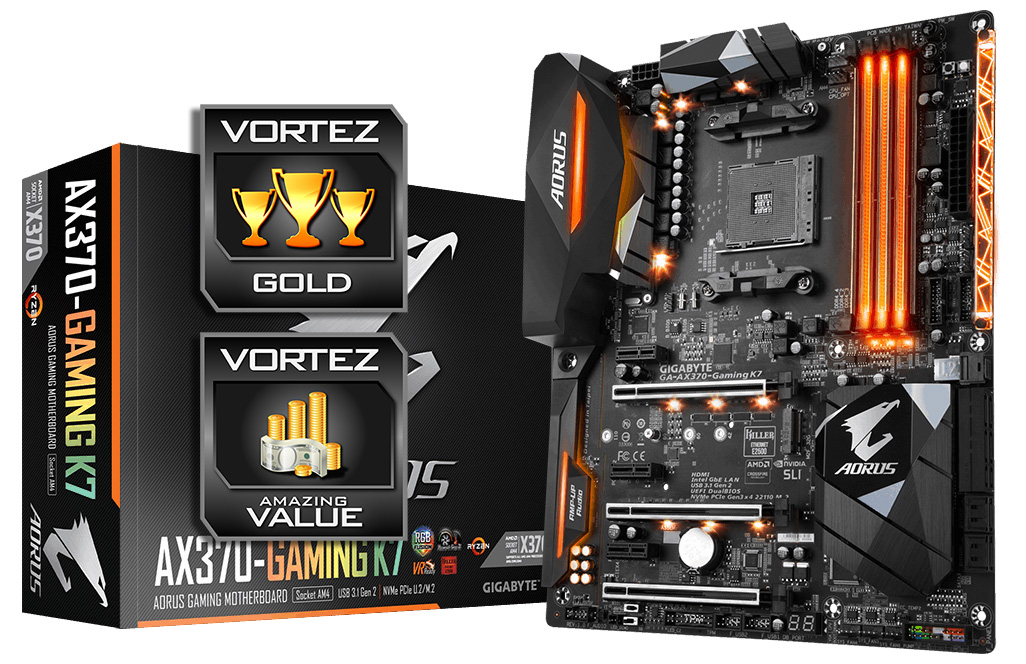
GIGABYTE pulled no punches with the AX370-Gaming K7, visually it is a stunning treat both with and without LEDs. Of all the motherboards we looked at, it is the only motherboard to feature 4x USB 3.1 Gen2 readily available, along with DAC-UP USB ports available at both the front and rear. If you need a motherboard with SATA Express, then this (along with the Gaming 5), is your only choice. Many would prefer to have had another M.2 port available making use of redundant PCIe 2.0 lanes, as well as having a dedicated slot for a WiFi/Bluetooth card as featured on the ROG CH6H. Though, unlike the above, GIGABYTE has also included an optional NVMe U.2 socket should you prefer to use that over the M.2 slot.
There are some minor differences between the Gaming 5 and the K7, the most important one of which is the inclusion of a clock gen chip, enabling Base clock adjustments. This will give the AX370-Gaming K7 more appeal to overclockers looking to get the best performance out of their system. Aside from this, you get some additional LED lighting and a sleek all black colour scheme.
Best for: Gamers/ Value/ LED lighting
Pros
+ Attractive RGB LED lighting
+ 8x 4pin hybrid fan headers (including 2x 2A/24W support)
+ 2x SATA Express
+ NVMe U.2 port
+ Features 4x 3.1 Gen 2 (3x Type A, 1x Type C)
+ Dual ALC 1220 supported by Creative technologies
+ Dual Network (Killer E2500 + Intel)
+ DualBIOS
+ Competitive price
+ Dedicated features for gamers and VR
+ Adjustable base-clock
+ LED Debug
Mediocre
+- Only 1x M.2 slot
+- No M.2 WiFi slot
+- Most power hungry (must be those LEDs)
Cons
– None
+ Attractive RGB LED lighting
+ 8x 4pin hybrid fan headers (including 2x 2A/24W support)
+ 2x SATA Express
+ NVMe U.2 port
+ Features 4x 3.1 Gen 2 (3x Type A, 1x Type C)
+ Dual ALC 1220 supported by Creative technologies
+ Dual Network (Killer E2500 + Intel)
+ DualBIOS
+ Competitive price
+ Dedicated features for gamers and VR
+ Adjustable base-clock
+ LED Debug
Mediocre
+- Only 1x M.2 slot
+- No M.2 WiFi slot
+- Most power hungry (must be those LEDs)
Cons
– None
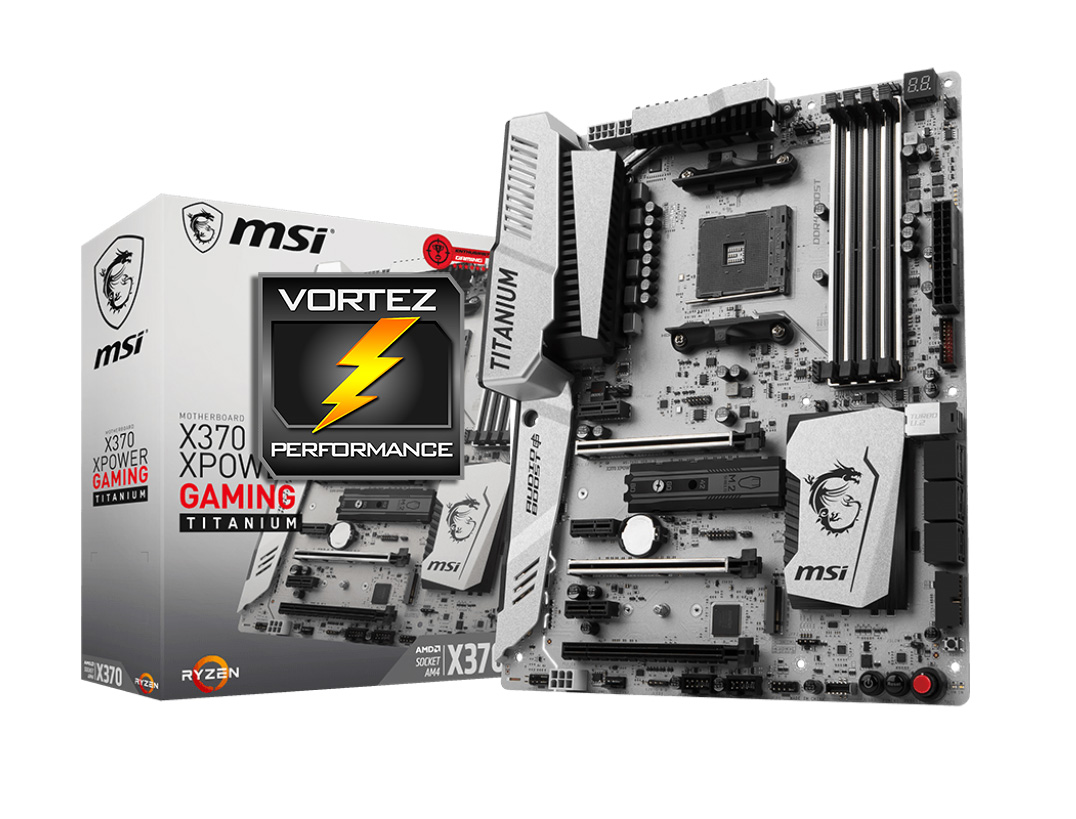
This motherboard slightly fell into an interesting place, one where it seemed rather beautiful and outstanding, but on closer look it just kinda started undoing itself. The Fan headers seem rather sporadic with little regard to the quantity and location. MSI didn’t include an RGB header for the AMD RGB LED Fan, and there is only 1 RGB LED strip header. The LED lighting (No RGB here) is a mess with red, green, yellow, and white lighting scattered around with no aesthetic regard.
In regards to outright features, there are many that will cater for gamers and enthusiasts. It also features a NVMe U.2 socket in a similar manner as the GIGABYTE Gaming K7 where it will by disabled if the primary M.2 slot has a PCIe SSD installed. It also has a USB 3.1 Gen2 front panel header as with the ROG CH6H, which is a great additional bonus. There are other design considerations in place specifically for performance and overclocking, however it seems strange that we weren’t able to adjust the base-clock. Despite that, in our overclocking test we found that the X370 XPOWER GAMING TITANIUM, clock-for-clock, managed to outperform the ROG CH6H at a lower clockspeed in Cinebench R15, and so it stands to reason that this motherboard may actually be tempting for some overclockers to investigate, specifically if they plan on exploring the capabilities of the yet-to-be released 7th Generation APUs as MSI saw fit to include a HDMI 2.0 port and a display port for that very reason.
There is an understandable charm and beauty to the X370 XPOWER GAMING TITANIUM, and if for you, the most important factor with this motherboard is the aesthetic, if you love how this board looks, there is no reason why you should not get this motherboard. Though for many it would be difficult to choose the X370 XPOWER GAMING TITANIUM when the GIGABYTE Gaming 5/K7 is available for £75-100 less, and the ROG CH6H for £40 less.
Best for: Niche/Performance
Pros
+ Very attractive finish
+ ALC 1220 audio supported by Nahimic 2 software
+ BIOS Flashback+
+ 2x M.2 slots
+ NVMe U.2 port
+ Front panel USB 3.1 Gen2 connector
+ HDMI 2.0 + Displayport video out
+ Attractive, easy to use BIOS
+ Slow mode for extreme overclocking
+ LED Debug
+ Scored the highest Cinebench R15 in our OC test.
Mediocre
+- No M.2 WiFi slot
+- Can’t adjust base clock
Cons
– Price
– Incoherent Fan header layout
– Incoherent LED lighting
+ Very attractive finish
+ ALC 1220 audio supported by Nahimic 2 software
+ BIOS Flashback+
+ 2x M.2 slots
+ NVMe U.2 port
+ Front panel USB 3.1 Gen2 connector
+ HDMI 2.0 + Displayport video out
+ Attractive, easy to use BIOS
+ Slow mode for extreme overclocking
+ LED Debug
+ Scored the highest Cinebench R15 in our OC test.
Mediocre
+- No M.2 WiFi slot
+- Can’t adjust base clock
Cons
– Price
– Incoherent Fan header layout
– Incoherent LED lighting
Click here for an explanation of our awards at Vortez.net.