The Thecus N4310 appears to offer extraordinary value for many with a 4-bay NAS solution for £200 but have corners been cut to offer this device at such a low price? We find out inside…
Product on Review: N4310 NAS
Manufacturer & Sponsor: Thecus
Street Price: £217.68
When we reviewed the little brother to the N4310 last year, the N2310, we were impressed. Not least because of the price because for little more than £100, Thecus had supplied us with a no-nonsense 2-bay NAS. Today we set our sights on the 4-bay version to see what, if any, improvements have been made other than the obvious extra 2 bays to house your storage. On the face of it, an extra £100 is a lot to pay for simply adding a further two bays so it will be interesting to see the performance difference between the two devices and any additional features the bigger NAS possesses.
First of all we think it is fair to give an ‘lived-in’ overview of the N2310 as it has been over 6 months since we reviewed that model.
We mainly used the device as a media server and made use of the included PLEX app’. This is perhaps will be the most popular use of the device Uploading media to the PLEX app is a little cumbersome at first but once you have the gist of uploading files to the correct folder and refreshing the movie list, streaming a variety of movies up to 1080p was for the most part trouble free. It was bearing in mind that a good router will be required if you wish to stream media with a very high bitrate as this can saturate your bandwidth, especially if you are accessing multiple files from the NAS by multiple devices for example a SMART TV in one room and Android/iDevice from others.
Perhaps our biggest niggle with the setup we were using is the N2310s habit of shutting down/restarting (despite us telling it not to) and requesting a different IP address. This inevitably messes with the PLEX server address which shows there is no attached storage or the storage is unreachable. OF course this could also be a fault with the router despite a static IP being assigned to the unit. Regardless, if you are not comfortable with basic IP configuration/discovery, finding the NAS on your network and then assigning a new IP could become frustrating. This issue inevitably effects accessing the server from wirelessly too which becomes all the more difficult if you are not accessing it via LAN.
Regardless, we persevered with the N2310 and it has served (pun intended) us well. Now to see how its bigger brother stacks up, the N4310…
About the N4310
Thecus is pleased to announce the release of the newest addition to its lineup of home, SOHO, and SMB NAS solutions, the N4310. Featuring an AMCC 1GHZ SoC with 1 GB of DDR3 memory, the new 4-bay NAS offers exceptional performance and easy data management at an unprecedented value.
Our mission begins with your needs. Adding the N4310 to our already extensive product portfolio allows Thecus to continue to redefine the NAS market,” said Florence Shih, chairperson at Thecus. “The N4310 provides the versatility and functionality required to reach the full spectrum of SOHO and SMB user needs.
Our mission begins with your needs. Adding the N4310 to our already extensive product portfolio allows Thecus to continue to redefine the NAS market,” said Florence Shih, chairperson at Thecus. “The N4310 provides the versatility and functionality required to reach the full spectrum of SOHO and SMB user needs.
Specification
1. Hardware Platform
Processor AMCC APM86491RDK 1GHz SoC
System Memory 1GB DDR3
LAN Interface (PCI-e) RJ-45×1 : 10/100/1000 BASE-TX Auto MDI/MDI-X
WOL supported
USB Interface USB 3.0 host port x2 (back x2)
Disk Interface 4 x Internal SATA connections
Staggered Spin-Up Supported
Power Supply 60W external power adapter
2 x input: redundancy supported
System Clock Battery-backed-up system clock
Buttons Power button
USB copy button
Reset button
Environment Temperature: 5°C to 40°C
Humidity: 0 ~ 80 % R.H. (Non-condensing)
Chassis 4-bay tower
Dimensions (HxWxD) 135 x 170 x 217 (mm)/ 5.33 x 6.69 x 8.54(in)
Weight 3 (kg)/6.61(lb)
Certificates CE/FCC/C-Tick/VCCI/BSMI
RoHS
WEEE
2. Software Functions
RAID
RAID Modes RAID 0, 1, 5, 6, 10 and JBOD
Auto-rebuild Supported
Hot-swap Supported
Hot Spare Supported
RAID Level Migration Supported
RAID Expansion Supported
RAID Volume Encryption AES 128-bit with hardware integration
Disk
Power Management Spin-down when idle
Bad Block Scanning Supported
SMART Info Supported
SMART Test Supported
Disk Roaming Supports volume-based roaming to other N4310
Network
Configuration Fixed IP address, dynamic IP address
Transport Protocols TCP/IP, AppleTalk
File Protocols SMB/CIFS, HTTP/HTTPS, FTP, AFP, NFS
TCP/IP IPV6 & IPV4
System status
Syslog Management Send syslog to assigned location
Act as syslog server to receive log info from other systems
Data Access
Client OS Support Windows XP and after
Windows Server 2003 and after
Mac OS X
Linux
FTP Built-in FTP server with bandwidth control
Secure FTP Built-in secure FTP server with bandwidth control
TFTP Users can download and upload files with TFTP programs
Download Manager BitTorrent client (via Transmission)
NZB client (via NZB Module)
WebDAV/WebDAV SSL Supported
Printer Server (IPP) Supports USB printers
Supports a wide range of IPP printers
Client can manage print tasks (list/delete) via web user interface
Data Backup
Client Incremental Data Backup Thecus Backup Utility
Data Burn Create files to ISO image and burn to optical disc
Create files to ISO image
Read ISO image from optical disc and write to NAS
Mac OS X Time Machine Supported
Data Guard Remote Backup/Local Backup
Block Level Data Access
iSCSI Target/Initiator Supports Microsoft/Mac OS X/Linux initiators and Thecus NAS targets
Power Management
Scheduled Power On/Off Supported
Volume Management
Multiple RAID Supported
File System EXT4
Multimedia Support
iTunes Server Supports AAC, MP3 w/ID3 tag and WAV
Piczza!™ Photo Server (via module) Supports GIF, JPG (JPEG), BMP and PNG
Supports EXIF display
Supports slide shows
Media Server Supports uPnP AV streaming protocol(via Module)
User Authentication
Local User Supports built-in user accounts
Local Group Supports built-in user groups
Windows ADS Supported
LDAP Supported
File System
Type Journaling File System
Language Support Unicode Support
Authorization (ACL) “Read”, “write”, or “deny” privileges to individual users or groups in folders and sub-folders
User Quota Supported
Administration
User Interface Web-based user interface supports English, Traditional Chinese, Simplified Chinese, Japanese, Korean, French, German, Italian, Spanish, Russian, Polish and Portuguese.
Utility Program (Intelligent NAS) Supports Windows XP and above, Windows Server 2003 and above, and Mac OS X
Email Notifications Sends system messages via email to the system administrator
DDNS** Support one free DDNS registration (ex. xxx.thecuslink.com) (How-to)
UPnP and Port forwarding Support auto setting in Intranet environment
Intelligent NAS Go through defined URL for auto install (install.thecus.com)
SNMP Trap Sends system information trap out
Mobile Applications (iOS/Android)
T-Dashboard™ Mobile monitoring and administration
T-OnTheGo™ Personal cloud features such as uploading, downloading, and streaming multimedia
Cloud Service
Amazon S3 Built-in support
Others
Recycle Bin Supported
Web Disk Supported
ISO Mount Supported
User Access Log Supported
UPS Supported through USB interface
Features
Power Redundancy Supported
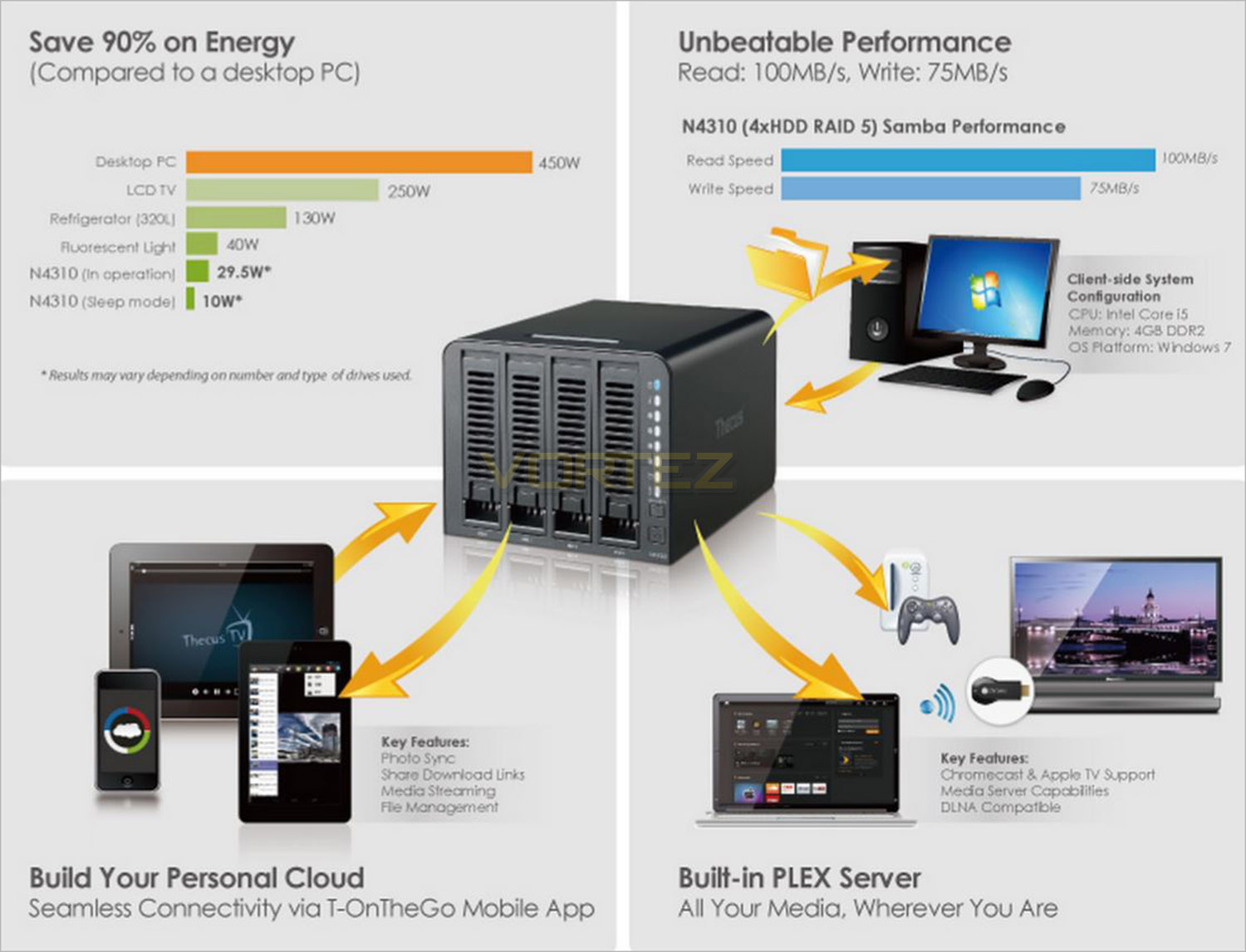
With your data secure, consistent operation also needs to be ensured. To this end, the N4310 also comes equipped with an additional power jack. Connecting the N4310 to a power source with this secondary system means that even in the event of an adaptor or socket failure, the NAS will remain in operation.
iSCSI Storage Supported
Addressing the evolving needs of professionals seeking both efficiency and versatility in their NAS, the N4310 utilizes Hybrid Mode Storage for resource management, meaning support for both file (NFS or SMB/CIFS) and block-level (iSCSI) storage.
AES Data Encryption
AES Data Encryption provides flawless security for your RAID volume when dealing with sensitive data. This 128-bit security solution is implemented with improved efficiency thanks to hardware-integration, and promises that your information will remain secure even in the event of data interception or hardware theft.
CPU Offload Hardware Engine
The N4310 is equipped with a CPU offload hardware engine, allowing for high performance and speed within a RAID environment (100MB/s read speed and 75MB/s write speed). The hardware XOR engine manages this by handling parity calculations and freeing up the system processor.
5 Minute Complete Installation
The N4310 is designed with ease in mind; it is easy enough for anyone to set up. Overlook the several steps which usually are associated with setting up NAS appliances. Simply plug the power supply, insert the Ethernet cable, boot up the N4310 and set up will be completed within 5 minutes. This breakthrough feature truly makes this a plug-and-play NAS.
Self-RAID Creation
All Thecus NAS include an innovative Self-RAID Creation tool that analyzes installed drives and, once the user has selected their preferred balance of performance and protection, automatically builds their customized RAID volume.
T-OnTheGo™ Mobile App
We’re a mobile society, and our NAS solutions are keeping up! Incorporated into the N4310 is support for Thecus’s® T-OnTheGo™ smartphone app. Now supporting both iOS and Android, this NAS management software enables users to access, copy, stream, and edit any data between their NAS and mobile device. Your own personal cloud, from anywhere with internet access.
DDNS
Have easy access to your NAS via Dynamic DNS (DDNS), this allows users to allocate and access their NAS files via the internet remotely. Since IP digits are often difficult to remember, domain names are utilized to make NAS management much more convenient. When the IP address is changed, the DDNS server will automatically adjust the IP address to make sure that remote access is always available. In short, DDNS provides convenient remote internet access to your Thecus® N4310 by utilizing domain names instead of IP digits.
PLEX Media Center
The Plex Media Server is both the heart and brains for any digital media system. The free server is a module available on the Thecus® App Center that allows you to set up and manage your media. With the Plex Media Server installed on your Thecus® NAS, various devices on your network (such as your Xbox 360 and mobile devices) can connect to and stream your local and online media.
Native BitTorrent Support
Included in ThecusOS™ 6 is Transmission, a powerful BitTorrent client. Easily add torrent seed files to Transmission and sit back and relax as your NAS does the rest, independent of your computer. Once downloaded, your files will be automatically stored in your NAS P2P folder where you’ll be able to access them across your network or through the internet. Set and forget torrenting that’s accessible anywhere, that’s the N4310’s native BitTorrent support.
Data Guard
Data Guard backup solution is the ultimate software as it provides both local and remote parts. Currently, data is backed up across RAID volumes, external USB drives, and eSATA. In addition, Data Guard uses innovative technology to sync data across the network to other NAS and servers. More importantly, Thecus® Data Guard is the total backup solution which makes managing NAS user-friendly and convenient.
Data Burn
NAS data can now be burned directly to CD, DVD, and Blu-ray discs with Data Burn, this hassle-free module makes burning data to a disk effortless. In addition, burning ISO image file is also supported. Whether you’re managing audio, media or essential files; Data Burn copies information fast while significantly reducing waiting time. The process of burning file to disk is now easy and smooth with Data Burn module.
USB 3.0 Connectivity
The next generation of connectivity is here with speeds 10x faster than USB 2.0. Whether connecting digital cameras and smart phones, backing up large external hard drives, or extending the capacity of your NAS, USB 3.0 will make sure it’s done in no time at up to 5 Gbit/s. Backwards compatibility adds the connectivity of a world full of USB 2.0 and USB 1.1 devices to get the best combination of speed and universal access.
User Quota
Divide the massive storage of a Thecus NAS among multiple users. Whether there are two users or 100, User Quota make it easy to divvy up and manage disk space.
Packaging & Accessories
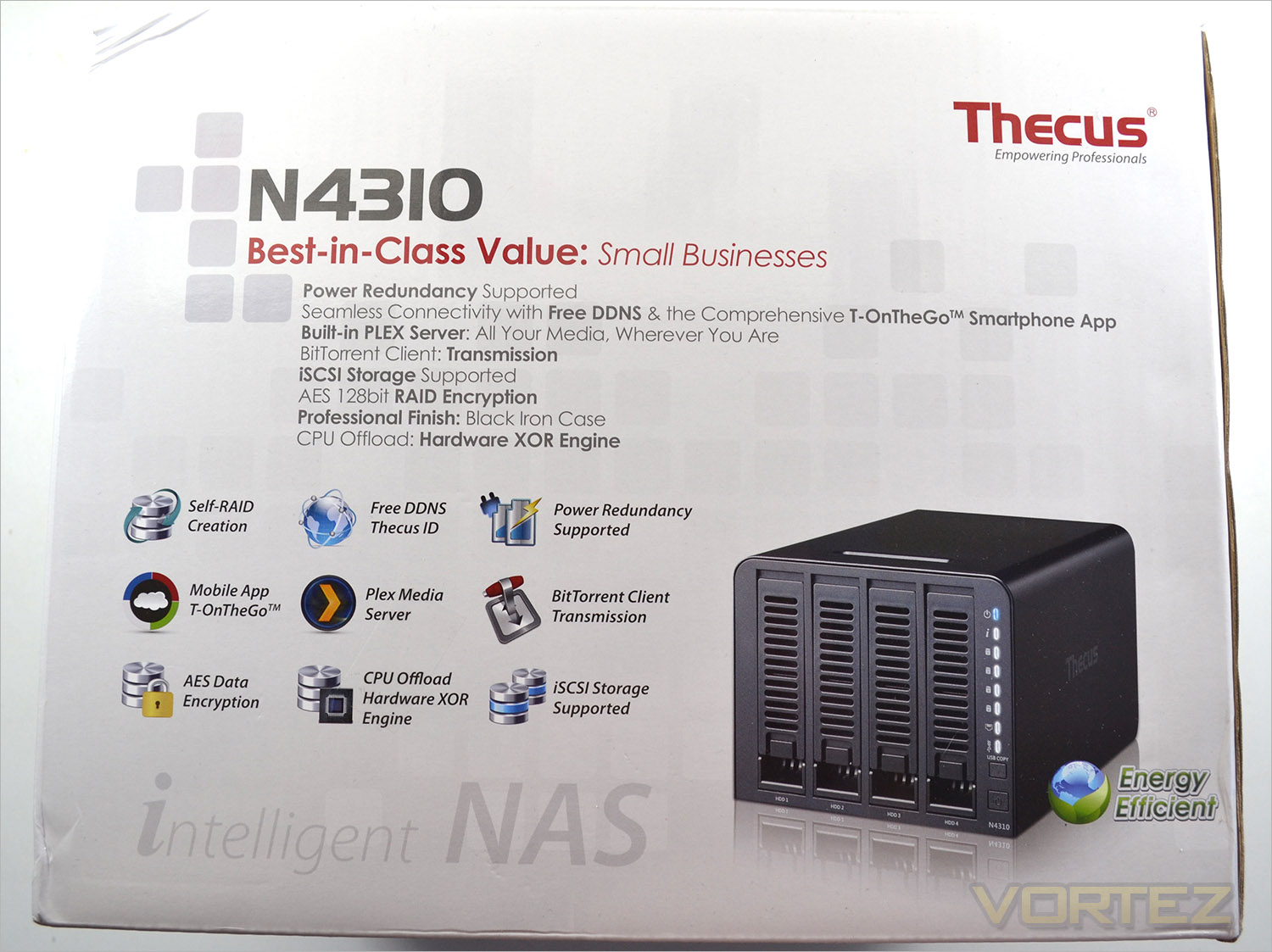
Our sample of the Thecus N4310 arrived with a pretty hefty dent to the corner of packaging which is no fault of the company more likely careless courier service. This did not however give us cause for concern once we opened up the package as the N4310 was very well protected. The accessories were separated from the main unit by a large box while the main unit was held securely in place by two extra large foam braces. This should ensure that if like us you have an over zealous courier, the unit should still arrive to you in perfect working order.
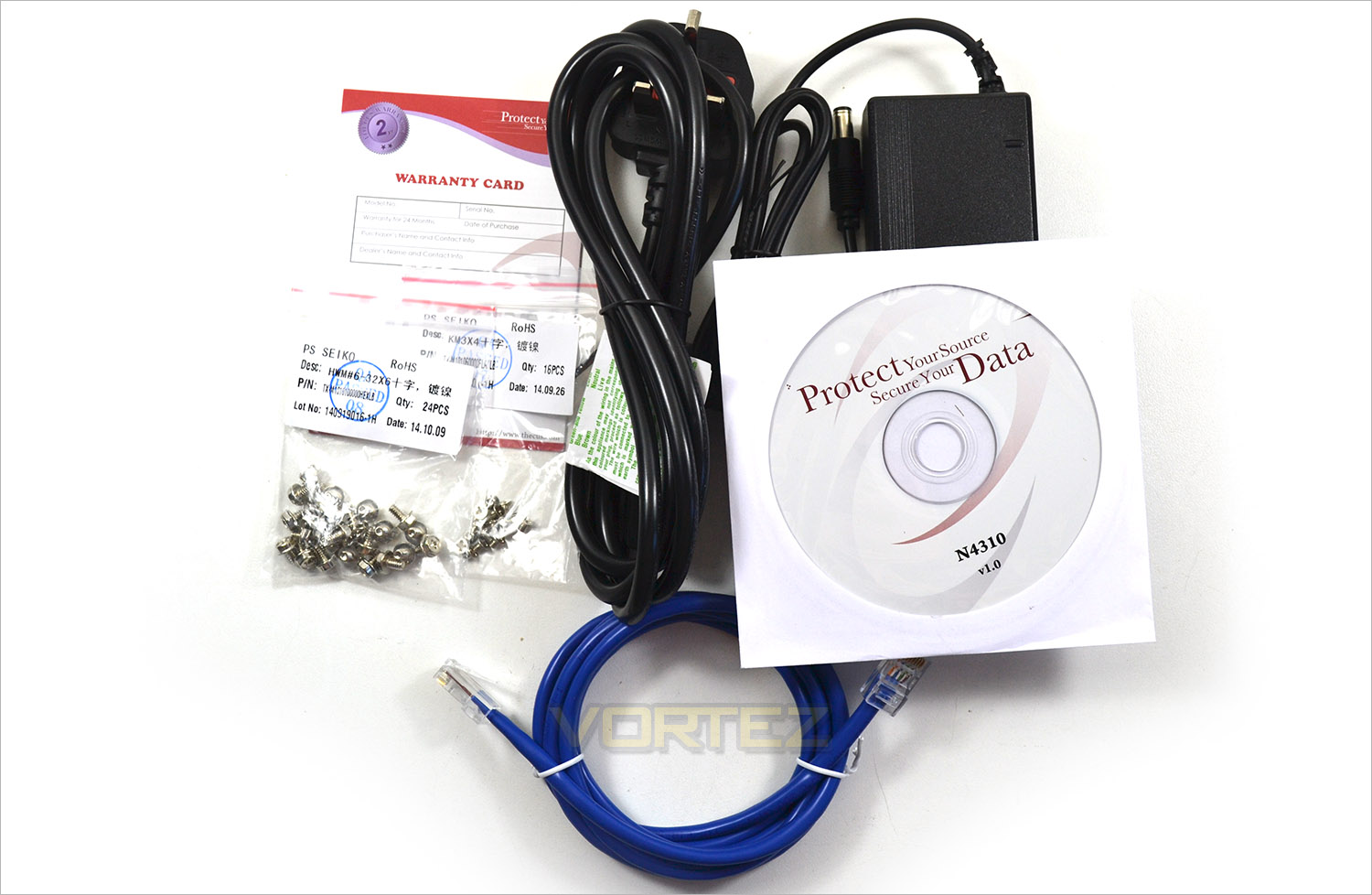
The accessories included with the N4310 are basic but included everything you should need to get you started except the all important hard drives. For your money you will get a quick installation guide, drivers and further digital installation guide CD, warranty card, a CAT 5e Patch cable, power supply and ample screws with which to install your hard drive(s). We would have liked to have seen a LAN cable that was a little longer but other than that we were happy with what was included.
Closer Look
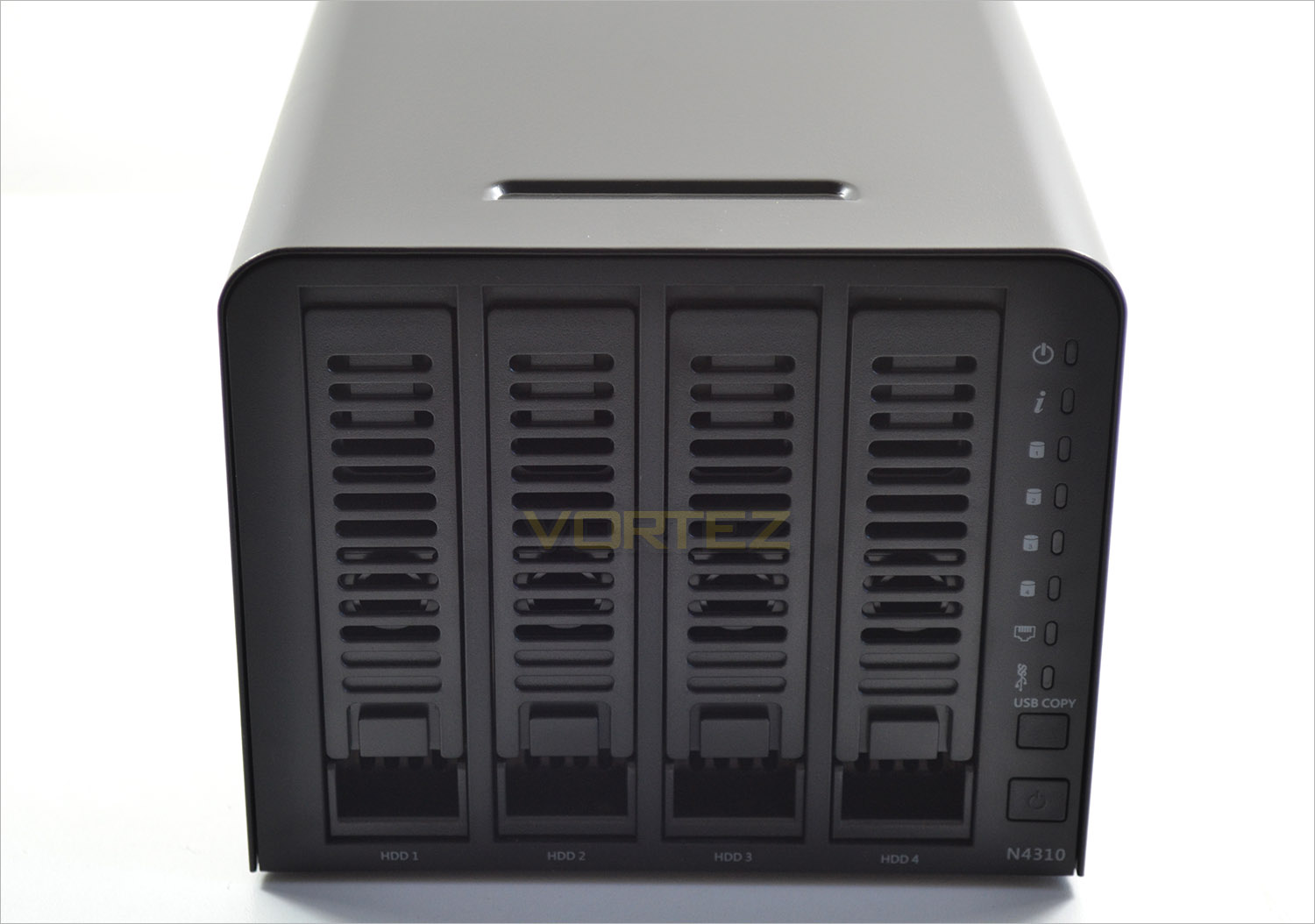
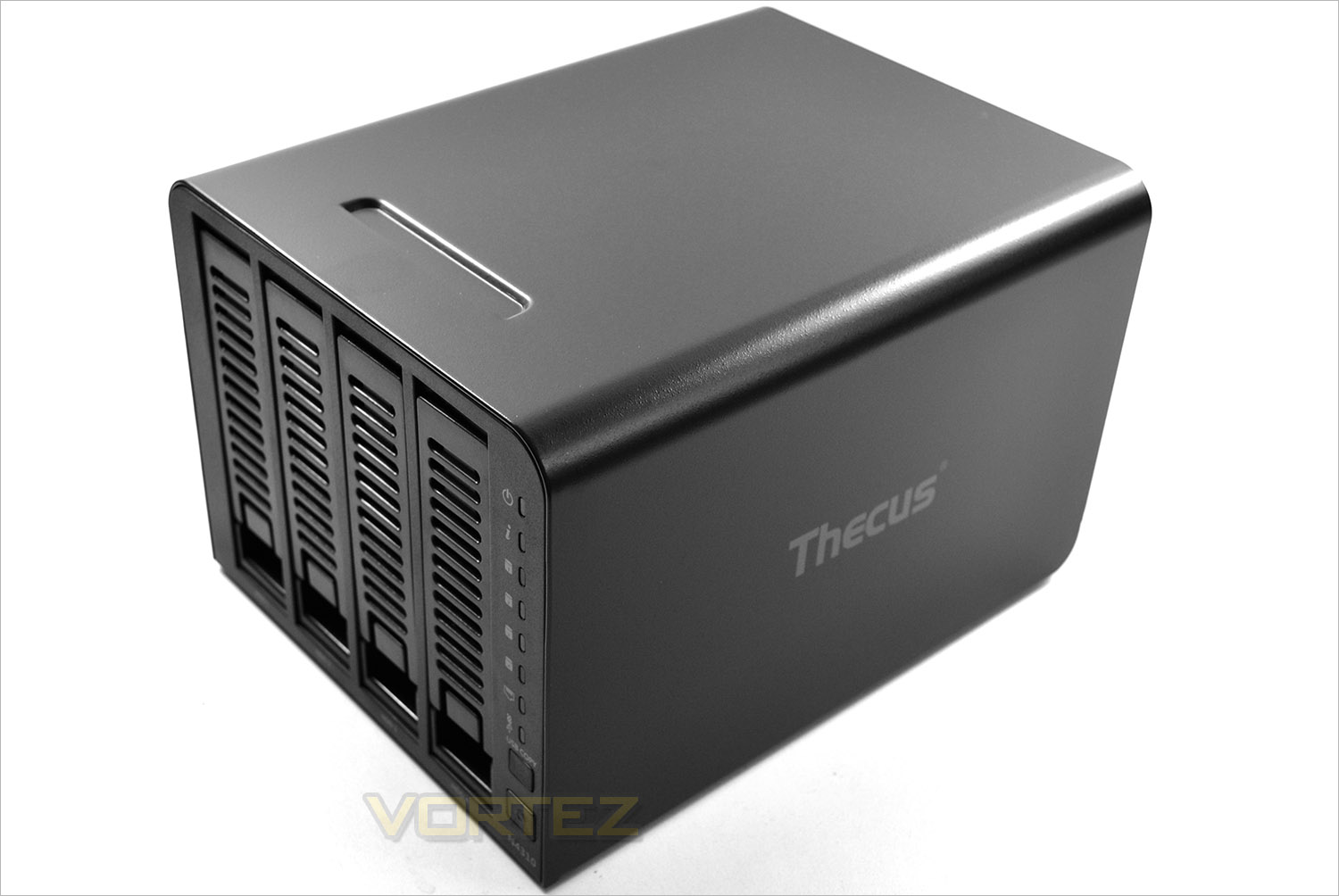
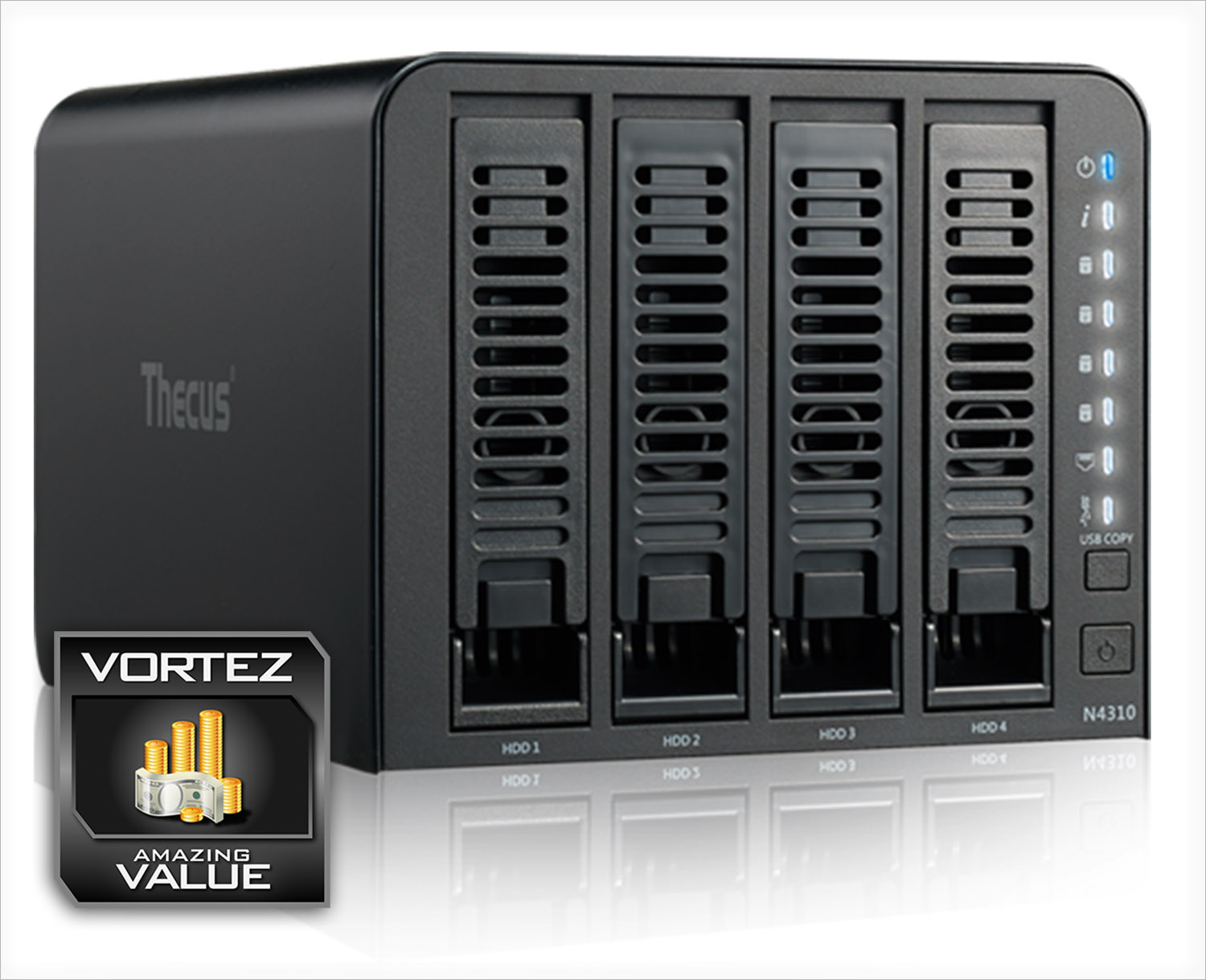
The front of the unit features the quick install 4 drive bays, each with vented panels and discreetly labled HDD 1 through 4. To the right are a variety of LED indicators that show the main power. info, HDD 1 through 4 activity lights, network status and USB status. The LED’s are quiet bright, perhaps too bright if you intend on using this unit in a Cinema display cabinet as the contant flickering of the activity LED’s can be distracting.
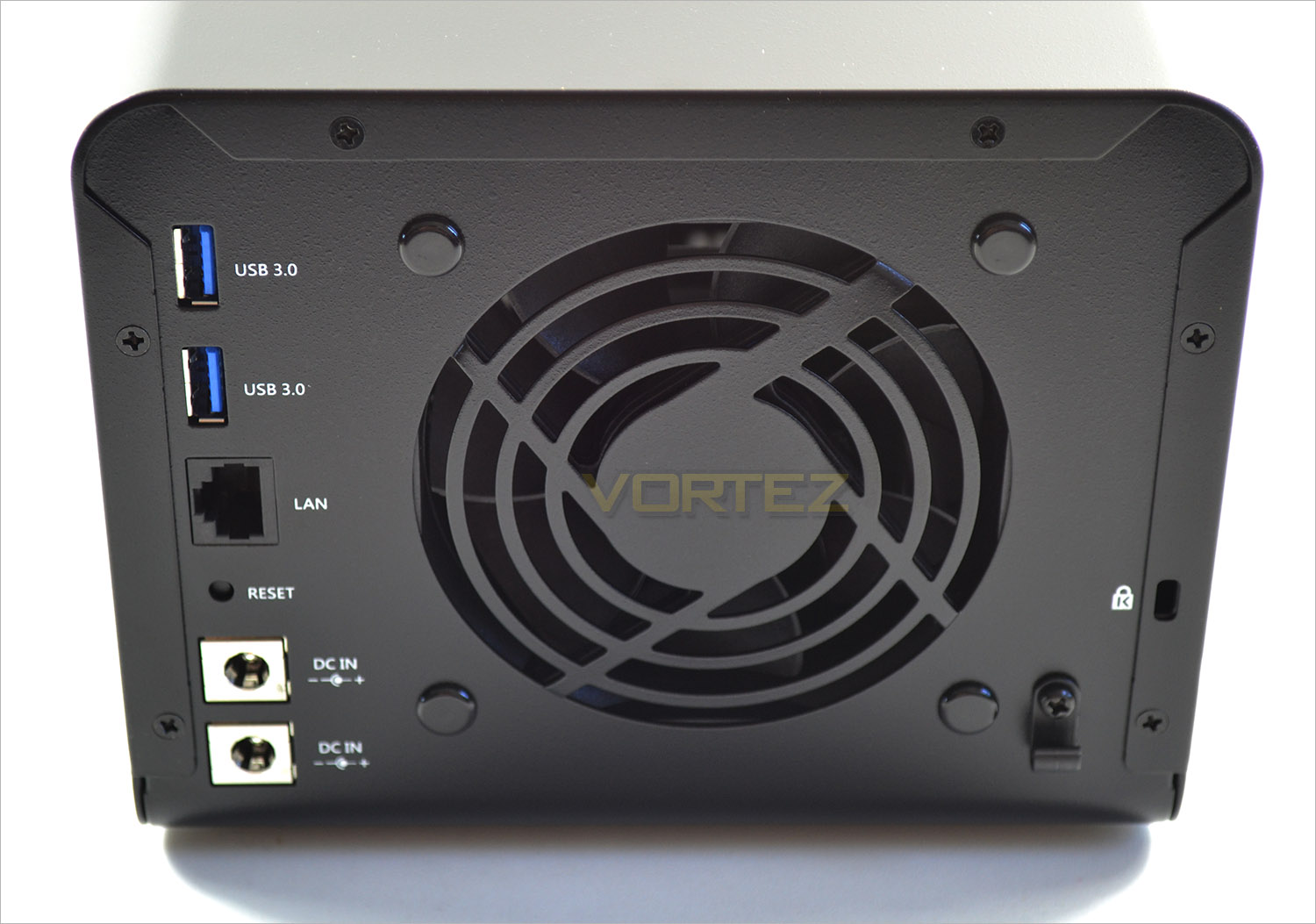
the rear of the unit features two USB 3.0 ports, an upgrade from the USB 3 + USB 2 found on the N2310 unit. A signle LAN port, a recessed hard reset button. We appreciated the fact that Thecus had supplied a redundant DC input power port too. The 80mm fan included on the N4310 was much quieter than the 60mm fan found on the N2310 and should be enough to keep the hard drives cool by drawing air in from the front and exhausting them out of the rear.
The finish of the N4310 is a mottled metal. Sprayed black, this unit will look at home in 99% or scenarios. We were however surprised at the weight of the unit (3KG) without any hard drives installed. This is much heavier that the N2310, thanks in part to the Metal vs. plastic casing.
Overall, the N4310 appears to be a solid, well designed unit that will cater for those looking for a larger NAS. We can’t see how Thecus could have made the unit any smaller without making technical compromises and while the weight could be improved, we appreciated the solid metal casing as opposed to the plastic found on the N2310.
Let’s see how the installation went…
HDD Installation
Installing storage drives to N4310 is a relatively simple process of removing the drive bay trays which a locked in place by flexible plastic tabs and the drive trays themselves.
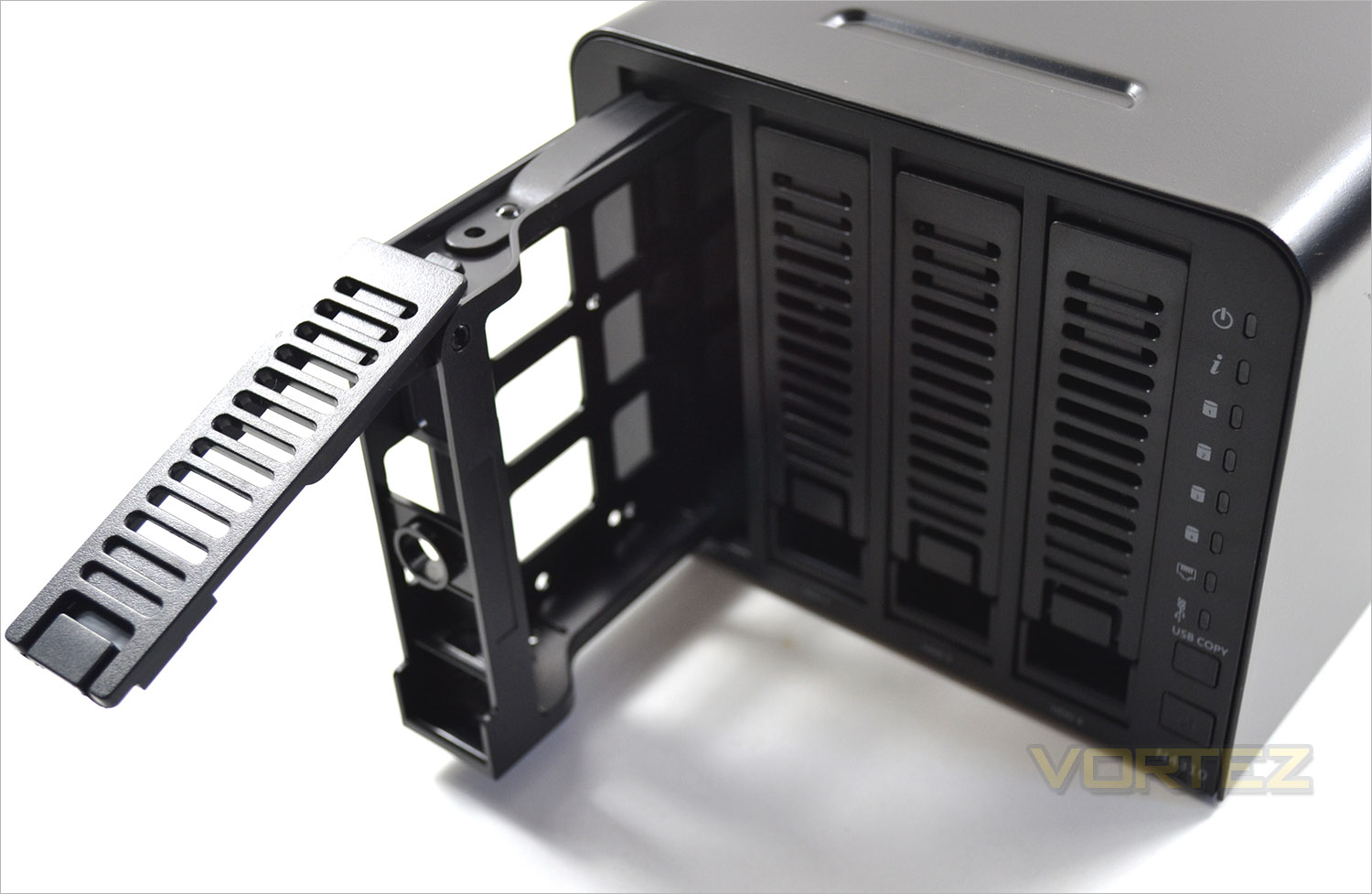
As with the N2310, the N4310 features quick install storage. With the HDD’s installed onto plastic cradles, they simple slot into the NAS unit and then lock into place with the quick latch system. Installing the hard drives could not be easier with no technical knowledge required.
There are two sets of screws included, one set for large 3.5″ drives and one for smaller 2.5″ drives, including SSD’s. While obvious to some it should be stated that no hard drives are included with this product.
The hard drives can be clipped into place and once married up to the screw holes are then held firmly, ready for the drive tray to be slid back into position. Get the orientation wrong and the drive won’t ‘click’ soundly in place. Yes, the drive bays can be slid in either orientation which could result in broken components. Thankfully we took note of the correct orientation before installing the drives and they married up perfectly with the SATA data and power ports.
Thecus OS 6
Thankfully, installing the N4310 NAS into your network is extremely simple and identical to the process we used for the THECUS N2310. You basically have two choices. Run the software form the included CD or visithttp://install.thecus.com which will automatically initiate the installation for Mac, Linux and Windows users.
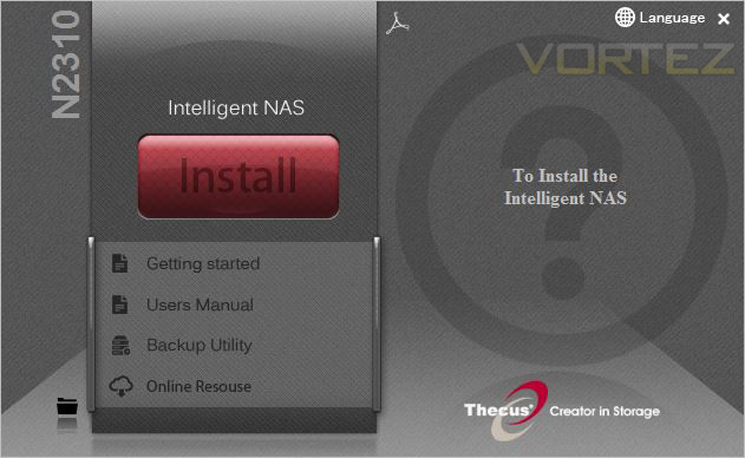
The installation process takes less than 5 minutes to complete and moves between various stages to configure user access and general settings.
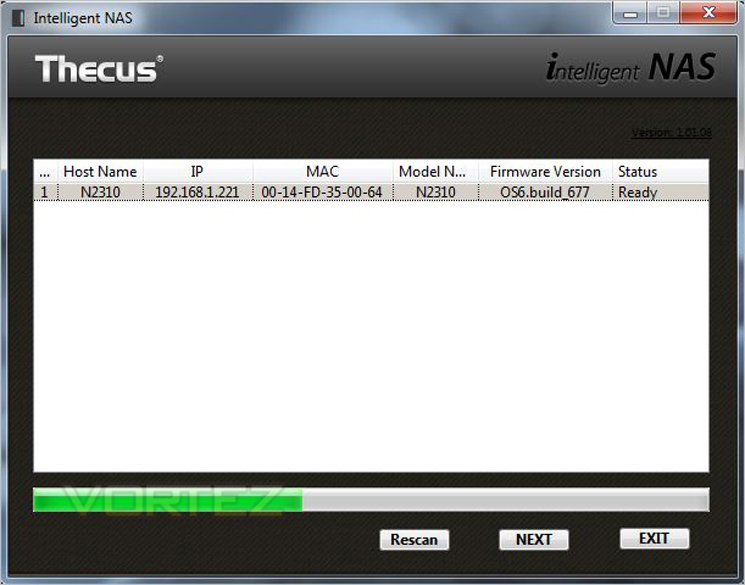
With the software installed on the NAS, the network will be scanned to pick up the unit you wish to connect to (in this case the N4310).
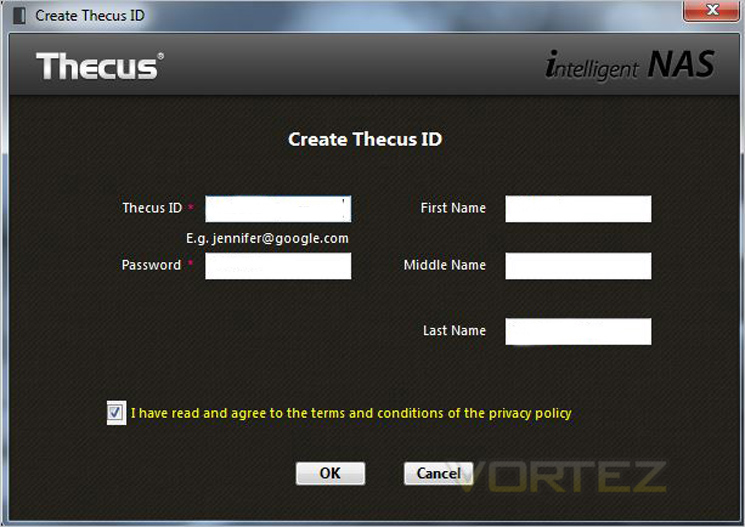
You will then be asked to enter your email address as a username along with a password. Thecus need this info to create a free DDNS address for you which will allow you to connect remotely from anywhere in the world with internet access.
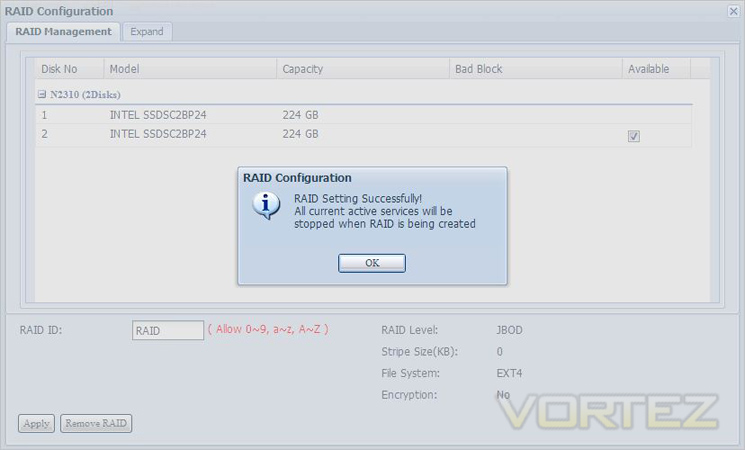
Up to 4 drives can be added and as you can see here we used 2 x SSDs in RAID but drives can also be added to make a JBOD RAID (multiple disks used together to make one big disk or in the usual RAID 0 or RAID 1 setups.
Below we have produced a video which demonstrates some of the options and features which can be used when ThecusOS 6 is installed.
Although there are plenty of options inside the OS the feedback and overall design feels somewhat rough around the edges compared to rival NAS software. We think Thecus need to improve the interface by making it more user friendly and by making use of newer programming technologies.
T-OnTheGo
There are plenty of uses for a Thecus NAS but one particular feature which is touted as fundamental to ThecusOS is T-OnTheGo.
T-OnThego is a cloud management solution that allows interface between a smartphone/tablet and the Thecus NAS. All types of files can be managed between both devices and users can even upload directly to specific folders. In order to use T-OnTheGo, WebDAV needs to be enabled server-side and by default this is already enabled so its just a case of downloading the T-OnTheGo app for your mobile device.
Below shows a demonstration of how T-OnTheGo works with the N2560 but the principle of the N4310 is the same. As you can see, files and folders can be read quite easily. Videos can be streamed directly to mobile devices and files such as pictures can be uploaded to folders for backup/storage purposes.
Performance
…We have looked at some of the features that ThecusOS 6 brings with N4310 but how does this affect performance? What are typical transfer rates like over a Gigabit network? Is power consumption reasonable? These are all questions that you might be asking and we are here to answer them.Motherboard: MSI X99S PLUS
CPU: Intel Core i7-5960X Extreme Edition @ 4.5GHz
RAM – 16GB (4x4GB) Corsair Vengeance (Red) DDR4 @ 2666MHz CAS 16-17-17-39
Power Supply – Thortech Thunderbolt Plus 1200W
Hard Drive – Kingston HyperX 240GB
Cooler – Corsair H100
CPU: Intel Core i7-5960X Extreme Edition @ 4.5GHz
RAM – 16GB (4x4GB) Corsair Vengeance (Red) DDR4 @ 2666MHz CAS 16-17-17-39
Power Supply – Thortech Thunderbolt Plus 1200W
Hard Drive – Kingston HyperX 240GB
Cooler – Corsair H100
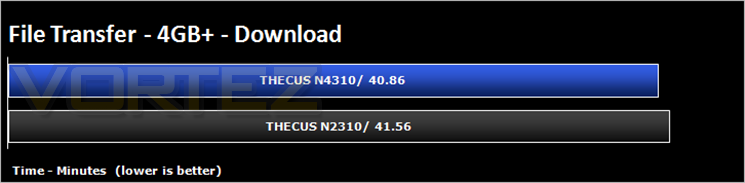
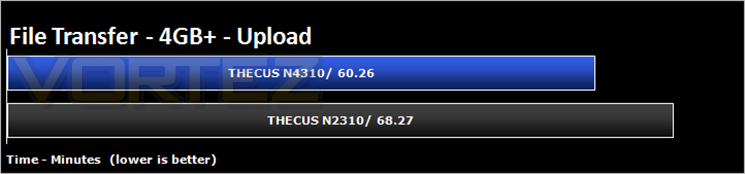
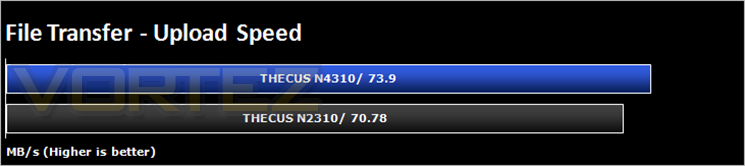
To test for real world speed, we take a 4GB file and upload it to the NAS drive (which has a 2TB Western Digital Black Edition installed). We then test the download speed by grabbing the file from the NAS and copying to our desktop.

Conclusion
Overall, it’s hard to fault the Thecus N4310. First and foremost it is a cheap NAS and here is where Thecus scores big. For a little over £200, this 4 bay NAS is one of the cheapest on the market, certainly when you also consider the amount of features it has to offer. Clearly Thecus have cut some corners with regard to the materials employed. ThecusOS 6 has seen quite a few upgrades and is becoming easier to use but is still behind some of the competition. It is fluid at times while at others it is still a little cumbersome to use. The ability to add after market apps expands the versatility of the unit and even if this is not a route you wish to take, the included apps such as PLEX compliment the NAS well.
Setting up the unit has certainly been improved thanks to the Intelligent NAS finder. The old setup on the N2310 was not the most user friendly to use and in truth, many times we resorted to using a variety of work arounds through Windows to access the drives features rather than going through the NAS’ own OS. Performance too was good but not great. Despite our best efforts we could not get a 100MB/s transfer rate.
Simply put, this drive offers great value for money and unless you are a NAS connoisseur, the Thecus will likely impress. There are better NAS solutions on the market but at preset, we can’t think of one which comes close to offering the same value for money.
IF you are in the market for a NAS solution offering a great deal of features and functionality that defies its price point, the Thecus N4310 should be high on your shopping list.
Pros
+ Great Value
+ Flexible feature-set
+ USB 3.0 Hard Copy
+ Free DDNS
+ Good Transfer speeds
Cons
– Not very portable
+ Great Value
+ Flexible feature-set
+ USB 3.0 Hard Copy
+ Free DDNS
+ Good Transfer speeds
Cons
– Not very portable

Click here for an explanation of our awards at Vortez.net.