







We take a look at the high-end of the Urban Series with the S71 full-tower computer chassis. Can S71 compete with its rivals though?

Product on Review: Urban Series S71
Manufacturer and Sponsor: Thermaltake
Street Price: £95 / $150 At time of review)
Having already looked at the Urban S21 and been impressed by Thermaltake’s new venture into the silent computer chassis sector today we are going to be looking at a model at the opposite end of the spectrum. S21 is designed for budget conscious enthusiasts but the S71 is the higher-end offering within the series and has a respective feature-set.
Urban S71 is a full-tower chassis with minimalist styling which is typical of a case, of this calibre. S71 can accommodate a plethora of high-end hardware and comes with three cooling fans; all configured via a handy two-speed fan controller. The real question is can S71 compete with other popular offerings which currently dominate the market?
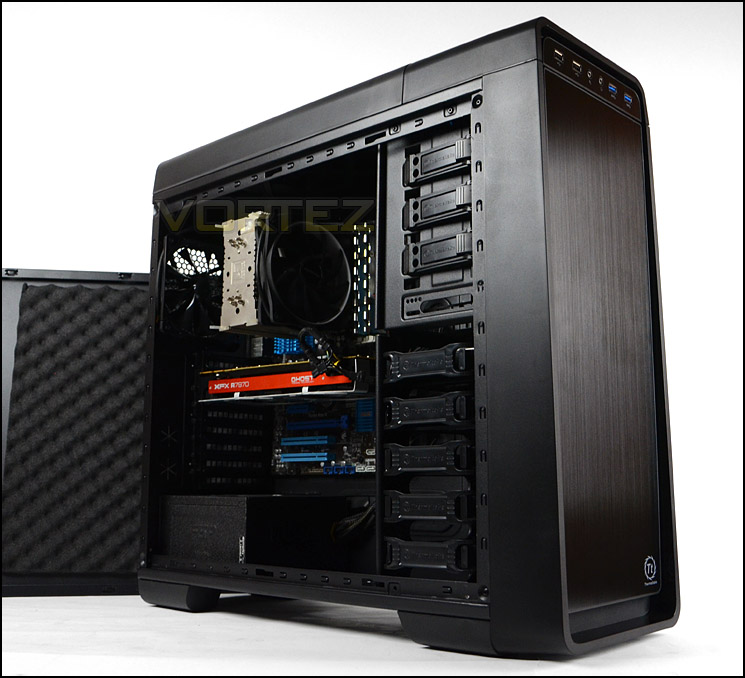
Thermaltake on their Urban S71
Urban S71 mainstream full-tower, categorized in Thermaltake latest chassis collection – Urban Series. The entire series has a simple and elegant aesthetic, design for users who looks for everything but a flamboyantly appearance.
Technical Specifications
Model
VP500M1W2N
Case Type
Full Tower
Dimension (H x W x D)
534 x 213 x 584 mm
(21.0 x 8.4 x 23.0 inch)
Net Weight
10.5Kg / 23.2 lb
Side Panel
Steel Panel or Transparent Window
Color
Exterior & Interior : Black
Material
SECC
Cooling System
Front (intake) :
200 x 200 x 30 mm fan (600~800rpm,13~15dBA)
Rear (exhaust) :
120 x 120 x 25 mm Turbo fan (1000rpm,16dBA)
Top (exhaust) :
200 x 200 x 30 mm fan (600~800rpm, 13~15dBA)
Bottom (intake) : (Optional)
120 x 120 x 25 mm fan or 140 x 140 x 25 mm fan
Drive Bays
– Accessible : 3 x 5.25’’, 1 x 3.5’’
– Hidden : 5 x 3.5’’ or 2.5’’
– Docking : 1 x 3.5” or 1 x 2.5”
Expansion Slots
8
Motherboards
9.6” x 9.6” (Micro ATX), 12” x 9.6” (ATX), 12” x 13” (Extend ATX)
I/O Ports
USB 3.0 x 2, USB 2.0 x 2, HD Audio x 1
PSU
Standard PS2 PSU (Optional)
LCS Upgradable
Supports 1/2”、3/8”、1/4” water tube
Other…
CPU cooler height limitation: 160mm
VGA length limitation: 344mm
VP500M1W2N
Case Type
Full Tower
Dimension (H x W x D)
534 x 213 x 584 mm
(21.0 x 8.4 x 23.0 inch)
Net Weight
10.5Kg / 23.2 lb
Side Panel
Steel Panel or Transparent Window
Color
Exterior & Interior : Black
Material
SECC
Cooling System
Front (intake) :
200 x 200 x 30 mm fan (600~800rpm,13~15dBA)
Rear (exhaust) :
120 x 120 x 25 mm Turbo fan (1000rpm,16dBA)
Top (exhaust) :
200 x 200 x 30 mm fan (600~800rpm, 13~15dBA)
Bottom (intake) : (Optional)
120 x 120 x 25 mm fan or 140 x 140 x 25 mm fan
Drive Bays
– Accessible : 3 x 5.25’’, 1 x 3.5’’
– Hidden : 5 x 3.5’’ or 2.5’’
– Docking : 1 x 3.5” or 1 x 2.5”
Expansion Slots
8
Motherboards
9.6” x 9.6” (Micro ATX), 12” x 9.6” (ATX), 12” x 13” (Extend ATX)
I/O Ports
USB 3.0 x 2, USB 2.0 x 2, HD Audio x 1
PSU
Standard PS2 PSU (Optional)
LCS Upgradable
Supports 1/2”、3/8”、1/4” water tube
Other…
CPU cooler height limitation: 160mm
VGA length limitation: 344mm
Packaging & First Look
S71 is presented in a large double-reinforced cardboard box which has a graphically pleasing depiction of the case on the front and back. On the sides of the box there are technical details for those who want more information on S71.
Inside, the case is covered in a clear plastic sheet and protected with dual polystyrene pillars for extra fortification during transit.
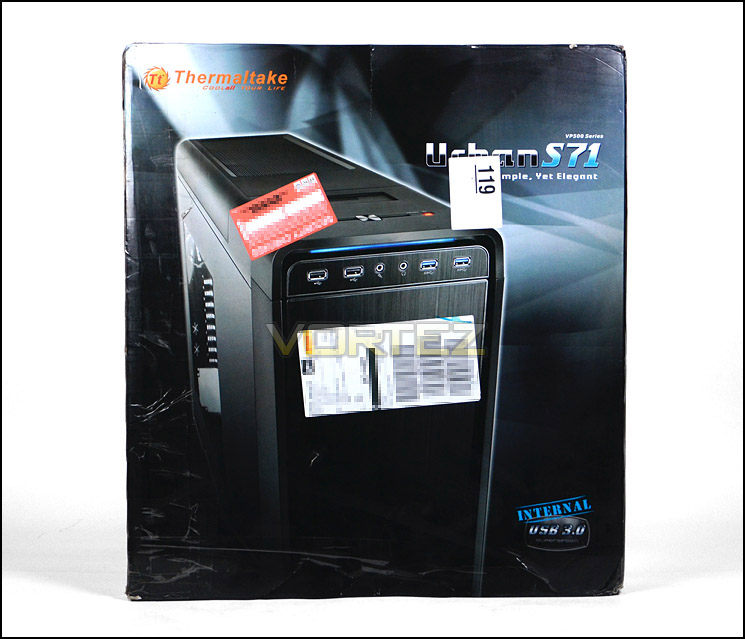
S71 is presented in a large, eye-catching box
Just like other models within the Urban series, S71 adopts a minimalist approach to case design. This is a new concept for Thermaltake since their numerous other product lines opt for abstract and daring designs. S71 is a full-tower unlike other models which are mid-tower.
S71 comes in two variants, with or without Perspex window. The version we are looking at today is the non-windowed option. The prominent side panel is completely flat and without any distinct styling whereas the reverse panel features a convex design to cater for better cable management.
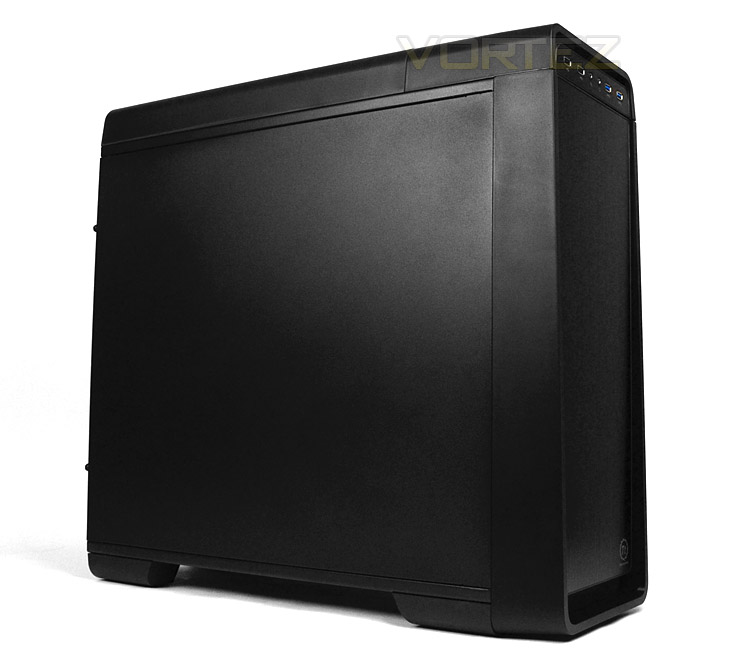
Discreet styling for the enthusiast
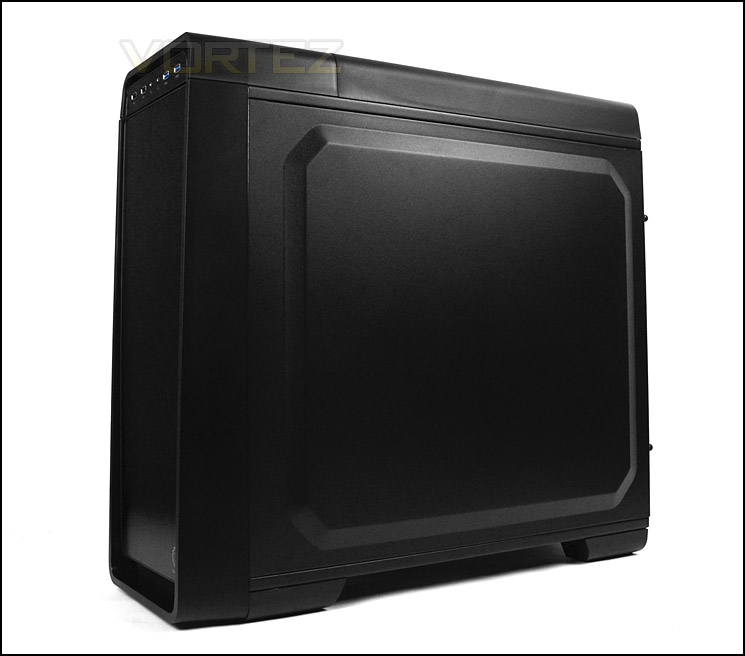
Convex reverse panel for better cable management
Exterior
The front of S71 features a brushed aluminium door which pivots from the left-hand side via three hinges. Underneath there are 3x 5.25” drive bay covers and a 3.5” drive bay cover. In the lower region there is also a removable dust filter for the front 200mm cooling fan (see more details in our video)
Around the back of S71 there is an opening at the bottom for mounting the PSU and a total of eight PCI expansion slot covers which have ventilation and thumbscrews. Thermaltake have included dual rubber grommets to the side for tubing/cabling. At the top of the case resides the 120mm cooling fan and a handy bracket for locking/attaching the mouse cord for security reasons.
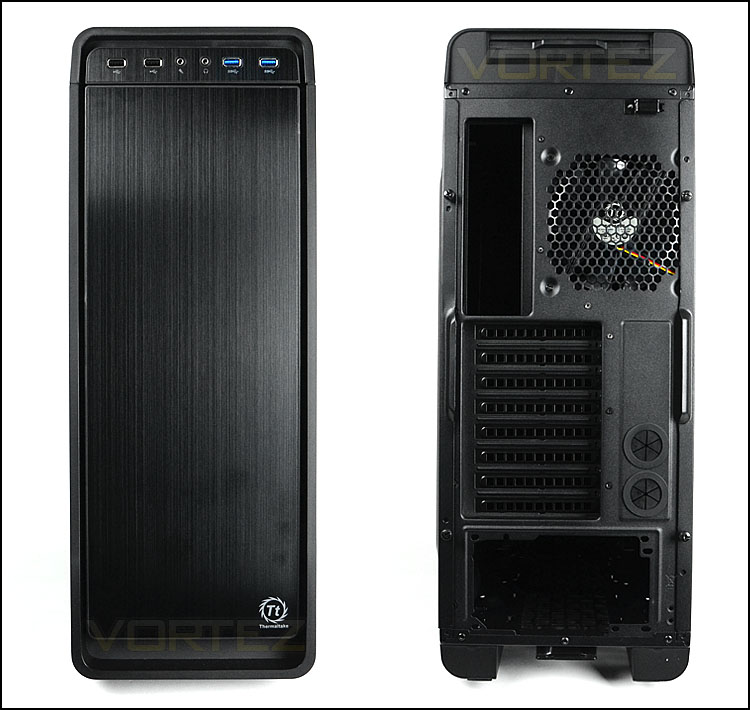
The front and back of Urban S71
Up at the top of S71 are the front panel controls which are split into two different sections. The front facing panel contains 2x USB 2.0 ports, 2x USB 3.0 ports (via internal motherboard header) and headphone/microphone jacks.
Above this on the top-side, is a two-speed fan controller, power and reset button with LED and a HDD docking station which can accommodate 2.5” and 3.5” drives.
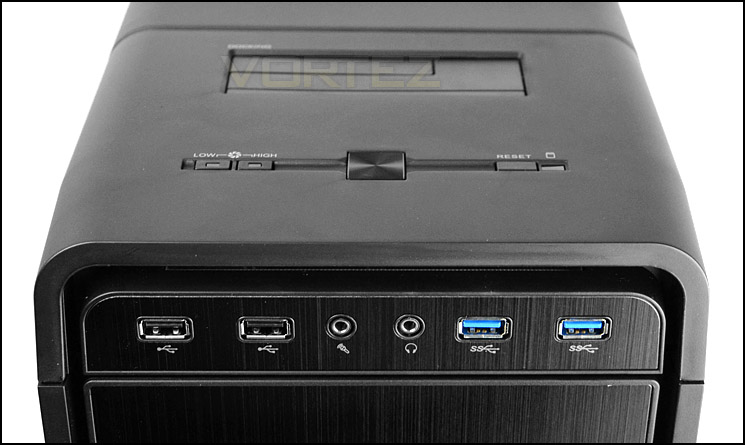
Front panel connectivity with numerous options
Up at the top of the case there is an area of ventilation which is constructed of perforated mesh. This panel gives ventilation for the 200mm exhaust cooling fan. Thermaltake have equipped the top fascia with a dust filter which slides out – this can be removed and cleaned.
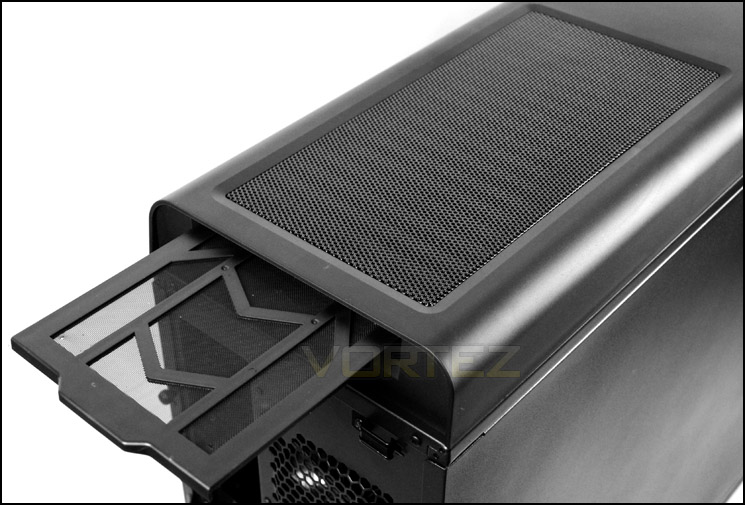
Top panel with removable dust filter
The underside of S71 features four rubber feet to prevent slippage on smooth surfaces and a large dust filter covers the PSU and bottom fan spot.
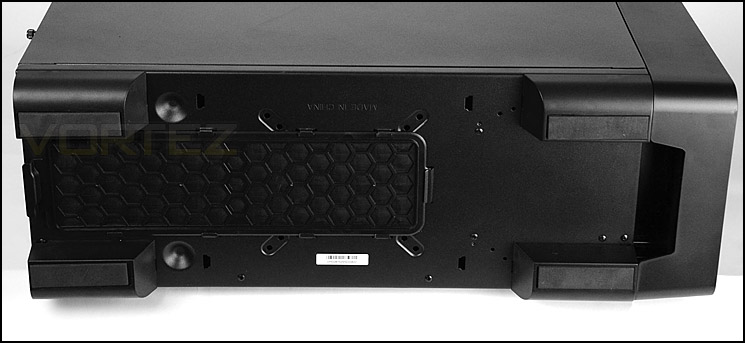
The underside with rubber feet and dust filter
Interior
Both side panels are attached via dual thumbscrews. Upon removing the side panels we are met with a spacious internal layout which comprises of numerous cable management grommets and tool-free installation methods.
S71 can accommodate E-ATX, ATX and M-ATX form factors and the insides are powder coated black. All of the cable sleeving is also black to maintain maximum concealment.
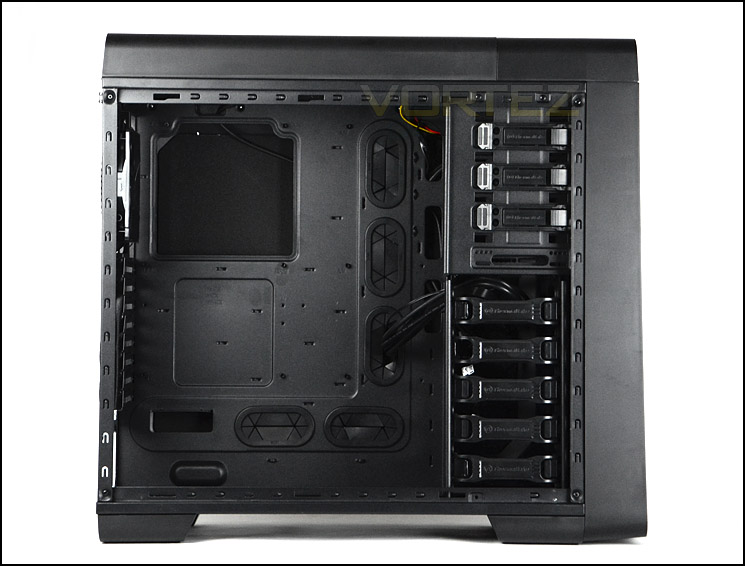
Support for different form factors
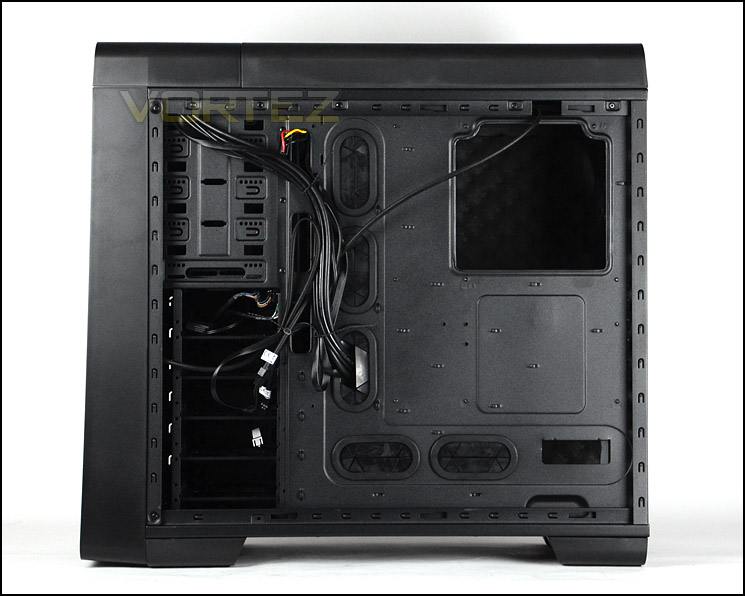
Plenty of cable management grommets
Inside the case, at the bottom, is the area for mounting the PSU. Unlike the Urban S21, the S71 has no rubber padding for anti-vibration. We have to admit, it’s a disappointment that the budget model in the series has this feature but the higher-end model doesn’t.
Next to the PSU area is a mounting plate for attaching a 120/140mm cooling fan to the bottom of the case. Both the PSU and cooling fan area are covered by a removable dust filter which can be removed from the back of the case – without having to turn the case on its side.
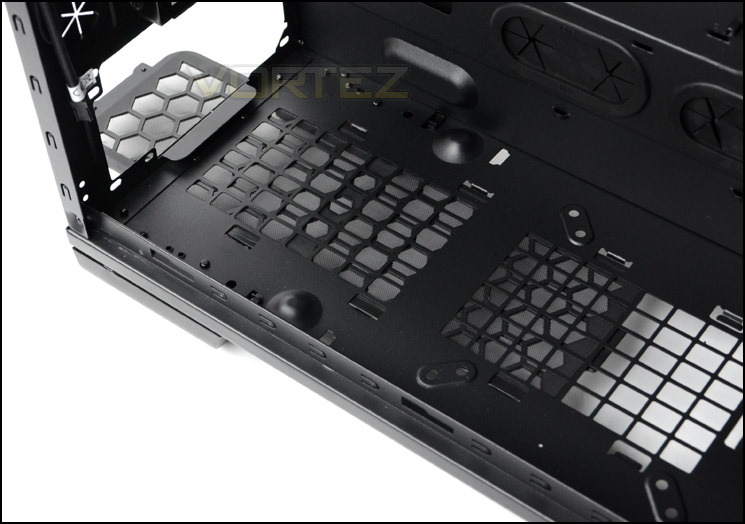
PSU mounting area within S71
Thermaltake have equipped S71 with eight PCI expansion slot covers, each of these has ventilation for better airflow and thumbscrews for easy removal. There are also two rubber grommets to the side for tubing/cabling.
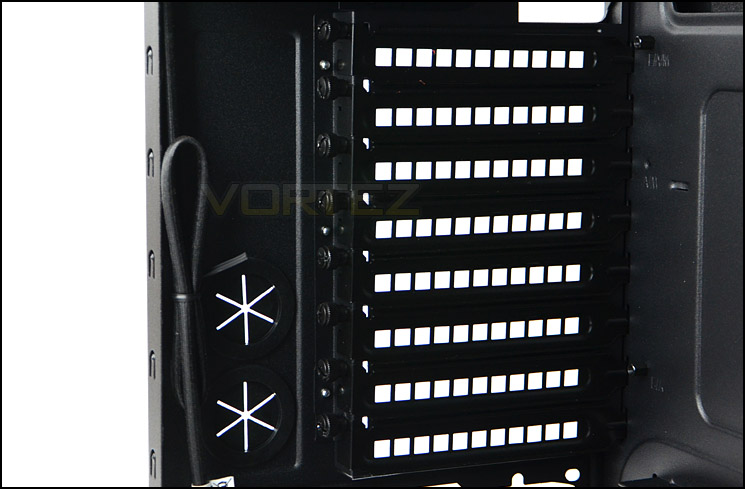
Up to eight PCI expansion slot covers
Interior (Continued)
Towards the back of the case there is a 120mm rear exhaust fan capable of up to 1000RPM. Mounted at the top is another exhaust cooling fan which is 200mm capable of 600-800RPM. There is also the option of attaching dual 120/140mm cooling fans instead of the 200mm pre-installed choice. In our Thermaltake S71 video review we demonstrate how this case can entertain thin radiators such as those that come with the Corsair H100i. Not all of the mounting holes match up to the case.
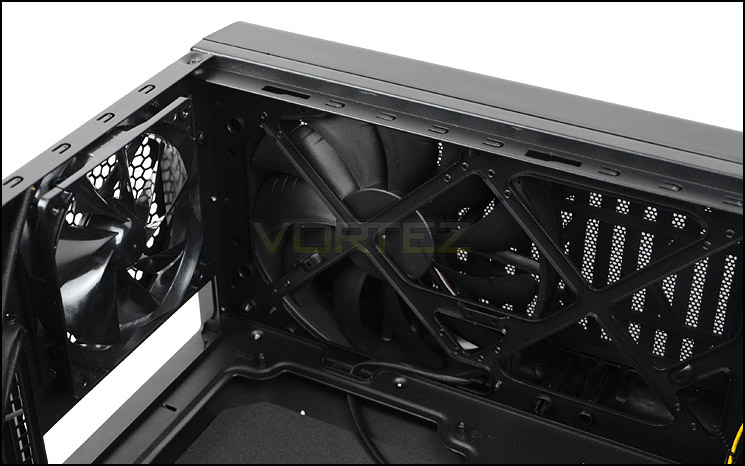
A 120mm rear exhaust and 200mm top exhaust cooling fan
Over on the other side, the optical drive bay features 3x 5.25” drive bays which have a tool-free method for installing such drives. The latch simply needs to be pressed in to secure a device. In the lower slot sits a 3.5” adapter for installing a product like an SD card slot reader.
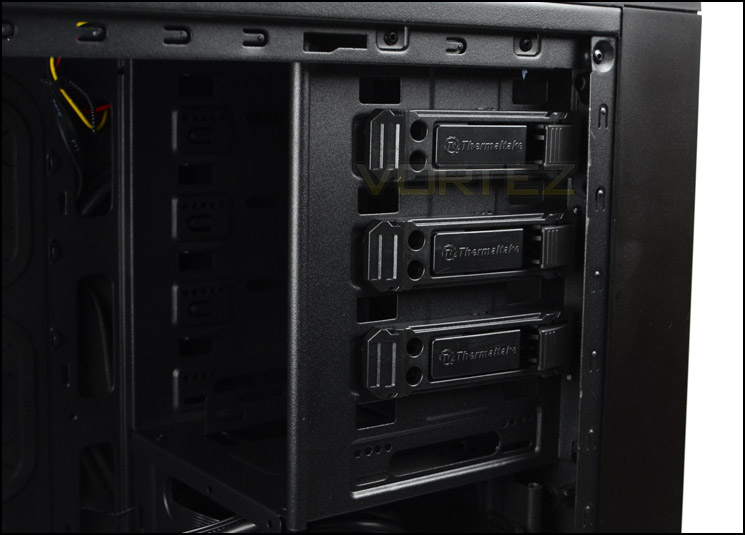
The optical drive cage within S71
Below the optical drive bays is the HDD storage cage. This cage can accommodate up to five drives within a plastic tray. The plastic trays can assist with 2.5” or 3.5” options. Behind this section sits a large 200mm cooling fan which is orientated as an intake to bring cool air inside the case. This fan operates at 600-800RPM.
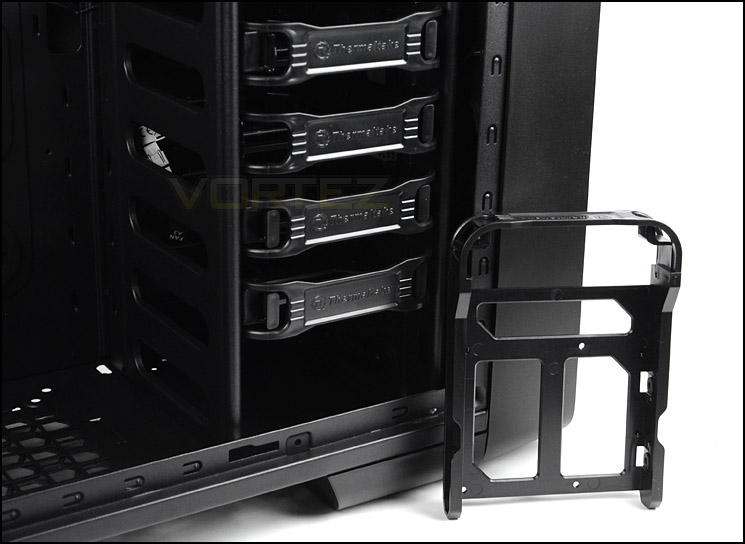
S71 can entertain up to five 2.5” or 3.5” drives
Installation
The installation process with Urban S71 is easy thanks to the space inside the chassis, tool-free mechanisms and cable management grommets.
We are pleased to see a cut-out at the top of the motherboard tray for CPU power. It means that this cable can be routed behind the motherboard tray.
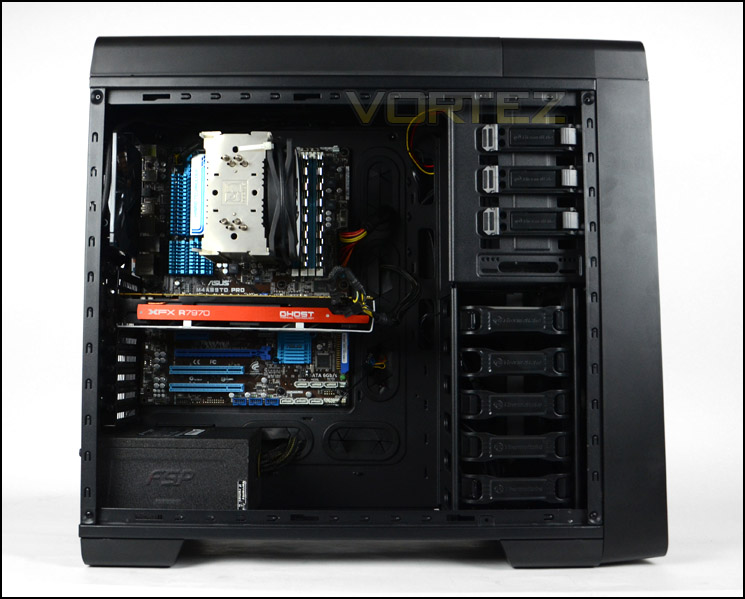
The installation process is fast and easy
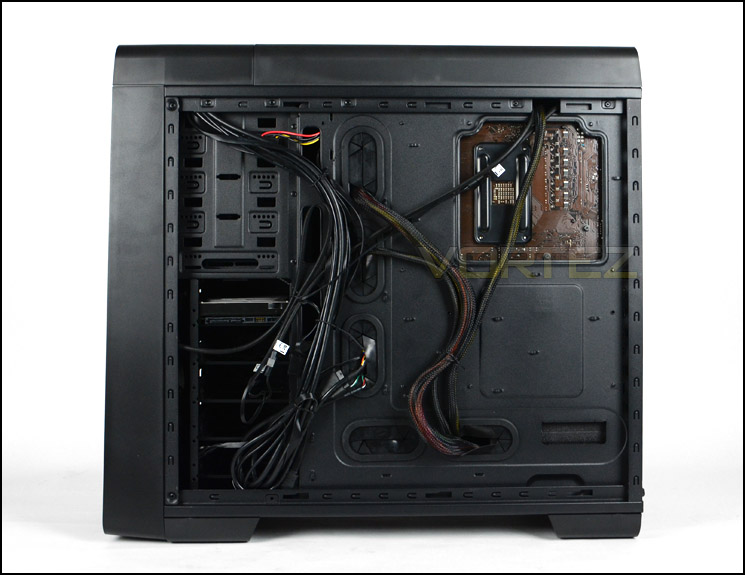
Cable management is easy to maintain
In order to install a drive within S71 it is necessary to use one of the provided trays. To install a 3.5” drive screws need to be installed into the sides of the drive/tray whilst with 2.5” the screws need to be applied on the underside.
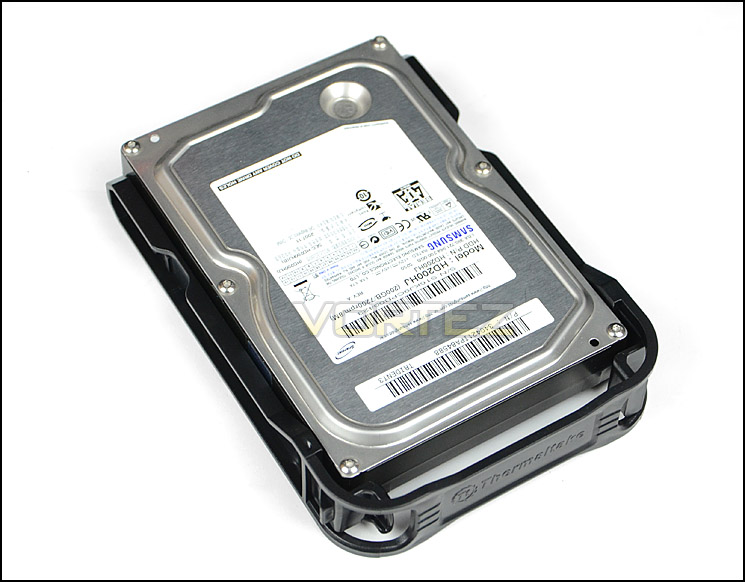
Different sized drives can be installed
Clearance – CPU Cooler, GPU, Cable Management
Urban S71 can entertain big CPU coolers – installed within S71 is Noctua NH-U12P which is 158mm in height, this case can accommodate up to 160mm. So this includes Noctua NH-D14 and Thermalright Silver Arrow.
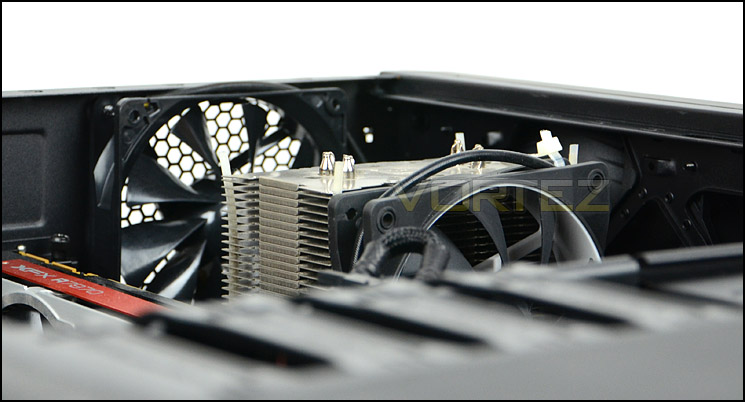
Support for big CPU coolers
Although the HDD cage cannot be removed due to it being riveted, there is more than sufficient clearance for long graphics cards. There is approximately 13” of clearance for such a device, the card pictured is XFX HD7970 DD which is 10.5” in length.
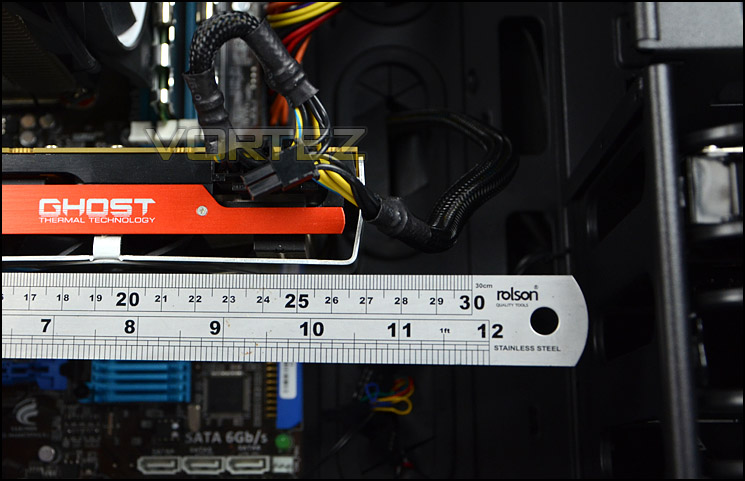
Support for long graphics cards
The clearance behind the motherboard tray measures at approximately 1.5cm. Combine this with the convex side panel and the makings for good cable management are all there.
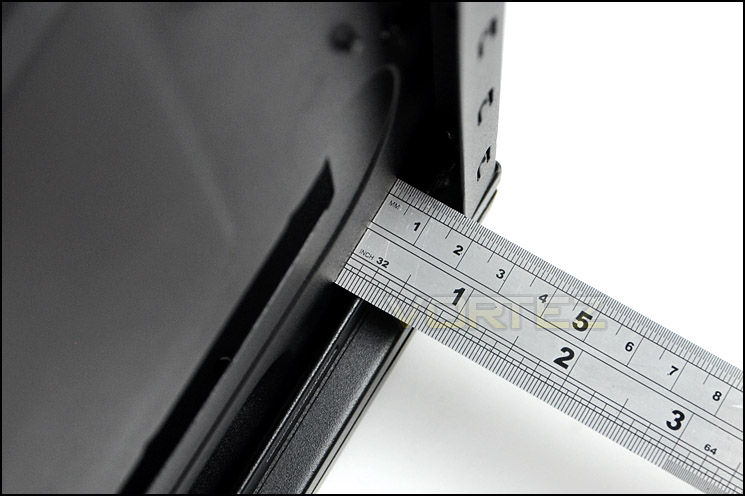
Clearance behind the motherboard tray
Thermal Performance Testing
S71 has three pre-installed fans – 1x 120mm rear exhaust and 2x 200mm top exhaust/front intake. For this test we will be using the “low” setting on the fan controller.
To discover the thermal performance of S71 we will record idle temperatures after 20 minutes from a cold boot. We will then stress the system and temperatures will again be monitored after 30 minutes have elapsed.
For the purpose of accurate analysis the idle and load temperatures for CPU and GPU will be recorded and the range between idle and load will be calculated to determine how efficient cooling is.
NOTE: Ambient temperature is 20C
System Components
CPU AMD Phenom II X6 1055T 2.8GHz
Motherboard ASUS M4A89TD PRO
Graphics NVIDIA GTX 480 (Different from card pictured)
Memory 4GB Mushkin EM3-10666 DDR3
HDD Samsung Spinpoint 500GB SATA-II
PSU FSP AURUM GOLD 650M
Motherboard ASUS M4A89TD PRO
Graphics NVIDIA GTX 480 (Different from card pictured)
Memory 4GB Mushkin EM3-10666 DDR3
HDD Samsung Spinpoint 500GB SATA-II
PSU FSP AURUM GOLD 650M
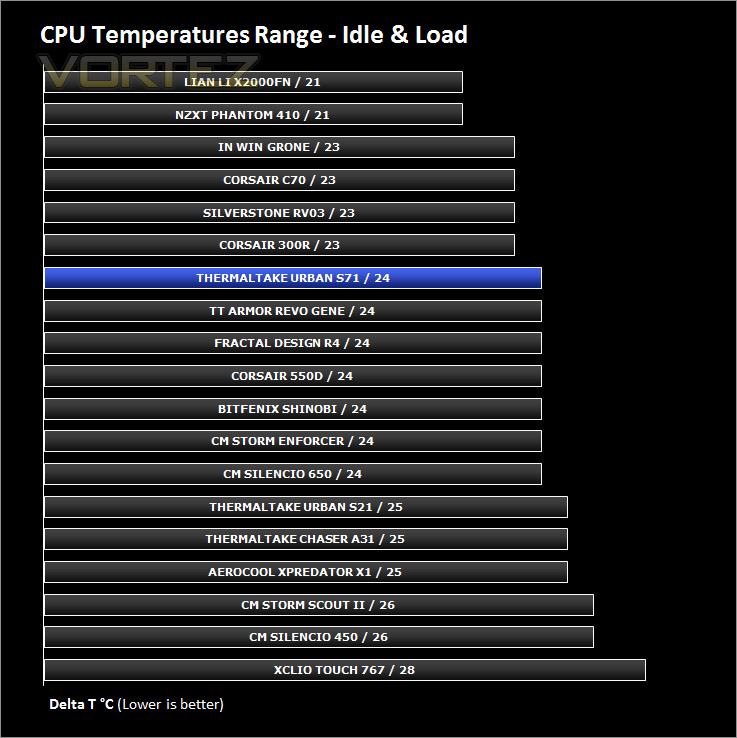
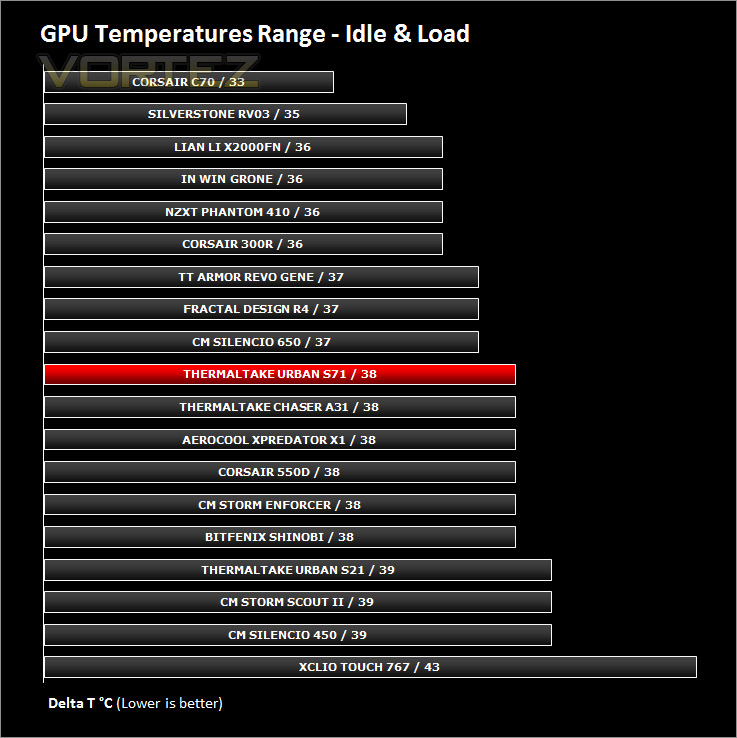
Noise
With the cooling fans set to ‘low’ the sound levels are acceptable but when they are set to ‘high’ the noise is disruptive and quite noisy.
Conclusion
So far we’ve been impressed with the Urban Series. This is Thermaltake out of their comfort zone and with the S21 we have already seen the lower-end covered but what about the higher-end?
S71 is a full-tower computer chassis that is pleasing to the eye thanks to its smooth and discreet styling. Delving inside, we are pleased with how Thermaltake have furnished the chassis in terms of features and quality. Within, this case can accommodate big CPU coolers, long graphics cards, numerous HDDs and good cable management.
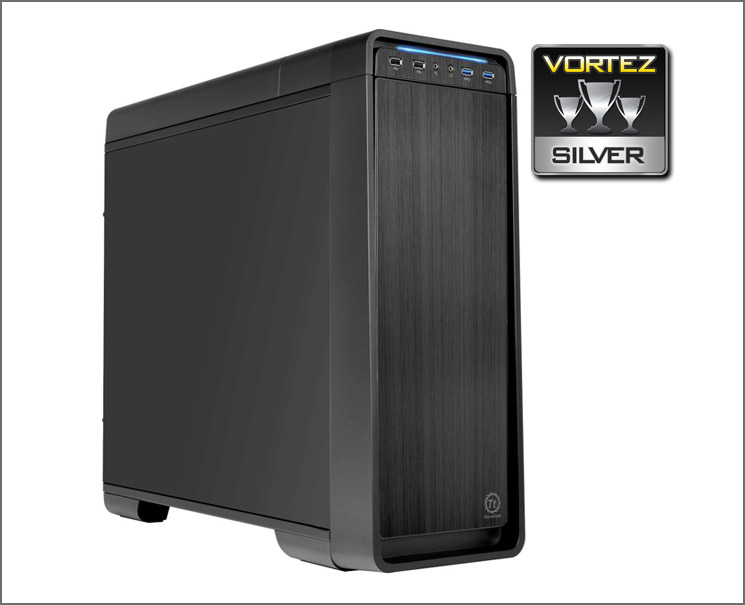
This higher-end model within the series comes with foam padding to assist with improved noise damping and a handy fan controller allowing two-speed operation. On ‘low’ speed we found the cooling fans to be bearable and only just audible but when the ‘high’ setting is used the noise levels increase somewhat to make things distracting.
Priced at £95 /$149 the Urban S71 is going to find it difficult to contend with a number of already prolific silent cases but from our experience with the case, we can confirm that this is a great start into the silent case sector for Thermaltake.
The Urban S71 is a great first attempt by Thermaltake into the high-end silent case category. It comes with plenty of features and is both pleasing to the eye and constructed well.
VIDEO REVIEW – VORTEZ TV
Pros
+ Pleasing to the eye
+ Good quality
+ Can accommodate lots of hardware
+ Good cable management
+ Fan controller
Cons
– No anti-vibration for PSU
– Regarded as noisy on “high”
+ Pleasing to the eye
+ Good quality
+ Can accommodate lots of hardware
+ Good cable management
+ Fan controller
Cons
– No anti-vibration for PSU
– Regarded as noisy on “high”

Click here for an explanation of our awards at Vortez.net.


