







Concerned about security? Y-Cam have a new WiFi IP camera which is compact, lightweight and packed with useful features; Surveillance at its finest.

Product on Review: Cube HD 1080
Manufacturer and Sponsor: Y-Cam
Street Price: £250 (At time of review)
Home and office security is an aspect of daily life that more and more people are becoming concerned about, especially in these times of austerity. Back at the beginning of the year Y-Cam announced their new Cube series of IP cameras, but only recently have they become available.
The Cube series is made up of the following models: 640 x 480 VGA, 720p HD and Full 1080p HD. Today we will be taking a look at the 1080p model. Our camera is designed to be sleek and discreet and features motion detection, night vision infra-red capabilities, Wi-Fi N, H.264 compression and much more.
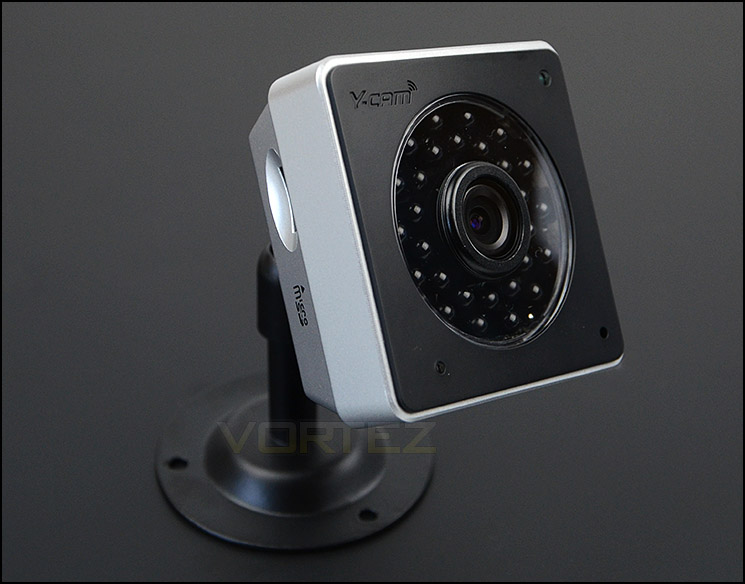
Y-Cam on their Cube HD 1080
Small and sleek, the Y-cam Cube HD 1080 offers exceptional 1080p video quality whilst blending harmoniously into its surroundings, whether at home or in the office. Offering powerful, market-leading night vision and enhanced by automatic IR cut filter operation, it provides uncompromising colour and picture quality, day or night.
Combining advanced H.264 technology, the Y-cam Cube HD 1080 uses minimal bandwidth and storage requirements. With smooth, real time video and audio streaming it can be viewed via any internet-enabled computer or phone from anywhere in the world.
Combining advanced H.264 technology, the Y-cam Cube HD 1080 uses minimal bandwidth and storage requirements. With smooth, real time video and audio streaming it can be viewed via any internet-enabled computer or phone from anywhere in the world.
Technical Specifications
Camera
Image device 1/2.7” CMOS, 2 Megapixels
Pixels 2,073,600
White Balance Auto
Exposure mode Auto
Gain Auto
Viewing angle Horizontal: 62°, Vertical: 34°
Focal length f=3.6mm
Aperture F2.0mm
Min.Illumination 1.0 Lux
Infrared Night Vision IR LEDs x 28 (Auto/Manual)
Night Vision Distance Up to 15m with IR cut filter
MicroSD Slot Yes, up to 64 Gb
Network
Image compression H.264, MPEG4, MJPEG
Image resolution 1920×1080 (HD1080p), 1280×720 (HD720p), 768×432, 512×288, 256×144, 176×144
Max. frame rate 15fps @ 1920×1080, 30FPS @ 1280×720
Audio compression AAC
Built-in microphone Electret Condenser Microphone
Simultaneous viewers 16
Authentication ID/Password, Admin/User (Up to 64)
Network protocols TCP, UDP, IP, ARP, ICMP, DHCP, DNS, HTTP, FTP, SMTP, NTP, PPPoE, UPnP, DDNS
Stream Type HTTP, RTSP/RTP/RTCP, 3GPP
Network connection Ethernet (10BASE-T/100BASE-TX)
Power over Ethernet (PoE) Optional accessory
Wireless LAN
Wireless technology IEEE802.11b/g/n
Frequency 2.412-2.462GHz
Transmission speed 150Mbps/54Mbps/22Mbps/11Mbps/5.5Mbps/2Mbps/1Mbps (Auto Switch)
Security WEP (64/128 bit), WPA-PSK(AES/TKIP), WPA2-PSK(AES/TKIP)
General
Power requirements DC 12V
Power consumption 3.75W
Operating temperature -5 to +45 °C (+22 to +113 °F)
Storage temperature -20 to +60 °C (-4 to +140 °F)
Operating humidity 20-80%RH (Non-condensing)
Storage humidity 20-95%RH (Non-condensing)
Dimensions (WxDxH) 65mm x 65mm x 30mm
Weight 80g / 2.8 oz
Package Contents Y-cam Cube camera, stand, AC adapter UK/EU/US, setup CD & guide, network cable
PC system minimum requirements
Operating system Windows XP, Vista, Windows 7, Windows 8
Processor Intel Pentium III, 1GHz or Higher
Memory 256MB RAM Minimum
Web browser Internet Explorer 7, Google Chrome, Firefox 5 and Safari 5 or later.
Mac system minimum requirements
Operating system Mac OSX 10.4 (Tiger)
Processor 800MHz – PowerPC G4 or Intel
Memory 128Mb RAM (256Mb recommended)
Web browser Internet Explorer 7, Google Chrome, Firefox 5 and Safari 5 or later.
Image device 1/2.7” CMOS, 2 Megapixels
Pixels 2,073,600
White Balance Auto
Exposure mode Auto
Gain Auto
Viewing angle Horizontal: 62°, Vertical: 34°
Focal length f=3.6mm
Aperture F2.0mm
Min.Illumination 1.0 Lux
Infrared Night Vision IR LEDs x 28 (Auto/Manual)
Night Vision Distance Up to 15m with IR cut filter
MicroSD Slot Yes, up to 64 Gb
Network
Image compression H.264, MPEG4, MJPEG
Image resolution 1920×1080 (HD1080p), 1280×720 (HD720p), 768×432, 512×288, 256×144, 176×144
Max. frame rate 15fps @ 1920×1080, 30FPS @ 1280×720
Audio compression AAC
Built-in microphone Electret Condenser Microphone
Simultaneous viewers 16
Authentication ID/Password, Admin/User (Up to 64)
Network protocols TCP, UDP, IP, ARP, ICMP, DHCP, DNS, HTTP, FTP, SMTP, NTP, PPPoE, UPnP, DDNS
Stream Type HTTP, RTSP/RTP/RTCP, 3GPP
Network connection Ethernet (10BASE-T/100BASE-TX)
Power over Ethernet (PoE) Optional accessory
Wireless LAN
Wireless technology IEEE802.11b/g/n
Frequency 2.412-2.462GHz
Transmission speed 150Mbps/54Mbps/22Mbps/11Mbps/5.5Mbps/2Mbps/1Mbps (Auto Switch)
Security WEP (64/128 bit), WPA-PSK(AES/TKIP), WPA2-PSK(AES/TKIP)
General
Power requirements DC 12V
Power consumption 3.75W
Operating temperature -5 to +45 °C (+22 to +113 °F)
Storage temperature -20 to +60 °C (-4 to +140 °F)
Operating humidity 20-80%RH (Non-condensing)
Storage humidity 20-95%RH (Non-condensing)
Dimensions (WxDxH) 65mm x 65mm x 30mm
Weight 80g / 2.8 oz
Package Contents Y-cam Cube camera, stand, AC adapter UK/EU/US, setup CD & guide, network cable
PC system minimum requirements
Operating system Windows XP, Vista, Windows 7, Windows 8
Processor Intel Pentium III, 1GHz or Higher
Memory 256MB RAM Minimum
Web browser Internet Explorer 7, Google Chrome, Firefox 5 and Safari 5 or later.
Mac system minimum requirements
Operating system Mac OSX 10.4 (Tiger)
Processor 800MHz – PowerPC G4 or Intel
Memory 128Mb RAM (256Mb recommended)
Web browser Internet Explorer 7, Google Chrome, Firefox 5 and Safari 5 or later.
Packaging & Bundle
Just like the product name, Cube arrives in a cube-like box. There are various depictions of the camera on each side and a run-down of specifications and features too. We rather like how discreet the packaging has been designed and thankfully, we don’t have to destroy it with a pen knife either since the box just slides away from its cover.
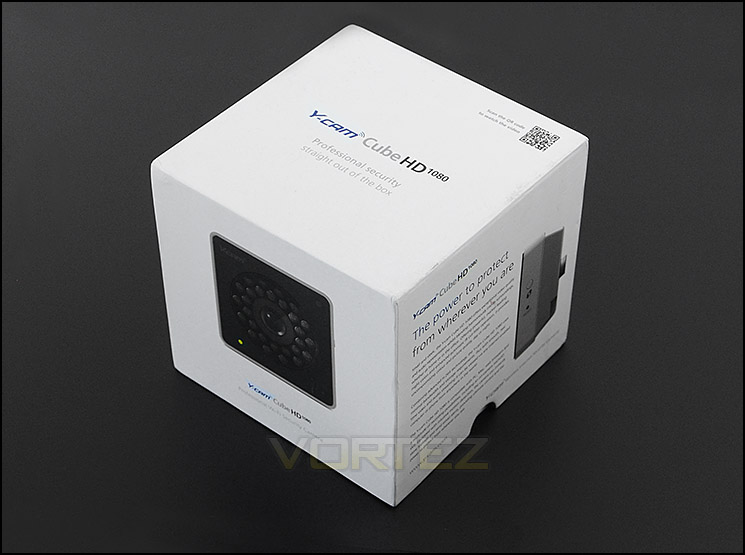
Discreet packaging follows a professional route
Within the packaging are a surprising number of accessories that make-up the bundle. These items include the following:
• Power Supply (12V)
• Camera Stand
• USB to Ethernet connector
• Quick Start Guide
• Setup CD
• Network Cable
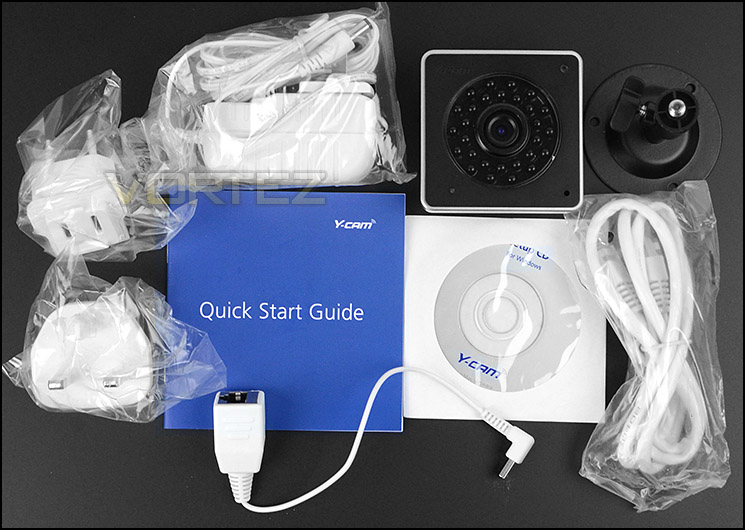
The accessories bundle
On the next page we will take a close look at the camera itself.
Closer Look
As its name implies, the Cube HD 1080 is exactly this – cube shaped. The face measures 6.5cm x 6.5cm and has an Electret Condenser Microphone in the bottom right corner, in the bottom right corner is an activity LED and in the top right corner is an Infra-Red sensor. The lens in the centre is wide angle offering Horizontal: 62°, Vertical: 34°. The imaging device relies upon 1/2.7” CMOS which also comes with 2 Megapixels capability. There are a total of 28 Infra-Red LEDs which assist with night vision, giving up to 15m of vision. In terms of video image resolution, this version of Cube can utilise 1080p @ 15FPS or 720p @ 30FPS.
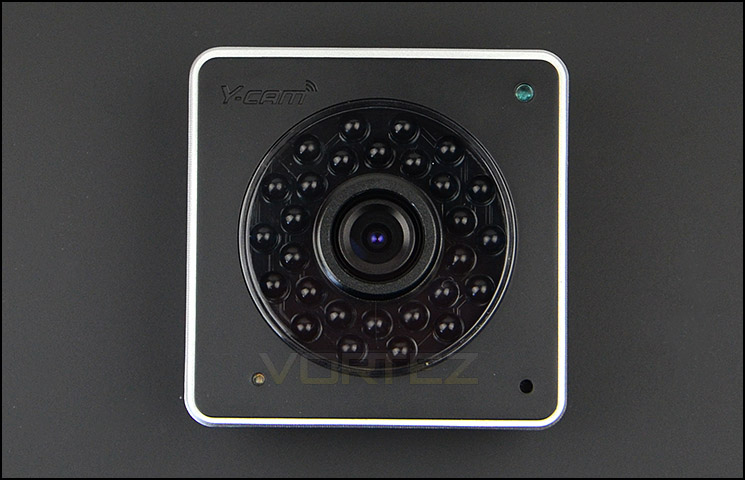
Cube HD 1080’s face
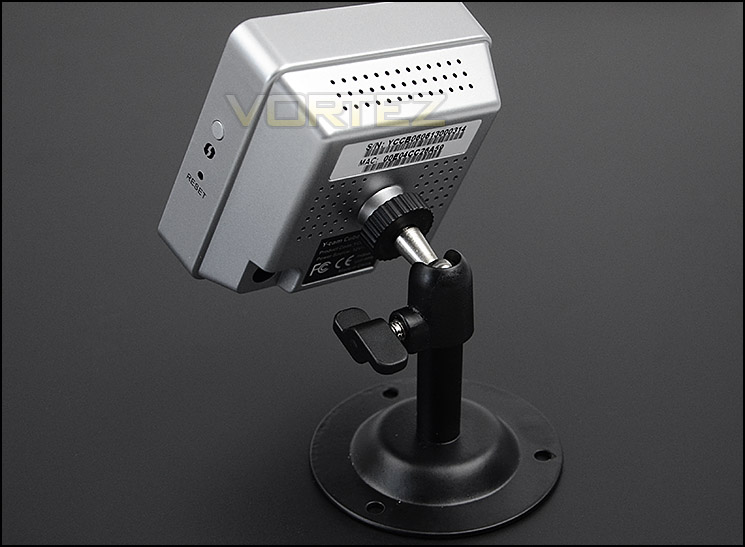
Around the back of the unit the cover is plastic and predominately grey in colour. Y-Cam have given the camera four sections of speaker outlet. Along with labels for serial number, mac address and product codes there is a tripod thread in the centre which can be used in conjunction with the provided stand. For the asking price, we were expecting PoE but the power is delivered by a 12V pack instead and as you would have presumed – this camera is used for internal use only.
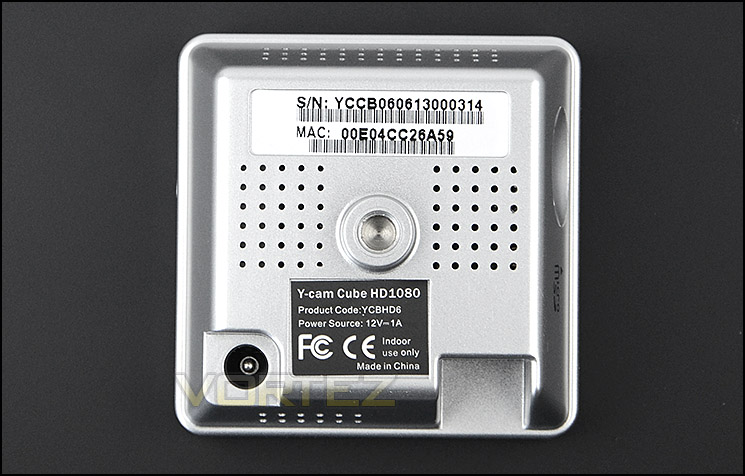
The reverse of the camera with power socket and tripod thread
On Cubes right side there is a micro SD card slot which can be used for data storage. Alternatively, if you have a NAS then data can be stored directly to this device instead.
On the left side there is a hard reset button and a WPS button. The hard reset will take everything back to factory defaults whilst the WPS button will assist with getting the camera to join the network.
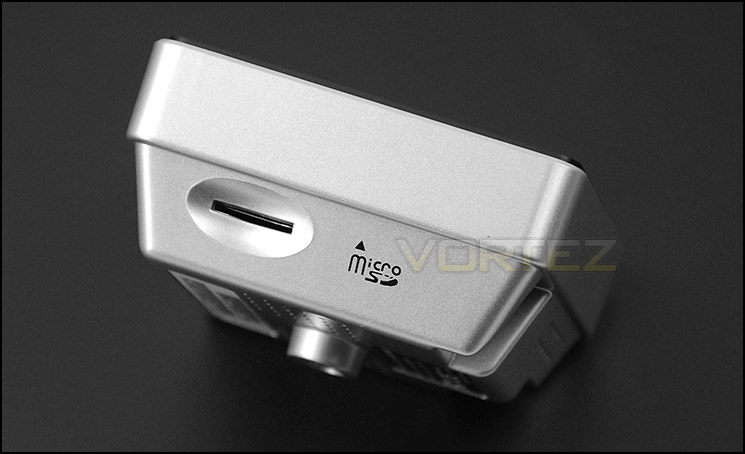
Functionality for Micro SD cards
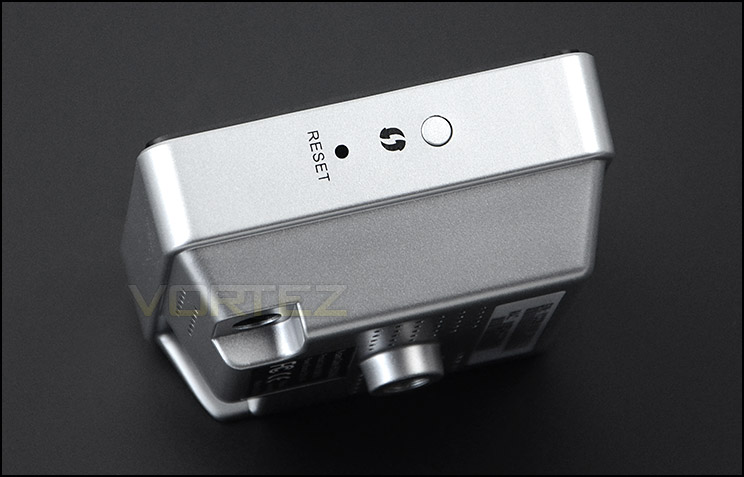
Reset/WPS on the left side of the unit
Since Cube doesn’t have an Ethernet port on the camera unit itself due to size constraints, Y-Cam provide a Mini-USB to Ethernet adapter. This adapter plugs directly into a port found on the underside. This option is obviously for those who want to use the camera through a wired connection but there is also wireless functionality too and we are pleased to see there are no external antennas protruding out.
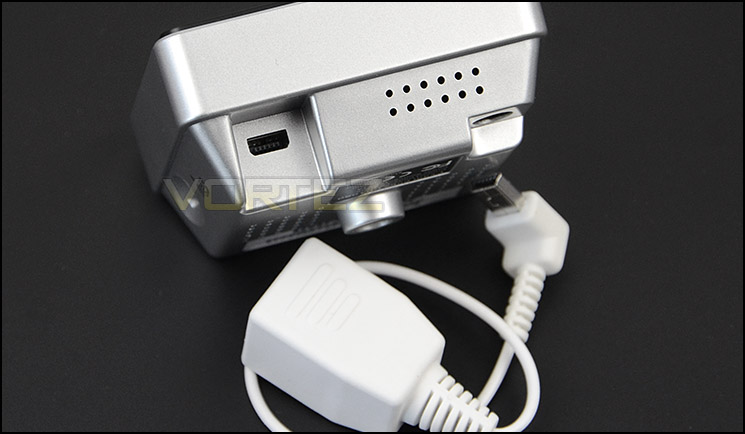
Mini-USB to Ethernet adapter for wired connection
To fix Cube HD 1080 into place within a building or room it’s necessary to use the provided stand. This stand has a tripod thread which matches up to the back of the camera unit.
The stand features a pivoting shaft which uses a ball joint. This means the camera can move in a horizontal and vertical motion – all manually of course. The stand can also be screwed to the wall or ceiling via three screws.
Camera attaches to stand
Software UI
To gain access to the unit the software CD has an application to locate the camera on the network. The camera needs to be powered up and connected to the router via the Ethernet adapter and cable. If you cannot find the camera with this software then log into the router and obtain the IP address and input this into a web browser.
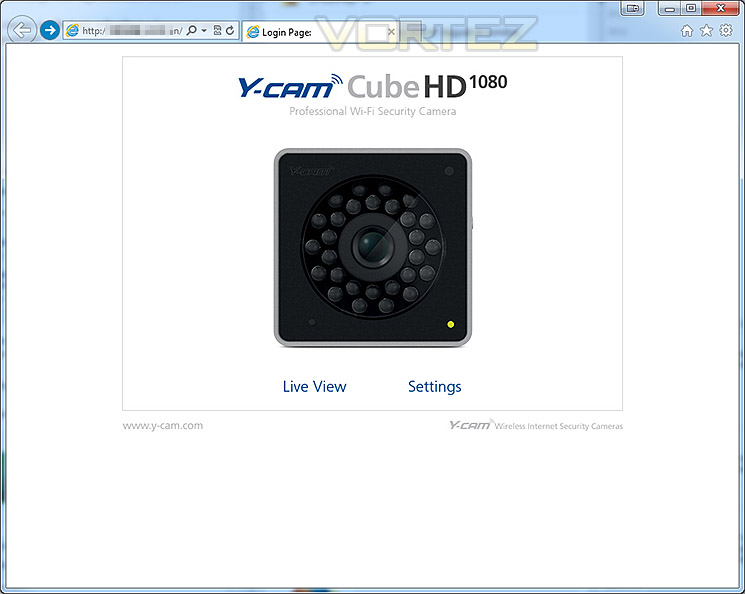
Once the login credentials have been input by the prompt, you are met with a landing page which gives access to Live View or Settings. Live View will show you the camera in operation whilst the settings allow you to customise many different options.
The welcome page when logging in
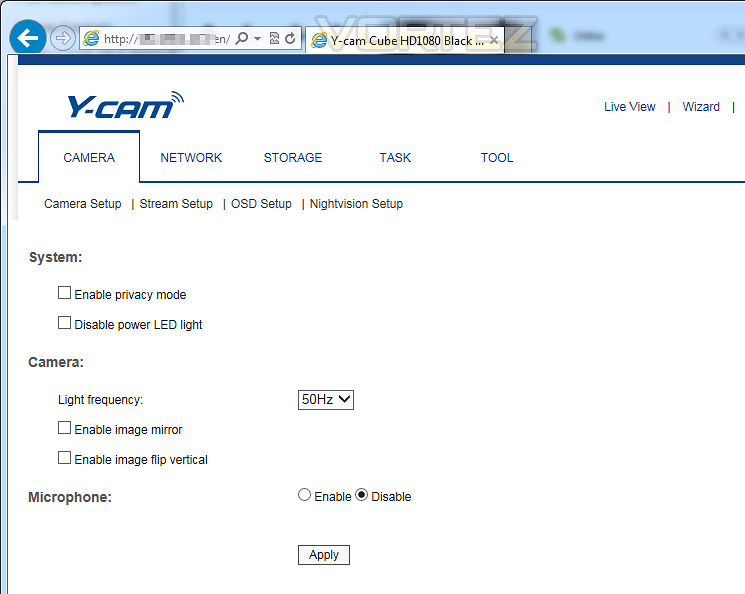
There are a large selection of options which can be altered to give plenty of flexibility. Users will be pleased to see that LEDs can be disabled and there are options to mirror and flip the image too.
We won’t be covering every feature within this review but the below screenshots give a taster of what you can expect. We like the options for the camera image settings – they allow you to control every precise detail and there are also options to store data on a NAS or the SD card.
Options to modify for disabling LED
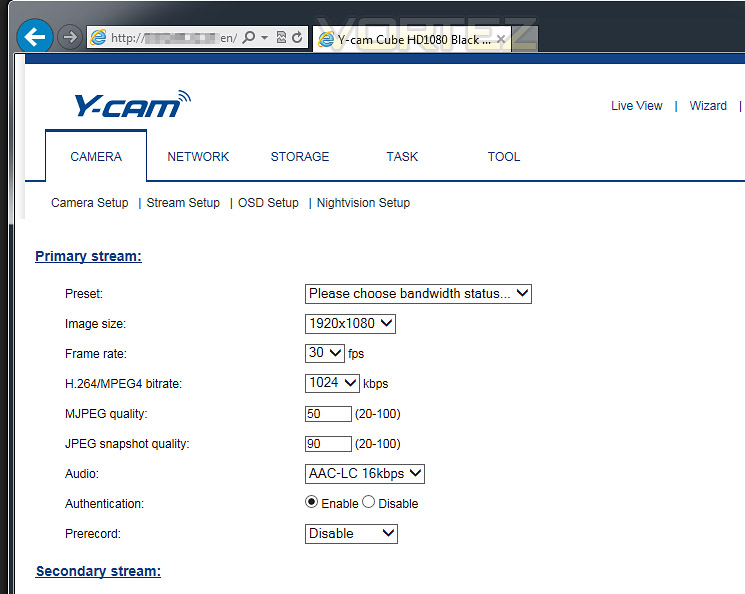
Image settings options give plenty of choice
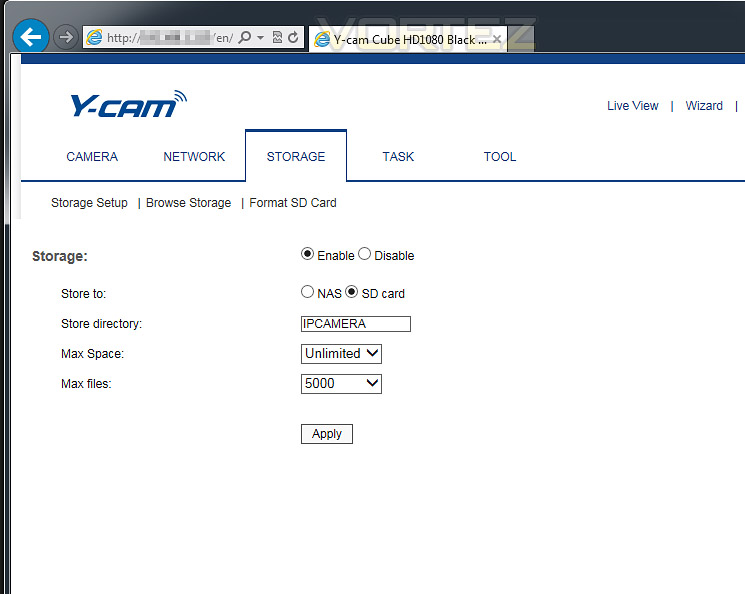
Storage recording settings allow choice between NAS or SD card
Testing – Smartphone Usage & Image Quality
In our previous Y-Cam review of Bullet HD 1080 we reported that the Y-Cam Multilive was unusable due to instability, we are now glad to report that it has been fixed through various updates and is now fully working.
Below we are using Cube HD 1080 via the WiFi, the image quality is pleasing. It looks sharp and is vibrant. The wide angle lens gives a nice, comprehensive viewpoint.
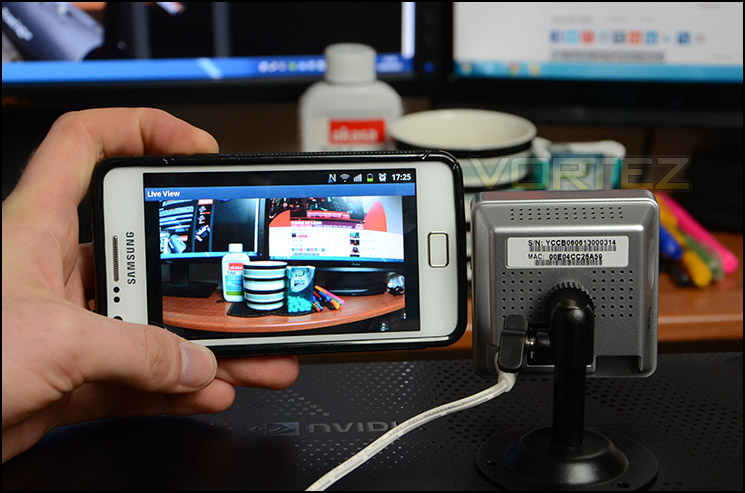
Using a smartphone to view live footage
There is an option to record continuous, at set times with Cube HD 1080 or footage can be recorded using motion detection. The highest setting this camera can be modified to is 1080p at 15FPS.
For the purpose of motion and quality we have recorded a short clip and uploaded directly to YouTube without compressing further in a video editor.
As you can see from the footage, image quality is very good and movement is fluid event at 15FPS. We’re pleased the microphone/audio quality has been improved since the Bullet Series of Y-Cam. Audio is now without noise interference and appears to be clearer.
The only drawback we found with the camera was the wireless range strength – we couldn’t use the camera in our usual testing spot because the WiFi antenna wouldn’t reach our router. The signal strength isn’t all that great, so we would advise using the camera near to the router or using a wired connection for best results.
Cube HD 1080 also has impressive night vision capabilities. Recording in pitch dark surroundings prevents no difficulties with seeing objects in the view of the lens. Y-Cam have given the LEDs a 15m distance capability which is more than sufficient for small home-office environments. Our footage shows the subject within 1m so the brightness in the centre does overpower and overexpose the detail a little but this isn’t the case with longer distances.
Conclusion
In these times of austerity with the current economic crisis many small store owners and indeed the home owner are wise to boost their security to deter the petty criminal. Such devices like an IP camera are becoming much more common because they are easy to use and come with lots of useful features to work in conjunction with smart phones and tablets.
Y-Cam are a popular name when it comes to surveillance and it’s great to see them releasing new cameras such as the Cube Series.
We found the Cube HD 1080 a neat little thing. It’s physical dimensions and weight mean that it is discreet and easy to position in numerous different locations. Furthermore, we also found the software interface and general setup easy to use and it next to know time we had the camera up and running. What we like especially is the broad array of options that are available to choose from – Y-Cam give you plenty of flexibility over the operation of the camera from turning of specific aspects like the LED or Infra-red in the evening or setting motion detection recording over continuous mode. In this regard, both novice and advanced users will appreciate the selection of settings available.
When Cube HD 1080 is operational the visual quality is very good. The viewing range is one particular highpoint as the wide angle lens gives an expansive view that is both crisp and clear. 1080p is obviously the highest image setting this camera can take advantage and this large resolution means that quality of capture is not compromised on. At first we were a little disappointed by the maximum of 15FPS for 1080p mode but it actually worked well and motion was smooth.
Other areas which are good are the audio features – on a previous Y-Cam camera we weren’t keen on the microphone quality due to noise interference but we are pleased to see (or hear) that Cube HD 1080 has a quality microphone which works well at picking up nearby sounds.
There are however some areas which are slight drawbacks – the WiFi signal range on Cube HD 1080 we found to be quite weak, against the other IP cameras we have tested that also have wireless capabilities, this camera suffered and as a result had to be relocated to another area for the test video. The other aspect which we feel could be improved upon is the camera stand. Whilst we appreciate its steel construction, the locking mechanism wasn’t overly impressive – it isn’t a secure method of fixing the camera head, sometimes it can drop or move. Going on the price-tag of this solution, we would have expected something better.
Priced at £250 the Cube HD 1080 is not a cheap investment. But all things considered, based on the high-end features it comes with, anything comparable from other brands will sit around this mark too.
Compact, sleek and jam-packed with useful features such as motion detection and night vision, this lightweight HD IP camera is easy to use and comes highly recommended for the home or small office.
Pros
+ Small, lightweight
+ Excellent visual quality
+ Good night vision capabilities
+ Motion detection + scheduler
+ Great audio/microphone
+ Easy to setup and configure
+ Lots of options to customise
Cons
– WiFi range is weak
– Stand could be improved – locking mechanism
+ Small, lightweight
+ Excellent visual quality
+ Good night vision capabilities
+ Motion detection + scheduler
+ Great audio/microphone
+ Easy to setup and configure
+ Lots of options to customise
Cons
– WiFi range is weak
– Stand could be improved – locking mechanism

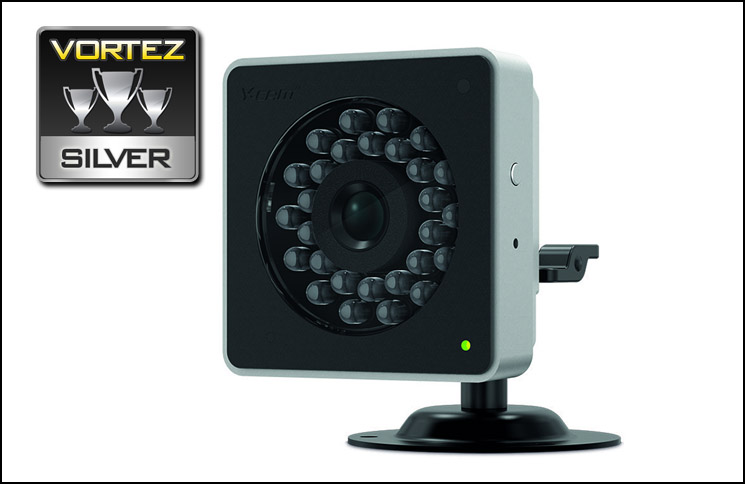
Click here for an explanation of our awards at Vortez.net.


