Looking for a highly portable Windows 8.1 PC that can fit in your pocket? Then look no further than the ZOTAC ZBOX P1320.

Product on Review: ZOTAC ZBOX Pico P1320
Manufacturer & Sponsor: ZOTAC
Price: £152.97 GBP
The humble microchip can be considered one of the greatest inventions of the 20th Century. It allowed electrical devices requiring some form of intelligent control to be shrunk down in size rather than using large, clunky relays. Over the course of time, computers have gotten ever more powerful while reducing in size. Generally speaking, the main limitation to a computers size was the heat being produced and thus alot of space was taken up by heatsinks. Today we see the humble slivers of silicon being extremely powerful but also very efficient giving off less heat. This has allowed manufacturers to decrease the size of components that once took up a large room down to something that comfortably fits in your pocket.
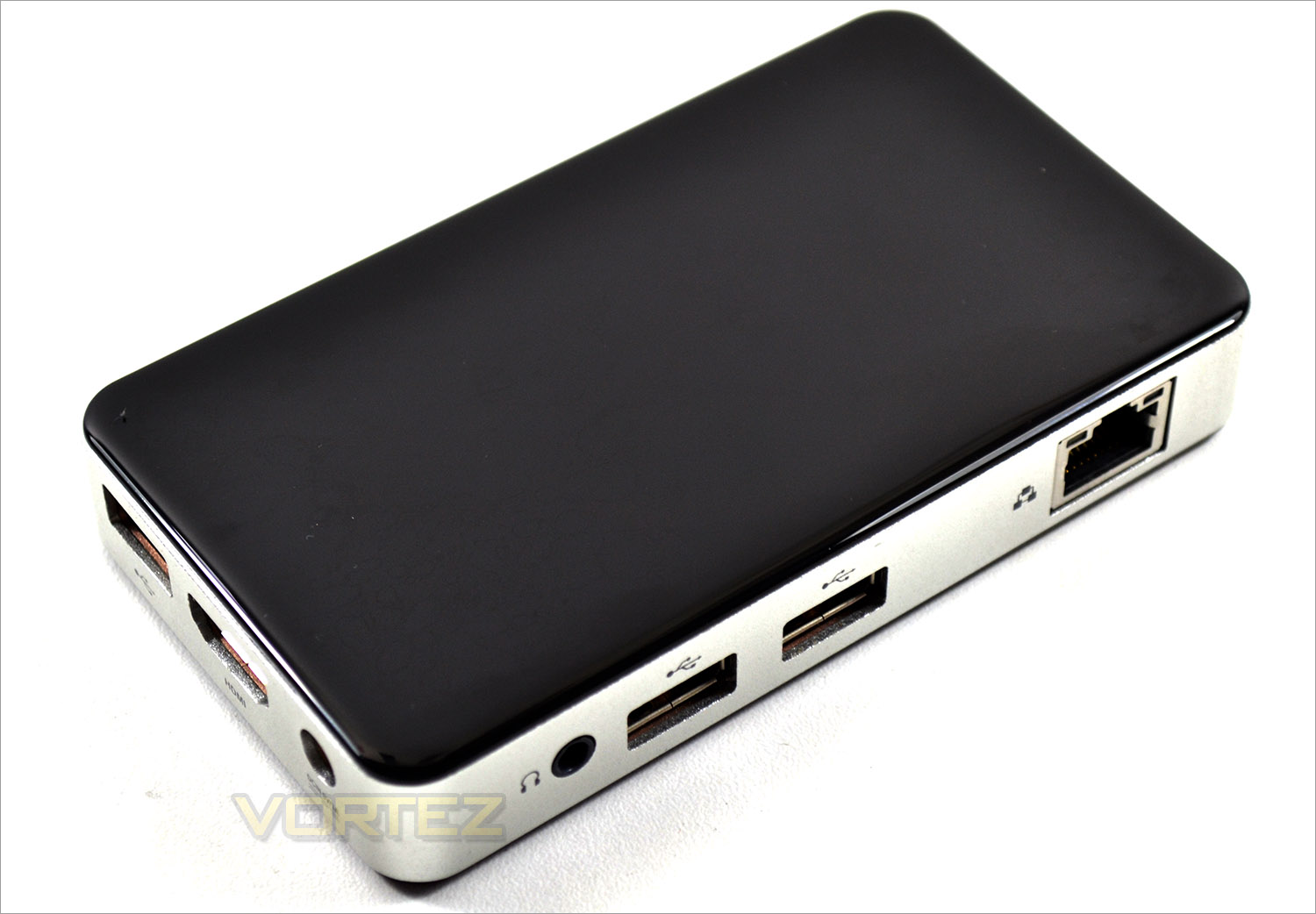
The ZOTAC ZBOX PICO P1320 is one such device. Many small devices require a custom built operating system to match the diminutive size but not this one because the P1320 comes with a fully functional, Windows 8.1 operating system. Nothing has been trimmed away from this OS other than 64bit functionality. At it’s heart there is an Intel Z3735F quadcore processor running at 1.33GHz (upto 1.8GHz) which also provides the shared graphics. 2GB of DDR3L-1333 memory is available along with a 32GB of storage space (expandable via SD card). Not too shabby for a device that is smaller your average smart phone!
About the ZOTAC P1320
Specification
Product Name: ZBOX PI320 pico
Chipset Manufacturer: Intel
GPU: Intel HD Graphics
CPU : Intel Atom Z3735F (quad-core, 1.33 GHz) Burst frequency up to 1.83 GHz
Memory Type: DDR3L
Memory Speed: 1333 MHz
Capacity: 2GB (integrated)
Ethernet: 10/100Mbps
WiFi: 802.11n + Bluetooth 4.0
Audio Analog: Stereo output; Digital 8-ch via HDMI
Storage Hard Drive: 32GB eMMC (integrated)
Memory Card Reader: 3-in-1 (micro SD/SDHC/SDXC)
Ports: HDMI x1, USB Ports 3x USB 2.0
Cooler: Passive (zero-noise)
Form Factor: mini-PC
OS Windows: Windows 8.1 with Bing preinstalled (Simplified Chinese)
Graphics Output: HDMI
Packaging: 1 x ZOTAC ZBOX PI320 pico 1 x VESA-compatible mount 2 x Mounting screws 1 x AC adapter 1 x Warranty card 1 x User manual 1 x Quick Install Guide 1 x OS recovery disc
Packaging & Accessories
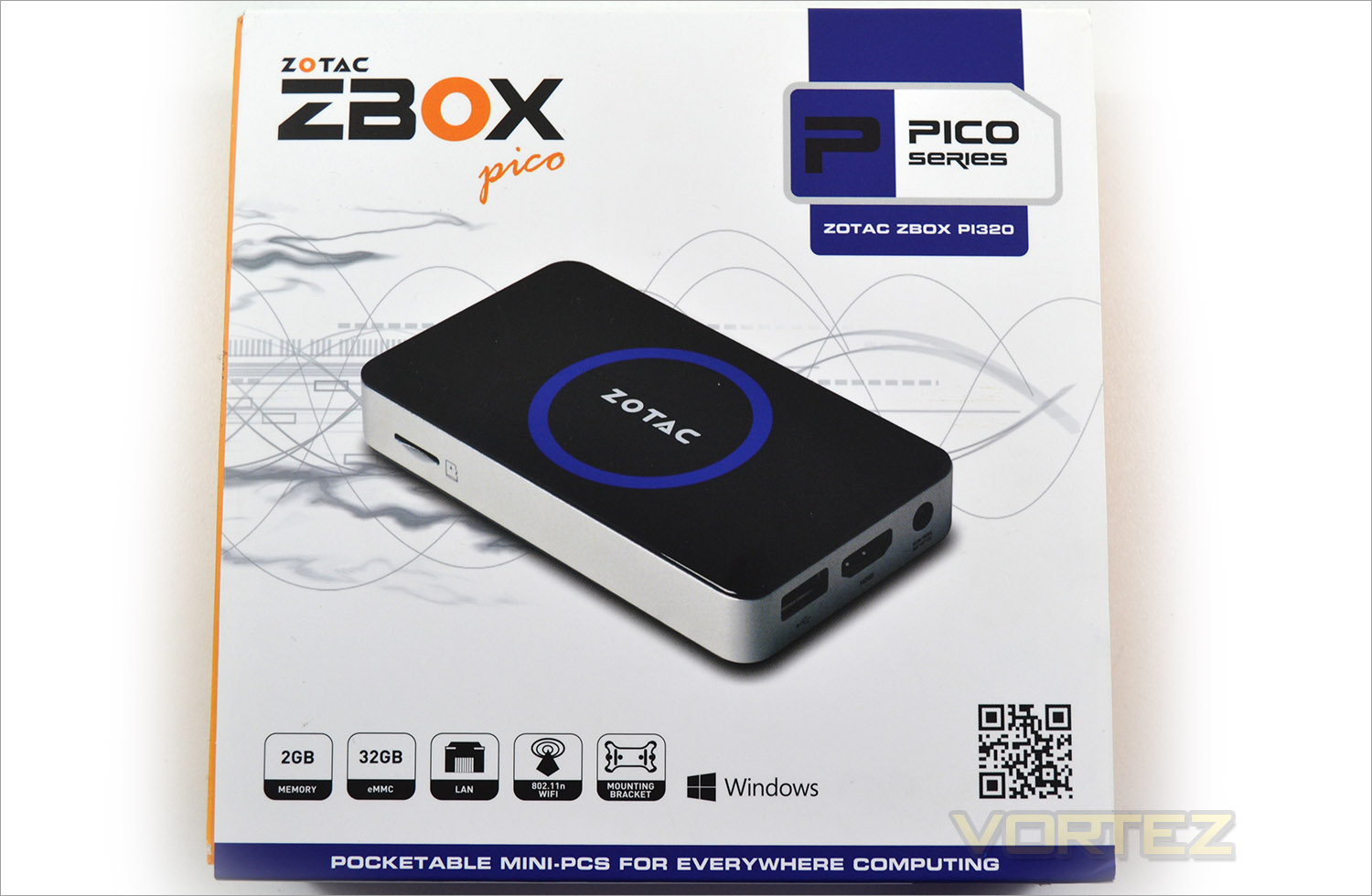
The package arrives well presented with an orange box covered by a matt white sleeve upon which there is a picture of the PICO unit along with aa short run down of the system specifications.
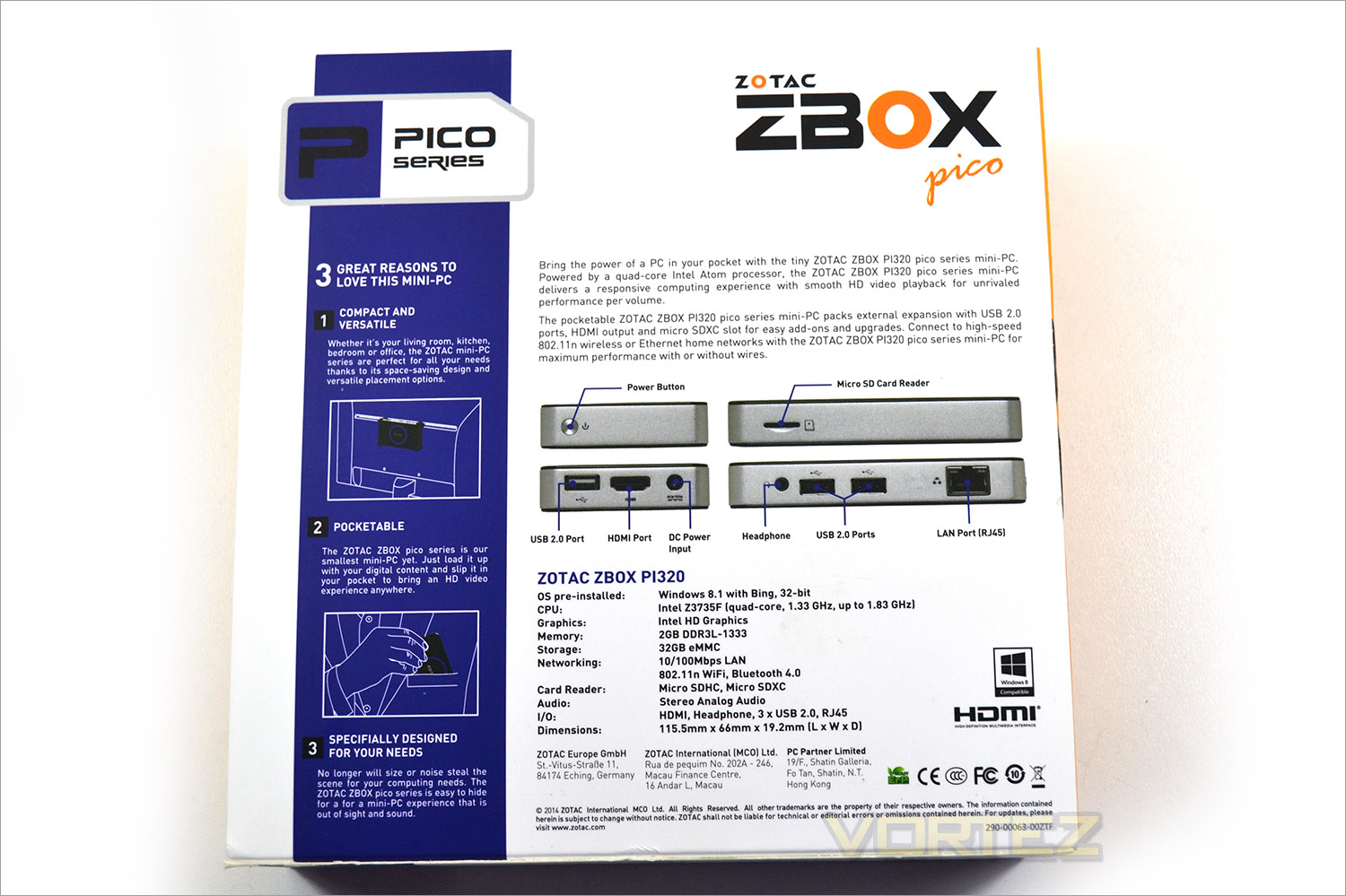
Flipping the box over we find further details including the available expansion ports of the unit along with the full specification. ZOTAC also give us three reasons to love this mini-PC: Compact and versatile, pocket-able and ‘designed for your needs’ all of which are centred around the size of this unit.
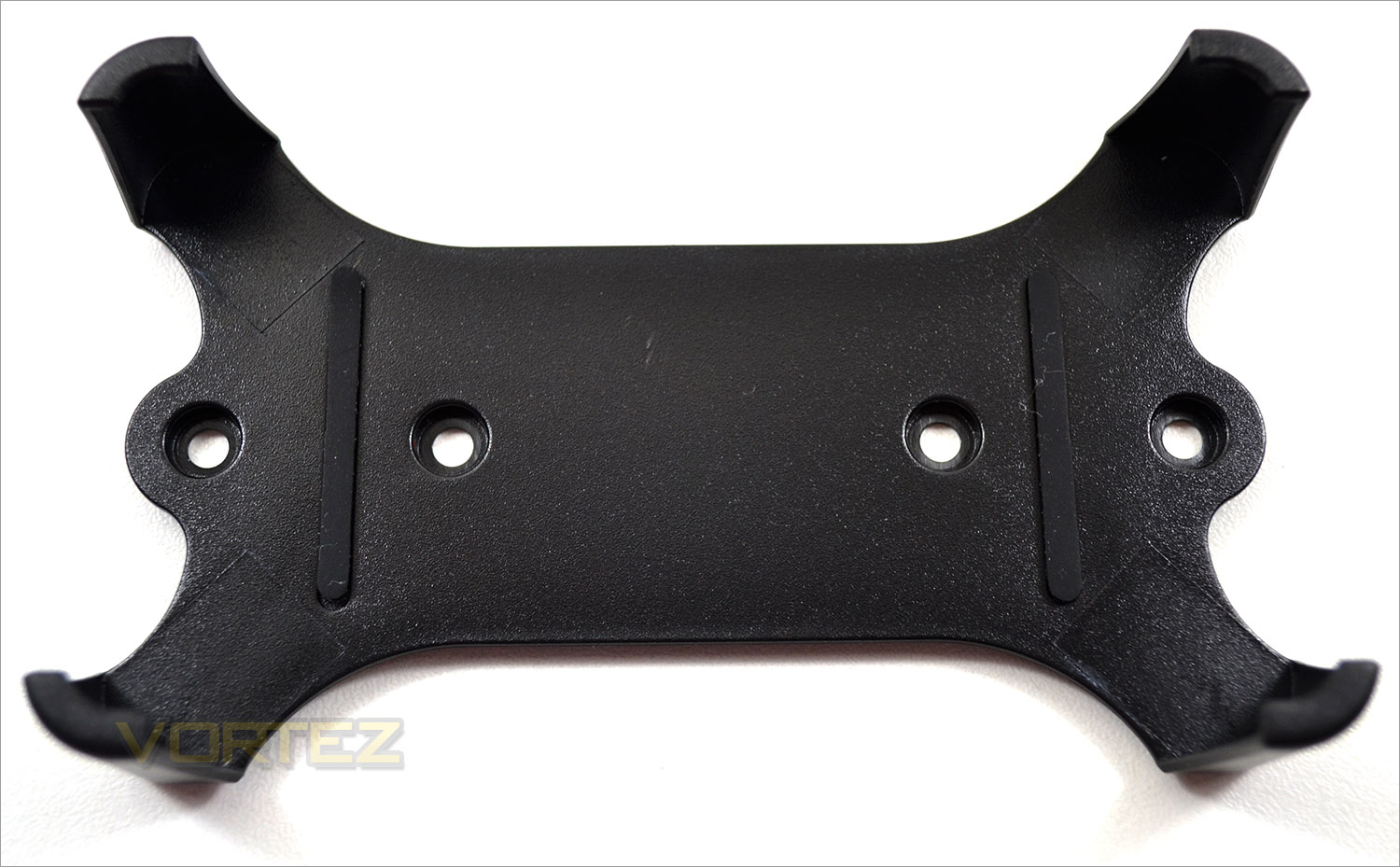
A neat little addition you will find inside the package is a bracket which allows you to hang the PICO wherever you like. We would have liked to have seen some Velcro strips or sticky back plastic tabs as an additional option rather than the included screws to mount this bracket though.
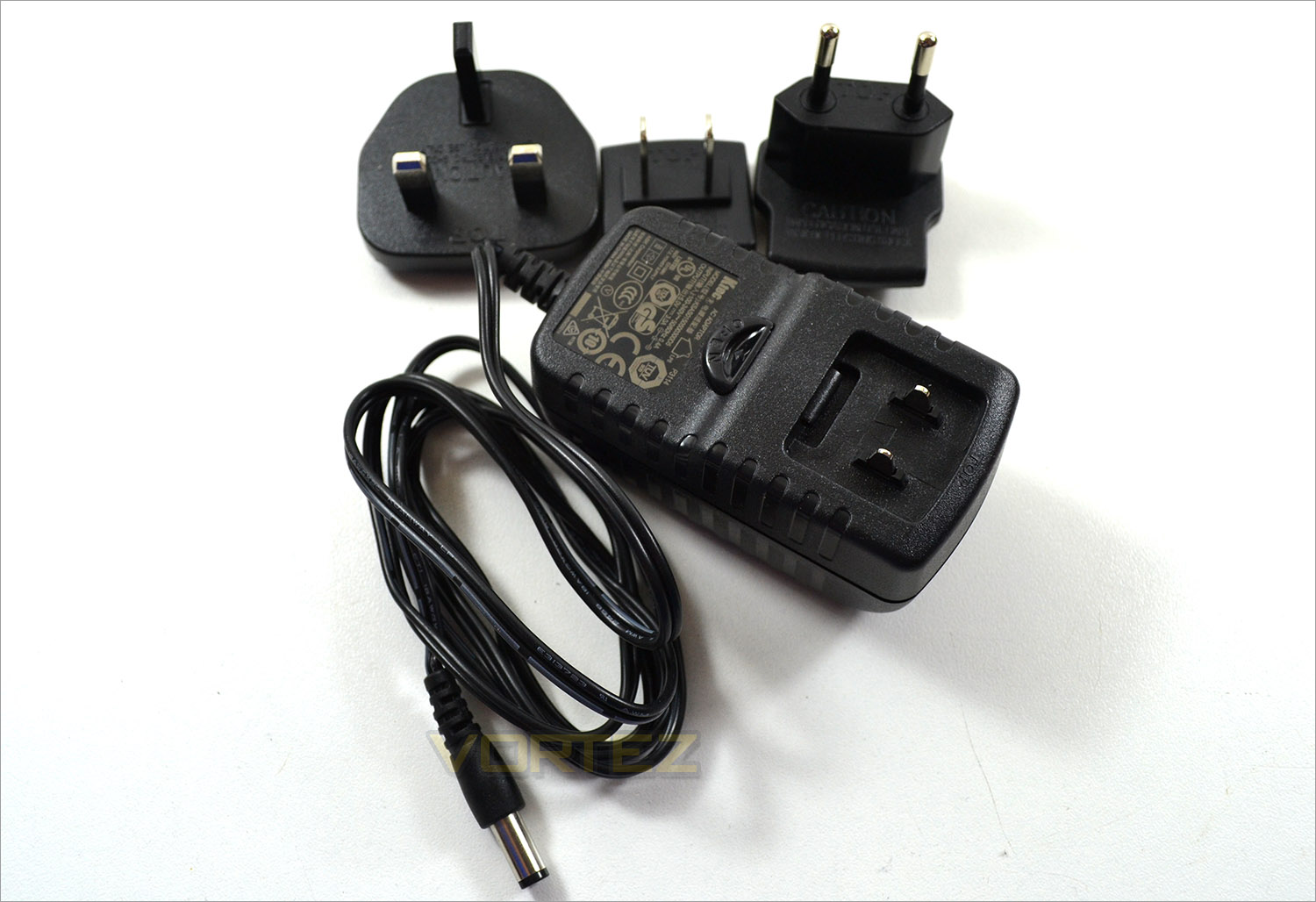
A 5v/3A power adaptor is the power supply to this unit which comes with both Euro and UK socket adaptations. The was no US plug adaptor but we suspect this is simply a result of the locality the unit was purchased. Also included with the unit is a small wallet containing a variety of manuals and guides and a recovery CD. We thought this was a strange addition given that should the OS corrupt, there is no means of recovery unless you obtain a USB CD drive. A USB recovery stick would be much more suitable. Thankfully the OS is preloaded so you will not need a CD drive to get up and running.
First Look
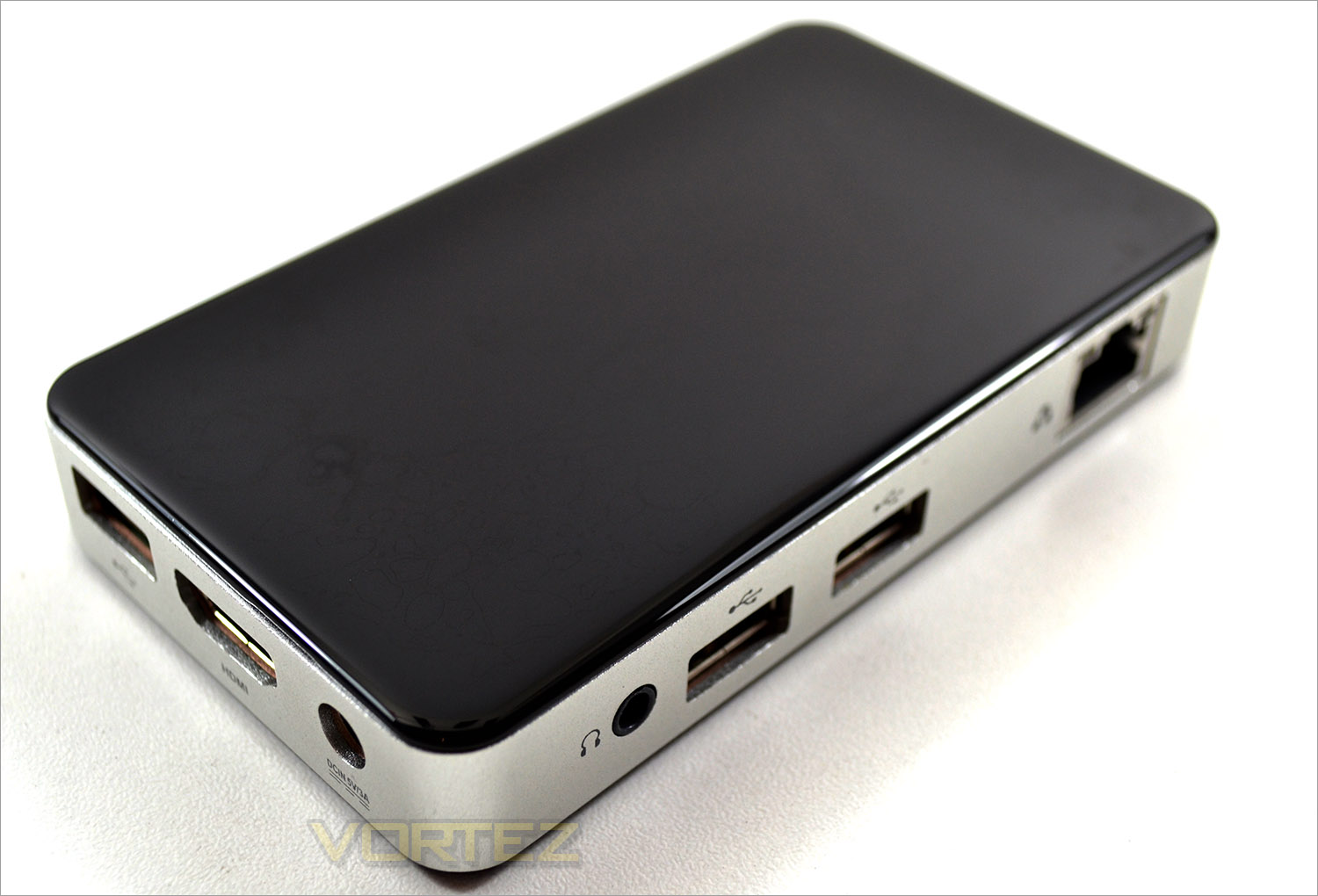
The unit is finished in a hard plastic case with a very glossy (read finger print magnet!) finish. Along the leading edges you will find that this is aluminium which doubles as the heatsink for the P1320. Inside we find the Intel Atom Z3735F Quad Core CPU that runs at 1.33Ghz, but cab boost up to 1.83Ghz. In our tests the average speed under load was just over to 1.5GHz of which it attained constantly. It also has a good size 2GB DDR3-1333 memory on board, HD graphics, 10/100Mbps LAN, 802.11n WiFi, BlueTooth 4.0 and Samsung’s 32GB eMMC 5.0 flash controller which serves as the main storage device. This is expandable via SD card.
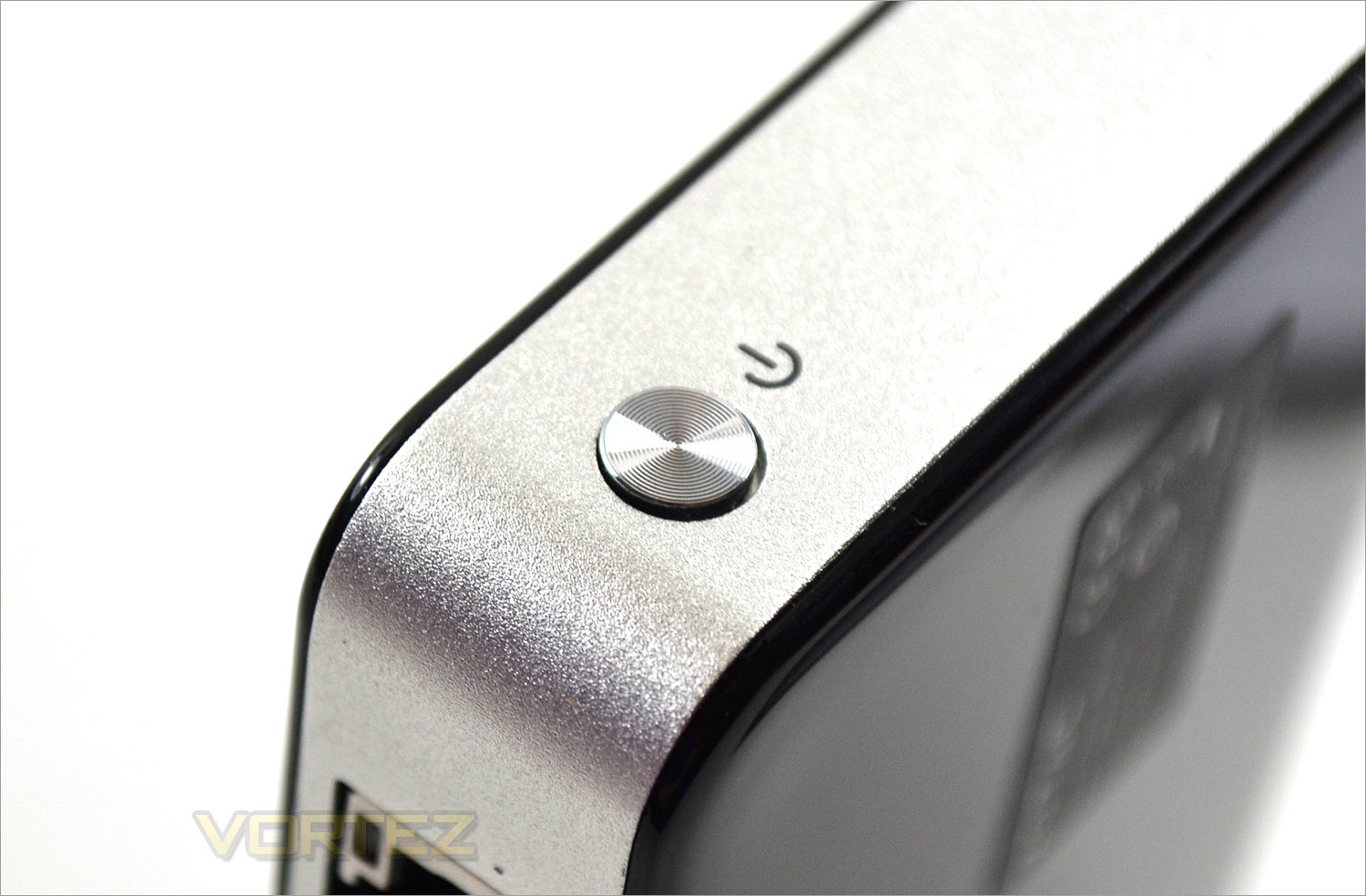
Once the system is plugged in with the included power adaptor, powering on is simply a matter of pushing the power button which is not recessed but not obtrusive either.
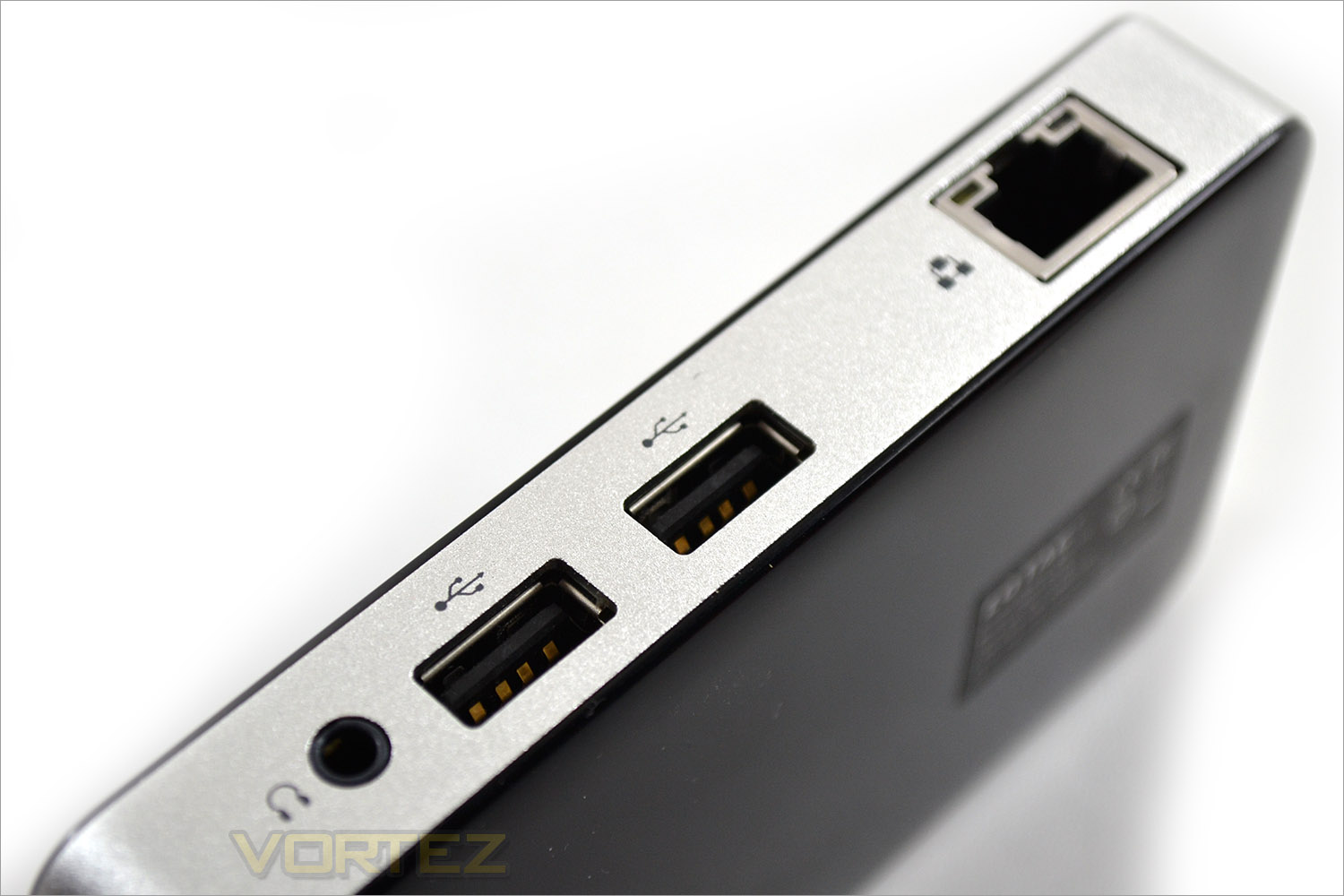
The rear of the unit features 2 USB 2.0 ports along with a 10/100Mbps LAN port. We would have liked to have seen GIGABIT LAN here but sadly we were left wanting. Lastly along the rear edge is a headphone socket.
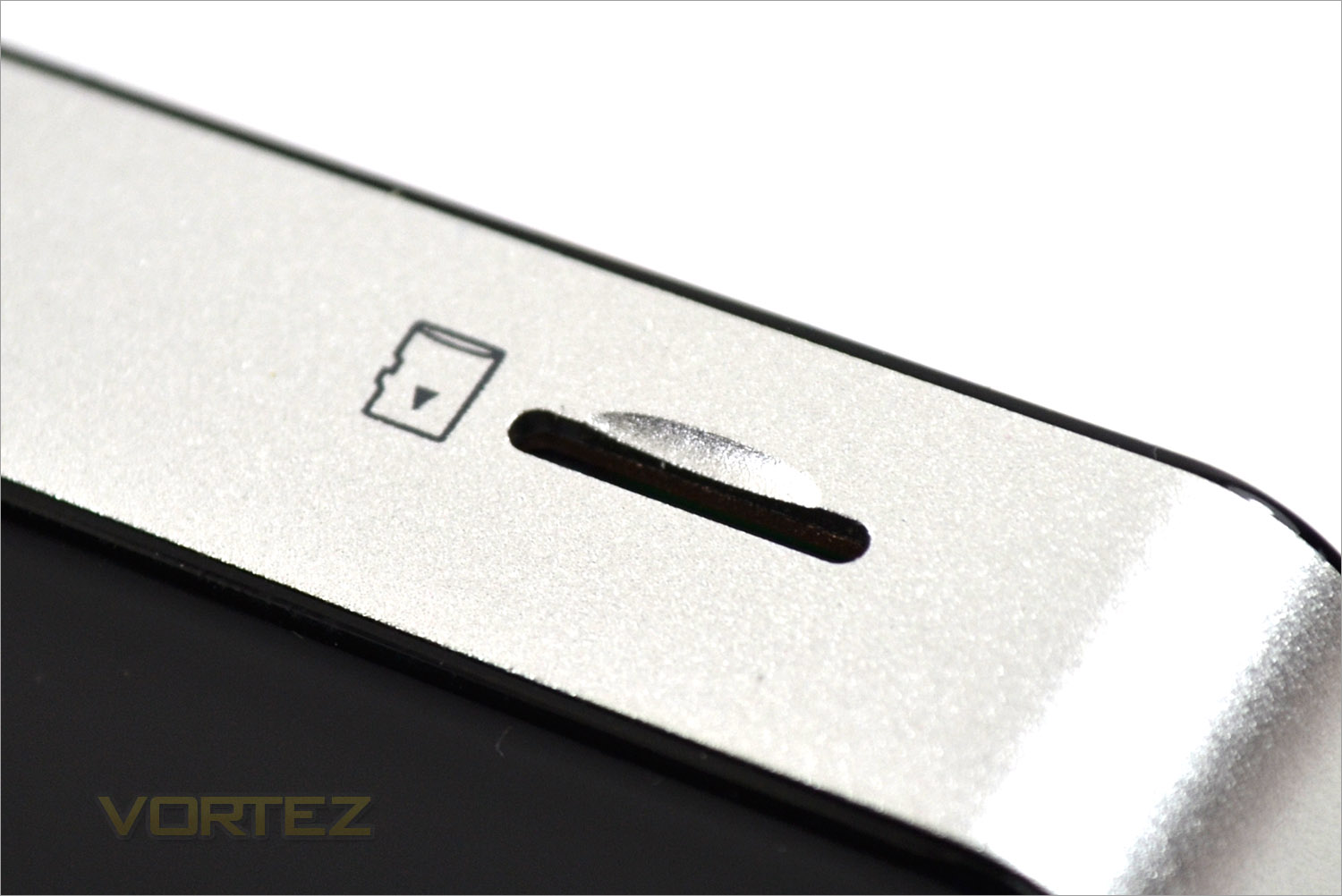
32GB is just enough for your basic applications on top of the operating system but if you are wanting to expand this then you will need to purchase a microSDHC/SDXC card which this unit supports up to 64GB.
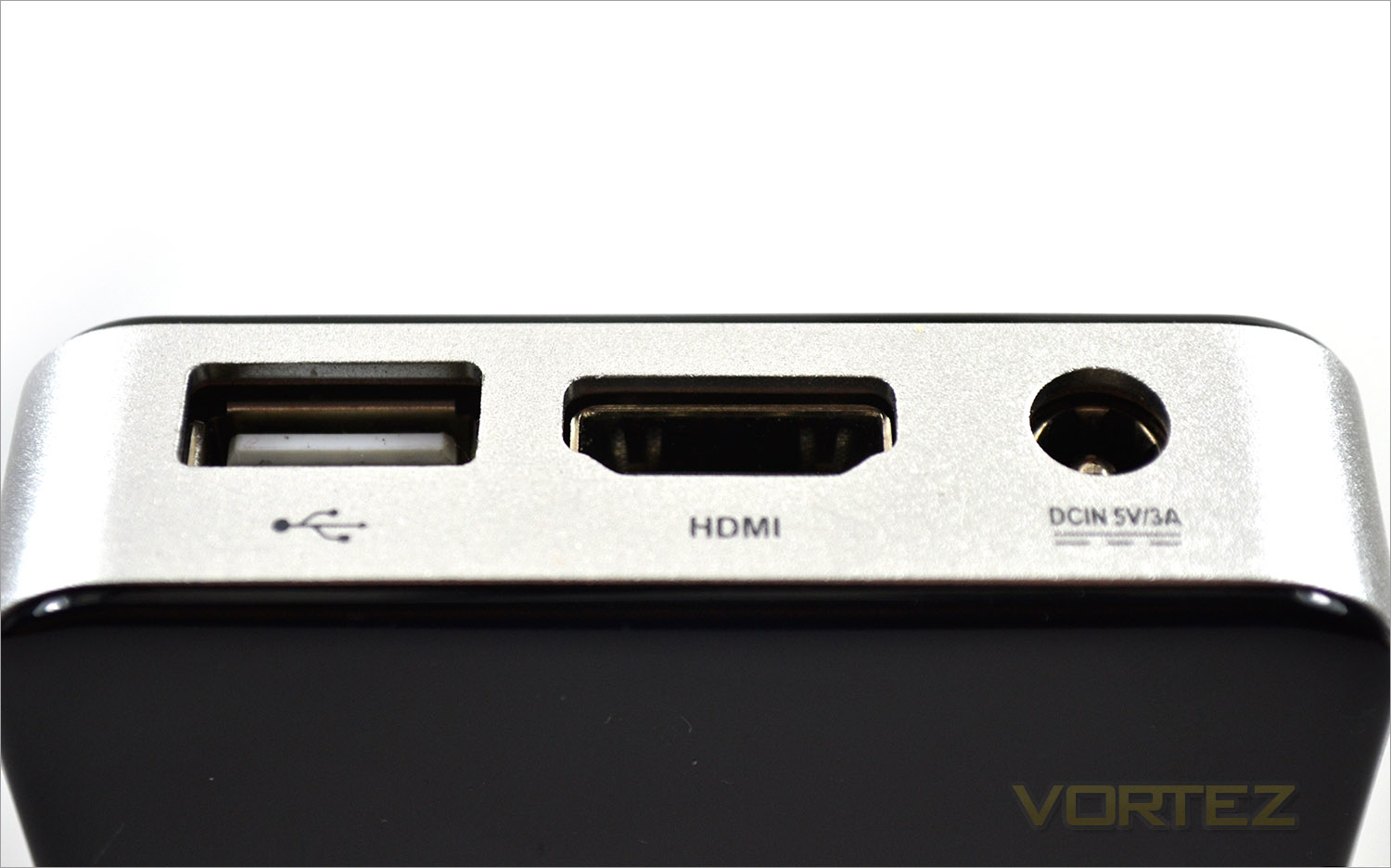
A further USB port is situated to one side of the unit along with a HDMI port and the power input.
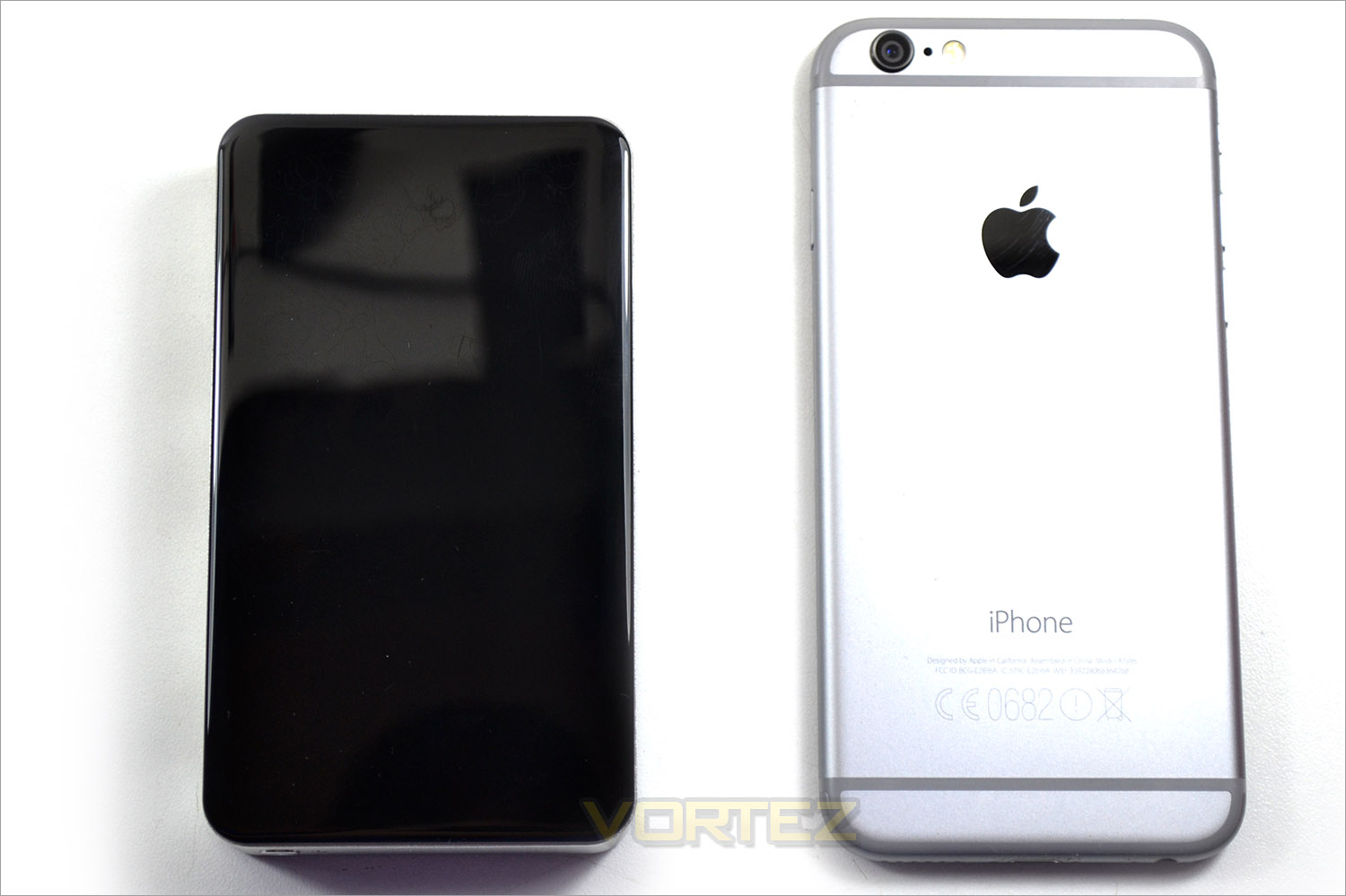
Here we can see a size comparison between the PICO P1320 and an iPhone 6. The ZOTAC unit measures just 115.5mm x 66mm x 19.2 mm which makes it smaller in comparison but just over twice as thick. For those that remember audio cassettes, this is about the size of the unit – not bad for a PC!
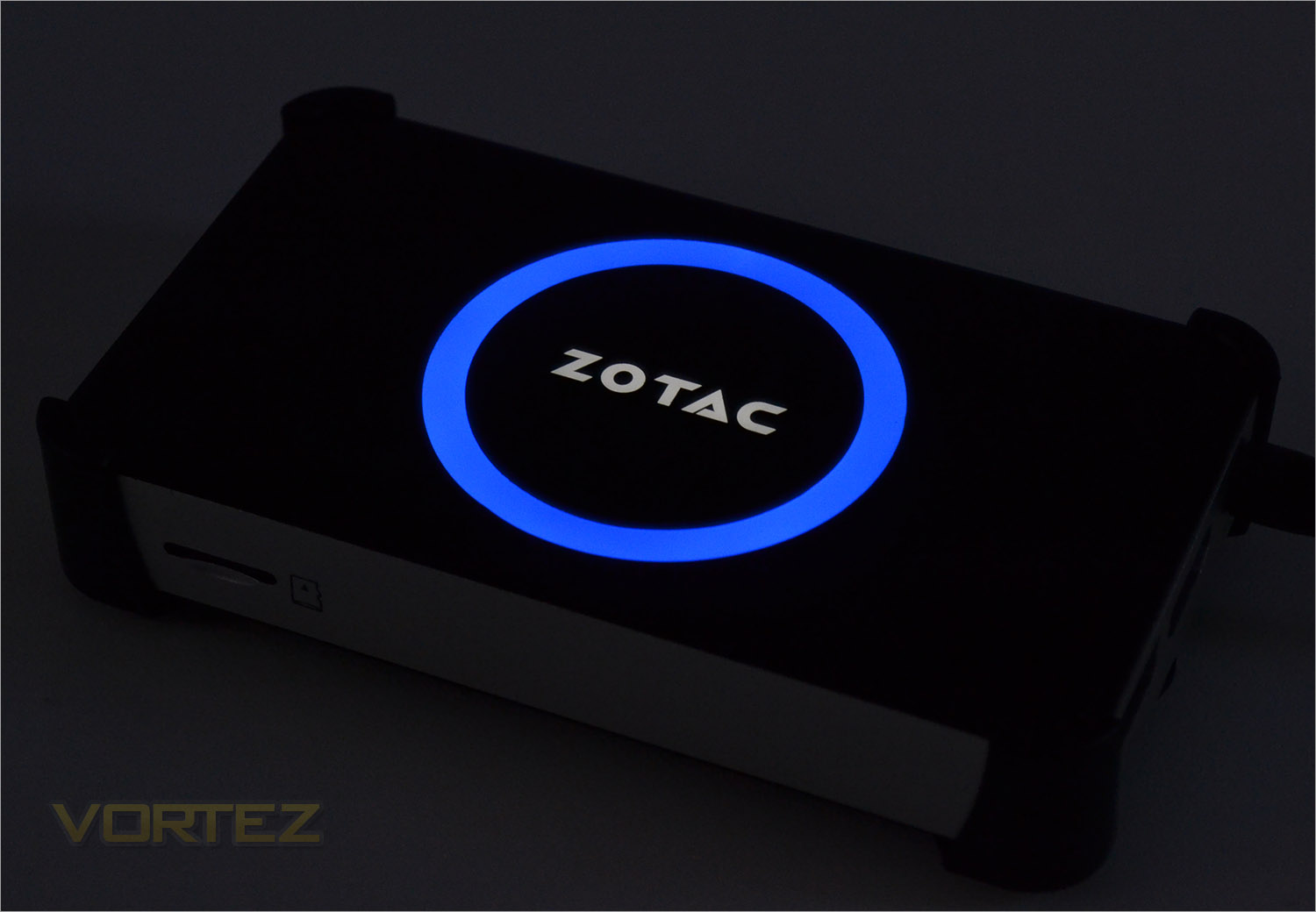
When powered up, the black glossy surface comes alive with an illuminated ZOTAC emblem and blue ring.
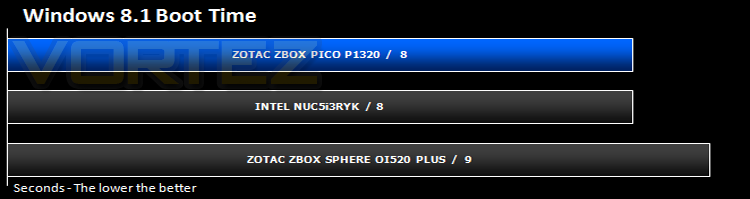
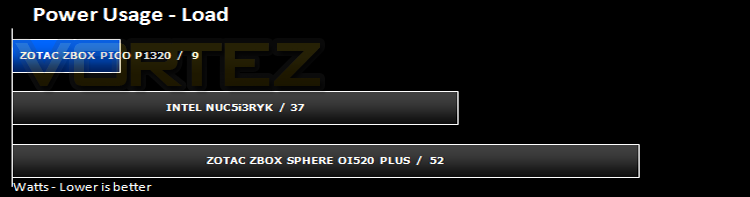
Windows 8.1 boot & Power Consumption
Gaming & Synthetic Benchmarks
This is where we would normally benchmark a system against a variety of other systems however, because the P1320 is based on a 32-bit OS and the other systems are 64-bit it would be an unfair comparison. We did run a number of gaming benchmarks but sadly performance was poor. What was clear is that the P1320 is clearly not suitable as a gaming machine, even for the occasional game as we couldn’t even run the more basic games. With Dirt Showdown only managing the occasional burst above 10FPS and Tomb Raider acting like a slideshow we didn’t even complete the remaining benchmark runs as it was clearly apparent this is not a system design for gaming. Web based gaming is of course much less demanding and the P1320 can carry out tasks a tablet PC can however for any of the more well know Steam titles – just don’t even think about it!
Synthetic benchmarks too were not up to par with 3DMark Cloudgate only measuring a measly 600 points! H264 barely raised above 3FPS and we couldn’t run MAXON’s Cinebench as this is based on 64-bit technology while this system is 32-bit only. Clearly the P1320 is not for anyone wishing to carry out an strenuous tasks.
Conclusion
The ZOTAC PICO P1320 is one of those products that you will either desire or dismiss out of hand because you will either have a specific use for it or you won’t. We struggled to place the product in any segment because on the one hand it is a great little device that can do pretty much everything a SFF PC can do and because of its size it is most certainly portable. ZOTAC themselves market it toward the business sector where we see a guy sliding it into his blazer pocket. What we don’t see is the same gentleman stuffing a keyboard under his armpit, a mouse under the other and Lord knows where he would put a monitor. You see unlike a tablet PC, which can be had for around the same price, this PC needs peripherals and with that you lose portability unless you are lucky enough to have multiple devices at a variety of locations and let’s be honest here, if you have the peripherals, you are likely to have a desk and to that end a desktop PC. Sure it may have the ‘cool’ factor which is sure to draw attention when you swap out the HDMI cable from your work desktop PC and plug in the ZBOX to catch up on the latest episode of Game of Thrones but to what end? Lunch breaks sadly only last for so long and the cool appeal of this device won’t last much longer than that before you wish you had something with a bit more oomph, a little more storage, a little more speed. The device in an office environment may have a place for giving presentations where carrying your laptop across town to your meeting room proves too much all the while hoping when you get there projector in said meeting room is HDMI compatible!
Alternatively, if all you need a PC for is for web browsing and basic functionality then the ZOTAC ZBOX PI1320 is ideal. Tasks such as email and word processing are a breeze. Upping the tempo to media editing is also acceptable so long as you are not in any hurry. Quite simply unless you are an avid gamer, the ZOTAC ZBOX P1320 can do pretty much anything your average PC can but encompasses a much smaller footprint.
What the ZOTAC ZBOX P1320 could be suited for is as a media PC hooked up to your cinema display. We tried out KODI (XBMC) on the ZBOX and were very happy with the results when hooked up to a 60″ smart TV and paired with a Bluetooth Keyboard and mouse combo. It could also have uses in other areas too, especially where space is at an absolute premium or indeed where you don’t want a PC on display, say in the kitchen? There are multiple uses, each being viable for some but sadly not for others so we think it is fair to say the ZOTAC ZBOX is not for everyone.
We admire ZOTAC for what they have accomplished here as this product truly is a feat of engineering which is why we have given this product our creative award. If we asked why they crammed all this technology into such a small device no doubt they would tell us, ‘because we can’. For most people though we fear that this product is only likely to appeal to those who are either very limited on space or simply have little use for a more powerful (but inherently larger) personal computer.
A lightweight, extremely portable PC that complete most tasks without breaking a sweat.
+ Pocket sized Portability
+ Plenty of ports & functionality
+ Included Windows 8.1 32bit
+ Passive cooling
+ Solid construction
Cons
– HDMI is the only GPU output option
– Storage expandable but otherwise not upgradeable