Cooler Master’s CM Storm division release a new mid tower case called Enforcer. We take a look at this fiesty new product.
Product on Review: CM Storm Enforcer
Manufacturer & Sponsor: CM Storm
MSRP: 75 GBP / 84 EUR / 121 USD (at time of review)

Today CM Storm launch a new mid-tower case called Enforcer. Seen at CES 2011 and CeBIT 2011 this new case has much more subtle styling compared to the Scout and Sniper cases currently residing in CM Storm’s product range. This mid-tower case packs quite a punch for a case of its size – it can house the largest graphics cards currently on the market (12″) and CPU coolers of up to 175mm in height.
CM Storm’s take on Enforcer:
Continuing on with its tradition of revolutionary design and cutting edge technology, CM Storm upstages the competition with its new Enforcer chassis. The new chassis contains a wealth of features coveted by most gaming enthusiasts, including USB 3.0, SSD drive support and a removable/rotatable HDD cage to support easy installation of the highest end video cards. CM Storm has come up with a design that not only meets the expectations of its customer base, enthusiasts and esports prodigies, but does so within a price range that all will appreciate.
Technical Specifications
Dimensions
– 229 x 484.5 x 523.5 mm (W x H x D)
Weight
– 8.9KG
Motherboard
– Micro-ATX, ATX
Materials
– Steel body, ABS plastic, Mesh bezel
5.25″ Drive Bays
– 4
3.5″ Drive Bays
– 7
Front panel
– USB2.0 x 2, USB3.0 x 2, Mic + Headphone
Cooling
– Front 200mm (RED LED – 1000RPM)
– Rear 120mm (1200RPM)
– Top 200mm (Optional)
Compatibility
– CPU Cooler Height: 175mm
– VGA Card Length: 270mm
Packaging & First Look
The Enforcer arrives with us in a very graphic box. The target audience is clearly the gamer with the robot standing in the background ready for action. The art on the packaging makes a firm statement about the product inside. Around the sides and back we have the feature-set and some technical details such as the dimensions – all typical for case manufacture.
Inside the box, the Enforcer case is secured via 2 polystyrene pillars and a clear plastic bag. Again, standard procedure to ensure a safe transit.
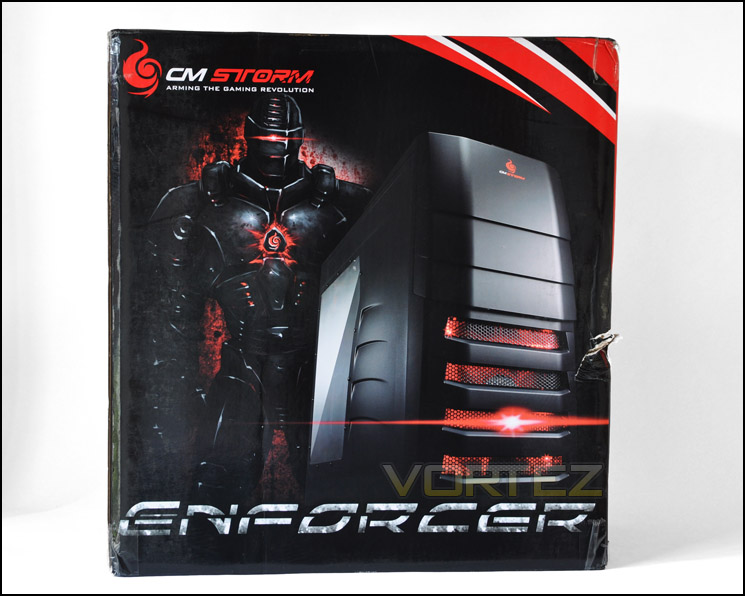
CM Storm Enforcer box is very eye-catching
Removing the Enforcer from its packaging we get our first glimpse of this new case. Its certainly quite different from anything Cooler Master have previously released but similar to the HAF series the Enforcer carries with it this rugged, aggressive styling that the gamer seeks. The prominent side panel features a half cut Perspex window, allowing you to see your hardware. Lines are cut out and the contours are all smooth.
Over the other side the side panel is plain. It features no distinct styling or mesh panels.
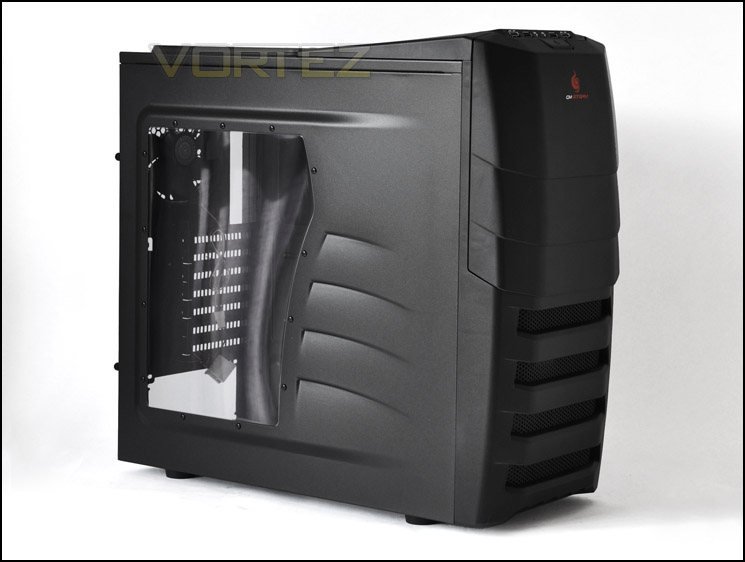
The prominent side features a window
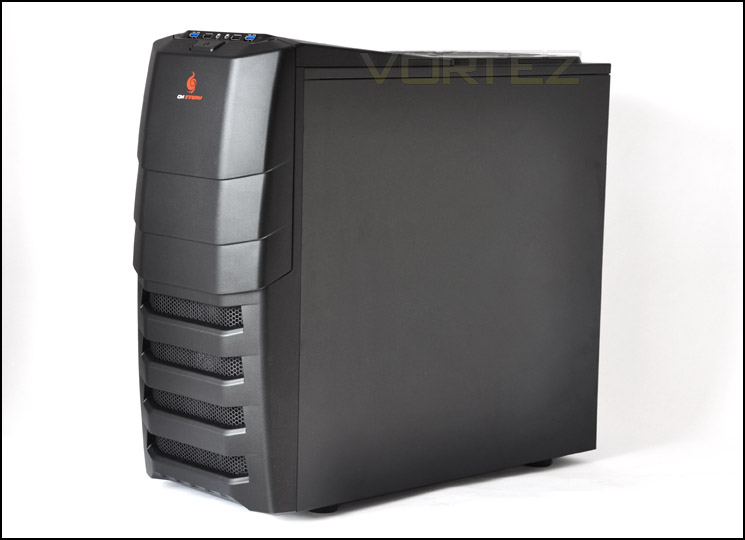
Rugged, aggressive styling for the hardcore gamer
Exterior
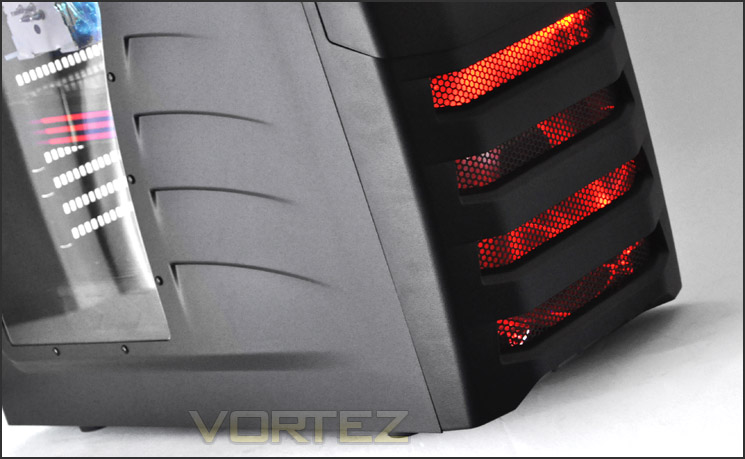
Moving in for a closer look, the front panel features a door that opens to reveal 5.25″ drive bays. This door has the CM Storm logo printed on it. Further down there are perforated mesh cut-outs. These panels are to allow the large 200mm fan to draw in air for intake. Enforcer has distinguishing looks, there’s no mistaking it.
Around the back from the bottom up, we have an area for mounting the PSU at the bottom, 7 expansion slot covers – each with ventilation for increased airflow circulation/dissipation and a vertical expansion cover that allows a device such as a fan controller to be installed. Further up 1 x 120mm fan for rear exhaust and above this 3 rubber grommets for feeding cabling or water-cooling tubes outside of the case.
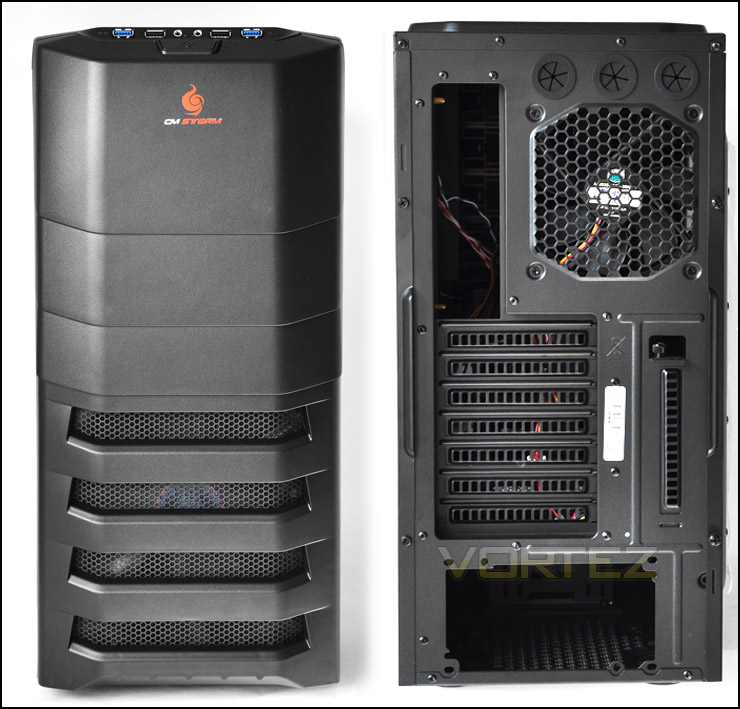
The front and back of the Enforcer
As already mentioned Enforcer has a door that opens out, this reveals 4 x 5.25″ drive bays. The door here operates on a 2 hinge mechanism and closes softly via a magnet. This door should provide some additional noise damping.
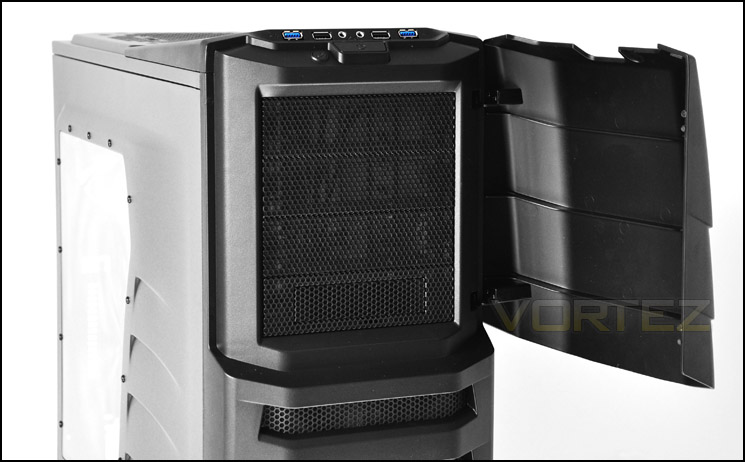
A front door opens out to reveal 5.25″ drive bays
Taking a look at the front panel there are some great features such as 2 x USB3.0, 2 x USB2.0, headphone and microphone jacks, a large power button and a reset button that is concealed via the door – a nice technique for eliminating accidental reset.
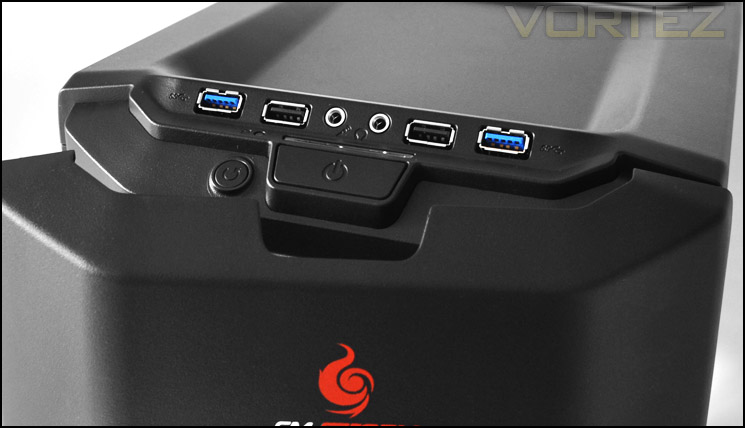
The front panel has plenty of functionality – including USB3.0
Further towards the back we have a perforated mesh panel that covers the top of the Enforcer. There are no pre-installed fans on the underside, but the option to install either a 1 x 140mm fan or 2 x 120mm fans.
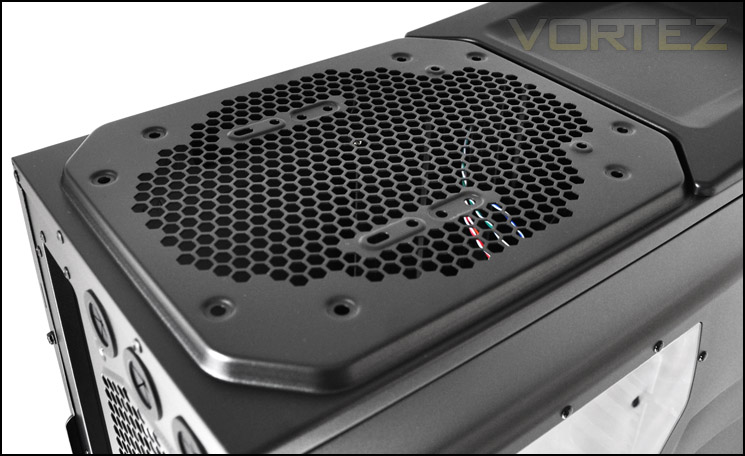
The top has mounting holes for additional cooling
Interior
Removing the side panels is very easy. Thumbscrews hold the side panel with the window in place whilst standard screws hold the plain side. Side panels slide off to reveal a memorable interior. Those familiar with the HAF 912 Plus will notice key similarities with the layout and options available inside Enforcer. Behind the motherboard tray there is a rather large CPU cooler backplate cut-out. Cable management cut-outs are essential nowadays and its good to see the Enforcer continues this trait. Lets move in for a closer look.
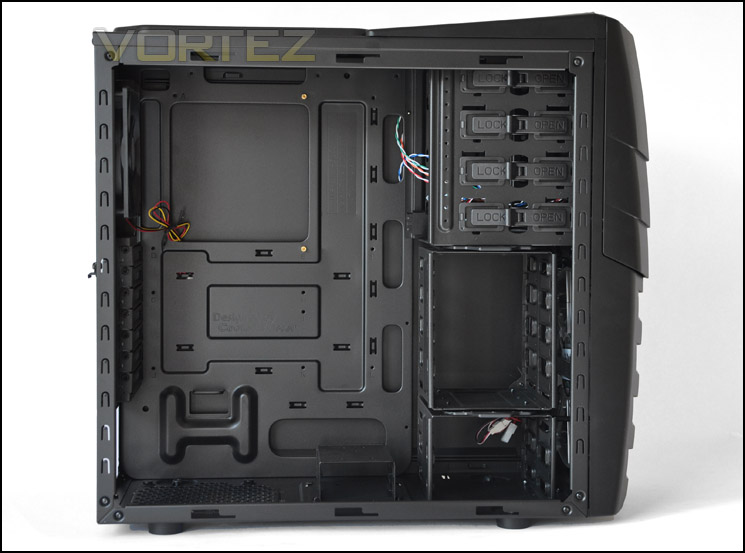
A roomy, feature-laiden interior
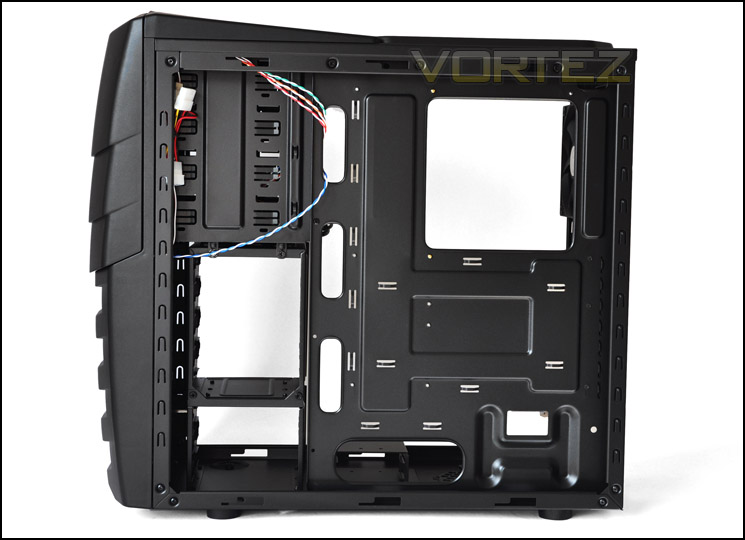
Large CPU cooler backplate cut-out and cable management options
Starting at the bottom, we have an area designated for the PSU. This has a filter and I am pleased to see anti-vibration rubber to reduce noise and metal on metal scratching.
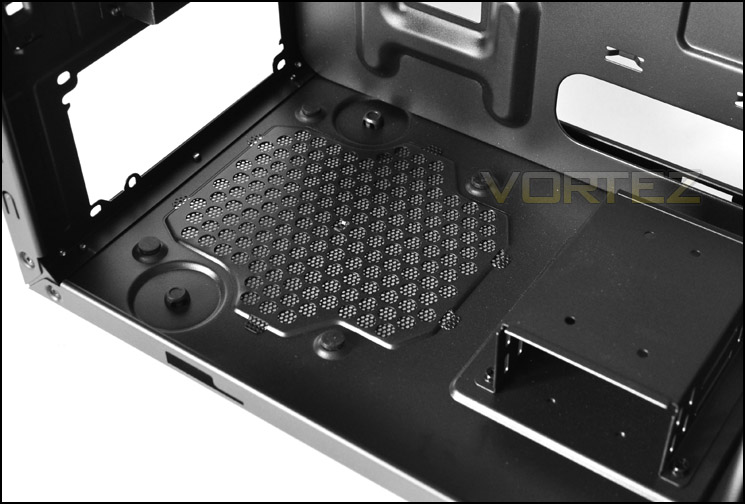
The PSU seating area with anti-vibration and filter
Moving up, there are 7 expansion slot covers each with ventilation for better airflow inside Enforcer. I’m surprised to see no thumbscrews here though, with just the standard screw – you will need to get the screwdriver out.
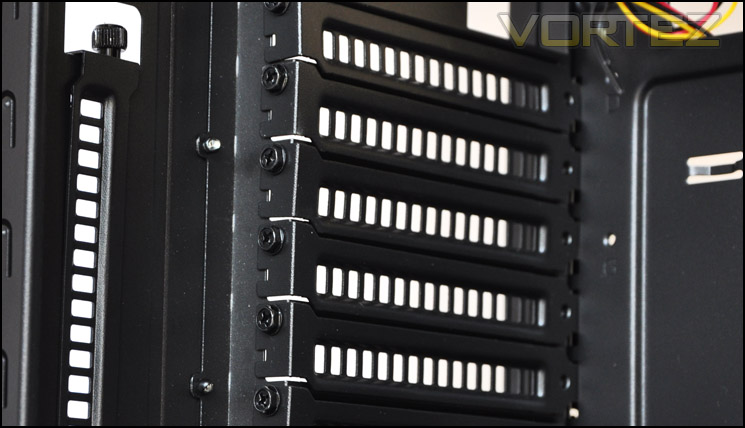
7 expansion slot covers inside Enforcer
We have a pre-installed 120mm fan for the rear exhaust, this fan has the 3-pin to molex adapter already fitted. So its really up to you whether you want to plug directly into the PSU or motherboard header. At the top as already mentioned, there is no pre-installed fan but space to installed 1 x 140mm or 2 x 120mm fans.
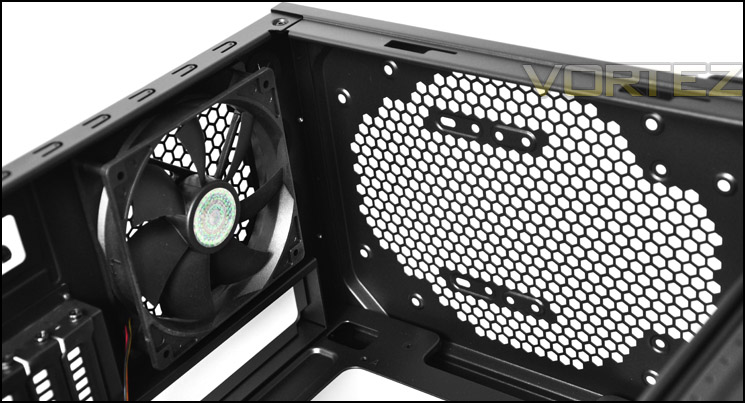
120mm rear exhaust fan pre-installed but no top fan cooling
Over on the other side there are optical drive bay tool-less mechanisms for each drive. The tool-less mechanism here is frequently used in most of Cooler Master’s current lineup of cases and is proven to be very good.
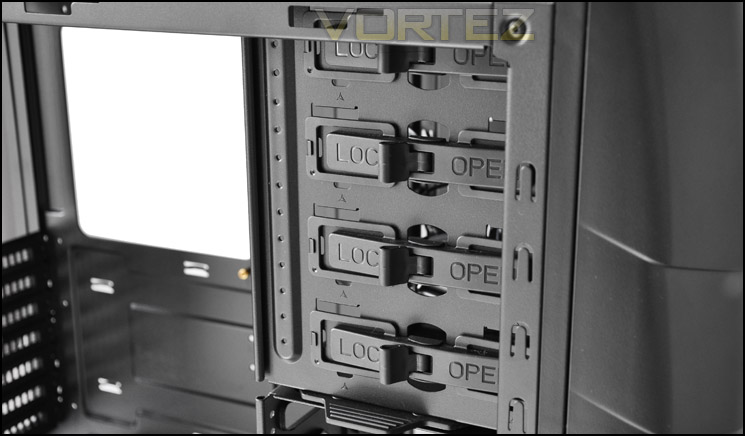
Tool-less mechanisms for optical drives
Interior (Continued)
In terms of HDD storage there are quite a lot of options available. First of all there is a small platform for mounting 2.5″ HDDs such as SSDs. Then, next to this we have a large HDD cage that can have its orientation altered or even removed entirely. This top cage takes up to 4 x 3.5″ drives. Beneath this there is another cage that is mounted to the actual case, this can house 2 x 3.5″ drives.
Its good to see the option of a removable HDD cage since some graphics cards can overlap in this region. Removing the HDD cage will not only allow for better graphics card compatibility but it will also improve airflow as there is a large 200mm fan mounted behind the cage.
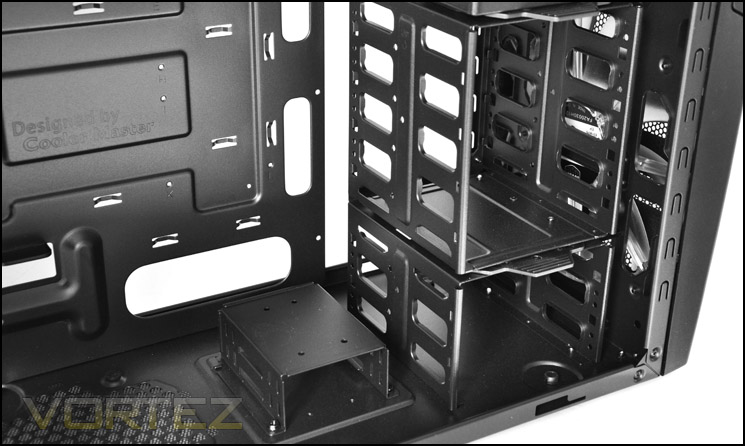
Lots of options for storage including 2.5″ and 3.5″. Top cage can be removed
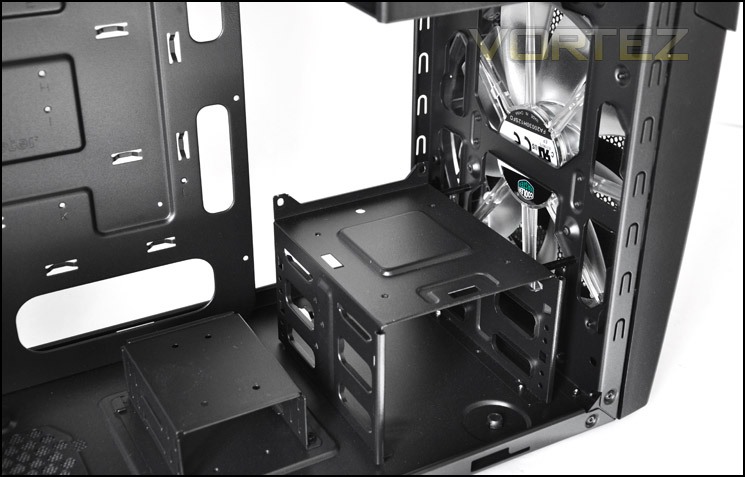
Cage removed, more 2.5″ mounting options
The front fascia can unclip to allow you access to the front mounted fan. Mounted on the fascia is the fan filter, this can be removed and cleaned.
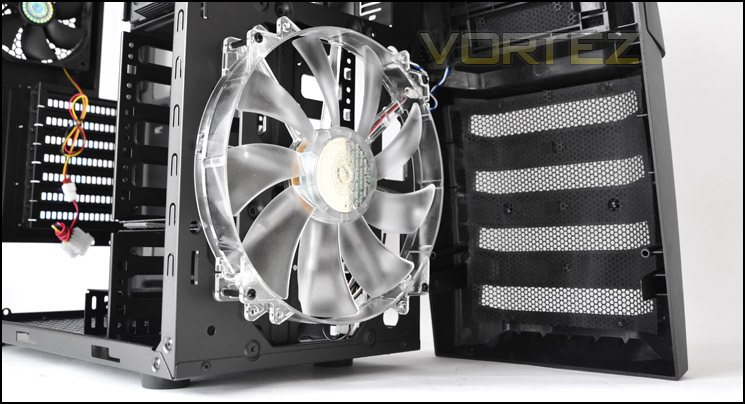
Front fascia removed to reveal 200mm fan mounted at the front
Installation
For a case of its size, the Enforcer is extremely easy to install kit into. The entire process from start to finish takes very little time. For an ATX setup, the Enforcer is a good option to go with if you are after something a little bit more compact. There are plenty of options to take advantage of, but also some things to be aware of too. For graphics card installation I had to remove the HDD cage to allow the HD 6990 to have no obstruction. The 2.5″ shelf had to be removed to get the PSU in also. These things are only slight niggles and CM have even catered for larger graphics cards anyway by allowing the removal of the HDD cage. Overall, I am happy with the installation. I will now take you through the finer details.
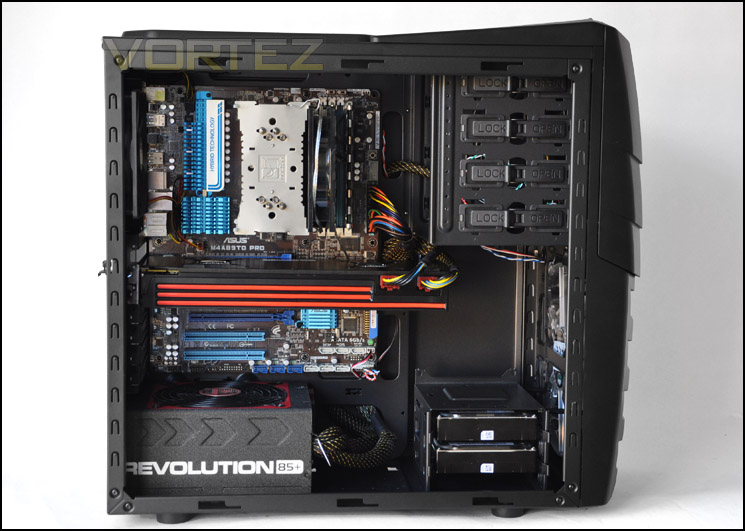
The Enforcer will house high-end hardware
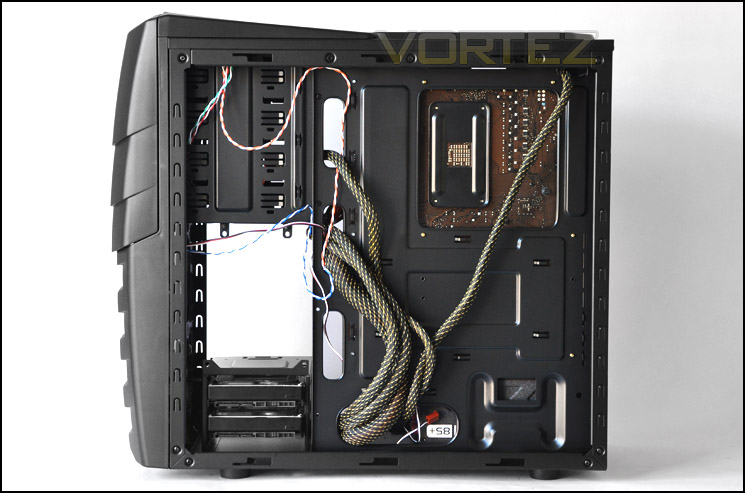
Larger cables can loop around the back
Included with the Enforcer is an accessories kit that includes some helpful tools. There is an instructions manual, 3.5″ to 2.5″ HDD adapter, HDD brackets, various screws and a stand off socket that allows you to install the stand offs with your screwdriver, a small but extremely helpful little tool. Its great that CM have included this.
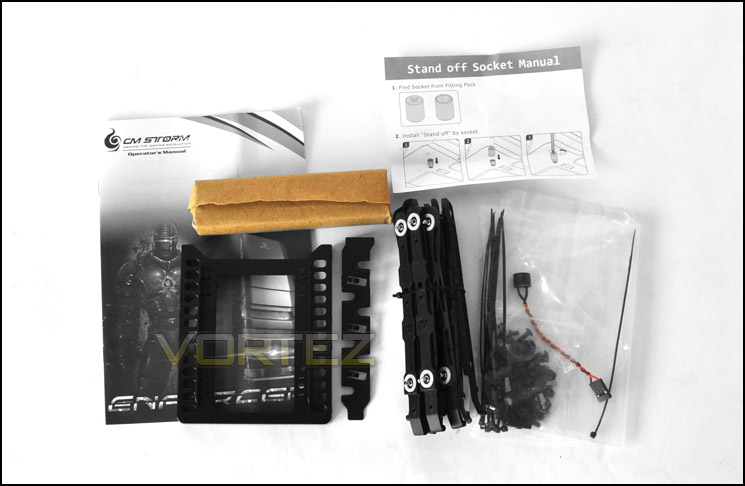
The accessories pack has a lot of helpful tools
In terms of clearance, the CPU cooler has plenty of clearance between it and the side panel. The Noctua NH-U12P here is 158mm in height, there is at least another inch left.
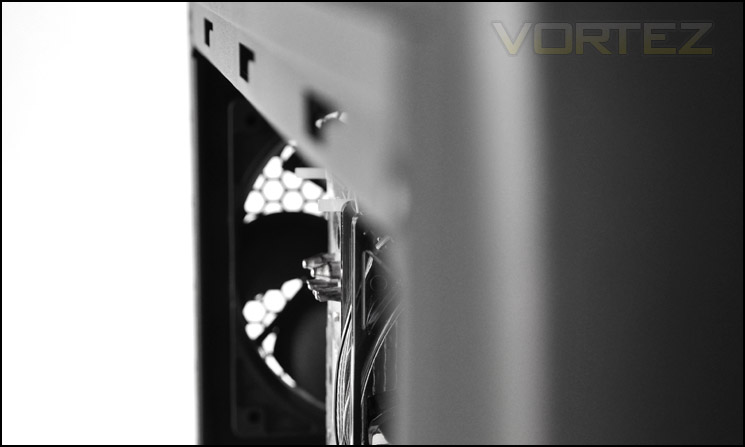
Large CPU coolers – not a problem
Moving to the GPU side of things, to install both cards the HDD cage had to be removed. Its good that this option is even available. In some cases, these two cards simply wouldn’t fit due to the HDD cages being fixed in place. The two cards here that are installed are:
HIS HD 6990 – 12″ in length
ASUS HD 6950 Direct CU2 – 11.7″ in length (triple slot!)
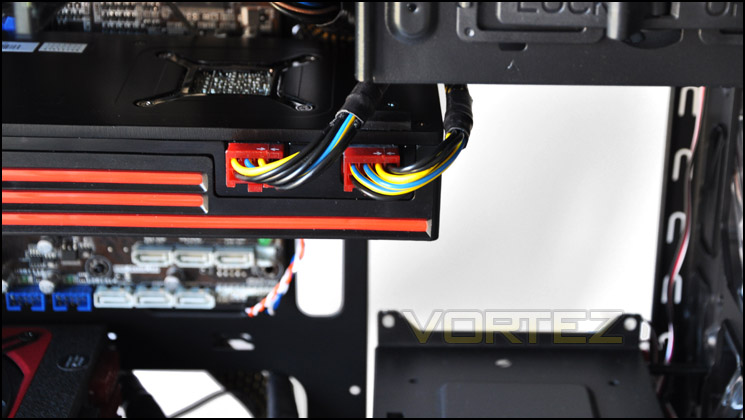
HD 6990 fits – without the HDD cage present[
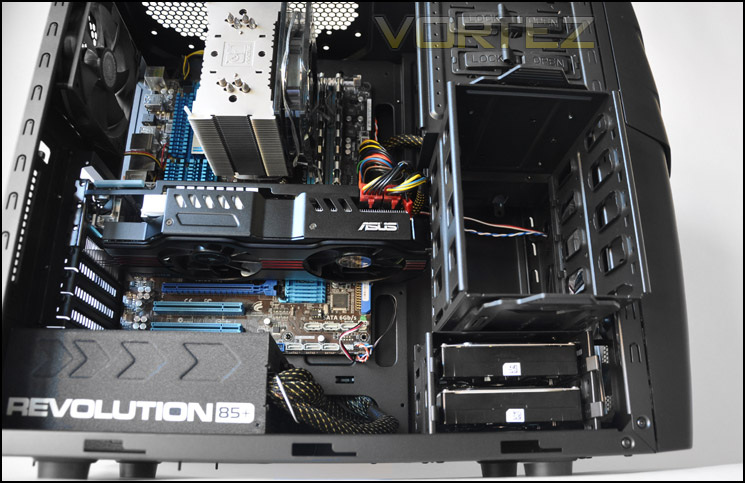
ASUS HD 6950 Direct CU2 triple slot card fits without cage present
Installation (Continued)
One thing I would like to commend CM for with the Enforcer is the USB3.0 header cable. Finally we have something to connect to our USB3.0 ready motherboards other than the USB cables that many cases seem to have (routed from the front to the back). This means things are going to be a lot more tidy and USB3.0 ports on the I/O aren’t unnecessarily taken up.
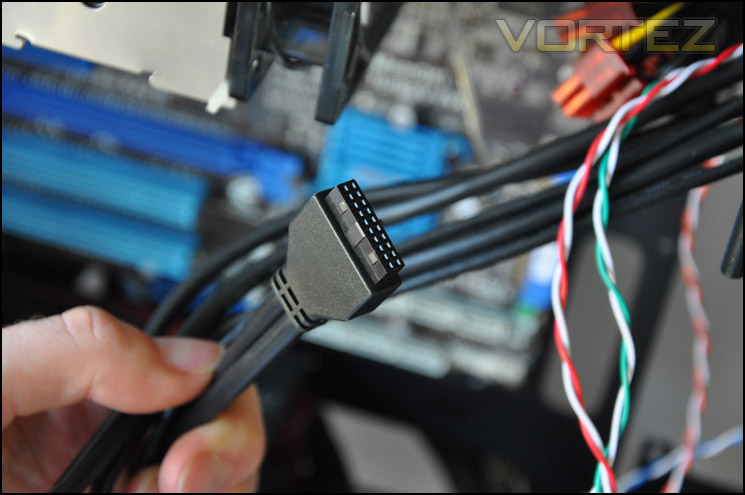
Finally a USB3.0 header cable!
HDD install is very simple, just attach a pair of brackets to wither side of the HDD and slide the drive into an available slot on the rack. The drive then clicks into place.
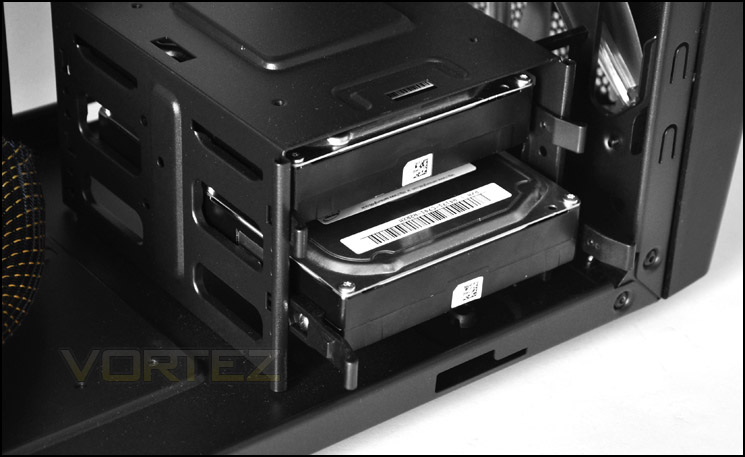
HDD install is very simple – HDD brackets
Behind the motherboard tray we have just under 1.5cm of clearance between this and the side panel. This gives adequate clearance for routing through the thick cables and means the side panel will fit on without too much adjustment.
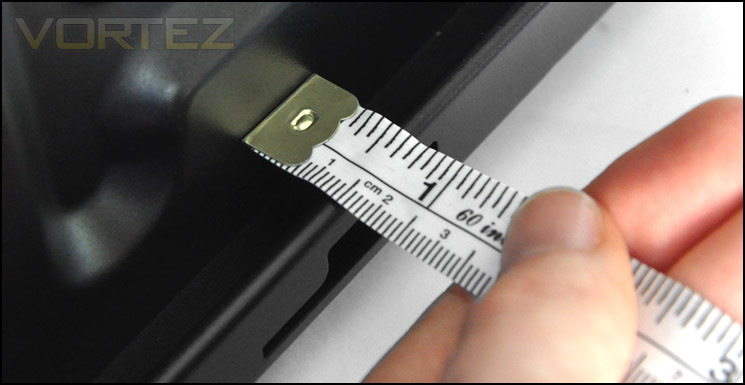
Just under 1.5cm of clearance behind the motherboard tray
Powered UP (Lighting)
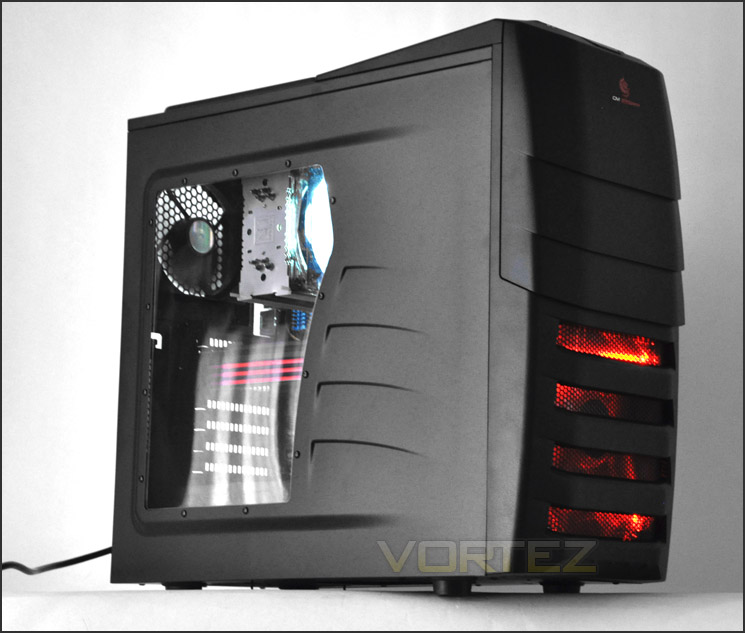
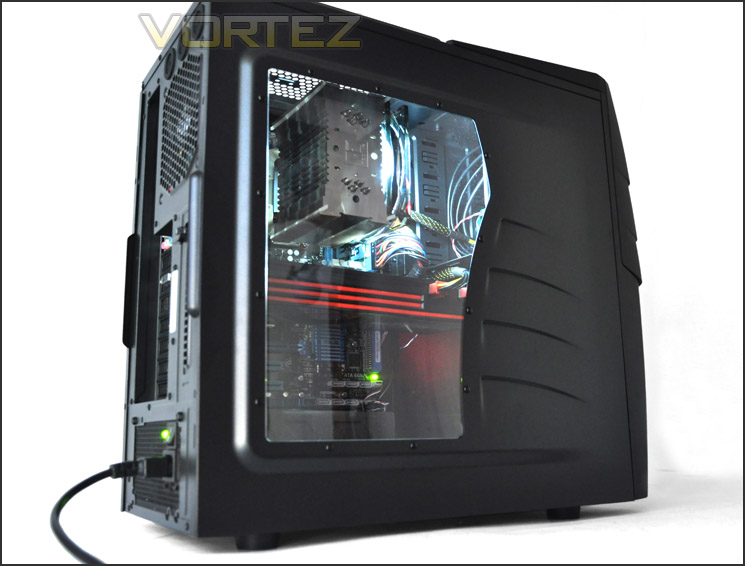
The Enforcer features a large – 200mm LED fan at the front, emitting a warm, red glow. With a transparent side panel window on the prominent side, we can take a look at what’s going on inside the case. All powered up, the Enforcer looks like its ready for battle.
Thermal Performance
The CM Storm Enforcer has a traditional cooling layout mapped out. A front intake fan and a rear exhaust. The front intake has a slight advantage over many cases due to its size being 200mm. Larger fans can push more air and are generally quieter. The Enforcer is poised to deliver good thermal performance, lets get started.
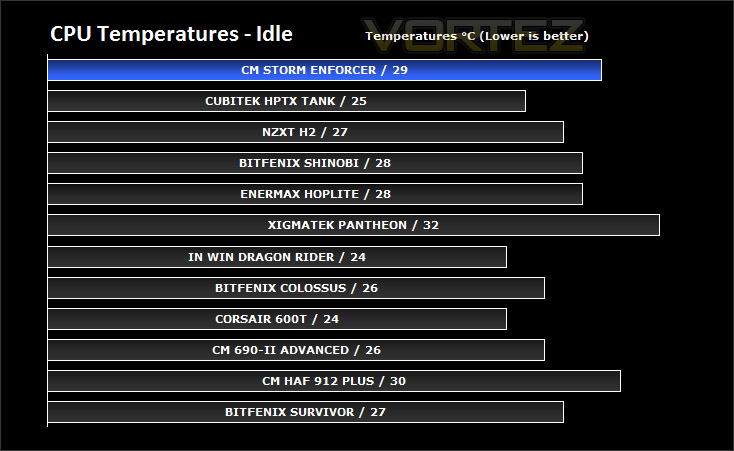
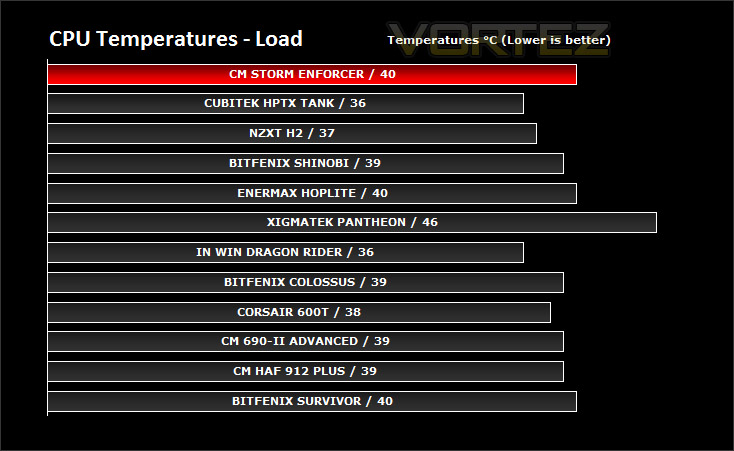
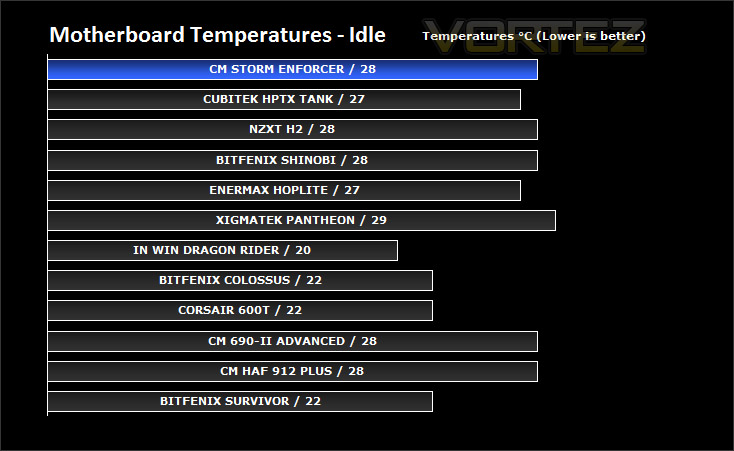
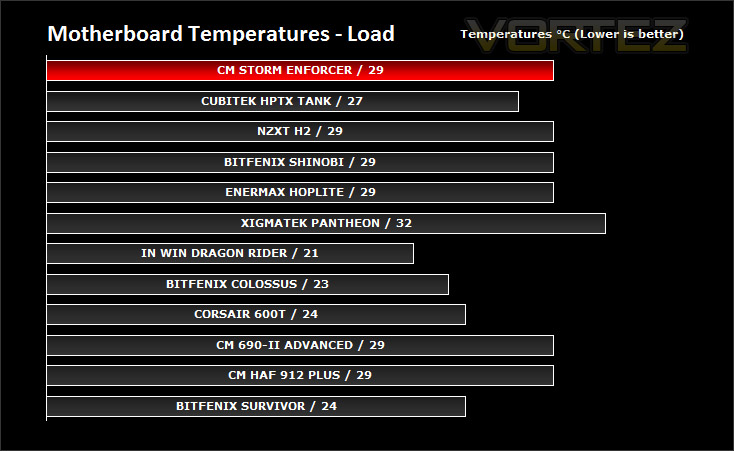
To discover the thermal performance of the CM Storm Enforcer I will record idle temperatures after 20 minutes from a cold boot. I will then stress the system and temperatures will again be monitored after 30 minutes have elapsed. NOTE: HDD cage has been removed for the thermal tests, in order to reduce the obstruction of airflow from the 200mm fan at the front.
System Components
CPU AMD Phenom II X6 1055T 2.8GHz
Motherboard ASUS M4A89TD PRO
Graphics ZOTAC NVIDIA GTX 480
Memory 4GB Mushkin EM3-10666 DDR3
HDD Samsung Spinpoint 500GB SATA-II
PSU Enermax Revolution 85+ 850W
CM Storm’s Enforcer does well in the thermal tests, it may not be the best case for cooling but its still a contender. You have to remember that some of the cases in our thermal database have more fans, bigger rear exhausts, top mounted fan configurations etc.
Conclusion
For the observant ones out there, you will recognise some similarities between the Enforcer and HAF 912 Plus. It adopts similar features, size and styling. I would suggest the Enforcer carries with it the success of the HAF 912 Plus with a facelift and by that I mean the front facia.
The Enforcer may be small in stature but it boasts some excellent features. The structure is solid and will appeal to the gamer that is perhaps after something more compact. Not everyone favours the full-tower case with its cumbersome interior.
Inside, we can install multiple graphics cards without a problem. The HD 6990 I installed inside the Enforcer had plenty of space, provided I removed the HDD cage. And with this cage removed, I still had many options for HDD storage.
Priced at around £75 inc. VAT the Enforcer is a great option for those seeking a case that is compact but with bold characteristics.
Such a strong product still has some slight niggles however, standard screws on the expansion slot covers is a turning back as far as I’m concerned. I can’t understand why CM didn’t use thumbscrews in this spot, it can’t cost that much more. For the price, I would have liked to see fan control too – although the fans during 7v and 12v operation presented little interference.
YouTube Video Review @ Vortez
Pros
+ Brilliant build quality
+ Similar body but different looks to HAF 912 Plus
+ Installation is a breeze
+ USB3.0 header at last
Cons
– No fan control
– Thumbscrews for expansion slot covers
+ Brilliant build quality
+ Similar body but different looks to HAF 912 Plus
+ Installation is a breeze
+ USB3.0 header at last
Cons
– No fan control
– Thumbscrews for expansion slot covers