







Corsair recently launched a mid-tower case in the Obsidian Series – The 650D. We take an indepth look at this new chassis.
Product on Review: Obsidian Series 650D Mid-Tower
Manufacturer and Sponsor: Corsair
Street Price: £131.72 inc. VAT (at time of review)

Having two full tower cases within the range has certainly satisfied the high-end market but what about mid-range? Well today we will be looking at the new 650D. This is a mid-tower case, offering all the features of the 800D but in a smaller shell. Not everyone favours a full tower case, many have been waiting for this 650D – the smaller brother to the 800D.
Some of its key benefits include – dual 200mm fans, 8 PCI expansion slots, support for dual 120mm liquid cooling radiators and an external SATA 6G docking station to allow access to 2.5”/3.5” drives. With many more features to take advantage of let’s begin our analysis of this exciting new release from Corsair.

Corsair’s take on the Obsidian 650D:
The Obsidian Series 650D mid-tower case is manufactured with strong, stamped steel parts for increased rigidity, and coated in a black textured paint. The front panel features a beautiful black brushed aluminum faceplate to bring a subtle elegance to your next build.
Technical Specifications
Warranty
– Two years
Dimensions
– 21.5” (L) x 9” (W) x 20.5” (H) 546mm (L) x 229mm (W) x 521mm (H)
MB Support
– ATX, mATX
Expansion Slots
– 8
Form Factor
– Mid-tower
Material
– Steel structure with black brushed aluminum faceplate
Drive Bays
– (x4) 5.25” (x6) 3.5”/2.5” Drive Caddies
Cooling
– (x2) 200mm Fans (x1) 120mm Fans
Front I/O
– (x4) USB 2.0 (x1) USB 3.0 (x1) IEEE 1394 (x1) Headphone, (x1) Mic 4-channel Fan Controller
Power Supply
– ATX (not included)
Packaging & First Look
Corsair have taken the eco-friendly packaging approach to most of their products and the 650D follows in similar fashion. A simple illustration of the 650D can be seen on the front of the box and specific technical details can be seen on the sides and around the back with an even more detailed break-down of 650D. Inside, the case is covered in a black fabric sheet and secured in place via polystyrene pillars to ensure its safe arrival in transit.
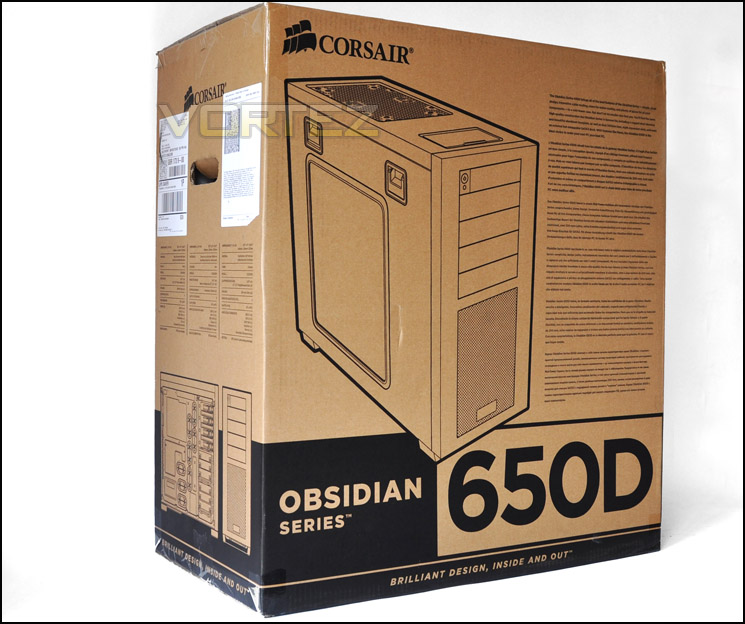
The Obsidian 650D packaging – eco-friendly
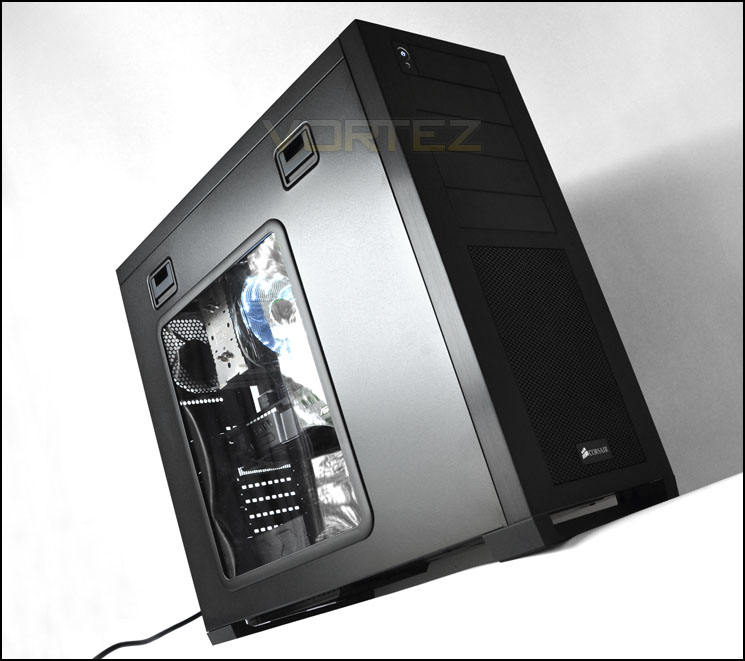
With the 650D finally out of the box we can admire its rather elegant exterior and get our first glimpse of this inconspicuous chassis. It’s outer shell is very simplistic yet it still has the windowed side panel to allow you the option of viewing the hardware inside. Each side panel is fixed in place via a pair of very handy quick-release latches. These latches are pressed down to allow the side panel to slip out. This makes getting into the case very easy and is a far greater method than the customary thumbscrew.
The front fascia is brushed aluminium. The rest of the case is steel construction though. I like Corsair’s approach to styling the 650D, rather than going down one route they have bridged the gap between gamer and professional to offer something to satisfy both camps.
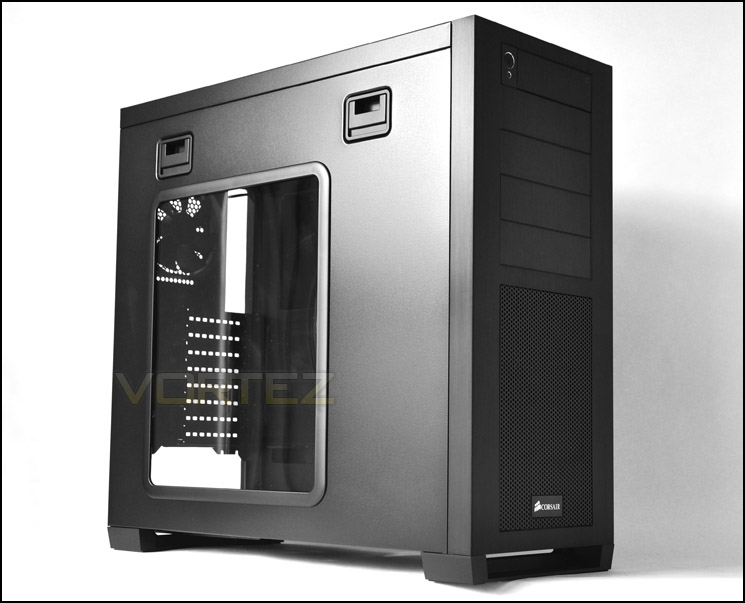
Corsair Obsidian 650D features a Perspex window
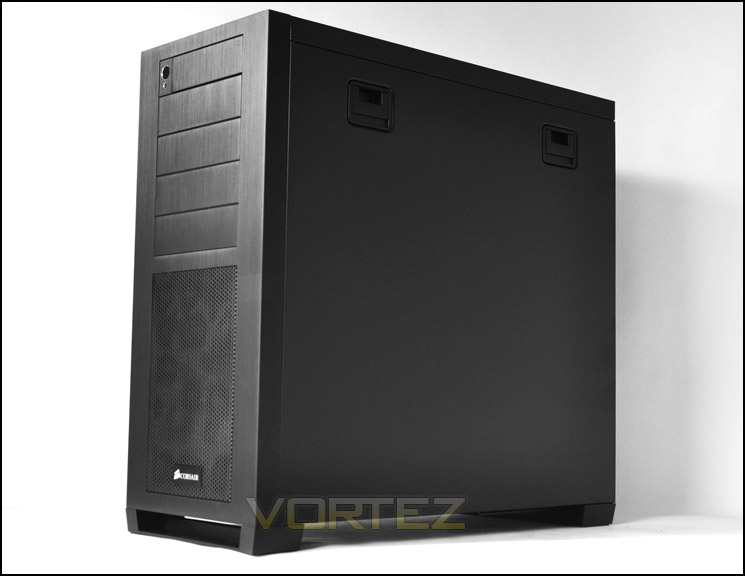
Brushed steel fascia gives Obsidian 650D a professional touch
Exterior
The front of the 650D, as already mentioned, features this brushed aluminium fascia. I have to admit it looks great. The bottom section has a removable mesh panel and further up we have 4 x 5.25” drive bay covers. At the absolute top there is another bay cover – this houses our front panel connectivity. Pressing the corner in causes this cover to slide open.
Moving to the rear of the 650D at the bottom there is space for mounting a PSU. Above this we have 8 expansion slot covers which will surprise many as the 650D is in fact only a mid-tower case. Each of the expansion slot covers here are ventilated to encourage better airflow. Next to our expansion slot covers there are 2 circular rubber grommets for feeding tubes/cabling through – the 650D can accommodate water-cooling radiators. We will take a look at the inside in the next section.
Above this we have an area marked out for a 120mm rear exhaust fan. Every aspect of the front and back appear to carry with it good build quality. So far, so good!
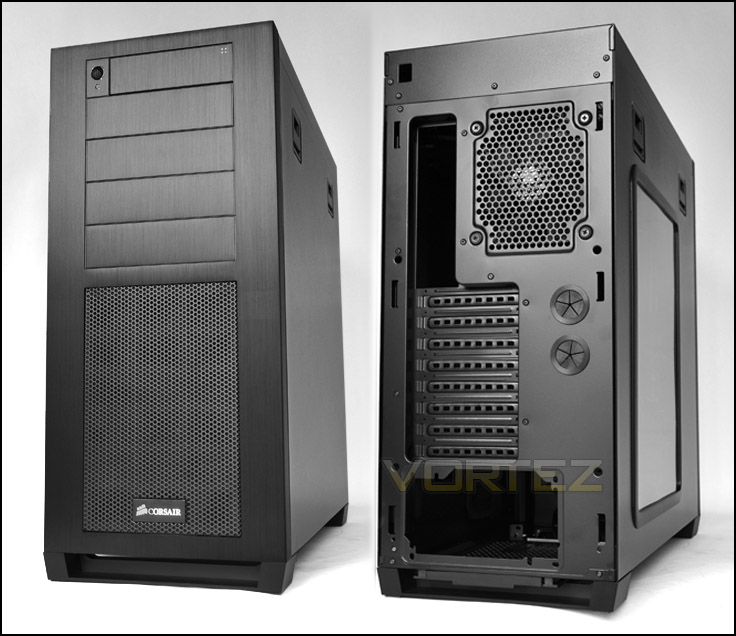
The front and back of Obsidian 650D
In our closer observation we will firstly take a look at the removable dust filter mesh cover at the front. This covers a front mounted 200mm intake fan. Pressing this mesh panel in at the top will cause the cover to slide open. With this cover removed dust and dirt can then be washed/cleaned off. This is a handy feature to have as it means you keep things tidy without having to even go inside the case.
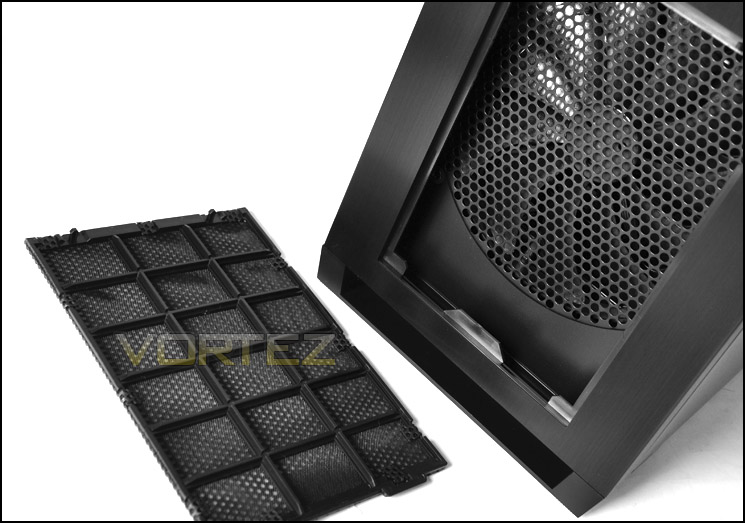
Removable fan filter at front – very useful
Up at the very top of the front of the 650D is the front panel connectivity. Pressing the right-hand corner of this cover causes the door to slide open, revealing 2 x USB3.0 ports, headphone and microphone jack, 2 x USB2.0 ports, firewire and reset button. On the inside of the cover we even have small icons to indicate what each port represents in case you had difficulty to establish what each port was for. On the far left there is a power button and activity LED beneath. It’s good to have the option of shielding the front panel features here, keeping dust out and limiting potential damage from accidental knocks. Sadly, the USB3.0 ports on the 650D aren’t attached to a USB3.0 motherboard header connection like some of the cases we have seen reviewed at Vortez.net recently. Standard USB3.0 cables have been used and these will need to be plugged into the USB3.0 ports located on the I/O panel of the motherboard.
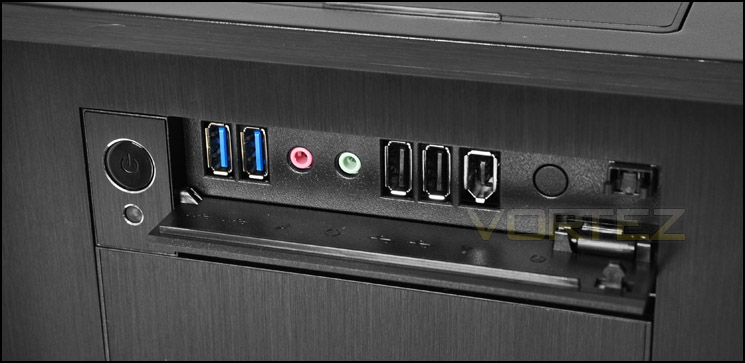
Front panel connectivity with USB3.0
At the top of the 650D we have another door. This slides back to reveal a SATA hot-swap bay. This is 6Gbps compatible and allows 3.5” and 2.5” drive functionality. A great feature to have – it means you can access your data without the hassle of having to connect cables to your drive. It offers a hassle-free way to access your data.
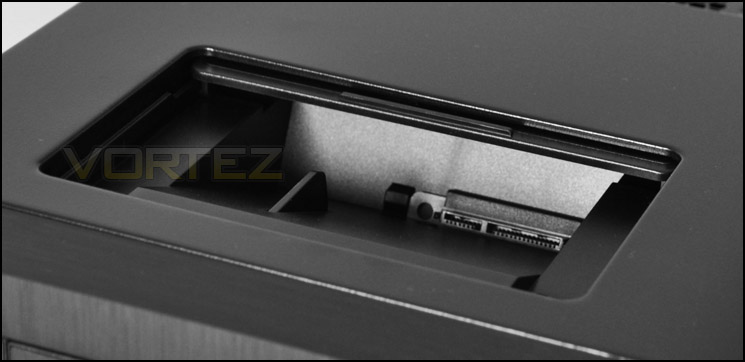
A docking station for SATA 3.5”/2.5” drives – even 6Gbps support
Further along the time there is a large mesh region that clearly shows another 200mm fan on the inside. There are also mounting holes for dual 120/140mm fans, if you wanted to change the cooling configuration around.
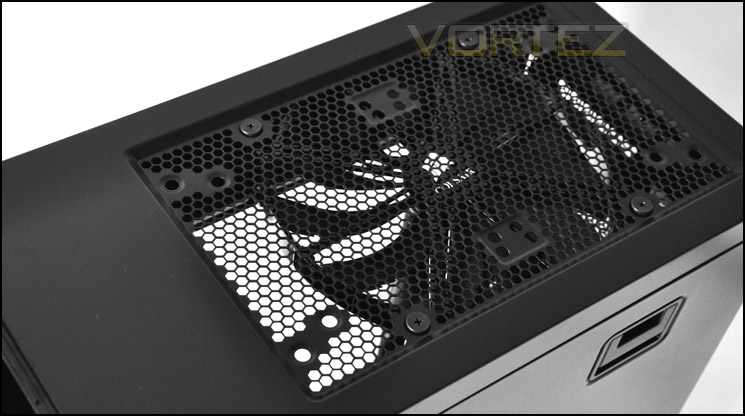
A top mounted 200mm fan with dual 120/140mm fan options
Interior
The 650D has quick-release side panels so removing them is extremely easy. No longer is there any need to be turning multiple thumbscrews to fix panels in place. As you can see from the overview of both the prominent side and behind the motherboard tray the 650D is laden with cable management cut-outs for keeping the inside neat and tidy. Cable management is an important aspect of system building, a clean tidy interior will help airflow.
Aside from this we have lots of space and tool-less mechanisms for securely fastening in devices and lots of cooling options too.
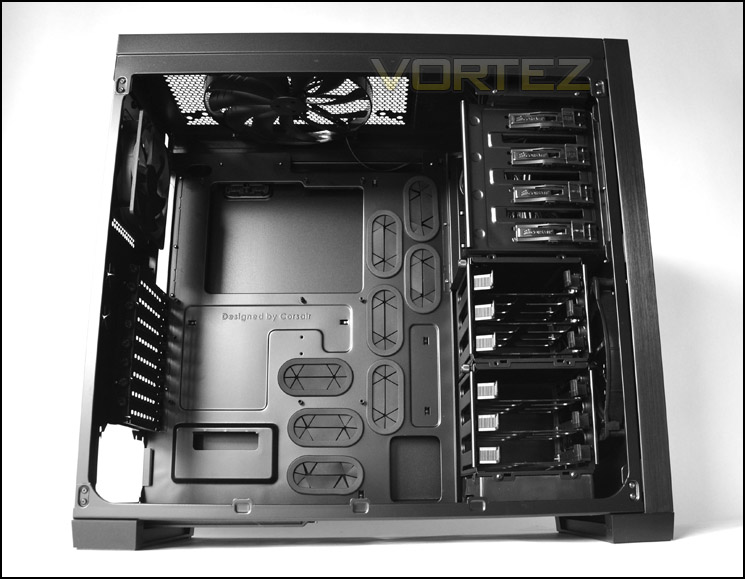
The prominent side, showing lots of tool-less mechanisms and HDD storage
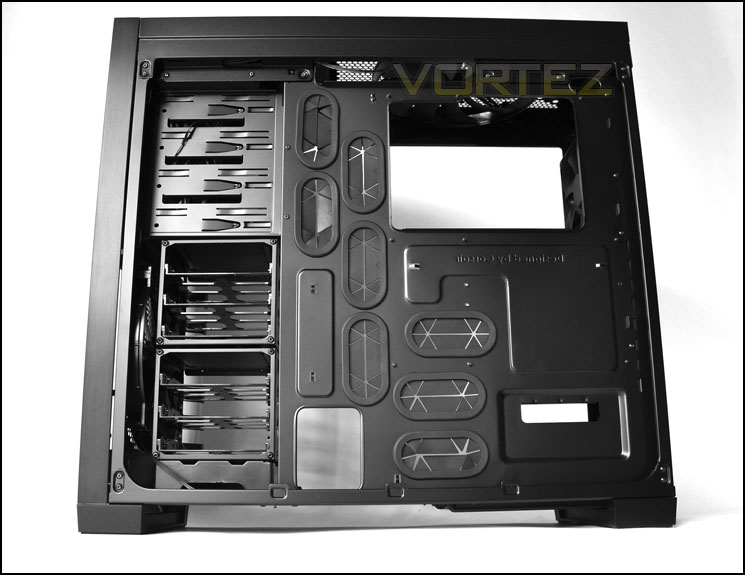
Behind the motherboard tray, lots of space and cable management holes
Moving in for a closer look we can see that at the bottom of the case there is a space there for mounting the PSU. Extended PSUs are also supported; all we have to do is move the bracket further along via the thumbscrews provided. Sadly though there is no rubber in this region, no anti-vibration between the PSU and the case. Metal on metal results in scratching which is something that everyone will want to avoid.
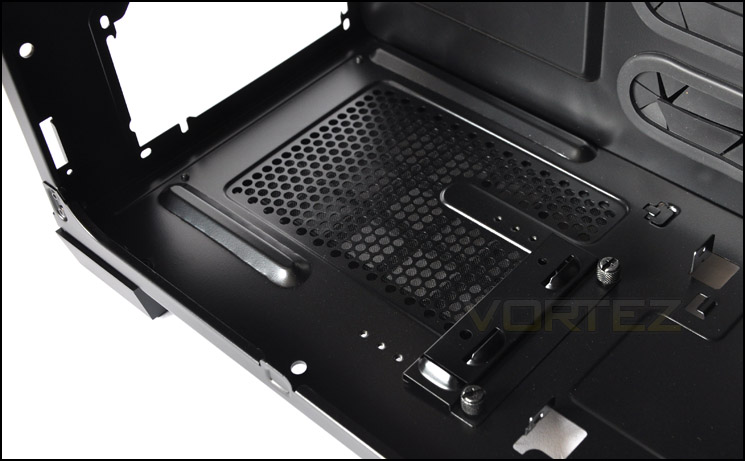
PSU seating area with support for extended units – no anti-vibration though
Although the 650D is a mid-tower it has an abundance of PCI expansion slot options. Up to 8 are available, each with thumbscrews holding them in and ventilation slots for better airflow.
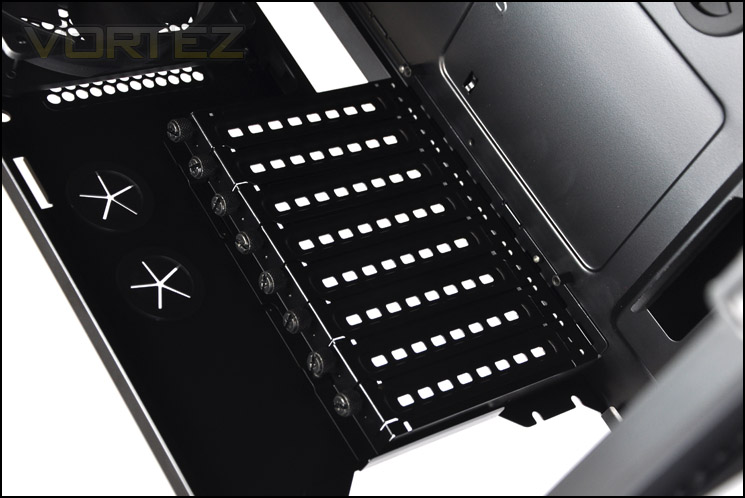
Up to 8 PCI expansion slot options for multi-GPU configurations
Interior (Continued)
Cooling around the CPU area consists of a 120mm rear exhaust and a top mounted 200mm fan. Both cables running from these fans are shielded and 3-pin. The top region of the of the 650D allows you to mount dual 120/140mm fans – if you happen to favour these over the massive 200mm fan.
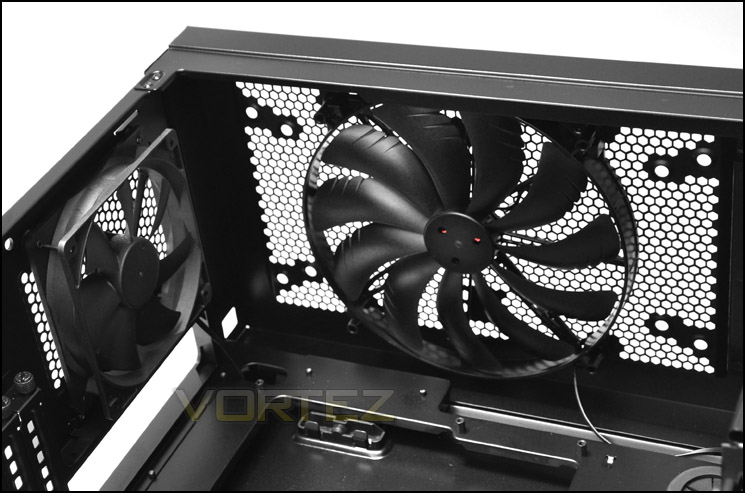
Good cooling options
Over on the other side, each optical drive bay features a tool-less design mechanism. A simple lever secures the drive in place.
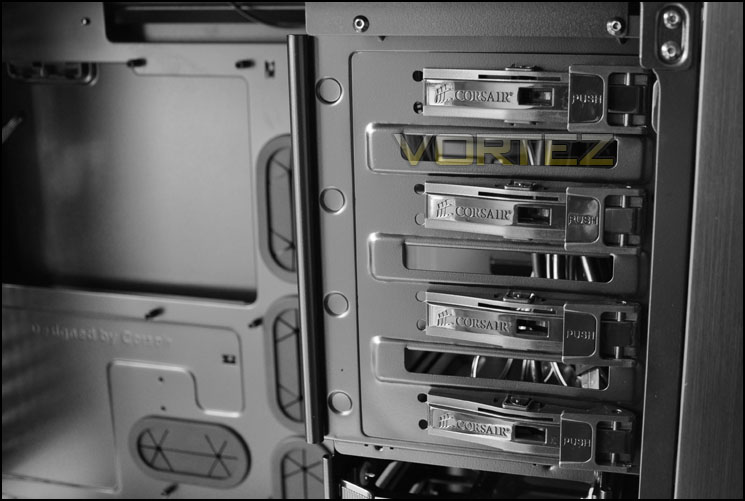
5.25” drives get tool-less design mechanisms for installation
Below this we have the HDD storage area. There are 2 cages here that can accommodate up to 6 drives – both 2.5” and 3.5”. Inside each cage are frames for attaching the drive. A little later we will take a closer look at installing a 3.5” drive. The 2 cages within the 650D are removable and we can even move the top HDD cage to right next to the PSU so there are plenty of options in this region, and even the ability to house longer graphics cards if we remove that top HDD cage.
Behind the HDD cages is a front intake fan measuring 200mm. This will connect via a shielded cable 3-pin cable. Notice there is a unit beneath the HDD cages to route through cables or even conceal cables that are not needed.
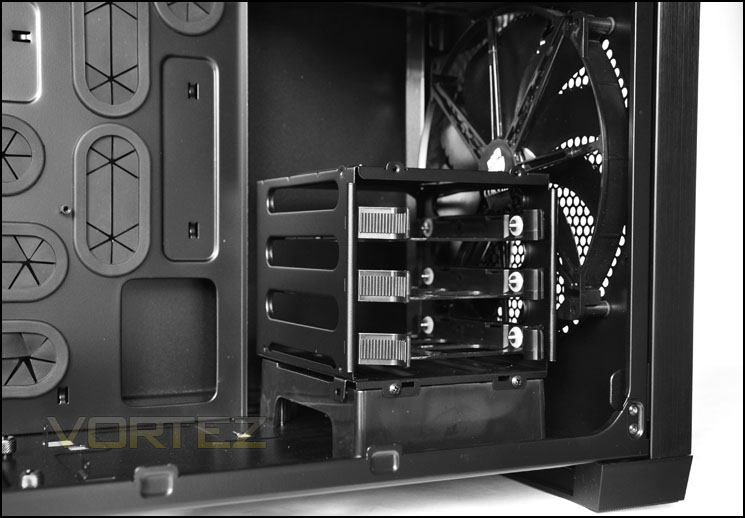
A large 200mm intake fan sits behind 2 HDD cages offering 6 slots for 2.5” and 3.5” drives
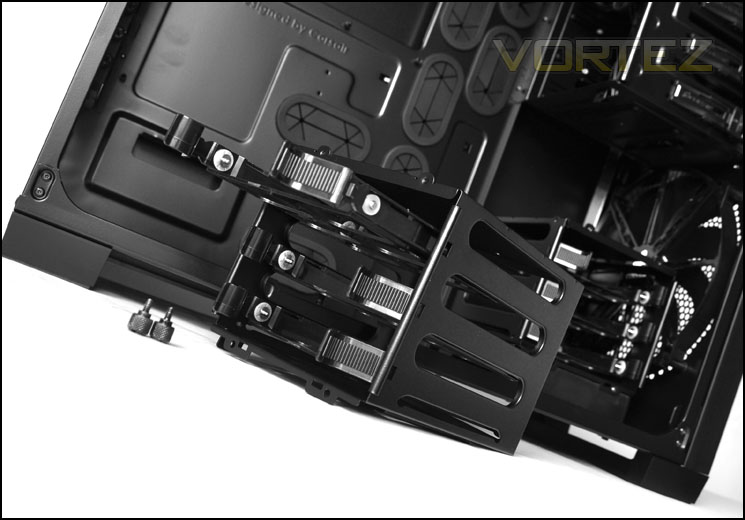
HDD cages are removable via thumbscrews
Installation
As you would expect from a case of its calibre, the 650D offers a hassle-free installation from start to finish. Thanks to the numerous cable management cut-outs there are plenty of options for routing cables behind the motherboard tray and out of sight. The interior is very tidy, airflow will certainly benefit from this. The tidier you keep the inside – the less likely airflow will be disrupted. Looking at clearance between all major components within the system the CPU cooler and graphics card have plenty of space
I was able to route the E-ATX cable behind the motherboard tray and up through the top. This is something that I always look for when reviewing cases as it’s a hindrance having to route this cable over the motherboard.
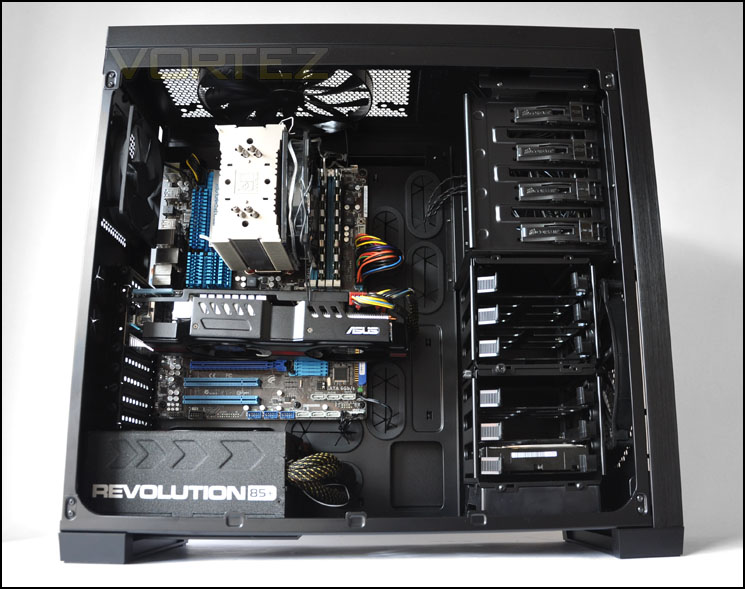
A very tidy install – lots of space
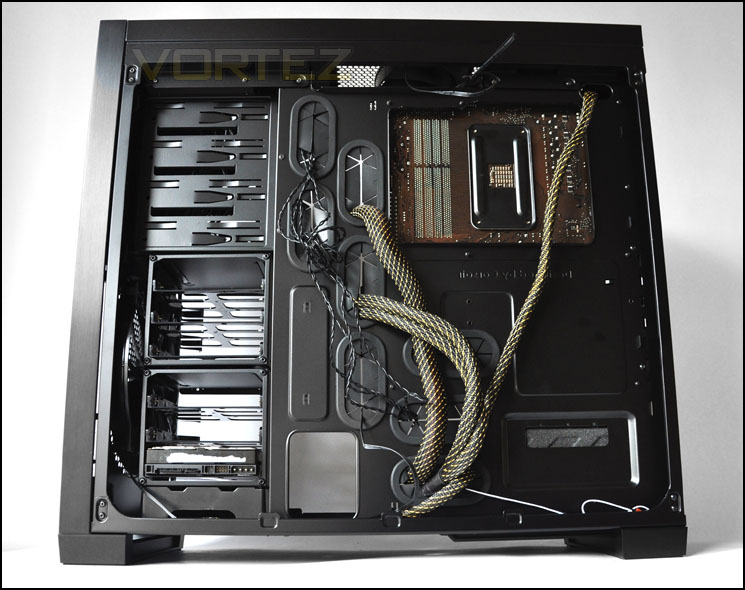
Thick cabling fits behind the motherboard tray – lots of clearance for CPU backplate
Included with the 650D we have an assortment of items. Various screws are required for installing various devices with cable ties – an installation guide is included with a product brochure showing other items within Corsair’s range.
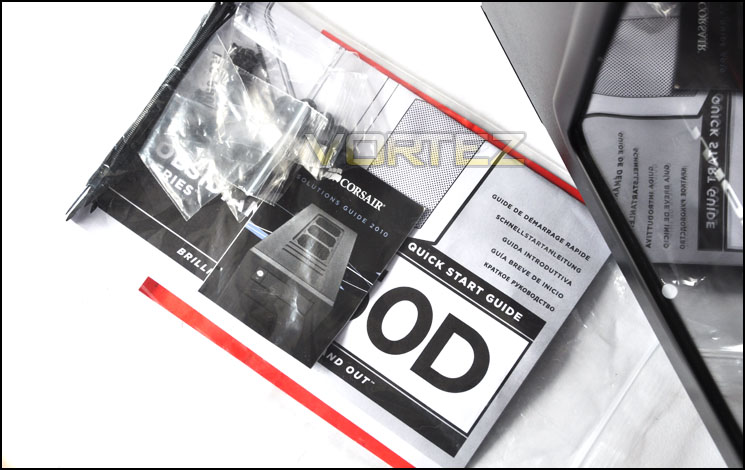
An assortment of items within the accessories pack
As already mentioned, HDDs are mounted within a bracket. These brackets have mounting holes for 2.5” drives too, but in the installation we have shown a 3.5” drive fits snug inside the bracket – the HDD then slides into a slot inside the cage and clicks into place. These brackets are good quality but do flex.
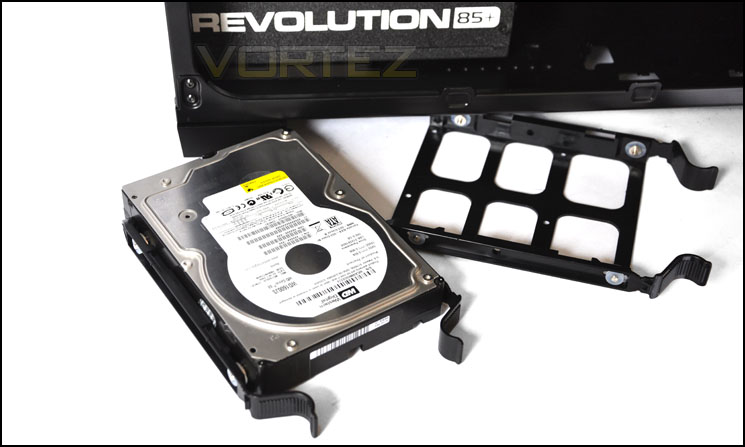
HDD brackets can take 2.5” and 3.5” drives
Installation (Continued)
CPU cooler clearance is good. We can house most of the bigger coolers on the market including Noctua NH-D14 and Thermalright Silver Arrow which are 160mm in height. Installed inside the 650D we have the Noctua NH-U12P – this is 158mm in height.
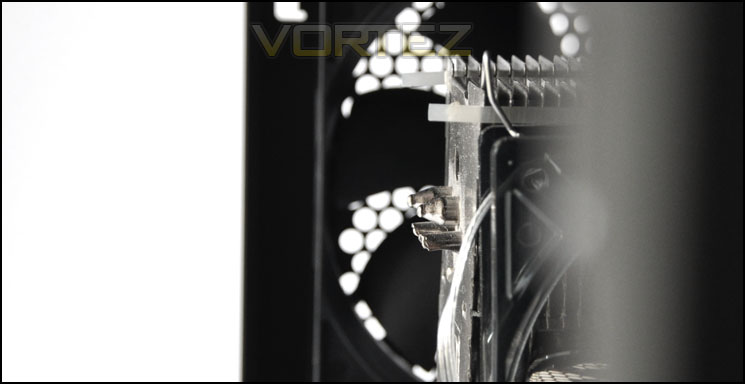
Good clearance for big CPU coolers
Graphics card clearance is also good. Remember, even if our graphics card was touching the top HDD cage – we are able to remove this anyway. As it stands though, the 11”+ ASUS HD 6950 Direct CU2 (triple slot) fits in very well. The HD 6990 which measures to 12” in length should fit inside the 650D even with the top HDD cage included.
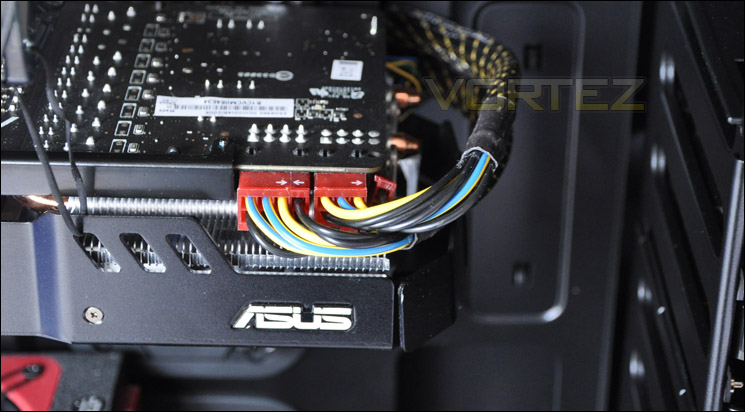
Lots of clearance for graphics cards too
Behind the motherboard tray there is 1.8cm of clearance. This gives us more than adequate space to store redundant cables so that we can keep the other side neat and tidy. Thanks to the ease of the quick-release catches on the side panels, getting the side panel on with lots of cables on this side is very easy.
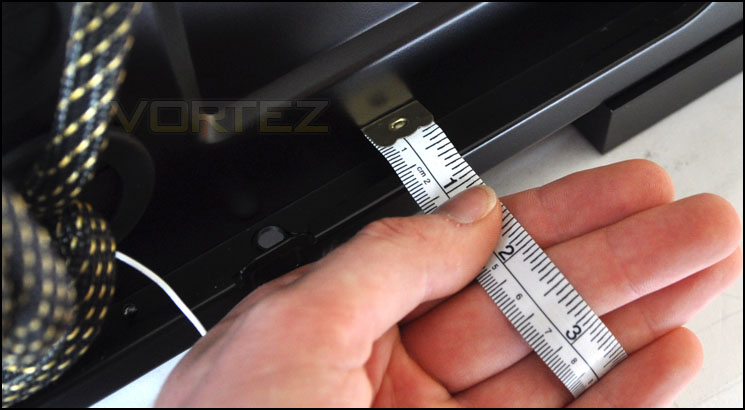
Up to 1.8cm of clearance behind the motherboard tray
Powered UP
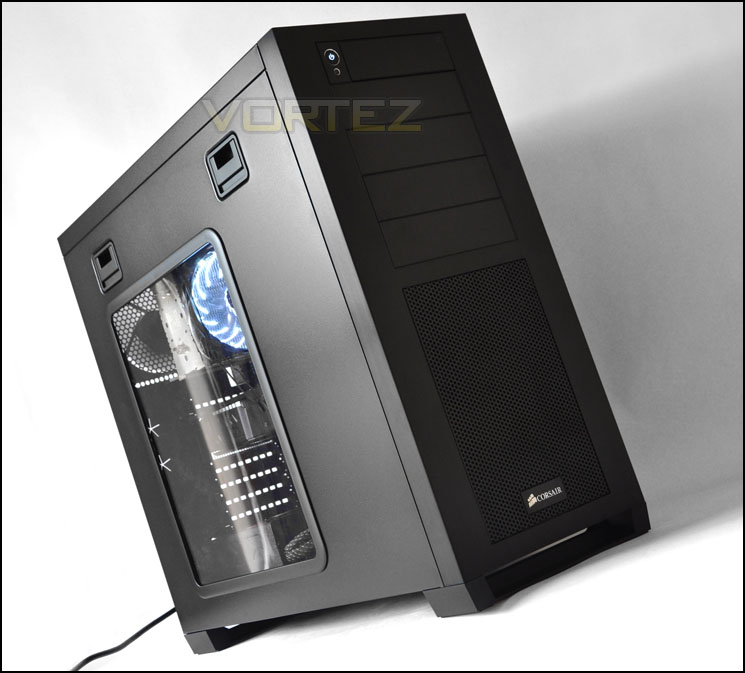
Whilst we would usually feature the case within this section to show LED case fans – the 650D may not have any such fans but it’s good to see the finished product. Here is the Obsidian 650D in all its glory!
Thermal Performance Testing
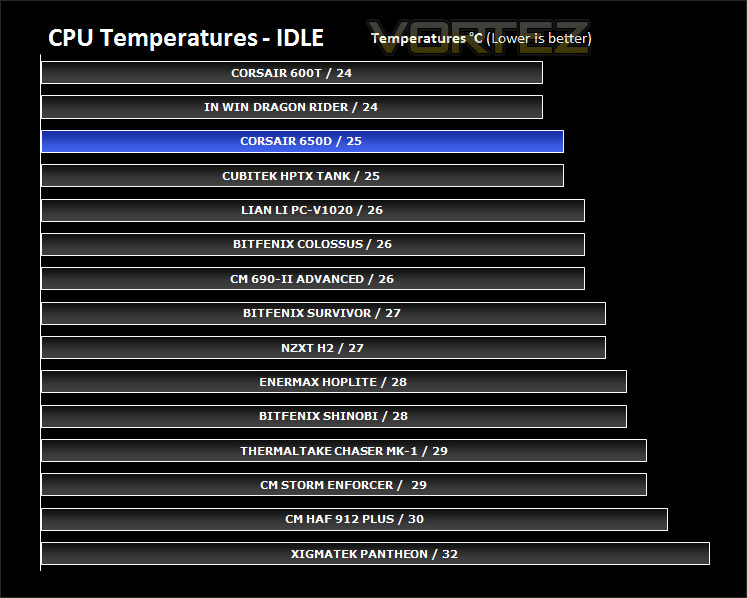
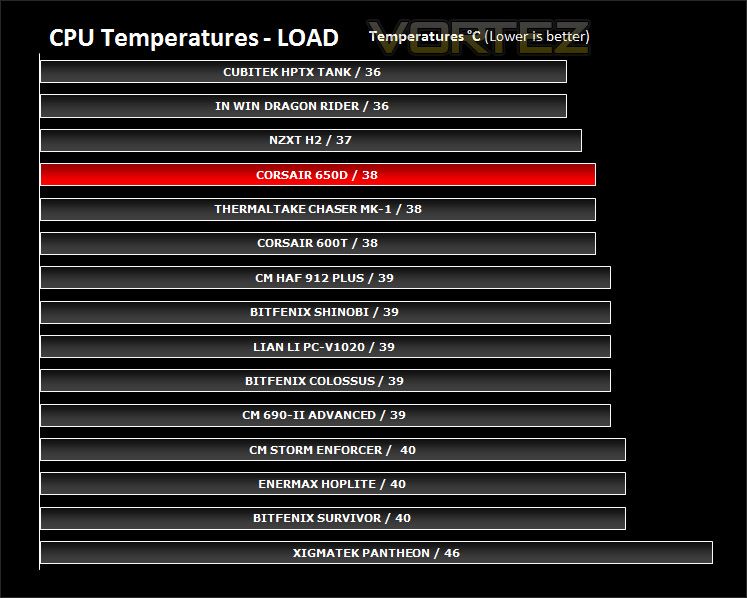
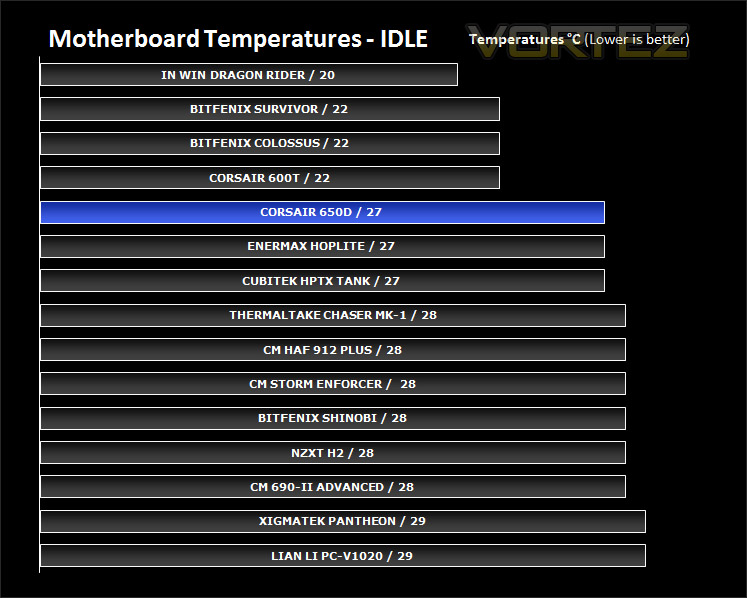
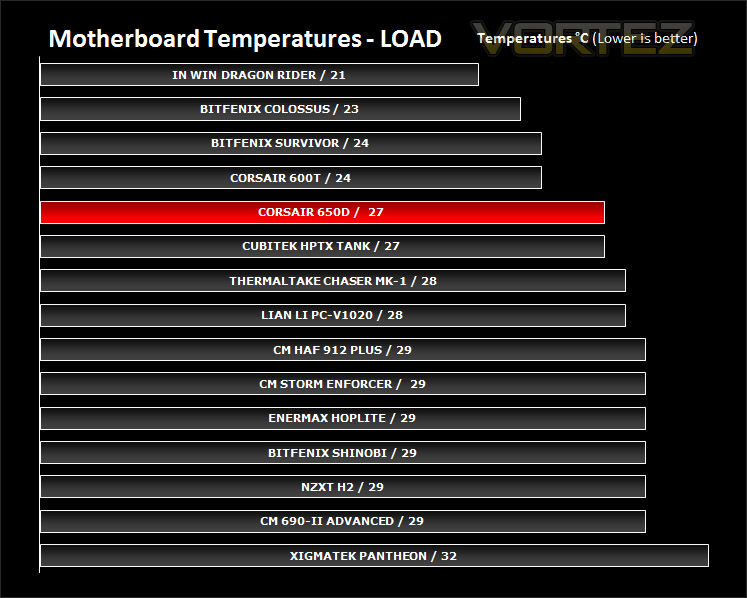
The Corsair 650D features dual 200mm fans plus a 120mm rear exhaust fan that should by all accounts provide some outstanding cooling. All fans are connected to motherboard headers and all HDD cages will remain installed.
To discover the thermal performance of the 650D I will record idle temperatures after 20 minutes from a cold boot. I will then stress the system and temperatures will again be monitored after 30 minutes have elapsed.
System Components
CPU AMD Phenom II X6 1055T 2.8GHz
Motherboard ASUS M4A89TD PRO
Graphics ZOTAC NVIDIA GTX 480
Memory 4GB Mushkin EM3-10666 DDR3
HDD Samsung Spinpoint 500GB SATA-II
PSU Enermax Revolution 85+ 850W
Notice how the 650D has similar temperature results to that of the 600T. Both these cases utilise similar case fans. Both having dual 200mm and a 120mm rear exhaust. It’s pleasing to see that the cooling with our 650D is significantly better than other cases we have reviewed at Vortez.
Conclusion
The 650D is the hybrid many have been waiting for. It combines the features of the 600T but adopts the professional, sleek styling of the 800D. The 650D is the first mid-tower inside the Obsidian series and offers this ‘fusion’ at a lower cost than bother the 600T and 800D.
So the real question is, how does it fare as a mid-range enthusiast case? Well it definitely ticks all the right boxes that’s for sure. Build quality is as expected, very good. It will sit highly with those who prefer the subtle, elegant appearance. It isn’t clear cut though – 650D features a Perspex window, so it brings together the enthusiast and gamer whilst maintaining a graceful exterior.
Features are not lacking. We have dual 200mm fans, excellent cable management, adjustable HDD cages, support for long graphics cards and big CPU coolers, an external docking station with 6G compatibility and the list goes on and I haven’t even mentioned the integrated four-channel fan controller or the quick-release side panels. The 650D really does offer so much for a mid-tower case!
Whilst there are many wonderful things about the 650D there are also some slight niggles to mention. The PSU area has no anti-vibration as I reported in the 600T review. I had hoped that Corsair would have responded to this because as an avid case reviewer this is something that I look out for in all the products that are put under the spotlight. Metal on metal results in scratching – not only this, the PSU can have a tendency to vibrate during operation so it is needful to kit the area it resides in with foam, rubber or any other materials. It really does make me cringe when I have to install a PSU inside a case with this feature lacking, the inevitable happens – scratching. Another thing to mention is that the 650D is quite expensive for a mid-tower case, around this price we can invest in a full-tower case. Some will argue the point that this route might offer a better route. Whether you regard this as a negative or not, personally I think there are plenty of high-end full tower features within this mid-tower.
Priced at approx. £130 inc. VAT the 650D as mentioned above may appear to be quite an expensive mid-tower. It does come with a surprising amount of features though and some that even make it unique – such as the quick-release side panels.
So the bottom line is: Corsair have cleverly combined the features of their other multi-award winning cases and produced the first mid-tower case in the Obsidian series. It has countless useful features, lots of space and bags of style. It comes highly recommended by Vortez!
Pros
+ Good build quality
+ Masses of space
+ Outstanding cable management
+ Good air cooling
+ Water-cooling support
+ Tool-less throughout – even the side panels
+ Expandable
+ Docking station for 2.5”/3.5” drives
Cons
– USB3.0 should have USB3.0 motherboard header connector
– No anti-vibration for PSU – metal on metal


