







A mid-tower chassis with a wealth of features from the new Carbide Series – for the budget sensitive enthusiast and gamer.

Product on Review: Carbide Series 500R
Manufacturer and Sponsor: Corsair
Street Price: £89.99
Back in September of this year Corsair announced availability of their new 400R from the Carbide series. They also unveiled the first pictures of the upcoming 500R – the bigger brother of 400R.
Also available in White, the 500R builds on the classic looks of the 400R with sleeker lines and larger internal dimensions. One of the most intriguing features of the 500R is the space for a H100 (or similar thin 240mm radiator) in a roof compartment. 500R has 4x pre-installed fans, an abundance of space and most importantly at an attractive price-point that will give those on a tighter budget that leeway to excellence. We’ve got an exciting new product on our hands so let’s waste no further time and begin our analysis of the new 500R.
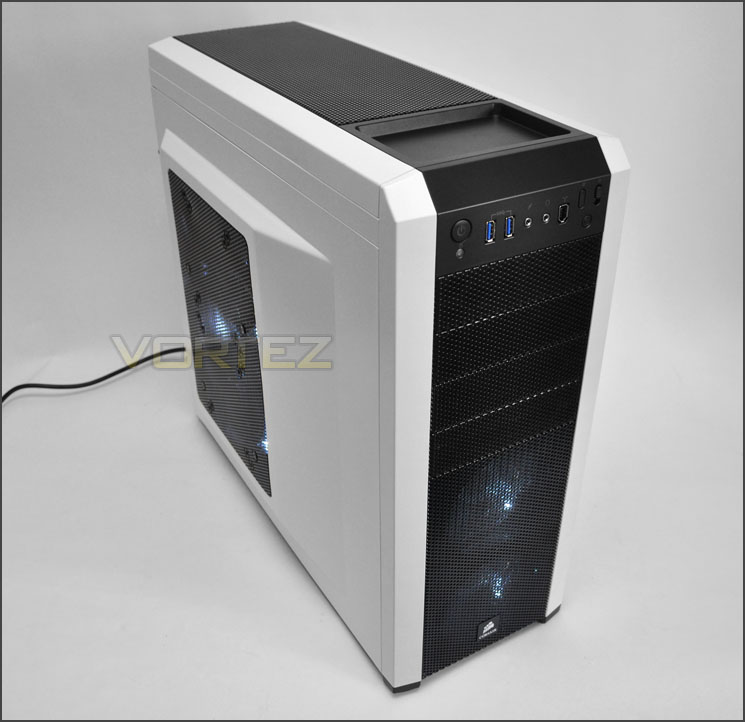
Corsair’s take on 500R
Want even more outrageous cooling flexibility? Step up to the 500R. It adds a 200mm fan mounted on the side panel’s mesh screen for extra GPU cooling, a multi-channel fan controller, and removable and relocateable hard drive cages. The ability to move and remove hard drive cages not only improves airflow — it also allows you to install graphics cards of up to 452mm in length.
Technical Specifications
Warranty
– Two years
Dimensions
– 20.5” x 8.1” x 20”
MB Support
– ATX, mATX
Expansion Slots
– 8
Form Factor
– Mid-tower
Material
– Steel structure with molded ABS plastic accent pieces
Drive Bays
– (x4) 5.25″,
– (x6) 3.5″/2.5″ Drive Caddies
Cooling
– (x6) 120mm/140mm fan mounts,
– (x4) 120mm fan mounts,
Includes
– (x1) 200mm side panel fan,
– (x2) front-mounted 120mm fans,
– (x1) rear 120mm fan
Front I/O
– (x2) USB 3.0, (x1) IEEE1394, (x1) Headphone, (x1) MIC, Power, Reset, Lighting toggle switch
Power Supply
– ATX (not included)
Packaging & First Look
As we have come to experience with previous Corsair cases, the 500R is presented in an eco-friendly box. The front of the packaging features a depiction of the case and a listing of the features whilst the sides have more in-depth technical specifications and the back has various diagrams of the case, identifying key areas.
Inside the box the 500R is covered in a clear plastic sheet and held in place via two polystyrene pillars.
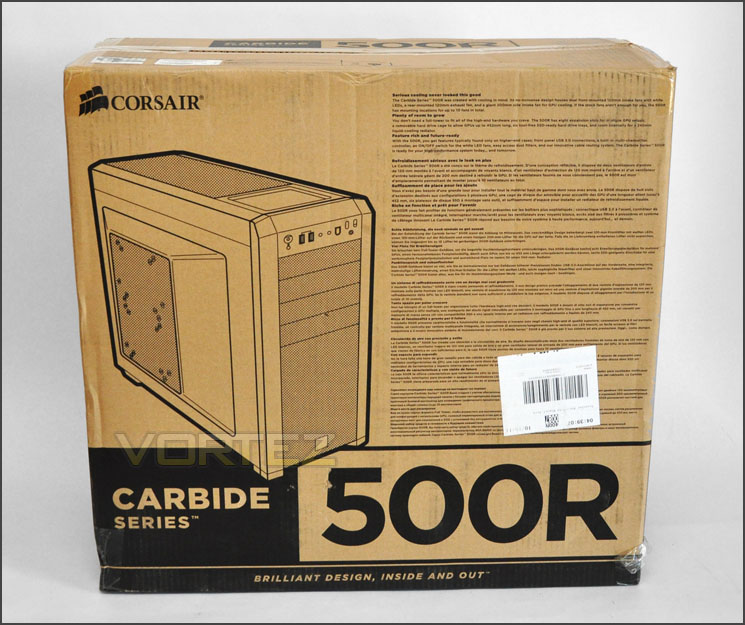
Eco-friendly packaging
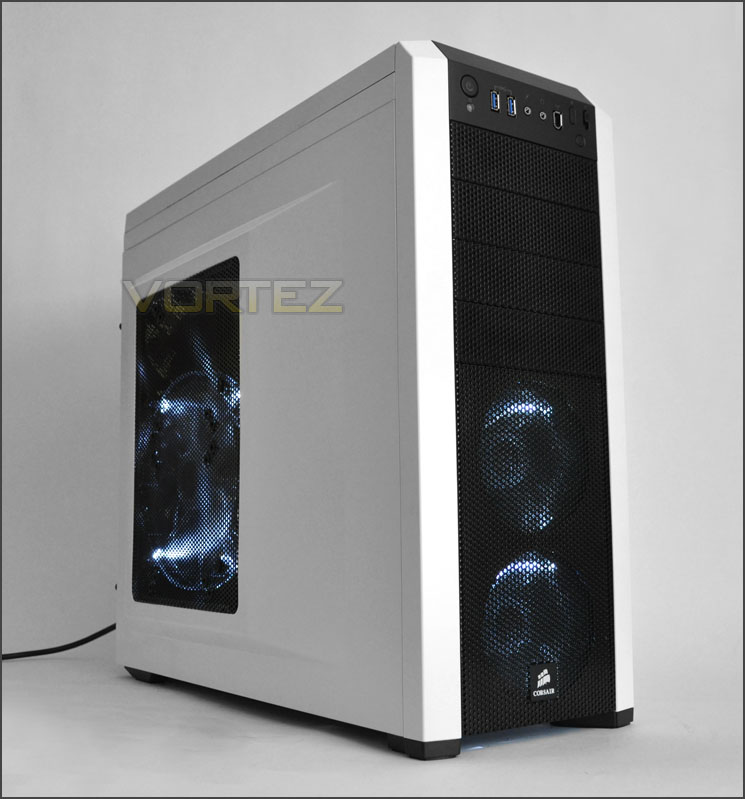
Opening the packaging up and removing the 500R we get our first glimpse. First impressions are always important and the 500R doesn’t fall short here. Combining black and white, Corsair has formed an extremely attractive looking chassis. Running down the middle of the case is a black accent whilst the side panels have been coated white – the best of both worlds.
The predominant side panel features a large mesh cut-out with a 200mm LED fan attached on the inside. Both side panels are convex to support greater space and more room for cable management.
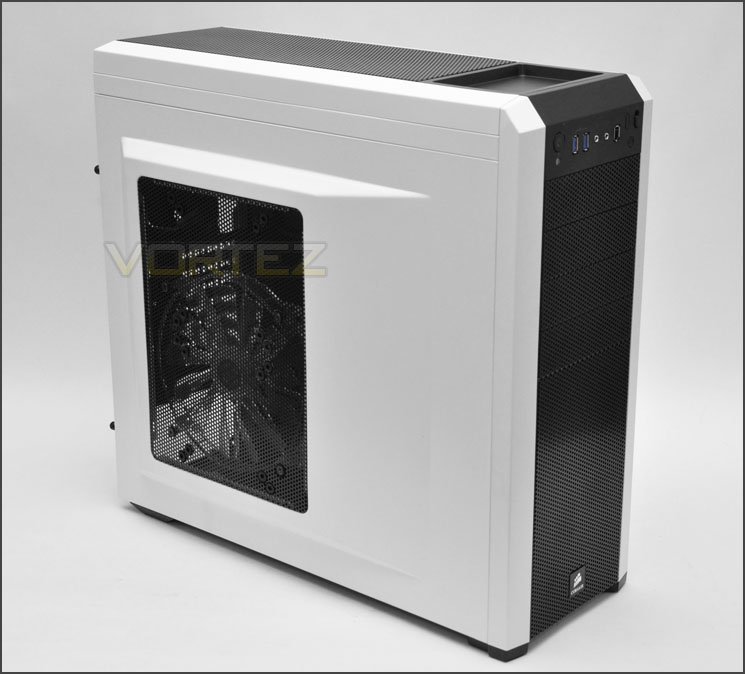
Striking appearance with black and white contrast
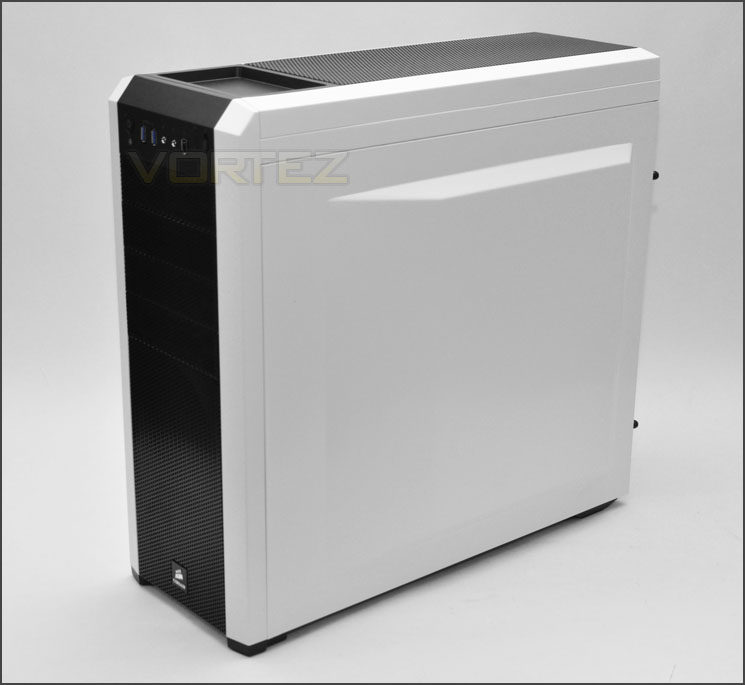
Convex side panel for better cable management
Over the page we will take a closer look at the exterior of 500R.
Exterior
To start with we will take a look at the front and back of 500R. The front has a black mesh section running through the middle. In the lower region there are dual 120mm fans mounted as intake, whilst above there are 4x 5.25” drive bay covers. At the very top is the front panel connectivity – more on this further down the page.
Around the back of 500R the bottom has the opening for the PSU. Above this 8x PCI expansion slot covers – each with ventilation holes for better airflow. To the side of these expansion slots are 4x circular water-cooling tubing covers. At the top we have a mesh panel and a 120mm rear exhaust fan. Both side panels are fixed in place via thumbscrews. Corsair have designed these thumbscrews in such a way that they don’t need to be completely removed from the side panel, a few turns and the side panel can be removed and the screws stay in place. A great feature, however small – it means you won’t misplace them!
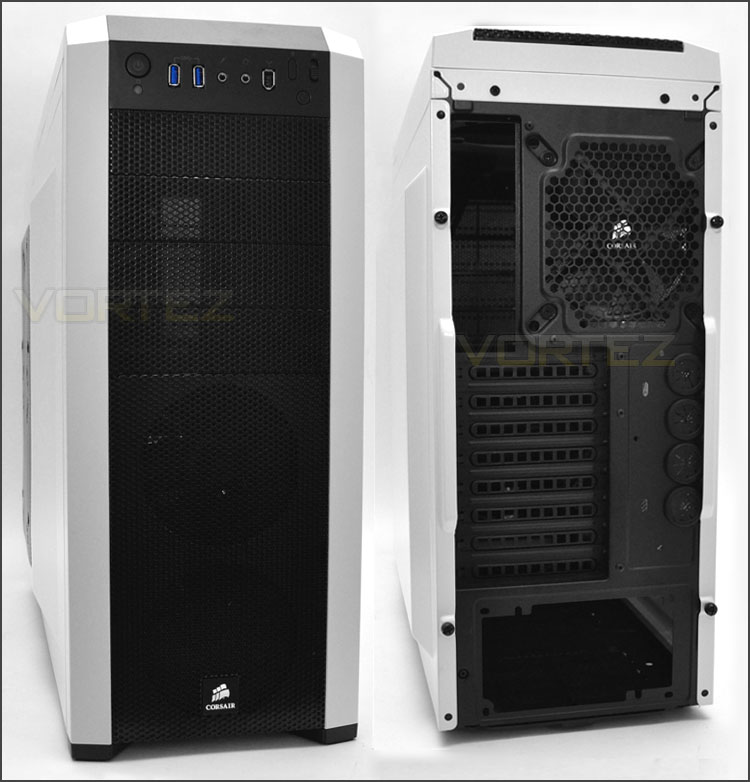
The front and back of 500R
Taking closer observation of the front panel connectivity we have the following controls:
• Power button with LED indicator
• 2x USB 3.0 ports
• Headphone and microphone jacks
• Firewire port
• Fan LED on/off switch
• 3 speed fan-control switch
• Reset button
All the controls you could ever need. It’s nice that the fan LED switch has been included for those who would rather not have any lighting. Behind these ports, on the top side of the case is a small tray for storing items of interest.
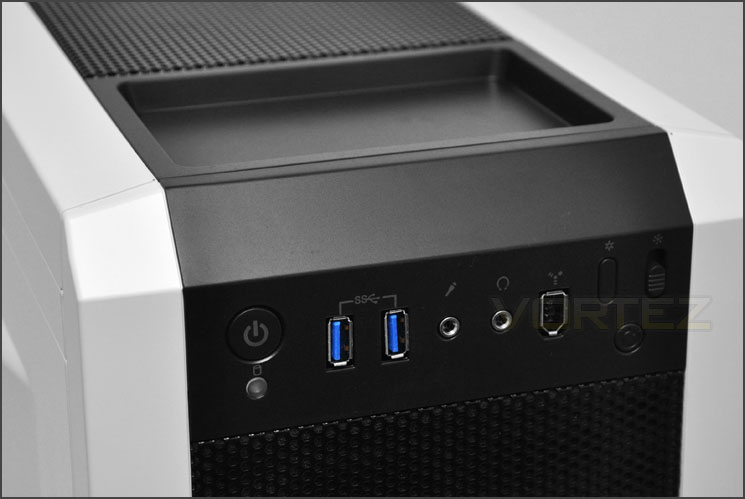
Front panel connectivity with USB 3.0 ports, fan LED switch and fan control
The top of 500R has a removable mesh panel – underneath this we can mount dual 120/140mm fans and a water-cooling radiator (more on this in the installation section). To remove this panel, the front just needs to be pressed down – the panel then pops up and can then be removed.
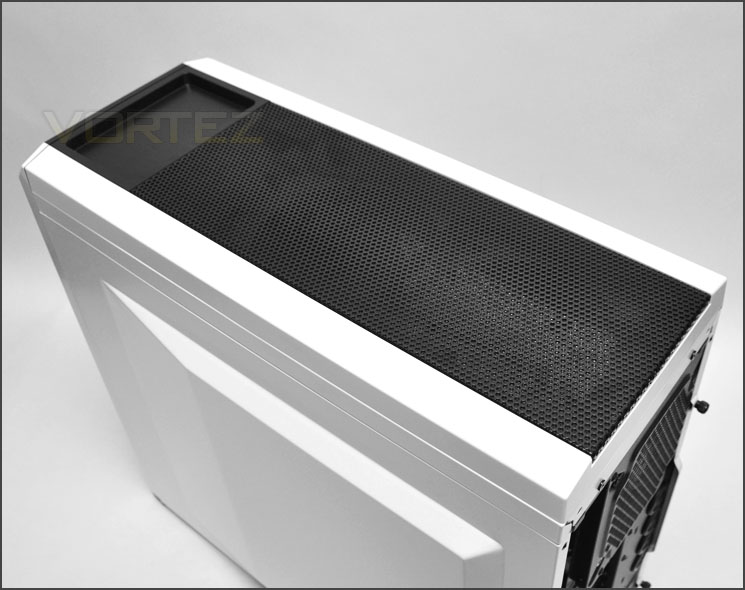
Removable top panel with space for dual 120/140mm fans and water-cooling
Finally, on the underside there are 4x rubberised pads to prevent the case from slipping on smooth surfaces and a large removable air filter if you choose to mount the PSU with the fan facing the bottom of the 500R. From the image below you may notice 4x thumbscrews near the front of the case on the underside, these screws hold the lower HDD cage inside 500R in place. Removing these allows you to remove the cage out.
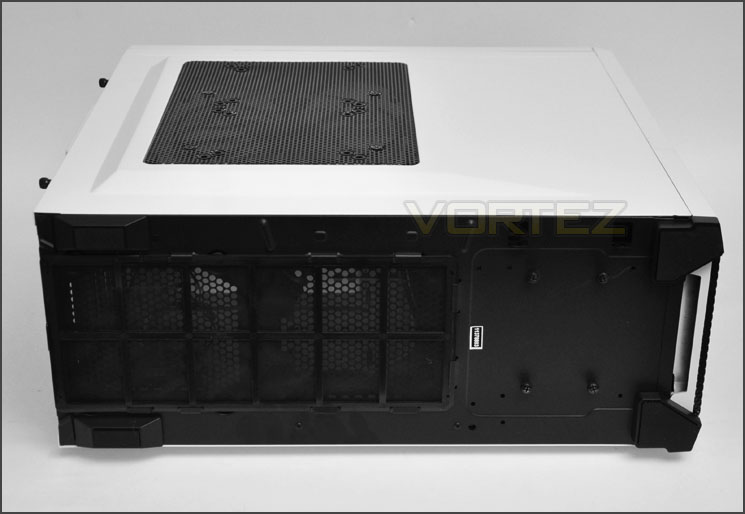
The underside of 500R with filter and rubberised feet
With the exterior tour now over its time to take a look inside 500R over the page.
Interior
With the side panels removed the interior is finally exposed and its packed full of useful and impressive features. Cable management is a keen accolade for Corsair and like other cases of theirs, we have cut-outs with rubberised shutters and areas with convex for storing cables out of the way. There is even a cut-out right above where the PSU sits so that the E-ATX CPU power cable can route directly behind the motherboard tray and up to the top. Tool-less installation methods have been used for all aspects too which indicates that the installation process should be a breeze.
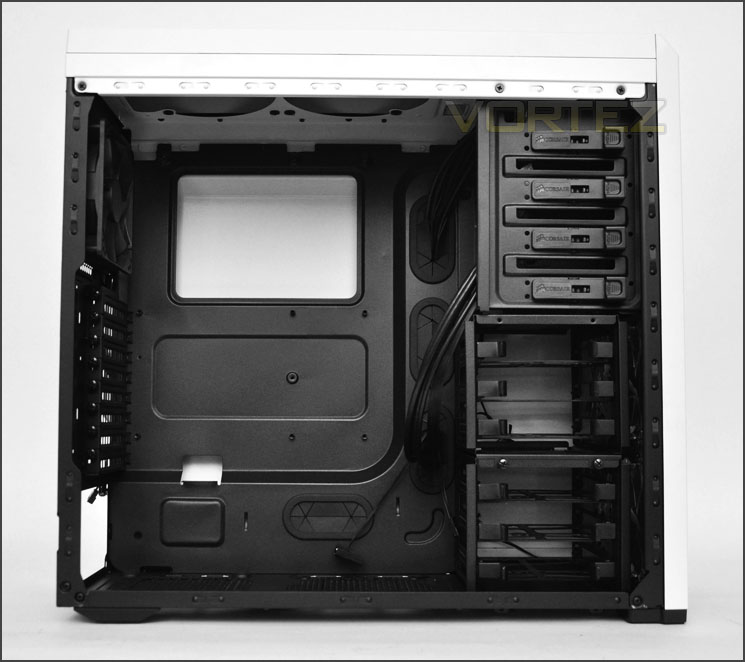
Black interior with tool-less options throughout
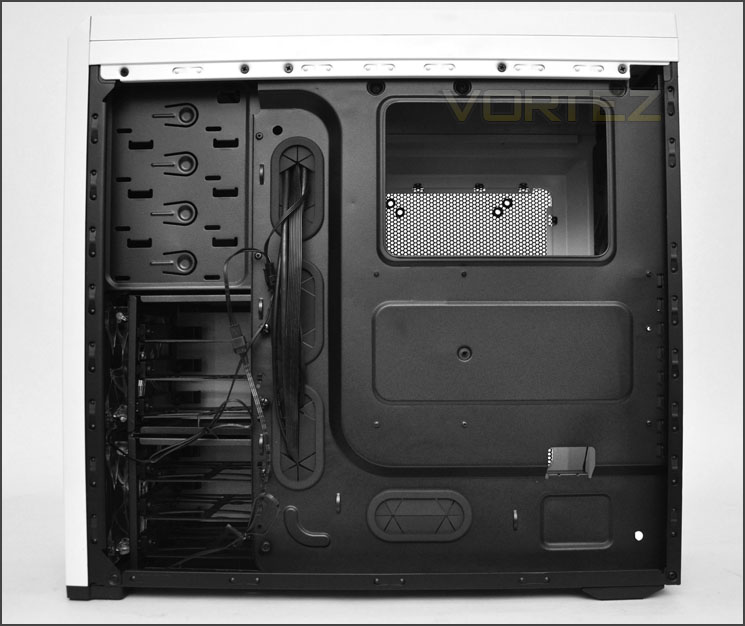
Lots of cable management options
On the inside of the prominent side panel there is a 200mm LED fan. The cable that runs from this fan slots directly into the fan controller cables from the front panel – so the colour and speed can be altered as desired. This offers additional cooling inside the chassis, around the GPU area.
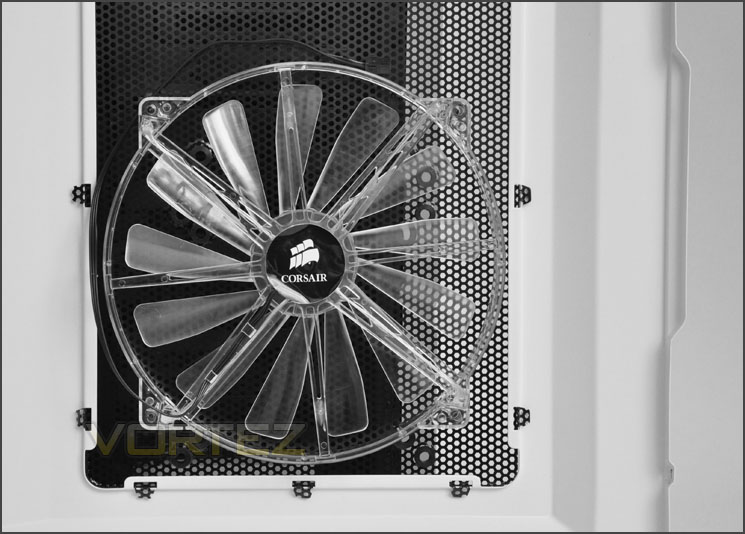
200mm LED fan attached to side panel
Exploring the inside in closer detail we first encounter the PSU seating area. This, I am glad to report has the anti-vibration rubber mounts to prevent metal-on-metal scratching and of course vibration. Next to this there is an area marked out for mounting 120/140mm fan at the bottom of the case – the underside as previously mentioned has an air filter.
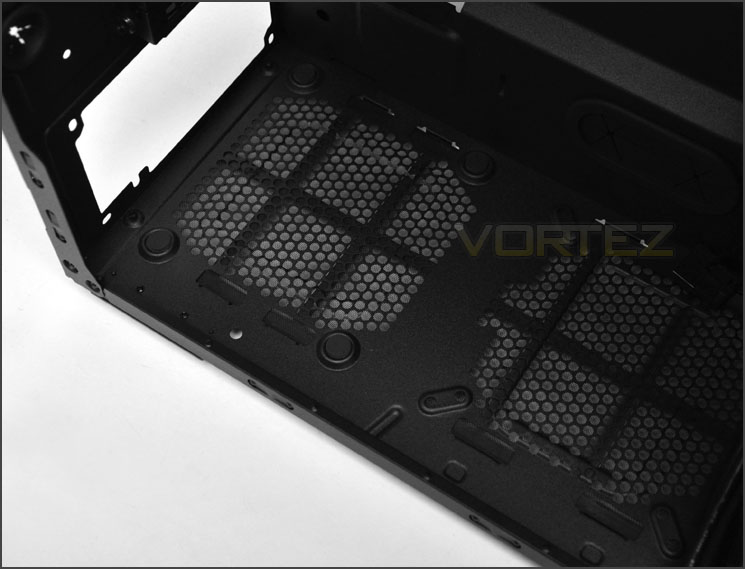
PSU area with air filter and anti-vibration pads
Moving further up there are 8x PCI expansion slot covers, each with ventilation holes for better airflow and thumbscrews to easily remove. Beside these expansion slot covers are 4x circular water-cooling loop-holes for feeding cables or tubing through.
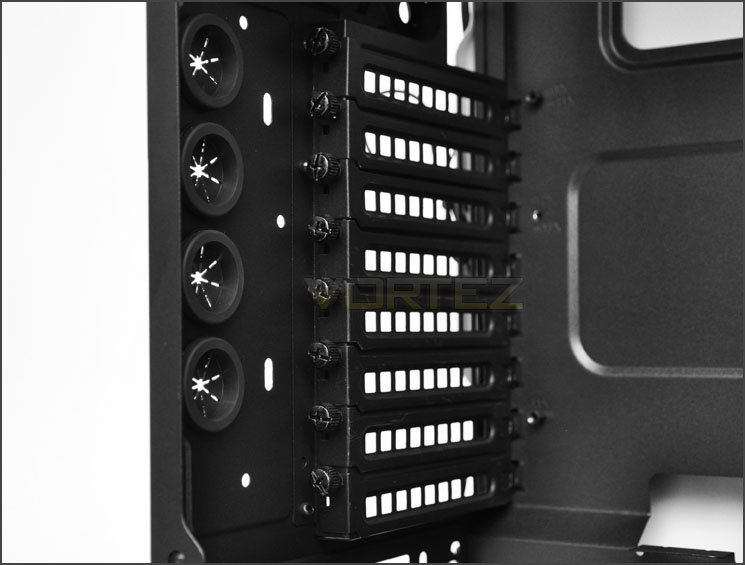
8x PCI expansion slot covers
Interior (Continued)
At the back of 500R there is a 120mm rear exhaust fan and placements at the top of the case for 120/140mm fans. So in terms of cooling there are options there should you want to increase the airflow within 500R. Over in the installation section of this review we will discuss water-cooling radiator options here.
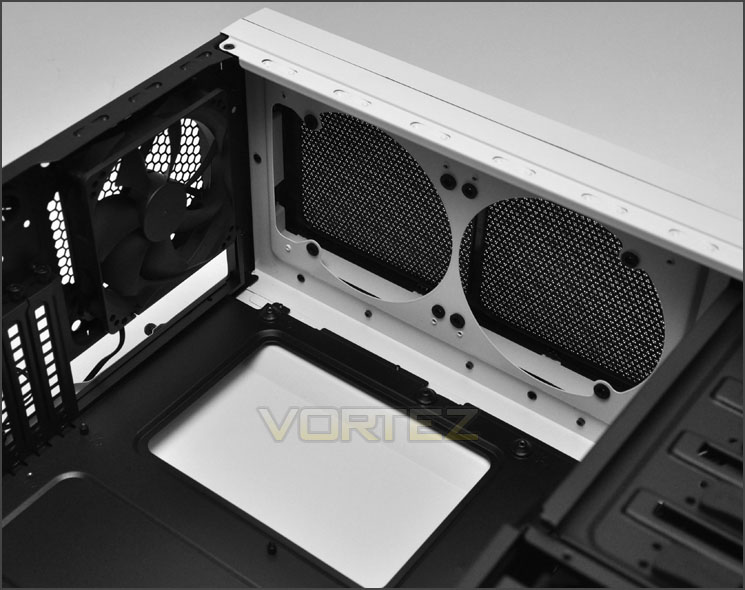
120mm rear exhaust and optional fan slots
On the other side of the case there are 4x 5.25” drive bays, each of these bays have a tool-less mechanism for securing the drive in position – the latch just needs pushing into place.
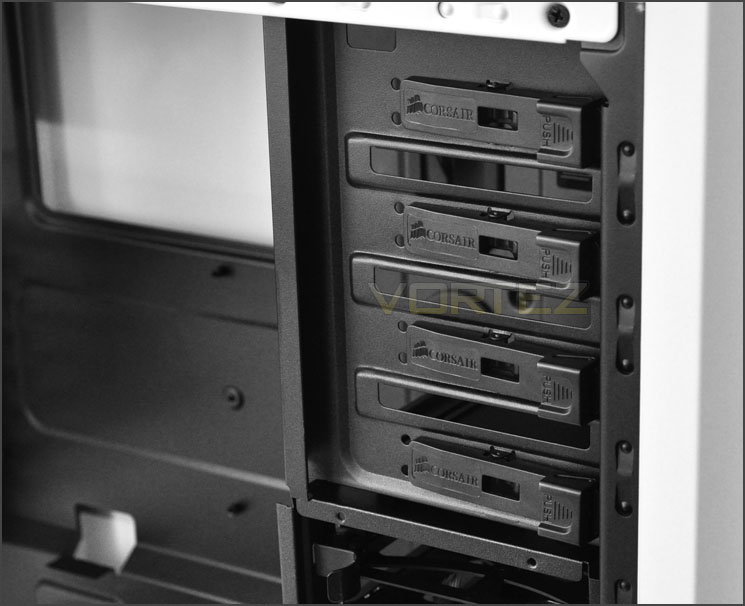
Tool-less mechanisms for attaching 5.25” drives
Beneath the optical drive storage is the HDD storage, here there are 2x cages, each capable of holding up to 6x slots for 2.5” or 3.5” drives. These slots have a tray, the drive just needs to be fixed to this tray via pins or screws (depending on the size of the drive). Both of these HDD cages can be removed by simply unscrewing thumbscrews at the front and underside of the cages.
Once removed, these cages reveal a generous space and dual front mounted 120mm LED fans. All of the fans within 500R (besides the rear exhaust) are connected to a fan controller and LED switch – so the speed and colour can be altered at will from the front panel controls. By default, the 500R has 4x preinstalled fans so I’m anticipating good thermal performance here.
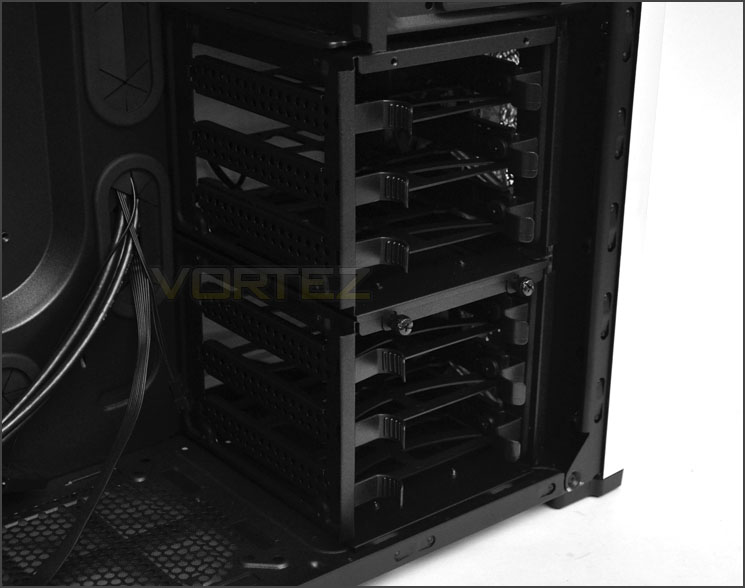
HDD storage inside 500R
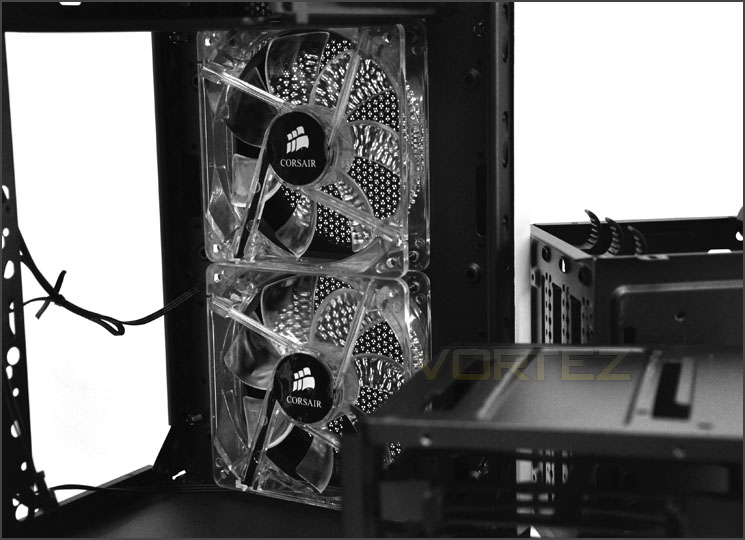
Dual 120mm LED intake fans at front
With the tour of the interior now finished its time to install our kit into the 500R and reveal how much space and clearance we have and experience the wide array of features. Join us over the page.
Installation
From start to finish the installation process is a doddle thanks to the space, abundance of tool-less mechanisms throughout and clearance inside 500R.
It isn’t difficult to create a good workspace. There are cable management cut-outs around the motherboard and plenty of clearance to get those cables behind the motherboard tray. We even have a cut-out just above the PSU and beneath the motherboard so that the E-ATX CPU power cable can thread behind the motherboard tray with ease. Great!
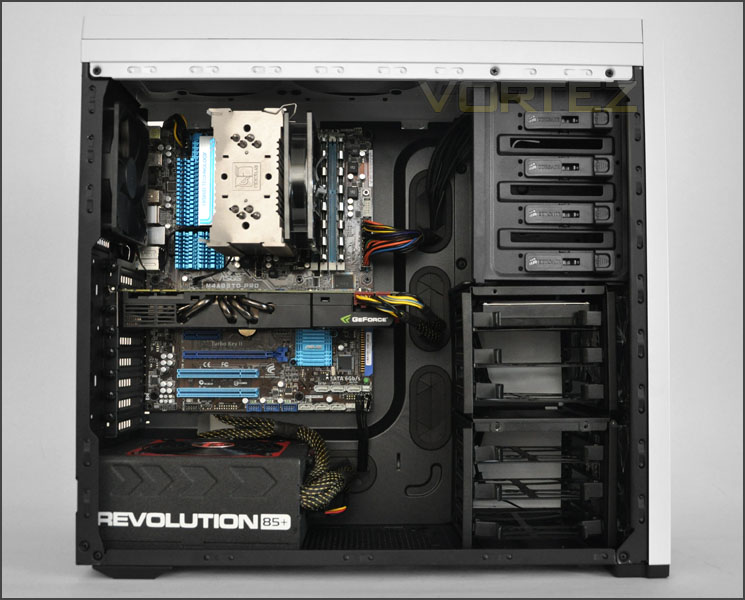
Clean and tidy install inside 500R
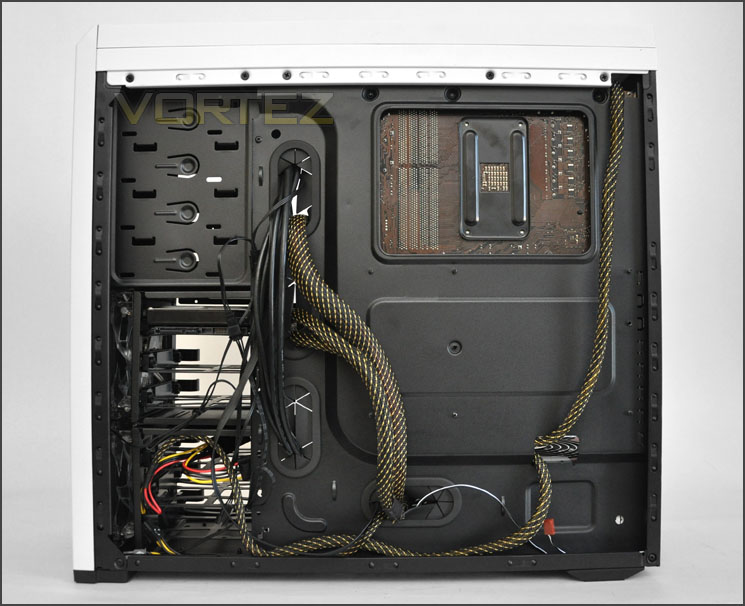
Lots of clearance behind motherboard tray
Getting HDDs into 500R is simple – all you need to do is drop your 2.5” or 3.5” drive into one of the provided trays that reside in the HDD cage. For a 3.5” drive – pins slot into the sides of the drive whilst for 2.5” screws are needed to attach to the bottom of the drive.
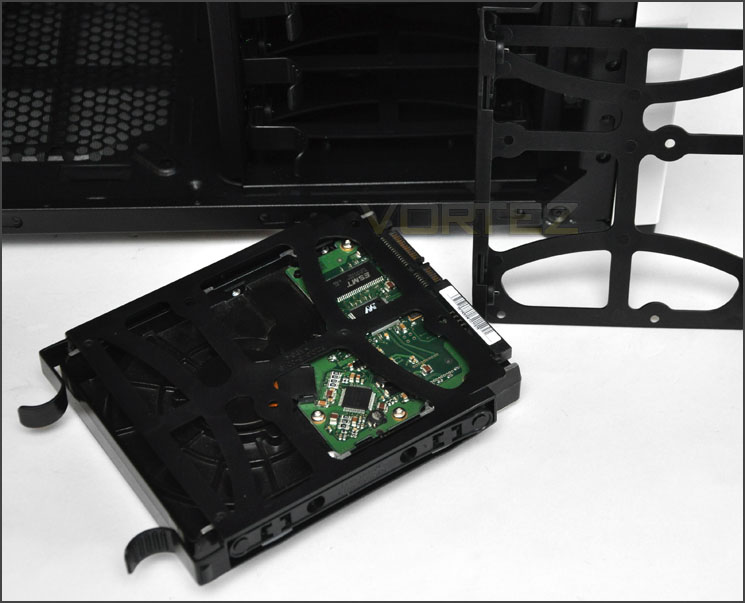
Installing HDDs is easy thanks to tool-less trays
Over the page we will continue our observations of the installation process – looking at the clearance.
Installation (Continued)
In terms of clearance – we have plenty of space for big, high-end CPU coolers. Installed inside 500R is the Noctua NH-U12P, this is 158mm in height and we still have more than adequate clearance for bigger flagships such as Noctua NH-D14 and Thermalright Silver Arrow – both being 160mm in height.
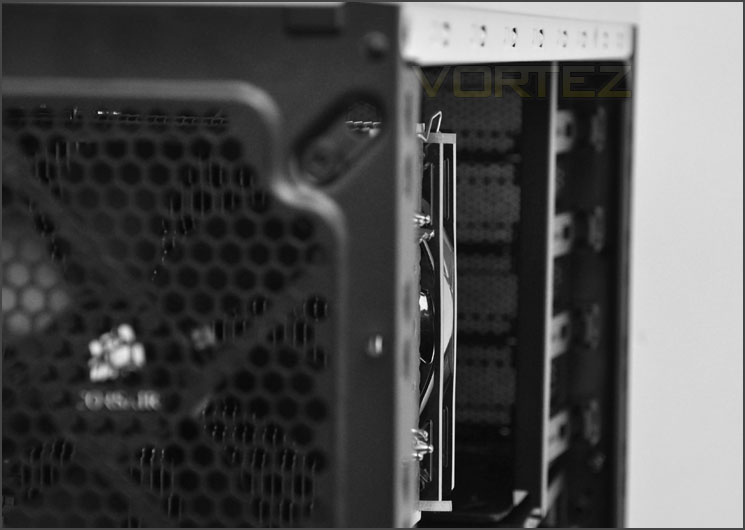
Clearance for high-end CPU coolers
The graphics card clearance is also a positive note. Not only do we have plenty of space here between the card and the HDD cage but the HDD cages can be removed to create unlimited clearance. Installed here is the GTX 480 – 11” in length.
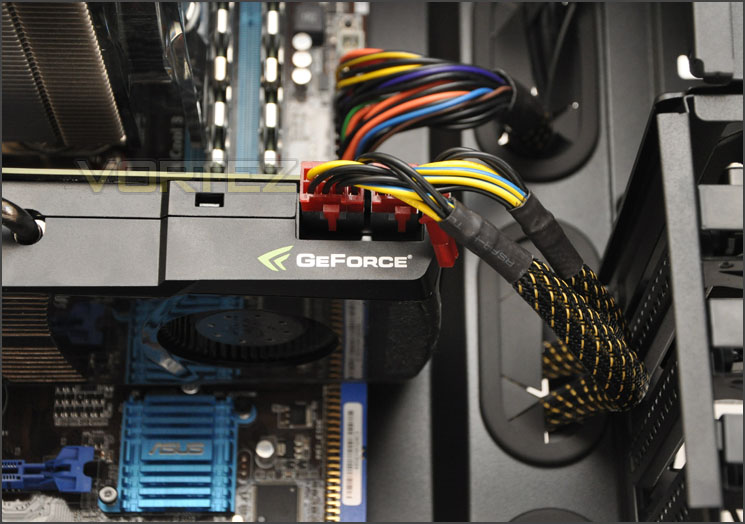
Graphics card clearance is very good
For this review – we can fit a Phobya G-Charger 240 Radiator into 500R. With the top panel being removable, the 240mm radiator fits in perfectly.
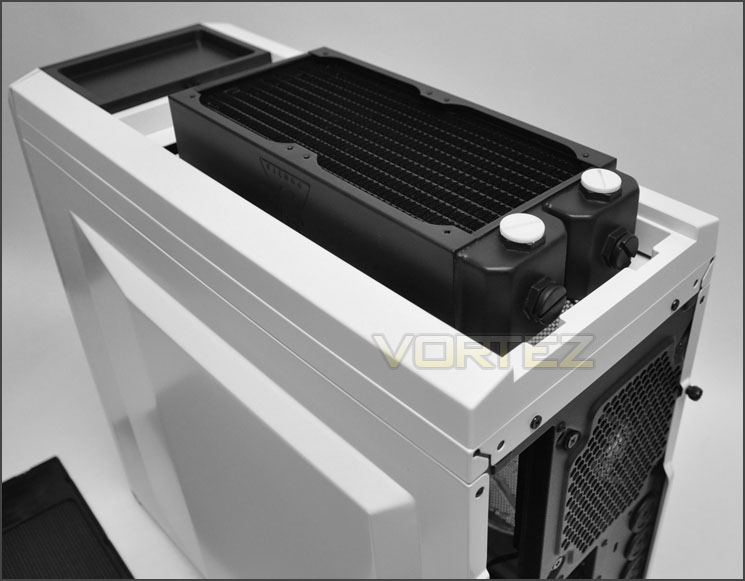
Phobya G-Charger 240 Radiator slots in at the top of 500R
Finally onto the clearance behind the motherboard tray. The lower regions of the motherboard tray have a channel that is concave to allow a greater amount of cables to route behind the motherboard tray. This area has over 2cm of clearance – bear in mind also that the side panel is convex and we have a recipe for great cable management.
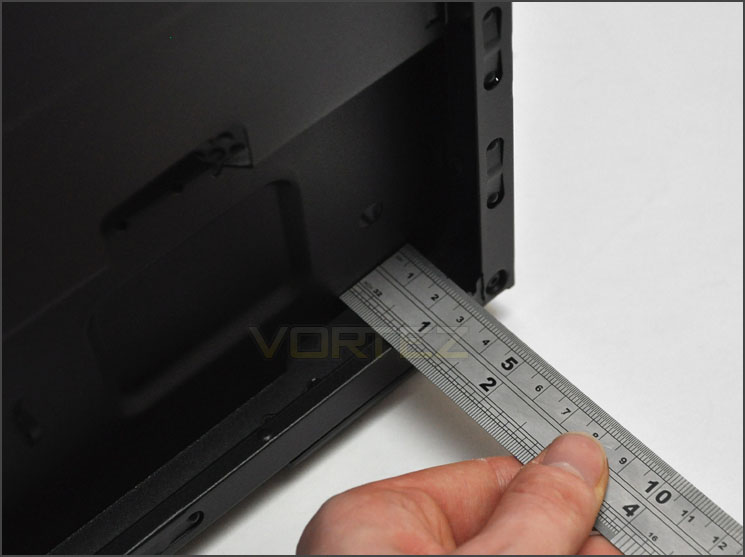
Up to 2cm of clearance behind the motherboard tray
Lighting (LED Fans)
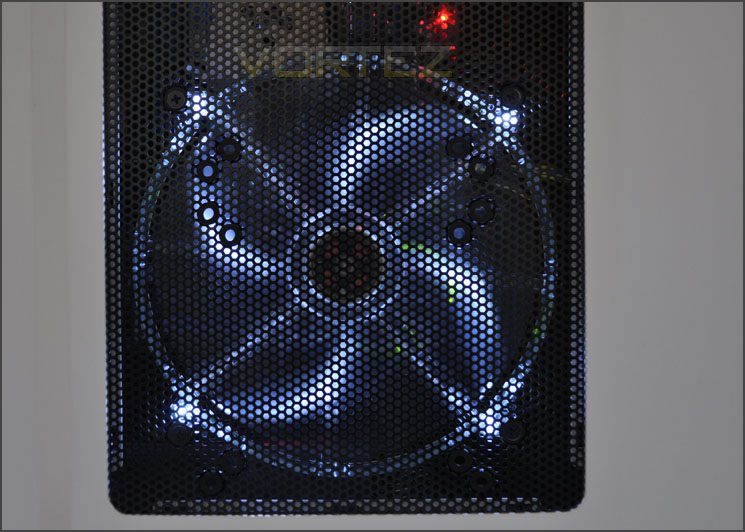
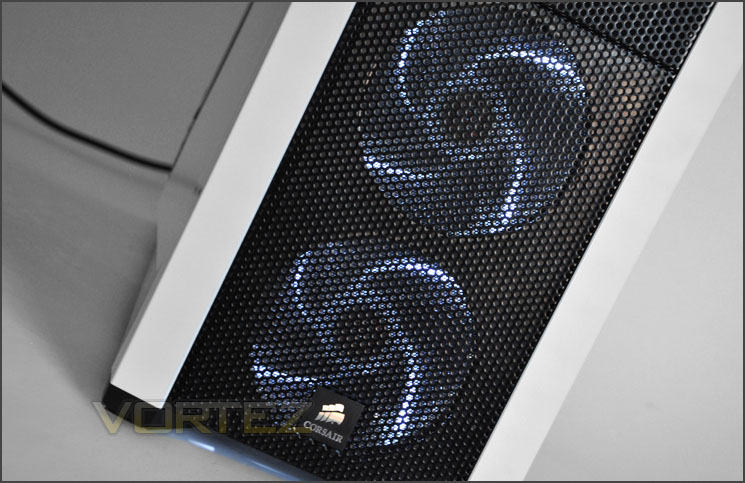
The Corsair 500R has a group of LED cooling fans that can be switched on or off. When switched on our 3x LED fans illuminate a soft white/blue. This colour compliments the white/black very well.
Thermal Performance Testing
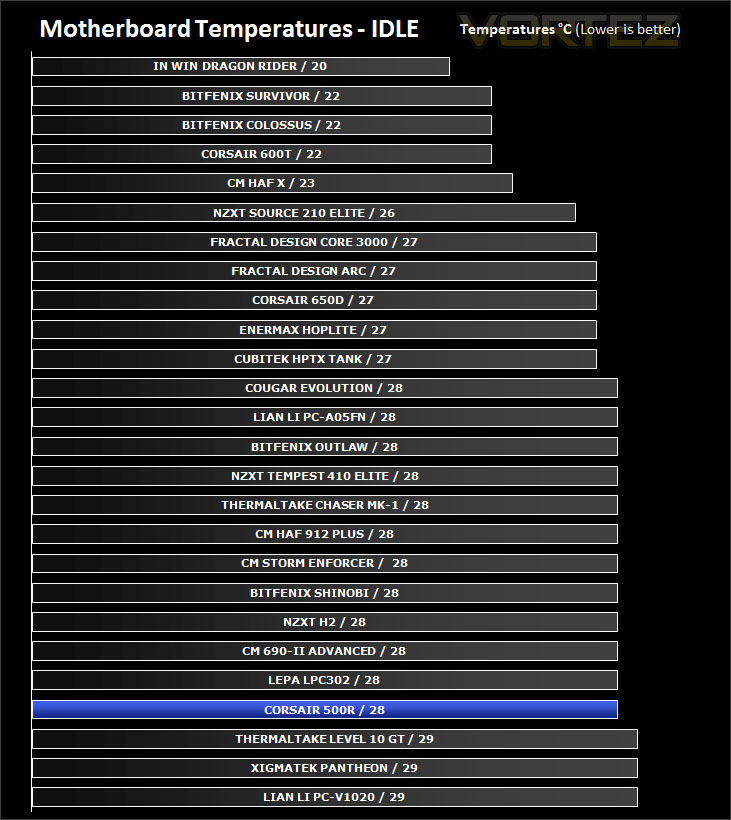
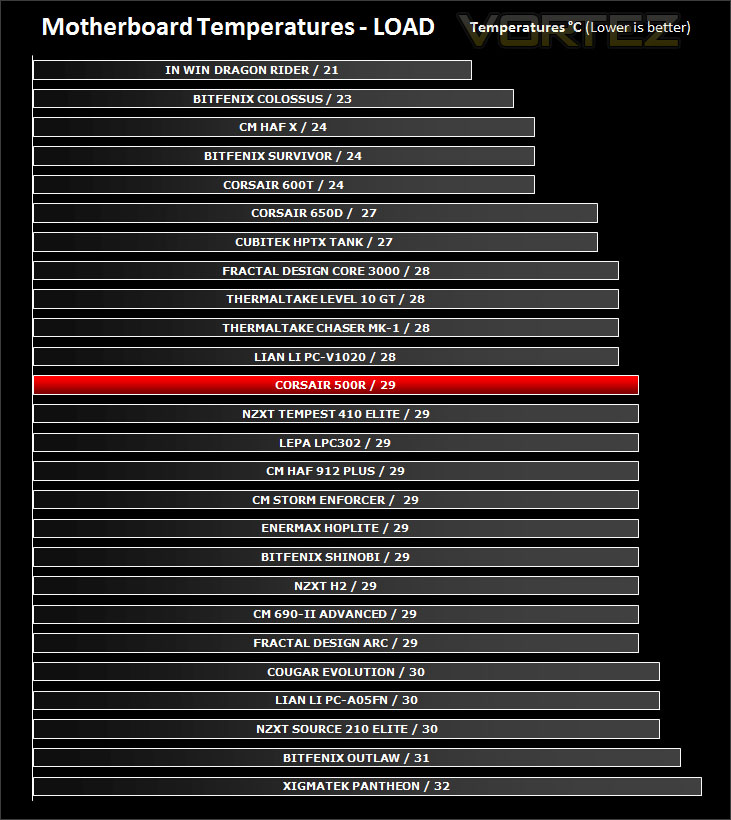
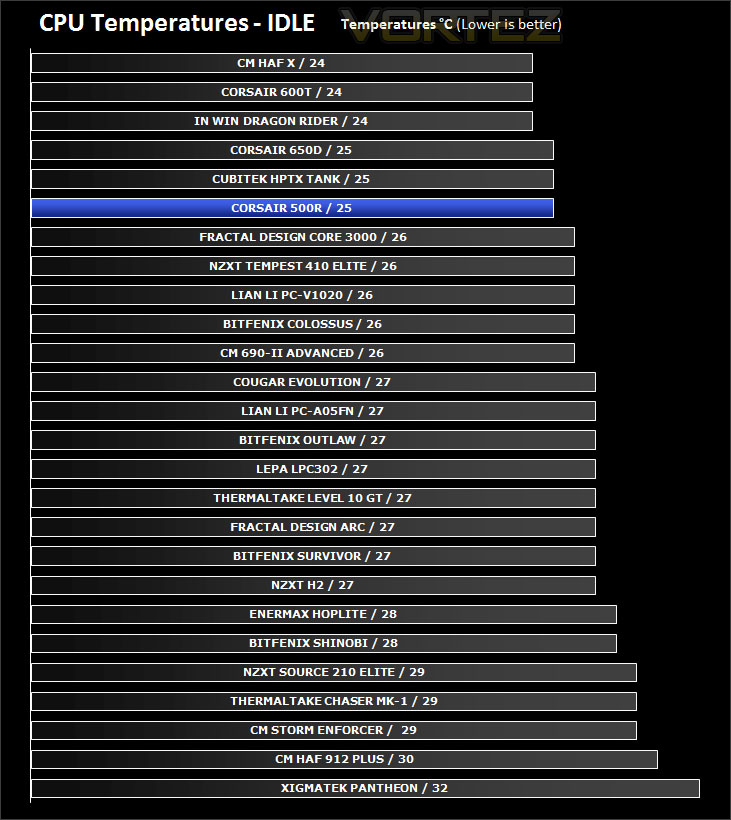
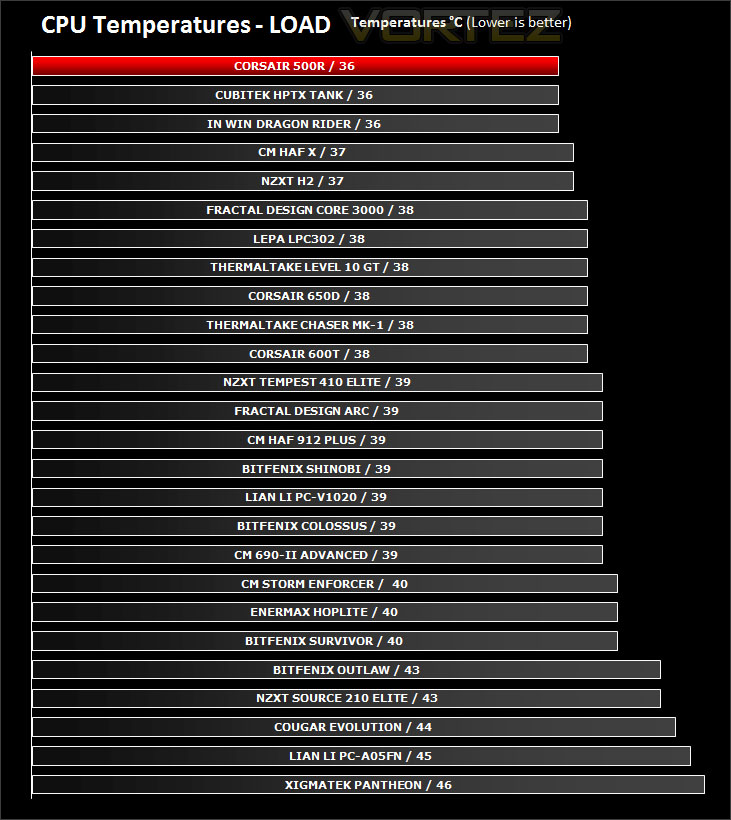
Inside 500R there are 2x 120mm intake fans, 1x 120mm rear exhaust fan and a large 200mm side fan. Airflow follows traditional methods and with a considerable force of air being pushed by 4x fans we should, in theory get good results from 500R.
To discover the thermal performance of the 500R I will record idle temperatures after 20 minutes from a cold boot. I will then stress the system and temperatures will again be monitored after 30 minutes have elapsed.
System Components
CPU AMD Phenom II X6 1055T 2.8GHz
Motherboard ASUS M4A89TD PRO
Graphics ZOTAC NVIDIA GTX 480 AMP
Memory 4GB Mushkin EM3-10666 DDR3
HDD Samsung Spinpoint 500GB SATA-II
PSU Enermax Revolution 85+ 850W
Conclusion
Corsair’s new Carbide series has gathered plenty of momentum in the short time it has been around. Gone are the days when a great quality mid-tower with all the features you could want would cost you over £100.
I’ve been impressed by the 500R and actually quite excited about sharing this review with you. 500R looks spectacular in white – Corsair have done a great job in almost every aspect of this case but the visual appearance is fundamental to all the hype surrounding it, it just oozes style and charisma.
Moving inside the case we are greeted with a roomy expanse that is littered with cable management cut-outs and tool-less design mechanisms. Getting kit inside 500R is a doddle thanks to the space. Creating good cable management inside the case is easy – clearance and convex side panels work hand-in-hand to making this possible.
Cooling performance inside 500R is as you would expect impressive thanks to the 4x case fans all situated in traditional airflow spots. We don’t have to settle for linear fan speed also, the 500R has a fan controller on the front panel. Here we can switch between 3 different fan speeds to suit the user’s individual needs.
Priced at £89inc. VAT the 500R is a great value for money buy – it ticks all the right boxes in terms of what enthusiasts and gamer’s want and it will seriously rival some of the heavyweight’s on the other side of £100.
Video Review – Vortez TV
Pros
+ Unique, attractive looks
+ Great value for money
+ Good thermal performance
+ 4 cooling fans pre-installed
+ Fan control and LED switch
Cons
– Flexing on HDD trays
+ Unique, attractive looks
+ Great value for money
+ Good thermal performance
+ 4 cooling fans pre-installed
+ Fan control and LED switch
Cons
– Flexing on HDD trays


