







A new gaming chassis is here supporting XL-ATX motherboards, USB 3.0 and much more. Can the Eleven Hundred Ultimate Gaming Tower Case destroy its rivals?

Product on Review: Eleven Hundred Gaming Case
Manufacturer and Sponsor: Antec
Street Price: £110
Antec have been in the business of producing computer cases, components and cooling products for over 25 years. In fact this year they have celebrated “A Quarter Century of Quality and Innovation” hence the Antec 25 branding on their website and all products released this year. I’ve personally been a keen advocate of the brand over the years, showing a particular keenness for their Power Supply Units. But today I am here to share with you a new release from them within their Gaming Case Series.
It was back in 2008 that the notorious Twelve Hundred gaming case was first introduced to the market and since then (apart from the LanBoy Air) Antec have been furnishing their gaming sector of cases with lots of smaller variations such as the One Hundred, Two Hundred, Three Hundred and so on. The mid-high end hasn’t been given that much attention, that is until today.
Today we will be taking a look at the new Eleven Hundred. A mid-tower gaming chassis with an understated visual appearance and oodles of space within, making way for XL-ATX motherboards and multi-GPU configurations. Can the Eleven Hundred capture the gamer’s attention in a market that is full of other successful alternatives? Let’s find out.
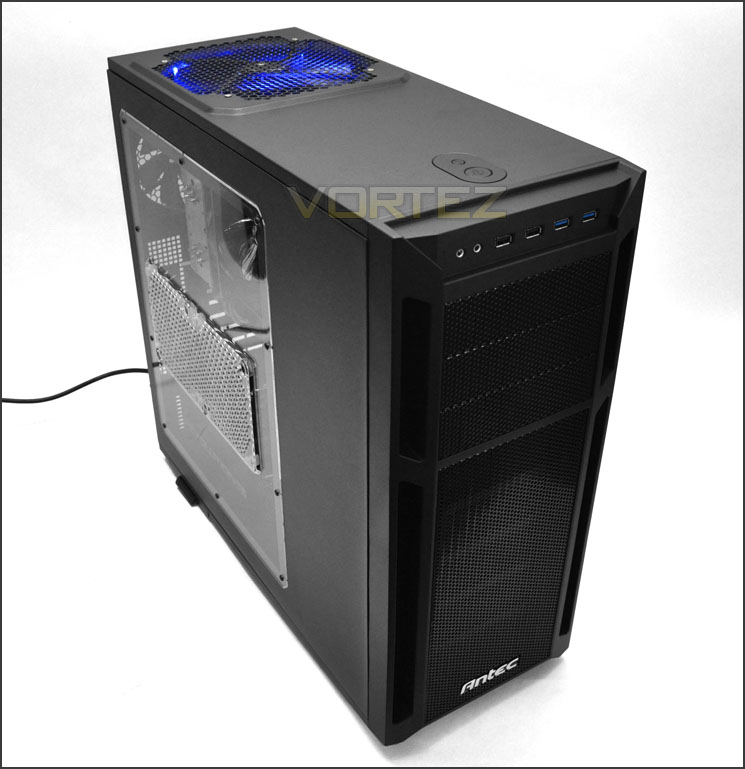
Antec’s take on Eleven Hundred
Technical Specifications
11 drive bays:
– 3 x 5,25″ tool-less drive bays
– 2 x 2,5″ drive bays (dedicated)
– 6 x 3,5″ tool-less drive bays (rail-mount design)
Motherboards: XL-ATX [345 mm x 262 mm (13,6″ x 10,3″ )], Standard ATX, microATX, Mini-ITX)
9 expansion slots
Maximum graphics card size: 330 mm (13,0″ )
Maximum CPU cooler height: 170 mm (6,7″ )
Cooling System:
– 1 x 200 mm blue LED top fan
– 1 x 120 mm rear fan
– 1 x 120 mm intake fan behind motherboard for CPU cooling (optional)
– 2 x 120 mm internal intake fans (optional)
– 2 x 120 mm front intake fans (optional)
– 2 x 120 mm side panel fans to cool graphic cards (optional)
– Fan power hub: allows you to connect four 3-pin fans to a single Molex for improved cable management
Perforated, quick-release front bezel
PSU intake & front air filters
Water cooling support: rear water cooling grommets
Enlarged CPU cutout
Front I/O ports:
– 2 x USB 3.0 with internal motherboard connector
– 2 x USB 2.0
– Audio In/Out
No power supply included
Unit Dimensions:
– 527 mm (H) x 237 mm (W) x 546 mm (D)
– 20,7″ (H) x 9,3″ (W) x 21,5″ (D)
Package Dimensions:
– 575 mm (H) x 290 mm (W) x 615 mm (D)
– 22,6″ (H) x 11,4″ (W) x 24,2″ (D)
Net Weight: 9,0 kg / 20,0 lbs
Gross Weight: 11,0 kg / 24,3 lbs
Packaging & First Look
The packaging is very much in keeping with the design from Antec’s website. A mystical image of Eleven Hundred is found on the front with all key features and technical details being on the sides and back. Note that the packaging has Antec 25 written on it – this identifies and celebrates Antec’s 25 years in the business.
Inside, Eleven Hundred is covered in a clear plastic sheet and held in place via 2 polystyrene pillars. The side window has a protective film on the outside and inside.
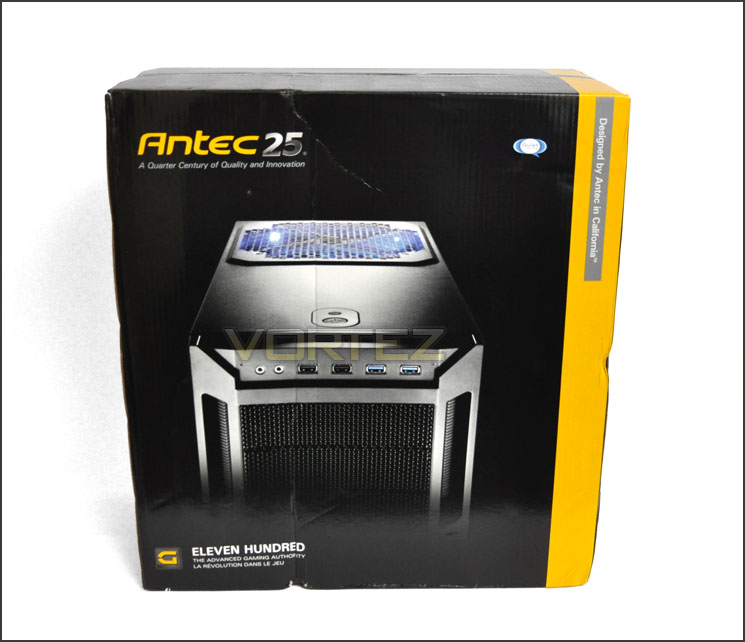
Eleven Hundred packaging
Removing Eleven Hundred from its packaging we get our first glimpse of how this gaming chassis looks. Many would have been expecting a resemblance to do Twelve Hundred but the Eleven Hundred carries many of its design aesthetics from the smaller Three Hundred – having sleek, discreet and smoother externals.
The prominent side panel has a large Perspex window allowing you to see inside. This window also has mounting holes for attaching dual 120mm cooling fans (there are no filters). On the other side, there is a convex side panel to allow better cable management and a honeycomb mesh section allows for a 120mm cooling fan to sit behind the CPU socket/motherboard tray for additional cooling.
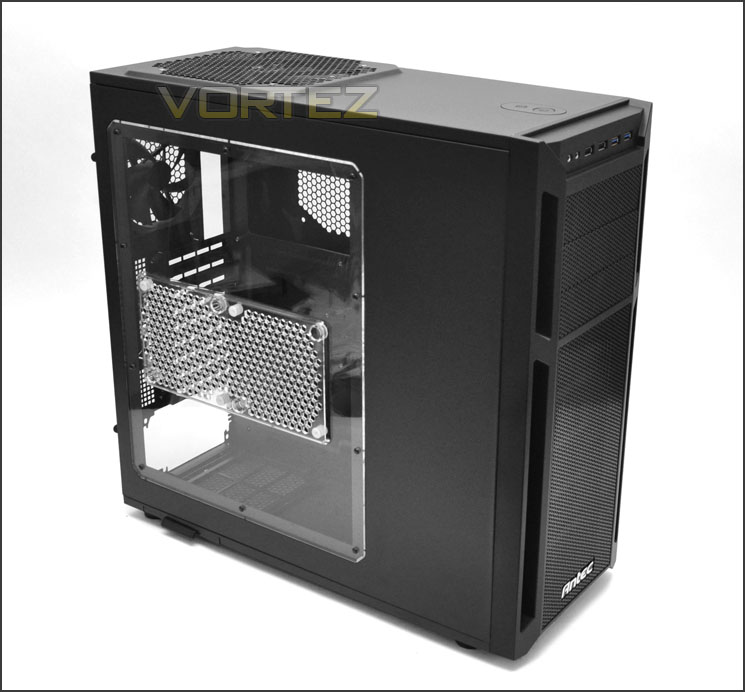
Prominent side panel has a large Perspex window
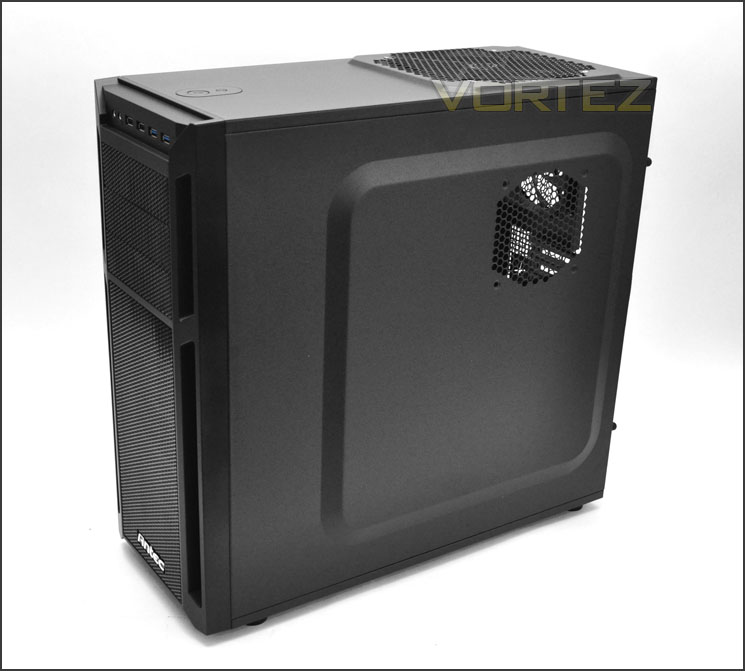
Convex side panel for better cable management and optional 120mm fan
So far, so good. Let’s take a closer look at the external features on Eleven Hundred over the page.
Exterior
The front of Eleven Hundred is part plastic and part steel. The steel provides material for the mesh that runs down the middle section of the case whilst the plastic is mainly on the edges. Due to the lower region being mesh this provides a good platform for attaching intake fans at the front of the case (none are included). At the top there are 3x 5.25” drive bay covers and the front panel controls are at the very top of Eleven Hundred – more on these further down the page.
Around the back at the bottom there is an opening for mounting a PSU and a total of 9 PCI expansion slot covers provide many options for multiple graphics card configurations. These PCI covers have ventilation for better airflow. To the side there are 2 circular rubber grommets for feeding water cooling tubing through. Above this is a 120mm rear exhaust fan and at the very top is a small panel for turning the LED on the top cooling fan on or off. On the inside of this panel is an area for plugging in case fans this can be powered via Molex.
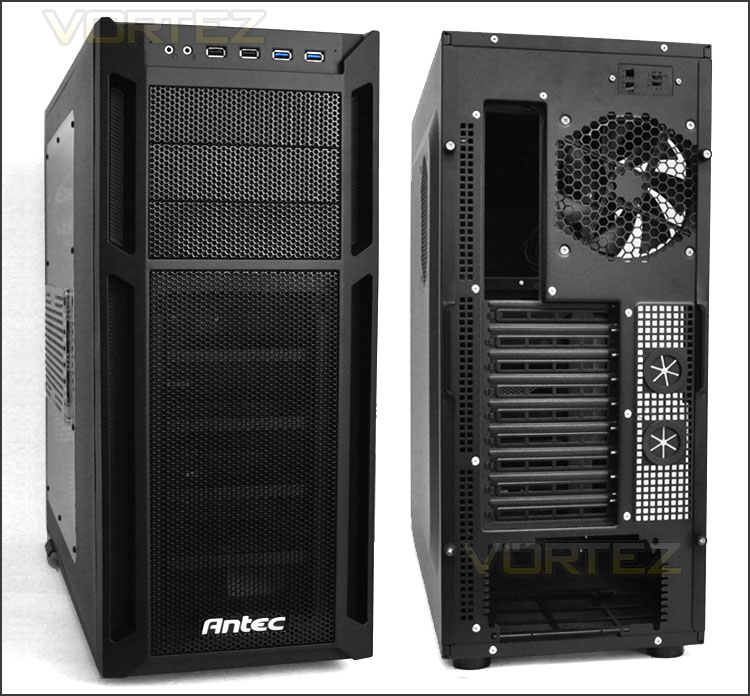
The front and back of Eleven Hundred
The front fascia on Eleven Hundred is removable and features a detachable fan filter. Though there aren’t any cooling fans included 2x 120mm fans can be installed at the front – behind the HDD cage.
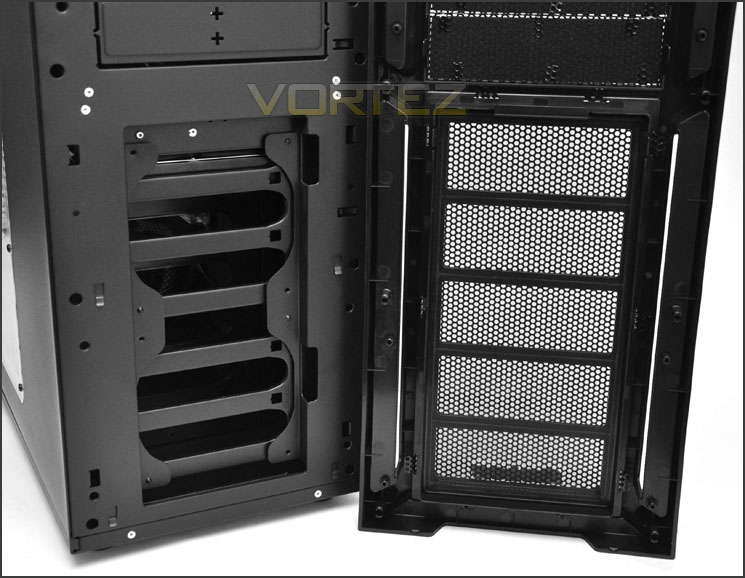
Fan filter on front fascia and optional 2x 120mm fan placement
At the top of Eleven Hundred is the front panel connectivity. Available is: headphone/microphone jack, dual USB 2.0 ports, and dual USB 3.0 ports (via motherboard header). On the roof of the case are the power and reset buttons, the larger one being the power.
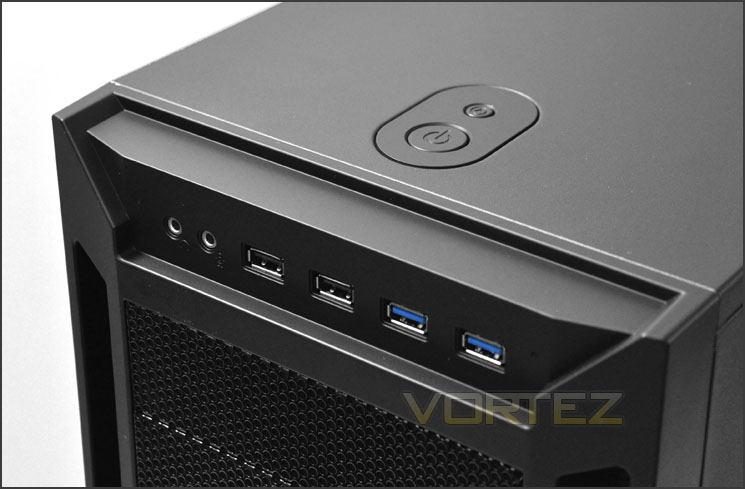
Front panel connectivity
Further back there is a large honey comb mesh section that reveals a top mounted 200mm LED exhaust fan. Being an exhaust there is obviously no need for a fan filter. Surprisingly there are no other options at the top of Eleven Hundred – in this spot or anywhere else. We can’t change to smaller fans or add any additional for increased cooling.
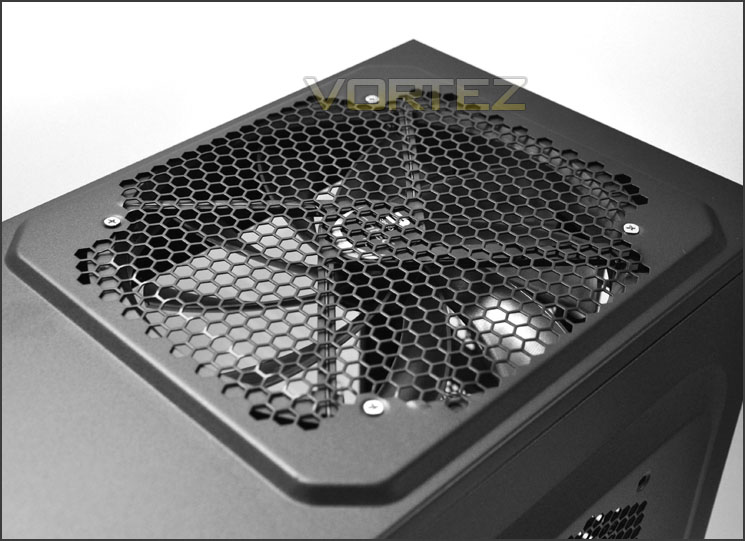
200mm LED exhaust cooling fan at the top
Finally, onto the underside of Eleven Hundred. Here there are 4x rubber feet for the prevention of slipping on smoother surfaces and there is a mesh section marked out where the PSU will rest. There is a fan filter and this is removable from the outside of the case – it sits on the underside of this mesh, right under the PSU.
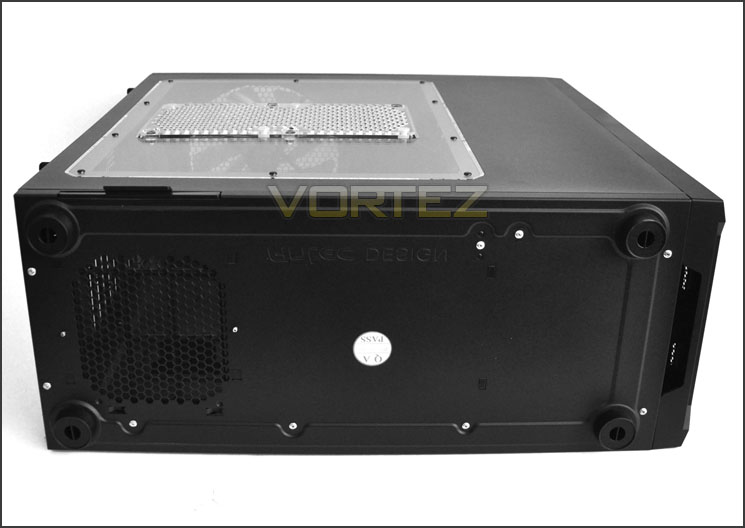
The underside of Eleven Hundred
Continuing our tour, over the page we will investigate the internal features of Eleven Hundred.
Interior
The side panels on Eleven Hundred are held in place via 2 thumbscrews on either side. Once removed we can then take off these panels to reveal the internal layout and design of Eleven Hundred.
Inside there are plenty of rubber grommets for cable management. Thumbscrews hold the PCI covers, there is a large HDD cage and tool-less design for optical drives. A large CPU cooler backplate cut-out has a 120mm fan placement behind for additional cooling and there appears to be a considerable amount of space within. Cable management seems to be a key element of Eleven Hundred.
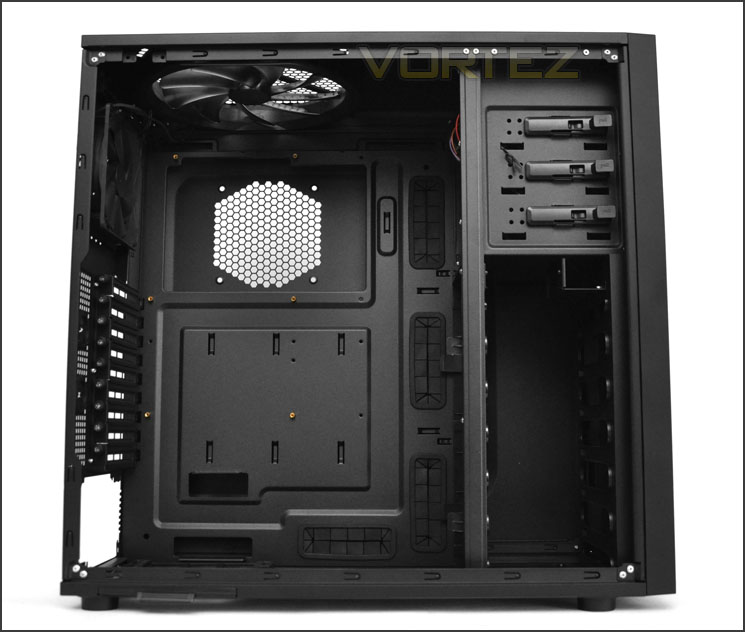
Spacious internal layout
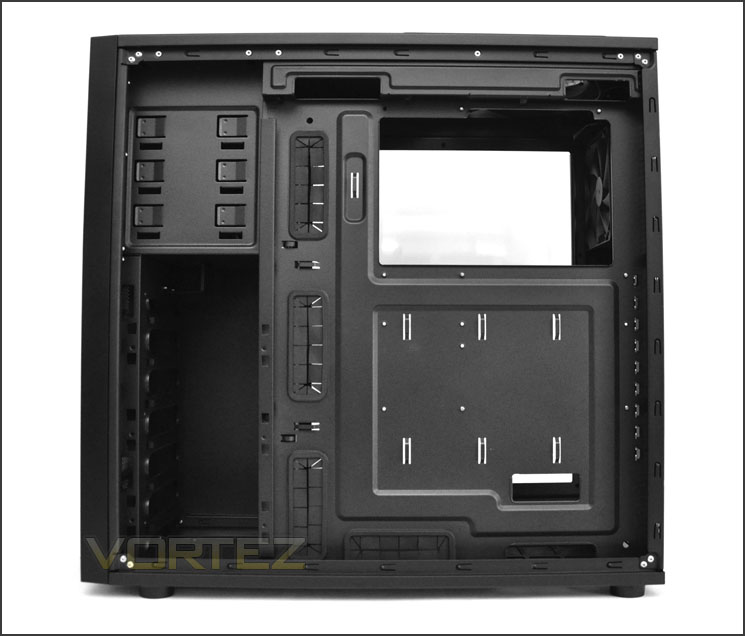
Cable management is a high priority
Delving into the inner features of Eleven Hundred we firstly see the PSU mounting position. Though we don’t have any anti-vibration in this area for the PSU there is plastic – this is better than metal on metal. From the picture below you should be able to make out the handle that protrudes out the side of Eleven Hundred – pulling this handle allows you to extract the fan filter.
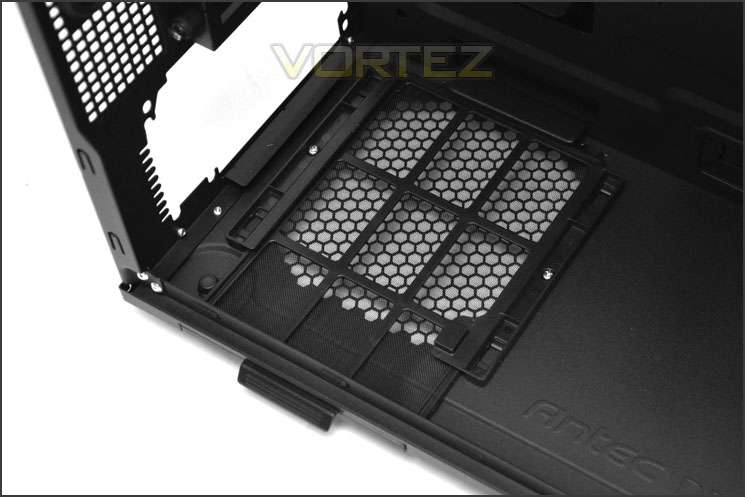
Removable fan filter for PSU fan
Over the page we will continue our tour of the interior.
Interior (Continued)
Moving up – there are 9x PCI expansion slot covers with ventilation holes for better airflow within the chassis. Each of these covers has a thumbscrew for easy removal. To the side are 2x circular rubber grommets for water-cooling tubing.
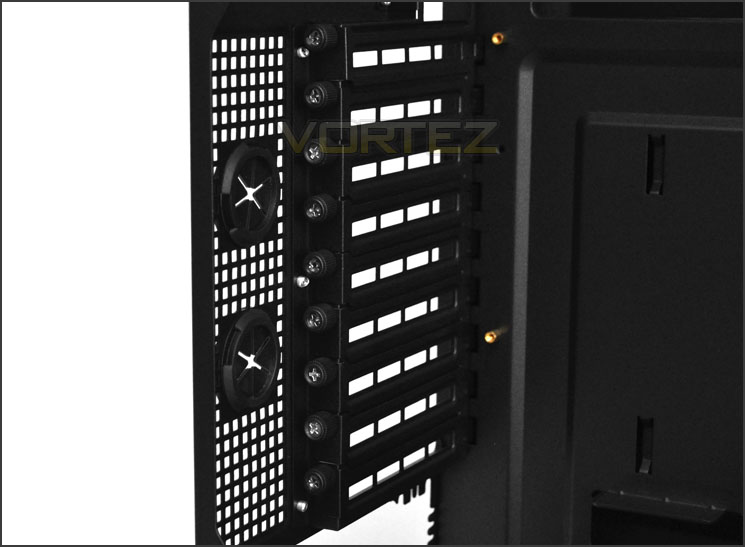
9x PCI expansion slot covers
In terms of cooling, Eleven Hundred has 2x pre-installed fans. A 120mm rear exhaust and a 200mm LED top exhaust. Both of these fans plug into the fan management panel at the top of the case. This panel has a Molex connector – the idea with this is to keep cables out of the way so that the Molex can run behind the motherboard tray.
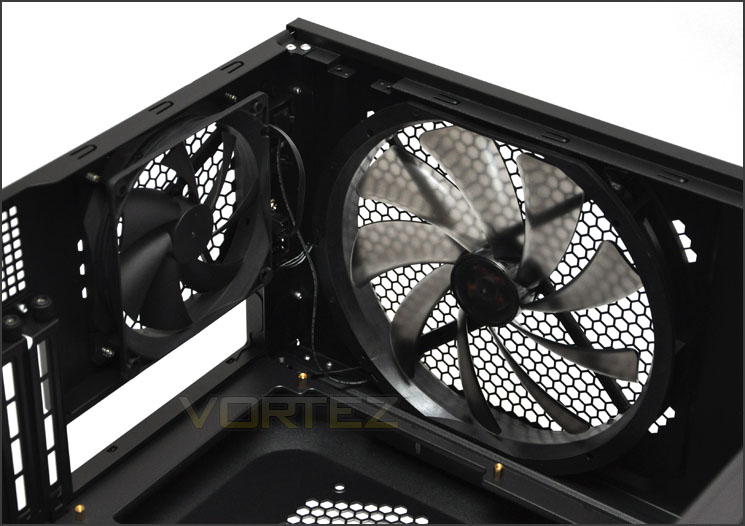
120mm rear exhaust and 200mm LED top exhaust fans
Over on the other side of Eleven Hundred are 3x 5.25” drive bays. Each of these come with the tool-less design mechanism to make things quicker and easier to get in and out.
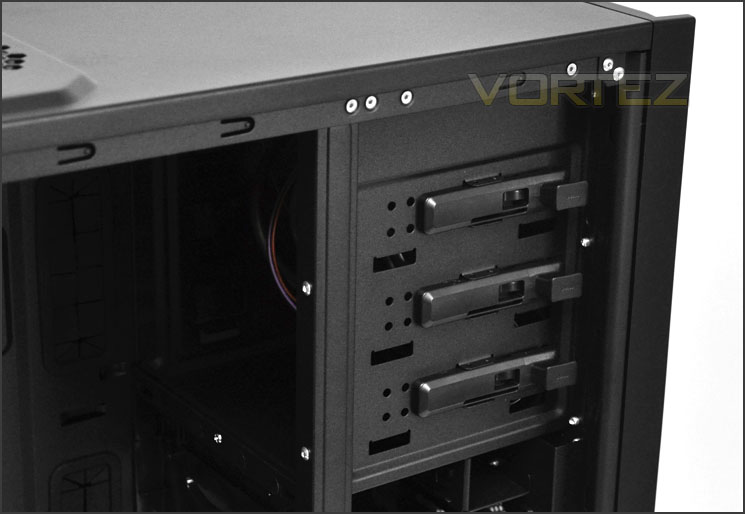
Tool-less design mechanisms for optical drives
Lastly, there is a large HDD cage that can accommodate a large quantity of HDDs. 6 slots for 3.5” drives and 2 slots at the top for 2.5”. A little later we will take a look at how to get a drive inside this HDD cage.
Sadly there is no intake at the front of Eleven Hundred and therefore it breaks out of the traditional airflow convention. With only exhaust fans inside this case and no positive airflow, will it deliver good thermal performance? We shall find out a little later in the thermal performance tests.
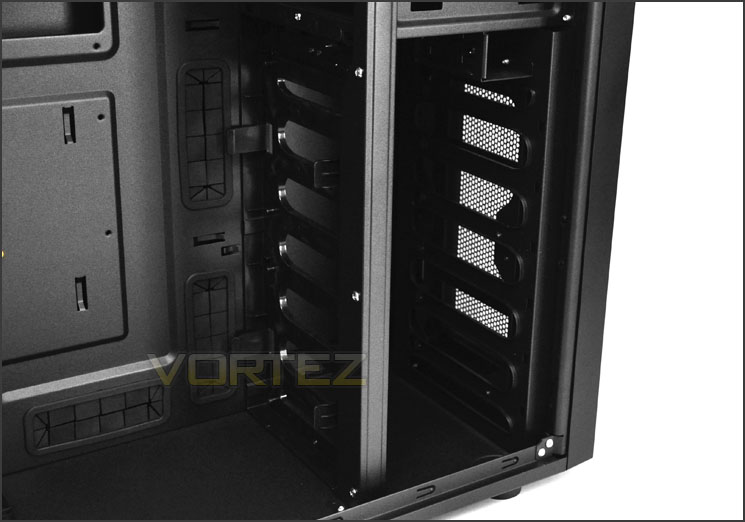
A large HDD cage but no intake fans
Over the page we will progress with installing components inside Eleven Hundred.
Installation
The installation process with Eleven Hundred is quite pleasant. As you can see from the below pictures, creating a good, clean layout is easy. There is plenty of space, even the motherboard sits higher due to the overall height within the chassis. The only complaint I really have is that the CPU power doesn’t reach behind the motherboard tray and into the connector if you have the PSU mounted with the fan facing upwards. I tried and tried to stretch the cable and at one point it was looking as though it would slot in but alas it was just short of a few mm. So instead, because I prefer to have the fan facing upwards in all reviews I had to route the cable across the front of the motherboard. If you would rather the PSU fan face downwards then getting the cable to reach the CPU power connection won’t be an issue at all should you want to route the cable behind the motherboard tray. A few manufacturers are starting to include a CPU power extension cable to provide more flexibility with cable management – I hope that more companies, including Antec will include this useful, inexpensive adapter as it just helps to keep the inside tidier.
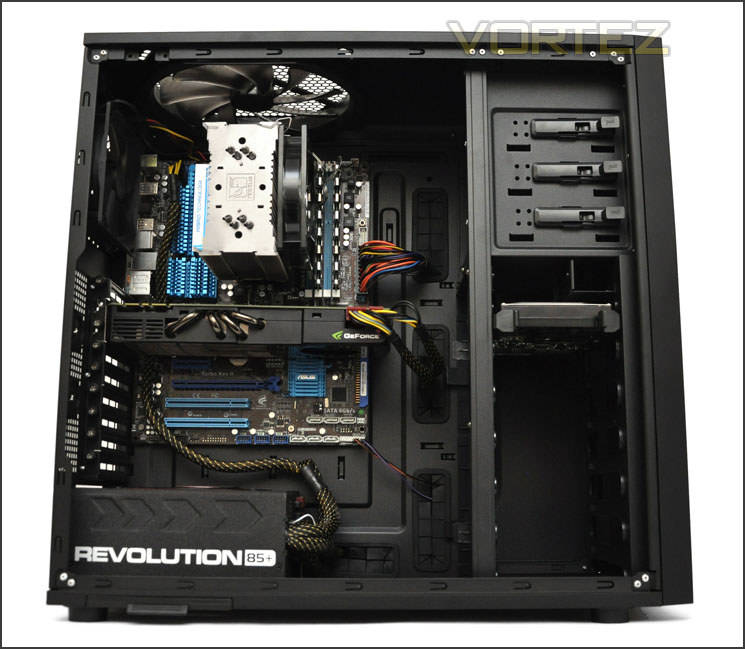
A tidy looking install
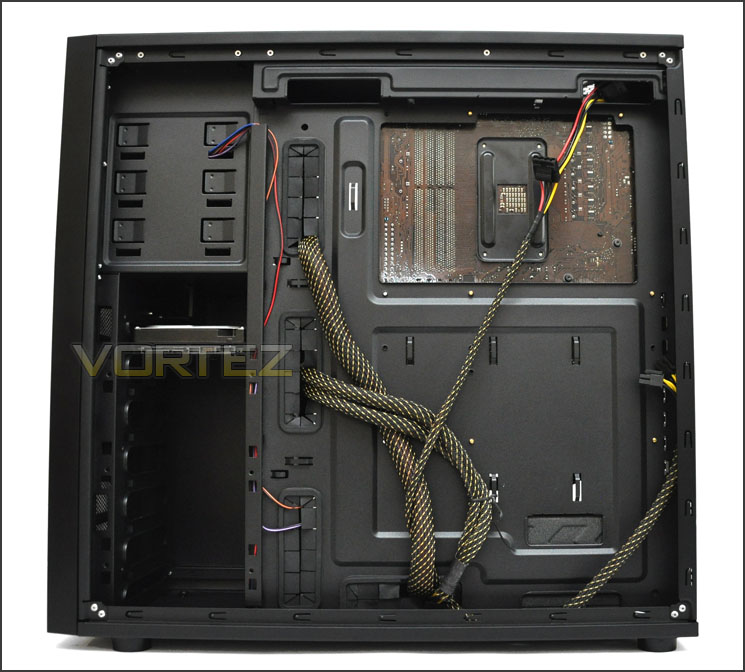
Cable management is a strong-point
In order to get HDDs into Eleven Hundred two brackets need to be attached to either side of the drive (same for 3.5” and 2.5” drives). Once attached, the drive then just slides into an available slot in the HDD cage and clicks into place. It’s good to see that the HDD cage is only populated by objects that are in use – ie: there are no HDD trays or frames empty and blocking potential airflow for optional cooling fans.

HDDs require brackets to be attached
Next we will observe the clearance that we are left with after installing all components inside Eleven Hundred.
Clearance – CPU, GPU, WC, Cable Management
Clearance inside a chassis is essential to enthusiasts, in this section we will be looking at all areas to reveal just how flexible Eleven Hundred really is.
Firstly the CPU cooler clearance. Antec claim 170mm for the maximum height of the CPU cooler before it touches the side panel. This covers most flagship CPU coolers including Noctua NH-D14 and Thermalright Silver Arrow (160mm). Installed inside Eleven Hundred is the Noctua NH-U12P which is 158mm in height. It’s good to see this chassis can accommodate big CPU coolers.
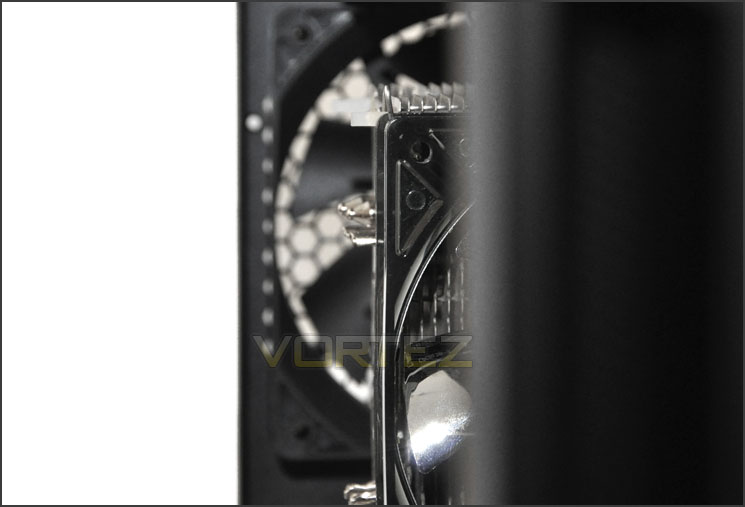
Clearance for CPU coolers up to 170mm in height
For graphics card clearance claim up to 13” of total length. This covers all cards currently on the market. Pictured is the NVIDIA GTX 480 which is 11” in length and you can see there is plenty of space before it touches the HDD cage.
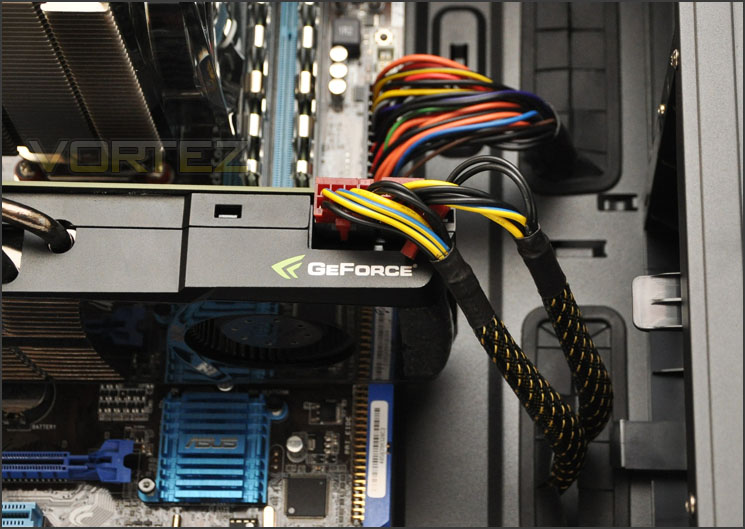
Graphics card clearance – up to 13”
Behind the motherboard tray is where we have the biggest surprise. Measuring the gap from the back of the motherboard tray to the side panel reveals 2.5cm of clearance, but remember the side panel is convex so there is even more clearance to take advantage of. This means that we are able to store groups of cables behind the motherboard tray – tucking them away and out of sight.
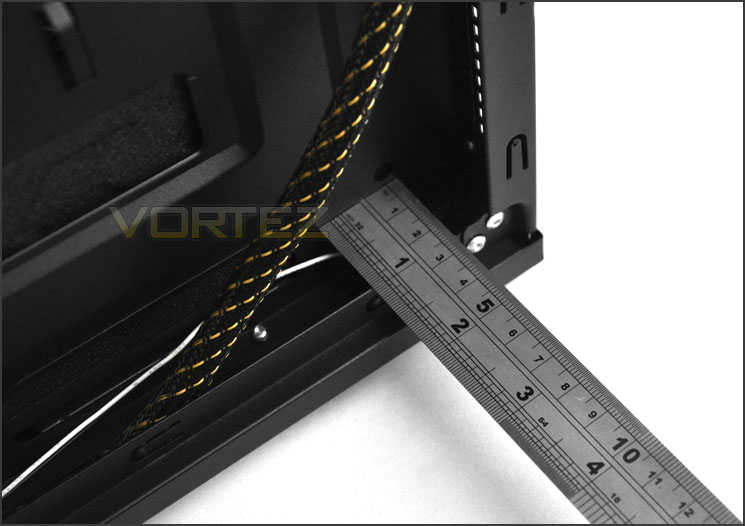
Significant clearance behind motherboard tray for great cable management
Thermal Performance Testing
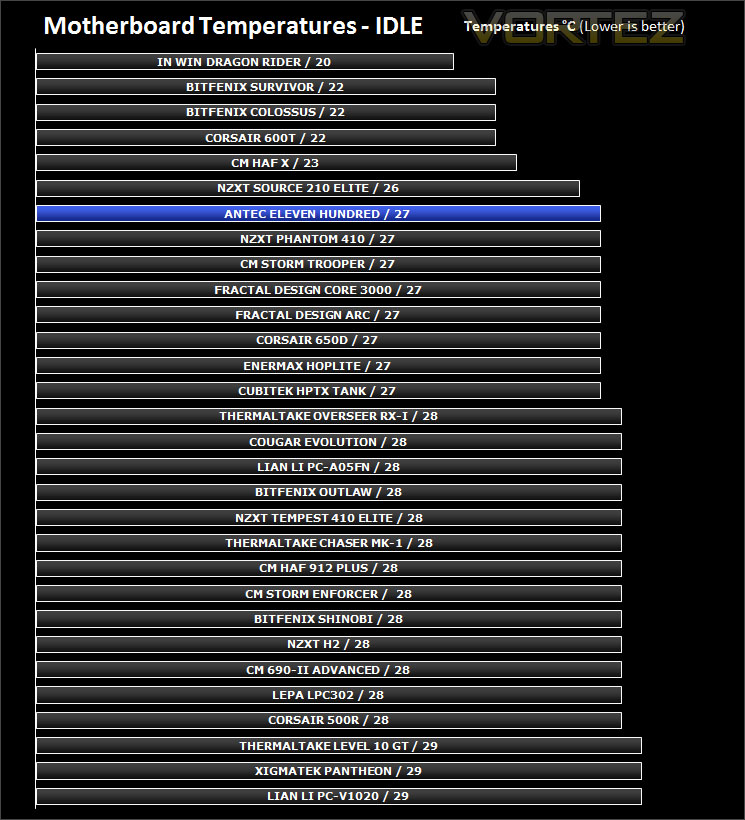
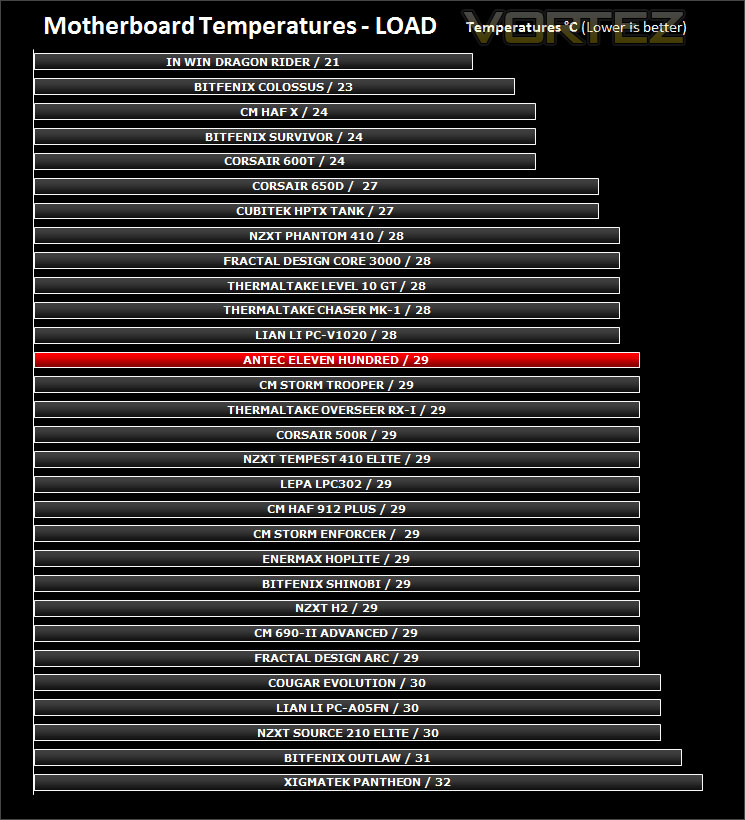
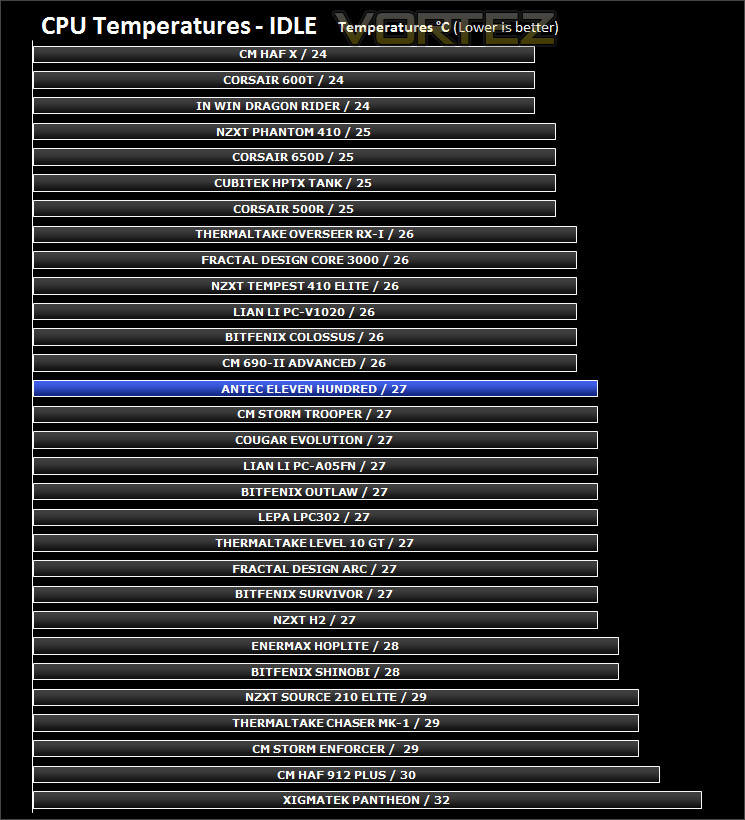
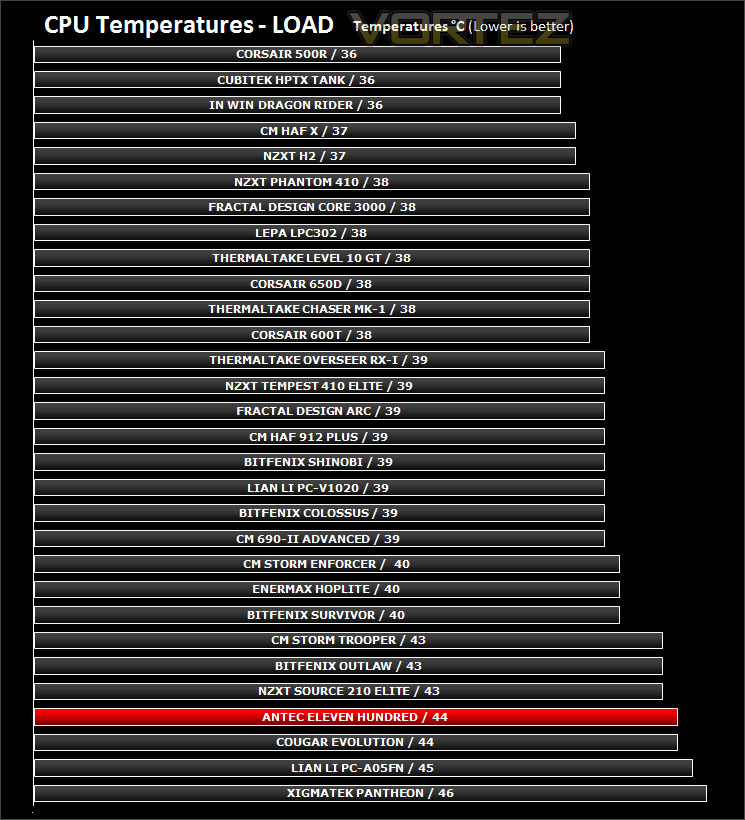
Inside Eleven Hundred there are just two pre-installed fans. 1x 120mm rear exhaust and 1x 200mm top exhaust. Having only exhaust fans and no intake means that there is no positive airflow within the chassis. Without an intake at the front, air is only being dissipated and not driven out. You would imagine, this will undoubtedly have an impact on temperatures.
To discover the thermal performance of the Eleven Hundred I will record idle temperatures after 20 minutes from a cold boot. I will then stress the system and temperatures will again be monitored after 30 minutes have elapsed.
System Components
CPU AMD Phenom II X6 1055T 2.8GHz
Motherboard ASUS M4A89TD PRO
Graphics ZOTAC NVIDIA GTX 480 AMP
Memory 4GB Mushkin EM3-10666 DDR3
HDD Samsung Spinpoint 500GB SATA-II
PSU Enermax Revolution 85+ 850W
Conclusion
Antec have been furnishing the gaming segment of their chassis range with smaller, cheaper alternatives and it’s been a while since we have seen them catering for the mid to high end range. So what do we think of the new Eleven Hundred?
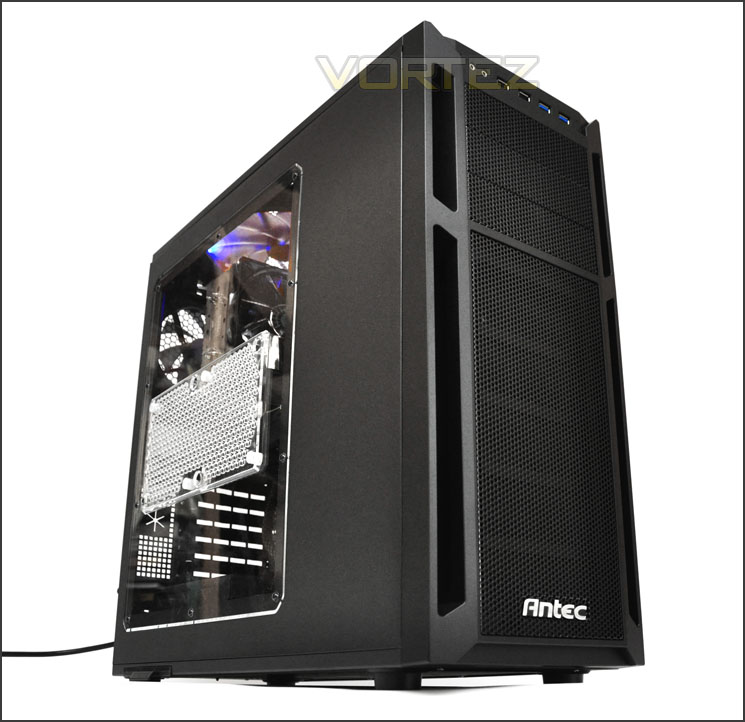
Aesthetically the Eleven Hundred is a great looking case inside and out. Antec have gone straight down the middle with this case and given it characteristics from the gaudy gamer and the subtle enthusiast preferences. Inside, gamers and enthusiast alike will discover lots of space to install their kit. Clearance is probably one of Eleven Hundred’s stronger points especially when we consider the gap behind the motherboard tray. It’s always pleasing when a manufacturer is generous in this aspect of case design because it means the consumer can benefit from good cable management.
Though the Eleven Hundred has plenty of positive aspects to it, it also has some slight niggles too. Due to it having no intake cooling fans at the front, the Eleven Hundred breaks out of the conventional case airflow design. Having only exhausts means that air is only dissipated and not driven across and out of the system. I’ve found manufacturers choosing to design cases without intakes at the bottom end of the market generally and had the Eleven Hundred been priced cheaper I would have understood why any kind of intake had been absent but this case is priced at £110 inc. VAT meaning it is up agsinst the likes of CM 690 II, Thermaltake Overseer RX-I, NZXT Phantom and the even cheaper Corsair 500R – all of which are equipped with positive airflow. Though these fans are absent, there are still plenty of options for those who want to completely customise the cooling configuration.
The bottom line – Eleven Hundred is a great looking case. It has lots of space inside with clearance for key components which also means that cable management is fantastic. Consumer’s will almost certainly be encouraged to install their own intake fan though.
+ Great aesthetics
+ Lots of clearance for great cable management
+ Support for XL-ATX motherboards
+ Plenty of options to add more cooling
Cons
– CPU power doesn’t route behind motherboard tray if PSU fan is facing downwards
– Lack of intake fans diminishes airflow
– Price


Click here for an explanation of our awards at Vortez.net.


