







Another mid-tower joins the Obsidian Series. The new 550D computer chassis is under the spotlight. Will this case follow in the footsteps of other products?

Product on Review: Obsidian Series 550D
Manufacturer and Sponsor: Corsair
Street Price: £100inc. VAT
The Obsidian Series has always had a big following in the computer chassis market. Corsair’s keen attention to detail, coupled with an indulgent feature-set has meant those with a passion for a sophisticated look have truly been catered for.
Until the Corsair 650D the Obsidian Series only had full towers within its portfolio but now Corsair have introduced yet another mid-tower to join the 650D, namely 550D.
As with other cases in the series, the 550D adopts a minimalist approach to case design, pushing for flair and elegance. The 550D focusses on providing users with sound isolation via noise damping and closed off panels, so if you are seeking a computer chassis with professional looks and silence in mind, the 550D could be ideal. The Obsidian Series has impressed us before with build quality being at the forefront of priorities, will 550D continue a good thing? Let’s find out.
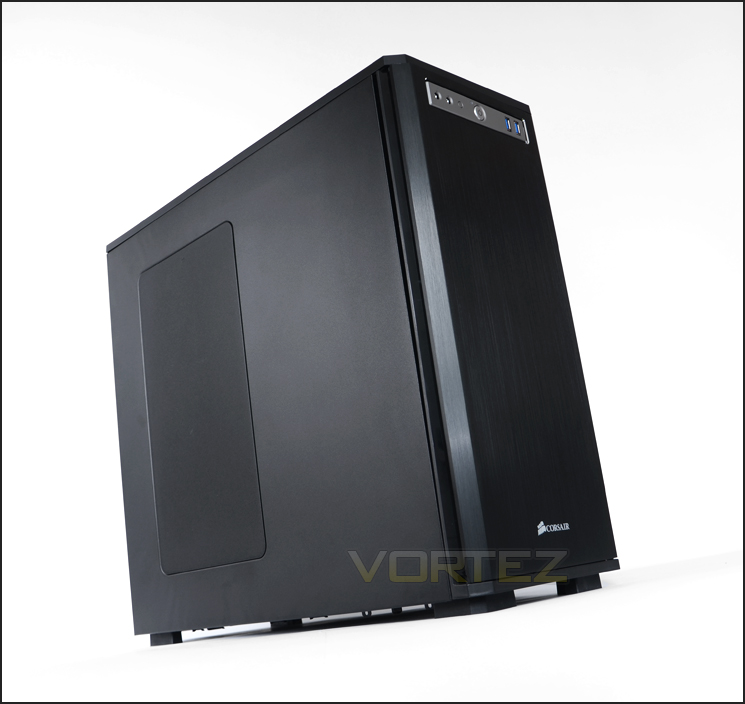
Corsair’s take on 550D
Obsidian Series 550D is carefully engineered for noise reduction and sound isolation. But, it’s not just about keeping things quiet — there’s amazing cooling potential, lots of expansion flexibility, and the durability that Obsidian Series is renowned for.
Technical Specifications
Warranty Two years
Dimension 20.9” x 8.7” x 19.5”
MB Support ATX, mATX
Expansion Slots 8
Form Factor Mid-tower
Material Steel structure with black brushed aluminum faceplate
Drive Bays (x4) 5.25”, (x6) 3.5”/2.5” Drive Caddies
Cooling (x2) 200mm Fans, (x1) 120mm Fans
Front I/O (x2) USB 3.0, (x1) Headphone, (x1) Mic
Power Supply ATX (not included)
Dimension 20.9” x 8.7” x 19.5”
MB Support ATX, mATX
Expansion Slots 8
Form Factor Mid-tower
Material Steel structure with black brushed aluminum faceplate
Drive Bays (x4) 5.25”, (x6) 3.5”/2.5” Drive Caddies
Cooling (x2) 200mm Fans, (x1) 120mm Fans
Front I/O (x2) USB 3.0, (x1) Headphone, (x1) Mic
Power Supply ATX (not included)
Packaging & First Look
Those who are familiar with Corsair’s approach to packaging will see a similar trait with 550D. The case has been given an eco-friendly double-reinforced cardboard box with a graphical depiction of the chassis on the front with an introduction to the 550D in small-print – in a variety of languages. Around the back there is a technical diagram of the 550D with all its parts and features listed.
Within the box, 550D is covered in a clear plastic sheet and held in place via dual polystyrene pillars for a safe trip during transit.
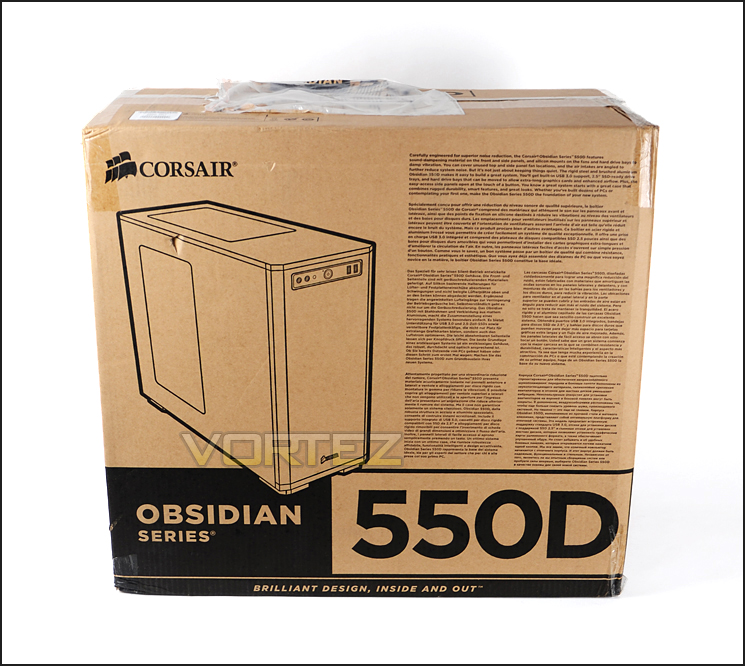
Eco-friendly packaging for 550D
Lifting 550D out of its packaging it instantly becomes apparent what message Corsair are trying to get across with this chassis – elegance. As with the current lineup of products within the Obsidian Series, 550D continues the minimalist approach to case design and has a smooth, professional and streamlined exterior. The side panel behind the motherboard tray is completely solid whilst the prominent side panel has a large area marked out that, at a soft press lifts off to reveal mounting holes for dual 120/140mm fans or 200mm fan. This area also has a large sheet of air filter that is magnetic as well as removable and the detachable cover has noise dampening foam – as do both side panels featured on 550D.
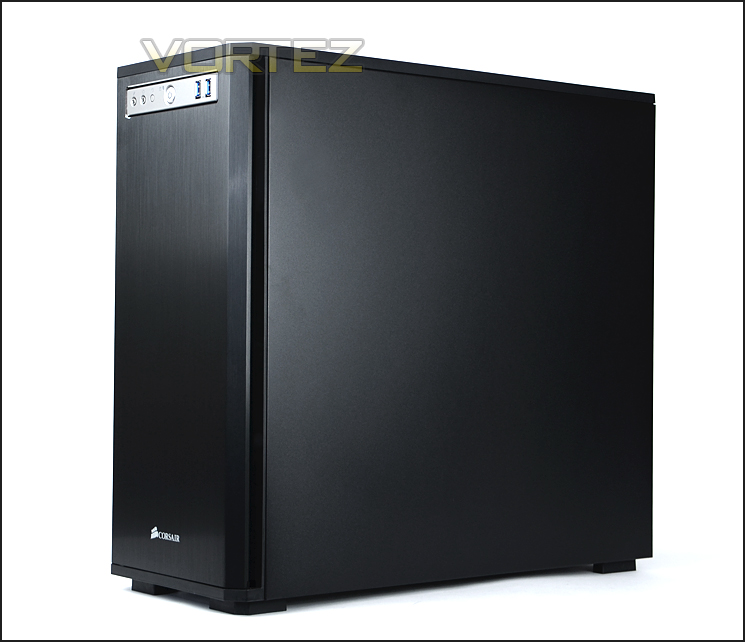
Sleek and elegance characterised
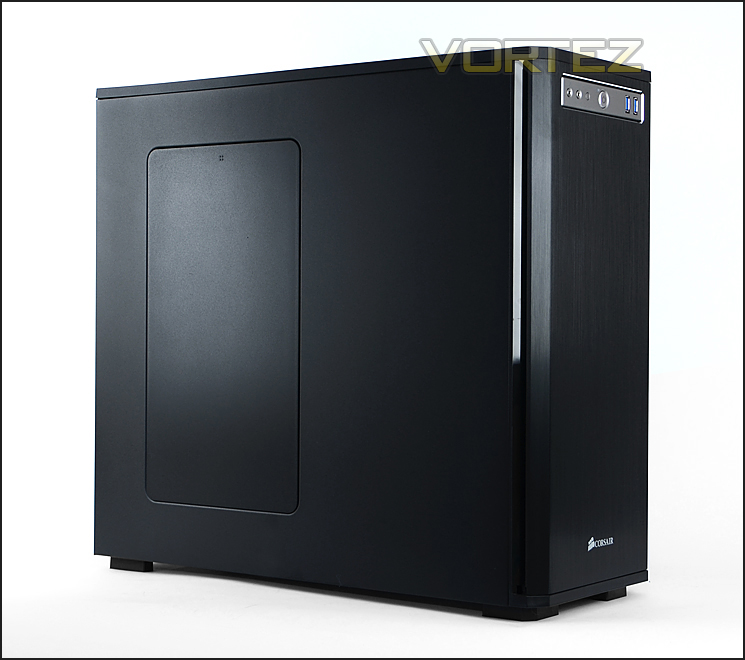
Prominent side panel features removable cover
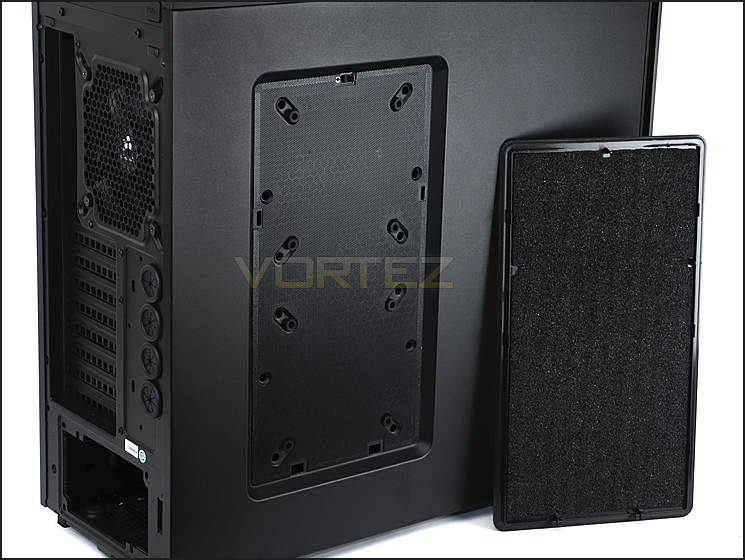
Mounting holes for attaching variety of cooling fans
With our initial look at 550D now complete, let’s move in for a closer look over the page.
Exterior
As we begin to look at 550D in finer detail, we will start with the front and back. The front of the chassis features a brushed aluminium faceplate with the Corsair insignia at the bottom. The front panel controls have been given a distinctly different coloured plate so that they stand out – more on this later. This front panel opens out so that users can gain access to the 5.25” drive bay covers.
Around the back the 550D has an opening at the bottom for mounting the PSU and above this are 8x PCI expansion slot covers – each have ventilation holes for better airflow. Immediately next to these covers are 4x circular rubber grommets to assist with water-cooling management. Above this is a mesh panel for the 120mm rear exhaust fan. Note: there are also mounting holes here for using a 140mm fan should you want to upgrade.
The eagle eyed amongst you will have noticed there are no thumbscrews securing the side panels onto 550D’s chassis – instead Corsair have used a button/latch system and you can see the buttons that release the side panels at the very top of the rear panel.
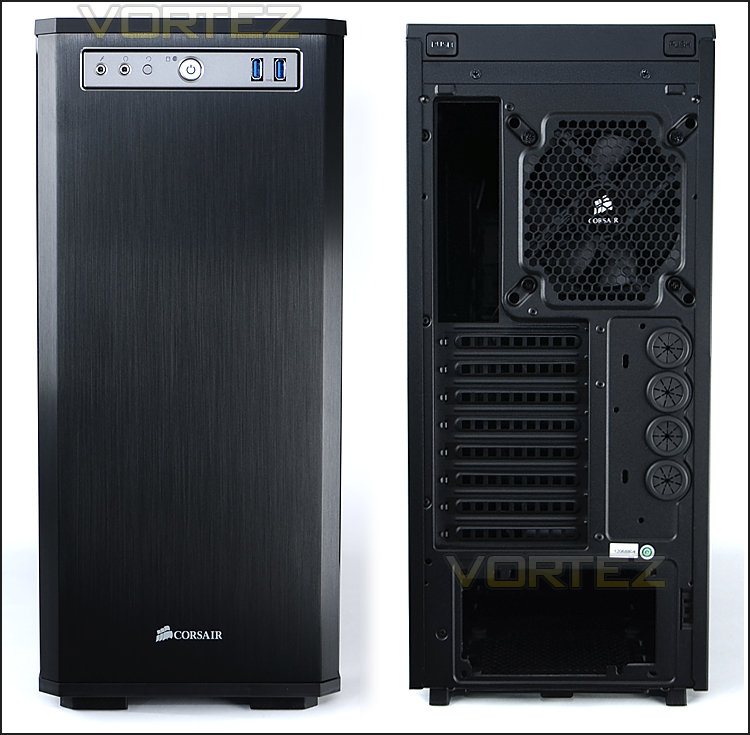
The front and back of 550D
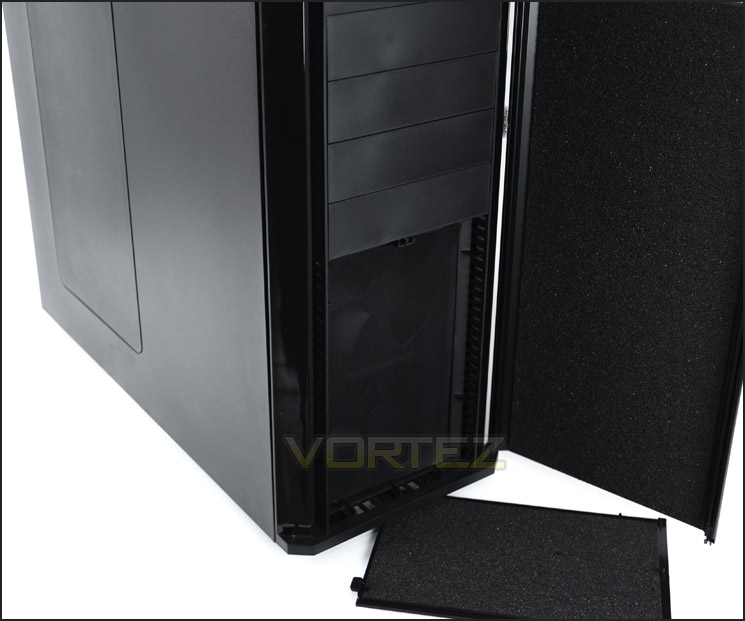
Front door opens to reveal detachable panel with air filter
The front panel connectivity sits on a diamond cut aluminium plate and includes the usual accompaniment of features. From left to right there is:
• Microphone and headphone jacks
• Reset button
• Activity LED
• Power button
• 2x USB 3.0 ports
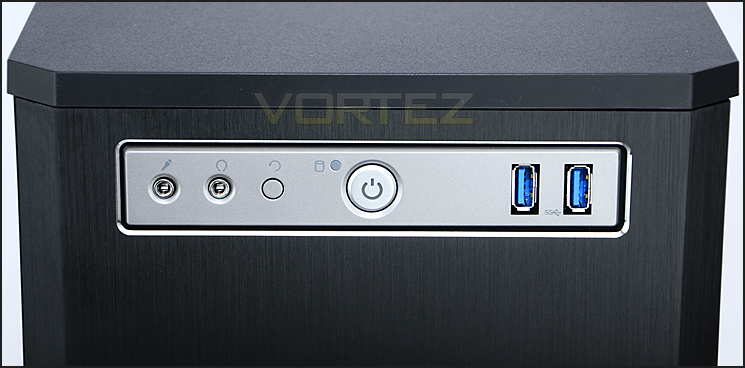
The front panel controls with USB 3.0 ports
The top of 550D is smooth and like the side panel features a detachable panel that pops up with a soft press.
Upon removing this top panel we find that the reverse of this cover has padded foam just like the side panels and there is also the inclusion of a dust filter –though there are no included cooling fans at the top of 550D. At the top there are mounting holes for dual 120/140mm fans. There is obviously no space for mounting water-cooling on the externals here but there is space inside – we will investigate this later.
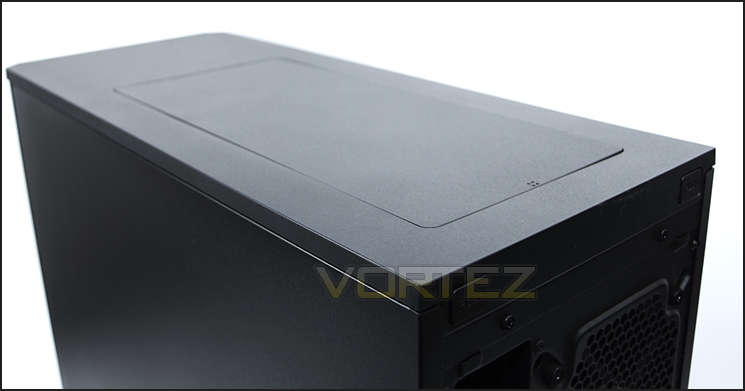
The top of 550D with detachable top panel
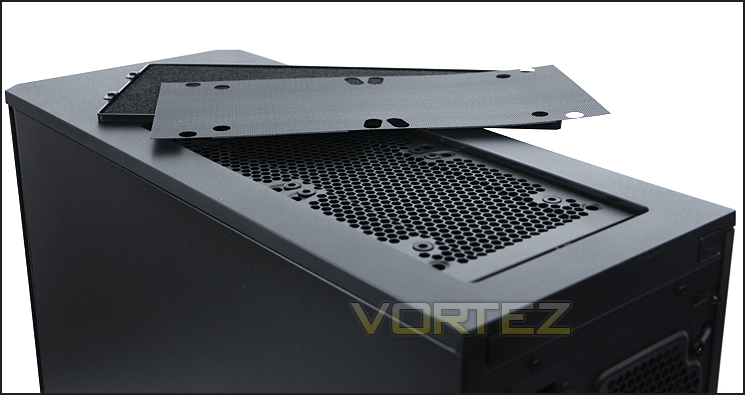
Detachable top panel with filter and mounting holes for attaching 120/140mm cooling fans
On the underside of 550D there are 4x rubber feet to prevent the case from slipping and a large dust filter covers the underside of where the PSU sits within the chassis and where the optional cooling fan can be installed. This fan filter is removable from the outside of the case with relative ease. There are 4x additional thumbscrews attached to 550D’s underside should you need to use them.
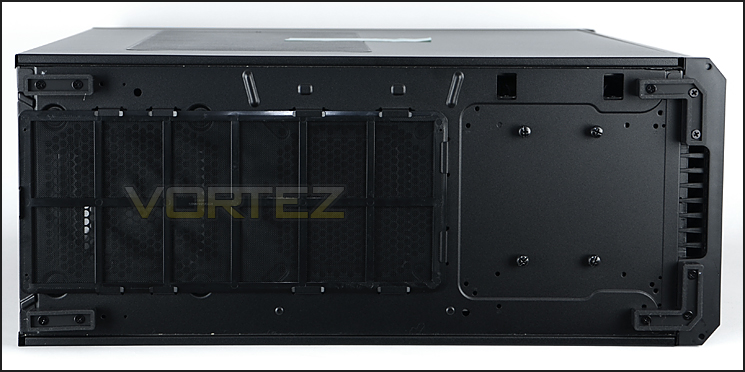
The underside of 550D
With the external inspection complete let’s move inside the 550D for a good look at the features over the page.
Interior
As mentioned previously, 550D’s side panels have been furnished with soft rubber foam that dampens noise cause by operating noise from the system within. This foam isn’t like the material we have seen used on other computer cases which tends to be Styrofoam – but is in fact thicker, dense and appears to be much better quality. I like it.
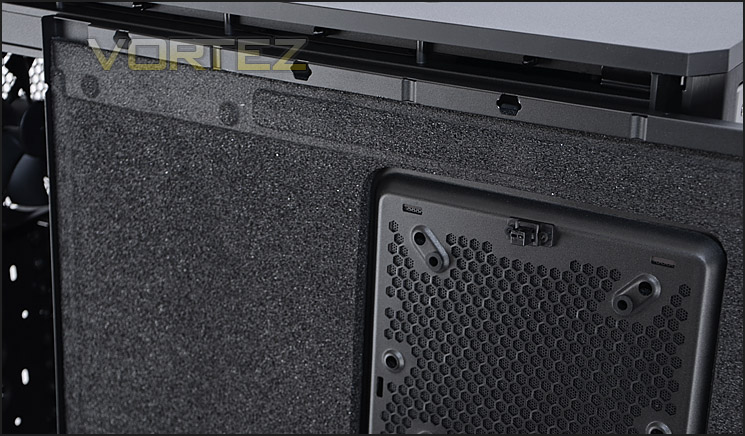
The rubber foam found on the side panels
With the side panels removed, 550D has an all-black internal design with tool-less design mechanisms for installing components and has a large CPU cooler backplate cut-out on the motherboard tray with cable management grommets to suit.
Behind the motherboard tray Corsair have structured the platform here in such a way that the rubber grommets sit on a section that is further concaved for additional cable management clearance.
Overall, a very nice internal layout with some interesting features. It will be intriguing to see how the test system installs within 550D in the next section.
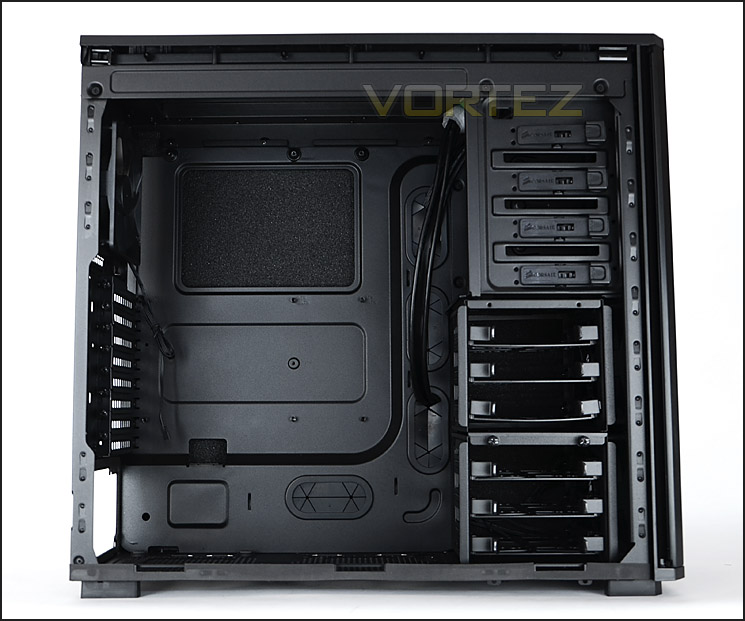
A spacious internal layout awaits
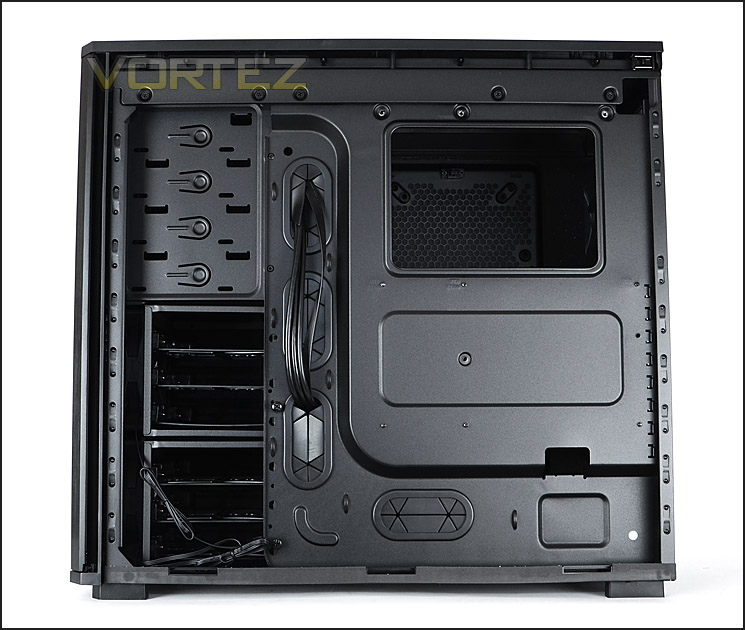
Cable management options behind the motherboard tray
Inside 550D, at the bottom of the chassis is an area marked out for mounting the PSU. This region has 4x rubber pads to prevent scratching and vibration. Next to the PSU is an area for attaching an optional 120/140mm cooling fan – both these two devices have an air filter on the underside of the chassis that is removable.
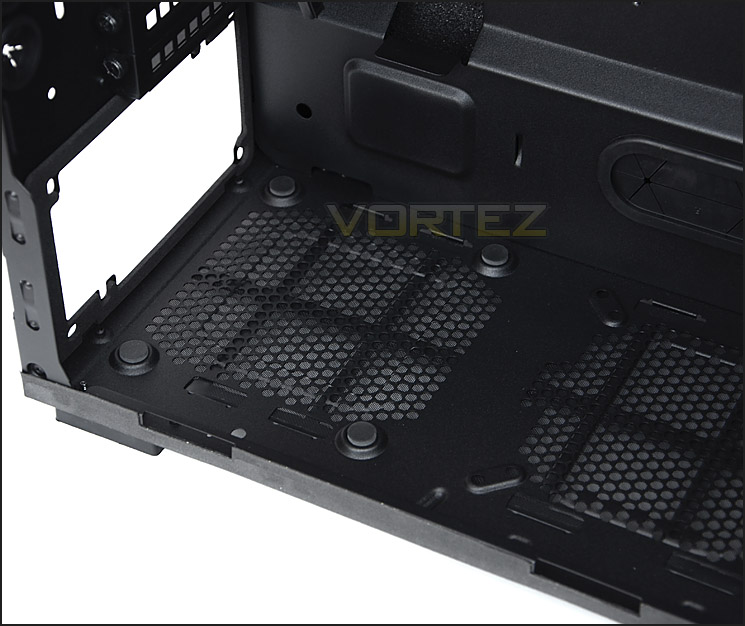
Anti-vibration for the PSU
Above the PSU seating area are 8x PCI expansion slot covers, each with ventilation holes for better airflow and thumbscrews for easy removal. To the side are the 4x rubber grommets for feeding tubing or cables through.
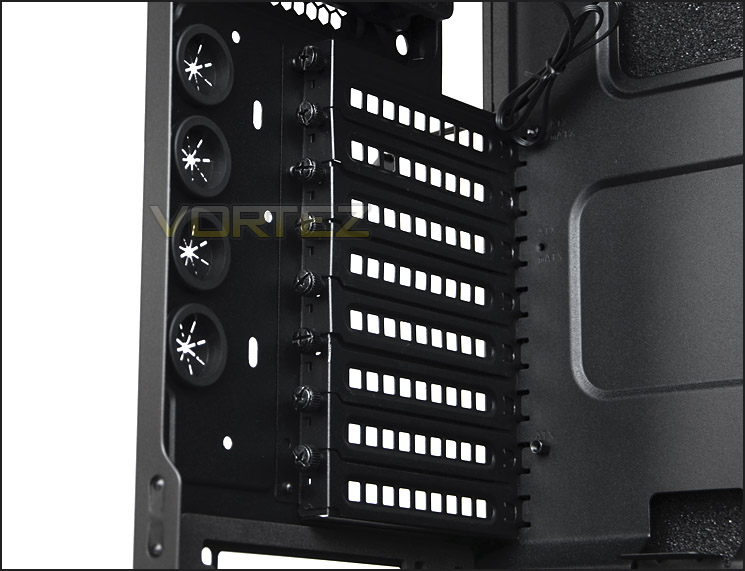
8x PCI expansion slot covers
Over the page we will continue our tour of the internal elements of 550D.
Interior (Continued)
550D has a 120mm rear exhaust fan positioned above the PCI expansion slot covers. There are no cooling fans located at the top of the chassis but there are mounting holes for attaching dual 120/140mm fans. Due to the depth of the chamber at the top – there is sufficient space to mount water-cooling. (This subject will be dealt with in the clearance section of the review).
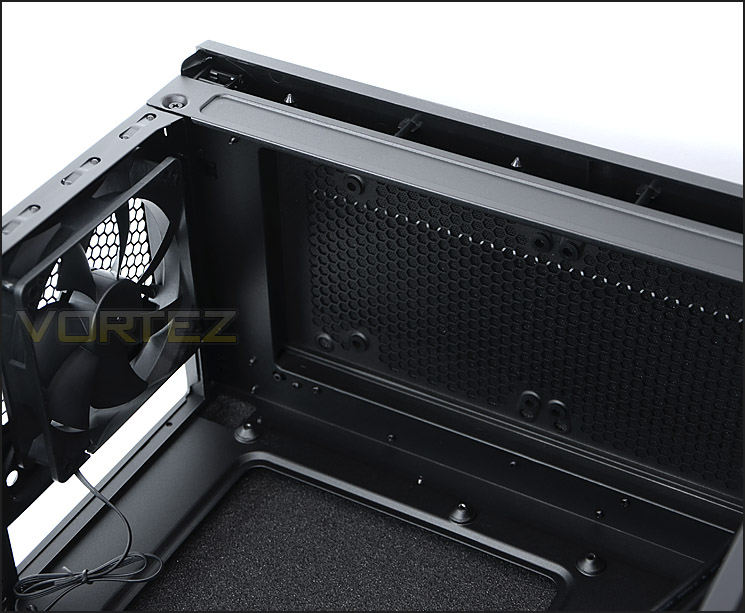
120mm rear exhaust fan an optional slots for dual 120/140mm fans at top
Over on the other side of the chassis is the area for installing optical drives. There are a total of 4x 5.25” drive bays, each with the tool-less design mechanism we have seen many times on other Corsair designed cases (push and slide to install).
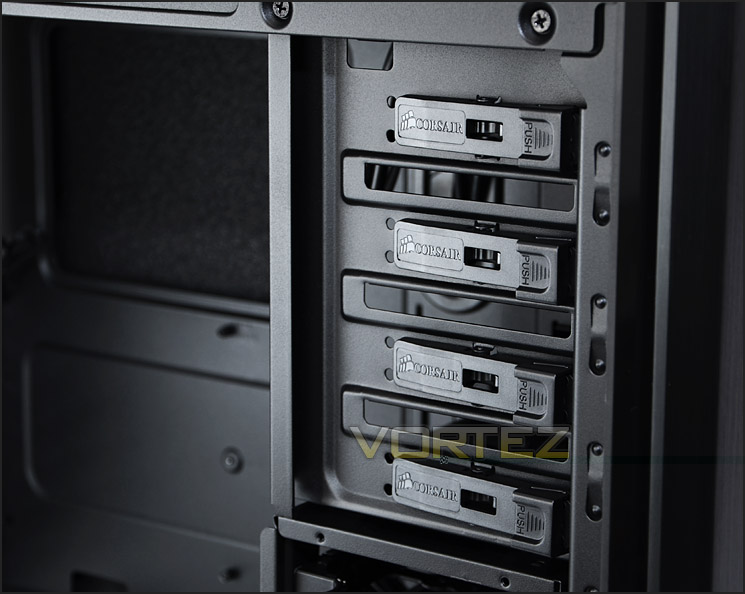
Optical drive bays have tool-less design for installing
Beneath the optical drive bays are the HDD storage cages. There are two cages, each contains 3x HDD storage trays for attaching your 2.5” or 3.5” drive. Both cages are removable by simple removing a series of thumbscrews. Removing the upper HDD cage creates additional clearance for longer graphics cards and allows for a 2.5” SSD to be installed on the roof of the low cage.
Behind the HDD cages are dual 120mm intake cooling fans. These fans will carry air across the system – having the upper cage removed will obviously aid airflow and remove any obstruction.
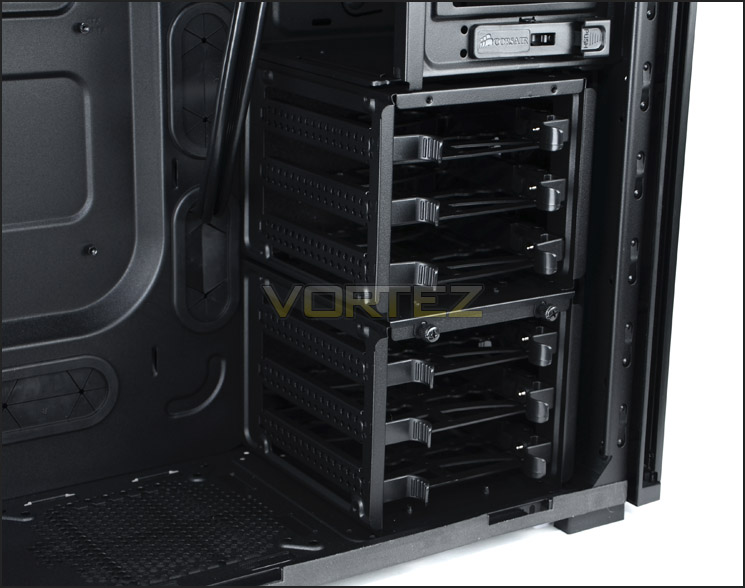
Lots of HDD storage options
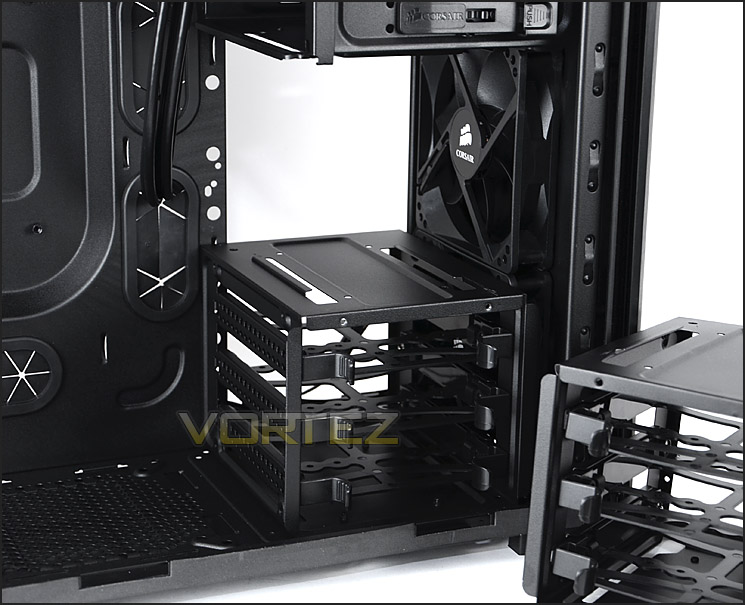
HDD cages are removable – dual 120mm fans behind
In the next section we will install our test system within 550D and find out how this case handles components.
Installation
Looks can be deceiving – this is why it is important for us to observe the installation process to identify any potential problems with 550D but I am happy to report there are none whatsoever. The entire installation process is pain-free thanks to the quality, space and tool-less design mechanism supplied within.
Those who are keen on keeping the inside of the computer system clean and tidy will favour the abundance of cable management grommets and cut-outs. Behind the motherboard tray there is more than sufficient space for organising cables and tucking them out of the way.
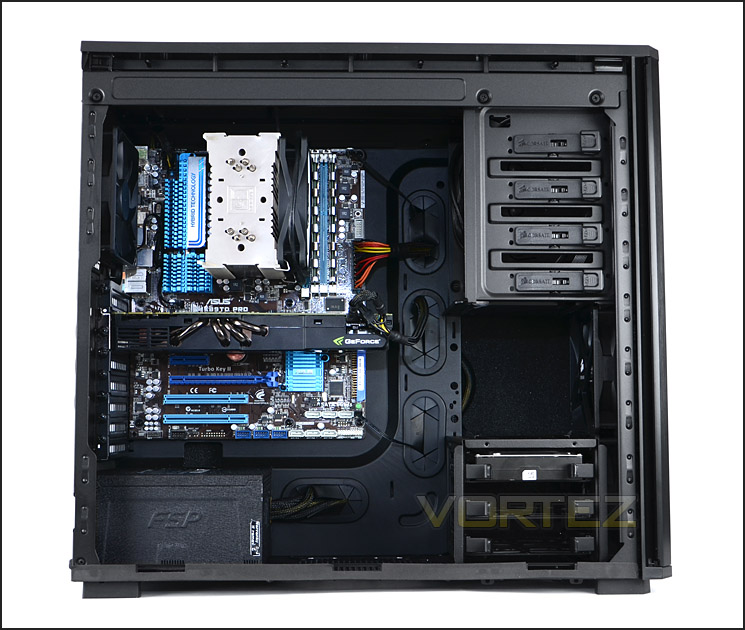
A clean and tidy installation
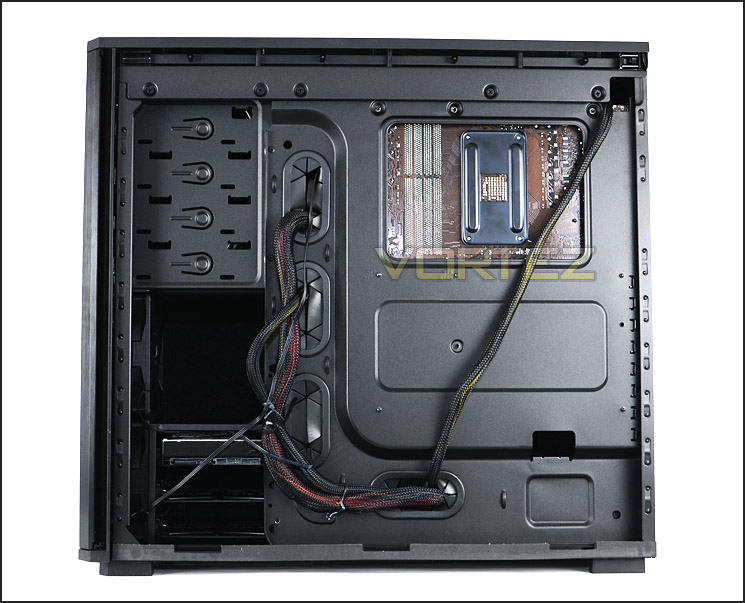
Cable management is easy to control
Getting HDDs into 550D is very easy, all you have to do is fit the 2.5” or 3.5” drive into a supplied tray found within the HDD cage and slide the tray back into the cage. There are also mounting holes on the roof of the lower HDD cage for mounting a 2.5” drive – like the SSD pictured.
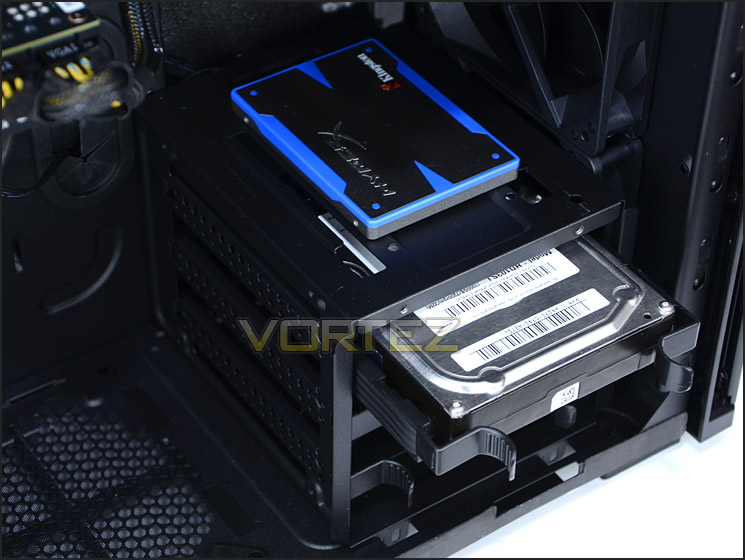
550D will accommodate 2.5” and 3.5” drives
With the installation process over, on the next page we will be considering clearance options within 550D.
Clearance – CPU, GPU, WC, Cable Management
Space and clearance within a computer chassis is essential to an enthusiast – in this section we will be looking at different areas within 550D to reveal just how flexible the case is.
550D has no problems handling big CPU coolers, including our Noctua NH-U12P which is 158mm in total height. 550D will accommodate even bigger flagships like Noctua NH-D14, Alpenfohn K2 or Thermalright Silver Arrow which are all 160mm in height.
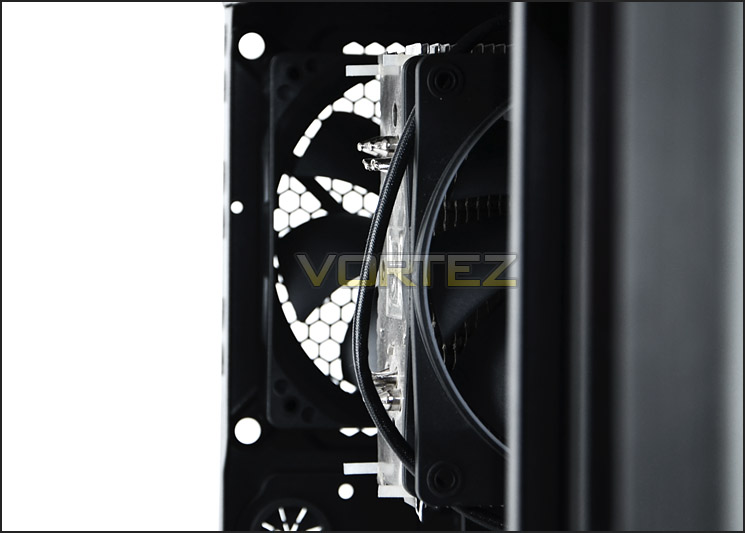
Clearance for big CPU coolers
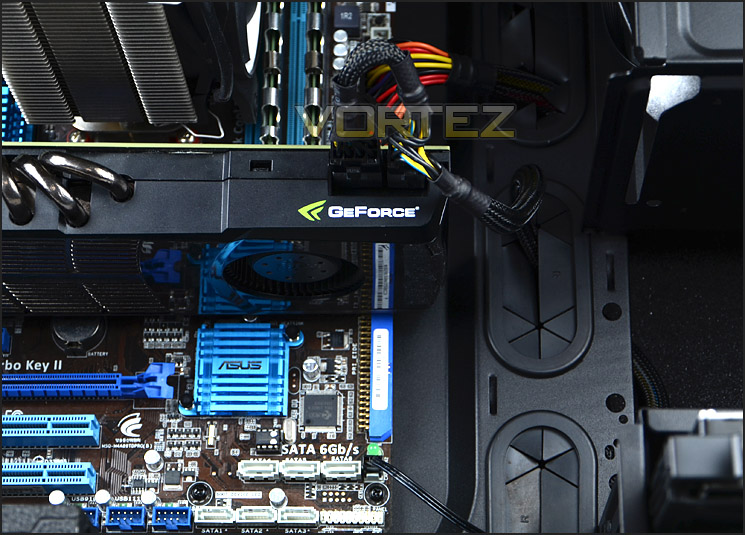
It’s a similar story for graphics cards too. 550D already has plenty of space for long graphics cards – our NVIDIA GTX 480 which is 11” in length is quite a distance off touching the HDD cage but even so, with the ability to remove the HDD cage 550D will accommodate any graphics card currently on the market.
Support for long graphics cards
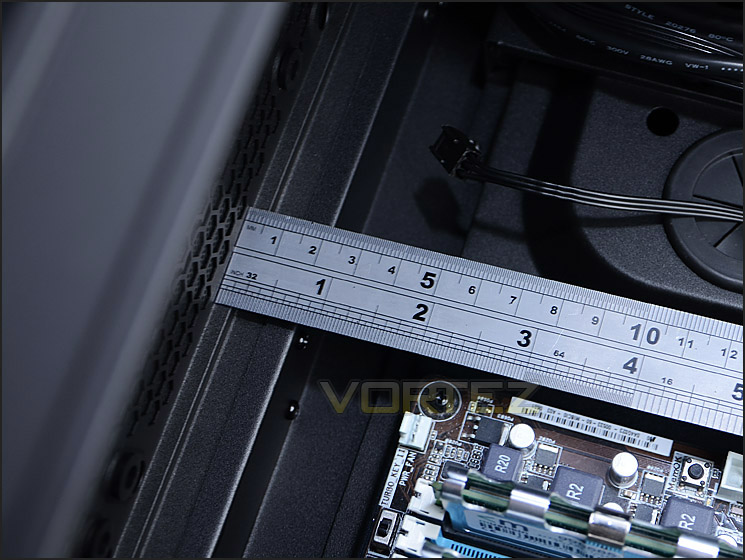
In terms of radiator support for water-cooling. The 550D will accommodate standard radiators but the thicker type that are approx. 6cm thick like Phobya G-Charger could well struggle to fit. The popular Hydro H100 also fits inside 550D, as you would expect!
Water-cooling radiators will fit at the top
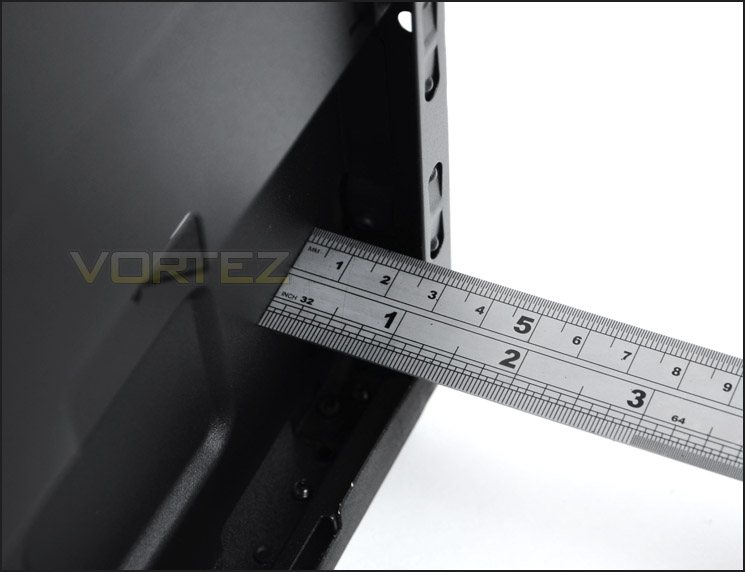
Behind the motherboard there is more than sufficient clearance for storing unwanted cables. Within the channel that Corsair have implemented – there is just under 2.5cm.
Generous clearance behind the motherboard tray
Thermal Performance Testing
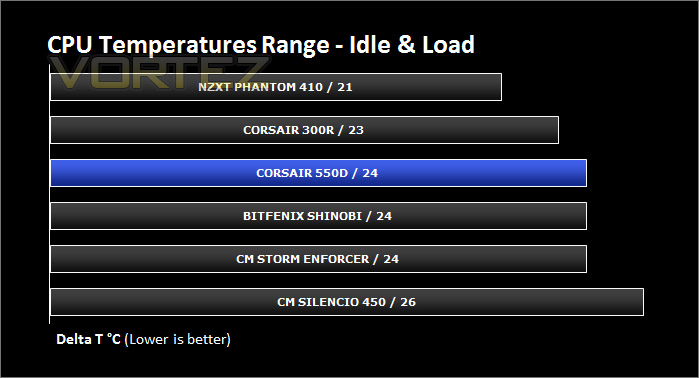
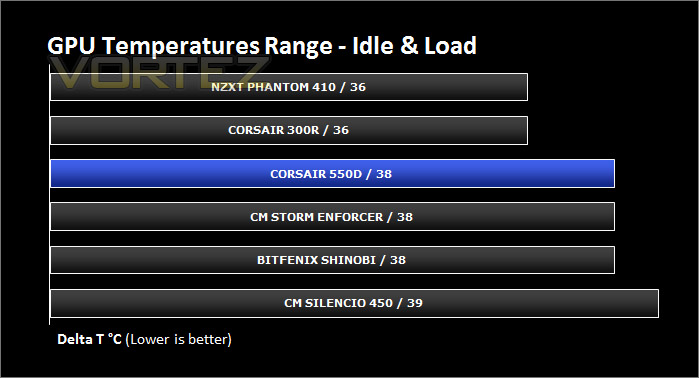
Our thermal performance testing has recently been revised and therefore the list of comparable results is for the moment limited. But as we progress through cases the results list will expand.
Inside 550D there are 3 pre-installed cooling fans positioned in traditional airflow regions. Dual 120mm intake fans – bringing in air from outside and pulling it across the system and out through the 120mm rear exhaust fan.
To discover the thermal performance of the 550D I will record idle temperatures after 20 minutes from a cold boot. I will then stress the system and temperatures will again be monitored after 30 minutes have elapsed.
For the purpose of accurate analysis the idle and load temperatures for CPU and GPU will be recorded and the range between idle and load will be calculated to determine how efficient cooling is.
NOTE: Ambient temperature is 20C
System Components
CPU AMD Phenom II X6 1055T 2.8GHz
Motherboard ASUS M4A89TD PRO
Graphics ZOTAC NVIDIA GTX 480 AMP
Memory 4GB Mushkin EM3-10666 DDR3
HDD Samsung Spinpoint 500GB SATA-II
PSU FSP AURUM GOLD 650M
Motherboard ASUS M4A89TD PRO
Graphics ZOTAC NVIDIA GTX 480 AMP
Memory 4GB Mushkin EM3-10666 DDR3
HDD Samsung Spinpoint 500GB SATA-II
PSU FSP AURUM GOLD 650M
Noise
The 3x120mm fans that Corsair have included with 550D spin at just 800RPM. Couple this with the noise dampening panels and we have the perfect recipe for silence.
Due to the slower operation on these fans, it means that they therefore do not push as much air compared to other cases. The 550D has similar fan specifications to the Silencio 450; it differs by being able to push more air though thanks to the additional fan.
Noise and performance has always been an interesting trade-off. It just depends what your ultimate goal is.
Conclusion
Fans of the Obsidian Series will be pleased to know the 550D is a resounding success. In similar fashion to that of the Corsair 650D, the 550D brings elegance and charisma to the mid-tower platform. Unlike the 650D, Corsair have decided to go without the Perspex window on the 550D as most will be cooling via the H100 or using conventional air cooling
The 550D elevates itself by delivering extremely good build quality with a well thought out design and layout. I really liked the detachable panels on the side and bottom – both have been given noise damping foam, as has the side panels. These intricacies help make the 550D deliver on quietness. Combine the noise damping with 800RPM fans and we have a real recipe for silence. 550D has been designed with quietness in mind and as a result of this trade-off thermal performance does take a hit. Closing up a chassis and using low RPM fans does aid silence but at the cost of cooling. If there is more ventilation and faster spinning fans then obviously this is going to result in better thermal performance. So in some way this will be considered a slight niggle for some, but then there is the option to add in more fans should you want to improve airflow from the top of sides.
The Corsair 550D can be found for just under the £100 mark inclusive of VAT making it quite an affordable option for those wanting minimalist styling with all the features. Some will argue this pricing pushes 550D into the full tower territory and this is correct – not everyone has the room or desire to go for a full tower though and the 550D is at the top end of the mid-tower category in terms of its quality and what it has to offer.
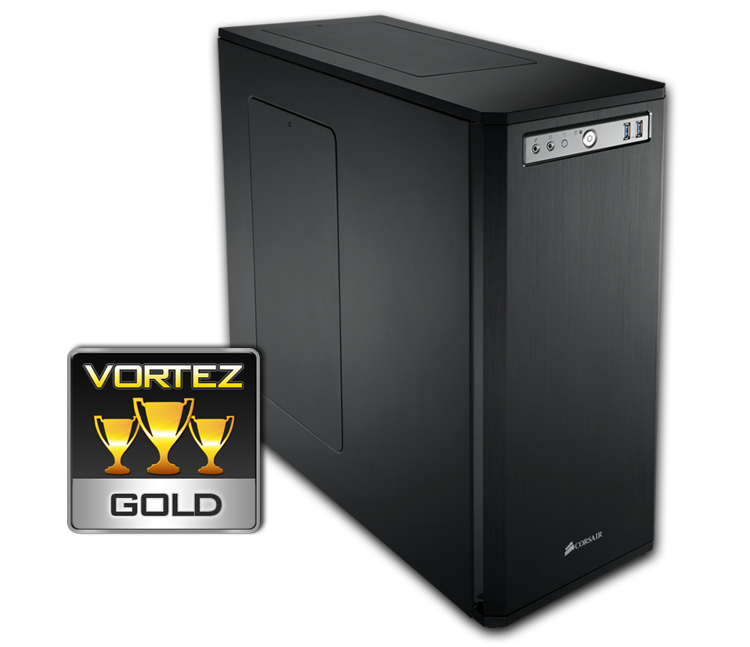
Overall then, 550D is a fantastic case. The Obsidian Series continues to impress with another mid-tower, pushing the boundaries for quality and appearance. Those who seek elegance, quality and silence should look no further. Vortez awards the 550D with Gold.
VIDEO REVIEW ON VORTEZ TV
Pros
+ Elegant and professional looks
+ Build quality is very good
+ Layout and design well thought out
+ Extremely quiet
+ Great cable management options
+ Quite affordable
Cons
– Thermal performance (low RPM fans + lack of ventilation at front)
+ Elegant and professional looks
+ Build quality is very good
+ Layout and design well thought out
+ Extremely quiet
+ Great cable management options
+ Quite affordable
Cons
– Thermal performance (low RPM fans + lack of ventilation at front)

Click here for an explanation of our awards at Vortez.net. Thanks to Corsair for providing today’s review sample.


