Stylish and compact, the T1 is a portable SSD storage device which uses the USB 3.0 interface and Samsung’s 3D V-NAND technology.

Product on Review: Portable SSD T1
Manufacturer & Sponsor: Samsung
Street Price: 250GB – £136.99 GBP
500GB – £228.49 GBP
1TB – £456.99 GBP
Samsung are a company that need little introduction. In almost any product range they set their hand to they have gained world-wide recognition for outstanding reliability. Samsung has realised their full potential in the SSD market by dominating with their 830, 840 and 850 Series drives and today’s product review seeks to monopolize on this success.
At the beginning of January Samsung used CES 2015 to announce their new T1 Portable SSD and today we’ll be casting a critical eye over this new drive.
The focus with T1 is super-fast storage on-the-go. This new drive utilises Samsung’s 3D V-NAND technology, resides in a compact shell, uses USB 3.0 interface and is available in 250GB, 500GB or 1000GB capacities.
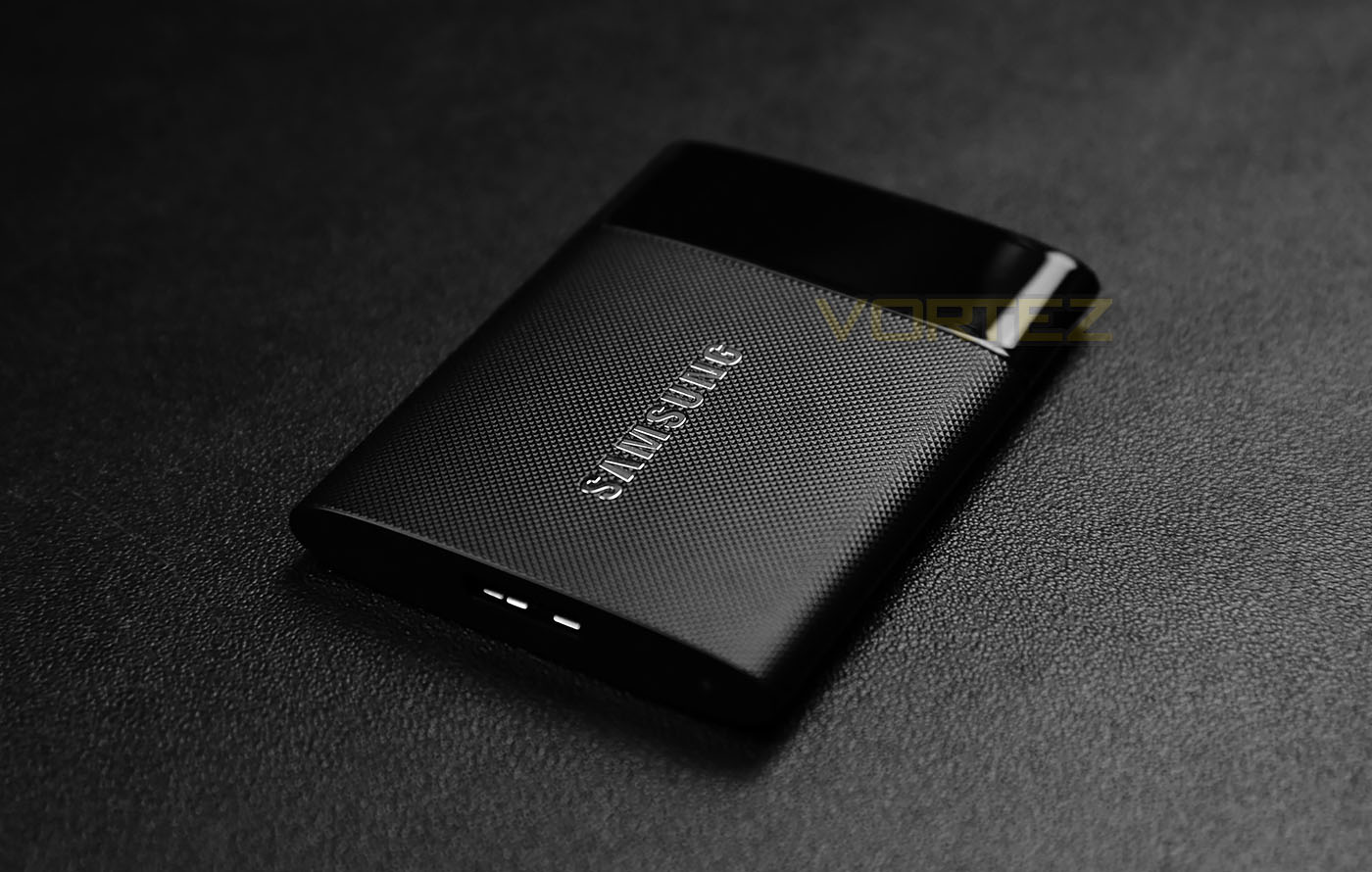
Samsung on their T1
There’s a new way to have your personal and professional data on you all the time. Ever heard of the T1? It’s the portable SSD designed with V-NAND technology. We’ve carefully taken the powerful performance of an internal SSD, added the best security you can find and put it in a cool looking shell roughly the size of business card. The T1 is the perfect portable portfolio for your life in the digital world we live in.
Technical Specifications
Capacity
250GB / 500GB / 1TB
Interface
Compatible with USB 3.0, 2.0
Dimensions (W x H x D)
71.0 x 9.2 x 53.2 mm
Weight
Max. 30gram
Transfer Speed
Up to 450MB/sec.
UASP Mode
UASP Mode
Encryption
AES 256-bit
Security
Password setting (Optional)
Certification
CE, BSMI, KC, VCCI, C-tick, FCC, IC, UL, TUV, CB
RoHS Compliance
RoHS2
Warranty
Limited 3 year
250GB / 500GB / 1TB
Interface
Compatible with USB 3.0, 2.0
Dimensions (W x H x D)
71.0 x 9.2 x 53.2 mm
Weight
Max. 30gram
Transfer Speed
Up to 450MB/sec.
UASP Mode
UASP Mode
Encryption
AES 256-bit
Security
Password setting (Optional)
Certification
CE, BSMI, KC, VCCI, C-tick, FCC, IC, UL, TUV, CB
RoHS Compliance
RoHS2
Warranty
Limited 3 year
Packaging & Bundle
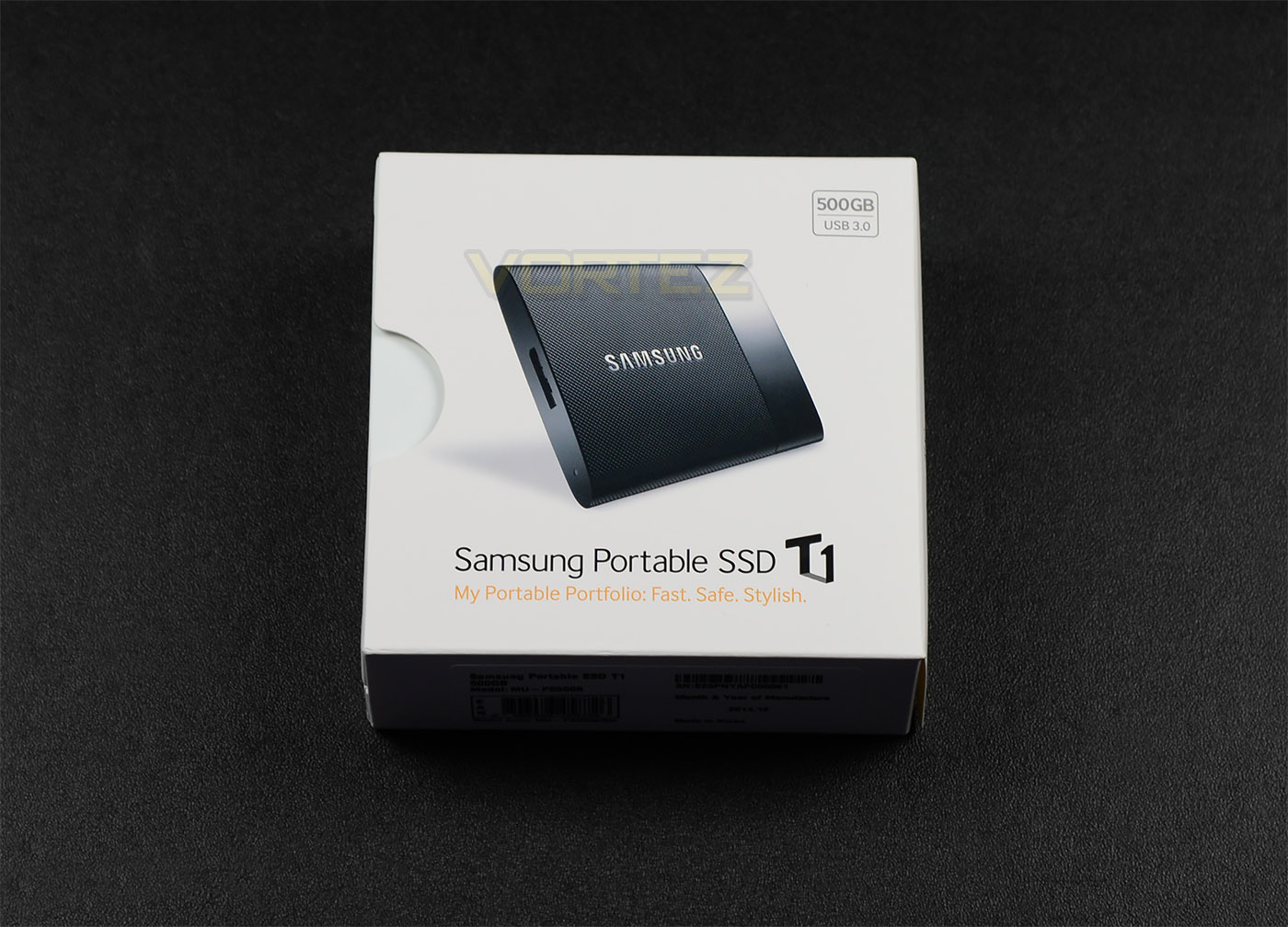
Professional packaging
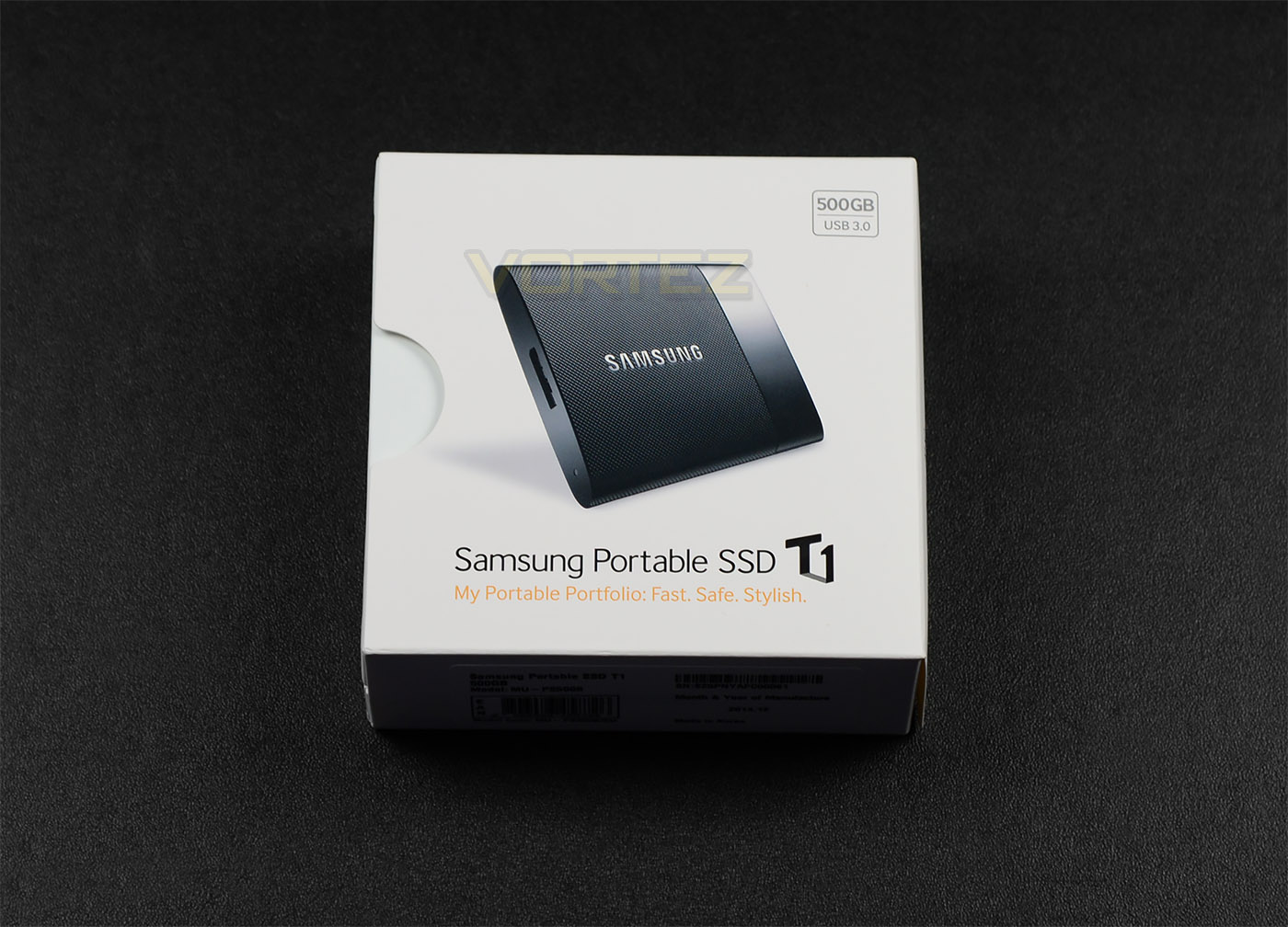
Extra protection for items within
T1 is presented in a professional looking box which has imagery of the product on the front and lists some of the crucial features on the reverse.
Inside this packaging, Samsung has taken extra care to provide additional protection for the items inside. This reinforces to the consumer that the product being purchased is a premium device.
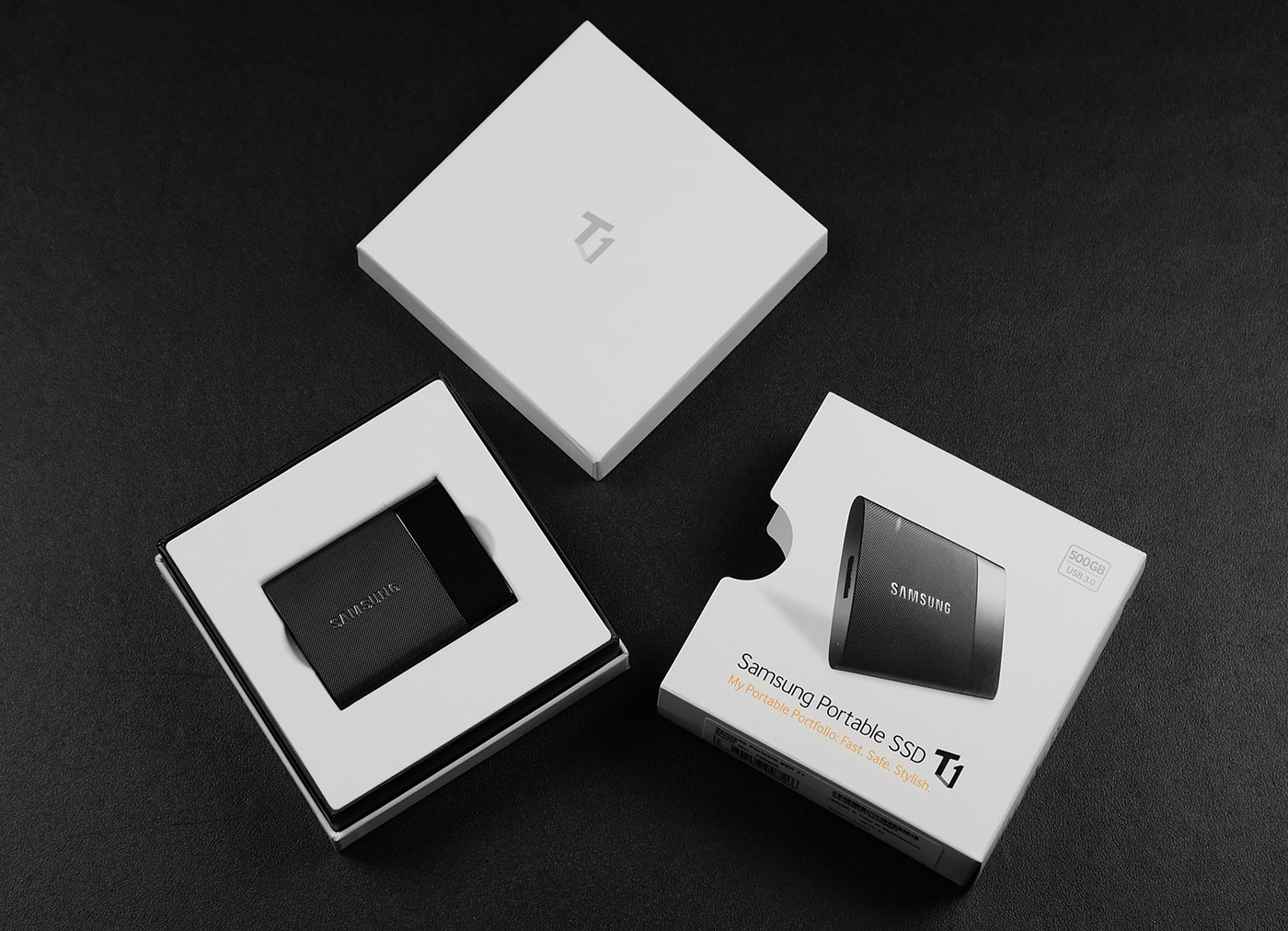
Just documents and cable for accessories
Inside there aren’t many items included. Just documentation surrounding the use of the product via a user manual and a booklet detailing installation and warranty along with a USB 3.0 cable for using T1 with a computer.
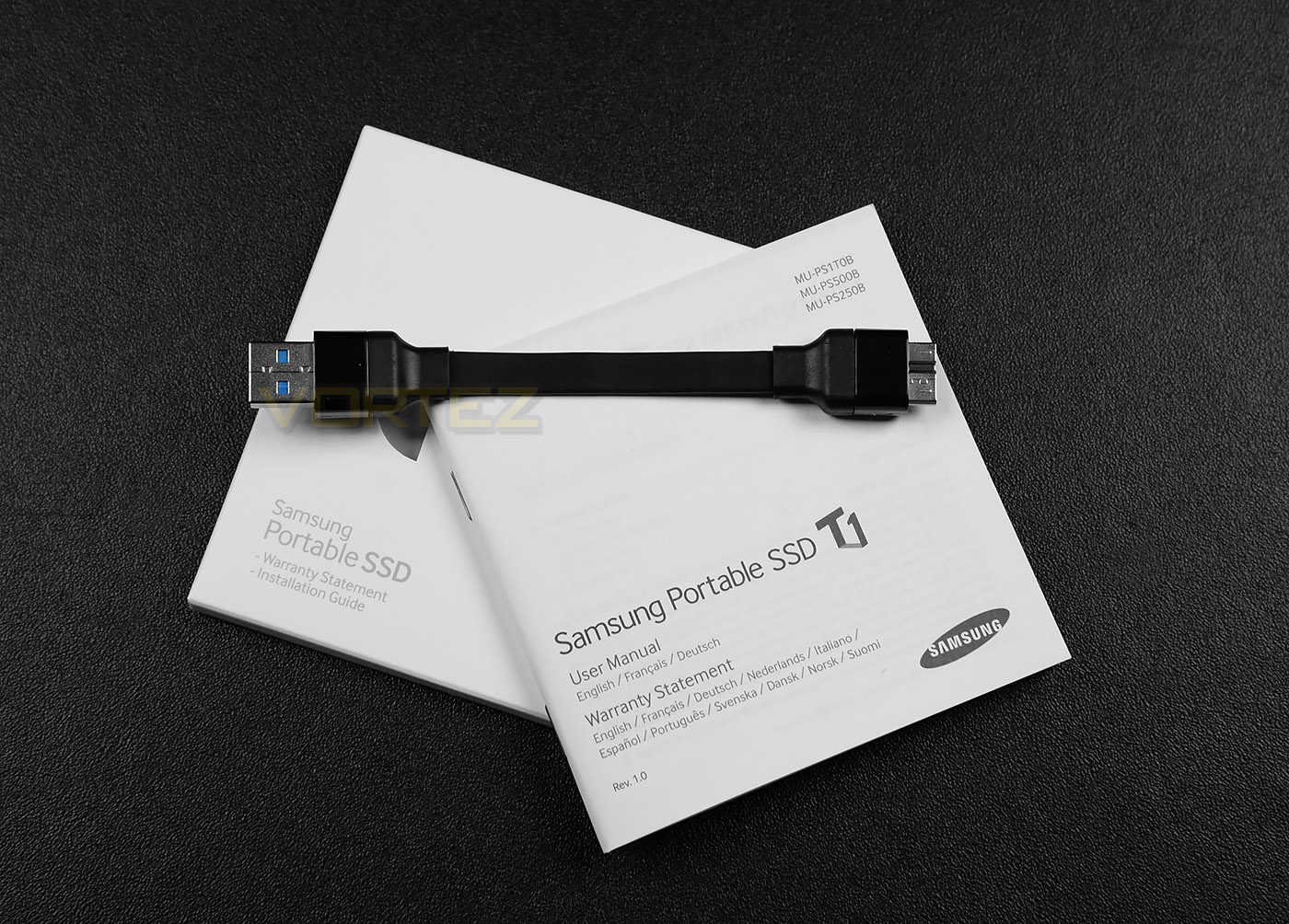
USB 3.0 cable to interface with computer
Looking at this cable in more detail we can see that it has blue connectors first of all, which signifies USB 3.0 functionality. This is ideal for SSD usage because USB 3.0 allows data transfer of up to 5 Gbit/s (625 MB/s). The end which will plug into the computer uses a USB 3.0 A connector while the end which plugs directly into the T1 drive uses a USB 3.0 micro-B connector.
This cable will of course work with USB 2.0 ports because USB 3.0 is backwards compatible, but the bandwidth will be drastically reduced and data transfer will see a significant performance drop.
Closer Look
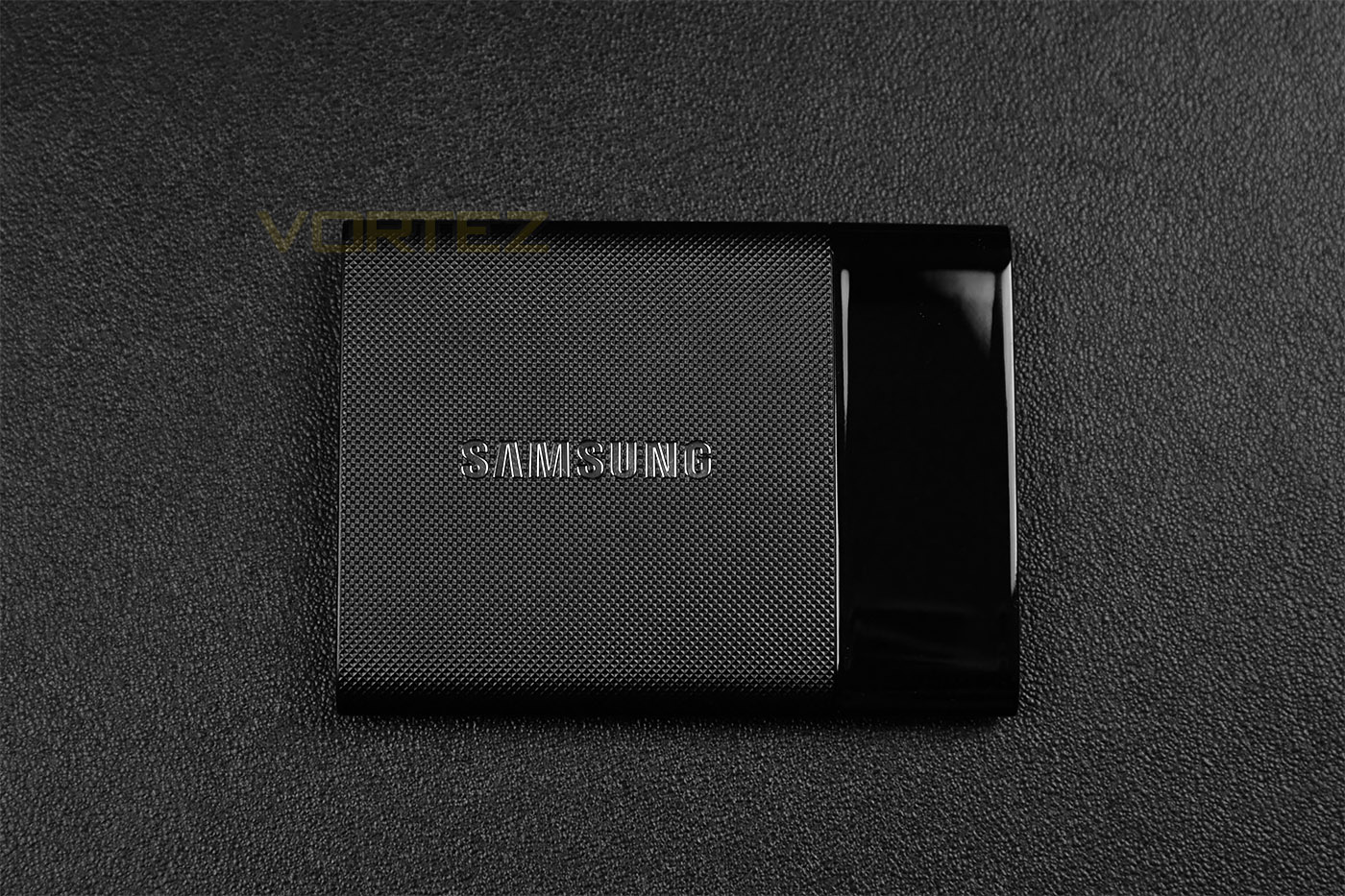
A classy, compact device
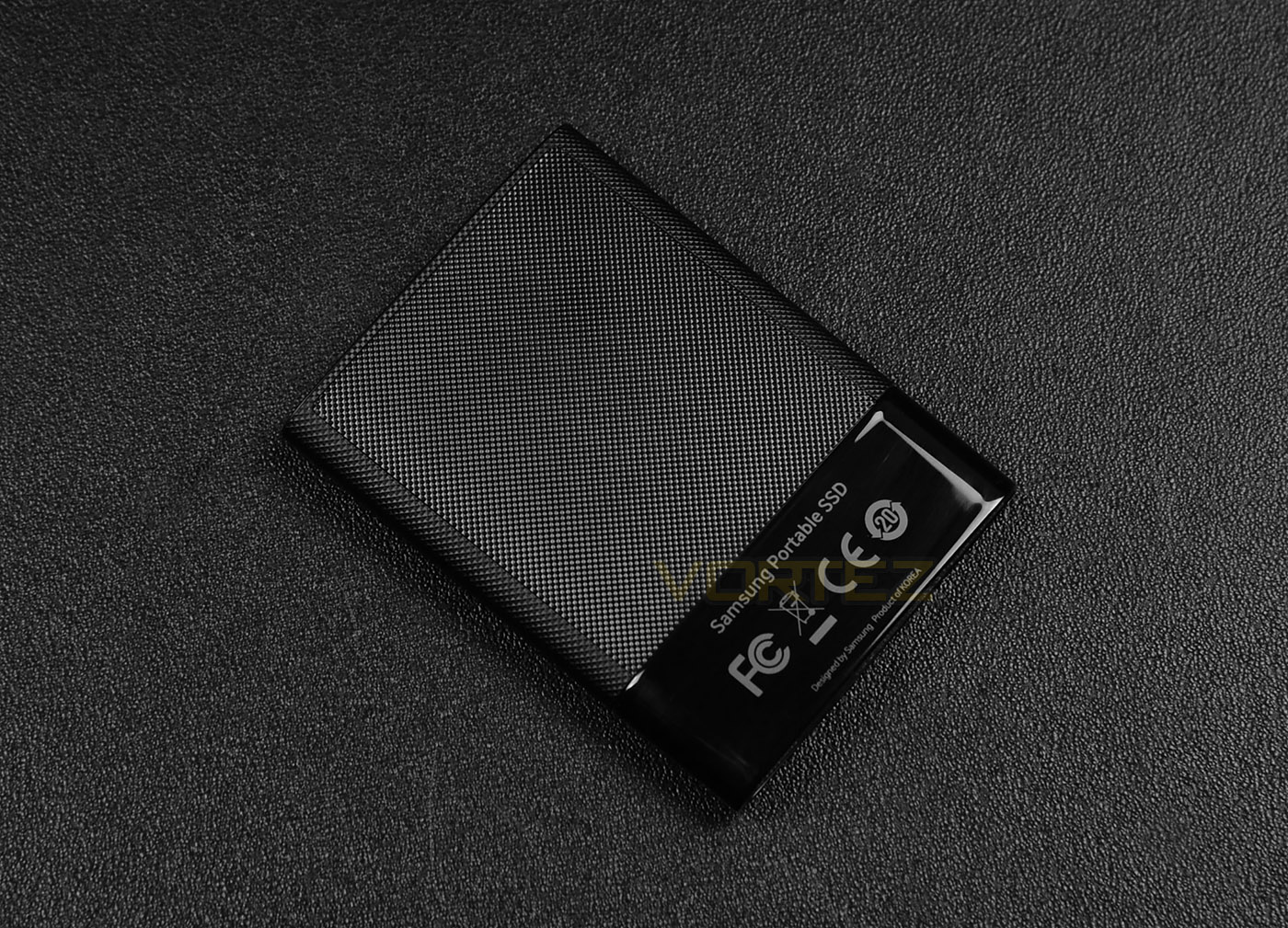
Two-tone styling
Measuring just 7.10 x 092 x 5.32 cm, T1 is an incredibly compact drive. Its size makes it the ideal storage device while on-the-go.
Samsung has dressed T1 in a tough, grainy, plastic material at one end and a glossy plastic material at the other.
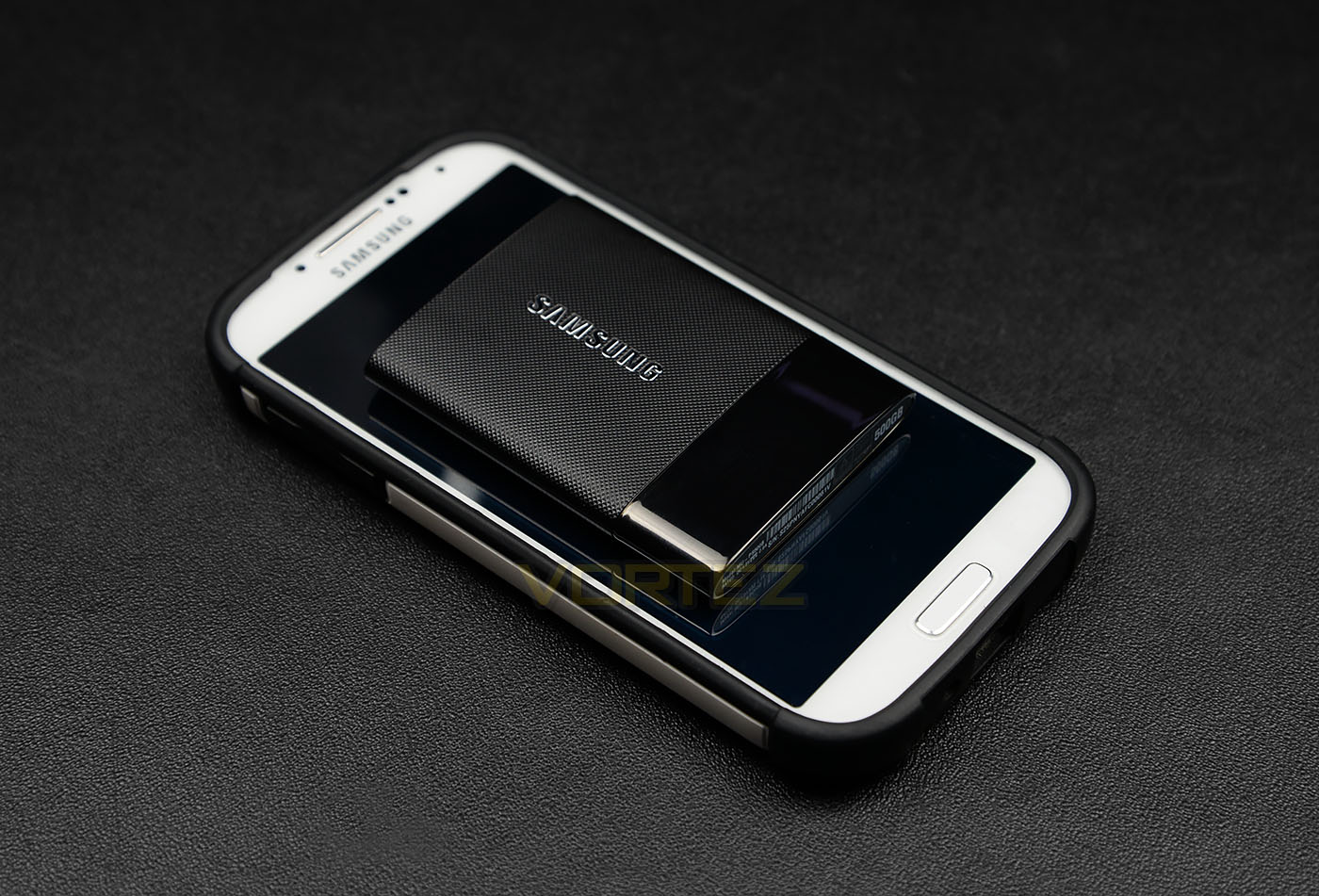
Small and extremely portable
Placing T1 over a mobile device such as a smartphone demonstrates just how compact this storage device really is. Pictured is Samsung’s Galaxy S4 – T1 fits well-within the screen dimensions!
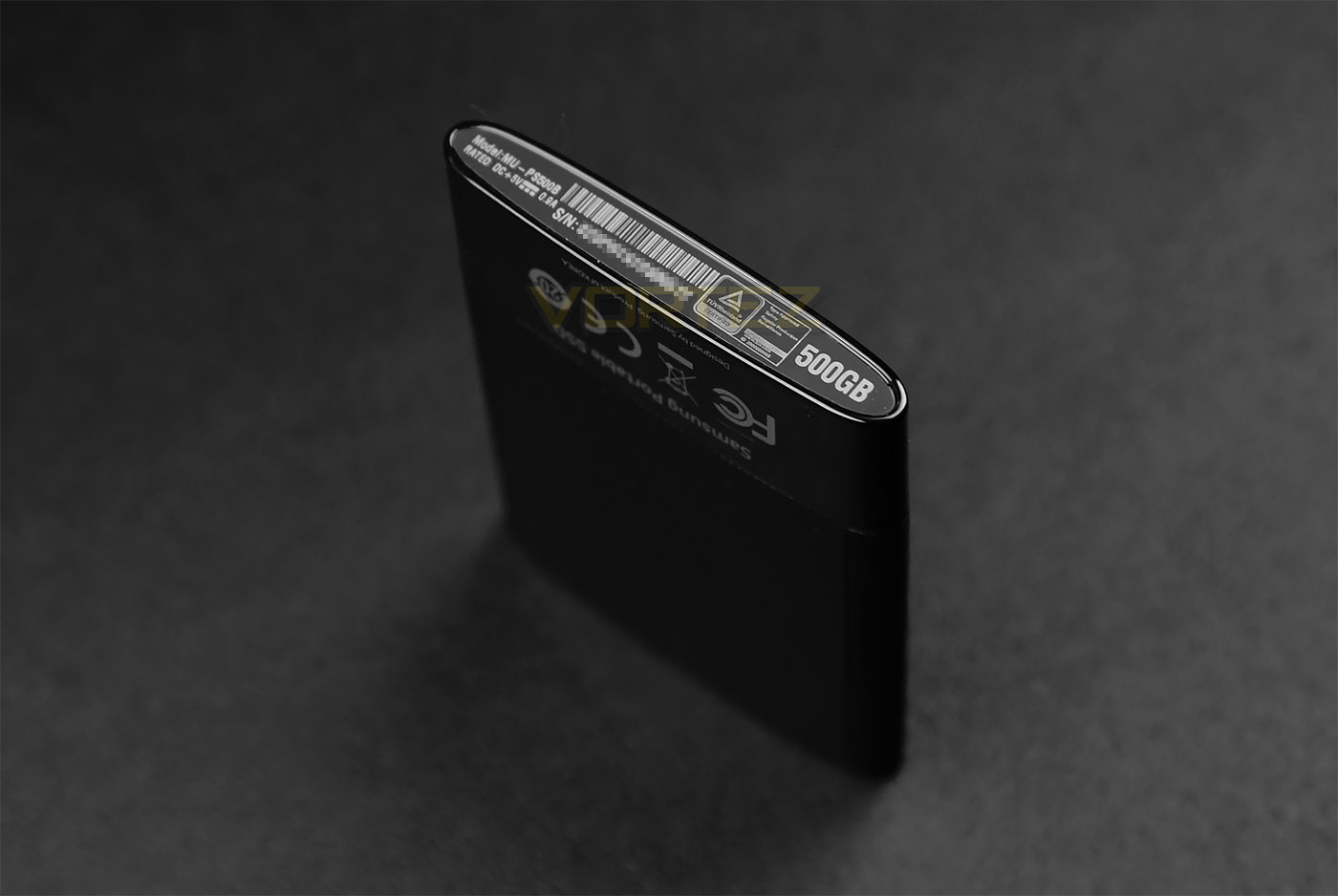
Technical details printed on the edge
On the bottom edge of the T1 drive there are a series of details such as the model number, serial code and capacity, should you need to get in contact with Samsung for any technical support.
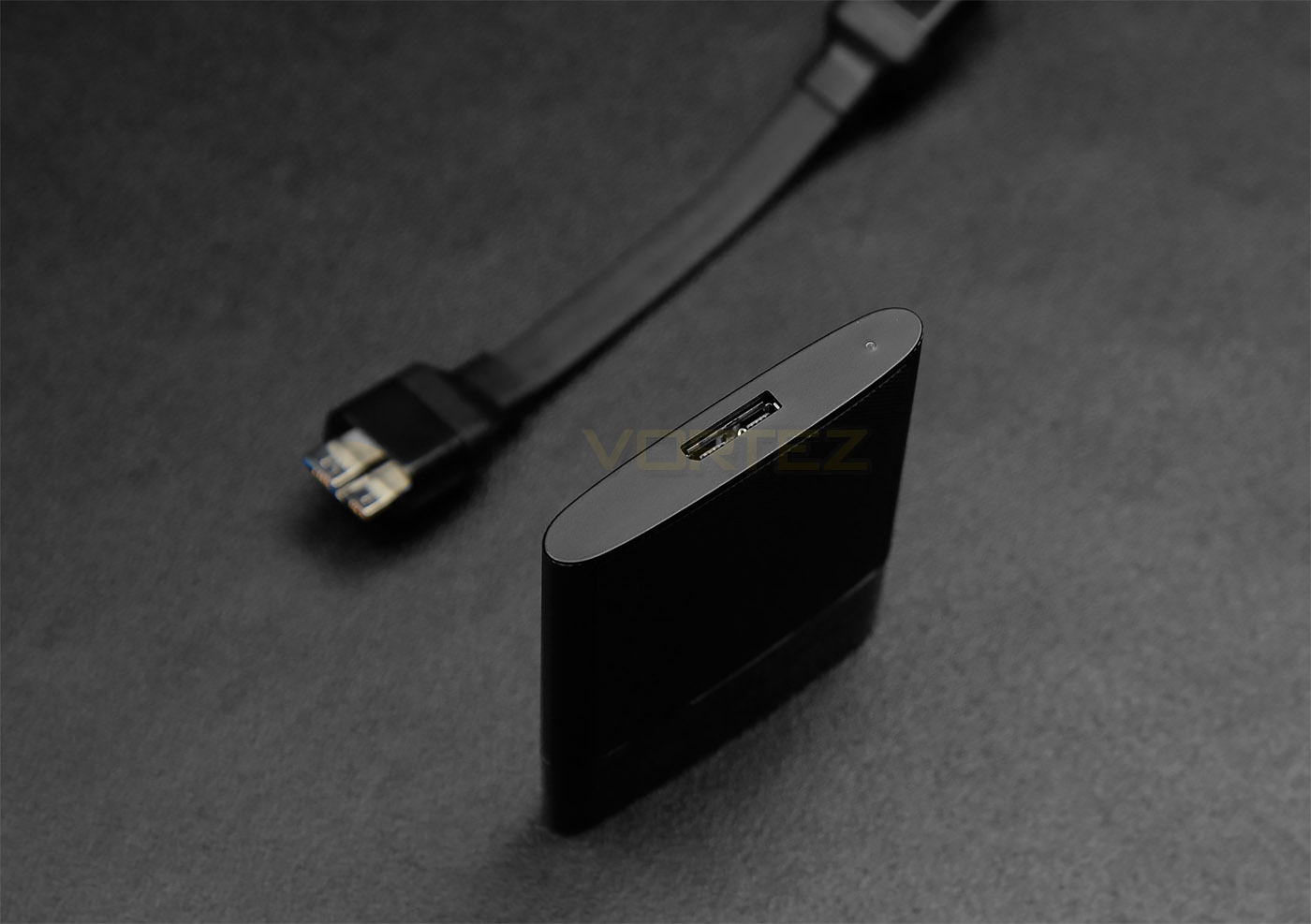
Micro USB 3.0 A port
At the opposite end of T1, on the top edge, sits the USB 3.0A port which works in conjunction with the supplied cable. There is also a power LED indicator on this edge too.
Software
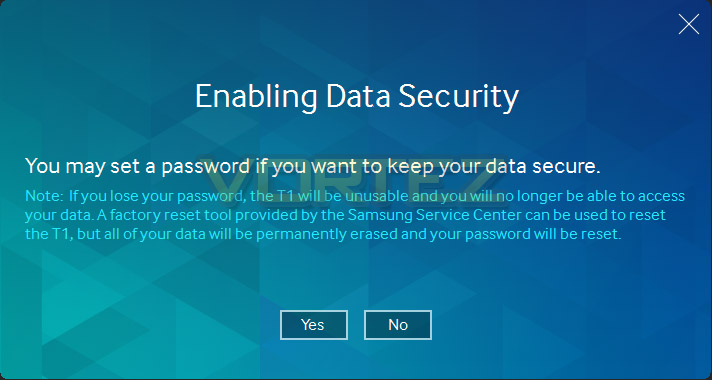
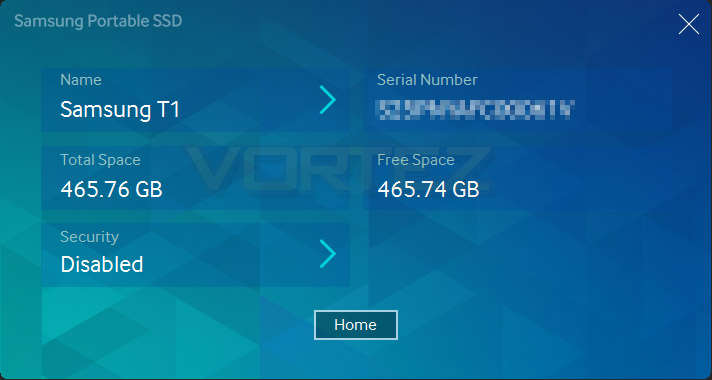
The bundled software which comes with T1 is very basic. On first connecting the drive to your computer, a wizard will appear and allow you to activate the drive. From this wizard, a security password can be applied to T1 for additional protection of data. This small application also details the serial number and capacity of the drive – below are the screenshots showing what users can expect.
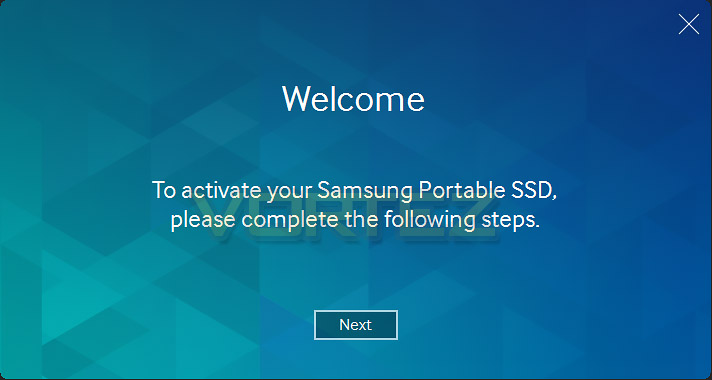
Test Setup & Methodology
Test Setup
CPU Intel Core i7 4790K (Devil’s Canyon)
Cooling Corsair Hydro Series H105
Motherboard ASUS Maximus VII Ranger
Memory 16GB Corsair Vengeance Pro 2800MHz CL12 DDR3
Graphics NVIDIA GTX 780 Ti
Storage OCZ RevoDrive 350 480GB
PSU Corsair HX1050 80 Plus Gold Certified PSU
Cooling Corsair Hydro Series H105
Motherboard ASUS Maximus VII Ranger
Memory 16GB Corsair Vengeance Pro 2800MHz CL12 DDR3
Graphics NVIDIA GTX 780 Ti
Storage OCZ RevoDrive 350 480GB
PSU Corsair HX1050 80 Plus Gold Certified PSU
USB 3.0
The Maximum theoretical bandwidth of USB 3.0 is 5Gbps (625 MB/s); under the most common data encoding parameters this figure drops to ~400MB/s, still dwarfing the spec limits of the majority of USB 3.0 thumb drives. Though the absolute maximum data transfer rate for the drive under reasonable conditions is generally of primary importance, it’s also sensible to monitor sequential performance which is regarded much more rigorous.
Up against the T1 we have Samsung’s S2 Portable 3, Sandisk’s ExtremePRO and Corsair Voyager GTX – three other USB 3.0 drives but which are flash based. This comparison helps to demonstrate how a reliable, popular and affordable USB 3.0 drive competes against Samsung’s current fastest USB SSD storage device.
Since Windows 7 does not natively support UASP, results using this operating system can be somewhat restricted. ASUS motherboards unlock UASP via ‘USB 3.0 boost’ as part of AiSuite 3 – we will therefore test both standard and boost performance using Windows 7.
Testing Notes:-
1. Poorly configured or malfunctioning USB 3.0 ports may not recognise USB 3.0 devices, but still work in USB 2.0 mode for USB 2.0 devices. Do not assume that the drive is at fault if this occurs, especially if other USB 3.0 devices have yet to be tested.
2. For reasons unknown, some USB 3.0 ports may be limited to ~135MB/s read/write operation. Though not an issue for most drives, external USB 3.0 SSD enclosures and flash drives which are capable of greater speed will suffer.
Benchmarks: ATTO
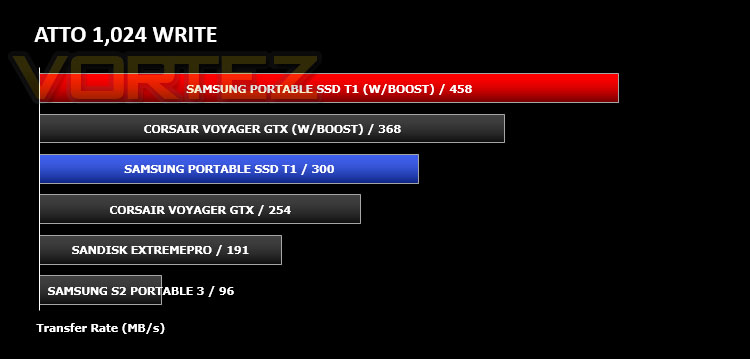
The ATTO Disk Benchmark performance measurement tool is compatible with Microsoft Windows. Measure your storage systems performance with various transfer sizes and test lengths for reads and writes. Several options are available to customize your performance measurement including queue depth, overlapped I/O and even a comparison mode with the option to run continuously. Use ATTO Disk Benchmark to test any manufacturers RAID controllers, storage controllers, host adapters, hard drives and SSD drives and notice that ATTO products will consistently provide the highest level of performance to your storage.
Benchmarks: AS SSD
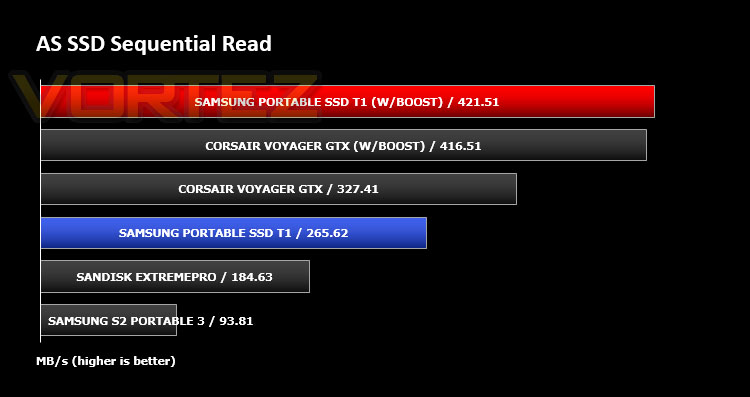
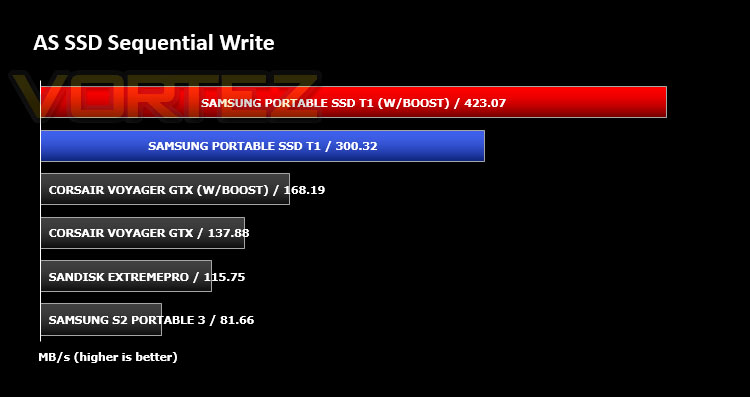
AS SSD Benchmark is a straightforward tool for measuring the speed of your SSD drive..
Benchmarks: CrystalDiskMark
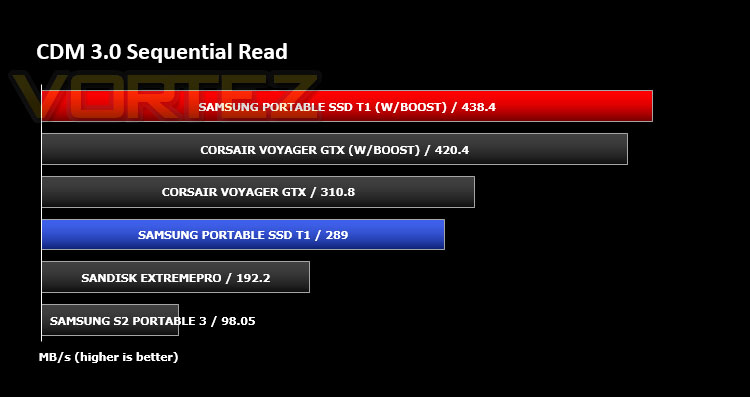
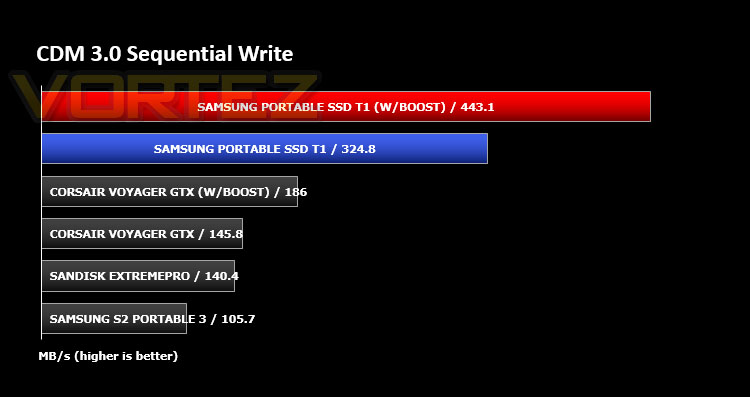
CrystalDiskMark is a disk benchmark software that analyses different types of hard drive. Giving sequential benchmark write and read statistics in MB/s. A simple program that is very useful.
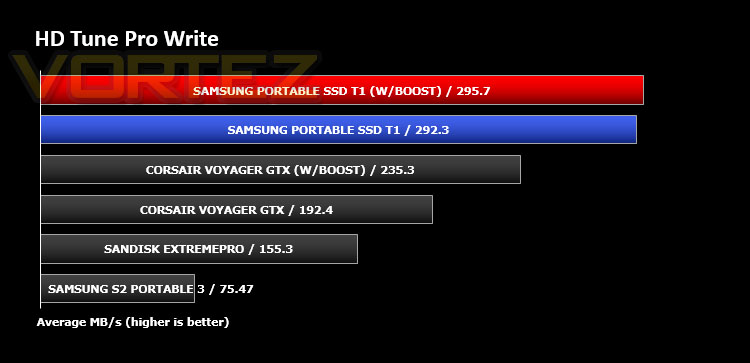
Benchmarks: HD Tune Pro
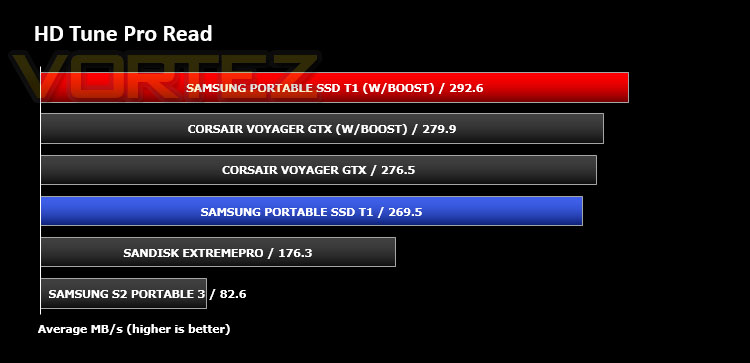
A new utility we have added to our line-up of benchmarks is the ever popular HDTune Pro. HD Tune Pro is a hard disk / SSD utility with many functions. It can be used to measure the drive’s performance, scan for errors, check the health status (S.M.A.R.T.), securely erase all data and much more.
Conclusion
Ever since T1’s unveiling at CES 2015 we’ve been eagerly waiting to get our hands on this exciting new storage device. We can totally understand why this drive would be aimed at professionals who need fast, mobile storage at their fingertips. Neither capacity nor transfer rates are a limiting factor with T1.
Although Windows 8 or a UASP enabled motherboard will need to be available to realise the full potential of T1, the data transfer rates are very pleasing indeed. During our testing we put T1 through a series of sequential benchmarks to push the limits of the drive, some premium, internal solid state drives struggle to cope with such tests but T1 took it within its stride. Furthermore, you’ll notice that most of the write performance figures are somewhat stronger than read performance – usually this is the other way around with read performance being the dominant entity, but Samsung has employed “Turbo Write Technology” which causes a substantial boost in performance, even during sequential operation.
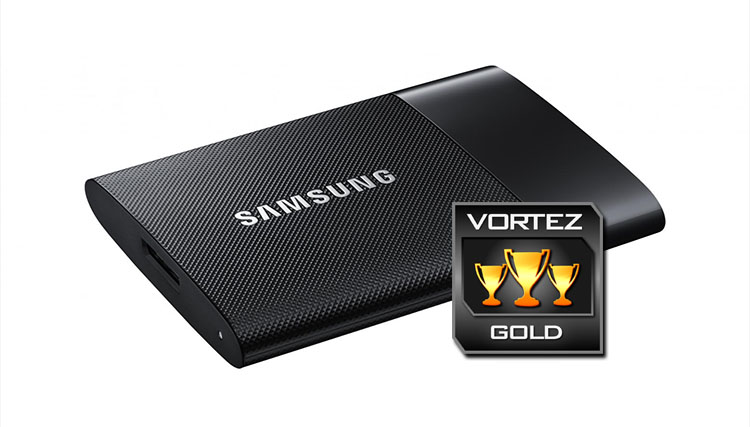
By having such a compact enclosure, T1 is easy for consumers to carry with them whilst on-the-move. The build quality of this dainty piece of kit is also something to admire, Samsung hasn’t cut any corners with this product – it looks great and it performs just as great too.
We’re informed that current pricing would indicate that the various capacities of T1 can be purchased for: 250GB – £136.99 GBP, 500GB – £228.99 GBP, 1TB – £456.99 GBP. Desktop, internal SSDs are notably cheaper than this but the overriding feature with T1 is that it is portable. Users will struggle to find a drive offering such capacities and delivering such performance.
Although small in size, Samsung’s Portable SSD T1 is a monolith in mobile storage. It offers large capacities with class-leading performance and quality/security to boot.
Pros
+ Super-fast transfer rates
+ Compact design
+ Solid state reliability
+ Turbo write technology
+ Superb build quality
+ Advanced security/encryption options
Cons
– Full potential requires Windows 8 or UASP enabled motherboard
+ Super-fast transfer rates
+ Compact design
+ Solid state reliability
+ Turbo write technology
+ Superb build quality
+ Advanced security/encryption options
Cons
– Full potential requires Windows 8 or UASP enabled motherboard