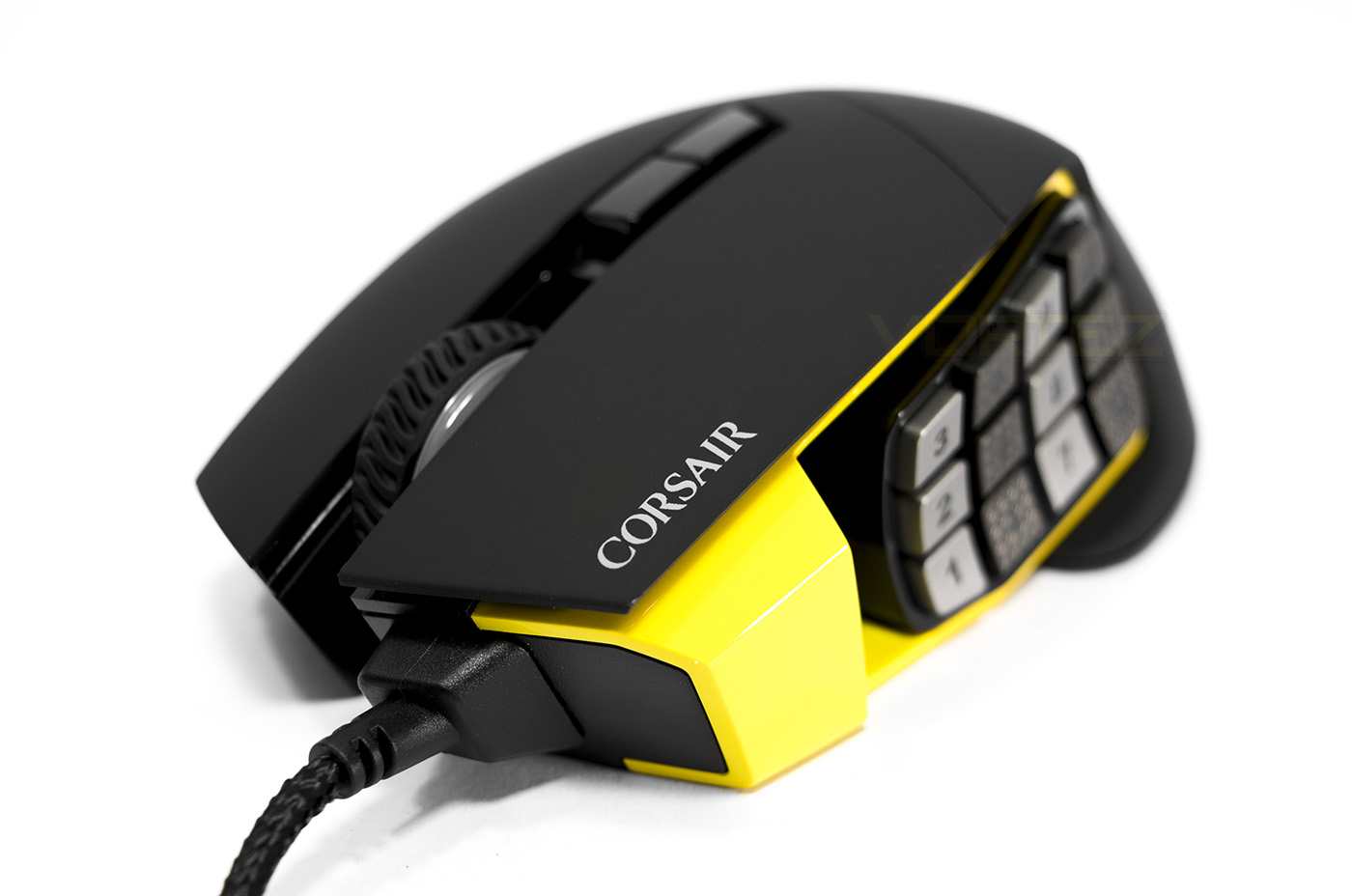
Made for MOBA/MMO gamers, the Corsair Scimitar has an adjustable keypad that is filled with 12 programmable mechanical switches and features a zero acceleration 12,000 DPI optical sensor.

Product on Review: Corsair Scimitar RGB
Manufacturer & Sponsor: Corsair
Street Price: US: $89.99, EU: €89.99, UK: £69.99
Corsair have been streamlining, tweaking and revamping their gaming brand and have made selection of new releases from the excellent STRAFE keyboards to the VOID headsets. Though today we get to take a look at an interesting product which many MMO and MOBA fans may be eagerly awaiting. The Scimitar gaming mouse.
Aside from its gorgeous aesthetic and the 12 mechanical buttons on the side, its true party piece is that you can adjust the position of the thumb keypad. This is something which is highly useful so gamers can optimise the position to their need for maximum comfort and utilisation of the buttons available. Some may find their due to their grip style or size of their hand that their thumb rests near the front of the mouse and find it difficult to utilise all the buttons available on other MMO mice. The Scimitar also features full RGB lighting across 4 zones (Front, Wheel, Keypad, Logo) and a 12,000 DPI zero acceleration optical sensor.
Overview by Corsair
The Scimitar RGB gaming mouse revolutionizes game play with its Key Slider control system, 12 mechanical side buttons, and pro-proven 12,000 DPI optical sensor. It’s purpose built to deliver the ultimate MOBA and MMO gaming experience.
Technical Specifications
Warranty: Two years
DPI: 100 dpi – 12000 dpi
Sensor Type: Optical
Mouse Backlighting: 4 Zone RGB
Prog Buttons: 17
Report Rate: Selectable 1000Hz/500Hz/250Hz/125Hz
On-board Memory: Yes
Weight: 147g
Mouse Feet: Extra Large PTFE
CUE Software: Enabled
Cable: 1.8m Braided Fiber
Game Type: MOBA, MMO
Dimensions: 119.4mm x 77mm x 48.8mm
DPI: 100 dpi – 12000 dpi
Sensor Type: Optical
Mouse Backlighting: 4 Zone RGB
Prog Buttons: 17
Report Rate: Selectable 1000Hz/500Hz/250Hz/125Hz
On-board Memory: Yes
Weight: 147g
Mouse Feet: Extra Large PTFE
CUE Software: Enabled
Cable: 1.8m Braided Fiber
Game Type: MOBA, MMO
Dimensions: 119.4mm x 77mm x 48.8mm
Packaging & First Look
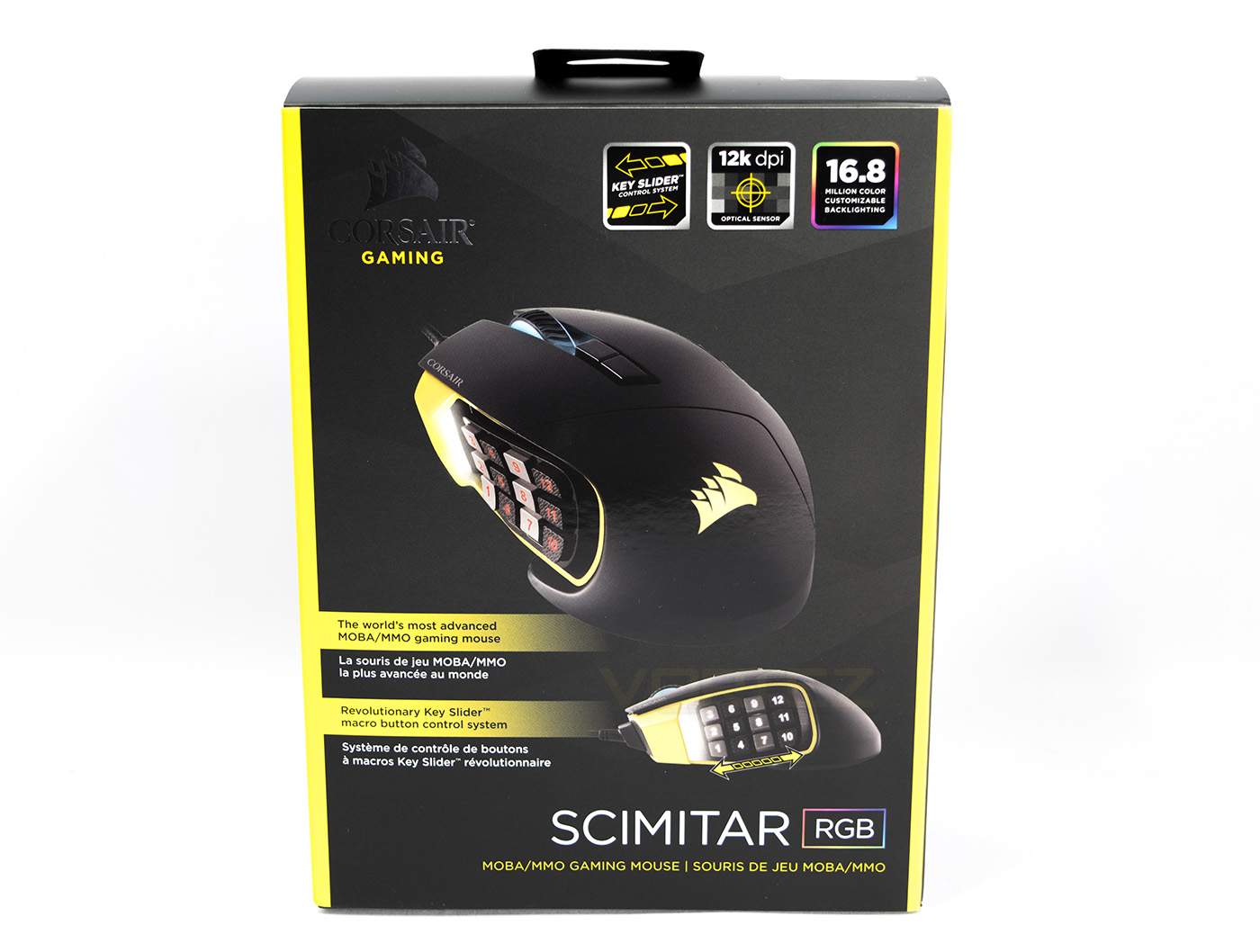
The packaging adopts the distinctive Corsair gaming black and yellow colours and gives information about the Key Slider system, the sensor type and its RGB lighting.
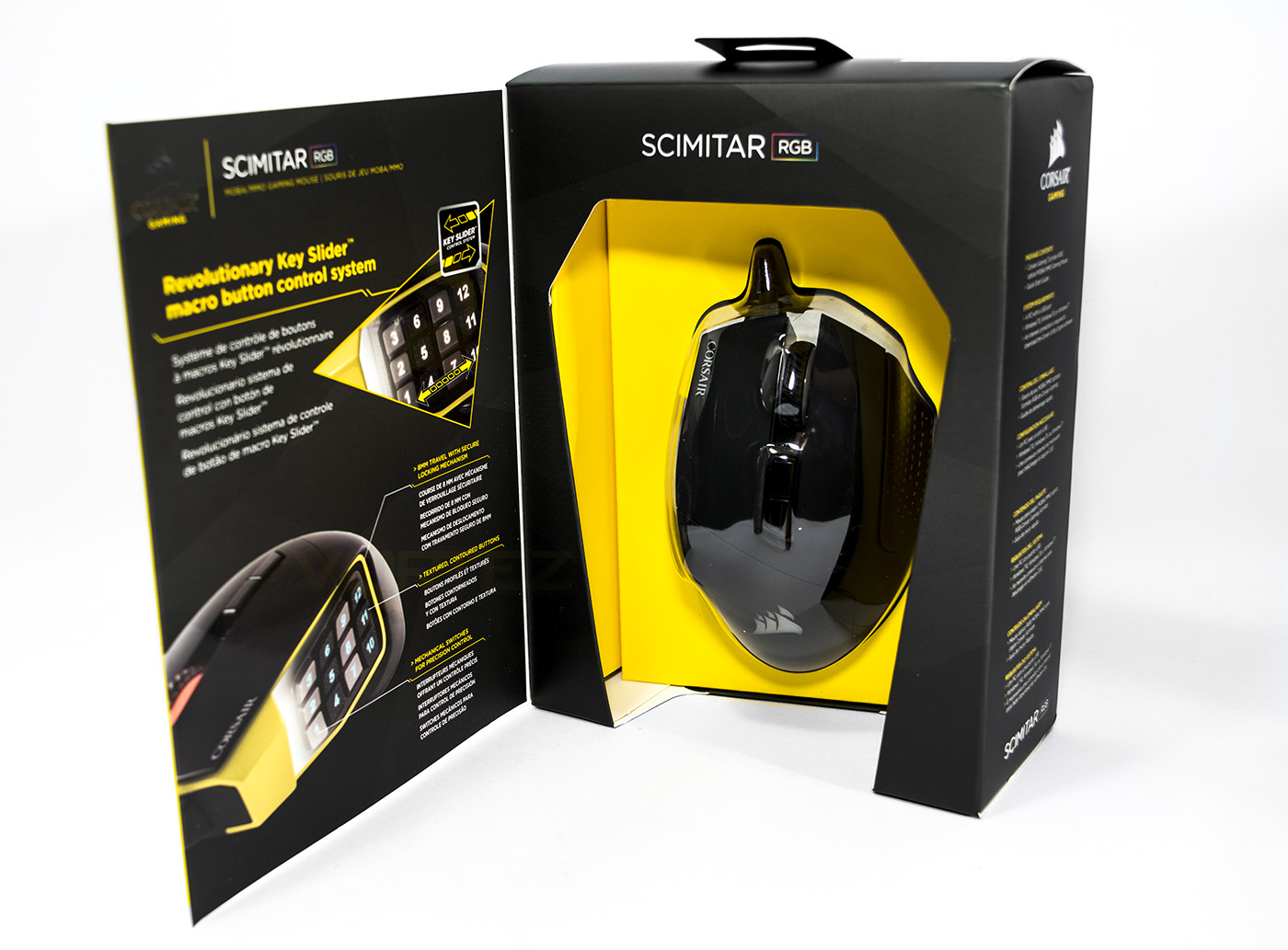
Opened up we can see the mouse itself, while on the inside sleeve we get more information about the Key Slider system and the mechanical switches used for the textured, contoured buttons.
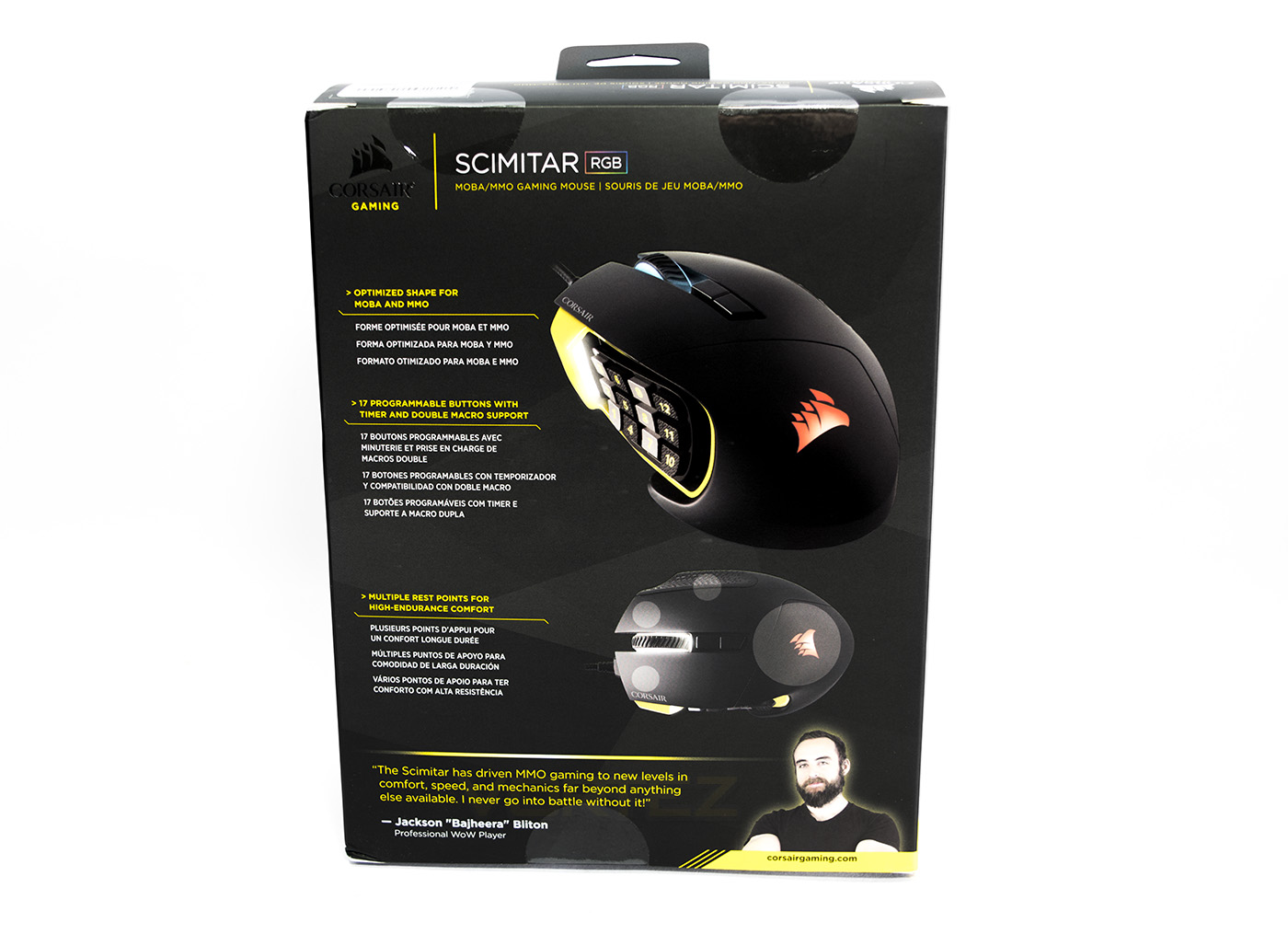
At the back we get another image with a description which talks about its design and shape, and that it is designed for MMO/MOBAs.
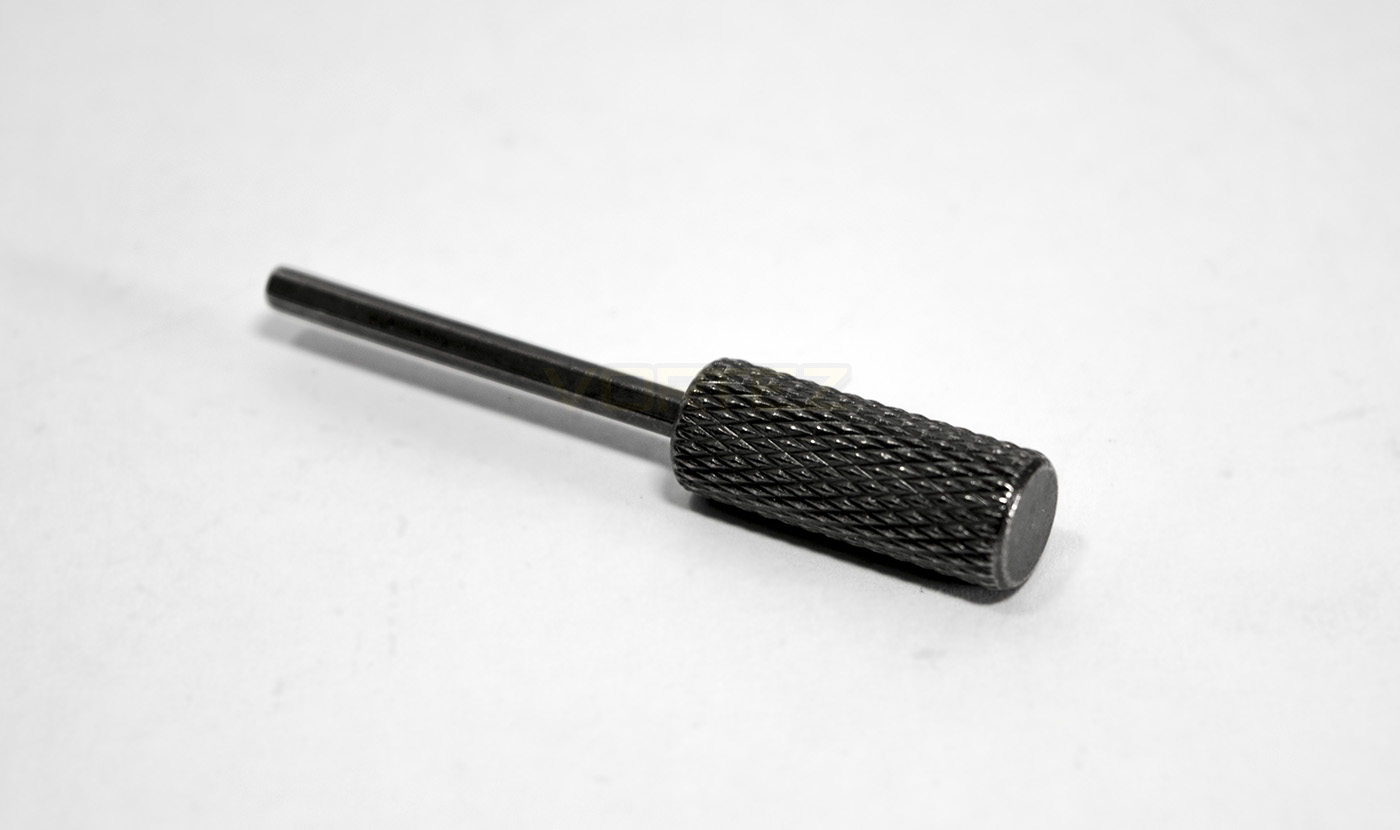
Inside, you will find this little fellow to help adjust the keypad position.
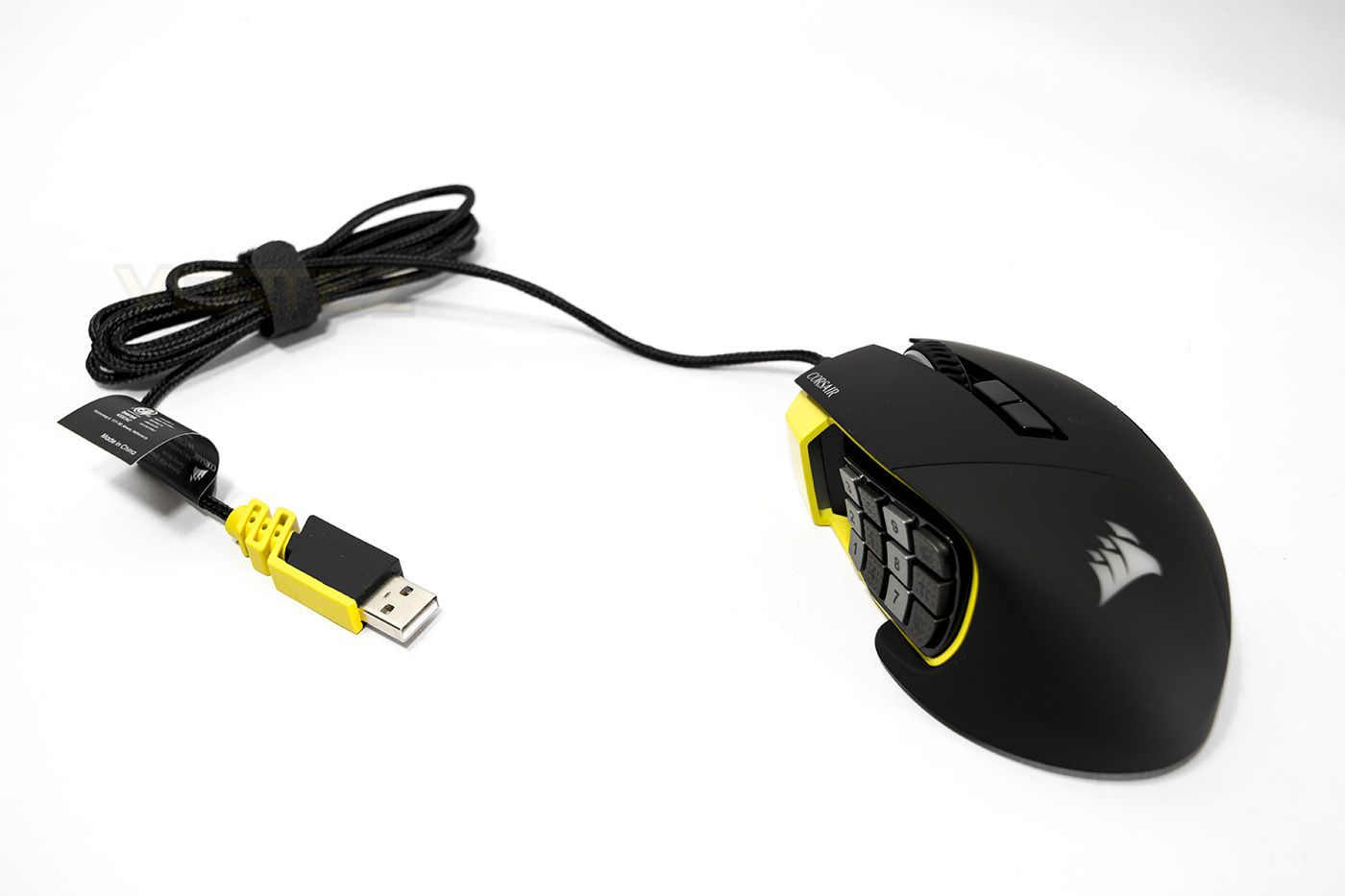
The shape is somewhat enticing, inviting you to grab on… The braided cable is 1.8m long and ends with the Corsair USB connector, similar to that which we have seen on the STRAFE keyboards.
Closer Look
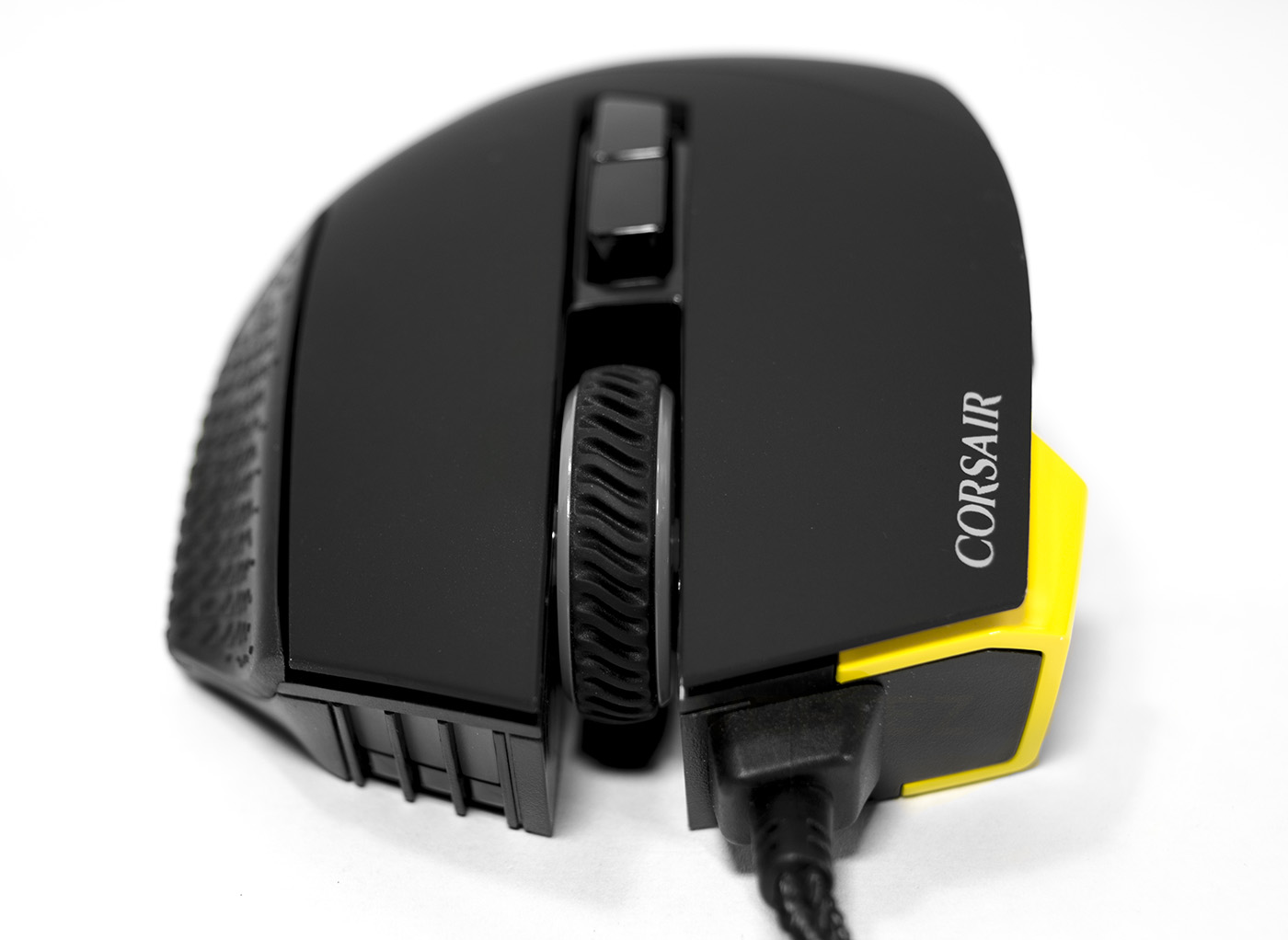
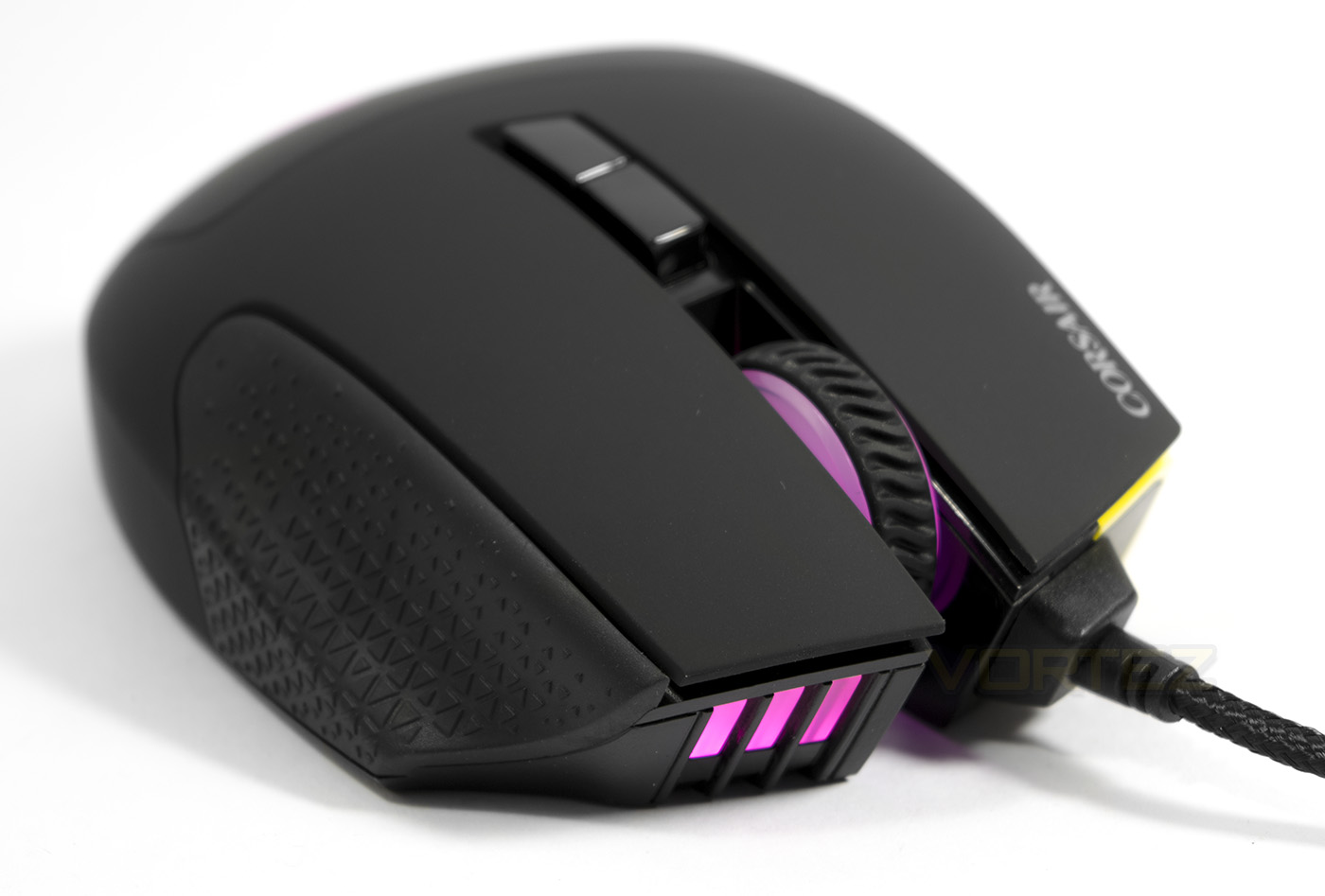
There is a high arch towards the right side of the mouse which will help with comfort in the right hand. The mouse wheel has an open front, with the cable positioned on one side, and a lighting grill positioned on the other.
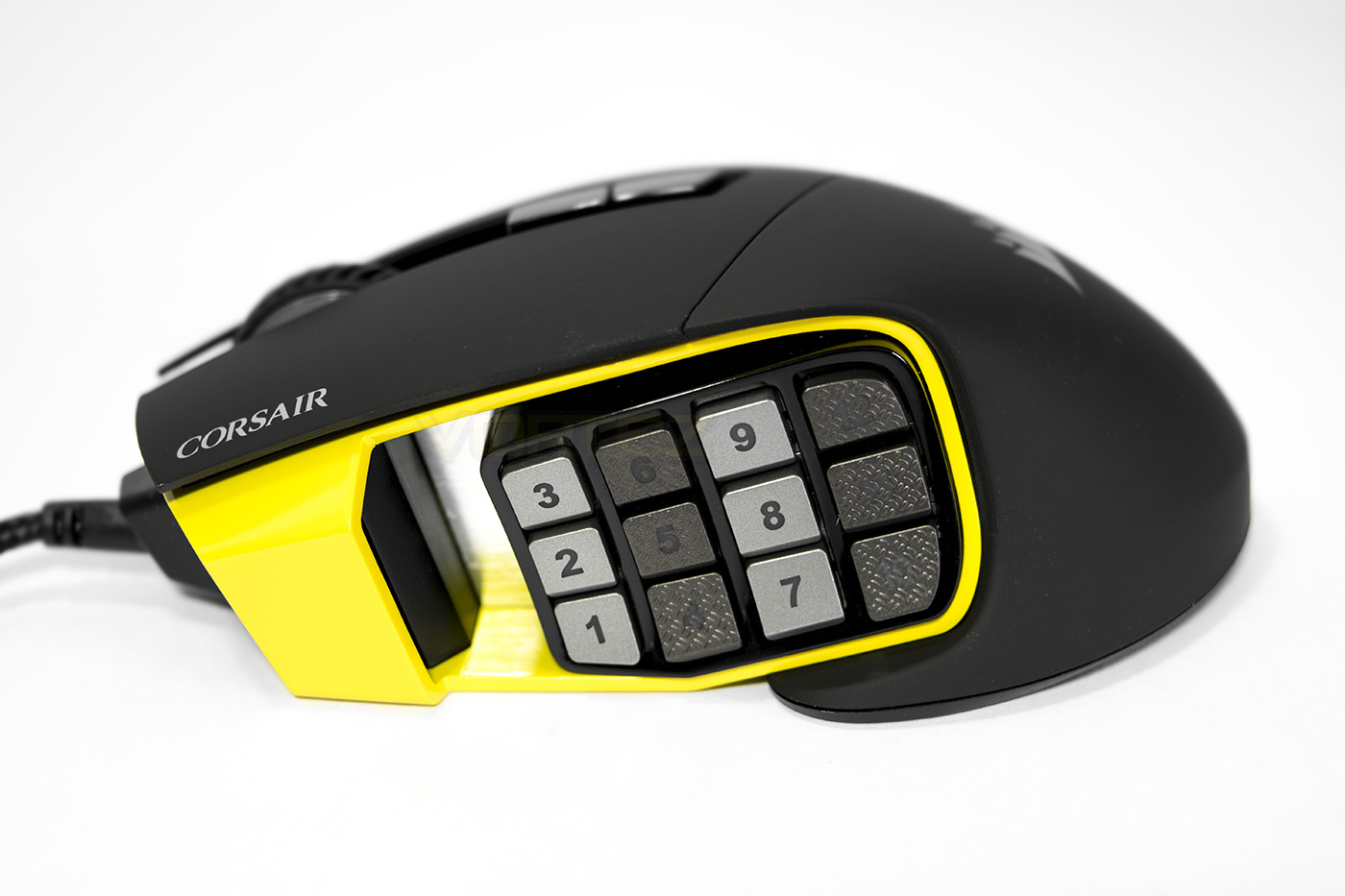
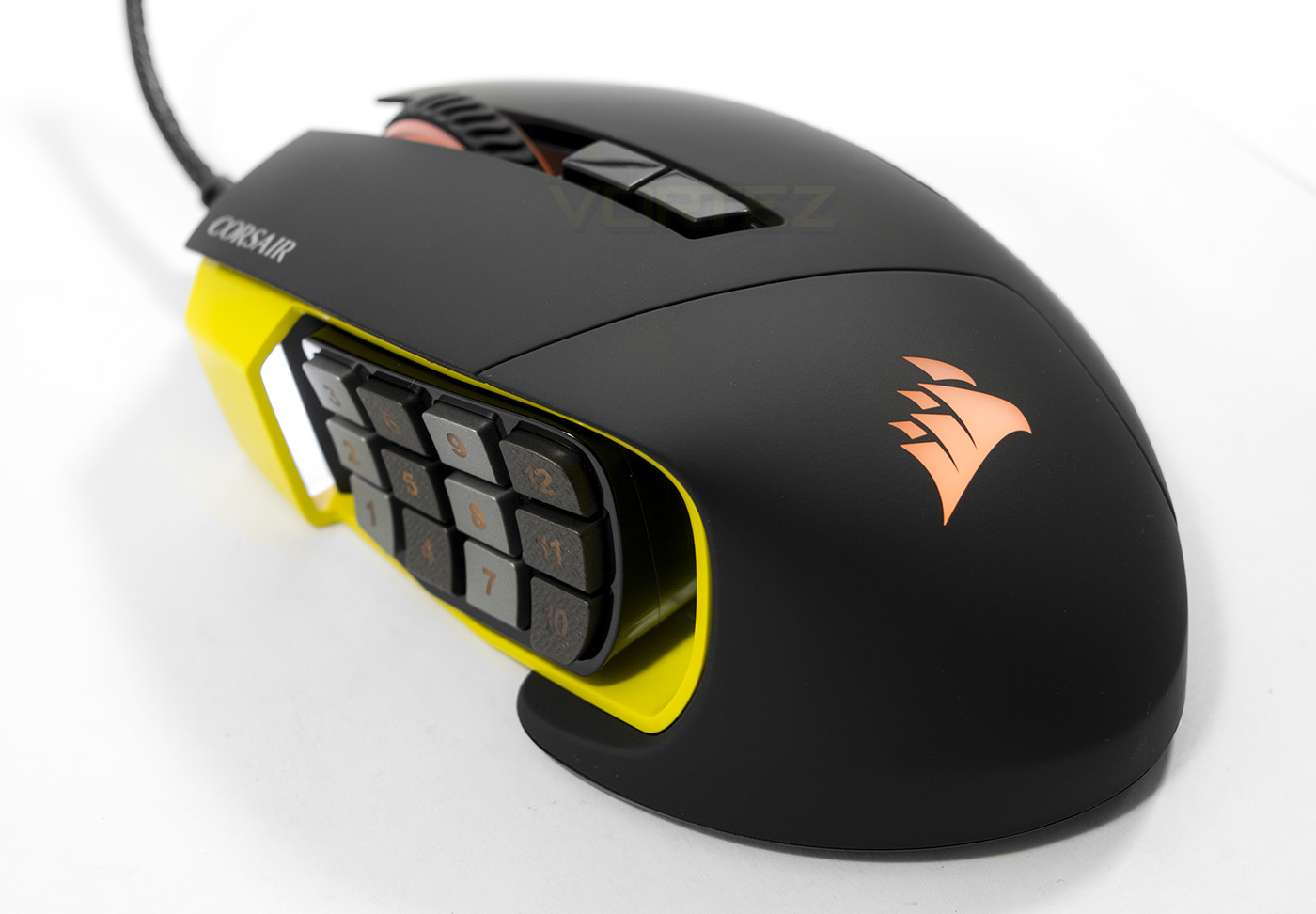
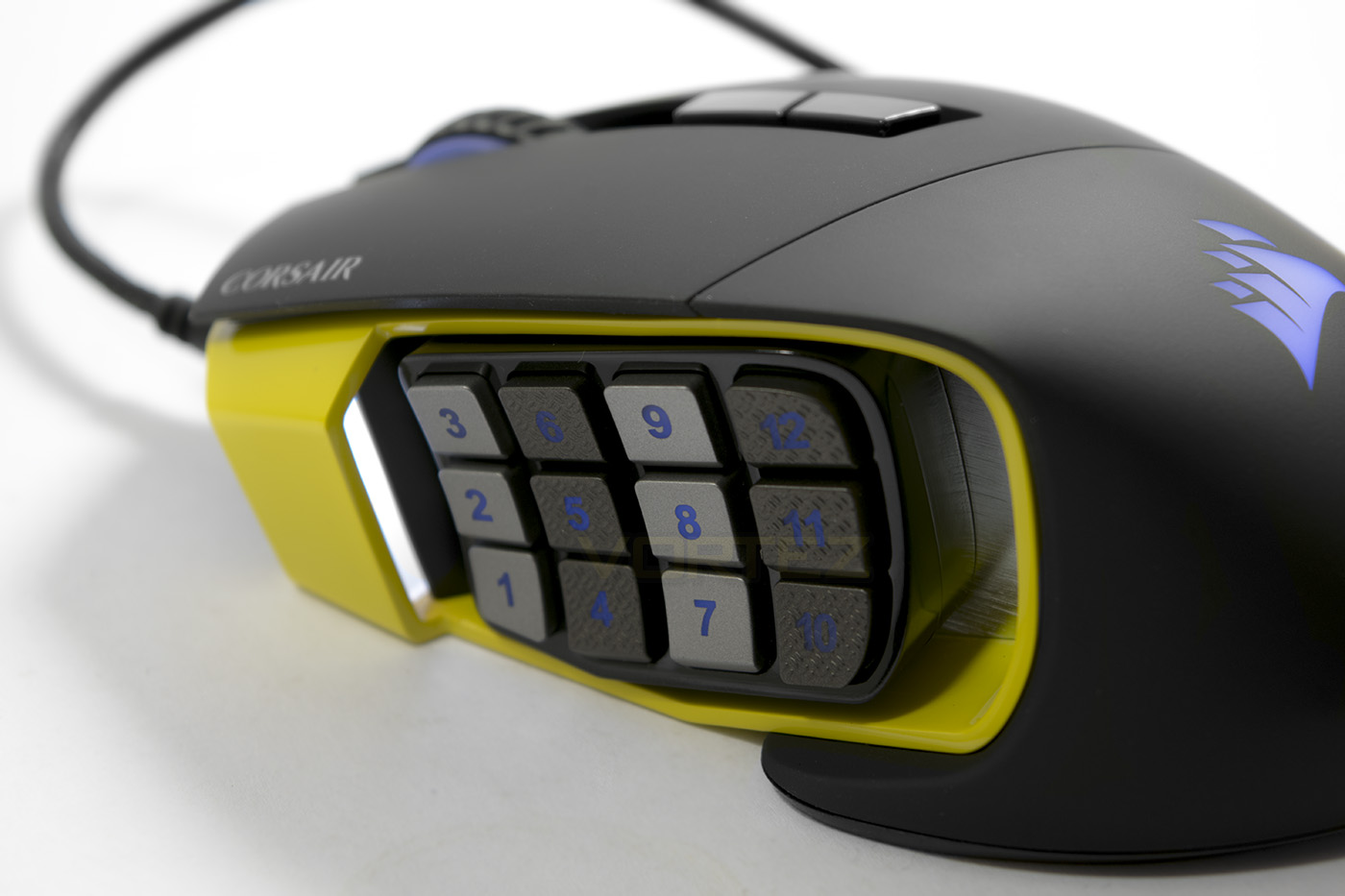
On the left side the keypad dominates the appearance and is housed in a yellow coloured metal frame. The buttons are arranged in 3 rows of 4, with each column alternating in texture.
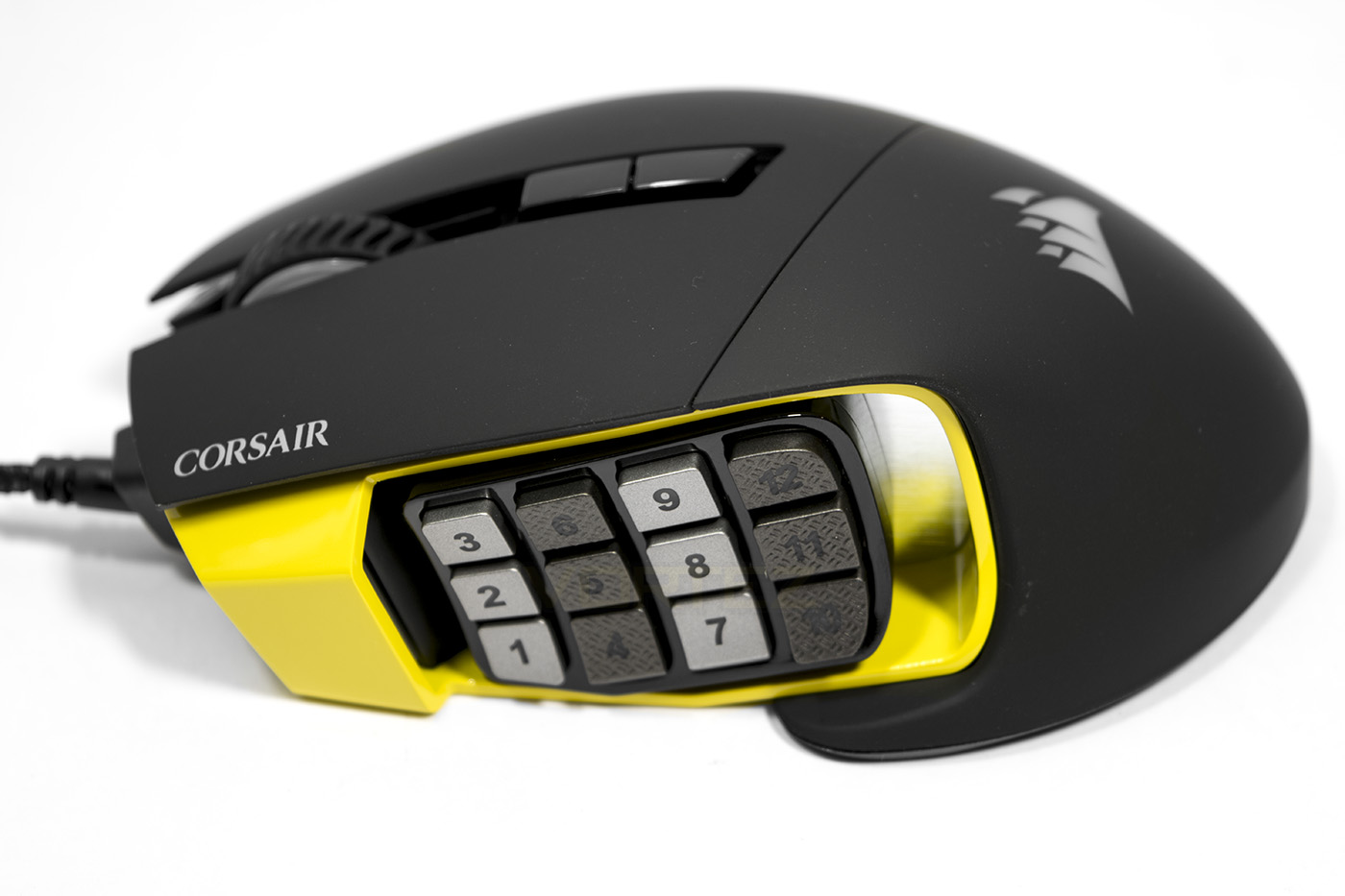
Using the Key Slider to shift things forward, total movement is said to be 8mm.
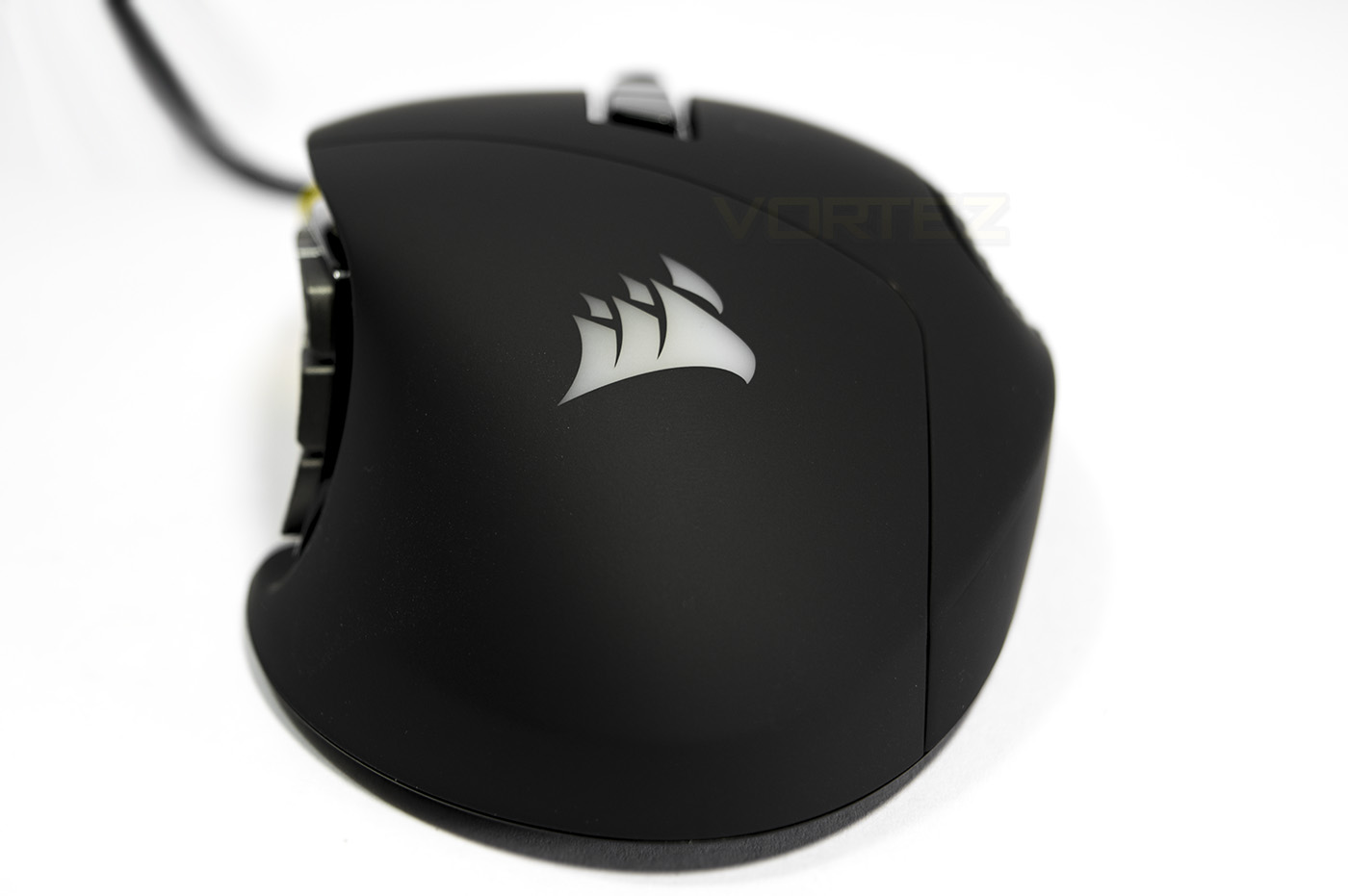
The rear view shows off the ergonomic shape, as well as the Corsair sails which will be lit up with RGB lighting.
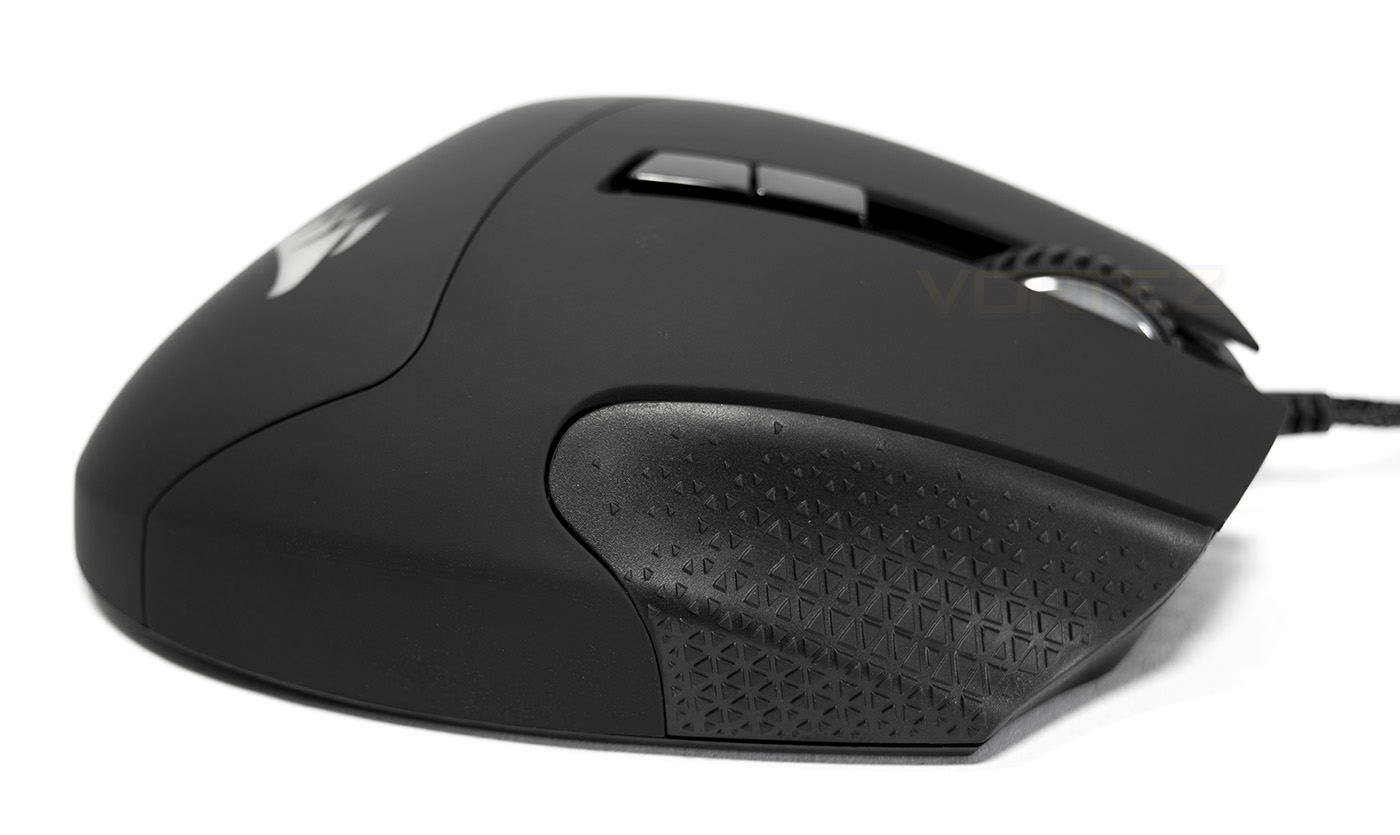
There is a textured finger rest on the right side, which usually leans more towards a palm grip.
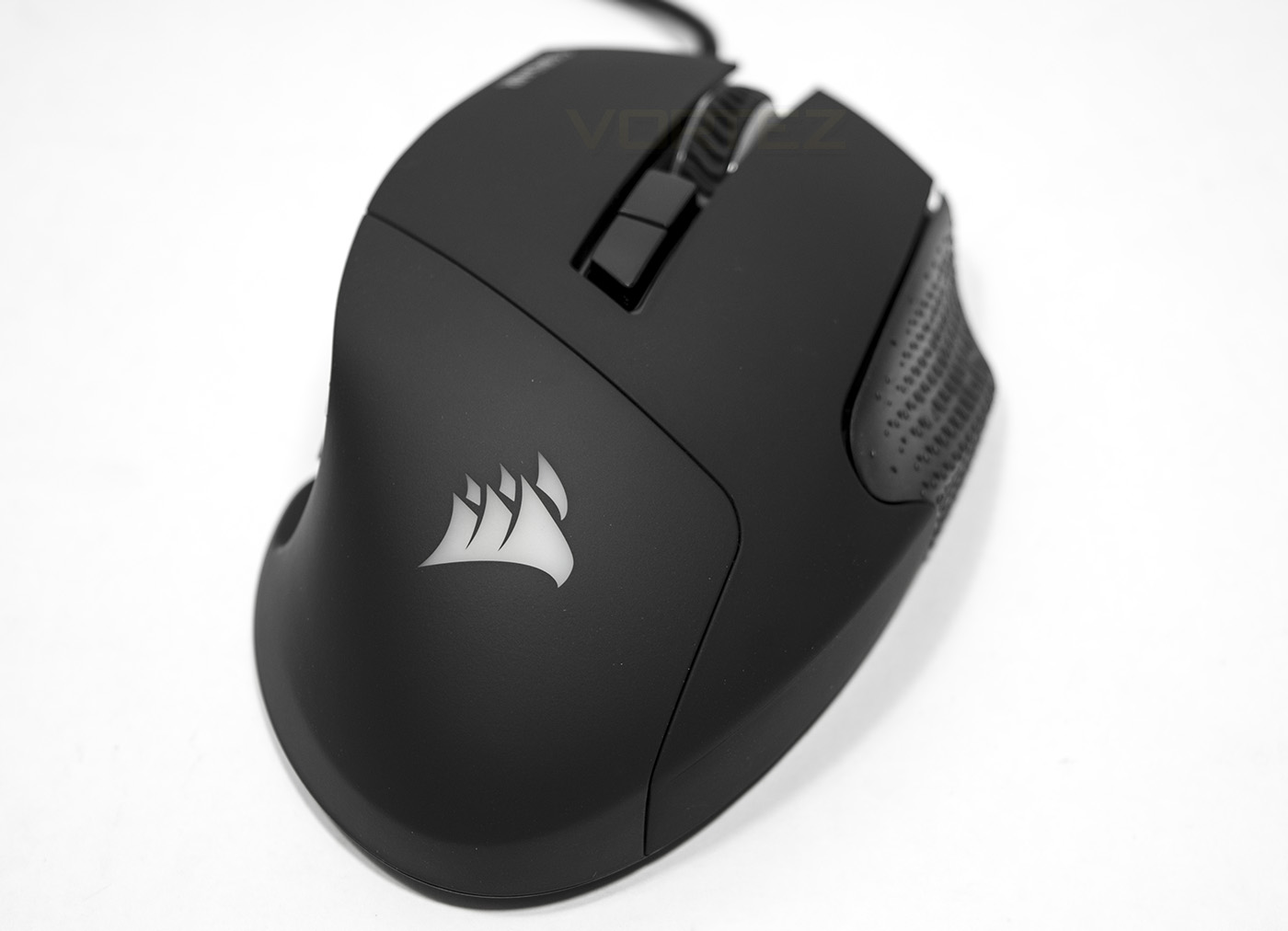
Here we can see the carefully designed contours for comfort.
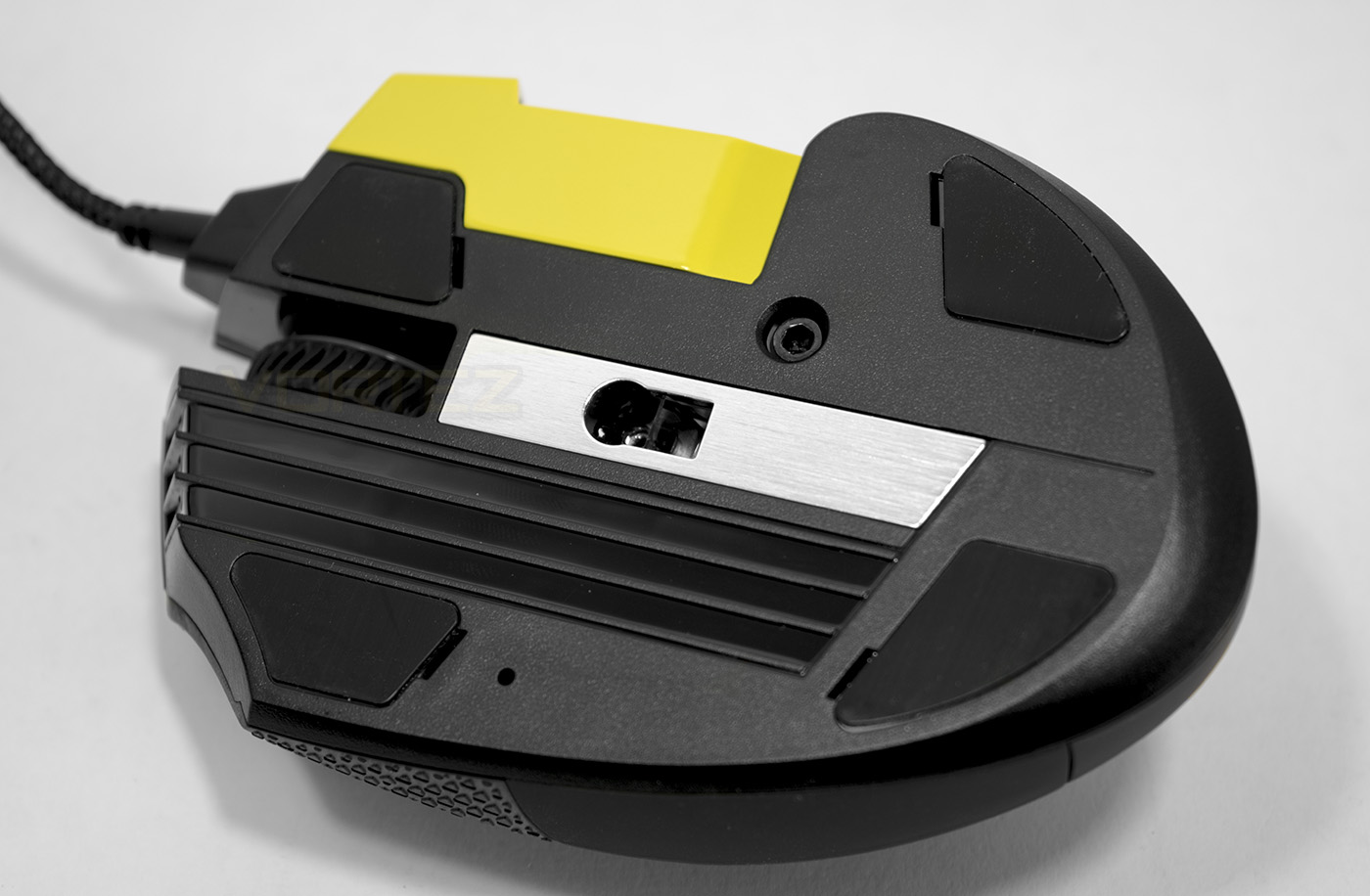
Underneath we can see more of the metal frame and the large slip pads with the sensor approximately in the middle.
Software & Lighting
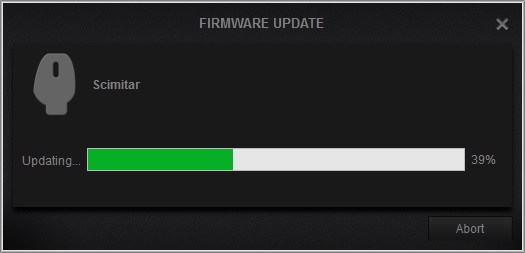
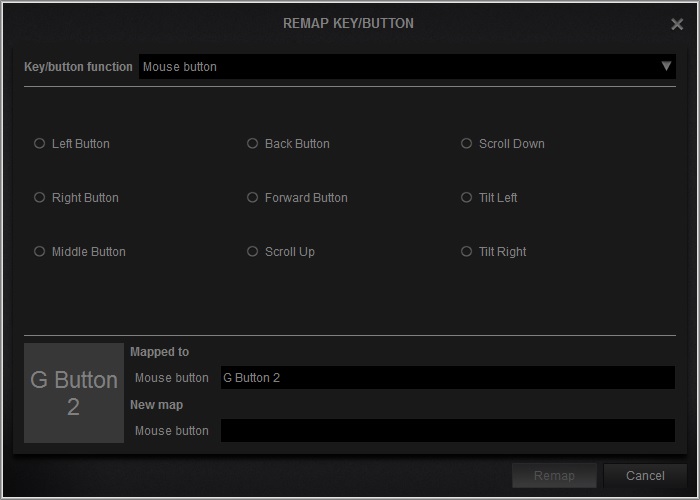
After installing the Corsair Utility Engine, it instantly updated the firmware to latest for the Scimitar. The CUE features comprehensive profile, macro and keystroke recording which can be used across various Corsair devices. With 12 buttons to play with, users will need to take their time with figuring out exactly how they want their mouse to behave in and out of a gaming environment. As with the ROCCAT KOVA, we found that we needed to remap/assign commands to the keypad before they could be assigned in game, which will be a pain for those who want to jump in game and assign instantly.
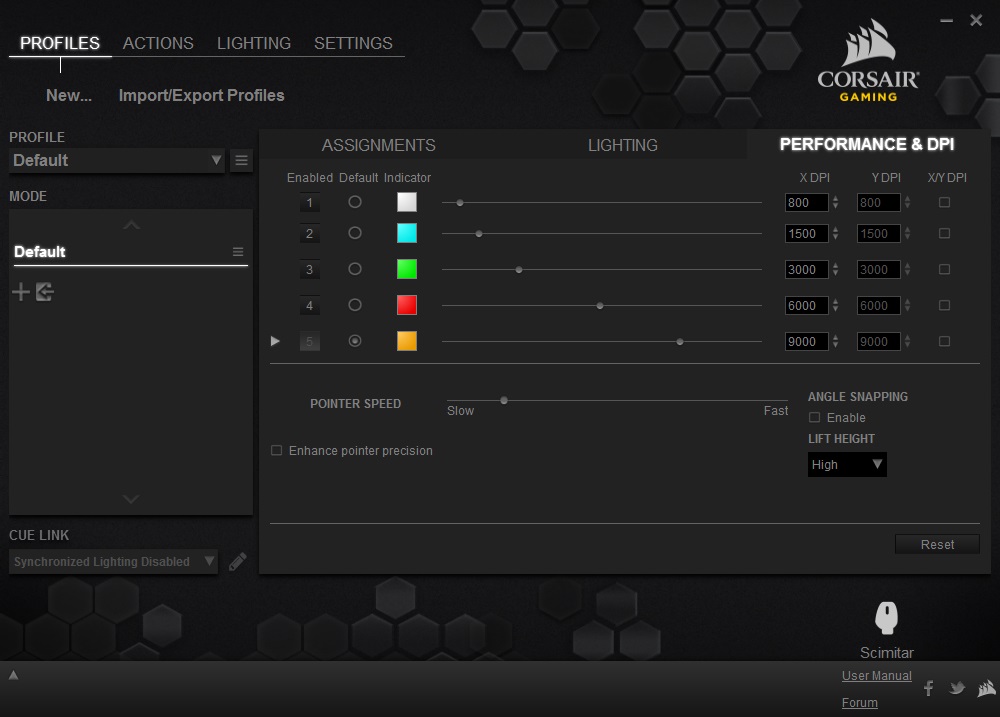
The performance and DPI tab is fairly simple and well laid out with clear options available. DPI is adjustable in increments of 100 and you can individually adjust X/Y axis DPI if you wish. The large LED strip by the keypad is used as a profile/DPI indicator which you can customise each colour to suit. There is also an adjustable lift of distance, though in testing, it was very difficult to objectively measure the LOD as the difference between high, medium and low, was millimetres maybe between 2-1mm. Should you prefer a more augmented experience, there is a pointer precision and angle snap option which can also be enabled.
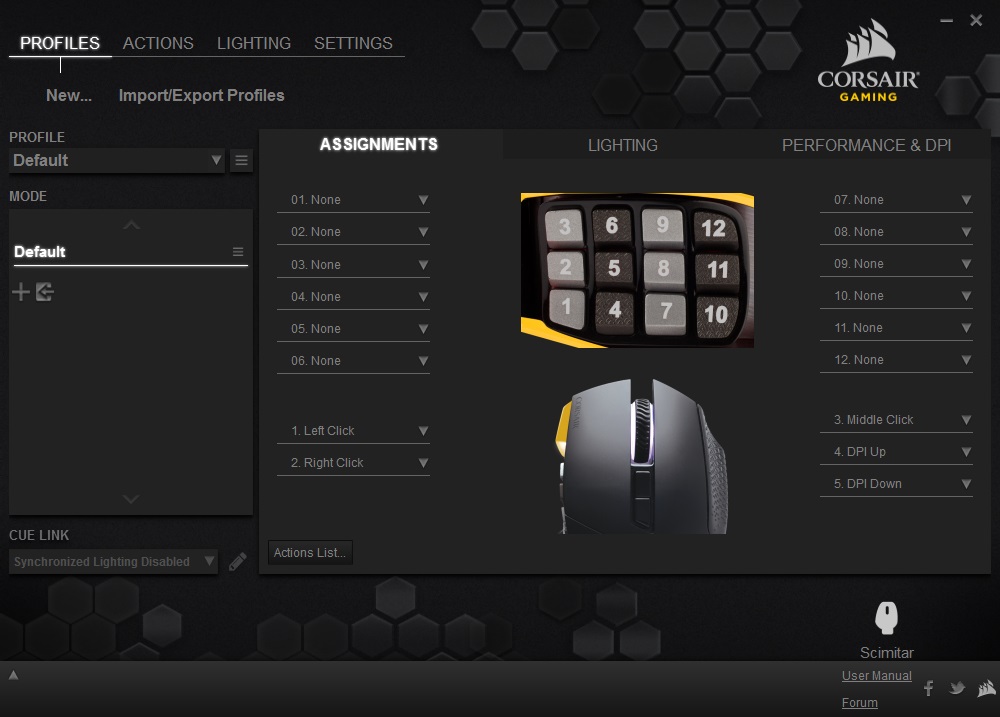
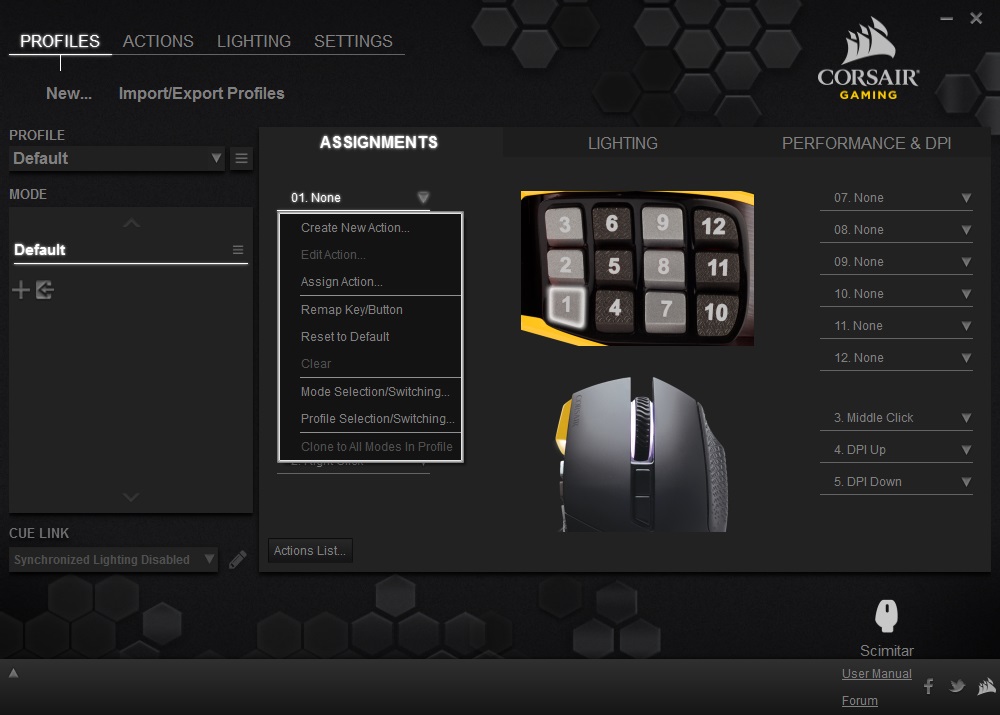
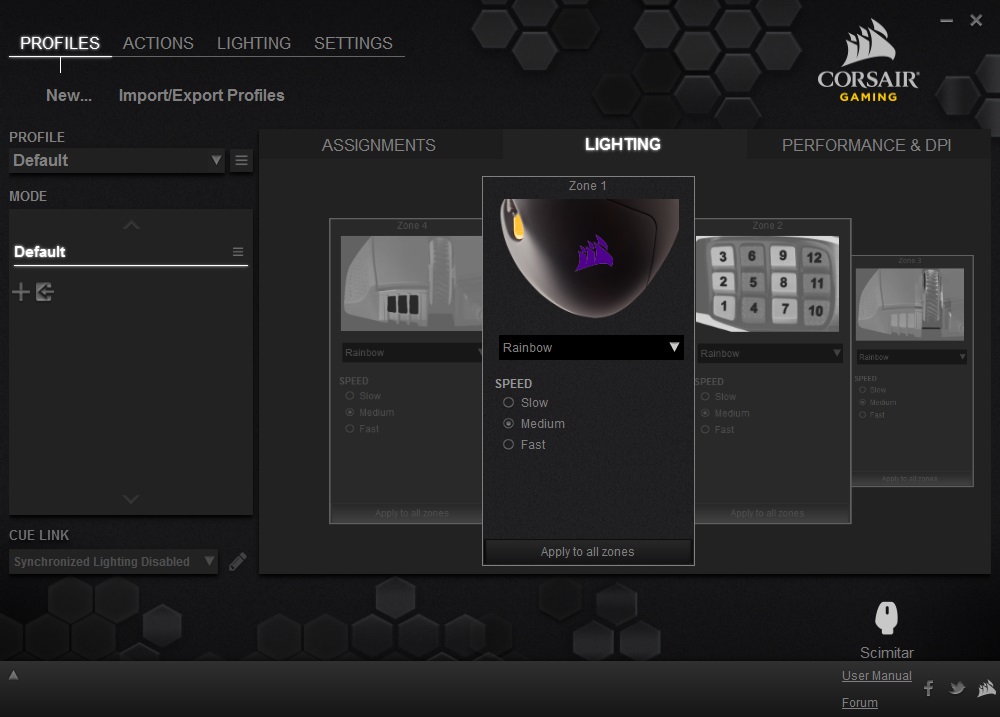
There are 4 lighting zones (not including the LED DPI indicator), namely the front grill, mouse wheel, keypad and logo not including the DPI indicator which can be customised with various included colours and effects (pulse, static, rainbow) and may have extended features through the advanced custom lighting profiles within the CUE software. The lighting is bright and vibrant and renders colours to an accurate degree compared to many competitors.
Performance Testing
Setup, Design & Observations
As with any contemporary peripheral, the mouse will require the software to be downloaded and installed to full functionality. Though unlike the majory of other peripherals, there is a physical aspect to setting up the Scimitar too in the form of setting the keypad position. Before just jumping in and positioning it anywhere, it is worth getting used to how you will grip the mouse and adjusting the keypad position based on your thumb position and comfort. I naturally prefer a claw grip and my thumb tends to rest towards the front end of the mouse. To accommodate this, the Scimitar can be flipped over where you can find the nut to loosen the keypad. Once loosened, the keypad can the slide to the desired position, then re-tightened to stop it shifting unexpectedly.
In the hand, the Scimitar feels quite large and has quite a weight to it (147g), burden of a large metal frame. The smooth feeling of the mouse material is good and you can really feel how good the construction quality is. The down side is, the mouse seems to cater more for palm grips and the ring finger rest feels somewhat out of position if you claw grip though doesn’t cause discomfort, more a distraction.
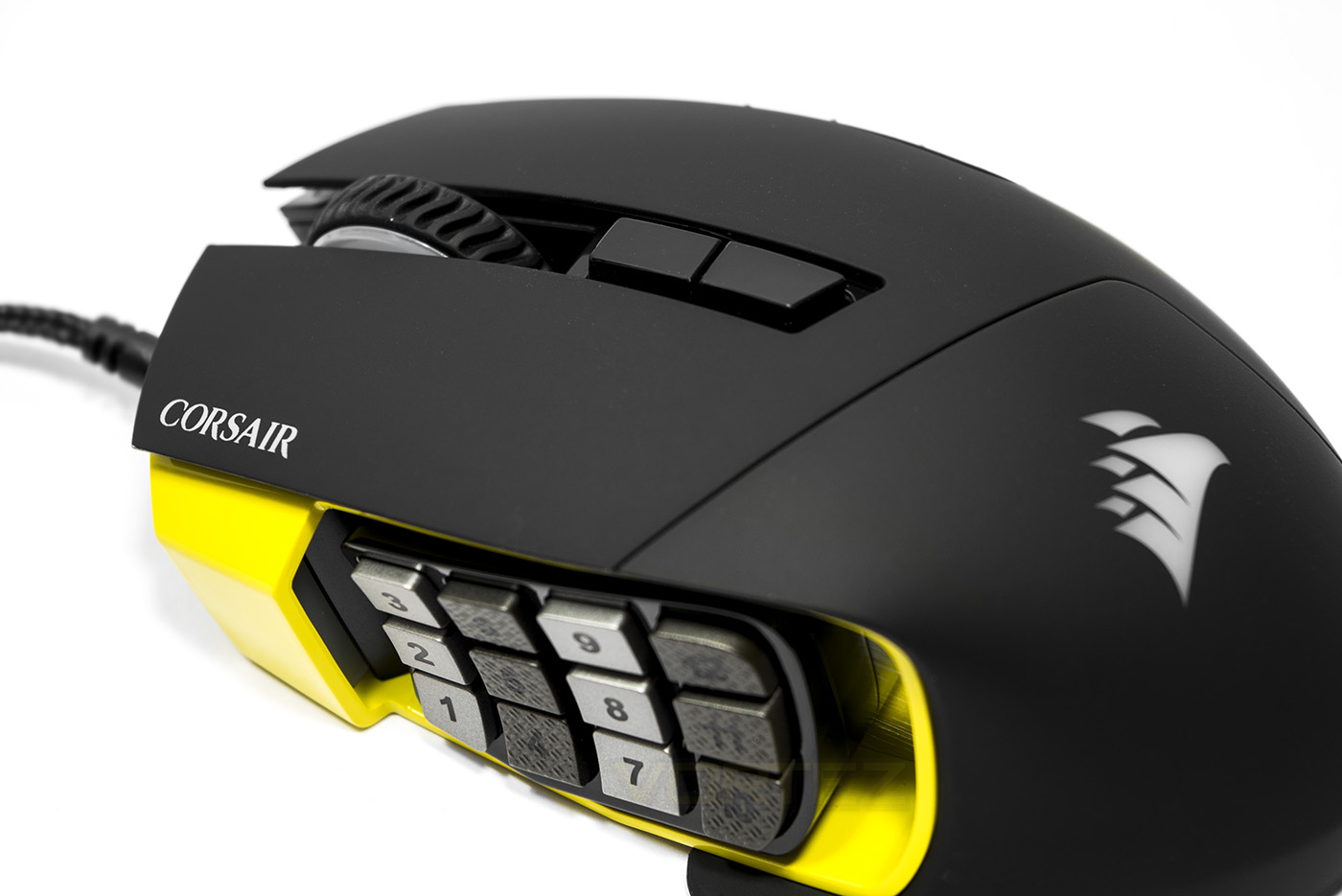
The keypad keys feel squishy with a lot of wobble, yet have a nice clicky feedback when they actuate. Though, there are variations in the surface textures, I personally found it difficult to discern between which button I was pressing, and as the plane which the buttons exist upon is somewhat smoothed, it made it difficult to seek out individual buttons on the fly and sometimes I mashed 2 buttons together. Even at full forward, the keypad position didn’t quite feel far enough forward, and to use the front, bottom buttons, my thumb would sometimes be resting on the mouse mat.
Performance
Putting the sensor to test, we set it to its maximum of 12,000 DPI and curbed the pointer speed then tested it in various situations. Until we had slowed the pointer speed down, it felt quite loose and squirly. Though once under control it felt accurate and precise. The sensor performed well on matt white paper though not so well on other surfaces with noticeable tracking issues on multi-coloured card and glossy any glossy surfaces in general. To add to this, after a little downtime or during general web browsing the Scimitar experienced some significant stutter and lag. I double checked this with various other available mice, (Mamba Chroma, Xai, and the coming G.Skill MX780) and none had the same issue. After further testing, I backed the DPI down to the default maximum of 9000… and no more problems and accurate tracking throughout.
Conclusion
Corsair join the MMO mouse group at quite a competitive price point, falling directly in line to compete with the current Razer NAGA and the Logitech G600. Though the Scimitar offers a wide variety of features, including the Key Slider and full RGB lighting. If you naturally use a palm grip, you will find the Scimitar to be very comfortable and that the innovative Key Slider will aid you in making the most out of the available 12 mechanical buttons which is important as some can find the rear 6 buttons relatively inaccessible on the likes of the NAGA or the Logitech G600. It is also difficult to deny that the Corsair Scimitar scores high with the attractive aesthetic which reflects the fantastic build quality too.
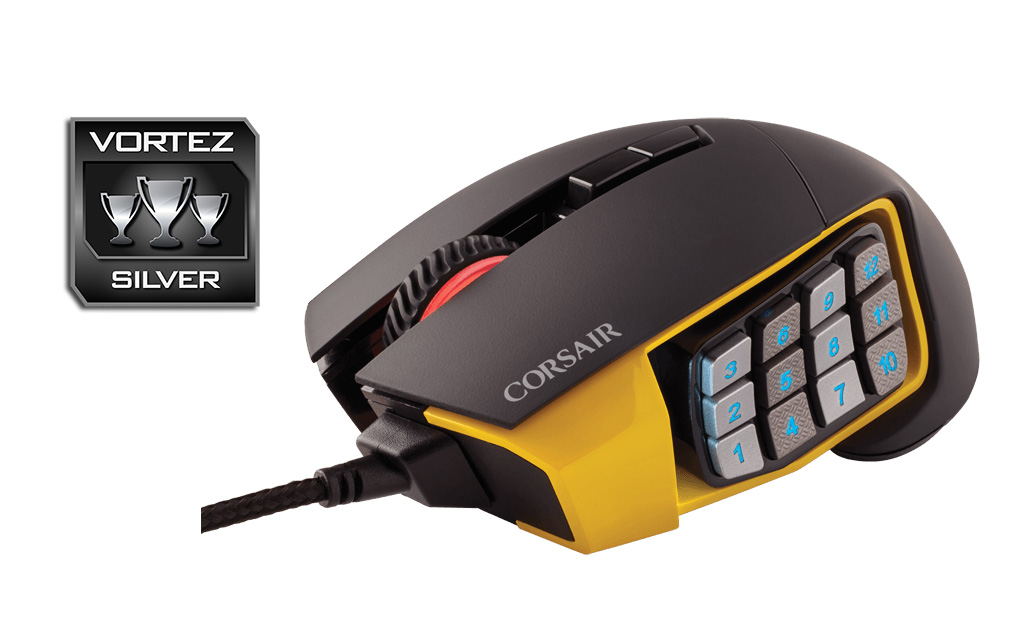
The Scimitar is clearly quite an adventurous product which is looking to improve upon the already existing products already available. Those at the same time its quite alienating. As a claw gripper, I have no issues adjusting to the Razer NAGA or the ROCCAT NYTH, even though the rear side buttons are by my general usage, off limits and inaccessible, especially as my thumb grips near the very front of the mouse. However, the Scimitar seems to have made the inaccessible button problem and made the keypad slide between ‘short thumb’ and ‘long thumb’ modes leaving the claw grip stuck with the same issue alongside a distracting ergonomic which won’t quite fit your hand style. To top it off, the keypad keys lack the tactile shape to clearly allow definite positional recognition of which button is which, something so subtle, yet is achieved by the current NAGA and the ROCCAT NYTH. In regards to the keys, Corsair also missed the opportunity to implement per key lighting, so we will have to wait a little while yet for the first MMO mouse with customisable per key lighting on the keypad.
The sensor DPI rating, could be a little overestimated, and we would suggest keeping it to 9000, something which shouldn’t be a big issue for most, though it creates an ambiguous issue about stable performance. Though once it has been curbed, it performs well with the added bonus of having zero added acceleration.
Finally, as experienced with the ROCCAT KOVA, we had to go into the key assignment/remapping to allocate each key with a command before being able to assign a function in game (Namely DOTA 2 and FFXIV: ARR). It was a pain when I wanted to remap just 2 buttons on the KOVA, let alone 12 on the Scimitar, so if you are planning on just jumping in game and using the buttons, then no.
If you are after a high quality MMO mouse and you naturally use a palm grip, the Corsair Scimitar is a worthy choice over the established mainstay. Unlike others at its price point it features attractive RGB lighting across 4 zones and has the unique Key Slider system to adjust the position of the keypad.
Pros.
+ Good comfort for palm grip
+ Excellent build quality
+ Great aesthetics (including customisable full RGB lighting)
+ Adjustable keypad position
+ Mechanical switches used for thumb buttons
+ Zero acceleration
Cons.
– Questionable performance at max DPI
– Keys need to be remapped before assigning in game
– Buttons aren’t as tactile as they could be
– Not so great for claw grip
+ Good comfort for palm grip
+ Excellent build quality
+ Great aesthetics (including customisable full RGB lighting)
+ Adjustable keypad position
+ Mechanical switches used for thumb buttons
+ Zero acceleration
Cons.
– Questionable performance at max DPI
– Keys need to be remapped before assigning in game
– Buttons aren’t as tactile as they could be
– Not so great for claw grip
Click here for an explanation of our awards at Vortez.net.