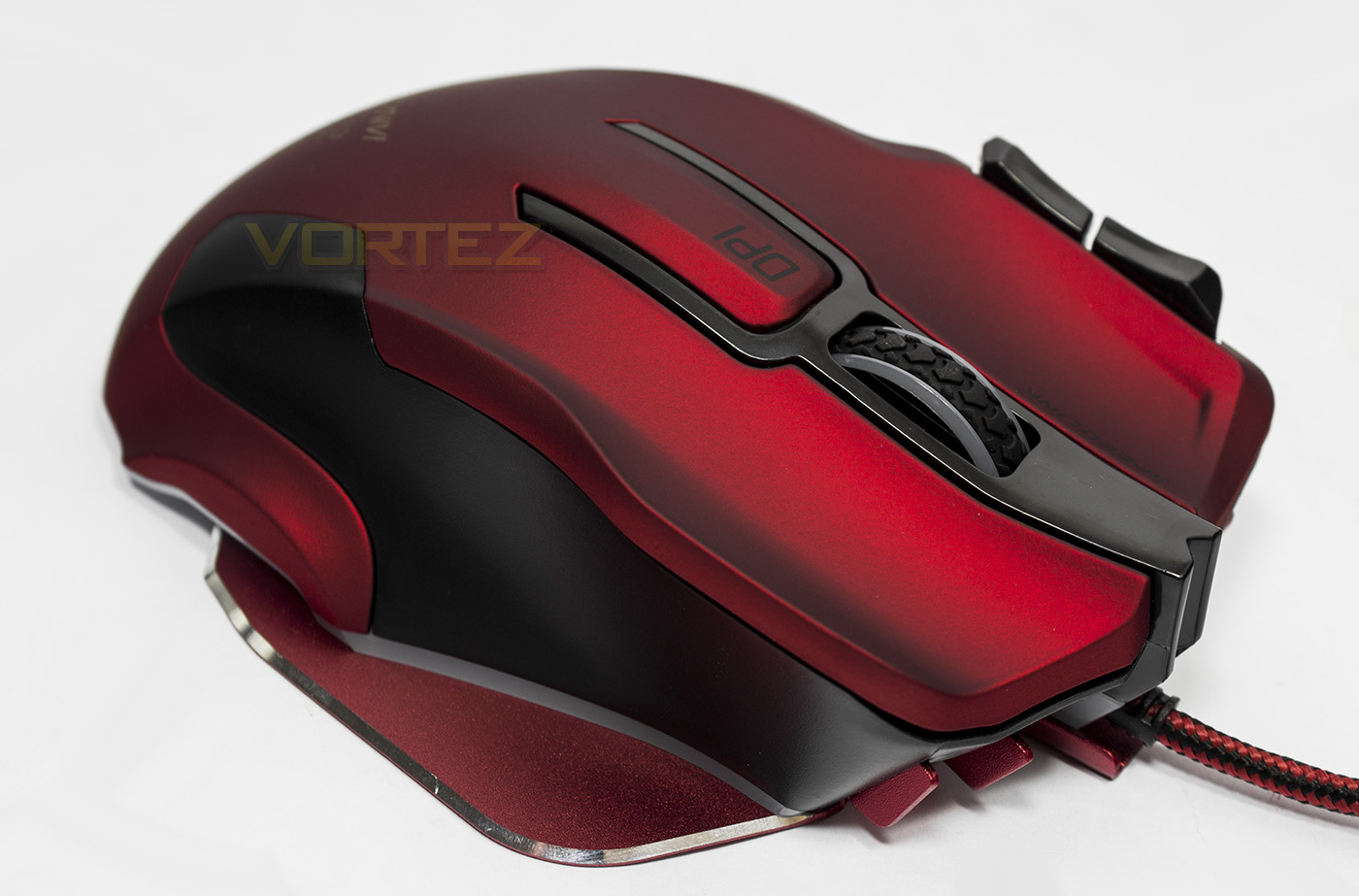
Built on an aluminium base plate, the Speedlink OMNIVI features advanced LED lighting, 10 programmable buttons and a precise 12,000 DPI optical sensor.

Product on Review: Speedlink OMNIVI
Manufacturer & Sponsor: Speedlink
Street Price: UK: £54.99, US: $69.99
This is the second optical mouse Speedlink has released recently, and like the Decus Respec that we have viewed recently, the OMNIVI jumps on board with the latest technology and utilises the Pixart 3360 optical sensor. This should inherently provide gamers with high performance, pixel precise tracking with a resolution of up to 12,000DPI.
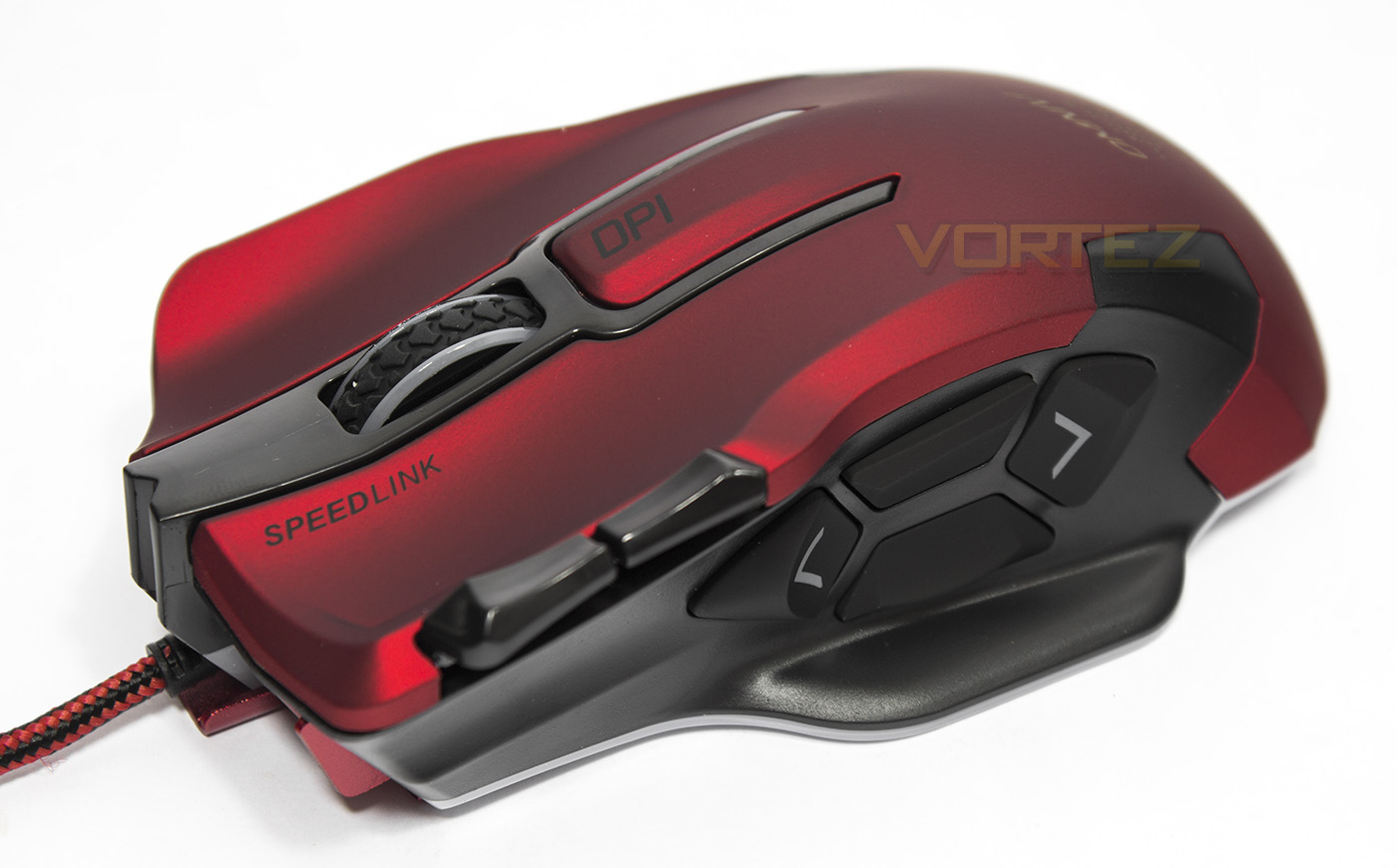
As with the Decus Respec, we see a return of that lush, metallic red, rubber surface. The OMNIVI seems like it is more targeting MMO gamers with its 10 programmable buttons, including 4 side buttons that includes a sniper and rapid fire option, 2 additional buttons on top (set to control volume by default) as an on-the-fly DPI toggle. Visually the OMNIVI has some extreme shaping, at the bottom is a wide aluminium base plate, which is then shaped with steep sides and swooping curves. To finish it off, it also has some unique LED lighting effects.
Overview by Speedlink
The OMNIVI Gaming Mouse combines feature-packed functionality, ease of use and incredible precision in one perfect package. It is setting new standards in the gaming scene with its exhaustive feature set, including colourful glow, solid aluminium base plate, four thumb buttons and the ultra-precise, optical 12,000dpi sensor. Use the ten programmable buttons to keep your opponents at bay by utilising the extensive programming function to customise the mouse so your personal gaming style matches the game. And witness how your macros are unleashed at the press of a single button to perform close-combat or distance attacks, switch weapons or cast spells.
Technical Specifications
Ultra-precise 12,000dpi optical sensor
10 freely configurable buttons
Adjustable LED lighting glows in any one of 7 atmospheric colours
Solid finger rest and aluminium base plate
Profile management with any number of game profiles
Powerful Macro Editor
DPI switch for rapid toggling between resolutions
6 sensor precision levels from 800 to 12,000dpi
Illuminated 2D scroll wheel indicated current dpi level
Illuminated 2D scroll wheel indicated current dpi level
Adjustable USB polling rate up to 1,000Hz
Incredible ergonomic comfort with grippy scroll wheel and finger rest
Rubberised finish
Maximum acceleration: 50g
Maximum tracking speed: 250ips
Sensor frame rate: 12,000fps
Flexible USB cable with hard-wearing sheath (1.8m)
Dimensions: 87 × 131 × 52mm (W × D × H)
Weight: 145g
10 freely configurable buttons
Adjustable LED lighting glows in any one of 7 atmospheric colours
Solid finger rest and aluminium base plate
Profile management with any number of game profiles
Powerful Macro Editor
DPI switch for rapid toggling between resolutions
6 sensor precision levels from 800 to 12,000dpi
Illuminated 2D scroll wheel indicated current dpi level
Illuminated 2D scroll wheel indicated current dpi level
Adjustable USB polling rate up to 1,000Hz
Incredible ergonomic comfort with grippy scroll wheel and finger rest
Rubberised finish
Maximum acceleration: 50g
Maximum tracking speed: 250ips
Sensor frame rate: 12,000fps
Flexible USB cable with hard-wearing sheath (1.8m)
Dimensions: 87 × 131 × 52mm (W × D × H)
Weight: 145g
Packaging & First Look
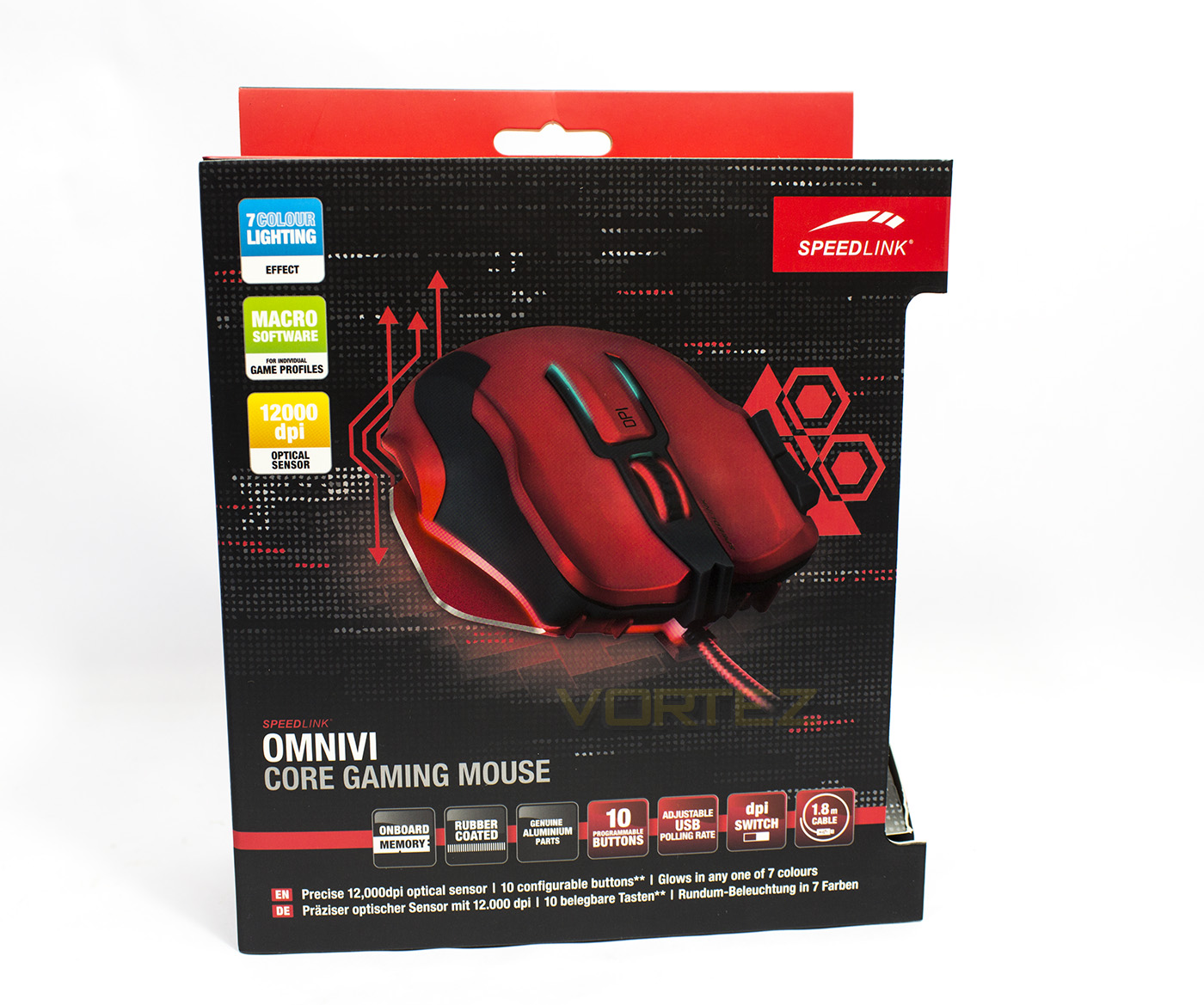
The packaging is a little busy, but features a large image of the product with its features scattered around like a pizza. The front affords more information that its official specification list, letting us know that it does in fact also feature on-board memory.
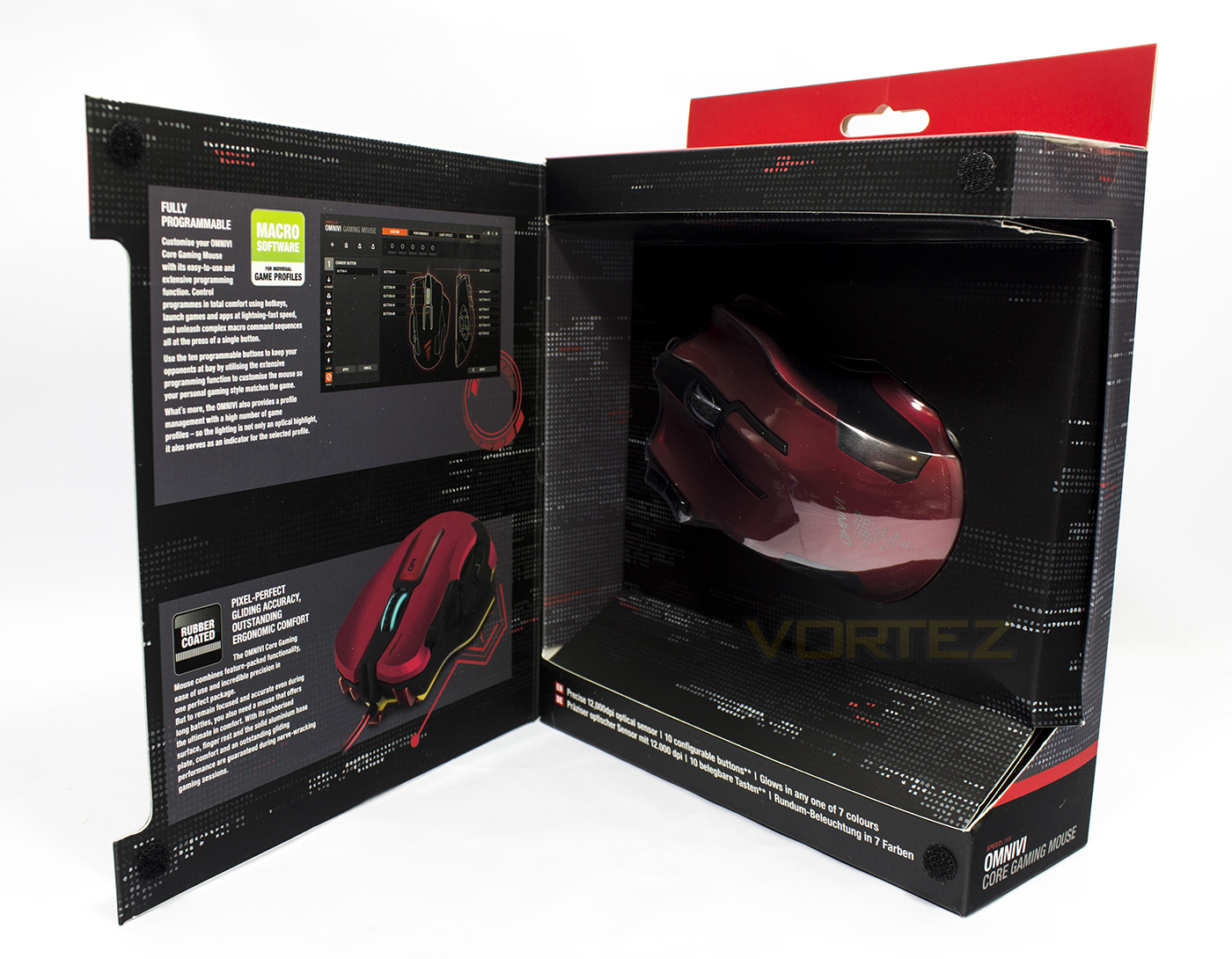
The front of the packaging can be opened to reveal a window to view the product directly as well as providing some extra information on its programmability and profiles.
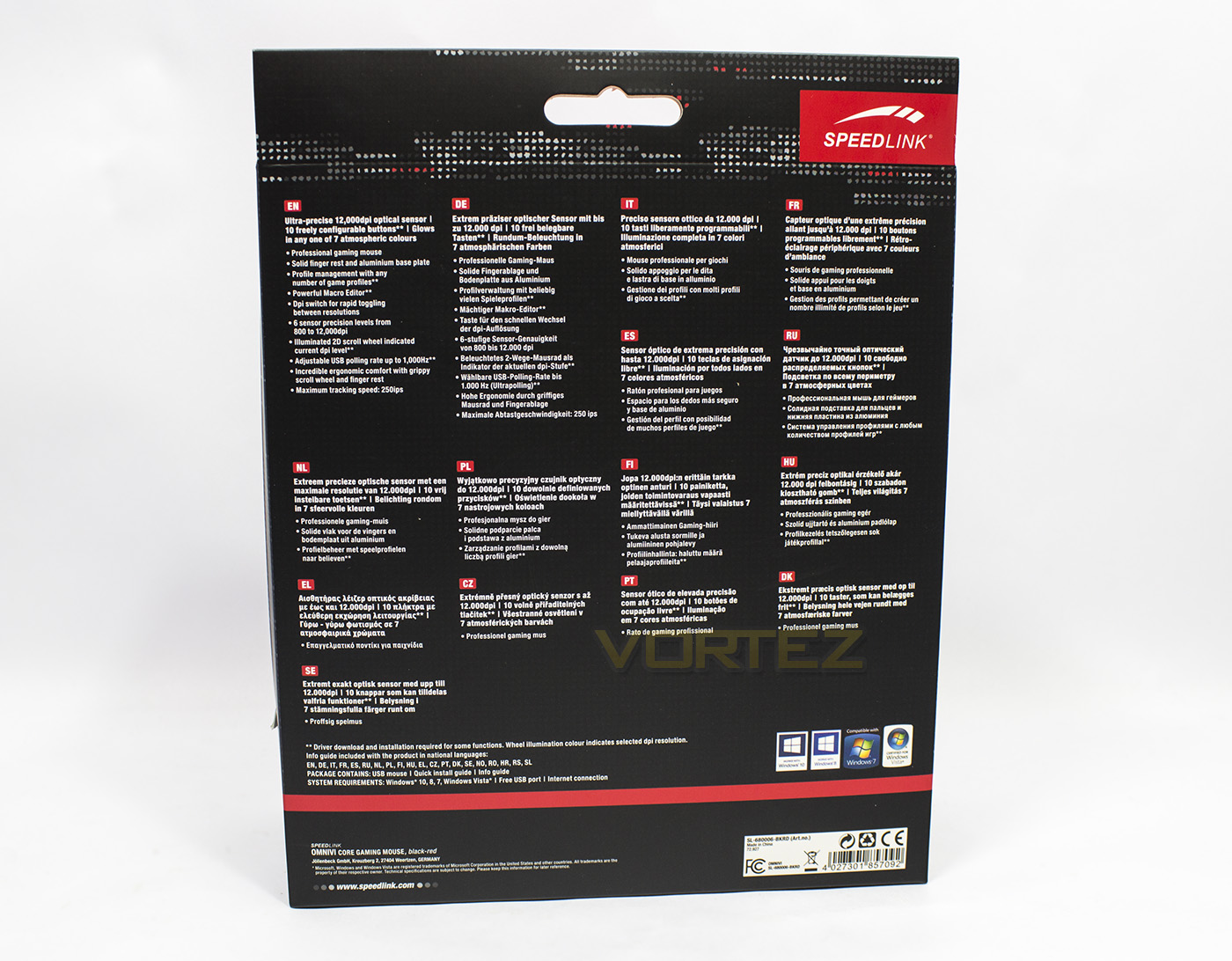
The rear side of the packaging is reserved for multi-lingual product information, giving general details about its specifications and features.
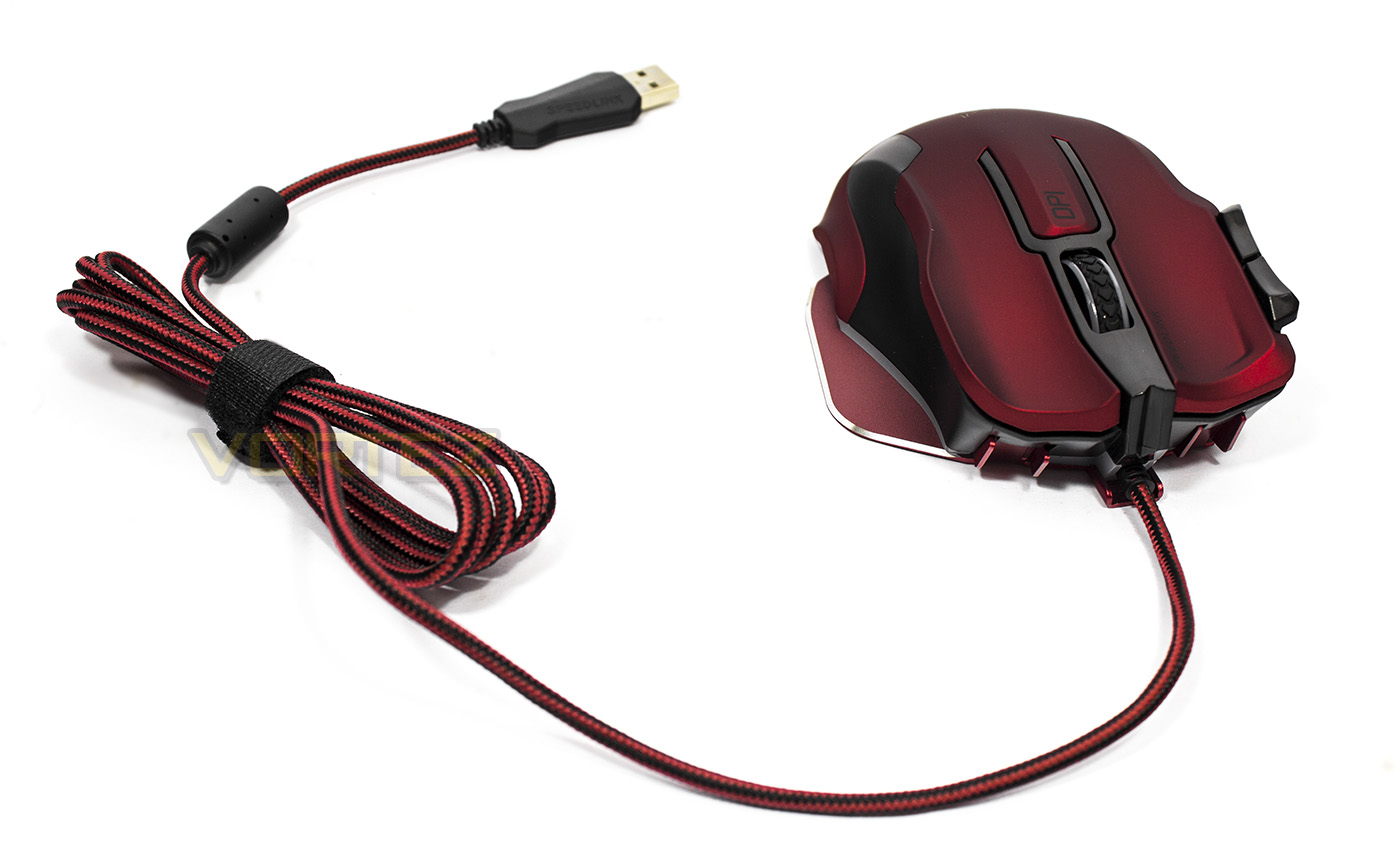
The OMNIVI features a fairly thick, black and red braided cable that is 1.8m long and reasonably flexible, while the initial view of the mouse itself gives indication to its curvy shape.
Closer Look
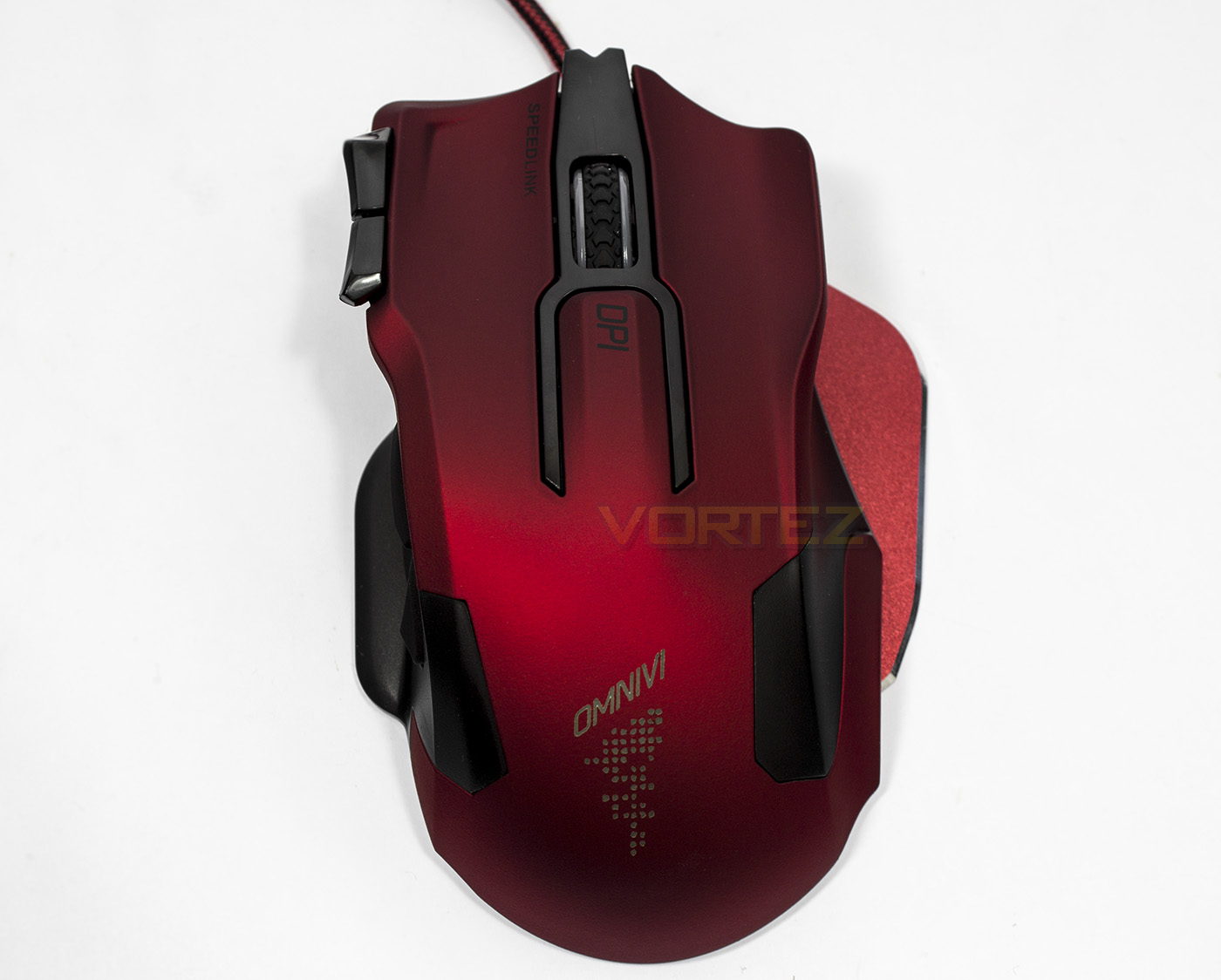
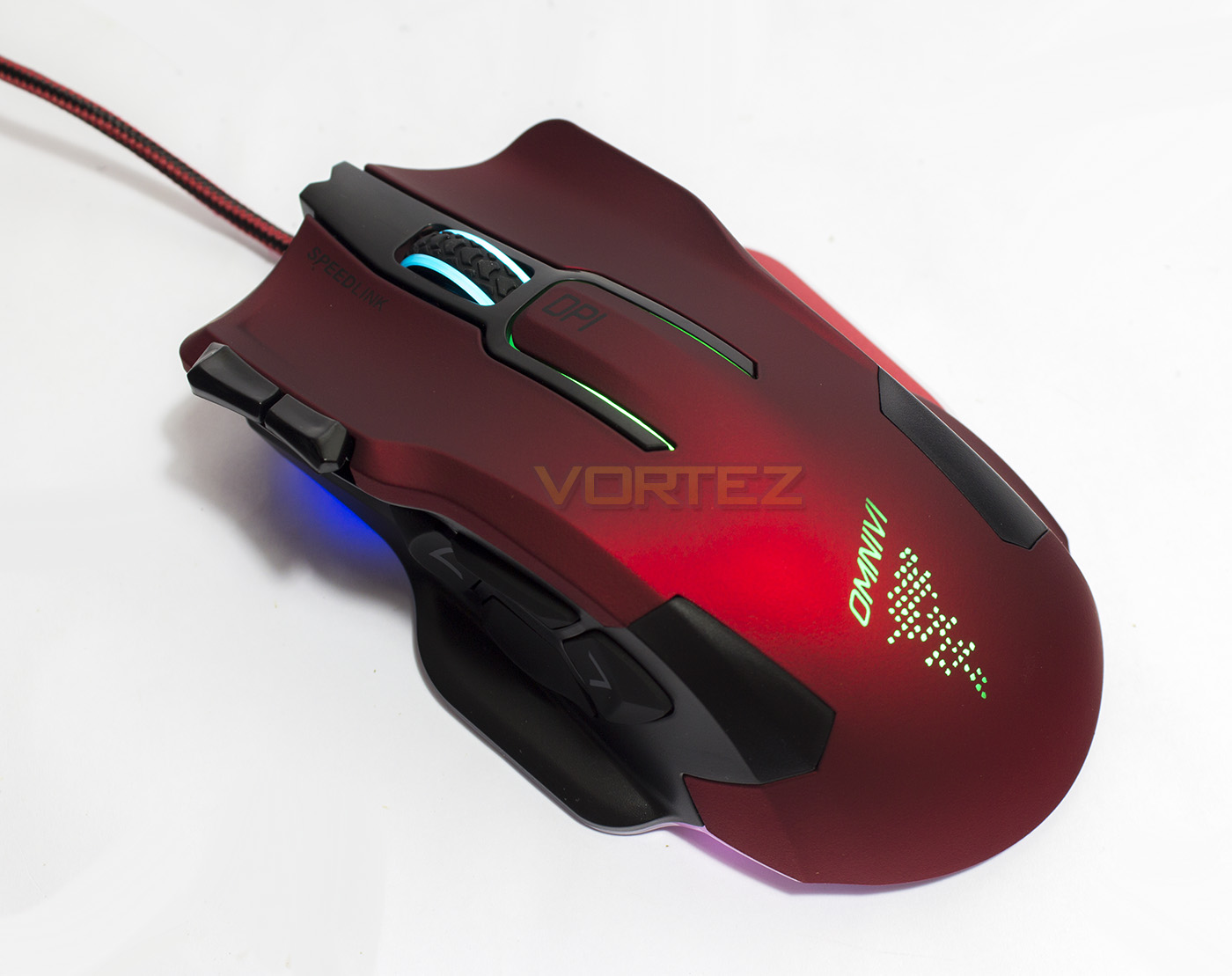
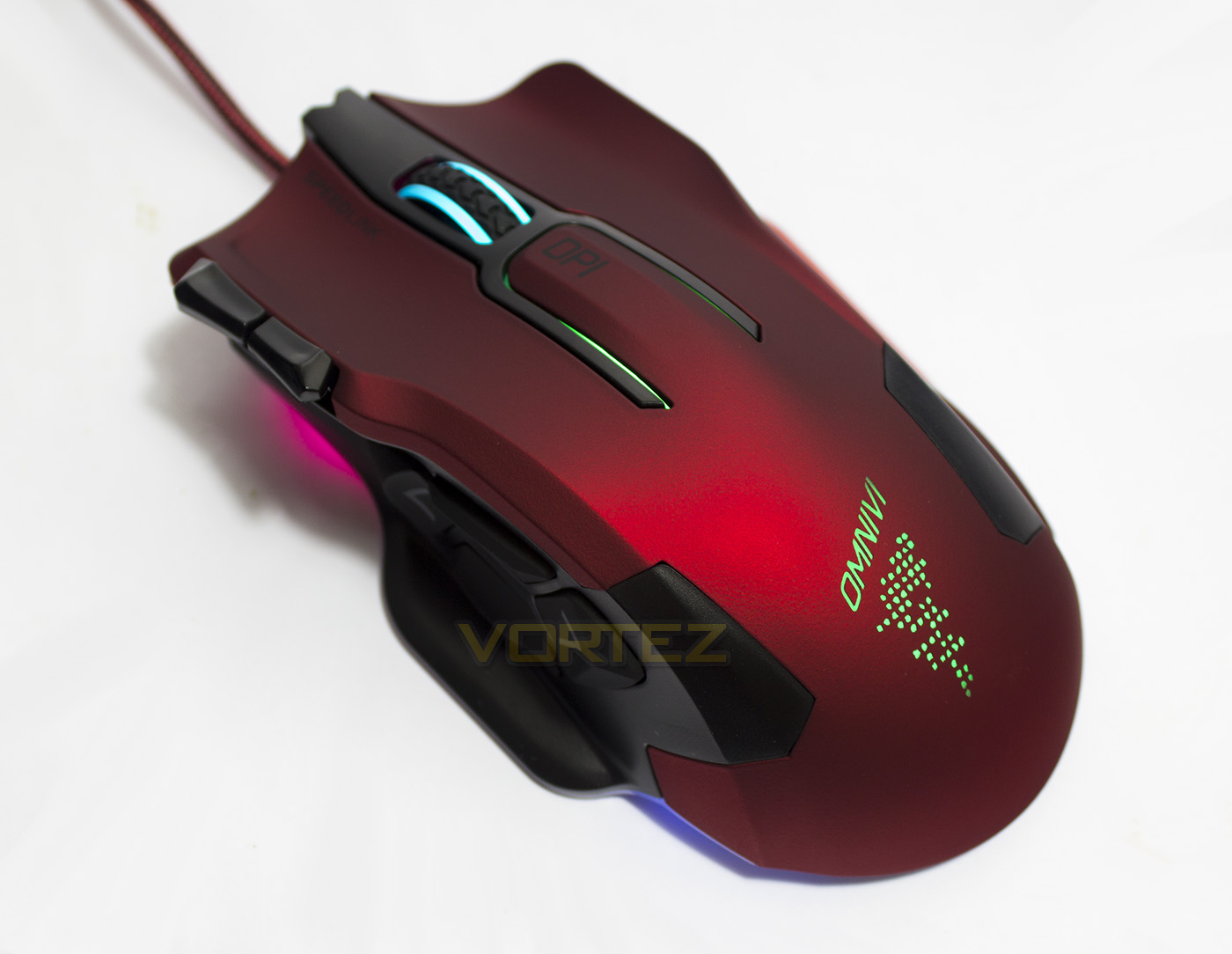
Looking down on the OMNIVI we can see that the main section of the mouse is actually rather slim, with the added width from the baseplate providing a rest for the ring and little fingers.
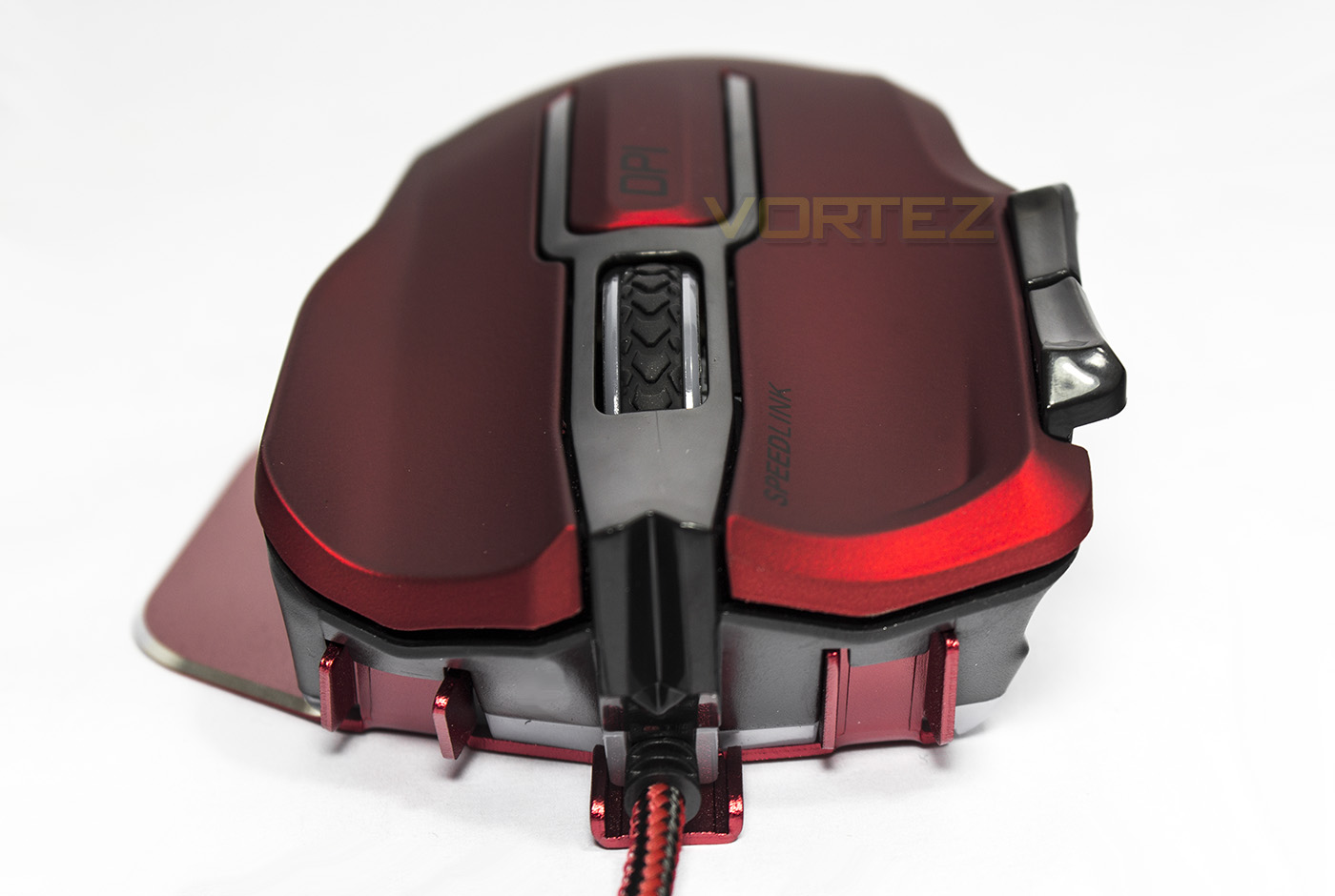
Face on, we get a view of the large aluminium baseplate and the deep wells for the fingers on the main buttons. The mouse wheel is coated with rubber for grip, while the DPI toggle button is like a small third main click in the middle. On the right had side of the image you can see a pair of paddles.
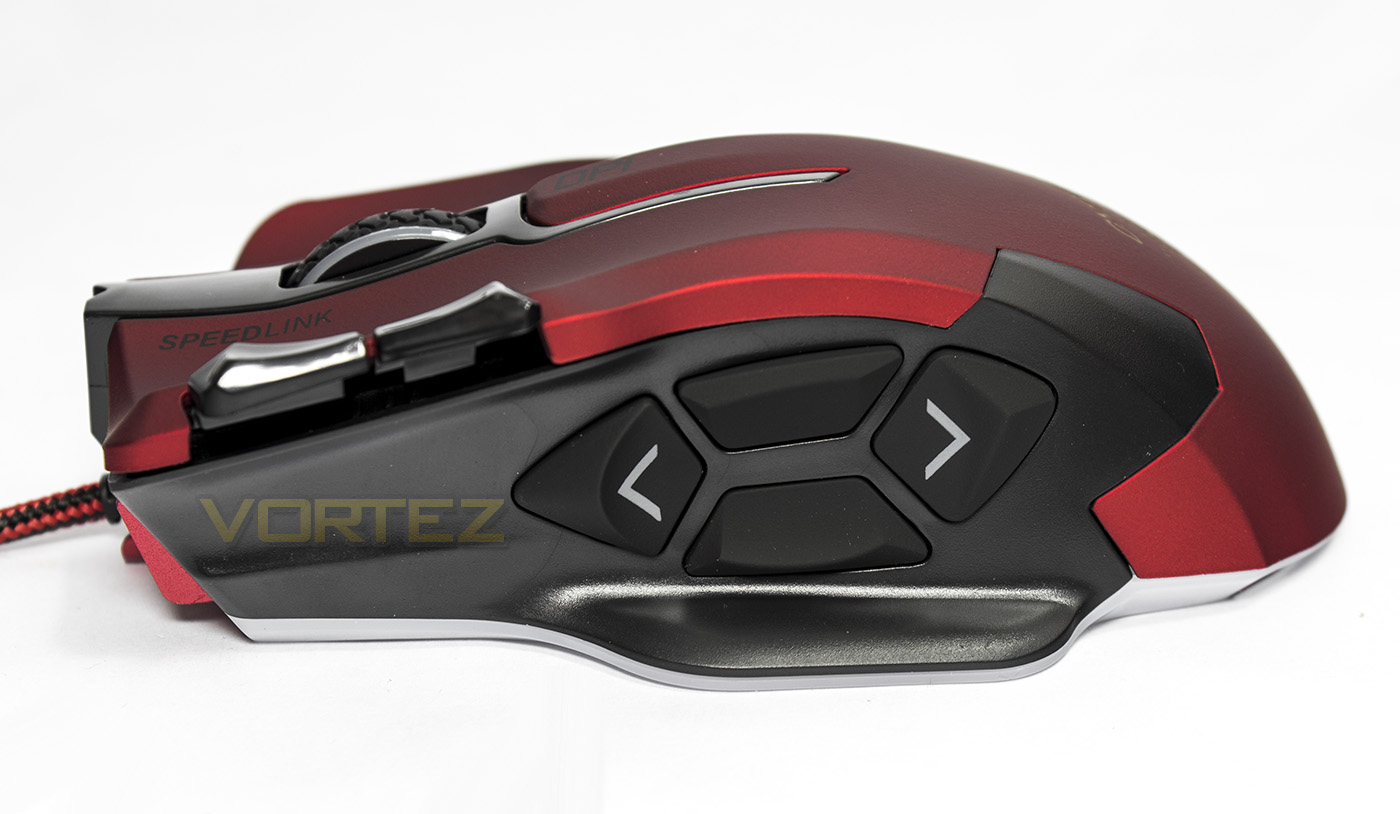
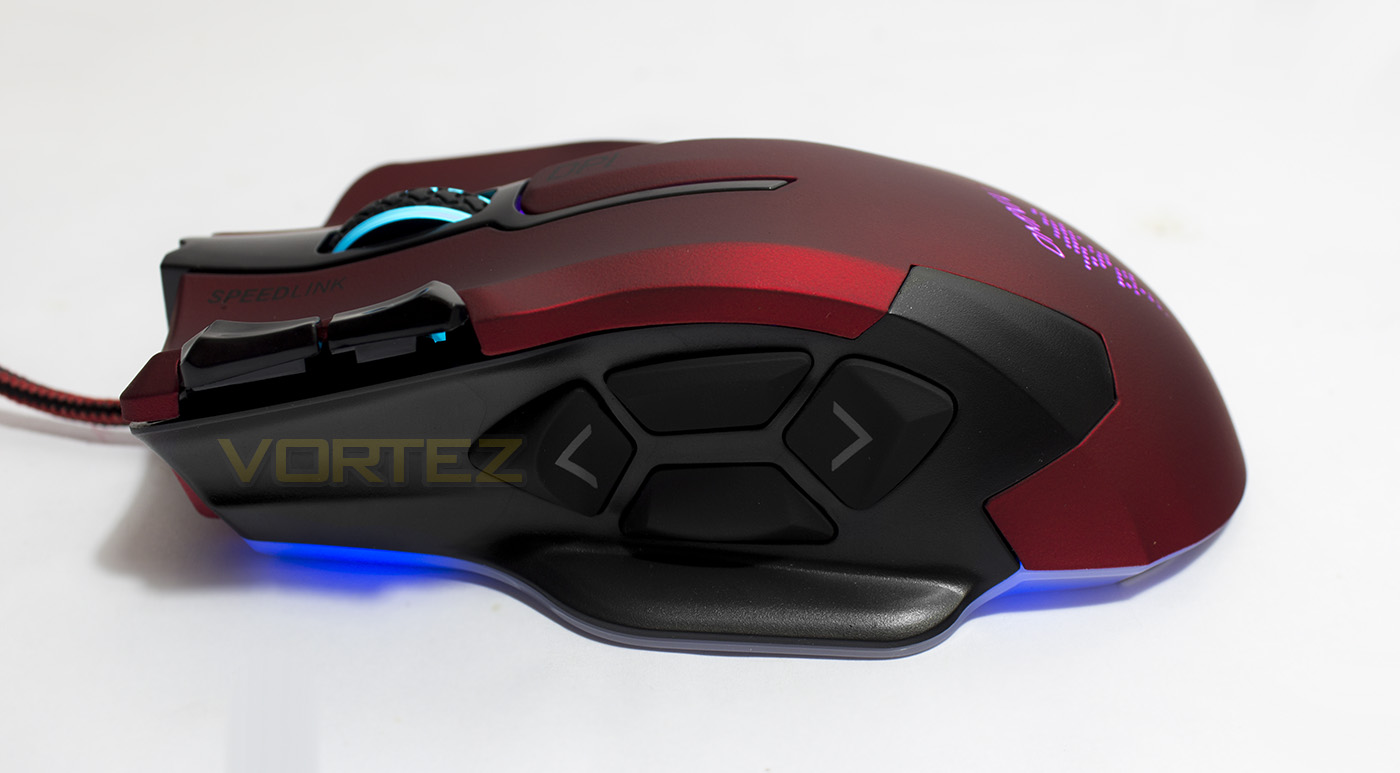
On the thumb side, we get four buttons, with a forward and back, while the top is set to a rapid fire mode (left main mouse), while the lower button is set to toggle sniper mode by default.
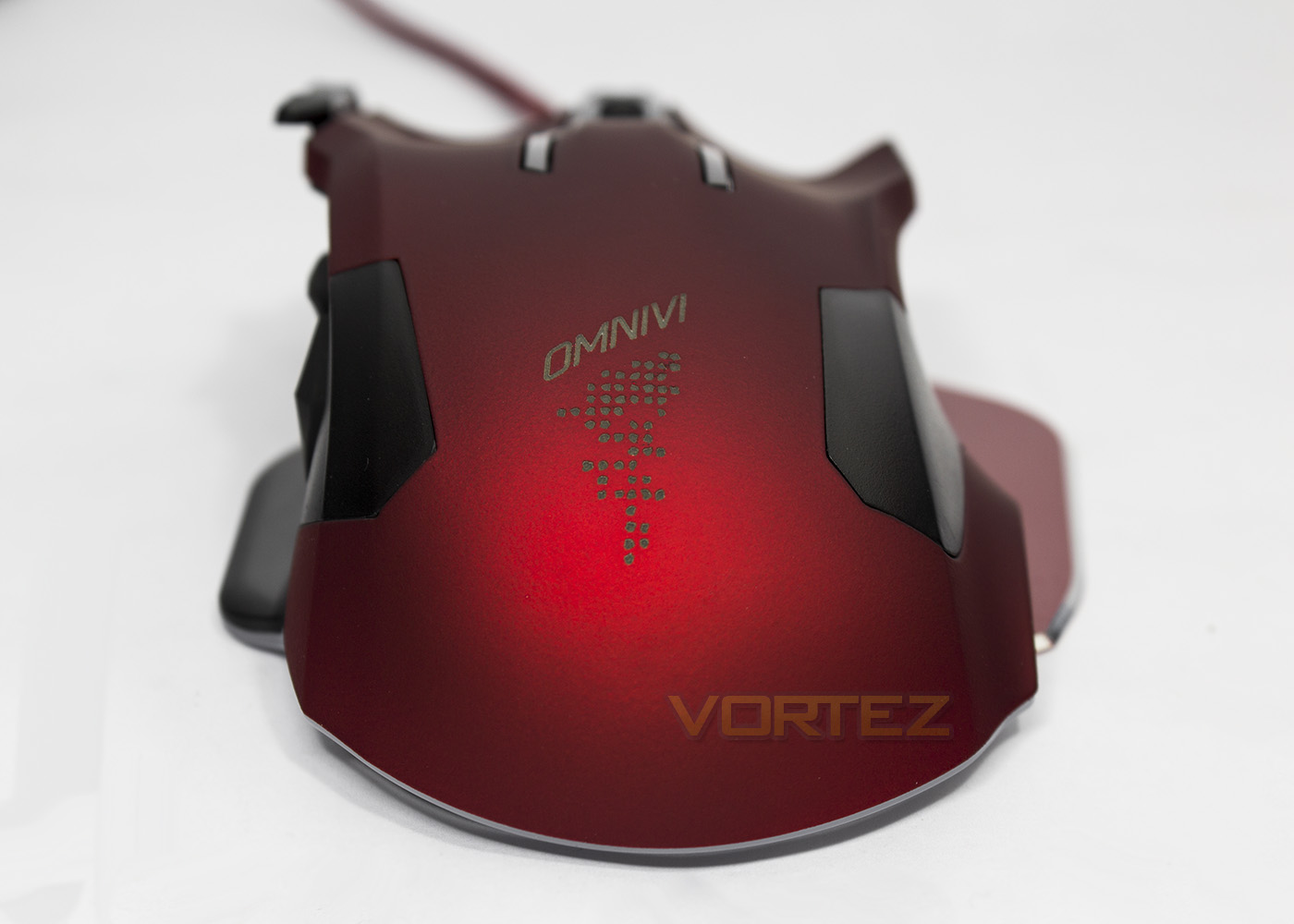
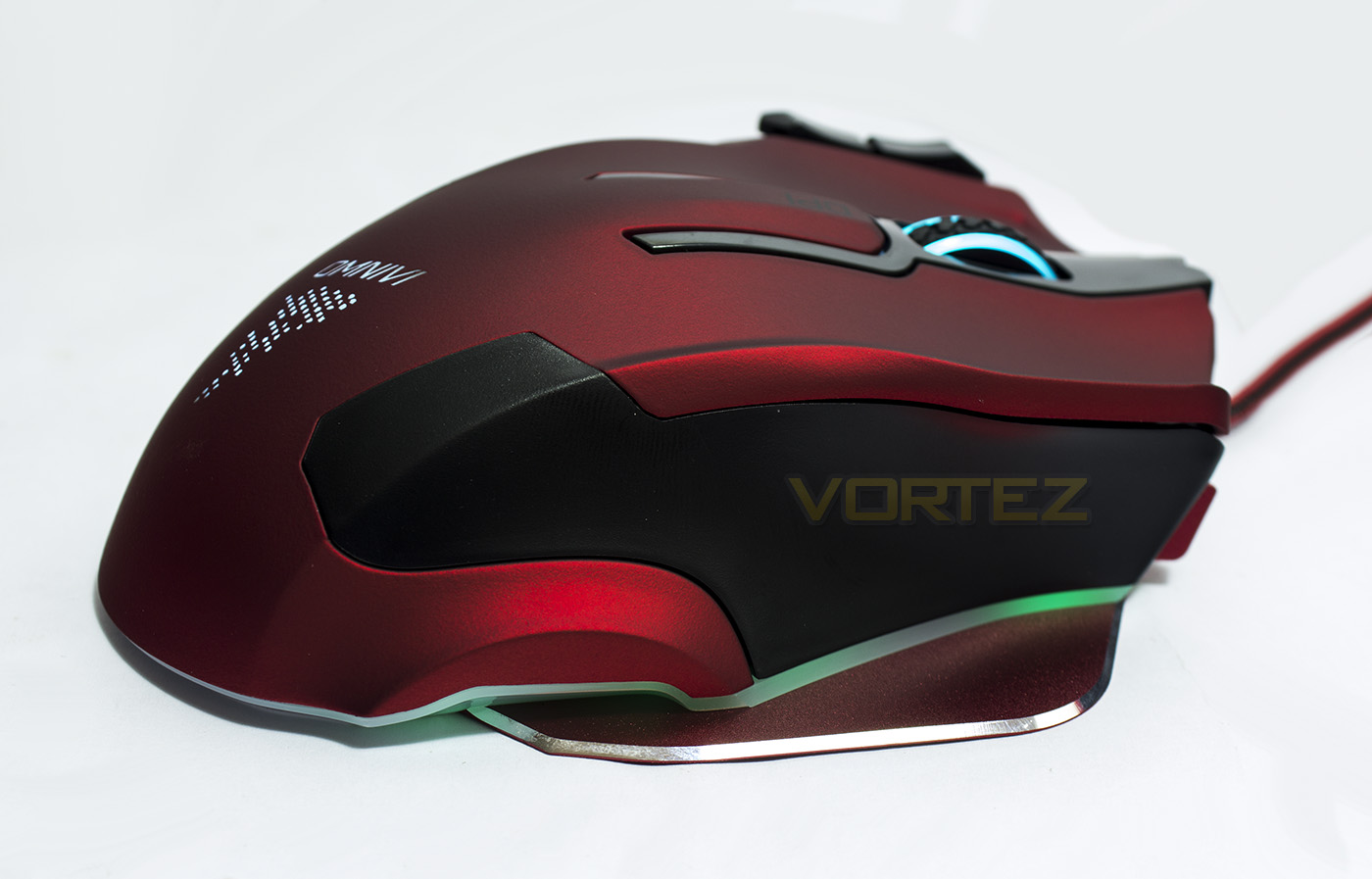
The rear view gives a better indication of its height, standing relatively tall at a 52mm peak. The extreme ergonomic styling suggest that the OMNIVI is more orientated for palm grip users.
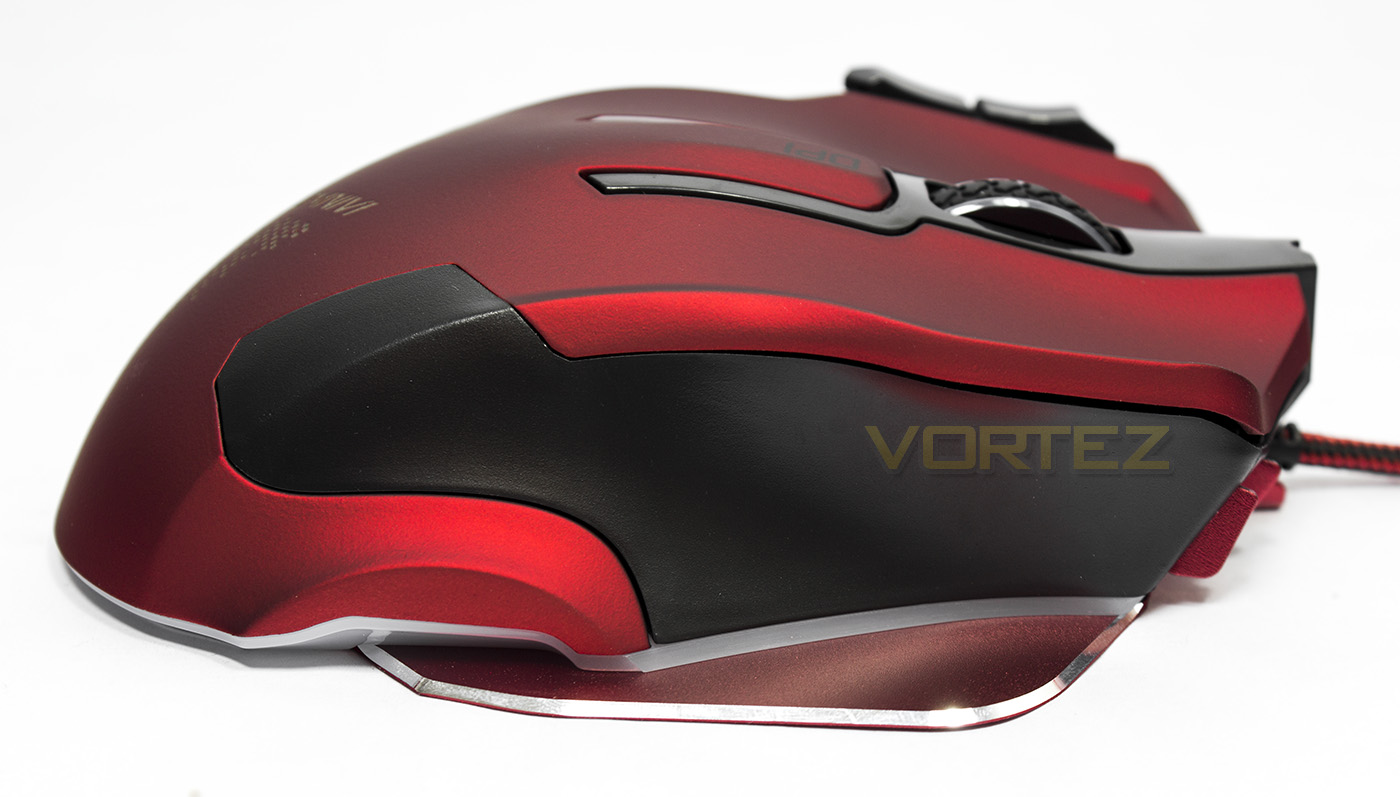
Mirroring the thumb side, there is blacked out plastic located where by the finger rest. Just above the baseplate, you get a clearer view of the LED bar that surrounds the entire mouse.
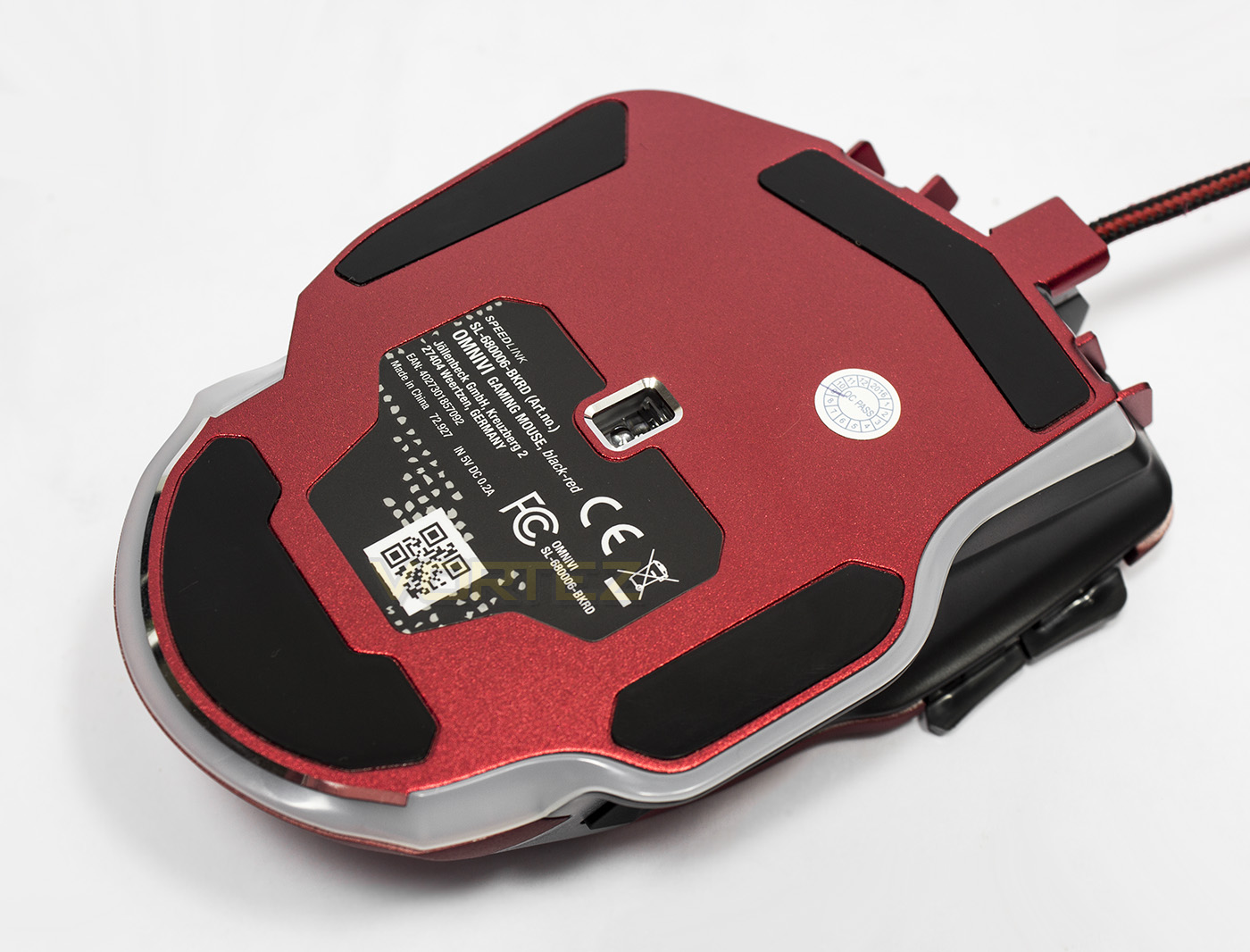
The sensor is, interestingly, mounted in the approximate centre of the baseplate, rather relative to the actual mouse shell itself. The underside also shows off the full extend of the LED lighting bar.
Software & Lighting
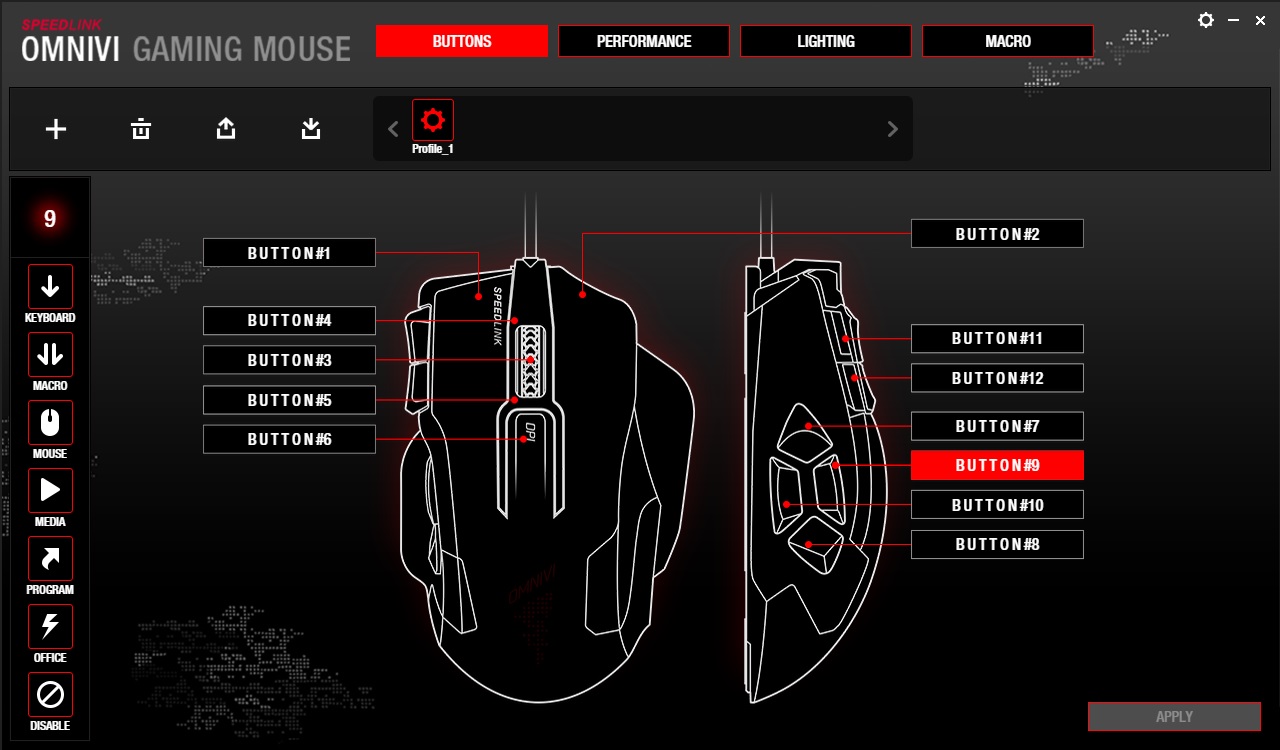
The software isn’t required for operation of the mouse, though is recommended for full access to its features. Once installed you will then be able to access various settings which can then be saved to the mouse. As Speedlink do not yet have a unified software driver for their products, each GUI will vary, and the OMNIVI varies greatly from the Decus Respec. The first tab gives access to button assignment, to which you can allocate various actions or macros.
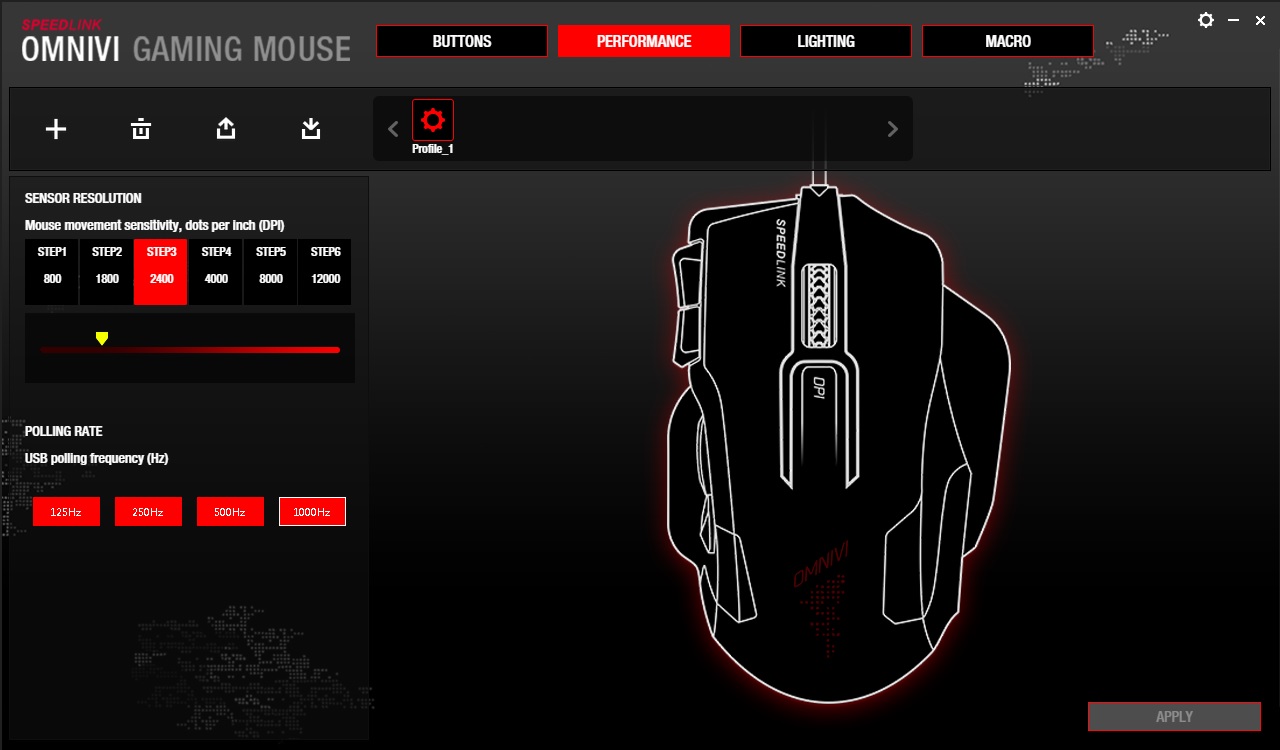
There are few real performance options available to adjust also, with the only options are the 6 DPI steps, adjustable in increments of 100DPI (sniper mode defaults to step1), along with being able to adjust the refresh rate.
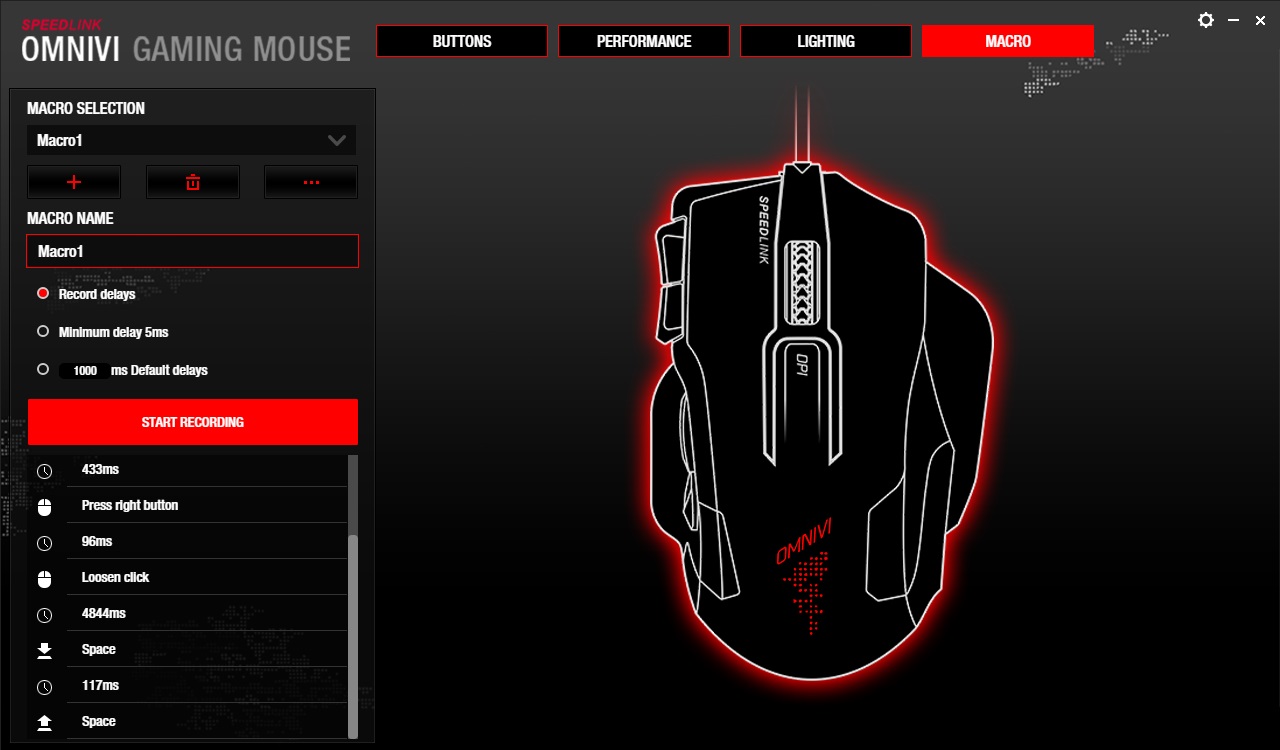
The ‘advanced’ macro recorder, is fairly simple, being able to record key presses with various delay options. However this macro recorder is nowhere near as ‘advanced’ as what we found on the Decus Respec software, nor does it allow advanced customisation, only records the two main mouse buttons. This is rather disappointing actually, especially when the OMNIVI is the technological and monetary superior.
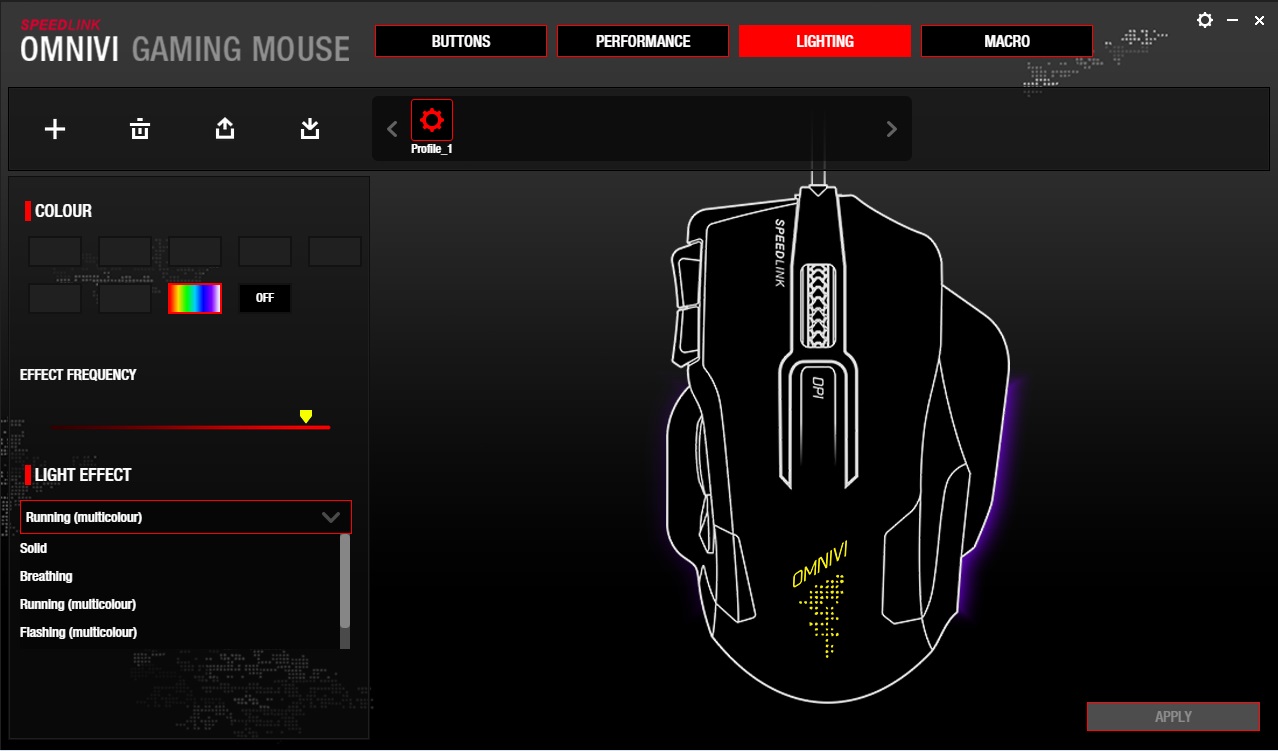
The lighting modes are fairly curious as the OMNIVI features a great number of LED points surrounding the entire base of the mouse. Then you have the mouse wheel, and the logo acting as additional zones. Though the lighting effects are fairly bland. This is due to the lack of true RGB lighting, instead it has a 7 colour system. The lighting modes available are: SOLID (1 colour/cycle), Breathing (1 colour/cycle), Running (multicolour, this is a bit like a Christmas tree lighting effect), Flashing (multicolour, this one is a bit like Solid/cycle mode, but with a smoother transition) and finally, Flowing (multicolour, which is a more uniform wave effect).
Unlike the Decus Respec, the OMNIVI mouse wheel can change colour depending which DPI Step it is set to, however, as there are only 6 steps, it omits the colour red from the available colours for the mouse wheel. Annoyingly, the logo LED is constantly set to breathing/cycle and you have no control over it. I think it is fair to say that despite their ambitious attempt to create a lighting effect that isn’t too far off of the Razer Mamba Chroma, the lack of true customisation sits the OMNIVI behind the curve of the RGB lighting era.
Performance Testing
Setup, Design & ObservationsVisually the OMNIVI looks interesting and its construction feels solid and the lush metallic red rubberised coating. The main mouse clicks feel fast and satisfying however the top paddles have a rather long travel and feel a little flimsy, the mouse wheel rotates a little too easily and could do with stronger incremental steps. I will hold off on describing the side buttons for now, and for good reason as things get a little interesting from here.
The body shape is actually rather slender, more ‘DeathAdder’ mid-sized, but it is also rather tall, rather long, with deep finger wells. Then it has extra width from the baseplate. This gives a rather strange mish-mash of design considerations that is outright confusing. It feels like something that could have been ambidextrous that simply isn’t and everything about it forces it to be comfortable for palm grip only. The side buttons are spread really far apart, and anything other than a palm grip results in the rear button unusable, and the lower/sniper button is really crammed into the little lip making it difficult to press anyway. Yet while holding with a palm grip, you notice the slenderness of the mouse and it feels… too small? Oh, and the OMNIVI is stuck at 145g, which is on the heavy side, and unlike the Decus Respec, there are no weights for you to remove.
Performance
Setting the sensor to its maximum 12,000DPI, compared to our last outing with the 3360 sensor, the OMNIVI performs exactly as expected. Little to no jitter present, and perfect tracking on all surfaces (plain black mouse mat, white paper, plain card, coloured card, bare desktop, glossy magazine, an empty wotsits packet, and a powered down tablet. Whatever you throw at it, this sensor can do it. I did observe that it does have a rather high lift-off-distance, which isn’t available in the software to adjust. The mouse was still registering at the height of two credit cards thickness (so at least 2mm), this may cause some problems for competitive, high speed gamers.
I started out playing Gears of War 4 and had a good time killing some Swarm in Horde mode. Then I figured that this mouse is more geared towards MMO style gaming so jumped on ESO: Tamriel unlimited. I then started to notice something that felt rather strange in the motion. This was more noticeable in an FPS and MOBA where precision counts most.
This strange motion is actually caused by something that I spotted earlier and it is something that doesn’t get spoken about much, nor by many people and it isn’t likely something that can be fixed if even the ‘angle tuning’ features was available as it was in the Cooler Master MasterMouse PRO L.
If you hadn’t guessed by now, it is down to the sensor positioning. Ideally the sensor should be positioned centrally to the grippable body shell as a matter of natural interaction and control and is usually situated somewhere between your index and middle finger knuckles. In the OMNIVI, the sensor is positioned central to the base, and not central to the shell and thus the sensor itself is positioned underneath my ring-finger knuckle. This causes something called ‘circular motion’. This is different to ‘torsional/rotational’ motion that can be caused by placing the sensor more towards the rear of the mouse, while positioning the sensor more towards the front can have various other effects such as increasing movement speed, and having a front-bias radial motion. To explain a little more clearly, if you grip the body of the mouse, and rotate it on the spot, the cursor should in theory remain roughly where it started. The greater the deviation, the greater the movement, and due to the sensor being positioned significantly to the right, there is a substantially noticeable right-bias circular motion.
(Here is an article that helps explain the various dynamics involving the motion and behaviour of gaming mice)
Conclusion
After reviewing the Decus Respec, we had high hopes for the OMNIVI that features the decidedly superior Pixart 3360 sensor. The construction and finish is top notch, and it would be fair to say that the metallic red, rubberised coating is one of the most attractive finishes out there. There are other things that help the OMNIVI stand out too, including a solid aluminium baseplate, 10 programmable buttons and the interesting lighting implementation.
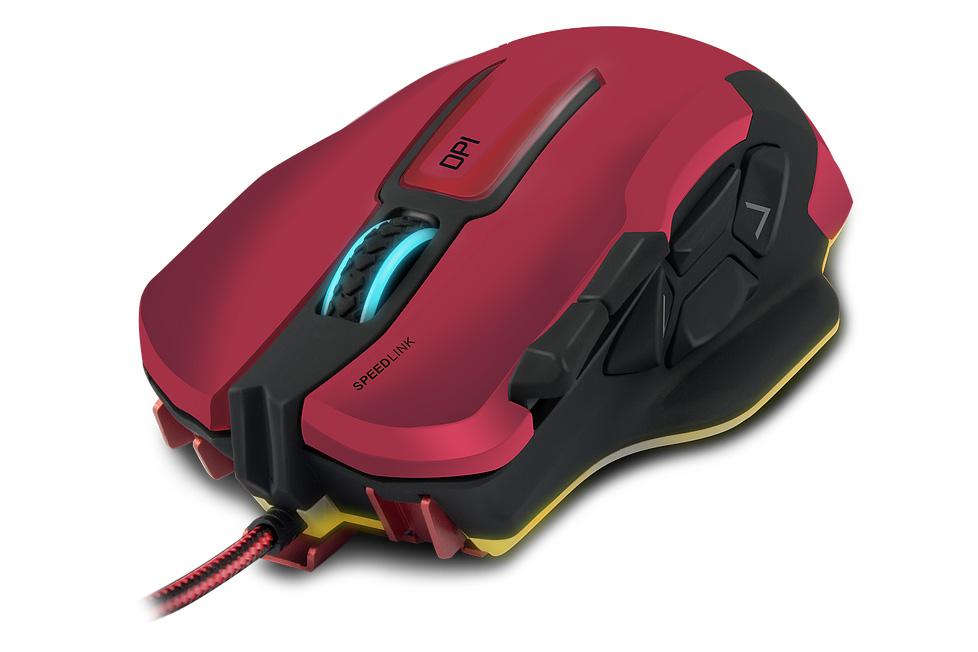
On first impression, the OMNIVI looks and feels like an insanely good gaming mouse, but then there are various things that really drag it down. First up was the software. The GUI is easy to navigate and make sense of, though the disadvantage to not working with a unified software driver, is the lack of consistency. The GUI is completely different to that we observed with the Decus Respec. The performance controls were non-existent other than DPI and polling rate adjustments. The Macro Recorder was inferior, the lighting is sub-par with its 7 colour limitation and no real customisable effects. Next is the shape and general design, which is a hybrid mish-mash of an ambidextrous footprint that was then deformed with steep curves and a huge base. The real deal breaker however is the sensor positioning which has effectively messed up what would otherwise been a flawless implementation of the Pixart 3360 sensor.
Considering the price, it isn’t unreasonable due to having the 3360 optical sensor as well as being of sound construction. However, it is more suited to the causal gamer that uses a palm grip than it is for the more serious or competitive gamer.
The OMNIVI looks fantastic and is equipped with one of the leading optical sensors, but it is let down in its indecisiveness as to which market this gaming mouse was intended for.
Pros.
+ Attractive aesthetics, lush textured surface
+ Solid construction
+ Jitter free, responsive optical sensor
+ 10 programmable buttons
Cons.
– On the heavier side (145g)
– LED lighting lacks detailed customisation
– Strange ergonomics
– Side buttons too far apart
– Software is missing various performance features
– Poorly placed sensor
+ Attractive aesthetics, lush textured surface
+ Solid construction
+ Jitter free, responsive optical sensor
+ 10 programmable buttons
Cons.
– On the heavier side (145g)
– LED lighting lacks detailed customisation
– Strange ergonomics
– Side buttons too far apart
– Software is missing various performance features
– Poorly placed sensor
Click here for an explanation of our awards at Vortez.net.