If you have ever wondered about the behaviour and motion of gaming mice, here is a basic lesson that will give you the insight you may be looking for.
We will cheat a little and skip over the history lesson and settle at the established conclusion that the mouse is the ultimate extension of the hand as part of the 2D digital realm. You only need to spend a few minutes with a trackpad to understand why most laptop owners have a lifeless expression on their faces and despite the leaps and bounds smartphones have made, you can’t remove the fact that your fingers swiping across the screen not only has a clumsy and diminished accuracy, but having your fingers block the screen that you are trying to watch can be crude at best. Sure, a stylus can give better accuracy and control, but again comes with the diminished speed, which is why they have become more of a professional tool rather than that which is required for every day needs. Let’s not even mention trackballs…
Grip Types
Most gamers at some point will become interested in grip types especially when it comes to the first time they decide to drop a load of money on a fancy new mouse. At this point it wouldn’t be fair to not reference Razer as they have spent a lot of money and time in the research of this area. It is generally accepted that palm grip makes up the majority of peoples grip choice, with around 25% of people opting for a claw grip and less than 20% are tip grippers. Though it would be an interesting question as to how people develop their own grip type depending on the games they play, the type of mouse they have bought and their seating/desktop position.
There are countless articles that will give better detail into the various grip types, so this is just a basic overview
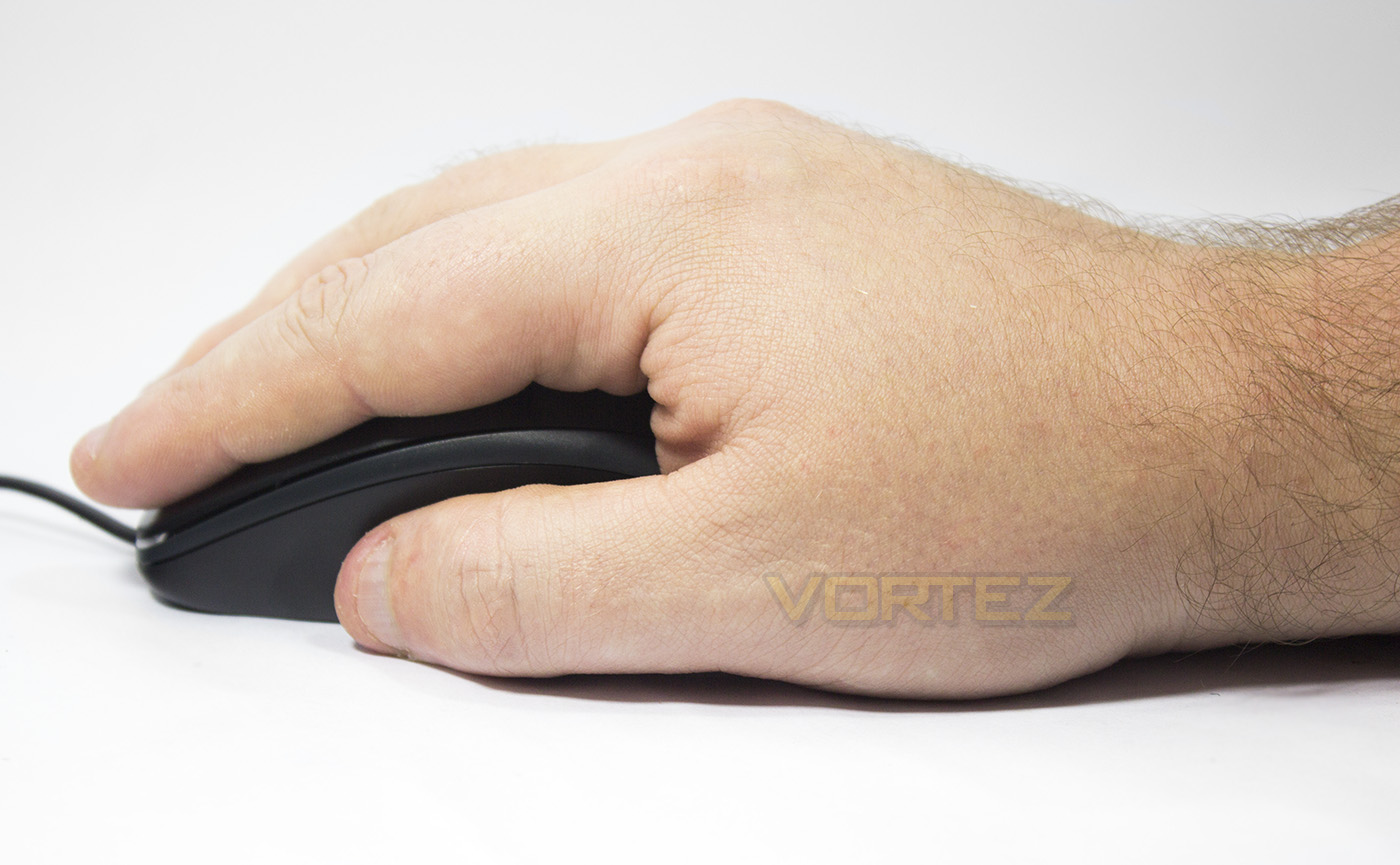
Palm Grip
The palm grip is essentially a flat hand fully encapsulating the mouse. This grip type tends to be rather meticulous with high precision but is relatively slow and wooden in movement due to reliance on motion from the elbow and shoulder.
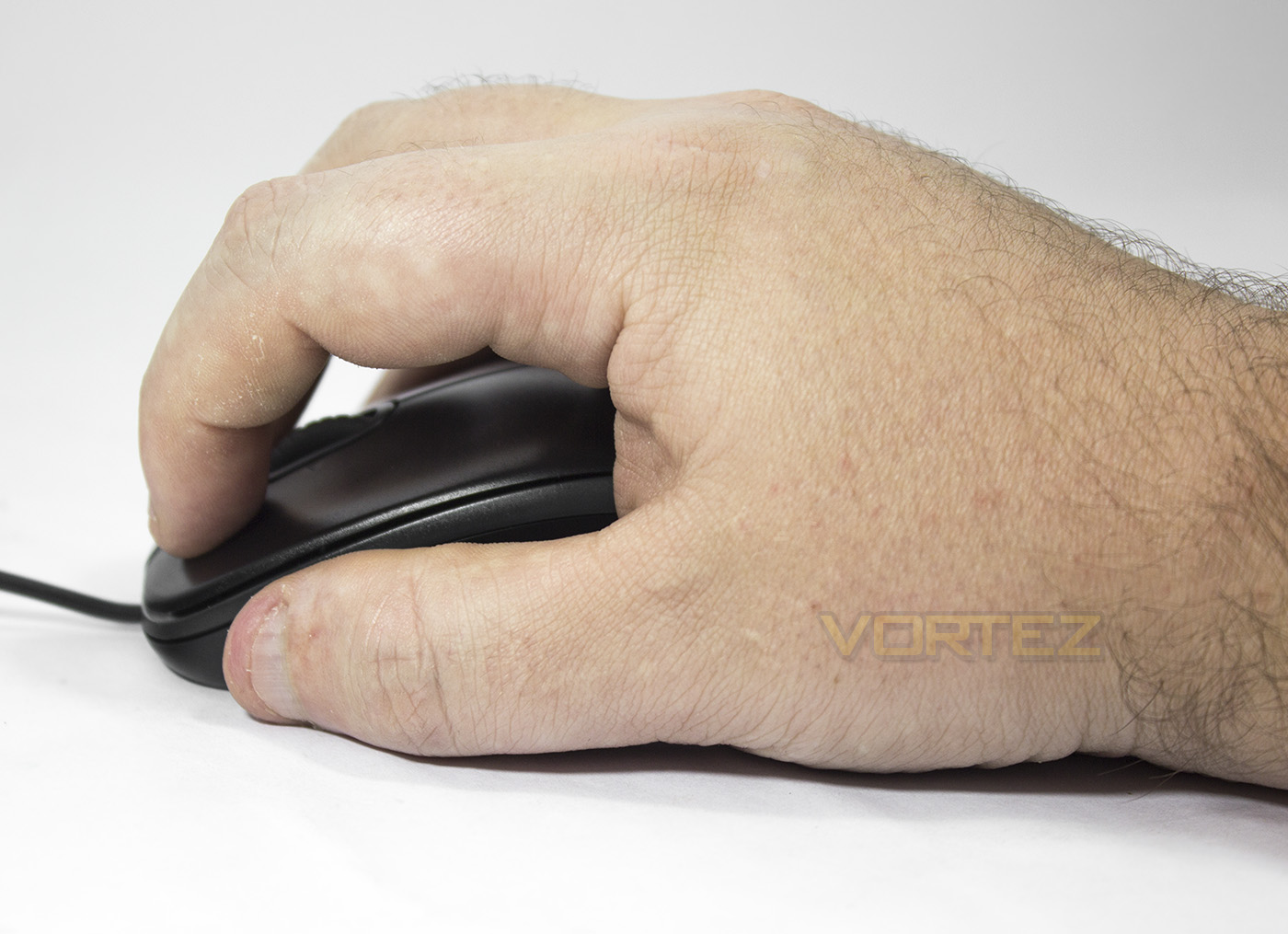
The Claw Grip
The Claw Grip has the fingers arched up, pushing the rear of the mouse into the base of your palm, thus having lower surface contact with the mouse. As demonstrated, this grip style is named after the claw like shape the hand adopts. The claw grip has become fairly common among pro-players in the esports scene as demonstrated here by EternaLEnVy and Dendi showing a claw grip, with Puppey using a palm grip in the background. This is due to the claw grip being able to provide more agile movement and a higher click rate.
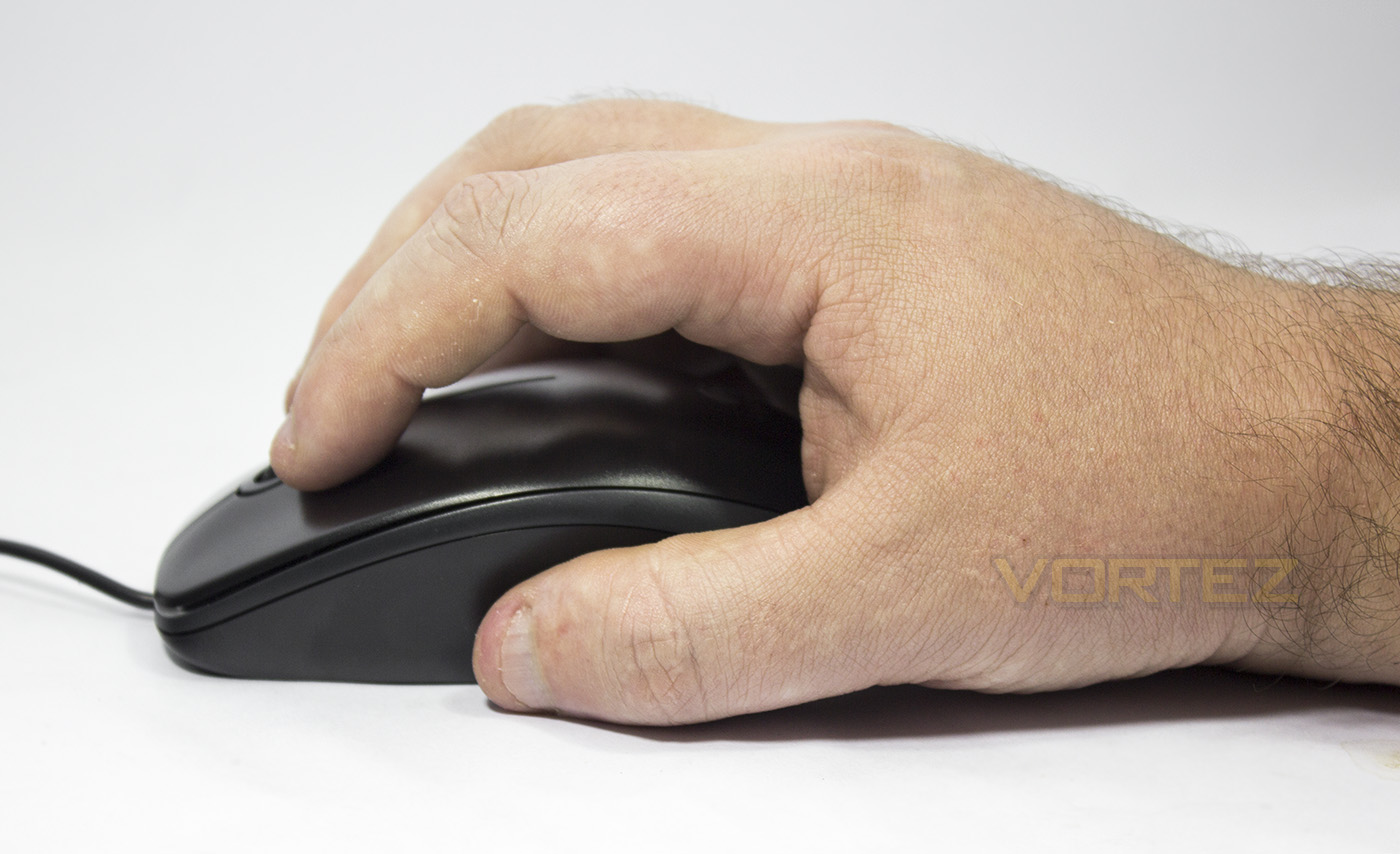
Finger Tip Grip
The tip grip is one of the rarest grip types and is notoriously difficult to master. Some may believe they are ‘tip grippers’ when they are merely a more centrally orientated claw gripper where the base of the palm doesn’t meet the mouse. The true fingertip grip uses the very tips of the fingers to hold and move the mouse while using high sensitivities. Tip grippers often benefit from high speed and accuracy once mastered, but that ‘mastered’ bit is often the reason why people give up with this particular grip style.
Certain games will benefit from different grip types and while it is best to stick with what you find comfortable, you only need to go to any click counter website to measure your click speed to notice that either your fingers will change towards a more claw-like position to increase click speed or your stubborn hand will start suffering some sort of fatigue from that full finger waggle. Though not all games require rapid clicks, especially where accuracy is more important. For example in CS:GO, you will see a variations of a palm, sometimes palm/claw hybrid being used along with low DPI settings and the whole arm resting on the desk with large and dynamic movements being employed (as seen here). So you may find your grip type vary between games, or you may simply have a preference, or your preference may simply have been dictated by the mouse you use.
Types of gaming mice…
Gaming mice have slowed developed to cater for various grip types and their associated game genres. Some may even disagree with their classification, and so most manufacturers tend to opt for fairly ‘safe’ designs that cater for most grip types.
Small sized mice – The Razer Orochi and Tt eSports Ventus R, are two good examples of small sized mice that are right up the street for finger tippers, though they aren’t necessarily exclusive for people that finger tip, those that expect a good handful when holding their mouse may find difficulties with as such.
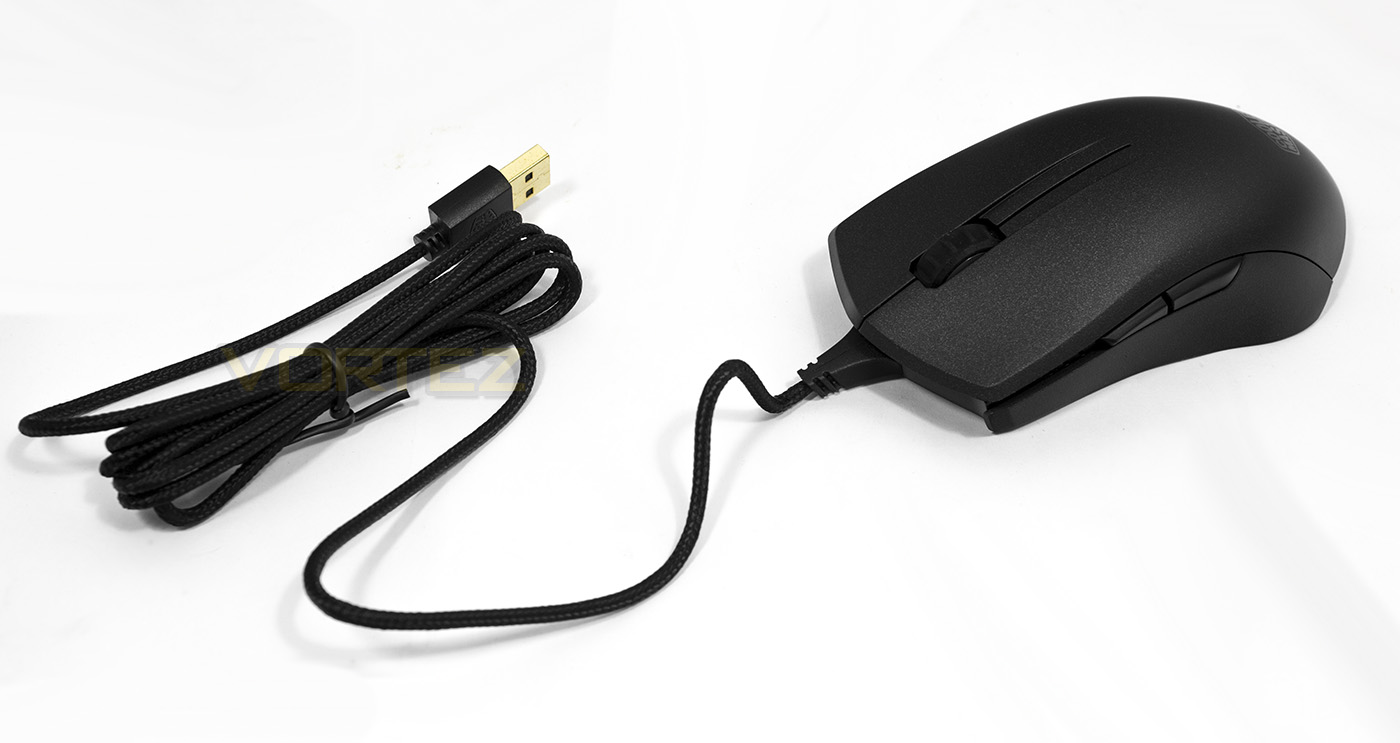
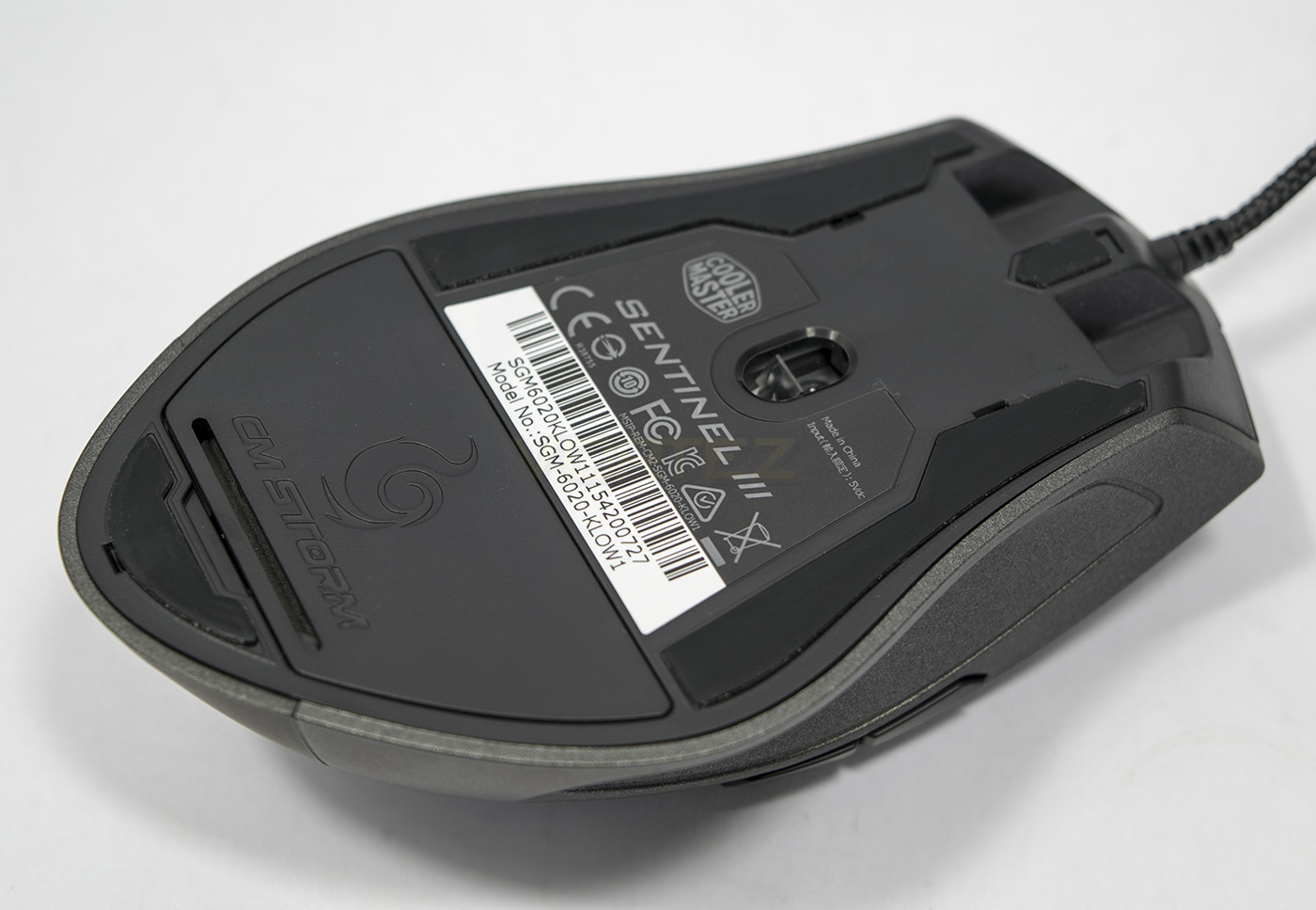
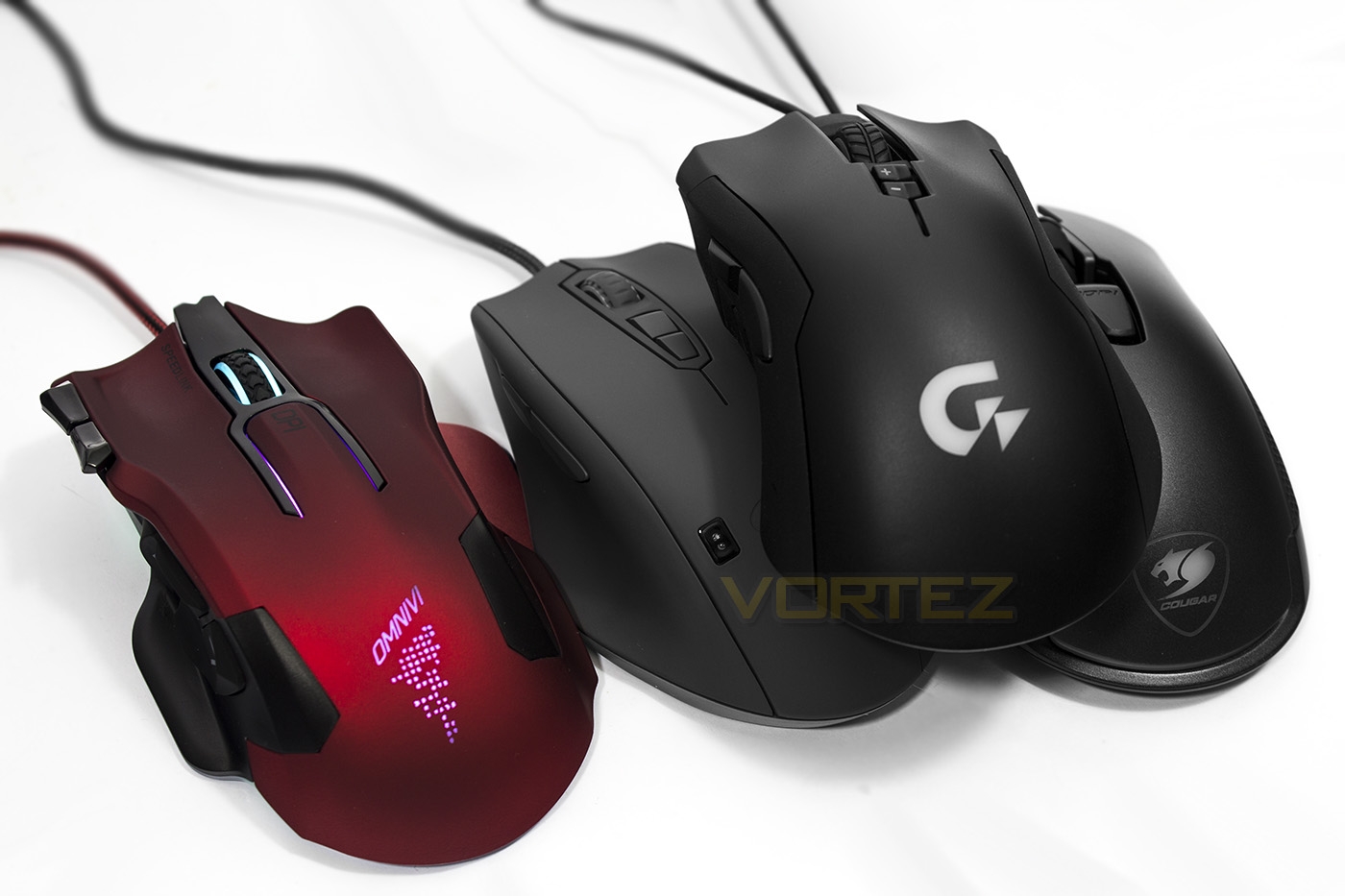
Mid-sized mice – The mainstay of safe design where one size fits all. Often they feature subtle designs for comfort, but the more extreme shapes tend to cater more for palm grips while the more neutral shapes tend to be better for all. Honourable mentions here would be the Razer DeathAdder being the best selling gaming mouse of all time. Though, you can also see the difference between something like a CM Sentinel and the more neutral shaped CM Mastermouse Pro L.
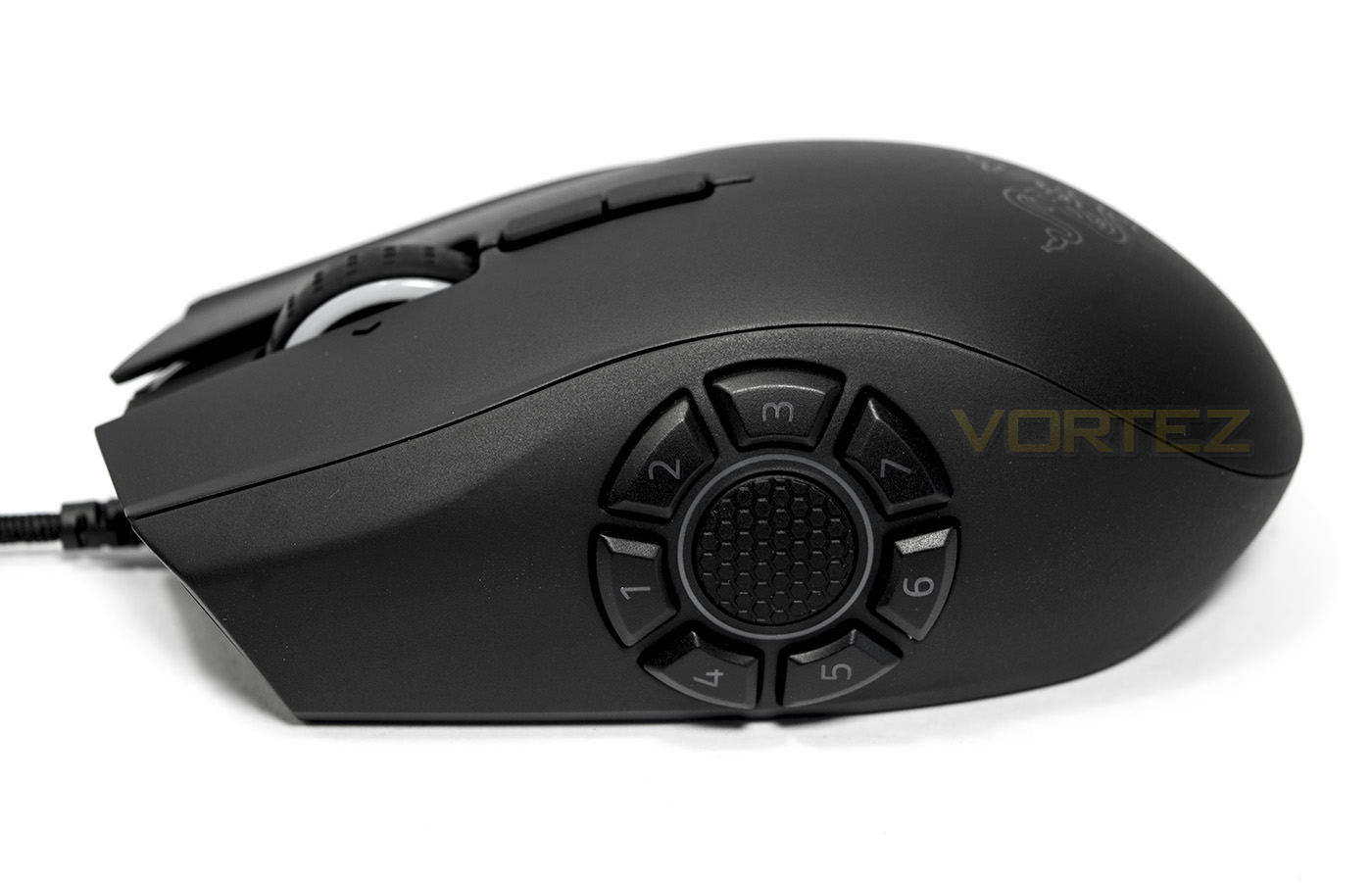
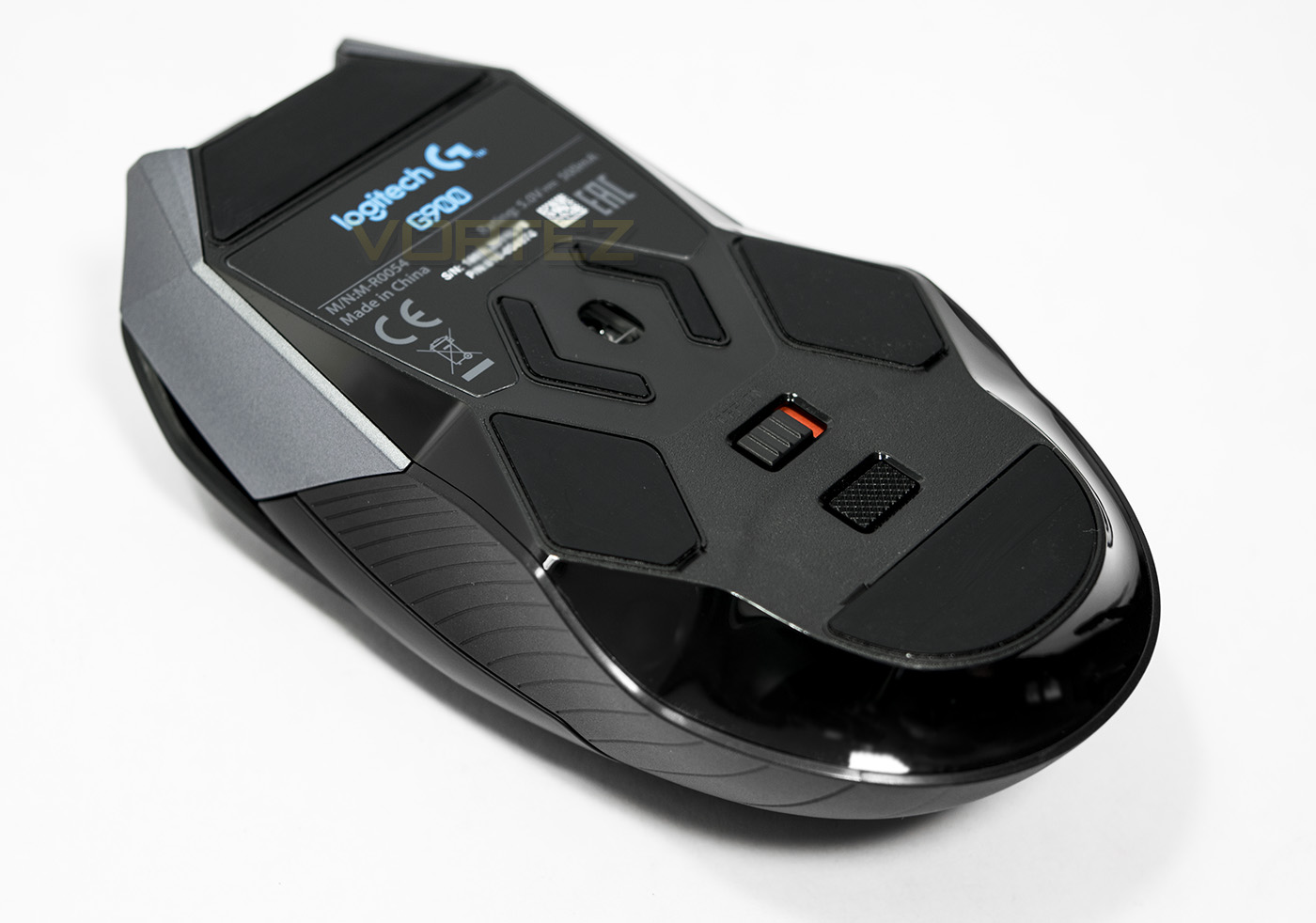
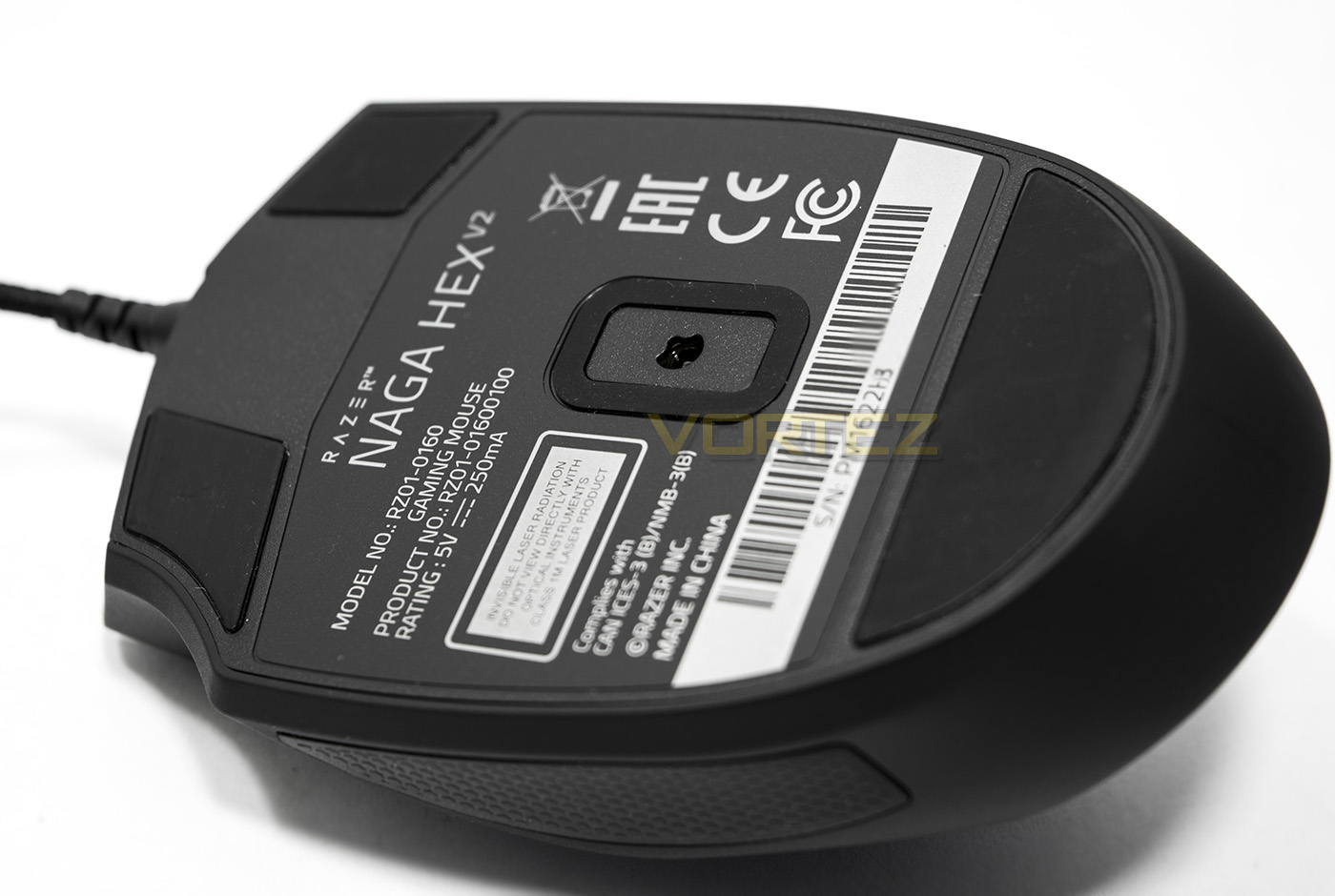
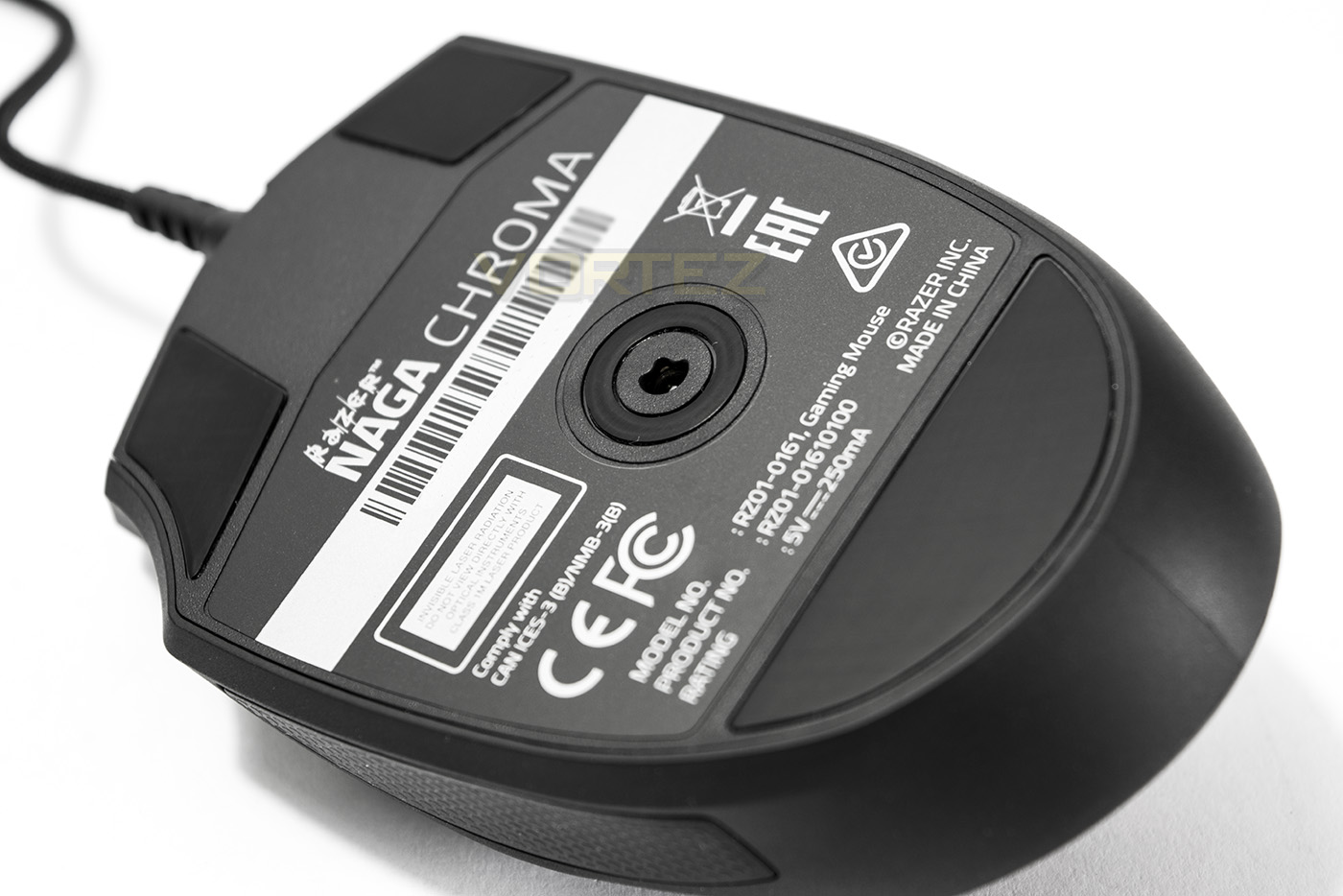
Large/MMO mice – This category has been one of the largest growing sub-groups of mouse types in recent years, starting with the Razer Naga, the Logitech G600, ROCCAT NYTH, Corsair Scimitar and the ASUS ROG SPATHA. Most of the larger mice tend to offer full palm grip support with additional ergonomics for the whole hand. Though some aren’t necessarily too heavy, or shaped too much as to limit use for the claw grip despite maybe a reduced accessibility to the multiple side buttons, finger tip grip however, is virtually ruled out due to size/weight. Some mice have tried to mix and match genres, such as the Razer Naga HEX which is a great mouse in its own right, but failed to tone down its size/weight and palm bias that could cause some discomfort for claw grippers (note the pointy rear end).
A mini conclusion
So whether you prefer one grip type over another or a mouse type to another, your preference can often depend on your preferred game type. As many gamers don’t tie themselves down to a specific genre, mid-sized, neutral-shaped mice are likely to be the firm favourite as they can pretty much do it all. The truth is, you are more likely to improve your performance through optimising your desktop seating/comfort and ergonomics than by consciously jumping between grip types that don’t come natural to you. Remember, if you are experiencing any form of shoulder or wrist pain, take a break and maybe see a doctor. Carpel Tunnel Syndrome is real and it effects many people and is often exacerbated by poor seating/desktop positioning and comfort. Having a correct setup will reduce fatigue and improve your game and health.
Precision and Responsiveness
It is fairly difficult to convey the responsiveness and precision of mice due to the complex nature of measuring the true arbitrary values and how they may are manipulated with onboard processing or software. Responsiveness can be effected by various things such as the sensor type, refresh/polling rate, but also by the connection interface (older/lower end systems can suffer from overloaded USB ports or USB interference), software/firmware, and what type of MCU (micro-controller unit) is being used. Mice that feature a micro-controller can sometimes muddy the water as they can potentially have a positive or negative effect depending on how fast it can calculate or predict the motion being input. Though, in most scenarios, mice using the same sensor tend to perform within a fair margin of each other. Though there are times this can be called into question depending on how various aspects surrounding the sensor are implemented (firmeware/software/MCU.There are some other observable issues that can be easier to explain in a visual manner.
Stutter
This is often caused by a faulty MCU, firmware and/or USB interference. What happens is, there are random lockups/freezes in the reporting of the mouse causing stuttering. This can range from mild to extreme and is usually a sign of a faulty mouse, or a bug within the firmware.
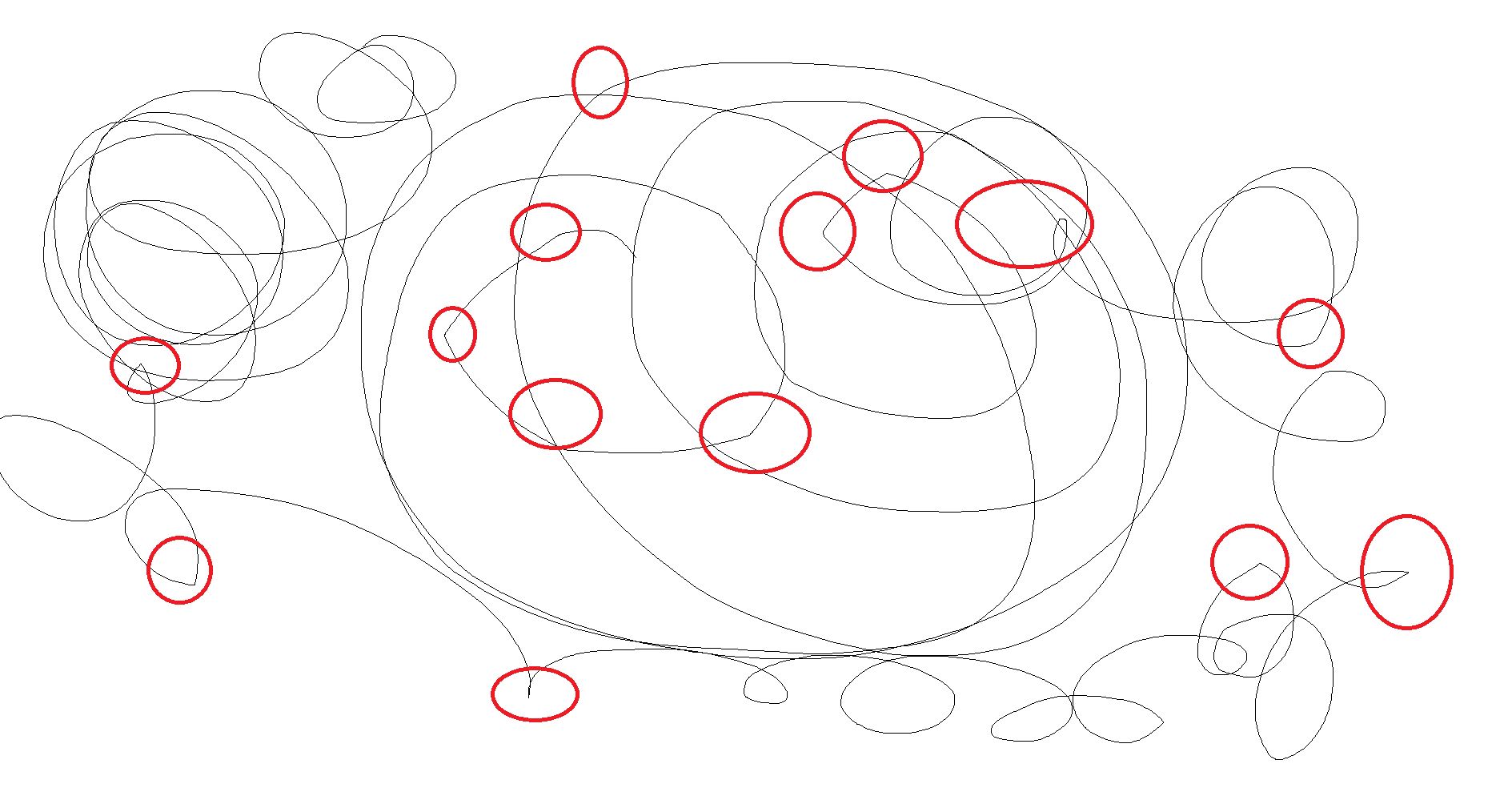
This image displays a fairly mild stutter which was caused a buggy pre-release firmware where the memory cache of the mouse’s MCU wasn’t dumping/refreshing correctly. By scribbling circles in MS Paint, the point when there was a stutter/freeze you can notice an angular/ unnatural change in direction (there are more instances observed than highlighted, but the point remains the same).
Jitter
Jitter is something we have been looking at a fair bit and any FPS fan may experience the jitters at some point once they pick up that sniper rifle. Why did the mouse move up a pixel, or even worse, LEFT when you moved right? So what is Jitter? The best thing to compare it to would be ‘noise’ in photography. Let’s assume that you wish to draw a line from left to right, the sensor will effectively try to predict the best line of travel from A to B. Along the way, the sensor will pick up imperfections in the travel either because the sensor is either too sensitive, or not sensitive enough, and thus it will then fill in the difference by choosing which pixel next best represents the most likely path. An increase in sensitivity may cause an increase in ‘noise’ causing the mouse cursor to jump in an undesired direction and is often visualised by ‘staircasing’ in MS Paint. A small amount of jitter can be expected in most sensors and it tends to increase with a higher resolution (DPI), especially if the sensor is interpolated (a method to expand the DPI artificially).
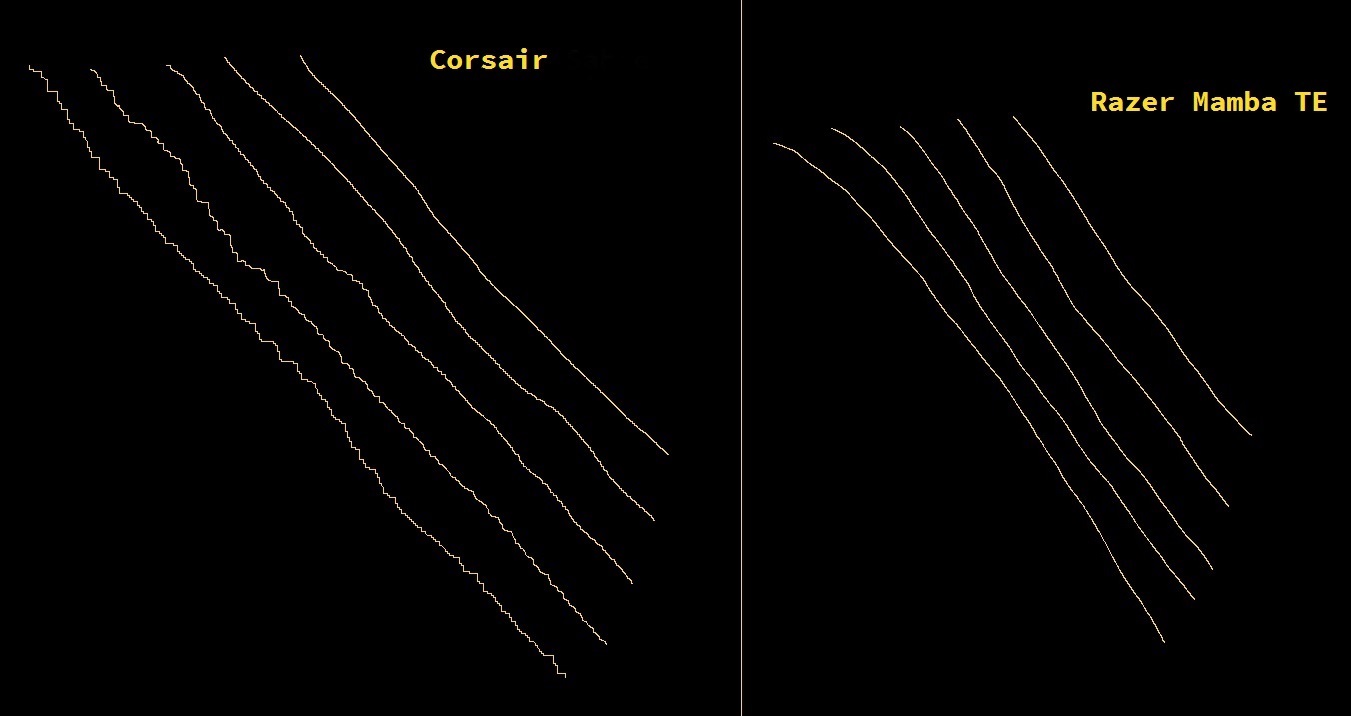
This image here shows a side by side comparison of a Corsair mouse that was experiencing a problem with its interpolation vs the Razer Mamba TE. From left to right the DPI settings were each at 9000/6000/4000/1800/800. For the faulty Corsair mouse, the reasonable level of jitter would be from 4000DPI and less, though ideally, none at all is preferred. It is worth mentioning that jitter can have a much stronger effect on low resolution screens where movement from pixel to pixel would be much more noticeable as there would be an amplification of the inaccuracy caused by the jitter.
Jitter isn’t only a sensor specific issue, but can also be caused by the sensor lens, the MCU, the firmware/software drivers and overall implementation. A good example of this would be the comparison of the recently viewed Cooler Master Mastermouse PRO L and the Speedlink OMNIVI, both of which are using the Pixart 3360 optical sensor.
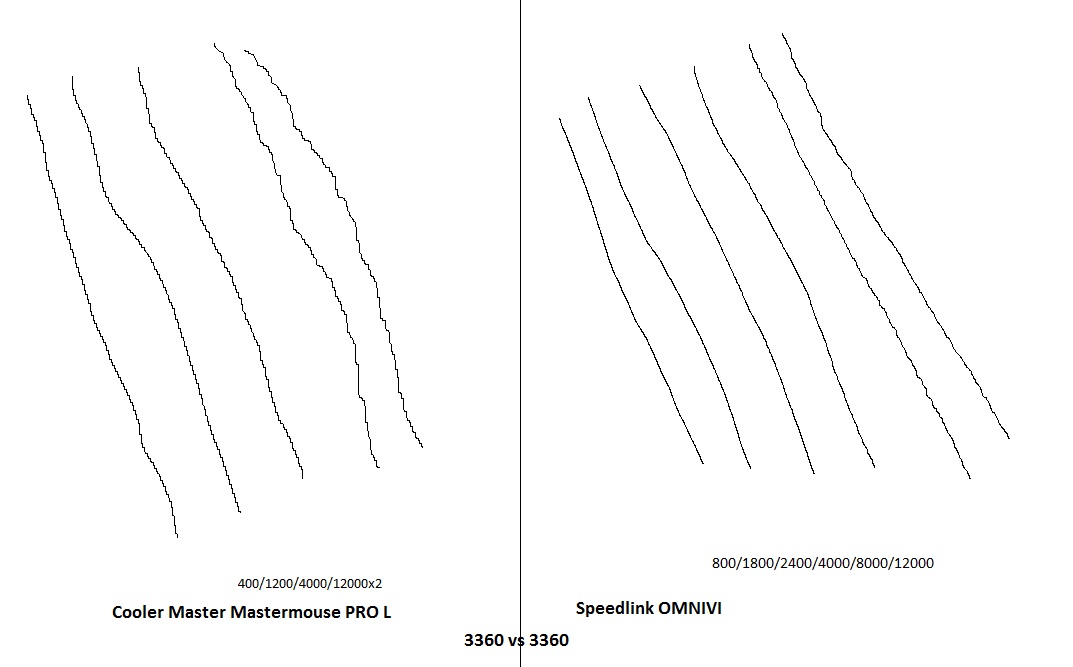
As you can see, the CM MM PRO L features a steady amount of jitter throughout its entire DPI range, getting rather unreasonable at 12K DPI, while the Speedlink OMNIVI that features the same sensor only starts displaying a small amount of jitter at its maximum DPI and so judging a mouse on sensor alone isn’t always the best idea.
There are some other problems that mice experience such as ‘lag’ which is often caused by a system with saturated memory, or a game that isn’t dumping memory properly, though if there is no explainable cause for it, then the mouse is likely just faulty.
Sensor Types
There are two main types of sensors in use today, each using a similar kind of technology. They shine a light and track the movement. Some use laser others use LEDs. Lasers are renowned for their high precision, high acceleration, and often have the advantage of being able to track no matter the surface. LEDs (often referred to as optical) historically struggled on various surfaces and often moved rather sluggishly. People often debate which is better between laser and optical sensors, but the truth is, lasers have a technical advantage, but tend to be too much for the needs of a mouse and suffer from ‘hardware acceleration’ which translates to ‘the faster you move your mouse, the farther the cursor will travel’. Even when you manually set acceleration to be OFF on your laser mouse, there is still around 5% acceleration in effect, while optical sensors can have 0 acceleration, providing higher reliability, predictability and in-game accuracy. Optical sensors also have come leaps and bounds in that past few years with the 3360/3366 sensors leading the way, it seems laser sensors may take a backseat for a while with exception to the Phillips TwinEye lasers used by Razer.
Regardless of sensor type, both kinds can suffer from the above listed problems.
Motion and Sensor positioning
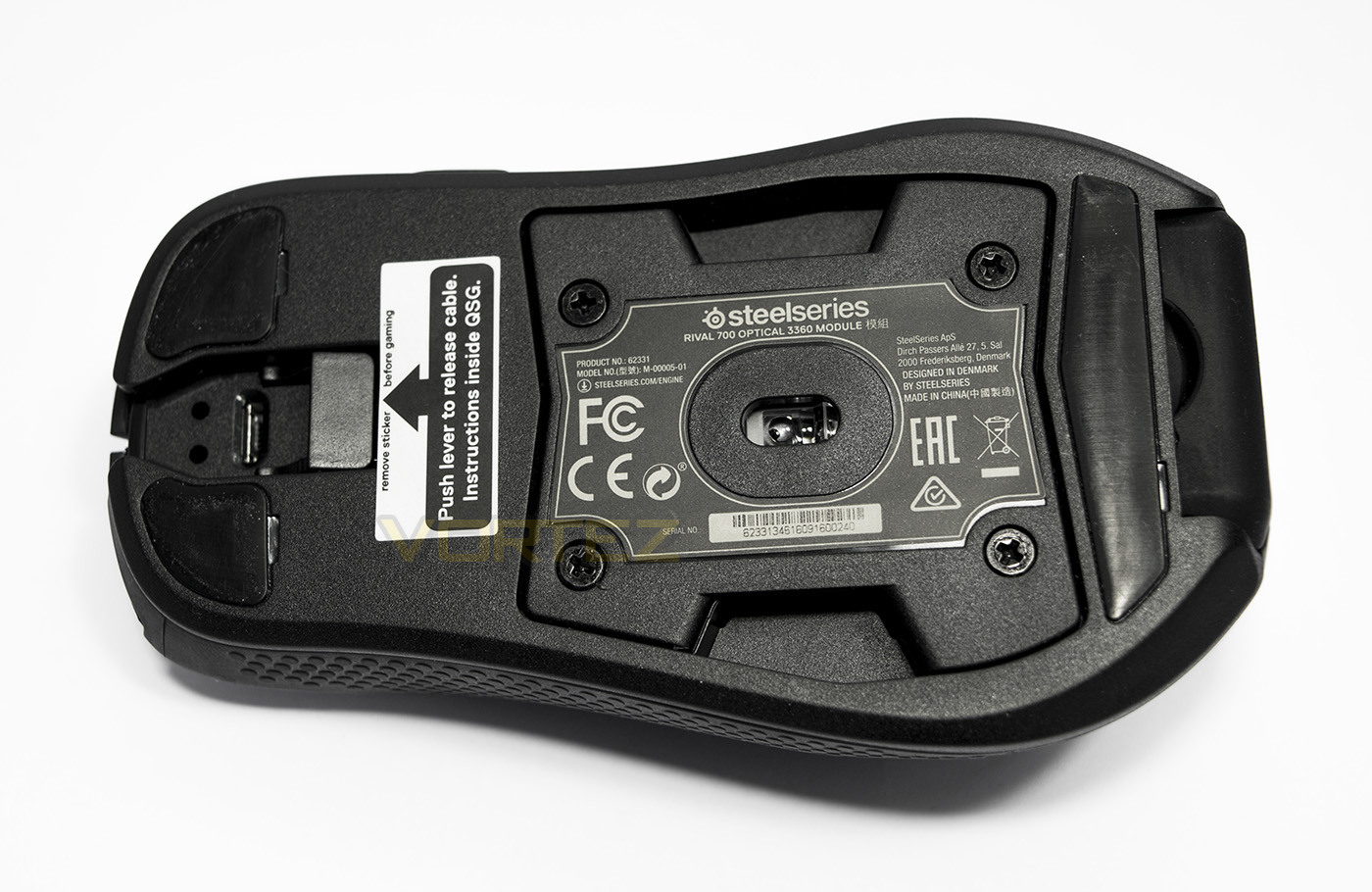
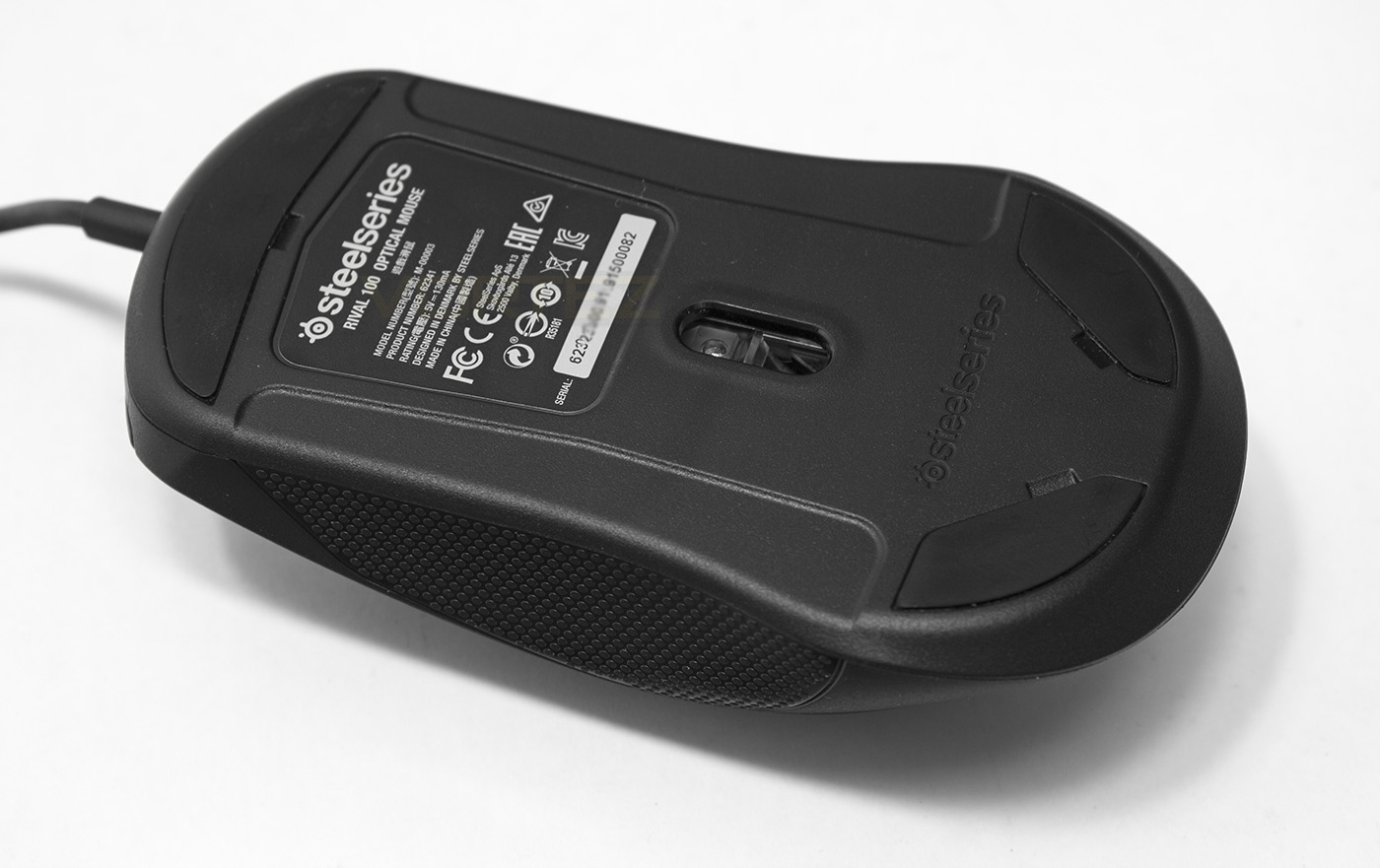
One of the more complex aspects of mouse design regards motion and sensor positioning. There are various aspects about a mouse that can effect motion and tracking, includes base stability, PTFE slip pad shape and positioning, how narrow/wide the base is compared to the rest of the mouse, as well as weight distribution. An unstable base can cause a particular side of the mouse to lift, or an unsymmetrical pad layout can cause increased/decreased drag in certain locations of the mouse.
Weight is something that many people focus on, and though many people prefer lighter mice (80-110g) as they are easier to move around, I personally argue more for the case of a balanced weight distribution. This is because a well balanced mouse can feel just as good as a lighter mouse, and this is one of the main reasons why I dislike ‘adjustable’ weight systems due to the imbalance they usually have. This unbalanced mouse can cause several problems such as ‘unreliable’ lifts, where the heavy side may drop causing undesired effects. Also, a rear heavy mouse can also suffer from various motion problems due to increased drag. Palm grippers tend to have a much better time with heavier, or unbalanced mice, but claw grippers and finger tippers could potentially suffer greatly as their grip style may allow the mouse to move in a more unpredictable way.
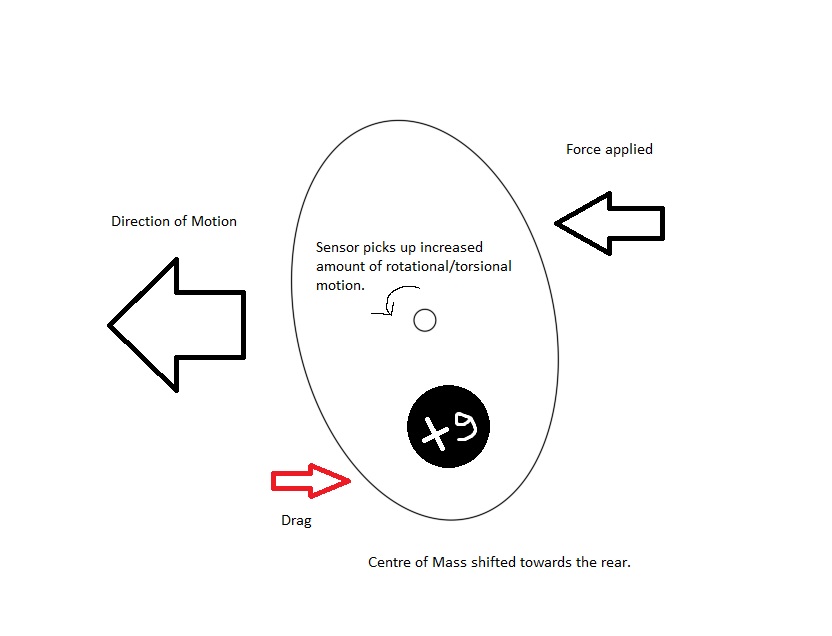
Fig 1. Displaying a possible shearing effect due to the weight imbalance of a mouse.
The sensor position can effect the type of motion picked up also. Generally speaking, the sensor should be positioned central to the mouse shell, though depending on which grip type the mouse caters for, can determine whether or not it is worth adjusting the sensor position.
If a sensor is positioned more towards the front of the mouse, there is an increase in the tracked distance travelled over the same absolute distance the mouse has moved. While if the sensor is positioned more towards the rear, there is a decrease/slowdown.
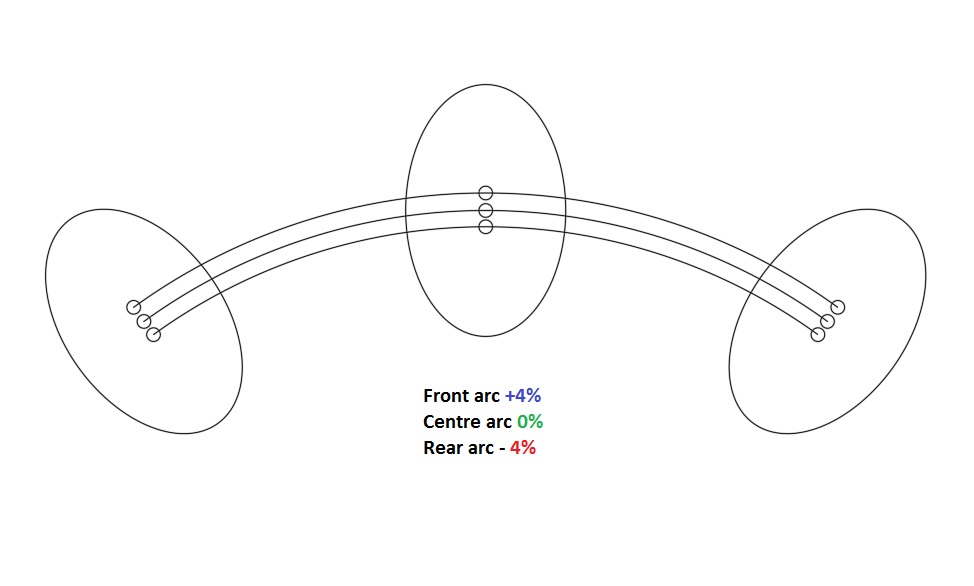
Fig 2. By moving the sensor position forward, or backward can increase/decrease the speed of the mouse.
Now if we consider different grip styles, we could assume that the pivot in Fig 2. is the elbow (technically the elbow is a fulcrum but lets keep this simple eh?), however many people use the movement in their wrist, resulting in a tighter circle thus a greater amount of rotation applied to the sensor.

Fig 3. Depending on how you move the mouse, you can increase/decrease the rotational motion applied to the sensor.
Examples of mice with a rear bias sensor: 1, 2
Examples of mice with a front bias sensor: 1, 2
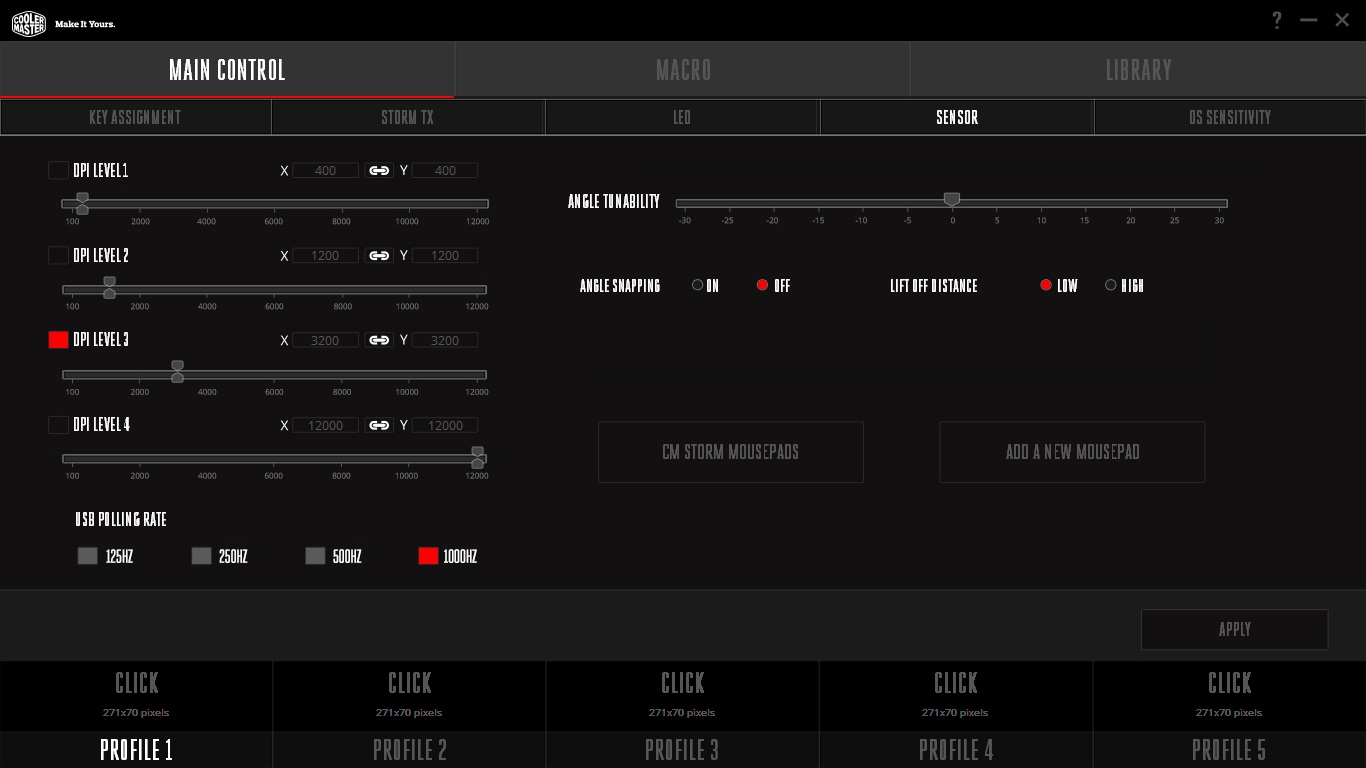
These diagrams are an exaggeration upon the real motions that take place (they are not exactly circular for one, and for two, people often compensate with various smaller adjustments), though the effects can still cause considerable variations within how the mouse behaves in relation to how one grips and uses the mouse. Many manufacturers create software algorithms that can compensate for the motion. It is, however, more likely that many experience a raw 1:1 input, and in that case, it is worth considering each scenario when choosing what mouse to use, and how you grip it. Another consideration worth mentioning is the angle at which you grip the mouse. Many manufacturers allow you to compensate for this in the software drivers as we recently saw with Cooler Master. This is particularly handy because, unless you have an absolute palm grip, it is unlikely people will be able to comfortably grip a mouse with perfect alignment, this is due to different hand sizes/ preferences. I for example, naturally use a claw grip with a -15 degree angle.
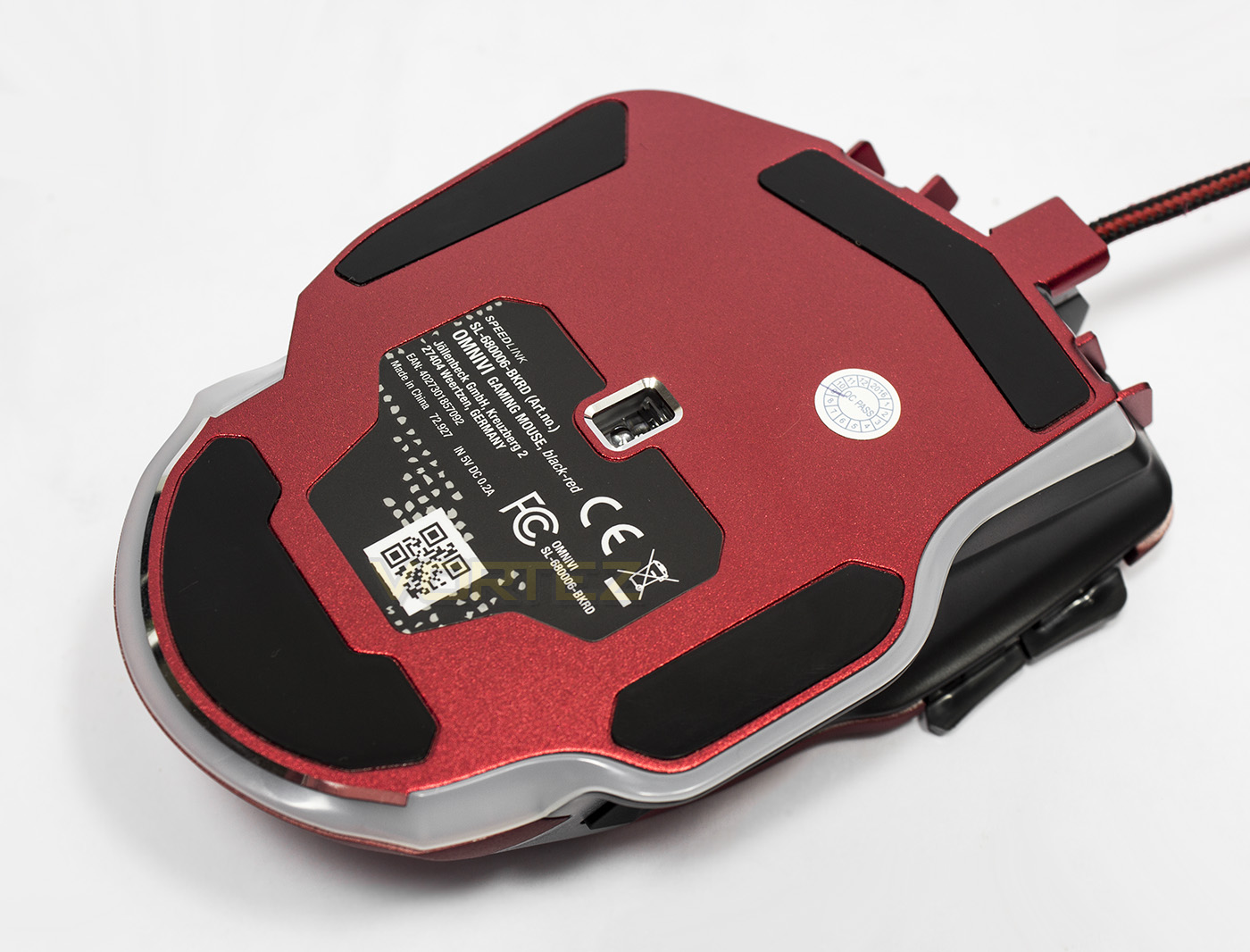
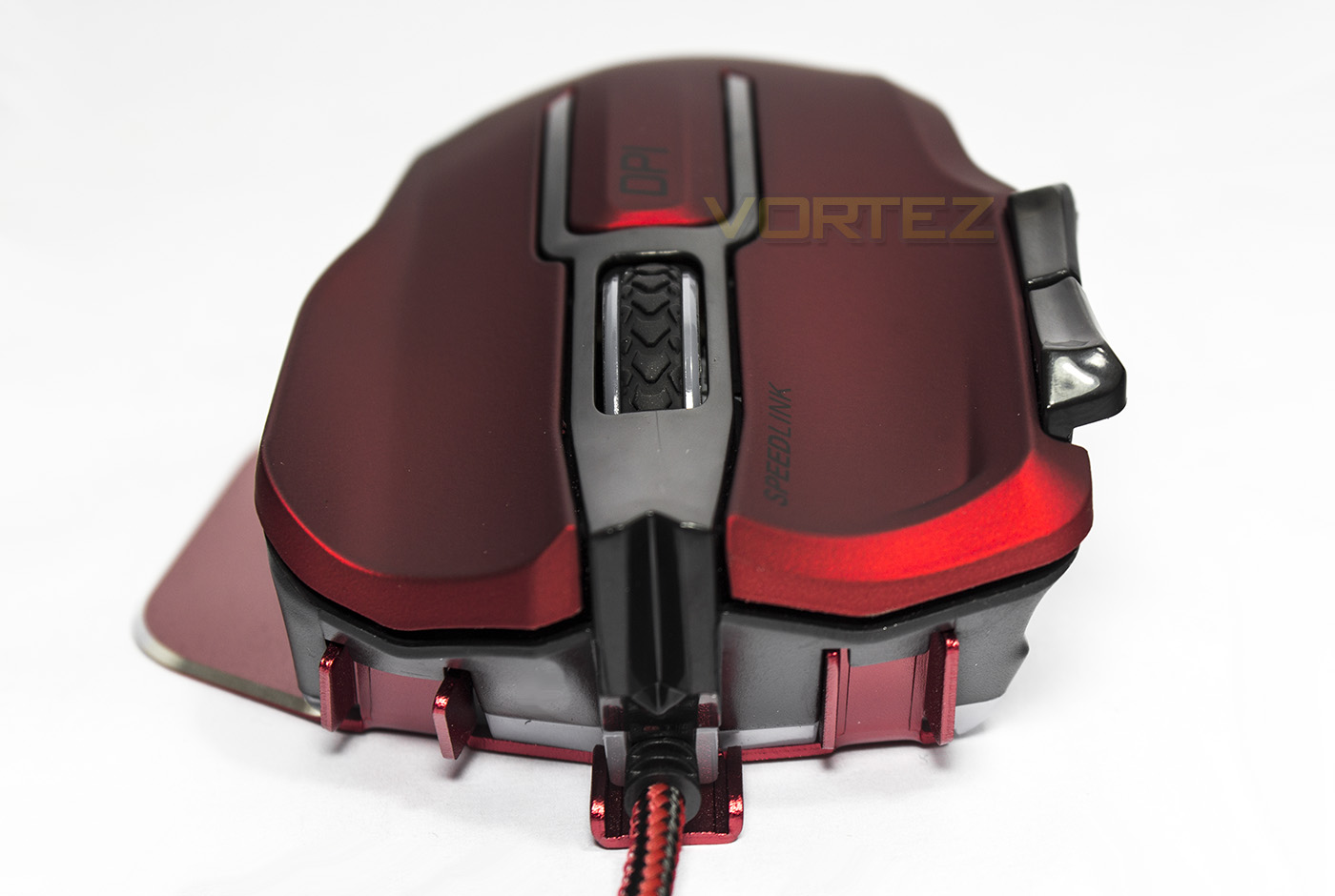
So, what happens if the sensor is positioned left or right of the central line? The answer is, rather than rotational/torsional motion, the result is added circular (sometimes referred to as radial) motion. The interesting thing is that the positioning of the sensor is about understanding grips, and Razer display a good understanding of this, see 1, 2. Initially it will look like that the sensor is not aligned correctly to the centre point. Though considering how the mouse is gripped, the sensor is actually positioned centrally to the main body of the mouse and how it would be gripped. The ergonomics do not interfere with how the person gripping the mouse will use and move the mouse. Unlike what is seen here with the Speedlink OMNIVI where the sensor is positioned central to the base. It is when you see the OMNIVI from the face on, you recognise that he base of the mouse itself has no substance to the actual body that is being gripped. The result?
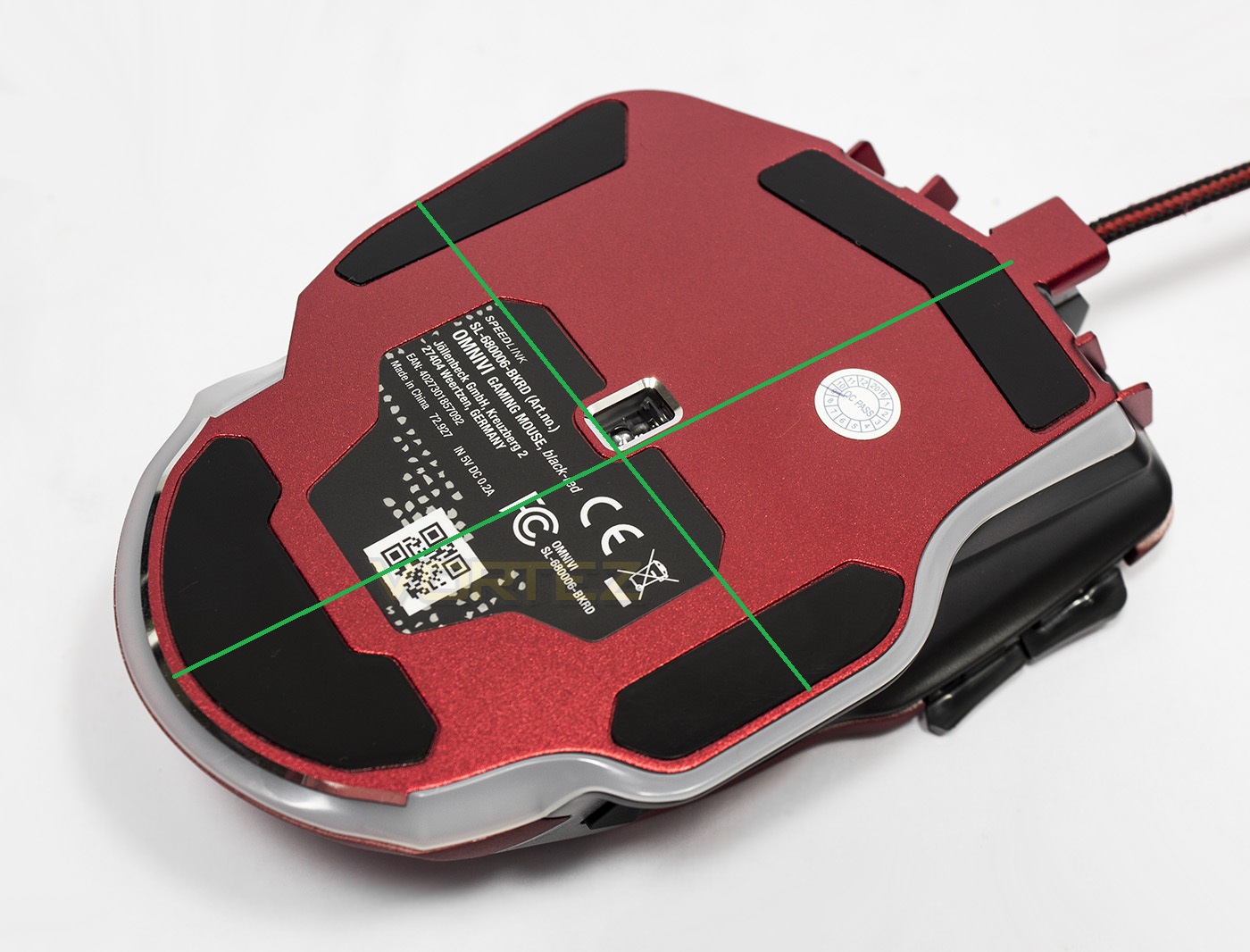
The sensor is slightly off centre…
Generally speaking, motion would be proportional if people moved in perfect circles and arcs and so the effects of this may not appear too detrimental. However, the combined circular and rotational motion on top of any grip style variances seems to have a fairly noticeable effect in game. The best way to envision this would be to spin the mouse on the spot. A mouse with a centrally positioned sensor would result in the cursor staying roughly in the same area, while an off centre mounted sensor would result in a wider circular movement.
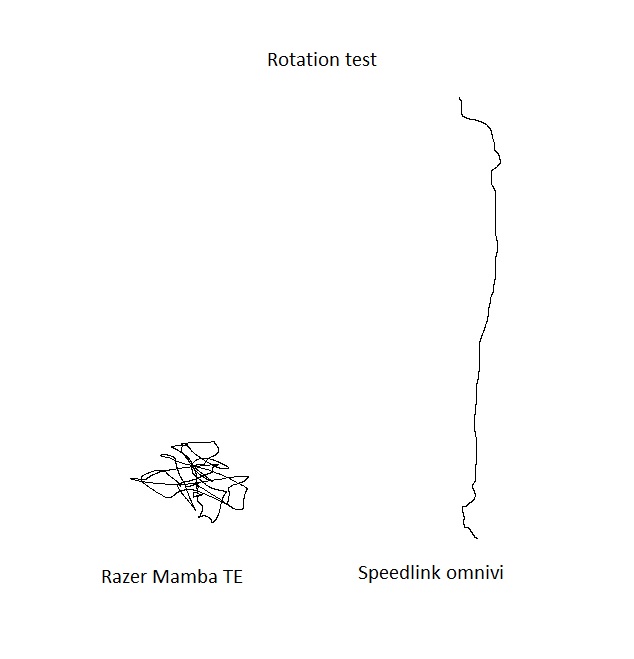
The rotation Test
First up, the Razer Mamba TE which has the sensor mounted centrally, we rotated it 90 degrees to the left and the cursor generally stayed around the same location. Putting the OMNIVI through the same test we discovered an interesting result. It started from the bottom and just shot straight up while we were rotating the mouse on the spot. This could be due to some form of integrated software/firmware performance setting compensating for the rotational motion as discussed, though this reaction sheds light as to why we felt the motion/tracking was strange in testing.
Conclusion
Mice are a very personal thing, it is your hand in the 2D digital realm. As VR, AR and holograms are rapidly developing, it won’t be much longer before the ultimate 3D navigation tool is perfected. Until then, the mouse is going to be your best friend for navigating the digital world. Understanding your grip type along with the type of mouse you have and the motion it is subjected to, you can get a greater appreciation of how complex they are and how smart the people that make and design them are, or aren’t. Using this information, we hope that you are now in a better position to optimise your performance. Just remember, the best grip is the one you are most comfortable with. As to the best mouse, that is another matter.
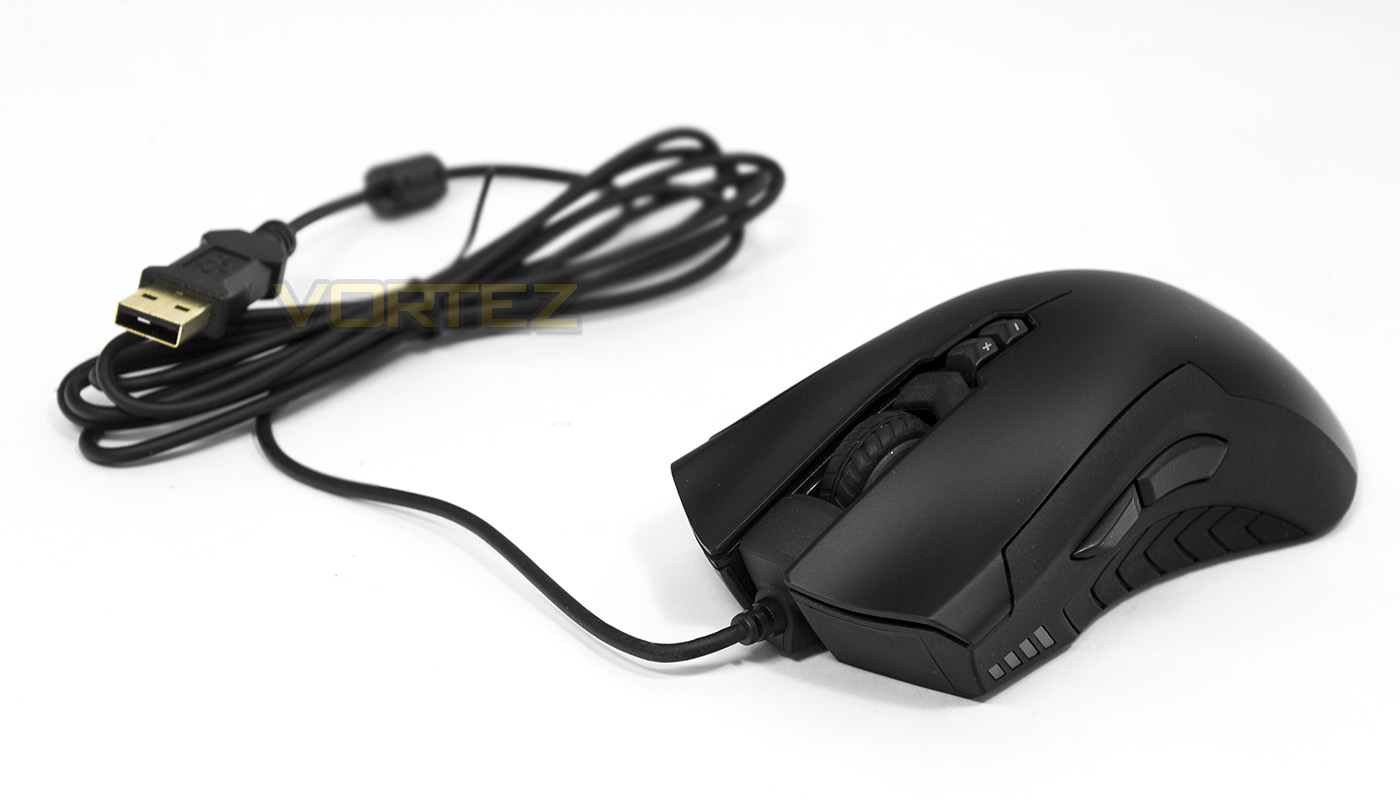
As of late 2016, we have had a look at many fantastic mice and we have many more to come. Sure we have some personal favourites, but the most surprising this year (at the time of writing) has to be the XM300 from GIGABYTE. It’s shape is suitable for all grip types, its performance is flawless and it is fairly cheap too. For the majority of people, I wouldn’t hesitate to recommend it, and for those looking, it should act as a point of reference for value. So make sure it is in your shortlist.
For more reviews of gaming mice check out our peripherals section here.