Powered by an Intel Core i7 9700K and a ray-tracing enabled NVIDIA RTX 2070, the Vulcan PBA from PC Specialist aims to deliver excellent gaming performance.

Product on Review: PC Specialist Vulcan PBA
Manufacturer: PC Specialist
Street Price: £1,649.00
In an increasingly confusing world within the PC sector, many people still turn to system integrators to rely on their experience, professional build quality and possibly most importantly, their warranty support. PC Specialist are a system integrator specialising in laptops and pre-built computers and have been doing so since 2003. We’ve visited a couple of their laptops in the past year or two, but it’s been over 5 years since we reviewed a system. Based on that, today we look at the PC Specialist Vulcan PBA (Powered by ASUS).
The Vulcan is packed with current-gen components including an Intel Core i7 9700K processor, 16GB of memory, aftermarket cooling solutions and an ASUS ROG Z390 motherboard to give plenty of overclocking potential.
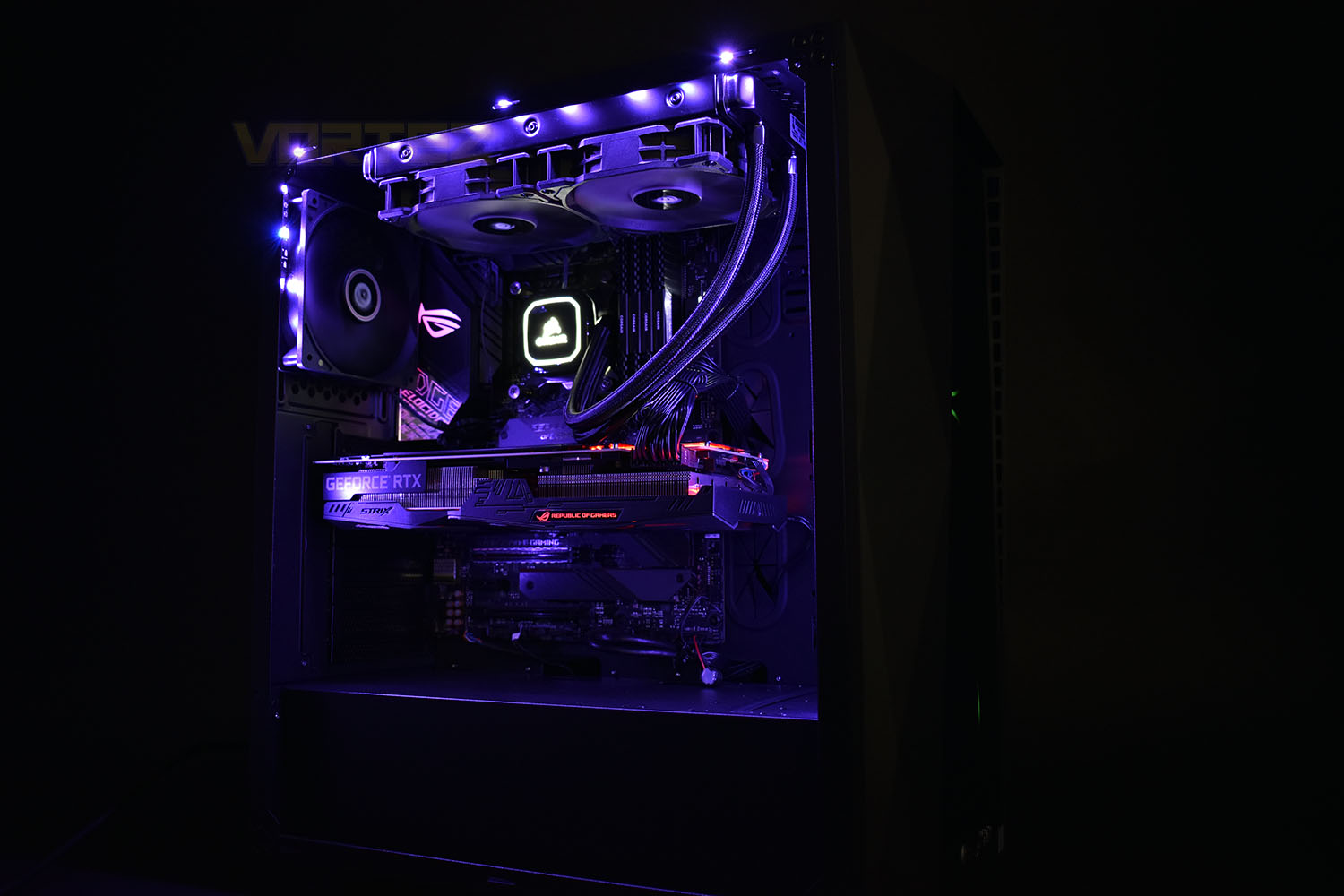
Of course, in 2019, the biggest talk has surrounded real-time ray-tracing in games; the Vulcan happily supports this with the NVIDIA GeForce ASUS ROG RTX 2070 graphics card, rocking 2304 CUDA cores at 1620MHz and a huge 8GB of the latest GDDR6 memory.
Providing the fast storage is a 500GB Samsung 970 EVO Plus NVMe M.2 drive, with a 2TB Seagate Barracude 7200RPM drive backing that up for larger files which require less urgency.
All of those components are locked away inside a Solleron SR-628BG chassis – not the catchiest of titles – which sports a trio of fans on the front, an acrylic side window and a PSU shroud at the bottom to keep things neat and tidy.
Technical Specifications
Case: PCS SR-628B RGB GAMING CASE
Overclocked CPU: Overclocked Intel® Core™ i7-9700K Eight Core (3.60GHz @ up to 5.0GHz)
Motherboard: ASUS® ROG STRIX Z390-E GAMING: ATX, LGA1151, USB 3.1, SATA 6GBs, WIFI -RGB Ready
Memory (RAM): 16GB Corsair VENGEANCE DDR4 3000MHz (4 x 4GB)
Graphics Card: 8GB ASUS ROG STRIX GEFORCE RTX 2070 – HDMI, DP
1st Storage Drive: 2TB SEAGATE BARRACUDA SATA-III 3.5″ HDD, 6GB/s, 7200RPM, 256MB CACHE
1st M.2 SSD Drive: 500GB SAMSUNG 970 EVO PLUS M.2, PCIe NVMe (up to 3500MB/R, 3200MB/W)
DVD/BLU-RAY Drive: NOT REQUIRED
Power Supply: CORSAIR 650W TXm SERIES™ SEMI-MODULAR 80 PLUS® GOLD, ULTRA QUIET
Power Cable: 1 x 1 Metre UK Power Cable (Kettle Lead)
Processor Cooling: Corsair H100x Hydro Series High Performance CPU Cooler
Thermal Paste: STANDARD THERMAL PASTE FOR SUFFICIENT COOLING
LED Lighting: 2x 50cm RGB LED Strip
Sound Card: ONBOARD 6 CHANNEL (5.1) HIGH DEF AUDIO (AS STANDARD)
Wireless/Wired Networking: 10/100/1000 GIGABIT LAN PORT (Wi-Fi NOT INCLUDED)
USB/Thunderbolt Options: MIN. 2 x USB 3.0 & 2 x USB 2.0 PORTS @ BACK PANEL + MIN. 2 FRONT PORTS
Operating System: Genuine Windows 10 Home 64 Bit – inc. Single Licence [KUK-00001]
Operating System Language: United Kingdom – English Language
Windows Recovery Media: Windows 10 Multi-Language Recovery Image – Unlimited Downloads from Online Account
Office Software: FREE 30 Day Trial of Microsoft® Office® 365 (Operating System Required)
Anti-Virus: BullGuard™ Internet Security – Free 90 Day License inc. Gamer Mode
Browser: Microsoft® Edge (Windows 10 Only)
Warranty: 3 Year Standard Warranty (1 Month Collect & Return, 1 Year Parts, 3 Year Labour)
Delivery: STANDARD INSURED DELIVERY TO UK MAINLAND (MON-FRI)
Build Time: Standard Build – Approximately 6 to 8 working days
Overclocked CPU: Overclocked Intel® Core™ i7-9700K Eight Core (3.60GHz @ up to 5.0GHz)
Motherboard: ASUS® ROG STRIX Z390-E GAMING: ATX, LGA1151, USB 3.1, SATA 6GBs, WIFI -RGB Ready
Memory (RAM): 16GB Corsair VENGEANCE DDR4 3000MHz (4 x 4GB)
Graphics Card: 8GB ASUS ROG STRIX GEFORCE RTX 2070 – HDMI, DP
1st Storage Drive: 2TB SEAGATE BARRACUDA SATA-III 3.5″ HDD, 6GB/s, 7200RPM, 256MB CACHE
1st M.2 SSD Drive: 500GB SAMSUNG 970 EVO PLUS M.2, PCIe NVMe (up to 3500MB/R, 3200MB/W)
DVD/BLU-RAY Drive: NOT REQUIRED
Power Supply: CORSAIR 650W TXm SERIES™ SEMI-MODULAR 80 PLUS® GOLD, ULTRA QUIET
Power Cable: 1 x 1 Metre UK Power Cable (Kettle Lead)
Processor Cooling: Corsair H100x Hydro Series High Performance CPU Cooler
Thermal Paste: STANDARD THERMAL PASTE FOR SUFFICIENT COOLING
LED Lighting: 2x 50cm RGB LED Strip
Sound Card: ONBOARD 6 CHANNEL (5.1) HIGH DEF AUDIO (AS STANDARD)
Wireless/Wired Networking: 10/100/1000 GIGABIT LAN PORT (Wi-Fi NOT INCLUDED)
USB/Thunderbolt Options: MIN. 2 x USB 3.0 & 2 x USB 2.0 PORTS @ BACK PANEL + MIN. 2 FRONT PORTS
Operating System: Genuine Windows 10 Home 64 Bit – inc. Single Licence [KUK-00001]
Operating System Language: United Kingdom – English Language
Windows Recovery Media: Windows 10 Multi-Language Recovery Image – Unlimited Downloads from Online Account
Office Software: FREE 30 Day Trial of Microsoft® Office® 365 (Operating System Required)
Anti-Virus: BullGuard™ Internet Security – Free 90 Day License inc. Gamer Mode
Browser: Microsoft® Edge (Windows 10 Only)
Warranty: 3 Year Standard Warranty (1 Month Collect & Return, 1 Year Parts, 3 Year Labour)
Delivery: STANDARD INSURED DELIVERY TO UK MAINLAND (MON-FRI)
Build Time: Standard Build – Approximately 6 to 8 working days
Packaging & Bundle
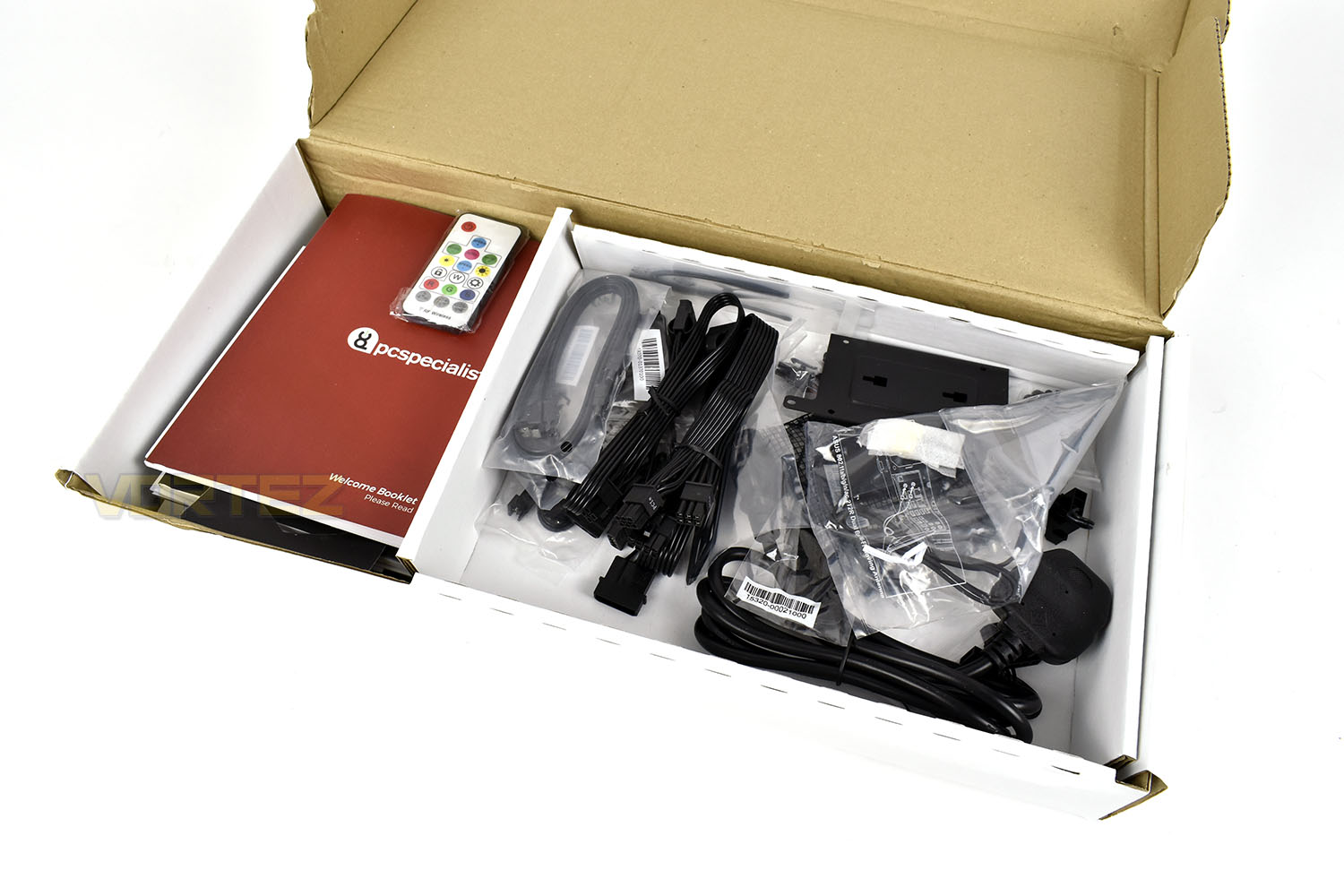
Delivered by DPD, who in our experience are one of the best and most reliable couriers in the UK, the Vulcan system arrives in a sturdy box with solid carrying handles on the side. The box weighs around 20kg so be sure to get someone to help you move this if you’re not confident with heavy items.Inside the package, the Vulcan system is secured by large foam blocks which prevent any movement inside the box.

Alongside the computer is a Welcome Pack. While our box says “Review System”, we can confirm that all customers will be treat the same way.
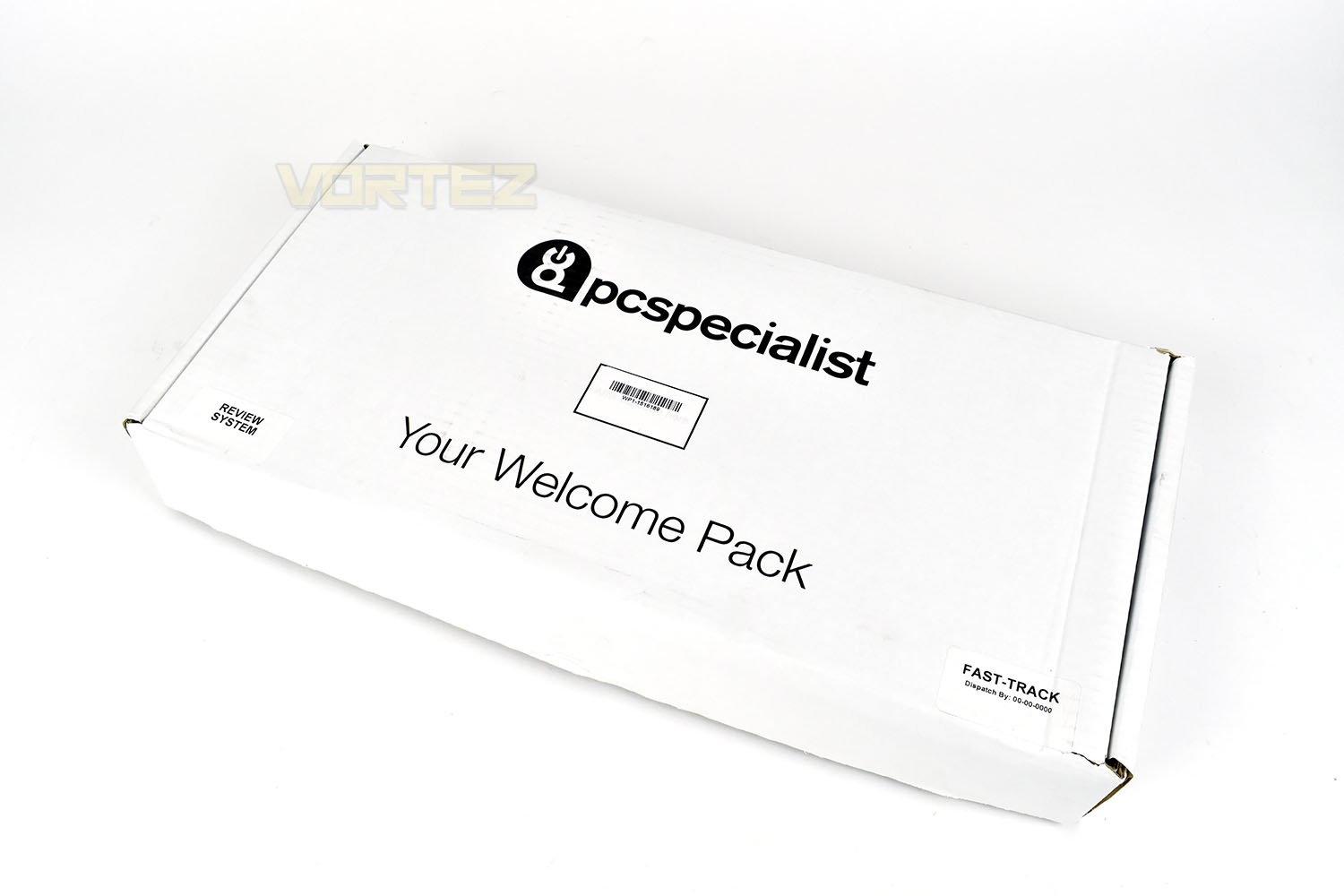
Inside the Welcome Pack are all of the installation and instruction manuals that would be included with individual components, such as the motherboard and graphics card, as well as a Welcome Booklet from PC Specialist. All extras are bundled inside too, things like additional cables for the Corsair PSU, SATA cables and a 3-pin UK power plug.
Closer Look
The Solleron SR-628BG chassis measures in at 480mm tall, 450mm deep and 220mm wide and features a tinted plastic front panel and clear acrylic side panel.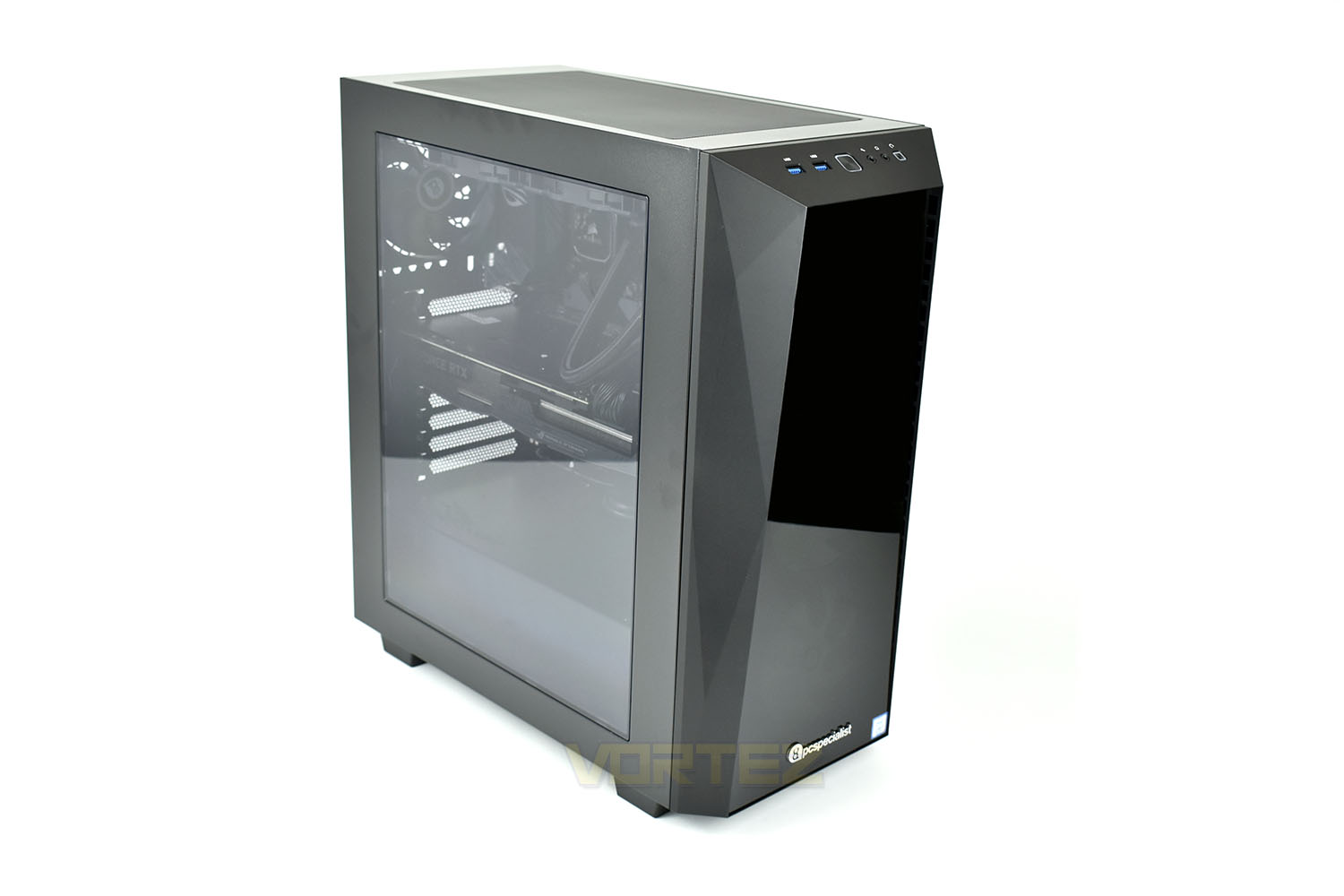
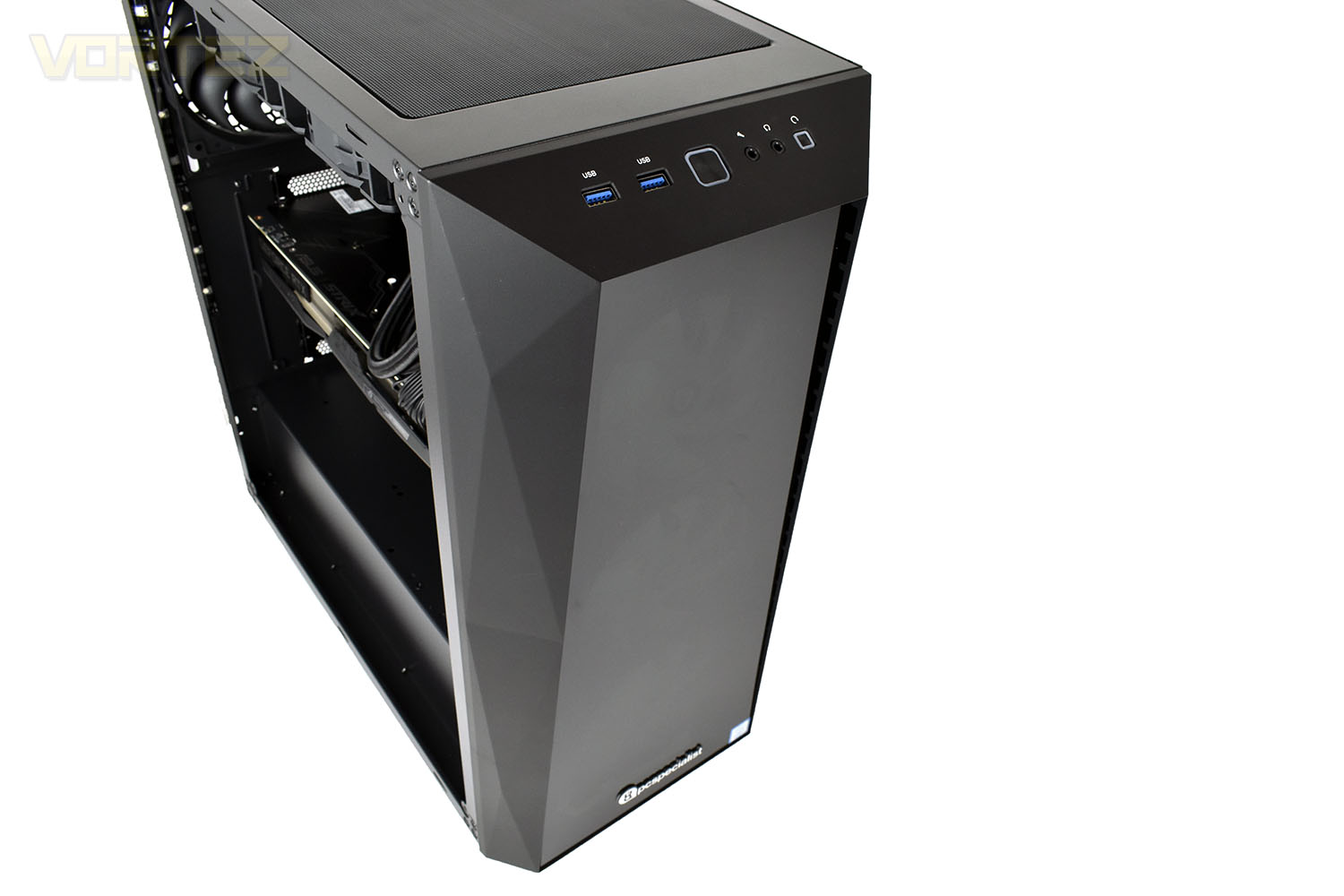
On the front, angled at almost 45° is the IO, featuring a pair of USB 3.0 ports, a microphone jack, a headphone jack and power and reset switches.
Behind the square section on the front resides a trio of 120mm fans, drawing air into the case through small vents around the rectangular perimeter.
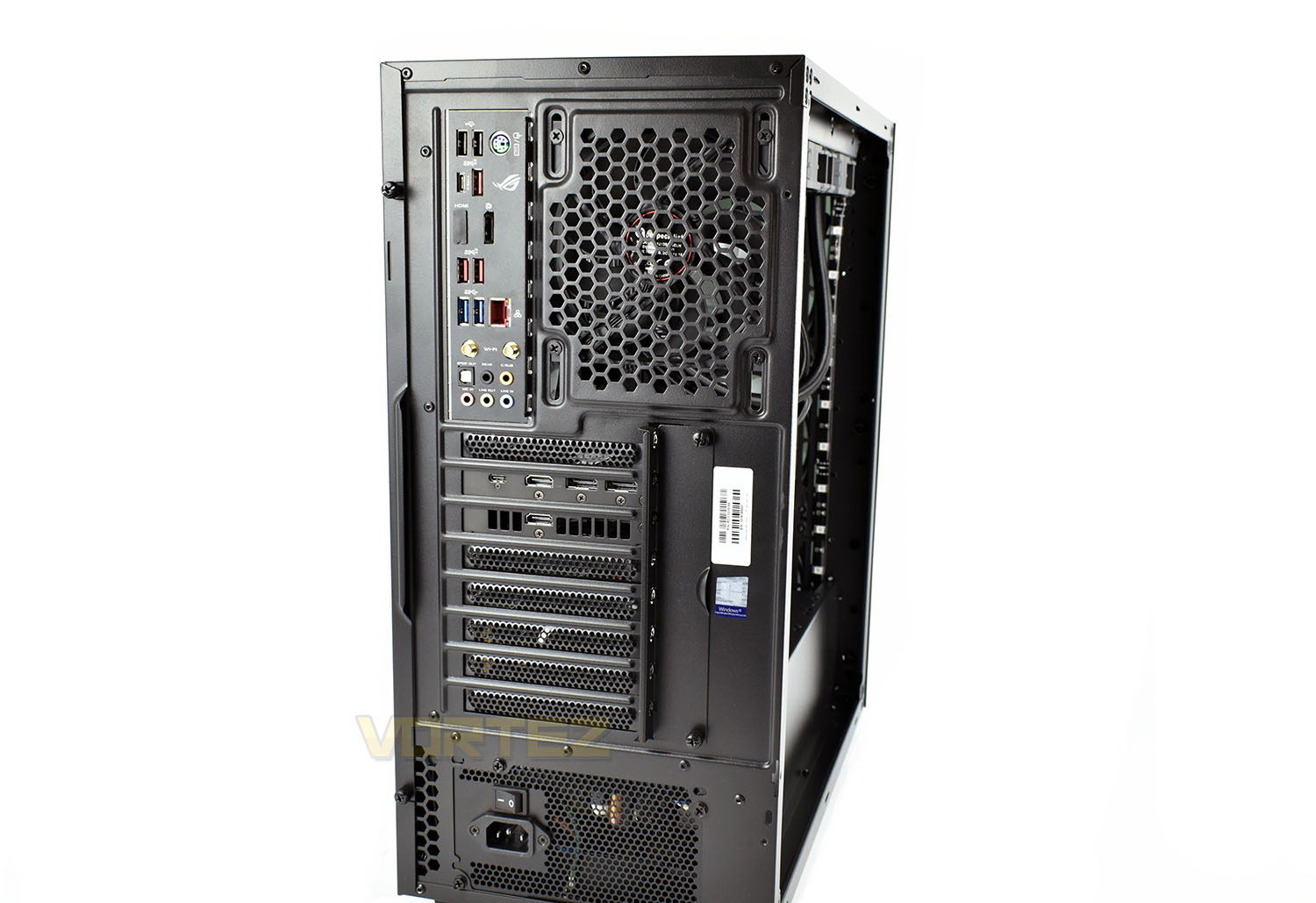
Around the back, we can take a look at the IO. From the motherboard we get:
2x USB 3.0
1x PS/2 keyboard/mouse port
1x USB 3.1 Gen. 2 Type-C
1x USB 3.1 Gen. 2 Type-A
1x Display Port
2x USB 3.1
2x USB 3.0
1x Gigabit RJ45
2x WiFi antennas
5x 3.5mm audio connections
1x SPDIF
And then on the NVIDIA RTX 2070:
1x USB Type-C
2x HDMI 2.0
2x Display Port 1.4
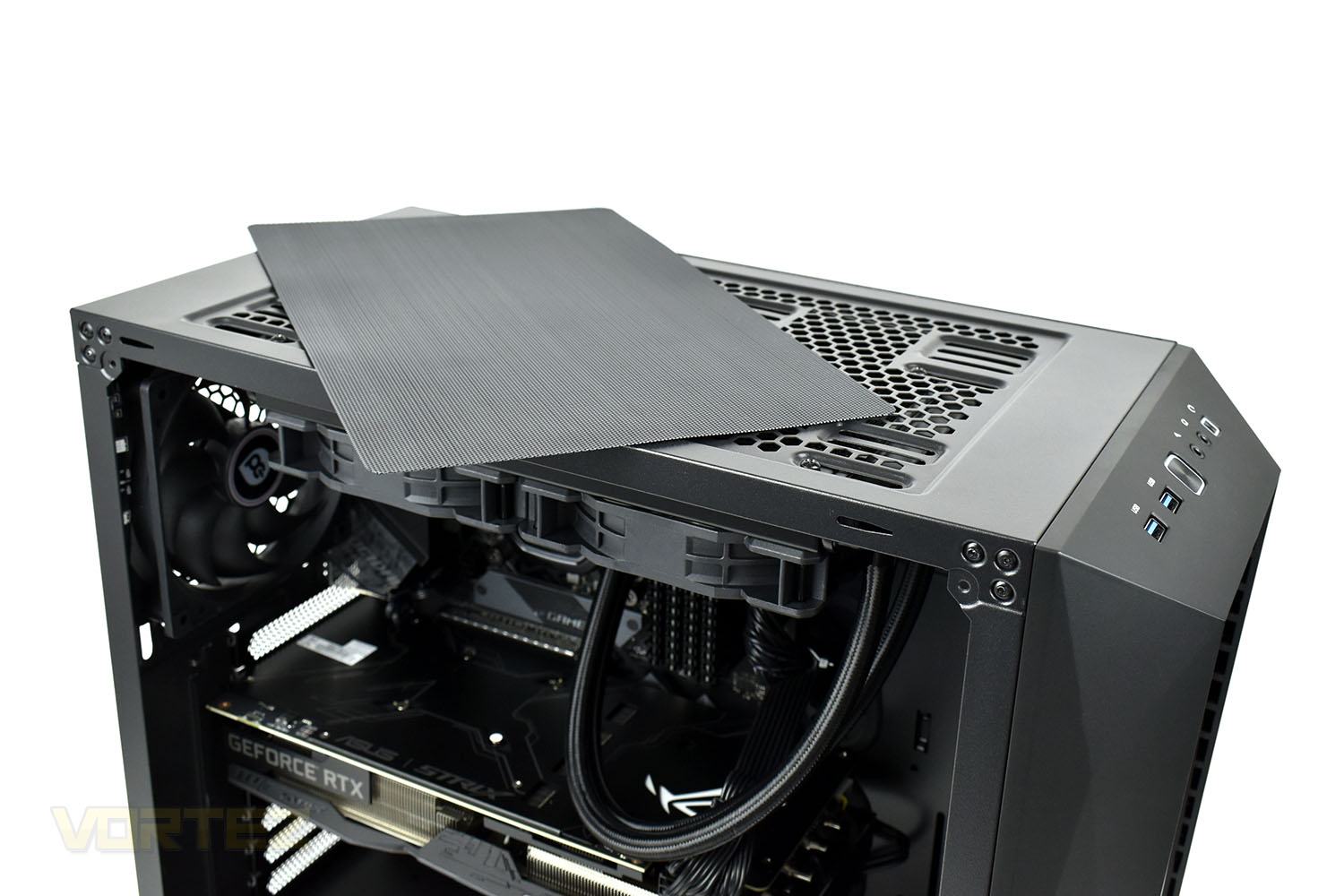
And finally, taking a quick look at the top of the case before we delve inside, is a 240mm magnetic dust cover to prevent dirt and detritus from falling into the machine and hindering the AIO watercooling loop’s performance.
Closer Look (Internals)
Sporting a very stealthy interior, the Solleron chassis is spacious without being too large. The PSU/HDD shroud at the bottom extends the length of the case which keeps things tidy and organised. The ASUS ROG Strix Z390-E Gaming sits in the background.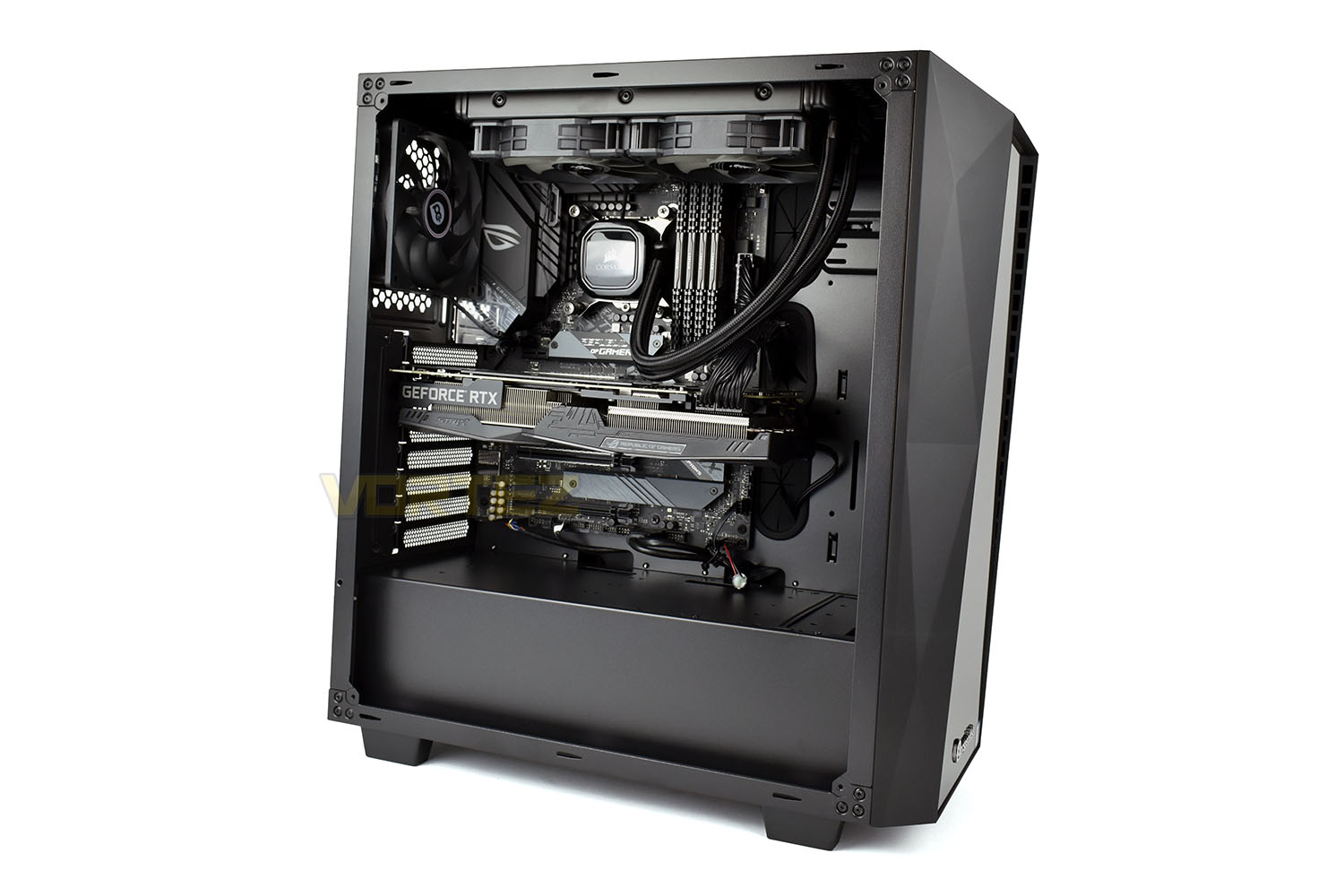
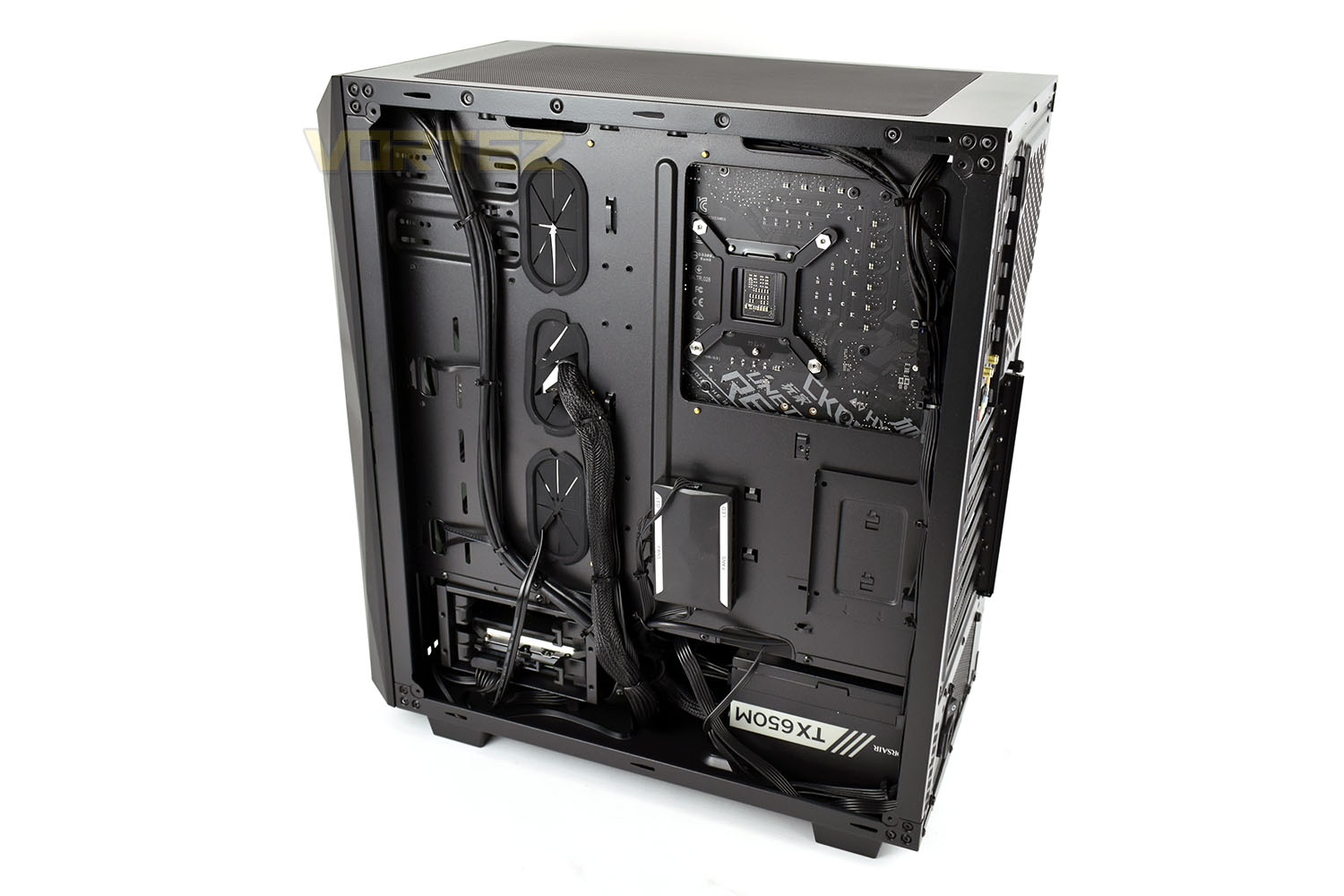
Around the back, with the panel removed, things are very neat with cable management done properly. We can also see the Corsair TX650M with a 650W power capacity and 80 Plus Gold efficiency rating; nice to see that PC Specialist have implemented a great power supply here.
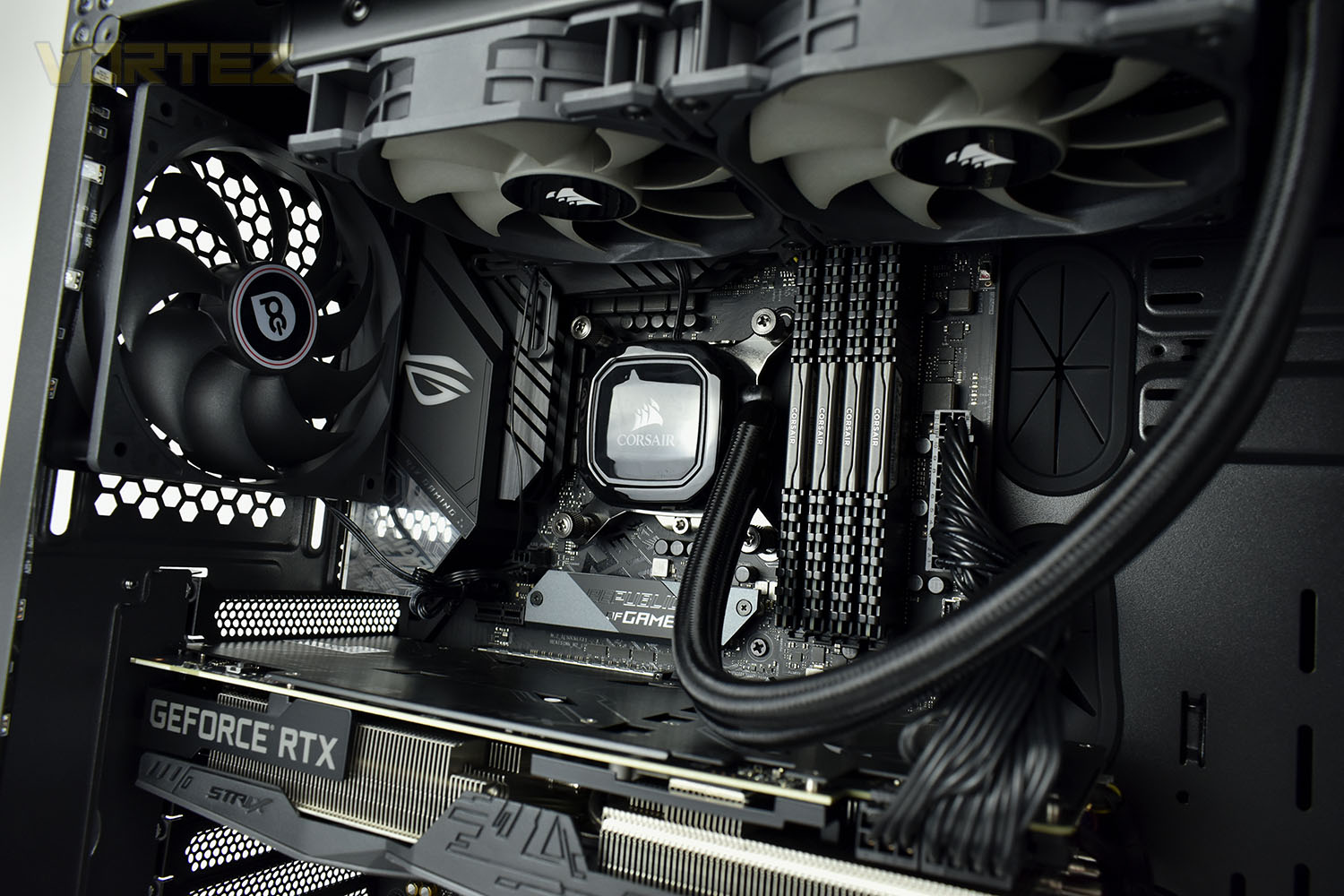
Now, swinging back around to the business end. Here we’ve been supplied with an Intel Core i7-9700K CPU which sports 8 compute cores with a boost clock of up to 4.9GHz. There’s also more Corsair equipment; PC Specialist have opted to use the Hydro Series H100x CPU cooler which packs a dual-120mm radiator and a pair of Corsair SP 120mm PWM fans.
Alongside the Corsair cooler is a quartet of Corsair Vengeance LPX memory. This is a slightly odd choice, to use 4 memory modules instead of 2 for a total of 16GB, limiting further upgradeability somewhat.
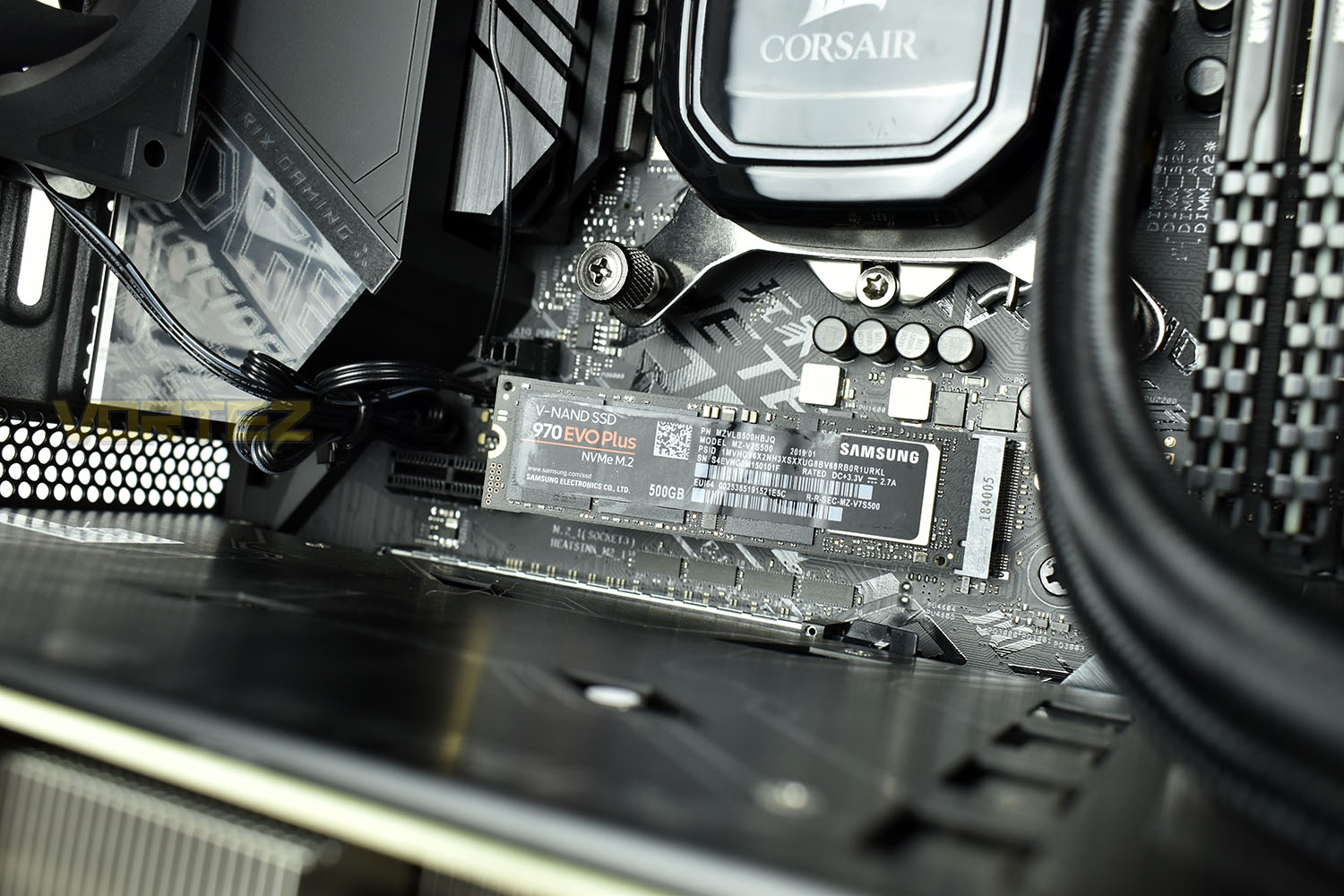
Behind the M.2 heatsink is a Samsung 970 EVO Plus with 500GB capacity. Boasting speeds way in excess of 3000MB/s in both read and write as well as excellent IOPS ratings, the EVO Plus should be perfect for whatever you can throw at it. The ASUS ROG Strix Z390-E Gaming can be equipped with two M.2 drives, if you wish to upgrade in the future.
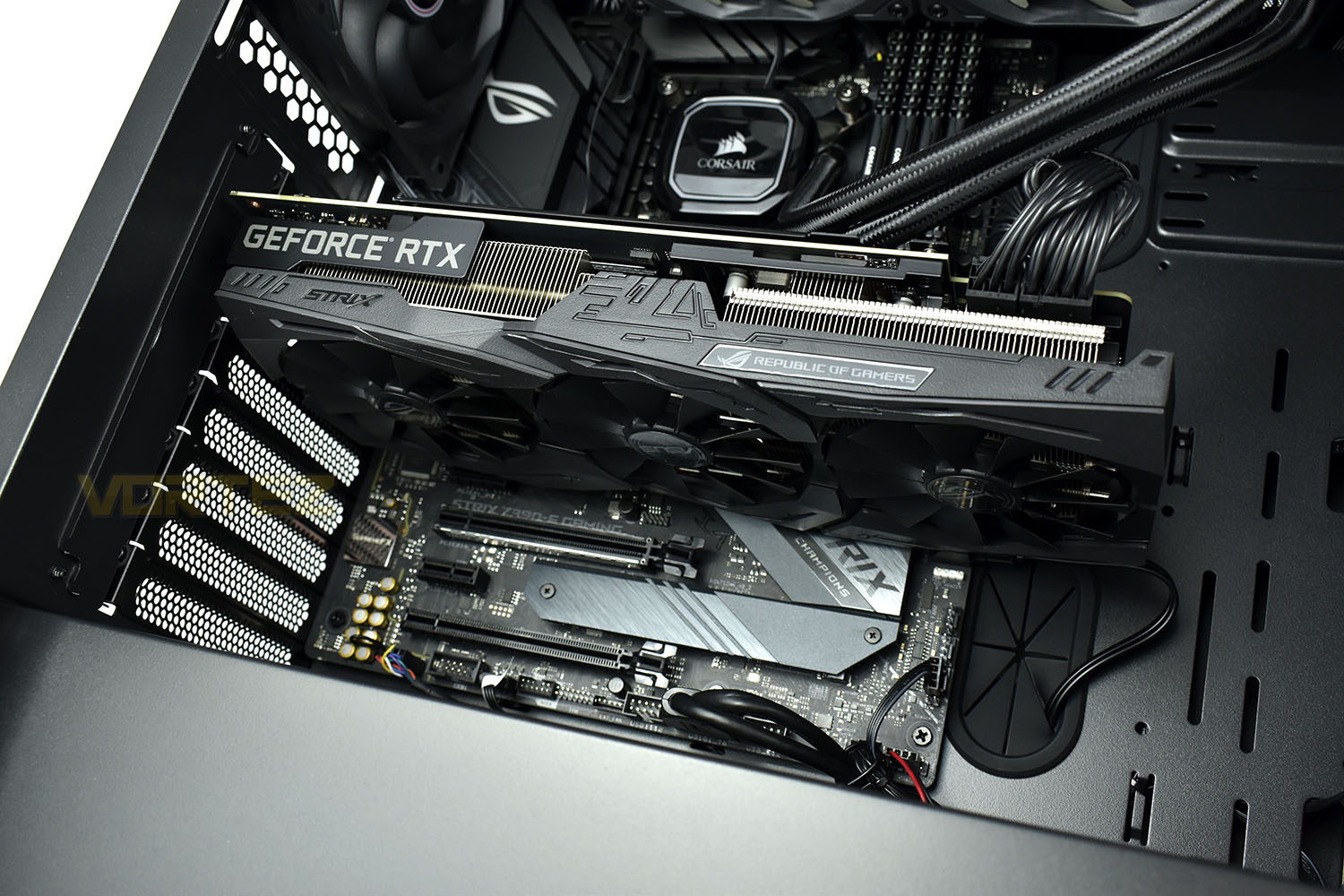
Rounding out the main PC components is the huge ASUS ROG NVIDIA GeForce RTX 2070 rocking a triple-fan cooler and a modest factory overclock.
Benchmarks: Temperatures & Boot Time
For our first benchmark test we observe the max. CPU/GPU temperatures of the system while allowing Unigine Heaven 4.0 to run on a 30-minute loop. To report back on the temperatures we use RealTemp and GPU-Z which provide the peak figures.

In this test we observe how fast the boot into Windows 10 is by using a digital stopwatch.

Benchmarks: Cinebench R20 & Handbrake
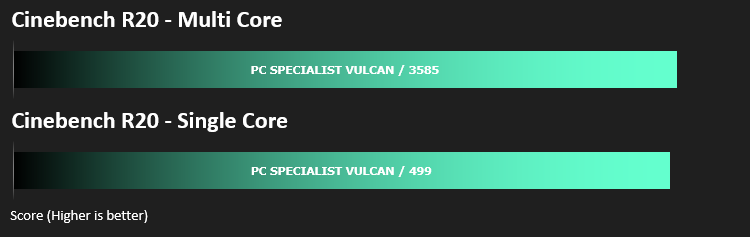
Cinebench is a real-world cross-platform test suite that evaluates your computer’s hardware capabilities. Improvements to Cinebench Release 20 reflect the overall advancements to CPU and rendering technology in recent years, providing a more accurate measurement of Cinema 4D’s ability to take advantage of multiple CPU cores and modern processor features available to the average user.
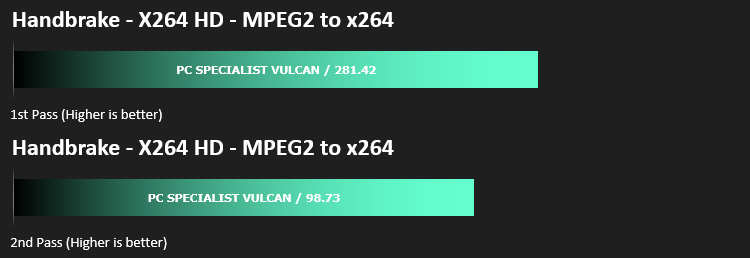
HandBrake is a tool for converting video from nearly any format to a selection of modern, widely supported codecs. We run an x264 benchmark through HandBrake to measure the system’s video processing speed. Results are delivered in a first pass and second pass format.
Benchmarks: PCMark 10, Unigine Heaven & 3D Mark
PCMark 10 combines performance benchmarking with battery life measurement and includes tests based on popular Adobe and Microsoft applications. Whether you are looking for long battery life, or maximum power, PCMark 10 will help you find the devices that offer the perfect combination of efficiency and performance for your needs. It’s the complete PC performance benchmark for home and business.

Time Spy is a DirectX 12 benchmark test for gaming PCs running Windows 10. With its pure DirectX 12 engine, built from the ground up to support new API features like asynchronous compute, explicit multi-adapter, and multi-threading, Time Spy is the ideal benchmark for testing the DirectX 12 performance of the latest graphics cards.

Extreme performance and stability test for PC hardware: video card, power supply, cooling system. Check your rig in stock and overclocking modes with real-life load! Also includes interactive experience in a beautiful, detailed environment.

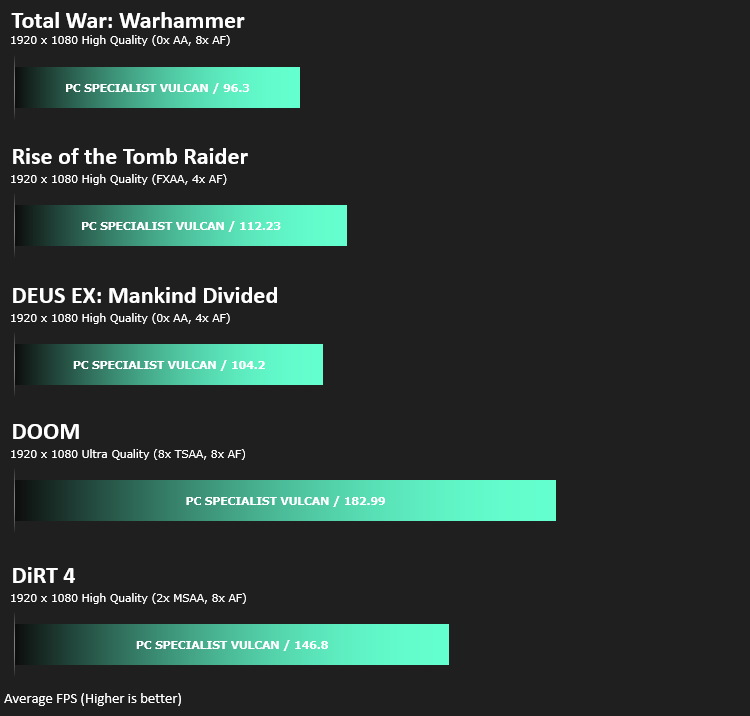
Benchmarks: Gaming (1080p)
The PC Specialist Vulcan PBA uses the NVIDIA RTX 2070 for graphics delivery, in this section we test the latest gaming titles to see how effective the 3D capabilities are. We report on the average framerate using FRAPS.
Benchmarks: Gaming (1440p)
The PC Specialist Vulcan PBA uses the NVIDIA RTX 2070 for graphics delivery, in this section we test the latest gaming titles to see how effective the 3D capabilities are. We report on the average framerate using FRAPS.

Conclusion
This is the first system we’ve reviewed that uses the Intel Core i7 9700K, a chip that is well regarded amongst the community for its gaming prowess at a substantial cost saving against the i9 9900K alternative, however, with the recent emergence of the AMD 3000-series CPUs, particularly the AMD Ryzen 7 3700X, that claim has seemingly been thrown into disrepute and you may find yourself better served, in both terms of outright CPU power and longevity by investing into an AMD CPU. PC Specialist will have you covered on that front.Appearance considered, the SR-628B chassis looks good, it’s not too in your face but does boast plenty of internal RGB lights. The black motherboard, GPU, RAM and CPU cooler all tie in very well inside the system and with the PSU/HDD hidden away behind a shroud, the mess of cables at the bottom is out of sight and out of mind. The magnetic dust filter on top of the case is handy, too.
With the system’s title containing the term Powered by ASUS (PBA), it was no surprise to find it decked out with an ASUS ROG STRIX motherboard and graphics card; that is by no means a poor choice though. The STRIX range of motherboards have been proven to be popular amongst overclockers and enthusiasts. The triple-fan cooler on the GPU is beefy and does an excellent job of keeping things cool while gaming. The Corsair H100x CPU cooler is also plenty capable of ensuring low temperatures on the Core i7 9700K, with no more than 68°C measured during our testing. PC Specialist equipped the rig with 16GB of DDR4, clocked at 3000MHz, meaning multi-tasking and gaming will be no issue at all, but they seem to have gone for style over function and used 4x 4GB modules instead of 2x 8GB. The latter option would serve as a better option for future upgradeability, if, or more likely, when applications and games begin to push the boundaries of 16GB of system memory.
With a 500GB Samsung 970 EVO Plus NVMe M.2 as a boot drive, backed up with 2TB of mechanical storage, you’re unlikely to run into any capacity issues early on. System start up times are as fast as they come at the moment thanks to the Samsung NVMe, game load times will also benefit from the drive if you install onto it.
At £1649, the PC Specialist Vulcan PBA offers plenty of performance, remains cool and quiet, looks good and is backed by their 3-year standard warranty for added peace of mind.
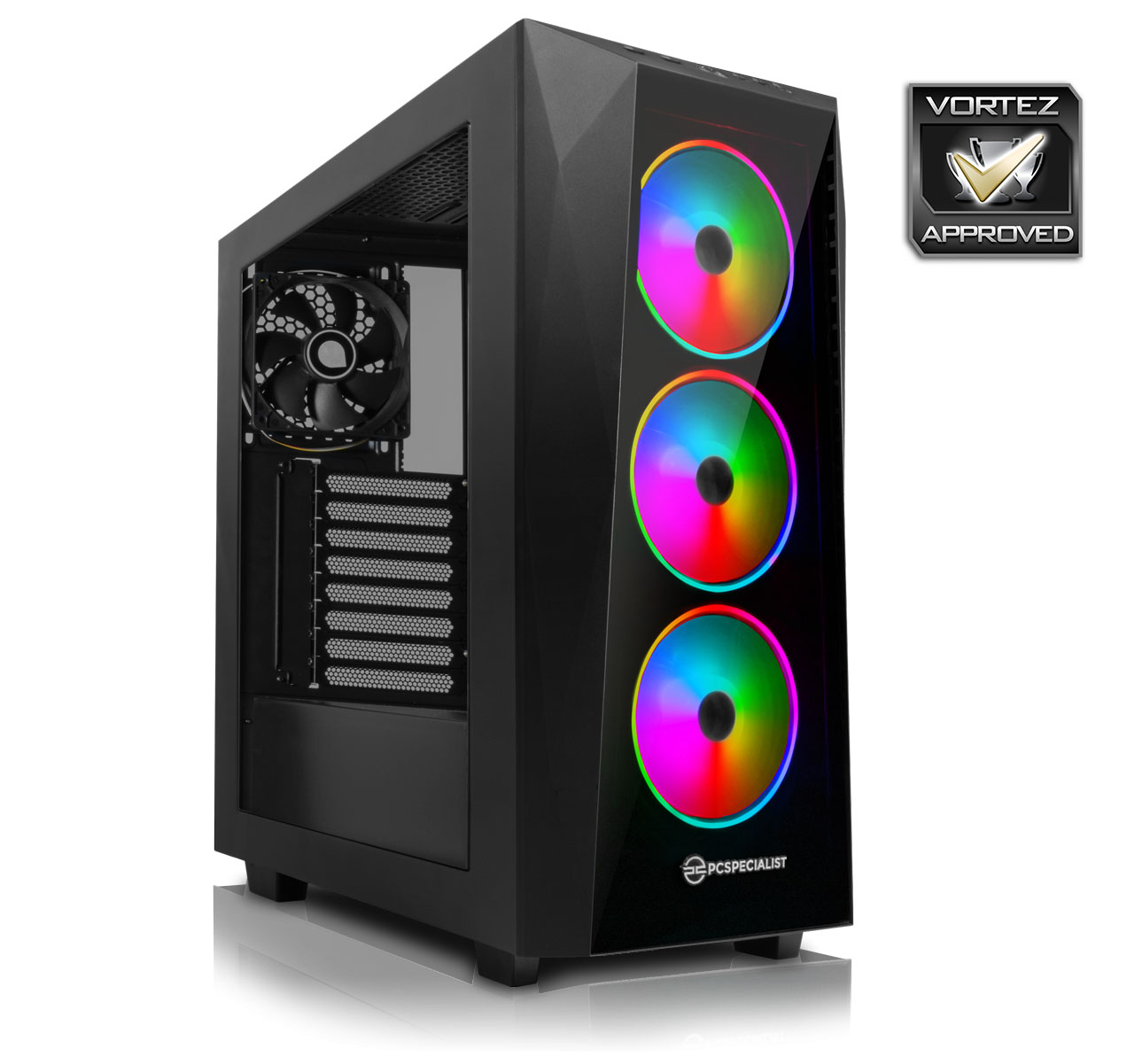
If you’re an Intel and NVIDIA fan, the Vulcan PBA will definitely serve you well, though we’d have to suggest you at least consider an AMD Ryzen 3rd Gen. system for further futureproofing.
Pros
+ Good performance all round
+ Cool and quiet operation
+ Fast boot and application load times
+ Ample storage capacity
Cons
– All four DIMM slots populated
– RGB lighting could be better
+ Good performance all round
+ Cool and quiet operation
+ Fast boot and application load times
+ Ample storage capacity
Cons
– All four DIMM slots populated
– RGB lighting could be better
Click here for an explanation of our awards at Vortez.net.
Stay connected with the Vortez Social Media pages:
Join in with the discussions on Discord