







A new addition to the Performance One Series. Discreet styling with USB 3.0 and XL-ATX to name just a few features. Can Antec satisfy the enthusiast?

Product on Review: Performance One – P280
Manufacturer and Sponsor: Antec
Street Price: £110-120
For a while now Antec have channelled most of their efforts into the production of gamer cases which cater for those who lean towards computer chassis that adopt more of a garish approach to case design. Antec’s Performance One Series which features the much loved P180/P182 and P183 has seen no additions until today. Today we see the successor and next instalment to this popular enthusiast series named the P280.
The P280 continues the minimalist and discreet styling whilst offering up-to-date functionality from USB 3.0 ports and XL-ATX compatibility. Can this new addition to the Antec’s enthusiast category build on the successes of a popular series? Let’s find out!
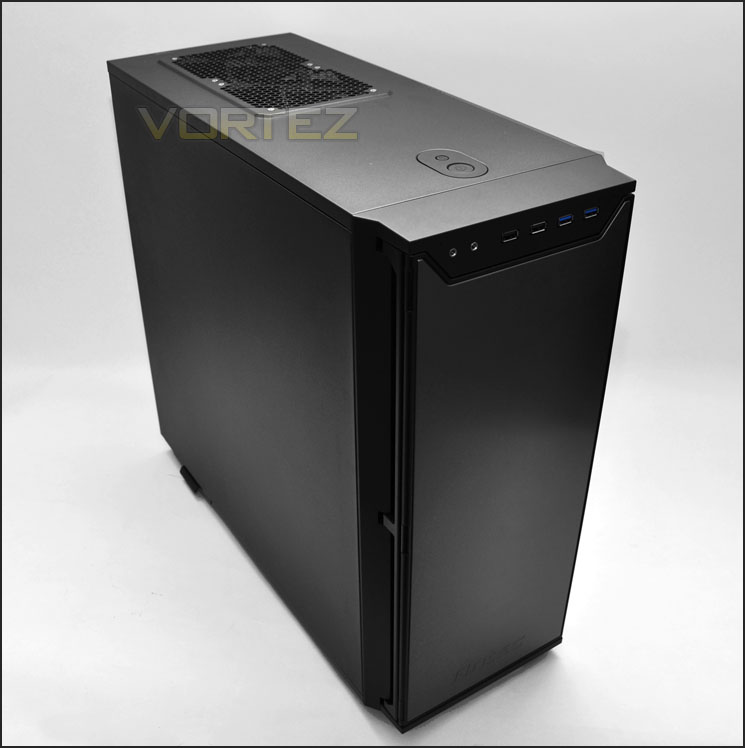
Antec’s take on P280
Technical Specifications
• 11 drive bays:
– 3 x 5.25″ tool-less drive bays
– 2 x 2.5″ drive bays (dedicated)
– 6 x 3,5″ / 2,5″ drive trays with preinstalled silicone grommets
• Motherboards: XL-ATX [13,6″ x 10,3″ (345 mm x 262 mm)], Standard ATX, microATX, Mini-ITX
• 9 expansion slots
• Maximum graphics card size: 330 mm (13,0″ )
• Maximum CPU cooler height: 170 mm (6,7″ )
• Cooling System:
– 2 x 120 mm top TwoCool™ exhaust fans
– 1 x 120 mm rear TwoCool™ exhaust fan
– 2 x 120 mm internal intake fans (optional)
– 2 x 120 mm front intake fans (optional)
– Fan power hub: allows you to connect four 3-pin fans to a single Molex for improved cable management
• Dual-layer 0,8 mm steel / polycarbonate side panels
• Triple-layer (aluminum, plastic, foam) front bezel with double-hinged door: opens up to 270°
• Water cooling support: rear water cooling grommets
• Enlarged CPU cutout
• Front I/O ports :
– 2 x USB 3.0 with internal motherboard connector
– 2 x USB 2.0
– Audio In/Out
• Bottom-mount PSU with dedicated intake and filter
• Unit Dimensions:
– 526 mm (H) x 231 mm (W) x 561 mm (D)
– (20,7″ (H) x 9,1″ (W) x 22,1″ (D))
• Package Dimensions:
– 575 mm (H) x 290 mm (W) x 630 mm (D)
– (22,6″ (H) x 11,4″ (W) x 24,8″ (D))
• Net Weight : 10,2 kg (22,3 lbs)
• Gross Weight: 12,0 kg (26,5 lbs)
Packaging & First Look
The P280 is presented in a large box with a depiction of the case on the front and round the back significant features are listed along with the technical specifications. Inside, the case is covered in a clear plastic sheet and held in place via dual polystyrene pillars.
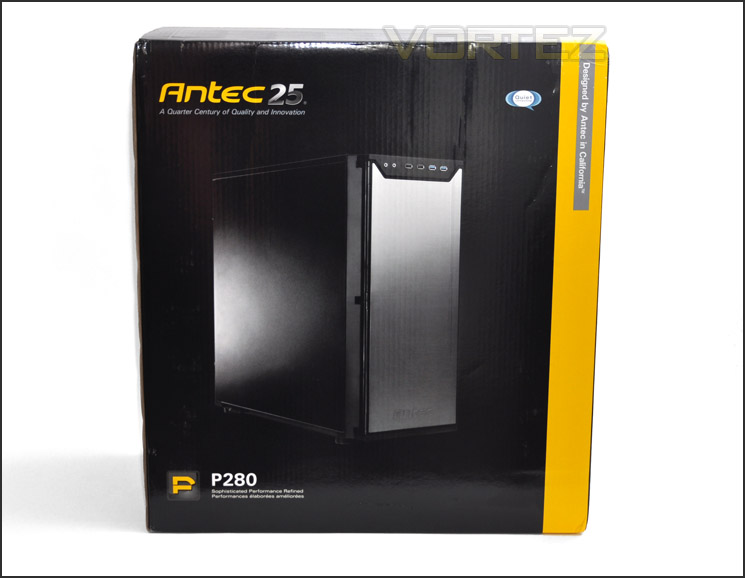
Antec P280 packaging is eye-catching
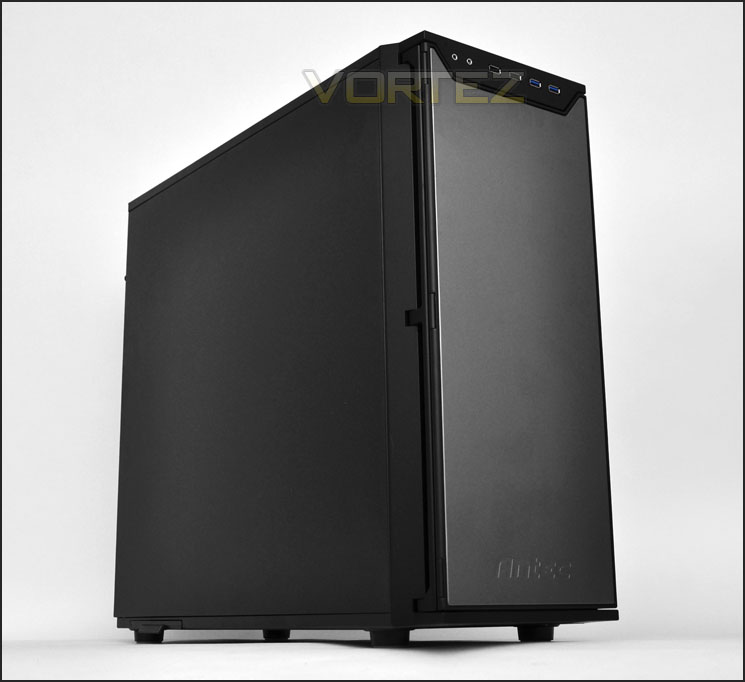
Taking the P280 out of its packaging you will instantly notice similarities with other cases currently on the market but the P280 actually lends its assets from the original P180/P182 which originally introduced this minimalist approach to case design. Both side panels are solid, as is the front panel which is part plastic, part anodized aluminium.
Those who have a leaning towards cases that are discreet in their styling will favour the P280’s professional asthetics.
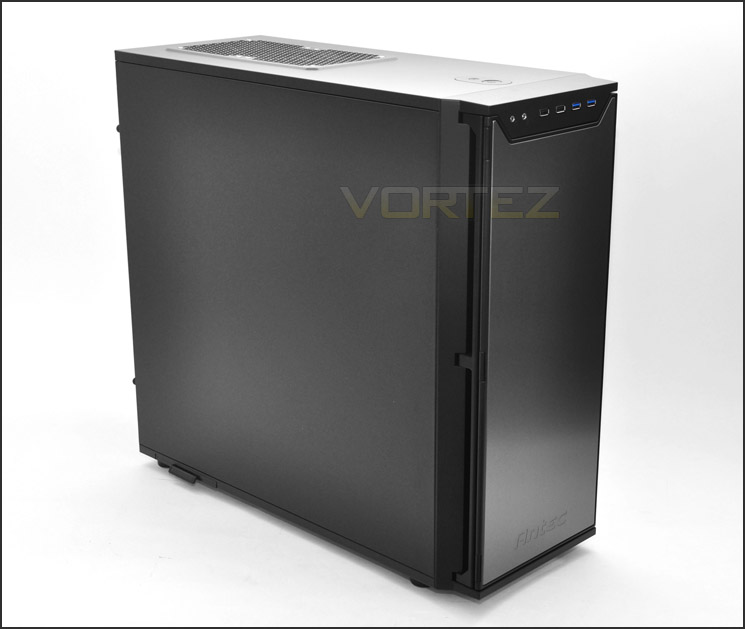
Minimalist styling
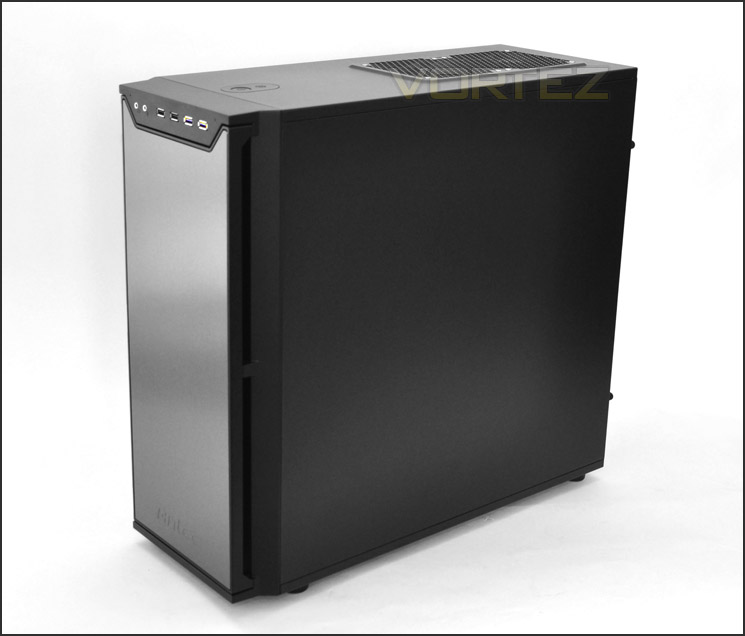
Solid side and front panels
Over the page we will take a closer look at the P280’s exterior features.
Exterior
Opening the door on the P280 reveals foam insulation to provide additional noise reduction and there are also 3 hinges and a magnet for closing this door. In the lower region there is a removable fan filter and above it 3x 5.25” drive bay covers can be found but are removable from the inside of the chassis.
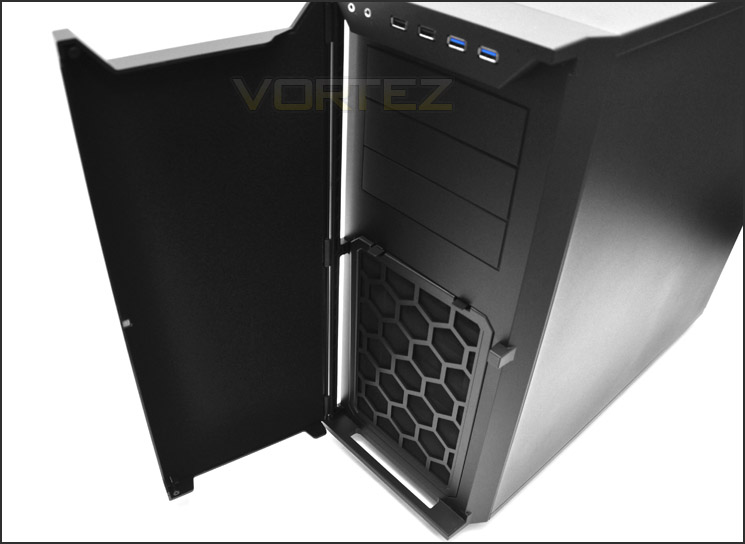
The front door for P280
Front panel connectivity consists of the following ports:
• Headphone/Microphone jack
• 2x USB 2.0 ports
• 2x USB 3.0 ports (via motherboard header)
• Power and reset buttons (further back)
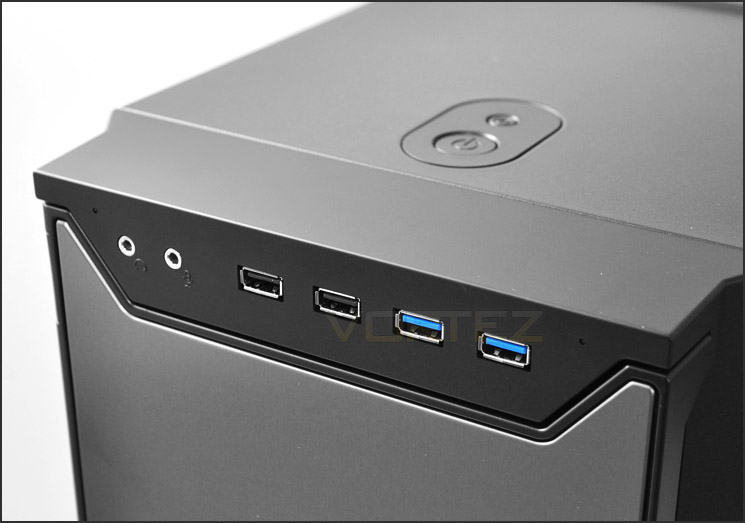
Front panel connectivity with USB 3.0 ports
Further back, on the top of the case are dual 120mm fans – these are two speed and are configured to be exhaust fans. Both are connected the rear fan controller.
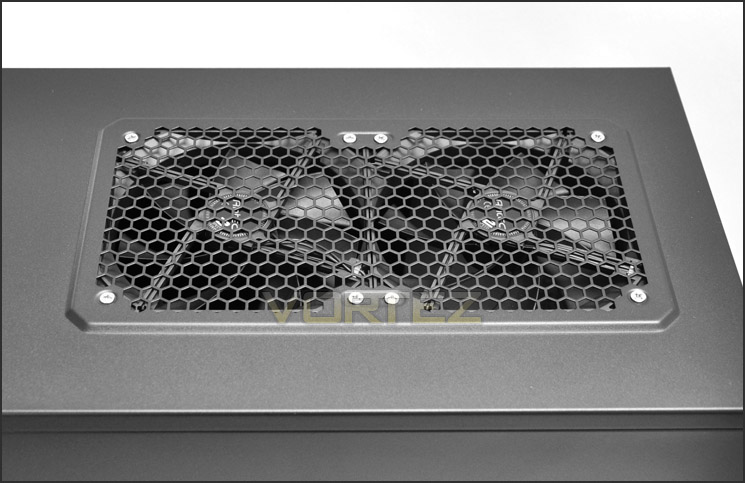
Dual 120mm exhaust fans at the top of the case
On the underside of the case are 4 rubber feet to prevent the case from slipping or scratching on smooth surfaces and there is a filter for the PSU fan – this can be removed from the outside of the case, more on this later.
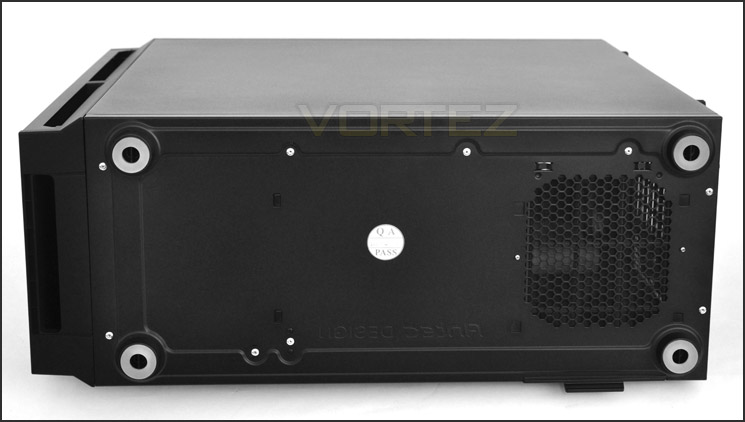
The underside of P280
With the exterior inspection over, let’s move inside the P280 for a closer look at its features.
Interior
Both side panels on the P280 are secured in place via 2 thumbscrews. Upon removing these thumbscrews a rather spacious internal layout is revealed. Inside, there is support for XL-ATX and high end components. Tool-less design mechanisms have been implemented throughout meaning the installation process should be easier and there are plenty of cable management grommets giving the enthusiast control over the tidiness.
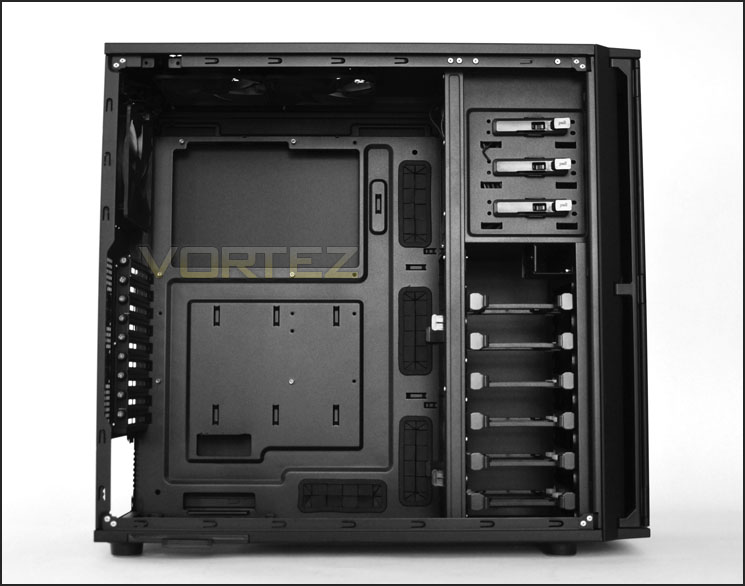
A spacious internal layout with XL-ATX compatibility
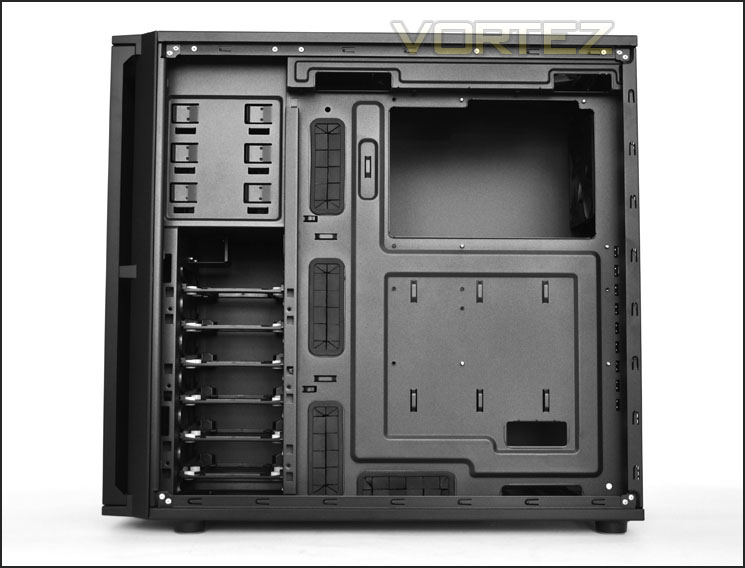
Plenty of cable management grommets and clearance
The PSU seating area doesn’t have any anti-vibration pads as such but there is plastic rather than metal in this region so scratching won’t be an issue. Underneath there is a removable fan filter. This filter slides out the side of the chassis and can be cleaned easily.
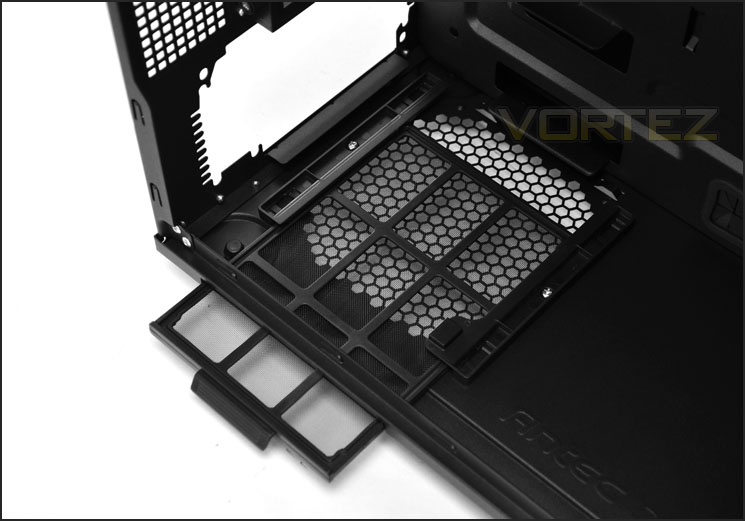
Removable fan filter for PSU
Further up there are 9x PCI expansion slot covers. Each cover has ventilation holes for better airflow within the case and there are also thumbscrews for quick and easy access. Next to the PCI section are 2x circular rubber grommets for feeding tubing through.
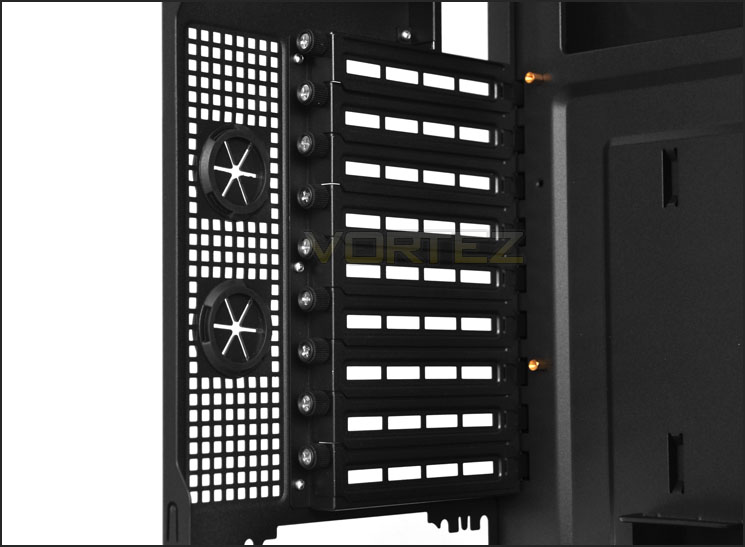
Lots of PCI expansion slot covers for multi-GPU configurations
Over the page we will continue our tour of the interior.
Interior (Continued)
In terms of cooling, the P280 has 3x 120mm exhaust fans – one at the rear and two within the roof. All of these fans are plugged into a fan controller which is situated just above the rear exhaust fan, this allows the user to control the fans between low and high speed settings. In order to take advantage of this a Molex connector must be plugged into the fan controller from the PSU.
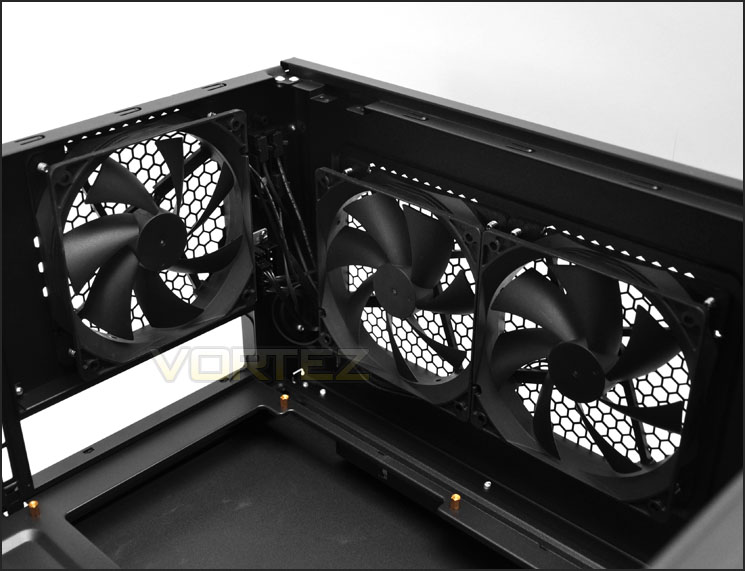
3x cooling fans within P280
Over on the other side there are 3 slots for optical drive storage within the 5.25” bay. Each slot has a tool-less design mechanism attached to it for the easy installation/removal of drives. The latch simply needs to be pulled/pushed.
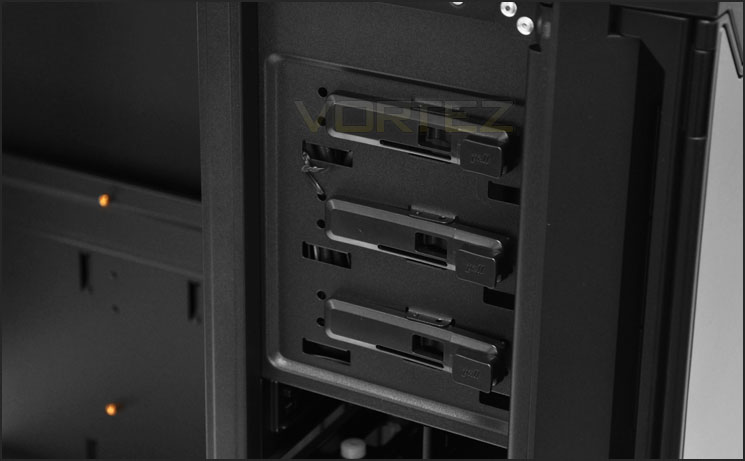
Optical drive bay has tool-less design
Beneath this, within the HDD storage bay there are 6x trays for attaching 2.5” or 3.5” drives and an additional 2 slots have been implemented within the cage to allow 2.5” drives specifically. There are no intake fans behind this HDD cage but there is space to install 2x 120mm fans and there are also another 2 clips on the near side of the HDD bay for attaching 2x 120mm fans too.
Antec’s decision to leave intake fans out of P280 is that according to them designing with better build quality over the amount of included cooling fans is paramount. Cooling fans can always be added in by the user, the quality is only implemented by the manufacturer.
Though this is a fair comment, it will be interesting to see how this case copes with thermal performance since it breaks out of positive, directional airflow design.
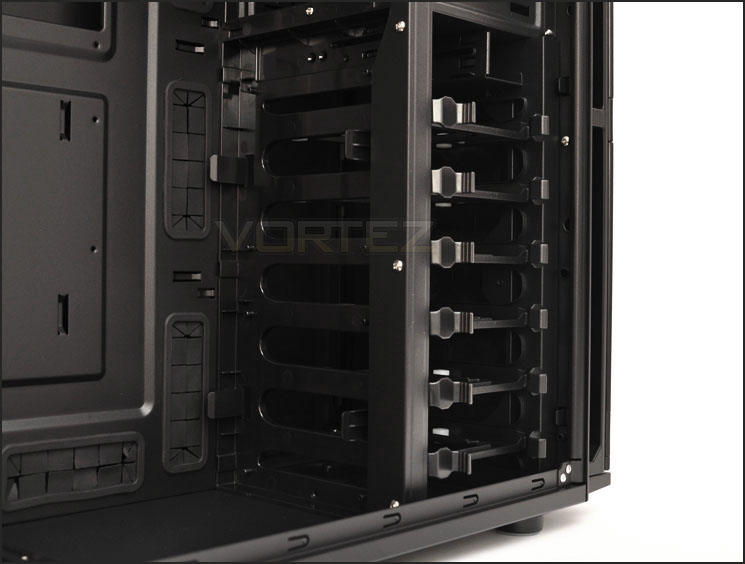
Lots of options for storing HDDs
With the tour over, on the next page we will install our test kit inside P280 and see what this case looks like with assembled components inside.
Installation
As you would expect, installing an ATX system within a XL-ATX compatible case is without any clearance issues. The P280 offers plenty of cable management options – so keeping those cables tucked away and out of sight is very easy. There is adequate space for big CPU coolers and long graphics cards (more on this in the next section).
Due to the fact that I always install the PSU with the fan facing upwards inside the case, the cables do have to stretch a little further. This results in it being extremely tight for the CPU power (P4/8pin) having to slip behind the motherboard – through the CPU backplate cut-out. This isn’t ideal but it’s the best solution. Ideally it would be nice to see all case manufacturers including CPU power extension cables with their cases, they are inexpensive but very useful.
(For those who are puzzled as to why I install the PSU in this orientation take a look at this thread: Be”Quiet” PSU – Vortez Forums – PC Hardware News and Reviews – BeQuiet recommend installing the PSU in the same position too.)
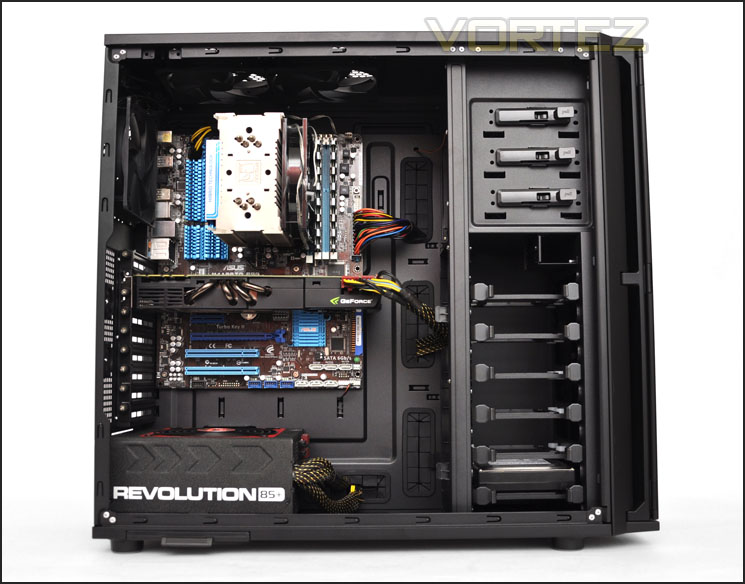
Installation complete – roomy and feature laden
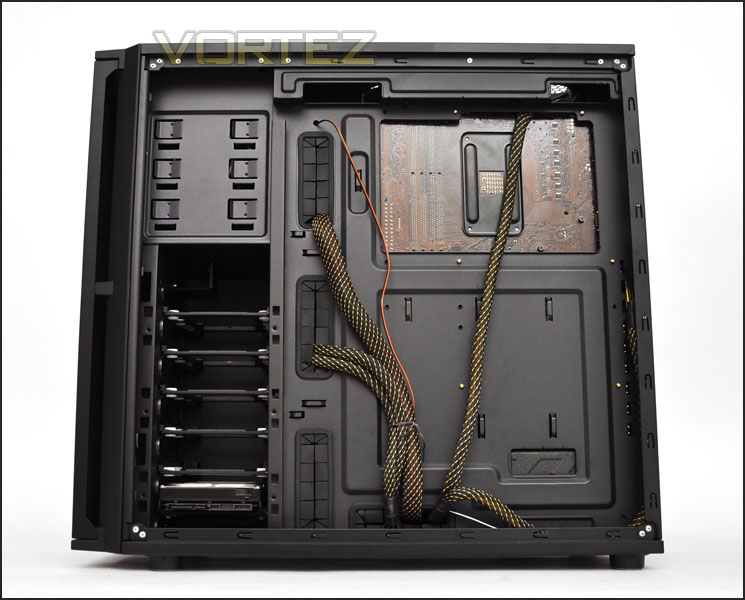
Cable management options in abundance
As mentioned in the previous section of our review the P280 features trays within its HDD storage cage. These trays can accommodate both 2.5” and 3.5” drives – all that you need to do to install a drive inside is attach 4 screws to the underside of the drive.
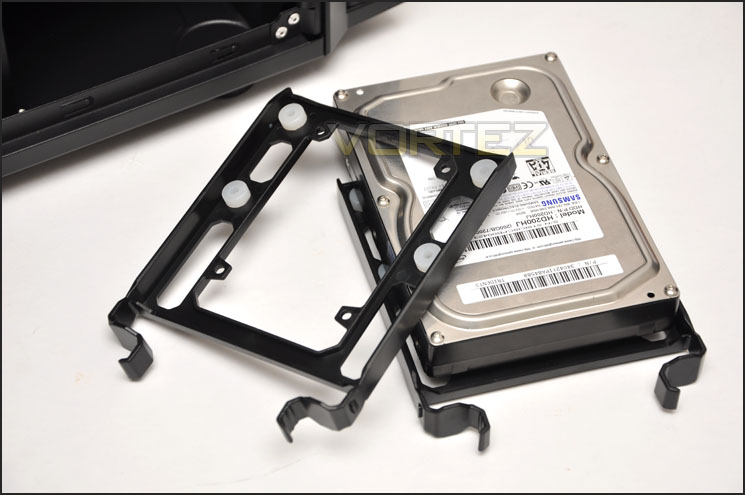
Trays will accommodate both 2.5” and 3.5” drives
On the next page we will observe the clearance options within P280.
Clearance – CPU, GPU, Cable Management
Clearance inside a chassis is essential to enthusiasts, in this section we will be looking at all areas to reveal just how flexible P280 really is.
Firstly the CPU cooler clearance, Antec claim that the P280 will house CPU coolers that have a maximum height of 170mm. Installed within the P280 is the Noctua NH-U12P, this is 158mm in total height. The bigger flagships like Noctua NH-D14 and Thermalright Silver Arrow are 160mm in height so this case is compatible with these coolers.
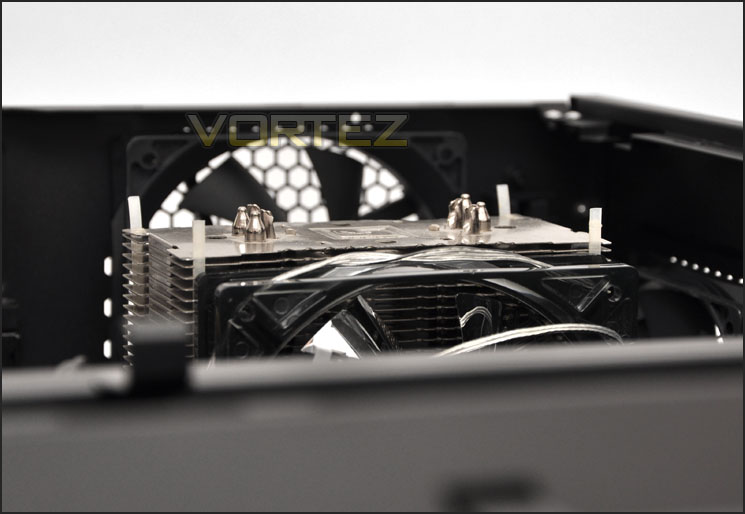
P280 will accommodate big CPU coolers
Moving to the graphics card, Antec claim a maximum length of 13”. Installed inside P280 is the NVIDIA GTX480 which is 11” in length and you can see from the picture below that there is another few inches of clearance before it touches the HDD cage. The room here pretty much covers anything currently on the market.
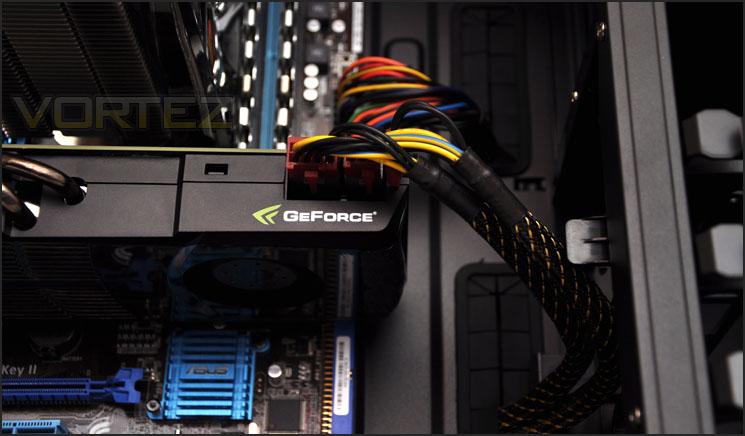
Graphics card clearance is pleasing
Lastly to the clearance behind the motherboard tray. This gap is important because it means the more space we have the better able we are at storing unwanted cables and keeping the other side nice and tidy. The P280 has just short of 2.5cm of clearance between the back of the motherboard tray and the side panel – quite a generous amount indeed.
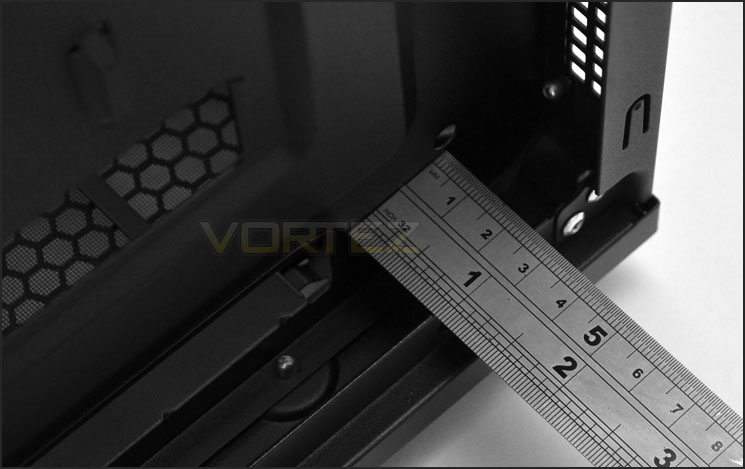
Up to 2.5cm of clearance for cable management
Over the next page we will consider the P280’s thermal performance.
Thermal Performance Testing
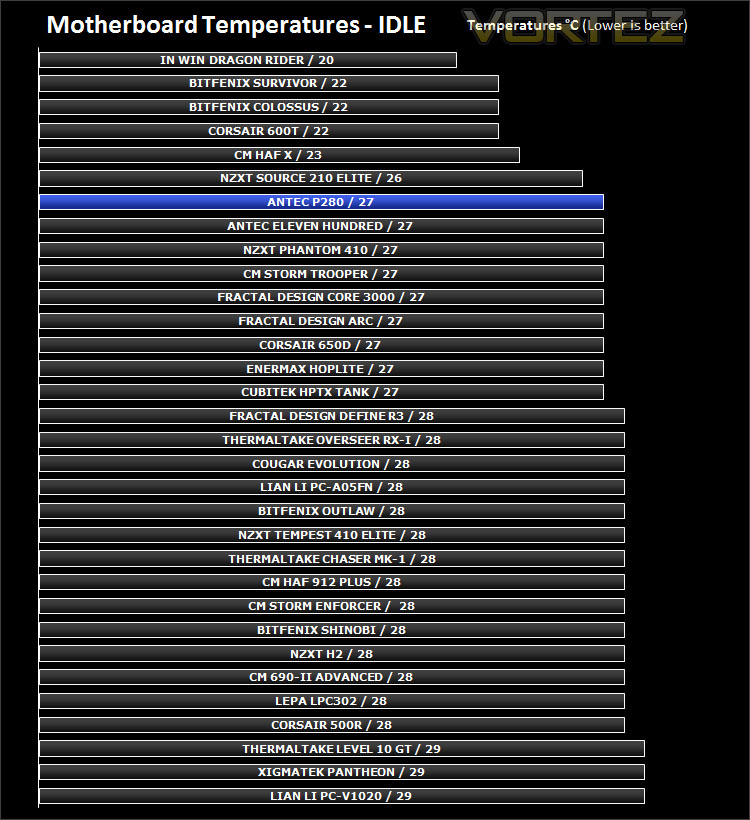
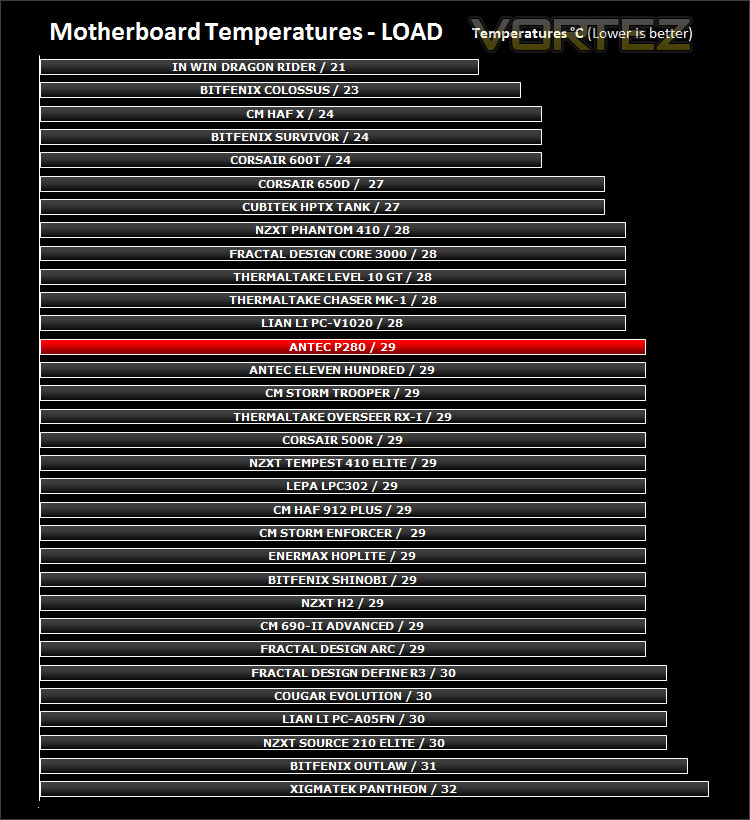
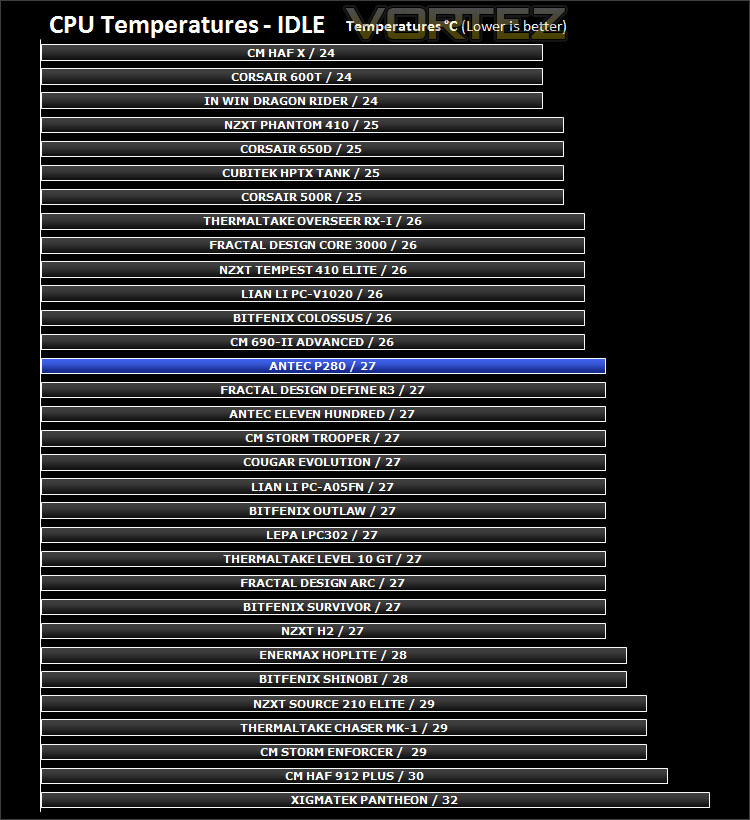
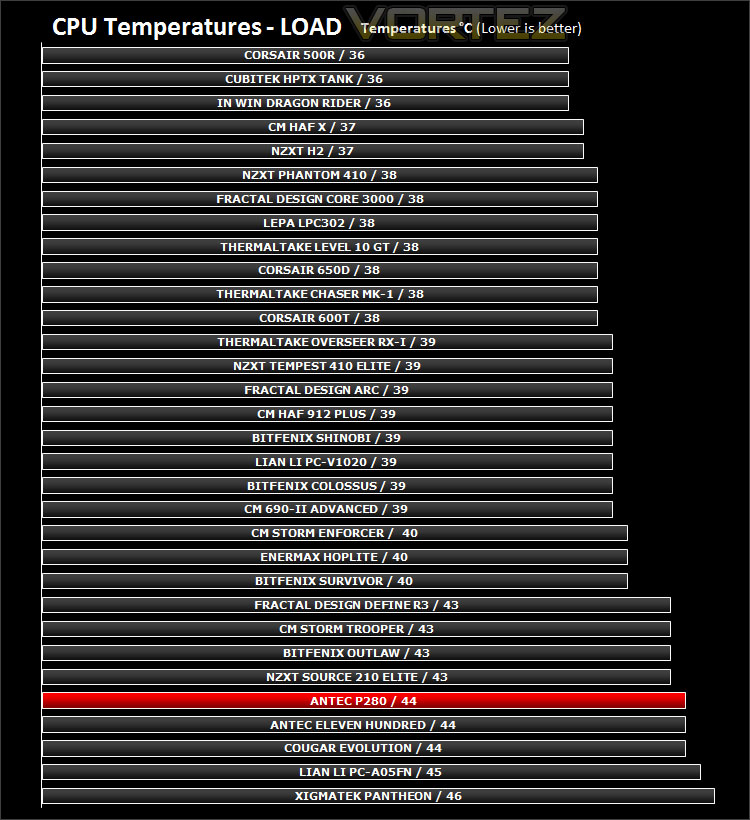
Inside Antec’s P280 are 3x pre-installed fans positioned at the back and top of the case, all positioned as exhaust fans. Sadly there are no intake fans installed so there won’t be any positive airflow moving across the system – it will be interesting to see how effective it is with just exhaust fans dissipating heat.
To discover the thermal performance of the P280 I will record idle temperatures after 20 minutes from a cold boot. I will then stress the system and temperatures will again be monitored after 30 minutes have elapsed. Fan controller will be set to high for all fans.
System Components
CPU AMD Phenom II X6 1055T 2.8GHz
Motherboard ASUS M4A89TD PRO
Graphics ZOTAC NVIDIA GTX 480 AMP
Memory 4GB Mushkin EM3-10666 DDR3
HDD Samsung Spinpoint 500GB SATA-II
PSU Enermax Revolution 85+ 850W
Conclusion
Building on a classic, successful product is never an easy task. Advocates will be closely watching and criticising too. In recent times Antec have focussed mainly on their gaming chassis leaving the enthusiast to perhaps look elsewhere but it’s nice to see that they are now concentrating on the enthusiast market but introducing the successor to the popular P18X series.
The P280 has a minimalist approach to case design giving credence to subtle and discreet styling. Not everyone likes their rig to be gaudy with flashing LED fan lights. The outside is pleasing to the eye as is the inside too, there is XL-ATX compatibility for those with larger motherboards and thanks to the abundant cable management grommets creating a nice, tidy system couldn’t be easier.
Antec have made a smart move as they did with the recently reviewed Eleven Hundred and integrated a fan controller at the back of the chassis. This fan controller is discreet and gives the user control over fan speeds without having to attach oodles of cables.
Though I was very pleased overall with the P280 it does have a few points to take note of. The front has no intake fans and therefore thermal performance straight out of the box is always going to take a slight hit. Antec’s decision to leave this out of the P280 as already mentioned is due to favouring build quality over pre-installed fans – which when you consider, is a good move since you can always include additional fans but cannot alter build quality afterwards.
Against some of the rivals out there the P280 is priced slightly higher than some comparable cases that offer similar features and quality. Personally I would like to see the P280 that is currently priced at £110-120 to fall closer to the £100 mark – and even possibly on the other side of £100.
Overall the P280 is a brilliant case; it boasts lots of features, looks delightful and will satisfy a good majority of the enthusiasts out there. As a result it just sneaks in the Gold award.
+ Sleek and professional appearance
+ Decent build quality with aluminium front
+ XL-ATX compatible
+ Good cable management options
+ Discreet fan controller
Cons
– Front intake fans are not supplied
– Cost


