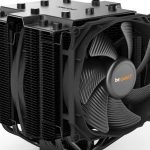
be quiet! aim to provide practically silent operation while dissipating up to 200W of heat with the latest Dark Rock 4 heatsink, featuring their 135mm Silent Wings fan and ceramic particle coating.

Product on Review: be quiet! Dark Rock 4
Manufacturer: be quiet!
Street Price: £64.99 / $74.90
be quiet! first announced the Dark Rock 4 and Dark Rock Pro 4 at CES in January, where they promised similar cooling levels to the previous generation, with improvements to noise levels and installation methods. Our review of the Dark Rock Pro 4 can be found here.
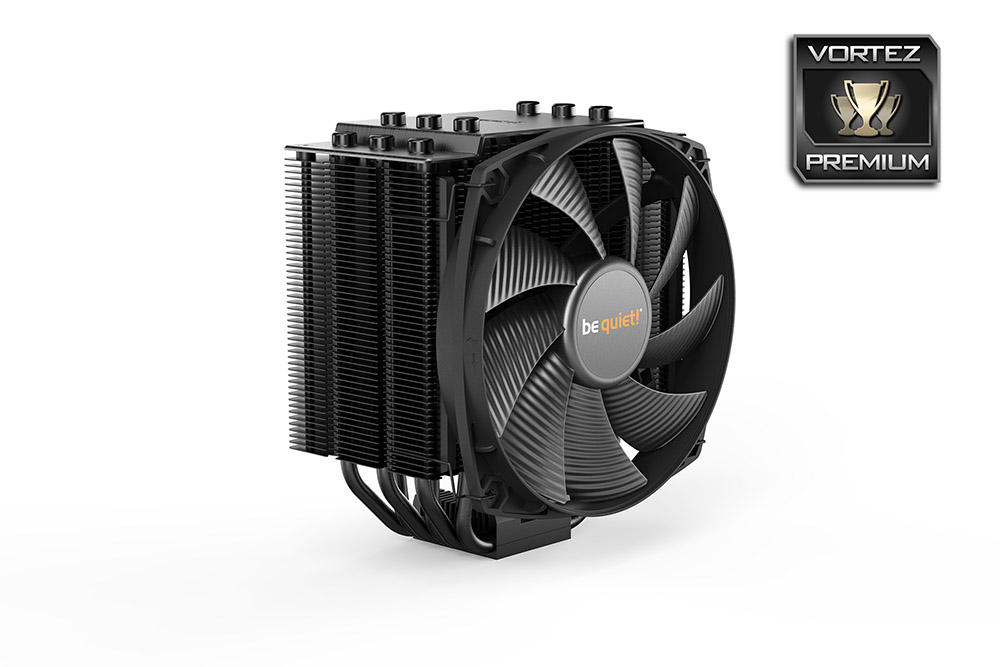
The Dark Rock 4 is a single-tower CPU cooler featuring 6 copper heatpipes, many ceramic-coated aluminium fins and a 135mm Silent Wings fan, in the hope of achieving near-silent operation while keeping temperatures in check.
Weighing in at 920g, including the fan, and measuring 159mm x 136mm x 96mm, it’s certainly not on the smaller side and will require a decent sized chassis for height clearance.
be quiet! have included their renowned Silent Wings 135mm fan, using a 6-pole motor and PWM connection, along with the fancy rippled blade design to aid airflow while reducing noise output.
Priced at £65, and promising up to 200W of heat dissipation, we foresee great things from the Dark Rock 4, read on to see how it fares against a Core i7-3930K.
be quiet! on the Dark Rock 4:
be quiet!, the market leader in PC power supplies in Germany for twelve consecutive years*, announces its Dark Rock 4 series of CPU air coolers for high performance processors. Dark Rock 4 and Dark Rock Pro 4 keep most of their predecessors’ near-silent operation and performance features, but also introduce innovative and optimized functions that ultimately produce the best processor cooling at extremely low noise levels.
Technical Specifications
Dark Rock 4
Type: Single-tower
Dimensions, including fan (L x W x H): 159 x 136 x 96
Weight, including fan (g): 920
Heat sink material: Aluminium
Socket compatability: Intel®: 1150 / 1151 / 1155 / 1156 / 1366 / 2011(-3) Square
ILM / 2066
AMD™: AM2(+) / AM3(+) / AM4 / FM1 / FM2(+)
Maximum power capacity (W TDP): 200
Number of heat pipes/ diameter (mm): 6 / 6
Noise level (dB(A)) @ 50% / 75% / 100%: 10.5 / 15.6 / 21.4
Fan specifications
Type: Silent Wings PWM
Dimensions (mm): 135 x 135 x 22
Motor technology: 6-pole
Bearing type: FDB
Fan speed (rpm) @ 100% PWM: 1,400
Input Current (A): 0.11
Connector: 4-pin PWM
Lifespan (hours): 300,000
Accessories: Thermal grease, mounting set for Intel and AMD, Y cable, User manual (EN, DE, FR, PL, ES, RU)
Type: Single-tower
Dimensions, including fan (L x W x H): 159 x 136 x 96
Weight, including fan (g): 920
Heat sink material: Aluminium
Socket compatability: Intel®: 1150 / 1151 / 1155 / 1156 / 1366 / 2011(-3) Square
ILM / 2066
AMD™: AM2(+) / AM3(+) / AM4 / FM1 / FM2(+)
Maximum power capacity (W TDP): 200
Number of heat pipes/ diameter (mm): 6 / 6
Noise level (dB(A)) @ 50% / 75% / 100%: 10.5 / 15.6 / 21.4
Fan specifications
Type: Silent Wings PWM
Dimensions (mm): 135 x 135 x 22
Motor technology: 6-pole
Bearing type: FDB
Fan speed (rpm) @ 100% PWM: 1,400
Input Current (A): 0.11
Connector: 4-pin PWM
Lifespan (hours): 300,000
Accessories: Thermal grease, mounting set for Intel and AMD, Y cable, User manual (EN, DE, FR, PL, ES, RU)
Packaging & Bundle
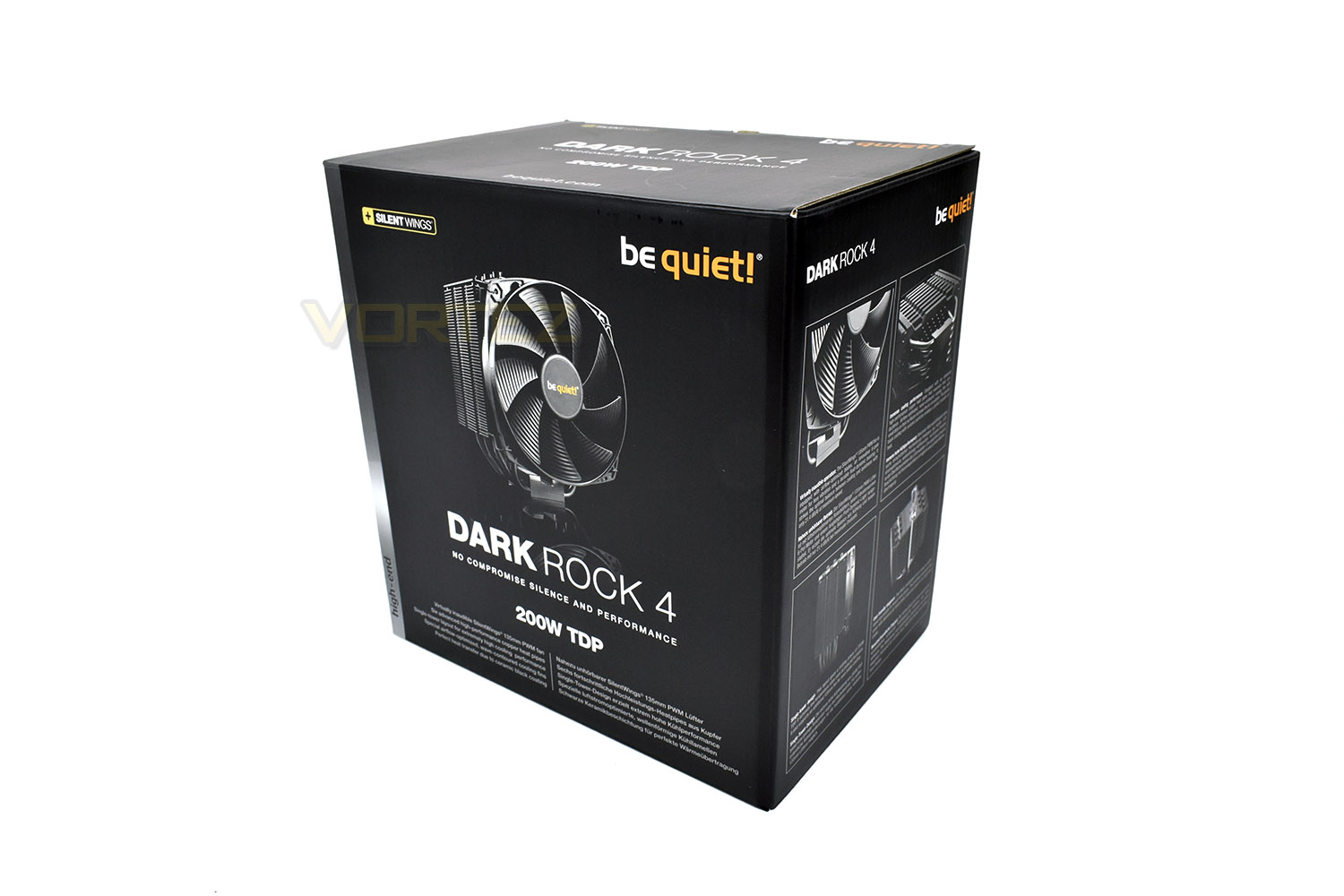
Due to the black theme of the Dark Rock 4, the box features that same black design throughout. There’s a large picture of the cooler on the front with a concise list of the main features listed underneath.On the side is a more in-depth explanation of those attributes with an illustration for each.
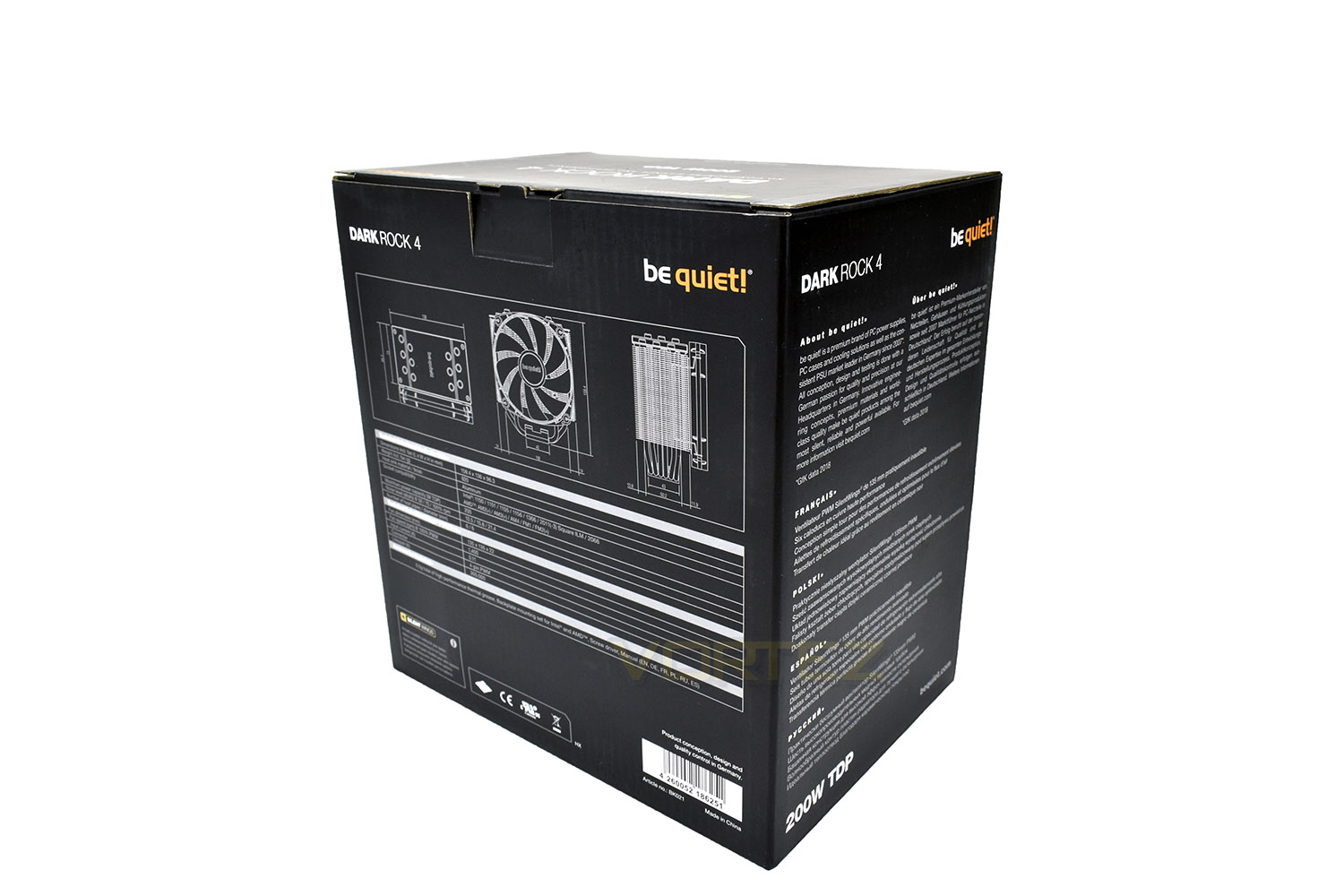
The rear of the box gives exact dimensions of the cooler as well as the technical specification below.
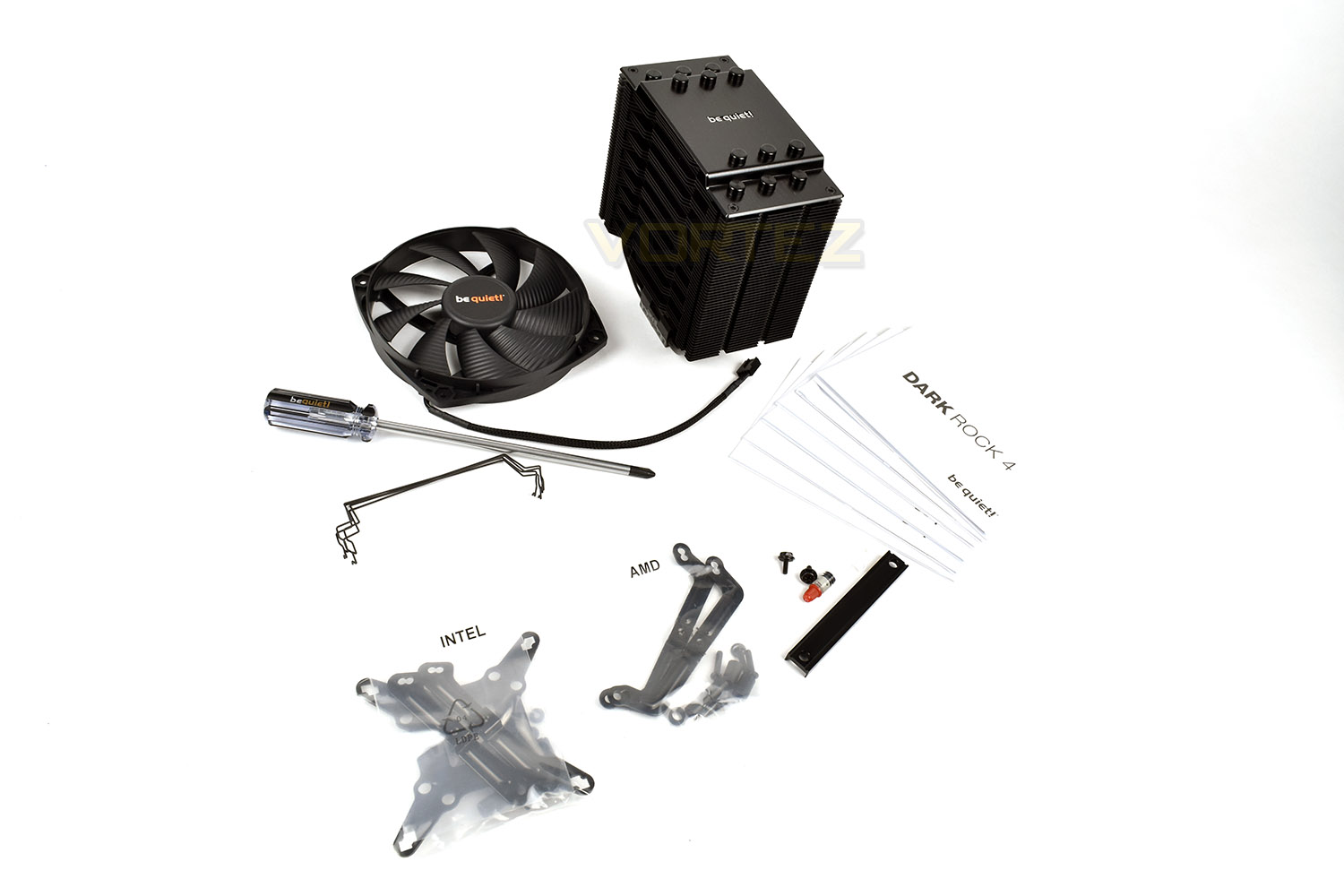
Included with the Dark Rock 4 is a single 135mm Silent Wings PWM fan, a pair of mounting clips, provisioning for a second fan being added if extra cooling was required. There’s also the mounting brackets for Intel and AMD sockets, a small syringe of thermal paste and 6 instruction manuals, all in full-colour and great depth. That’s not all though, you also get given a lengthy, quality screwdriver to aid the installation process.
Closer Look
Down the two leading edges on the front of the cooler is a rubber strip onto which the Silent Wings cooling fan will mount, reducing vibration transmission into the aluminium body.On the surface of each fin is hundreds of dimples, introducing themselves into the direct airflow, increasing airflow and heat dissipation while also reducing noise.
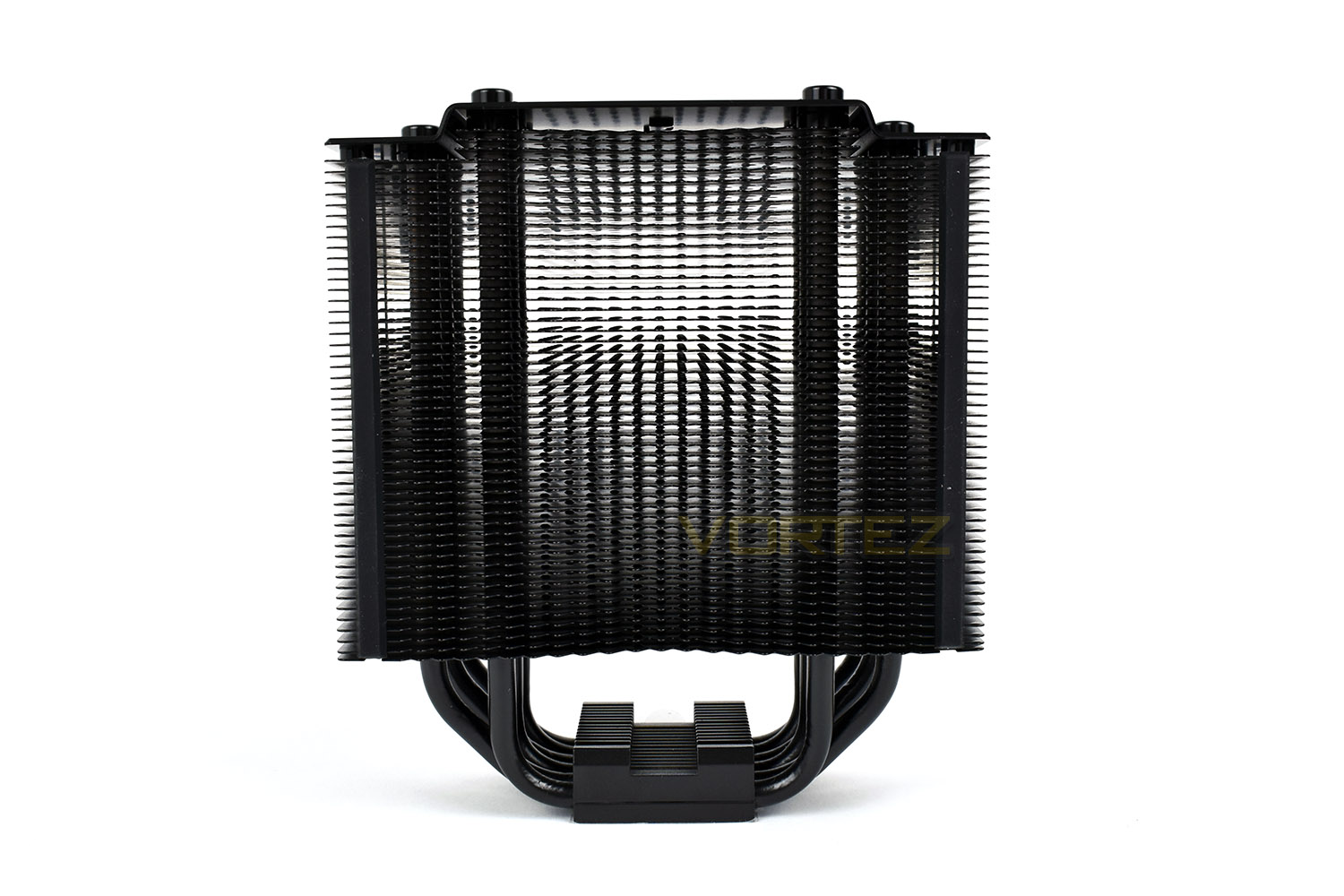
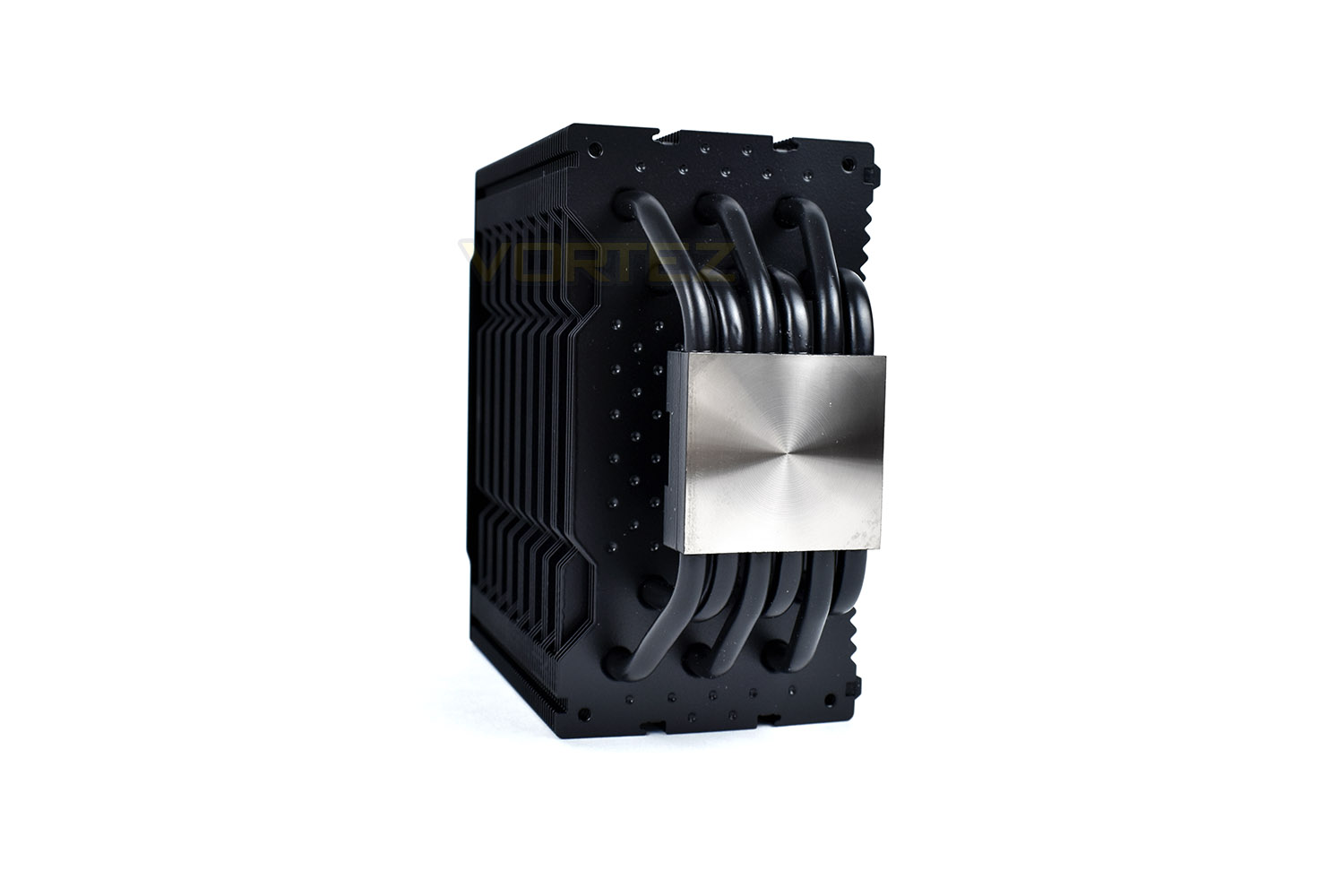
Looking at the DR4 from the side, you can see the 6 heatpipes, each 6mm in diameter, used to efficiently transfer heat from the CPUs IHS to the heatsink above. The heatpipes don’t quite come into direct contact with the base of the cooler, instead being sandwiched between an aluminium base and the mounting bracket above.
The vertical channels running parallel to each other are used for the fan mounting bracket, ensuring the fans are held securely in place.
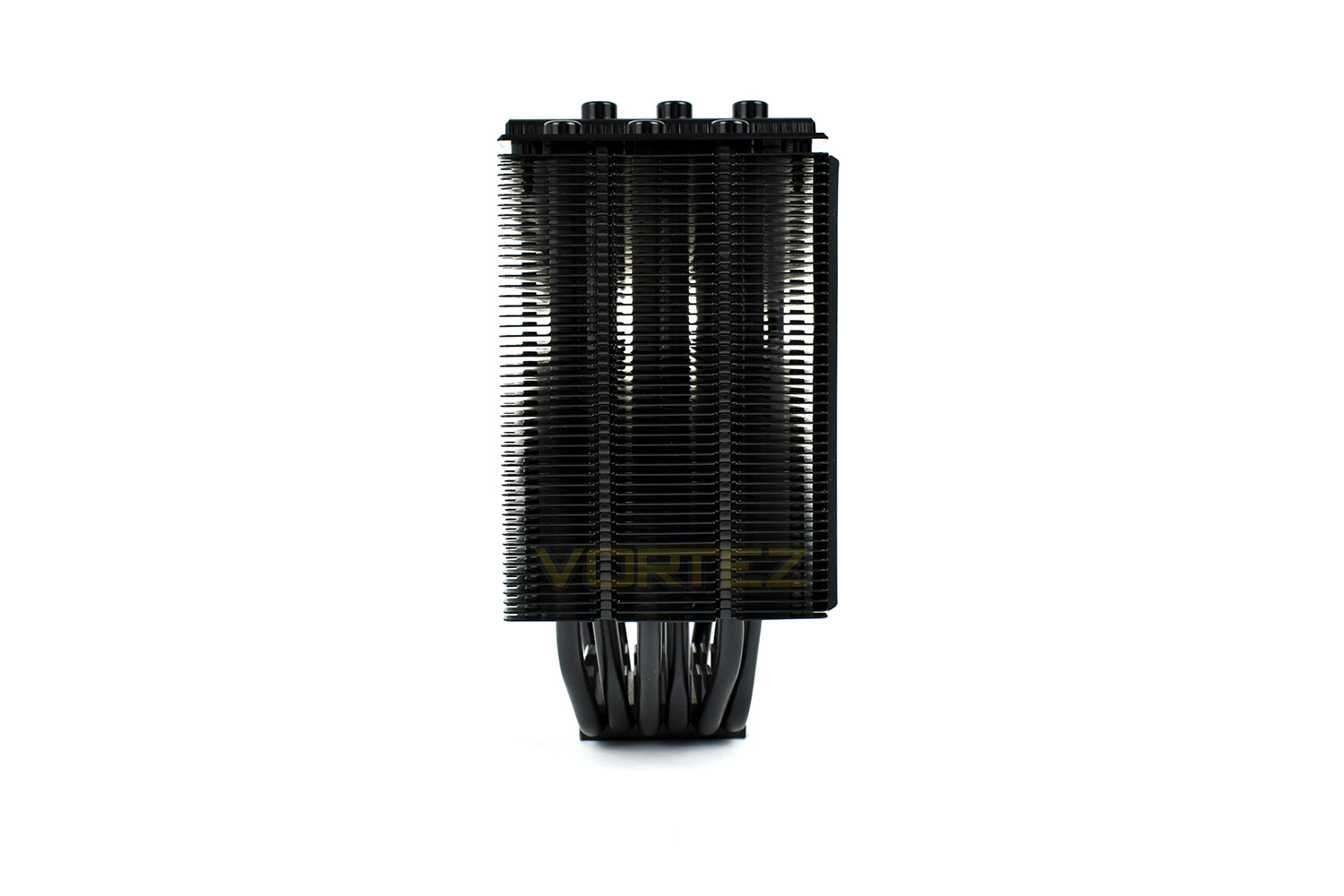
The top of the cooler is protected by a diamond-cut brushed aluminium piece, finished with the be quiet! logo in the centre. Each of those 12 caps closes off the top of the 6 heatpipes.
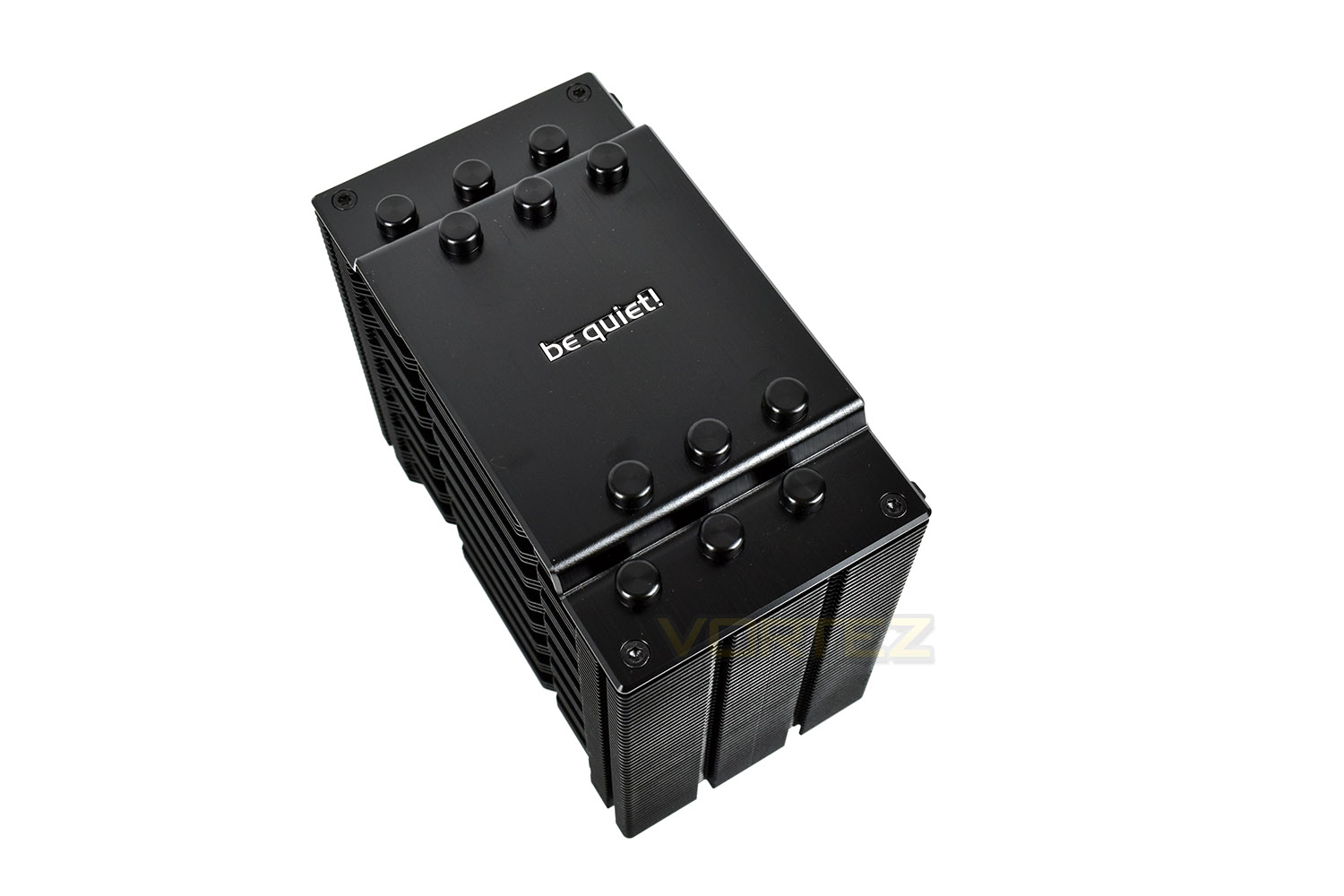
The leading edge of each of the fins is jagged to help reduce noise and improve airflow; there’s also the concave shape which helps to channel air from the Silent Wings fan through the heatsink.
Looking at the base of the heatsink, the recess through the centre is used to mount the cooler to the motherboard.
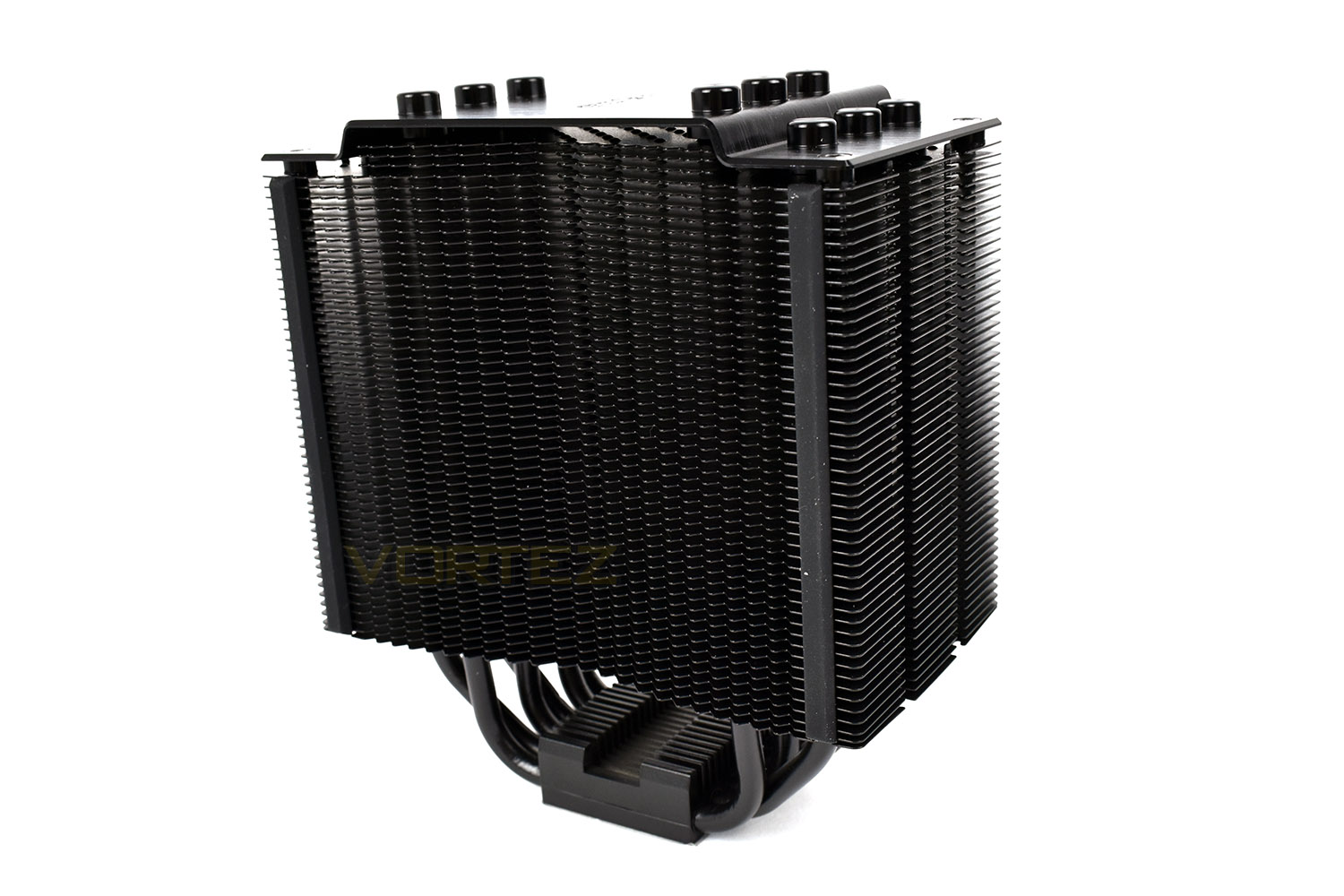
The contact patch on the bottom measures 45mm x 40mm with a machined-flat finish for optimal connection with the CPU. Each of the 6 heatpipes runs directly above.
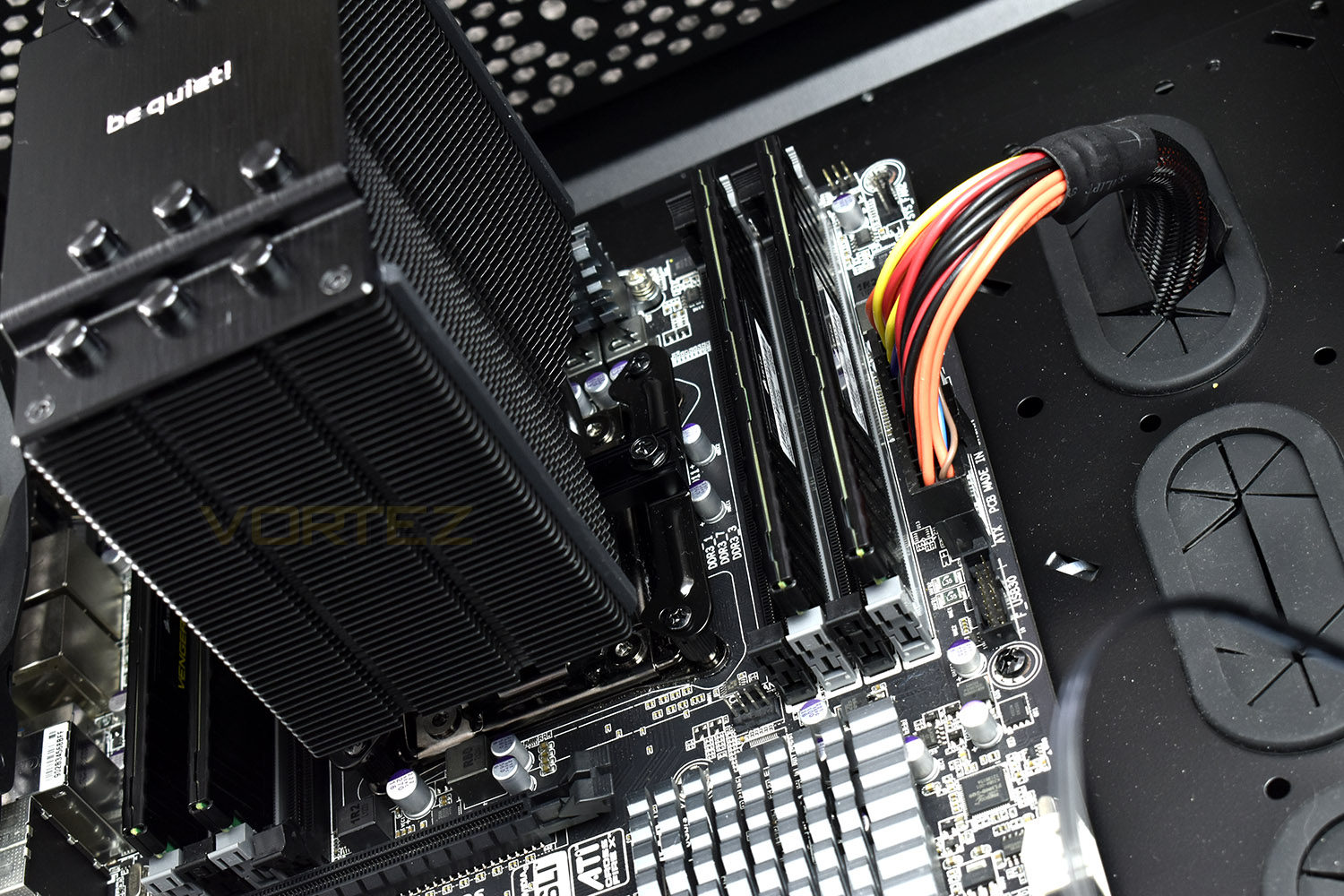
The Dark Rock 4 uses a 120mm mounting system, but actually houses a 135mm fan by using a rounded fan enclosure. This pushes things slightly beyond the outer confines of the heatsink which may introduce problems with tall VRM heatsinks and memory module clearance.
Installation
be quiet! took a step back and looked at how they could make installation easier. The included screwdriver certainly aids ease-of-use, as well as the huge instruction manuals in 6 different languages.The first step, for us at least, was finding out which components of the bracket were required for the 2011 socket on our i7-3930k. The instructions were clear on which bits were required.
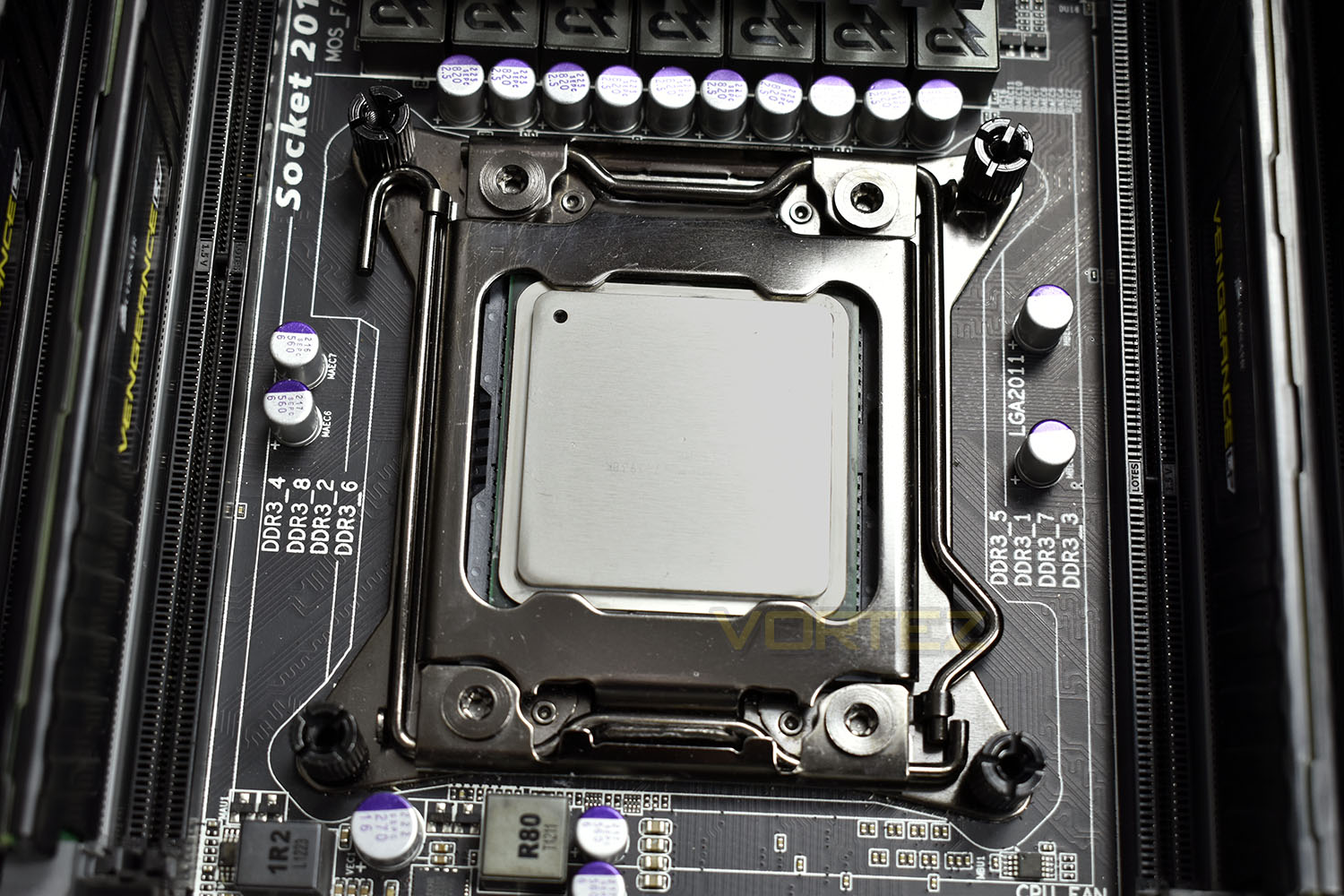
To install onto the 2011 socket we first install the stand-off screws to each corner. These can be tightened with the included screwdriver, if you so wish.
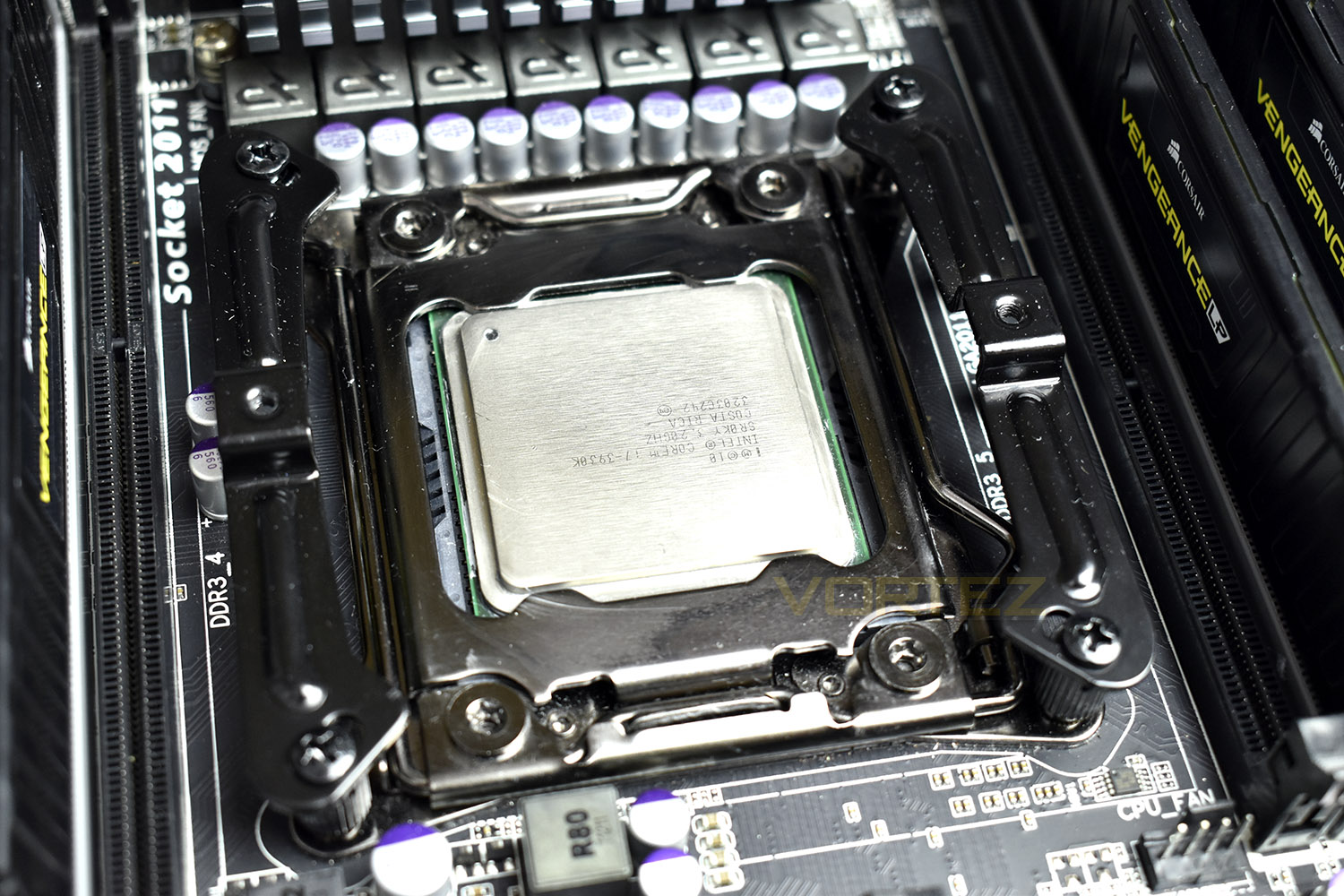
A bracket must then be installed between the stand-offs. The orientation you choose will dictate which direction the cooler will face so pay close attention at this point.
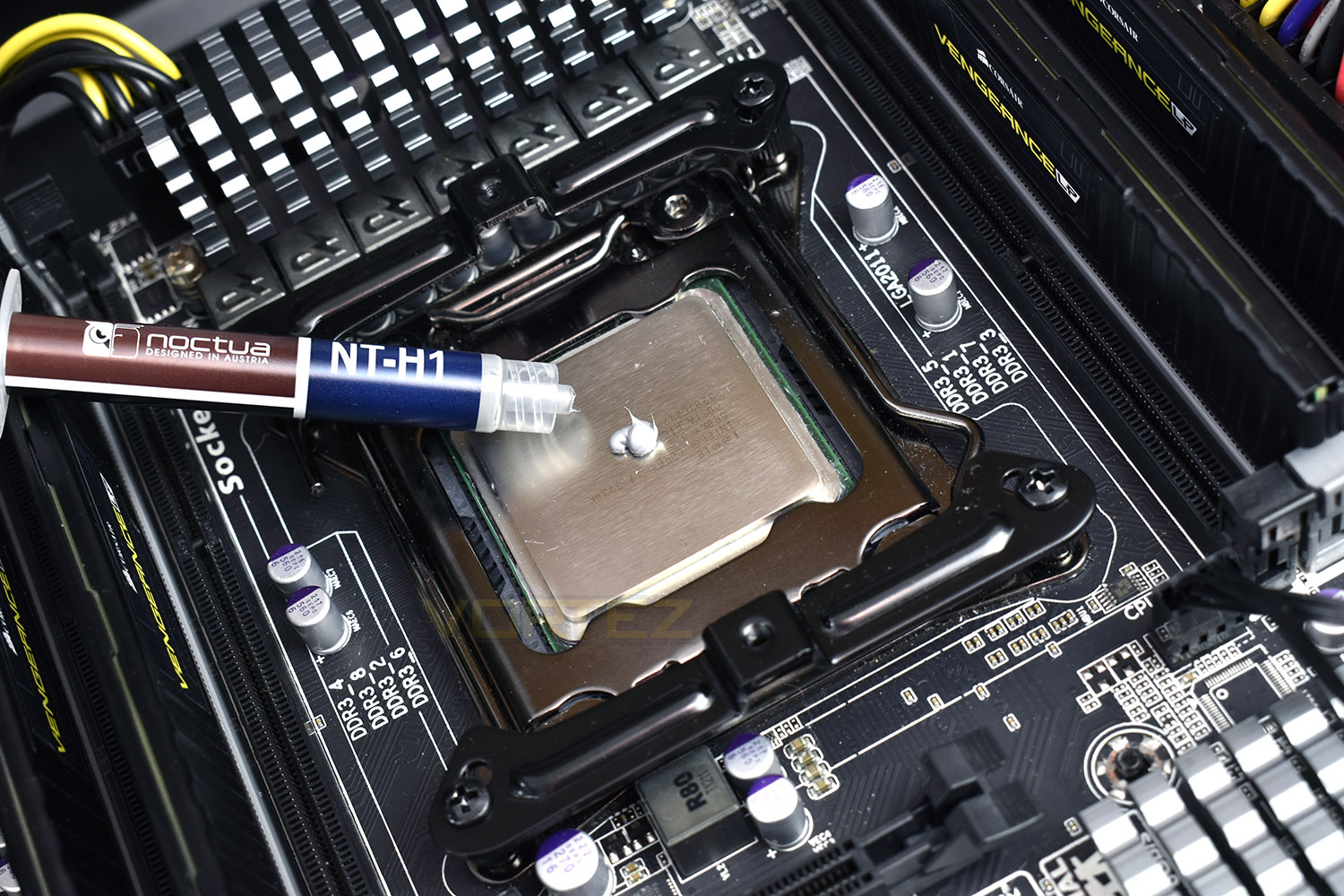
Now’s the time to introduce some TIM onto the CPU – we use a small pea-sized blob of Noctua NT-H1 thermal paste. We choose to use this high-quality paste in all of our CPU cooler reviews, essentially eliminating an unnecessary variable from the subsequent results and comparison graphs.
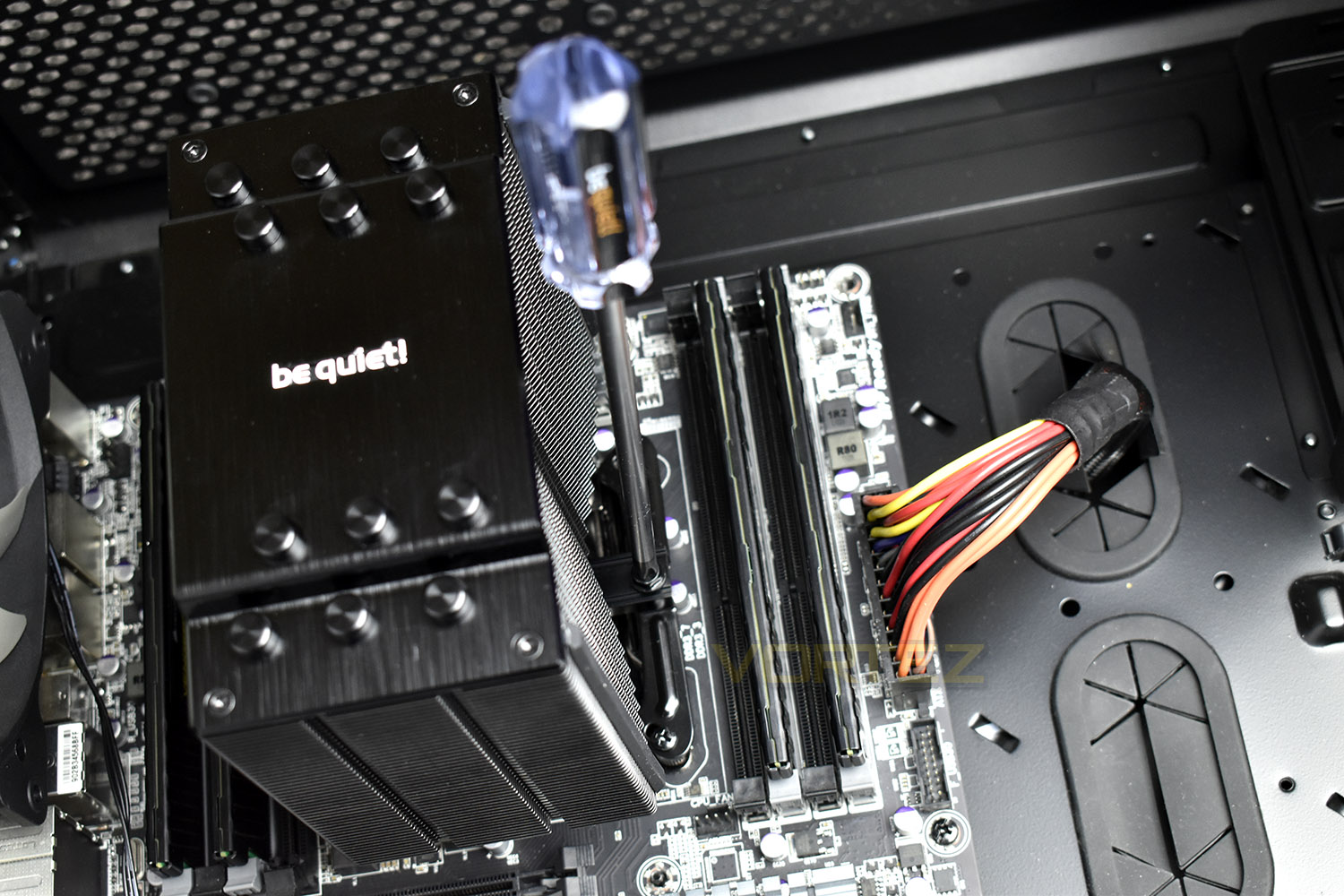
At this point, it’s time to put the heatsink in place and tighten down with the bridge locked into position. The two pieces mate together in such a way that it’s impossible to get it wrong.
Tighten down the cooler, turning each screw as evenly as you can; ideally a single turn of each until the Dark Rock 4 is solid.
The final part is installing the fan onto the front. We needed to remove a memory module to install the Silent Wings PWM fan into place but could replace it once the process was finished. However, the fan did completely block the first DIMM slot, to the right of the CPU, on our X79 motherboard.
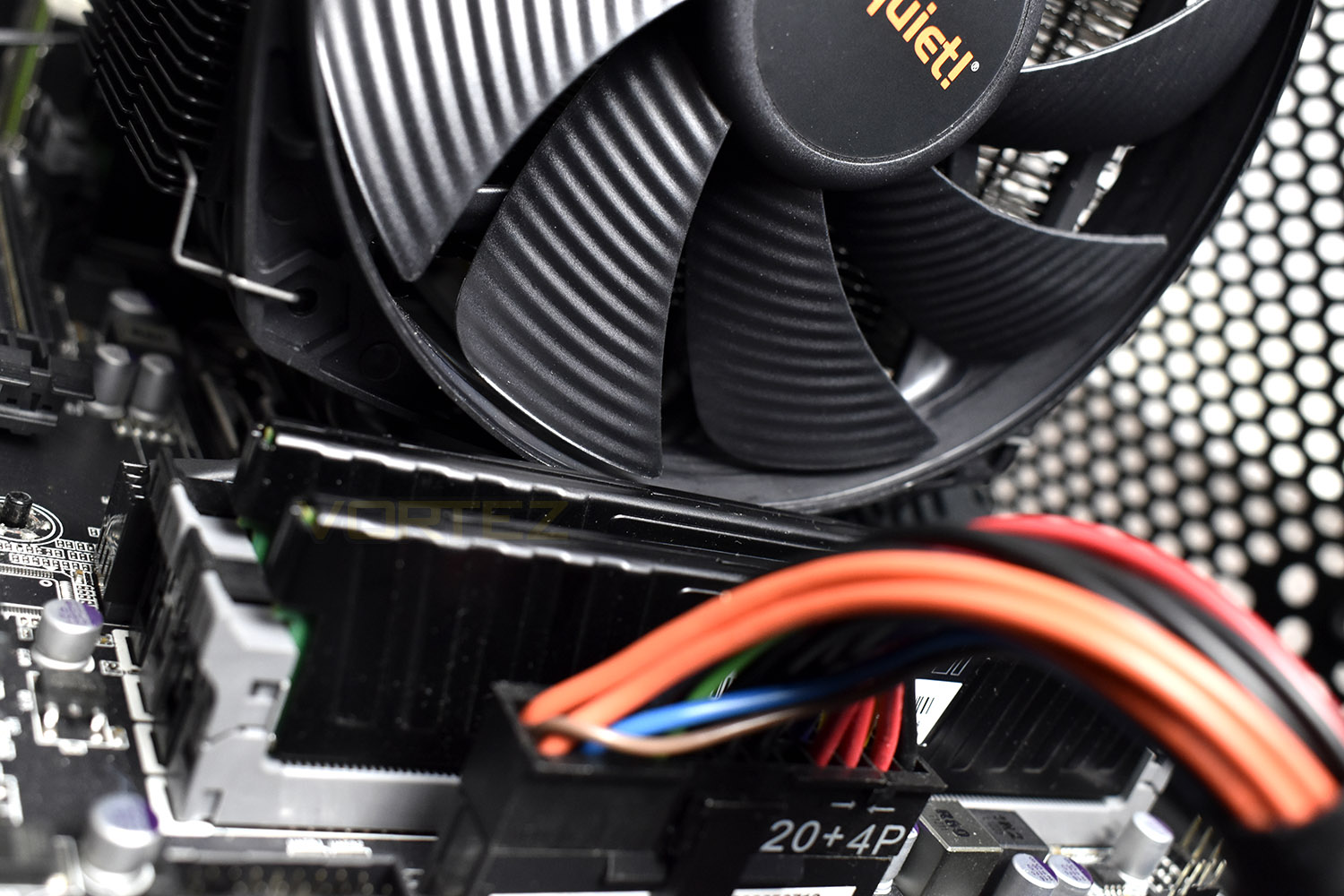
As an entire process, it was relatively easy and not too time consuming, but if you were to do this in a smaller case, the process may take considerably longer, allowing time to remove and reinsert the motherboard.
Test Setup & Methodology
We have recently made changes to our cooling department and the associated testing methodology, so please note that the number of results shown will increase over time as we add additional products. We hope that these results will appear clearer to the majority of our readership and look forward to building upon the baselines that we currently have.We perform two individual testing routines with each CPU cooler that we receive – temperatures and acoustics. The system used is as follows and all tests are performed at stock 3.8 GHz and overclocked 4.4 GHz frequencies.
Processor – Intel Core i7-3930K
Motherboard – Gigabyte X79-UP4
Memory – 8GB Corsair Vengeance LP 1600MHz CL9
Video Card – Sapphire Radeon HD 6850 1GB
Power Supply – NZXT Hale90 650W
Storage Drive – Kingston HyperX 240GB SATA III SSD
Case – Corsair Carbide 760T
Monitor ASUS ROG SWIFT PG278Q
Motherboard – Gigabyte X79-UP4
Memory – 8GB Corsair Vengeance LP 1600MHz CL9
Video Card – Sapphire Radeon HD 6850 1GB
Power Supply – NZXT Hale90 650W
Storage Drive – Kingston HyperX 240GB SATA III SSD
Case – Corsair Carbide 760T
Monitor ASUS ROG SWIFT PG278Q
To keep our tests consistent, we always review CPU coolers as they come out of the box – with their factory cooling fans, as the manufacturer intended and as the consumer expects. It should, however, be noted that we do not use supplied thermal paste but instead, Noctua NT-H1 paste to, again, ensure consistency. The paste is applied and the CPU allowed to run for a couple of hours, at idle, to give the thermal compound some time to “bed in.”
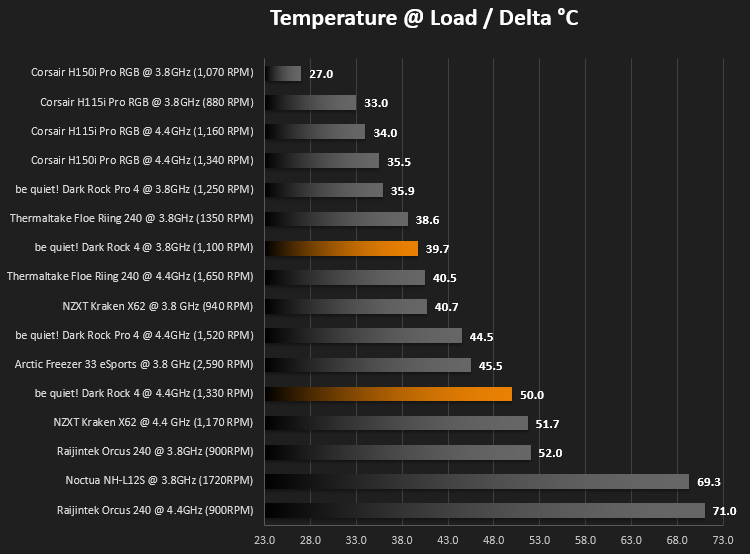
In the first test, we record idle and load temperatures as shown by the most current version of the Real Temp monitoring utility. The test system is booted to the Windows desktop and left to idle for 20 minutes to ensure temperatures have stabilised. The average core temperatures are then recorded over a 1 minute period and averaged across the six cores. We then perform a continuous 20 minute AIDA 64 stress test. The maximum absolute core temperatures are recorded immediately after the test has completed and averaged across the six cores. All results are displayed as delta temperatures – these are calculated by subtracting the ambient room temperature from the average core temperatures recorded. For temperature testing, the Corsair 760T chassis door is closed and has all three systems fans powered on to simulate real-world conditions.
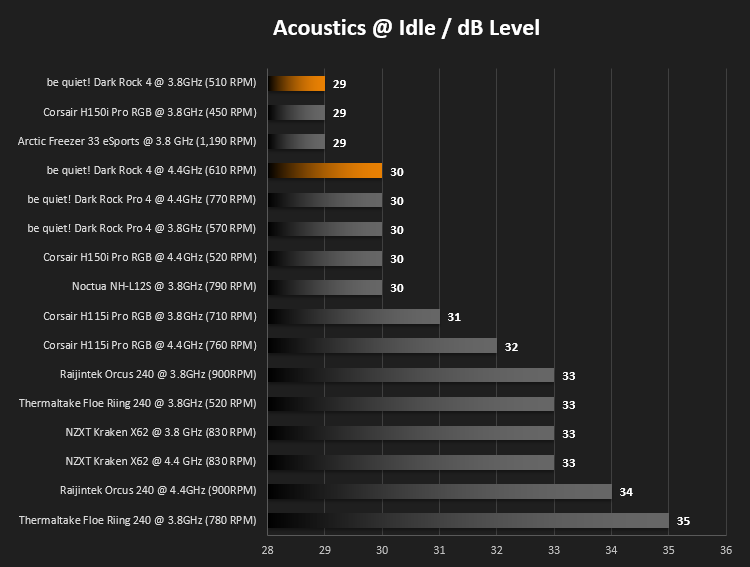
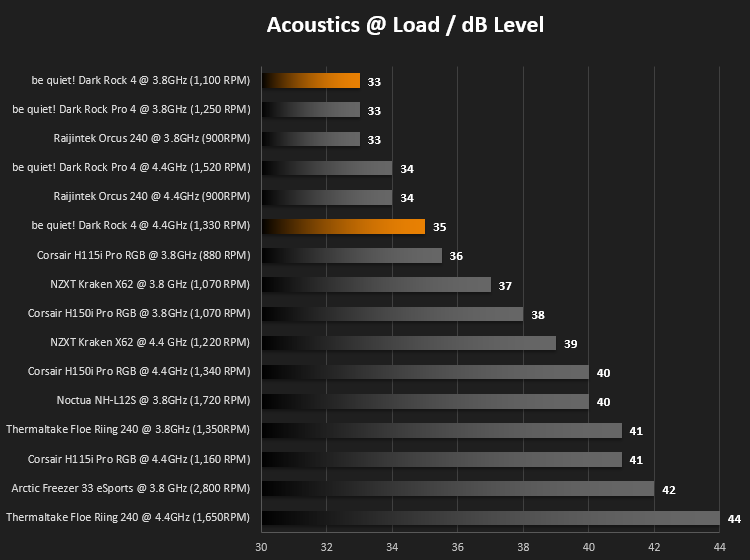
Our second test follows a similar methodology to the first, with the key difference being that the Corsair 760T chassis door is now left open and all three systems fans are disabled. This allows for the CPU cooler fans acoustic profiles to be captured in isolation. From cold, the system is again booted to the Windows desktop and left to idle for 20 minutes to ensure temperatures have stabilised. The acoustic level is then recorded at a distance of 20cm from the CPU cooler and where the individual result is an average level over a 1 minute period. We then perform our continuous 20 minutes AIDA 64 stress test. Acoustic levels are again recorded at a distance of 20cm from the CPU cooler and where the individual result is an average level over a 1 minute period.
Benchmarks – Thermal Results
We have recently made changes to our cooling department and the associated testing methodology, so please note that the number of results shown below will increase over time as we add additional products. We hope that these results will appear clearer to the majority of our readership and look forward to building upon the baselines that you see below.We start off by letting the CPU cooler “bed in” for a couple of hours, to ensure the paste has time to move around and form an even layer, after which an idle result is taken.
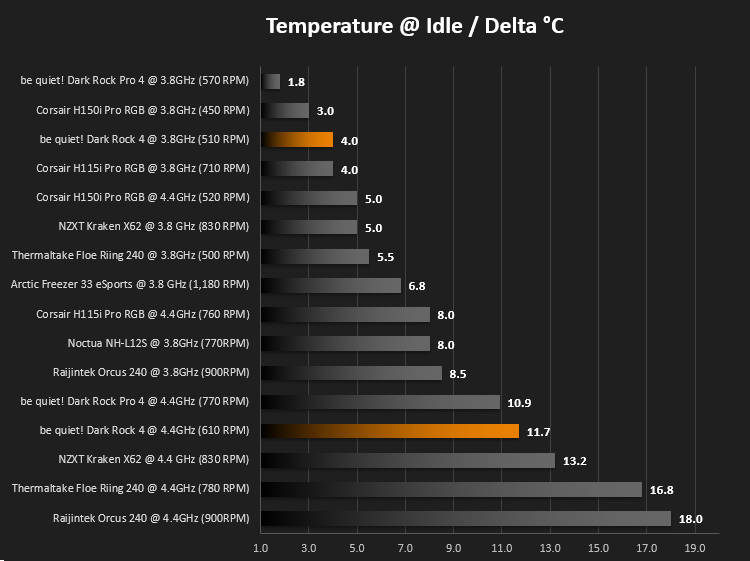
The 3930K is then loaded through AIDA64 for 20 minutes, ensuring that temperatures are peaking and that the CPU cooler is fully saturated.
Benchmarks – Acoustic Results
As mentioned on the previous page, we’ve made some recent changes to our cooling department and the testing methodology. Therefore our results graphs are starting from fresh – we’re working tirelessly to populate these graphs, but we hope you can appreciate that these results must be done fairly, and more importantly, correctly.We measure the noise levels by disconnecting all fans within the case to isolate the CPU cooler only. We then measure noise levels at idle.
20 minutes later, after hitting the heatsink with a heavy dose of AIDA64, we take another reading – again, with all case fans disconnected.
Conclusion
be quiet! live up to their name once again, offering a CPU cooler with excellent ability and gorgeous design. The be quiet! Dark Rock 4 managed a virtually silent 29 dB in our acoustic testing while the CPU was idle, and only rose to 35 dB while being stressed by AIDA64.The Silent Wings 135mm PWM fan performed remarkably well, even dealing with an Intel i7-3930K @ 4.4GHz, pumping out 180W at full load, which is dangerously close to that claimed 200W TDP. Noise was never an issue, even at these extremes.
The ceramic-particle coating was a bit of an issue when installing the fan. The metal holding straps scraped along the edges of the fins, taking the coating off all-too-easily. Albeit, ceramic’s thermal dissipation properties are well-known and clearly put to good use on the Dark Rock 4.
The cooler itself presented no issues towards RAM clearance, with its fairly modest size and height from the motherboard; however, when installing the Silent Wings 135mm fan onto the heatsink, we found our Corsair Vengeance DDR3 memory sticks, measuring only 30mm tall, would be fouled completely. In our exact instance, the slot that was blocked wasn’t actually required, but anyone using a smaller motherboard with tighter tolerances between components should certainly check the size and specification before going ahead with a purchase. Having said that, installation of the cooler when using the provided Philips screwdriver was simple and painless, with most of the work done before the heatsink is even introduced into the case – those with smaller cases may have difficulty attaching the Silent Wings fans so we would advise removing the motherboard at that point.
As is to be expected of be quiet!, the Dark Rock 4 felt solid and well put together. The fan claims a lifetime of 300,000 hours (34 years), which should be enough.
be quiet! have pulled it out the bag, yet again, and offer incredible thermals as well as near-silent operation, all for a decent price.
Pros
+ Incredibly capable
+ Whisper quiet
+ Looks great
+ Price
+ Easy to install
+ Free screwdriver
Cons
– RAM clearance is a big issue, completely blocking a DIMM slot on our board
– Ceramic coating scraped off too easily
+ Incredibly capable
+ Whisper quiet
+ Looks great
+ Price
+ Easy to install
+ Free screwdriver
Cons
– RAM clearance is a big issue, completely blocking a DIMM slot on our board
– Ceramic coating scraped off too easily
Click here for an explanation of our awards at Vortez.net.
Stay connected with the Vortez Social Media pages: