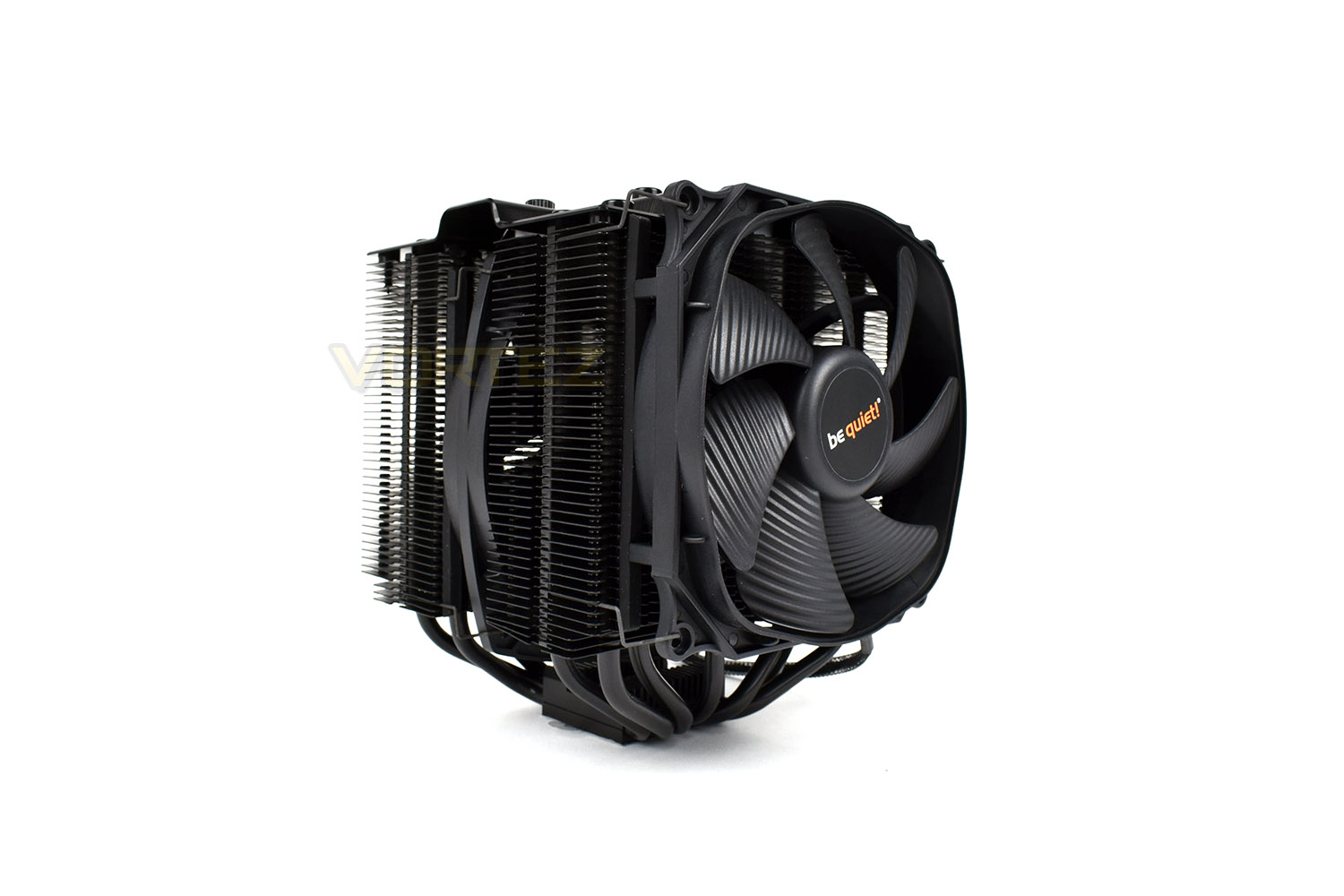
Introducing be quiet!’s top-of-the-line CPU cooler, the Dark Rock Pro 4, with 7 heatpipes and ceramic particle coating, offering the best thermal transfer possible.

Product on Review: be quiet! Dark Rock Pro 4
Manufacturer: be quiet!
Street Price: £79.99 / $89.90
be quiet! first announced the Dark Rock 4 and Dark Rock Pro 4 at CES in January but today we get to bring you our thoughts on their latest and greatest, the Dark Rock Pro 4. The review of the Dark Rock 4 can be found here.
The Dark Rock Pro 4 offers the user up to 250W of heat dissipation via a twin-tower design; that’s more than enough to deal with any current consumer CPU, even with a sizeable overclock. That heat is extracted via 7 copper heat pipes, transferring it to the ceramic coated, black fins on either tower. There’s also a pair of be quiet!’s Silent Wings fans to ensure airflow is aplenty – a 120mm on the front and a 135mm inside.
be quiet! claim to have reduced noise even further since their last Dark Rock Pro 3. They’ve managed this using fluid dynamic bearings with 6-pole motors, advanced wave-countered blades and a decoupled fan mounting system, with rubber pads to reduce vibrations to a minimum.
Not only is noise reduced, installation is also made much easier with some clever German engineering; removable caps and bespoke tools, be quiet! Claims, bring the process down to around a five-minute procedure.
Measuring 163mm x 136mm x 146mm and tipping the scales at 1130g, you’ll need a fairly big chassis to house the cooler, though no large exhaust or intake points are required for cumbersome water cooling radiators.
The Dark Rock Pro 4 will hit the shelves at £79.99, firmly cementing its position as a top-tier air cooler while also putting it dangerously close to some of the lesser-expensive AIO solutions.
We expect to see some solid results, read on to see what we thought.
Be quiet! on the Dark Rock Pro 4:
be quiet!, the market leader in PC power supplies in Germany for twelve consecutive years*, announces its Dark Rock 4 series of CPU air coolers for high performance processors. Dark Rock 4 and Dark Rock Pro 4 keep most of their predecessors’ near-silent operation and performance features, but also introduce innovative and optimized functions that ultimately produce the best processor cooling at extremely low noise levels.
Technical Specifications
Dark Rock Pro 4
Cooler specifications
Type: Double-tower
Dimensions, including fan (L x W x H): 163 x 136 x 146
Weight, including fan (g): 1130
Heat sink material: Aluminium
Socket compatability: Intel®: 1150 / 1151 / 1155 / 1156 / 1366 / 2011(-3) Square
ILM / 2066
AMD™: AM2(+) / AM3(+) / AM4 / FM1 / FM2(+)
Maximum power capacity (W TDP): 250
Number of heat pipes/ diameter (mm): 7 / 6
Noise level (dB(A)) @ 50% / 75% / 100%: 12.8 / 17.9 / 24.3
Fan specifications
Type: Front: Silent Wings 3 PWM / Inner: Silent Wings PWM
Dimensions (mm): Front: 120 x 120 x 25 / Inner: 135 x 135 x 22
Motor technology: 6-pole
Bearing type: FDB
Fan speed (rpm) @ 100% PWM: Front: 1,500 / Inner: 1,200
Input Current (A): 0.08 / 0.08
Connector: 4-pin PWM
Lifespan (hours): 300,000
Accessories: Thermal grease, mounting set for Intel and AMD, Y cable, User manual (EN, DE, FR, PL, ES, RU)
Cooler specifications
Type: Double-tower
Dimensions, including fan (L x W x H): 163 x 136 x 146
Weight, including fan (g): 1130
Heat sink material: Aluminium
Socket compatability: Intel®: 1150 / 1151 / 1155 / 1156 / 1366 / 2011(-3) Square
ILM / 2066
AMD™: AM2(+) / AM3(+) / AM4 / FM1 / FM2(+)
Maximum power capacity (W TDP): 250
Number of heat pipes/ diameter (mm): 7 / 6
Noise level (dB(A)) @ 50% / 75% / 100%: 12.8 / 17.9 / 24.3
Fan specifications
Type: Front: Silent Wings 3 PWM / Inner: Silent Wings PWM
Dimensions (mm): Front: 120 x 120 x 25 / Inner: 135 x 135 x 22
Motor technology: 6-pole
Bearing type: FDB
Fan speed (rpm) @ 100% PWM: Front: 1,500 / Inner: 1,200
Input Current (A): 0.08 / 0.08
Connector: 4-pin PWM
Lifespan (hours): 300,000
Accessories: Thermal grease, mounting set for Intel and AMD, Y cable, User manual (EN, DE, FR, PL, ES, RU)
Packaging & Bundle
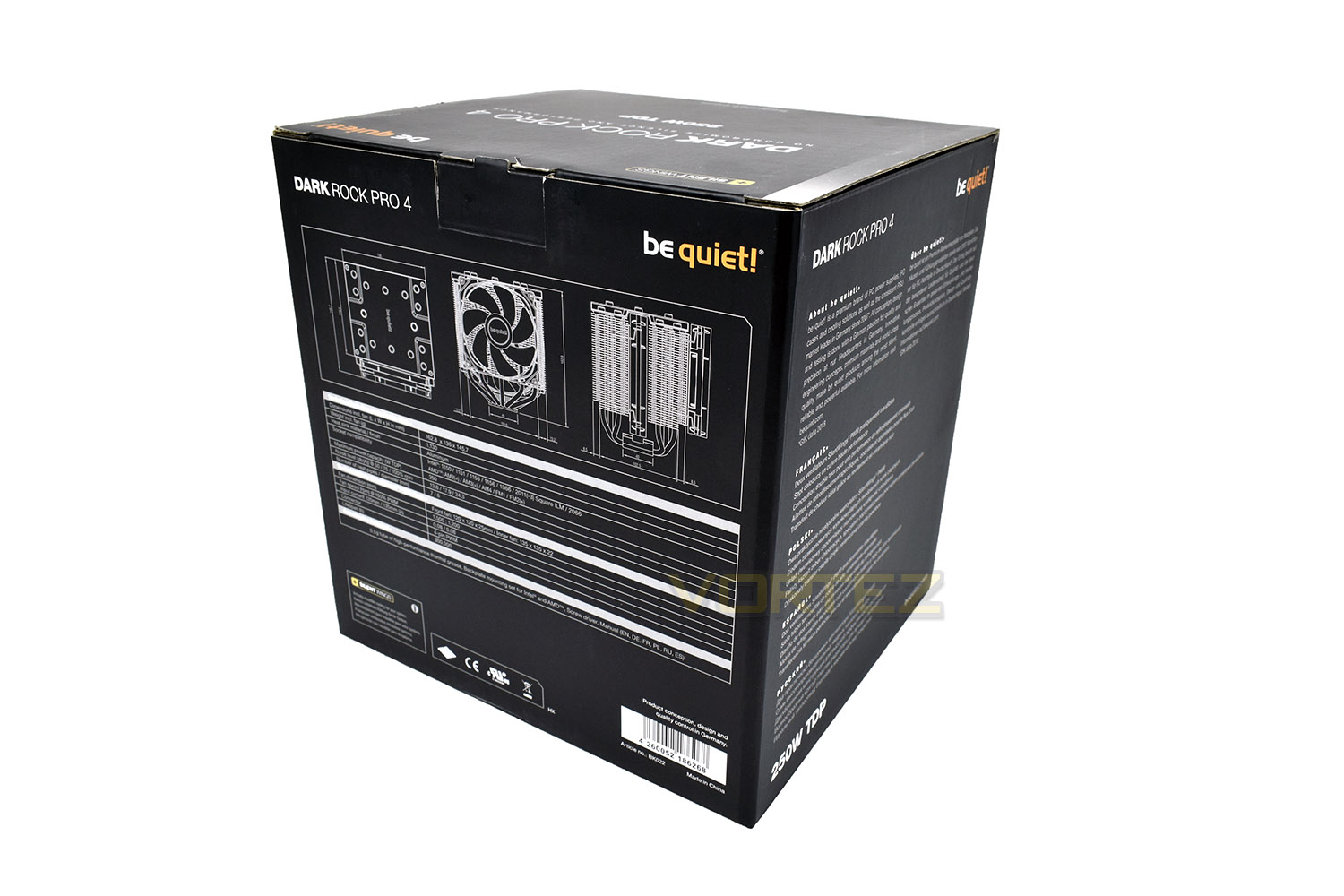
The Dark Rock Pro 4 arrives in a large, square box. Not surprising really, considering the size of the cooler! On the front of the packaging is a large image of the cooler and some technical details listed at the bottom.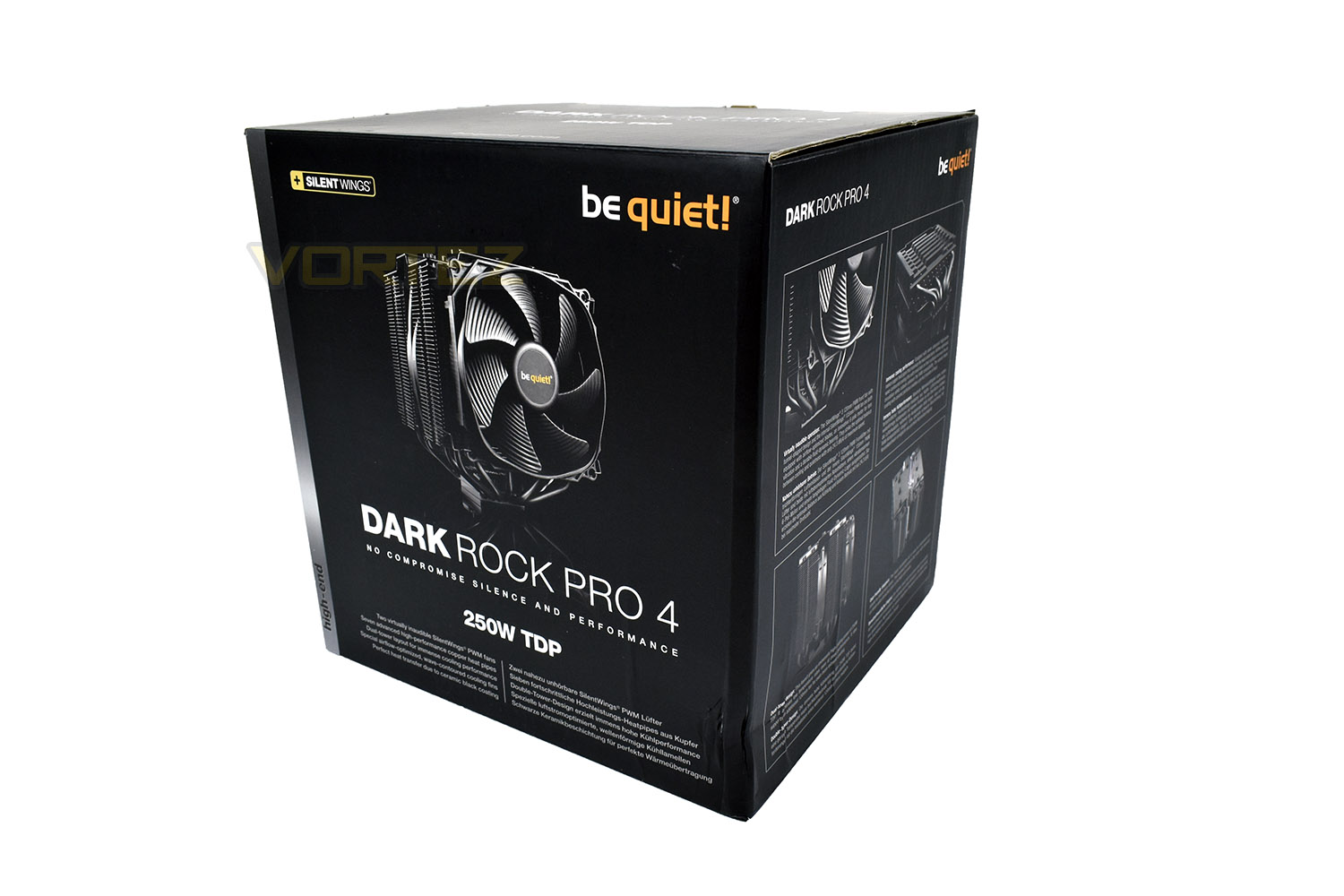
The back and sides of the box give you every single piece of information you could possibly need – so much so that this review feels a little pointless; the box has everything covered.
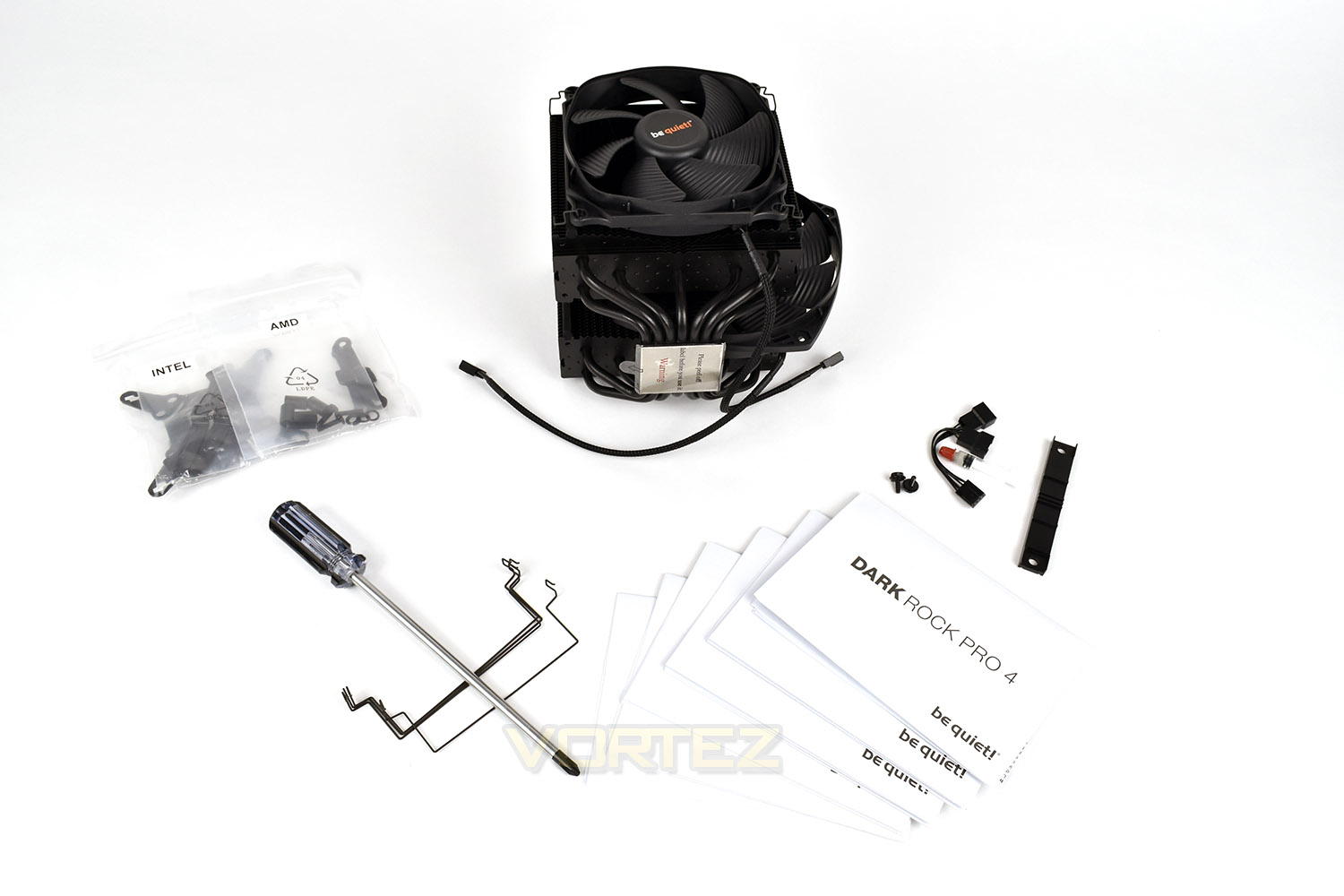
Included with the cooler is a screwdriver to install the cooler, after complaints the previous iteration was tricky to fit. There’s also a spare set of fan hooks, for a third fan, if you feel it’s absolutely necessary. The fan splitter is useful for connecting both fans to the motherboard’s CPU fan header, if your board only provisions for a single fan. A small tube of thermal paste is also included, but we’ll be using Noctua’s NT-H1 thermal compound. be quiet! have included mounting brackets for all of the currently used CPU sockets from both AMD and Intel.
The box also contains more literature than your local library. There’s 6 full-colour instruction manuals included to ensure plain sailing while installing the Dark Rock Pro 4.
Closer Look
be quiet! Have decided to use a 120mm Silent Wings 3 fan on the front, and a 135mm inside, pushing as much air with as little effort as possible. The choice to use the 120mm fan on the front is to aid RAM compatibility for taller memory modules. There’s also scope to add a third fan to the rear of the block – we’ll see if that’s necessary in our overclocking tests.The front is slightly concave and features a jagged leading edge to reduce airflow noise. There’s also two rubber strips running along the right and left edges, reducing vibrations from the fan. Those same rubber strips are also used for the internal fan.
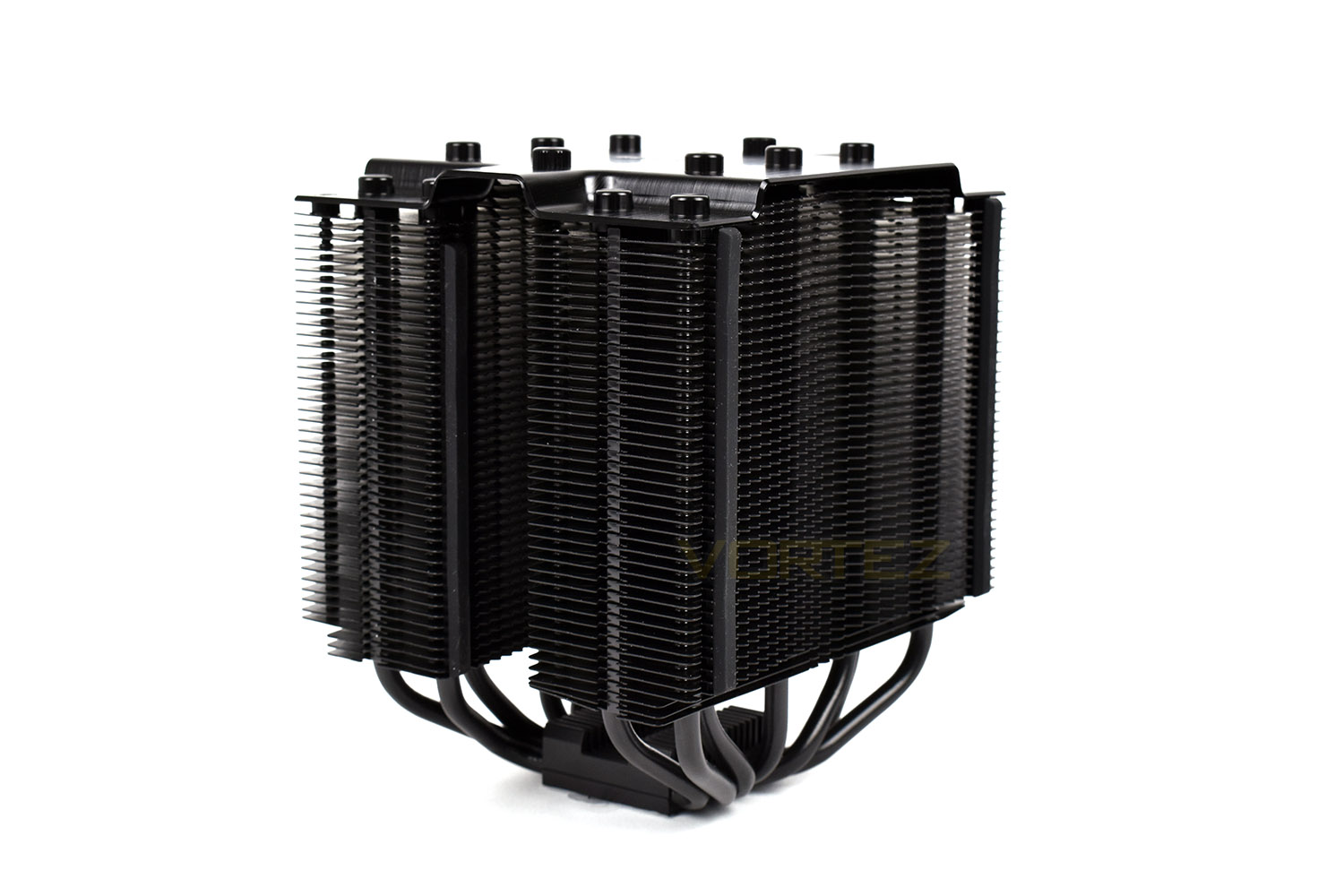
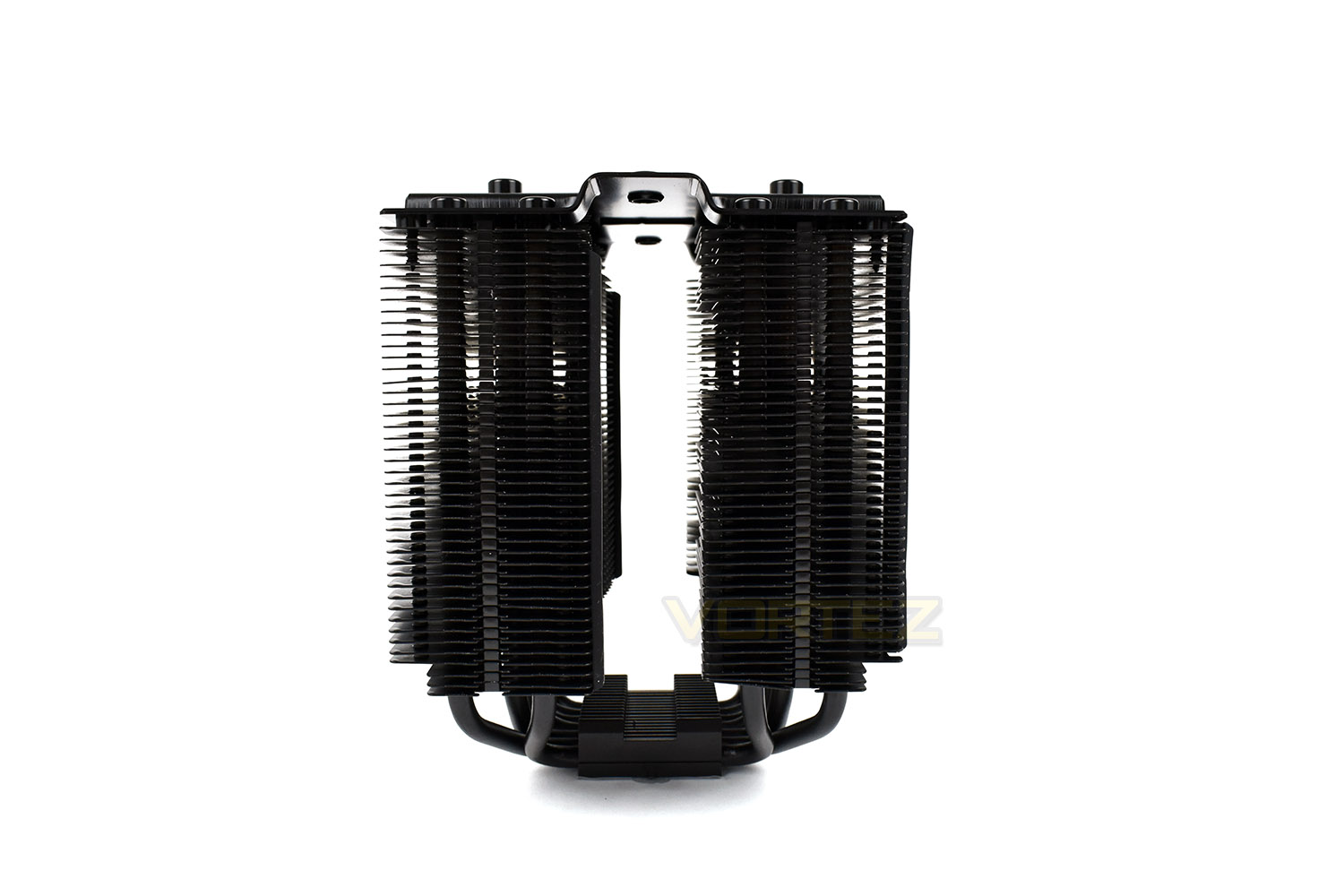
The rear of the cooler isn’t flat, instead featuring some small cut-outs to help reduce noise through clever design. The black fins also feature a special ceramic-particle coating to help heat transfer.
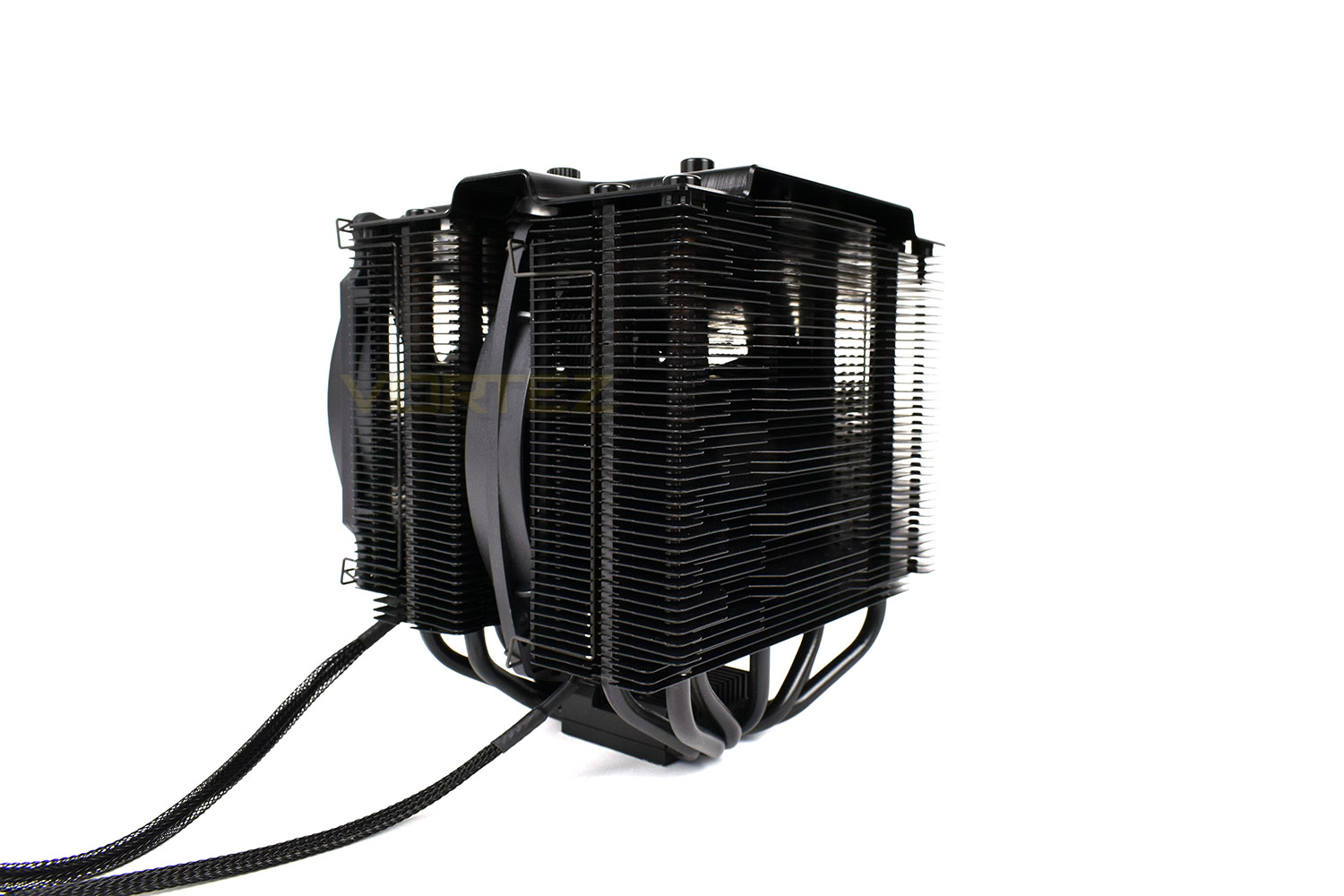
The top of the cooler is sleek, with caps for each of the 7 heatpipes on each side. This surface is made from diamond-cut brushed aluminium, painted black.
The middle two caps are screwed into place, as you can see on the upper-most one. This is to enable access to the mounting system with the included screwdriver.
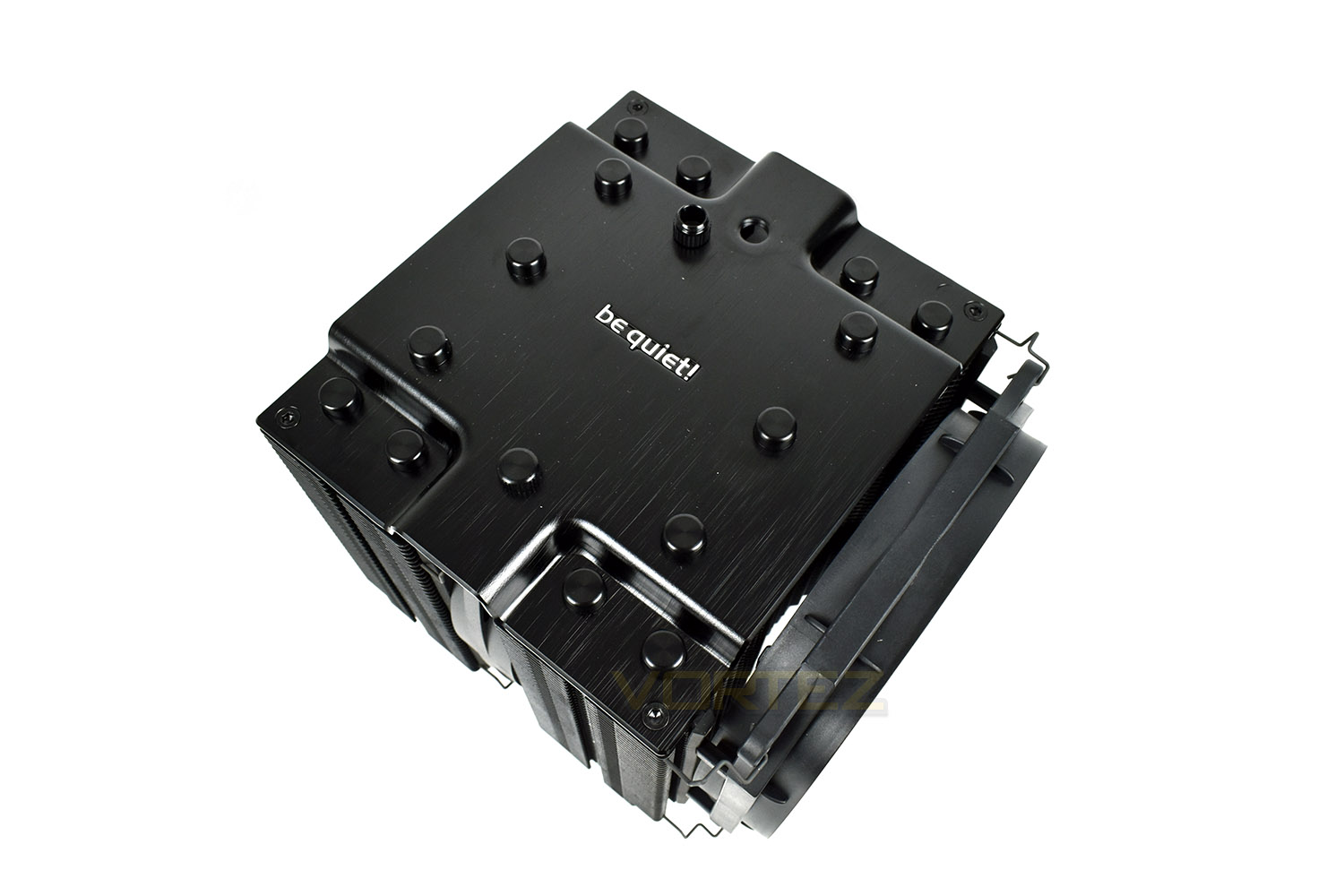
You can see on either side that be quiet! have trimmed back the bottom three fins, this is to aid memory compatibility with some of today’s larger RAM modules.
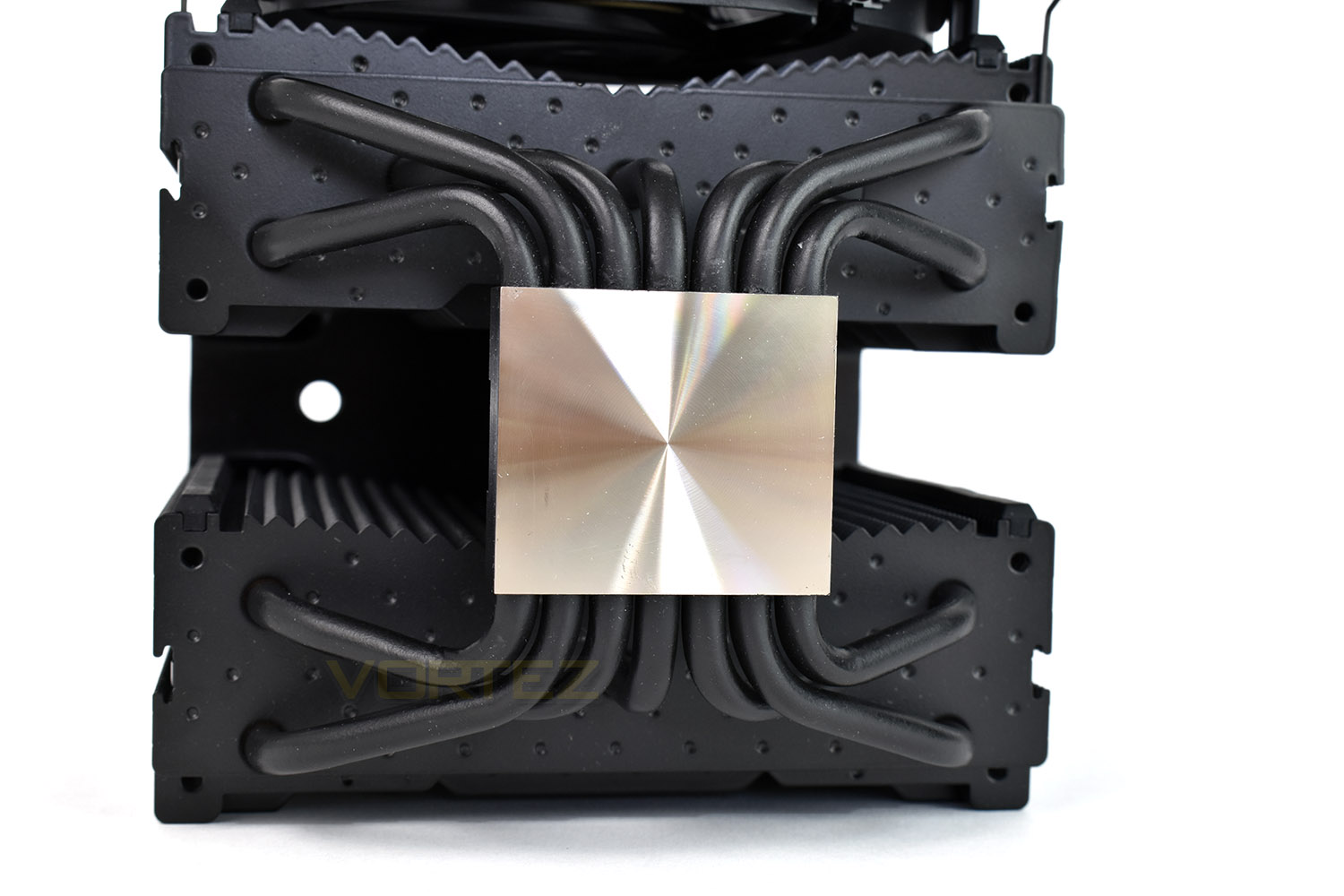
All seven of the copper 6mm heatpipes congregate in the centre, sandwiched between the mounting system and the machined heatsink surface.
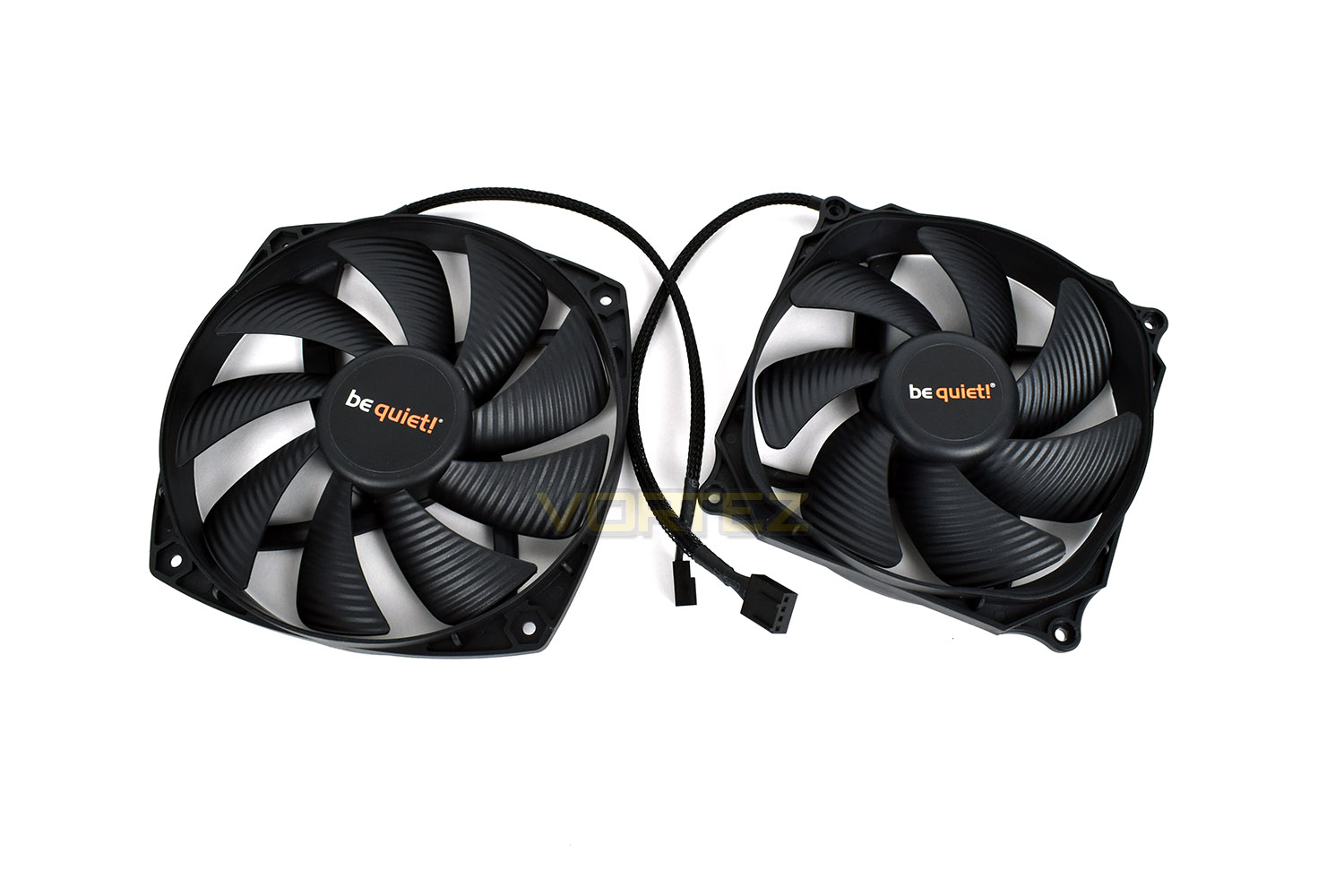
The included Silent Wings fans use a waved blade design, engineered by be quiet! to reduce noise and increase airflow. Both fans are 4-pin PWM for speed modulation and monitoring. The 6-pole motor also helps reduce noise and prolong lifespan.
Installation
The Dark Rock Pro 4 is surprisingly easy to install for such a behemoth of a cooler. Be quiet! Have gone back to the drawing board in this regard, looking at the process from the very first step, making the process as painless and streamlined as possible. If you’re going to follow our guide, please read it in its entirety before going ahead.The installation manuals included are excellent, giving incredibly detailed and easy to follow instructions – a great start as far as we’re concerned.
The first step, for us at least, was finding out which components of the bracket were required for the 2011 socket on our i7-3930k. The instructions were clear on which bits were required.
To install onto the 2011 socket we first install the stand-off screws to each corner. These can be tightened with a screwdriver, if you so wish.
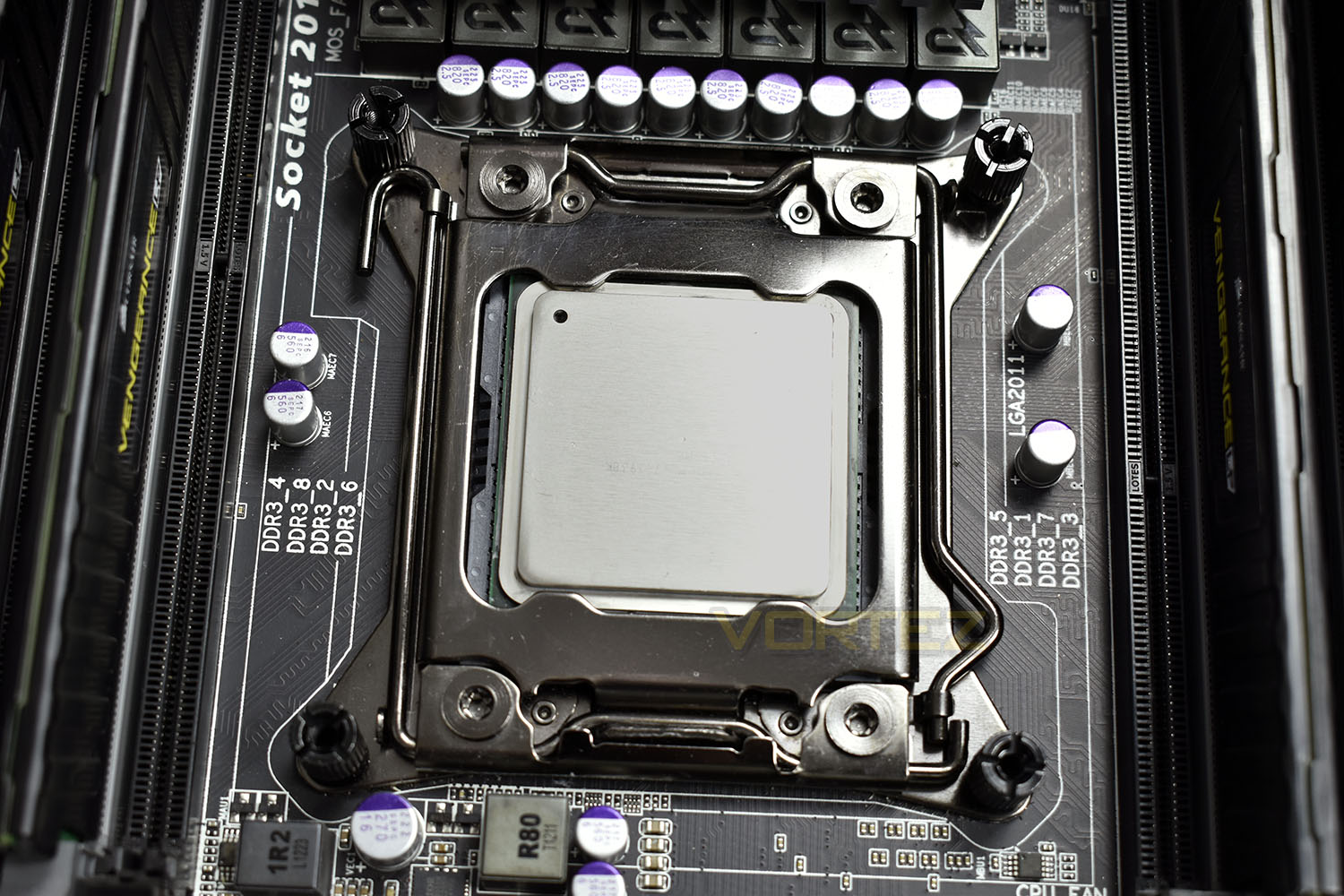
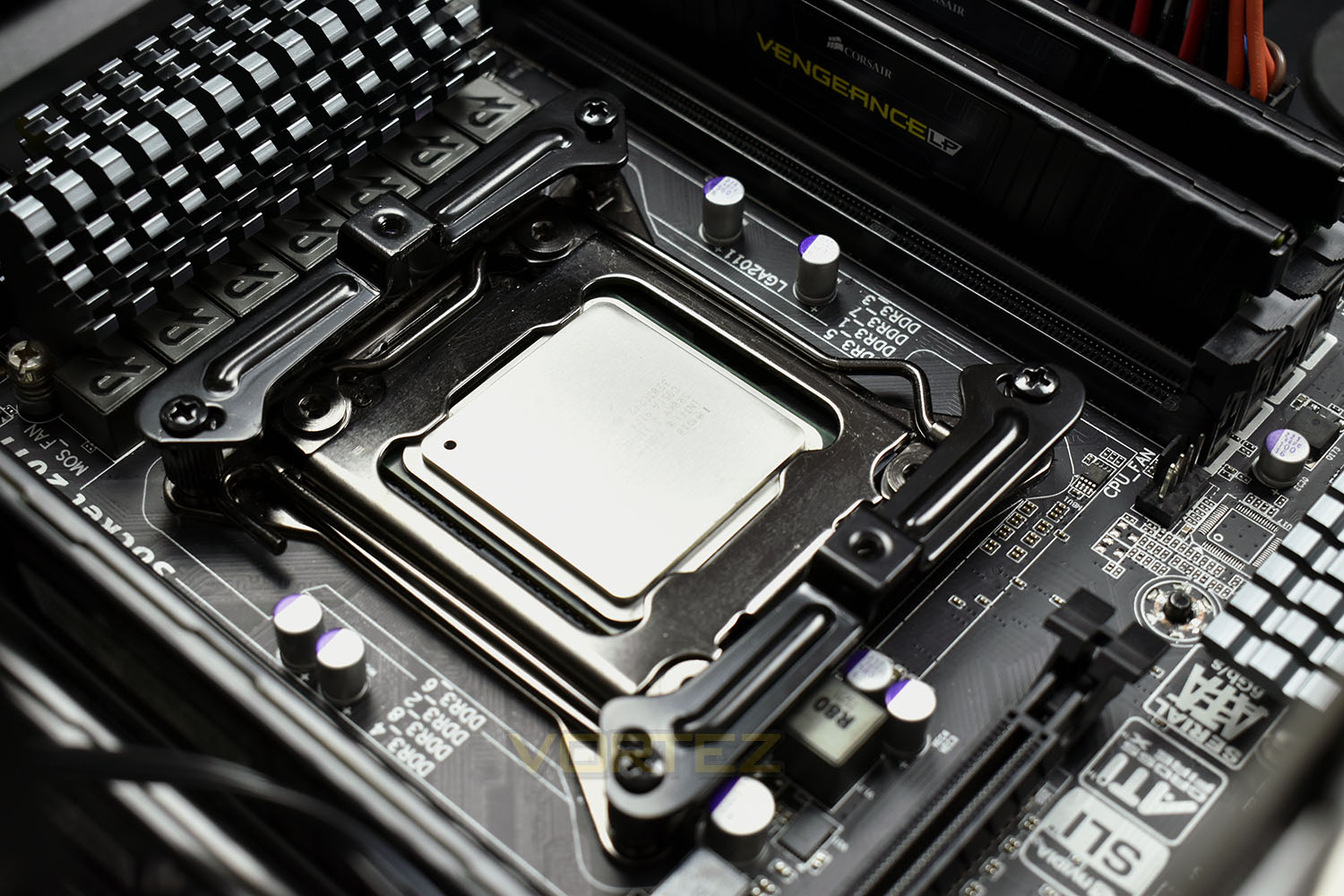
A bracket must then be installed between the stand-offs. Mount these top and bottom to orientate the cooler to blow air from the front of the case towards the back, or to either side if you wish to point the cooler towards the top or bottom of the case.
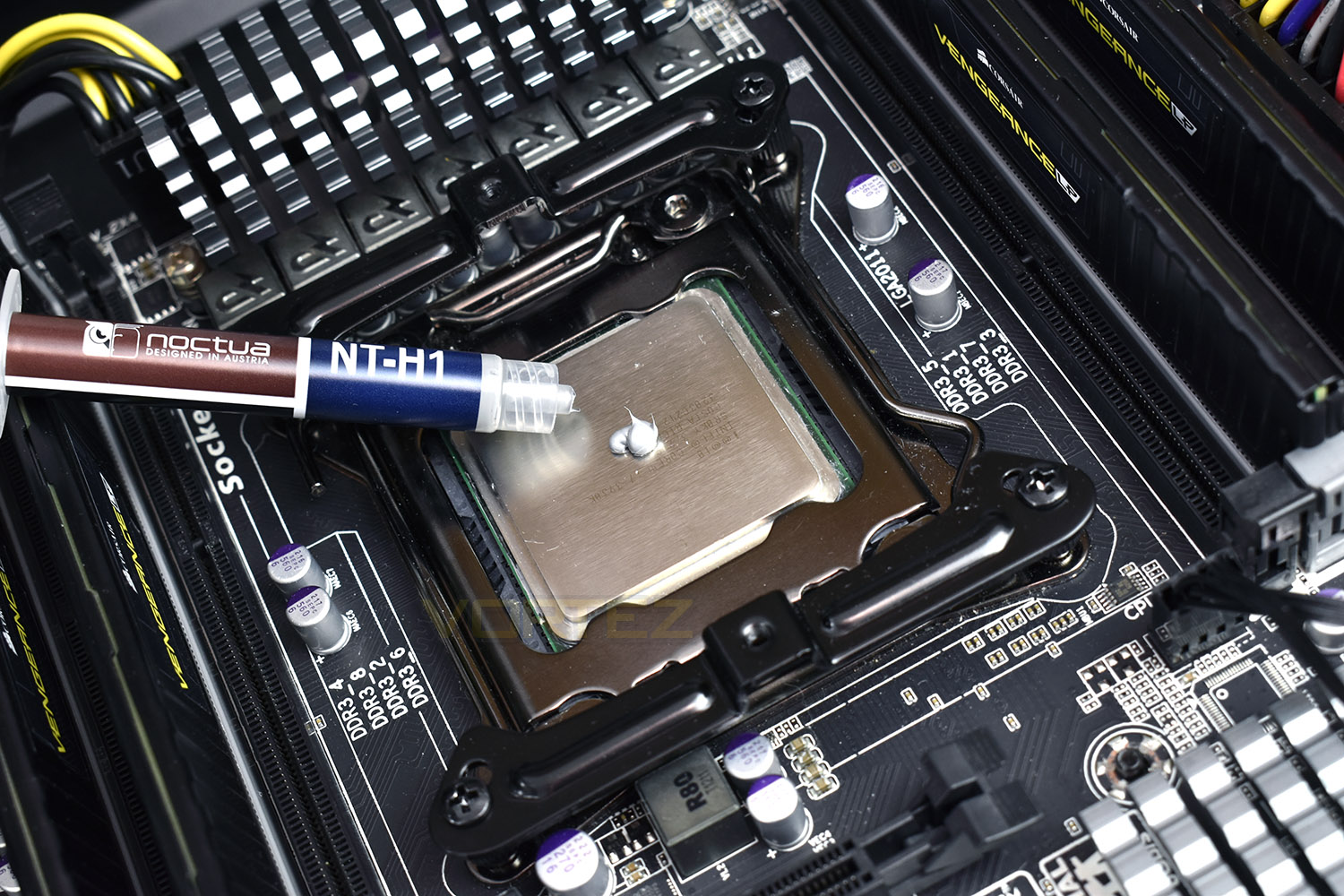
Now’s the time to introduce some TIM onto the CPU – we use a small pea-sized blob of Noctua NT-H1 thermal paste. We choose to use this high-quality paste in all of our CPU cooler reviews, essentially eliminating an unnecessary variable from the subsequent results and comparison graphs.
Now’s the time to take advantage of the screwdriver and removable caps. Line up the Dark Rock Pro 4 with the CPU bracket and slide into place the locking bar. Give the TIM a squidge about at this point, but don’t go too crazy – try to allow the flat base and equal screw pressure to do most of the work, forming an equal and efficient layer over the entire IHS.
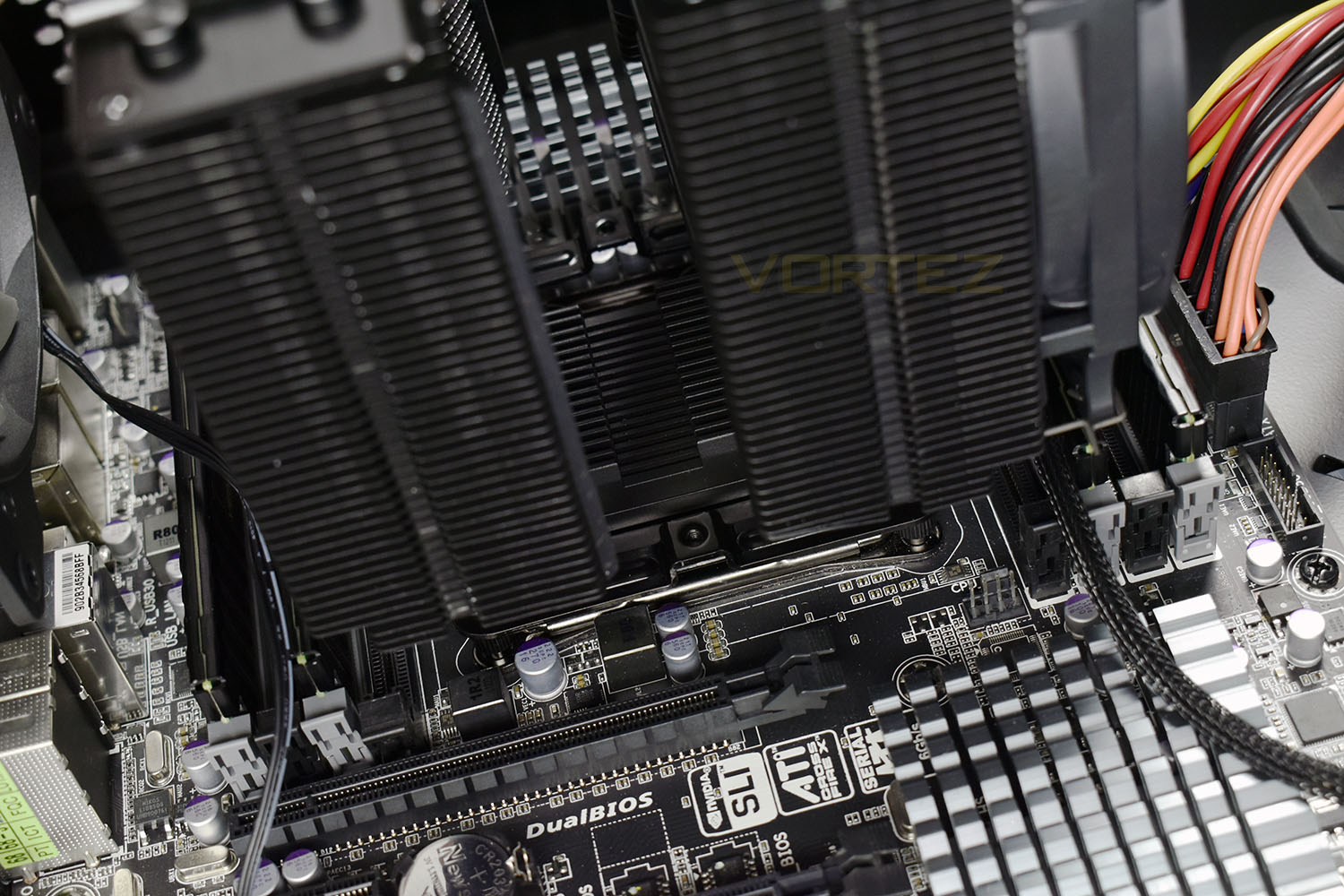
Tighten down the cooler, turning each screw as evenly as you can; ideally a single turn of each until the Dark Rock Pro 4 is solid.
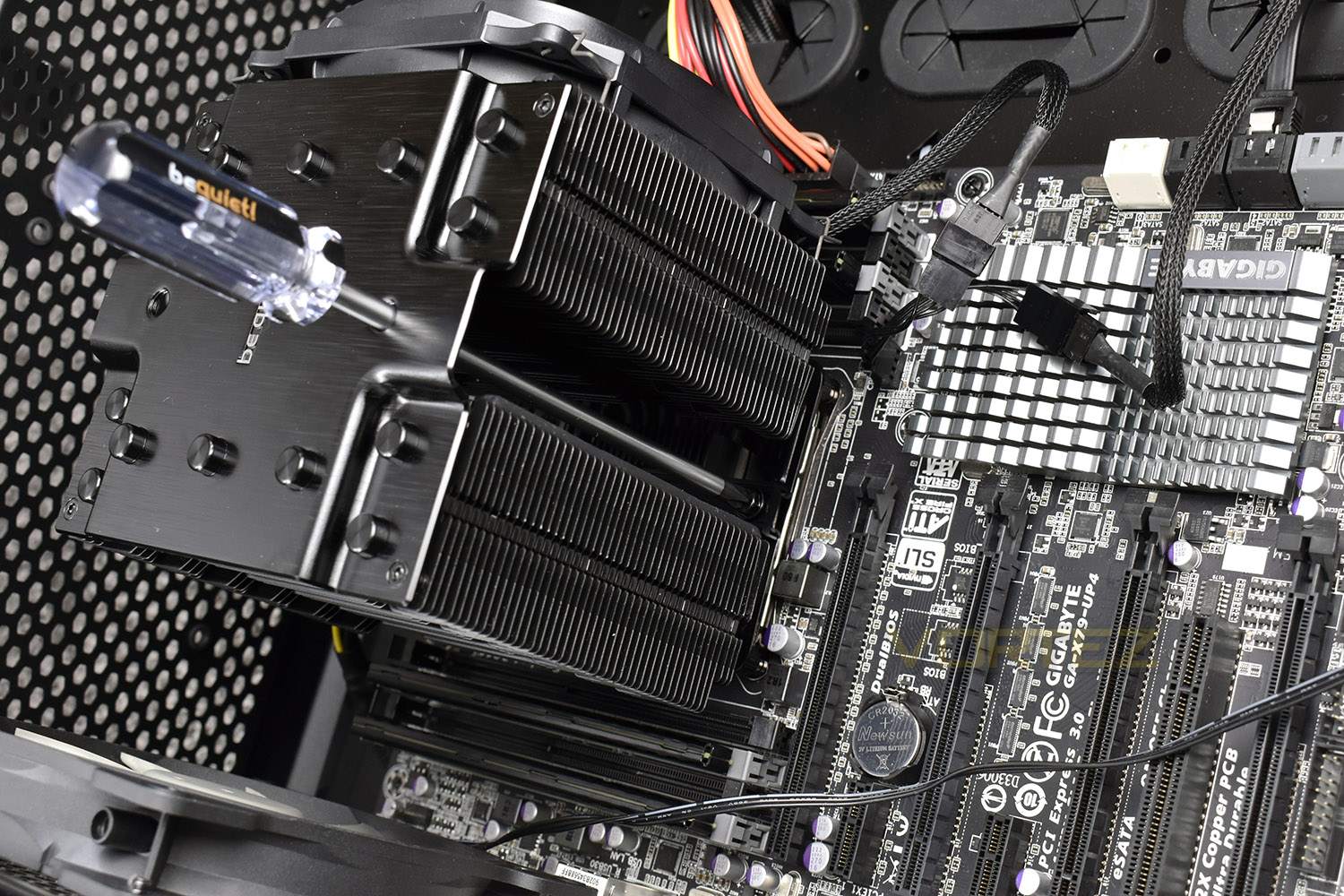
Now for the slightly tricky part – inserting the middle fan which must be done once the cooler is installed to allow the screwdriver clear access to the locking screws. Luckily, our Corsair 760T gives ample space to use the retention brackets included – you may find it’s much easier to remove the motherboard from the case to install the cooler.
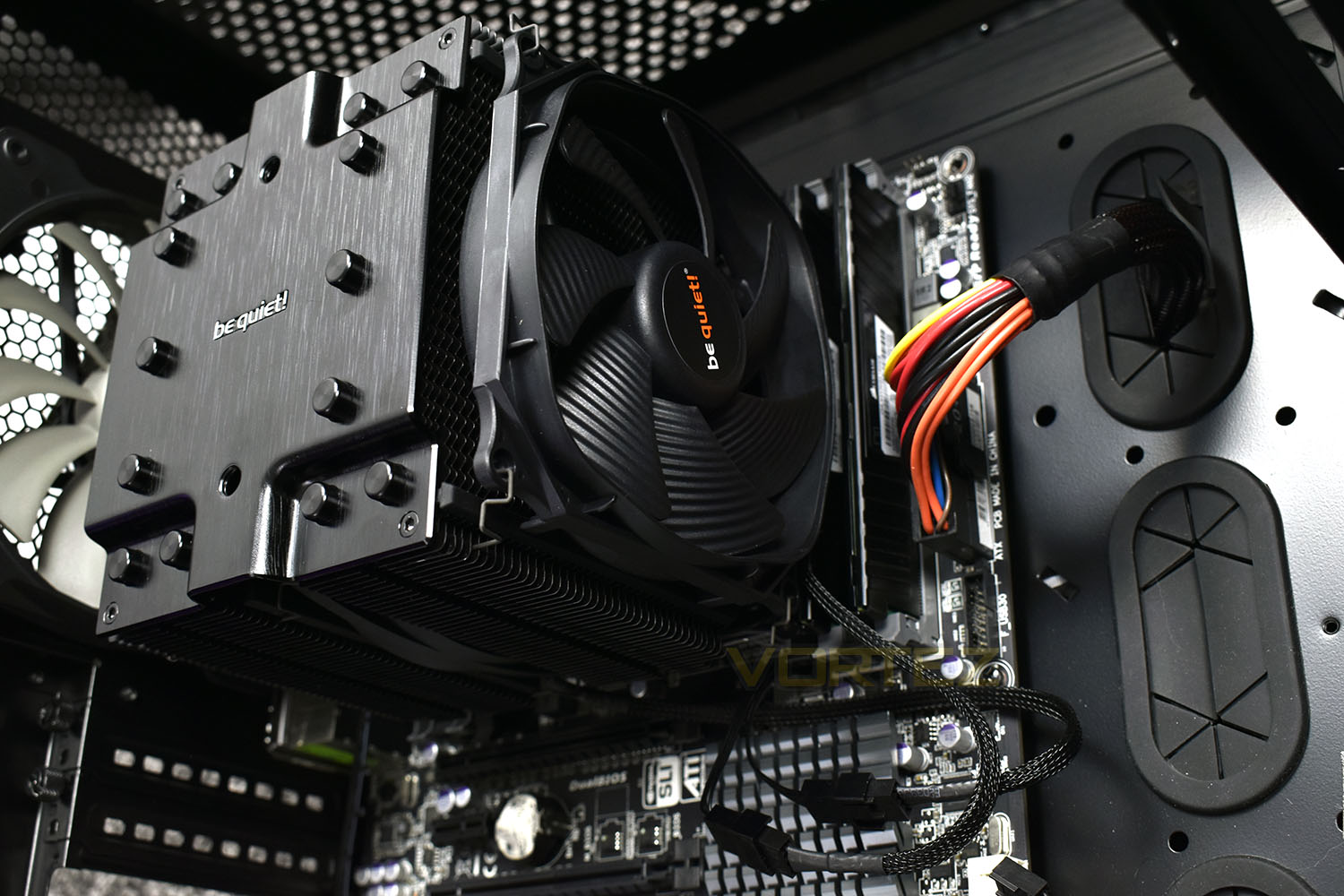
As an entire process, it was relatively easy and not too time consuming, but if you were to do this in a smaller case, the process may take considerably longer, allowing time to remove and reinsert the motherboard.
Test Setup & Methodology
We have recently made changes to our cooling department and the associated testing methodology, so please note that the number of results shown will increase over time as we add additional products. We hope that these results will appear clearer to the majority of our readership and look forward to building upon the baselines that we currently have.We perform two individual testing routines with each CPU cooler that we receive – temperatures and acoustics. The system used is as follows and all tests are performed at stock 3.8 GHz and overclocked 4.4 GHz frequencies.
Processor – Intel Core i7-3930K
Motherboard – Gigabyte X79-UP4
Memory – 8GB Corsair Vengeance LP 1600MHz CL9
Video Card – Sapphire Radeon HD 6850 1GB
Power Supply – NZXT Hale90 650W
Storage Drive – Kingston HyperX 240GB SATA III SSD
Case – Corsair Carbide 760T
Monitor ASUS ROG SWIFT PG278Q
Motherboard – Gigabyte X79-UP4
Memory – 8GB Corsair Vengeance LP 1600MHz CL9
Video Card – Sapphire Radeon HD 6850 1GB
Power Supply – NZXT Hale90 650W
Storage Drive – Kingston HyperX 240GB SATA III SSD
Case – Corsair Carbide 760T
Monitor ASUS ROG SWIFT PG278Q
To keep our tests consistent, we always review CPU coolers as they come out of the box – with their factory cooling fans, as the manufacturer intended and as the consumer expects. It should, however, be noted that we do not use supplied thermal paste but instead, Noctua NT-H1 paste to, again, ensure consistency. The paste is applied and the CPU allowed to run for a couple of hours, at idle, to give the thermal compound some time to “bed in.”
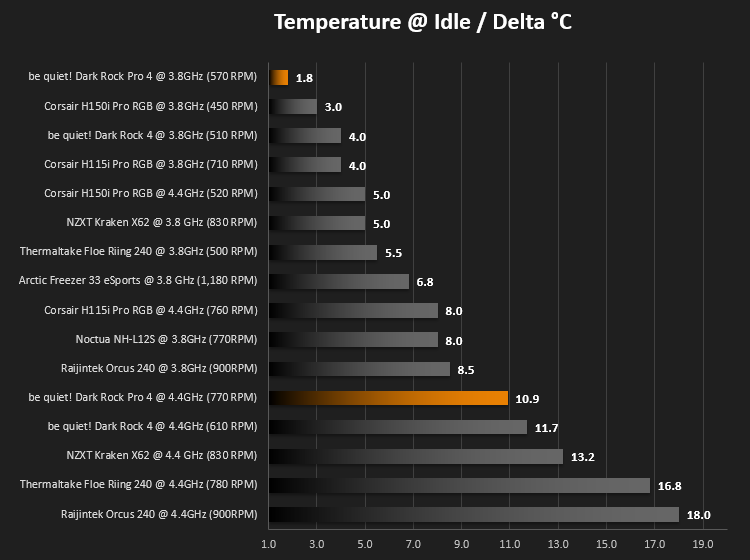
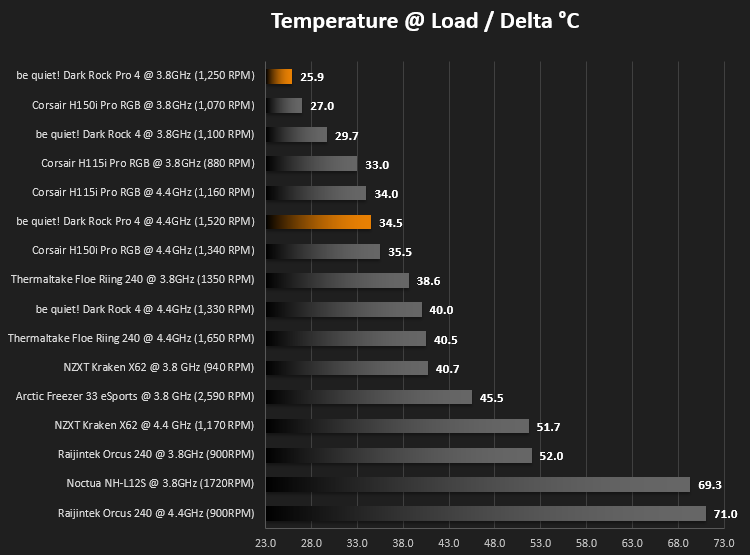
In the first test, we record idle and load temperatures as shown by the most current version of the Real Temp monitoring utility. The test system is booted to the Windows desktop and left to idle for 20 minutes to ensure temperatures have stabilised. The average core temperatures are then recorded over a 1 minute period and averaged across the six cores. We then perform a continuous 20 minute AIDA 64 stress test. The maximum absolute core temperatures are recorded immediately after the test has completed and averaged across the six cores. All results are displayed as delta temperatures – these are calculated by subtracting the ambient room temperature from the average core temperatures recorded. For temperature testing, the Corsair 760T chassis door is closed and has all three systems fans powered on to simulate real-world conditions.
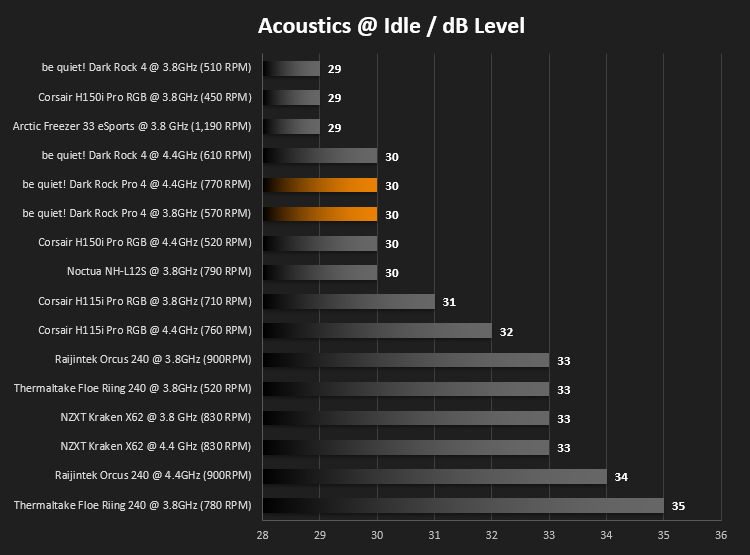
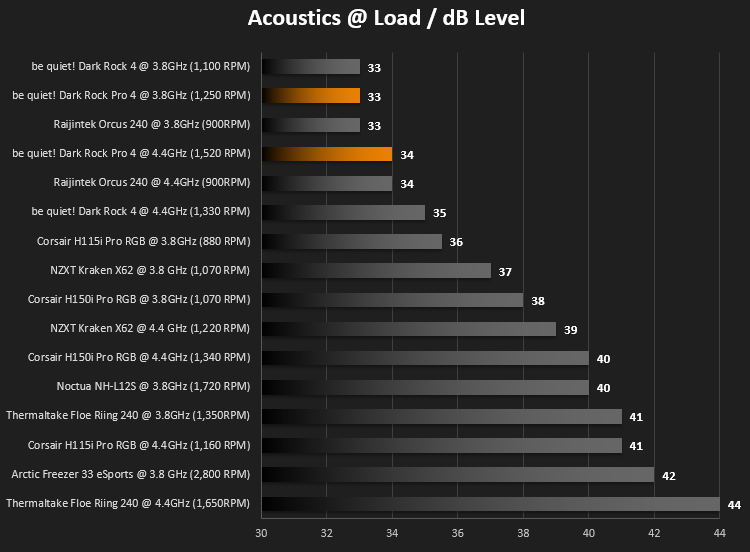
Our second test follows a similar methodology to the first, with the key difference being that the Corsair 760T chassis door is now left open and all three systems fans are disabled. This allows for the CPU cooler fans acoustic profiles to be captured in isolation. From cold, the system is again booted to the Windows desktop and left to idle for 20 minutes to ensure temperatures have stabilised. The acoustic level is then recorded at a distance of 20cm from the CPU cooler and where the individual result is an average level over a 1 minute period. We then perform our continuous 20 minutes AIDA 64 stress test. Acoustic levels are again recorded at a distance of 20cm from the CPU cooler and where the individual result is an average level over a 1 minute period.
Benchmarks: Thermal Results
We have recently made changes to our cooling department and the associated testing methodology, so please note that the number of results shown below will increase over time as we add additional products. We hope that these results will appear clearer to the majority of our readership and look forward to building upon the baselines that you see below.We start off by letting the CPU cooler “bed in” for a couple of hours, to ensure the paste has time to move around and form an even layer, after which an idle result is taken.
We then run an AIDA64 stress test for 20 minutes, pushing the CPU to breaking point.
Benchmarks – Acoustic Results
As mentioned on the previous page, we’ve made some recent changes to our cooling department and the testing methodology. Therefore our results graphs are starting from fresh – we’re working tirelessly to populate these graphs, but we hope you can appreciate that these results must be done fairly, and more importantly, correctly.We take a reading 20cm from the CPU cooler, with all other fans disabled, so as to isolate the noise from the Dark Rock Pro 4.
After the AIDA64 test has run its course for 20 minutes, we take an identical reading by quickly disabling all of the other fans within the chassis and taking a second reading.
Conclusion
be quiet! are a brand known for exactly that, being quiet. We can happily tell you that they’ve delivered on that front with the quietest results we’ve seen so far, hitting an incredibly quiet 34dB @ full load. Temperature doesn’t take a hit while attaining those audible results either, you’ll be glad to know, topping out at 64.5°C with a considerable overclock applied to the i7-3930K CPU. Our Intel CPU pulls around 180W of power when overclocked to 4.4GHz, this can be seen as a worst case scenario in any consumer environment.Aesthetically, the Dark Rock Pro 4 is quite the lump, for lack of a better word, but to achieve those low temperatures while remaining quiet requires surface area; the dimples on the surface of each fin increases area as well as interference with the moving air helping to dissipate heat.
Despite the huge size, be quiet! have done a decent job of designing the cooler, with the brushed aluminium lid and black ceramic-particle coating. They’ve even gone as far as braiding the fan cables to retain that stealthy appearance throughout.
The trimmed fins on either side, to aid installation with memory modules nearby worked out great for us, however, we are using low profile Corsair Vengeance sticks, measuring only 30mm tall. We found that the fan only gave around 4mm of clearance to the modules, meaning anything taller would foul the front fan. Something to bear in mind when considering your purchase.
Installation was a breeze, though as mentioned on the associated page, we’re using a Corsair 760T, which is certainly on the larger end of the scale, which made this possible while the motherboard was in situ. If you’re using a smaller case, you will likely need to remove the motherboard from the chassis.
The thin metal fan-clips, unfortunately, scraped the black ceramic coating off the edges of some of the fins far too easily, leaving a bright, silver metal underneath which was far-too-obvious to the eye. Perhaps more care could be taken while applying the coating in future revisions.
Being a German product, undergoing its conception, design and quality control in Germany, the build quality is exactly what you’d expect – solid.
be quiet! shows that air coolers can still trade blows with all-in-one cooling solutions, especially from an acoustics point of view.
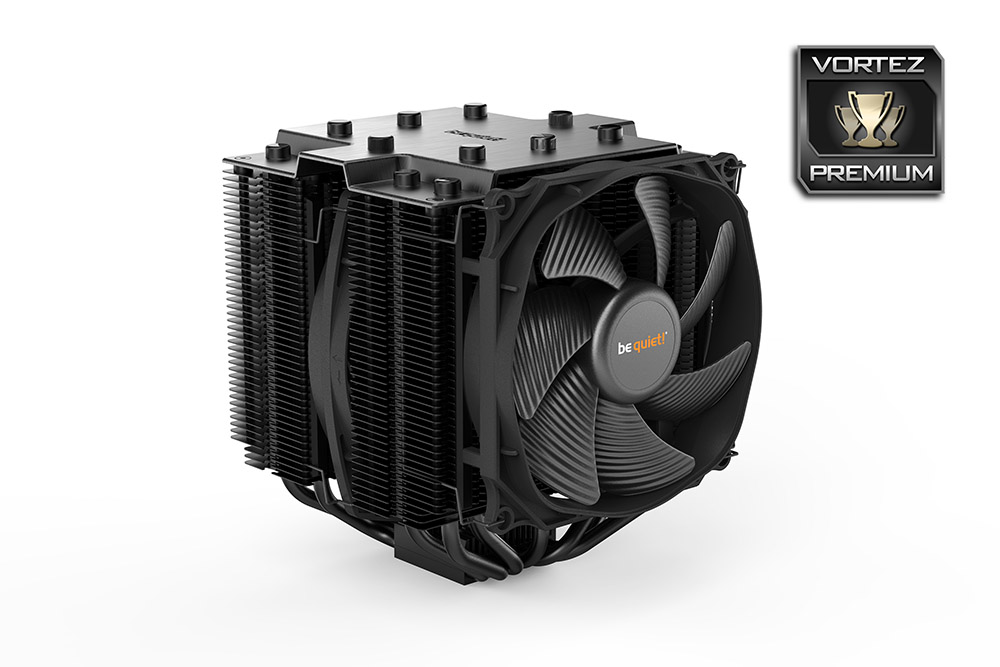
If you’re seeking a quiet air cooling solution that doesn’t sacrifice ability, the Dark Rock Pro 4 will be incredibly difficult to beat
Pros
+ Black, stealthy design
+ Easy to install
+ Excellent cooling ability
+ Insanely quiet
+ German build quality
+ Free screwdriver
Cons
– Will foul taller memory modules
– Ceramic coating scraped off very easily
+ Black, stealthy design
+ Easy to install
+ Excellent cooling ability
+ Insanely quiet
+ German build quality
+ Free screwdriver
Cons
– Will foul taller memory modules
– Ceramic coating scraped off very easily
Click here for an explanation of our awards at Vortez.net.
Stay connected with the Vortez Social Media pages: