







Cooler Master’s gaming division are back with Scout II, a new look is in order for this mid tower chassis but can offer an improvement over its predecessor?

Product on Review: CM Storm Scout 2
Manufacturer and Sponsor: CM Storm (Cooler Master)
Street Price: Approx. £85 / $99 (at time of review)
Cooler Master’s gaming division – CM Storm have had a very busy year so far. Their varying product categories have been furnished with new additions but computer cases have been relatively quiet. Today we will be taking a look at one such product that falls into this category; a gaming case modelling itself on the popular Scout.
Scout 2 is a mid-tower gaming case with a new and improved facelift. Gone are the dated looks, sharp edges and uninspiring design – instead we have a sleek visual appearance more in keeping with characteristics and styling found on the latest gaming chassis. There have been quite a few changes made between Scout 1 and Scout 2 so let’s begin our review.
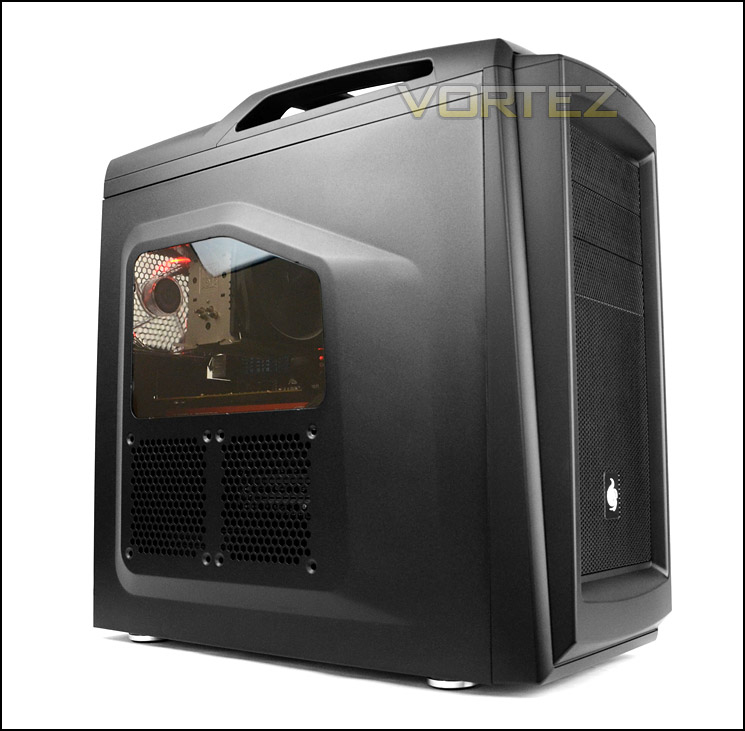
CM Storm on Scout 2
CM Storm Scout 2 – The long awaited successor to the infamous Scout is ready to be deployed! The Scout 2 follows a more round futuristic theme and features improved steel reinforced carrying handles, bolted to the core structure. The front console has been upgraded to USB 3.0 for high power charging and lightning fast file transfers, and can be hidden and protected from dusty battlefields, friendly fire and melee attacks behind a slide cover. The 1st HDD cage can now be removed, to support monster VGAs like the NVIDIA GTX 690 and AMD HD 7990, turning it into a powerful Battlestation.
Technical Specifications
Model Number
SGC-2100-KWN1
Available Color
Full Midnight Black
Materials
Appearance: Polymer, Coated Steel Mesh and Body
Dimensions (W x H x D)
230 x 513 x 517.5mm / 9.1 x 20.2 x 20.5 inch
Net Weight
8.3 kg / 18.3 lbs
Motherboard Type
Micro-ATX, ATX
5.25″ Drive Bays
3 (exposed)
3.5″ Drive Bays
7 (hidden)
2.5″ Drive Bays
2 (converted from one 3.5″ drive bay)
I/O Panel
USB 3.0 x 2 (int.), USB 2.0 x 2, Mic x 1, Audio x 1 (supports AC97 / HD Audio)
Expansion Slots
7
Cooling System
Top: 120mm fan x 2 (optional)
Front: 120mm fan x 2 or 140mm fan x 1 (optional)
Rear: 120mm red LED fan x 1 (with LED on/off function)
Bottom: 120mm fan x 1 (optional)
Side: 120mm fan x 2 (optional)
HDD cage: 120mm fan x 1 (optional)
Power Supply Type
PS2
Maximum Compatibility
VGA card length: 287mm / 11.3 inch (with HDD cage); 399mm / 15.7 inch (without HDD cage)
CPU cooler height: 147mm / 5.8 inch (with side fan); 162mm / 6.4 inch (without side fan)
SGC-2100-KWN1
Available Color
Full Midnight Black
Materials
Appearance: Polymer, Coated Steel Mesh and Body
Dimensions (W x H x D)
230 x 513 x 517.5mm / 9.1 x 20.2 x 20.5 inch
Net Weight
8.3 kg / 18.3 lbs
Motherboard Type
Micro-ATX, ATX
5.25″ Drive Bays
3 (exposed)
3.5″ Drive Bays
7 (hidden)
2.5″ Drive Bays
2 (converted from one 3.5″ drive bay)
I/O Panel
USB 3.0 x 2 (int.), USB 2.0 x 2, Mic x 1, Audio x 1 (supports AC97 / HD Audio)
Expansion Slots
7
Cooling System
Top: 120mm fan x 2 (optional)
Front: 120mm fan x 2 or 140mm fan x 1 (optional)
Rear: 120mm red LED fan x 1 (with LED on/off function)
Bottom: 120mm fan x 1 (optional)
Side: 120mm fan x 2 (optional)
HDD cage: 120mm fan x 1 (optional)
Power Supply Type
PS2
Maximum Compatibility
VGA card length: 287mm / 11.3 inch (with HDD cage); 399mm / 15.7 inch (without HDD cage)
CPU cooler height: 147mm / 5.8 inch (with side fan); 162mm / 6.4 inch (without side fan)
Packaging & First Look
In true CM Storm fashion, Scout 2 arrives in a gaming styled chassis box. Most, if not all products within the CM Storm product portfolio follow a military theme and the Scout 2 does not shy away from this either.
On the sides of the box there are details surrounding technical specifications whilst the rear contains a break-down of the features with illustration. Inside, the chassis is covered in a clear plastic sheet and held securely in place with polystyrene pillars for safe arrival.
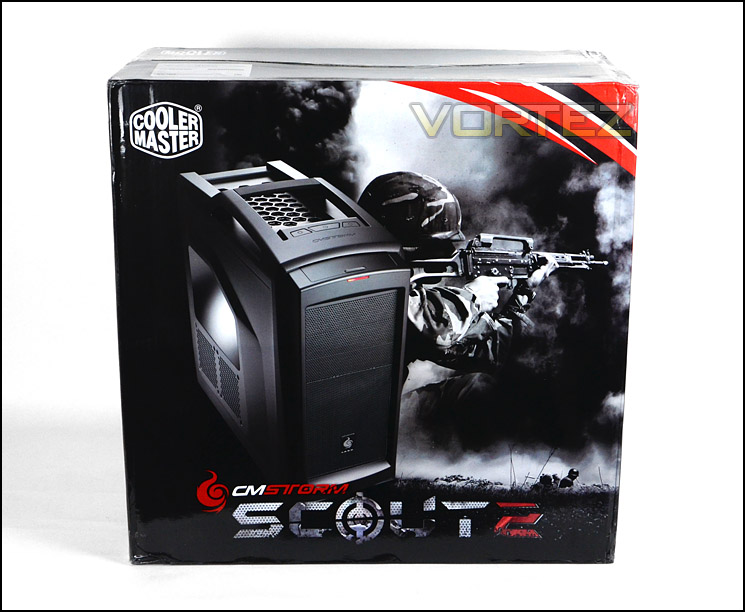
Packaging for Scout 2
Compared to the 1st generation of Scout, Scout 2 has been given some significant changes and very assertive facelift is in order. Gone are the sharp edges and instead, CM Storm have given Scout 2 a much more refined look choosing rather to go for a smooth, sleek and cleaner aesthetic design. Scout 2 has much more character than its predecessor; the prominent side panel has a convex side panel to allow for greater compatibility for CPU coolers and features a part-Perspex part-mesh section. This mesh section can accommodate dual 120mm cooling fans for additional airflow.
Around the other side, again we have a convex side panel – this will assist with maintaining better cable management as it should give more clearance – other than this there are no significant features on the alternate side. So from an initial look Scout 2’s appearance is on-form and certainly something to admire. On the next page we will continue our look at the external aspects of this case.
Scout 2 is available in Black or Midnight Grey – we have the black version today, the midnight grey version offers a gunmetal type of appearance.
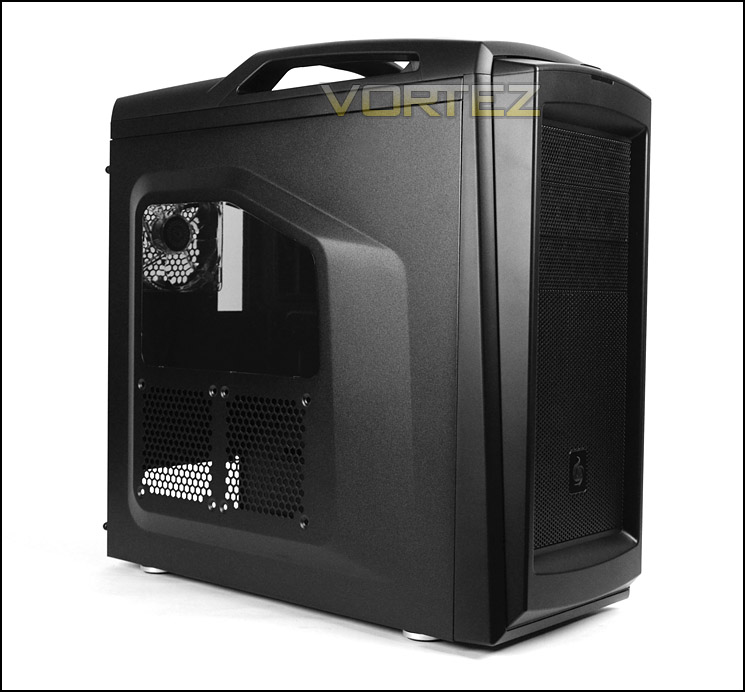
A new look for Scout 2
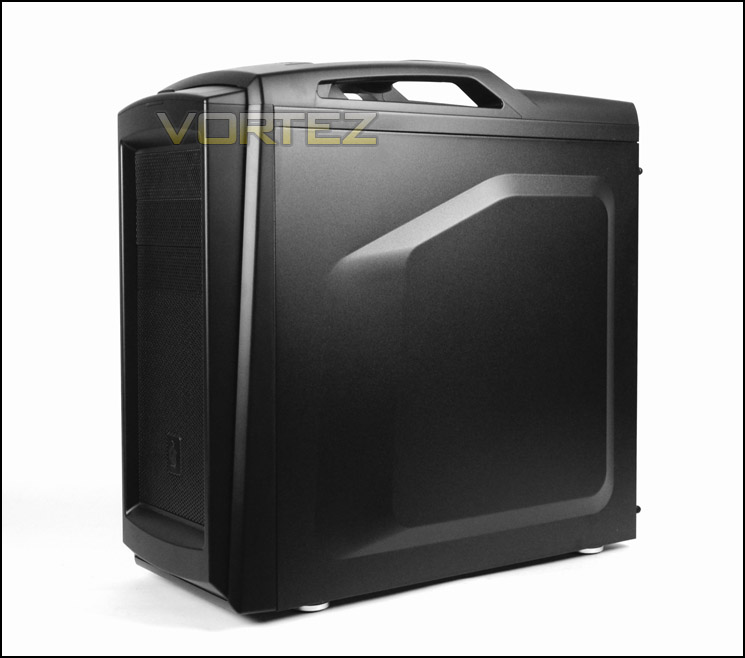
Convex side panels for extended compatibility
Exterior
Observing the front of Scout 2 we can see that this case has a plastic front fascia with steel mesh as a feature in the centre. Mesh has been used on the front to work in harmony with front intake cooling fans as they need air in order to drive airflow into the chassis, although CM Storm do not include any cooling fans at the front there is space inside for mounting dual 120mm or a single 140mm fan. At the top there are 4x 5.25” bay covers, these are again steel mesh and can be removed from the inside of the case.
Around the back Scout 2 has an opening at the bottom for installing a PSU and above this there are a total of seven PCI expansion slot covers which are not ventilated. To the right there is an additional PCI slot cover – namely StormGuard. Above this there is a honeycomb mesh section for the rear exhaust fan which is a 120mm LED ready fan plus dual circular rubber grommets for cables/tubes.
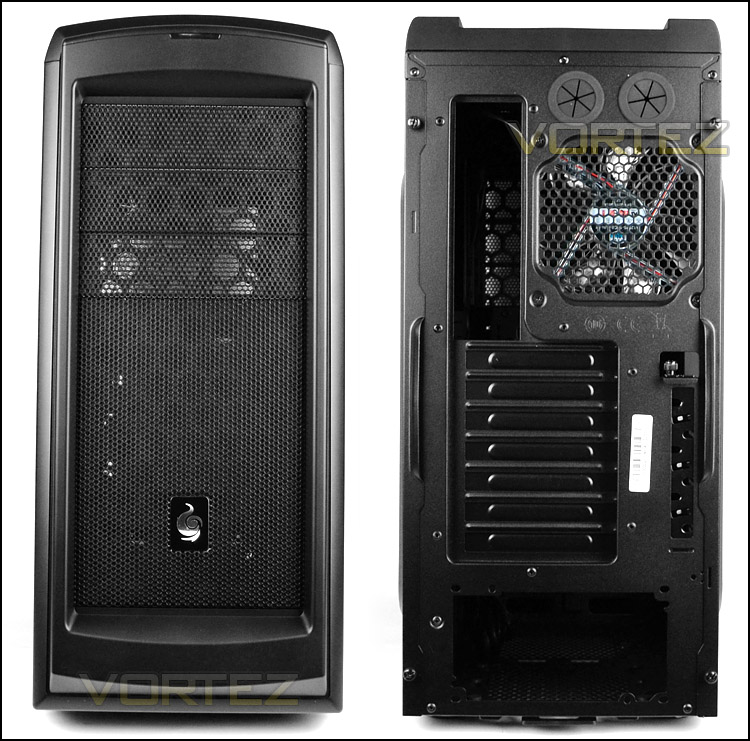
The front and back of Scout 2
At the top of Scout 2 there are two sections, the first which is nearest to the front of the case contains the front panel connectivity and a sliding cover to eliminate dust build-up. The front panel connectivity includes the following; headphone/microphone jacks, 2x USB 3.0 ports (via internal motherboard header) and 2x USB 2.0 ports. Further back from this is another section with the CM Storm emblem etched into the plastic. These three buttons give control for the lighting to be turned on/off on the rear exhaust fan, power and reset.
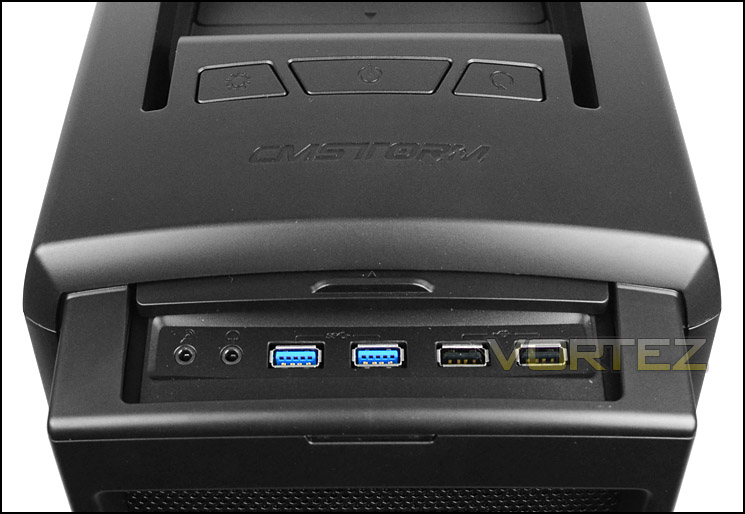
The front panel connectivity
Again, improvements have been made to the upper section of this 2nd generation of Scout chassis. The handles merge into the case rather than looking like a separate entity – this looks and feels sturdier because they are steel reinforced. The cross-bar has a rubberised feel to it for added comfort when carrying and to avoid slippage.
The top also features a honeycomb mesh section and ventilation for cooling fans to be attached. Though none are included, dual 120mm cooling fans can be installed here.
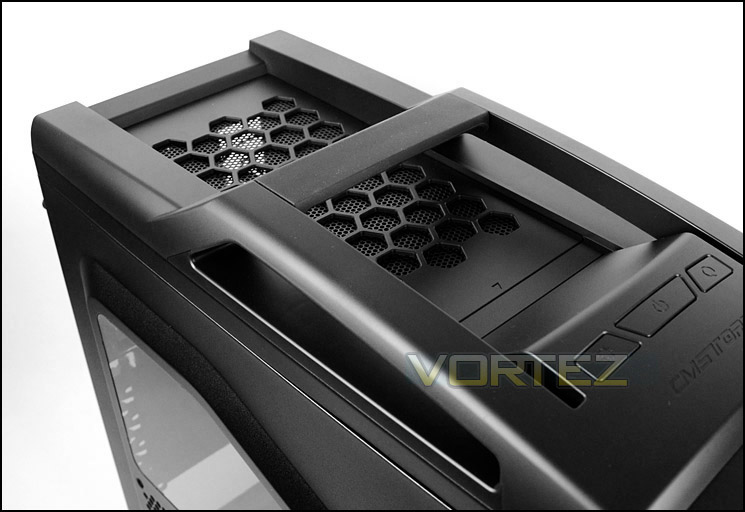
The top of Scout 2 with improved handle
On the underside of the chassis there are four soft-rubber feet to prevent Scout 2 from slipping on smooth surfaces and ventilation for the PSU and optional 120mm fan mount. The PSU has been given a removable dust filter, this can be detached without flipping the case on its side – which is sometimes an overlooked aspect in case design but one which is important.
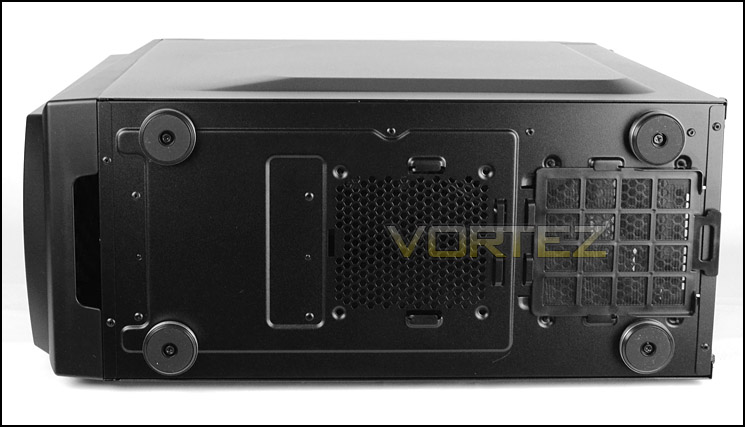
The underside with removable dust filter for PSU
Interior
Both side panels on Scout 2 are secured via dual thumbscrews. Upon removing the side panels an insight into the internal layout for this chassis is viewable.
The inside has been powder coated black to maintain a stealthy appearance, the finish is great. CM Storm have given Scout 2 plenty of tool-less design mechanisms for installing various devices and there are also numerous cable management grommets to ensure those cables are tucked away – CPU power also has its own cut-out at the top of the motherboard. We like that CM Storm have provided more than enough cable tie brackets on the back of the motherboard tray to allow cables to be neatly arranged.
All of the cables routed from the front panel have been given black insulation to once again keep the overall look consistent, sleek and discreet.
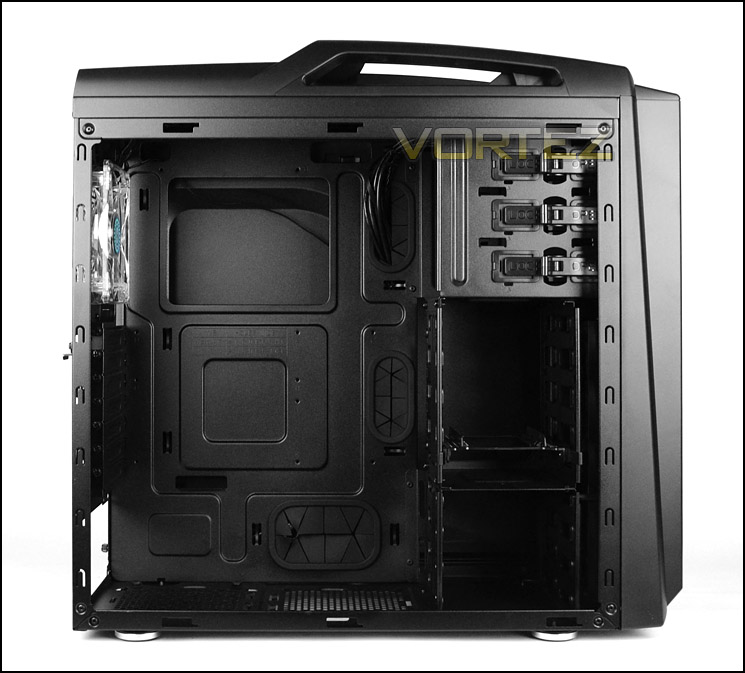
A first look at the internal layout
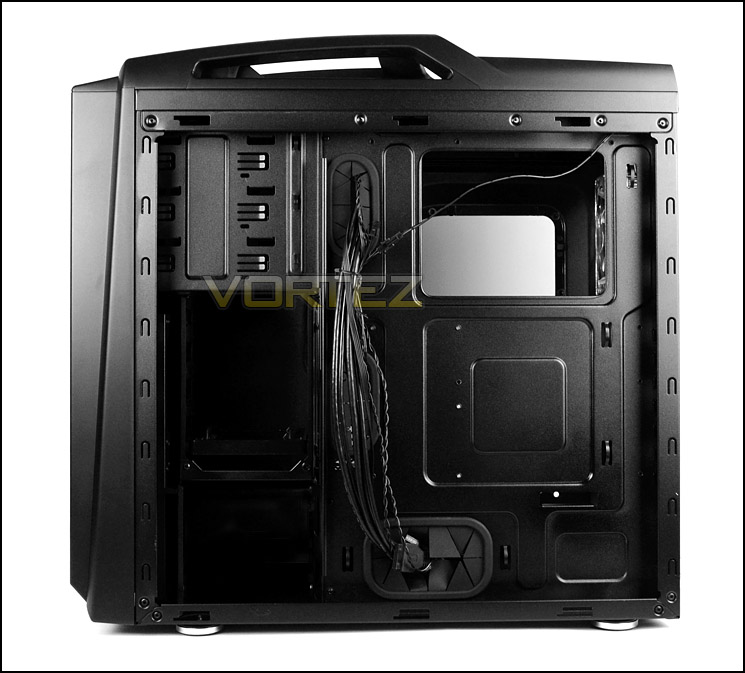
Cable management is high on the agenda
For the PSU area there are four rubber mounts to cushion the PSU. This helps to give anti-vibration properties and also prevents scratching. On the underside there is an air filter which is removable from the outside of the case. Next to the PSU area there is also another mounting point for attaching an optional 120mm fan at the bottom of the chassis.
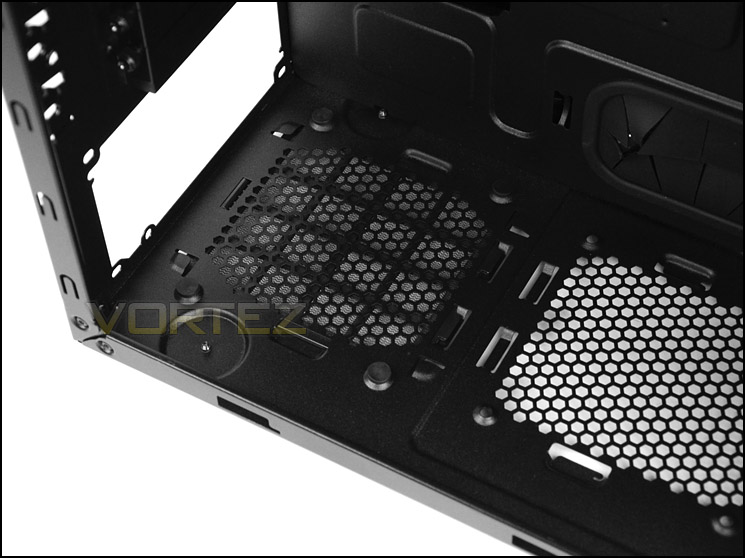
The PSU area
Above this there are 7x PCI expansion slot covers which are solid and have thumbscrews for easy removal. To the side there is an additional PCI slot which has a StormGuard cover – this helps to keep peripherals (keyboard or mouse) secure whilst at events like a LAN party, the cable cane be routed through to prevent someone from stealing the device.
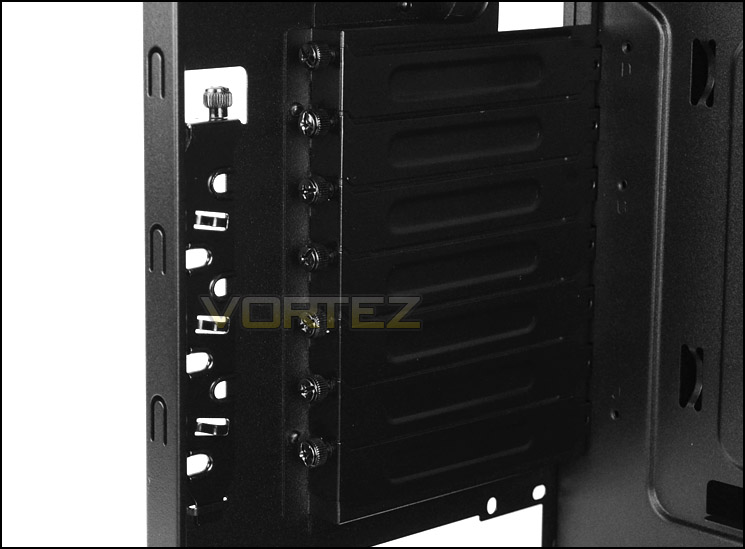
Seven PCI slot covers and StormGuard
Interior (Continued)
The only cooling fan found in Scout 2 is situated at the back of the case as a rear exhaust fan. This is 120mm and LED ready – when powered up it will emit a red glow, this can be turned on/off via the button at the top of the chassis. There is further accommodation for more cooling fans at the top of the chassis and the top remains fairly open with two layers of mesh acting as roofing material. Dual 120mm fans can be mounted at the top.
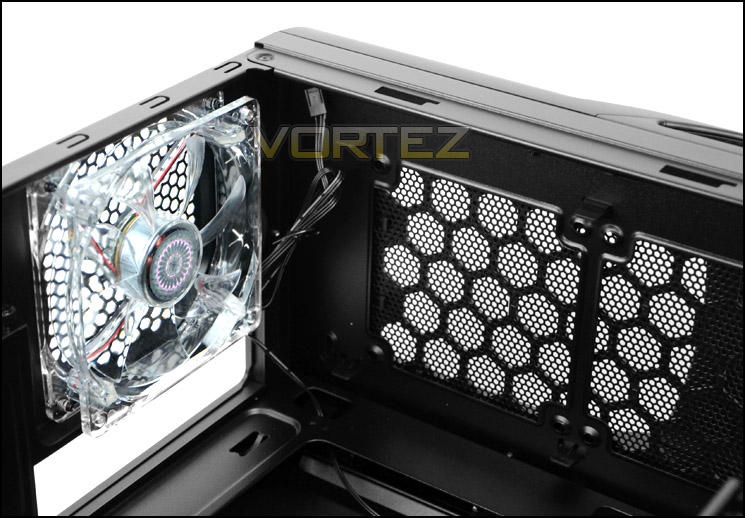
120mm LED rear exhaust and optional dual 120mm fan mounts at the top
Over on the other side there are 3x 5.25” drive bays each come with a tool-less design mechanism we have seen on other Cooler Master/CM Storm cases – a latch is moved into the lock/open position to secure a drive.
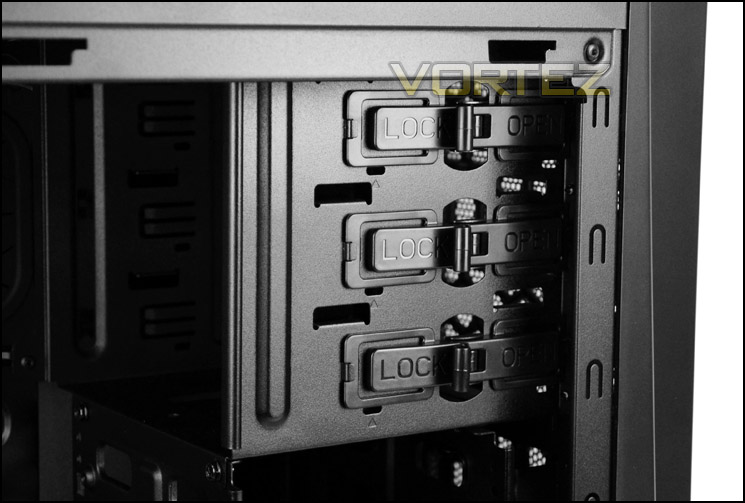
Optical drive bays with tool-less design
In terms of HDD storage options there are two cages which can host a total of seven options. Both 2.5” and 3.5” drives can be installed and CM Storm have left a 3.5” to 2.5” adapter inside one of the cages to allow for two smaller drives to be installed such as SSDs – a 2.5” drive can be attached to the top and bottom of the bracket.
Behind this cage there is space for mounting dual 120mm cooling fans but there are none as standard which is odd – usually for a case of this classification we would at least have one cooling fan at the front.
The upper cage can be detached from the chassis – four screws just need removing. The lower cage is riveted.
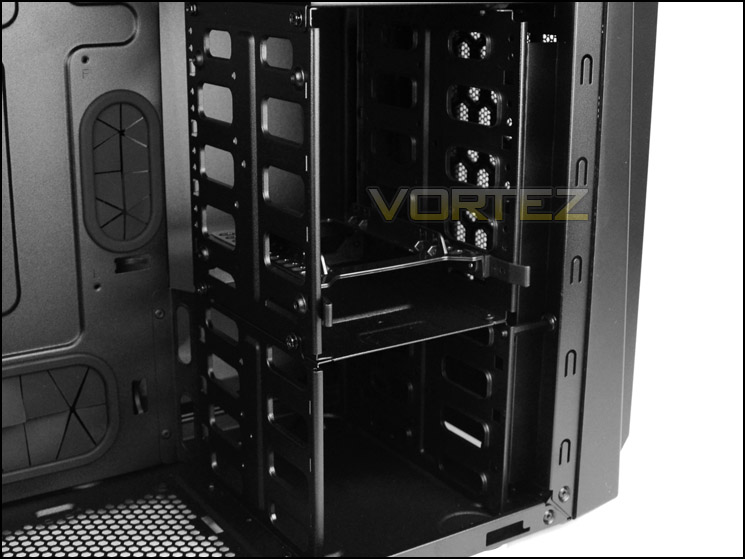
Plenty of HDD storage options available
Installation
An empty computer case only tells half the story – until a fully-fledged system is installed we cannot ascertain strengths and weaknesses and so in this section we install our high-end ATX system inside the chassis to demonstrate features and clearance.
Scout 2 comfortably entertains our system and thanks to the different cable management routes it’s easy to maintain good cable management practises.
Even the CPU power which routes from the PSU up to the top of the back of the motherboard tray has enough slack to be tucked away in a tidy fashion with cable ties. Overall, we are very impressed by how easy the installation is with this chassis.
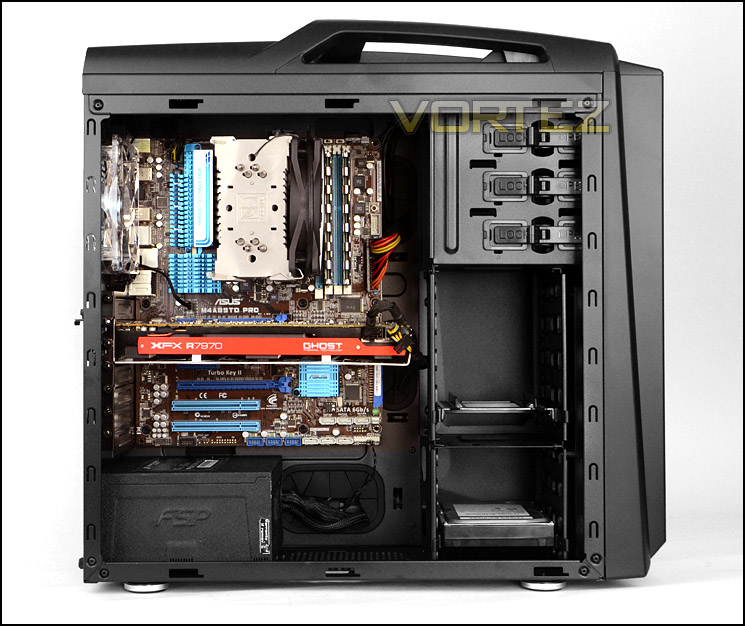
Installation complete – a nice looking system resides
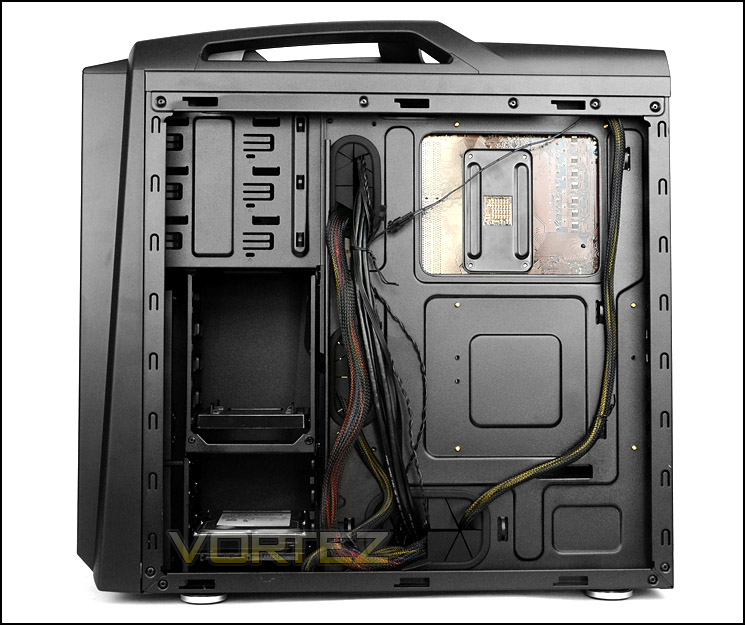
Cable management is clearly a strength with Scout 2
In order to install HDDs into Scout 2 supplied brackets must be used for 3.5” drives. These brackets simply fit into the screw holes on the drive. Unfortunately there are only two places to install a 2.5” drive which is on the 3.5” to 2.5” adapter – on either side.
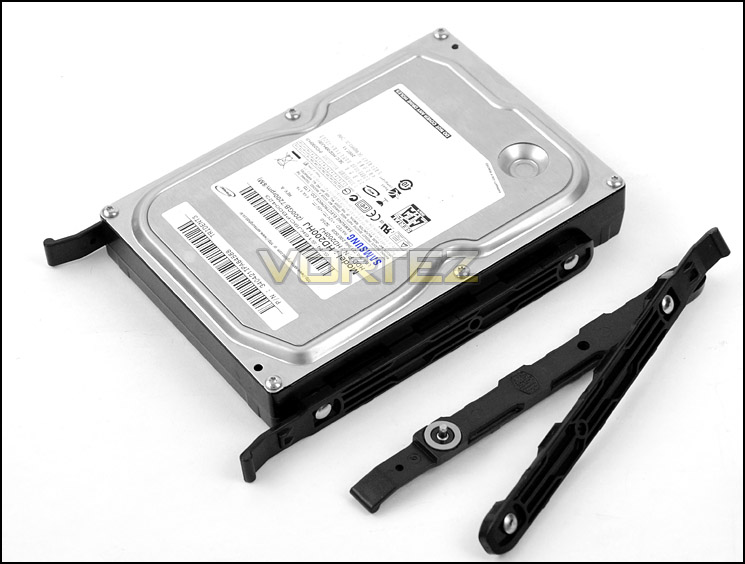
Installing brackets on 3.5” drives
Clearance – CPU Cooler, GPU, Cable Management
Clearance is an important aspect of case design for the enthusiast as it establishes whether certain hardware will be compatible with a chassis or not.
The CPU cooler clearance inside Scout 2 is good – it manages to allow for CPU coolers up to 160mm in height which include popular choices like Noctua NH-D14, Thermalright Silver Arrow, Alpenfohn K2. Pictured below is Noctua’s NH-U12P which is 158mm in height.
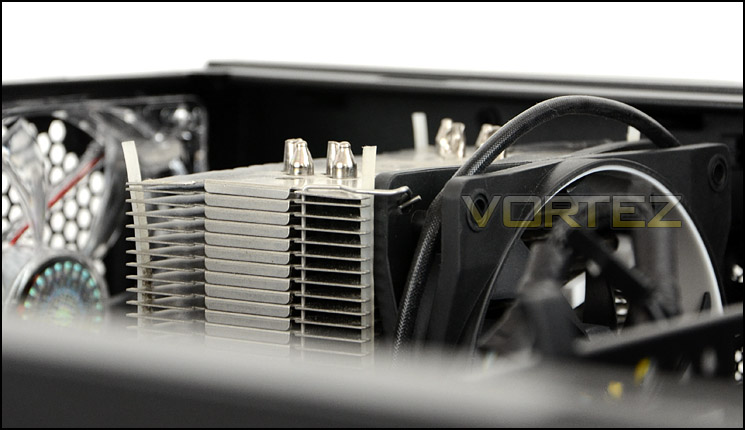
CPU cooler clearance approx. 160mm
There is no problem for long graphics cards either, with the upper HDD cage installed within Scout 2 there is approximately 10.5” of clearance whilst removing the cage allows for 13”+. Pictured is XFX HD7970 DD Edition.
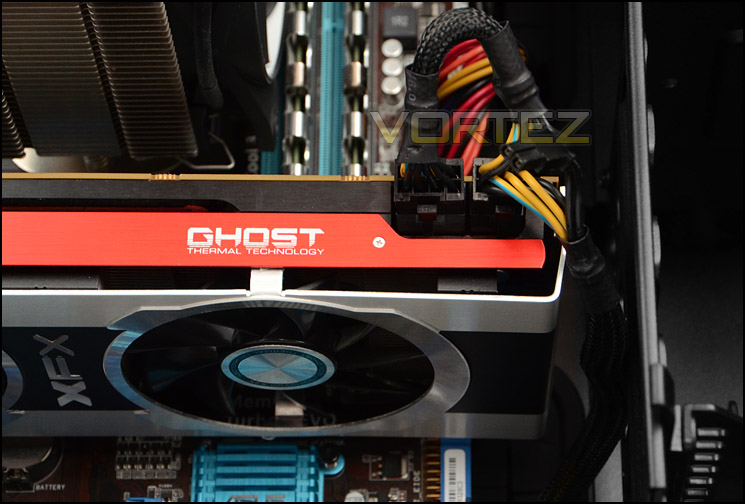
Support for long graphics cards
Cable management is certainly a strength for Scout 2. Not only are the side panels convex to allow for extended clearance for cables but there is a whopping 2.3cm behind the motherboard tray to store redundant cables and keep them out of sight. The more space behind the motherboard tray the easier the job is of keeping good cable management form, hats off to CM Storm.
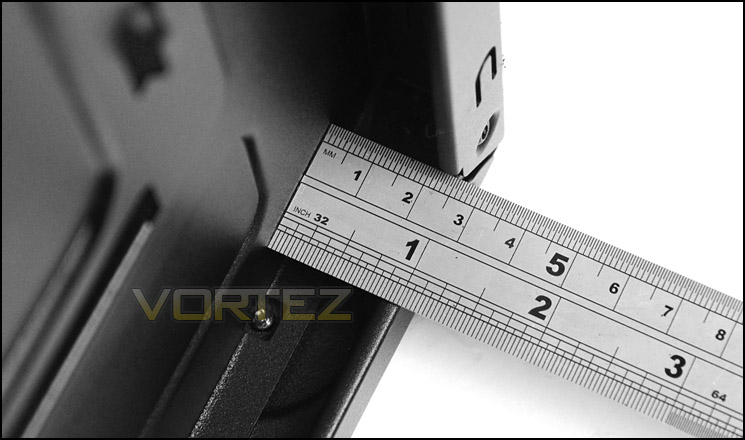
Cable management is very good thanks to clearance
Thermal Performance Testing
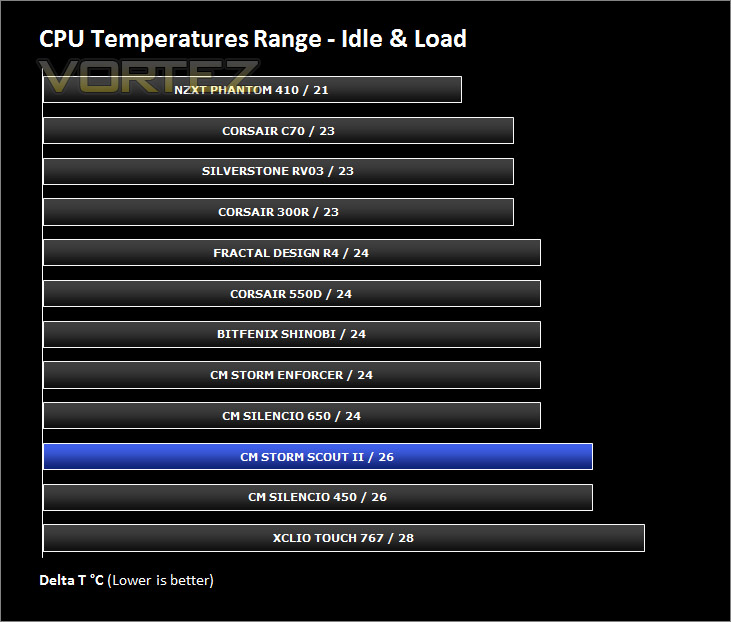
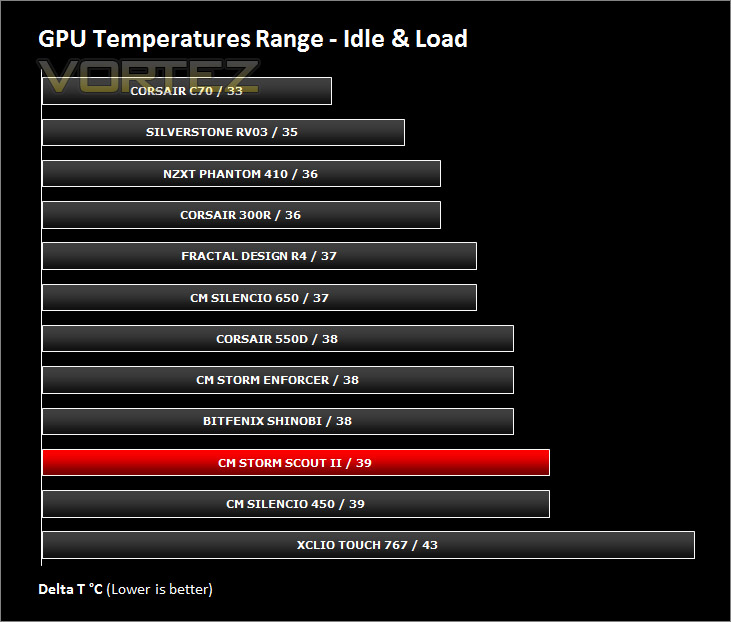
Inside Scout 2 there is just one 120mm rear exhaust fan. Airflow falls out of a traditional method of having push/pull from the front to the rear so we expect some thermal deficiency inside our chassis.
To discover the thermal performance of the Scout 2 I will record idle temperatures after 20 minutes from a cold boot. I will then stress the system and temperatures will again be monitored after 30 minutes have elapsed.
For the purpose of accurate analysis the idle and load temperatures for CPU and GPU will be recorded and the range between idle and load will be calculated to determine how efficient cooling is.
NOTE: Ambient temperature is 20C
System Components
CPU AMD Phenom II X6 1055T 2.8GHz
Motherboard ASUS M4A89TD PRO
Graphics NVIDIA GTX 480 (Different from card pictured)
Memory 4GB Mushkin EM3-10666 DDR3
HDD Samsung Spinpoint 500GB SATA-II
PSU FSP AURUM GOLD 650M
Motherboard ASUS M4A89TD PRO
Graphics NVIDIA GTX 480 (Different from card pictured)
Memory 4GB Mushkin EM3-10666 DDR3
HDD Samsung Spinpoint 500GB SATA-II
PSU FSP AURUM GOLD 650M
Noise
Having only one fan the Scout 2 emits very little noise, especially since this fan is positioned towards the back of the case as a rear exhaust. Even placing your ear nearby reveals low-noise.
Conclusion
We’ve been impressed with CM Storm’s previous case creations – Trooper and Enforcer but how does the Scout 2 fare?Being the 2nd generation of CM Storm’s Scout chassis we were interested to see what alterations would be made and to ascertain if this new version is a better product than its predecessor and we weren’t disappointed. Scout 2 has numerous improvements over the original Scout. Gone are the sharp and uninspiring aesthetics and instead we have a much more refined product in the Scout 2. Its physical appearance lends itself to being smooth, sleek and pleasing to the eye.
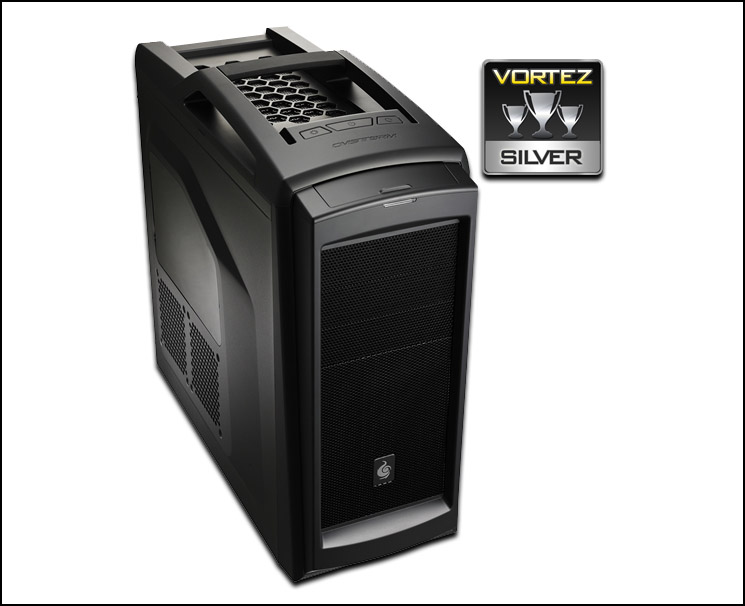
Its features and build quality are great. Tool-less design mechanisms have been used throughout to make the installation of hardware an easy process and the chassis can entertain high-end components thanks to the generous space within. Cable management is a particular area which Scout 2 delights in – cable management grommets have been well-placed and clearance behind the motherboard tray along with cable tie brackets ensure hassle-free cable storage. It was easy to tidy away cables and of course having a clean, tidy interior can contribute to lower temperatures because airflow has no obstacles to battle with.
Although the Scout 2 is a triumph over the 1st Scout chassis there are some shortfalls however. CM Storm have decided to only install a single cooling fan within the case, this inevitably impedes cooling performance – for its price, Scout 2 should have more cooling fans – having one at the front as an intake is almost obligatory nowadays. There are plenty of spots for attaching 3.5” drives but only two places for 2.5” we feel this is another shortfall, there should be more housing for this form factor.
Priced at £85 / $99 the Scout 2 is a costly purchase when you weigh in the balance the features and spec. The calibre of this chassis puts hints at it sitting better at £70 rather than £85 given the lack of fans and size of the case. Scout 2 is just slightly bigger than CM Storm Enforcer yet Enforcer is just shy of £70 and even has a dual fan configuration.
VIDEO REVIEW – VORTEZ TV
Pros
+ Stylish, sleek and good looking
+ Good quality materials
+ Very good cable management features
Cons
– Only a single cooling fan
– Can accommodate just two SSDs
– Price should be lower
+ Stylish, sleek and good looking
+ Good quality materials
+ Very good cable management features
Cons
– Only a single cooling fan
– Can accommodate just two SSDs
– Price should be lower

Click here for an explanation of our awards at Vortez.net.


