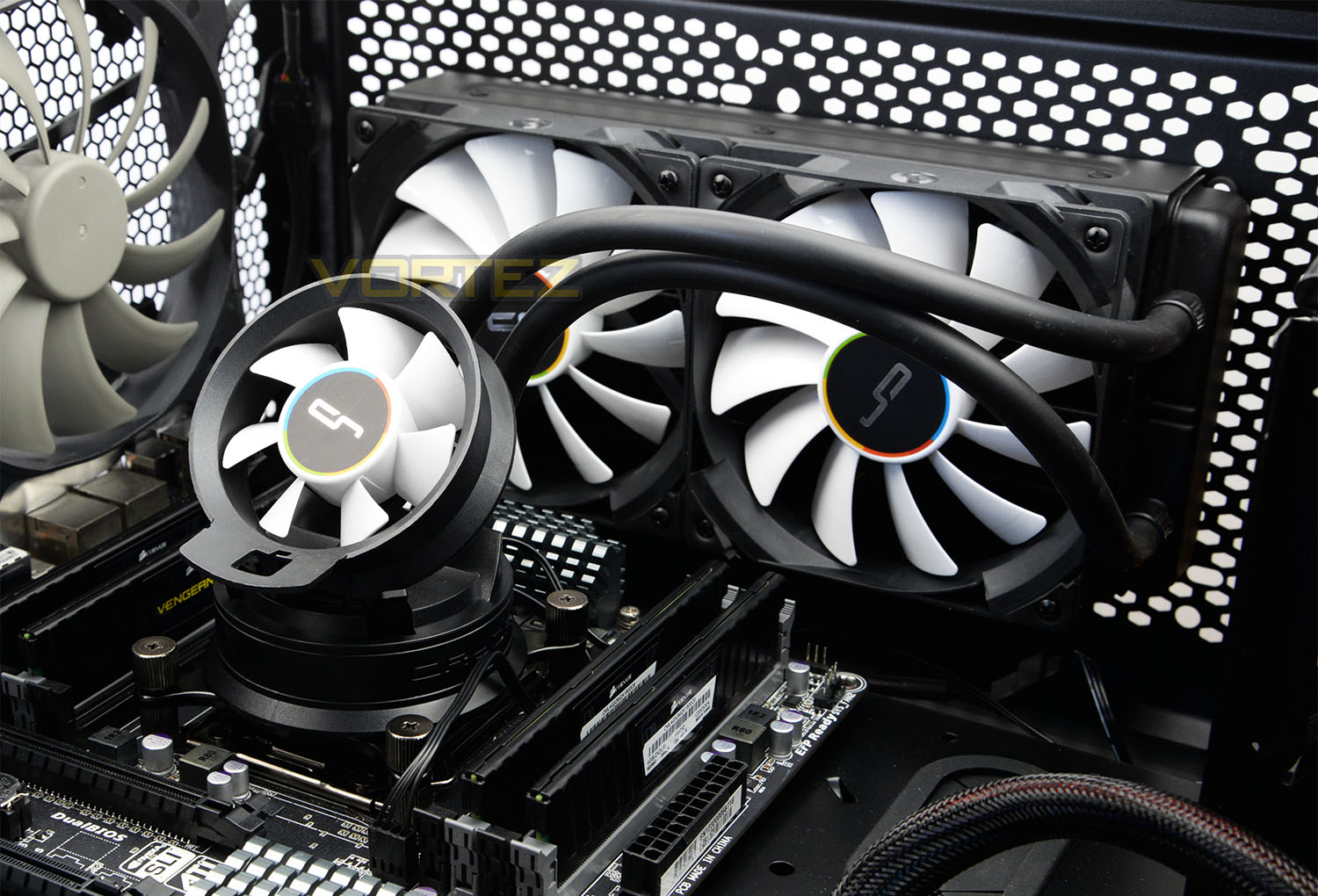
The A40 Ultimate is an all-in-one liquid CPU cooler. This closed loop solution features a triple fan configuration and arrives with an attractive price-tag.

Product on Review: A40 Ultimate CPU Cooler
Manufacturer & Sponsor: CRYORIG
Street Price: £67 GBP / $114 USD
ALCs (All-contained Liquid Coolers) are now regarded as a mainstay in the cooling market, bridging the gap between air cooling and custom water-cooling. For newcomers CRYORIG, the A-Series is a bold step into an especially competitive arena. Will they be able to rise to the challenge?
Today we’ll be putting CRYORIG’s A40 Ultimate under the spotlight. The A40 Ultimate is a 240mm all-in-one liquid CPU cooler which has the added bonus of arriving with a supplementary 70mm airflow fan designed to assist with easing off those temperatures for the motherboard MOSFETs or memory. This liquid cooler also benefits from Asetek’s 5th generation pump so we’re anticipating good things from today’s observation.
About CRYORIG
CRYORIG was officially founded in 2013, but took several years in the making. We began our journey right at the start of the first decade of the 2000’s. During what was the most prosperous age of PC DIY and Overclocking. Members of our team have either worked directly or indirectly with brands such as Thermalright, Prolimatech, Phanteks and many more. We ourselves are overclockers and PC modding enthusiasts, with a passion and drive to strive for improvement. With direct knowledge of manufacturing and design as well as holding multiple patents under our collective belt, we decided to make a name for ourselves, and that name is CRYORIG. So what is CRYORIG exactly? CRYORIG is about making the coolest rig possible.
Features & Specifications
Below are the specifications supplied directly from CRYORIG.
Model Name
A40 ULTIMATE
Radiator Dimensions
L272 x W120 x H38.5 mm
Radiator Material
Aluminum
Pump Dimensions ( with fan )
L88 x W88 x H116.2 mm
Pump Dimensions ( without fan )
L88 x W88 x H52.8 mm
Tube Length
350 mm
Tube Diameter
Ø10 mm
Fan Model
QF120 Performance
Fan Dimensions
L120 x W120 x H25.4 mm
Fan Speed
600 ~ 2200 RPM ±10 %
Fan Noise Level
13 ~ 37 dBA
Fan AirFlow
83 CFM
Fan Pressure
3.33 mmH2O
Fan Ampere
0.43 A
Airflow Fan Dimensions
L70 x W70 x H25.4 mm
Airflow Fan Speed
1500 ~ 3000 RPM ±10 %
Airflow Fan Noise Level
15 ~ 27 dBA
Airflow Fan AirFlow
25 CFM
Airflow Fan Pressure
3.1 mmH2O
Airflow Fan Ampere
0.12 A
A40 ULTIMATE
Radiator Dimensions
L272 x W120 x H38.5 mm
Radiator Material
Aluminum
Pump Dimensions ( with fan )
L88 x W88 x H116.2 mm
Pump Dimensions ( without fan )
L88 x W88 x H52.8 mm
Tube Length
350 mm
Tube Diameter
Ø10 mm
Fan Model
QF120 Performance
Fan Dimensions
L120 x W120 x H25.4 mm
Fan Speed
600 ~ 2200 RPM ±10 %
Fan Noise Level
13 ~ 37 dBA
Fan AirFlow
83 CFM
Fan Pressure
3.33 mmH2O
Fan Ampere
0.43 A
Airflow Fan Dimensions
L70 x W70 x H25.4 mm
Airflow Fan Speed
1500 ~ 3000 RPM ±10 %
Airflow Fan Noise Level
15 ~ 27 dBA
Airflow Fan AirFlow
25 CFM
Airflow Fan Pressure
3.1 mmH2O
Airflow Fan Ampere
0.12 A
Packaging, Bundle & Fans
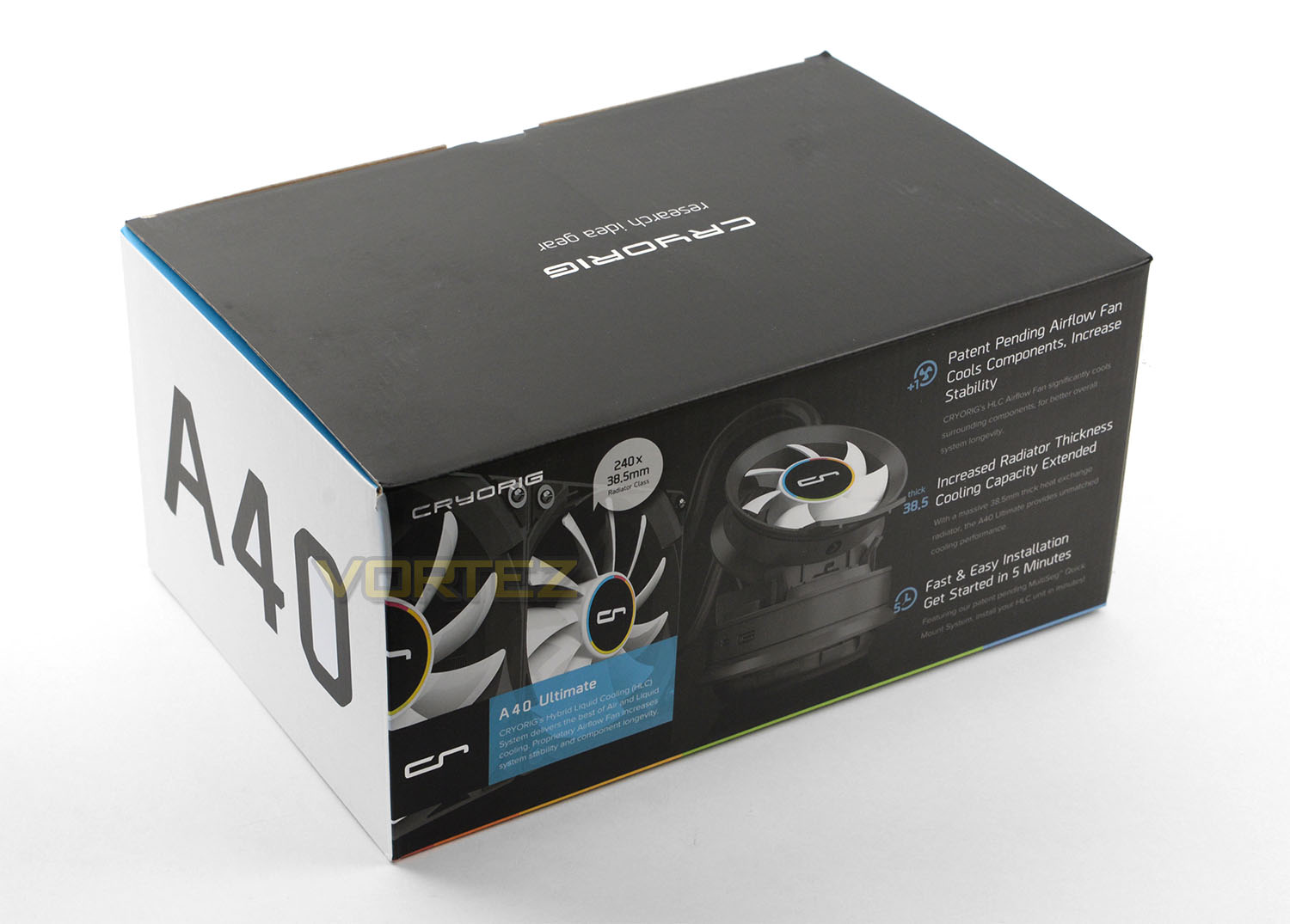
A40 Ultimate is presented in a large box which has been carefully designed to detail this coolers integral features. The sides and reverse highlight even more features and reveal sneak previews of the actual product.
Inside, the cooler and its contents are well protected with cardboard and plastic sheeting.
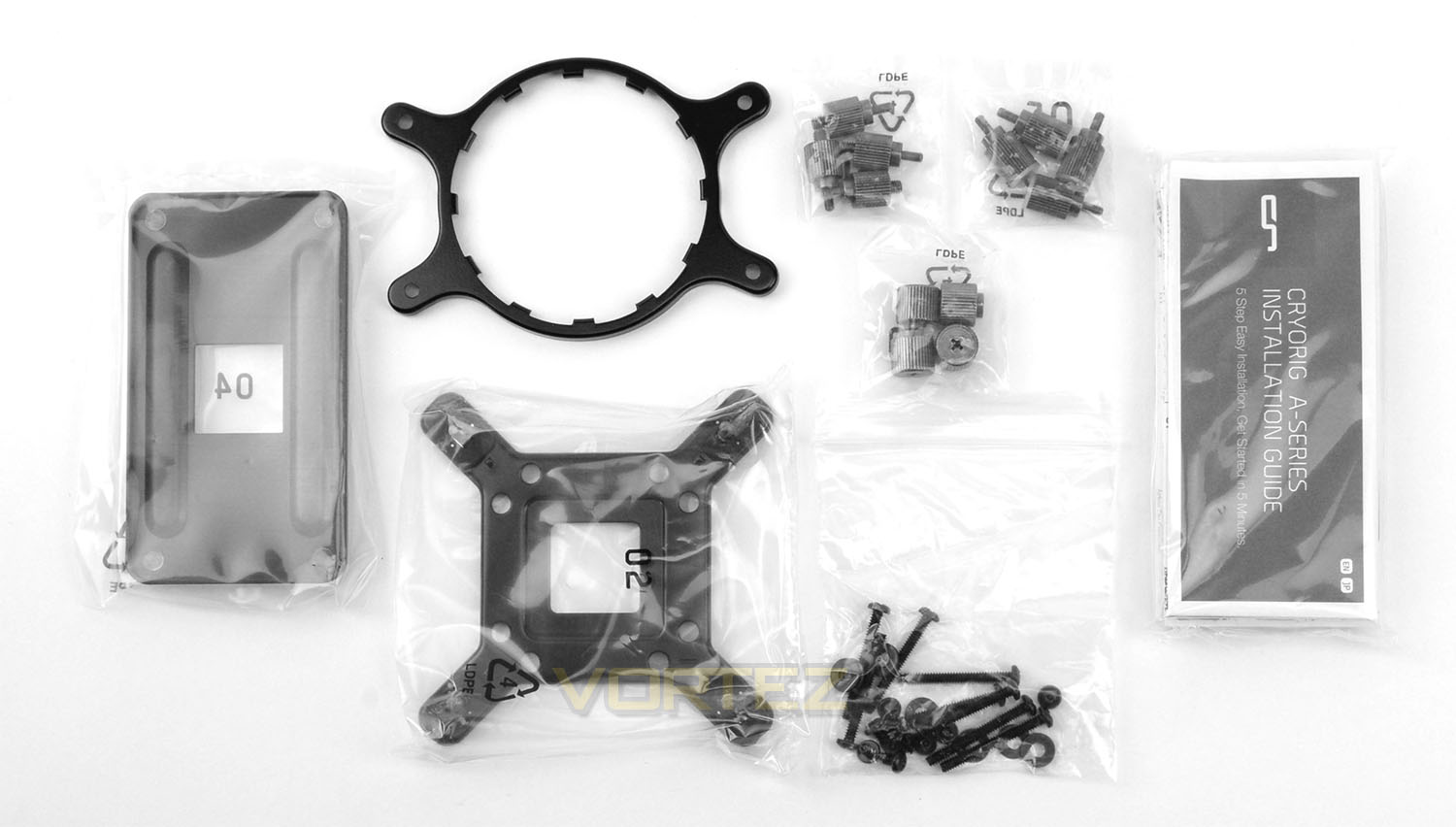
Along with the radiator, pump and fans there are also a number of components included which form the bundle for A40 Ultimate. These items include the mounting kits for both Intel and AMD sockets. The following sockets are supported:
Intel LGA: 2011/V3, 1336, 1150/51/55/56
AMD: FM1, FM2+, AM2+, AM3+
CRYORIG include an installation guide which details the process of getting A40 Ultimate mounted to your system and there are necessary screws/washers for attaching the radiator to your chassis.
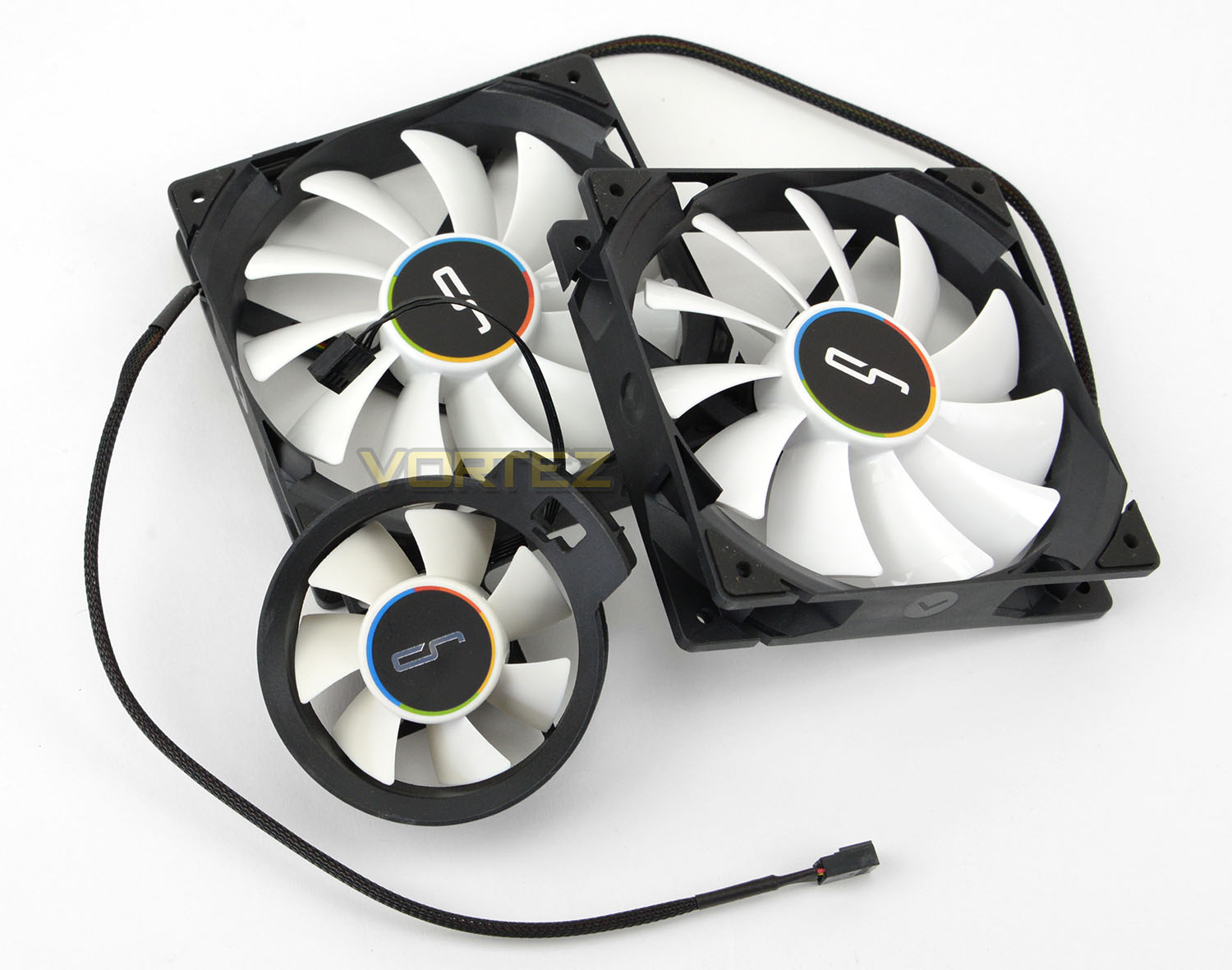
Supplied with A40 Ultimate we have a trio of cooling fans. There are two 120mm QF120 fans which are capable of up to 2200RPM and which use an 11-blade design. We also have a single 70mm airflow fan which is capable of up to 3000RPM, uses a 7-blade design and which clips onto the top section of the pump to direct cooling over the socket area.
All fans use black sleeving – the two 120mm fans benefit from some soft braiding to carry through the consistent black design.
Over the page we’ll explore the radiator and pump combo.
Closer Look
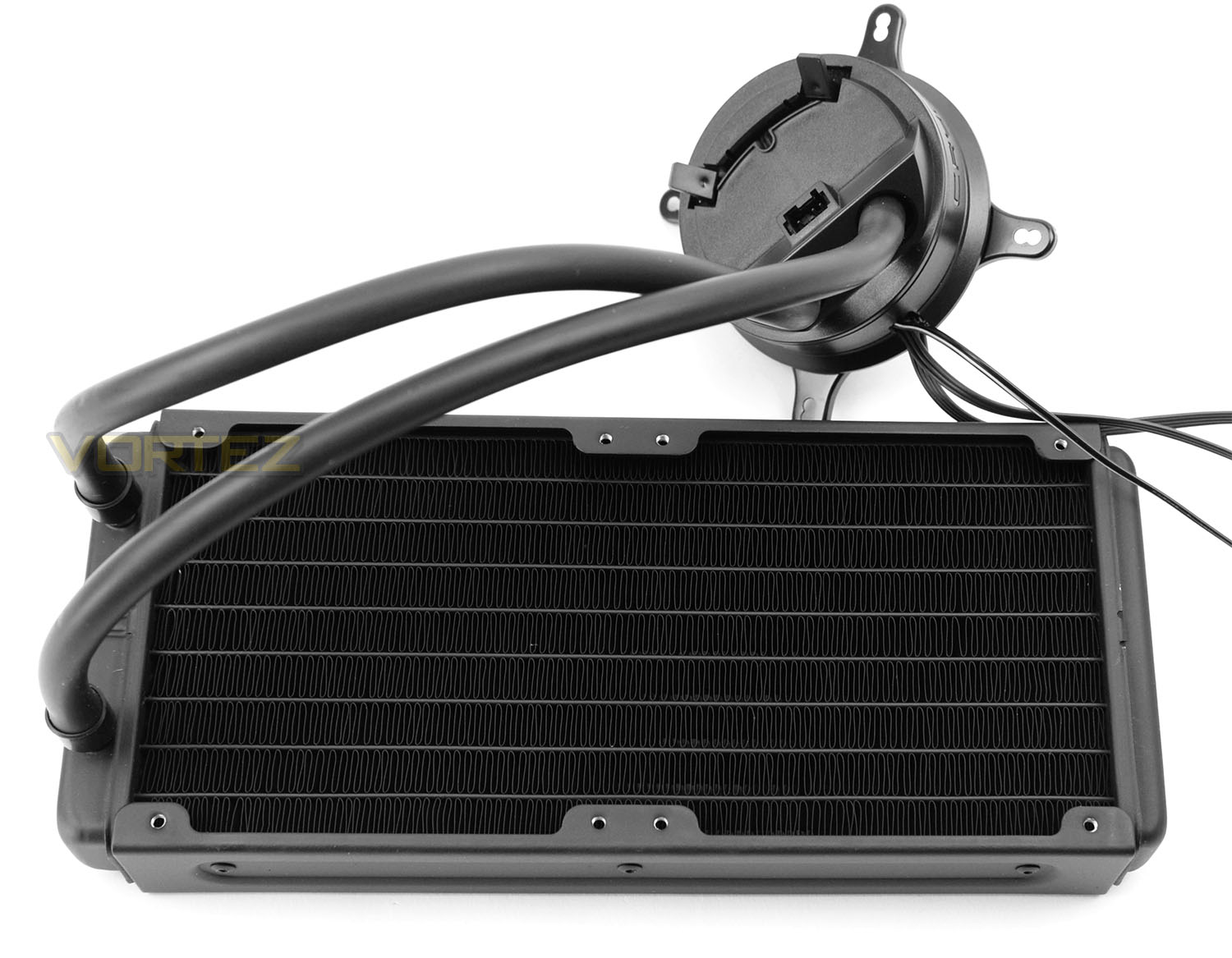
A40 Ultimate utilises a 240mm specific radiator which actually has the dimensions of 272 x 120 x 38.5 mm. This radiator is aluminium and features no additional styling by way of colour or design.
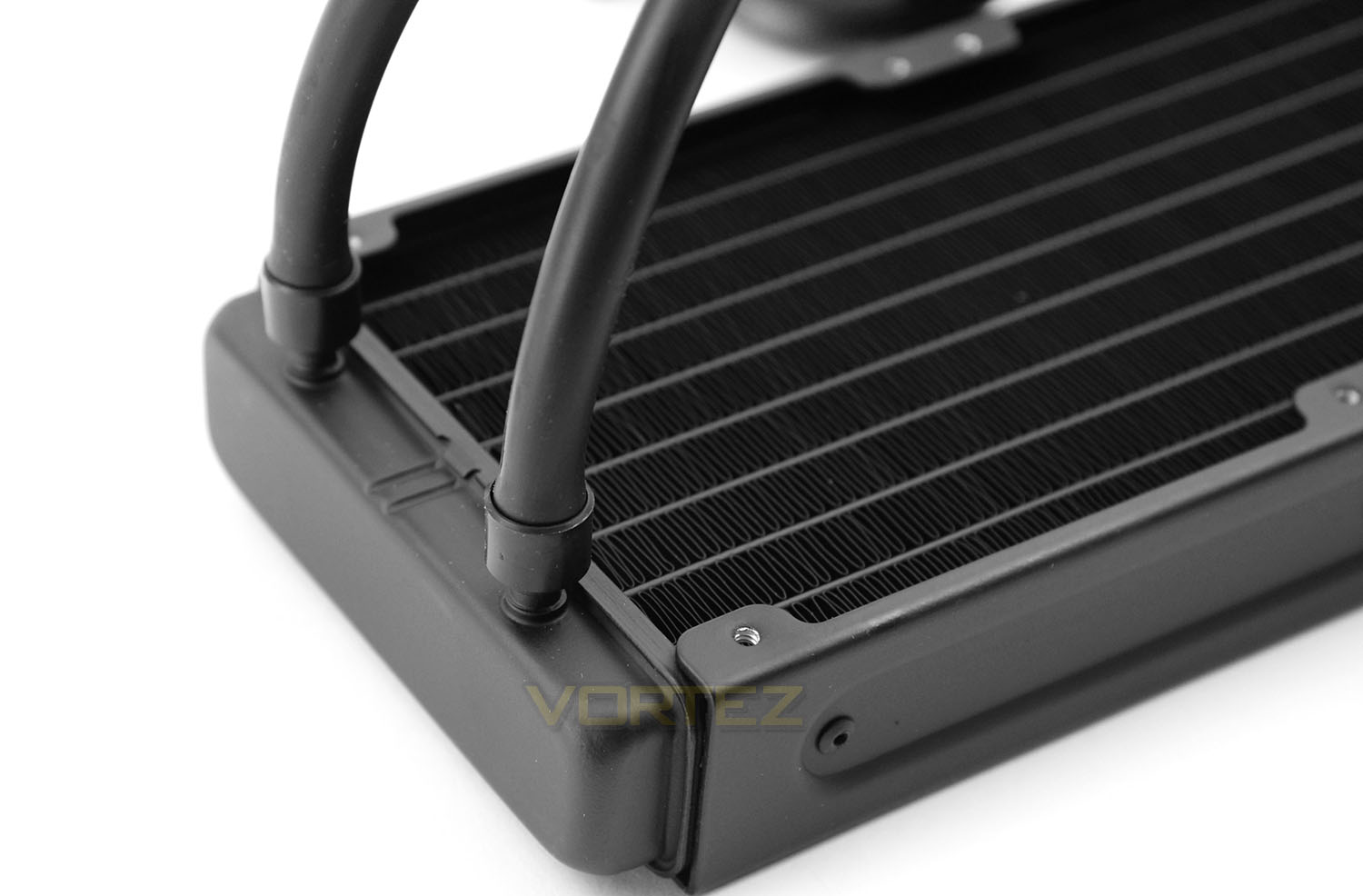
Observing the hose in close detail we can see that CRYORIG are using thin rubber tubing. This tubing is something we’ve seen on other units and it is flexible – though strong enough to remain fixed to the radiator with the attachments.
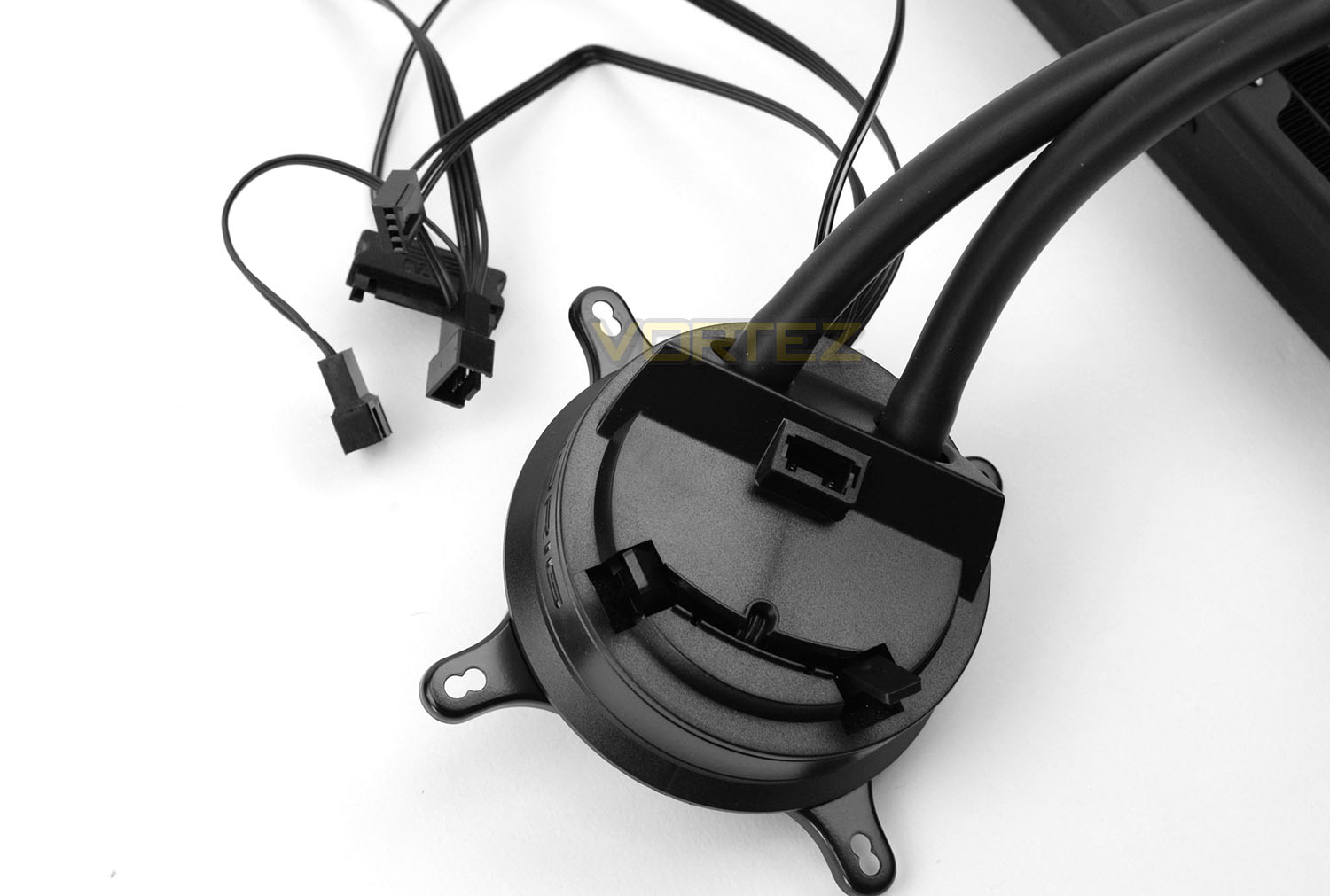
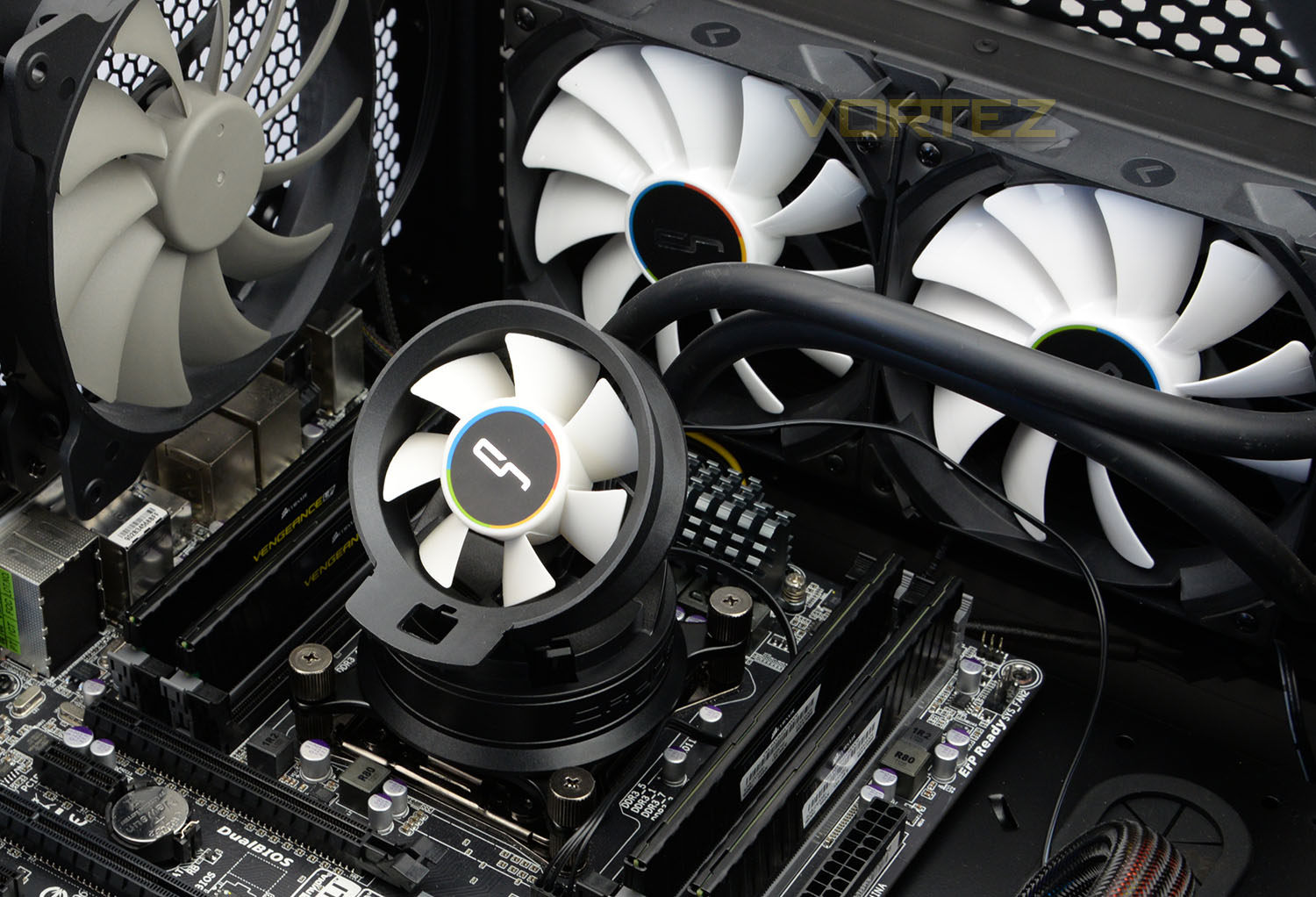
The basis for A40 Ultimate resides in Asetek’s 5th generation pump technology. The top of the pump has a mounting system which houses the 70mm fan and also includes a PWM fan connector to route power from one source.
Attached to the pump there are four connectors – two mail fan connectors, a female PWM connector which plugs into the motherboard and a SATA connector to supply +5v current directly from the PSU.
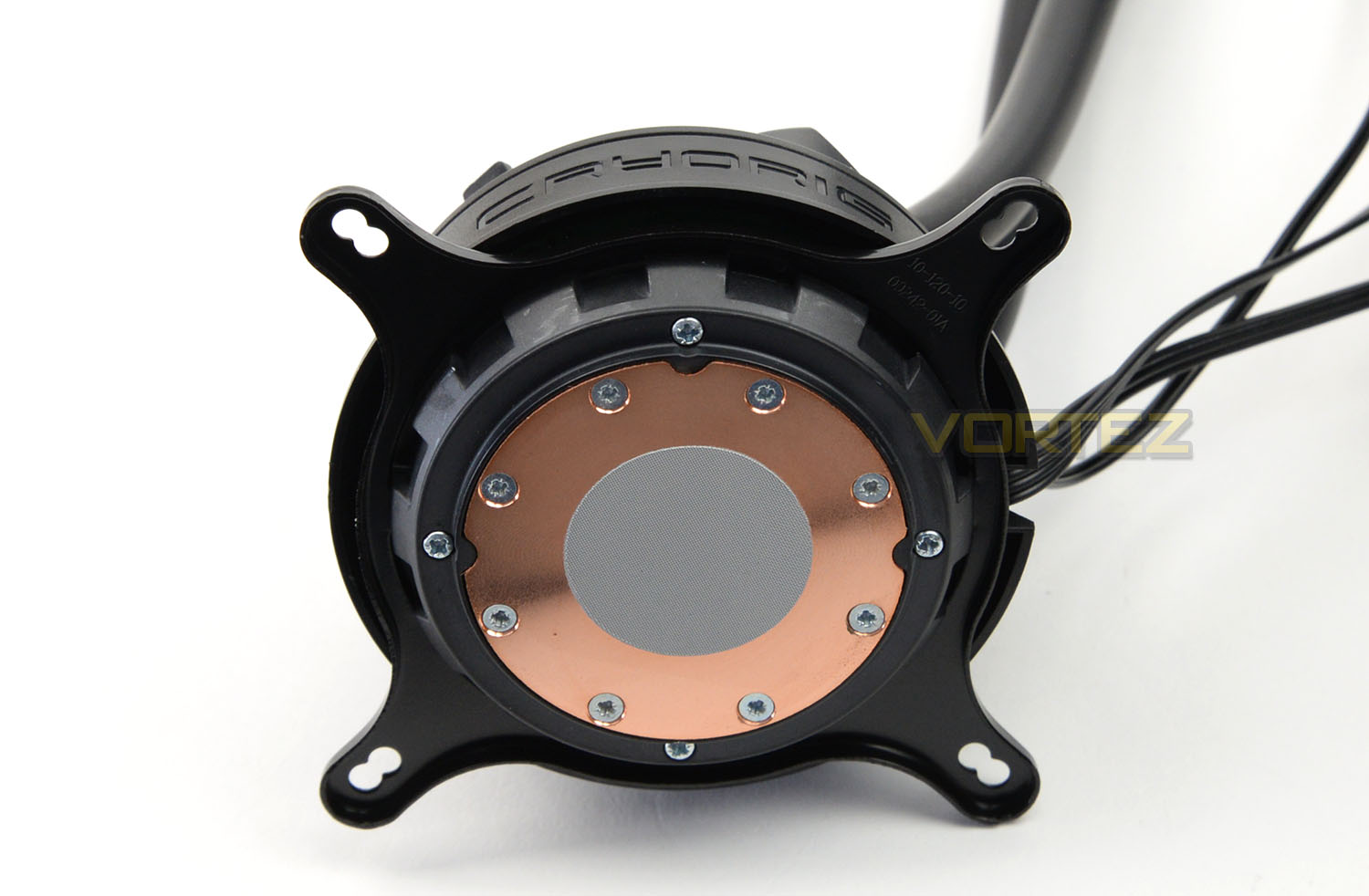
On the underside of the pump we have the baseplate/block. This is circular in shape and is constructed of copper. CRYORIG has supplied a thin layer of thermal compound paste so that users can get up and running without having to apply this to the CPU themselves. This also takes out of the equation the need to squeeze out the correct amount of paste, this layer is precise and will give optimum results.
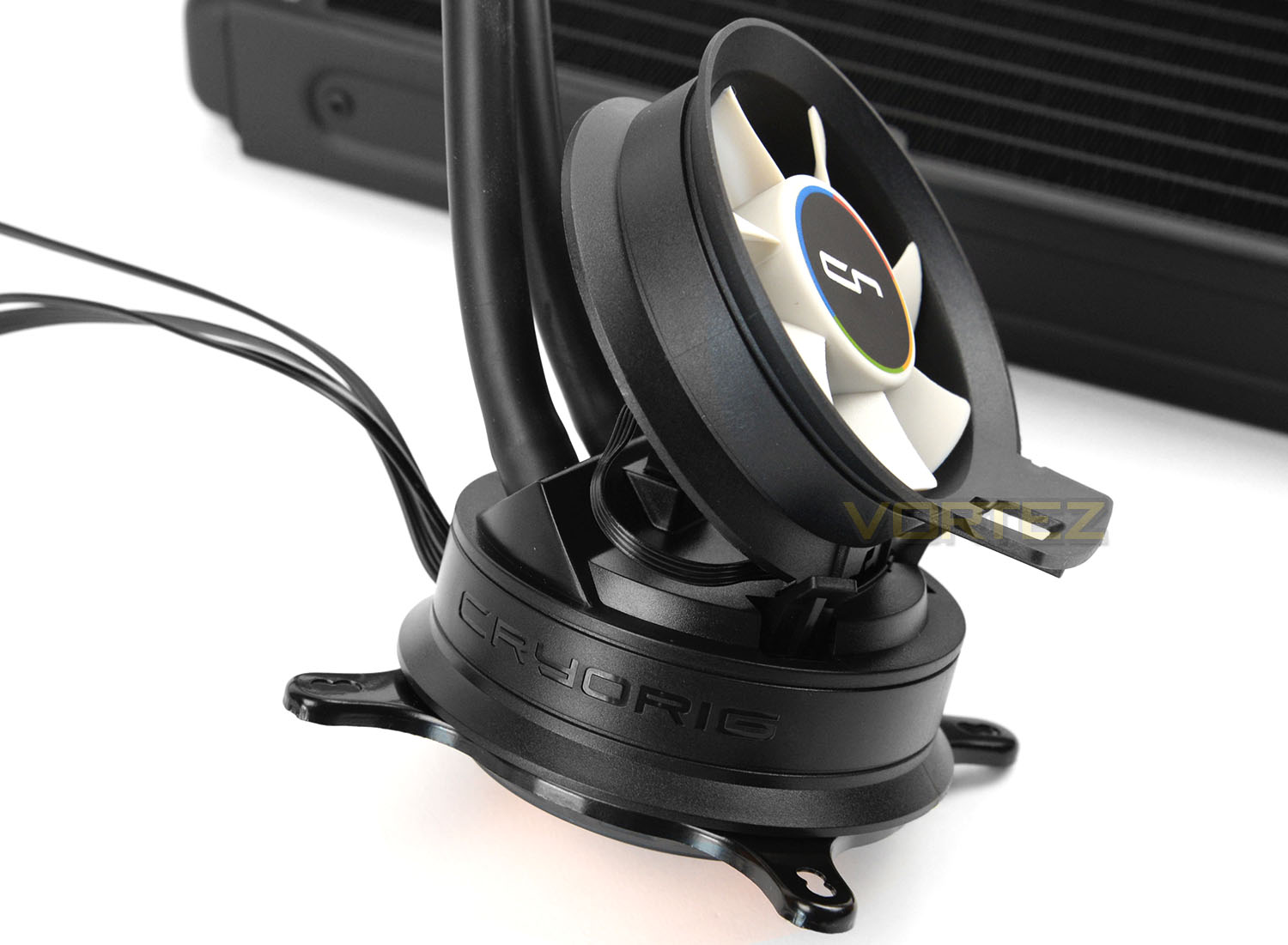
The 70mm airflow cooling fan can be attached to the pump in two different orientations – to push or pull air. It’s suggested that pushing air will yield better performance. The idea with this cooling fan is that it will provide some much needed cooling for the areas of the motherboard which tend to lack airflow – such as the MOSFETs, heatsinks, or memory.
To attach, the fan just slots into the small cavity – this provides secure fitment. The cable from the fan connects to the top of the pump.
Over the page we’ll demonstrate how to install A40 Ultimate.
Installation Process
For all our cooling reviews we test using the LGA 2011 socket and in this section we’ll be demonstrating how A40 Ultimate is installed on this particular configuration. The case we’re installing this ALC inside is the Corsair 760T.
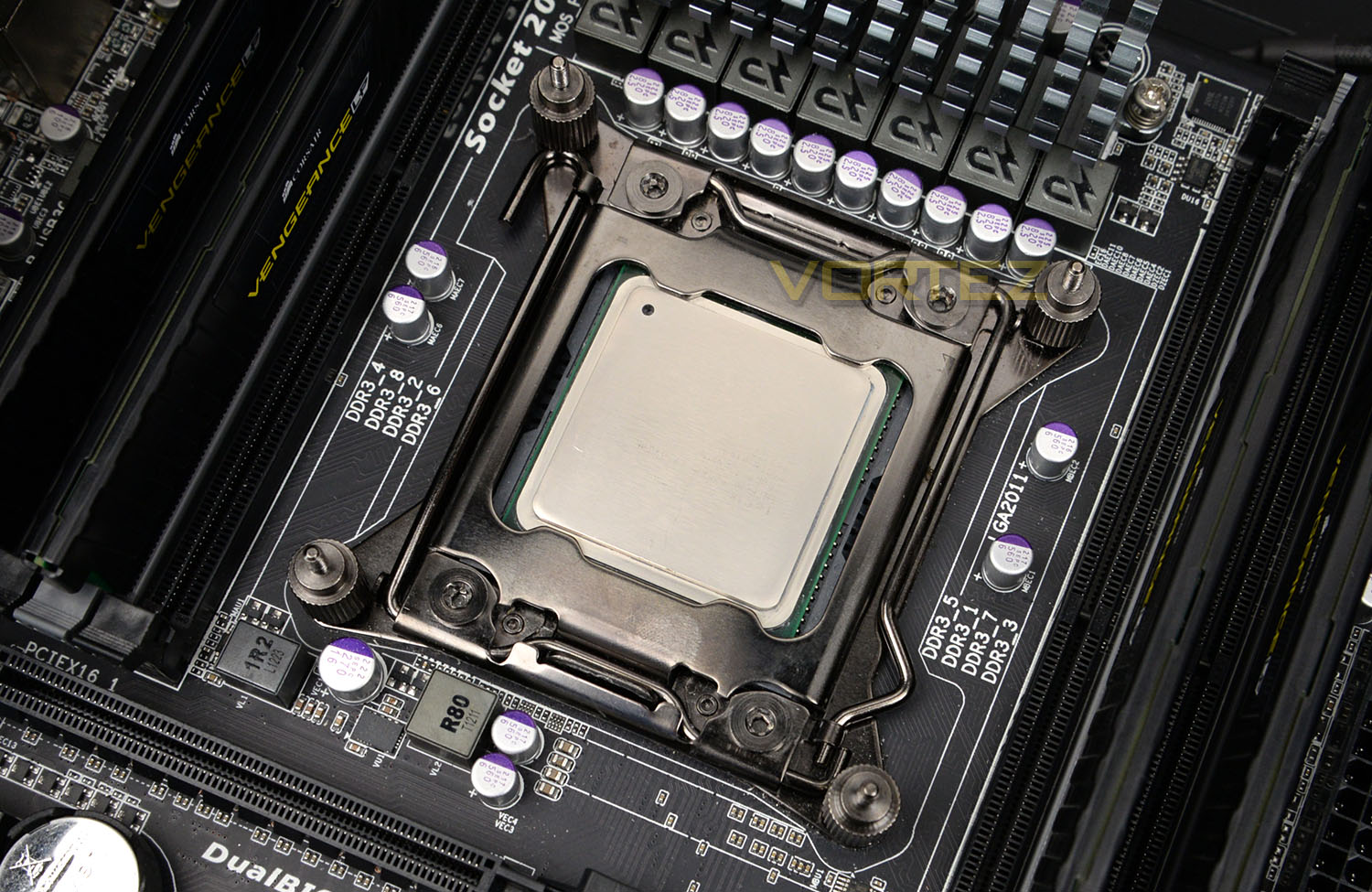
STEP 1
The first step in the processing of installing A40 Ultimate is to attach four standoff screws to the four corners of the socket plate. CRYORIG supply thumbscrews – so no need to reach for the screwdriver yet.
STEP 2
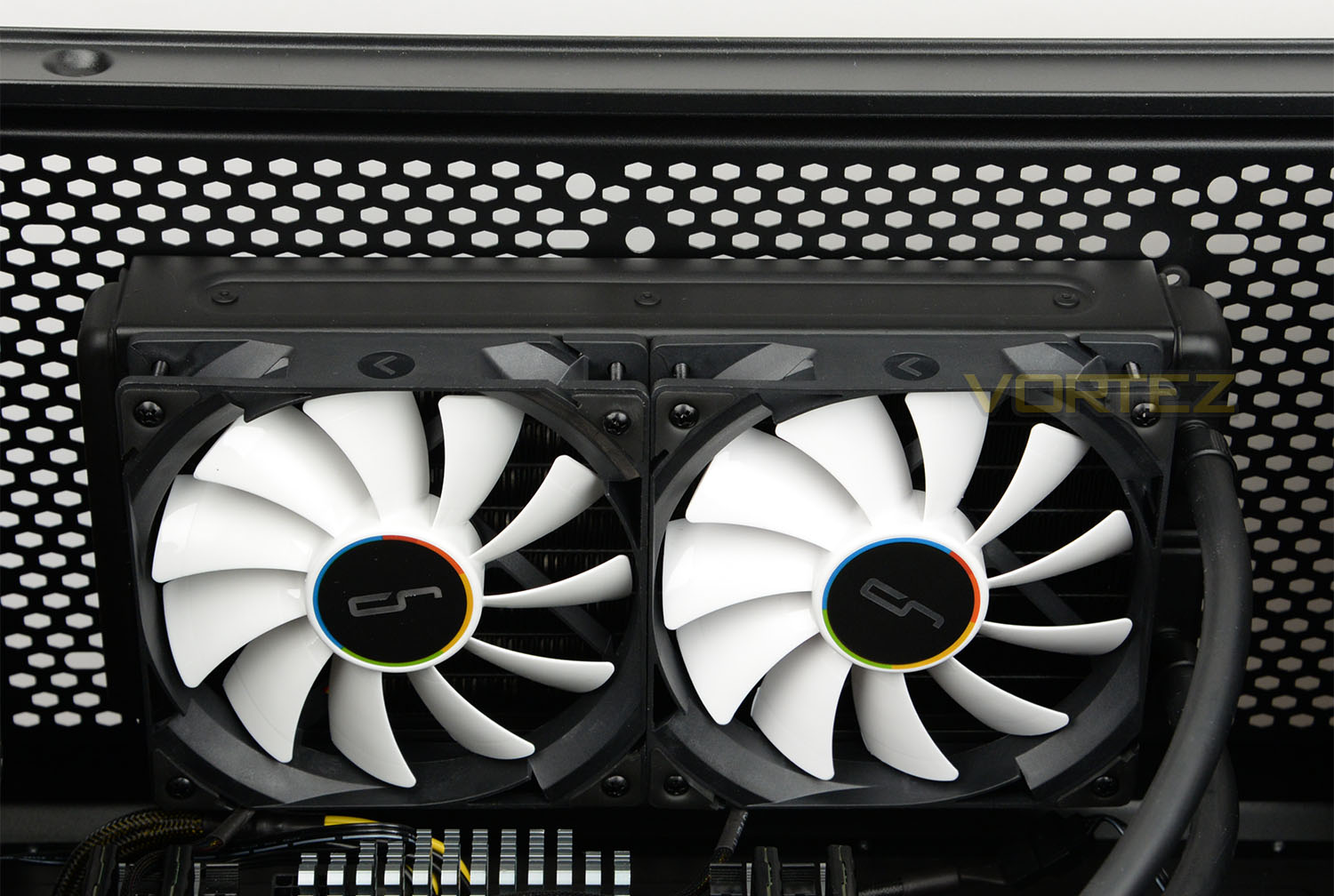
Next, we need to install the radiator/fan combo into a 240mm spot within the computer chassis. Inside the Corsair 760T we have sufficient space at the top of the case – a set of long screws pass through the fans and radiator, while on the other side smaller screws are tightened from the top of the case to fix the radiator to the chassis. We’ve chosen to position the cooling fans to push/blow against the radiator and out through the top of the case.
Also, since the A40 Ultimate’s hoses can obstruct the rear exhaust cooling fan in the case, we chose to have the hoses on the other side.
STEP 3
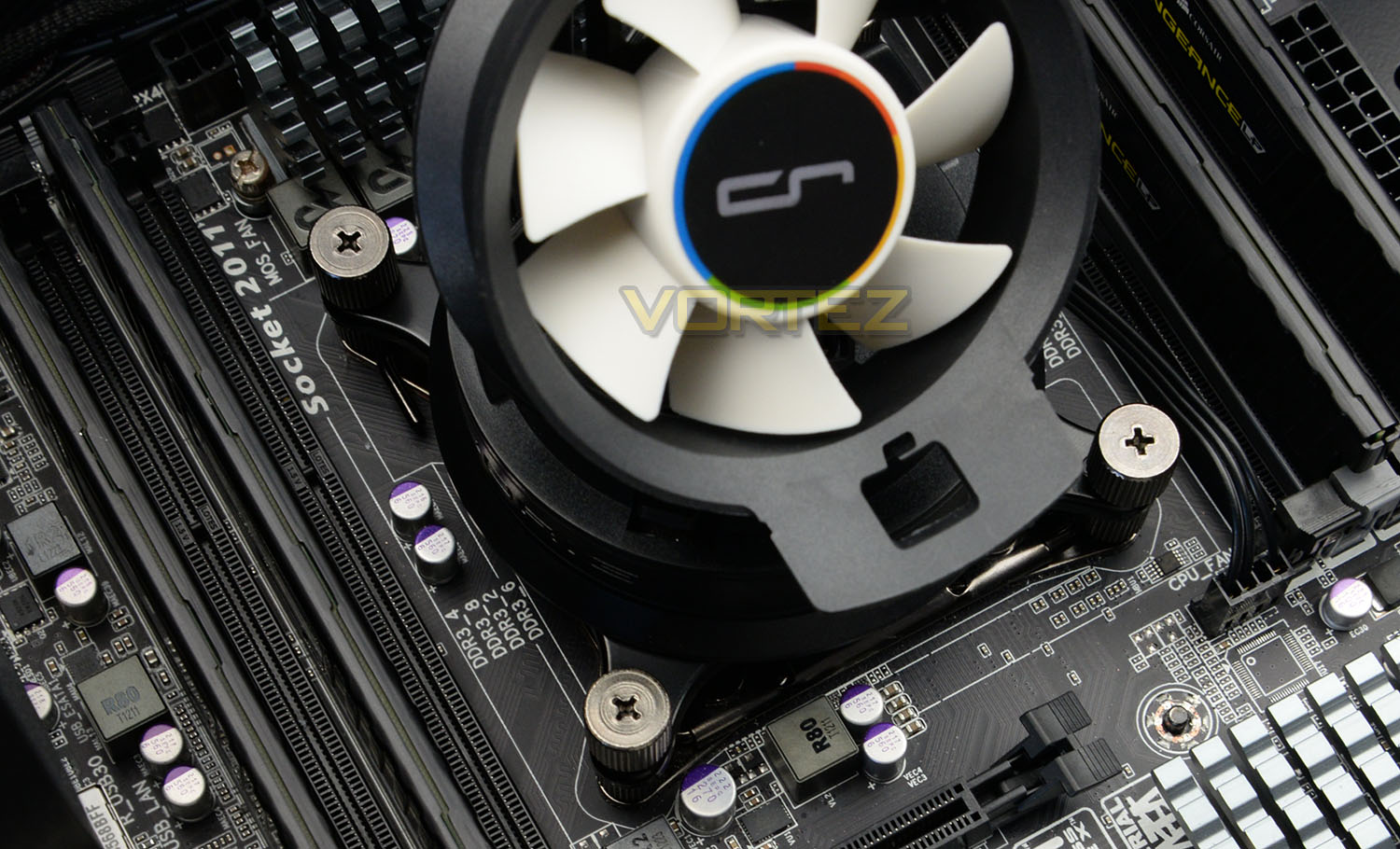
The final step is to either use the pre-applied paste on the block or apply fresh paste to the CPU, place the cooler over the socket and attach four nuts to the standoffs. To complete this, initially you can tighten by hand but it’s necessary to securely tighten with a screwdriver. We recommend gently tightening the screws sequentially by proceeding in a diagonal manner to apply even pressure to the CPU.
So overall, the process is without any problems whatsoever – it simple and effective. Next, we’ll begin testing the A40 Ultimate and compare against the rest of our previously tested coolers.
Test Setup & Methodology
Test System
CPU – Intel Core i7-3930K (3.6GHz)
Motherboard – GIGABYTE X79-UP4
Memory – 8GB Corsair Vengeance LP 1600MHz CL9
Graphics – Sapphire Radeon HD 6850 1GB
PSU – NZXT Hale90 650W
Hard Drive – Kingston HyperX 240GB SATA III SSD
Case – Corsair Carbide 760T
Motherboard – GIGABYTE X79-UP4
Memory – 8GB Corsair Vengeance LP 1600MHz CL9
Graphics – Sapphire Radeon HD 6850 1GB
PSU – NZXT Hale90 650W
Hard Drive – Kingston HyperX 240GB SATA III SSD
Case – Corsair Carbide 760T
CPU Coolers
Alpenföhn K2 (120mm Wingboost: 500-1500RPM, 140mm Wingboost: 300-1100RPM)
Thermalright SilverArrow SB-E Extreme (Dual TY-143 fans – 600-2500RPM)
Corsair Hydro Series H100i (Dual 120mm fans – up to 2700RPM Push Config)
Noctua NH-U14S (Single 140mm cooling fan – 300-1500RPM)
Corsair H75 (Dual 120mm cooling fans – 600-2000RPM)
CRYORIG R1 Ultimate (Dual 140mm cooling fans – 700-1400RPM)
Corsair Hydro Series H105 – (Dual 120mm fans – up to 2700RPM Push Config)
Noctua NH-D15 (Dual 140mm cooling fans – 300-1500RPM)
LEPA LV12 (Single 120mm cooling fan – 300-2200RPM)
CRYORIG H5 Universal (Single 140mm cooling fan – 600-1400RPM)
Fractal Design Kelvin S24 (Dual 120mm cooling fans – 800-1700RPM)
Noctua NH-U9S (Single 92mm cooling fan – 800-2000RPM)
Corsair Hydro H110i GT (Dual 140mm cooling fans – 800-2200RPM)
NZXT Kraken X61 (Dual 140mm cooling fans – 800-2000RPM)
Corsair Hydro H80i GT (Dual 120mm cooling fans – 800-2600RPM)
be quiet! Dark Rock TF (Dual 135mm cooling fans – 800-1400RPM)
Cryorig A40 Ultimate (Dual 120mm/Single 70mm cooling fans – 600-2200RPM/1500-3000RPM)
Program Suite
Real Temp – Maximum temperature analysis
LinX 0.6.4 – Applies thorough stress test to CPU
CPU-Z – Confirmation of CPU frequency/voltage
AIDA64 Extreme Edition – Confirmation of temperatures/fan speeds
Testing Methodology
Testing will be based on temperatures recorded by Real Temp after 20 passes of LinX stress test. The maximum absolute temperatures will be recorded after the test and averaged over the 6 cores. The delta is then calculated by subtracting the temperature recorded near the intake fans from the average temperature calculated. Tests are conducted with the Intel i7 3930K at its default 3.6GHz stock speed and overclocked to 4.6GHz @ 1.42V. The tests are done inside the Corsair Graphite 760T chassis to simulate real world conditions. To keep the tests standardised we are using Noctua’s NT-H1 thermal paste on all coolers.
CPU coolers are reviewed as they come out of the box – with their factory cooling fans, as the manufacturer intended and as the consumer expects.
Additional tests include a passive test where the cooling fans are taken away from the heatsink and a comparison between the cooler used with stock thermal paste against our Noctua NT-H1 paste.
A kind thank you to Noctua for supplying us with NT-H1 thermal compound.
Benchmarks: Stock Performance
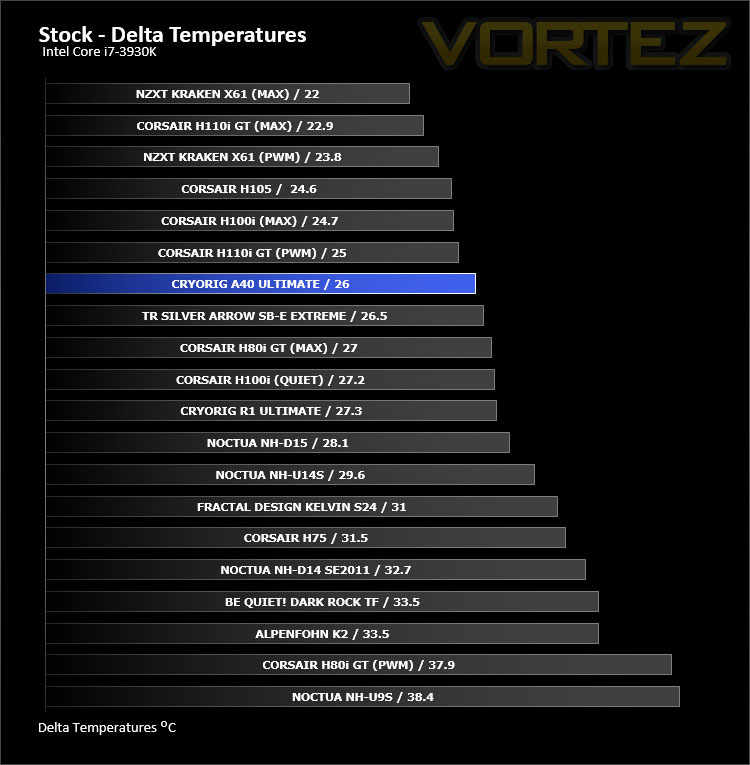
With the CPU at stock settings the A40 Ultimate provides us with excellent performance – matching the performance of some of the top-performing ALC offerings and supplying better performance than prolific air coolers.Fan Speed: 1400RPM – Noticeable but not disruptive.
Benchmarks: Overclocked Performance
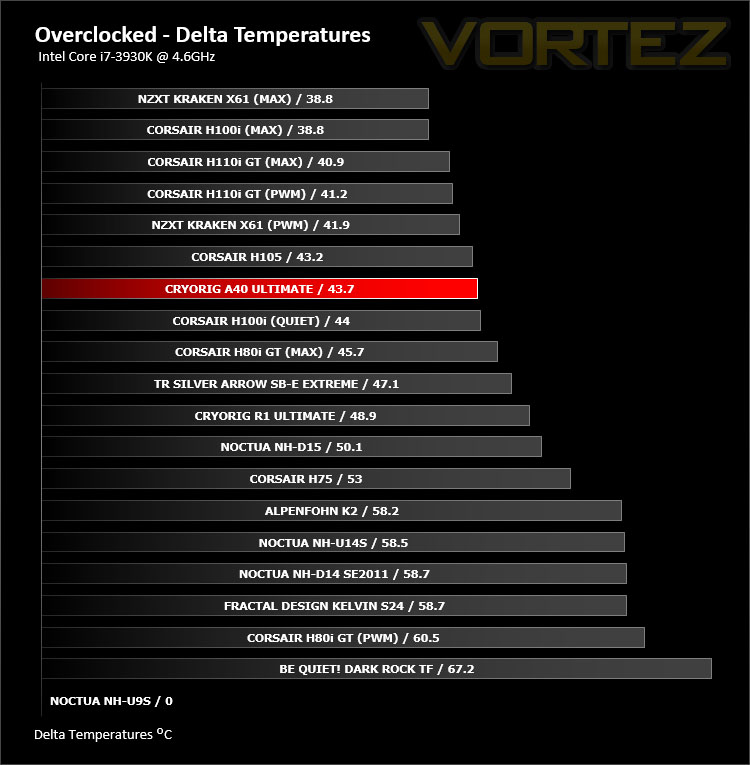
Even after applying a substantial overclock to our high-end CPU, A40 Ultimate does not falter. The results reveal a strong ALC – able to handle demanding overclocks.
Fan Speed: 1900RPM – Noise is now much more obvious but is acceptable nevertheless.
Benchmarks: Passive Performance
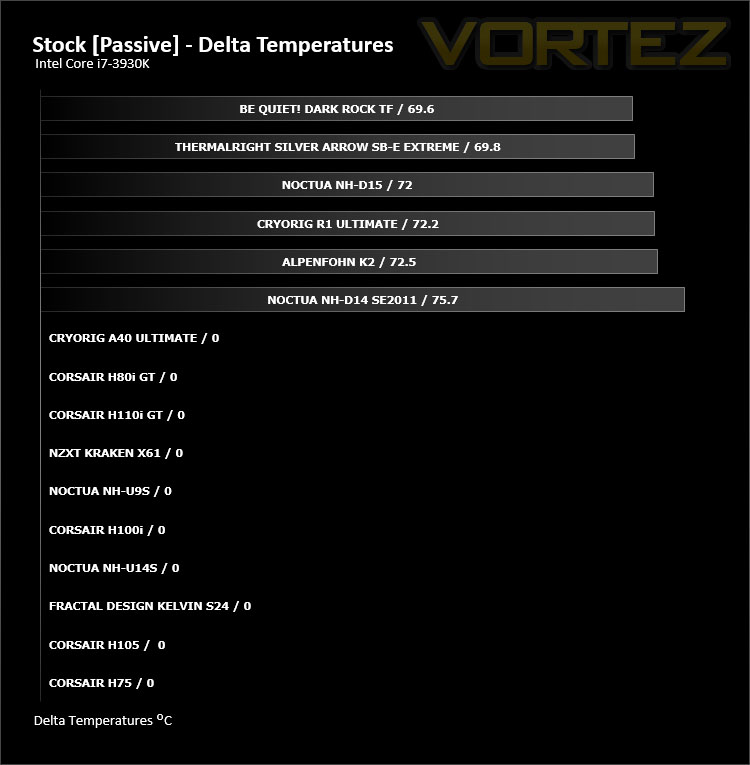
As can be expected from a liquid cooling solution which relies upon cooling fans to disperse heat, A40 Ultimate struggled in the passive testing. Other all-in-one solutions experience the same difficulties so this comes as no surprise.
Benchmarks: Thermal Paste Comparison
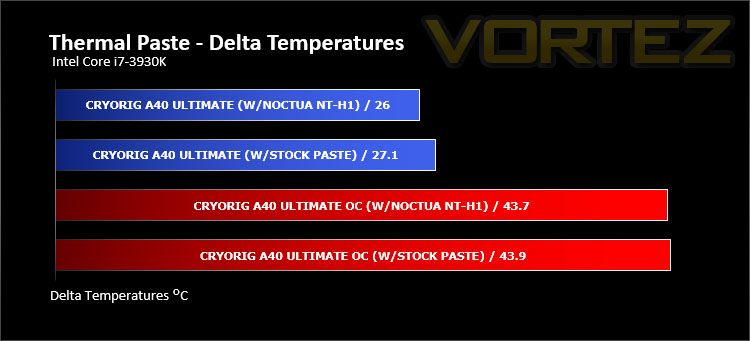
Most CPU coolers come accompanied with thermal paste provided by the manufacturer. For our CPU cooling tests we use Noctua’s NT-H1, so to offer up some interesting analysis we test the thermal paste which comes packaged with the CRYORIG cooler to see which gives the best results during stock and overclocked performance.
The difference between the paste bundled with CRYORIG A40 Ultimate and Noctua NT-H1 is nominal and comes fairly close in the head-to-head.
Conclusion
Since their arrival, CRYORIG has made quite a lasting impression on the cooling market. Their R1 Ultimate was a rather significant release – giving the brand an excellent commencement, which would have almost certainly caused other companies to sit up and take notice.
CRYORIG hasn’t rested on their laurels. The A series is their first-step into the world of all-in-one liquid cooling and with today’s A40 Ultimate they’ve once again produce an excellent product.
The differentiator with A40 Ultimate is likely to be that 70mm airflow cooling fan which adds extra functionality to a 240mm ALC. The idea being that this supplementary fan will offer some additional airflow to areas which tend to be neglected with such a configuration – the MOSFET cooling or the memory. While such a feature isn’t strictly crucial to the effectiveness of a CPU cooler, it’s nice to have the option to use it. In our testing we did find that applying a big overclock did cause this 70mm fan to generate considerable noise; but once again, we can detach if desired.
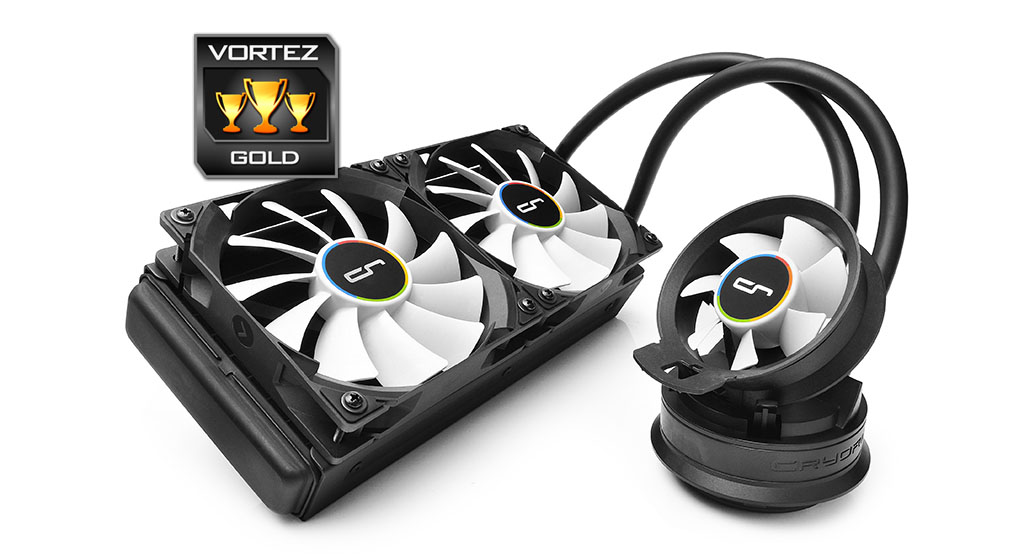
CRYORIG are using the 5th generation of Asetek liquid pump technology with A40 Ultimate and combining this with the QF120 cooling fans, we have the recipe for success. Taking our Intel Core i7-3930K at its stock settings and applying a substantial overclock presented no issues whatsoever with A40 Ultimate – in fact CRYORIG’s offering managed to achieve an excellent position within our cooling league, showing just how capable this solution is.
The other thing worth a mention is the ease of installation and build quality. We were able to get up and running with A40 Ultimate in next-to-no time thanks to the efficient process. Throughout this process it’s also clear we are dealing with some high-quality kit with no corners cut.
Available at a cost of: £67 GBP / $114 USD. Rival units of this specification are usually priced much higher and we also receive a trio of cooling fans with A40 Ultimate. So it goes without saying, against the included features and performance, this ALC is great value for money.
The A40 Ultimate is an excellent 240mm liquid cooling solution which not only arrives with an additional airflow fan but it delivers solid performance which is cheaper than the competition.
Pros
+ Attractive design
+ Great build quality
+ Offers great cooling performance
+ Additional chipset cooling
+ Very affordable
+ Easy to install
+ Includes three cooling fans
Cons
– Fans near maximum speed are noisy
+ Attractive design
+ Great build quality
+ Offers great cooling performance
+ Additional chipset cooling
+ Very affordable
+ Easy to install
+ Includes three cooling fans
Cons
– Fans near maximum speed are noisy
Click here for an explanation of our awards at Vortez.net.