







Fractal Design have impressed with their Define and Arc Series but will the Core 3000 mid tower leave us with a smile on our faces?

Product on Review: Core 3000
Manufacturer: Fractal Design
Street Price: £50 inc. VAT
Elegance is a characteristic that can be confidently attached to the brand Fractal Design. Their portfolio of products so far have captured crowds of enthusiasts all over the globe. Rather than diving into the gamer market with its gaudy designs and flashing LED fans, Fractal Design have chosen the other path – discreet, sleek and minimalist approach to case design. Their Define and Arc series have so far impressed and we are graced with yet another new release today from what Fractal Design are calling the Core Series.
Within the Core Series are currently two classifications – the Core 1000 and Core 3000. The Core 1000 giving support for the smaller mATX and ITX format whilst the Core 3000 being designed for mATX and standard ATX. Today we will be taking a look at the Core 3000. Our first and previous encounter with Fractal Design left us very impressed – can they do it again with the Core 3000? Let’s find out!
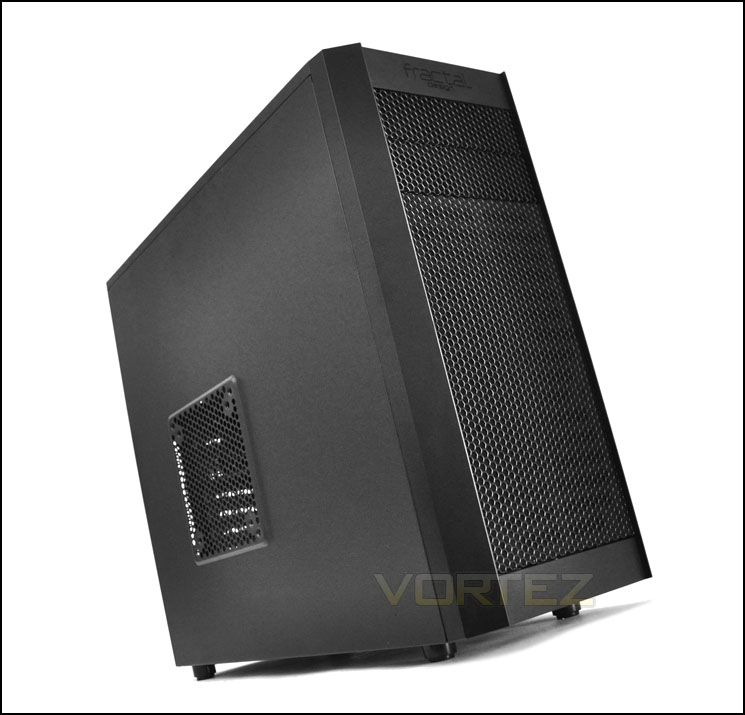
Fractal Design’s take on Core 3000
Features & Specifications
• Simple yet elegant front panel with mesh and filter
• Optimized for performance with multiple cooling options
• A total of 7(!) fan slots (1x 120mm + 1x 140mm in front, 2x 120/140mm in top, 1x 120mm in bottom, 1x 120mm in rear,
• 1x 120/140mm in side panel)
• Three fans included (1x 140mm in front, 1x 120mm in rear and 1x 140mm in top)
• 6x white painted HDD trays, with silicone mounting
• Upper HDD cage is removable and rotatable
• Easily removable front panel with clip on fan slots
Specifications
• 6x 3,5 inch HDD trays, compatible with SSD!
• 2x 5,25 inch bays, with 1x 5,25>3,5 inch converter included
• 4x USB 2.0 and Audio I/O – mounted on top of front panel
• Removable filter below PSU (PSU not included)
• M/B compatibility: Mini ITX, Micro ATX and ATX
• 7 expansion slots with sleek white painted brackets
• Supports graphic card lengths up to 270mm when removable HDD-Bay is in place
• Supports graphic card lengths up to 420mm without removable HDD-Bay
• Supports CPU coolers with height of 160mm
• Supports PSU’s with a depth of maximum circa 160mm. Support for longer PSUs with no bottom fan.
• 250mm
• Case size (WxHxD): 200x430x480mm with front and top bezel in place
• Net weight: 7,1kg
Packaging & First Look
As with previous Fractal Design products the Core 3000 is presented in eco-friendly packaging. There is a depiction of the case on the front, whilst the sides and rear contain technical details surrounding the Core 3000 itself.
Inside the box the Core 3000 is covered in a clear plastic sheet and kept securely in place via 2 polystyrene pillars for protection during transit.
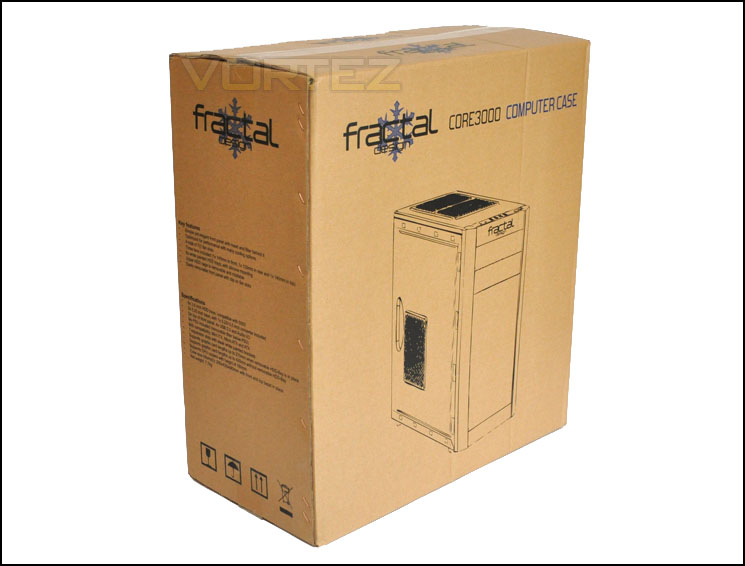
Packaging is recyclable
Inside the box we have a small accessories bundle that include various items:
• 5 cable ties
• Various screw types for installing devices
• 5.25” to 3.5” front fascia
• White fan controller
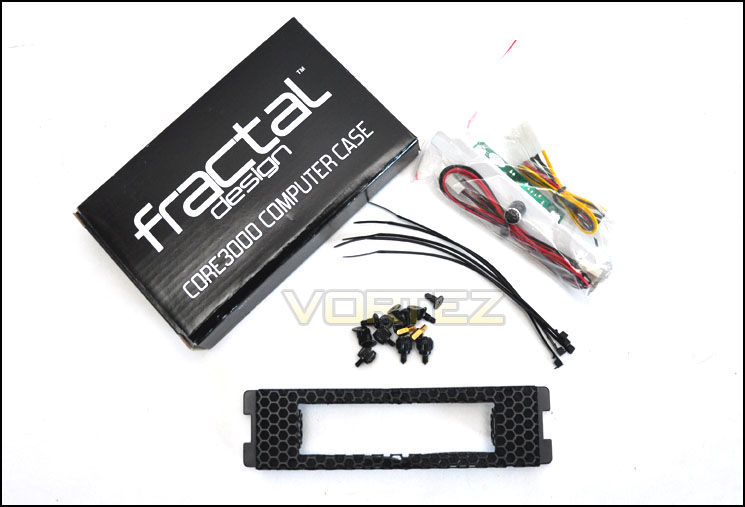
The accessories bundle for Core 3000
With the Core 3000 finally out of its packaging we can take in its visual appearance. Typical of all Fractal Design’s current lineup we have a very elegantly designed computer case. If it’s one thing that Fractal Design are sure of delivering its flare and style. Core 3000 carries with it the minimalist approach to case design that will suit plenty of you out there. The prominent side panel features a perforated mesh panel for mounting either a 120mm or 90mm fan.
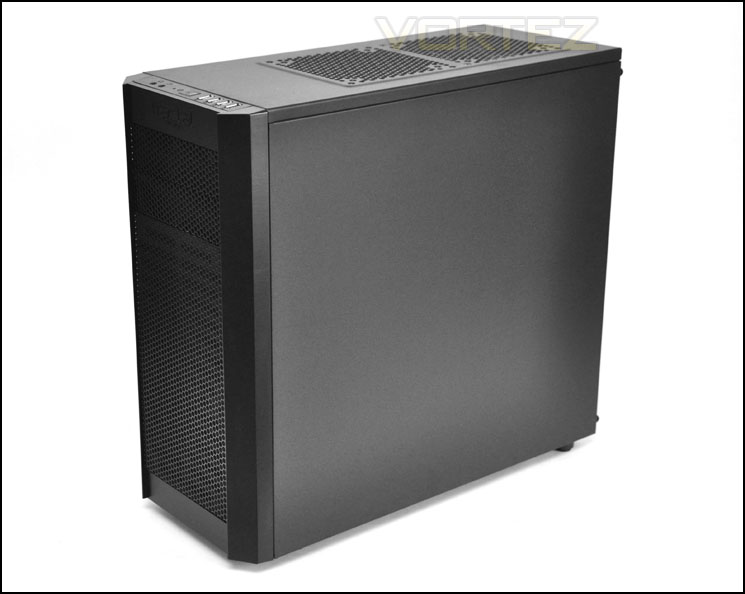
Core 3000 is certainly a looker
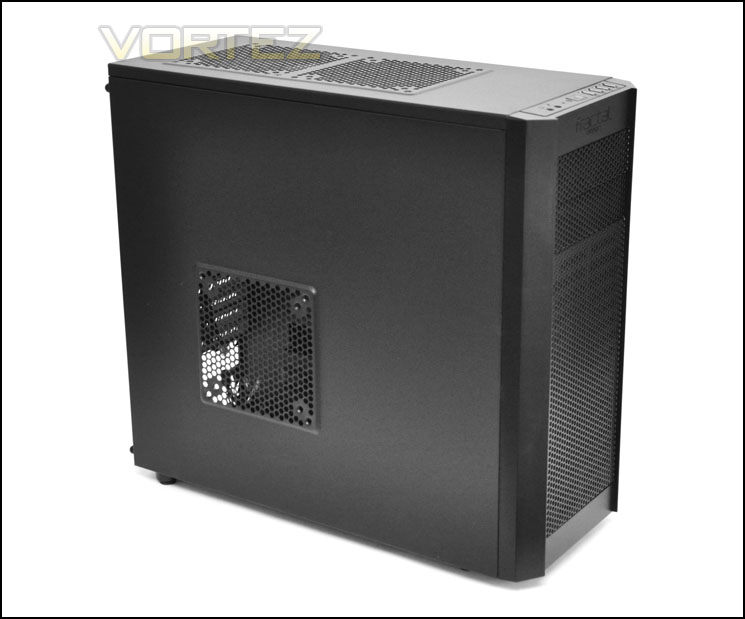
Accommodation for mounting a side fan
With the first impressions over. Let’s go in for a closer look!
Exterior
The front of Core 3000 has an entire section of honey-comb perforated mesh and there are 2x 5.25” drive bay covers with the Fractal Design logo inscribed into the plastic at the very top.
The rear has an area at the very bottom for mounting the PSU. Above this there are 7x PCI expansion slot covers that each have ventilation cut-outs for better airflow these covers have been given a lovely white paint job that contrasts perfectly against the darker finish on the case. Further up we have an opening for the I/O section of the motherboard and a 120mm rear exhaust fan with 2x circular rubber grommets for feeding cables or tubing through.
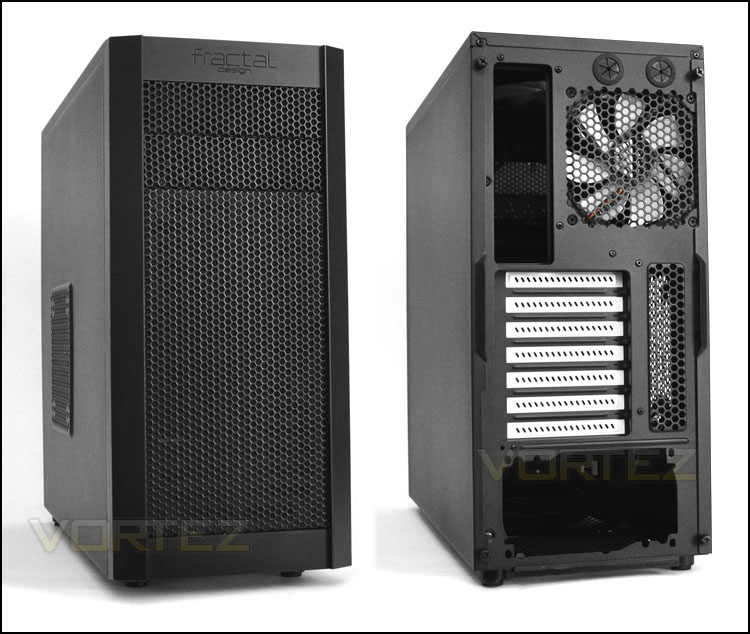
The front and back of Core 3000
In terms of front panel connectivity we have a headphone/microphone jack, reset and power buttons and 4x USB 2.0 ports. Sadly no USB 3.0 ports on the Core 3000 – this seems to be a common occurrence for cases that are priced sub £50.
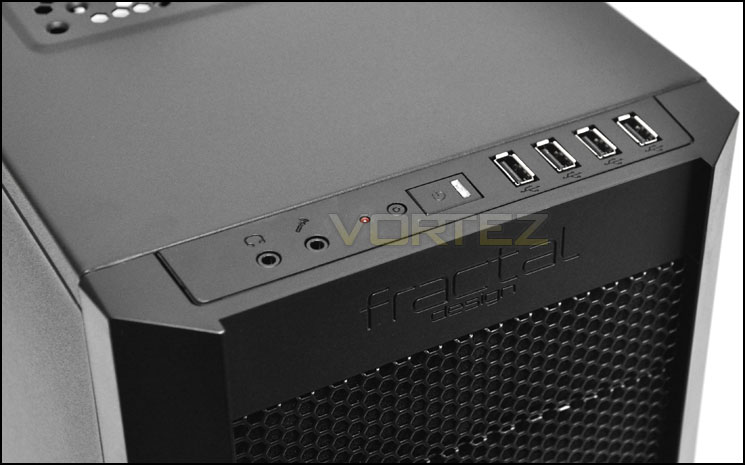
The front panel connectivity
Further back we have dual placements for 140mm fans. There is actually a 140mm fan already attached to one of the placements. Both positions can take 140mm or 120mm fans. There are no fan filters here.
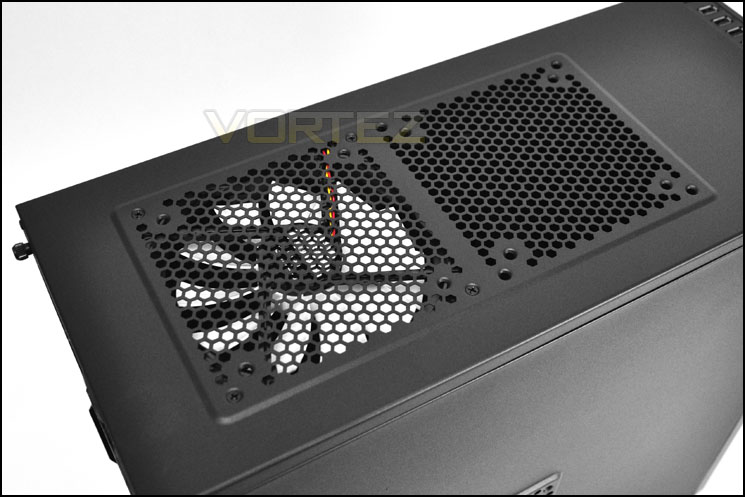
The top of Core 3000 with dual 120/140mm fan options
Finally, taking a look at the underside of Core 3000 there are 4x rubberised feet with soft foam. We also have a perforated mesh section for attaching a 120mm fan within the case and a removable filter underneath the PSU seating area if you happen to mount the PSU with the fan facing downwards.
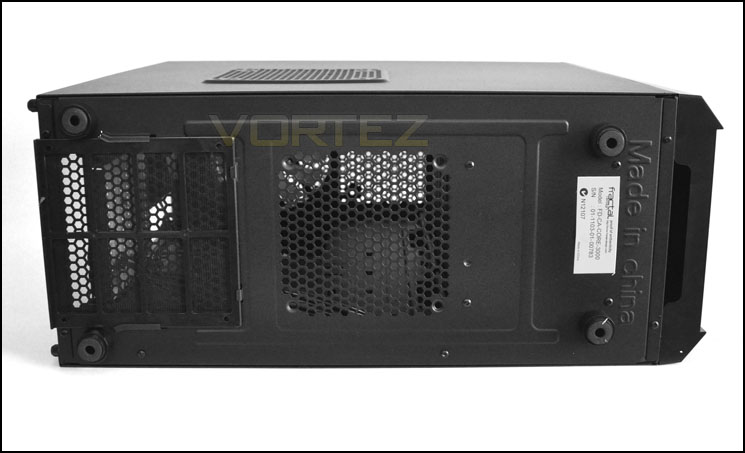
Can you guess where this is made?
Let’s now take a look at the internals of Core 3000.
Interior
The side panels are easily removed via 2 thumbscrews on either side. From our first glimpse of the interior below Core 3000 is certainly looking good. White PCI expansion slot covers, white bladed fans and white HDD trays all contrast so well against the matt finish – this case oozes charisma. The only thing to really criticise is the lack of E-ATX (P4/P8) cable for the CPU power at the very top of the case. There is no cut-out on the motherboard tray so we will have to route this across the motherboard instead.
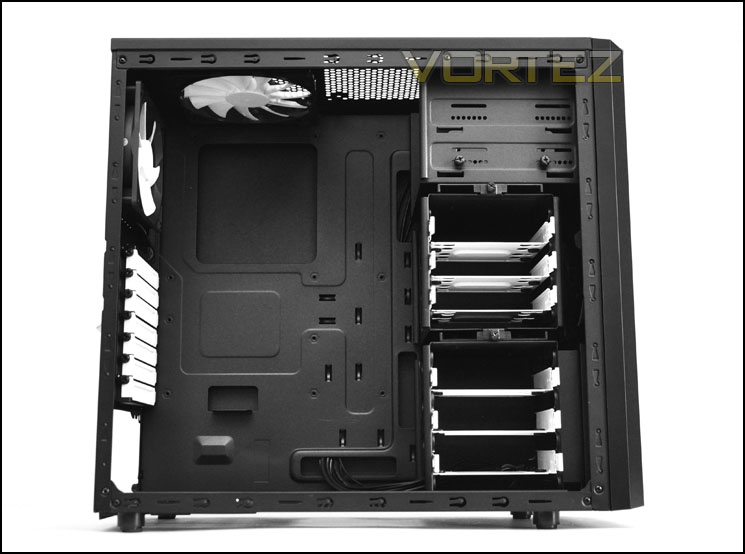
Well designed and bursting with style
The PSU seating area has anti-vibration rubber mounts – a must for case design. This prevents metal on metal which obviously not only causes scratching but also can cause rattling to occur. As shown in the previous section we have a fan filter should you choose to mount the PSU with the fan pointing to the ground and a placement for mounting a 120mm fan at the bottom of Core 3000.
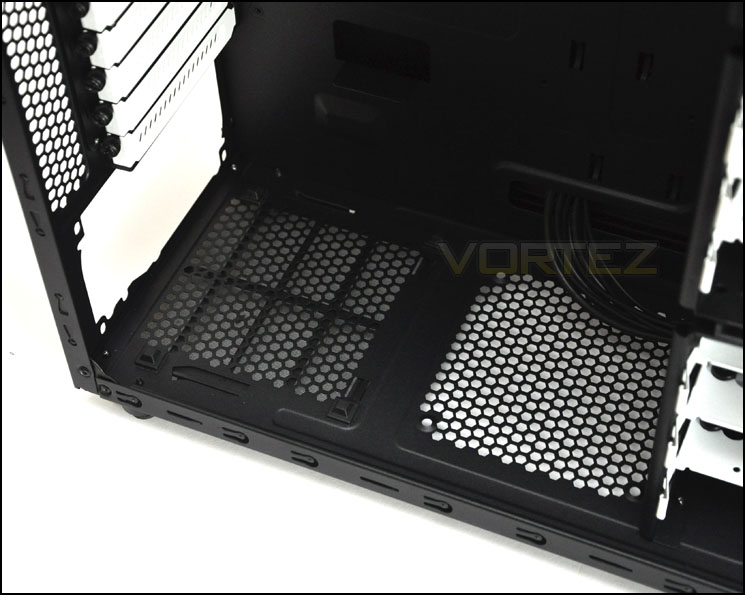
The PSU seating area with anti-vibration
Moving up through the case we have 7x PCI expansion slot covers that each have ventilation slots and thumbscrews. Fractal Design have painted these covers with a glossy white paint – we love it!
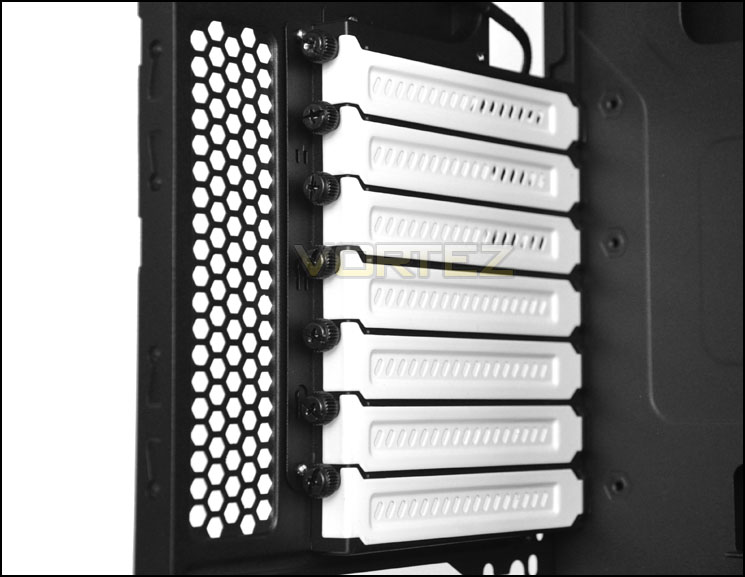
Glossy white PCI expansion slot covers. Just beatitful
Continuing on, we have a 120mm exhaust fan at the rear of Core 3000 and a 140mm fan mounted at the very top. Both fans have black braiding – something not always seen but something very much welcomed. This small attention to detail is what really matters. There is a space for attaching another 120/140mm fan at the top of Core 3000.
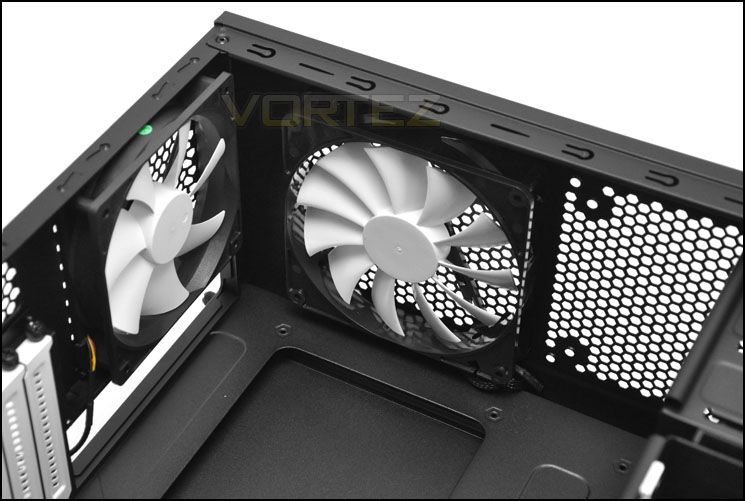
Cooling fans are a strong-point for Core 3000
Over on the other side of the case we have 2x 5.25” optical drive bays. The lower tray having a 3.5” adapter with thumbscrews. Attaching devices is very easy – just fix the thumbscrews into the mounting holes of the particular device.
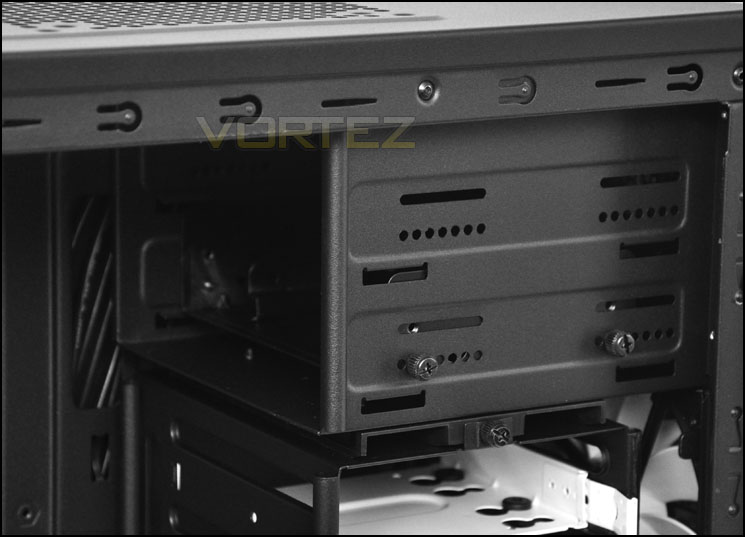
The optical drive bays
Over the page we will continue our tour of the interior by looking at the HDD area.
Interior (Continued)
Behind the HDD area we have a front mounted 140mm intake fan. The HDD area is split into 2 sections. Each section having the capacity to store 3x HDDs – both 3.5” and 2.5”. Inside each slot there is a white tray that the drive attaches to via the screws provided. The great thing about this region is that the upper cage can be removed or rotated – this has numerous advantages:
1. Increasing airflow for air coming into the case via the front fan by removing the cage.
2. Compatibility for longer graphics cards that are 11”+ by removing the cage.
3. Rotating to the cage for personal preference and flexibility.
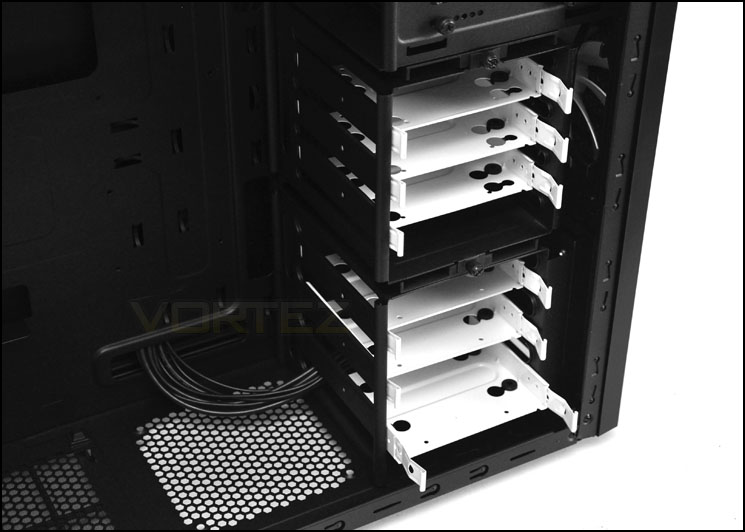
The HDD section in its default position
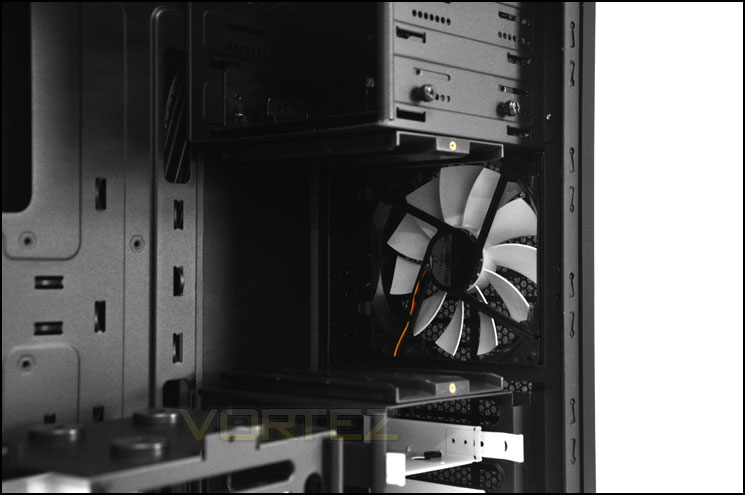
With the upper HDD cage removed – 140mm intake fan
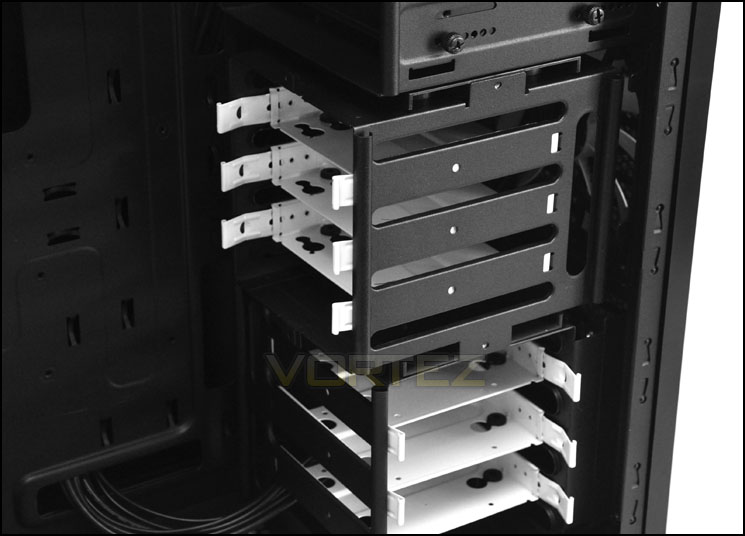
The upper HDD cage rotated
Installation
Working with the Core 3000 during the installation process is without any problems. The only annoyance is the lack of cable management cut-out at the very top of the motherboard tray for the CPU power via P4/P8 E-ATX. Instead – as pictured, I had to route this over the motherboard. Other than this everything went very smooth.
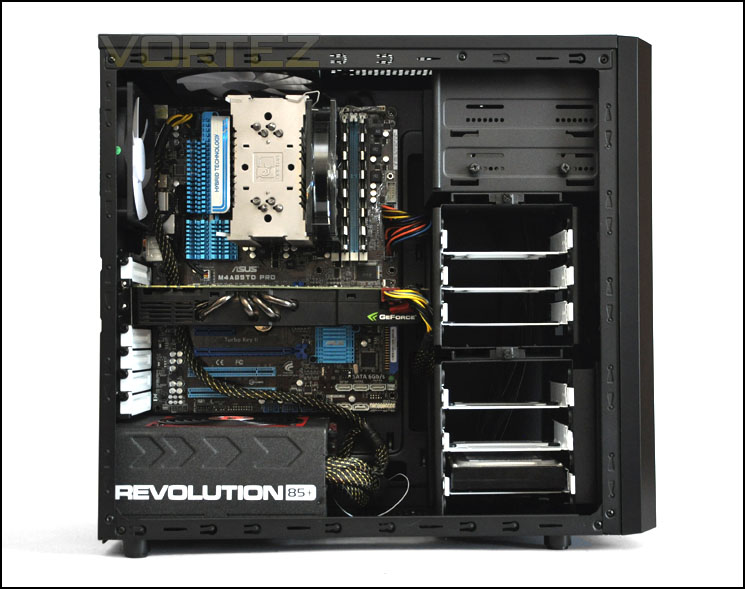
Installation complete – a nice and tidy setup
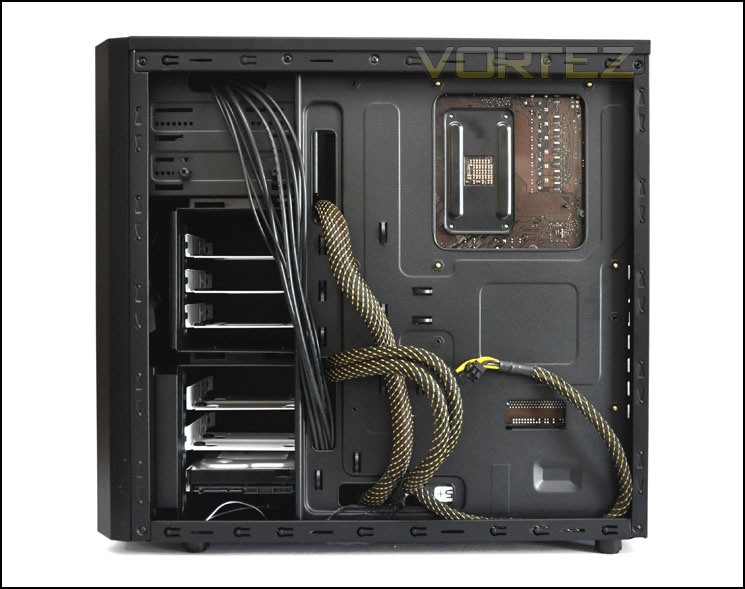
Enough space behind the motherboard tray
Installing HDDs into Core 3000 is very easy. All you have to do is remove a tray from the HDD cage, drop your drive into the tray and attach 4 screws onto the underside – it’s as simple as that!
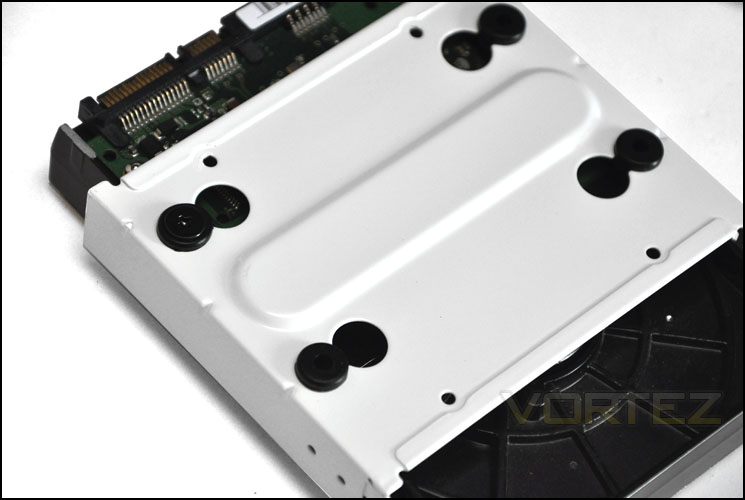
Sturdy HDD tray and easy install
In terms of clearance – for the CPU cooler we appear to just about have the space to install high-end coolers like the Noctua NH-D14 and Thermalright Silver Arrow (both 160mm in height). Pictured is the Noctua NH-U12P that is 158mm in height.
Over on the GPU side of things the GTX 480 pictured is 11” in length and almost touches the HDD cage – but of course we can remove this cage anyway if we had a longer graphics card. So in terms of clearance for the graphics card we can accommodate anything currently on the market as long as it resides in a PCI-E slot that runs in line with the upper cage area.
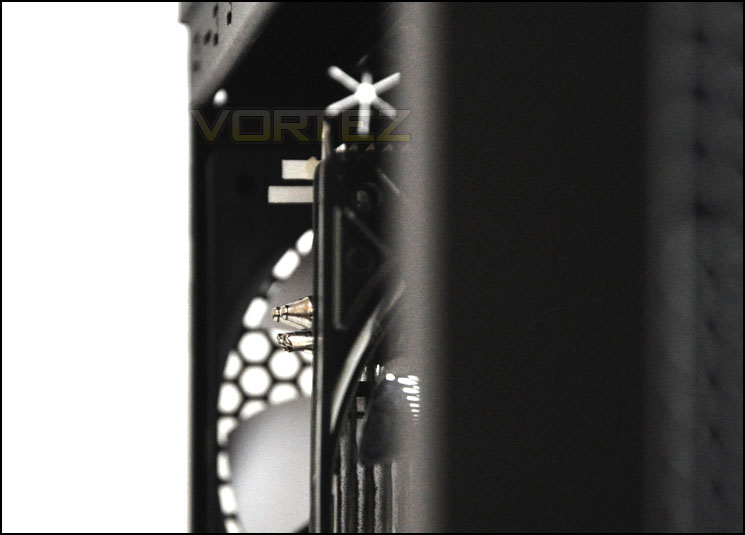
CPU Cooler clearance in Core 3000
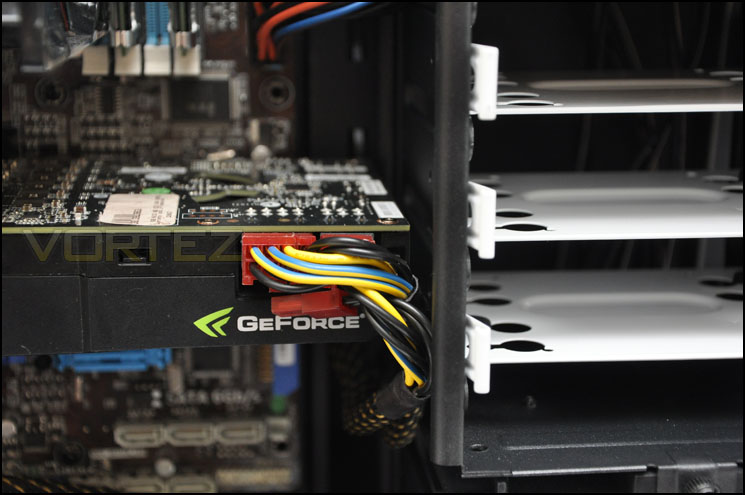
GPU clearance is tight with upper cage installed – 11” card
Lastly, behind the motherboard tray we have up to 1.3cm of clearance between the motherboard tray and side panel. Though this isn’t exactly generous, it does allow us to route most of the cables through to the back.
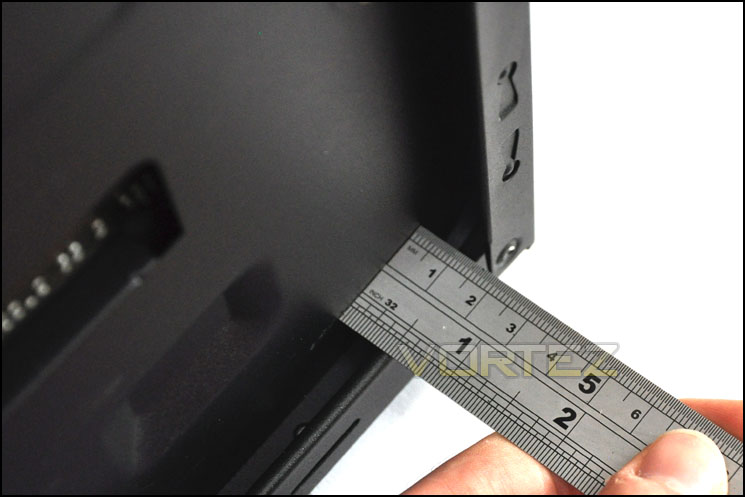
Behind the motherboard tray up to 1.3cm of clearance
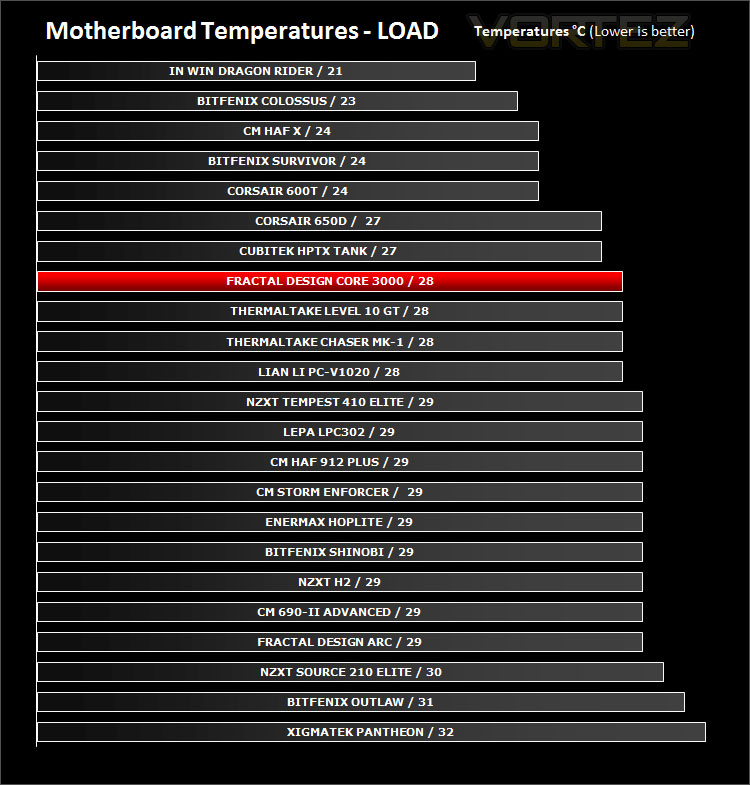
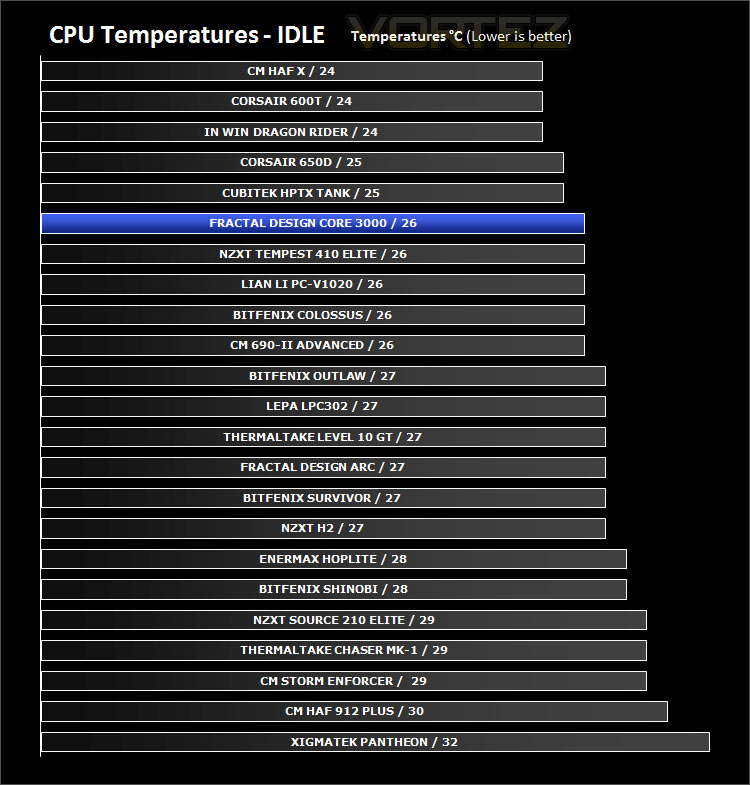
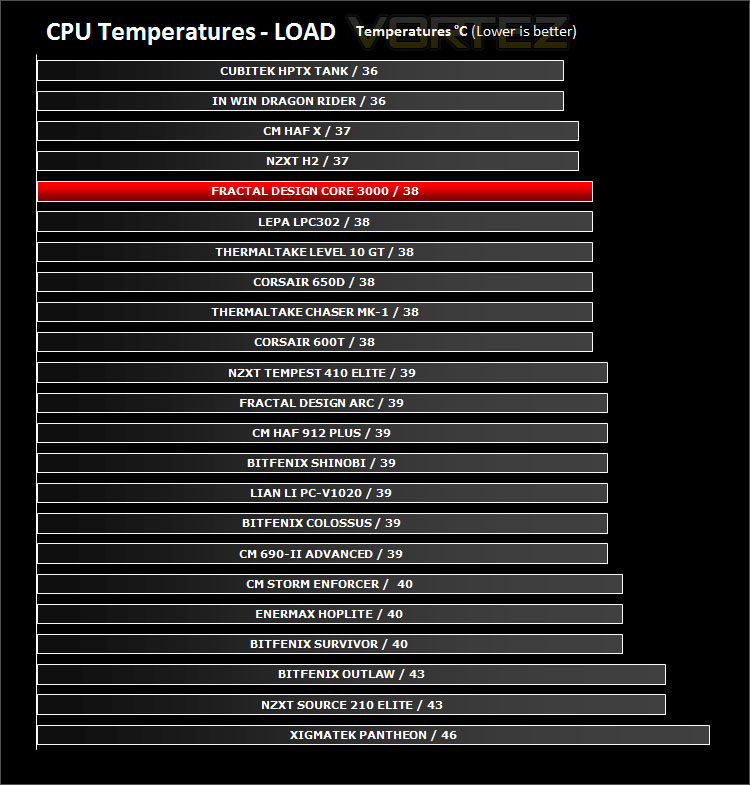
Thermal Performance Testing
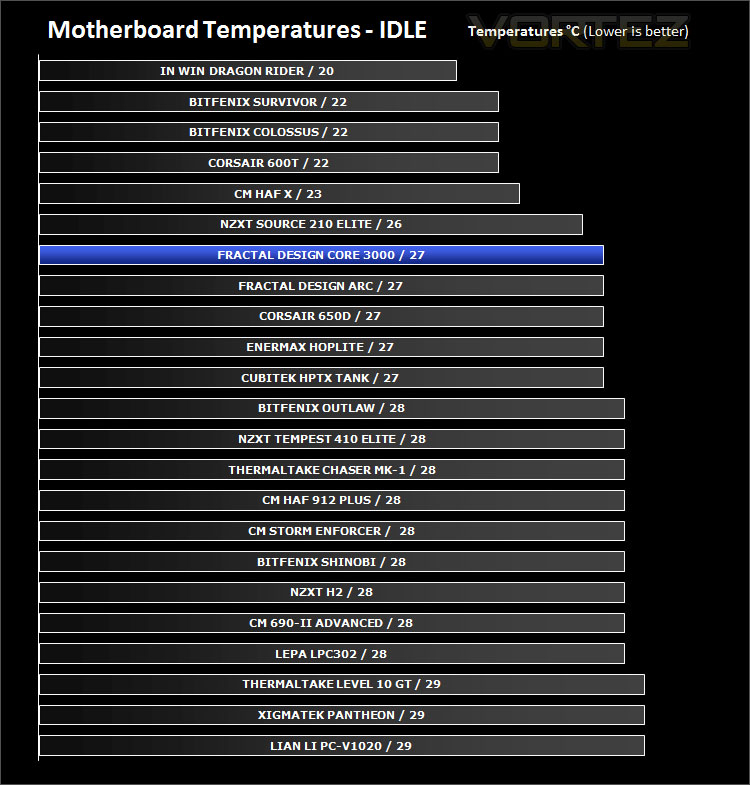
The Core 3000 has 3 pre-installed fans. 2x 140mm fan and a 120mm rear exhaust. All of these fans are positioned in spots that adhere to traditional airflow placements and so in theory we should get some good results from this case.
To discover the thermal performance of the Outlaw I will record idle temperatures after 20 minutes from a cold boot. I will then stress the system and temperatures will again be monitored after 30 minutes have elapsed.
System Components
CPU AMD Phenom II X6 1055T 2.8GHz
Motherboard ASUS M4A89TD PRO
Graphics ZOTAC NVIDIA GTX 480 AMP
Memory 4GB Mushkin EM3-10666 DDR3
HDD Samsung Spinpoint 500GB SATA-II
PSU Enermax Revolution 85+ 850W
Conclusion
We’ve been getting through quite a few of the lower end – budget specific cases lately and the Core 3000 is yet another to join the group. Lower cost can sometimes mean cut-backs to quality, features and design is this so with Core 3000? Definitely not.
Core 3000 is a master in its class. A while back I reviewed the HAF 912 Plus and for a considerable time now it’s been my top pick for those looking to buy a mid-tower on a budget. The Core 3000 is a serious rival to this case. It offers less rugged looks and is going to attract those who prefer subtle looks of a smoother finish. Inside, the Core 3000 is bursting with style – the white/black features contrast perfectly.
Visual appearance to the side, the features within Core 3000 befit that of a case with a higher price-tag. We have 3x pre-installed cooling fans – 2x 140mm and 1x 120mm. Included within the bundle is a fan controller so we can manage the RPM of each of these fans and there are optional slots to further increase airflow should we need to, but the stock cooling actually delivers some great thermal performance figures. Flexibility is also a key element for Core 3000, the idea of being able to rotate and remove the upper HDD cage presents us with choice. We can install long graphics cards and even improve airflow by completely removing this HDD cage, Fractal Design have done well to include this as a feature.
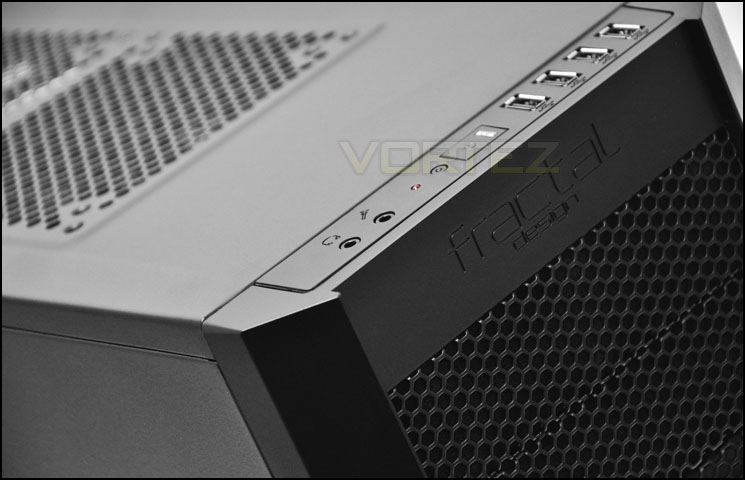
Though the Core 3000 has many highlights and strong-points it also has a few niggles. I really wish it had the cut-out for E-ATX CPU power (P4/P8). Instead this cable has to be routed across the motherboard and though it probably has no bearing on airflow, it looks untidy. It would have been nice to see USB 3.0 on the front panel connectivity but I realise keeping the costs down is of fundamental importance. Fractal Design probably had a decision to either go with USB 3.0 or more cooling fans. You can’t add USB 3.0 but you can always add case fans!
In terms of pricing the Core 3000 is available at the princely cost of £50 making it one of the best value mid-tower cases we have reviewed at Vortez.net.
The bottom line is Core 3000 is a beautifully designed case. It looks great with its two tone white and black elements and is one of the best value for money mid-towers on the market due to the cooling fans and other features. It comes highly recommended by Vortez.net
+ Attractive inside and out
+ Great cooling performance
+ Option to install up to 7 fans
+ Good build quality
+ Great value for money
Cons
– Cable management could be improved
– Lack of USB 3.0


Click here for an explanation of our awards at Vortez.net.


