Featuring a unique trip-wire on the fan blades and RGB LEDs built into the fan hub, Fractal Design aim for this to be seen, not heard. Is it any good? Let’s have a look.

Product on Review: Fractal Design Prisma AL-12 PWM
Manufacturer: Fractal Design
Street Price:
120mm: GBP £22.99 / USD $27.99
140mm: GBP £25.99 / USD $29.99
Fractal Design are a Swedish based firm with the aim of providing functional, efficient and sleek Scandinavian designed products for their customers. They have a long history of supplying enthusiasts with elegant and quiet computer chassis and both watercooling and aircooling equipment.
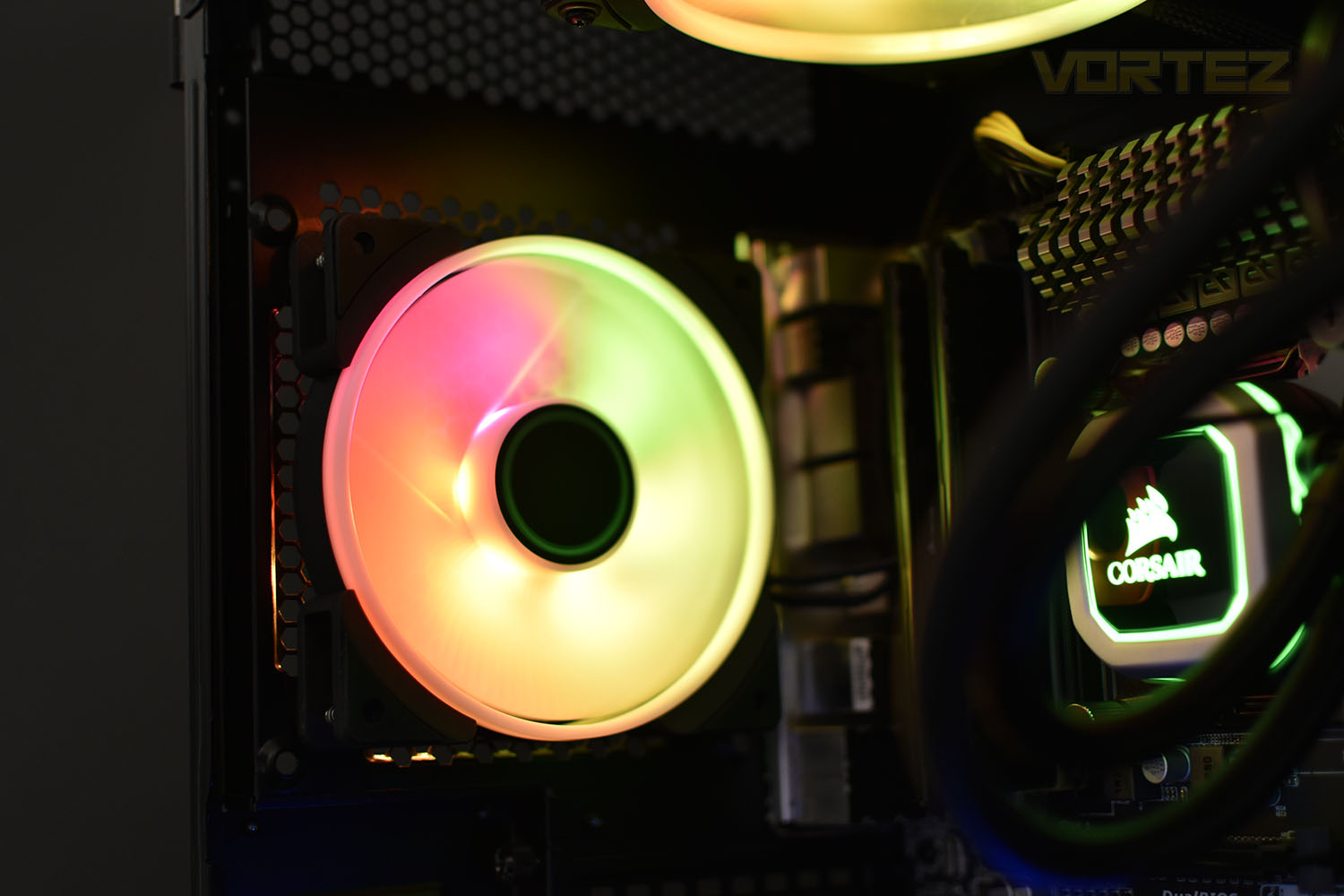
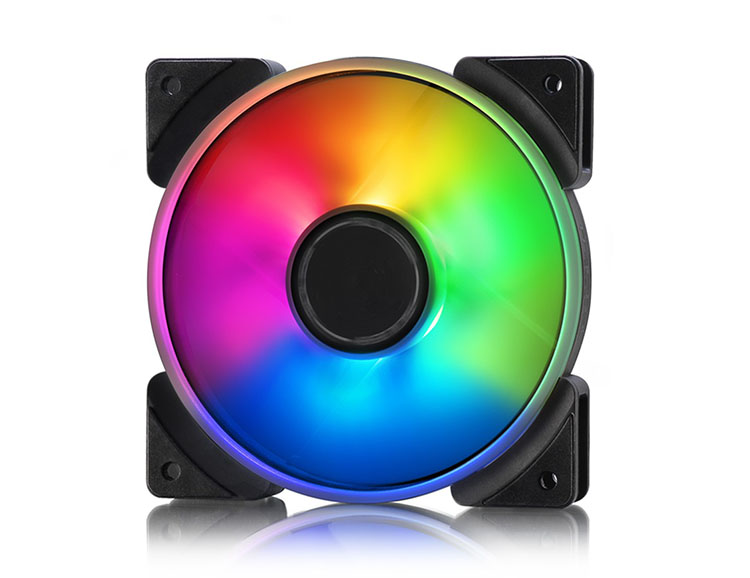
Today we look at Fractal Design’s brand new Prisma AL-12/AL-14 PWM fan, available in both 120mm and 140mm formats and with or without PWM support. They feature six individually addressable hub-mounted RGB LEDs. Specially designed fan blades and a translucent white outer ring work together to help increase the lighting and provide a uniform glow. RGB lighting is supported by ASUS Aura, Gigabyte Fusion, MSI Mystic Light and ASRock Polychrome.
Integrated vibration damping in the corners and LLS bearings in the hub are utilised to help ensure the fan operates as quietly and efficiently as possible and PWM control allows your motherboard, or fan hub, to control and dictate fan speed. One unique feature which the Prisma series offers is a Trip Wire on the fan blades, this has been designed to introduce a very small turbulent layer to increase the efficiency of the fan.
Fractal Design provide the 120mm and 140mm fans separately and as part of a 3-pack, with a trio of 120mm coming in at £59.99/$65.00 and the 140mm at £63.99/$69.99. This pricing structure puts it close to several other RGB fans we’ve tested in previous months so it’ll be interesting to see how the Swedes perform up against some tough competition.
To maintain our current testing procedure and ensure a fair test, we’ll be focussing our attention on the AL-12 120mm PWM fan. Let’s screw them down and see what’s what.
Fractal Design on the Prisma AL-12 PWM:
Fractal Design Prisma AL Series ARGB fans allow your system to truly shine. Six hub-mounted addressable RGB LEDs work in harmony with a white semi-opaque outer ring and fan blades to produce a beautifully uniform glow across the fan’s entire surface.
Support for ASUS Aura, Gigabyte Fusion, MSI Mystic Light and ASRock Polychrome allows precision software control, enabling Prisma to synergize perfectly with your components. Those wanting more physical control can pair Prisma with the Adjust R1 controller to switch between colors, brightness, and motion effects with the push of button.
As with any Fractal Design fan, silence remains a central focus with integrated vibration damping corners, silent LLS bearings, and PWM options for complete control over the speed of your fans, ensuring Prisma is seen, not heard.
Support for ASUS Aura, Gigabyte Fusion, MSI Mystic Light and ASRock Polychrome allows precision software control, enabling Prisma to synergize perfectly with your components. Those wanting more physical control can pair Prisma with the Adjust R1 controller to switch between colors, brightness, and motion effects with the push of button.
As with any Fractal Design fan, silence remains a central focus with integrated vibration damping corners, silent LLS bearings, and PWM options for complete control over the speed of your fans, ensuring Prisma is seen, not heard.
Technical Specifications
Size: 120mm x 120mm x 25mm
Blade colour: Semi-opaque white
Frame colour: Black
LED type: Addressable RGB
Screw hole pattern: 105mm x 105mm
Power connector: 4-pin
Bearing: LLS
Number of blades: 7
Rotational speed: 500 – 2000 RPM
Noise level: 32.7dB(A)
Airflow (CFM): 85.71
Airflow (M3/h): 145.62 M3/h
Static Pressure: 2.78mmH2O
Fan input power: 2.16W
Fan max input current: 0.18A
Fan input voltage: 12V
Fan starting voltage: 7V
LED input power: 1.50W
LED max input current: 0.30A
LED input voltage: 5V
Low (0-20%) PWM speed: 500RPM
Low PWM noise level: 14.8dB(A)
Low PWM airflow: 20.68 CFM
Low PWM static pressure: 0.36mmH2O
MTBF: 100,000 hours
Fan weight: 169g
Package weight: 212g
Cable length: 500mm
Cable type: Black sleeved
Blade colour: Semi-opaque white
Frame colour: Black
LED type: Addressable RGB
Screw hole pattern: 105mm x 105mm
Power connector: 4-pin
Bearing: LLS
Number of blades: 7
Rotational speed: 500 – 2000 RPM
Noise level: 32.7dB(A)
Airflow (CFM): 85.71
Airflow (M3/h): 145.62 M3/h
Static Pressure: 2.78mmH2O
Fan input power: 2.16W
Fan max input current: 0.18A
Fan input voltage: 12V
Fan starting voltage: 7V
LED input power: 1.50W
LED max input current: 0.30A
LED input voltage: 5V
Low (0-20%) PWM speed: 500RPM
Low PWM noise level: 14.8dB(A)
Low PWM airflow: 20.68 CFM
Low PWM static pressure: 0.36mmH2O
MTBF: 100,000 hours
Fan weight: 169g
Package weight: 212g
Cable length: 500mm
Cable type: Black sleeved
Packaging & Bundle
The packaging of the AL-14 and AL-12 are very colourful, with a cropped photo of the illuminated fan on top of a white background. We have also been provided with the Fractal Design Adjust R1 which provides an in-line controller, connected to SATA power, for RGB lighting. This is available for £10.99.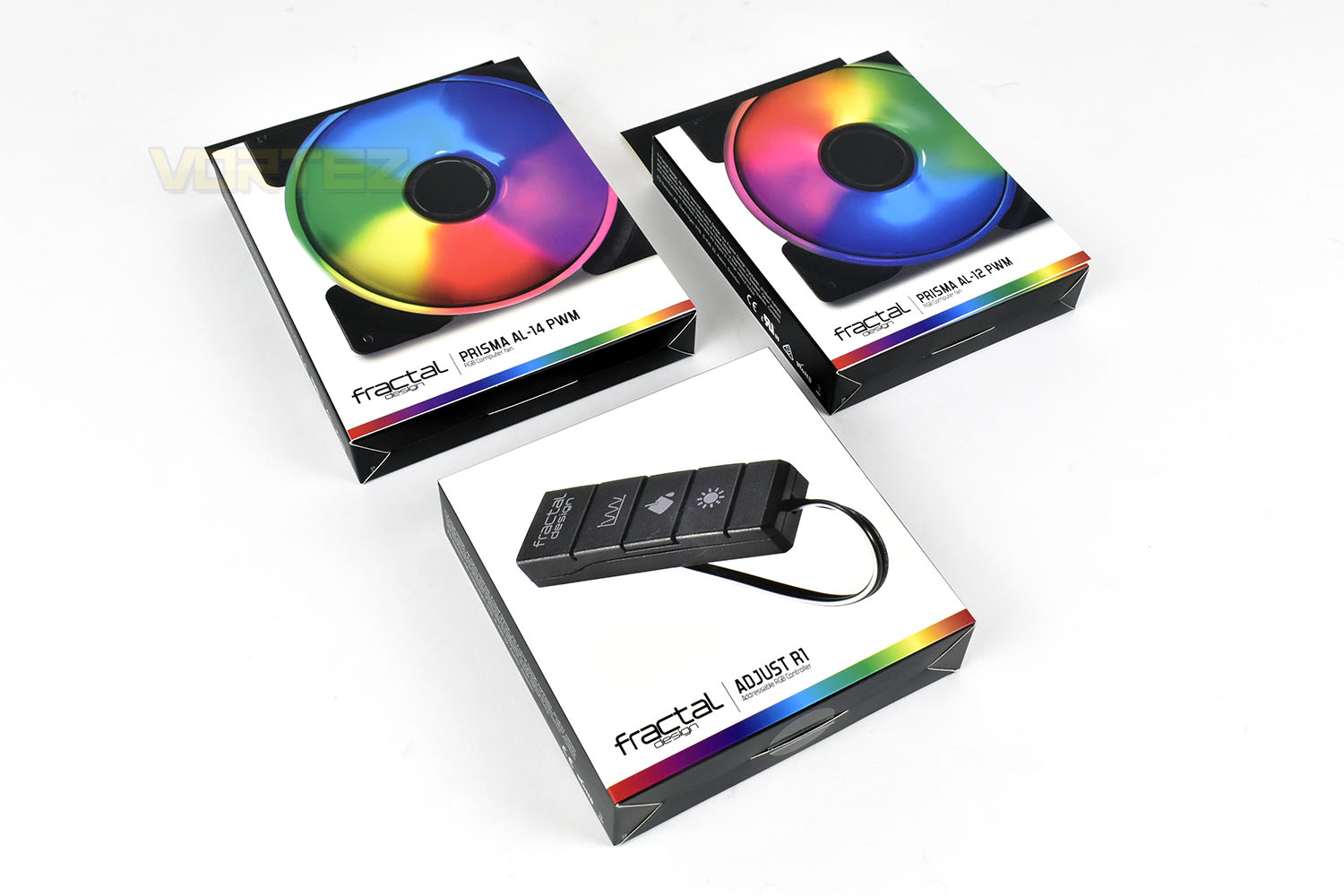
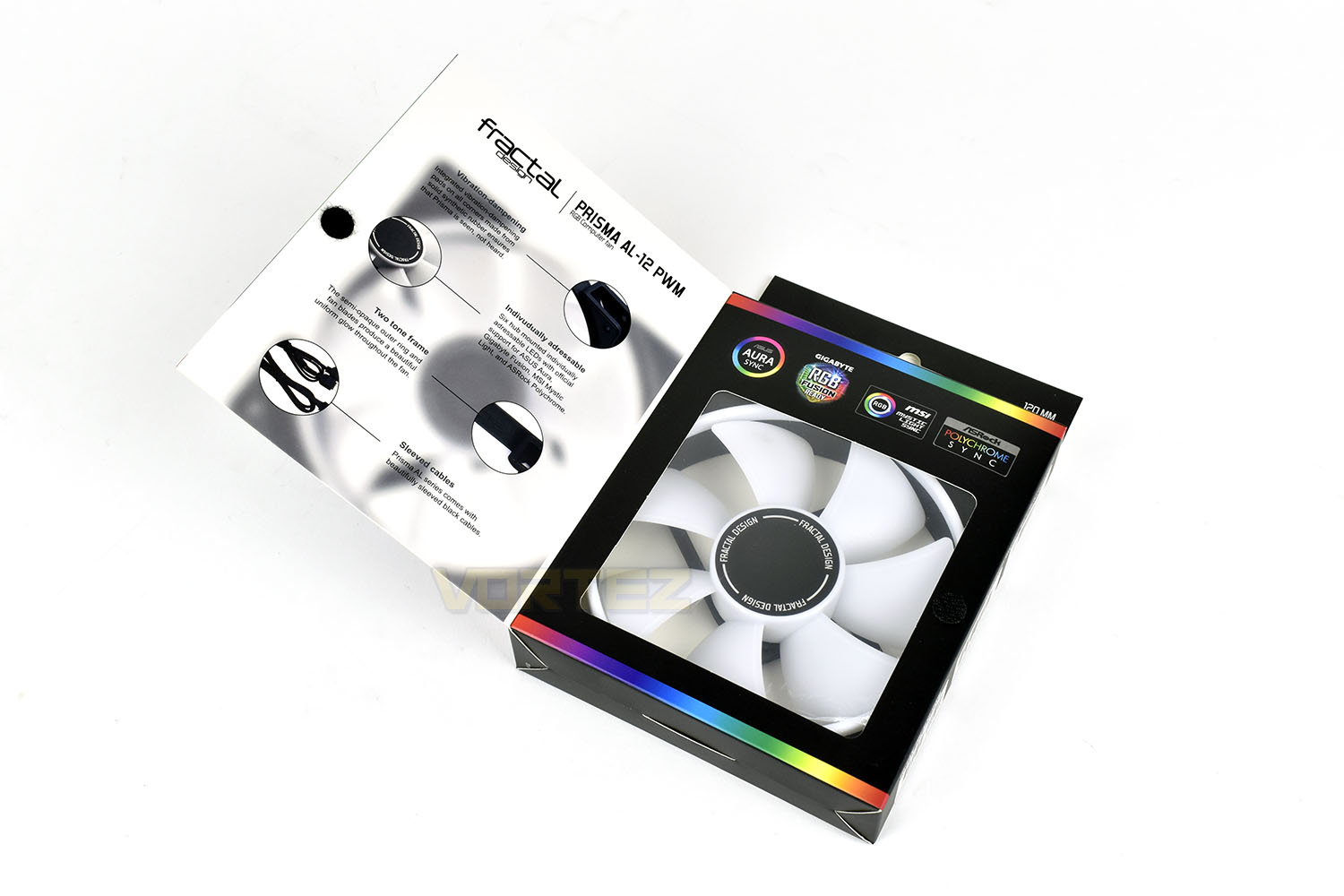
Opening up a flap on the front of the box shows the fan’s construction through a plastic window and gives you some information relating to the main aspects of the AL-12/14 fan.
The reverse of the boxes gives more information and some detailed specifications.
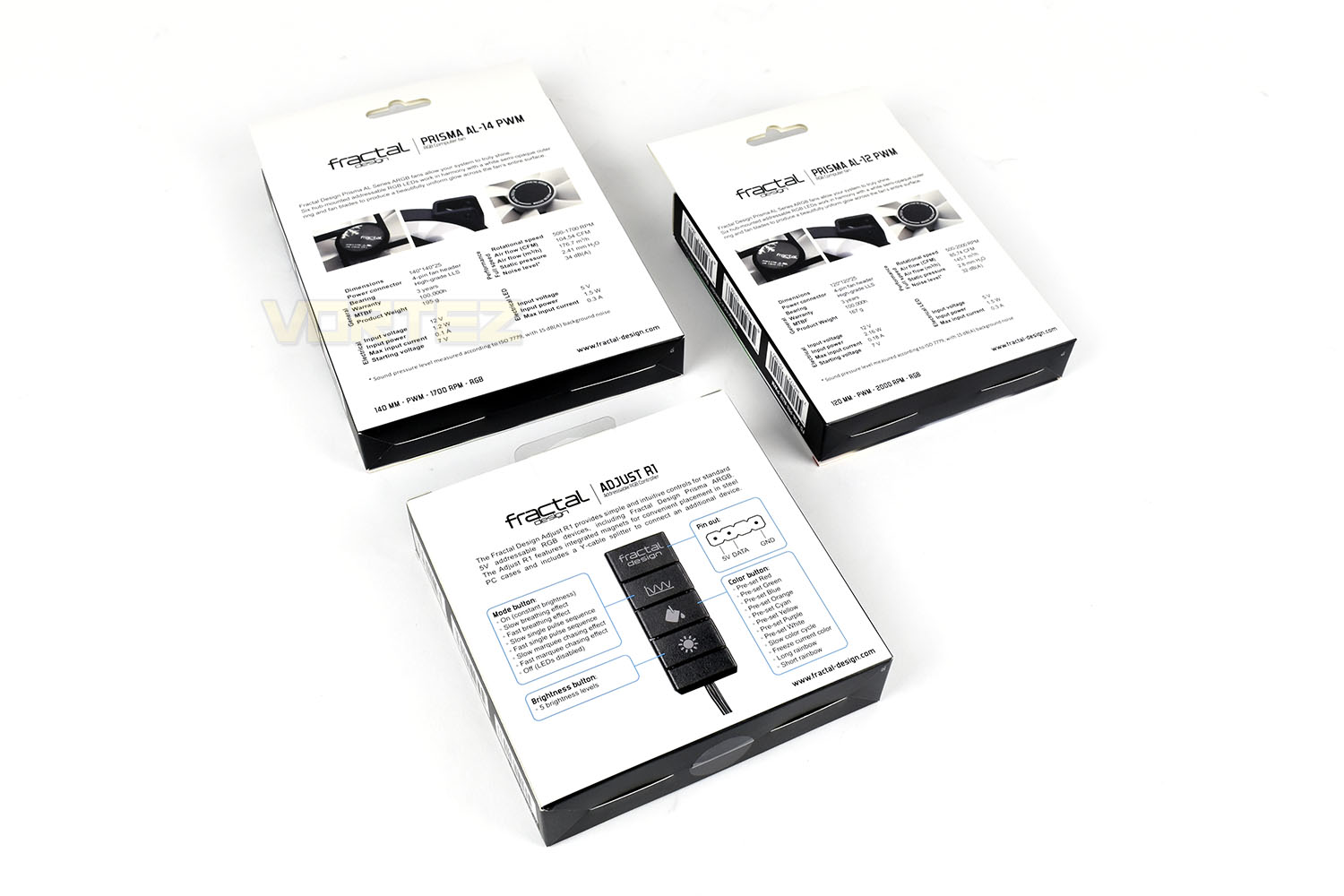
Included within the box, with the fan, are 4 mounting screws. Nothing more, nothing less.
Closer Look
Moving the AL-14 away, we’ll now focus on the AL-12 only. Conforming to the typical 120mm x 120mm x 25mm form factor, there’s nothing unique about the size which means it should fit into almost any case or onto any cooler.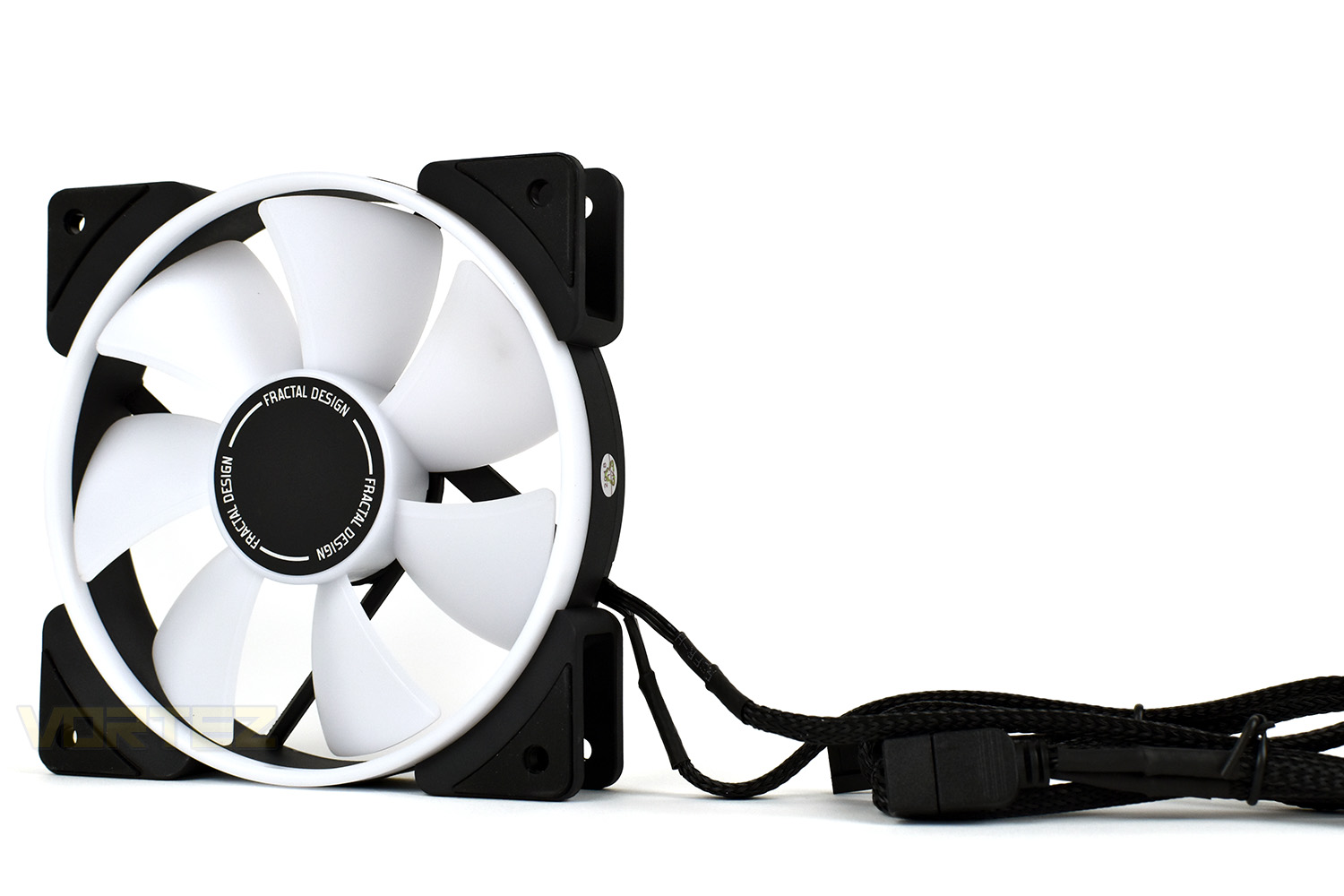
Each corner of the fan, on both faces, house a small rubber section, the rubber aims to absorb inevitable vibrations from the fan and prevent them from being transmitted into the case.
Four thin spokes hold the central hub in place, where Fractal have installed six individually addressable RGB LEDs.
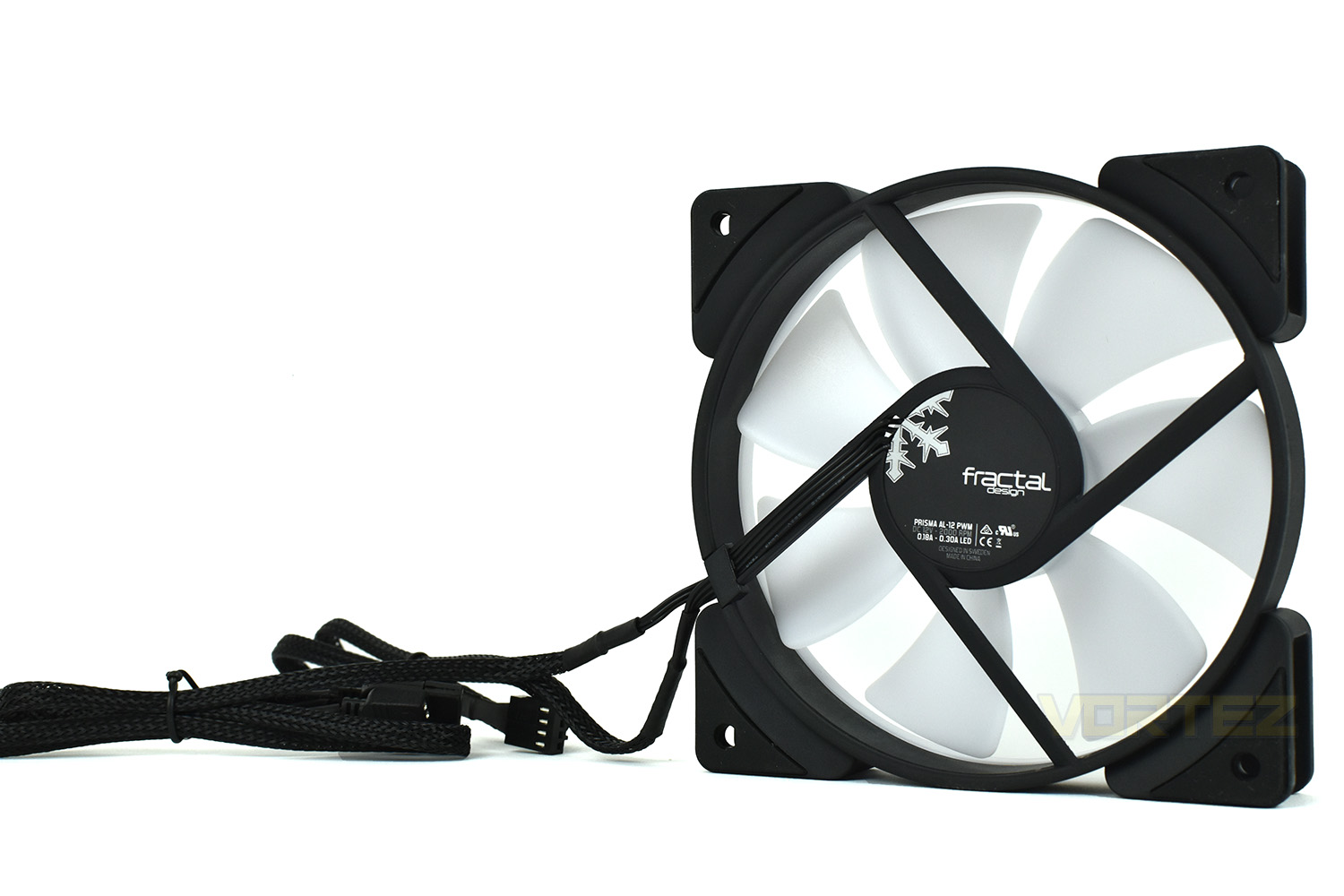
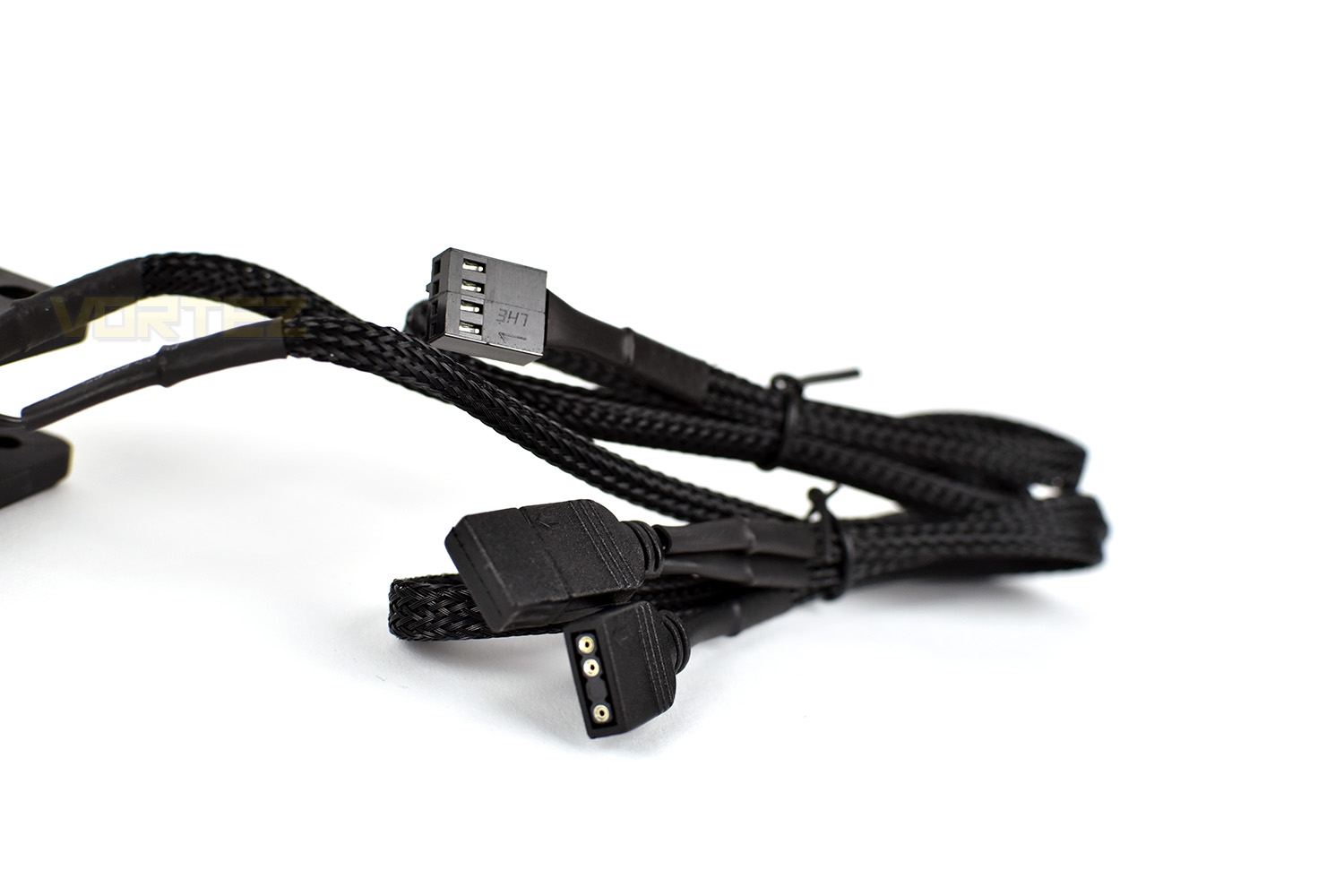
The RGB lighting and PWM fan cables are each 500mm in length and fully braided, this should make routing the cables easier and give them a premium appearance if they happen to be seen.
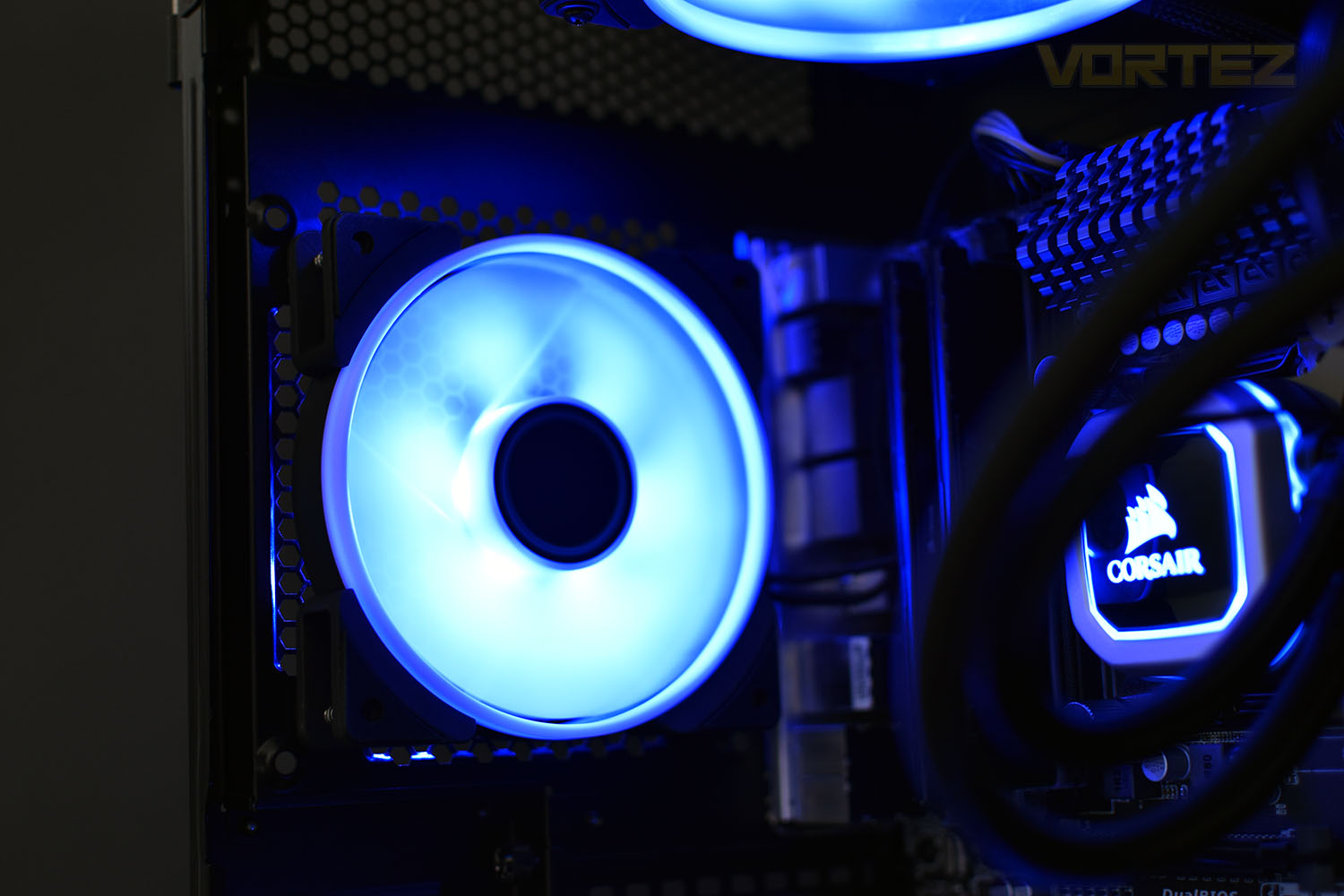
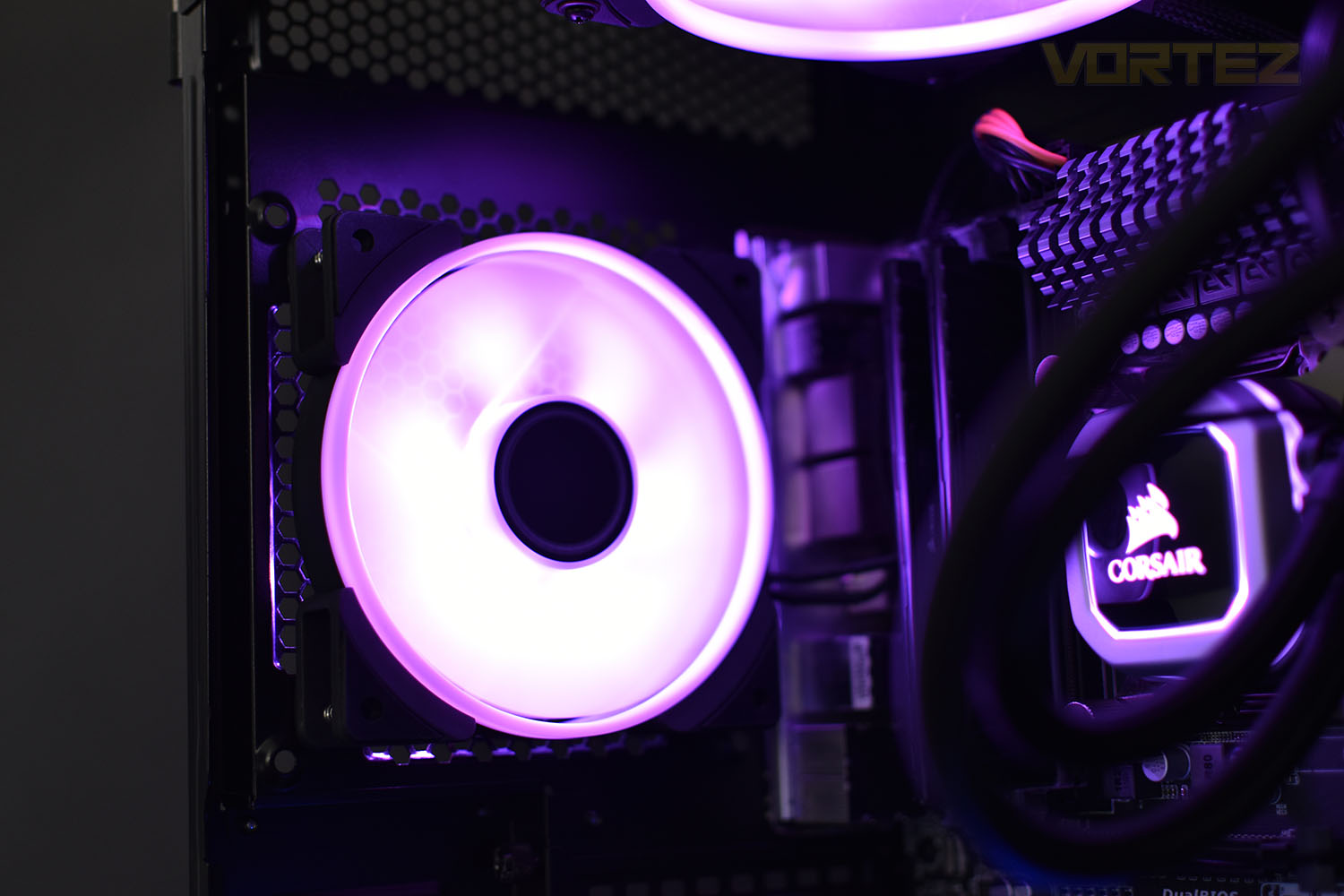
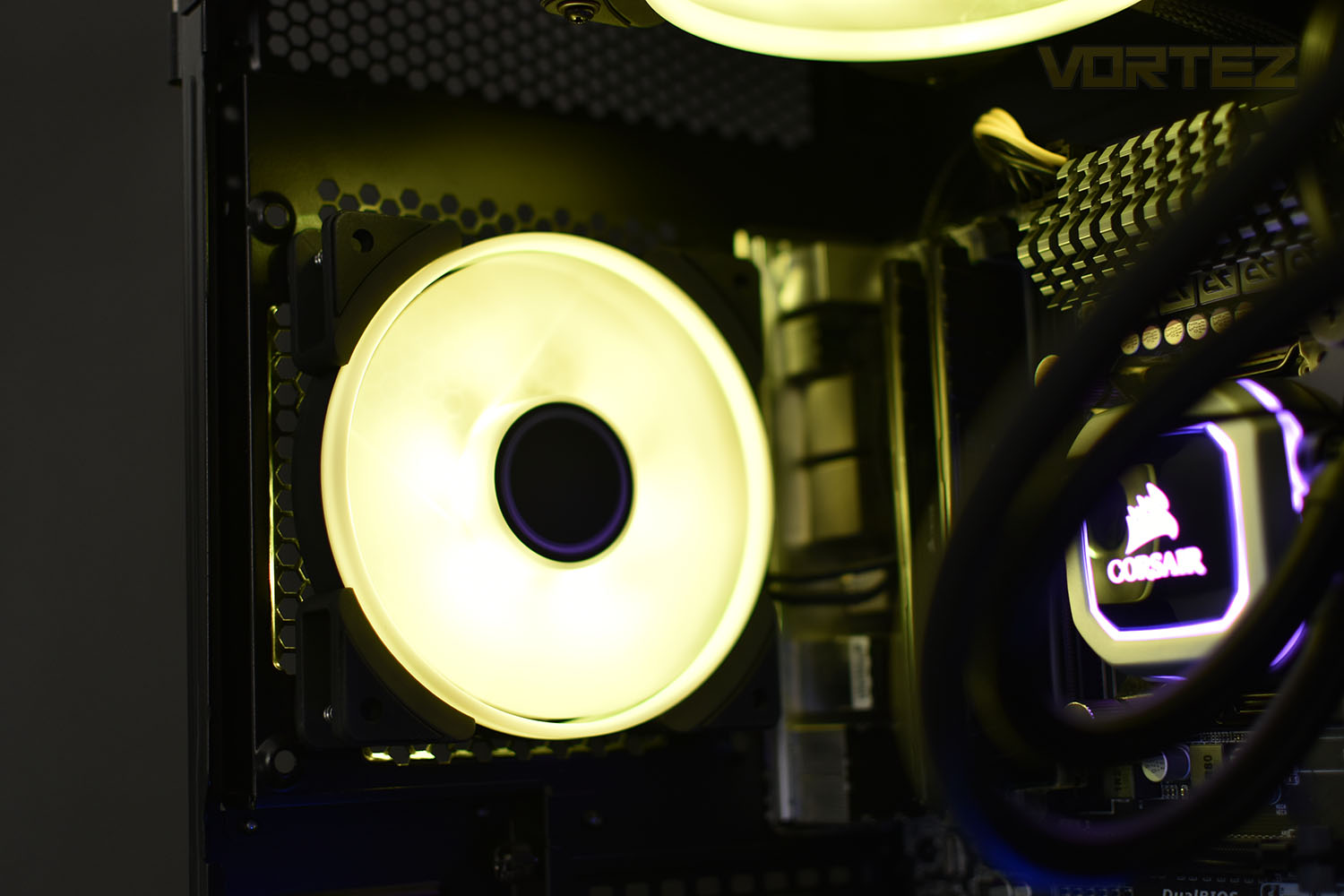
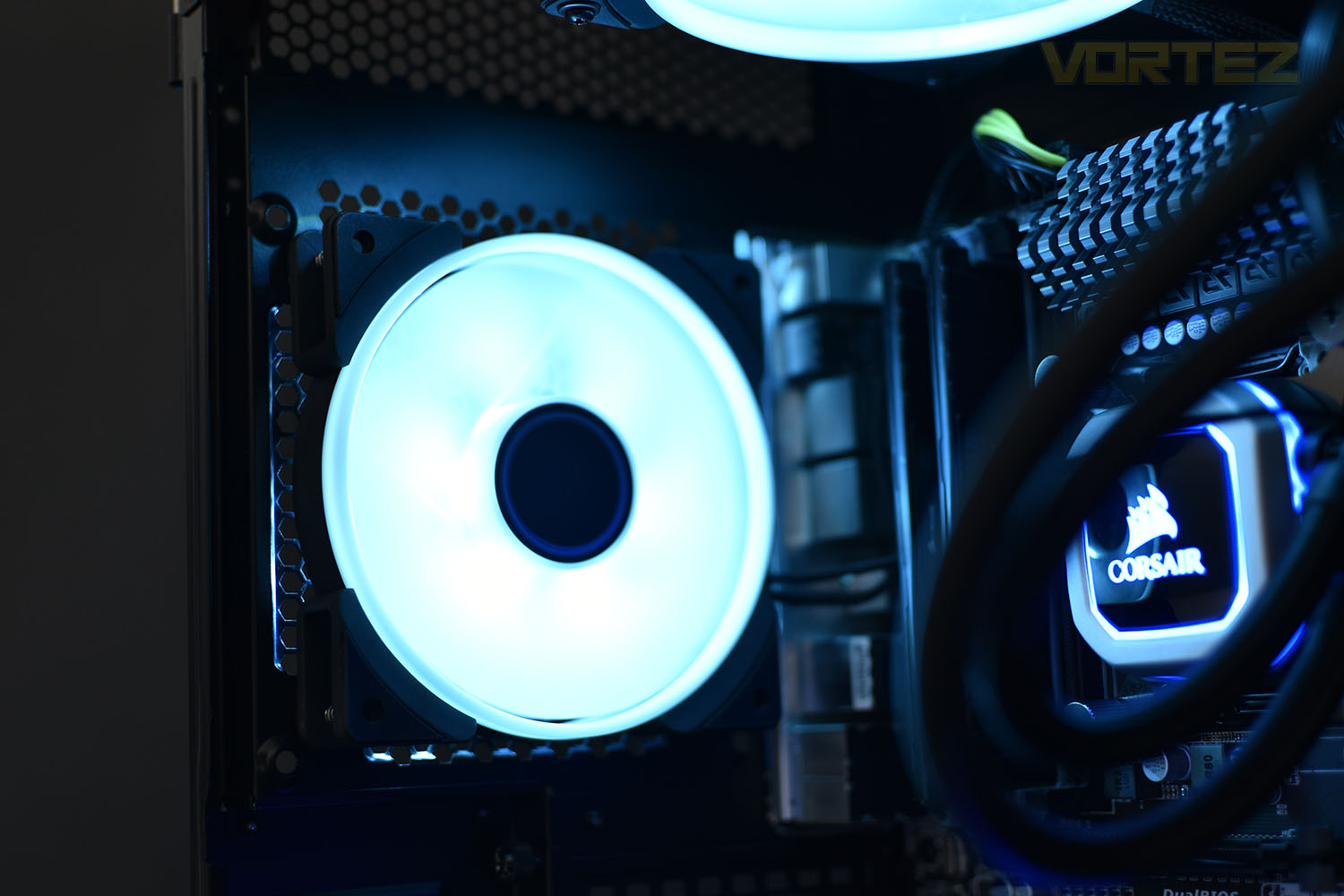
RGB Lighting
Test Setup & Methodology
We have recently made changes to our cooling department and the associated testing methodology, so please note that the number of results shown will increase over time as we add additional products. We hope that these results will appear clearer to the majority of our readership and look forward to building upon the baselines that we currently have.We perform two individual testing routines with each CPU cooler that we receive – temperatures and acoustics. The system used is as follows and all tests are performed at stock 3.8 GHz and overclocked 4.4 GHz frequencies.
Processor – Intel Core i7-3930K
Motherboard – Gigabyte X79-UP4
Memory – 8GB Corsair Vengeance LP 1600MHz CL9
Video Card – Sapphire Radeon HD 6850 1GB
Power Supply – NZXT Hale90 650W
Storage Drive – Kingston HyperX 240GB SATA III SSD
Case – Corsair Carbide 760T
Monitor ASUS ROG SWIFT PG278Q
Motherboard – Gigabyte X79-UP4
Memory – 8GB Corsair Vengeance LP 1600MHz CL9
Video Card – Sapphire Radeon HD 6850 1GB
Power Supply – NZXT Hale90 650W
Storage Drive – Kingston HyperX 240GB SATA III SSD
Case – Corsair Carbide 760T
Monitor ASUS ROG SWIFT PG278Q
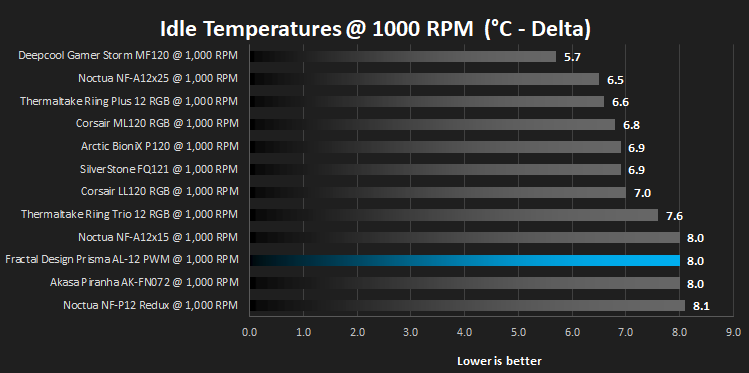
We test our fans at both 1000 RPM and maximum RPM, or if the fan only has one setting, it’s only included in the maximum RPM graphs.
Firstly, we’ll test acoustics, both as a case fan, mounted on the rear of our Corsair Graphite 760T chassis, and as a radiator fan on the Corsair H100i Pro RGB. (with the pump turned down to 1,100 RPM and all other case fans disabled). We measure the average dB(A) noise levels over 60 seconds in a quiet room with an ambient noise level of around 24dB(A). Acoustics are measured from the same point within the case (20cm from the fan), with every effort taken to ensure test parameters are as close as possible during every test.
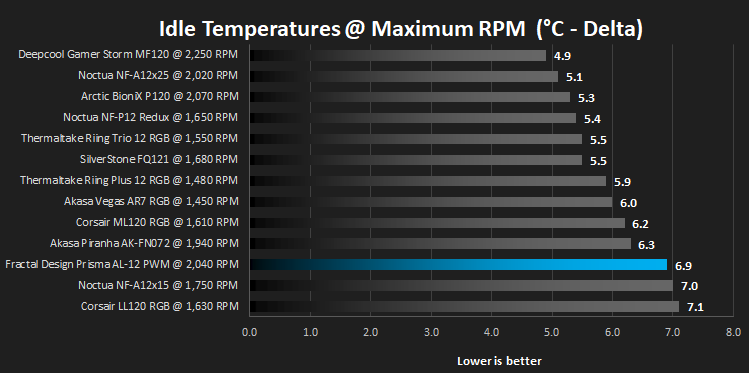
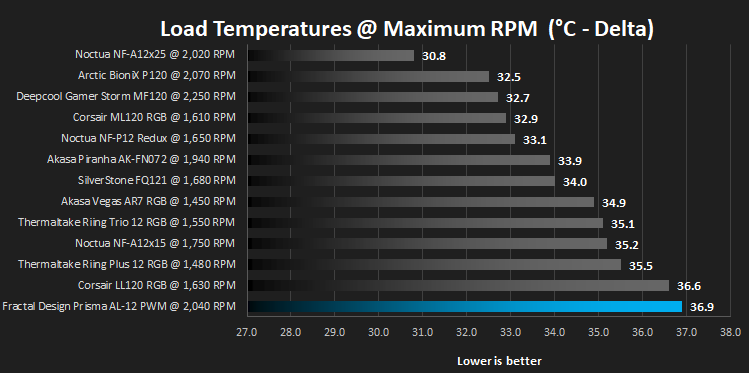
We then test the fan’s performance both at 1000 RPM and maximum RPM by running an AIDA64 20-minute stress test while running only a single 120mm fan on the 240mm radiator of the Corsair H100i Pro RGB. This allows us to test single fans as well as multi packs by only relying on a single 120mm fan. We mount the fan under the radiator, inside the case, blowing through the radiator. We measure the average core temperature over a 60-second period and minus the ambient room temperature from this. That leaves us with a Delta °C measurement which is applied to the graphs. Our average room temperature is kept as close to 21°C as possible, roughly the room temperature of most homes and offices. Obviously, if you live in a warmer climate with warmer room temperatures, you can expect higher temperatures.
To ensure the fans RPM are measured consistently, we use the Noctua NA-FC1 fan control unit, allowing the speed of our fans to be infinitely adjusted and monitored via a nearby header on the motherboard.
Benchmarks – Thermal Results
We test the thermal performance by relying on a single fan to cool the CPU via a Corsair H100i Pro RGB cooler.We test thermals at 1000 RPM at both idle and full load using AIDA 64.

We then run the same tests again but with the fans set at maximum RPM which was between 2,000 and 2,050 on the Prisma AL-12.
Benchmarks – Acoustic Results
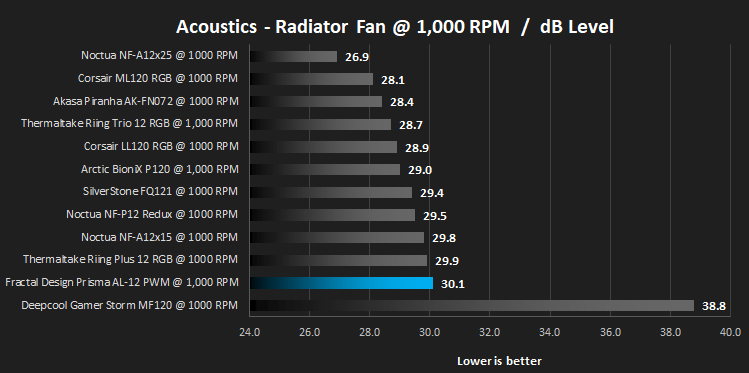
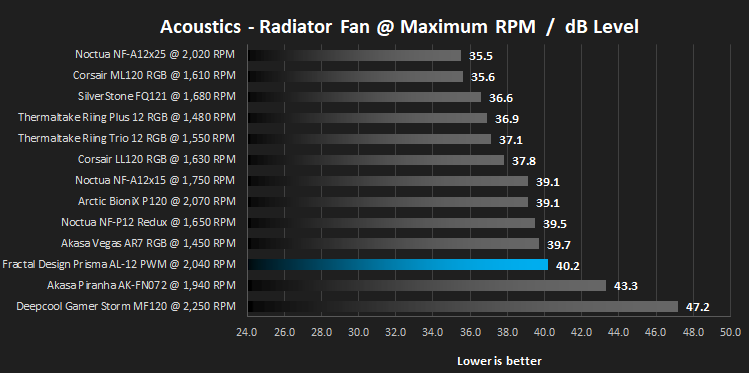
For testing, we only connected a single Prisma AL-12 to the Noctua NA-FC1 controller and set the fan speed accordingly.Due to different characteristics, we feel it’s important to test fans as both case fans and radiator fans, giving you, the reader, a good idea of what to expect in both scenarios. We also test at 1000 RPM and Maximum RPM to see just how loud things can get.
We begin by testing the fans on the rear of our Corsair 760T chassis.
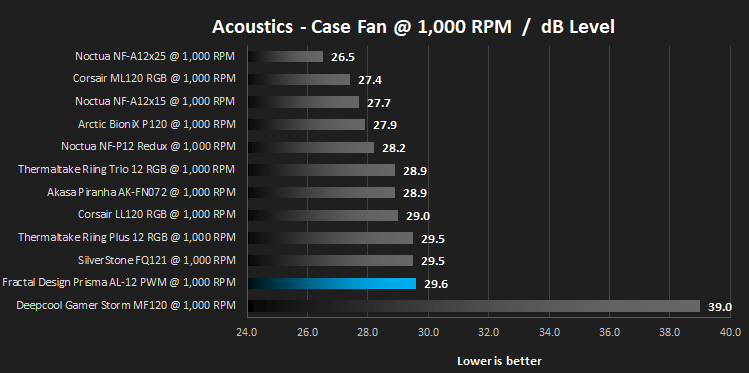
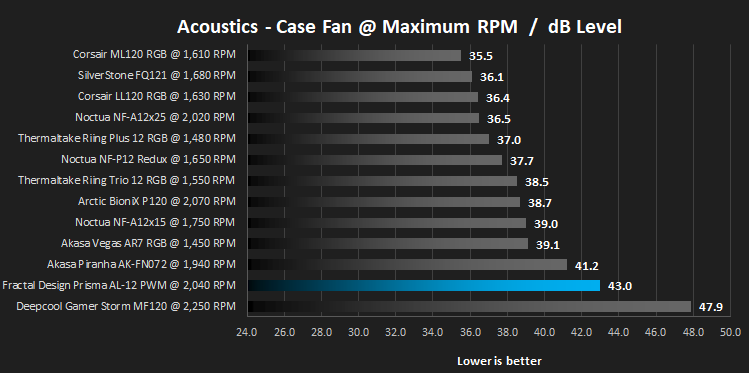
We then mount the fan to the Corsair H100i Pro RGB and re-run the tests. This can be important due to different blade angles and flow shapes.
Conclusion
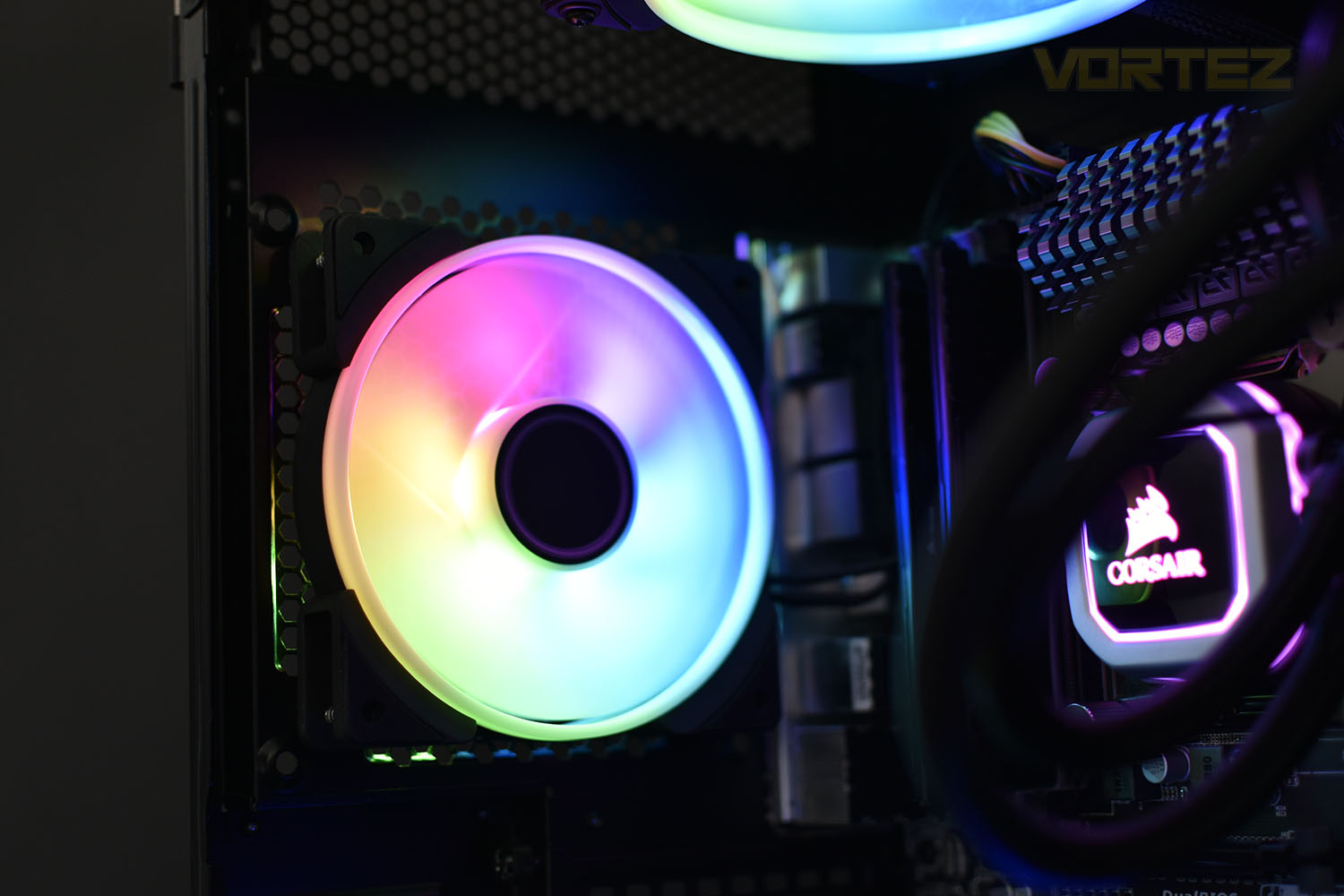
Starting off with aesthetics, the fan looks decent when idle but when switched on, the RGB lighting is impressive. The support from the four largest motherboard manufacturers certainly helps its appeal, considering the lack of any included RGB controller, though as we mentioned early in the review, the Fractal Design Adjust R1 module is available for around £10.00/$10.00; this can be used for as many Fractal Prisma fans you own, thanks to their daisy-chain cables. Having said that, the Corsair LL120 RGB, with its twin-zone lighting, does look better at a very similar price point.Moving onto performance, sadly, the Fractal Prisma AL-12 hasn’t performed all that well, despite Fractal developing the Trip Wire on the blades, using high quality LLS bearings and isolating the corners with rubber. It didn’t keep our Core i7 3930K particularly cool, nor did it stay quiet.
Price, for many, is a big deciding factor in any purchase, so at £22.99/$27.99, expectations are high. We couldn’t recommend this fan at this price point; we’d be happier if it was around the £15/$18 mark, but even then, it wouldn’t be top of our list.
As far as a case/radiator fan goes, the list of functions it must serve aren’t lengthy, it needs to move air and do so as quietly as possible. Unfortunately, as it turns out, Fractal appear to have dropped the ball on this one, failing on both fronts.
Pros
+ Lovely RGB lighting
+ Extensive motherboard support
+ Doesn’t require any kind of RGB controller
+ Braided 500mm cables
Cons
– Costly
– Poor performance
– Outdone by the Corsair LL120 on all fronts
+ Lovely RGB lighting
+ Extensive motherboard support
+ Doesn’t require any kind of RGB controller
+ Braided 500mm cables
Cons
– Costly
– Poor performance
– Outdone by the Corsair LL120 on all fronts
Click here for an explanation of our awards at Vortez.net.
Stay connected with the Vortez Social Media pages: