Enermax’s creators (EcoMaster) bring you a new brand – LEPA. We take a look at their LPC302 Series, a mid-tower chassis first seen at Computex 2011.

Product on Review: LPC302
Manufacturer and Sponsor: LEPA
Street Price: Unknown
For any new brand establishing a good reputation is very hard. Without the publicity and exposure its almost certain you will be unheard of. LEPA are a new brand from the EcoMaster Technology Group. Those who aren’t familiar with EcoMaster will almost certainly have heard of Enermax. LEPA had its debut back in June at Computex. Whilst the Enermax brand caters for high-end and indeed higher priced products, LEPA on the other hand will still deliver high-quality products but at a much more appealing price-point.
The name LEPA is linked to the beast that is the Leopard. From initial impressions, the word LEPA probably isn’t the best name for a thriving brand. Straight away it sounds like the word ‘Leper’ the sufferer of the chronic disease Leprosy. Let’s just hope nothing falls apart whilst under observation today!
Today we are going to be taking a look at our first LEPA product the LPC302 Series computer case. A mid-tower with lots of style, space and features. Let’s see how our first LEPA product does.
About LEPA
The LEPA mission is to provide reliable, stable and eco-friendly products and services to serve our customers worldwide. The current product lines of LEPA include Switching power supplies, PC cases, cooling fans and other peripherals.
The Circular Type LED fan, which innovated and patented by LEPA is the pioneer in market, which turn the purposes of case fan from single cooling function into an eye-catching excellence and artworks. The unique spiralling lightening display takes functions, exterior, and uniqueness into considerations, and successfully satisfies the users’ expects and demands for an excellent fan.
The Circular Type LED fan, which innovated and patented by LEPA is the pioneer in market, which turn the purposes of case fan from single cooling function into an eye-catching excellence and artworks. The unique spiralling lightening display takes functions, exterior, and uniqueness into considerations, and successfully satisfies the users’ expects and demands for an excellent fan.
Packaging & First Look
The LPC302 is presented in a nicely designed box. The brand LEPA is derived from the Leopard and so there are Leopard print spots. The front has a depiction of the case itself whilst the rear and sides have the features and technical specifications. I had to take a photo of the rear of the case since the front was plastered with courier stickers!
Inside, the LPC302 is covered in a clear plastic bag and kept in position via polystyrene pillars.
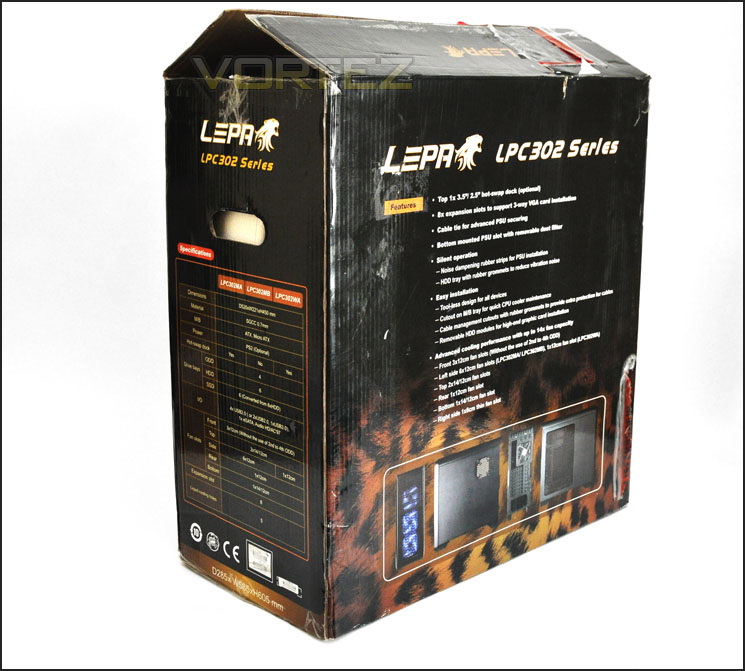
The packaging for LPC302
Included with the case is a small cardboard box with some accessories inside. Here we have various screws used to install devices and some cable ties.
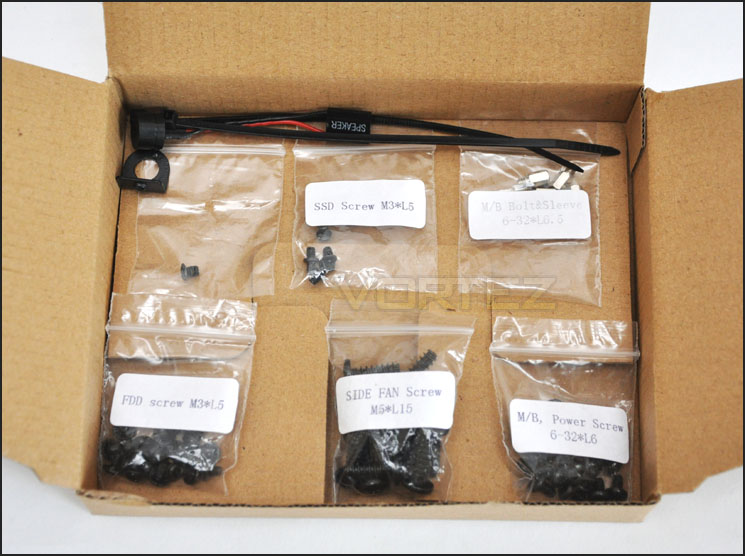
The included accessories with LPC302
The overall look of the LPC302 is both subtle and aggressive. Its pretty much in the middle of the style balance, with the prominent side panel featuring a large perforated mesh section for attaching fans – although none are included for this region we can install up to 6x 120mm fans. Over on the alternate side there is a small perforated mesh section for attaching a 120mm fan behind the CPU socket. Something we saw with the In Win Dragon Rider – a feature which may not be a necessity but proves to be beneficial.
You may notice some key similarities between Cooler Masters’s CM690-II and the LPC302. The front certainly borrows similar styling.
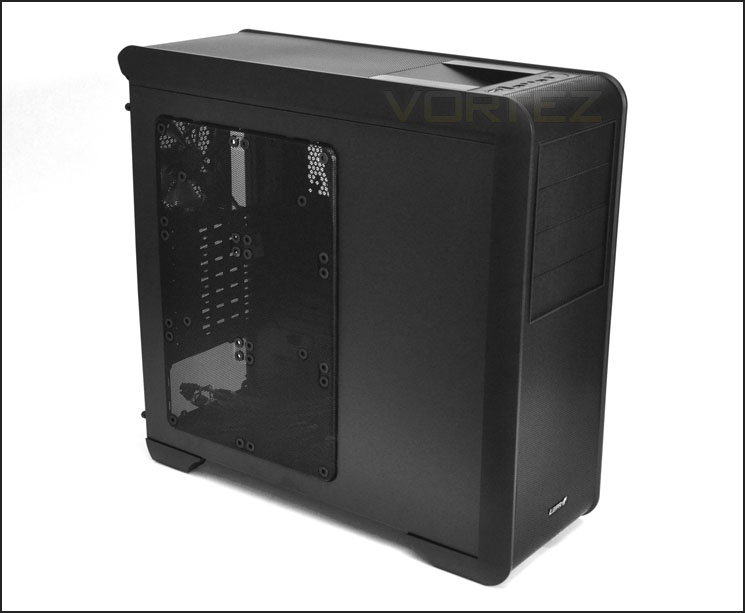
The right side of LPC302
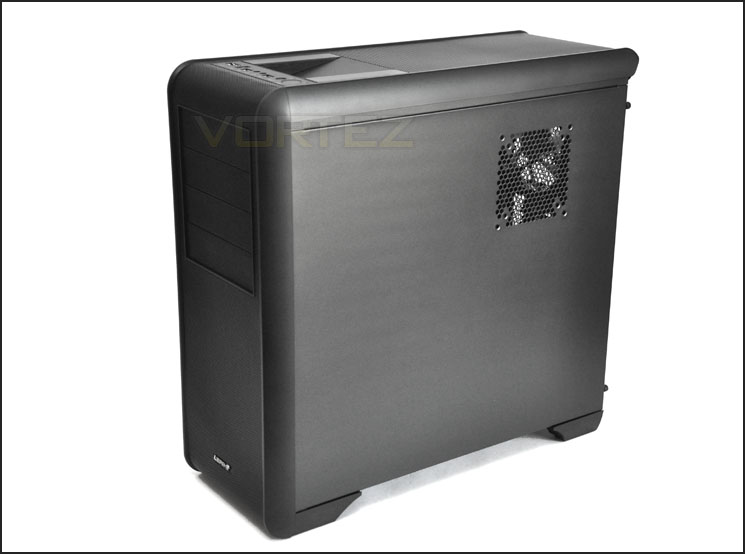
The left side with fan slot for behind CPU socket
Exterior
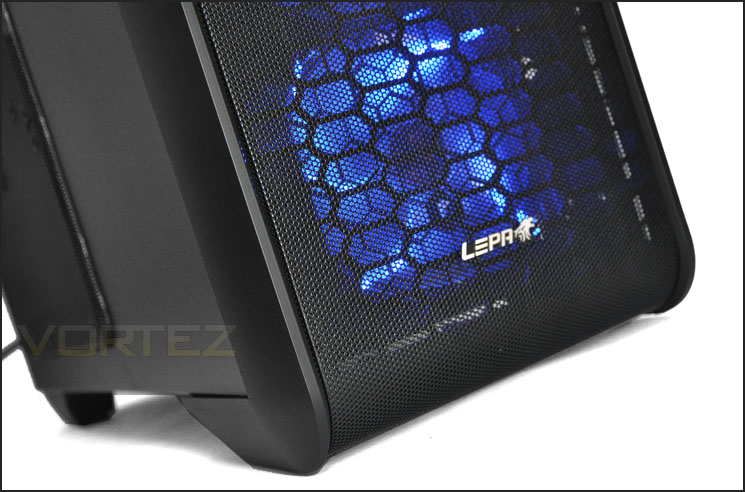
Moving in for a closer look at the externals we can see the front is covered in a complete fascia of mesh. There is a metallic LEPA badge on the front of the LPC302 and at the top 4x 5.25” drive bays.
To the rear we have an opening at the bottom for mounting a PSU. Above this there are 7x PCI brackets A mesh panel for the 120mm rear exhaust fan and 3x circular rubber grommets at the top for tubing or even threading cables through as LEPA has already done with the USB3.0 cable.
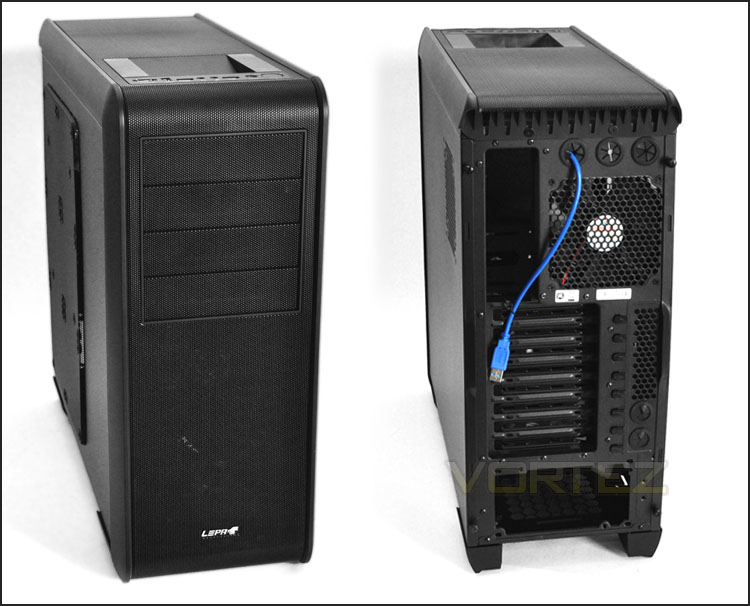
The front and back of the LPC302
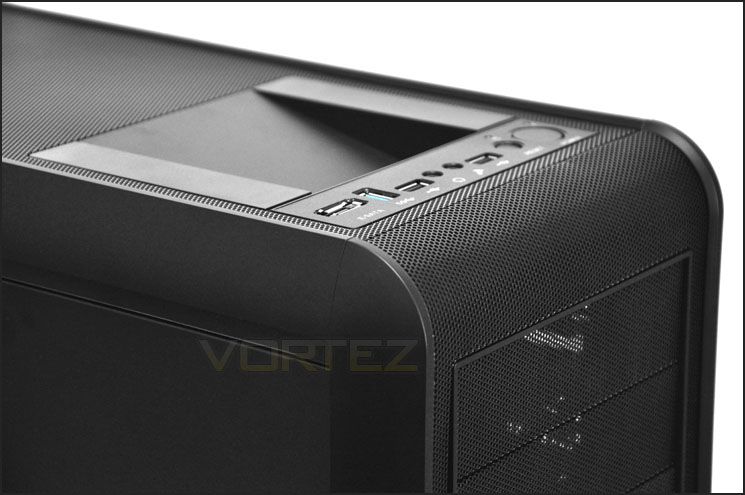
The front panel is directly on the top-side of the case and features the following connectivity:
• E-SATA
• USB3.0 Port
• USB2.0 Port
• Headphone + Microphone Jack
• USB2.0 Port
• Power/Reset buttons with corresponding LEDs
Note: The USB3.0 on the LPC302 is provided via a USB cable that needs to be plugged into the I/O on the motherboard – not a USB3.0 header.
Behind this front panel we also have a docking station for 2.5” and 3.5” SATA 2 drives. If you don’t wish to use this section for attaching a drive the SATA ports here have a protective cover so you could store any items such as keys/wallet etc.
Further back from the front panel we have the continuation of the front fascia desin – subtle mesh.
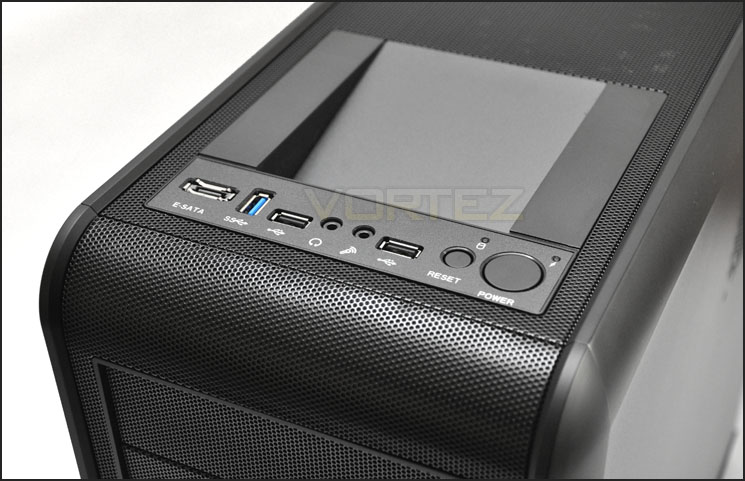
The front panel of the LPC302
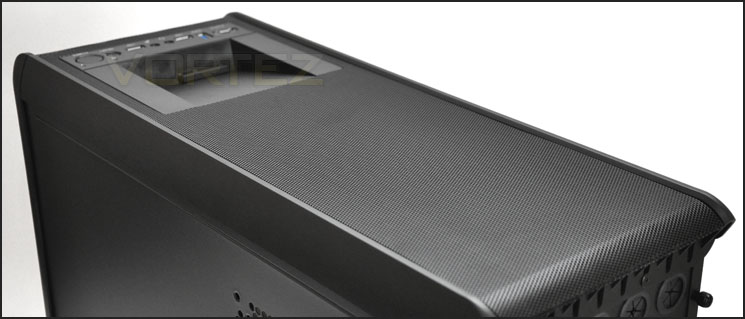
The top of the case
Finally, on the underside of LPC302 we have air/dust filters that cover both the PSU and the position where you would install an additional fan. These filters are easily removable from the bottom of the case and can be washed.
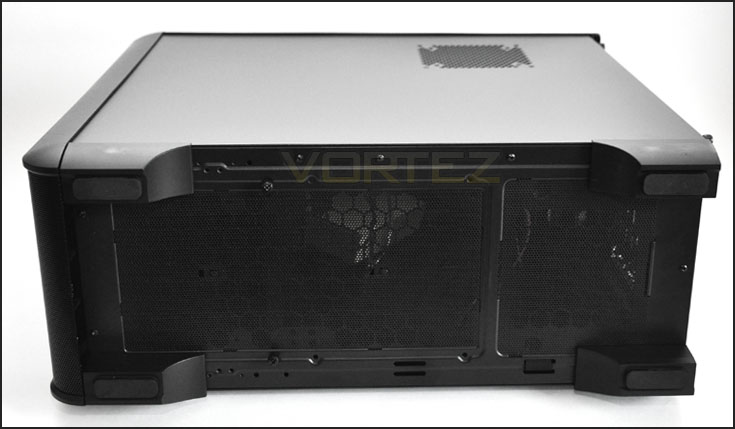
The air/fan filters on the underside of LPC302
Interior
With the side panels removed we can see the inside of LPC302 is quite spacious, with tool-less design mechanisms throughout and a few features that we may not be familiar with such as PSU strap and 120mm fan placement behind the CPU socket.
On the reverse, behind the motherboard tray there are lots of cables running from the front panel. Whilst it is good to have lots of connectivity at the front we are presented with quite a clutter and the SATA cables for example are not coloured black so they stand out like a sore thumb. It would have been nice to see LEPA use black cabling for the fans, SATA and power/reset cables – it just makes things look tidier, especially when you have a multitude of cables to arrange.
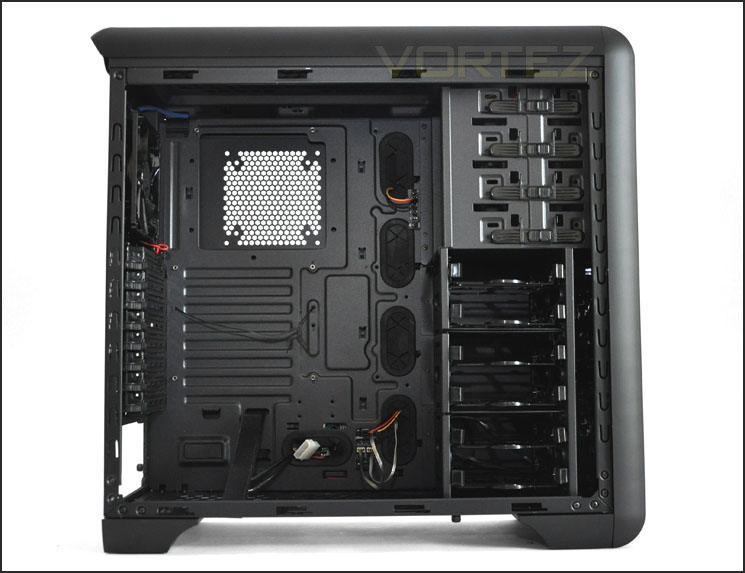
Spacious layout inside LPC302
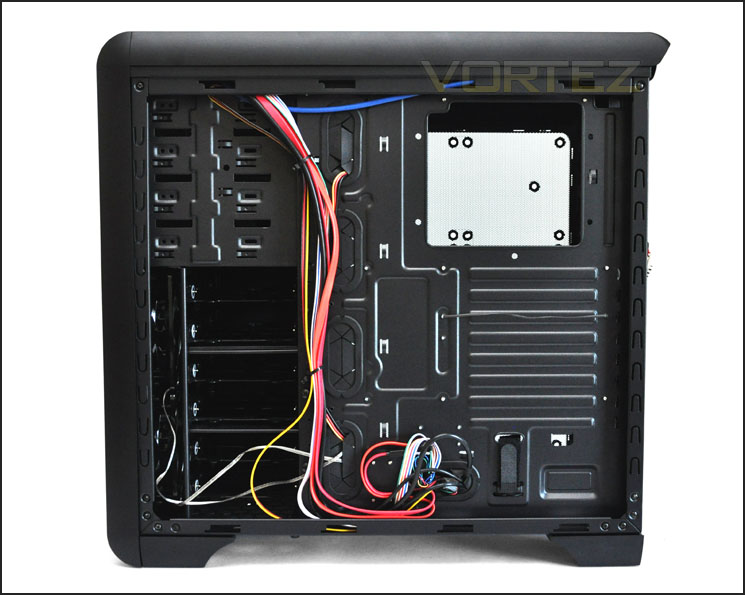
Large CPU backplate cut-out
Moving in for a closer look – we can see the PSU region has rubber mounts for preventing vibration and scratching. We also have the addition of a Velcro strap for securing the PSU in place. This can be used to either place screws or as additional support.
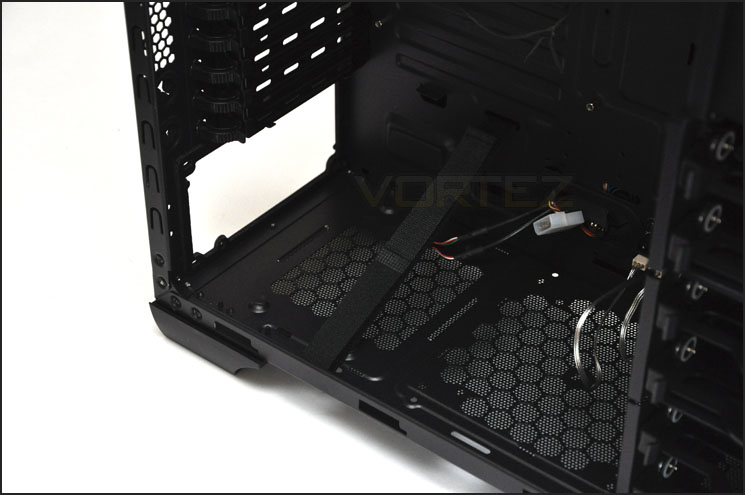
The seating area for the PSU with Velcro secure stap
There are 8x PCI slot covers on the LPC302, each have ventilation gaps for better airflow and each have tool-less design to attach devices.
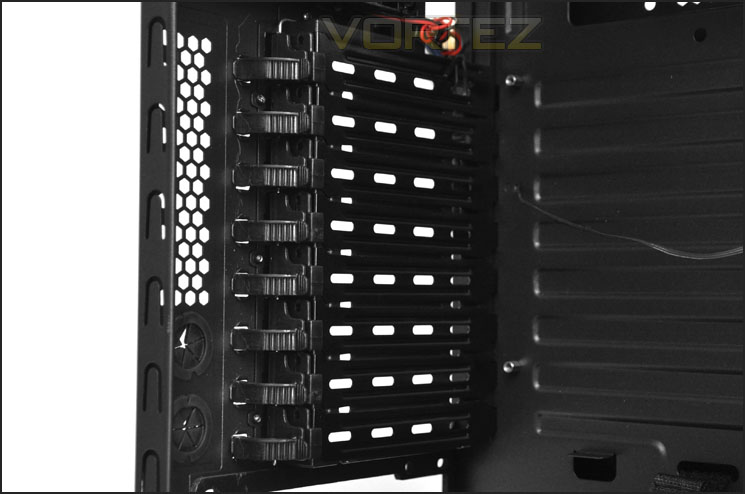
Easy to use PCI tool-less design mechanism
In terms of cooling, at the rear of the LPC302 there is a pre-installed 120mm fan. This has a Molex connector for power. At the top there is space for 2x 140/120mm fans but these are not included. There are no air/dust filters at the top.
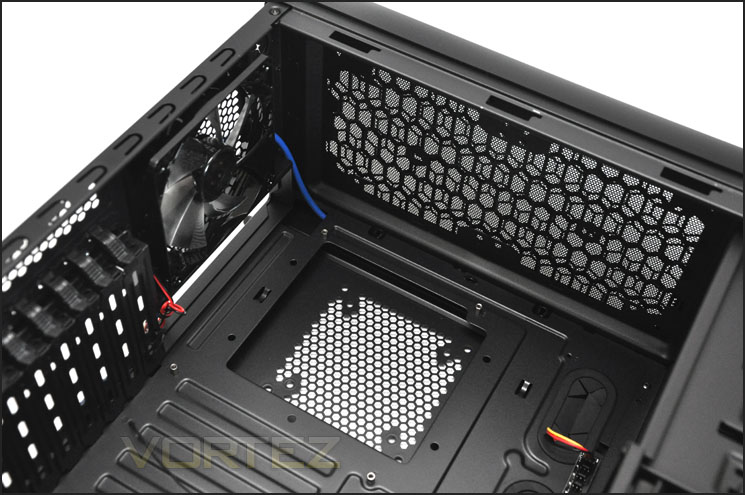
The cooling options at the rear/top
Interior (Continued)
In similar fashion we have tool-less mechanisms for attaching 5.25” optical drives at the top and 2.5”/3.5” HDDs underneath. There are 4x 5.25” drive bays and 6x HDD trays for mounting your drive into. Behind the HDD cage there are 2x 120mm intake fans installed. These fans are LED ready and have 4-pin connectors.
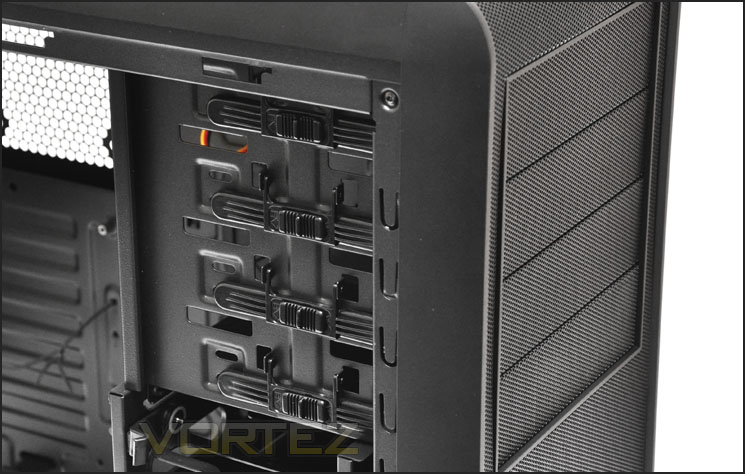
The optical drive bay storage has tool-less mechanisms
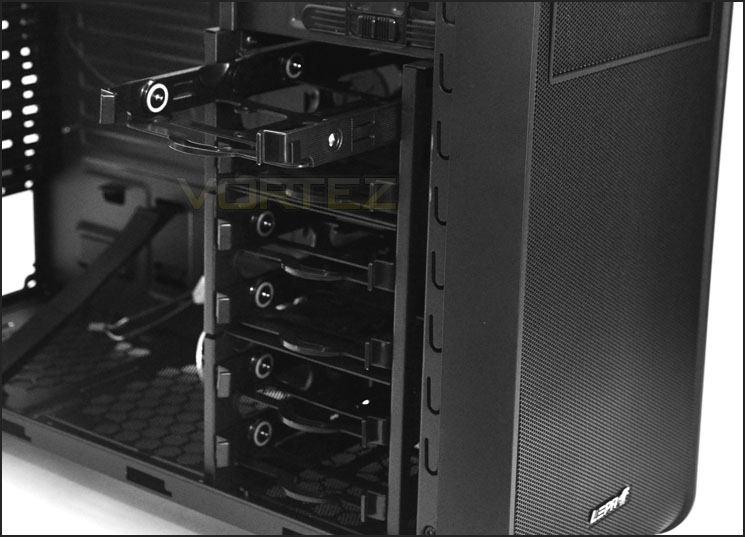
Tool-less trays with anti-vibration for HDD installation
Installation
Getting your kit inside LPC302 is very easy. High-end components fit perfect and thanks to the tool-less mechanism throughout we are able to get various devices in without having to reach for the screwdriver.
The only criticism I do have about the installation process is the cable management. There are, as I have already mentioned lots of cables running from the front panel. Getting these in order and free from pushing the side panel out can be a slight hindrance.
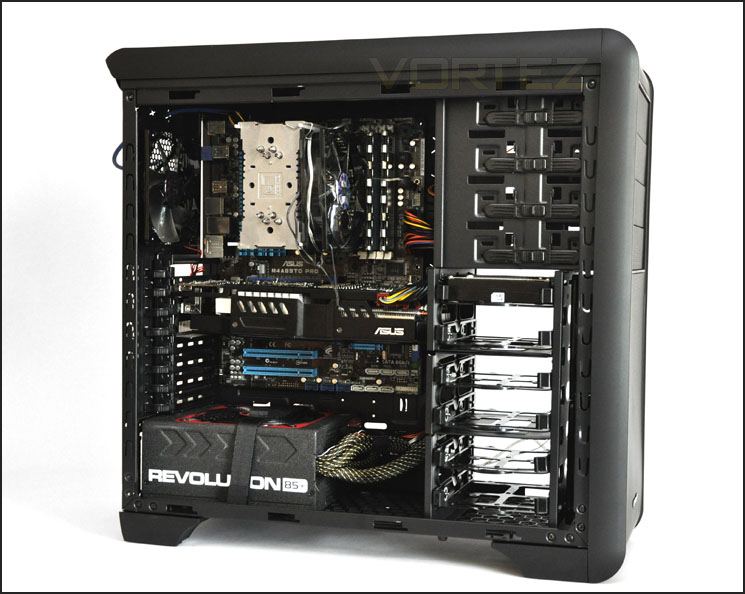
Installation complete
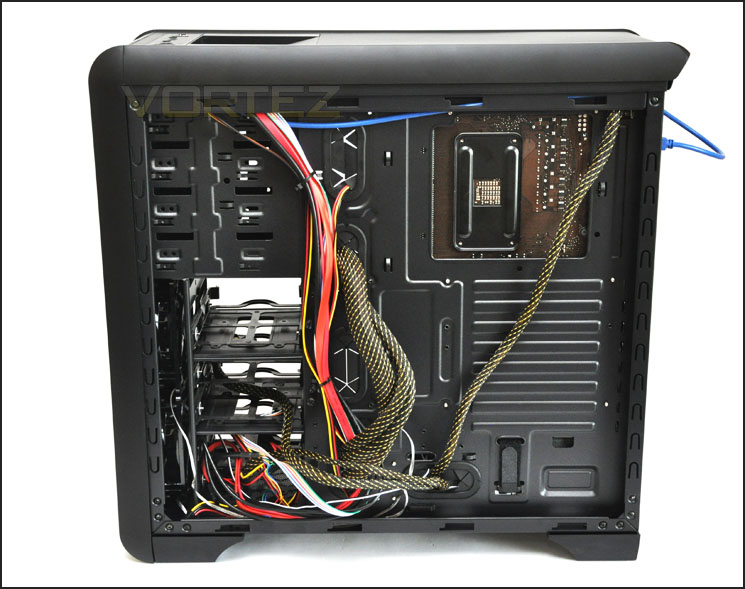
Lots of cables can be hard to tidy up
As already mentioned, installing HDDs into the LPC302 is simple and should be familiar. The HDD is placed into a plastic tray and then slotted into the HDD cage. These trays offer rubber anti-vibration and require no screwdriver.
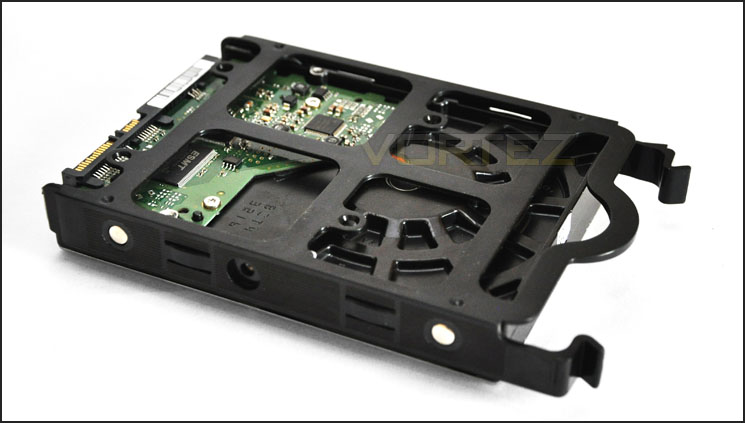
HDDs are installed into a tray
In terms of clearance, the CPU cooler has approximately 3-4cm of distance between the top and the side panel. Installed inside the case is the Noctua NH-U12P. This is 158mm in height so in essence you should definitely be able to install Noctua NH-D14 and Thermalright Silver Arrow – these are both 160mm in height and LEPA actually state that there is clearance for up to 179mm without a case fan installed on the side panel.
On the GPU side of things we have very little clearance on the 11” ASUS HD 6950 DirectCU II. As you can see from the photo – 11” is going to be the maximum the LPC302 is able to accommodate.
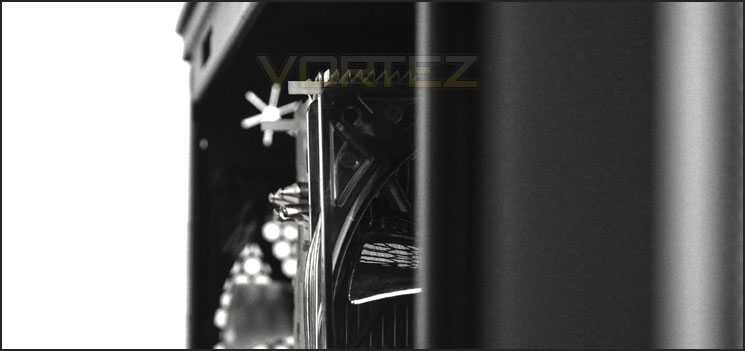
CPU Cooler clearance is good
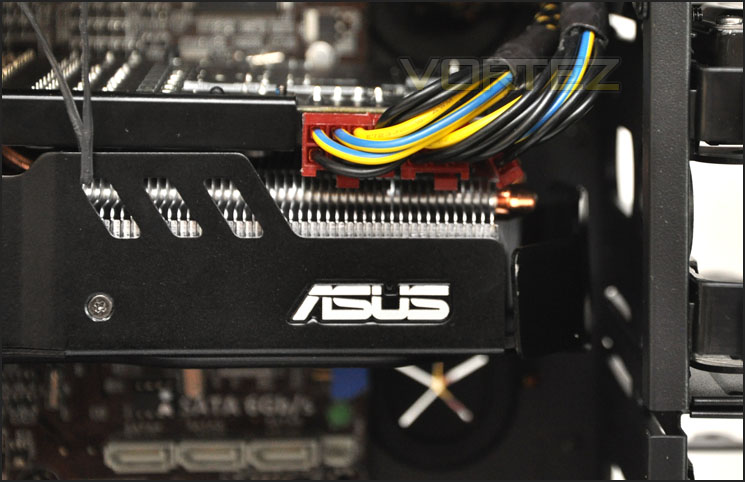
Not much left out of 11”
Behind the motherboard tray we have just over 1.5cm in clearance. This is adequate for keeping most of the cables behind the tray – they may need careful adjusting though.
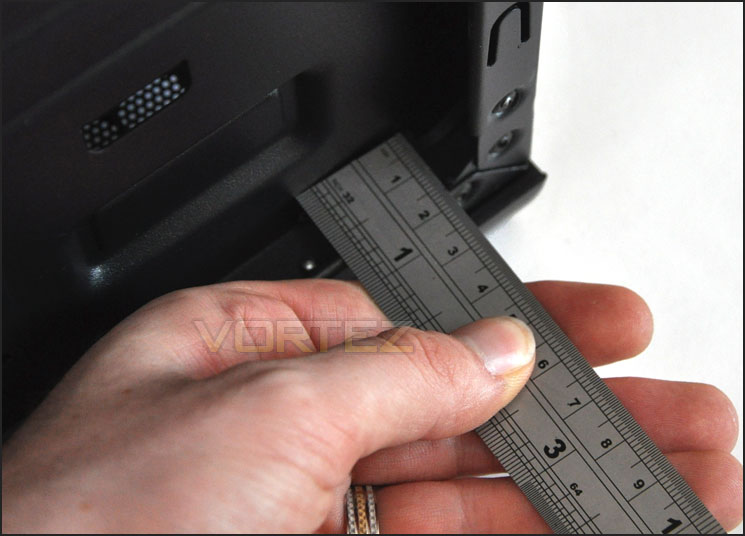
1.5cm of clearance behind the motherboard tray
Powered UP (Lighting)
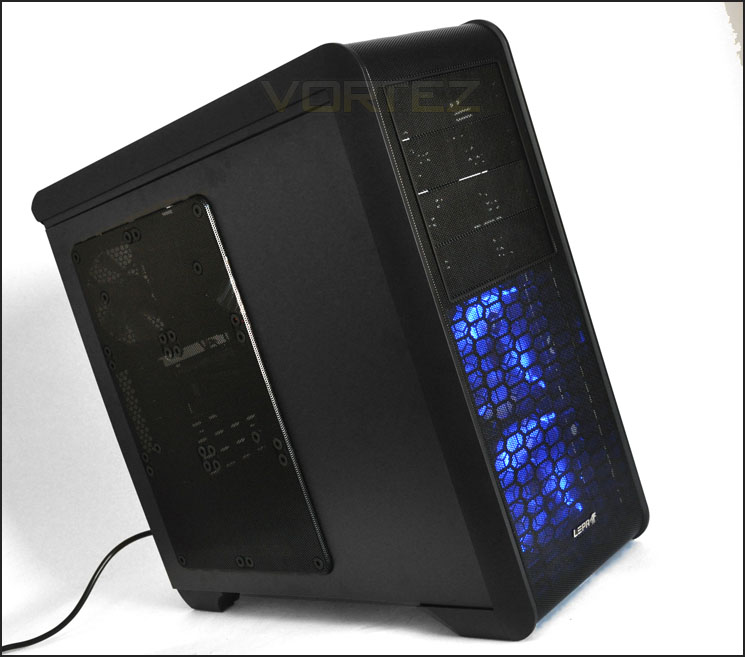
Having 2x 120mm LED fans at the front, LPC302 gives off a cool glow when powered up. As you can see from the below photo this will add plenty of ambience to any workstation!
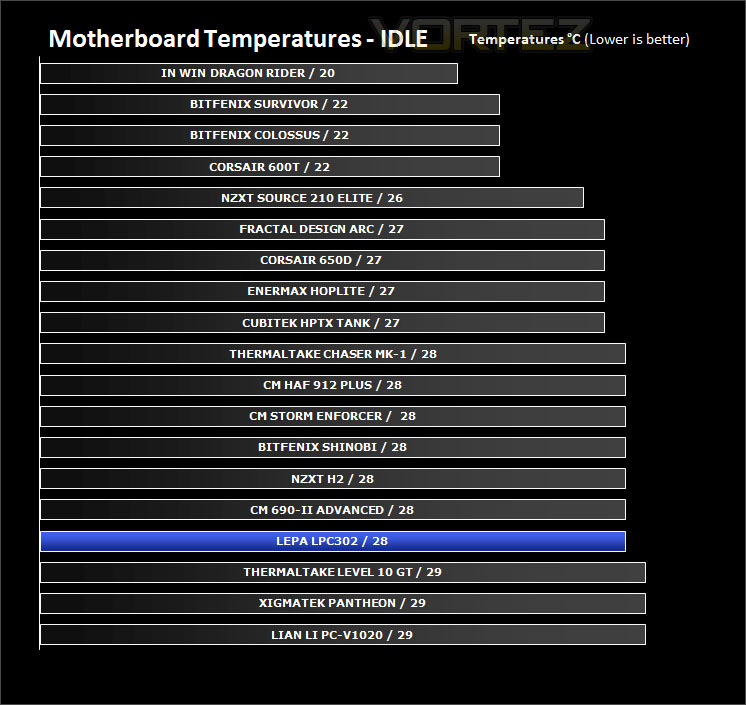
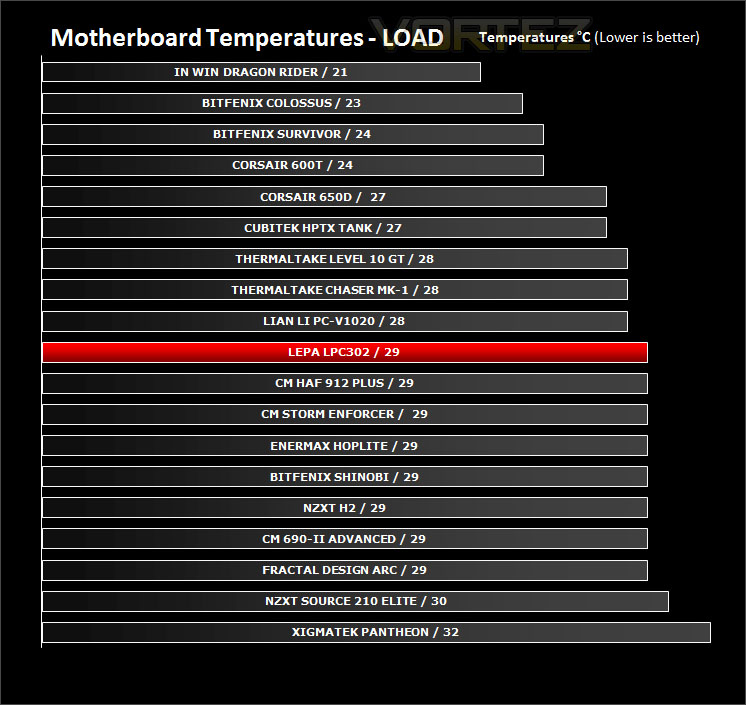
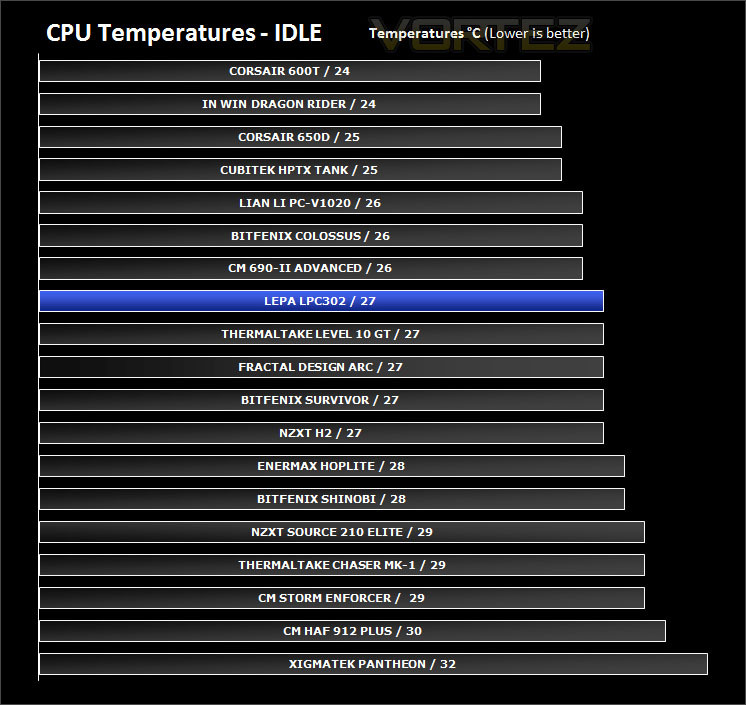
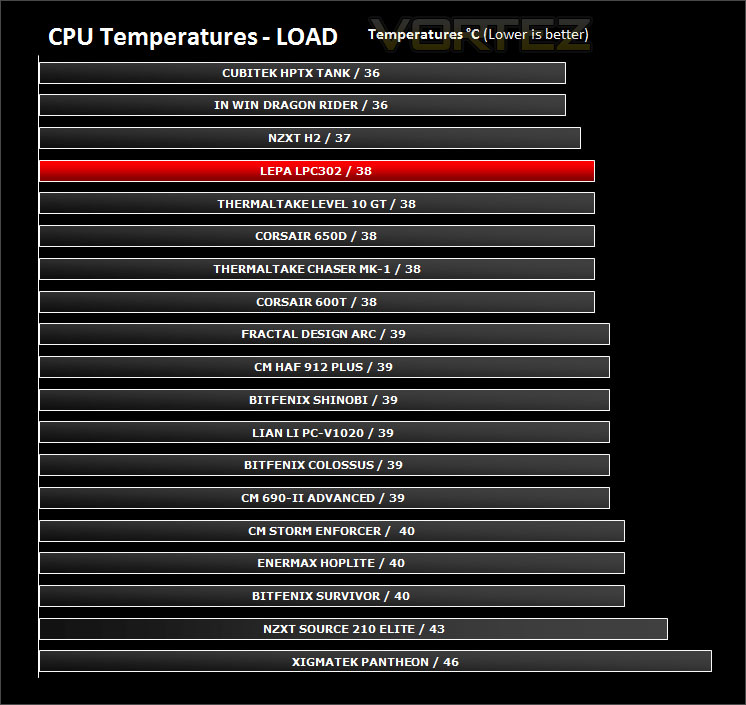
Thermal Performance Testing
The LPC302 has 3 pre-installed fans – 2x 120mm intake fans at the front and 1x 120mm rear exhaust towards the back of the case. Following traditional airflow design the LPC302 promises to offer good thermal performance.
To discover the thermal performance of the LPC302 I will record idle temperatures after 20 minutes from a cold boot. I will then stress the system and temperatures will again be monitored after 30 minutes have elapsed.
System Components
CPU AMD Phenom II X6 1055T 2.8GHz
Motherboard ASUS M4A89TD PRO
Graphics ZOTAC NVIDIA GTX 480 AMP
Memory 4GB Mushkin EM3-10666 DDR3
HDD Samsung Spinpoint 500GB SATA-II
PSU Enermax Revolution 85+ 850W
Conclusion
Although the LEPA LPC302 does follow current trends quite closely it still distinguishes itself as an individual chassis. The eagle-eyed amongst you may well notice some key similarities in its appearance to the Cooler Master CM690-II but this isn’t a bad thing – afterall this case is extremely popular.
It brings a touch of class to the gaming world with its smooth looks and subtle styling. Being a new brand, many gamers/enthusiasts will not have heard about LEPA and taking this to a LAN party is certainly going to attract plenty of attention, good attention that is.
Inside LPC302 there is room to accommodate high-end components and with tool-less design mechanisms featured throughout, getting kit inside is only ever going to be easy. The only thing that needed screwing down during our analysis of this case was the motherboard.
Elements that I think could see some improvement are the cables that route through from the front panel. They look cheap and come in abundance, hiding them can be difficult – I would like to see LEPA use black cabling inside this chassis, especially as the interior is entirely black. It would make hiding those cables much easier. USB3.0 is now being integrated into almost every case on the market but it’s a shame to see that we are still having to use a USB cable fed through to the motherboard I/O panel. LEPA should be using a USB3.0 header cable. All motherboards that are post fall 2010 incorporate USB3.0 headers.
The bottom line is: LEPA have done a great job with the LPC302 series. It looks appealing and accommodates high-end equipment. At the moment we can’t comment on the price-tag but we would hope it would reflect the brand image of being affordable.
Pros
+ Stylish looks
+ Will accomodate high-end components
+ Tool-less throughout
+ Good thermal performance
Cons
– All cabling should be black
– Still standard USB3.0 cable and not header
+ Stylish looks
+ Will accomodate high-end components
+ Tool-less throughout
+ Good thermal performance
Cons
– All cabling should be black
– Still standard USB3.0 cable and not header


Click here for an explanation of our awards at Vortez.net.