







A mid-tower chassis with a different take on airflow cooling and layout is here. Will the all allumnium PC-A05FN impress?
Product on Review: PC-A05FN

Manufacturer: Lian Li
Street Price: £75-80inc. VAT
Lian Li are no strangers to the scene. Under their belt they have acquired countless awards for excellence and apart from one other brand have a rich product line of all aluminium chassis. We have had the pleasure of taking a look at various Lian Li cases in the past and have been impressed and today we turn to a new release to see if their reputation can be trusted once again.
Back in June Lian Li announced the PC-A05FN, a mid-tower chassis with a different take on how we look at layout and airflow. Today we take a look at this new case and reveal its strong points and its weak points. Will a reversal on the typical case airflow design be a success or a flop? It’s time to find out!
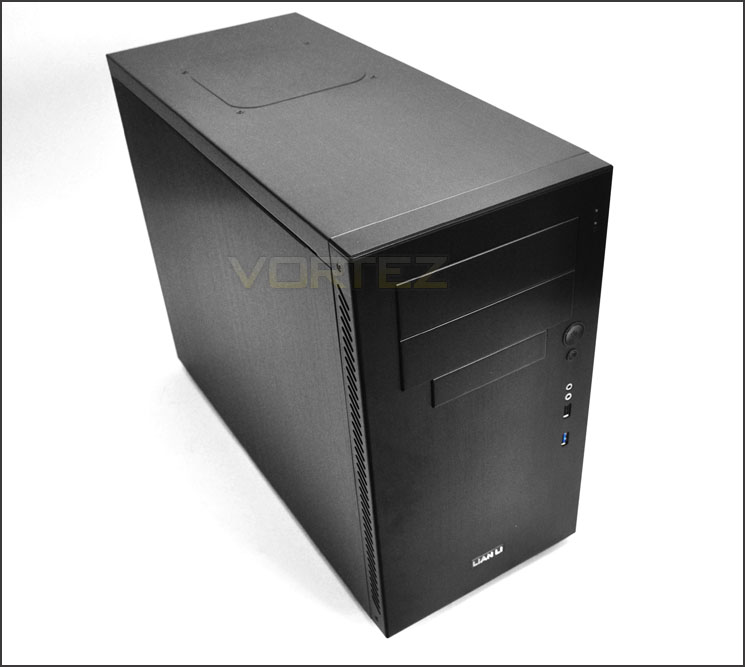
Lian Li – on the PC-A05FN
Technical Specifications
Model PC-A05FN
Case Type Mid tower chassis
Dimensions (W) 210mm x (H) 385mm x (D) 500mm
Front bezel Material Aluminum
Color Black / Silver
Side Panel Aluminum
Body Material Aluminum
Net Weight 4.4KG
5.25″ drive bay (External) 2
3.5″ drive bay (External) 1
HDD bay 3.5” HDD x 3 / 2.5” HDD x 2
Expansion Slot 8
Motherboard ATX / Micro-ATX / Mini-ITX
System Fan (Front) 120mm Fan x 1
System Fan (Top) 140mm Fan Hole x 1 ( Fan not included )
System Fan (Rear) 120mm Fan x 1
I/O Ports USB 3.0 x 1 / USB 2.0 x 1 / HD Audio
Maximum Compatibility
VGA Card length: 280mm
PSU length: 160mm
CPU cooler height: 165mm
Package Dimensions (W) mm x (H) mm x (D) mm
Packaging & First Look
The PC-A05FN is packaged inside an eco-friendly, recyclable box. There isn’t any depiction of what’s inside, just some details on the side and rear giving some of the technical specifications. Inside, the case is covered in a clear plastic sheet and held in place via polystyrene pillars.
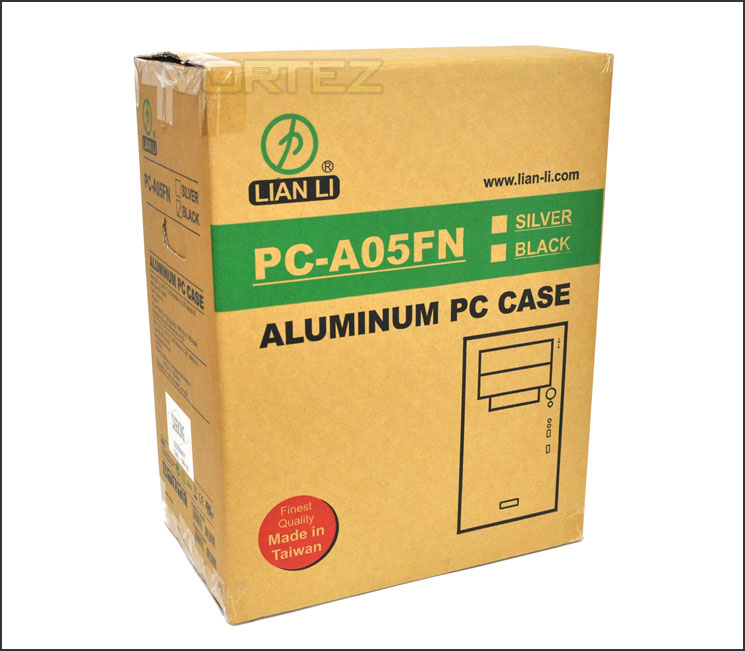
Eco-friendly packaging
As traditional as Lian Li are, the PC-A05FN carries with it the discreet, subtle and professional styling many an enthusiast has come to revere. Both side panels are without any perforation and the entire case is made of aluminium. The PC-A05FN is available in black or silver.
Being classified as a mid-tower case the PC-A05FN has been listed as an ATX case but it does have the ability to accommodate MATX too. You will notice that the PC-A05FN is significantly deeper than most cases, we will find out why a little later!
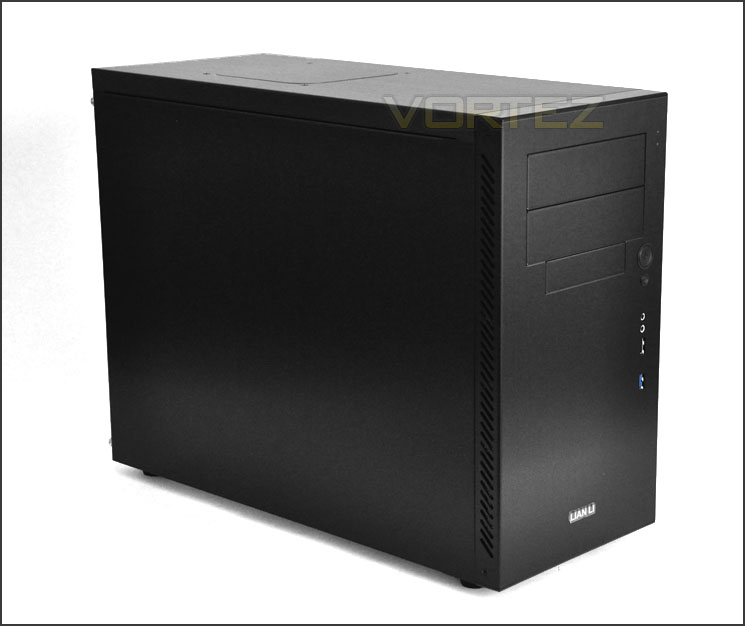
Minimalist, professional styling
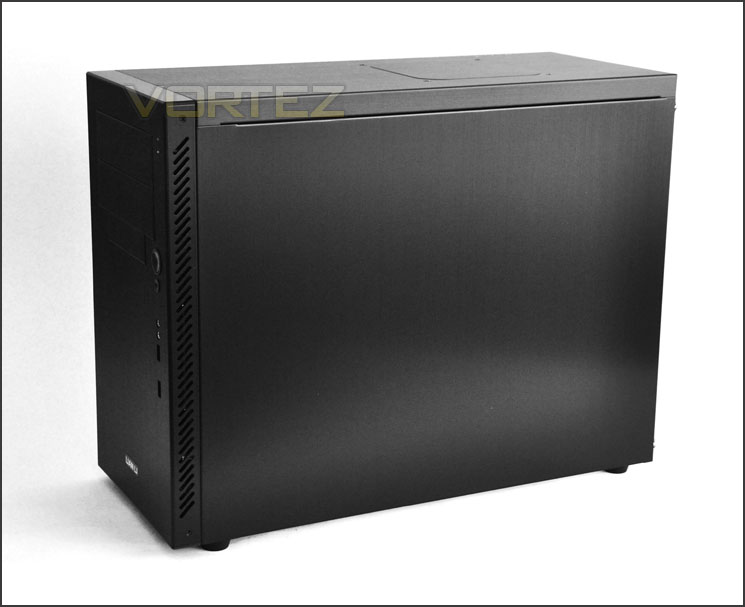
Aluminium throughout
With our brief look at PC-A05FN over. Let’s take a closer look at the exterior over the page.
Exterior
The PC-A05FN is a quite a short mid-tower case. The front has 2x 5.25” drive bay covers and a 3.5” beneath. The front has no perforated mesh; the front bezel is entirely solid. The front panel controls run along the right edge of the case and include USB 3.0. We will take a closer look at these further down the page.
Spinning the PC-A05FN round to the rear – we can see a radical difference to the typical ATX case, the PSU mounting hole is absent. The PSU is actually mounted at the front of the case so instead we have the PCI covers beginning at the very bottom of the PC-A05FN. There are 8 in total, all aluminium and with ventilation holes. Though the PSU is mounted at the front we still have the AC socket present at the bottom – a little later we will reveal how this is possible. Further up there is a 120mm rear intake fan and above this 2x circular rubber grommets for tubing/cables. Notice I said intake there – this fan would typically be an exhaust fan in most if not all other cases.
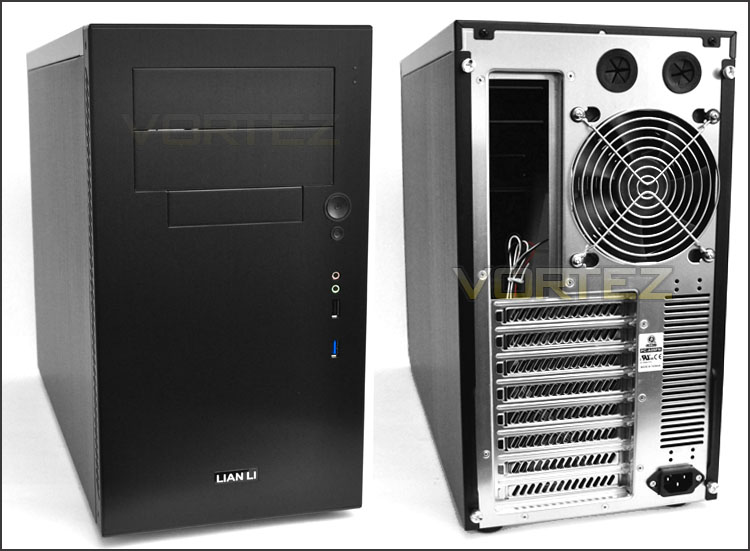
The front and back of the case
Front panel connectivity runs down the right edge of the PC-A05FN and consists of:
• USB 3.0 port (motherboard header plug)
• USB 2.0 port
• Headphone & Microphone jack
• Power/Reset button
I did expect to see more USB ports on the PC-A05FN – Lian Li could have been a little more ambitious and generous with the ports here.
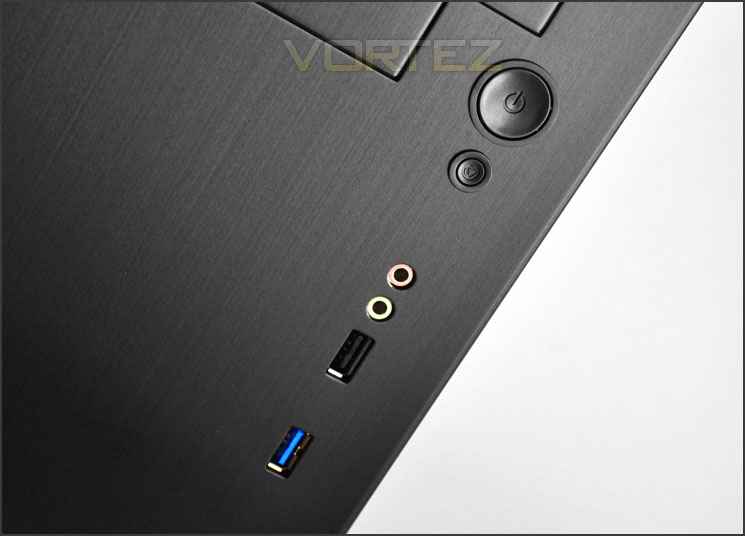
Front panel connectivity with a single USB 3.0 port
At the very top of PC-A05FN there is a section with a solid area marked out for attaching a 120mm fan inside the case. It’s nice that you have the option to close this area off – as if you aren’t planning on attaching a fan there won’t be any dust creeping inside the case.
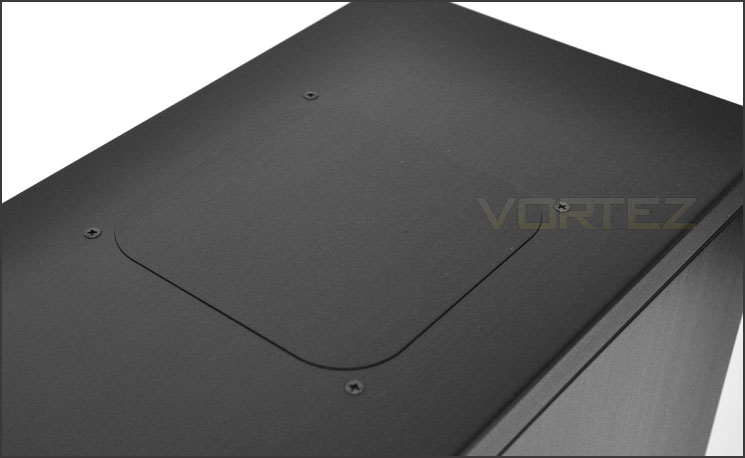
The top of PC-A05FN with 120mm fan outlet/cover
On the underside of PC-A05FN there are 4x rubber feet for the prevention of slipping and a fan filter is attached near the front of the case for the PSU. There are a series of noticeable cut-outs on the underside of the case – these are for attaching 2.5” devices such as SSD. More on this a little later!
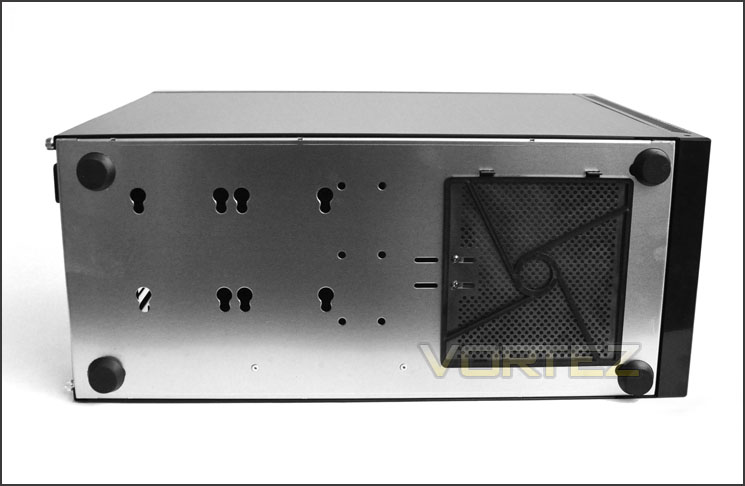
The underside of PC-A05FN
With the external tour out of the way let’s move in for a closer look at the inside – over the page!
Interior
It’s now time to take a look at the inside of PC-A05FN. Both side panels are removed after the thumbscrews have been unscrewed and let me tell you – they are extremely light. The entire case weighs a measly 4KG so you can imagine how light these side panels are. Once removed, you can see the layout inside PC-A05FN – its quite different from what you would typically expect.
The PSU is mounted at the front of the case – Lian Li have sacrificed height for depth. The PC-A05FN is short but very deep. Behind the motherboard tray there is little to assist with cable management, we will discover how good this particular aspect is in the next section.
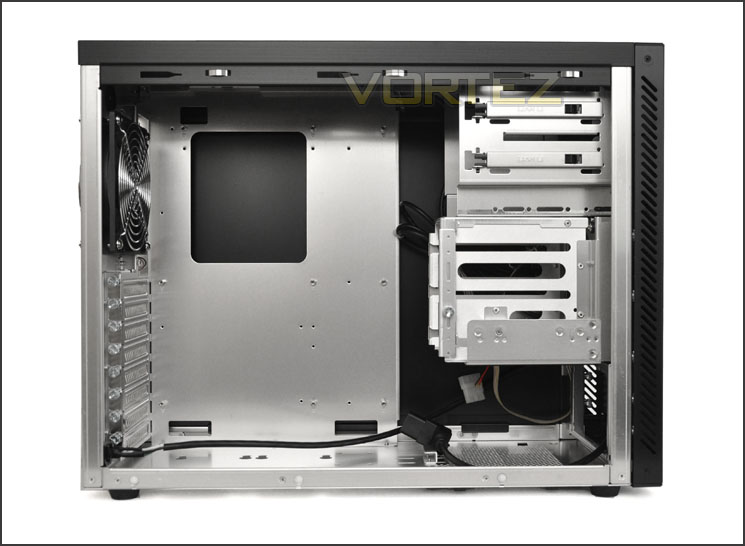
A short but deep ATX case – things could get cramped!
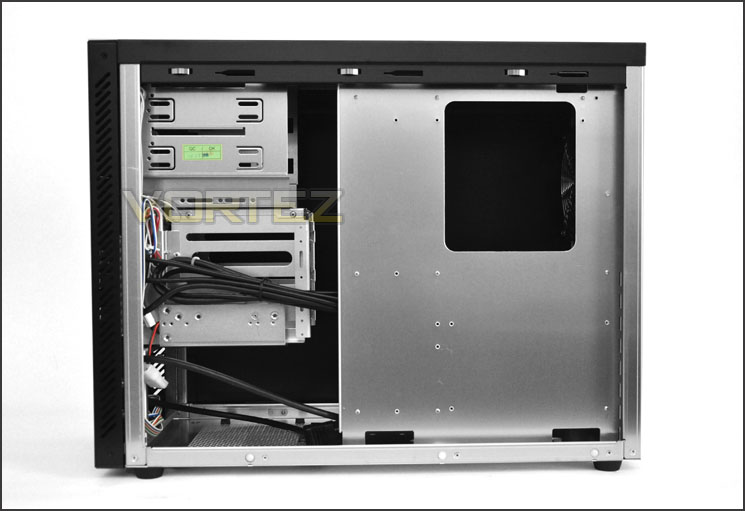
Behind the motherboard tray – cable management could be difficult
Inside the PSU is mounted towards the front of the case. There is an anti-vibration pad for the PSU to rest on and an extension cable to plug directly into the PSU. This cable reaches the very back of the case so that you can plug in the mains cable into the rear socket.
Though this appears to be innovative it’s also quite puzzling. It might mean we have a much more compact interior but it also means we would need to remove the front fascia to flick the switch.
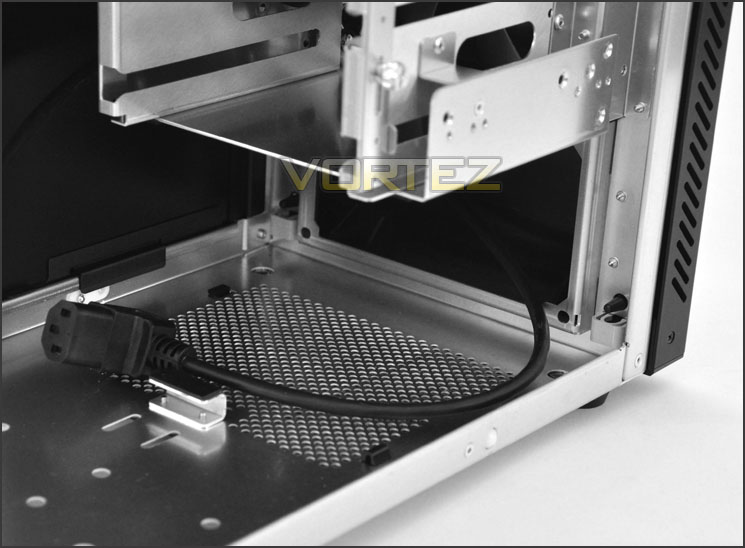
PSU sits at the front of the case
At the back of the PC-A05FN there are 8x PCI covers each with ventilation holes and thumbscrews. The PSU extension cable plugs directly into the back of the case as seen below.
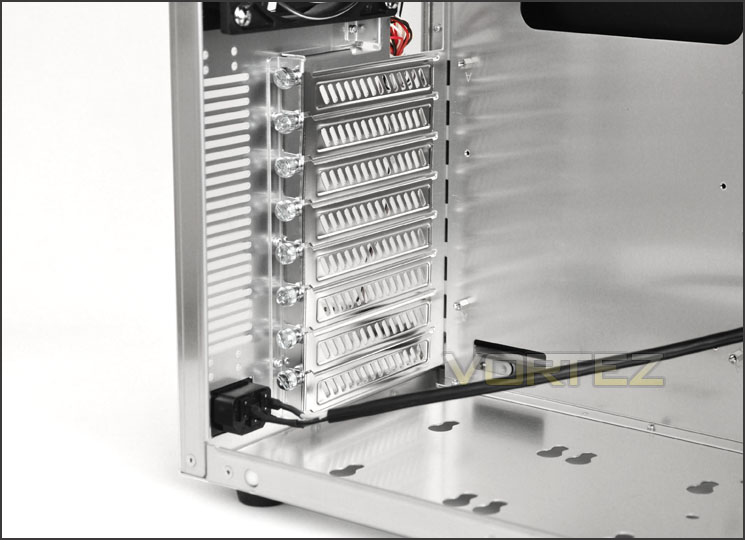
8x PCI covers for multi-GPU configuration
Further up there is a 120mm rear intake fan. Either side of this fan is a grille. At the top of the PC-A05FN is an area marked out for mounting a 120mm fan.
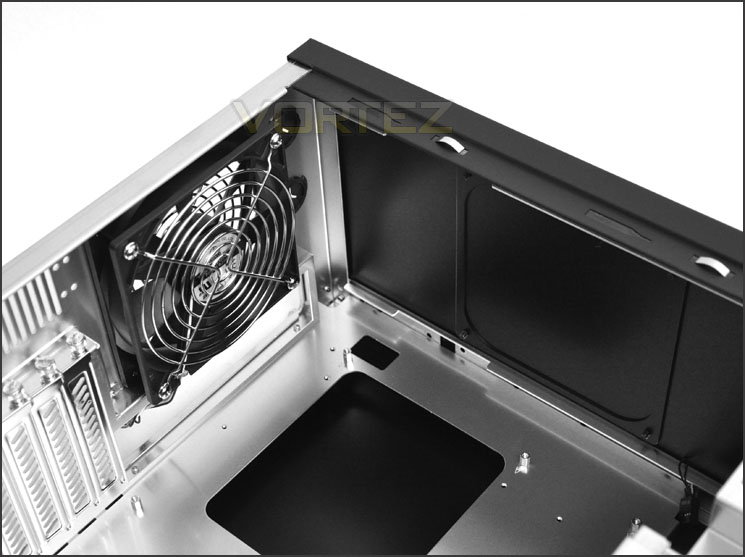
120mm rear intake fan and accommodation for 120mm top fan
Over the page we will continue looking at the internal areas of PC-A05FN.
Interior (Continued)
Over on the other side of PC-A05FN there is space for 2x 5.25” drives. Beneath this there is an area for mounting a 3.5” device or even 2.5”. The 5.25” drives attach via the tool-less levers. We have seen these on previous Lian Li cases
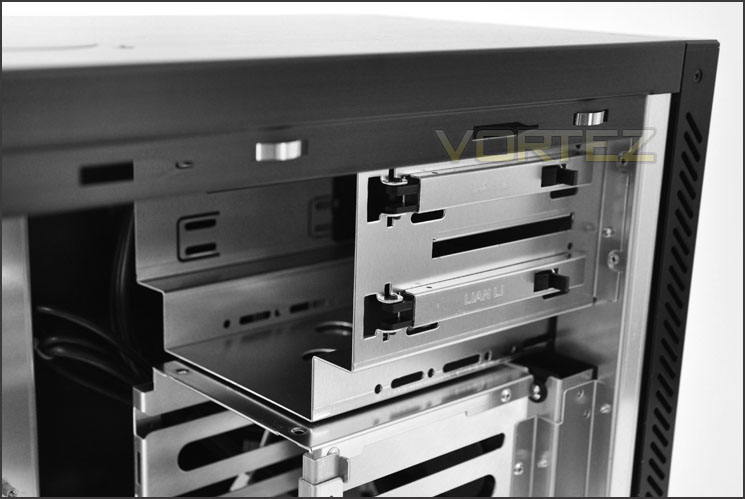
Tool-less optical drive installation
Beneath this is an area for mounting 3.5” HDDs. There is space here for installing up to 3x 3.5” HDDs, each will need to have screws and spacers attached. Behind this HDD cage is a 120mm rear exhaust fan. The idea is to have the airflow blow in the opposite direction – from the rear through to the front.
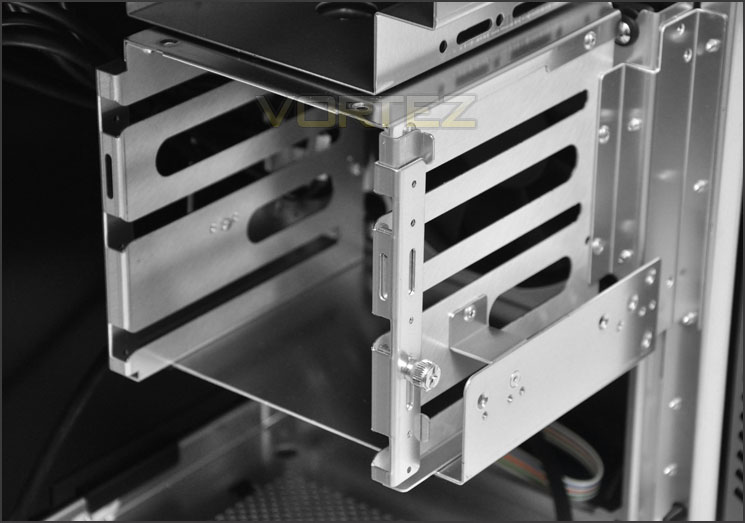
Space for installing up to 3x 3.5” HDDs – tool-less
Installation
Getting kit into the PC-A05FN is as you can see from the pictures quite a task. With such little space inside the chassis, the PSU and motherboard can be particular problem areas. The PSU should be moved into place first, but not fixed as the motherboard needs to be positioned behind the PSU on its tray. In fact, the PSU blocks some of the SATA ports and the internal pins for power/reset buttons. Another thing to note is the graphics card (GTX 480 – 11” length”) is very close to touching the HDD cage, SLI or CrossfireX is simply not an option here – only if the graphics cards are less than 10” in length. Cable management is also a struggle due to space, lack of cut-outs and positioning of the PSU.
It’s true that this case is designed for mATX and there would be more space with this size of motherboard/setup but the PC-A05FN is touted as an ATX case.
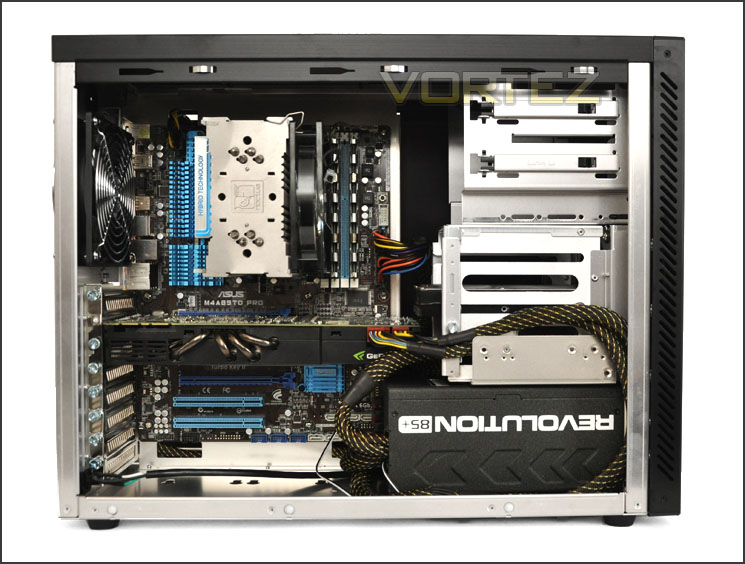
A cramped interior and troublesome installation for ATX
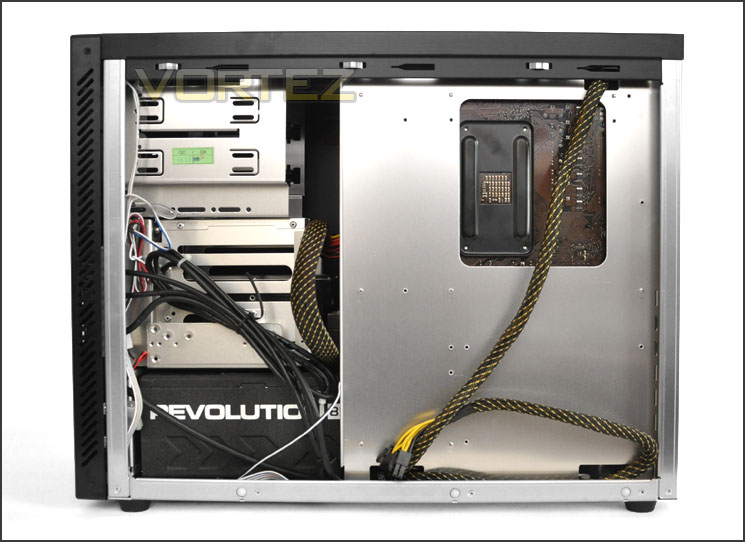
Behind the motherboard tray
The PC-A05FN requires the PSU to be installed at the front of the case. Pictured below you can see the extension cable that is necessary to allow a mains plug to be connected to the rear of the case. The cable sits very close to an internal fan that is positioned behind the HDD cage, furthermore – this front mounted fan doesn’t provide intake but is an exhaust meaning. Airflow is reversed inside PC-A05FN – intake at the rear and exhaust at the front. With the front fascia attached there is no chance of the air even hoping to dissipate outside of the PC-A05FN. Some very strange design concepts indeed.
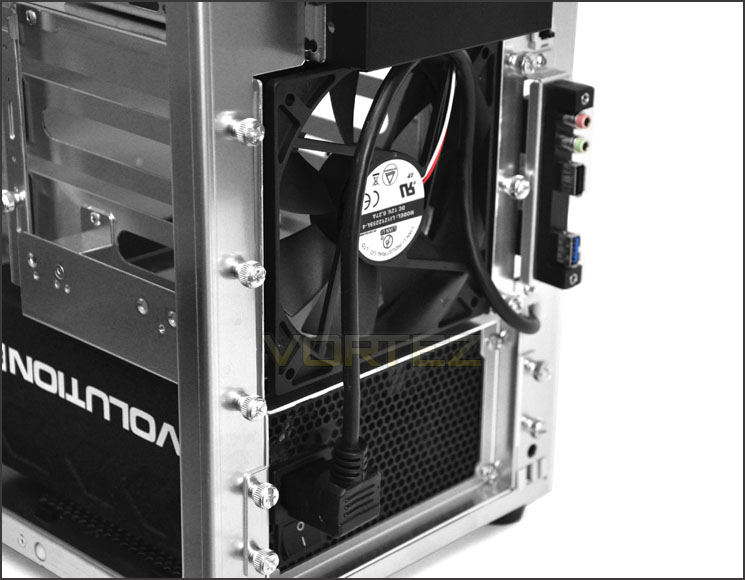
Front fascia removed – internal fan and PSU cable
Getting a 3.5” drive into the PC-A05FN is very easy – all you have to do is attached spacers and specific screws to all 4 screw-holes that run along the sides of the drive. The drive will then just slip into a slot within the cage.
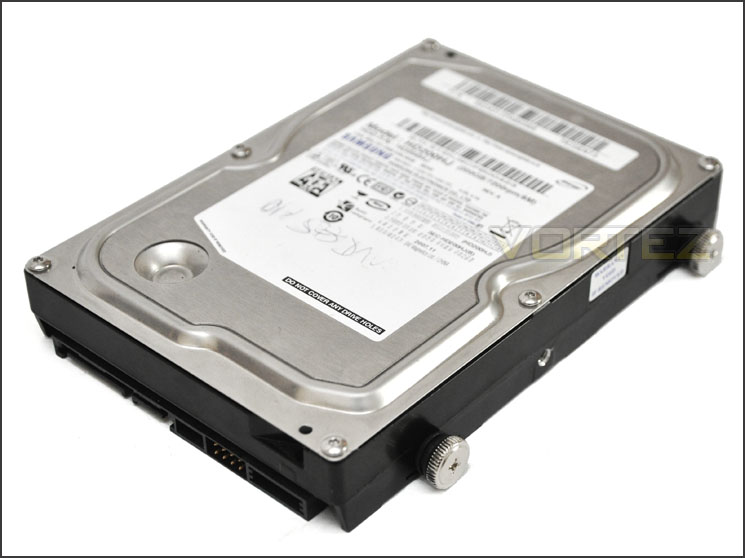
Installing HDDs into PC-A05FN is easy
Installation (Continued)
In terms of clearance, for the CPU cooler there is plenty of space for big solutions. Installed inside PC-A05FN is the Noctua NH-U12P this is 158mm in height. Lian Li state that PC-A05FN can accommodate CPU coolers up to 165mm in height so you will have no problem getting the Noctua NH-D14 or Thermalright silver Arrow inside this case.
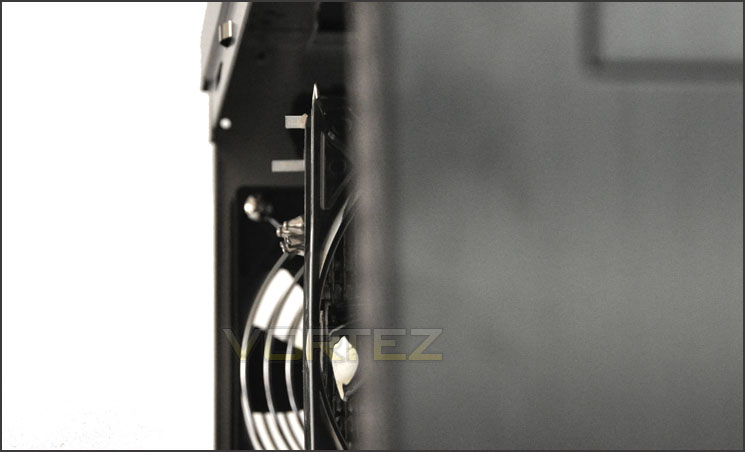
Space for big CPU Coolers
Moving to the graphics card clearance as already mentioned and as you can see from the picture below things are very tight. I’ve used a GTX 480 inside the PC-A05FN, this is 11” in length and overlaps the PSU and HDD. If you wanted to set up a dual card configuration then the graphics card is going to need to be 10” in length.
In a mATX system the graphics card would obviously sit higher but the PC-A05FN is touted as an ATX case so this is what we are testing.
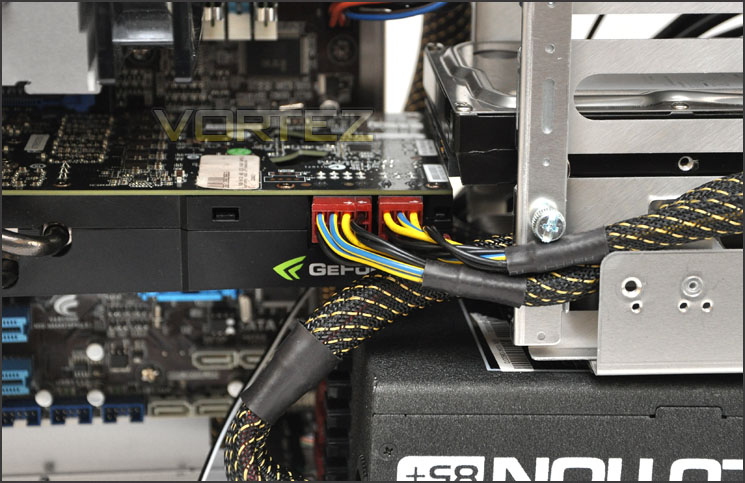
Restriction for multi-GPU configurations
From now on we will be checking the compatibility of various sized water-cooling radiators within each case we review. All of our radiators are kindly supplied by Aqua Tuning UK.
For this review – we are restricted to the Phobya G-Charger 240 Radiator. Whilst it does fit width-wise into the top of the case the clearance at the top of PC-A05FN means the radiator will overlap the motherboard and obstruct things as you can see from the picture.
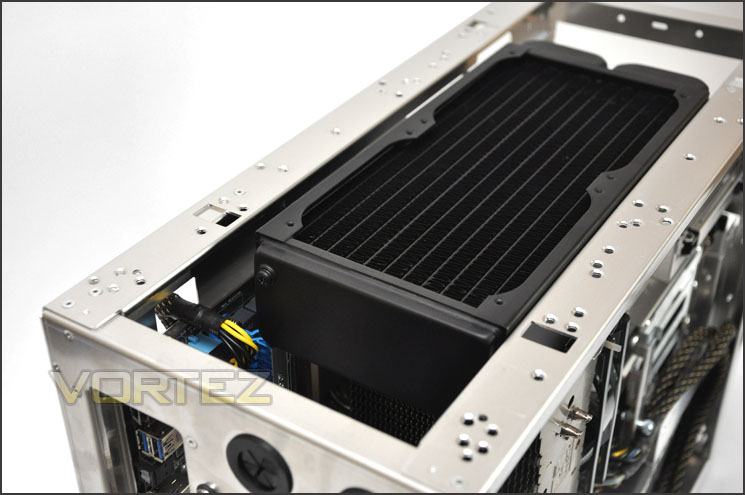
Phobya G-Charger 240 Radiator touches the motherboard inside PC-A05FN
Lastly, behind the motherboard tray there is 1.7cm of clearance for storing cables. Since the front has very little space the large majority of cables will need to be routed behind this tray – thankfully we have adequate space in this area.
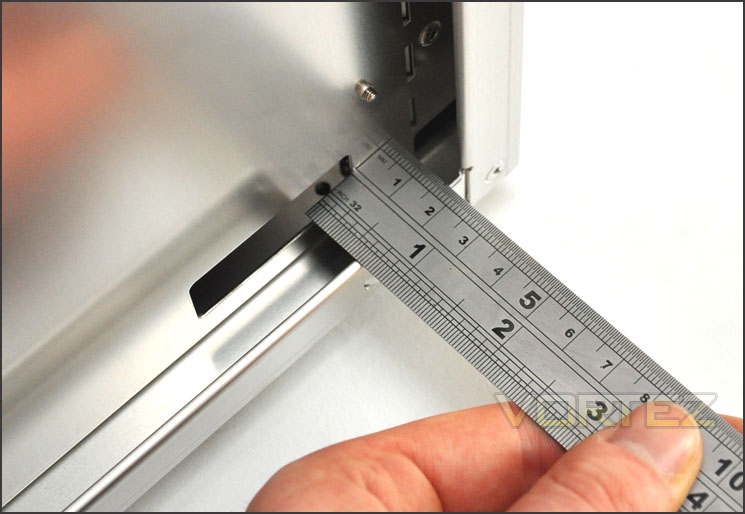
Clearance behind the motherboard tray is 1.7cm
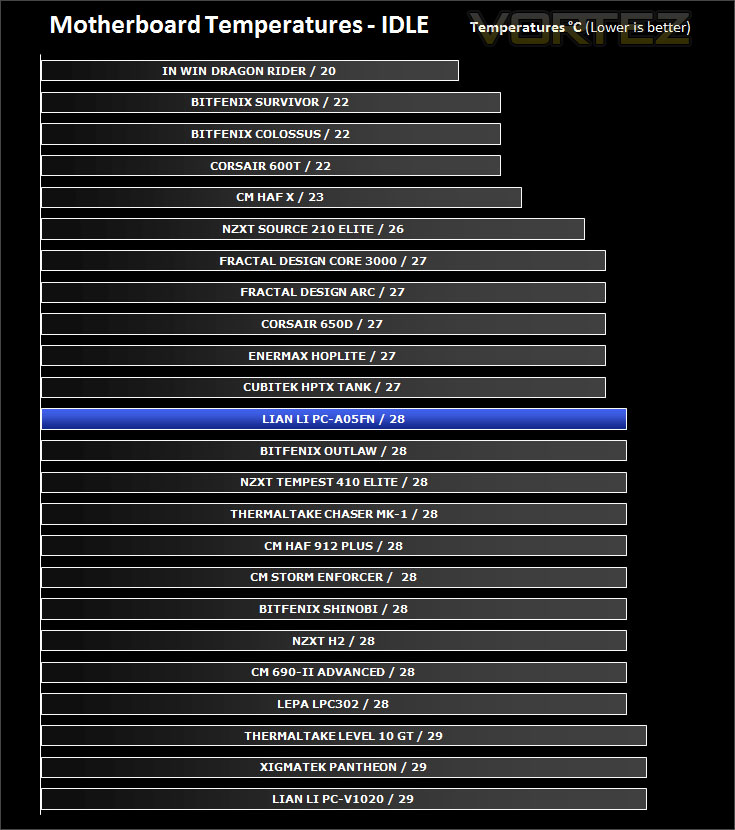
Thermal Performance Testing
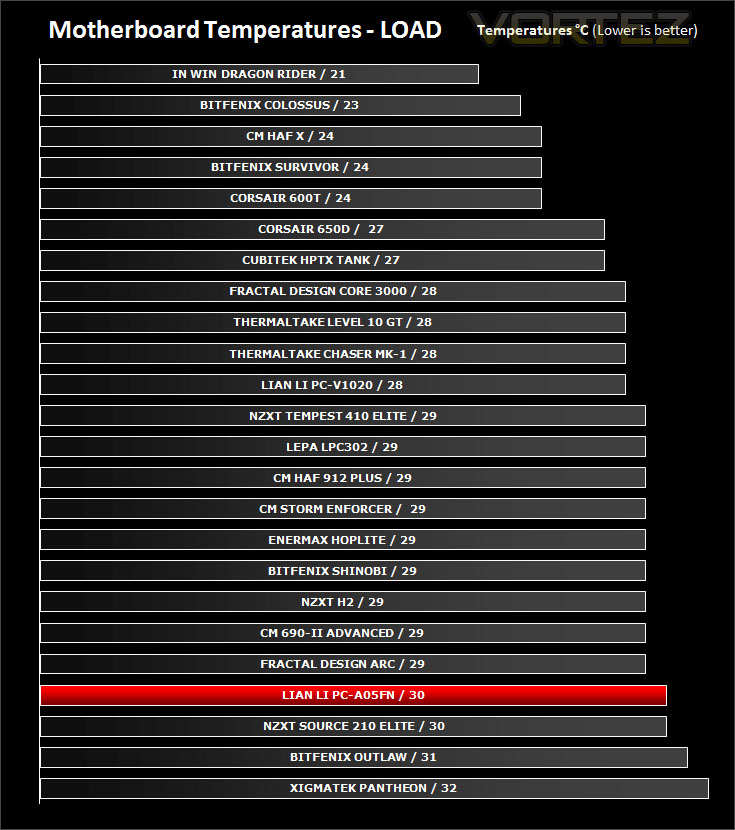
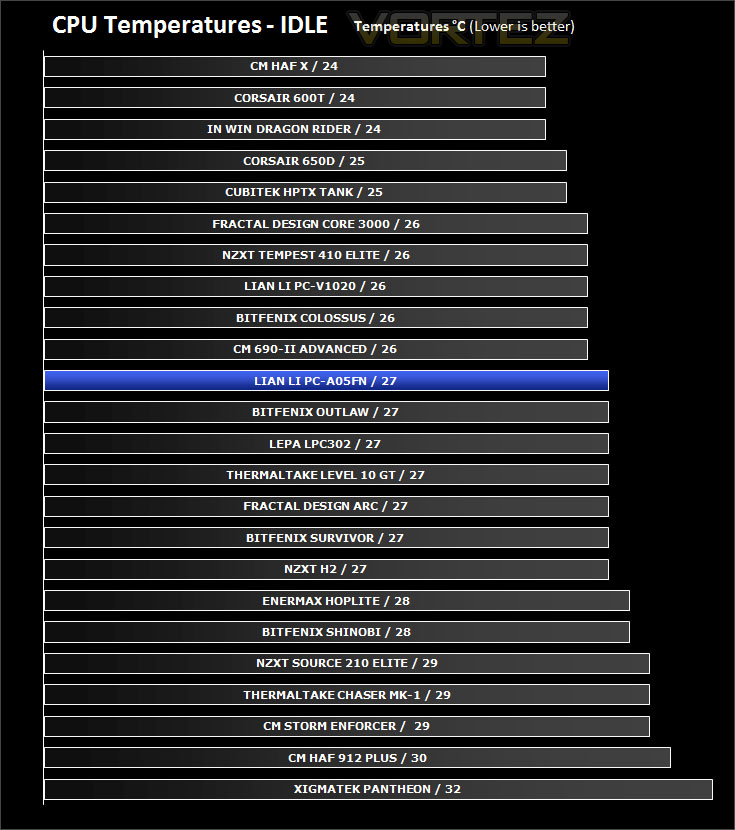
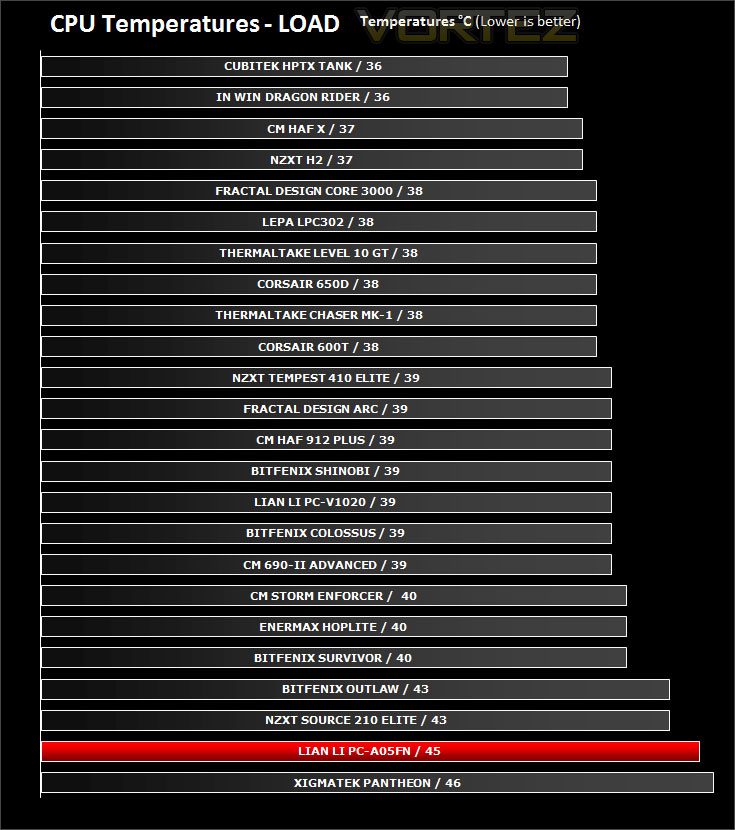
Inside PC-A05FN there are 2x 120mm fans. One sits at the back of the case as an intake fan and the other is placed behind the HDD cage as an exhaust. Rather than having the front mounted fan as an intake Lian Li have oddly configured this fan as an exhaust and in a similar way the rear fan is an intake. Airflow direction has completely reversed. The front fascia is completely solid, airflow is expected to exit out of the cut-outs on this front panel. I’m sceptical myself but let’s find out how efficient this method is.
To discover the thermal performance of the PC-A05FN I will record idle temperatures after 20 minutes from a cold boot. I will then stress the system and temperatures will again be monitored after 30 minutes have elapsed.
System Components
CPU AMD Phenom II X6 1055T 2.8GHz
Motherboard ASUS M4A89TD PRO
Graphics ZOTAC NVIDIA GTX 480 AMP
Memory 4GB Mushkin EM3-10666 DDR3
HDD Samsung Spinpoint 500GB SATA-II
PSU Enermax Revolution 85+ 850W
Conclusion
We’ve experienced the wealth of Lian Li case manufacture in the past and been impressed but does the new PC-A05FN continue a good thing?
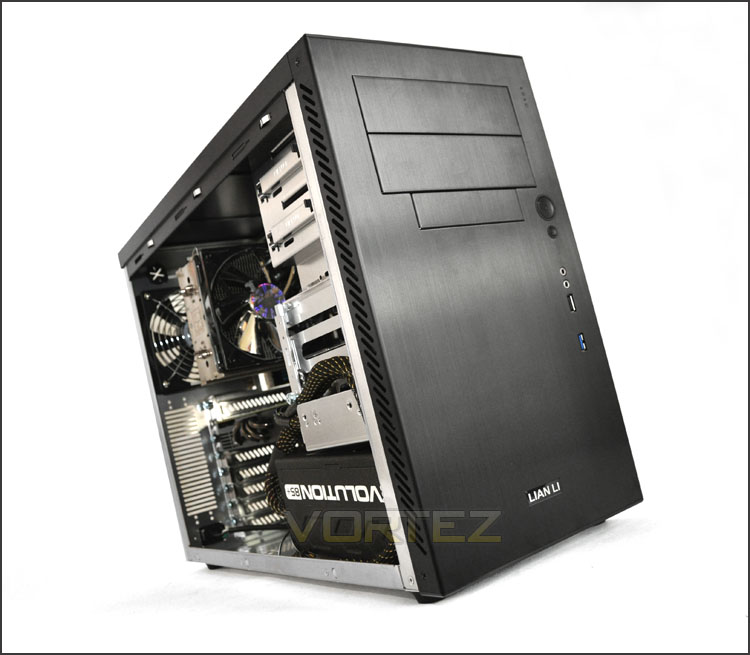
Initial observations identify that the PC-A05FN is a short but deep mid-tower chassis capable of accommodating both mATX and ATX systems. Lian Li have designed the PC-A05FN in such a way that it changes the way we look at case design and airflow. The PSU sits at the front of the case, meaning the case can be shorter and the idea with airflow is that it should enter from the rear of the chassis and exit via the front.
The PC-A05FN looks great with its sleek and professional appearance and as you would expect from Lian Li’s use of aluminium, build quality is excellent. However, overshadowing this is poor airflow and a limitation on what hardware you can get inside PC-A05FN with a full ATX motherboard. In our examination of the case we used an ATX motherboard and an Enermax Evolution 850W and it was a struggle to get both components in but when we finally got there the PSU blocked various storage ports and pins for power/reset buttons. The GTX 480 used inside PC-A05FN overlapped the PSU meaning multi-GPU configuration was out of the question. Struggling for space around the GPU, PSU and HDDs means that cable management also takes a hit.
Though the PC-A05FN will allow for mATX systems and with this form factor some of the clearance issues would be avoided, this case is touted for ATX and it’s a little disappointing to see these short-falls present. Priced at £75-80inc. VAT it’d be ideal for a media PC but if you are planning on installing a mid-high end system inside PC-A05FN then things are going to get extremely cramped and you could well face clearance issues.
The bottom line is PC-A05FN is a great looking addition to the already fruitful Lian Li lineup but it falls short with its drastic change to layout and airflow. For an ATX system space is tight and limiting but those with low-end systems and possibly media PC then clearance will be more forgiving.
+ Sleek, professional appearance
+ Aluminium construction throughout
+ Tool-less design for device installation
+ Just 4KG without any hardware
+ Reasonable pricing
Cons
– Limited to low-end, smaller hardware
– PSU blocks some ports on ATX motherboard
– Airflow reversed has nowhere to exit


