Looking for a mid-tower but on a tight budget? NZXT’s new Source 210 in the Classic Series might just be the ticket!

Product on Review : Source 210 Elite
Manufacturer and Sponsor : NZXT
Street Price: £40 inc. VAT (GBP)
NZXT are back with yet another new case – this time we are graced with an addition to their classic series. The Source 210 Elite is a compact mid-tower case designed for first time builders seeking a low cost chassis to house their hardware. The Source 210 is available in 2 different versions – standard and Elite. The standard giving USB2.0 and no top mounted fan whilst the Elite provides USB3.0 and a top mounted 140mm exhaust fan. Both versions also give buyers the option of having a black or white chassis.
Priced at approximately £40 inc VAT is this the best case we have come across in this price range? There’s only one way to find out!
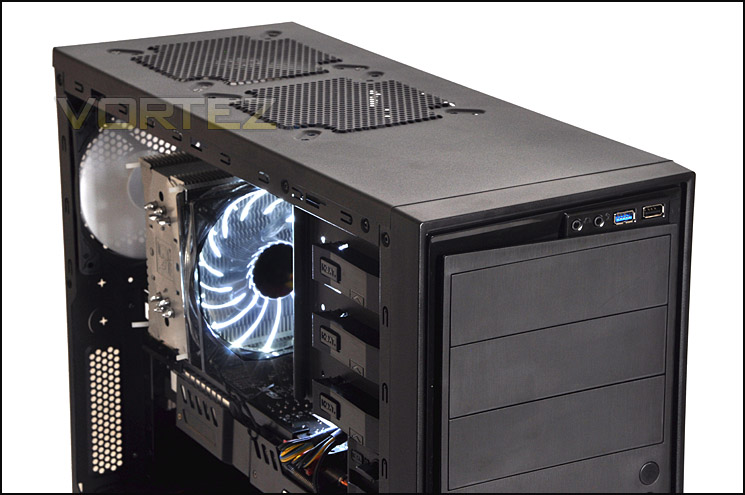
NZXT’s Source 210 Elite is here to provide the basic chassis to house your rig and a just a little more to meet your needs. Now with USB 3.0, tool-less features, and an additional 140mm top fan for cooling, it’s modest and contains the essentials for performance. It’s the chassis you can afford, and more.
Technical Specifications
CASE TYPE
– Mid Tower
FRONT PANEL MATERIAL
– Plastic / Aluminum-like finish
DIMENSIONS (W x H x D)
– 195mm x 440mm x 495.5mm
VGA Clearance Maximum
– 230mm w/ hard drive, 330mm w/o hard drive
CPU Heatsink Support
– 160mm
Wiring Space
– 20mm
COOLING SYSTEM
FRONT, 2 X 120mm
REAR, 1 X 120mm @ 1200rpm (included)
TOP, 1 X 140mm (included)
BOTTOM, 1 x 120mm
DRIVE BAYS
– 3 Tool-less EXTERNAL 5.25″ DRIVE BAYS
– 8 Tool-less INTERNAL 3.5″ HDD Drives
MATERIAL(S)
– Steel with painted interior
EXPANSION SLOTS
– 7
WEIGHT
– 6.5kg
MOTHERBOARD SUPPORT
– ATX, MICRO-ATX
External Connections
– 1 x Standard Audio/Mic, 1 x USB 3.0,1 x USB 2.0
Packaging & First Look
The Source 210 Elite arrives with us in a eco-friendly box. On the plus side this is good for the environment and most people will be disposing of the box anyway but on the down-side there isn’t anything overly exciting about the graphics and there is an obvious lack of colour. Whichever way you look at it, the box does its job of protecting the case during transit and has all the technical details and features on the reverse.
Inside the box the case is protected via a clear plastic sheet and polystyrene pillars.
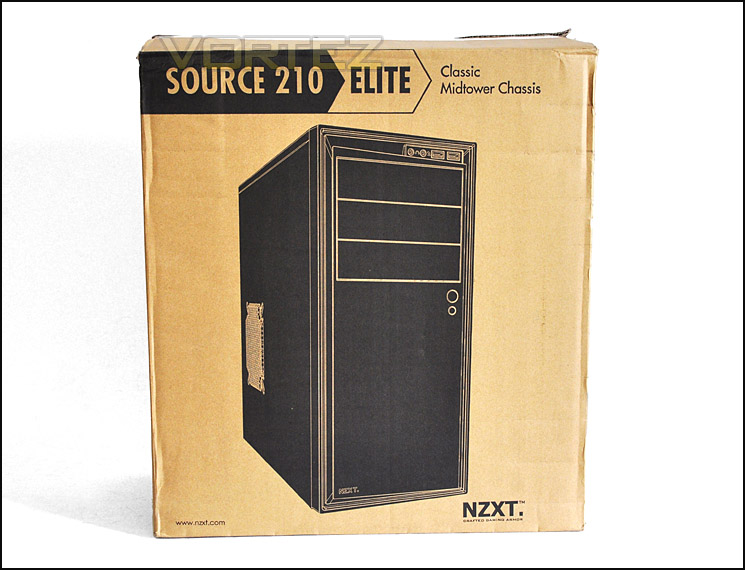
The eco-friendly packaging
Taking the Source 210 Elite out of its packaging we get a first glimpse of how this case looks. Visually, NZXT have gone with the sleek, minimalist approach with this case. It has subtle styling for those that prefer the understated approach.
On the prominent side we have a mesh panel to allow a 120mm fan to be attached for cooling just above the graphics card region, over on the other side the panel is just solid.
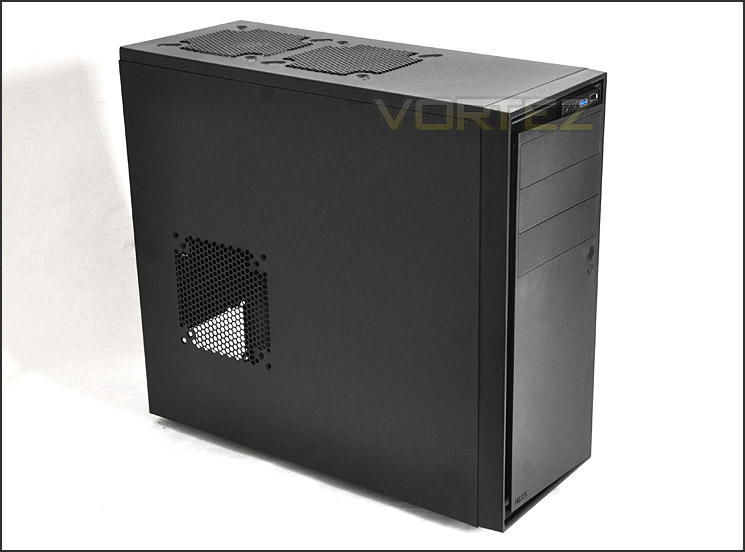
The left side of Source 210 Elite
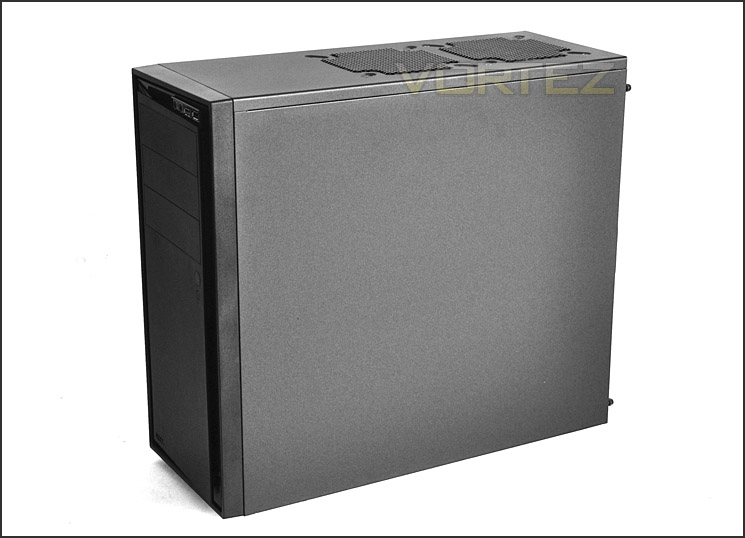
The right side of Source 210 Elite
Exterior
The front of Source 210 Elite has a plain fascia with a matt finish to it. The appearance is that of brushed aluminium but this is plastic. The NZXT emblem can be seen in the bottom left corner, above we have a large power button and smaller reset button. 3x 5.25” drive bays and at the very top are the front panel controls. We will look a little closer at these further down the page.
Spinning the case round to look at the rear – we have an opening at the bottom for mounting the PSU. Above this there is a ventilated mesh panel and 7x PCI expansion slots, the covers do not have ventilation holes. Above this we have the mesh panel for the 120mm rear exhaust fan.
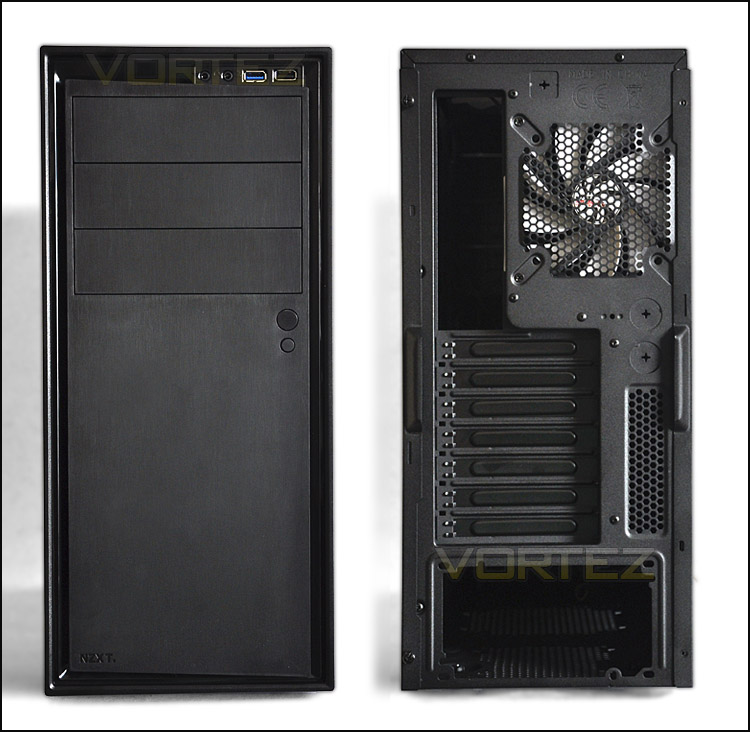
The front and back of the Source 210 Elite
Taking a closer look at the front panel connectivity we have a limited number of ports here due to the fact that NZXT are classifying this case as a budget offering – to keep the costs down some elements need trimming down. So here we have a headphone and microphone jack and a single USB3.0 and single USB2.0 port. The USB3.0 port will connect to a USB3.0 header on the motherboard, if you have one.
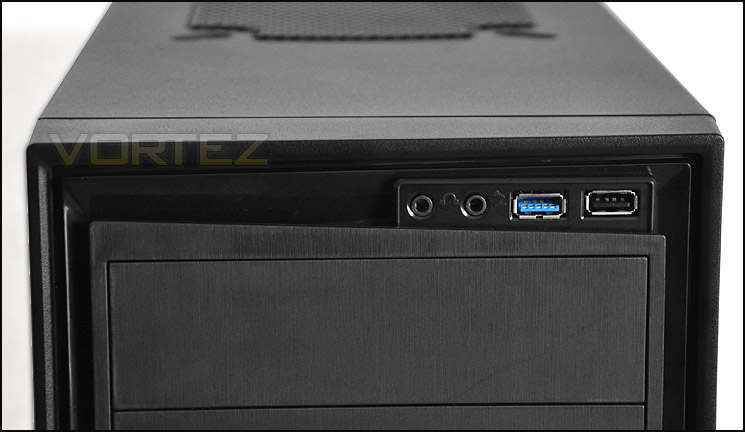
The front panel with USB3.0
On the underside of the case we have 4 rubber feet to prevent the case from slipping. The PSU has no dust filter.
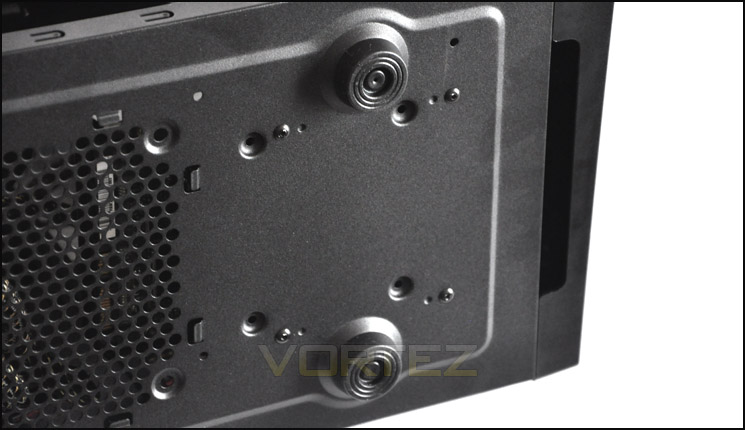
The underside of Source 210 Elite
Interior
The side panels on the Source 210 Elite are fixed in place via 2 thumbscrews. Once removed we can take a look at the internals of the case. The immediate impression from an overview of the interior is that for quite a compact mid-tower it appears quite spacious. There are cable management cut-outs for keeping things tidy and there is a range of tool-less design mechanisms for attaching devices. We have 2 included fans – a 120mm rear exhaust and a 140mm top exhaust. Again, due to keeping costs down we have no front mounted intake fans. Having only exhaust fans and no intake will probably impede airflow but we still have the option of installing dual 120mm fans at the front of the case. More on cooling a little later.
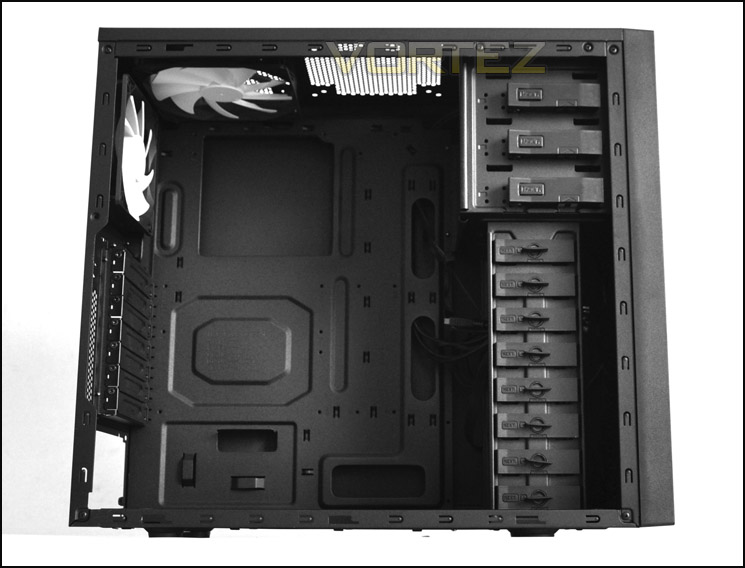
The inside of Souce 210 Elite. A spacious mid-tower
Around the back again a reasonable amount of space and features – including a large CPU cooler backplate cut-out.
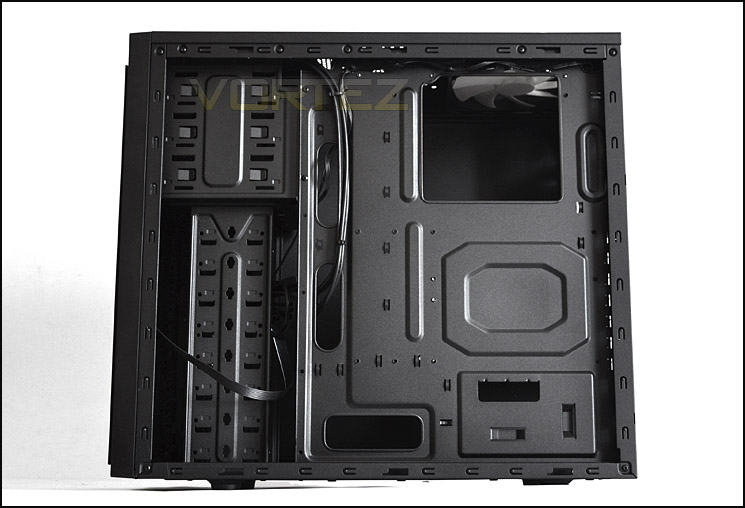
Behind the motherboard tray
Moving inside for a closer look, we can see that the PSU seating area doesn’t have any anti-vibration pads. Metal on metal is only going to result in scratching – really NZXT ought to have had something implemented here to avoid this from happening. There is no dust filter on the underside of mesh here but we do have another mesh panel beside the PSU for attaching a 120mm fan.
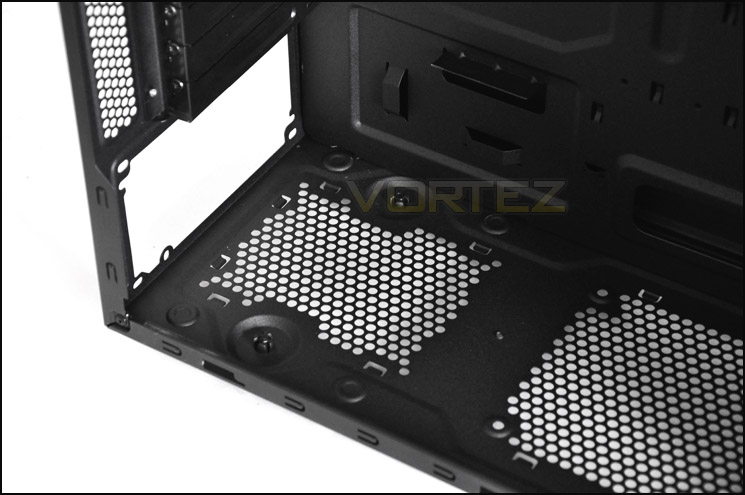
Area for mounting the PSU
Further up from the PSU we have the PCI slot covers, there are 7 in total – each require a screwdriver in order to be removed.
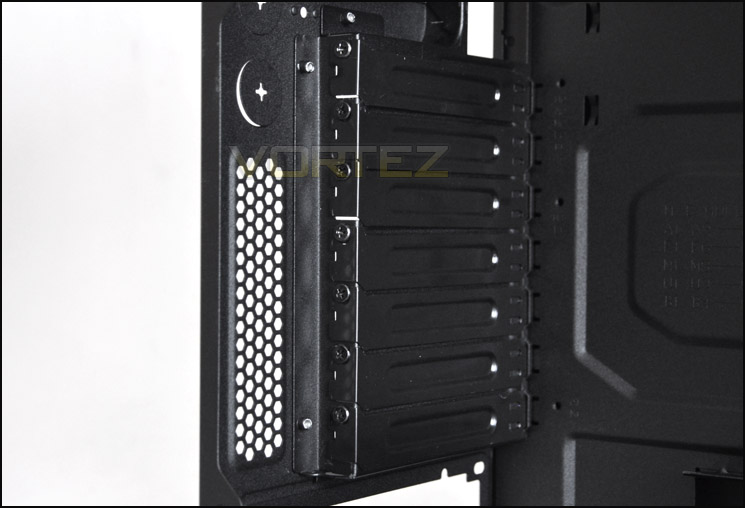
7 PCI slot covers
In terms of cooling the Source 210 Elite has a 120mm rear exhaust and a 140mm top exhaust. The 140mm fan can be connected via Molex or 3-pin and the 120mm fan can be connected via 3-pin. At the top of the case we can also fit an additional 120/140mm fan.
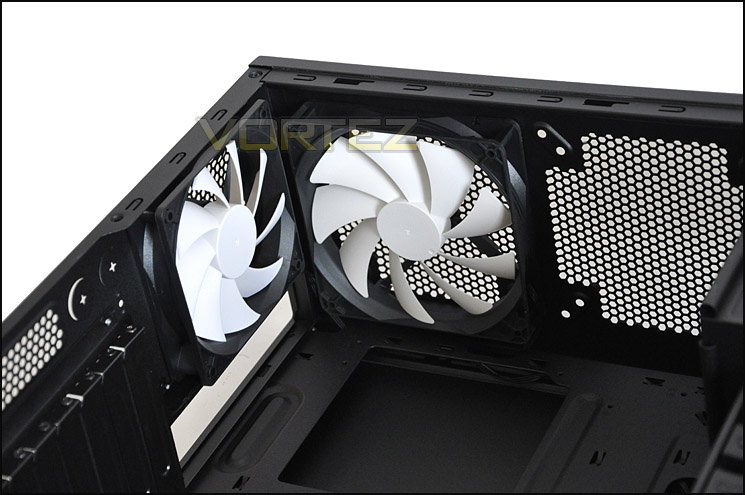
The cooling fans inside Source 210 Elite
There are 3x 5.25” bays for optical drives – each drive has a tool-less mechanism for fixing into place. The way in which this works is that the latch is squeezed in and pulled back – 2 pins on the latch then marry up with the holes on the optical drive.
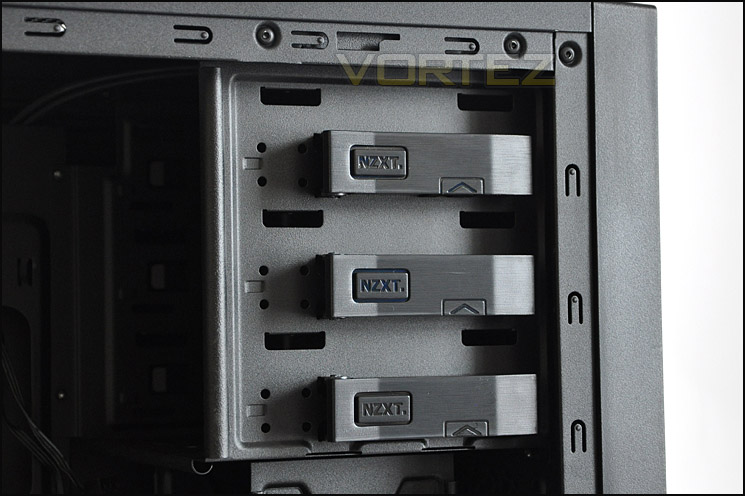
Optical drives have tool-less mechanism for installation
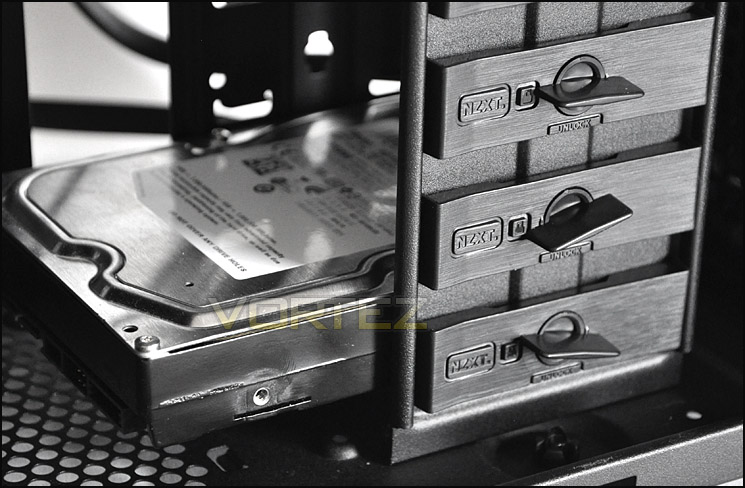
Likewise, beneath the optical drive section we also have tool-less design for installing 3.5” drives. A total of 9x 3.5” drives can be installed within the HDD cage and attaching a drive is very easy, the latch pictured fits into the drives screw-holes and the nob is turned to the lock position.
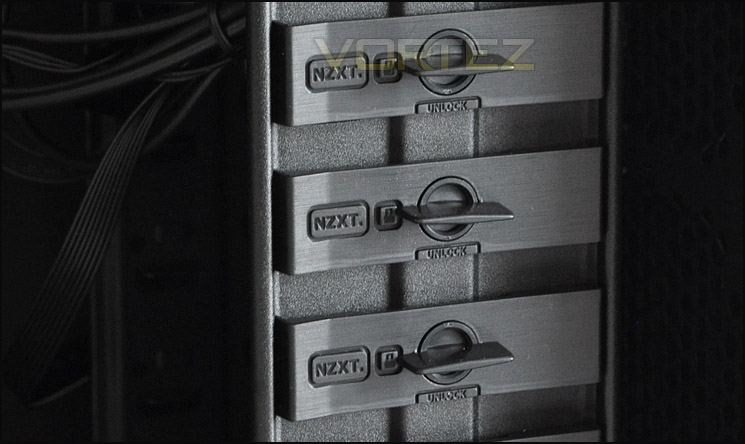
HDDs also have tool-less design
Installation
Getting kit inside the Source 210 Elite is painless – the only thing I would say is that cable management could be improved upon. I had to feed the P4/EATX cable across the motherboard and under the graphics card, I couldn’t feed this behind the motherboard and up through the top because the case has no cut-outs at the top of the motherboard tray for this.
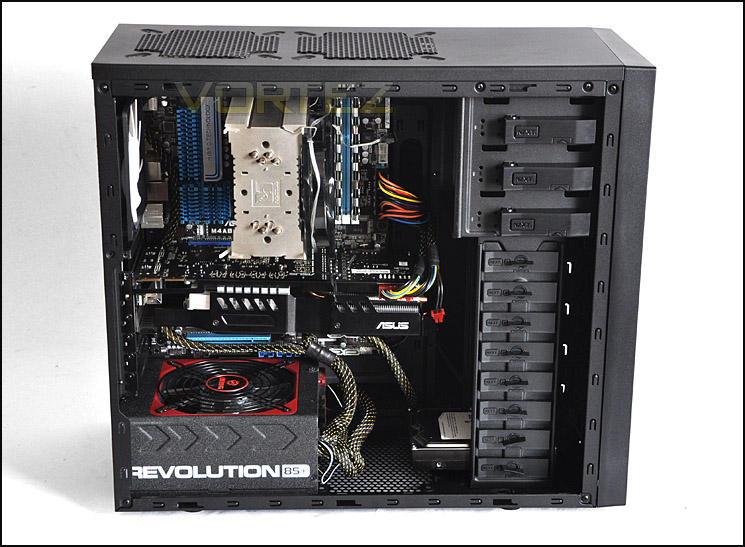
Installation complete!
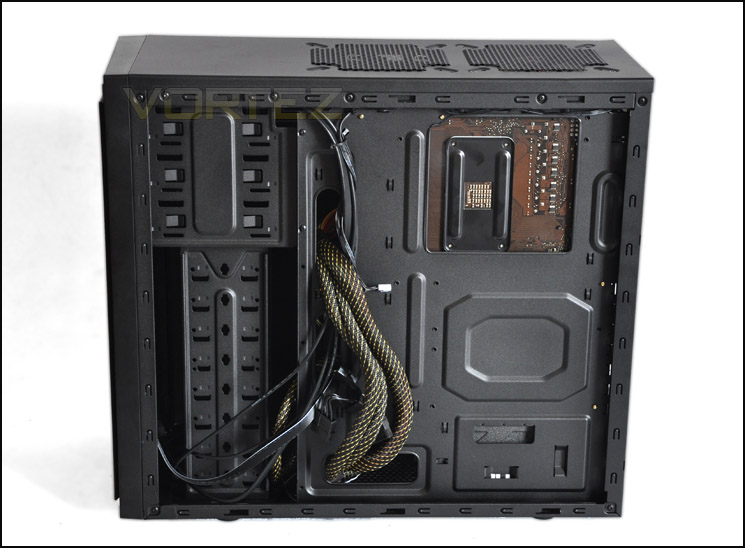
Install complete – behind motherboard tray
As mentioned previously, installing HDDs into the Source 210 Elite is simple. All you do is slide the drive into the bay, remove the tool-less latch, fit the latch into the HDD screw-holes and turn the key into the lock position. This tool-less design system works very well and secures each drive.
Installing HDDs is very easy thanks to the tool-less design
In terms of clearance, depending on what CPU cooler you are using you may have trouble getting the side panel on. Here I have installed the Noctua NH-U12P which is 158mm in height and the side panel only just about fits on. You can see from the picture below that there is very little clearance – it’s extremely tight.
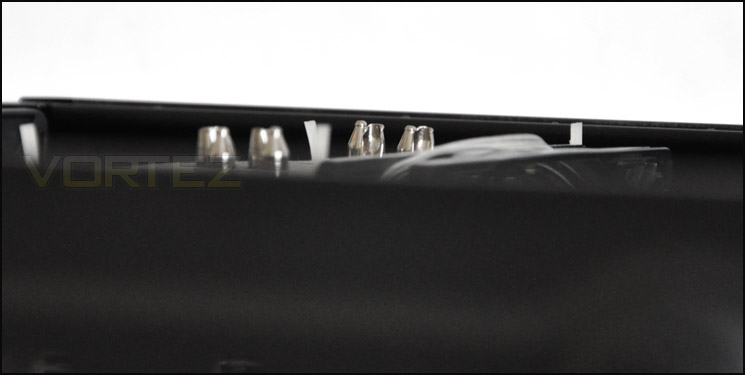
CPU cooler clearance is very tight
Whereas over at the graphics card there is plenty of space – here we have the ASUS HD6950 DirectCU II. This graphics card is just over 11” in length and there is still at least another inch of clearance before we touch the HDD cage.
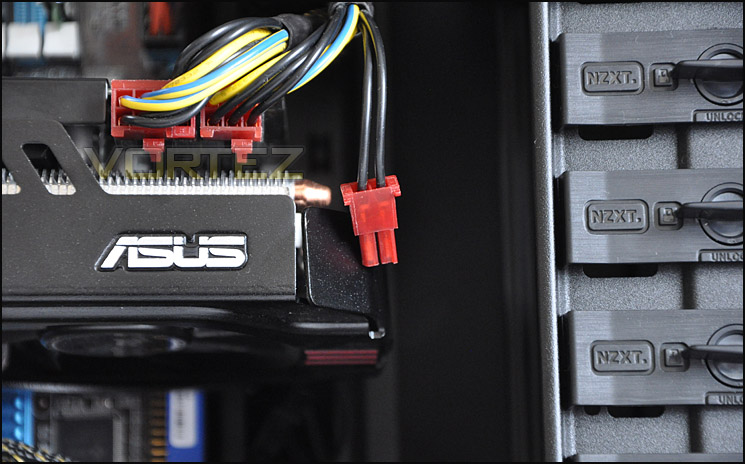
Graphics card clearance is good
Turning our attention to behind the motherboard tray – there is exactly 1.5cm of clearance for cables to fit behind the motherboard tray. This is reasonable – especially as in certain areas the tray is concaved.
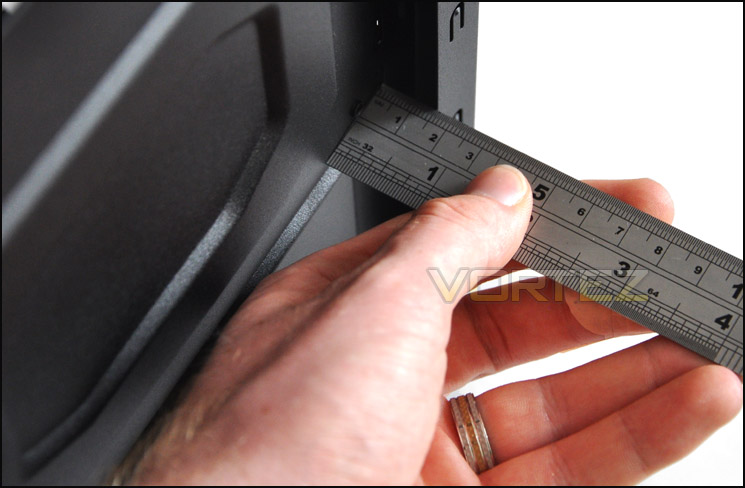
1.5cm of clearance behind the motherboard tray
Thermal Performance Testing
The Source 210 Elite has 2 pre-installed fans – a 120mm rear exhaust and a 140mm top exhaust. Unfortunately we don’t have any intake fans. Typically these would be situated at the front of the case and would bring airflow in and across components and then the exhaust fans would direct this heat/air out. This will probably impede thermal performance slightly.
To discover the thermal performance of the Source 210 Elite I will record idle temperatures after 20 minutes from a cold boot. I will then stress the system and temperatures will again be monitored after 30 minutes have elapsed.
System Components
CPU AMD Phenom II X6 1055T 2.8GHz
Motherboard ASUS M4A89TD PRO
Graphics ZOTAC NVIDIA GTX 480 AMP
Memory 4GB Mushkin EM3-10666 DDR3
HDD Samsung Spinpoint 500GB SATA-II
PSU Enermax Revolution 85+ 850W
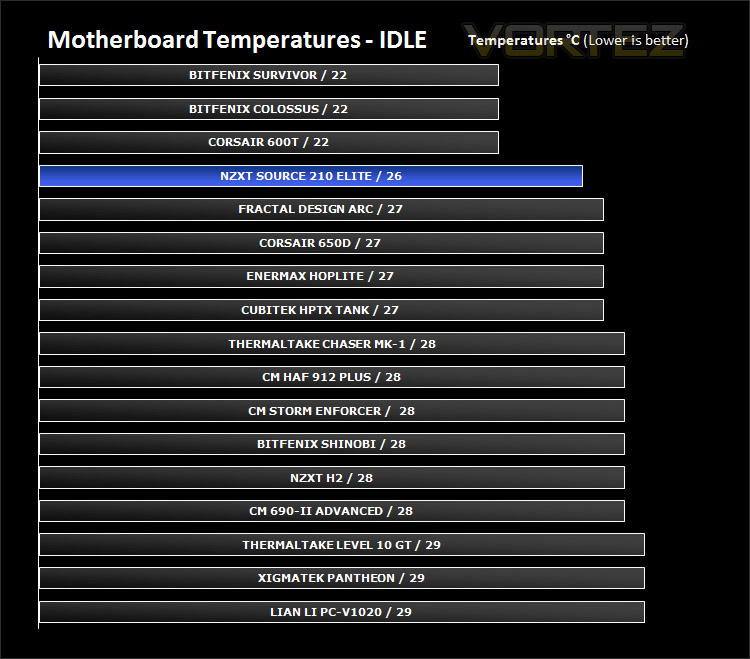
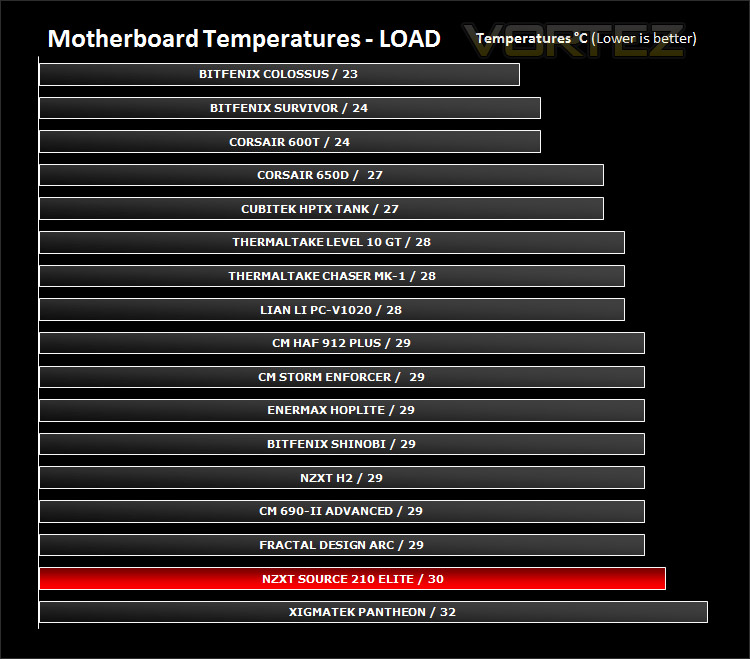
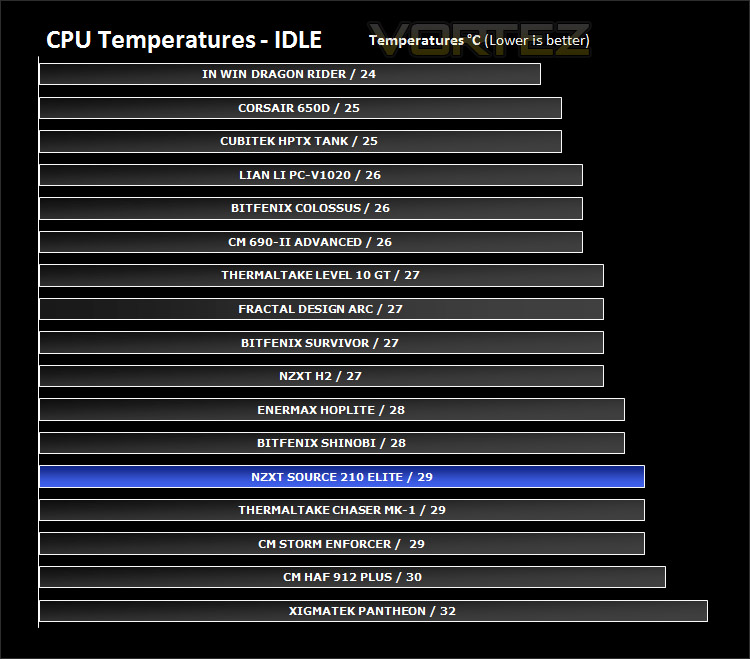
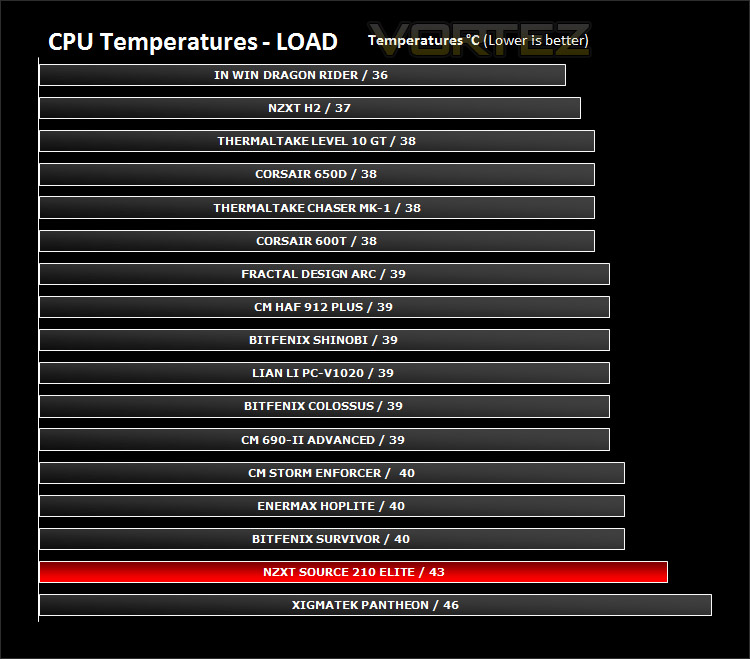
As you can see from the graph above and as expected we aren’t getting the best results at stock with the Source 210 Elite. Although they aren’t included – front intake fans are a requirement for good airflow and I would recommend installing 1 or 2 behind the HDD cage.
Video Review (Vortez TV)
To give you another perspective I have done a video review on NZXT’s Source 210 Elite. This gives you a rough overview of the case and shares with you my thoughts. Please feel free to comment on the video and subscribe to our YouTube channel: Vortez TV – YouTube Channel
Conclusion
We’ve reached the final stage of our comprehensive review of NZXT’s Source 210 Elite, so what is the verdict?
The Source 210 Elite has desirable looks – with sleek undertones and a minimalist approach to styling. It also has all the features to match. Compared to the standard Source 210 it’s well worth the extra money getting USB3.0 support (motherboard header) and an additional top mounted 140mm fan. It may have been a better decision to include an intake rather than a top mounted fan though as this would benefit cooling potential.
Inside we have plenty of space to accommodate high-end components and tool-less mechanisms for fixing optical and storage devices are present too. Cable management is good as is the build quality, but the one thing that stands out clearly is the price-tag… at just £40inc VAT (GBP) the Source 210 Elite is a great value for money option if you aren’t overly fussed about case design and looks. Compared to the likes of BitFenix Shinobi and other cases in this price-range Source 210 Elite puts up a good fight.
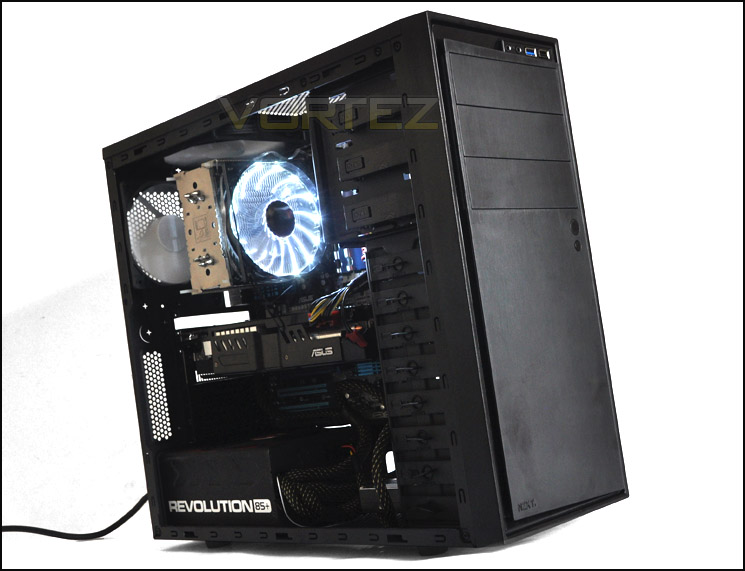
Being a budget case and coming in at such a low price results in certain features being absent such as intake cooling fans at the front and less USB ports and other options on the front panel but perhaps these aren’t needed for some system builders?
The bottom line is: NZXT has done a great job in providing first-timers that opportunity to buy a budget case. Source 210 Elite is an affordable enclosure with the options most would need and looks that are so subtle that most would be pleased with.
Pros
+ Sleek and professional styling
+ Great value for money
+ Good build quality
+ A good option for novice system builders
Cons
– Tight clearance for CPU coolers
– Cooling – intake would have been better than top exhaust fan
+ Sleek and professional styling
+ Great value for money
+ Good build quality
+ A good option for novice system builders
Cons
– Tight clearance for CPU coolers
– Cooling – intake would have been better than top exhaust fan