







The fourth installment to the Fortress Series computer chassis is here. Featuring dual Air Penetrator AP182s and an interesting twist on computer case design.

Product on Review: Fortress FT04
Manufacturer and Sponsor: SilverStone
Street Price: £186 (At time of review)
It was only a few months ago we were casting our eye over the critically acclaimed Raven Series RV04 and today we are back again with another fourth addition – this time to the Fortress family. SilverStone’s Fortress series has captivated hardware champions for many years and the next chapter is another hot topic within hardware circles too.
Fortress FT04 looks very familiar indeed. Adopting the same chassis as Raven 4, this striking full-tower has some key advantages over its associate. SilverStone have furnished FT04 with premium aluminium front and top panels to deliver a luxury visual appearance and feel. Make no mistake, this case oozes style and finesse. SilverStone appear to have included almost every conceivable feature inside this exciting new case so it’s about time we begin our analysis…
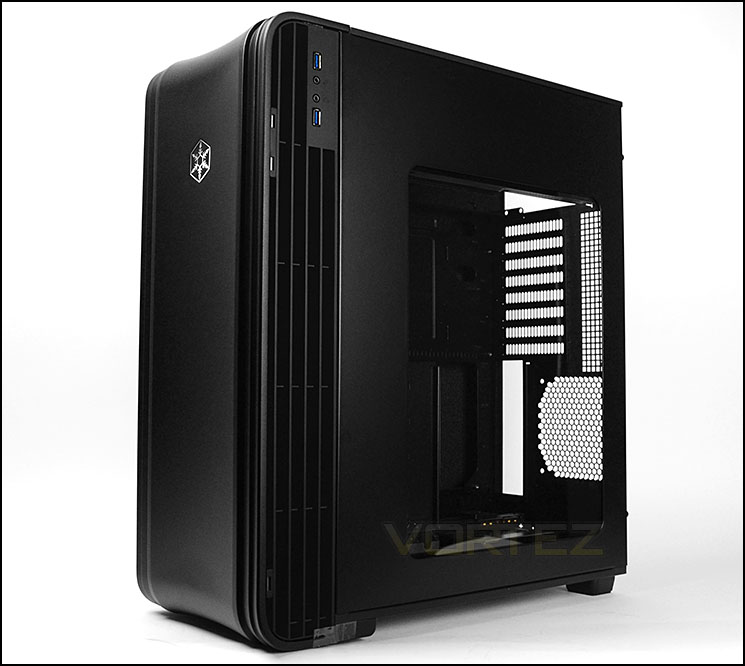
SilverStone’s take on FT04
Superior combination of cooling performance and silence has always been the key for SilverStone Fortress series’ success and the Fortress FT04 has certainly retained this family trait in fine fashion. For the first time in a SilverStone chassis, two Air Penetrator AP182 adjustable fans are included to provide unprecedented volume of air for their size. With uninterrupted airflow design and new HiFlow fan filter that improves flow rate by nearly 40% compared to its predecessor, the FT04 is capable of astonishing cooling performance despite having only two fans. To contain unwanted noise, foam padded interior is retained from previous designs while new rear-angled front vents guides potential leaked noise away from the user.
Although smaller in volume compared to the Fortress FT02, the FT04 can still accommodate up to 11 hard drives and has many nifty features such as CPU and graphic card supporter, removable motherboard tray, and externally accessible fan filter assembly. Wrapping around this technical powerhouse is a stunning one piece-like extruded aluminum front door and top panel finished to the same standard as SilverStone’s premium Temjin series cases. For those looking to upgrade to a chassis with Fortress series’ legendary performance in smaller footprint or a more traditional layout, the FT04 is perfect.
Although smaller in volume compared to the Fortress FT02, the FT04 can still accommodate up to 11 hard drives and has many nifty features such as CPU and graphic card supporter, removable motherboard tray, and externally accessible fan filter assembly. Wrapping around this technical powerhouse is a stunning one piece-like extruded aluminum front door and top panel finished to the same standard as SilverStone’s premium Temjin series cases. For those looking to upgrade to a chassis with Fortress series’ legendary performance in smaller footprint or a more traditional layout, the FT04 is perfect.
Technical Specifications
Model No.
SST-FT04B (black)
SST-FT04S (silver)
SST-FT04B-W (black + window)
SST-FT04S-W (silver + window)
Material
Aluminum door and top panel, steel body
Motherboard Support
SSI-EEB, SSI-CEB, Extended ATX, ATX, Micro-ATX
Drive Bay
External: 5.25″ x 2
Internal : 3.5″ x 7 (2 hot-swap) , 2.5” x 4
Cooling System
Front 2 x AP182 180mm intake fan 500~2000rpm, 17~42 dBA(compatible with 3 x 120mm fan)
Rear 1 x 120mm fan slot
Expansion Slot
8
Front I/O Port
USB 3.0 x 2
Audio x 1
MIC x 1
Power Supply
1 x Optional standard PS2(ATX) no length limitation
Expansion Card
Compatible up to 13.3” long, width restriction-6.69″
Limitation of CPU cooler
165mm
Net Weight
11.5kg
Dimension
219mm (W) x 546mm (H) x 482mm (D), 57.6 liters
Extra
Support Kensington locks One CP05 included for single hot-swappable SATA hard drive, additional CP05 can be purchased separately
SST-FT04B (black)
SST-FT04S (silver)
SST-FT04B-W (black + window)
SST-FT04S-W (silver + window)
Material
Aluminum door and top panel, steel body
Motherboard Support
SSI-EEB, SSI-CEB, Extended ATX, ATX, Micro-ATX
Drive Bay
External: 5.25″ x 2
Internal : 3.5″ x 7 (2 hot-swap) , 2.5” x 4
Cooling System
Front 2 x AP182 180mm intake fan 500~2000rpm, 17~42 dBA(compatible with 3 x 120mm fan)
Rear 1 x 120mm fan slot
Expansion Slot
8
Front I/O Port
USB 3.0 x 2
Audio x 1
MIC x 1
Power Supply
1 x Optional standard PS2(ATX) no length limitation
Expansion Card
Compatible up to 13.3” long, width restriction-6.69″
Limitation of CPU cooler
165mm
Net Weight
11.5kg
Dimension
219mm (W) x 546mm (H) x 482mm (D), 57.6 liters
Extra
Support Kensington locks One CP05 included for single hot-swappable SATA hard drive, additional CP05 can be purchased separately
Packaging & First Look
FT04 arrives in a large double reinforced cardboard box. SilverStone have made the packaging eye-catching by placing a depiction of FT04 on the front and another image of the case without its side panel and have pinpointed a comprehensive list of features.
Inside the box, the case is covered in a clear plastic sheet and extra protection has been given by way of two polystyrene pillars.
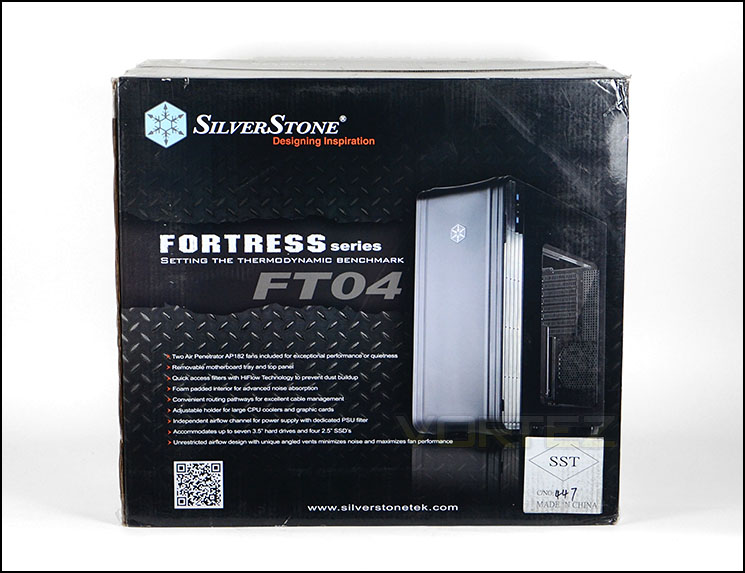
Packaging for FT04
Unveiling the Fortress FT04 we actually have a very similar case to that of the recently released SilverStone Raven 4 rather than a direct successor to FT03. Inside, the chassis along with its layout is almost identical because both cases use the same design. It’s the exterior where things are vastly different.
FT04 prides itself by having an aluminium front door rather than the flimsy plastic we found on the Raven case. From a visual point of view the FT04 looks much more refined and the physical appearance is superb.
The prominent side panel is on the reverse side and has a large Perspex window which allows an overview of the hardware when installed. Over on the other side, there are no significant features – just a solid side panel.
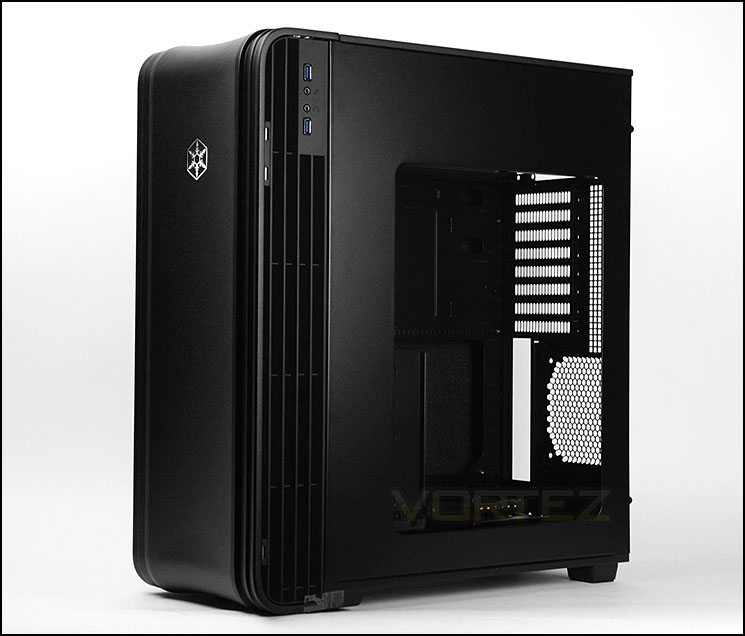
Large Perspex window on prominent side
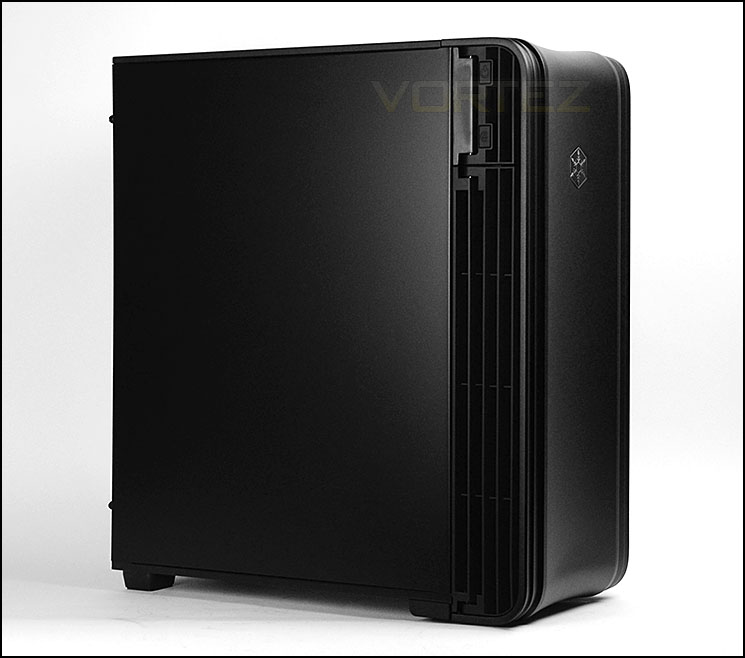
Smooth, precise aesthetics
Exterior
At the front of FT04 is a one-piece aluminium panel which acts as a door to open up and reveal the drive bays and front mounted cooling fans.
Taking a look at the rear of the case it’s apparent the motherboard tray is both reversed and rotated. At the top there is allocation for mounting the PSU inside its own compartment. Below this there are a total of eight PCI expansion slot covers, each have ventilation and there is additional ventilation to the immediate left. At the bottom, there is space for the rear IO and a slot for mounting an optional 120mm cooling fan.
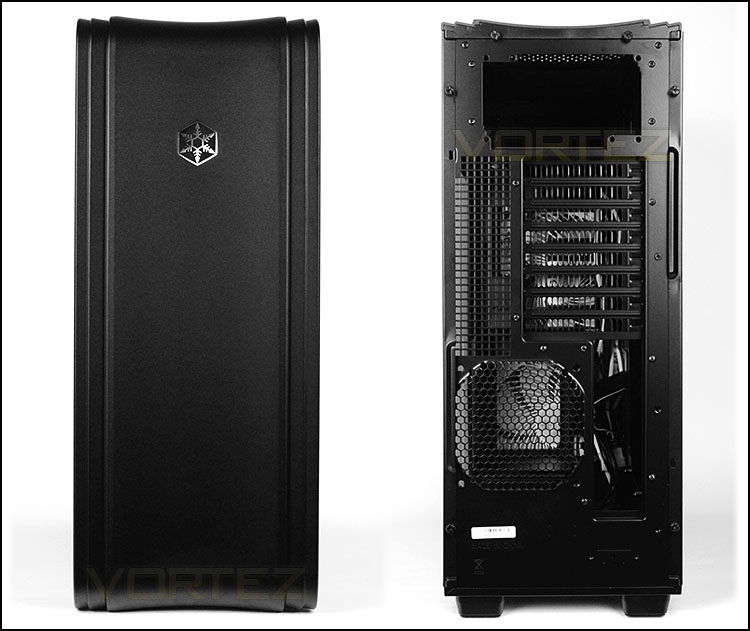
The front and back of FT04
We’re pleased to see the front door sturdy and feels robust. It has magnets to help it close and even has a thin layer of foam attached to the inside to assist with keeping the noise levels down to a minimum. The door on FT04 pivots only from the left side.
Opening this door reveals two 5.25” drive bay covers which are removable from the outside of the case and just below these covers are two fan control knobs for tweaking the speed of the front mounted cooling fans. In the remainder of the space SilverStone have attached a large dust filter which is easy removed. On the underside of this filter sit 2 x AP182 180mm intake fans which can operate between 500~2000RPM. These fans are the primary source for airflow and will be responsible for driving air across the system.
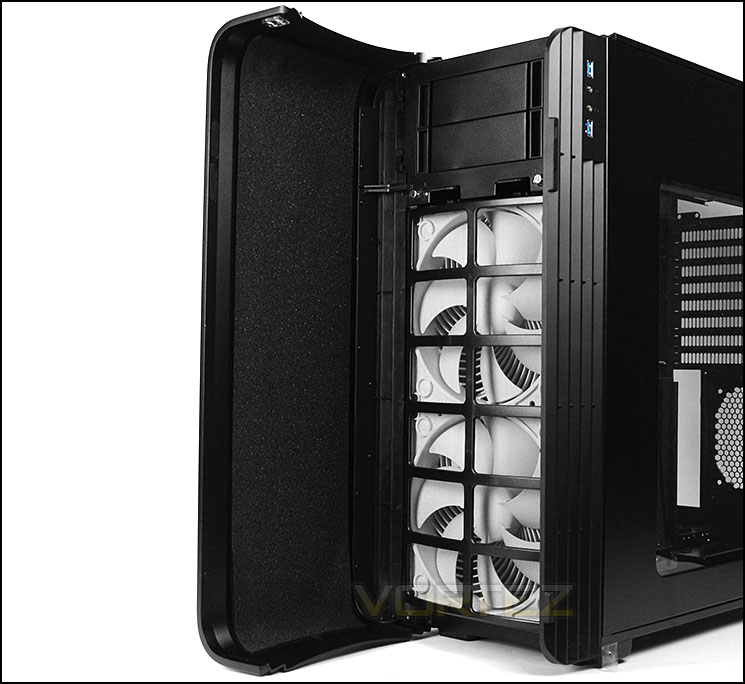
Burly 180mm cooling fans at the front
The front panel controls are split into two different sections. Over on the right side there are dual USB 3.0 ports (via internal motherboard connector) and headphone/microphone jacks. On the left side SilverStone have placed the power/reset buttons.
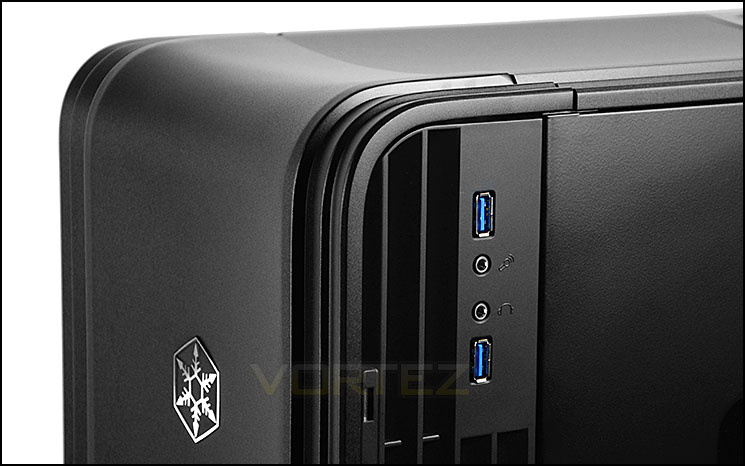
USB 3.0 ports on the right side
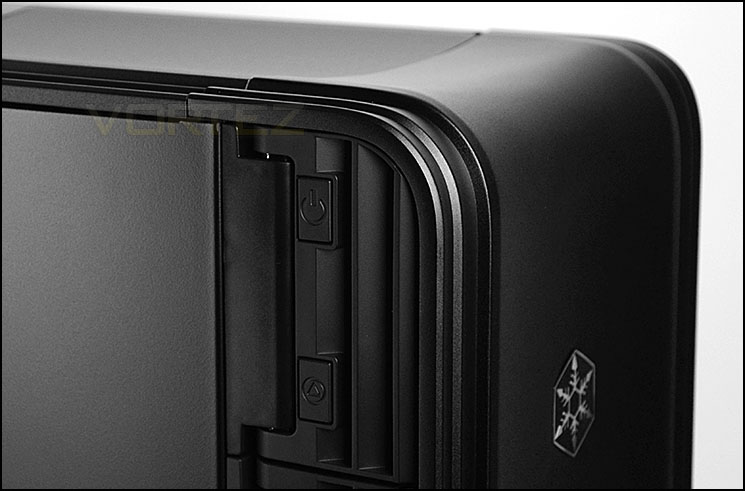
Power and reset buttons on the left
Running along the top of FT04 there is yet more aluminium which we are again delighted to see. This top panel is split into two sections and has a slight concave; the underside of the area nearest to the optical drive bay has foam for damping operation noise and towards the back there is a detachable perforated cover. This cover resides over the PSU cooling fan and can be taken away and cleaned.
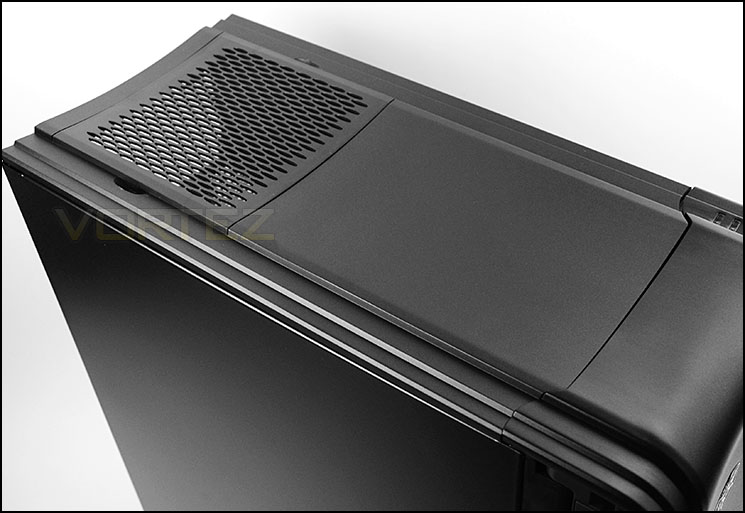
The top of FT04 has more aluminium
Finally, the underside of FT04 has no distinguishing features except to say there are four rubber feet to prevent the case from slipping on smooth surfaces. There are no filters or mesh on the underside since the PSU area is located at the top of the FT04 and the HDD storage cages are found at the bottom.
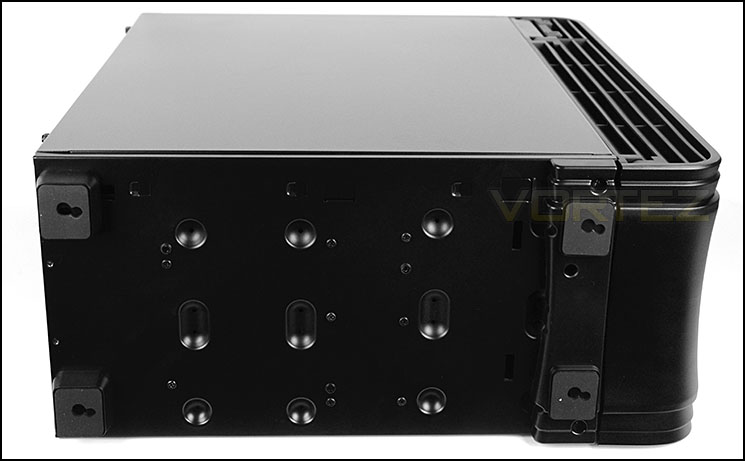
The underside of FT04
Interior
Both side panels are fixed onto the chassis via dual thumbscrews. Removing those side panels we are met with SilverStone’s unique design of having the motherboard tray on the reverse side and rotated. The chassis is steel and the interior is furnished with steel and plastic elements, we’re pleased by the quality, finish and inclusion of tool-free mechanisms.
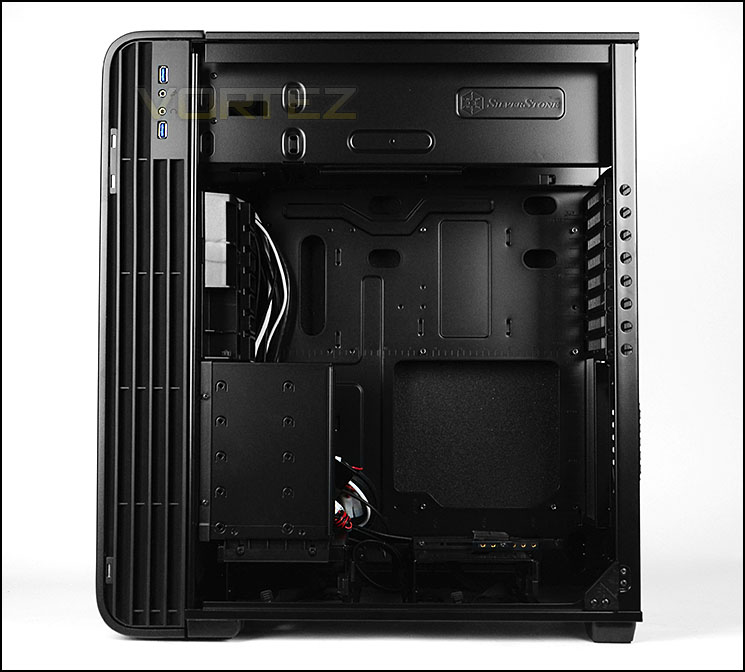
A unique and distinct internal layout
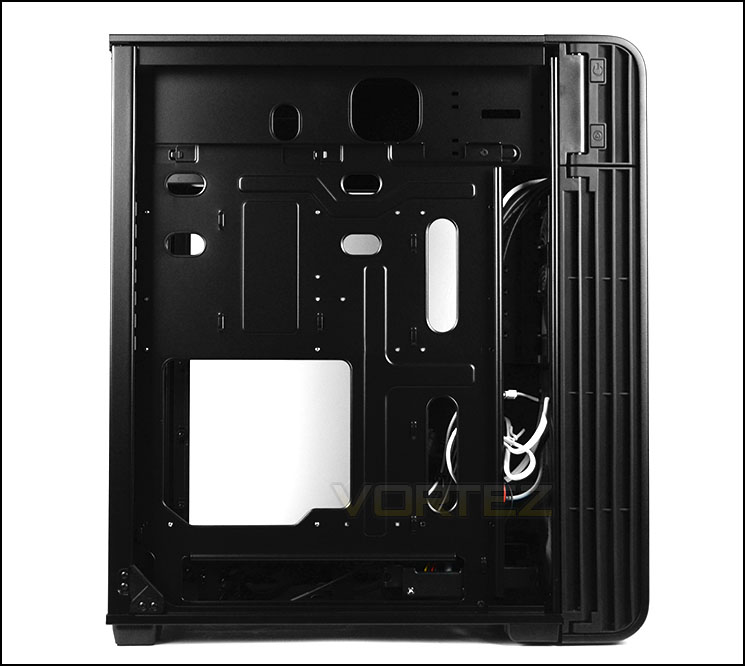
Interesting features for system builders
At the top of FT04 SilverStone have designated an area for the PSU. We’re pleased to see there are rubber strips for the unit to sit on and that there are co-ordinated cut-outs for cable management. To gain access to this area its necessary to remove the top panel by unscrewing two thumbscrews – the top panel has a respective filter and foam padding.
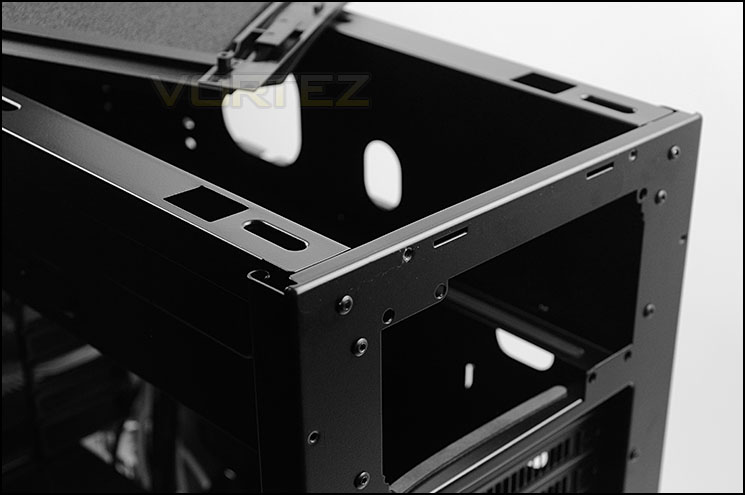
The PSU is mounted at the top of the case
Further down inside FT04 there are eight PCI expansion slot covers, each have the ventilation for better airflow within the case. Unfortunately there are just standard screws for these covers – there are no thumbscrews. Thankfully SilverStone have included a handy featured to remove these screws more efficiently – circular cut-outs sit adjacent on the edge of the chassis frame.
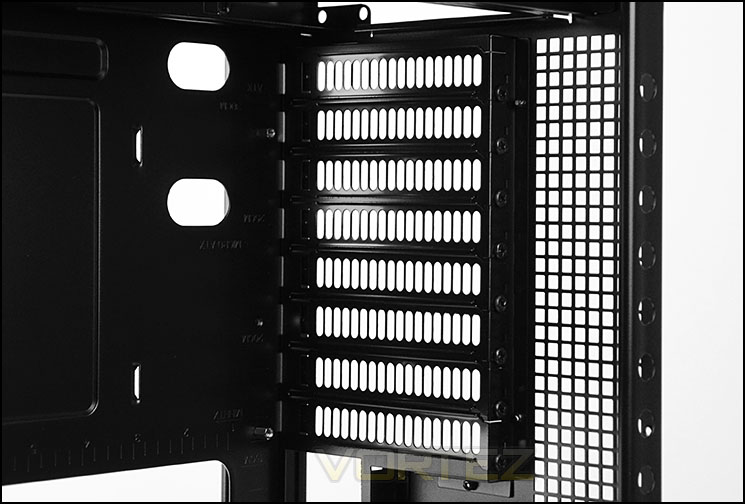
Multi-GPU compatibility
Interior (Cont.)
Below the PCI covers is a honeycomb mesh area which is marked out for attaching a 120mm cooling fan. This is an optional slot, SilverStone haven’t included one within FT04 since they rely upon positive airflow arrangement from the front intake cooling fans. This is the only additional fan placement within the chassis.
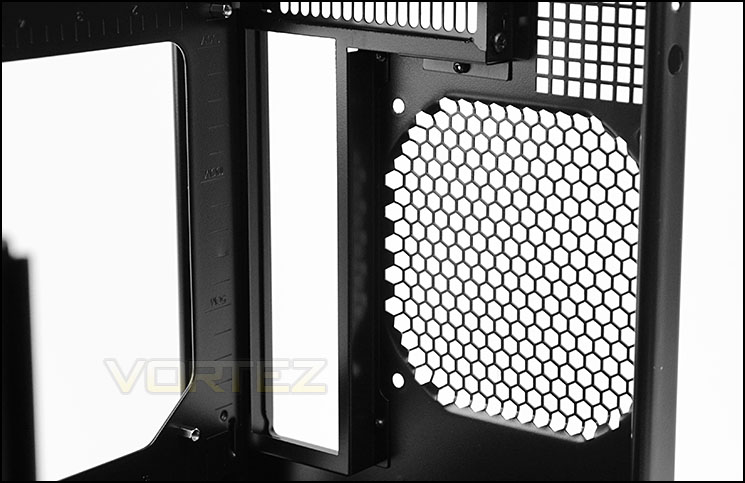
Optional 120mm fan spot at the back
As with the Raven 4, the FT04 also has the innovative CPU cooler support at the bottom of the case. This support helps to take strain off large coolers and is adjustable to suit varying products. The support is sat on a single storage cage – this cage can accommodate one 3.5” and two 2.5” drives and features a tool-free mechanism, 3.5” drives are simply slotted into the cage and a latch snaps over the front of the drive. To retrieve the drive the cord is pulled in a backwards fashion. 2.5” drives are installed via screws.
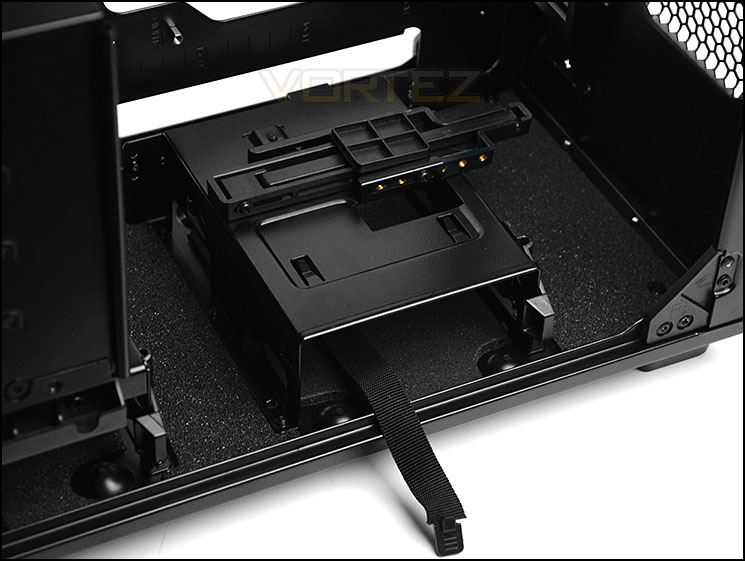
An innovative CPU cooler support with 3.5” HDD cage
Positioned towards the front of the case are two HDD cages, the upper cage can entertain up to five 3.5” drives and the lower HDD cage can accommodate a single 3.5” drive and two 2.5” drives and again just like the other storage cage we have a tool-free mechanism for installing the drive – furthermore this cage allows drives to be hot swapped, there are SATA connectors positioned at the back.
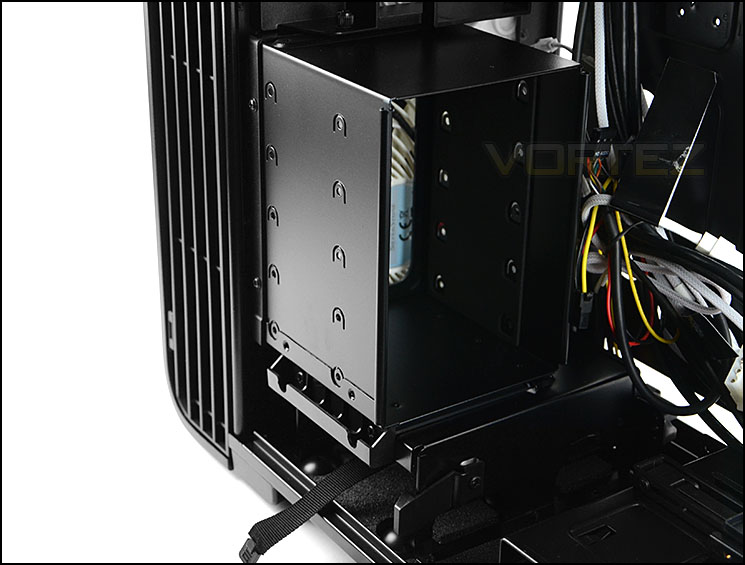
Plenty of storage options
Installation
With a unique layout inside, it’s obvious the installation takes a little more care and thoughtfulness but we are pleased to report that throughout the installation process we encountered no problems whatsoever. Thanks to the tool-free mechanisms and well-engineered features the task of getting kit inside FT04 is easy and hassle-free.
There is adequate clearance for high-end hardware in the CPU cooler and graphics card departments and it’s nice to see both these devices have respective supports to alleviate strain from the motherboard. Cable management is well catered for with plenty of cut-outs helping to organise cables in an orderly fashion.
In order to have the CPU power cable reach the port at the bottom of the case its necessary to squeeze it through the small gap beside the PSU – this must be done before the PSU is seated.
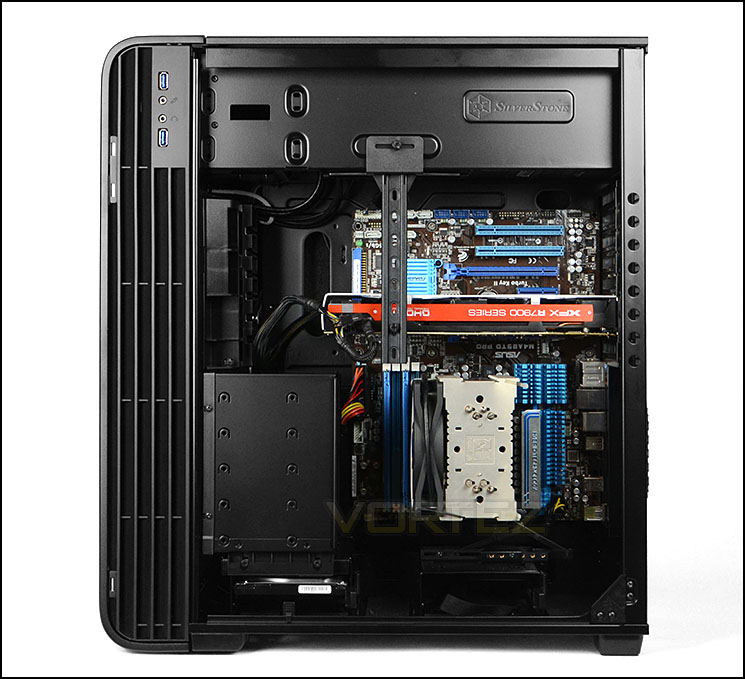
An easy and impressive install
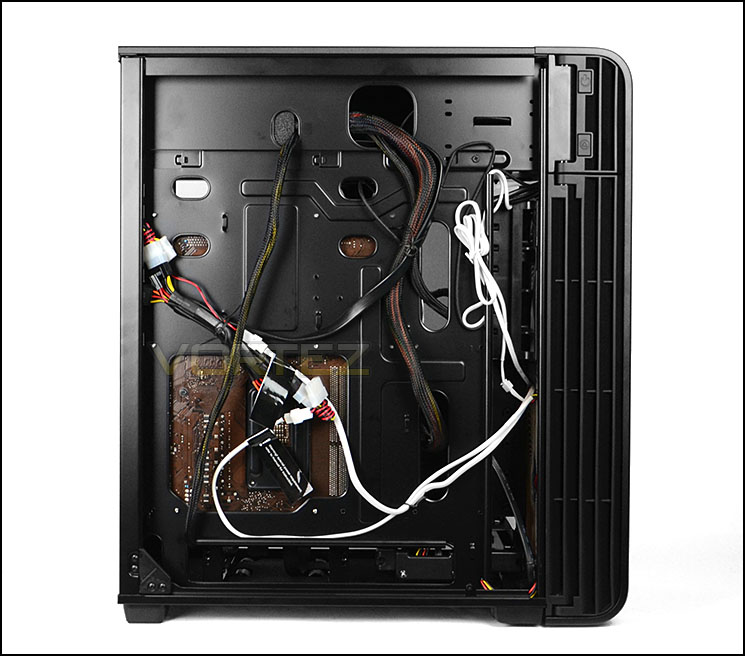
Cable management is easy to maintain
Clearance – CPU Cooler, GPU, Cable Management
Recognising the clearance limitations within a computer case is essential for system builders as it identifies which hardware fits and which doesn’t.
First up, the CPU cooler clearance. Most flagship CPU coolers are around 160mm in height and we’re pleased to report there is more than enough space for such products. Pictured is Noctua’s NH-U12P which is 158mm in height – there is approximately 165mm of total clearance.
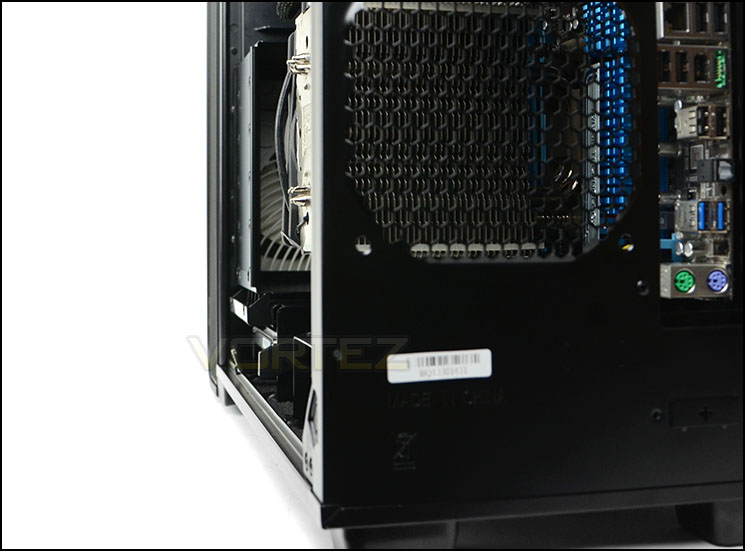
Plenty of clearance for high-end cooling
Again, in like manner, there is generous space for long graphics cards. Due to the reverse design, multi-GPU configurations will have no issues with HDD storage conflict since the top PCI slot on the motherboard (pictured) is the lowest position the graphics card will find itself – all additional cards will be seated above. Pictured is XFX HD7970 DD which is 10.5” in length, there is approximately 13” in total length.
It’s also worth noting the GPU support also has compatibility for multi-GPU flexibility. This handy piece of kit with the bar, bracket and thumbscrew is a wonderful idea which we cannot praise enough.
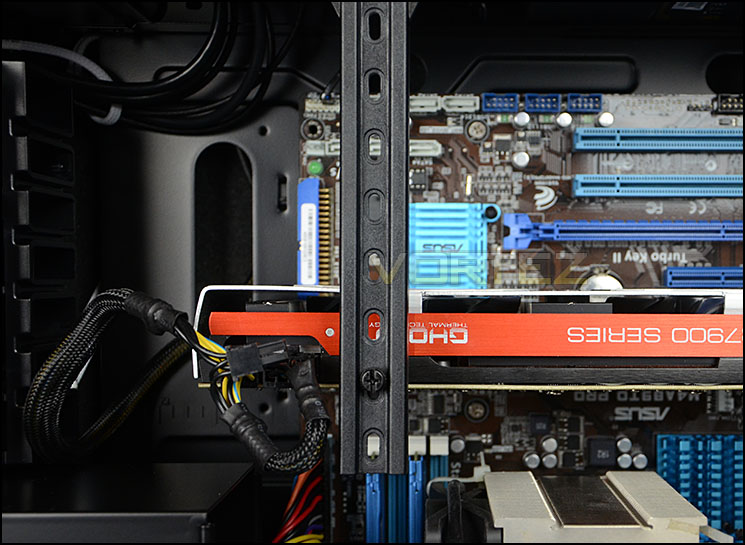
High-end graphics card clearance is good
Around the back of the motherboard tray there is ample clearance for cable management usage. A healthy 2.5cm enables fantastic control over the cable arrangement – having this amount of space makes the job of installing kit inside FT04 a pleasant experience and plenty of care can be taken to ensure everything is nice and tidy.
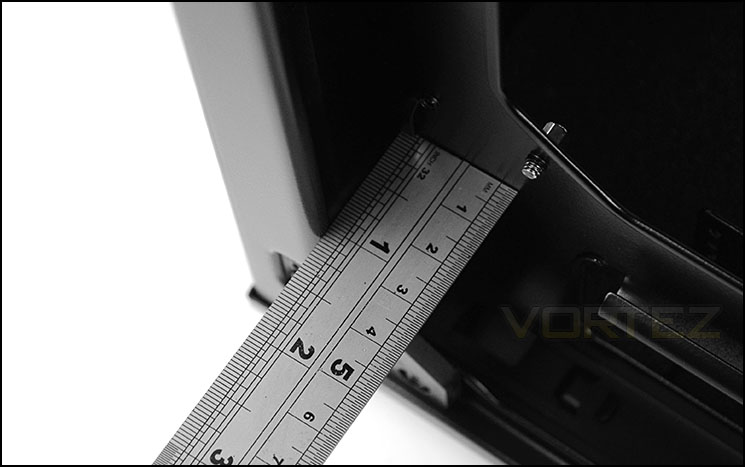
Generous clearance behind the motherboard tray
Due to the layout and specifications, FT04 has just one area for mounting radiators – the front. This would impede cooling within the chassis but nevertheless, radiators up to 360mm can be installed.
Thermal Performance Testing
SilverStone’s FT04 features two 180mm cooling fans – both these fans are positioned at the front of the case and act as intakes to bring cool air within the chassis and across the system.
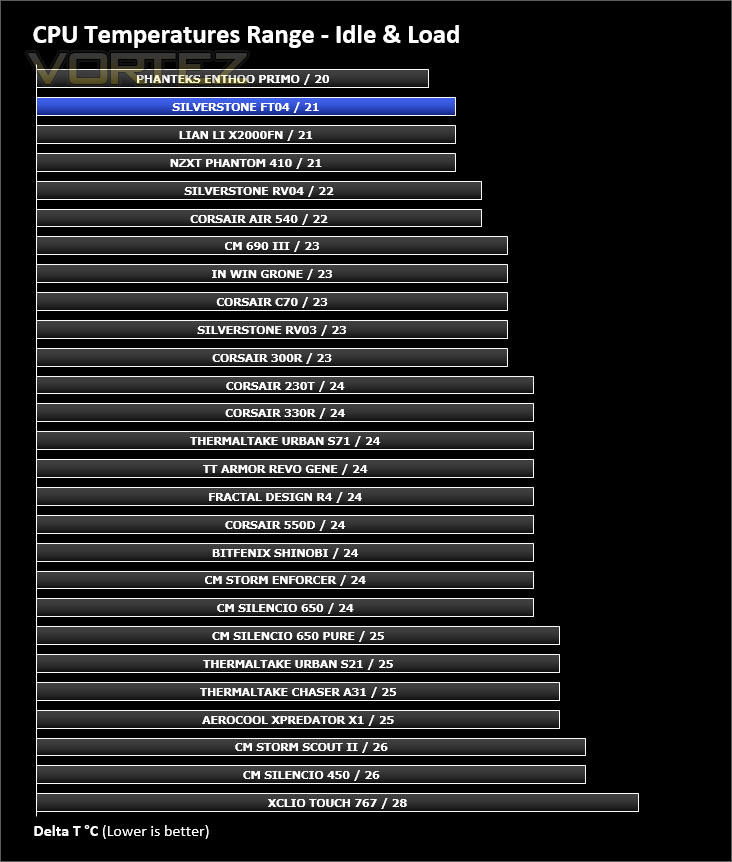
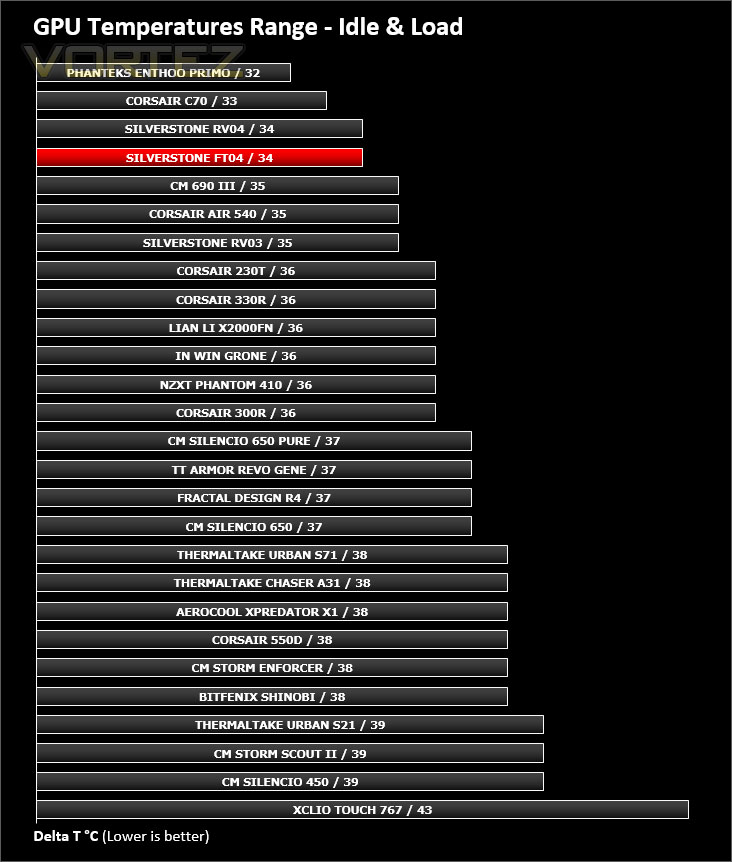
To discover the thermal performance of the FT04 we will record idle temperatures after 20 minutes from a cold boot. We will then stress the system and temperatures will again be monitored after 30 minutes have elapsed.
For the purpose of accurate analysis the idle and load temperatures for CPU and GPU will be recorded and the range between idle and load will be calculated to determine how efficient cooling is.
Fan controller will be set to ‘high’.
NOTE: Ambient temperature is 20C
System Components
CPU AMD Phenom II X6 1055T 2.8GHz
Motherboard ASUS M4A89TD PRO
Graphics NVIDIA GTX 480 (Different from card pictured)
Memory 4GB Kingston HyperX DDR3
HDD Samsung Spinpoint 500GB SATA-II
PSU FSP AURUM GOLD 650M
Motherboard ASUS M4A89TD PRO
Graphics NVIDIA GTX 480 (Different from card pictured)
Memory 4GB Kingston HyperX DDR3
HDD Samsung Spinpoint 500GB SATA-II
PSU FSP AURUM GOLD 650M
Noise
FT04 and its 180mm cooling fans have a handy controller to adjust the speed of the fans. This allows the user to find the sweet spot between temperature and noise. With the fans set to ‘low’ there is very little noise emitted and set to ‘high’ they are noticeable but not disruptive thanks thick panels and noise damping material at the top, front and bottom of FT04.
Conclusion
Bringing our thoughts to a close, it’s safe to say the all-new Fortress FT04 has left a lasting impression upon us.
Those of you who read our review of SilverStone Raven 4 will realise that there are strong similarities between this case and the FT04. The chassis is pretty much the same but the Fortress variant tackles the concerns we had with the Raven case- pushing through as a far superior offering.
Observing FT04 from the outside, we cannot help but admire the beautifully crafted contours. SilverStone have used aluminium for the front/top panelling whilst using steel for the chassis construction. All aspects have been executed with absolute precision.
Delving inside the case, we have a quirky take on the computer chassis. Not only is the motherboard tray on the reverse side but it has been rotated too – not only is this diverse but it also brings in some key advantages, such as unhindered multi-GPU compatibility and places the CPU cooler in the direct pathway for airflow.
Inside, there is ample space for CPU coolers, graphics cards and cable management. SilverStone have also included innovative CPU cooler and graphics card support mechanisms to aid in alleviating pressure on the motherboard from weighty components.
Regardless of whether you are seeking low-noise or supreme cooling, FT04 delivers. As a result of the AP182 cooling fans, fan controller, thick panelling and foam insulation both options are available without compromise.
Being priced at £186, the FT04 is no inexpensive investment but we think this is a brilliant alternative to some of the rival flagship offerings and we’re confident FT04 will steal the spotlight at this price point.
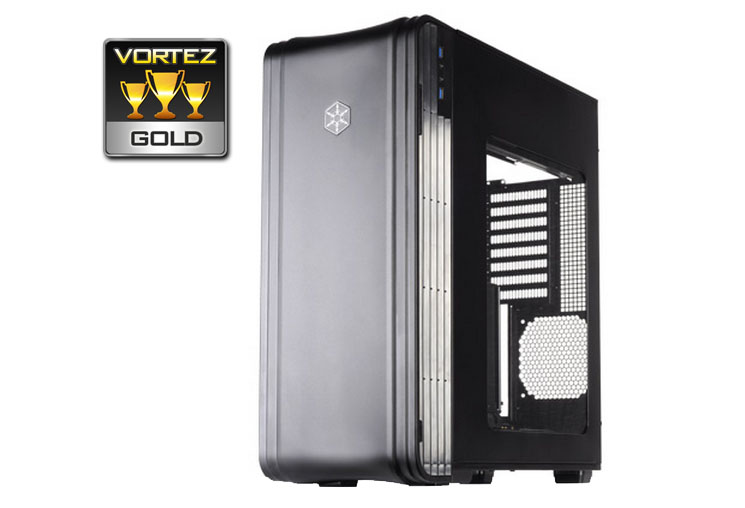
SilverStone demonstrate their continuity and prowess with the new FT04. We’re confident this new addition to the Fortress family is a resilient counterpart that shines through with its excellent build quality and multitude of convenient features. It’s our pleasure to hand out our prestigious Gold award.
VIDEO REVIEW – VORTEZ TV
Pros
+ Professional and sleek aesthetics
+ Superb cooling potential
+ Expertly engineered
+ Aluminium/Steel construction
+ Unique internal layout
+ Lots of space for hardware
+ Easy to maintain cable management
+ Handy CPU cooler + graphics card support
+ Fan controller
Cons
– Not really suited to ALCs
+ Professional and sleek aesthetics
+ Superb cooling potential
+ Expertly engineered
+ Aluminium/Steel construction
+ Unique internal layout
+ Lots of space for hardware
+ Easy to maintain cable management
+ Handy CPU cooler + graphics card support
+ Fan controller
Cons
– Not really suited to ALCs

Click here for an explanation of our awards at Vortez.net.


