







A new 2-bay entry level NAS hits Synology’s 2012 DiskStation product range. Will it maintain high standards or fall foul to inferior quality and performance?

Product on Review: Synology DS212j
Manufacturer and Sponsor: Synology
Street Price: £165 Inc. VAT (At time of review)
Earlier this month Synology announced the DS212j, their new series of 2-bay NAS for 2012. The DS212j is of course the successor to the DS211j – If you aren’t familiar with Synology’s naming convention. It’s very intuitive – Diskstation (DS) Number of bays (2) Year of production (12). The variable at the end of each of the product range such as + or j symbolise – Performance (+) Entry Level, storage focussed (j) or no symbol for a mixture of the both – performance and storage. So the unit that we are focussing on today is focused on delivering entry level storage for the home and small business user.
We’ve been following Synology since their 2010 models and have always been impressed with their products so expectations are running high for the 2012 edition of NAS they have just unveiled. So without further ado let’s begin our analysis on the DS212j.
Features & Specifications
• 24/7 Power-Saving Download Server
• DLNA® Certified Media Server
• Effortless Backup
• Anywhere Access
• Power-saving with only 17.6 Watts in Operation
• Running on Synology DiskStation Manager (DSM)
•
Hardware Specifications
• CPU Frequency: 1.2GHz
• Hardware Encrypted Engine
• Memory: DDR2 256MB
• Internal HDD/SSD: 3.5″ or 2.5″ SATA(II) X2 (Hard drive not included)
• Max Internal Capacity: 6TB (2X 3TB HDD)
• External HDD Interface: USB 2.0 Port X 2
• Size (HxWxD) : 165 X 100 X 225.5 mm
• Weight: 0.94KG
• LAN: Gigabit X1
• System Fan: 92x92mm x1
• Wireless Support
• Noise Level : 18.3 dB(A)
• Power Recovery
• AC Input Power Voltage: 100V to 240V AC
• Power Frequency: 50 / 60Hz, Single Phase
• Power Consumption: 17.6 W(Access) ; 5.5W (HDD Hibernation)
• Operating Temperature: 40 to 95°F (5 to 35°C)
• Storage Temperature: 15 to 155°F (-10 to 70°C)
• Relative Humidity: 5% to 95% RH
• Maximum Operating Altitude: 10,000 feet
• Certification: FCC Class B, CE Class B, BSMI Class B
• Warranty: 2 Years
Packaging & Bundle
Synology have given the j series white packaging in order to identify it from the other model types. So our DS212j adopts this white packaging – listing some of its fundamental features on the front and more detail on the sides and back. As we’ve experienced with other Synology models, packaging is finely presented and much care has been put into this aspect of its production.
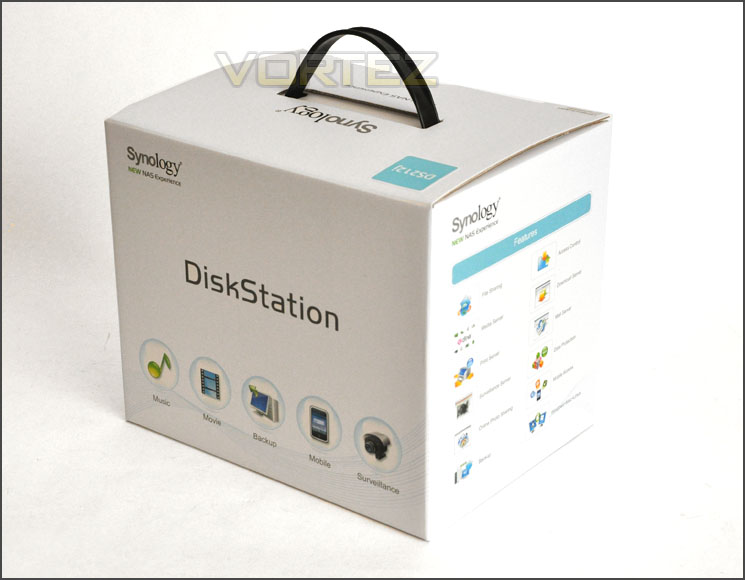
DS212j packaging is neat, tidy and professional
Inside, all of the items within the bundle are sectioned off in compartments via cardboard. The bundle consists of:
• Documentation – Quick start
• AC power pack/cables
• Network cable – CAT5
• Screws for attaching drives to HDD trays
• Installation CD – Guide, setup utility, data replicator 3

DS212j bundled accessories
Over the page we will examine the 212j unit itself. Looking at its internal and external make-up.
Closer Look
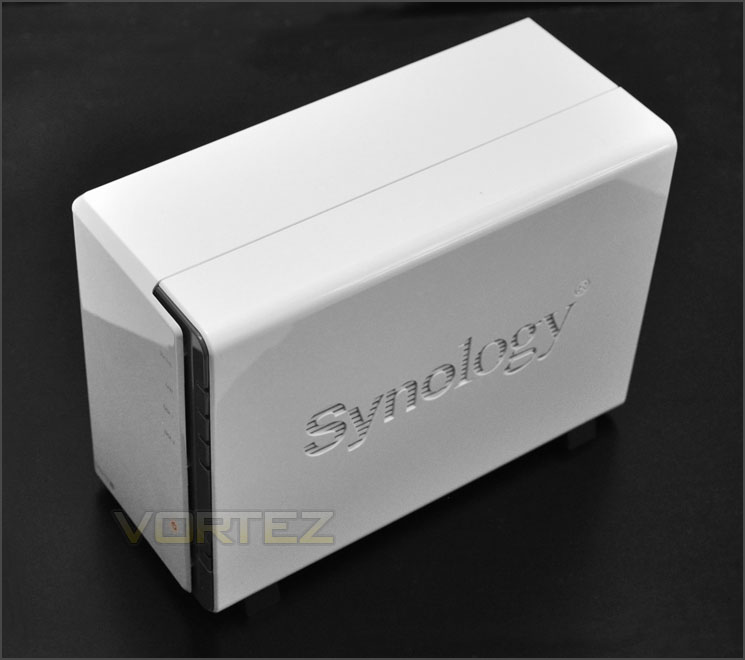
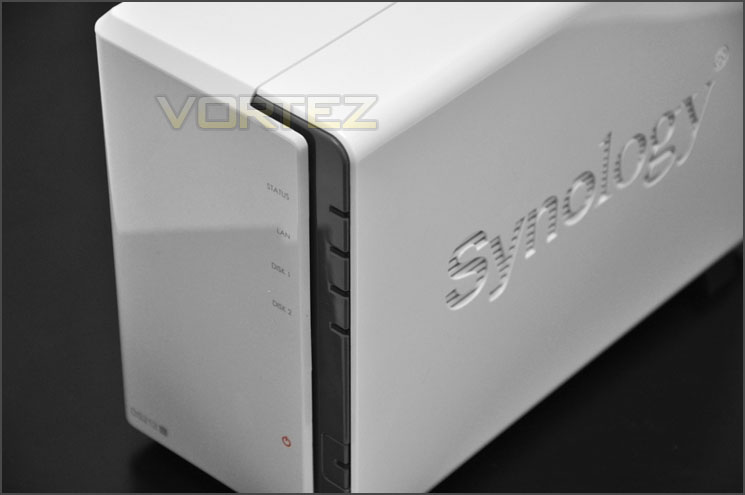
To distinguish between Synology’s entry level and higher end models they have reserved the white glossy plastic exterior exclusively for the j series. Either side has the Synology insignia carved out – as seen on other 2012 models and although this is unit is entirely plastic it still holds a level of quality and edge of professionalism.
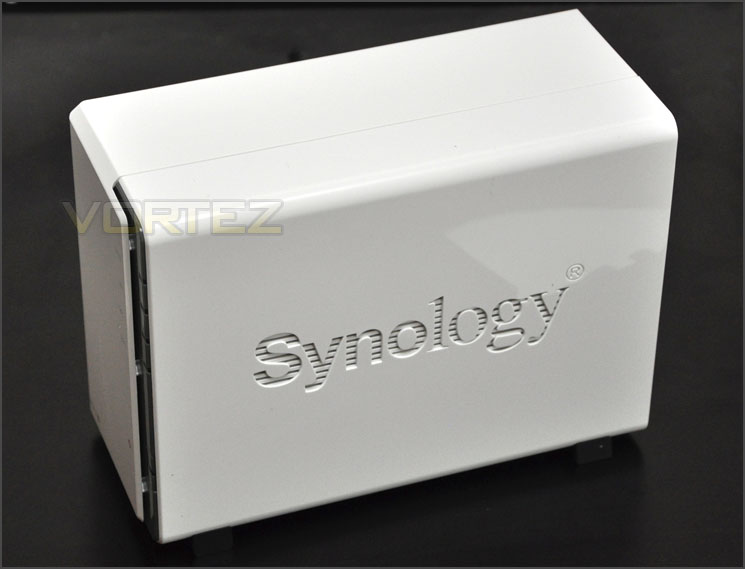
White glossy exterior – sleek and
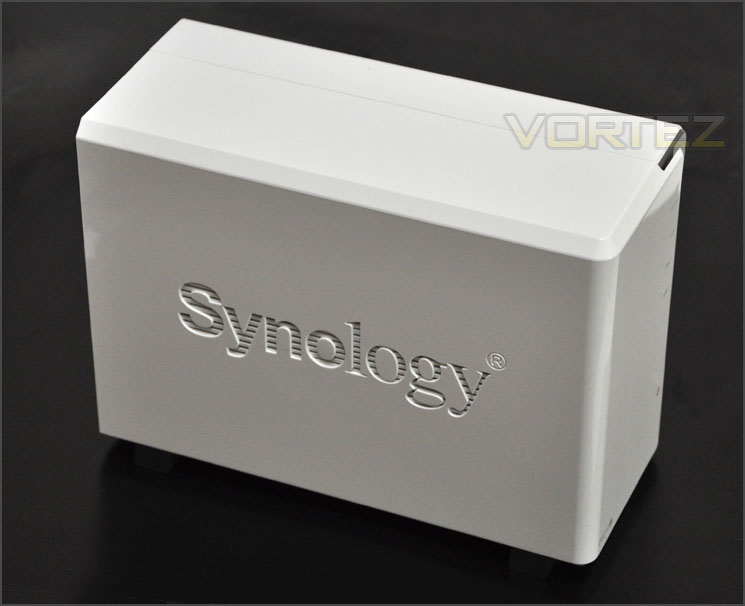
Synology logo on either side
Moving to the front of the unit along the right edge of the unit are various LED indicators and a power button. The LED indicators are as follows:
• Status LED
• LAN LED
• Disk 1 LED
• Disk 2 LED
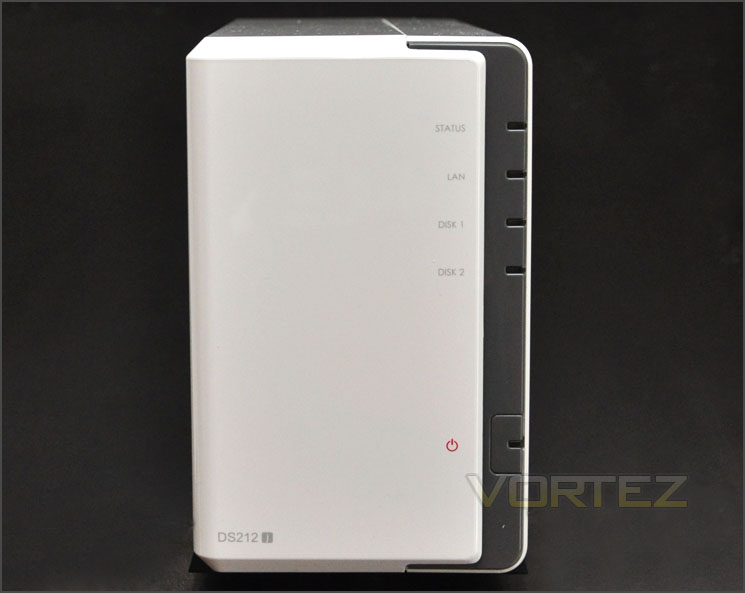
The front of DS212j
Spinning the DS212j round to its rear we see the unit has a 90mm exhaust fan for extracting heat from the PCB and HDDs. Beneath this fan are dual USB 2.0 ports and a RJ45 Gigabit LAN port. Also on the back panel is the AC connector and a label with the mac address and serial number.
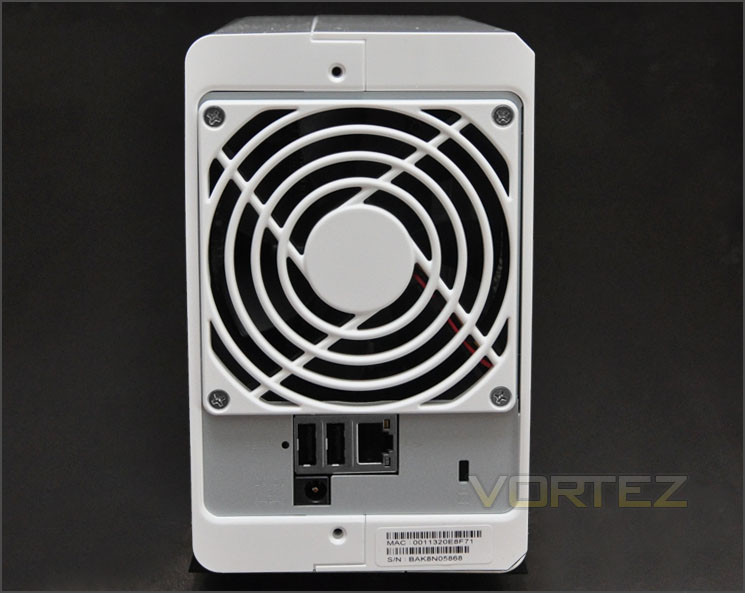
The back of DS212j with dual USB 2.0 ports and Gigabit LAN
HDD Installation – Inside DS212j
Unlike the DS212 – the DS212j has to be pulled apart in order to get inside. To get inside, one side must be pushed in a backwards fashion and then the unit will separate into two parts.
Once inside, there is a rack for mounting two HDDs. The drive just needs to be slid into one of the slots so that it marries up with the SATA connections – screws should be attached to keep the drive(s) securely positioned.
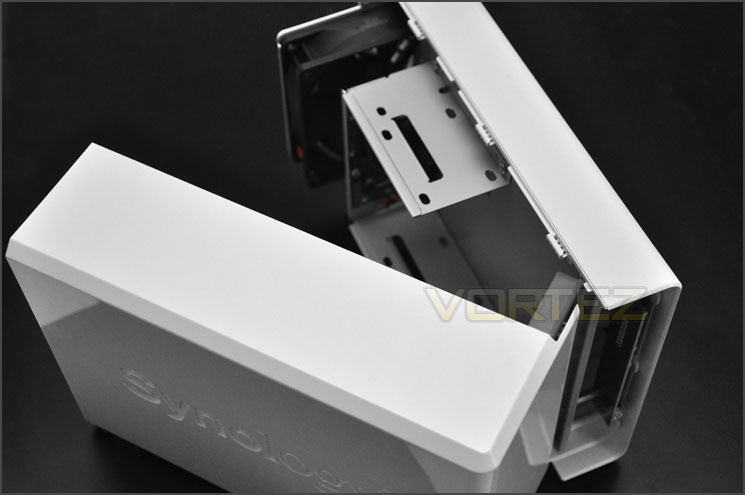
DS212j separates into two parts
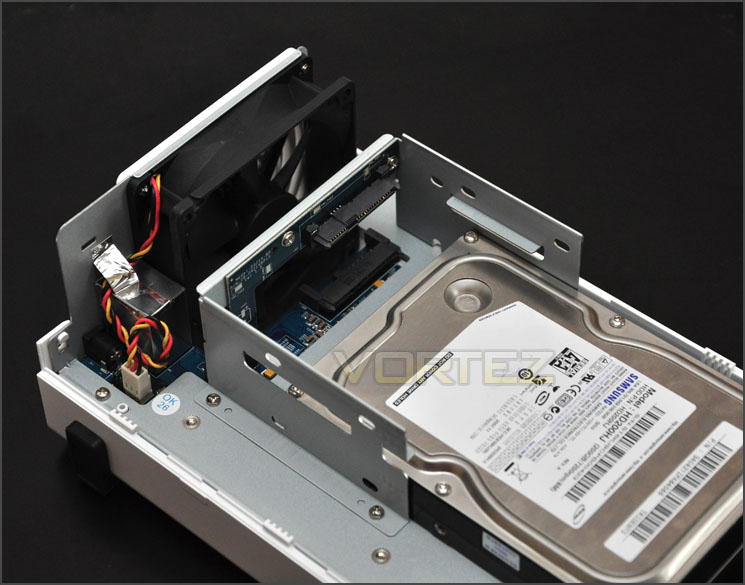
HDD rack for installing 2.5” or 3.5” drives
Unfortunately there is no obvious way to get at the PCB and take a look at the components. But I can confirm the DS212j
• CPU Frequency: 1.3GHz
• Hardware Encrypted Engine
• Memory: DDR2 256MB
• Internal HDD/SSD: 3.5″ or 2.5″ SATA(II) X2
• Max Internal Capacity: 6TB (2X 3TB HDD)
Comparing the DS212j to the next model up – the DS212, there are noticeable differences to the hardware specification. Firstly, the CPU operates at a lower frequency of 1.3GHz on the DS212j compared to 1.6GHz on the DS212. Next, the memory used is slightly different too – the capacity is the same but instead of using DDR3 like the DS212 the DS212j uses DDR2. Our unit today also lacks USB 3.0 and settles with USB 2.0 – and we don’t have any ports on the front of the unit such as USB or SD card slot.
Synology DSM
Back at the beginning of September this year, Synology announced DiskStation Manager 3.2 – the next stage in their NAS OS. DSM 3.2 has rich array of features and bouts of functionality. The main focus with DSM 3.2 is that it can sustain multi-tasking operation with ease. To gain access to the NAS and begin using the DS212j the Synology Assistant must be installed and the latest version of DSM via a .pat file.
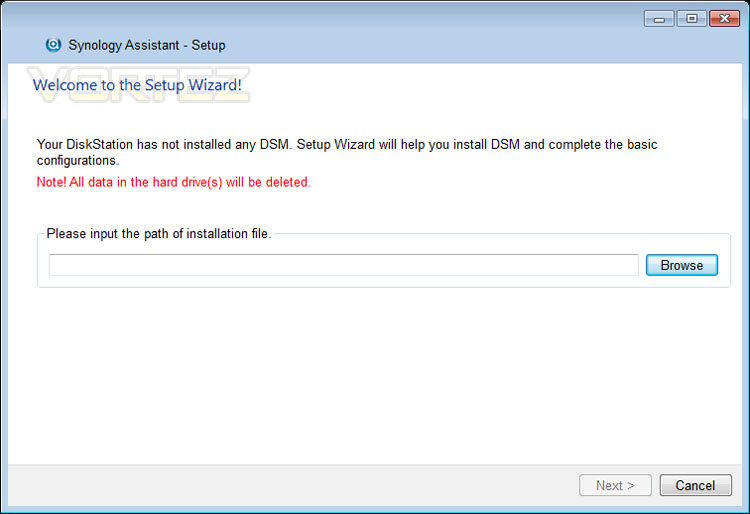
Synology Assistant allows us to install DSM
The next stage of installation is to set the credentials – setting the password and naming the server. Once you are happy with the details submitted – click the next button.
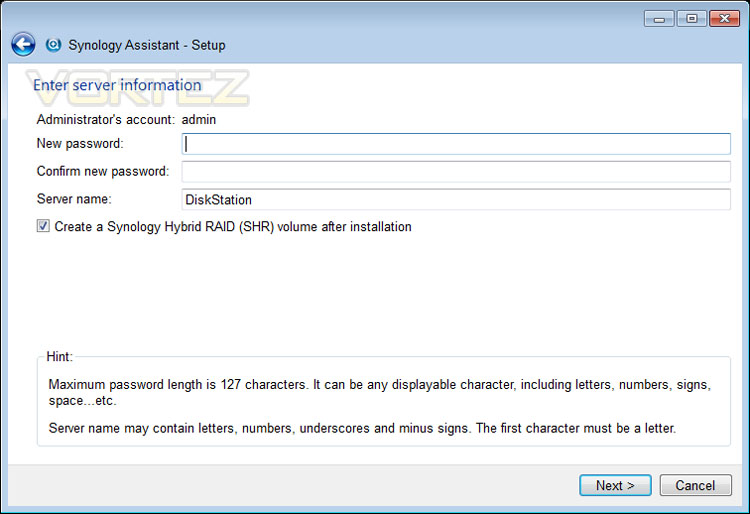
Setting up server credentials
During the installation of DSM 3.2 networking settings are applied and configuration files are transferred. This process involves applying network protocols, formatting the drives and adding partitions ready to be used for storage. This process doesn’t take very long at all – it will of course depend on how large the drives are though.
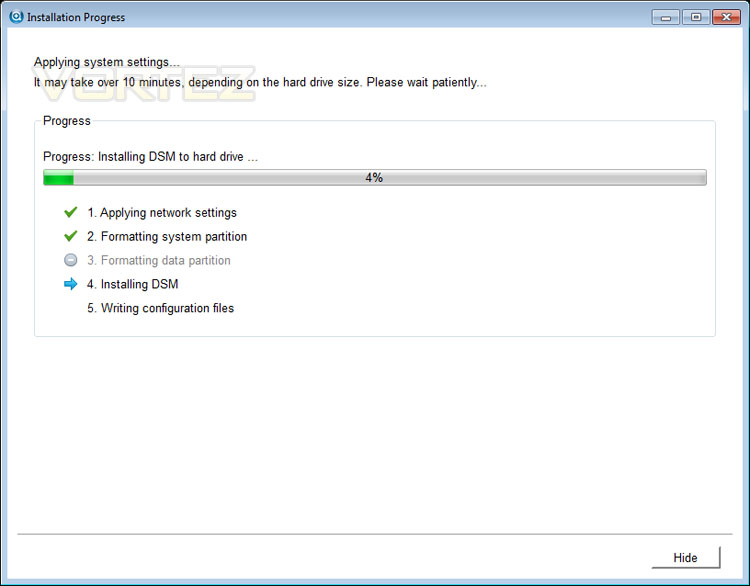
DSM 3.2 installation progress
Upon completing the installation of DSM 3.2, we can now log into the system. Login details are “admin” and the password that was specified during setup.
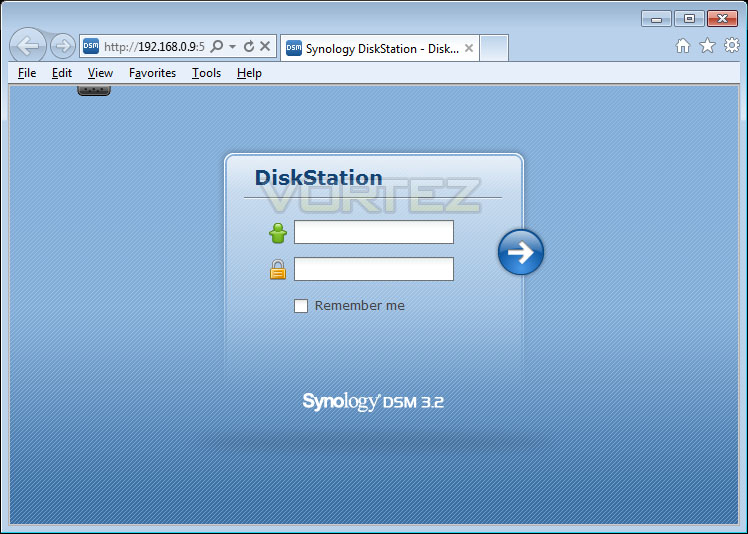
Login screen after installing DSM
Inside the GUI there are lots of features to look at and use. The Control Panel has a wide array of functionality allowing you to take full control of the DS212j. Below is a screenshot and video showing a brief overview of what is available. The beauty with DSM 3.2 is that you can perform multiple tasks at once unlike in previous version of DSM.
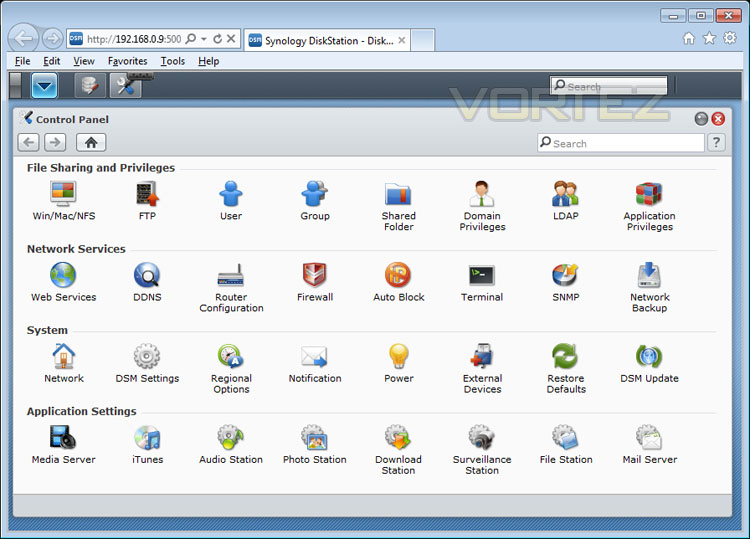
The control panel inside DSM 3.2
Audio streaming – mobile phone
Amongst many of the leading features with the DS212j and DSM 3.2 we have the ability to store files on the NAS and stream them to mobile devices such as Android or iphone. For the purpose of this review I thought it would be a worthwhile inclusion to show the functionality between the NAS and mobile device for audio files with DS Audio by Synology. About Synology DS Audio.
NOTE: Sound station will need to be enabled from the Control Panel of DSM 3.2
First things first, I went to the Android Market and did a search for Synology. Upon searching I discovered a number of apps by Synology to interface with my NAS but the app that I am concerned with is the DS Audio. The great thing is, these apps are also free!

Android market has many Synology free apps
After installing the app, we are met with a login screen (just put in the IP, username and password) and then you come to a home screen which gives you different options. I select “Folder” and can then navigate to where I have put an MP3 on the DS212j.

The DS Audio home screen – search for music in different ways
I can then play the file directly from the DS212j from anywhere within range of the wireless connection the NAS is being hosted on. So if you have an iphone and docking station with speakers you can ideally have the music playing off the NAS within another room. Perfect if you are entertaining guests and want some ambience!

Playing music off an android phone directly from the DS212
From start to finish – installing software onto the NAS is very easy. Once DSM is installed we then have a plethora of features to take advantage of that allows seamless operation for almost any task a user could want.
Power & Transfer Performance
We have looked at some of the features that DSM 3.2 brings on the DS212j but how does this affect performance? What are typical transfer rates like over a Gigabit network? Is power consumption reasonable? These are all questions that you might be asking and we are here to answer them.
Test System Specifications
CPU Intel Core i5 2500K
Motherboard ASRock Z68 Extreme4 Gen3
Memory 8GB Kingston HyperX 1600MHz DDR3
Graphics NVIDIA GTX 580
PSU Thermaltake Toughpower Grand 750W
Devices
– Belkin N1 Gigabit Router
– Synology DS212
– Synology DS411
– Synology DS411j
– Synology DS211
– Synology DS410
– Toshiba STORE Steel USB
First of all, for the purpose of real world testing I bundled together 6 files which were in 2 folders amounting to 3.2GB. I wanted to discover the incoming and outgoing transfer times between the DS212j and the computer – against other devices on a Gigabit network. Here are the results.
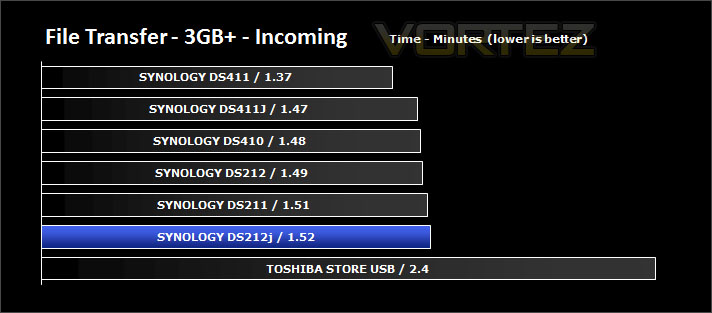
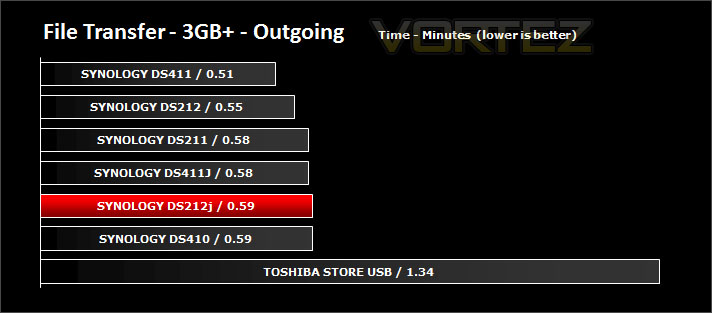
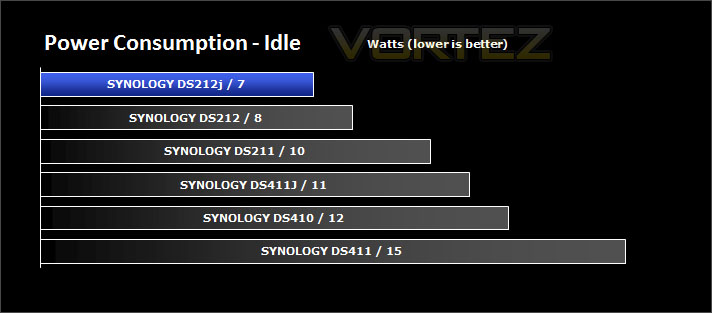
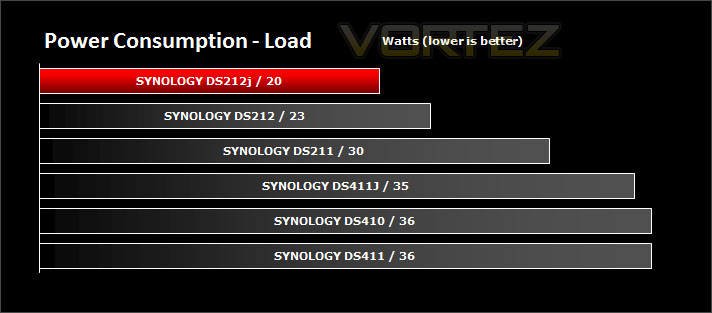
Whilst performing these tests load power consumption was monitored. The power consumption was also monitored whilst being in an idle state. There are actually two states, idle after usage and hibernation which the unit falls into after 10 minutes of non-usage. Hibernation figures were recorded.
Conclusion
It was only yesterday we were looking at the Synology DS212 and today we look to its sibling the DS212j. Whilst it may be designed for home and small office use the DS212j delivers great performance and a plethora of useful features. Though it’s deemed to be Synology’s cheaper solution in the series it doesn’t lack in quality or functionality.
Suprisingly the fan within DS212j operates with lower noise output than the DS212. It also has better power efficiency than the superior model just above it.
As we have found in the past, Synology’s DSM Operating System outstanding. Navigating its interface is easy and just taking a brief overview of what is on offer leaves you in no doubt that the DS212j and its DSM operating system is capable of assisting you in any task you might want to undertake. DSM is an extensive operating system and it remains a significant highlight of Synology’s NAS lineup, its feature-set puts the user in total control and offers numerous useful elements such as Media Server, Audio Station, Photo Station, Download facilities, Mail Server, Surveillance Station via IP cameras and much more.
Earlier in the review I showed the possibilities that DS Audio presents – with this particular feature I was able to sync my mobile phone with the DS212, playing music files found on the NAS. This gives us many options – one such option would be to have the phone attached to a docking station with speakers, playing music on the DS212j. Perfect for those occasions when friends or family need entertaining. This is only one such suggestion, there are many avenues to take.
Priced at £165inc VAT (GBP) the DS212j is a great value for money option. Never has there been a time when the opportunity to own a NAS has been so attractive. Though there are some shortcomings – albeit, slight niggles. As I outlined with the DS212 – the DS212j also lacks the ability to use SATA 3 drives. Since this unit will populate 2012 and many users are investing in SATA 3, our NAS should really accommodate this standard of drive.
+ Affordable NAS solution
+ Excellent performance
+ Feature rich Operating System
+ Support for 2.5” SSD
Cons
– No SATA 3 support
– Swapping drives means taking unit apart


