While NVMe speeds increase year or year, so does the asking price. Western Digital are aware not everyone wants to spend hundreds on their storage solutions so we present to you the Western Digital Blue SN500.

Product on Review: Western Digital Blue SN500
Manufacturer: Western Digital
Street Price:
250GB – GBP £50.00 / USD $53.99
500GB – GBP £70.00 / USD $75.99
While the big names in the NVMe industry, Western Digital included, fight it out for the fastest drive with the highest endurance rates, there’s also room in the market for fast drives with a focus on value rather than outright speed. That’s where the Western Digital Blue SN500 steps in.
The SN500 is available in capacities of 250GB or 500GB, catering to the budget end of the market, while also ensuring the capacity can be delivered by a single NAND chip. Read and write speeds are limited to 1700MB/s and 1450MB/s but you’ll still find this to be way in excess of any SATA-based solution. IOPS ratings are in the region of 275,000 4K Read and 300,000 4K Write, on the 500GB model, with the 250GB making do with 210,000 4K Read and 170,000 4K Write.
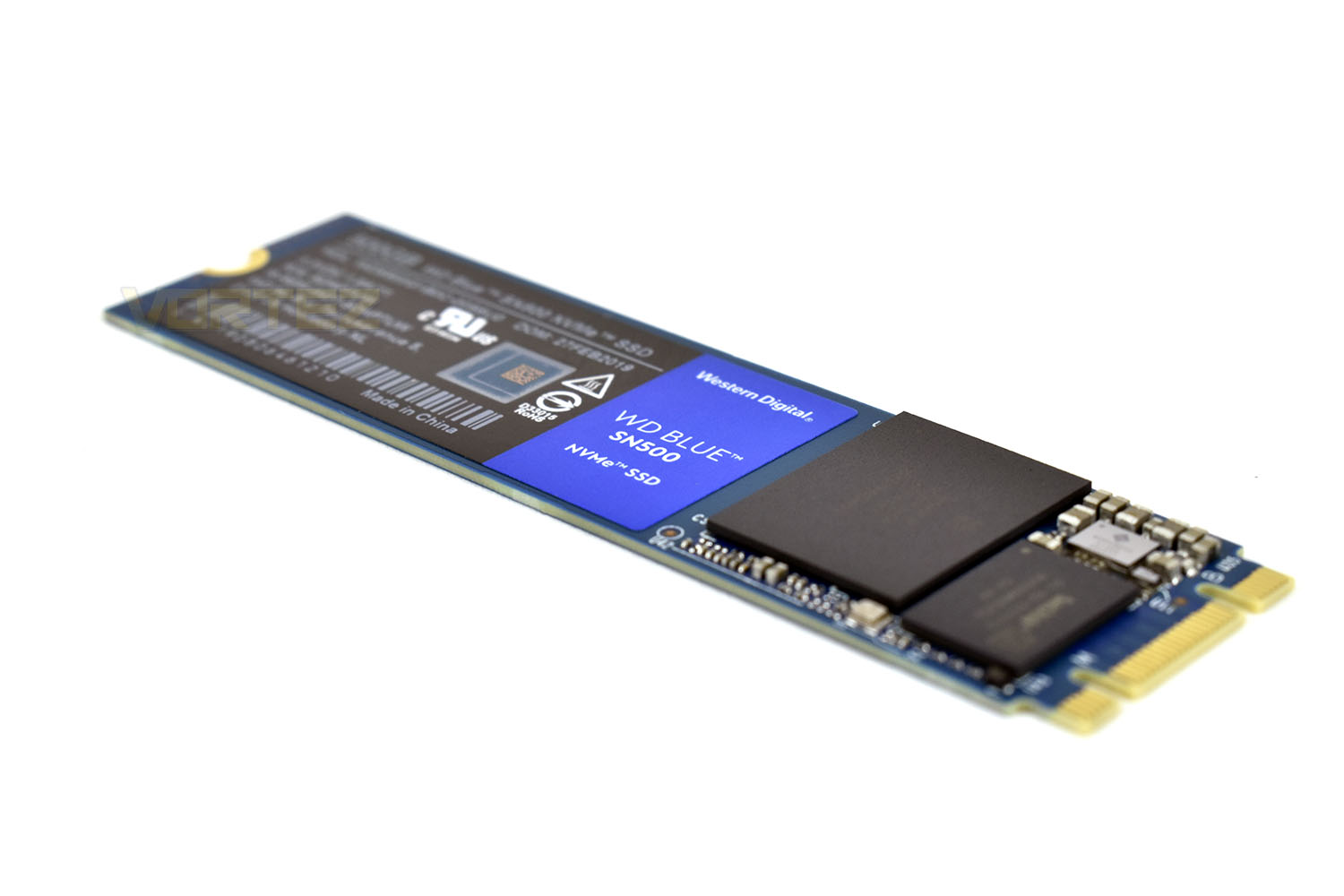
The SN500 uses a DRAM-less configuration, which has an impact on speeds but, as we all know, with the current pricing of DRAM modules, will help to keep the cost down. It also has an added bonus of reducing power draw which will be useful for small form factor laptops where every Watt counts.
We recently looked at Western Digital’s Black SN750 with and without the EKWB heatsink. This drive presents roughly a 40% price premium over the SN500, and where every penny counts, such as with system integrators or those who aren’t willing to spend huge sums of money, the SN500 may just make more sense. You also don’t need to sacrifice any warranty with this drive, Western Digital
Let us delve into the review and see how the Western Digital SN500 stacks up against the competition and whether or not you’re likely to see any real-world difference.
Western Digital on the Blue SN500:
The WD Blue™ SN500 NVMe™ SSD steps up performance three times over our high-end SATA SSDs with a superior NVMe solution for high-performance and mainstream PCs. The WD Blue SN500 NVMe SSD allows resellers, system builders and consumers to take advantage of a reliable NVMe storage solution when creating their next PCs. Available in 250GB and 500GB capacities in an M.2 2280 form factor, the WD Blue SN500 NVMe SSD will give your system the boost you need.
Technical Specifications
Technical SpecificationsEdition: Blue SN500
Form Factor: M.2
Height: 2.38 mm
Interface: PCIe 3.0 (x2)
Host Controller Interface: NVMe
Max. Read: 1700 MB/s
Max. Write: 1450 MB/s
DRAM Cache Memory :N/A
Max. Random Read 4K: 275,000 IOPS
Max. Random Write 4K: 300,000 IOPS
Max. Endurance Rating: 300TBW
MTBF: 1,750,000 Hours
Connectivity: 1 x M.2
Dimensions: 22 x 2.38 x 80 mm (WxHxD)
Weight: 6.5 g
Form Factor: M.2
Height: 2.38 mm
Interface: PCIe 3.0 (x2)
Host Controller Interface: NVMe
Max. Read: 1700 MB/s
Max. Write: 1450 MB/s
DRAM Cache Memory :N/A
Max. Random Read 4K: 275,000 IOPS
Max. Random Write 4K: 300,000 IOPS
Max. Endurance Rating: 300TBW
MTBF: 1,750,000 Hours
Connectivity: 1 x M.2
Dimensions: 22 x 2.38 x 80 mm (WxHxD)
Weight: 6.5 g
Packaging, Bundle & Closer Look
Obviously, Western Digital couldn’t market the drive as a Blue model without coordinating the colours on the packaging. The front shows a picture of the drive as well as some brief information about the read speeds and warranty length.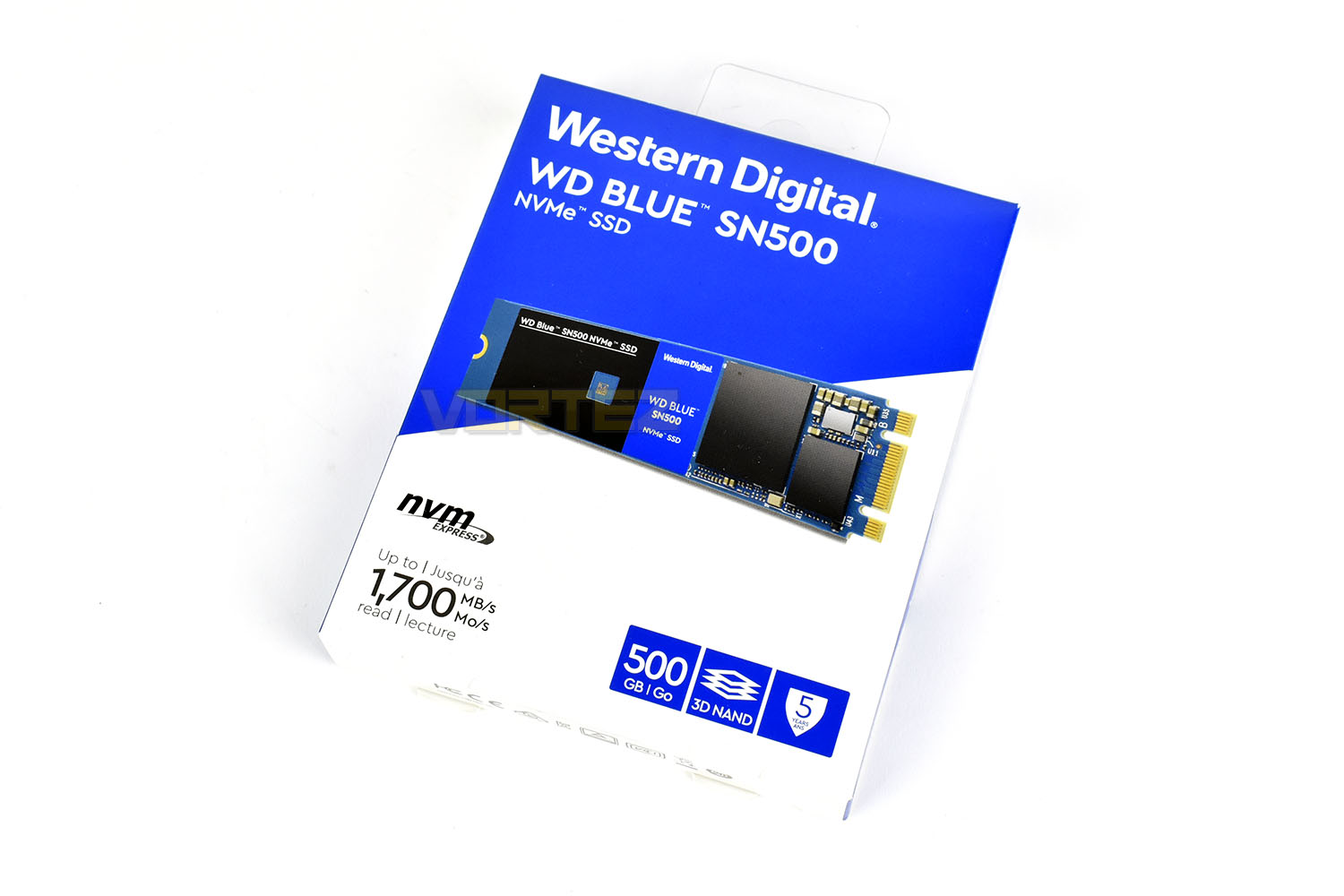
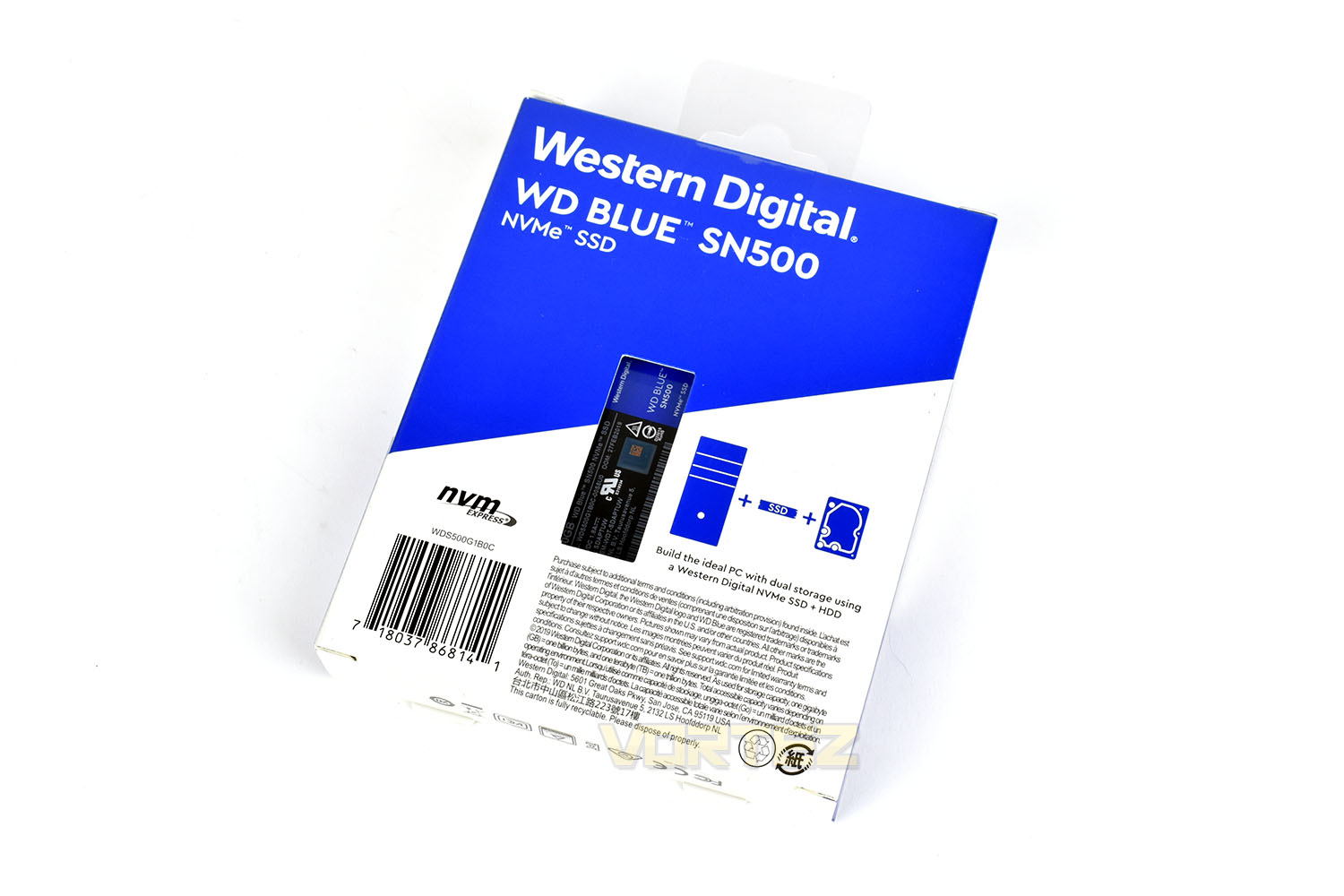
We usually find much more than this on the back of a product, particularly with its peg-hook at the top signifying a clear intention to have this on store shelves. There’s next to nothing here.
Included with the drive is a technical support and warranty guide, nothing more, nothing less.
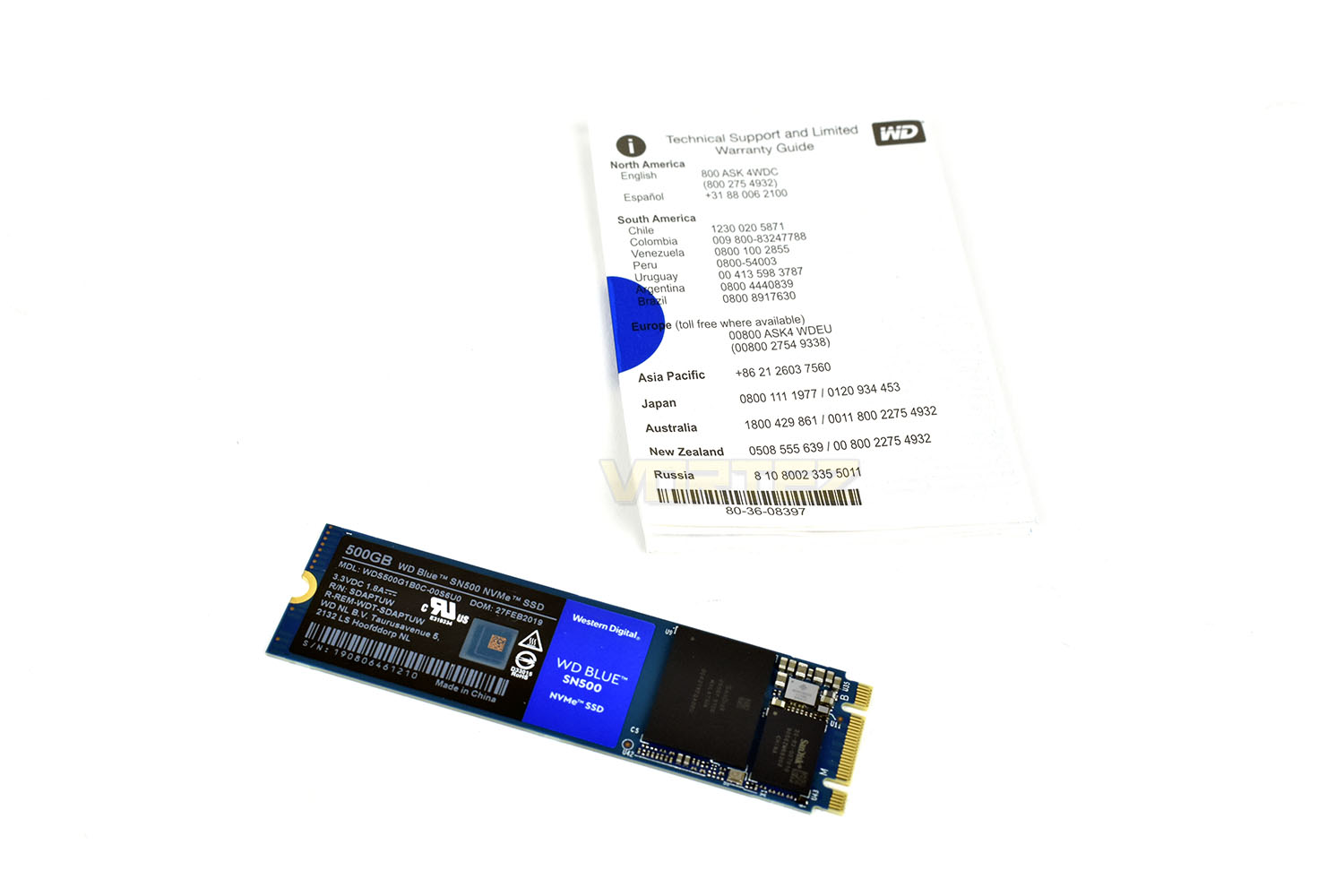
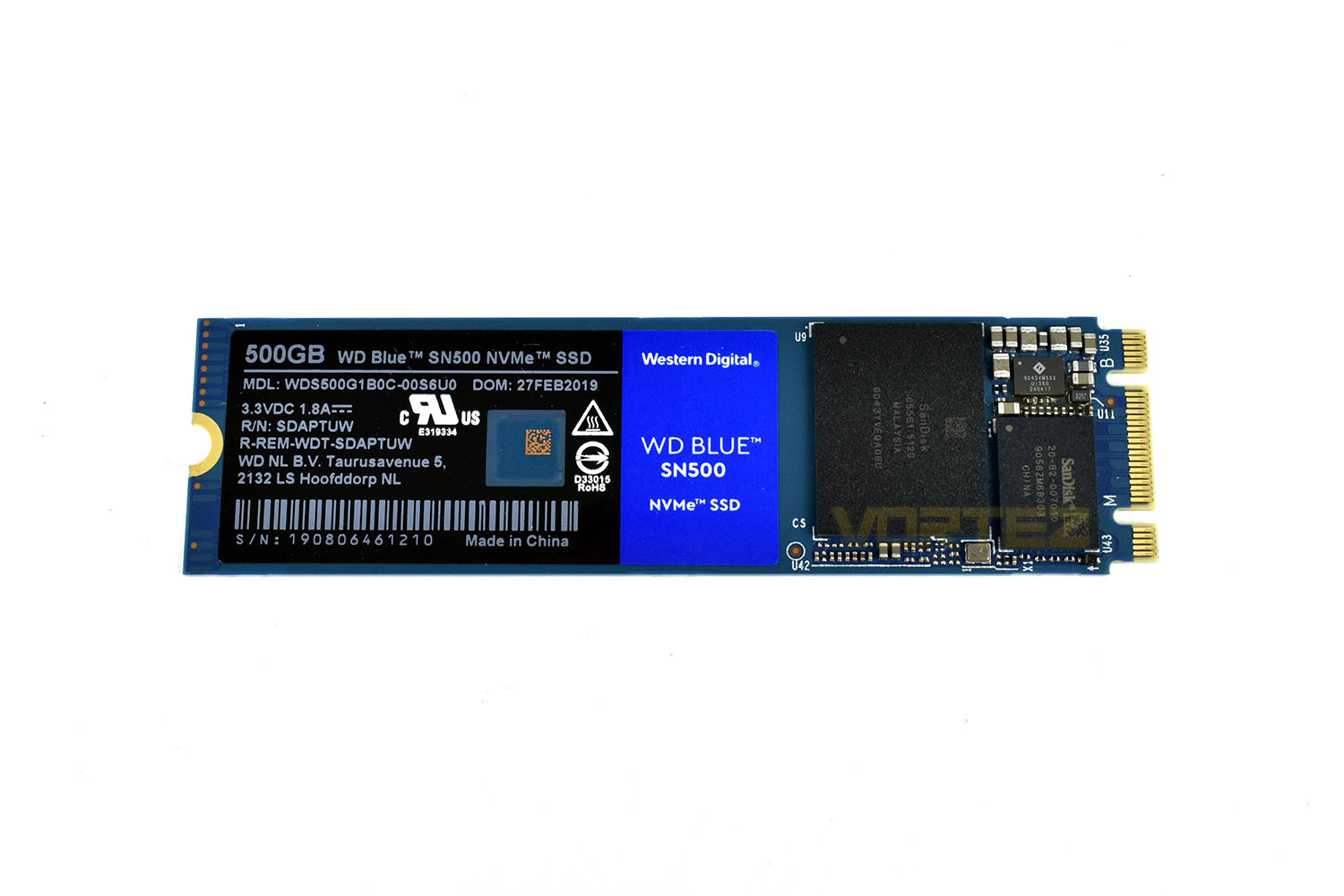
Looking at the front of the SN500, Western Digital have kept things incredibly simple here, with a small controller on the far-right, a few capacitors and resistors and a single 64-layer 3D NAND chip. The rest of the PCB seems to be there to ensure it conforms to the M.2 2280 standard and nothing more.
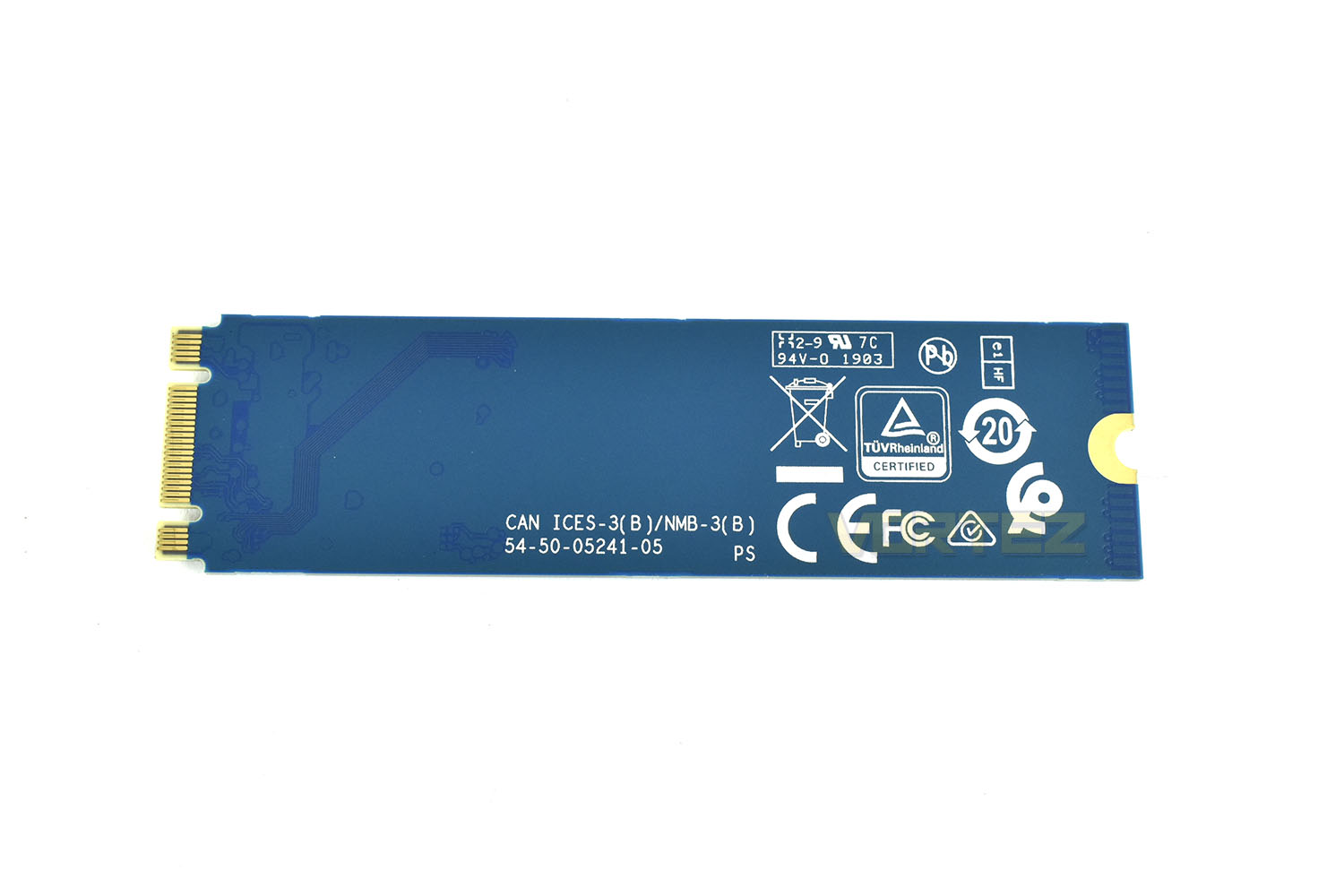
Flipping the drive onto its front, we find things like the CE mark and other industry certifications. If you cast your eyes to the left, you can see where the PCB traces start, near the M.2 connection, and end around an inch into the PCB.
Software
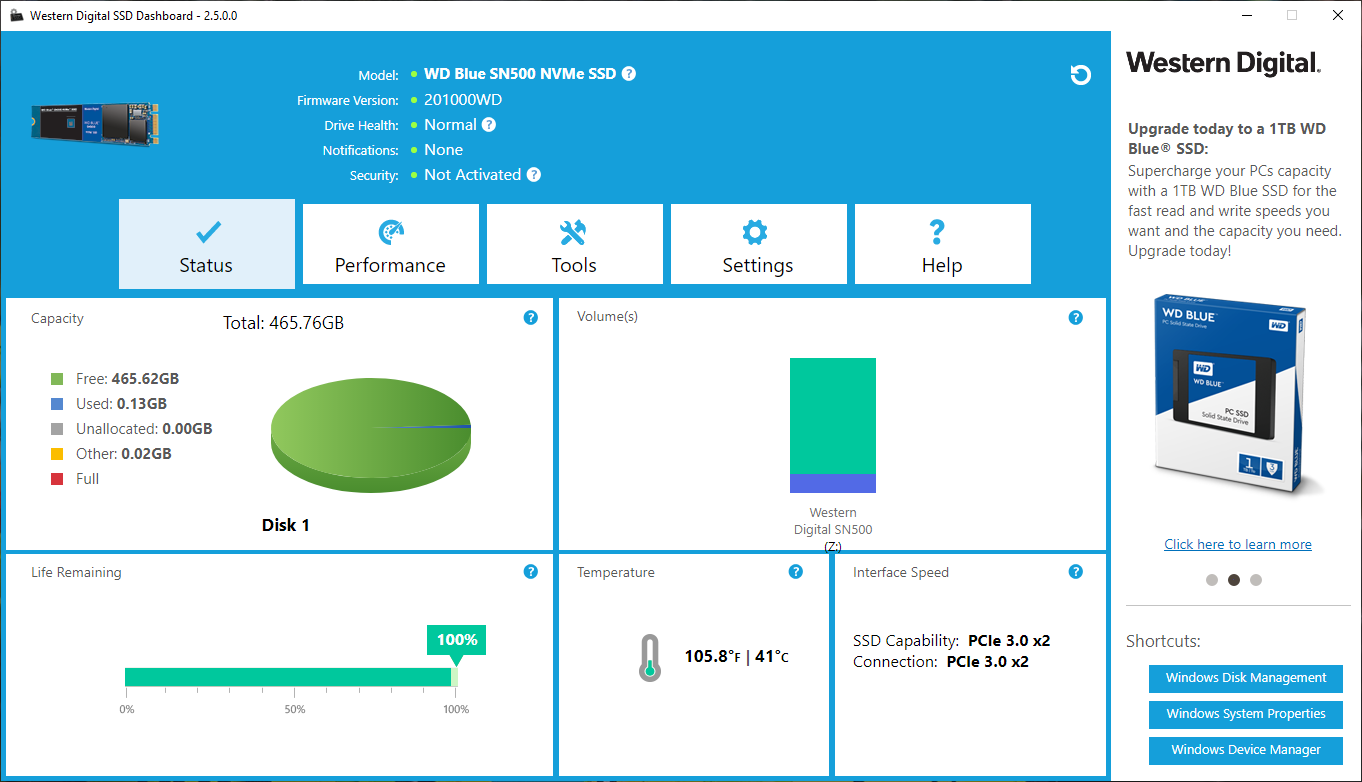
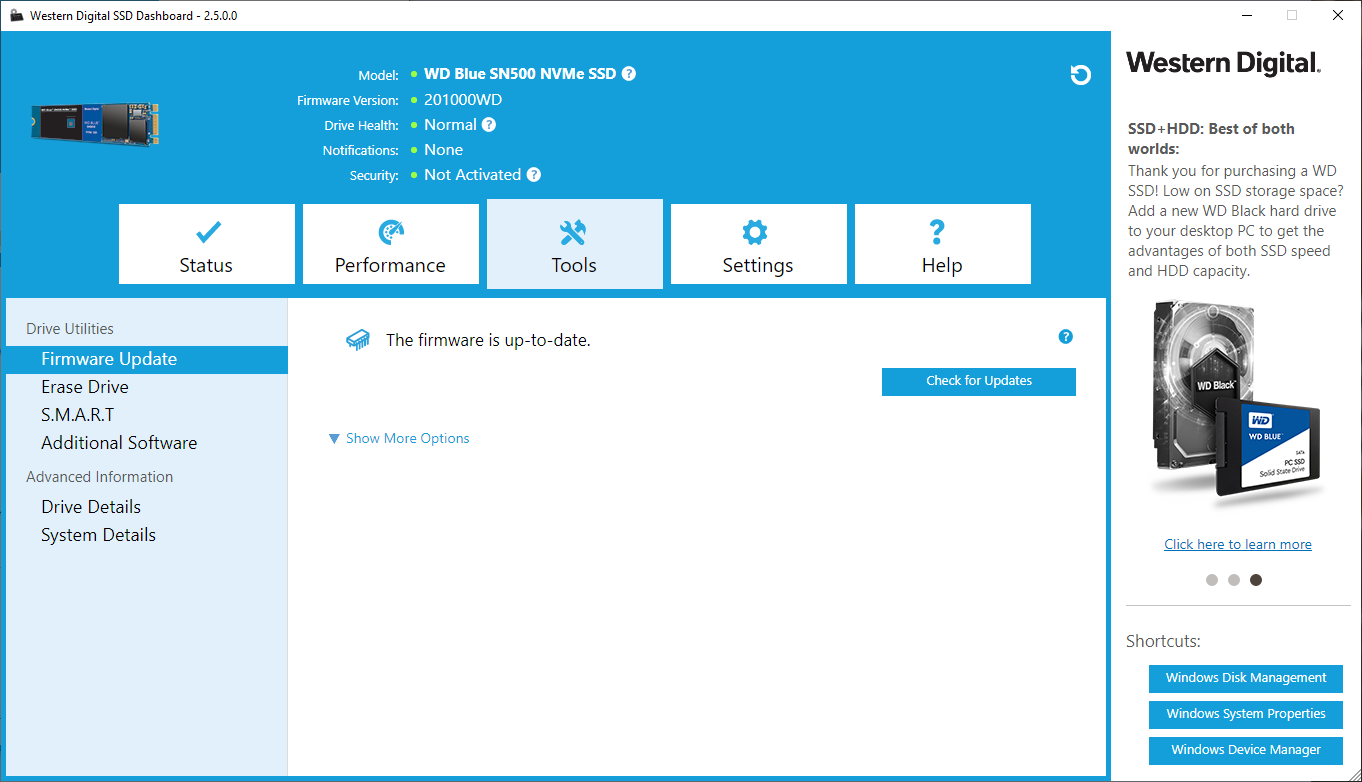
Most of the high-end manufacturers of NVMe drives, including Samsung and Corsair, develop a software suite in tandem with their drives, useful for keeping an eye on SMART data or temperatures but when it comes to performance, they tend to offer nothing. That’s where Western Digital is different. With their software suite you can eek out every last drop.Upon opening the SSD Dashboard, which can be downloaded here, you get a decent brief overview of what’s going on in terms of capacity, life remaining and drive temperature.
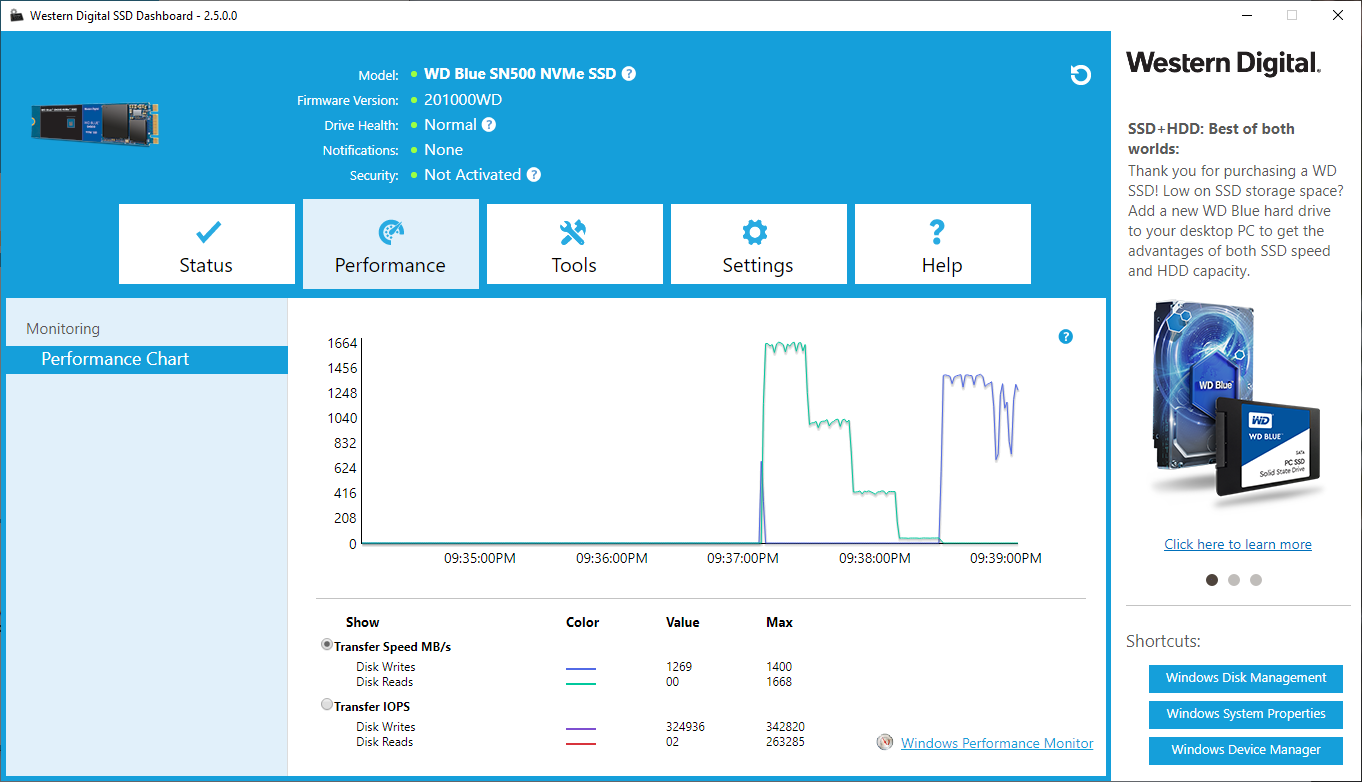
The performance tab gives an overview of the previous few minutes to show when it was accessed and the kinds of speeds it delivered. The numbers underneath that can be impressive if the right applications are running.
Tools is the next tab along, here you can update the firmware, erase the drive entirely or check out in-depth SMART info.
Test Setup & Methodology
Our test system is formatted and a fresh version of Windows is installed with just drives in place – no additional applications. Windows is then updated to the latest release and the drivers are installed.Included in the list of benchmarks are the following applications:
Benchmarks
Anvil Pro
AS SSD
ATTO Disk Benchmark v2.46
Futuremark PCMark 8
AIDA64
AS SSD
ATTO Disk Benchmark v2.46
Futuremark PCMark 8
AIDA64
Test system
CPU: Intel Core i7 7700K
Motherboard: MSI Z270 Gaming M7
Graphics: EVGA GTX 1070 SC
Memory: 16GB CORSAIR Vengeance LPX 3200MHz DDR4
Western Digital Black SN750 EKWB
PSU: BeQuiet Straight Power 11 650W
OS: Microsoft Windows 10 Pro 64-Bit
Monitor: ASUS ROG PG279Q
Motherboard: MSI Z270 Gaming M7
Graphics: EVGA GTX 1070 SC
Memory: 16GB CORSAIR Vengeance LPX 3200MHz DDR4
Western Digital Black SN750 EKWB
PSU: BeQuiet Straight Power 11 650W
OS: Microsoft Windows 10 Pro 64-Bit
Monitor: ASUS ROG PG279Q
Benchmarks: Anvil Pro
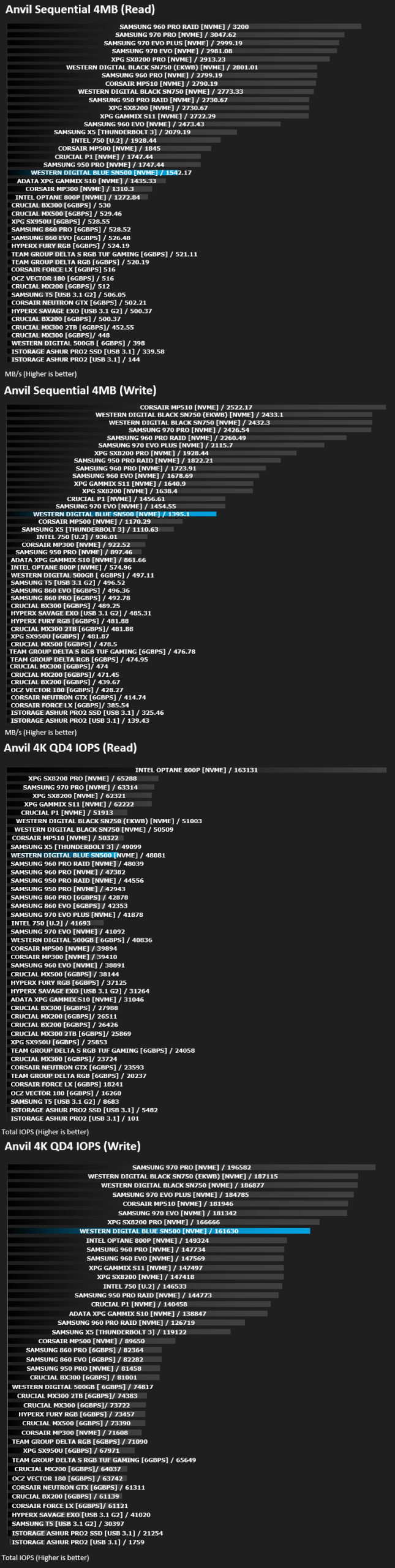
Anvil Pro from Anvil Storage utilities is one of the most popular storage benchmarking utilities today thanks to the large suit of tests available. You can test pretty much anything from Read/write Speed to IOPs with many variables to tweak allowing you to get either a single or host of results to compare with other likeminded enthusiasts. In our test we ran the standard suite 5 times, subtracting both the highest and lowest scores and determined the final result from the average of the remaining three results.
Benchmarks: AS SSD
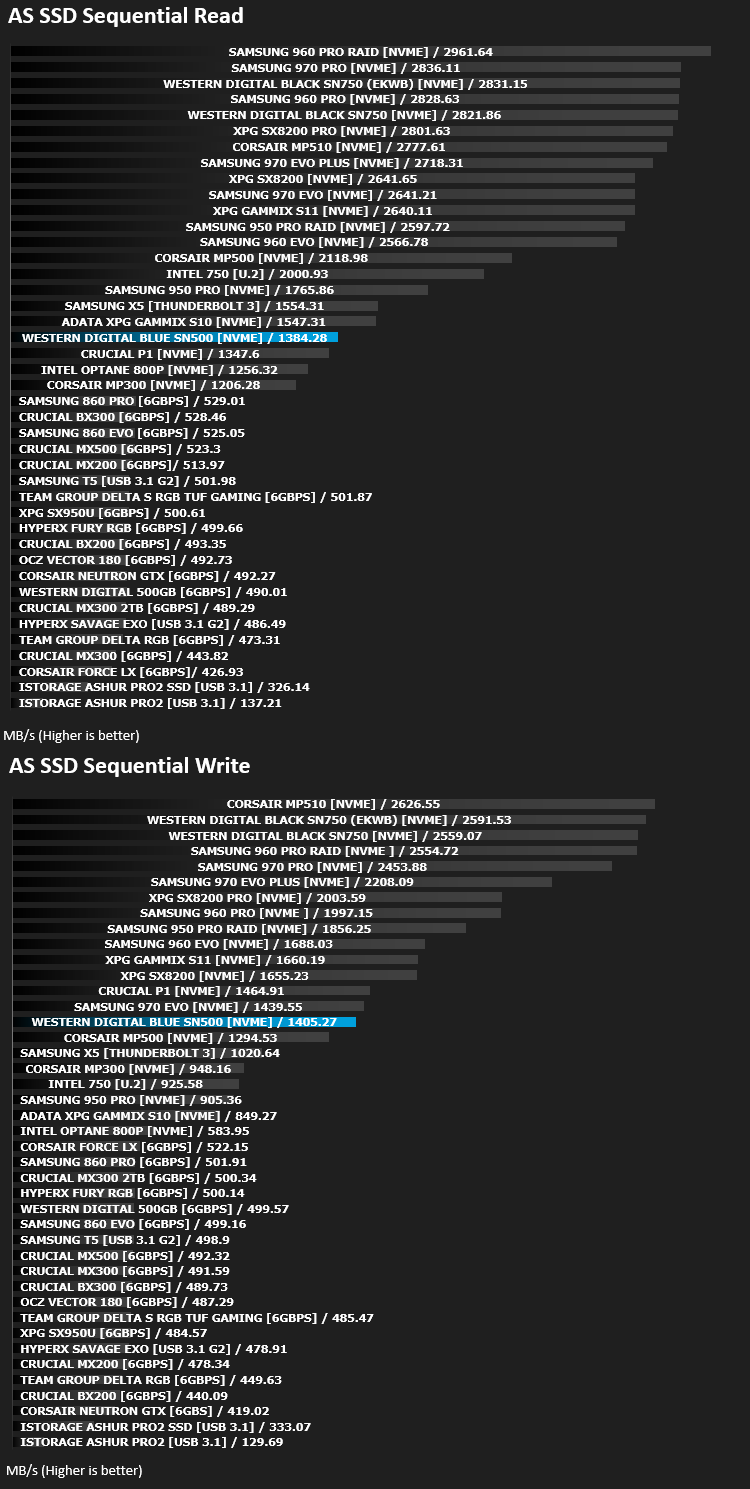
AS SSD Benchmark is a straightforward tool for measuring the speed of your SSD drive.
Simply launch the program, choose your drive, click Start, and it’ll test your SSD’s read and write speed in a variety of ways, delivering a score for each when it’s done. And if that’s not enough, there are also additional file copy and compression-related benchmarks available from the Tools menu. (The author’s support page is German only, but if you need further English explanations then there’s a thread on the program at the OCZ Technology forum.).
Simply launch the program, choose your drive, click Start, and it’ll test your SSD’s read and write speed in a variety of ways, delivering a score for each when it’s done. And if that’s not enough, there are also additional file copy and compression-related benchmarks available from the Tools menu. (The author’s support page is German only, but if you need further English explanations then there’s a thread on the program at the OCZ Technology forum.).
Benchmarks: ATTO
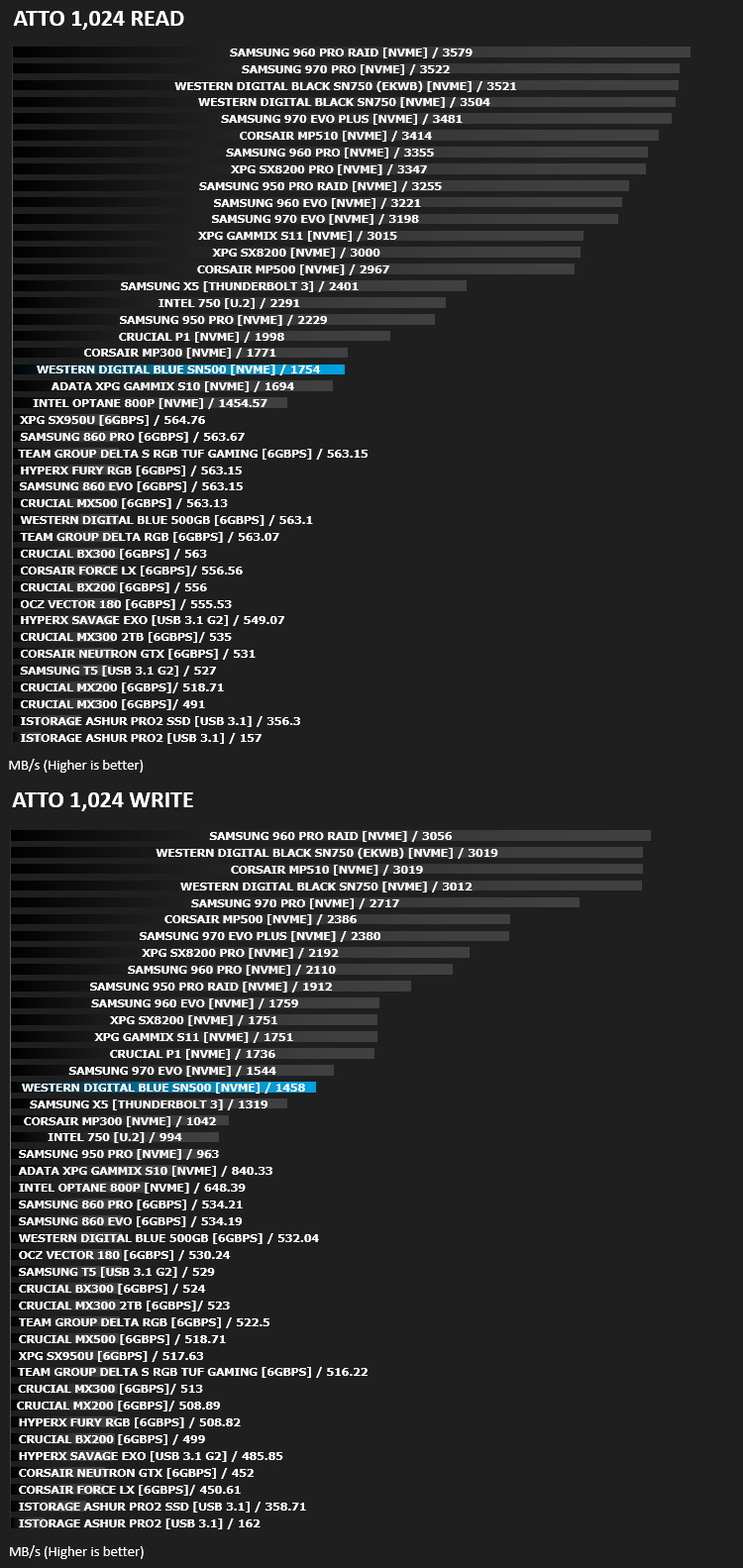
The ATTO Disk Benchmark performance measurement tool is compatible with Microsoft Windows. Measure your storage systems performance with various transfer sizes and test lengths for reads and writes. Several options are available to customize your performance measurement including queue depth, overlapped I/O and even a comparison mode with the option to run continuously. Use ATTO Disk Benchmark to test any manufacturers RAID controllers, storage controllers, host adapters, hard drives and SSD drives and notice that ATTO products will consistently provide the highest level of performance to your storage.
Benchmarks: AIDA64
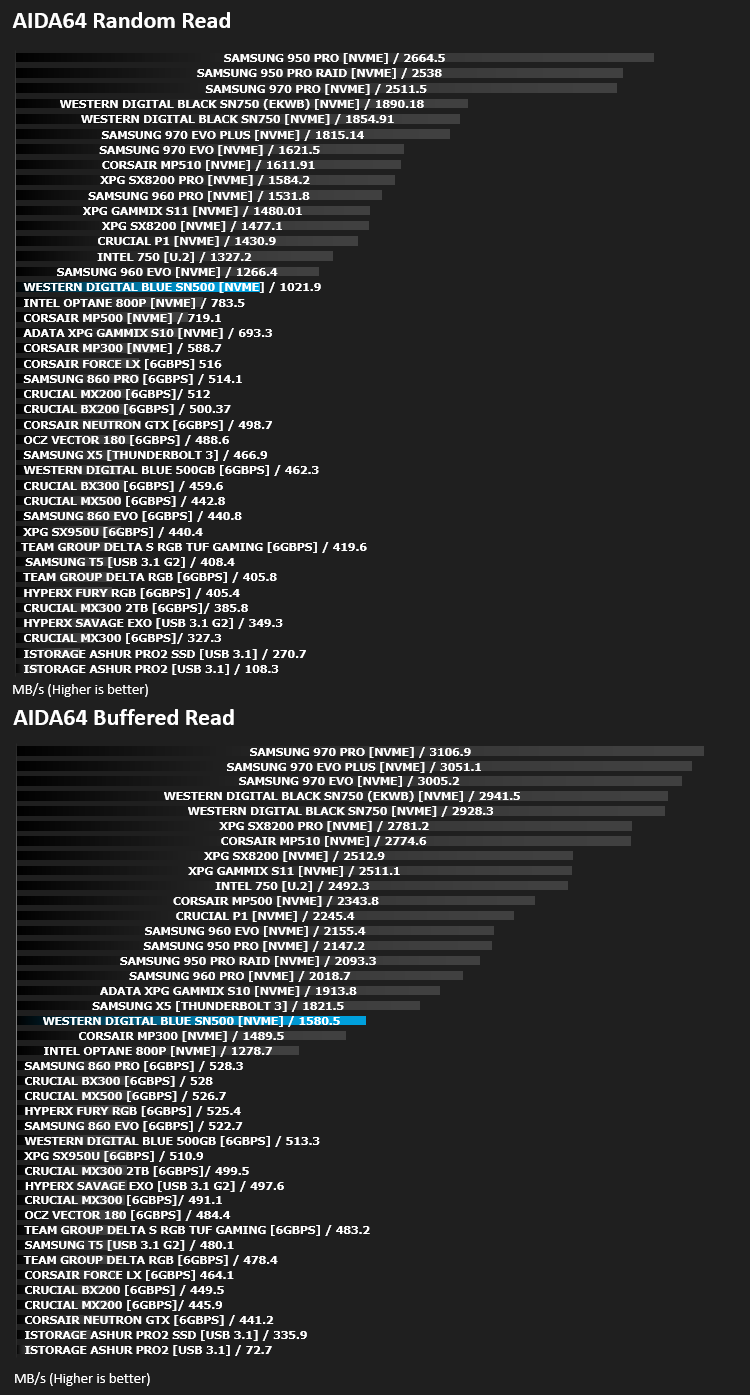
With this module, we can measure the performance of the PC’s storage devices, including (S)ATA or SCSI hard disk drives, RAID arrays, optical drives, solid-state drives (SSD), USB drives and memory cards. It also allows us to perform write tests, which helps us detect fake products and errors on the devices. In order to attain reliable benchmark results we have to make sure to close all background applications.
Benchmarks: PCMark 8
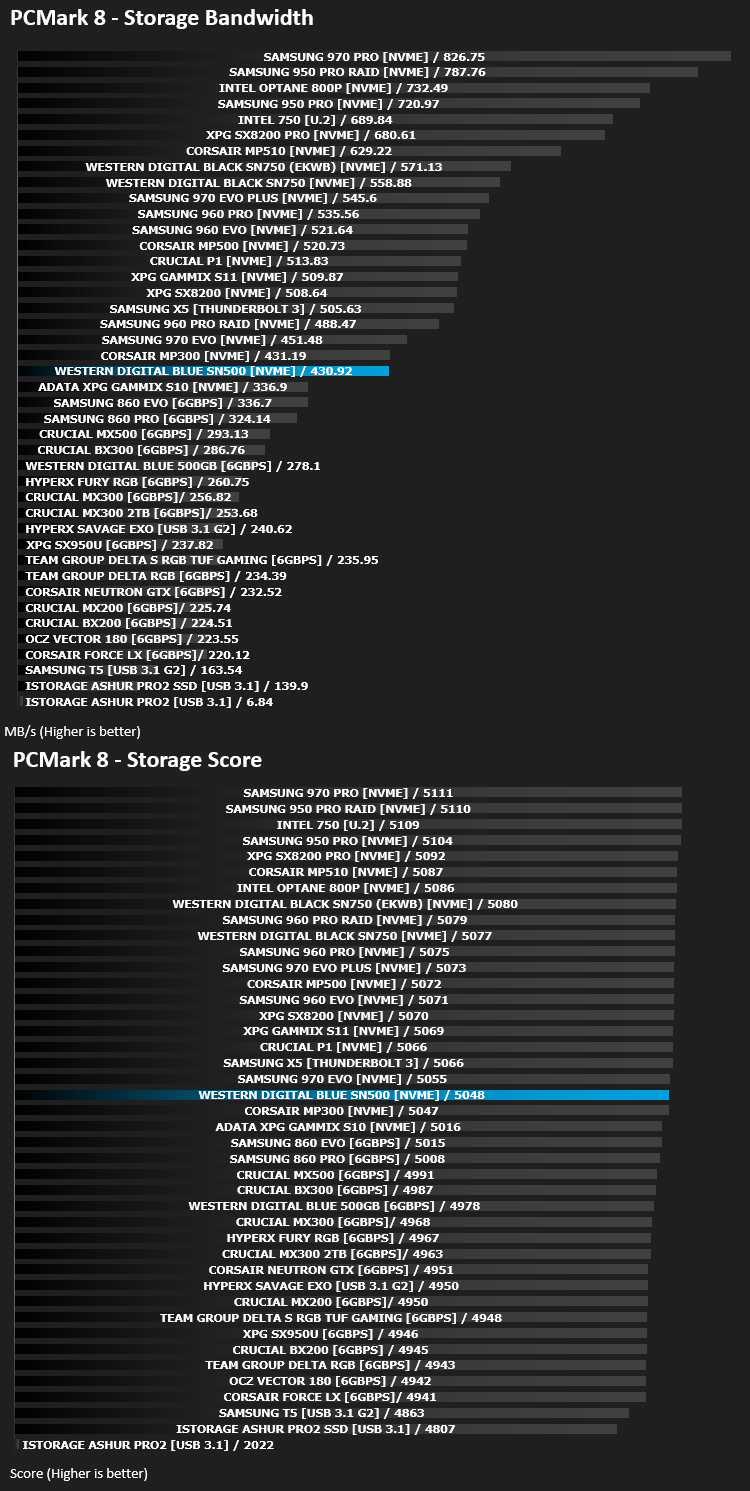
We use the Futuremark PCMark 8 utility to measure storage via Photoshop performance under both light and heavy loading conditions. Accelerated (open CL) is used to perform this test. The test is measured in seconds to complete.
Conclusion
Western Digital were late to the NVMe SSD game, but it appears they’ve spent their time getting things right the first time around. The Black SN750 models have proven to be excellent in the enthusiast scene and now with their budget Blue SN500 options, we’re once again very impressed.At the time of writing, the 250GB and 500GB Blue SN500 NVMe drives are cheaper than their equal capacity M.2 Blue SATA solutions, which makes no sense to us due to the massive difference in speed of around 550MB/s versus 1700MB/s. However, it does show that the market is gearing up to drop SATA and move over to NVMe which we can’t welcome in fast enough.
Performance, as is evident from our graphs, is certainly not class-leading within the NVMe sector, but Western Digital were open and upfront about setting expectations from the outset. Having said that, the drive is limited to a PCI-E 3.0 x2 interface, so speeds would never exceed 2GB/s anyway, and it compares with drives like the Corsair MP300 and Crucial P1; this is exactly where we’d expect it to be.
As we explained earlier in the review, the SN500 is limited to a single NAND chip and uses a DRAM-less design. This single NAND chip ultimately limits the capacity of the drive to 500GB which for some users won’t be enough, though on the other hand, for the target audience that we feel this drive is aimed at, it should present a decent upgrade in both performance and capacity, letting you rely on traditional spinning storage less. You can install a healthy bunch of application and two or three large AAA gaming titles onto the drive before it begins to fill up.
When it comes down to it, performance statistics like 3500MB/s sequential read speeds and 600,000 read IOPS are all well and good, but in real-world scenarios, they generally offer very little benefit. The Blue SN500 should offer most of the performance of a flagship drive at a significantly lower cost.
There is one question we must ask though, at £50/$54 for the 250GB and £70/$76 for the 500GB. Why would anyone buy the 250GB?
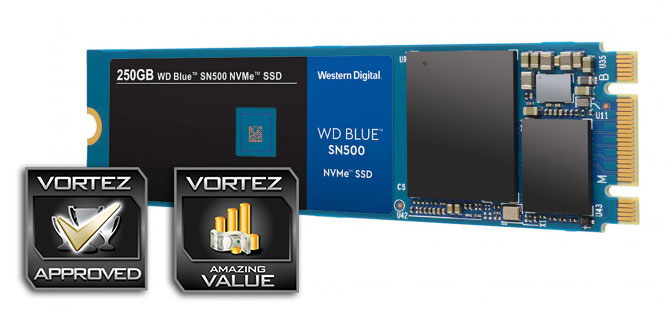
Ultimately, the inherent value offered by the drive far outshines any of its forthcomings in outright speed. If you wish to experience the boosts available with the NVMe protocol, this is an excellent option.
Pros
+ Great performance for a value drive
+ Good price
+ Cheaper than their SATA M.2 alternatives
+ No wires
Neutral
+- Faster drives are available
Cons
– 500GB maximum capacity
+ Great performance for a value drive
+ Good price
+ Cheaper than their SATA M.2 alternatives
+ No wires
Neutral
+- Faster drives are available
Cons
– 500GB maximum capacity
Click here for an explanation of our awards at Vortez.net.
Stay connected with the Vortez Social Media pages:
Join in with the discussions on Discord