In this review, we look at the latest software-less mechanical keyboard from Zalman. It uses Cherry MX Red switches and features per-key customisable white LED lighting, full NKRO and macro recording.

Product on Review: Zalman ZM-K700M
Manufacturer & Sponsor: Zalman
Street Price: US: $139.99, UK: £119.99
Today we take a look at another product from Zalman after we were recently impressed by the Z-Machines M600R mouse. This time we have a mechanical keyboard aimed at gamers, sporting Cherry MX Red switches, full NKRO and white LED backlighting. As with the CM Quick Fire XTi the Zalman ZM-K700M is also software free, meaning there is no need for users to download and install additional software to their system. Some may prefer this type of product for ease of setup, ensuring users have peace of mind that their product will work out the box with any system. The downside to this is the trade-off with customisation, macros and effects. We saw CM address some of these trade-offs and it would appear that Zalman have created a solution of their own to provide gamers a fully featured gaming keyboard without the need for additional software.
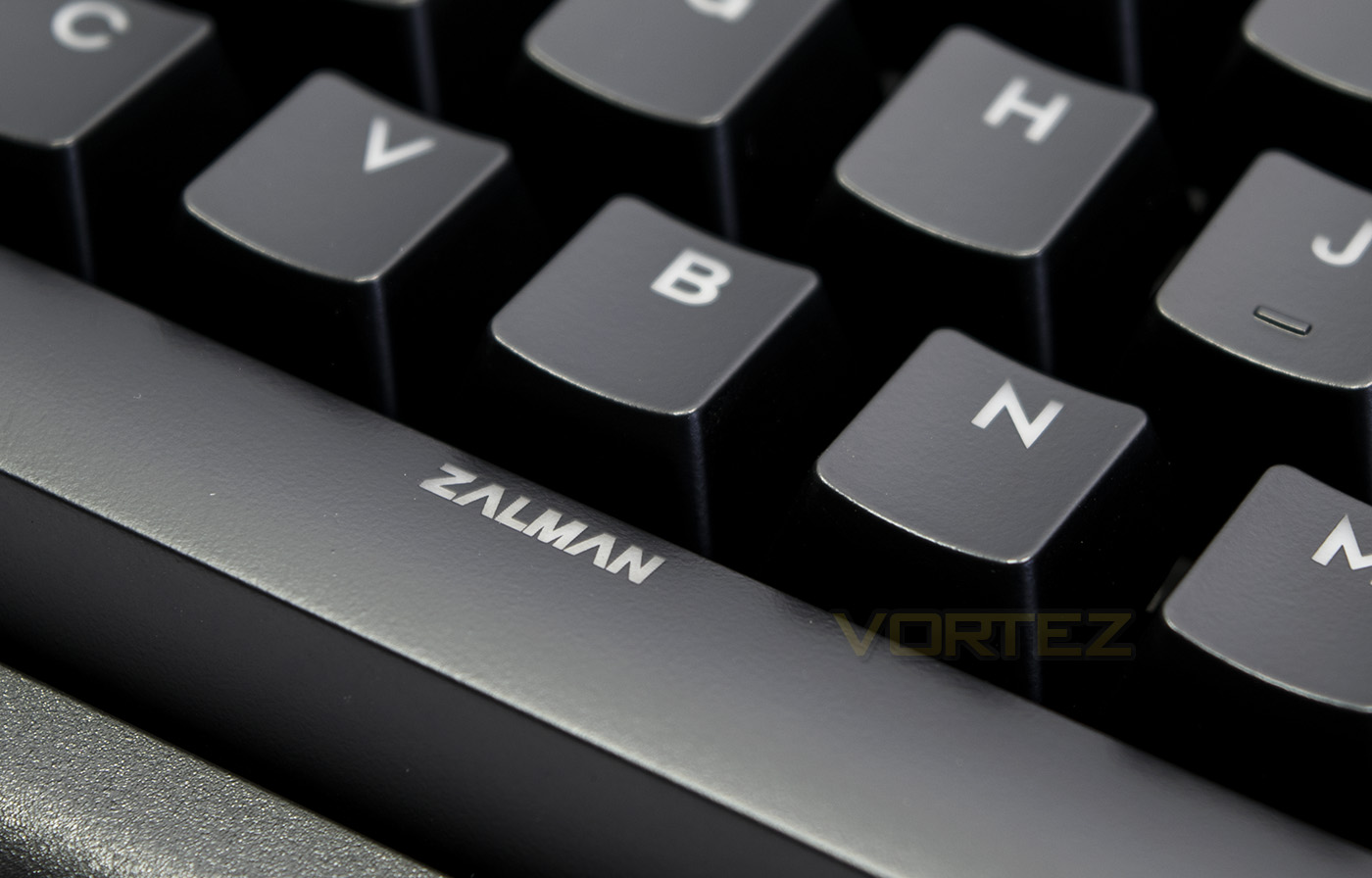
Overview by Zalman
Best mechanical switch German Cherry MX switch Series with Back light brightness control, Key LED brightness control, Smart typing speed gauge and Ultra polling real 1000Hz. 1000Hz polling rate means it’s possible to type 1000 times key input per second. No extra software installation required!
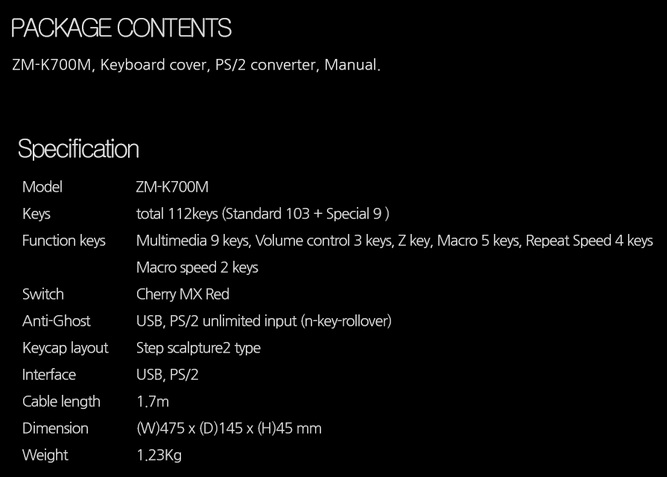
Technical Specifications
Packaging & First Look
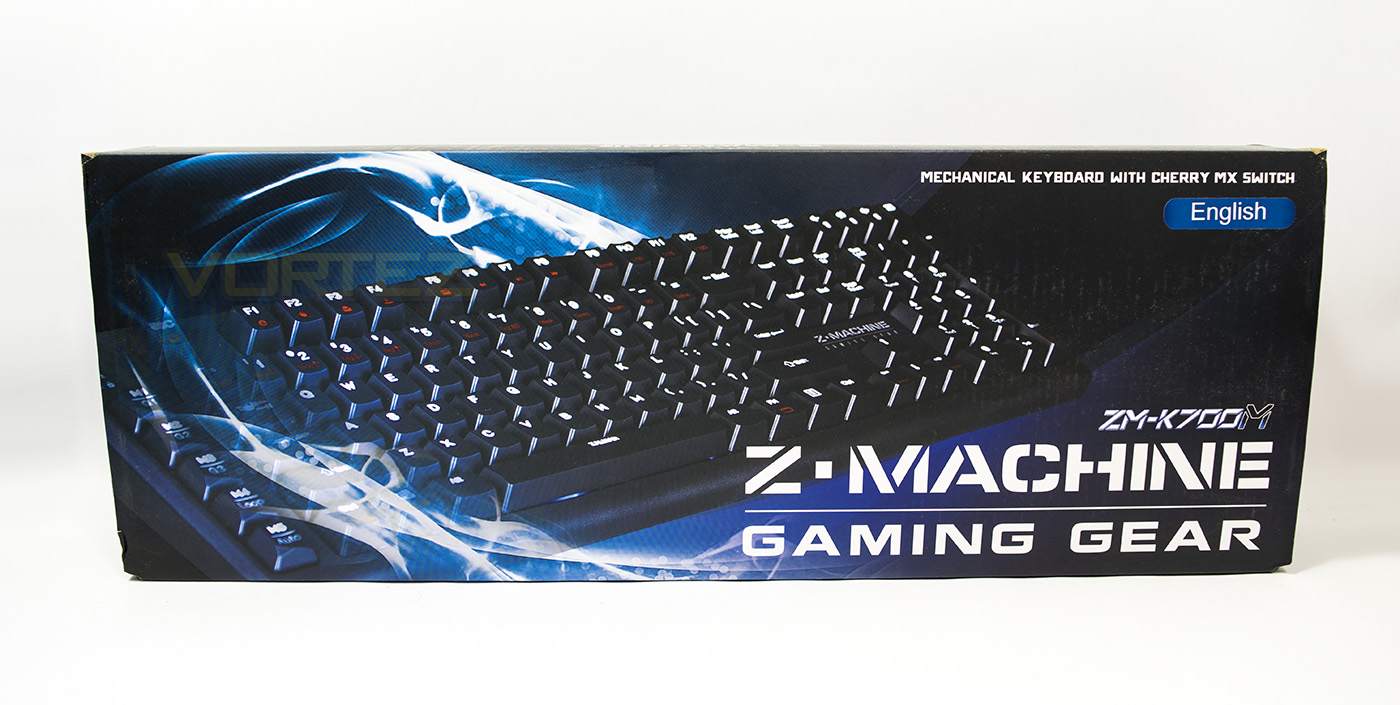
The packaging is rather compact and features a large image of the contained product with indication that this keyboard uses Cherry MX switches.
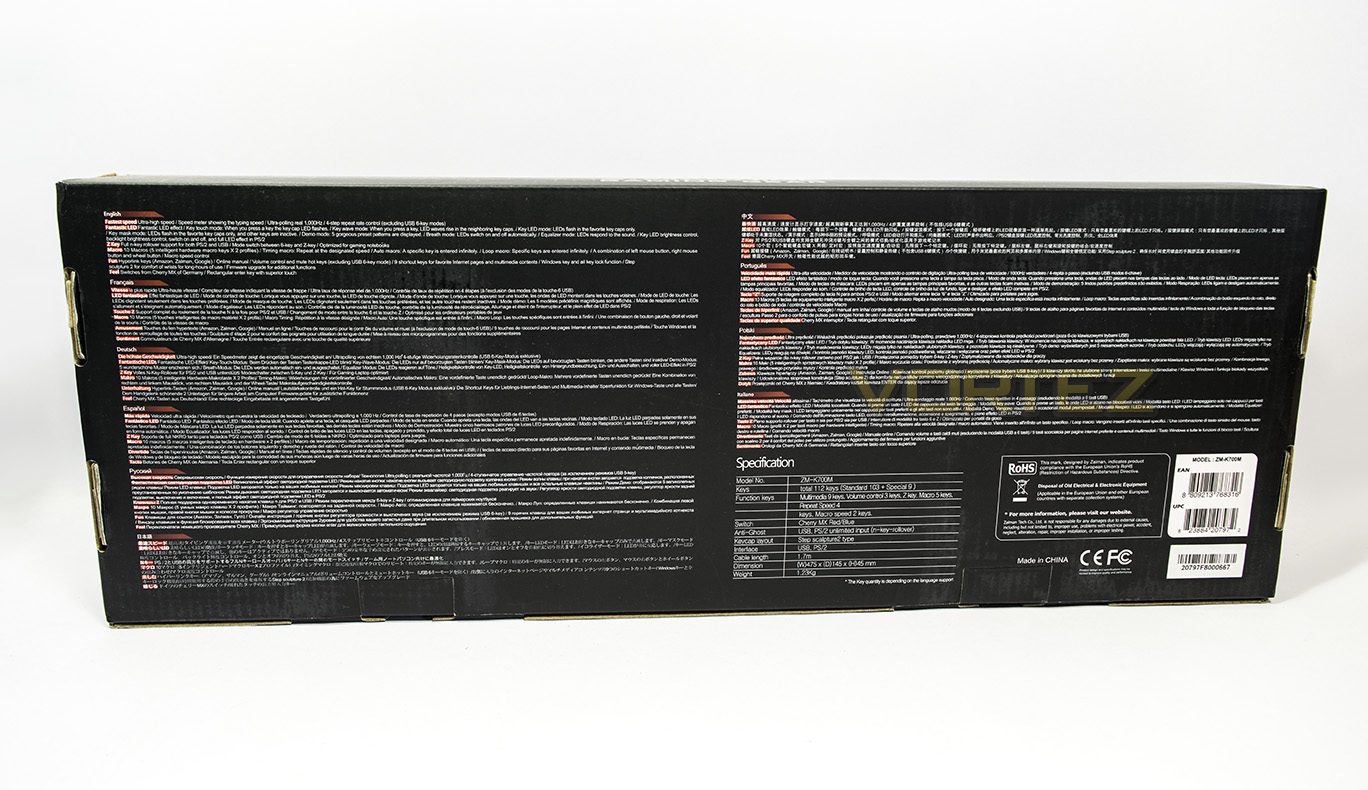
At the back there is some multi-lingual information about the product and its features as well as a details specification.
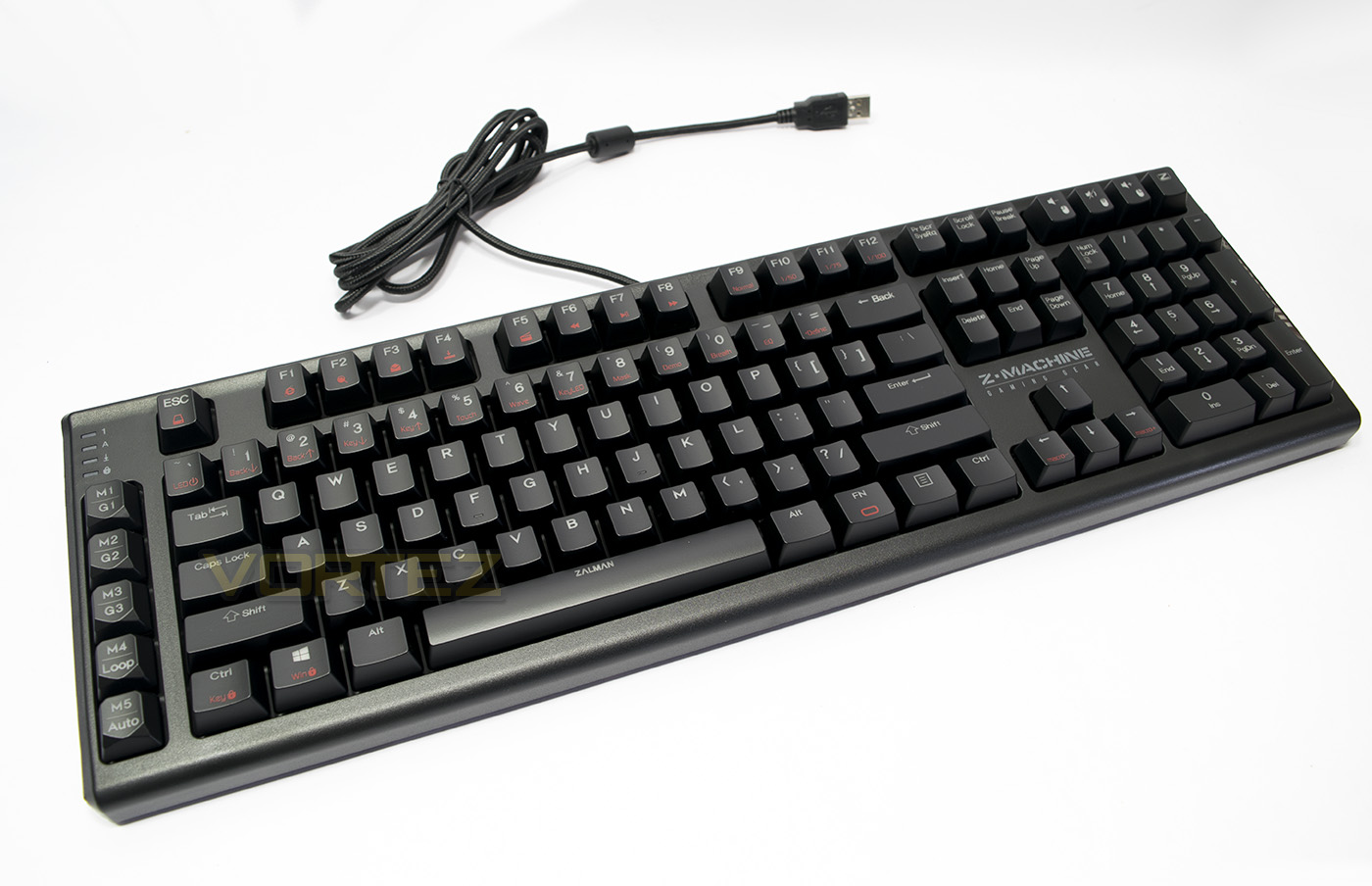
Inside the packaging the keyboard is shipped with a PS/2 – USB adaptor, which is a handy inclusion, as well as some additional anti-skid grips. The keyboard itself has a 1.7m long braided cable. It remains relatively compact at 475mm considering it has an additional row of macro keys.
Closer Look
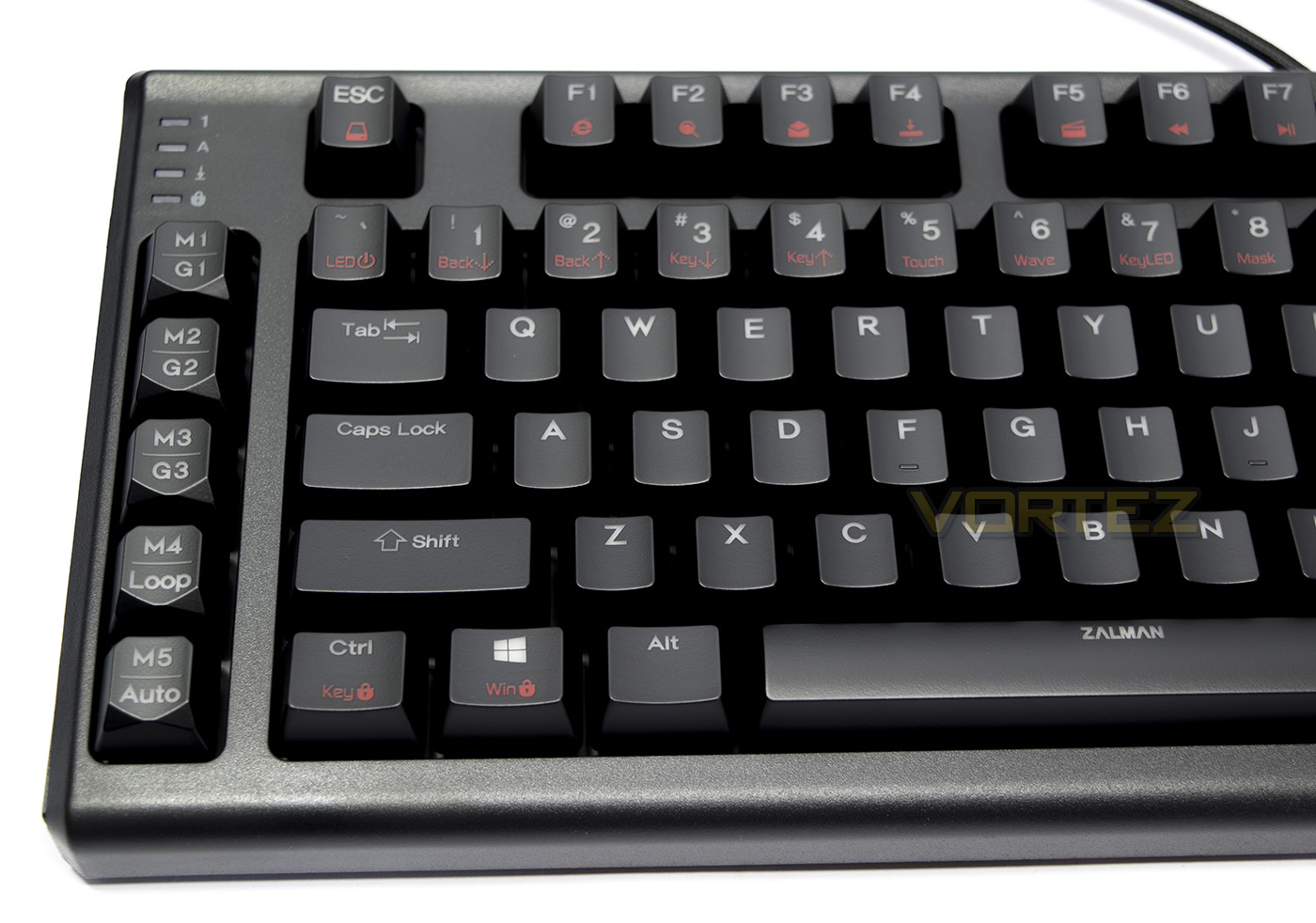
Due to this keyboard being driverless there are many Fn keys with their function indicated in red. On the left hand side there is also a row of additional keys used for macros/profiles.
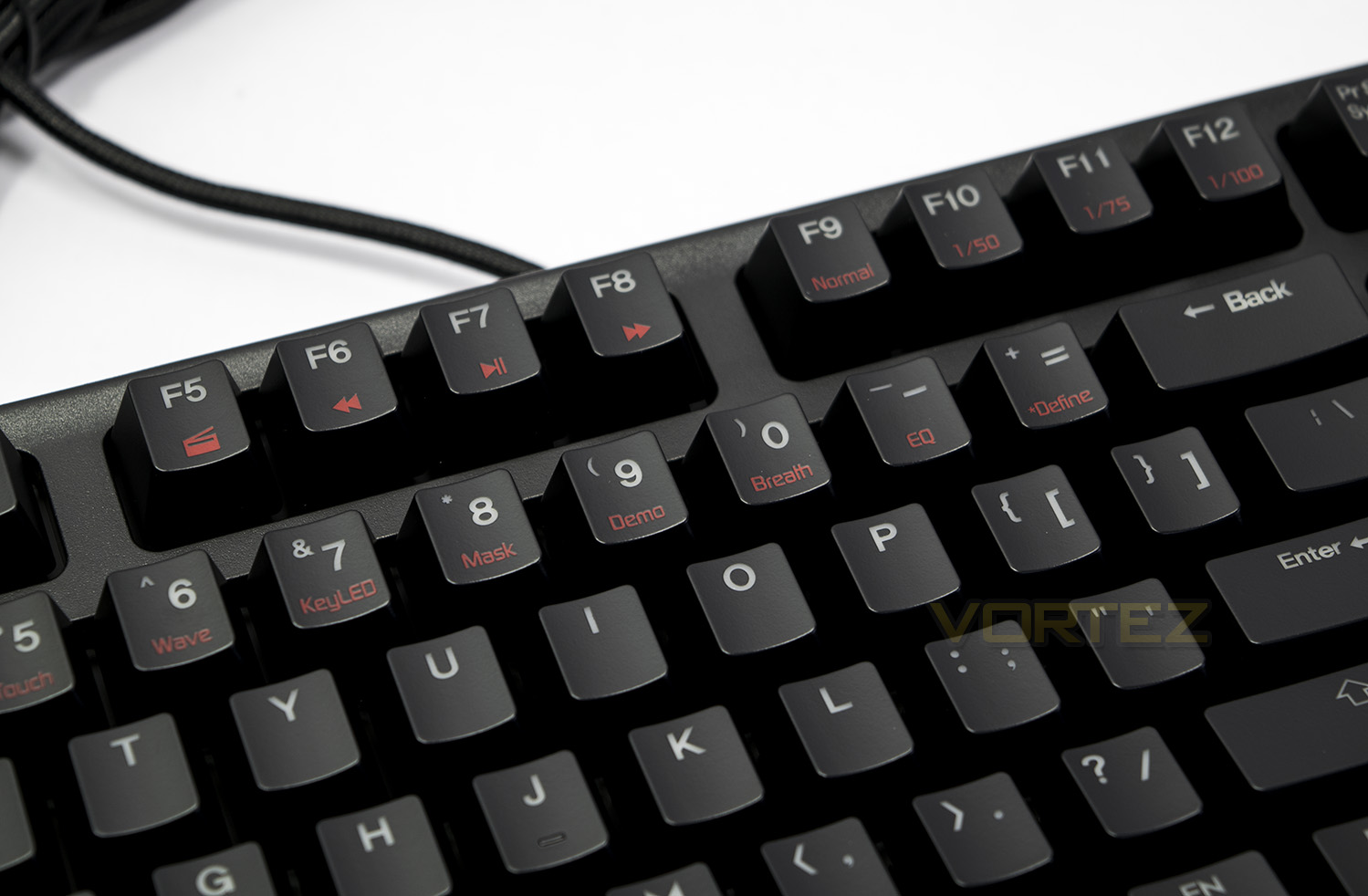
All the primary number keys are used as a various setting or control for the LED lighting, we also see common features such as media control paired with the F keys, as well as a repeat rate, similar to that we saw on the CM Quick Fire XTi.
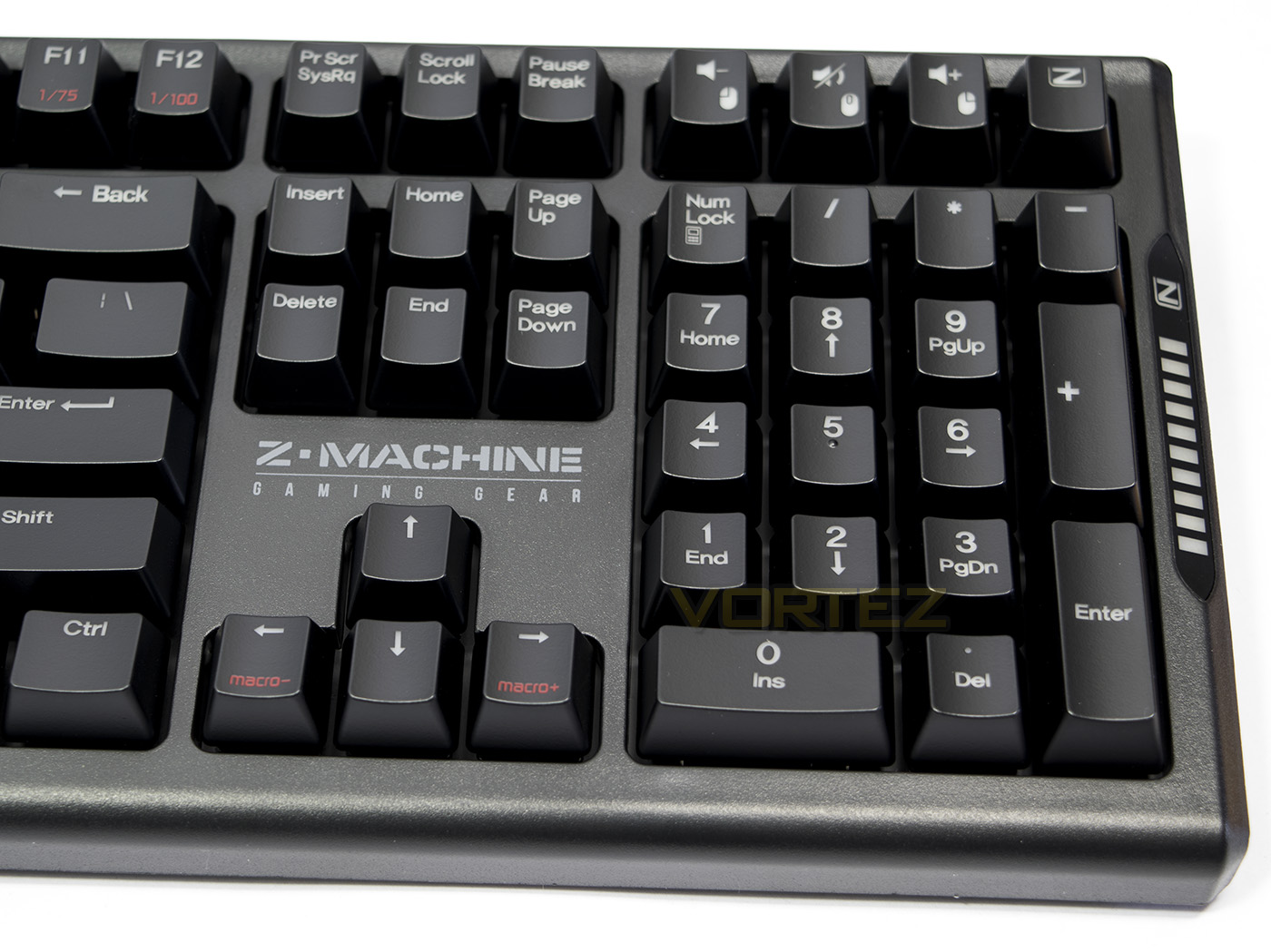
Above the numpad area there are various extra keys, by default are used for volume control/mute, but also double up to be used for macro recording mouse keystrokes for left/right and mousewheel clicks. For some this will be a very useful addition.
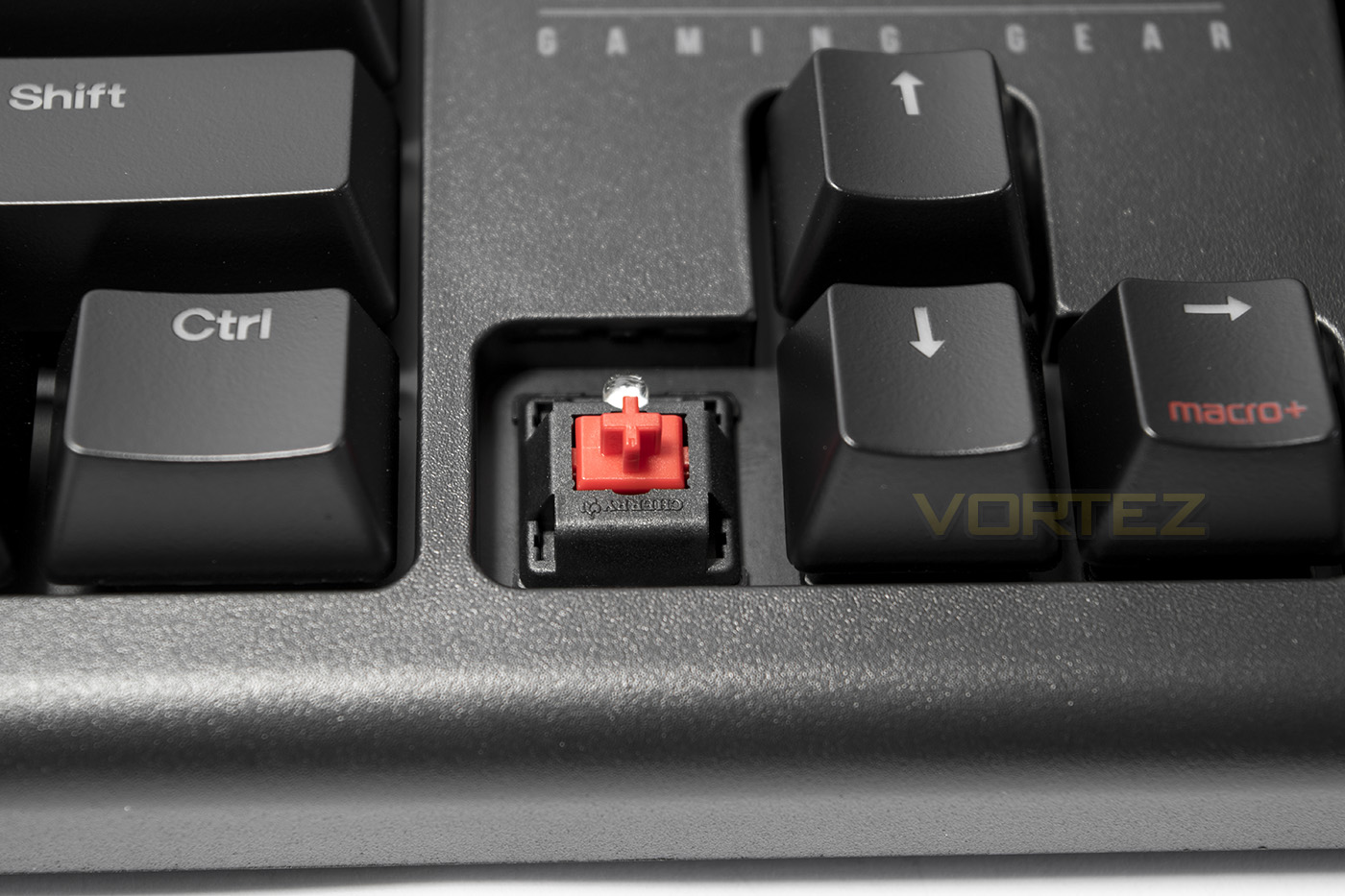
The ZM-K700M uses Cherry MX Red switches, a favourite amongst gamers.
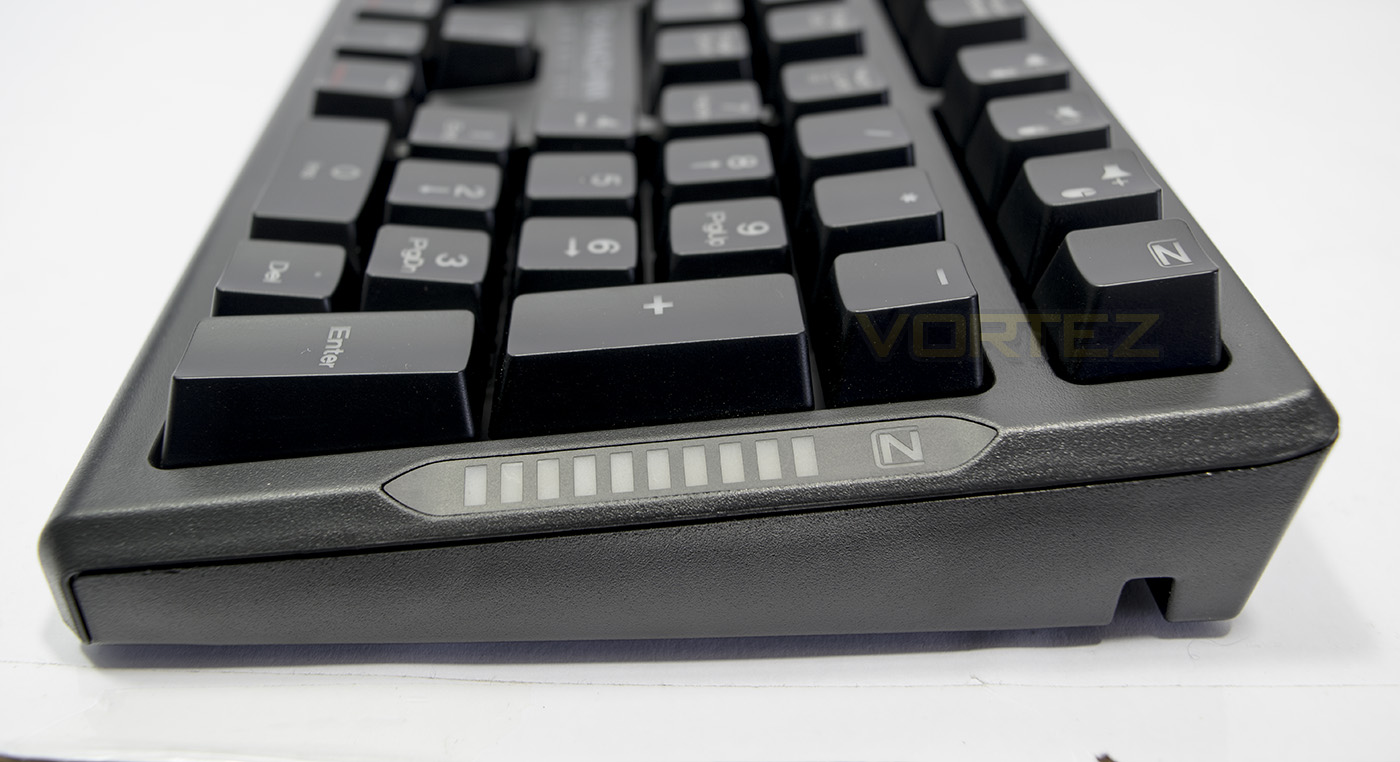
On the right hand side of the keyboard there is an indicator bar that is used to display various levels, from volume level, to typing speed or setting.
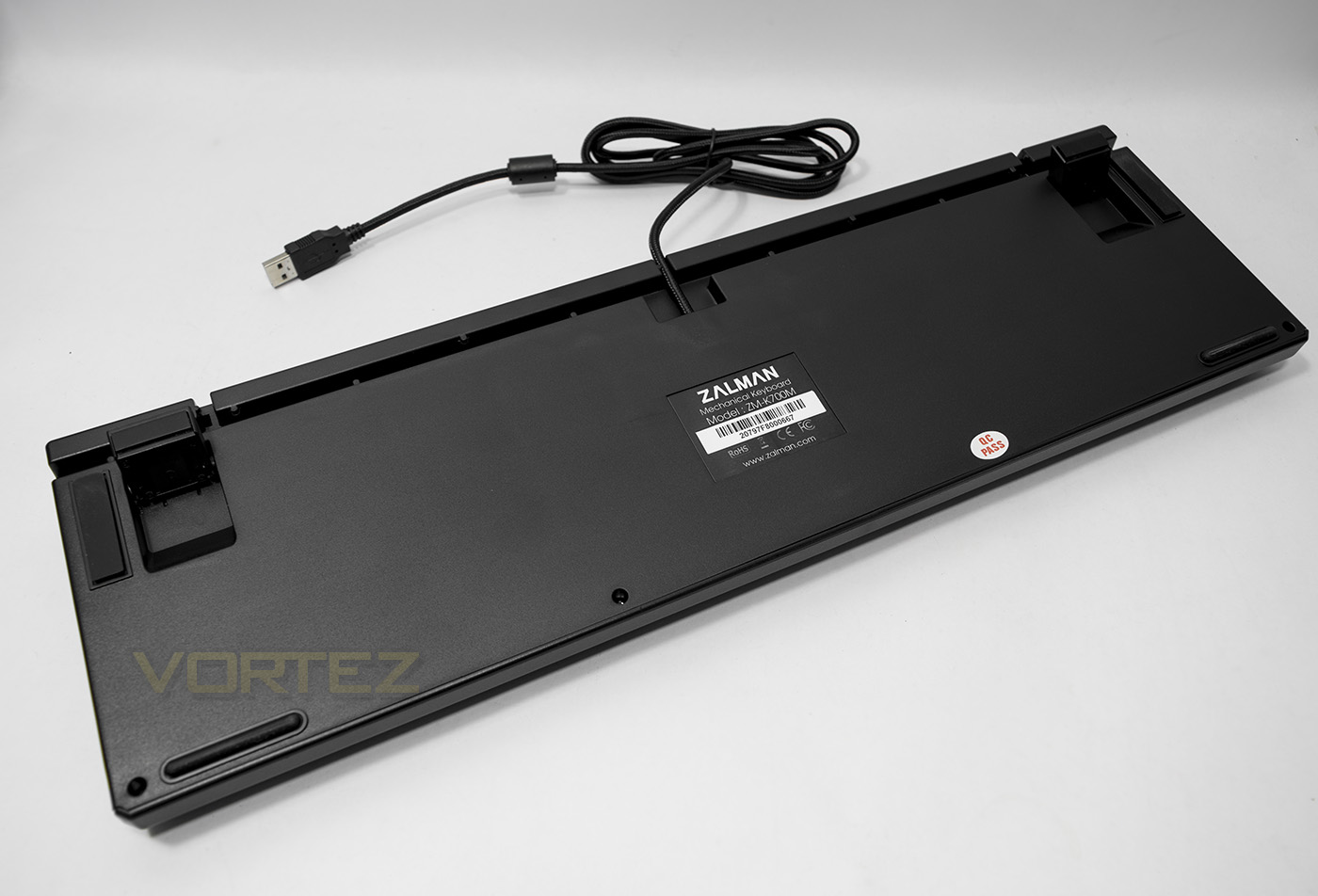
Underneath we see a simple yet effective cable routing channel and features stands with non-slip rubber feet.
Lighting & Controls
There is a whole plethora of effects to get your head around in regards to customisability of the K700M and it is well worth reading the user guide for more detailed information. In regards to lighting there are standard modes such as breathing and touch response modes, but there are also various others including the ability to create a custom static layout as well as the mask mode where only the lit LEDs work and all others are locked. This seems like a very useful mode for gamers, being able to lock all functions except the keys you know you use and need. One of the more unique effects was the equaliser modes. We have observed various audio sensitive modes from the likes of Corsair and others, but the equaliser mode here had my head scratching at first as I initially assumed that it would be based on an audio out, but here are no USB or audio ports here. Then I realised that there is a built in amplifier which picks up external vibrations and causes a LED response. Turn up the volume, and see the effects! I was rather impressed, and this was before I realised there was more than 1 setting!
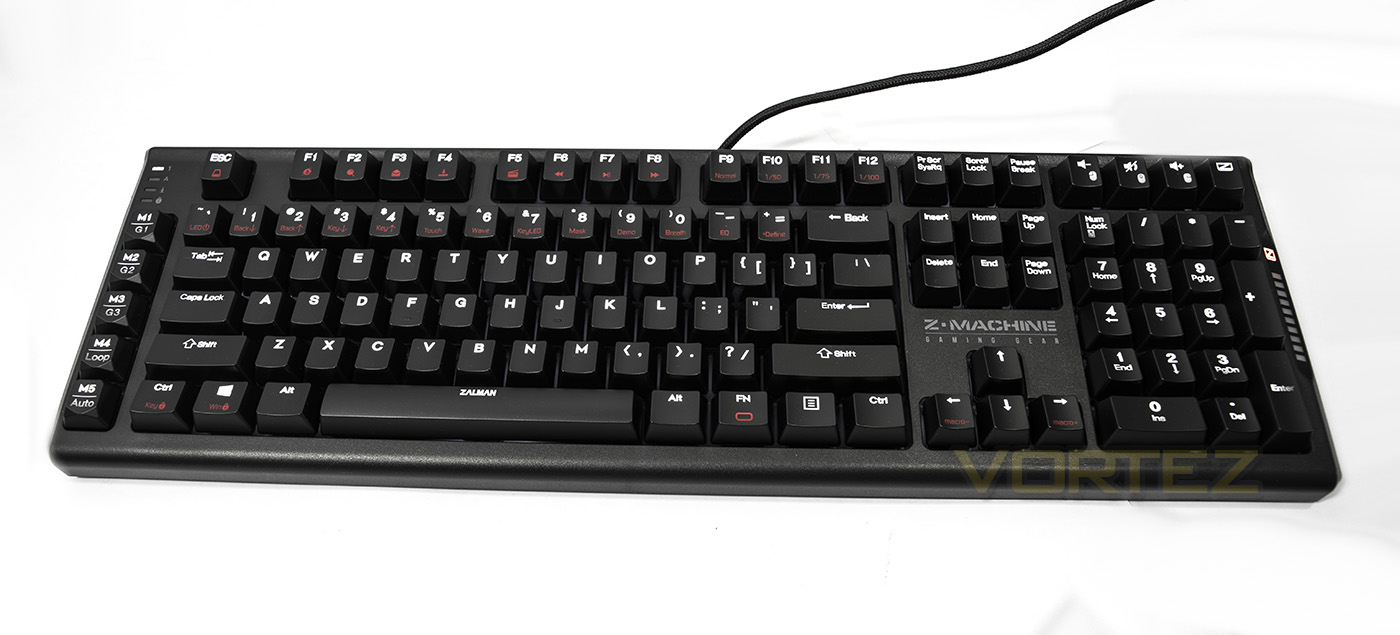
It is worth noting that the white LED lighting is a nice, true white, not bluish or pinkish, that you often see from RGB keyboards. Making it all the more attractive. I feel the biggest distraction is actually with the red colour used to indicate Fn keys, but that’s a minor point.
There are so many other controls included with this keyboard, including the Z-key, which instantly locks the Windows key and enters a game mode. Moving on to macros and you open a whole new interesting element to the K700M, once you have recorded a macro, you can leave it to play at the recorded speed or you can alter the speed using Fn + left/right cursor which acts as a macro speed control, indicated by the LED speed indicator on the right hand side. This makes recorded macros more convenient for the gamer than the solution seen on the CM Quick Fire XTi. There are a total of 5 macro keys, and having the addition of left/right/wheel clicks for mouse on-board which can be added to a macro, is a genius level addition that may make all the difference. The biggest downside to the whole feature set would seemingly be that there are only 2 profiles to save your custom settings to (being the Z-Key mode, and N-Key mode), while the CM Quick Fire XTi had 4 + default setting. This means that, you only have 5 macro keys with a total of 10 saved across 2 profiles, for some gamers, this may simply not be enough.
Performance Testing
Setup, Design & Observations
Setup for a keyboard that doesn’t require software is quick and easy, and where this keyboard comes with a USB – PS/2 adaptor, it actually worth saving the USB real estate on your motherboard should you have a spare, unused PS/2 port available. The default lighting is set to a slow breathing effect, and the white LEDs are striking and attractive. The keyboard is actually well shaped, with a slight curve back to it, making it very comfortable to use for typing and gaming, regardless it would have been nice to see it bundled with a wrist rest. The 1.7m long braided cable is on the shorter side which may cause a problem for some though should be fine for most desktop scenarios.
The Fn features are quite extensive, from key locks, various lighting effects as well as the use of media keys and repeat rates. If you press Fn + Z-Key, you can toggle the keyboard between 6KRO-NKRO and there are various other useful features built in, such as double tapping num-lock opens the calculator app in Windows.
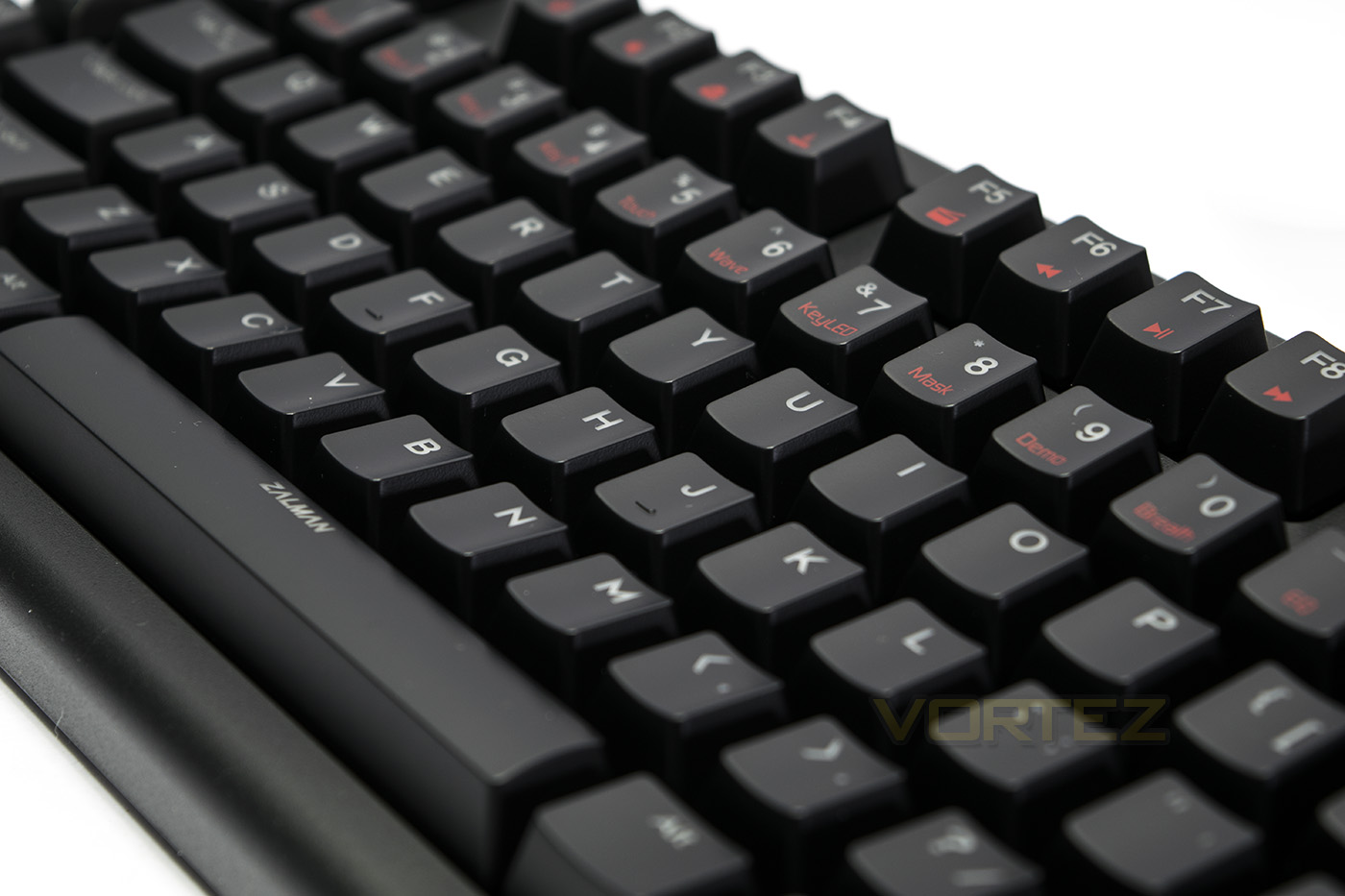
The K700M uses Cherry MX Red switches as well as using the Cherry Stabilisers for large keys, making every key, including the big ones, feel very smooth. Cherry MX Red are linear keys with no tactile feedback making them popular amongst gamers. These switches offer a quick actuation that helps with reaction speed in game. For typing, these switches take a little getting used to if you haven’t experienced them before as the sensitivity may be a little higher that what one would be used to with a membrane keyboard for example, thus you can expect a number of typos, though for people already accustomed with mechanical keyboards, this is a minor issue that fades with time. It does seem to be a shame that Zalman has not offered this keyboard with other flavours of mechanical switches.
Conclusion
The Zalman ZM-K700M takes an interesting approach to the mechanical keyboard market and it is difficult to not make comparisons with the Cooler Master Quick Fire XTi in how it offers a wide feature set with the convenience of not needing any supporting software. The build quality is solid and has the reliability of the Cherry MX switches. We particularly like the pure white LED backlighting, something we feel many will be attracted to if RGB coloured is not quite their thing. The Mask mode may be particularly attractive for gamers that like to lock all unused keys, yet if you are more interested in visually attractive party pieces, Zalman have added an EQ sound reactive mode which was easily one of our favourite lighting effects we have used.
There are some considerations to make when choosing the K700M. There is no wrist rest included, something that would have been nice to see at this price point. Next is that the controls for the lighting and macros seem less intuitive than what we experienced with the CM Quick Fire XTi. This may arguably be down to the K700M having more features than we could even put to practical use, and so, some may find this overwhelming. The true crux of this keyboard isn’t so much with the learning curve but the limitation of profiles. If you are someone that will spend time on creating various custom layouts and macros, if two profiles is not enough for you, then you will quickly run into the limitations of this keyboard.
Overall the ZM-K700M is a solid, well rounded mechanical keyboard that is host to a wide variety of useful tools and features that will please the majority of gamers, so we have little reservation to recommend the Zalman ZM-K700M.
The Zalman ZM-K700M is an attractive mechanical keyboard with snow white LED lighting, more so, it packs a comprehensive suite of advanced features that gamers will love.
Pros.
+ Solid build quality and performance
+ Software free w/ macro recording
+ Bright, attractive white LED lighting.
+ Unique lighting effects
Cons.
– No wrist rest included
– Only available with Cherry MX Red
+ Solid build quality and performance
+ Software free w/ macro recording
+ Bright, attractive white LED lighting.
+ Unique lighting effects
Cons.
– No wrist rest included
– Only available with Cherry MX Red
Click here for an explanation of our awards at Vortez.net.