







The much anticipated full-tower from Enermax is finally here. We take a look at SpineRex the "King-Size Tower".

Product on Review: SpineRex Full Tower
Manufacturer: Enermax
Street Price: £110 inc. VAT
Last month Enermax announced the availability of SpineRex – their latest full-tower chassis. SpineRex first appeared at Computex 2010 and since then many have been waiting for its arrival – finally after years in the making, we have the SpineRex in our grasp for review. This large full-tower chassis features pre-installed LED fans including a large 250mm side panel with LED and fan speed control. With the intention of being Enermax’s flagship chassis will it live up to the anticipation it has created over the years? There’s only one way to find out!
Enermax’s take on SpineRex:
The new Enermax Full Tower SpineRex makes a majestic impression: With its king size of 544 x 213 x 591mm and its massive, high-quality structure, the case is geared to the needs of high-performance systems. It offers much space for the most current hardware including oversized E-ATX server mainboards as well. According to this, Enermax has fitted SpineRex with a powerful cooling system. The case is delivered with one seamlessly adjustable 25cm side fan and two 12cm Vegas front fans. The steel mesh front and the top slide cover additionally improve the air circulation of the new Full Tower. Optionally, users can upgrade the cooling system with one rear and two top fans.
Model
– ECA5010M-B-B
Type
– ATX Full Tower
Dimensions (mm)
– D 544 x W 213 x H 591
Material
– 1mm SECC
ODD Bays (depending on combination)
– 5x or 8x or 11x
HDD Bays (depending on combination)
– 8x or 4x or 0x
M/B
– E-ATX, ATX & Micro ATX
I/O on top side
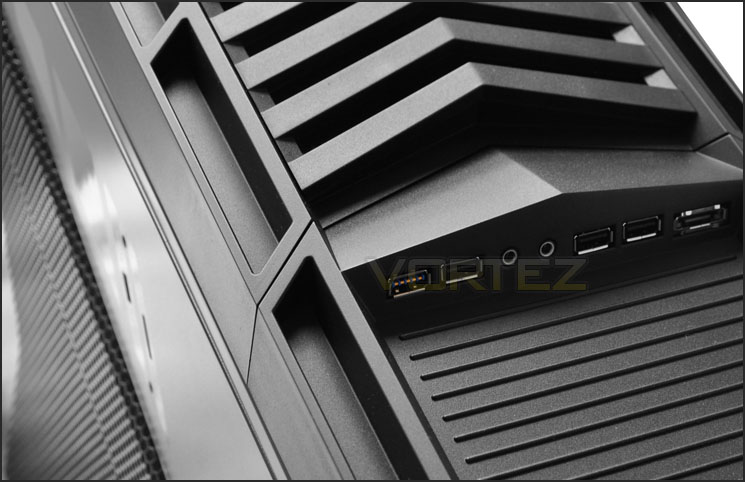
– 1x USB 3.0, 3x USB 2.0, 1x eSATA, HD/AC’97 Audio
Air Cooling Front
– 2x 12cm Vegas fans (pre-installed)
Air Cooling Rear
– 1x 12cm fan (optional)
Air Cooling Top
– 2x 12/14cm fans (optional)
Air Cooling Side
– 1x 25cm LED fan (pre-installed)
Expansion Slots
– 7x
Liquid Cooling Holes
– 4x
Packaging & First Look
SpineRex comes in a very eye catching box. With the name and art in sight we can identify that SpineRex is based around a carnivorous dinosaur type theme with the words “Natural Born Dominator” printed clearly and claw marks. We can tell immediately that this case is designed for gamers due to the artwork and name.
Around the back of the box are specified features including some specifications. SpineRex is as with all cases – covered in a clear plastic sheet and held in place with polystyrene pillars for protection during transit.
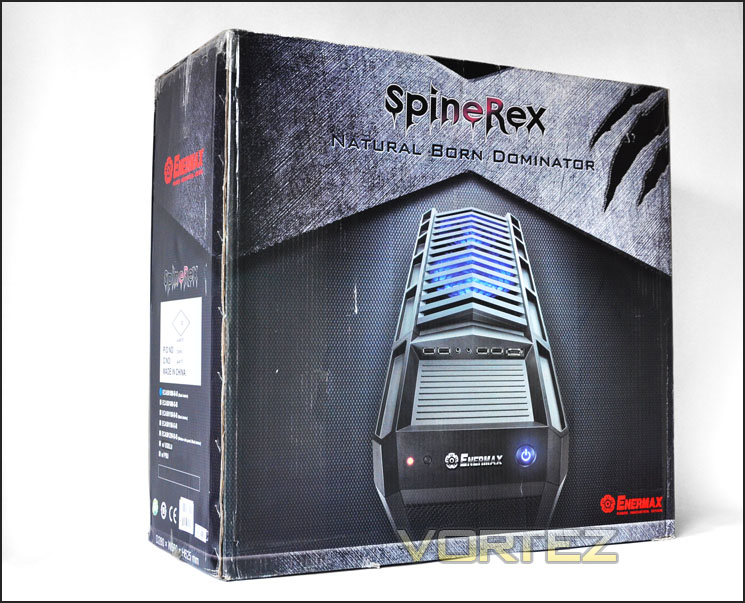
SpineRex tailored towards gamers
Taking SpineRex out of the box we can see some instant similarities with other popular cases currently on the market. SpineRex for me is reminiscent of the Antec Twelve Hundred.
The left side features a large mesh cut-out. Behind this mesh we have a massive 250mm LED fan and above it corresponding LED selector and fan speed nobs. On the alternate side we have a plain steel side panel with no distinct styling. Visually, SpineRex looks great. But let’s take a closer look at the exterior over the on the next page.
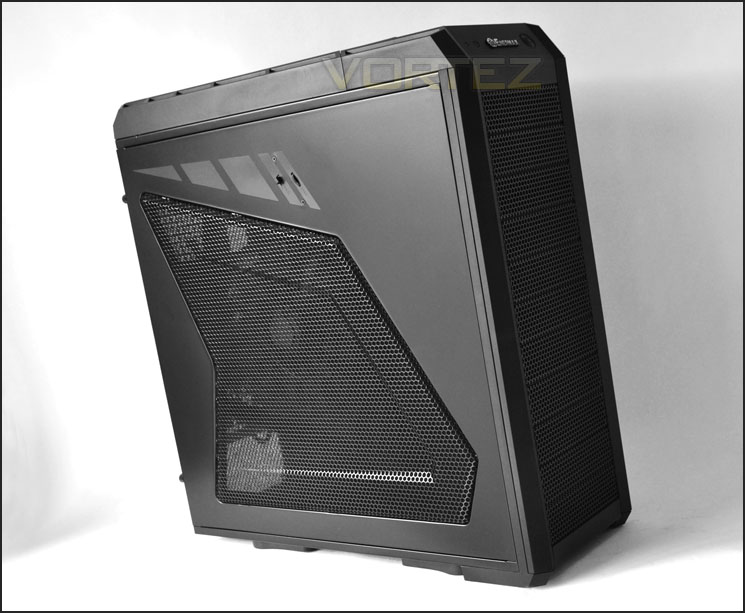
Aggressive styling – large mesh side panel with 250mm LED fan
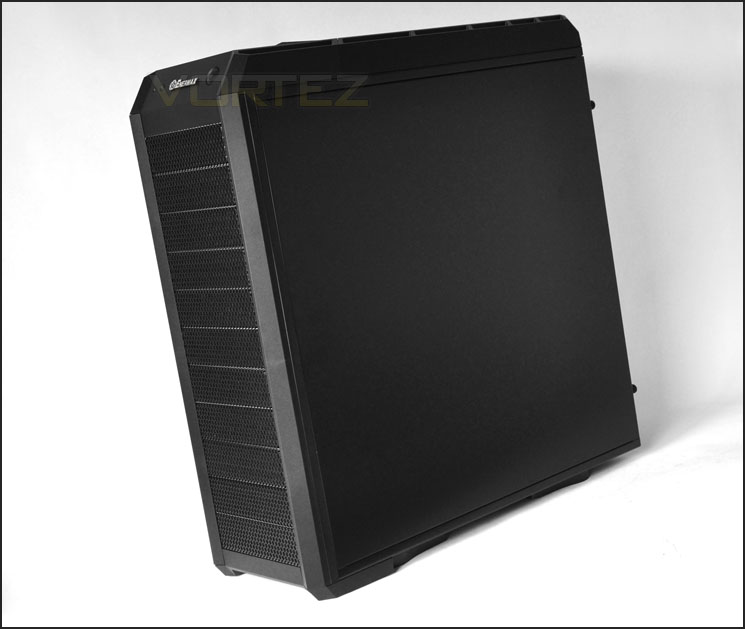
SpineRex could well remind you of other popular cases on the market
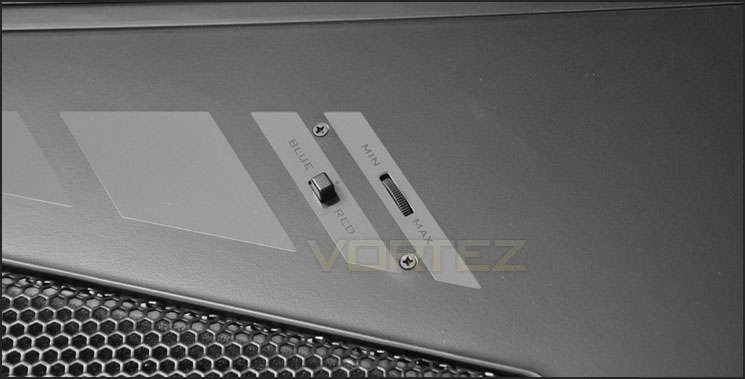
Fan control for 250mm fan with LED colour selector
Exterior
As you will appreciate, from the height of SpineRex (591mm) this case is a full-tower. Although we have 11 x 5.25” drive bay covers – 5 of these will have the capacity to function as an optical drive bay. Removing a drive bay cover is actually very easy thanks to the way Enermax have designed the case – see below. Each drive bay cover has a honeycomb mesh finish to it and foam for air/dust filter.
Around the back of SpineRex we have an opening for the PSU at the bottom. 4 x rubber grommets for tubing/cabling, 7 x PCI expansion slot covers (not ventilated) and a cut-out for mounting a 120mm fan. SpineRex surprisingly doesn’t come with a pre-installed exhaust fan. Both side panels are secured via thumbscrews.
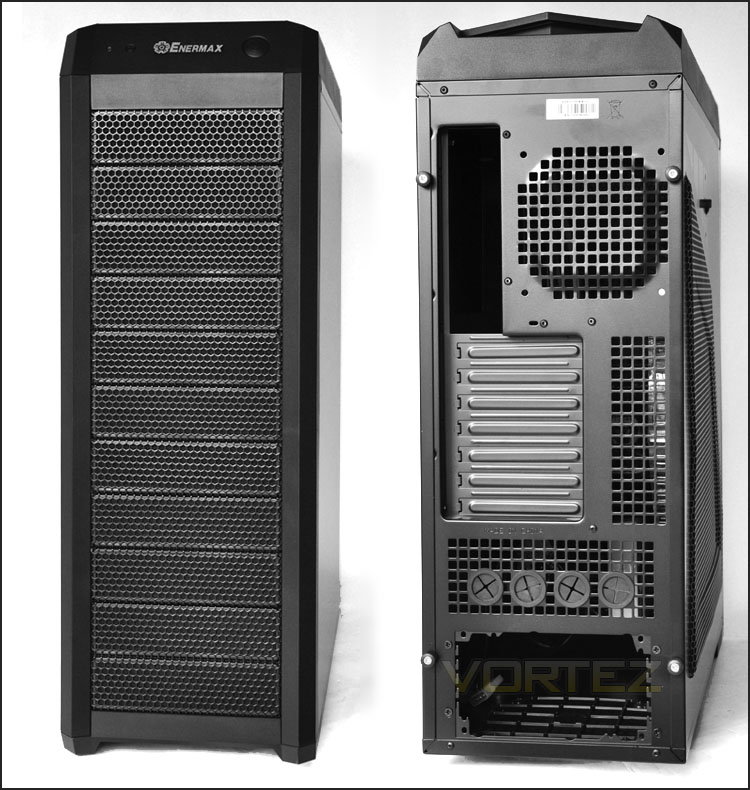
The front and back of SpineRex
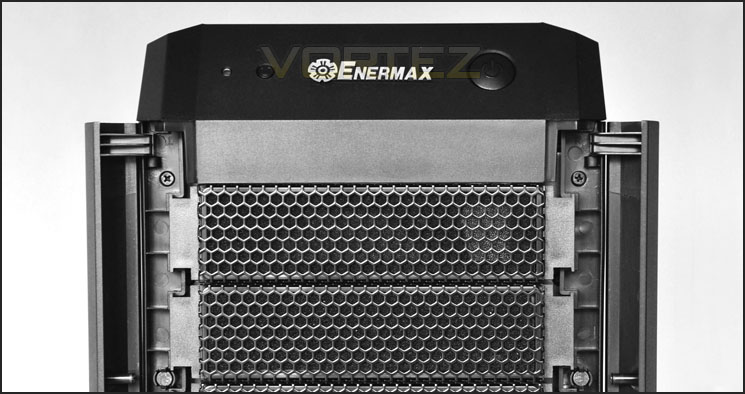
Side sections fold out to allow easy removal of drive bay covers
At the top of SpineRex the controls are split up. The power and reset with activity light are the immediate controls that you encounter. Whilst behind these we have 1 x USB3.0, 3 x USB2.0, headphone and microphone jacks and an E-SATA port. The section in front of these ports is concaved and provides an area for storing small items.
The USB3.0 port here uses a USB cable – so you will need to plug this into your I/O on the motherboard.
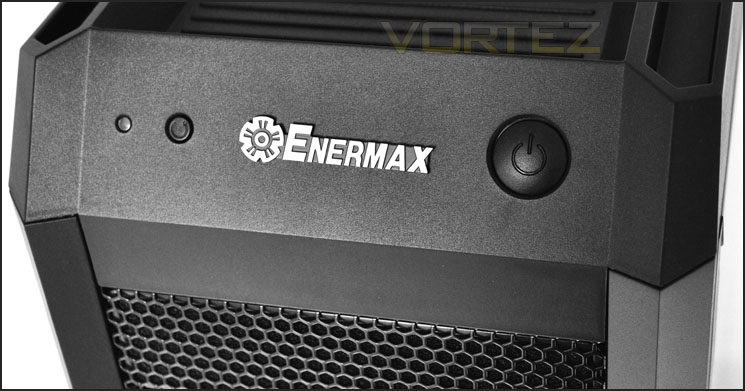
First section of the front panel with power, rest and LED activity light
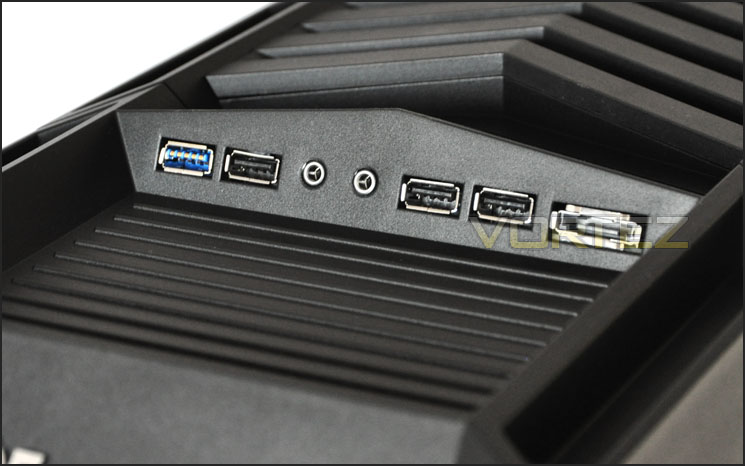
Second section of the font panel with USB3.0 functionality
At the top of SpineRex we have a ridged roof that can be slid back. There is the option to have this closed or open – closed will protect against dust but open will allow you to let heat escape, perhaps if you have a top mounted fan installed. Incidentally SpineRex doesn’t come with a pre-installed top mounted fan.
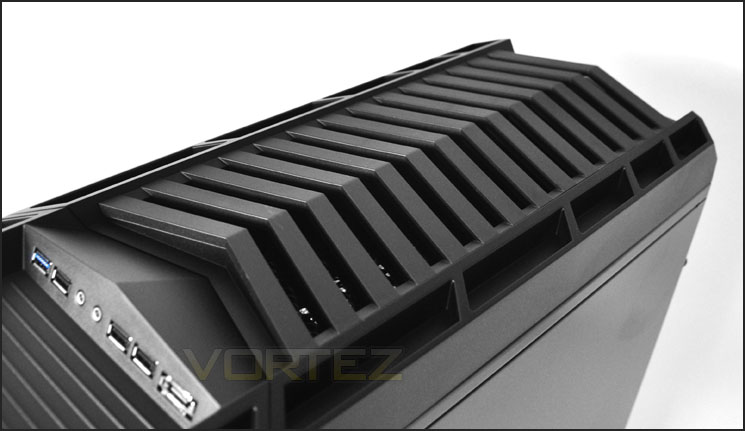
An armoured spine at the top capable of being opened or closed
Finally, on the underside we have 4 x feet that each have rubber mountings. These feet can either be positioned as pictured or turned 45 degrees to point outwards. The underside also features a mesh cut-out for the PSU – this also has an air/dust filter.
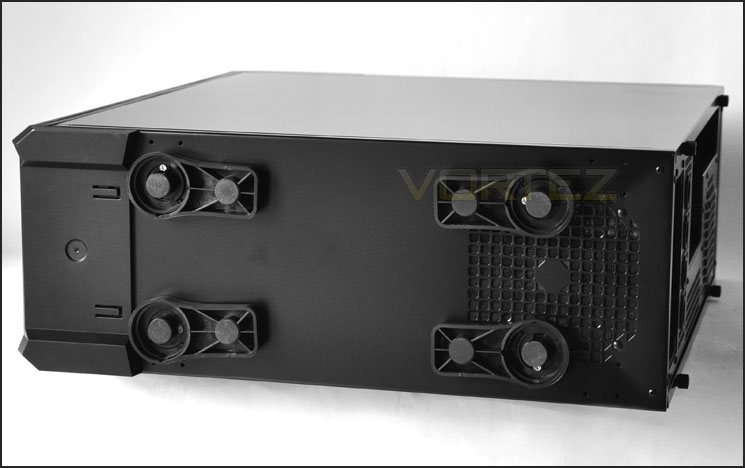
The underside, with turning feet
Interior
We’ve taken a look at the outside of SpineRex now let’s take a look at the inside. With the side panels removed we can see there is plenty of space inside the case. Those who recently saw our In Win Dragon Rider Review will notice similarities between this and SpineRex. They use a similar OEM. From the outset we can see that there are limited spaces for cable management due to the large opening beneath the motherboard tray. Combined with the narrow clearance between the side panel and behind the motherboard tray it looks like we may struggle in this department.
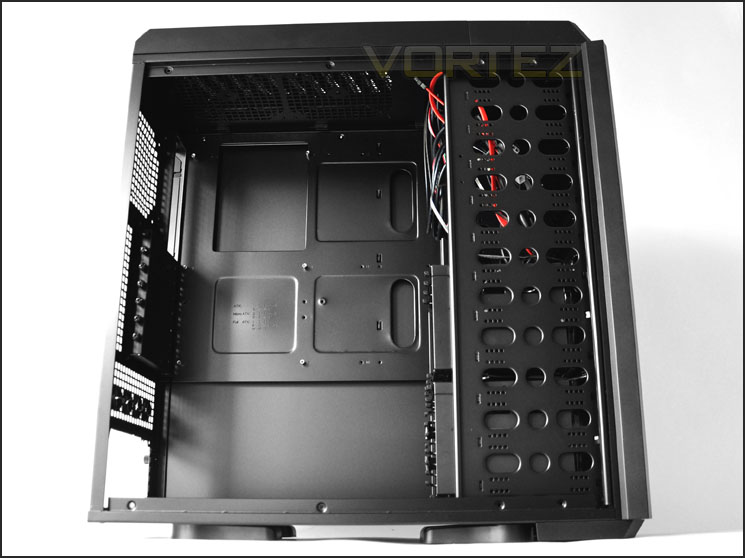
The prominent side with lots of space
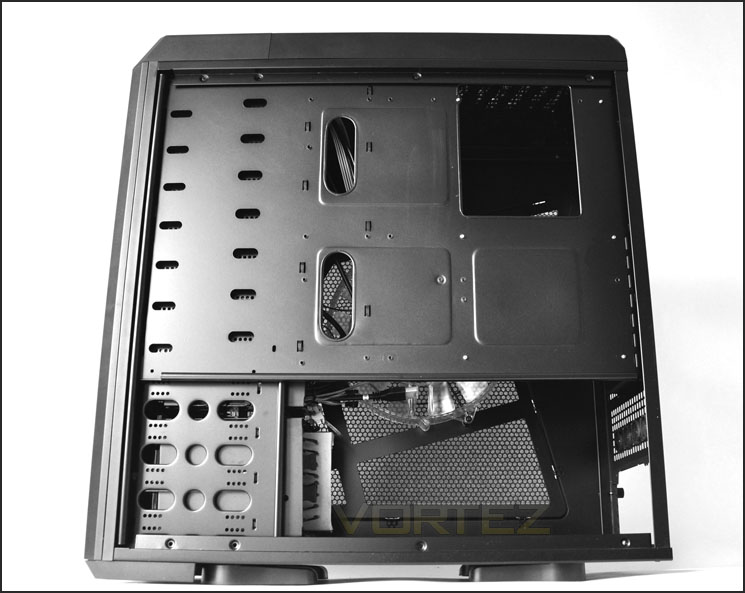
Limited number of cable management cut-outs and clearance
The PSU area has a removable dust filter that is removable. Unfortunately though you will need to remove the PSU to get this out. As it isn’t removable from the underside of the case. It’s good to see that SpineRex has rubber mounts for the PSU – this will help to reduce vibration and avoid scratching.
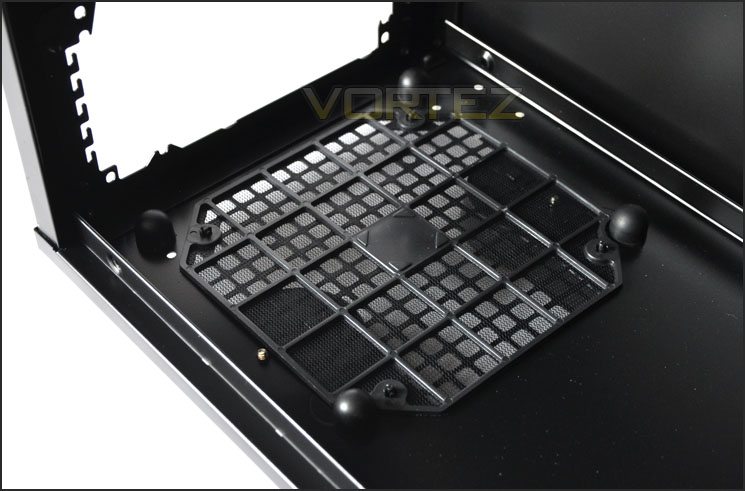
PSU has filter and anti-vibration elements
Moving up, we have 7 x PCI expansion slot covers, each have thumbscrews for easy removal. Considering some mid-towers have 8 PCI expansion slot covers, SpineRex, being classified as full-tower ought to have more than this!
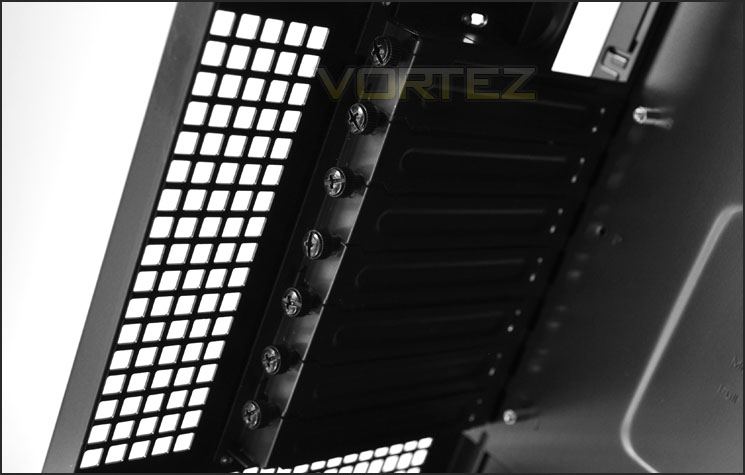
7 PCI expansion slot covers with thumbscrews
At the rear and top of SpineRex we have mounting for a rear 120mm fan and 2 x 120/140mm fans at the top (No filter). Sadly these are optional and SpineRex is absent of any cooling at the rear and top of the case – breaking out of traditional cooling methods is a risky game. A little later we will feature SpineRex in our notorious thermal performance chart to find out whether the omission of these cooling fans is to its detriment.
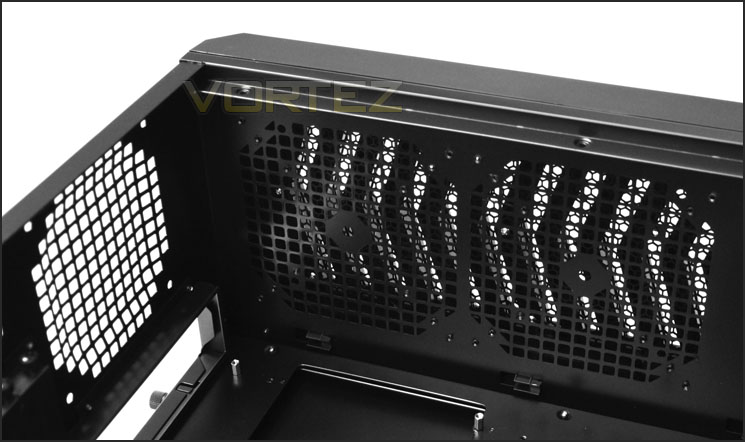
Mounting for 120/140mm fans but nothing pre-installed
Interior (Continued)
On the inside of the prominent side panel we have the 250mm LED fan. This has a molex connector and foam padding which acts as a dust/air filter. Being 3cm in thickness this fan may well cause interference with bigger CPU coolers but we will find this out later.
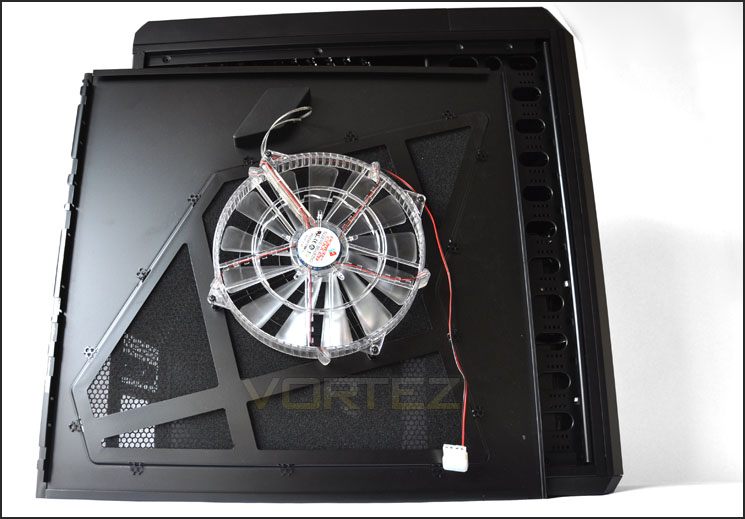
Massive 250mm LED fan with fan control and selectable LED colours (Red/Blue)
The HDD cages within SpineRex have brackets attached to them. These needs to be removed and attached to each drive you wish to install. Getting these cages out requires you to remove drive bay covers at the front and then 4 screws holding in each fan. When the fan is successfully removed you can then slid the HDD cage out through the front.
Each of the cages here have 120mm Vegas fans attached for cooling. These fans have the ability (similar to the Hoplite we recently reviewed) of changing colour and orientation.
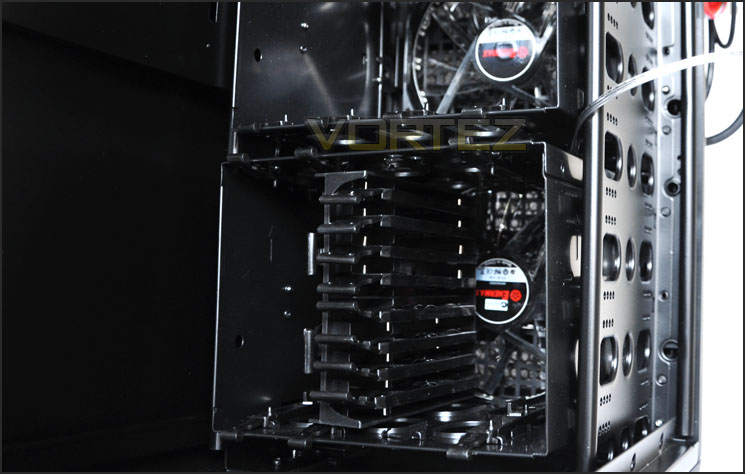
HDD cages with dual 120mm Vegas fans behind
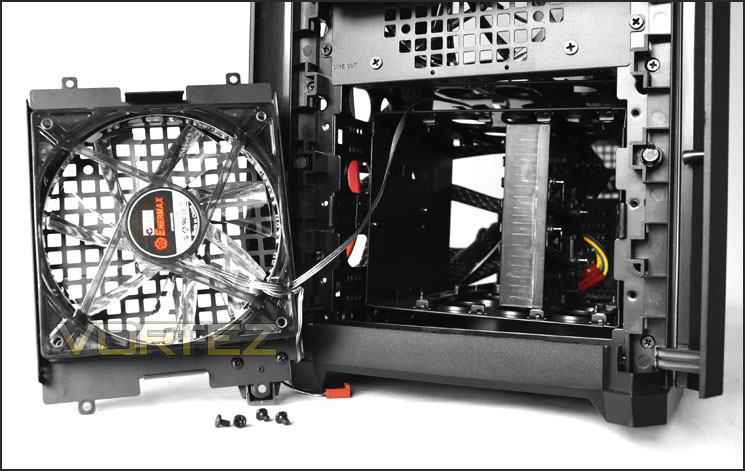
Fan removed – access to HDD cage
Finally, I also took off the optical drive bay cover to give you an idea of what they are like. Foam on the inside and plastic clips on the edge. Getting these covers on and off is very easy.
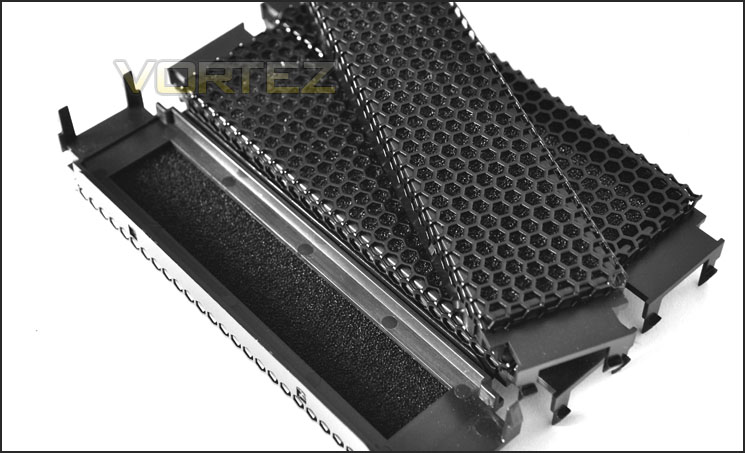
Drive bay covers have foam filters behind them
Installation
Installing kit inside SpineRex was for the most part painless but there were certain aspects that presented a few issues and cannot be ignored. Cable management within SpineRex is far from good. The big gap behind PSU prevents good cable management practise, it would have been far better to leave the panel in here and have cut-outs on the motherboard to conceal cables. Behind the motherboard tray there is very little space at all for routing cables through. This meant I had to wrestle with the side panel when trying to get it on as the PCIe/P4 and 24-pin power cables pushed the side panel out due to very tight clearance. Installing HDDs into the SpineRex was another aspect I wasn’t too keen on. It does work but there are better methods of installing HDDs than what we are presented with.
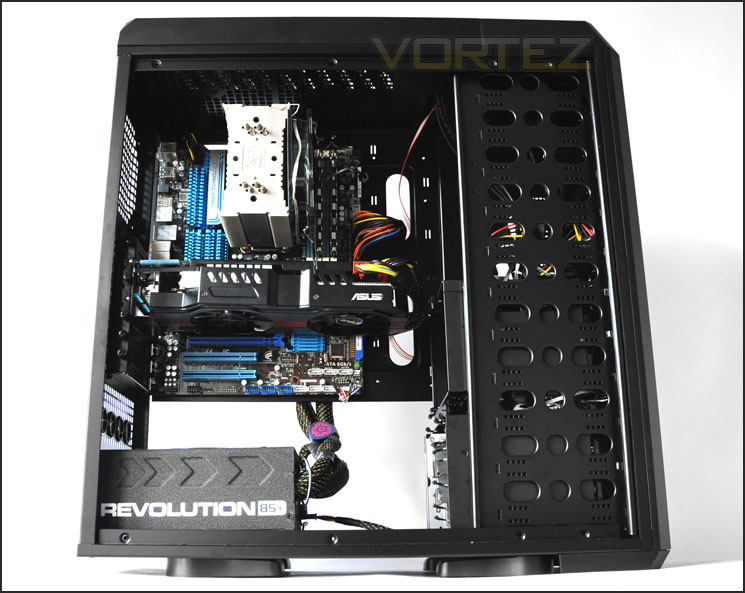
Install complete – lots of space but poor cable management
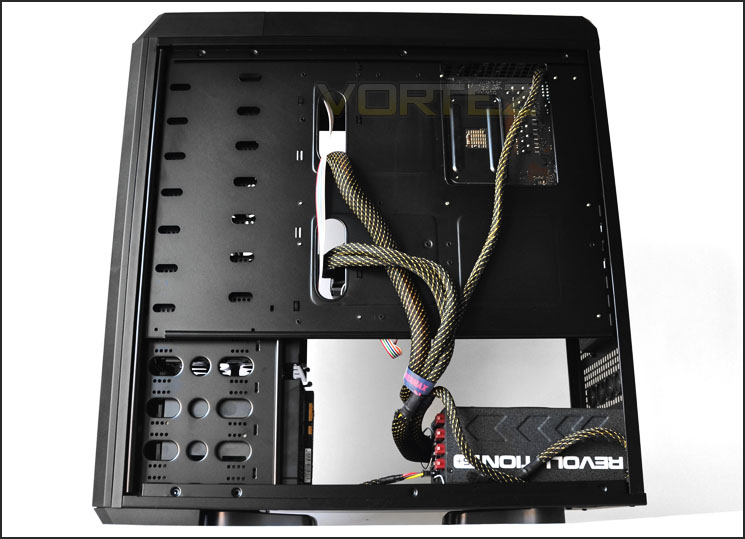
Little clearance behind motherboard tray
The bundle we get with SpineRex includes various screw types, a manual, Vegas fan illustration sticker, a speaker and Enermax cable tidies.
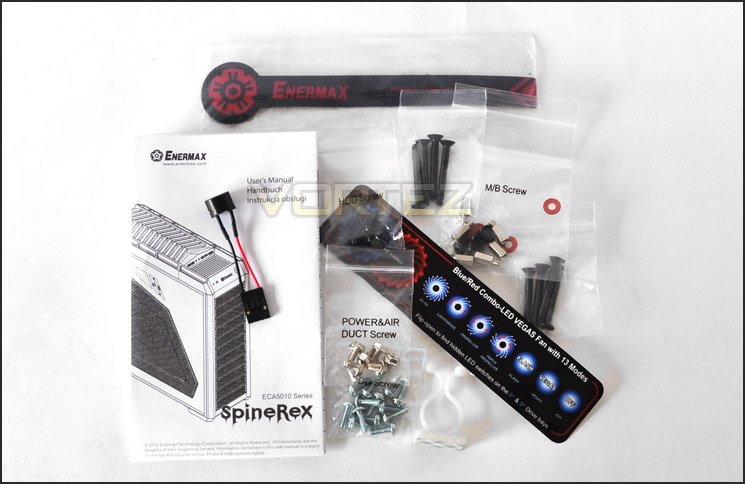
The SpineRex bundle
Installing HDDs into the cages within SpineRex can be a little tedious – you have to attach a bracket to either side of the drive and then slide it into place. Personally I prefer a system that allows you to screw the drive into a cage/bracket.
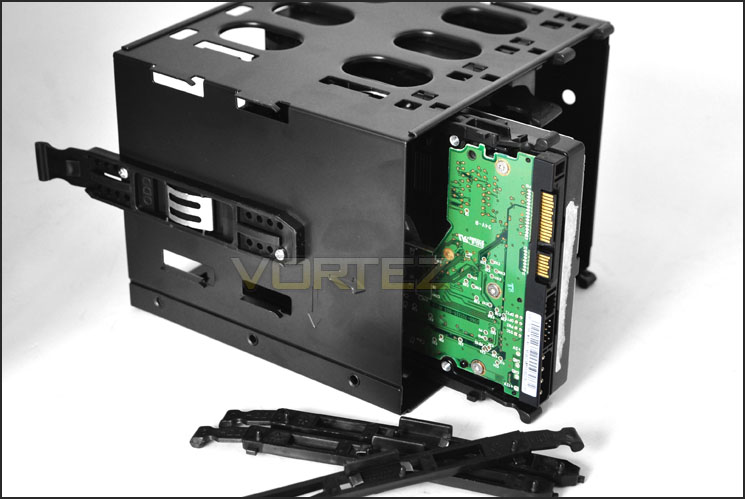
Installing HDD into the cage via brackets
Installation (Continued)
In terms of CPU cooler clearance there is just enough space for the Noctua NH-U12P which is 158mm in height. That is… without the side fan attached. To get the side panel fit on properly I had to remove the 250mm fan. Installing anything larger such as a Noctua NH-D14/Thermalright Silver Arrow will struggle to fit inside due to the narrowness of the SpineRex dimensions.
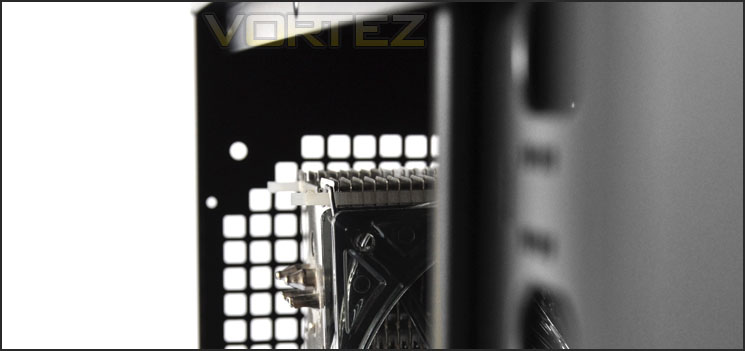
Tight on CPU Cooler clearance
Over on the graphics card clearance we have no problems getting large cards to fit. The ASUS HD 6950 Direct CUII which is over 11” in length fits fine.
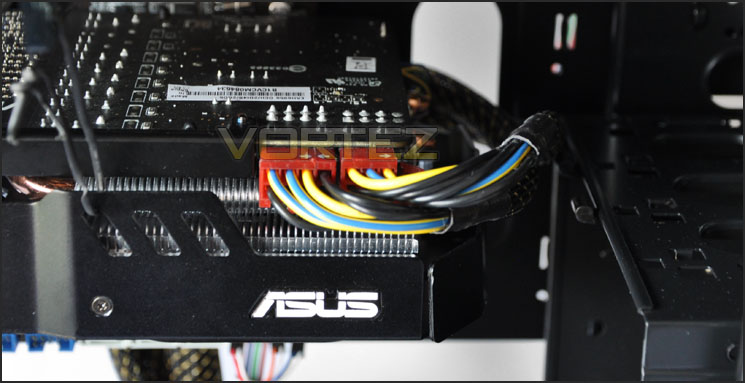
SpineRex accommodates long graphics cards
Behind the motherboard tray we have just a few millimetres of clearance. Not even a cm. This adds to the frustrating cable management capabilities within SpineRex and seriously limits things. We’ve reviewed cases recently that have had over 1.5cm of clearance – allowing generous space and therefore creating good cable management possibilities. This is certainly one of SpineRex weaker points
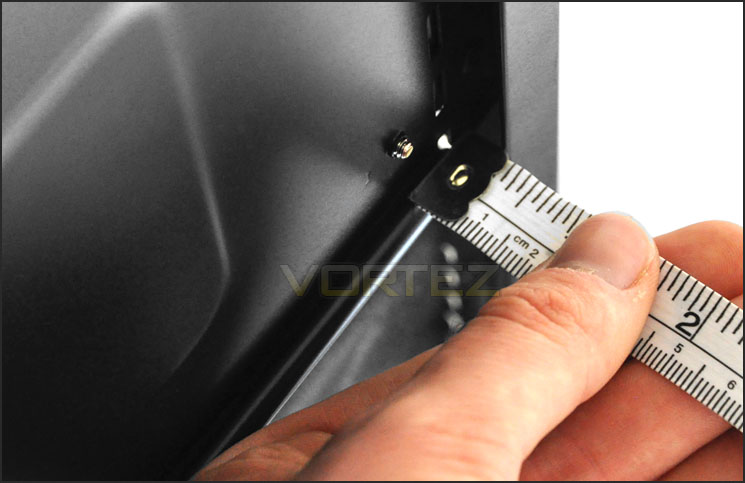
Very little space behind the motherboard tray
Powered UP
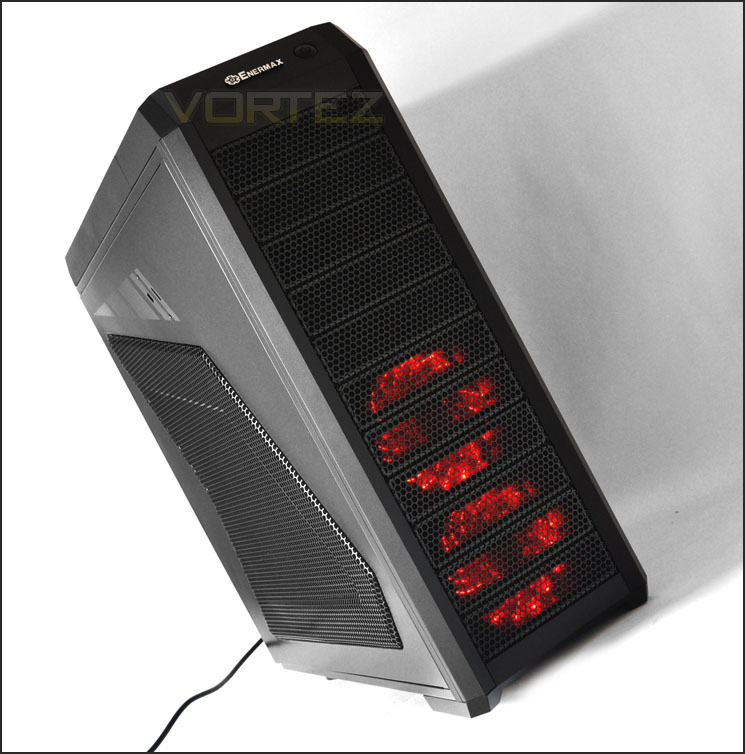
SpineRex is undoubtedly a good looking chassis. On the outside it oozes character – adding to this are the dual Vegas fans situated at the front of SpineRex. Powering up the system we can manipulate these fans to having blue or red colours and a series of different orientations – flashes, pulses and rotations. See here for more details
So here is SpineRex powered up. The side fan had to be uninstalled due to it touching the CPU cooler but you can still appreciate that this case is a visual delight!
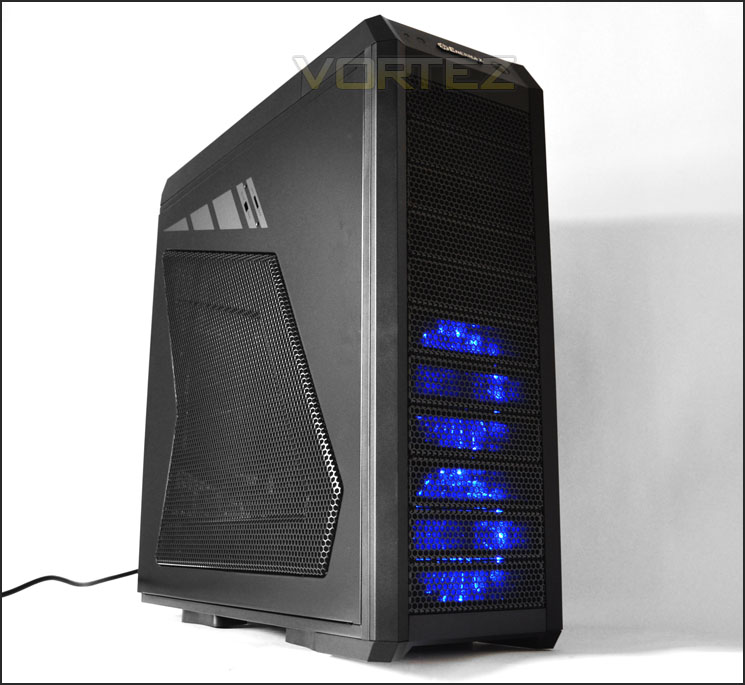
Thermal Performance Testing
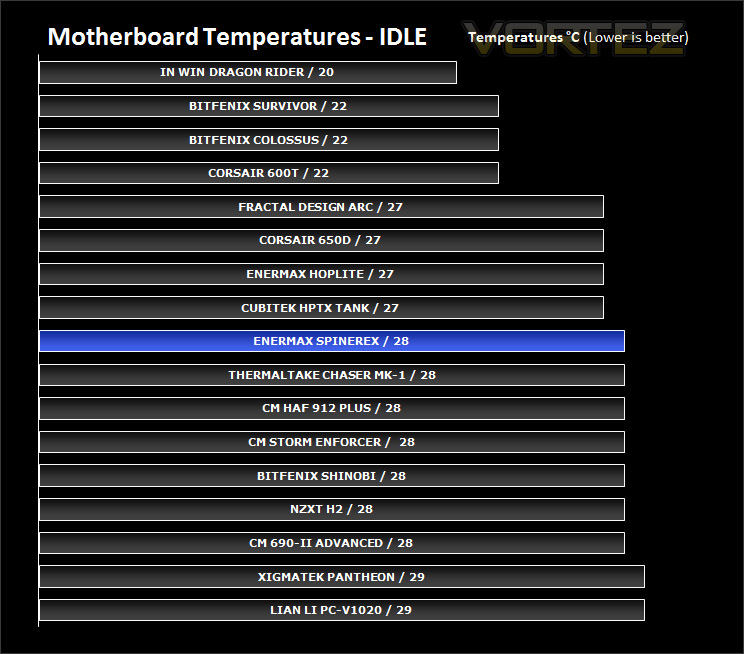
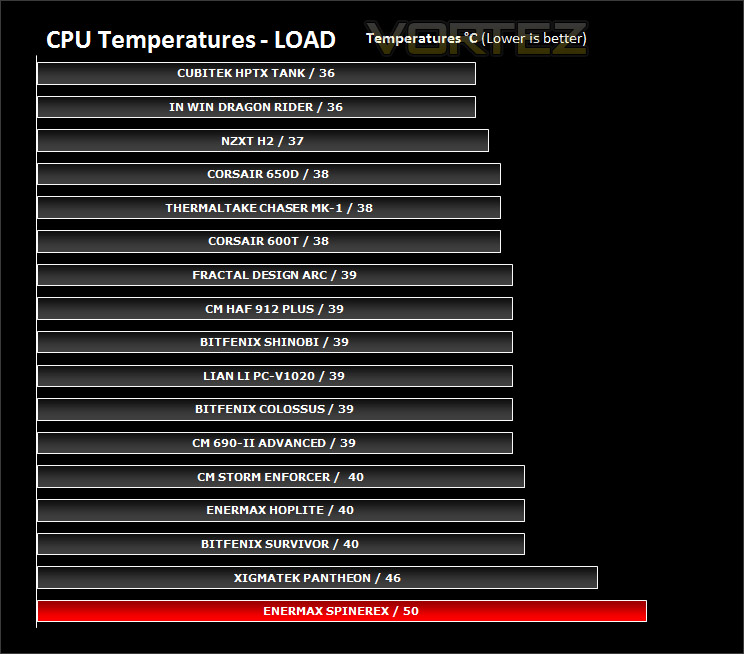
The Enermax SpineRex breaks out of traditional cooling placement and has rear and top mounted fans absent from the chassis. The only fans found within the SpineRex are the 250mm fan attached to the side panel and the dual 120mm Vegas fans at the front of the case. The 250mm fan has been removed due to the fact the side panel will not fit on with the kit installed within SpineRex and used on all case reviews. On paper this should have a negative effect on thermal performance as traditional cooling placement would see air blowing across the motherboard and out through the back of the case.
To discover the thermal performance of SpineRex I will record idle temperatures after 20 minutes from a cold boot. I will then stress the system and temperatures will again be monitored after 30 minutes have elapsed.
System Components
CPU AMD Phenom II X6 1055T 2.8GHz
Motherboard ASUS M4A89TD PRO
Graphics ZOTAC NVIDIA GTX 480
Memory 4GB Mushkin EM3-10666 DDR3
HDD Samsung Spinpoint 500GB SATA-II
PSU Enermax Revolution 85+ 850W
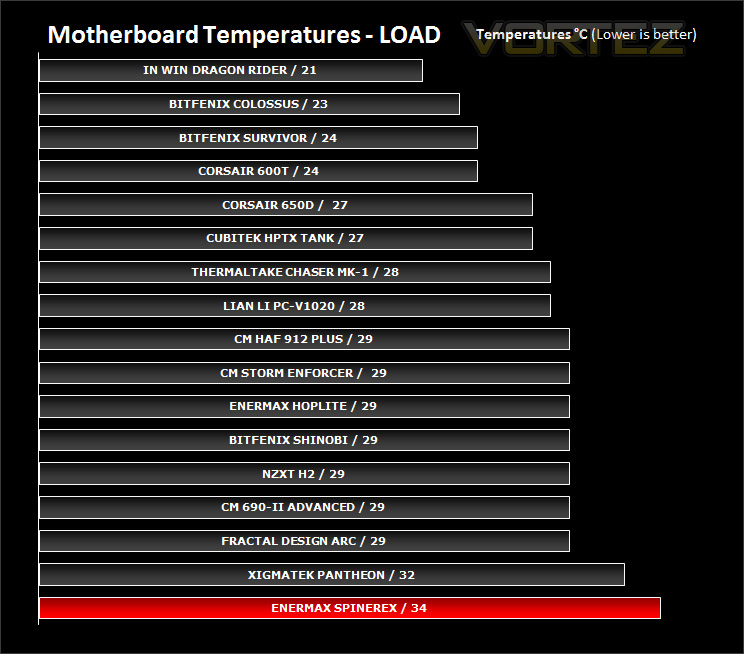
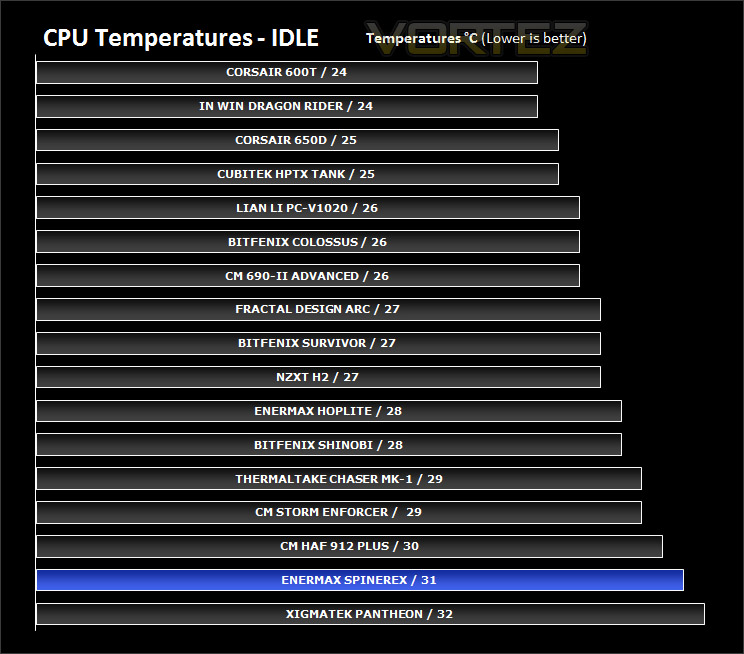
As you can see from the results below thermal performance suffers due to the lack of exhaust fans within the chassis. At stock SpineRex lacks good thermal performance due to obvious reasons, breaking out of traditional fan placement is a risky thing!
Conclusion
SpineRex has been a long time coming and I know quite a few have been anticipating its release for many months now but how does it fare?
Visually SpineRex is a great looking case but it has some strange design concepts. Cooling breaks out of the traditional fan placement and lacks a rear exhaust and top mounted fan. Due to the narrowness of SpineRex the 250mm fan on the side panel had to be removed as it was touching the CPU cooler we use in our test bench for cases, thus leaving only dual 120mm fans at the front to cool the entire system. Only having intakes and no exhaust fans causes cooling inadequacies and its clear to see this from the thermal performance results on the previous page.
It doesn’t stop there either, I found the cable management awkward and unforgiving. Behind the motherboard tray there are just a few millimetres of clearance between the motherboard tray and side panel – causing issues with storing cables here. The lack of space and large cut-out around the PSU meant that cables were not hidden but always on display – my feeble attempt to tidy the cables coming from the PSU were limited to just using a cable tie around all of the cables.
Priced at around £100 inc. VAT SpineRex is one of the cheaper full-tower cases available on the market. As much as I love the Enermax brand with its strong PSUs and brilliant cooling fans I cannot help but feel disappointed by their latest case offering – the SpineRex. It looks great but falls foul to pointless design concepts and OEM type quality. The phrase that comes to mind is: “Style over substance”.
Pros
+ Great looking case
+ Dual Vegas fans
+ Will accommodate long graphics cards
Cons
– Poor cable management
– Poor clearance behind motherboard tray
– No rear exhaust or top mounted fan
– Side fan obstructs most CPU coolers (155mm tall)
+ Great looking case
+ Dual Vegas fans
+ Will accommodate long graphics cards
Cons
– Poor cable management
– Poor clearance behind motherboard tray
– No rear exhaust or top mounted fan
– Side fan obstructs most CPU coolers (155mm tall)


