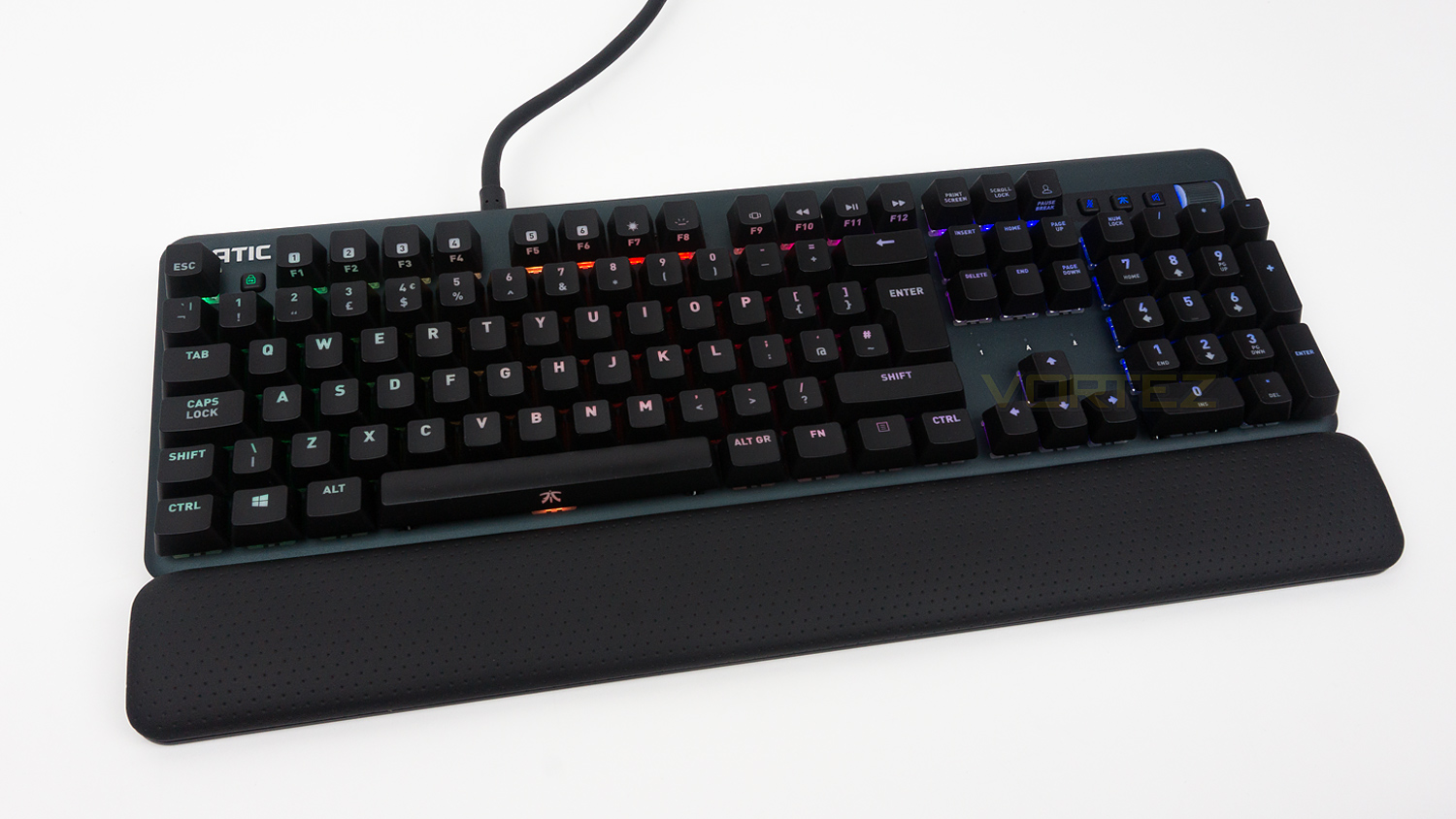
Mechanical keyboards are continuously growing in numbers which does make it difficult for individual keyboards to stand out. So is the Fnatic STREAK one such offering that emerges from the crowd?

Product on Review: Fnatic STREAK
Manufacturer: Fnatic Gear
Street Price: €129.99 / $129.99
It seems like full-sized mechanical keyboards are everywhere and with pretty much every peripheral maker having at least one or two models, that is no surprise. The keyboard market is very large, and companies want to be a part of that, but that means that it is tougher than ever for consumers to select from the broad range of offerings. Today we’ll be taking a look at one such offering from Fnatic Gear, and that is in the shape of their STREAK which is a Cherry MX equipped mechanical keyboard.
The Fnatic STREAK shares a lot of its core components with its smaller sibling the miniSTREAK. These include the same selection of switches available of which there are four flavours. Our sample comes with the Cherry MX Red Silent, but the STREAK can be purchased with either the MX Blue, Brown or Red, each of which has their own character traits. The Red Silent we have behave very similarly to the regular MX Reds but are quieter, this makes them ideal for streamers that use a sensitive mic for streaming or for those that don’t like the noise Cherry Reds make. Other identical features include a 1000Hz polling rate, an NXP Microcontroller, fully customisable RGB illumination and more. What is different though is the integrated USB pass-through, full-size numpad and the addition of a metal volume control wheel.
Fnatic on the STREAK:
STREAK is a super-thin, fully RGB mechanical keyboard optimised for esports. Complete with Cherry MX switches, comfort focused design, hundreds of customisation options, and a precision engineered metal build that our pro’s rely on to win.
Technical Specifications
Keyboard
Format – Full-size
Switches – Cherry MX
Variants – Blue, Brown, Red, Silent Red
Key life – 50 million keystrokes
Polling rate – 1000Hz
MCU & Memory – NXP / 8MB
RGB illumination
FN lock
LED nameplate
Volume control wheel
USB pass-through
Materials – Anodised Aluminium & Polycarbonate
Size & Weight
Size – 440 x 141 x 36mm
Size with wrist rest – 440 x 192 x 36mm
Weight – 962g
Cable – 2.2m multi-plug
System requirements
PC & Mac
Internet to download Fnatic OP software
One USB port or two if you plan on using the USB pass-through feature
Format – Full-size
Switches – Cherry MX
Variants – Blue, Brown, Red, Silent Red
Key life – 50 million keystrokes
Polling rate – 1000Hz
MCU & Memory – NXP / 8MB
RGB illumination
FN lock
LED nameplate
Volume control wheel
USB pass-through
Materials – Anodised Aluminium & Polycarbonate
Size & Weight
Size – 440 x 141 x 36mm
Size with wrist rest – 440 x 192 x 36mm
Weight – 962g
Cable – 2.2m multi-plug
System requirements
PC & Mac
Internet to download Fnatic OP software
One USB port or two if you plan on using the USB pass-through feature
Packaging & First Look
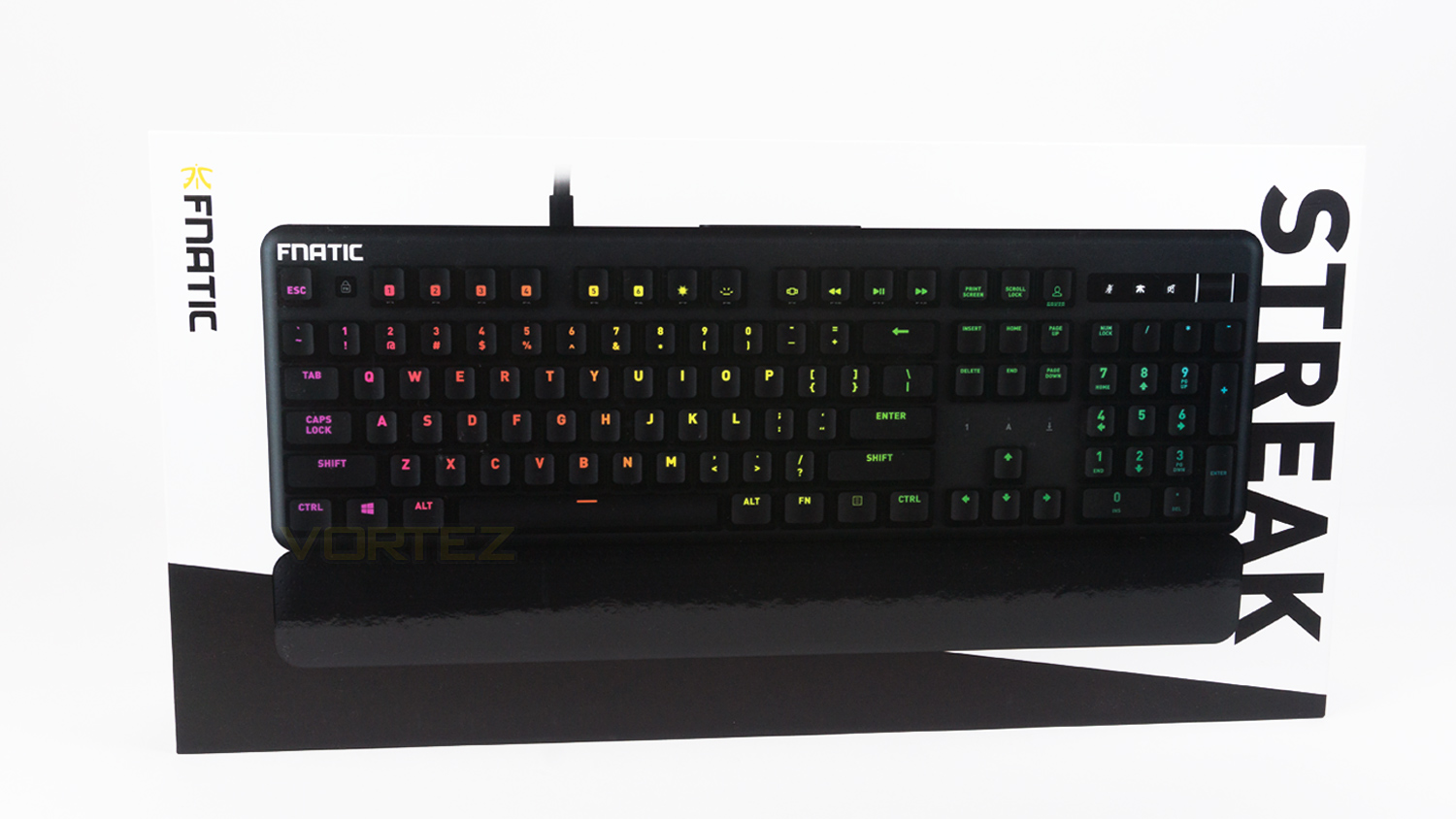
The Fnatic STREAK comes in a stylish white and black box with an image of the STREAK in the centre. There is some Fnatic branding on the left-hand side and model name on the right.
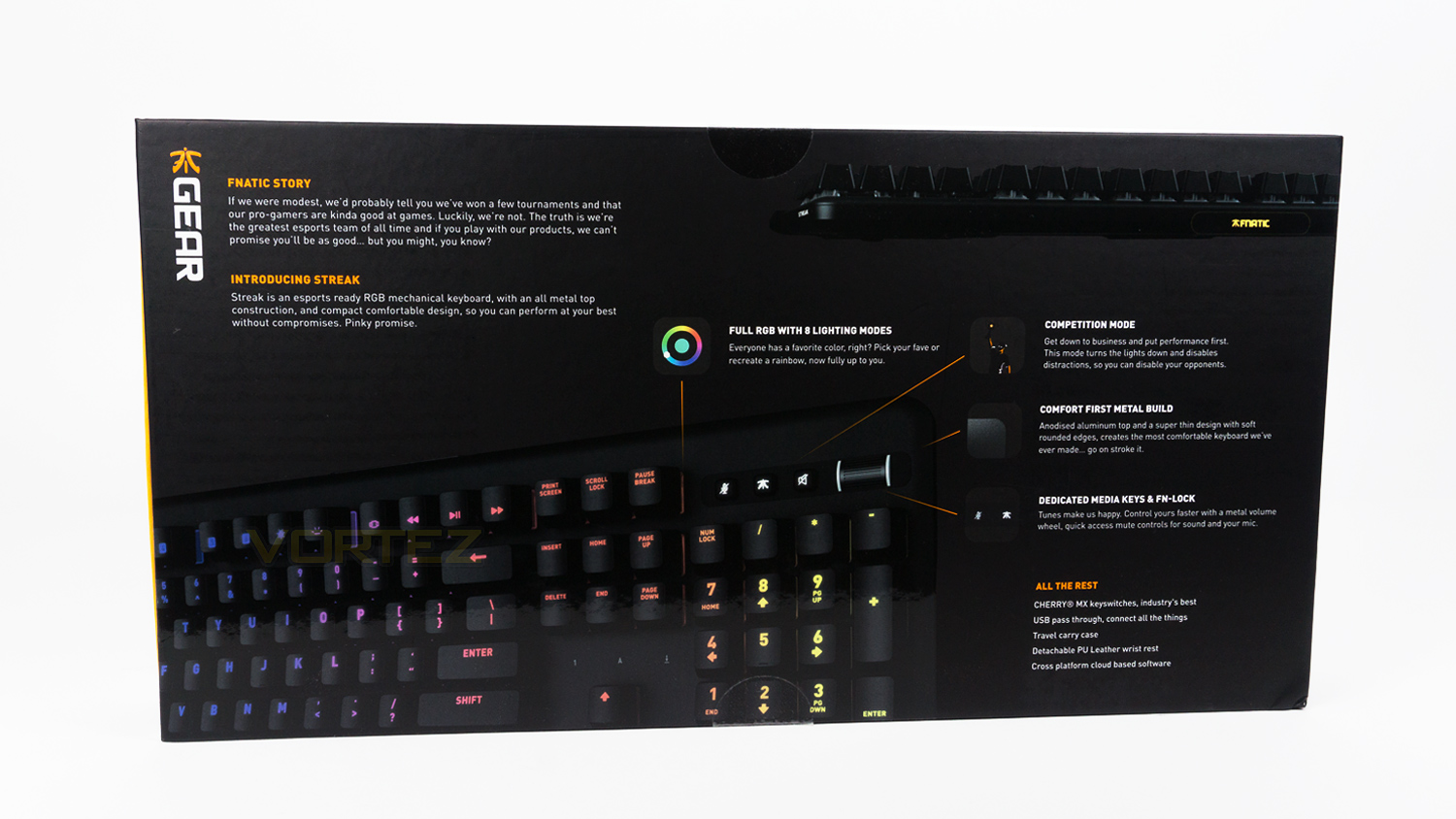
Turning the box to the rear side, there is a small paragraph that contains a bit of history about Fnatic as well as an introduction to the STREAK. There is also an image of the keyboard that is labelled with some of the keyboards key features.
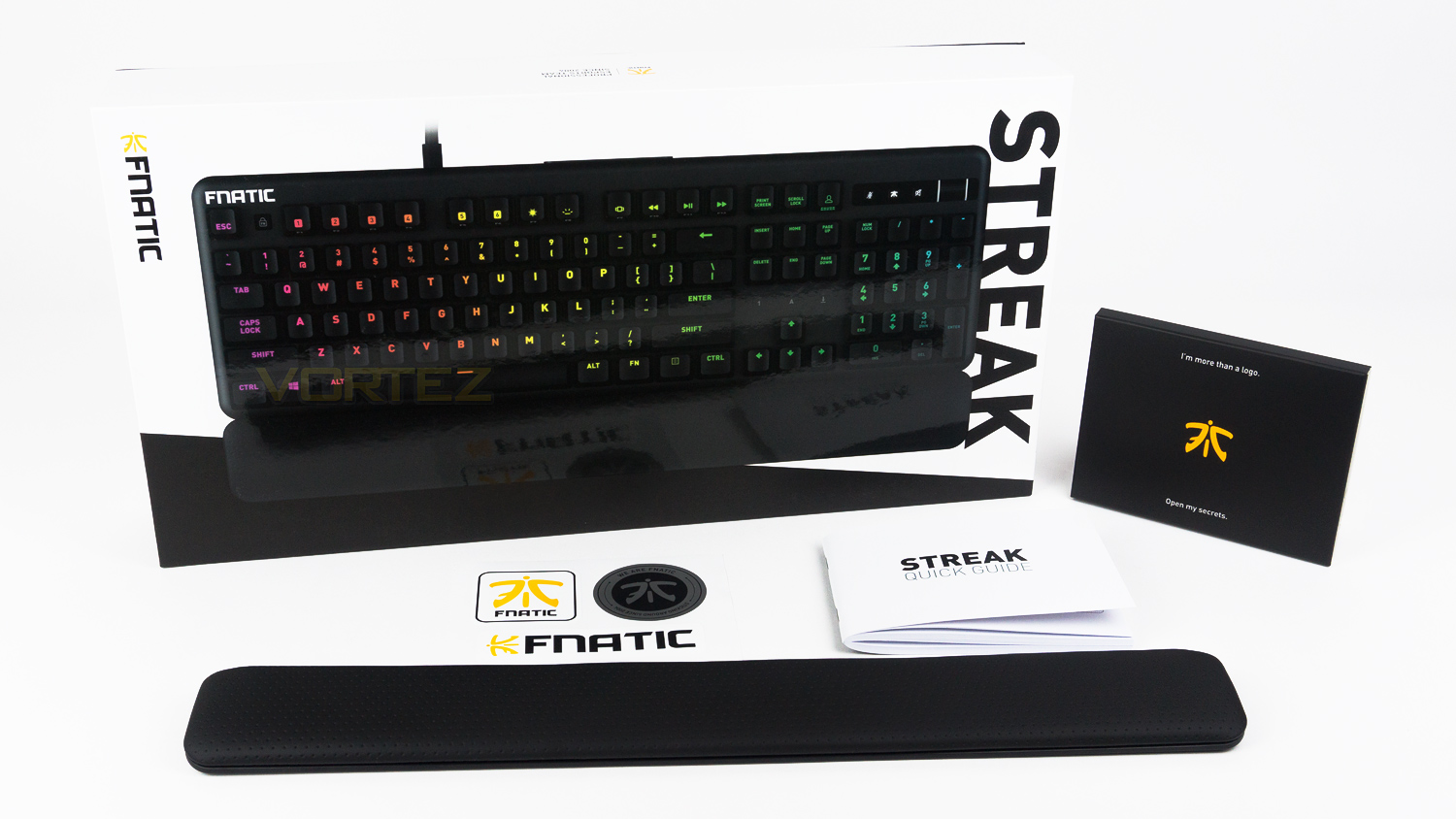
Included in the box, there is a detachable wrist rest, one quick start guide and some stickers.
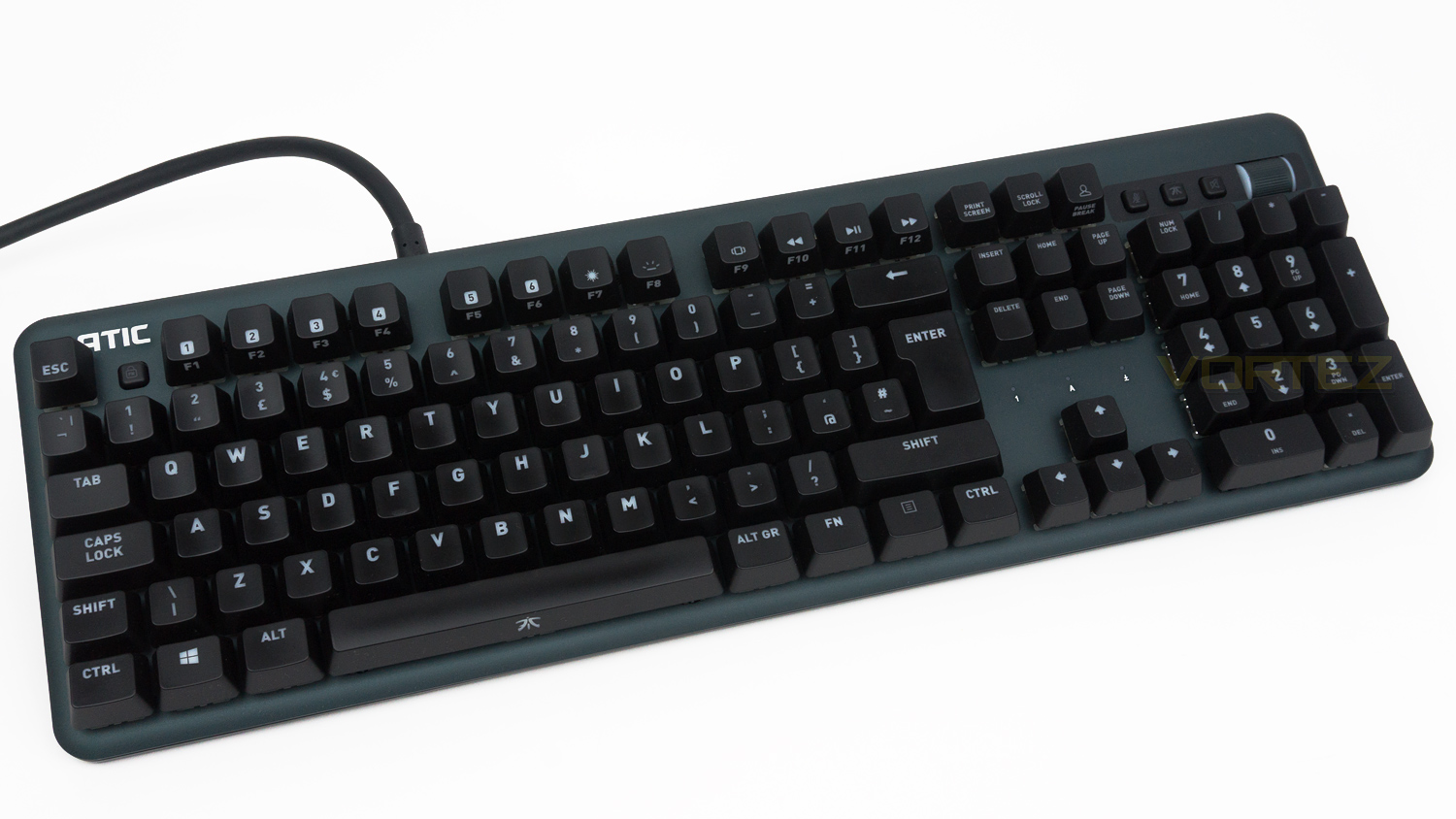
The STREAK utilises the same solid Anodised body as the one found on the miniSTREAK, this features some nice rounded edges and just the right amount of aesthetic touches to let you know that it’s a keyboard that is designed for gamers.
Closer Look
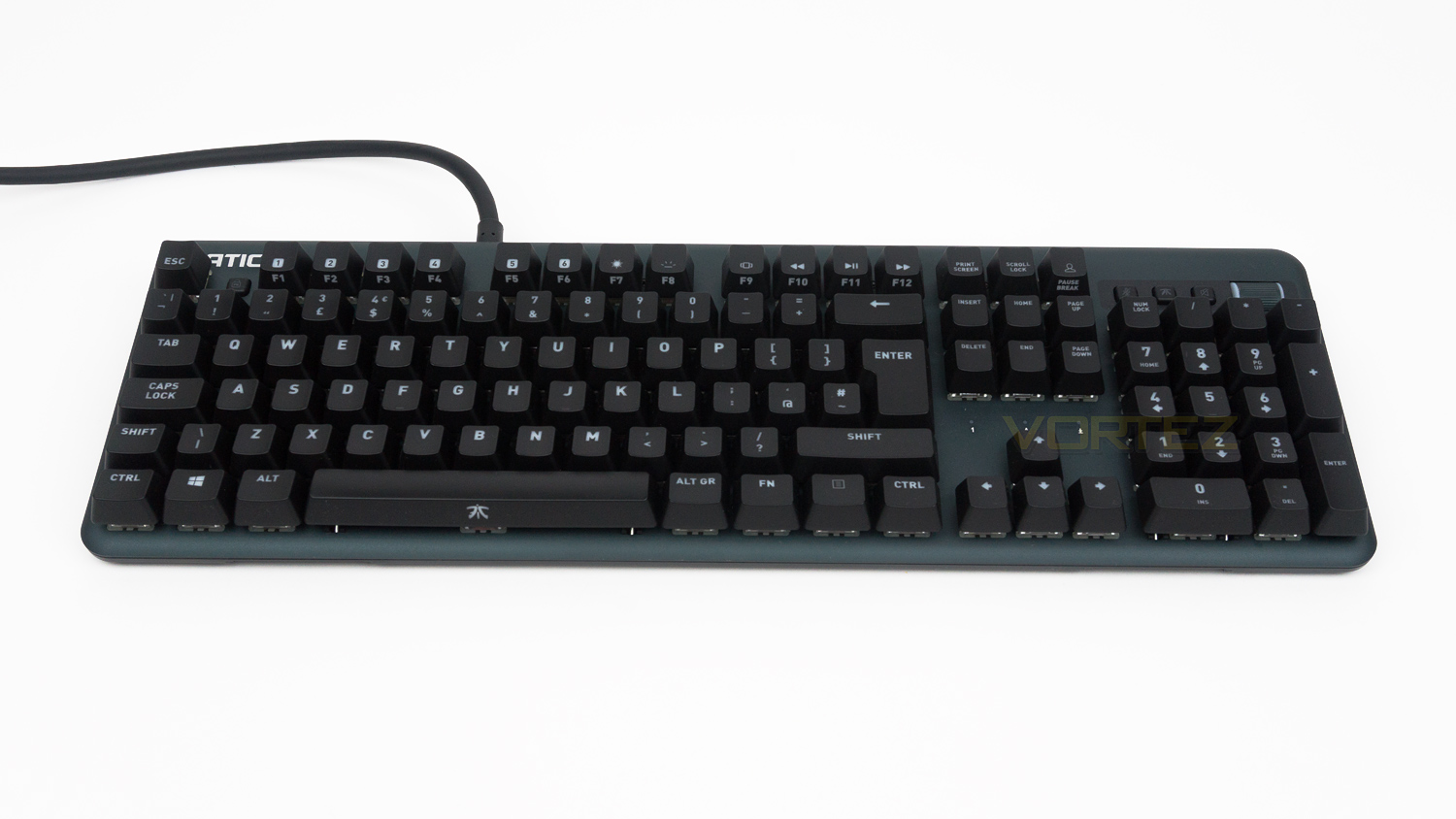
The STREAK is a full-sized keyboard and with dimensions of 440 x 141 x 36mm it is quite small for a keyboard of this type. For example, it’s 35mm shorter than the Razer BlackWidow Chroma V2, 15mm shorter than the Logitech G513, 14mm shorter than the ROG STRIX Flare and it’s a touch longer than the Cooler Master MK750.
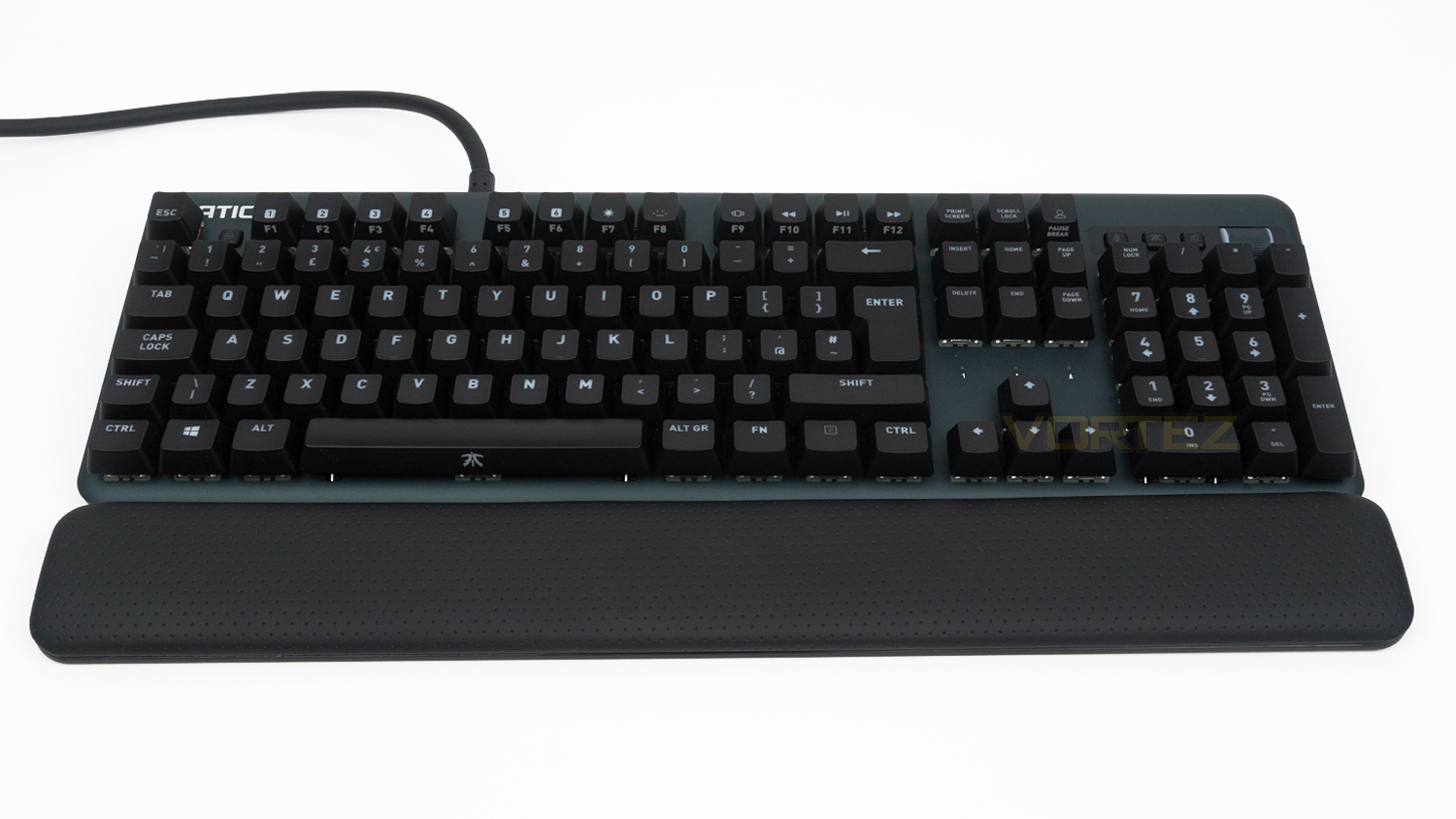
Attaching the wrist rest does, of course, increase the width of the keyboard by adding an additional 51mm to the size. However, it is still more compact than similarly priced keyboards that utilise a wrist rest, so this could be something to take into account.
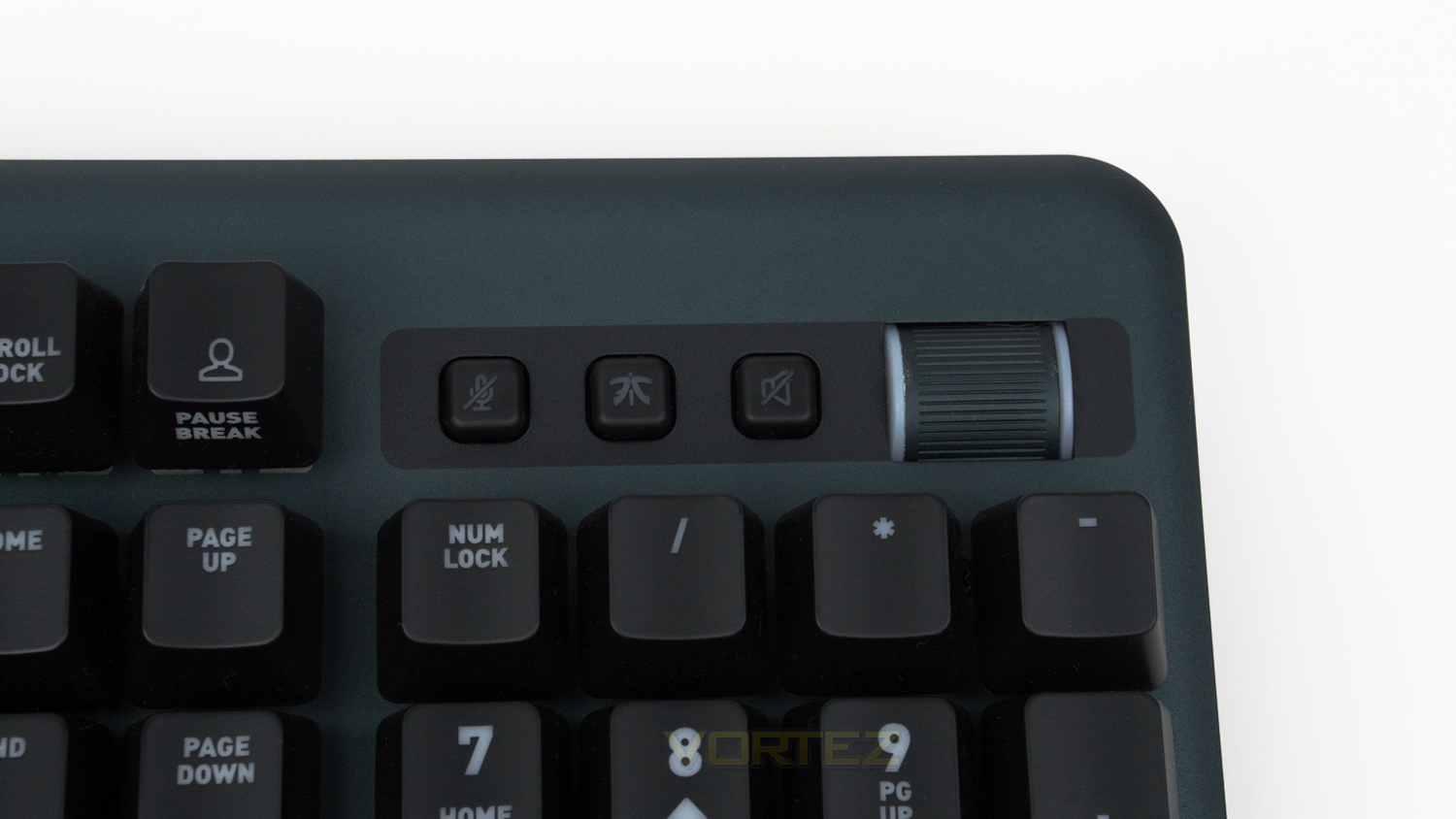
At the top right of the STREAK, there are three buttons and a metal wheel; the buttons allow you to mute a microphone, go into competitive mode, mute the main audio, and the wheel allows you to adjust the volume of the main audio.
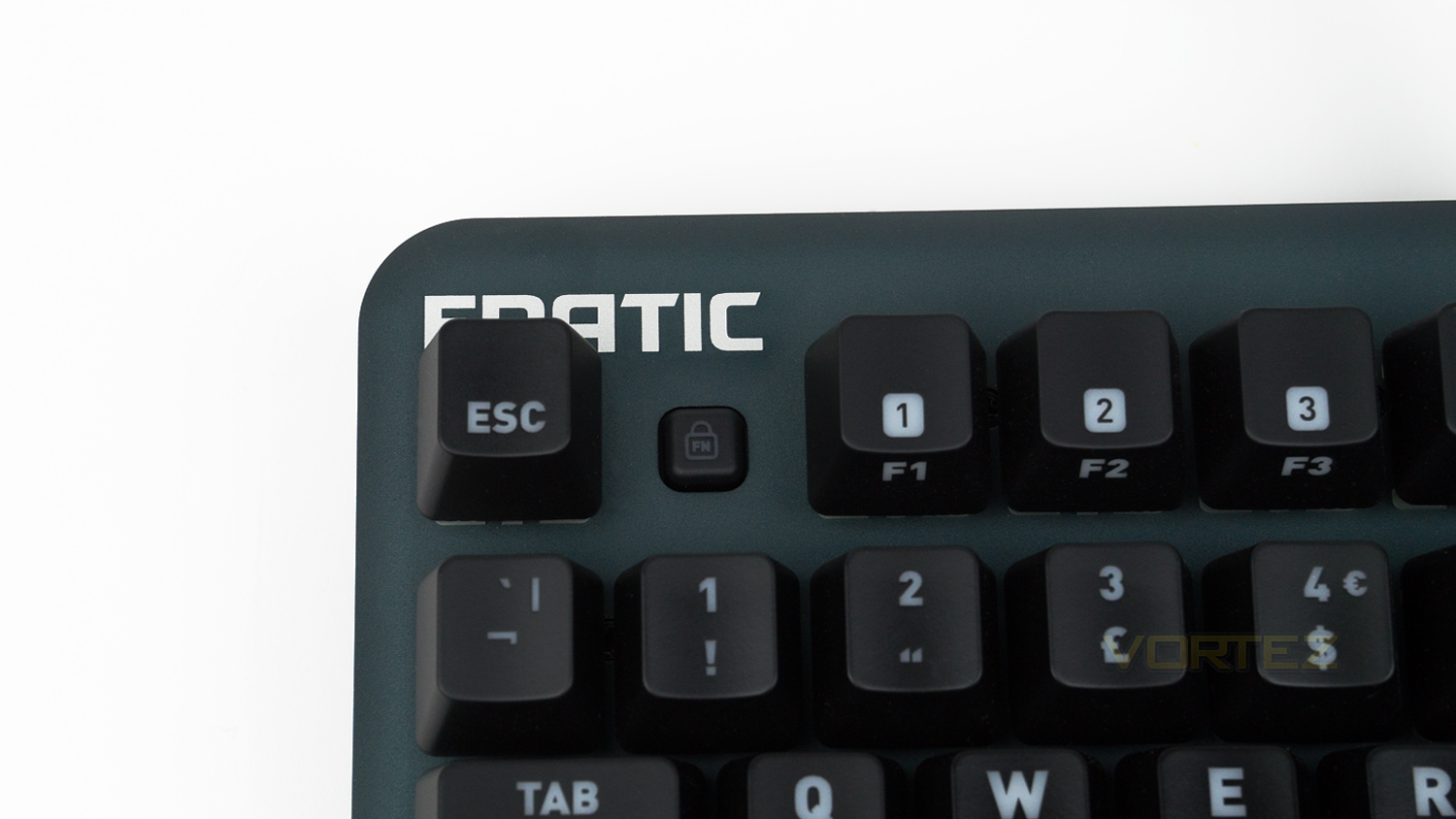
The top left has the usual F function keys as well as an FN lock button; this button allows all the F keys default back to their FN key version. This is brilliant if you need to use the F keys for media.
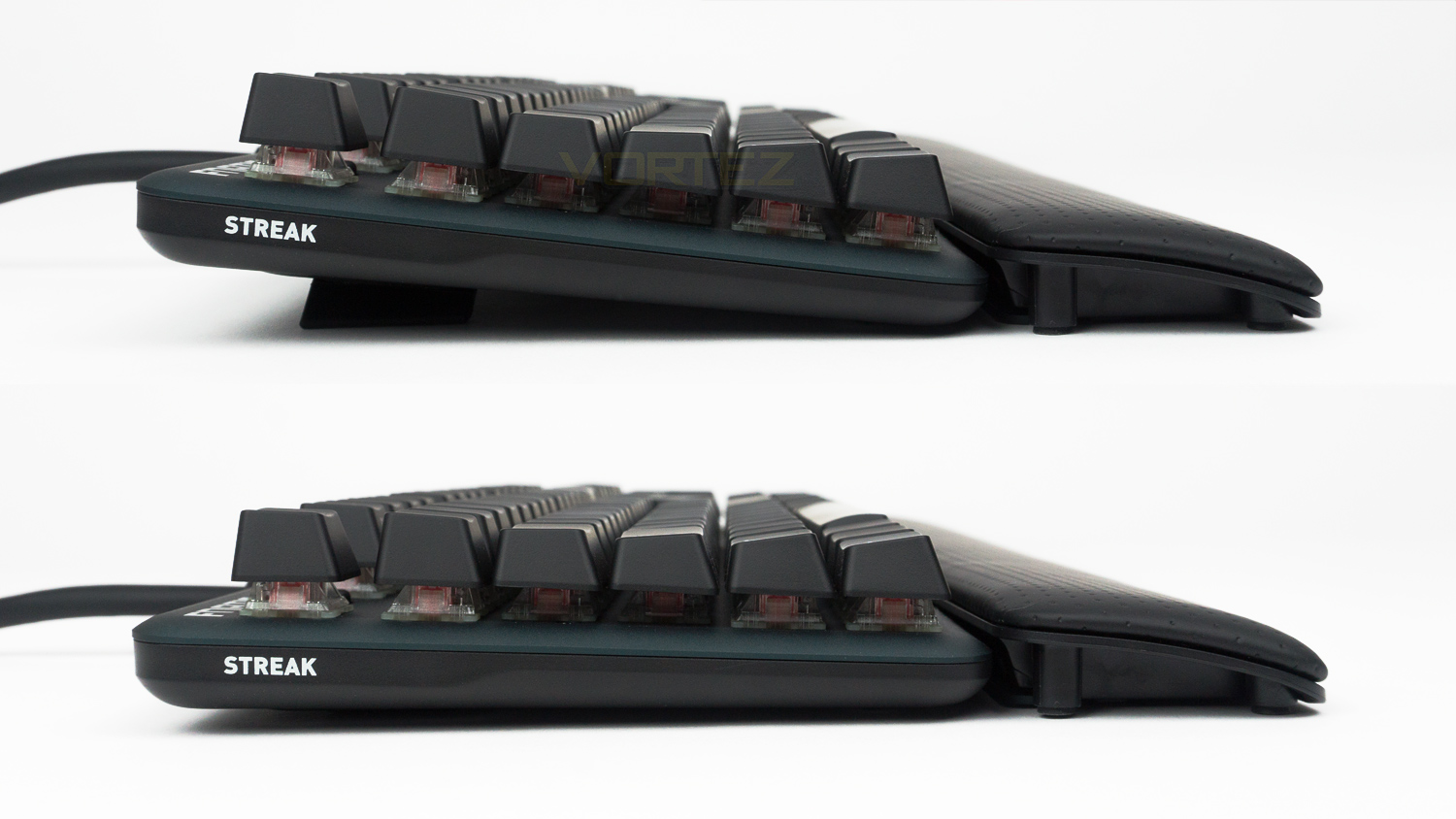
The side profile features a black trim and has the STREAK name printed onto it. There are two heights that can be set using the underside feet, one is relatively flat, and the other provides approximately 20mm of lift.
Closer Look (Continued)
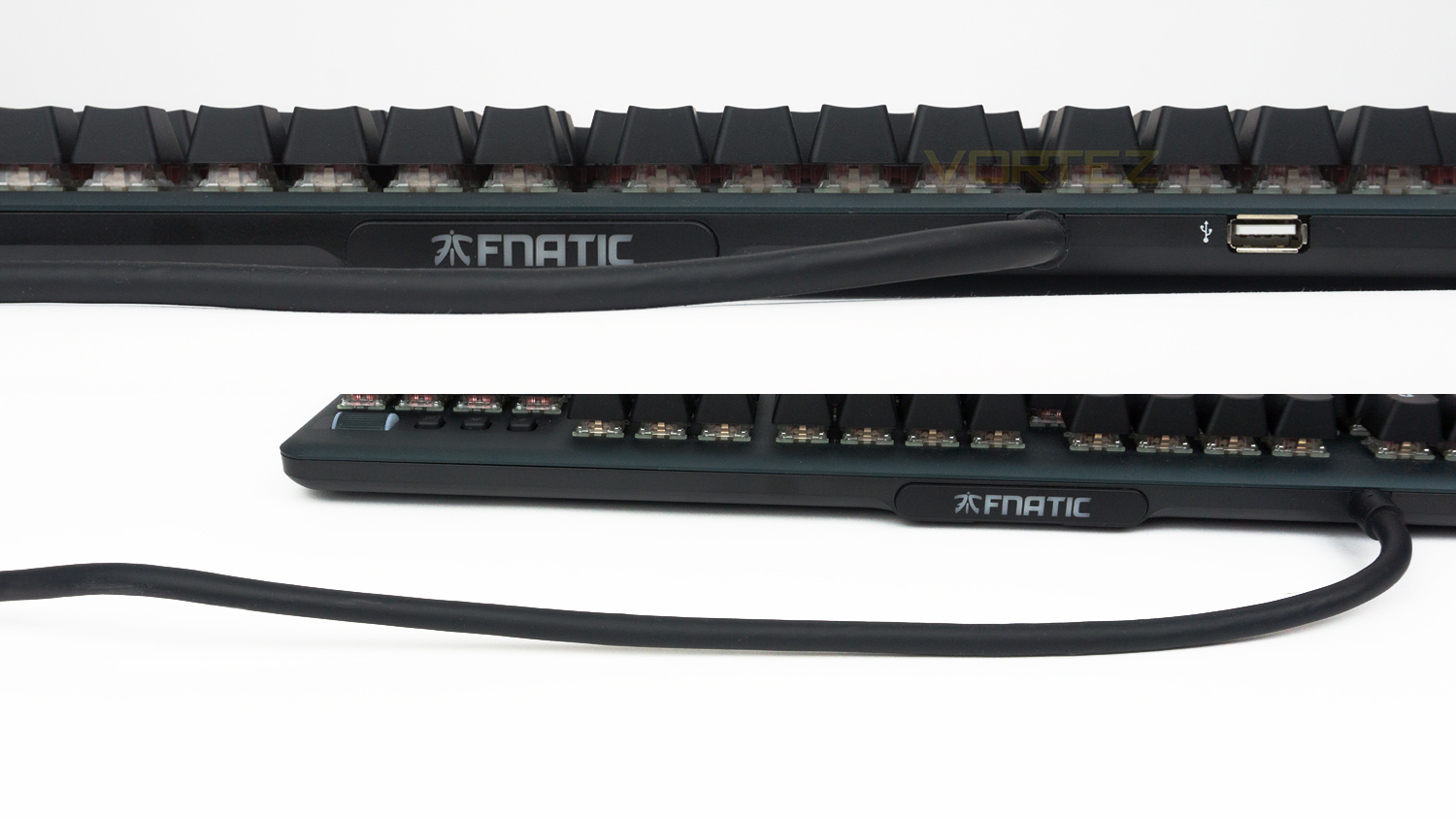
The top edge of the keyboard has quite a few things there is the USB pass-through, the built-in cable and a customisable nameplate. The nameplate is held in place using magnets, and sometime in the near future, Fnatic will allow the customisation of this plate. The integrated USB cable is on the thick side which is understandable due to the USB pass-through.
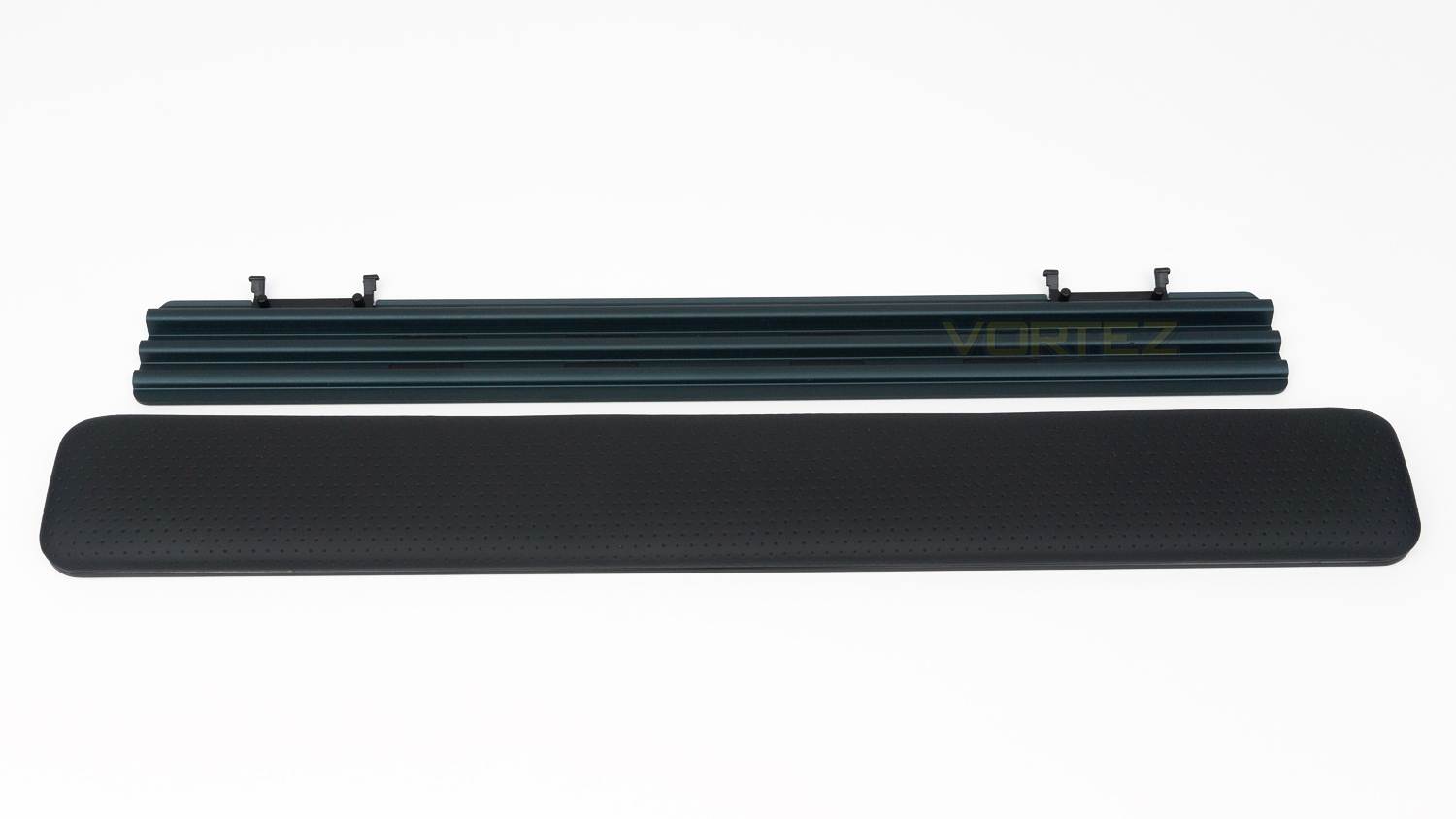
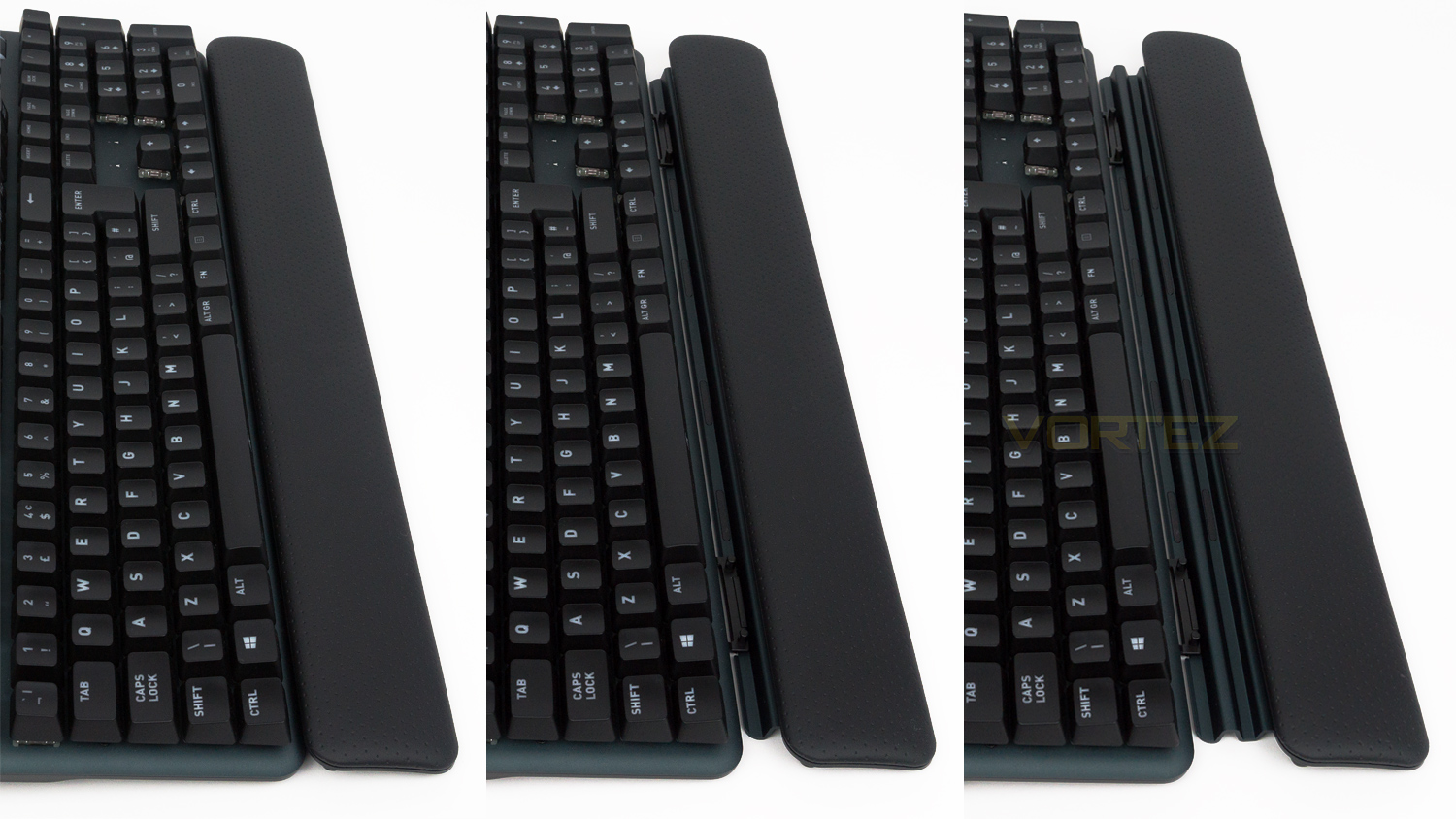
The detachable wrist rest is made from two parts; there is the top section that is padded and features a PU leather cover, the underside is solid metal and provides the rest with a degree of adjustment.
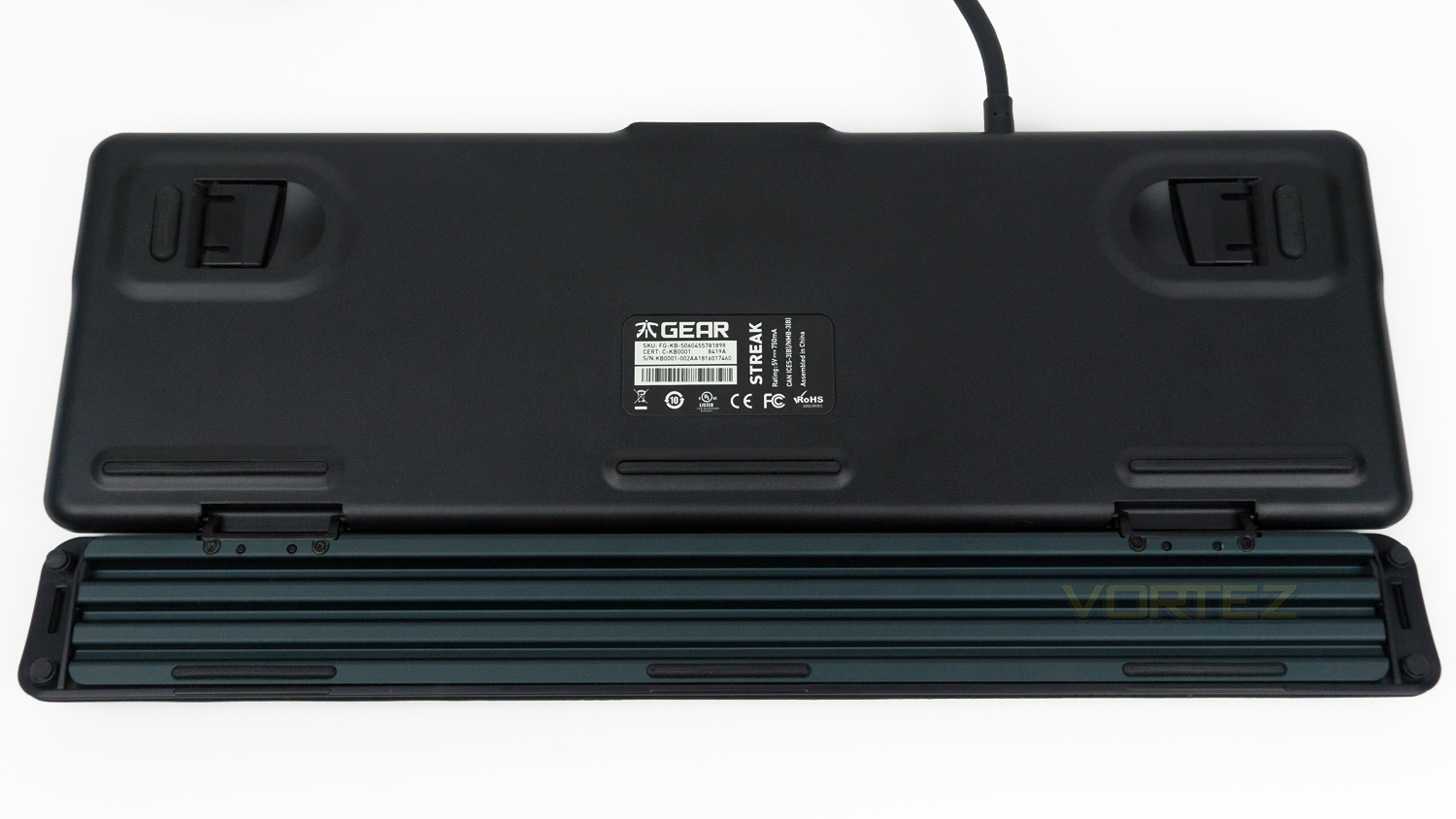
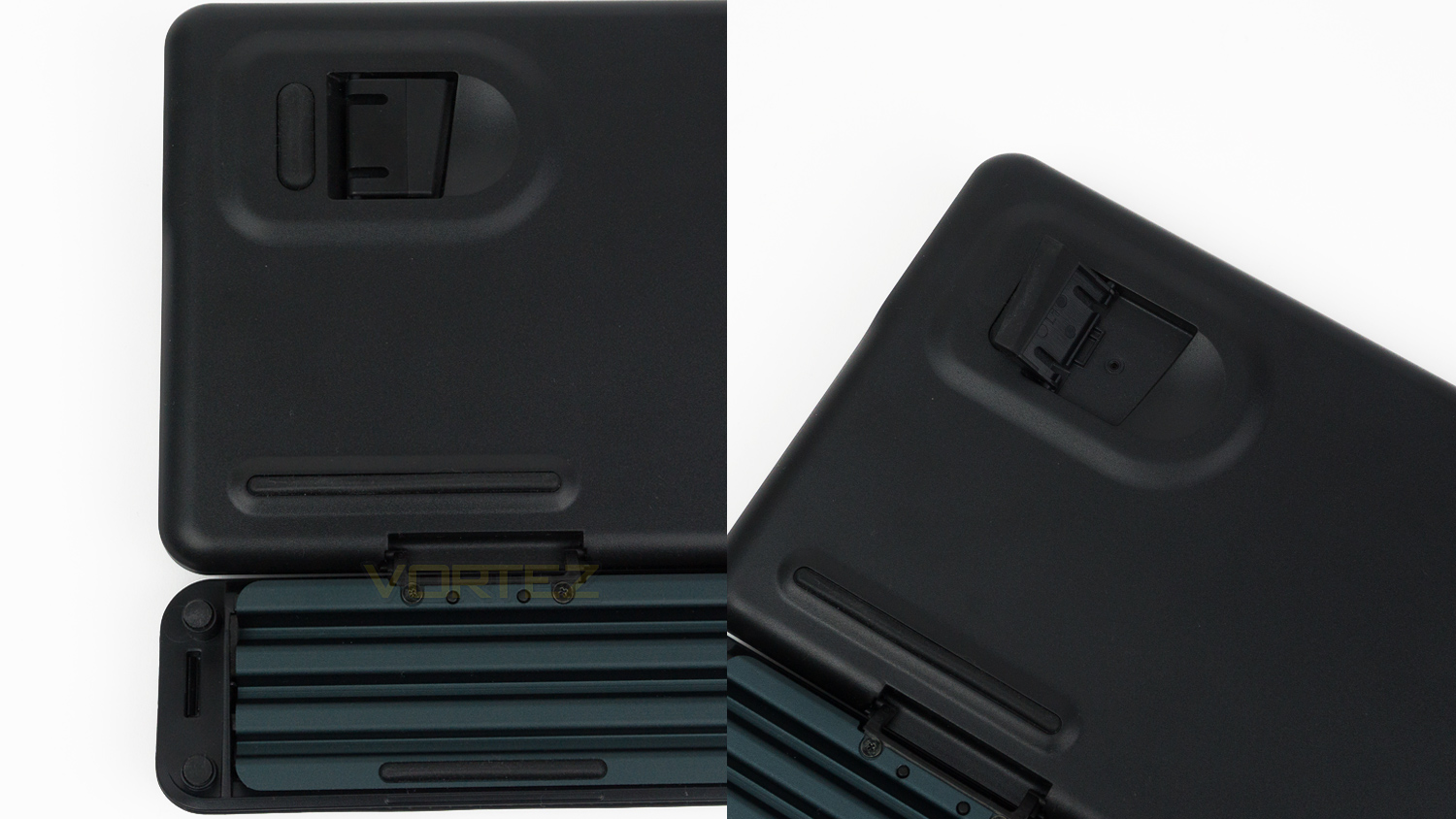
The underside is pretty plain, but there are five good sized rubber feet underneath, this increases to eleven if you utilise the wrist rest.
Software
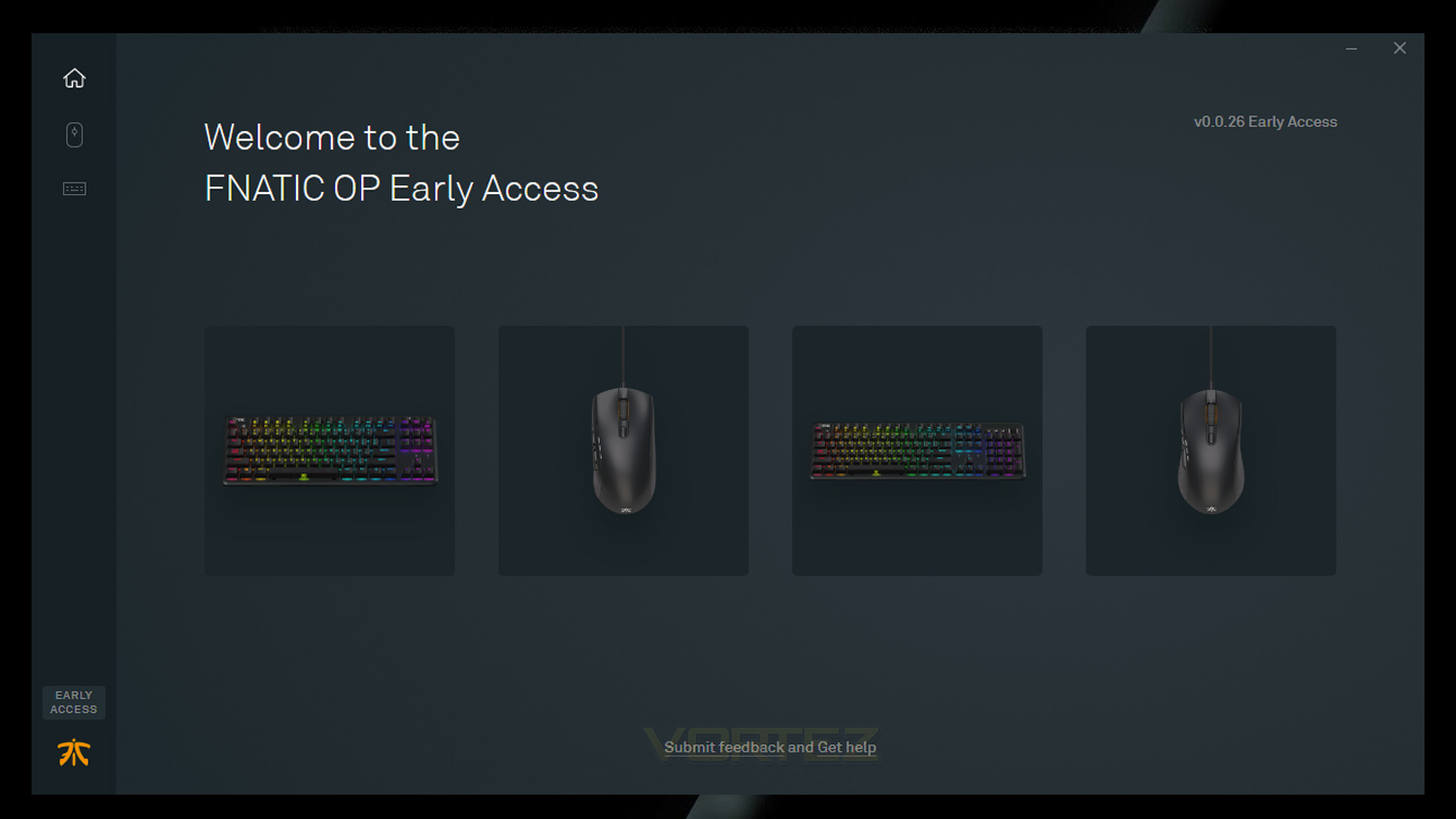
Fnatic’s OP software works with their latest peripherals which include the STREAK, miniSTREAK, CLUTCH 2 and FLICK 2. The software is still in early access as it was when we first tested it.
Performance Testing
Setup & Observations
Initial setup of the STREAK is simple you’ll require one or two USB ports depending on if you choose to make use of the integrated USB pass-through feature. An internet connection will also be needed if you plan on downloading Fnatic’s OP software suite. The software suite is not 100% needed in some cases as there are a few things that can be done via the keyboard, the main notable things are the lighting customisation of which you can adjust the mode as well as the brightness. To adjust the mode you press Fn + F7 to activate it and then use the left and right arrows to toggle the modes. Brightness adjustment requires you to press Fn + F8, and with that, there are five levels of brightness to choose from which are 0%, 25%, 50%, 75% and 100%. Macro programming is something else that can be carried out with the keyboard and can be done by using the competition mode button which is located at the top right of the keyboard and features the Fnatic logo. The FN lock is also a feature that does not require any software input. The FN lock is designed to default the F keys back to their default FN profile this means that you don’t need to press the FN key in conjunction with a media key for it to work.
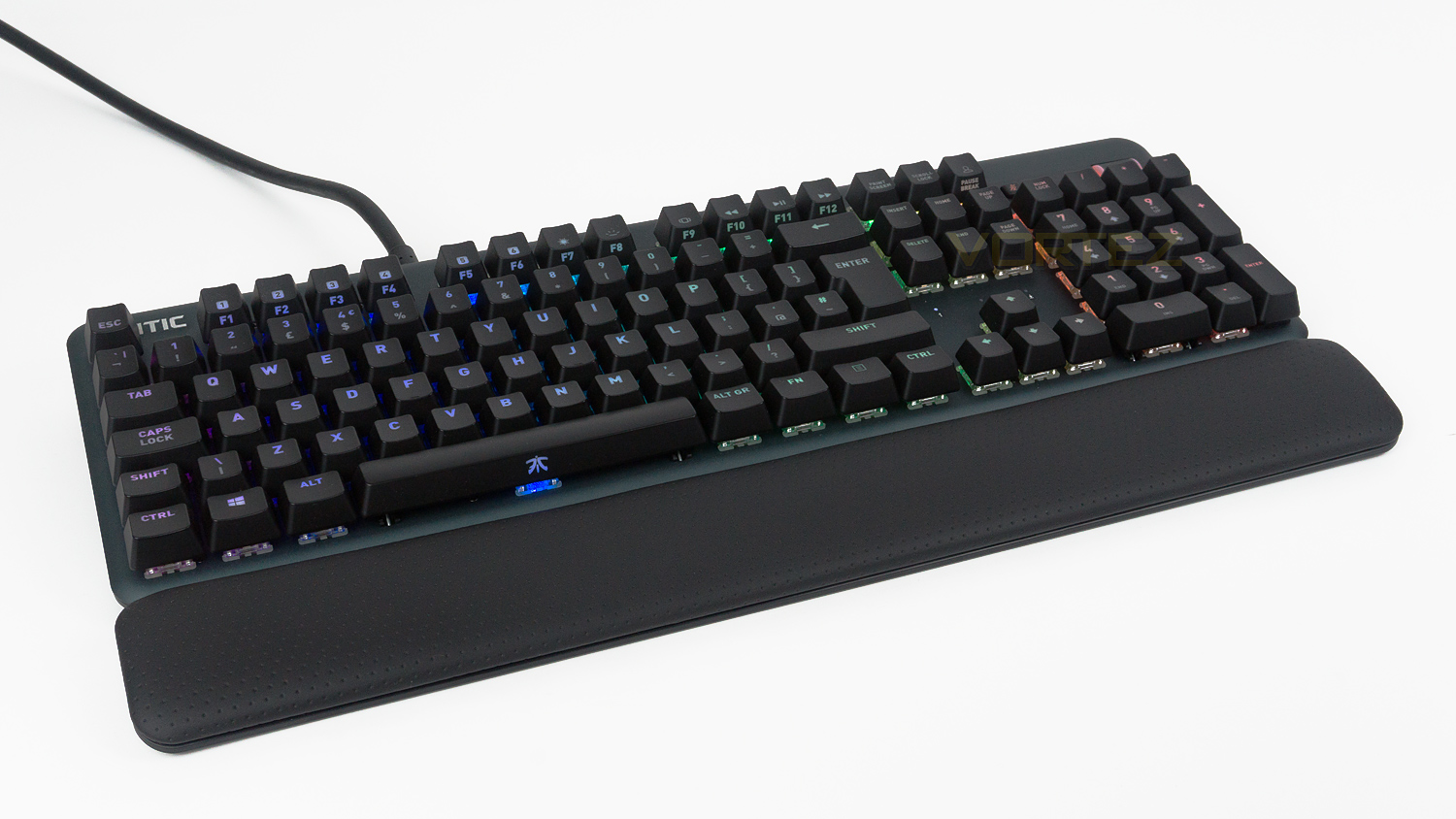
For use every day the STREAK is brilliant, it’s surprisingly small for a full-sized keyboard but is of course larger than a TKL keyboard, so if you’re really struggling for space, we’d suggest opting for the even more compact miniSTREAK. As for typing comfort the STREAK scores very highly the key spacing is well judged and the keycaps are a good size too. They do also feature a really nice coating that feels nice when typing. The wrist rest also helps this as it is padded and very comfortable to use, plus it is also adjustable meaning that you can alter the distance between the keyboard and the rest; with this adjustment there are three different increments that you can choose from, we’d, of course, advise trying all these to see which suits your typing style the best. It’s also worth noting that making any readjustments can be done quickly which makes it ideal if you need to swap between two different increments for gaming and productivity. The STREAK also features a full-sized numpad which is perfect for those of you who would require this keyboard for any spreadsheet work. Sitting just above the numpad is the integrated volume control wheel and buttons that allow you to mute a microphone, turn on competition mode and also mute the main volume. These buttons feel great when pressed, but their positioning is a bit off, this is because they are situated too close to the numpad so when trying to press them quickly we found that the top row of numpad keys are in the way. If they were moved upwards slightly, this would provide more clearance between them and the numpad and make them much easier to use. This however, isn’t the only problem with these controls as the volume control wheel on this unit is very rough, and when used, it makes a noise that sounds like there is something scraping against the wheel. We’ve added a short video to demonstrate this however, we can’t be certain if this is a more widespread issue or whether it is an isolated occurrence, but after a quick look on Google, we did not spot any other sources noting this issue. So it’s worth noting that your unit may not suffer from the same problem.
RGB illumination
The STREAK has full RGB integration as well as per-key backlighting which can be altered using either the keyboard or via the OP software. In the software, there are eight main effects to choose from with each effect has its own level of customisation. An example of this is with the Fade effect here you can select from three different styles and also control the speed of the effect. The Wave effect is another prime example of what is on offer as with that effect you can adjust the same as above but also the direction in which the effect goes. One addition to this effect we would like to see is a gradient effect, that way you could pick your own colours and have them displayed in this fashion. We would also like to see a sync feature so that you could match the effect between the peripherals as at the moment this is something that can’t be done. This is in a way understandable as Fnatic only offer a keyboard and mouse with RGB, but still, it would be nice to be able to sync lighting effects across them both.
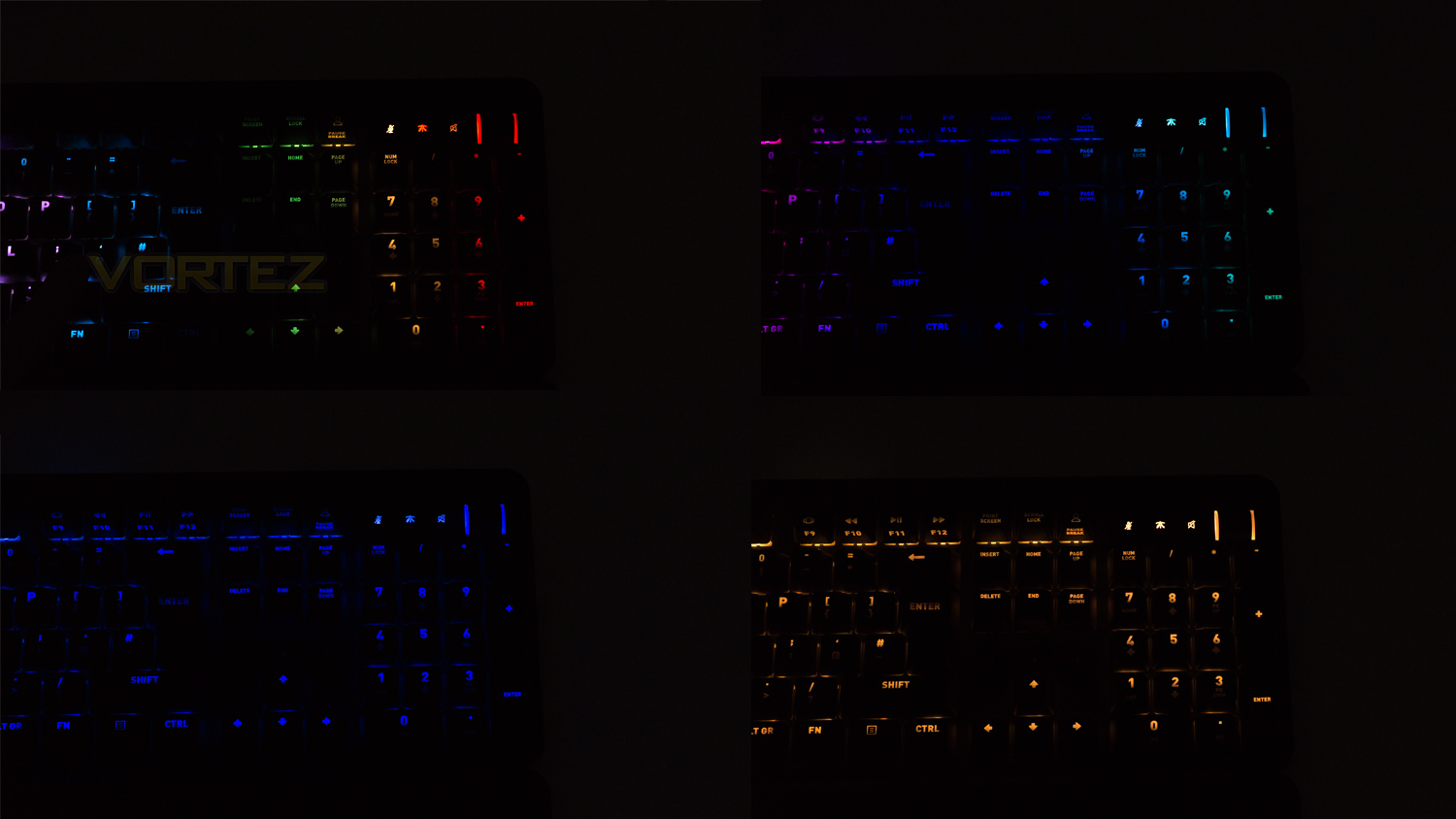
As for the implementation of the RGB, it is done well, the effects transition really smoothly and the colour changing is quite seamless. The colours are not the most accurate we’ve ever encountered, but they are very vibrant and have nice levels of saturation. Whites do suffer from a magenta hue which is something we first noticed when reviewing the miniSTREAK. The lighting though is very bright and looks great even under the direct light of a bright LED desk lamp. Some of it is not very full as there are patches that aren’t quite fully illuminated, this is more noticeable on keys that have two lines of text.
Performance
The STREAK like the miniSTREAK is available with a choice of four different Cherry MX switches; these are the MX Blue, Brown, Red and Red silent. Our unit has the MX Red Silent which behaves identically to the regular Reds but removes the mechanical audible feedback the regular Reds provide. They feel very quick and linear and have an actuation force of 45g with a travel distance of 4mm and a distance of 2mm to register an input. Another key difference is the stem colour, the Reds, of course, have a red stem whereas the Red Silent utilise a stem that has a pinker hue.
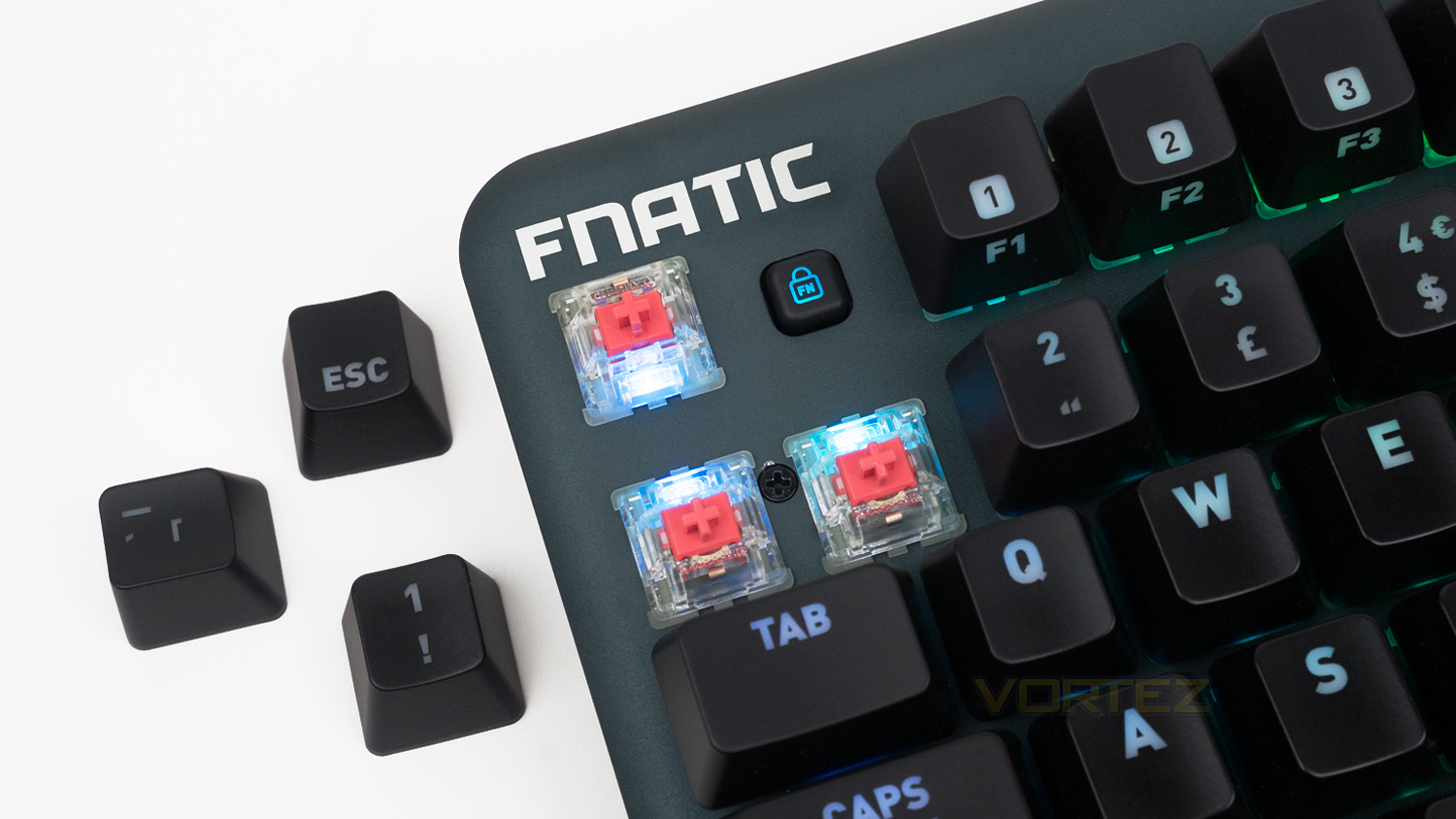
When it gets time to get some gaming done, the STREAK does not disappoint, and the Cherry MX switches perform exactly as you’d expect. The Red Silent are equally as fast and smooth as any other MX Reds we’ve tested plus have the benefit of being very linear and very quiet. If you desire a more tactile bump or response, then opt for either the MX Blue or Brown as the Reds don’t offer that. If you’ve had prior experience with MX Reds then you’ll feel right at home with these with only one thing to get used to, and that is the lack of any mechanical noise, it was something we noted when first using the miniSTREAK. The feel is same but sometimes we associate sound with feel and that is what these are missing, so if that isn’t something you can live without, then we’d stick to the MX Reds, but the Silents are perfect for gamers that don’t like mechanical sounds or for streamers that use a sensitive mic and don’t want the audible mechanical sound to be forever present when gaming live on stream. Onto actual performance and they do deliver, especially when combined with the 1000Hz polling rate and the competition mode. The switches are rapid, fluid and they easily kept up with all the fast-paced action we threw at them, even games like Overwatch and Fortnite didn’t seem to phase them, and they just continued to perform without fault and without letting us down. The integration of the competition certainly helped this is it allows certain keys to be disabled in order to prevent any keys being activated that don’t need to be. We particularly found this useful when setting up keybinds for Fortnite as we feel it aided the building of muscle memory, of course, this is a feature of preference and it doesn’t have to be used, but it does come in handy. The keyboard also stays very well planted to thanks to the generous rubber feet that provide ample grip when placed on either a desk surface or mousepad.
Conclusion
Fnatic’s STREAK is a brilliant keyboard that is not without its own flaws. The styling is on the minimal side, and it doesn’t go overboard with gamery flourishes, what it does do is add little touches that let you know that it is gamers keyboard rather than shouting about it. The STREAK is also very well put together and makes use of top-notch quality materials in its construction. The main body is a combination of Anodised Aluminium and polycarbonate which make the keyboard feel reassuringly strong. It’s very comfortable to use to for both gaming and getting some work done, this is partly thanks to the keys, and the adjustable wrist rest which provides levels of customisations that you don’t often see on keyboards of this calibre. Its appeal is then further bolstered by the inclusion of the competition mode and FN lock feature, both of which work extremely well and allow the keyboard to behave differently with minimal effort. The standout feature again though – like with the miniSTREAK is the switches which are not only superb for gaming but also for typing on. Their quick pace and fluidity are highly impressive, and they’re also eerily quiet for mechanical switches. This can be seen as a plus or minus point depending on your preference, but if you love the feel of mechanical switches and aren’t a fan of the noise, these are ideal.
The STREAK does have a few weaknesses in its armour though. The first imperfection is the metal volume scroll wheel – we really like that it’s there as it adds to the feature set, but the one on our unit is not without fault. Its action isn’t the smoothest, and it is also noisy; whether this is purely isolated we can’t be 100% sure, but after a browse on Google, we couldn’t find any others reporting the same issue. The RGB implementation is also a touch of a letdown, the colours are great, and they’re nicely vibrant, but the whites have a slight magenta hue to them plus the light fill on some keys is not the fullest we’ve ever seen.This problem was also present on the miniSTREAK and is likely due to the placement of the RGB LED on the switch. Another thing that hasn’t been addressed is the software, it is still in early access phase and is in need of an update as the competition is pulling further ahead in terms of features. Now, on the one hand, this is understandable as Fnatic may not have the same resource pool for software development as a company like ASUS or Corsair, but something is going to have to change if this wish to compete, as they have the hardware, just not the software to back it up. By that we don’t mean that the software is bad – it’s actually good, it’s just that there are a few missing features that are really common elsewhere.
As a whole, the STREAK is a superb keyboard for gamers and streamers alike, and if you’re not overly fussed about software features then this would make a fantastic keyboard for getting some serious gaming done. Of course, it isn’t without fault, but then again it’s very hard to find a product that is ideally perfect as ‘perfect’ varies between what we deem of the word as we are all unique.
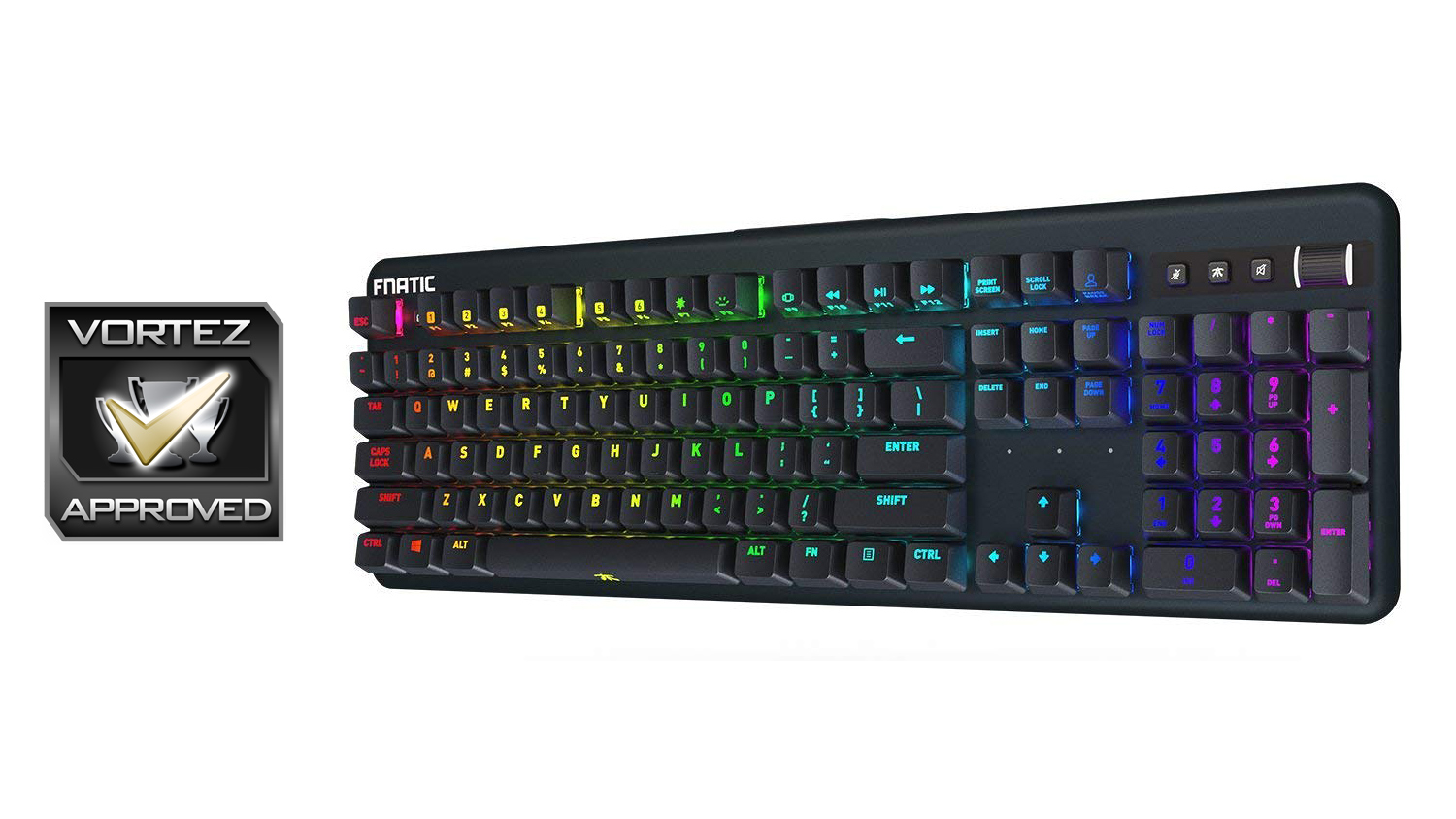
Fnatic has crafted a superb gaming keyboard that would be an ideal companion for game streamers, and gamers alike, especially if they opt for the Cherry MX Red or MX Red Silents.
Pros
+ Superb gaming performance
+ USB pass-through
+ Dedicated volume control
+ Great build quality
+ Adjustable and removable wrist rest
+ Competition mode and FN lock feature
+ 8MB on-board memory
Neutral
+- Rough feeling volume wheel
+- The RGB implementation is a bit hit or miss
+- Software still has no sync feature
Cons
– Top right controls located too close to numpad
+ Superb gaming performance
+ USB pass-through
+ Dedicated volume control
+ Great build quality
+ Adjustable and removable wrist rest
+ Competition mode and FN lock feature
+ 8MB on-board memory
Neutral
+- Rough feeling volume wheel
+- The RGB implementation is a bit hit or miss
+- Software still has no sync feature
Cons
– Top right controls located too close to numpad
Click here for an explanation of our awards at Vortez.net.
Stay connected with the Vortez Social Media pages:
Join in with the discussions on Discord