We’ve looked at the Dark Rock 4 and Dark Rock Pro 4, now we get a chance to delve into the Dark Rock Slim, designed with better memory clearance and a smaller profile for tighter chassis.

Product on Review: be quiet! Dark Rock Slim
Manufacturer: be quiet!
Street Price: GBP £54.99 / USD $59.90
A little over a year back, be quiet! Introduced both the Dark Rock 4 and Dark Rock Pro 4, both of which were received very well. However, one common complaint was their sheer size, often fouling on tall RAM modules or just that it doesn’t fit into their chassis. Well, may we introduce the be quiet! Dark Rock Slim, a tower cooler which aims to resolve those issues while retaining a 180W TDP and 23.6dB(A) noise rating.
Helping to keep things quiet, included with the tower is a 120mm Silent Wings 3 PWM fan with clips for attaching a second fan if you require the additional cooling capacity. This fan features seven airflow-optimised fan blades and a six-pole motor for decreased vibrations.
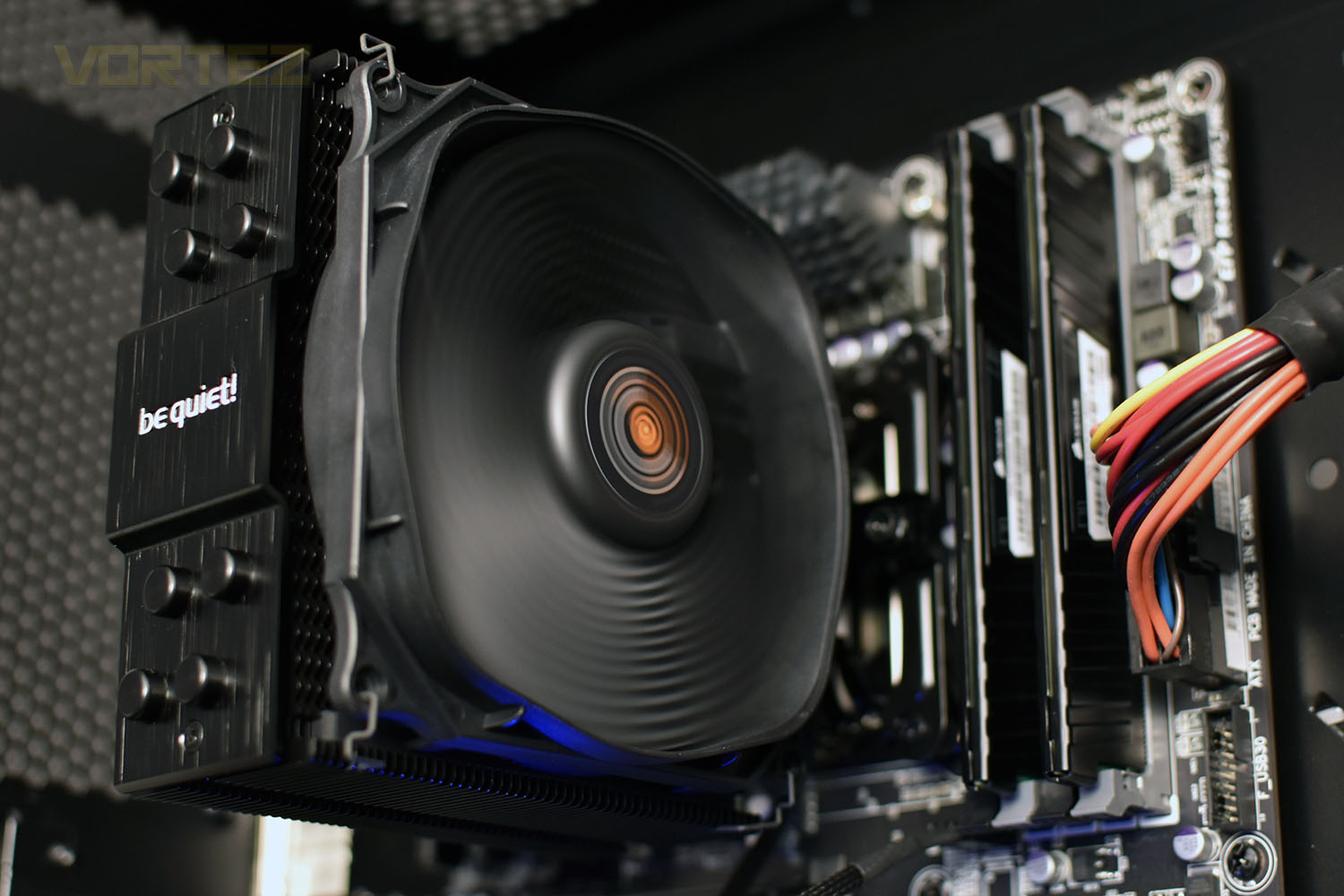
The tower itself boasts an arrangement of four 6mm copper heatpipes to maximise heat conductance, with that heat then passed onto wave-contoured cooling fins which is coated with a ceramic-particle finish for optimal heat transfer.
With be quiet! shaving down on the cooler’s size, will that have a noticeable impact on acoustics or cooling ability? Let’s find out, shall we?
be quiet! on the Dark Rock Slim:
Dark Rock Slim is equipped with four advanced technology 6mm copper heat pipes that maximize the heat conductance. Airflow-optimized, wave-contoured cooling fins with small dots on their surfaces increase the air circulation. The special black coating with ceramic particles makes a perfect transfer of heat possible.
Technical Specifications
Model: Dark Rock Slim
Overall dimensions without mounting material (L x W x H): 72 x 127 x 159.4 (mm)
Total weight: 0.62 (kg)
TDP: 180 (W)
Socket compatibility
Intel: LGA 1150 / 1151 / 1155 / 1156 / 1366 / 2011(-3) Square ILM / 2066
AMD: AM2(+) / AM3(+) / AM4 / FM1 / FM2(+)
Fan model: 1x Silent Wings 120mm PWM
Decoupled fan mounting: Yes
Overall noise level (dB(A)) @ 50/75/100%: 11 / 16.9 / 23.6
Overall dimensions without mounting material (L x W x H): 72 x 127 x 159.4 (mm)
Total weight: 0.62 (kg)
TDP: 180 (W)
Socket compatibility
Intel: LGA 1150 / 1151 / 1155 / 1156 / 1366 / 2011(-3) Square ILM / 2066
AMD: AM2(+) / AM3(+) / AM4 / FM1 / FM2(+)
Fan model: 1x Silent Wings 120mm PWM
Decoupled fan mounting: Yes
Overall noise level (dB(A)) @ 50/75/100%: 11 / 16.9 / 23.6
Packaging & Bundle
Using a dark theme, the packaging is made of a solid and robust cardboard which should help ensure the cooler reaches you in perfect condition. No bent fins, no cracked fan, just a CPU cooler that’s ready to use. The front of the box doesn’t give much away other than an arty photo of the Dark Rock Slim.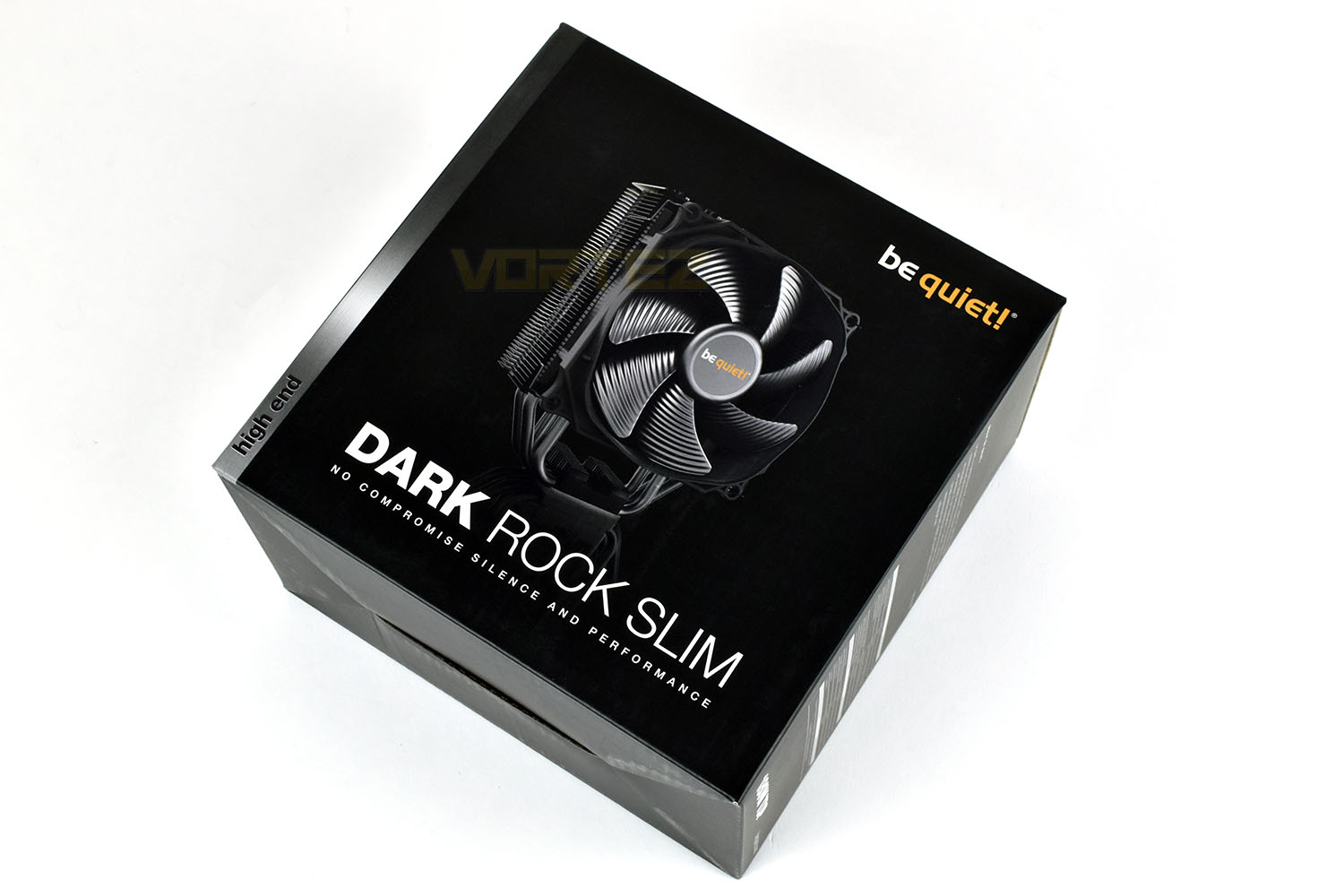
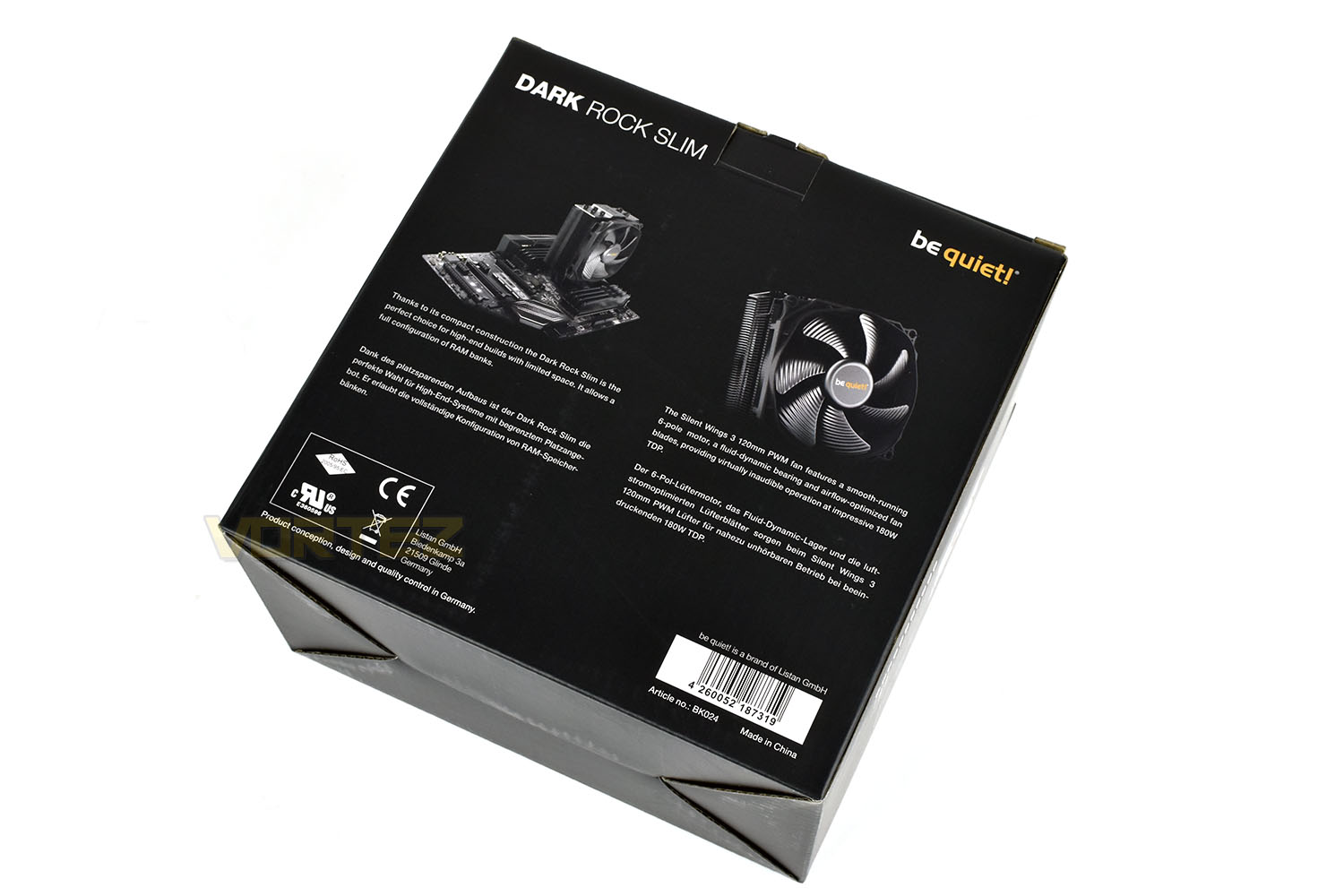
The back side of the packaging gives some brief descriptions of the cooler and its Silent Wings 3 fan. There’s a specifications and dimensions table on the side of the box.
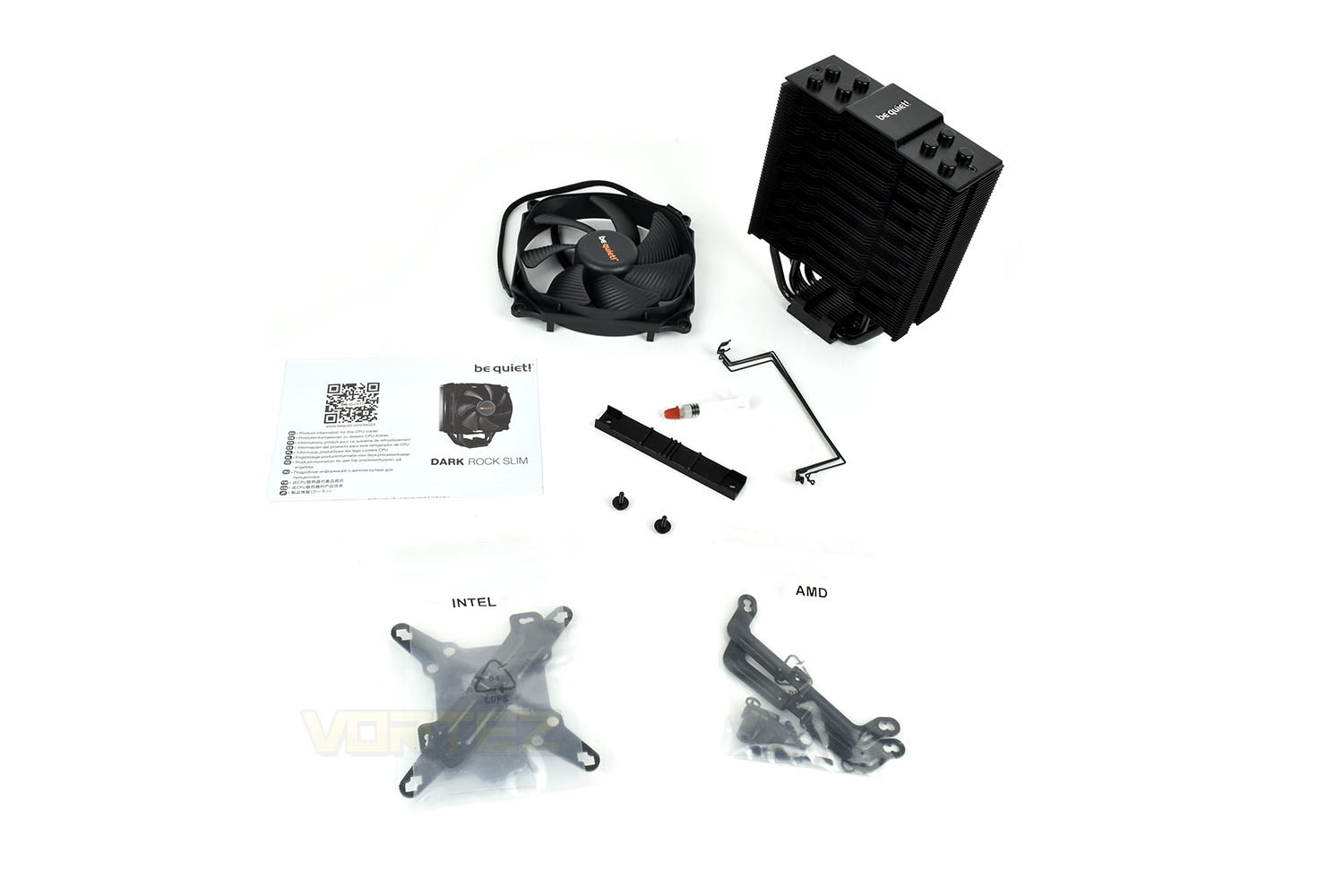
Included with the cooling tower and Silent Wings 3 120mm PWM fan is the relevant mounting hardware for all of AMD and Intel’s current socket types, excluding AMD’s TR4. A small instruction booklet is included as well as a tiny syringe of be quiet! thermal paste.
be quiet! provide four fan clips allowing you to increase the cooler’s capacity later down the line, if it’s required.
Closer Look
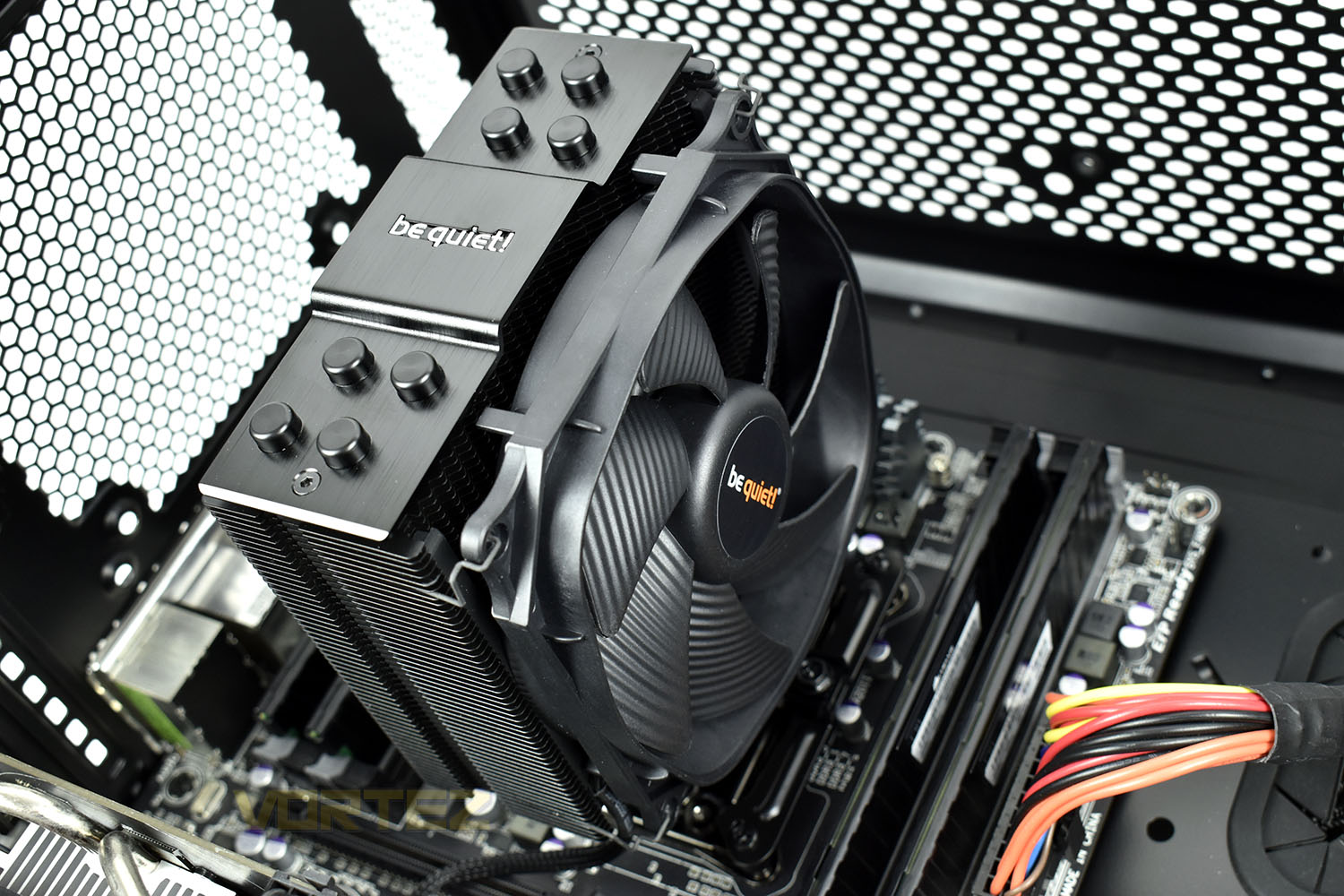
Even though the Dark Rock Slim could theoretically be installed either way, be quiet! have designed it to have a front and a back, with different blade designs on either side. This design is optimised to decrease audible output as much as possible. The front is slightly concave with a saw-tooth design. Each edge features a strip of rubber, instead of relying on the fan to have rubber mounts; this helps to reduce vibrations and therefore noise.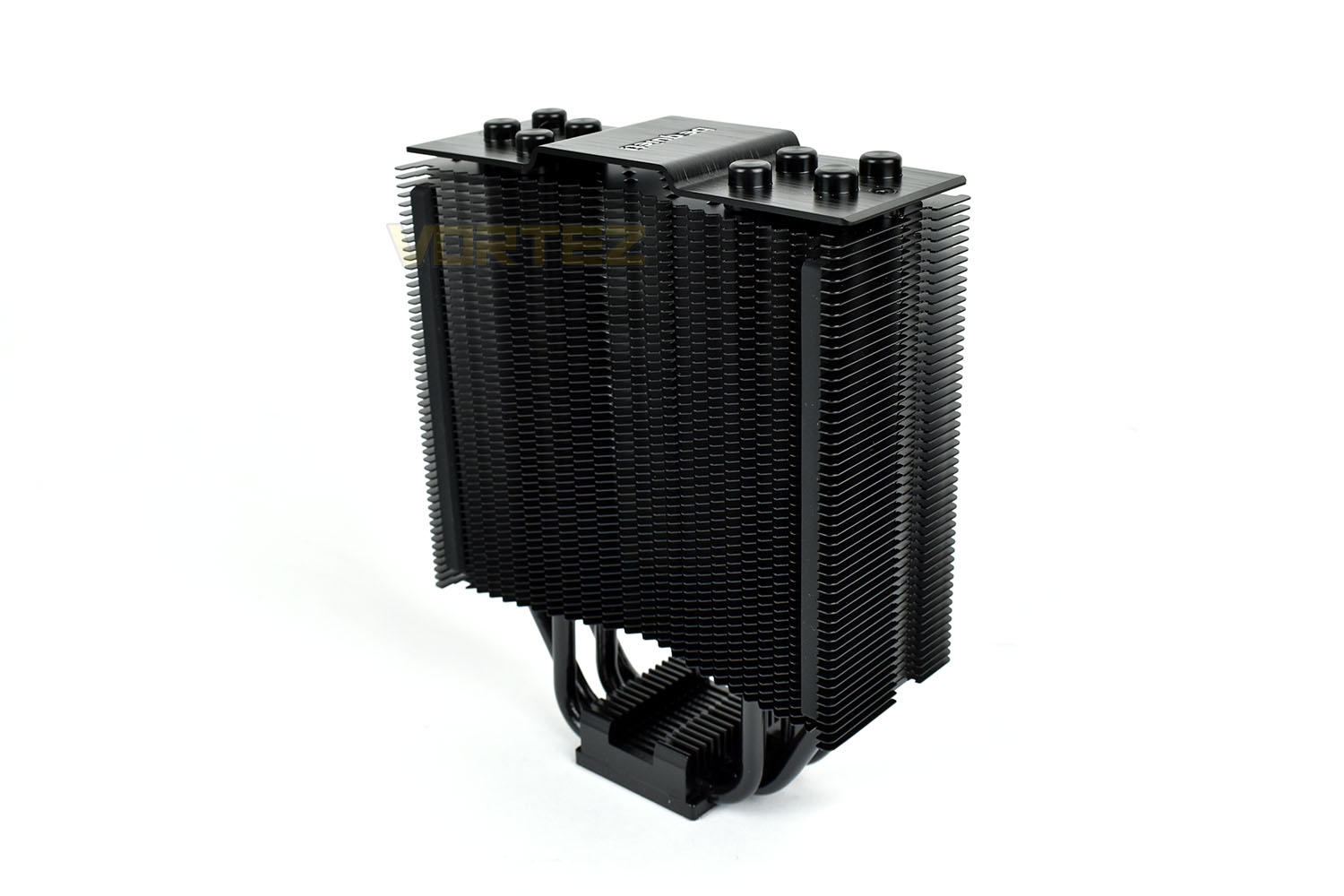
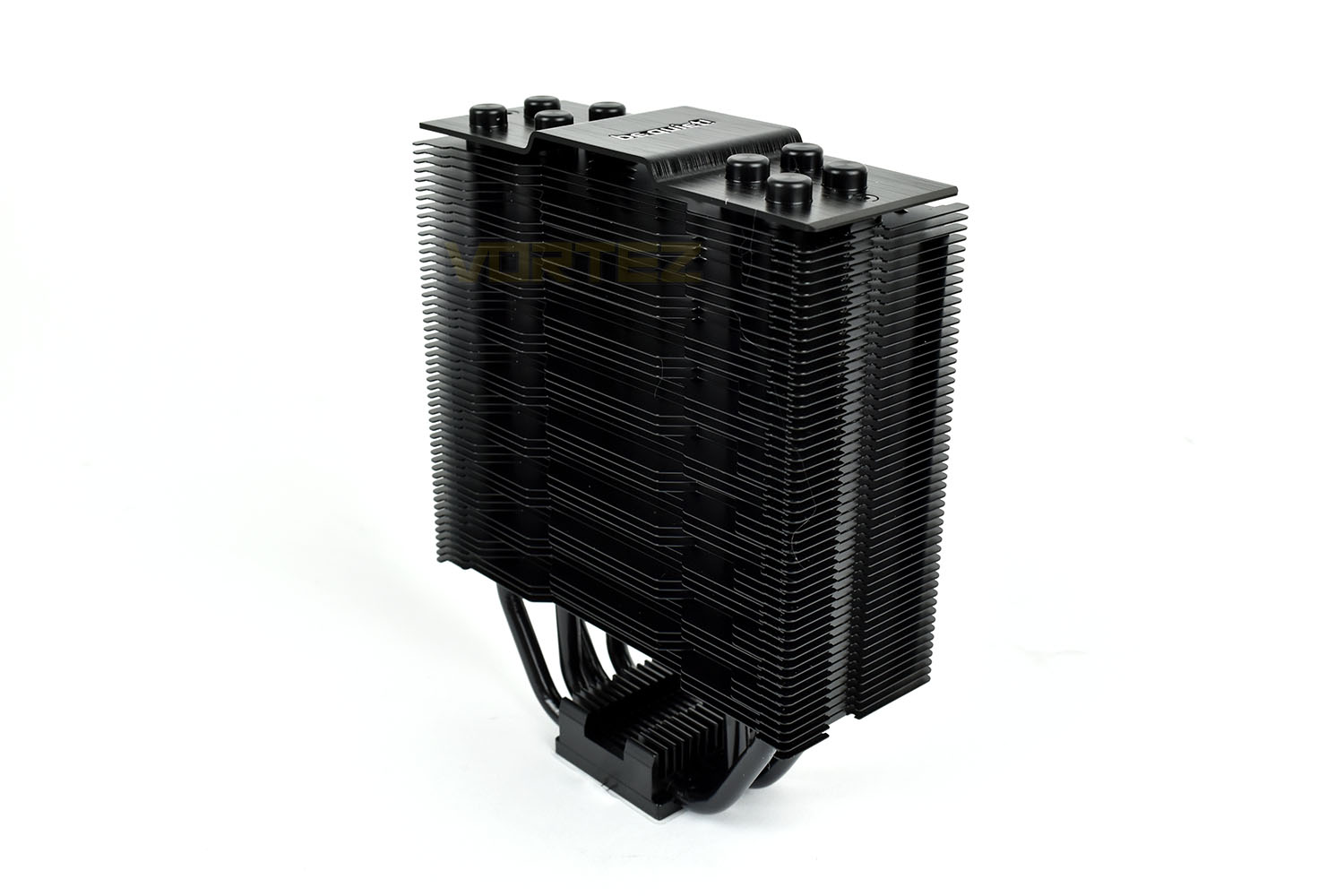
The rear, as you can see, doesn’t feature the same concave shape instead using a stepped design. This side doesn’t house any rubber strips to prevent fan vibrations so if you’re planning to add a second fan, try to ensure that the fan is rubber isolated. The cooler’s dimensions, without the fan, are 127mm wide, 159mm tall and 50mm deep, increasing to 72mm deep with the fan.
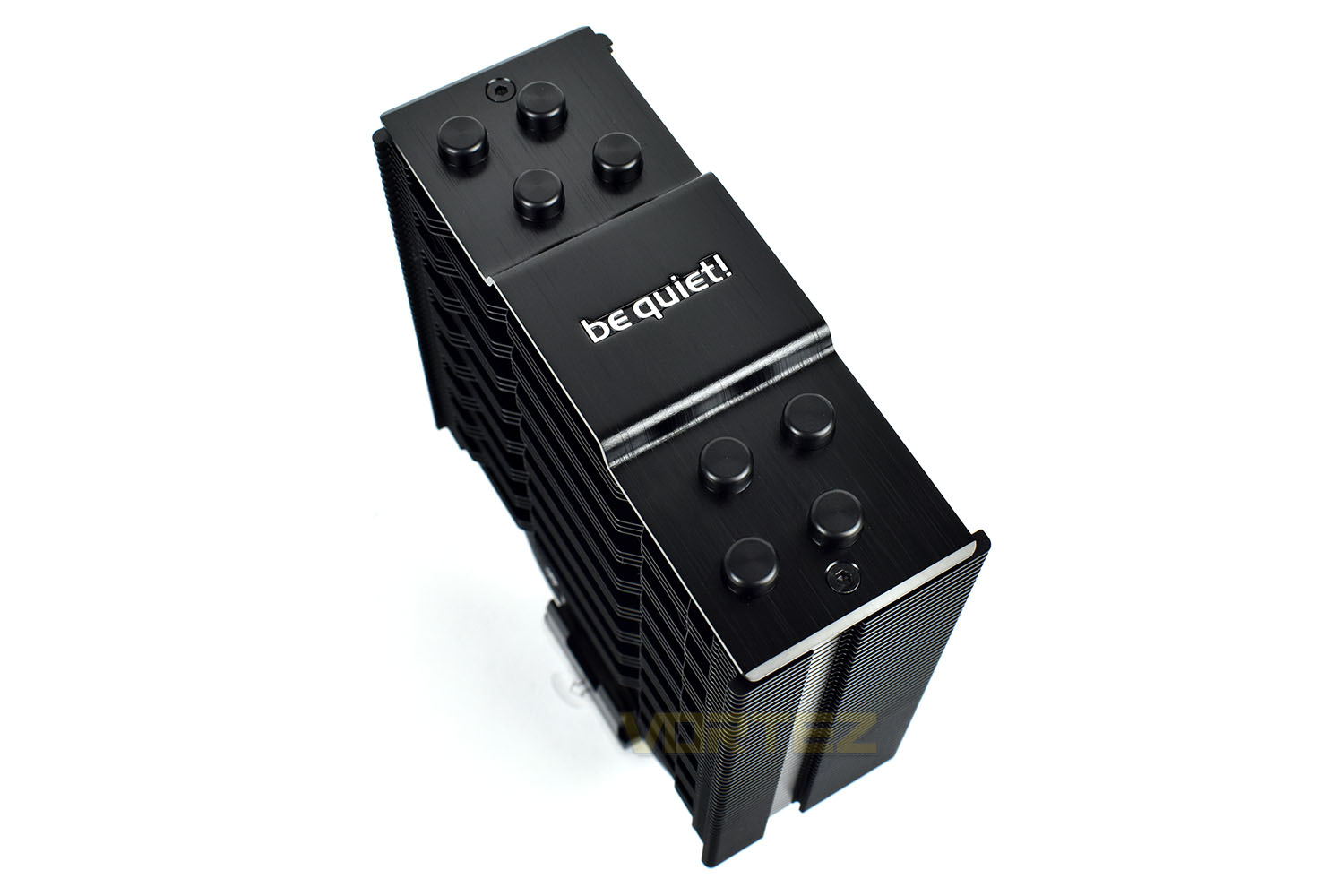
Capping off the top of the cooler is a brushed aluminium with a diamond-cut finish. The centre plays host to a fancy silver be quiet! logo.
Collecting together all four heatpipes is the coldplate. This is polished to a smooth finish for optimal efficiency.
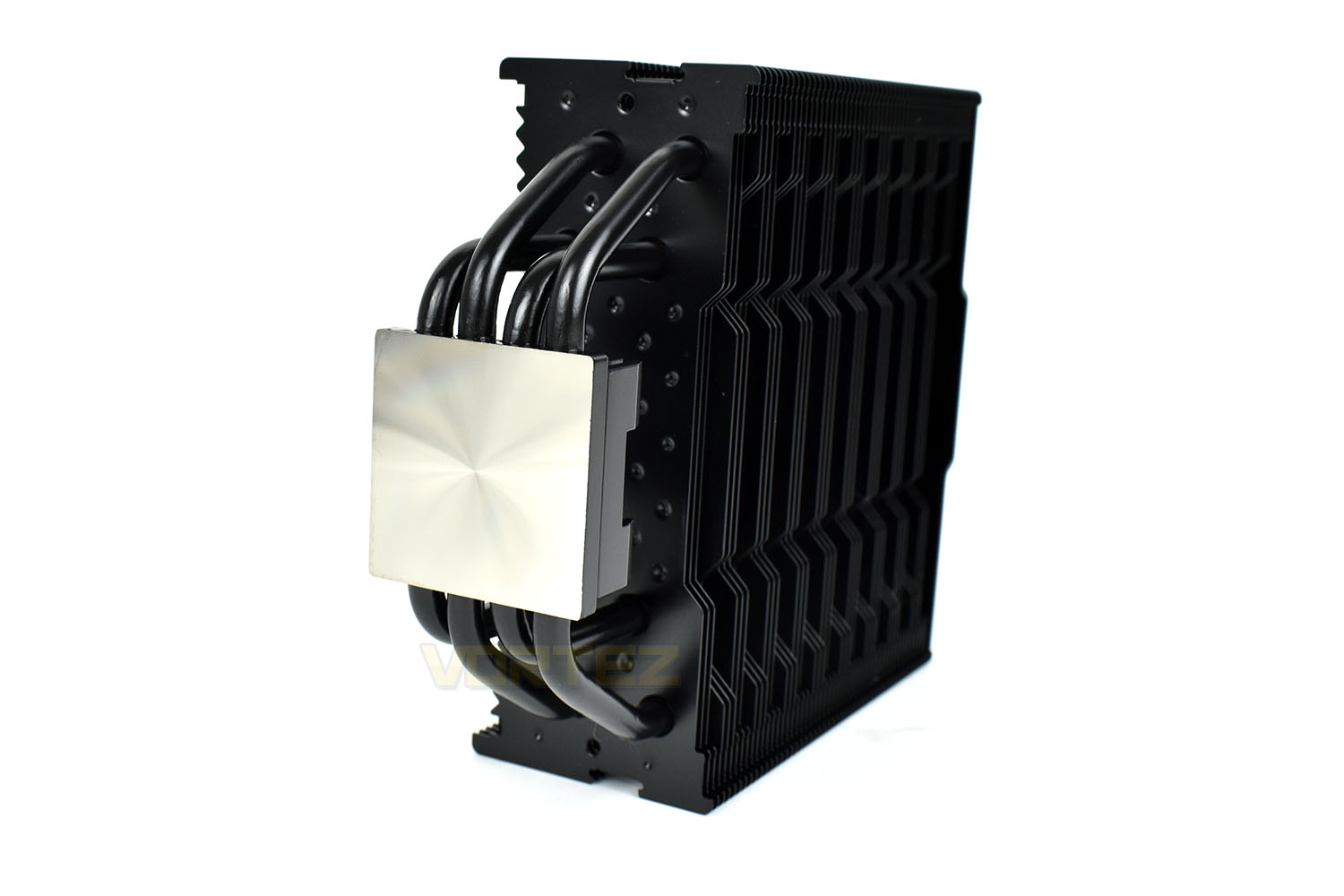
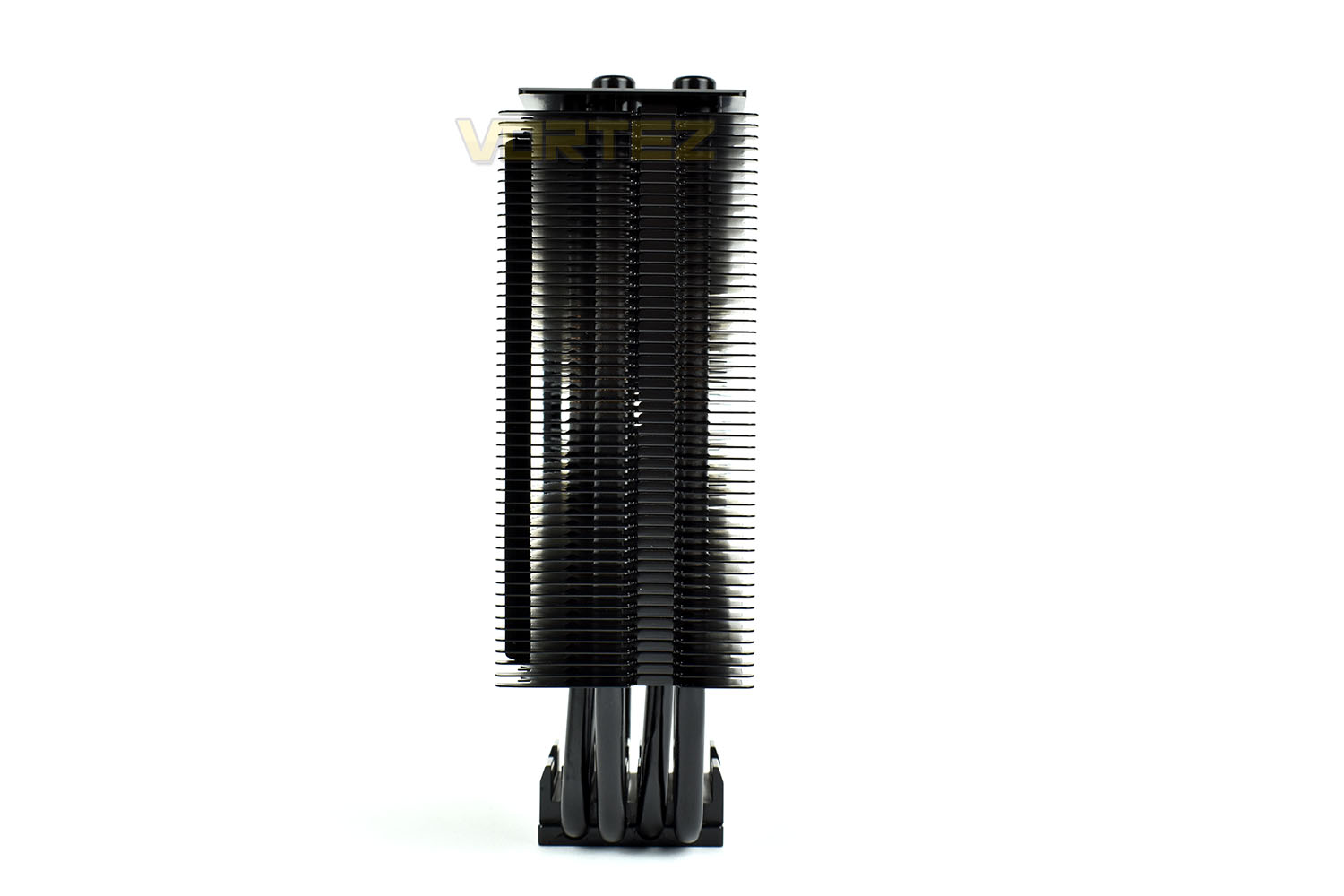
Looking at the tower’s side-profile it’s clear to see the slender shape, at only 50mm deep. Ensuring that tall RAM modules are well-supported, the gap from the coldplate to the first cooling fin is 40mm.
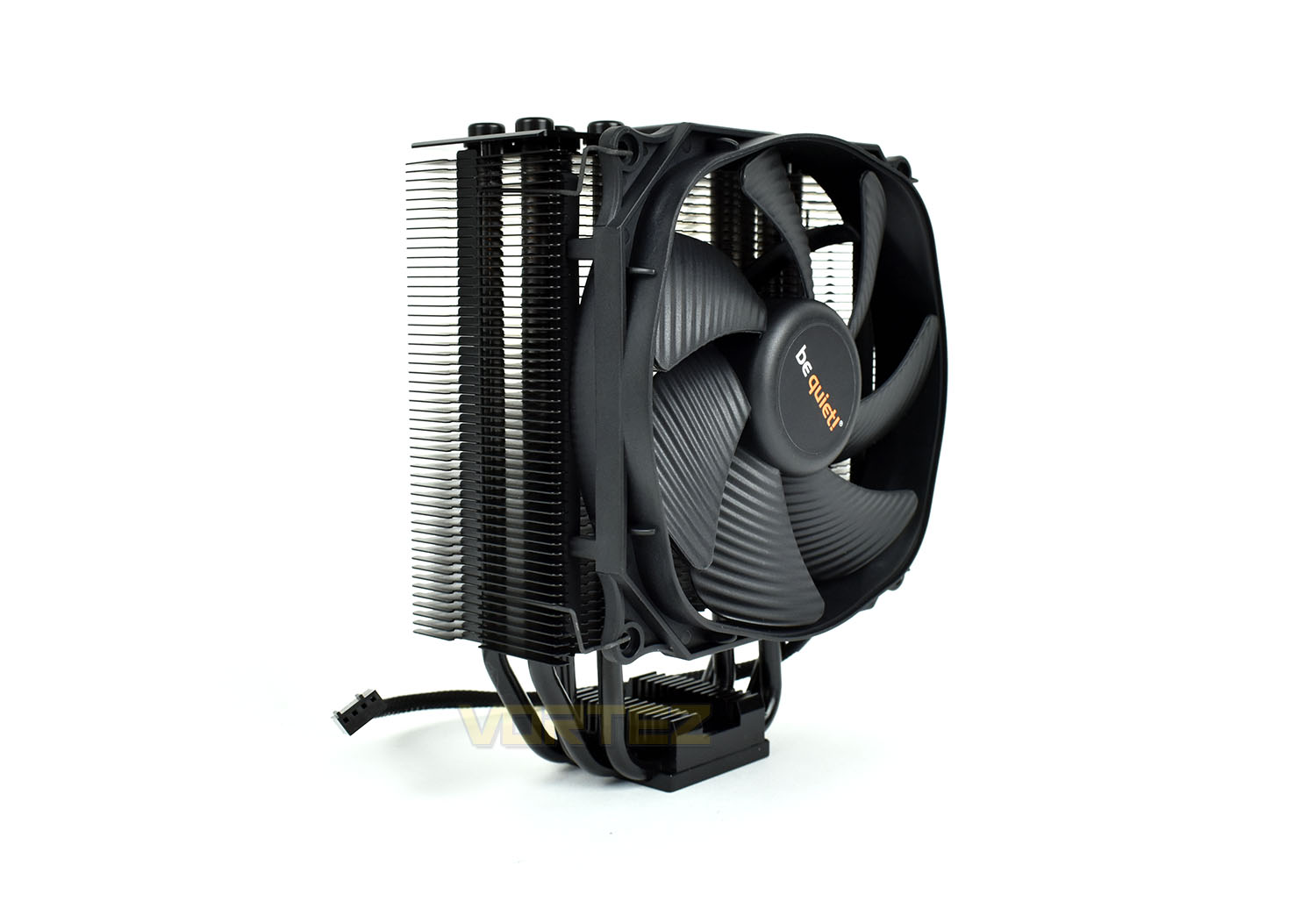
Attaching the Silent Wings 3 fan increases the cooler’s depth from 50mm to 72mm but, again, RAM clearance shouldn’t be a problem. The fan uses a six-pole motor and fluid-dynamic bearings for increased lifespan and decreased noise output.
Installation
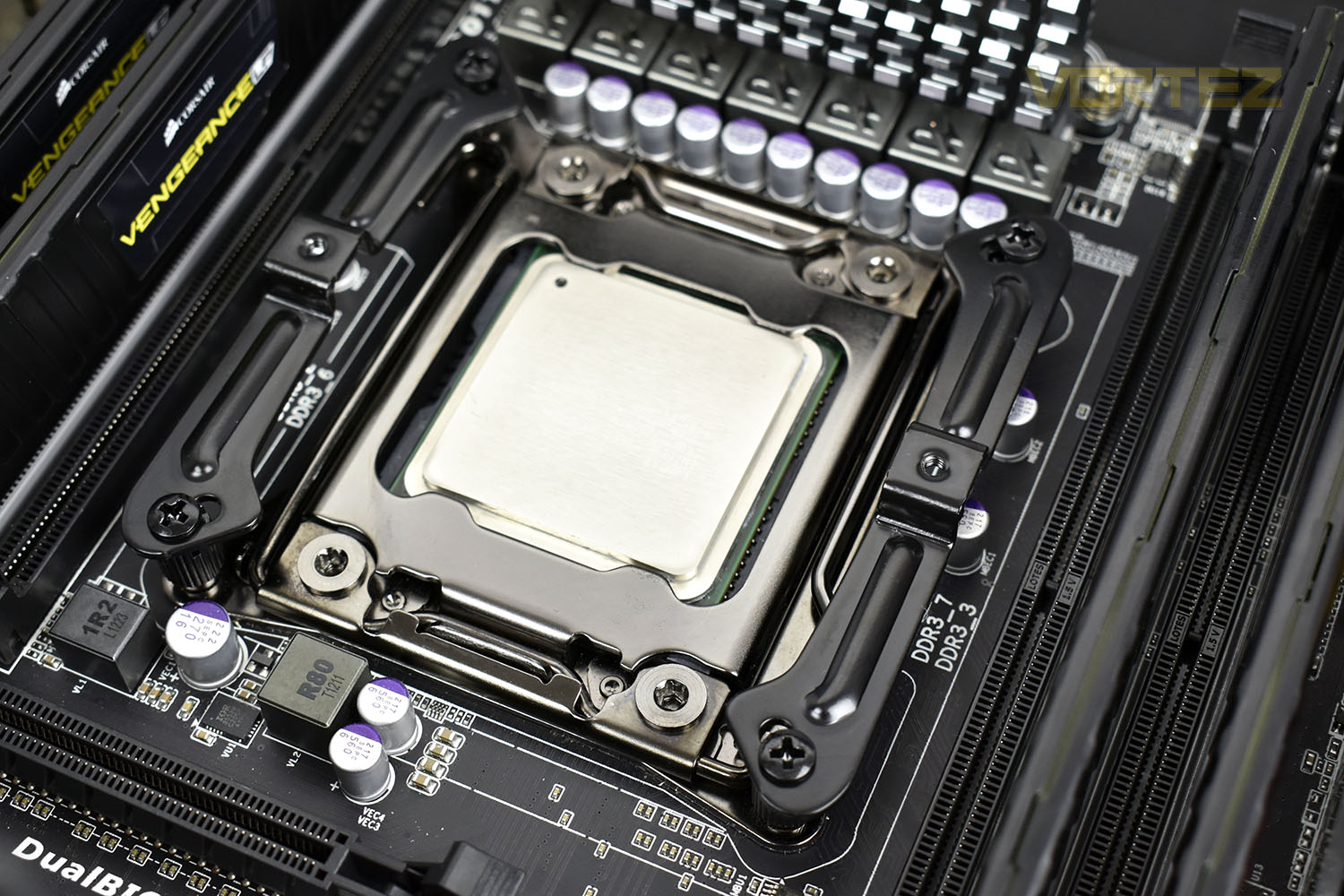
First off, we use Noctua’s NT-H1 thermal paste instead of any included or pre-applied thermal pastes. This helps to ensure a level of repeatability and consistency to our testing by removing a variable.Installing the Dark Rock Slim starts off with the standoffs in the corner, however a backplate will be required for the AMD AM4 or Intel LGA 115x sockets. Onto those standoffs you then install two supporting bars.
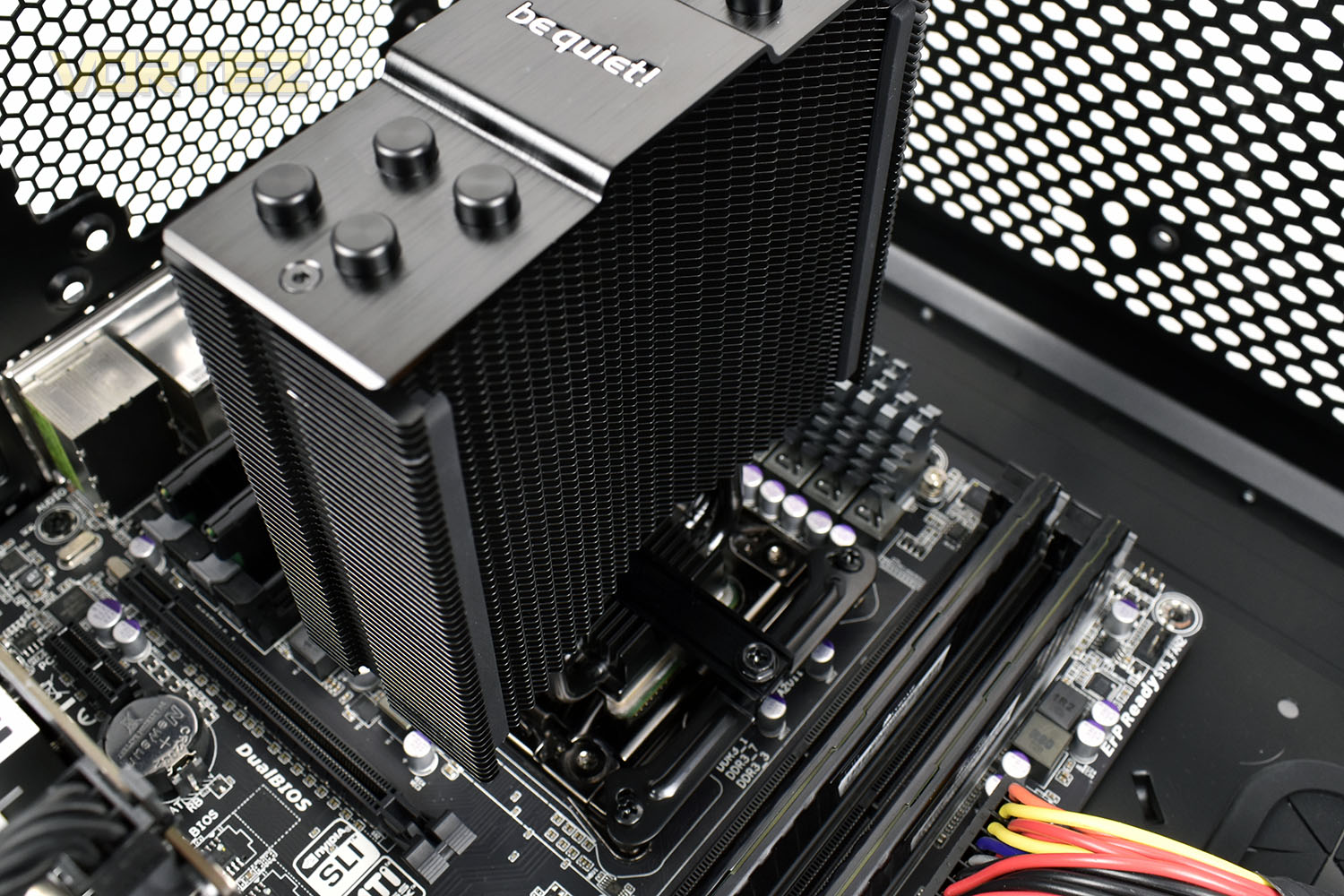
Once both supports are installed, the cooling tower is placed on top of the CPU, ensuring a decent and even pressure to spread the thermal paste around before locking it into place. The clamping force of the bracket will also do this job but it’s good to give it a helping hand.
Finally, it’s time to strap on the Silent Wings 3 PWM fan. Attaching one clip first then swinging the fan around the front to attach the other side. A bit of pressure needs to be applied but once it’s locked home, you can be sure it’s not going anywhere.
Test Setup & Methodology
We have recently made changes to our cooling department and the associated testing methodology, so please note that the number of results shown will increase over time as we add additional products. We hope that these results will appear clearer to the majority of our readership and look forward to building upon the baselines that we currently have.We perform two individual testing routines with each CPU cooler that we receive – temperatures and acoustics. The system used is as follows and all tests are performed at stock 3.8 GHz and overclocked 4.4 GHz frequencies.
Processor – Intel Core i7-3930K
Motherboard – Gigabyte X79-UP4
Memory – 8GB Corsair Vengeance LP 1600MHz CL9
Video Card – Sapphire Radeon HD 6850 1GB
Power Supply – NZXT Hale90 650W
Storage Drive – Kingston HyperX 240GB SATA III SSD
Case – Corsair Carbide 760T
Monitor ASUS ROG SWIFT PG278Q
Motherboard – Gigabyte X79-UP4
Memory – 8GB Corsair Vengeance LP 1600MHz CL9
Video Card – Sapphire Radeon HD 6850 1GB
Power Supply – NZXT Hale90 650W
Storage Drive – Kingston HyperX 240GB SATA III SSD
Case – Corsair Carbide 760T
Monitor ASUS ROG SWIFT PG278Q
To keep our tests consistent, we always review CPU coolers as they come out of the box – with their factory cooling fans, as the manufacturer intended and as the consumer expects. It should, however, be noted that we do not use supplied thermal paste but instead, Noctua NT-H1 paste to, again, ensure consistency. The paste is applied and the CPU allowed to run for a couple of hours, at idle, to give the thermal compound some time to “bed in.”
In the first test, we record idle and load temperatures as shown by the most current version of the Real Temp monitoring utility. The test system is booted to the Windows desktop and left to idle for 20 minutes to ensure temperatures have stabilised. The average core temperatures are then recorded over a 1 minute period and averaged across the six cores. We then perform a continuous 20 minute AIDA 64 stress test. The maximum absolute core temperatures are recorded immediately after the test has completed and averaged across the six cores. All results are displayed as delta temperatures – these are calculated by subtracting the ambient room temperature from the average core temperatures recorded. For temperature testing, the Corsair 760T chassis door is closed and has all three systems fans powered on to simulate real-world conditions.
Our second test follows a similar methodology to the first, with the key difference being that the Corsair 760T chassis door is now left open and all three systems fans are disabled. This allows for the CPU cooler fans acoustic profiles to be captured in isolation. From cold, the system is again booted to the Windows desktop and left to idle for 20 minutes to ensure temperatures have stabilised. The acoustic level is then recorded at a distance of 20cm from the CPU cooler and where the individual result is an average level over a 1 minute period. We then perform our continuous 20 minutes AIDA 64 stress test. Acoustic levels are again recorded at a distance of 20cm from the CPU cooler and where the individual result is an average level over a 1 minute period.
Benchmarks – Thermal Results
As mentioned on the previous page, we give the system a couple of hours to bed in, as we do with all of our cooling system reviews, to ensure things are as even and fair as possible. It also helps to give the system some time to equalise so that temperatures are normal and the CPU isn’t working on anything in the background, such as searching for updates.We then take an idle reading, both at 3.8GHz and our overclocked 4.4GHz profiles.
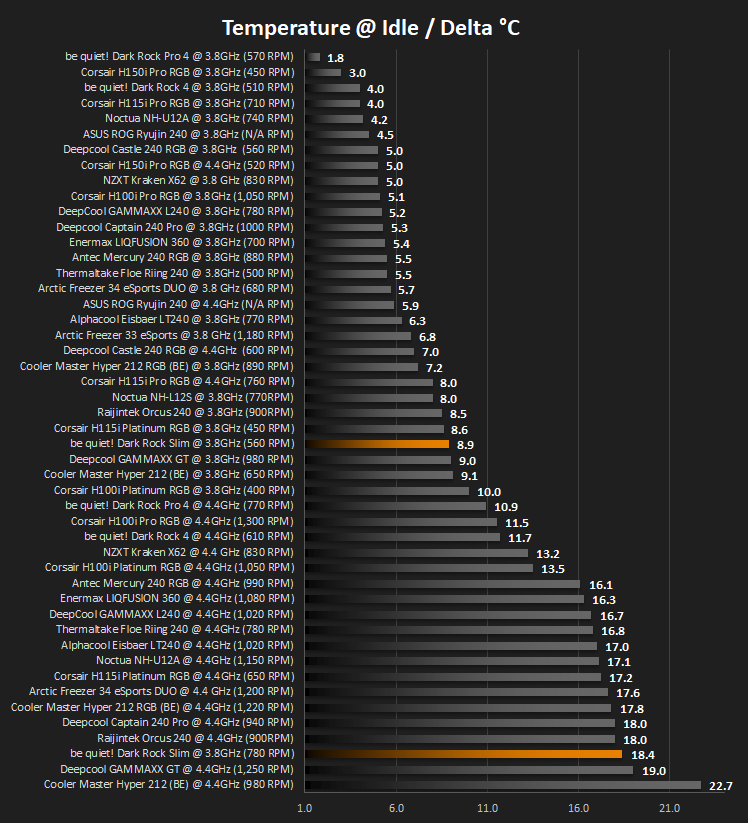
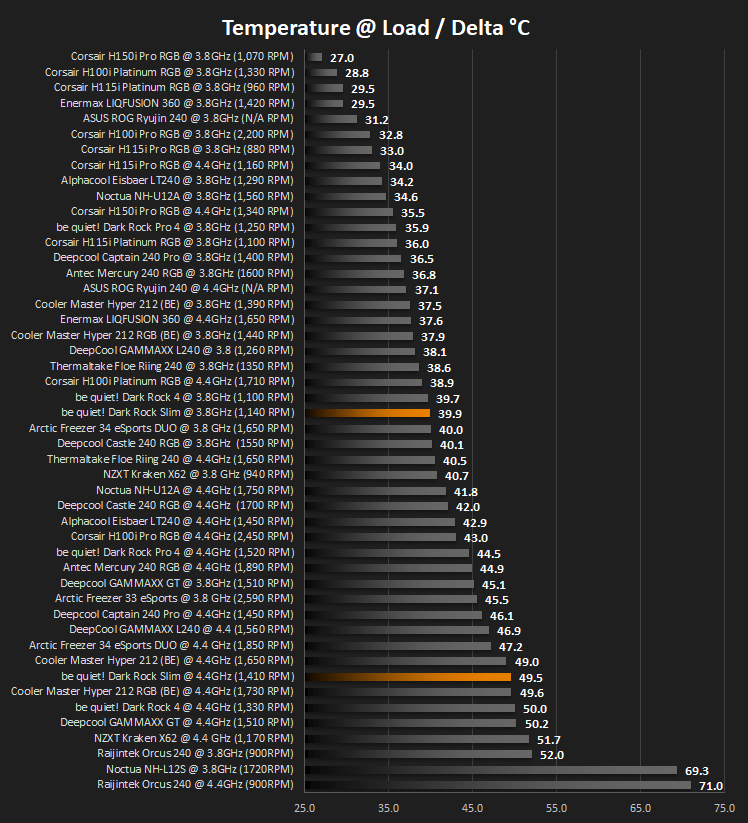
It’s then given a blast of 20 minutes with AIDA 64 and measure the temperatures again, taking a reading over 60 seconds then averaging across the six cores.
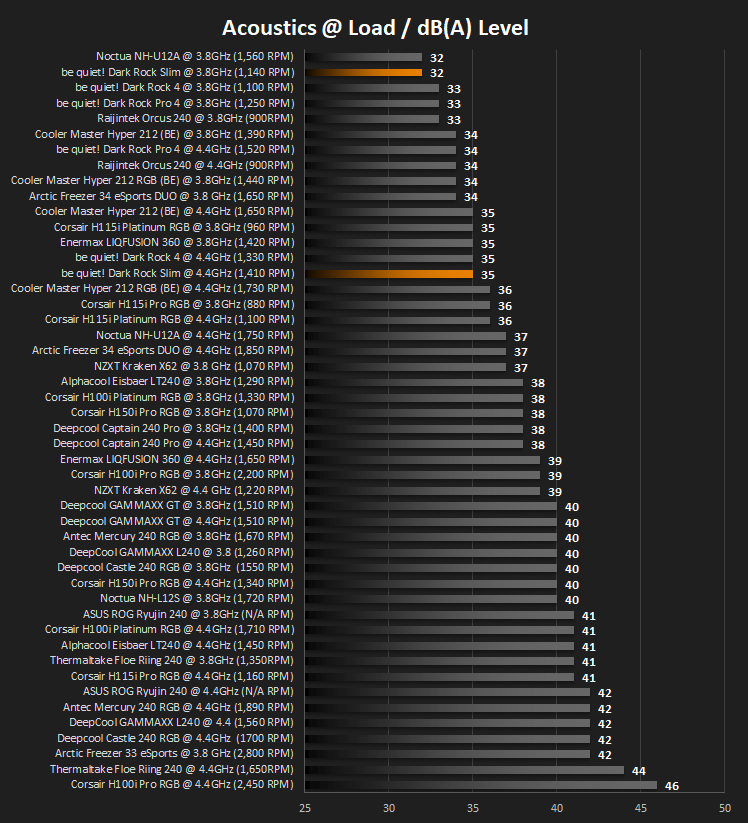
Benchmarks – Acoustic Results
Moving onto acoustics, we take a measurement of the fan output at the same time as the temperature readings.We measure the noise output with the system at rest.
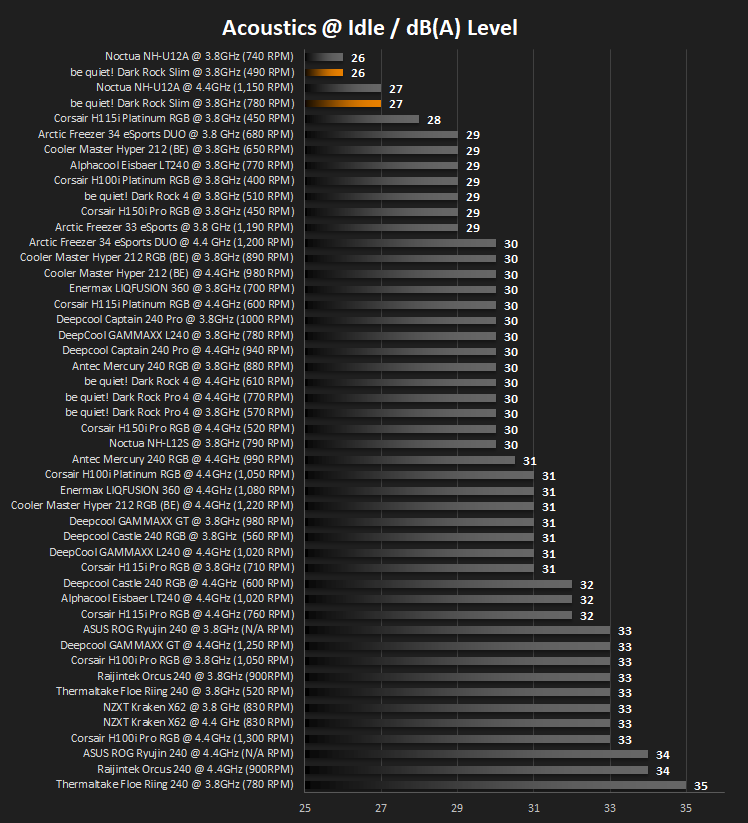
Then once the 20 minutes of AIDA 64 comes to an end, we measure the CPU temperature over 60 seconds and take the noise measurement below.
Conclusion
be quiet! aim to be a big name in the cooling industry, and as their name suggests, keeping things cool while keeping noise to a minimum is their biggest goal. As we saw last year with the Slim’s bigger brothers, they performed remarkably well on both fronts, so how did the Slim perform?Starting with installation, the only slightly fiddly part was reattaching the Silent Wings 3 fan, though this was hardly a hardship in our chassis, we can imagine it would be a little tricky in a smaller case, however. Though, having said that, this installation method is fairly standard across a lot of manufacturers.
Moving onto its performance, as is evident in the graphs, the cooler is very quiet, both at idle and load, especially considering the heat it’s dissipating from our Intel Core i7 3930K, at stock and overclocked. While acoustics are very good, the thermal abilities of the cooler, which we believe are largely down to the small stature of the cooling tower and the inclusion of only one fan, take a bit of a hit, particularly when the CPU is overclocked. While considering this, please bear in mind that our processor is rated at 135W at its stock clocks and that rises to around 170W with our 4.4GHz overclock; this can really be considered a worst case scenario for the cooler, compared to an Intel 9700K or an AMD 2700X, for example, which are both around the 100W TDP range.
Aesthetically, we love the all-black design. It should fit into most cases without too much trouble and the colour scheme is unlikely to clash with anything, though it has to be said that while all of that may be true, the Dark Rock Slim won’t really add to the style in your case. If you’re aiming for an understated look, or you haven’t bought into the tempered-glass cases yet, you won’t care for that anyway.
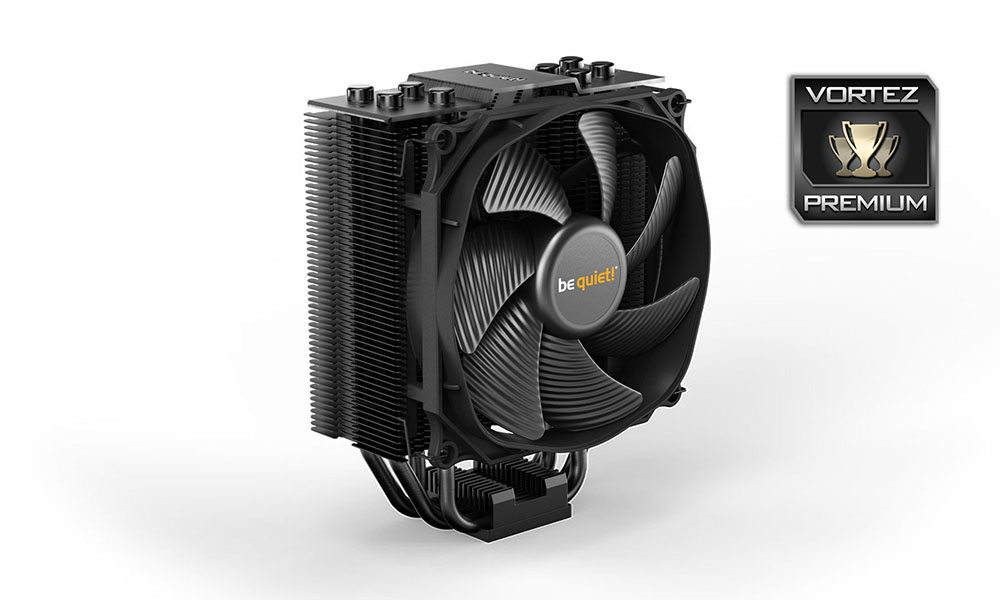
Acoustics are excellent but, as is to be expected from a smaller cooler, the thermal ability lacks a little on our 135W/170W TDP CPU. At £55 in the UK, it’s certainly worth a look.
Pros
+ Incredibly quiet
+ As easy to install as any other tower cooler
+ Excellent Silent Wings 3 120mm PWM fan
Neutral
+- Will suit most builds but don’t expect it to be a great centre piece
Cons
– Struggles with higher TDP CPUs
– No rubber strips on the reverse side for an additional fan, despite providing the clips
+ Incredibly quiet
+ As easy to install as any other tower cooler
+ Excellent Silent Wings 3 120mm PWM fan
Neutral
+- Will suit most builds but don’t expect it to be a great centre piece
Cons
– Struggles with higher TDP CPUs
– No rubber strips on the reverse side for an additional fan, despite providing the clips
Click here for an explanation of our awards at Vortez.net.
Stay connected with the Vortez Social Media pages: