Not everyone is interesting in the RGB band-wagon, and not everyone requires a full size keyboard, this is where the latest member of the MasterKeys Pro family slips in. Is this the Tenkeyless mechanical keyboard for you?

Product on Review: Cooler Master MasterKeys Pro S White
Manufacturer & Sponsor: Cooler Master
Street Price: UK: £79.99, US: $89.99
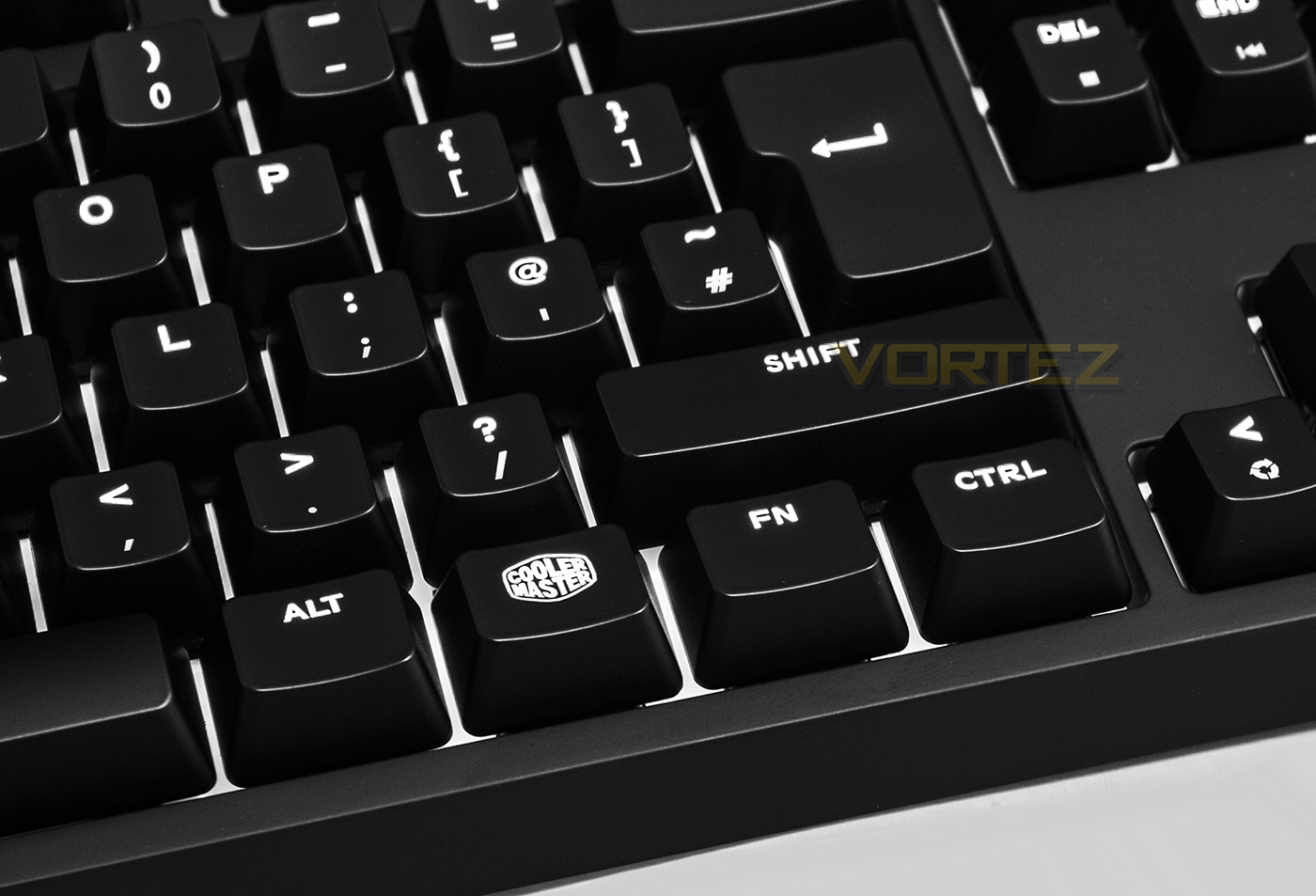
One could argue that there are just as many people that hate RGB lighting as there are that love it, and this could be for various reasons too. These reasons could include: Steep Price hike over non-RGB, most lighting effects can be rather distracting and useless, or even the fact that people don’t like to be reminded that Nyan Cat existed. Though this doesn’t mean that they don’t want the functionality of a backlit keyboard. Even today, people may be torn between choosing different model keyboards based on the static colour of the backlighting. Logic is now beginning to dictate that, if you want a keyboard with coloured backlighting, a RGB keyboard is now the way to go, because it covers all the flavours you could possibly want. There is a one particular hue that RGB lights struggle to accurately render: White. RGB LEDs display white as a composite of each Red, Green and Blue, and requires a perfect balance between each of the three colours. Some get close to a balanced appearance but the vast majority usually end up looking pinkish, bluish, or even greenish, and rarely the brilliant snow-white that looks pure and vivid. The other advantage with having white LED backlighting is that it is a neutral hue that will blend into any themed setup without looking garish or out of place.
There are some other keyboards that have adopted the snow-white LEDs previously but the MasterKeys Pro S White, like its siblings, features the extra large, ultra bright LEDs that will set it apart. The MasterKeys Pro S White still features some party pieces, including various lighting effect modes and per-key customisation, and like its bigger brothers the M and L (wait, so the nomenclature means Small, Medium and Large??… I could be having a dumb moment) it still has the Macro record function, and the auto swap 6KRO/NKRO. Available in Cherry MX Red, Blue, and Brown flavours (also in Speed Silver in the US), there is enough variety to satisfy each corner of the market.
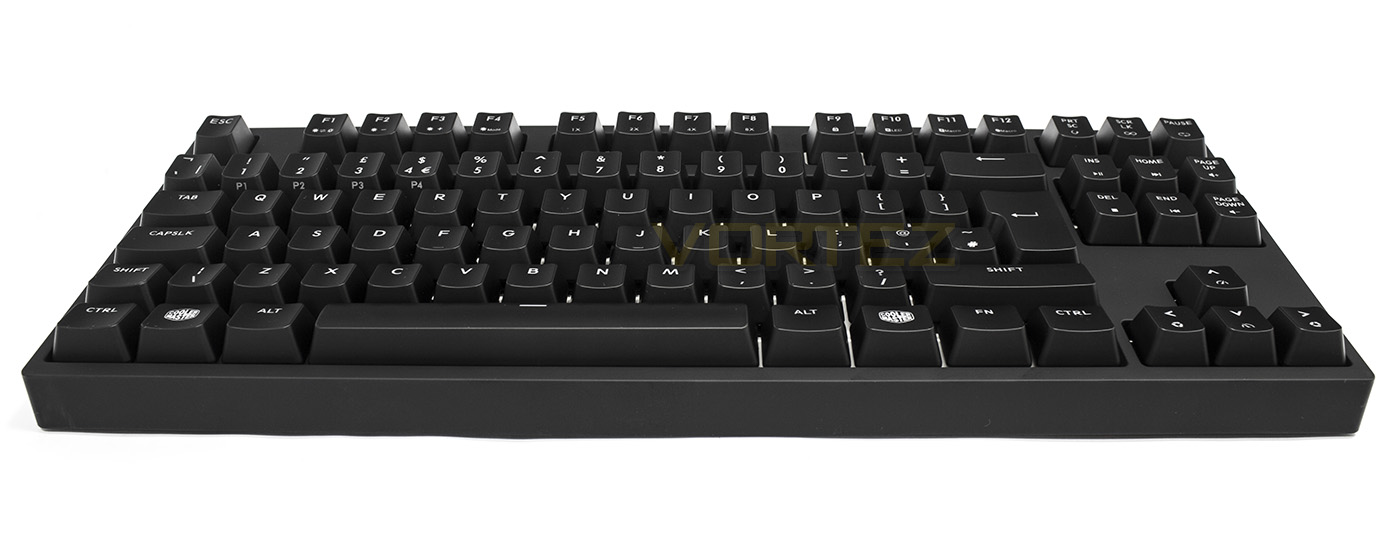
Overview by Cooler Master
The MasterKeys Pro Intelligent White keyboards deliver the brightest white LED backlighting with the best responsive feeling that gamers have come to love. Get multiple LED lighting modes, on-the-fly macros, profile support, and CHERRY MX switches -all in a classic, minimalistic design. For those looking for a crisp and clearer white that an RGB keyboard cannot deliver, the MasterKeys Pro White are for you.
Technical Specifications
Product Name: MasterKeys Pro S White
Switch Type: Cherry MX (Red, Blue, Brown, Silver (US only))
Material: Plastic / Metal
Color: Black
LED Color: White
Polling Rate: 1000 Hz
Repeat Rate: 1x / 2x / 4x / 8x
Response Rate: 1ms
MCU: 32bit ARM Cortex M0
On board Memory: 512KB
On-the-fly system: Macro Record and Lighting
Cable: Detachable with Micro-USB
Connector Cable: USB 2.0 with Braided
Cable Length: 1.5 Meters
Product Dimensions: 359 * 138.8 *37.8 mm
Product Weight(without cable): 960 g
Warranty: 2 years
Switch Type: Cherry MX (Red, Blue, Brown, Silver (US only))
Material: Plastic / Metal
Color: Black
LED Color: White
Polling Rate: 1000 Hz
Repeat Rate: 1x / 2x / 4x / 8x
Response Rate: 1ms
MCU: 32bit ARM Cortex M0
On board Memory: 512KB
On-the-fly system: Macro Record and Lighting
Cable: Detachable with Micro-USB
Connector Cable: USB 2.0 with Braided
Cable Length: 1.5 Meters
Product Dimensions: 359 * 138.8 *37.8 mm
Product Weight(without cable): 960 g
Warranty: 2 years
Packaging & First Look
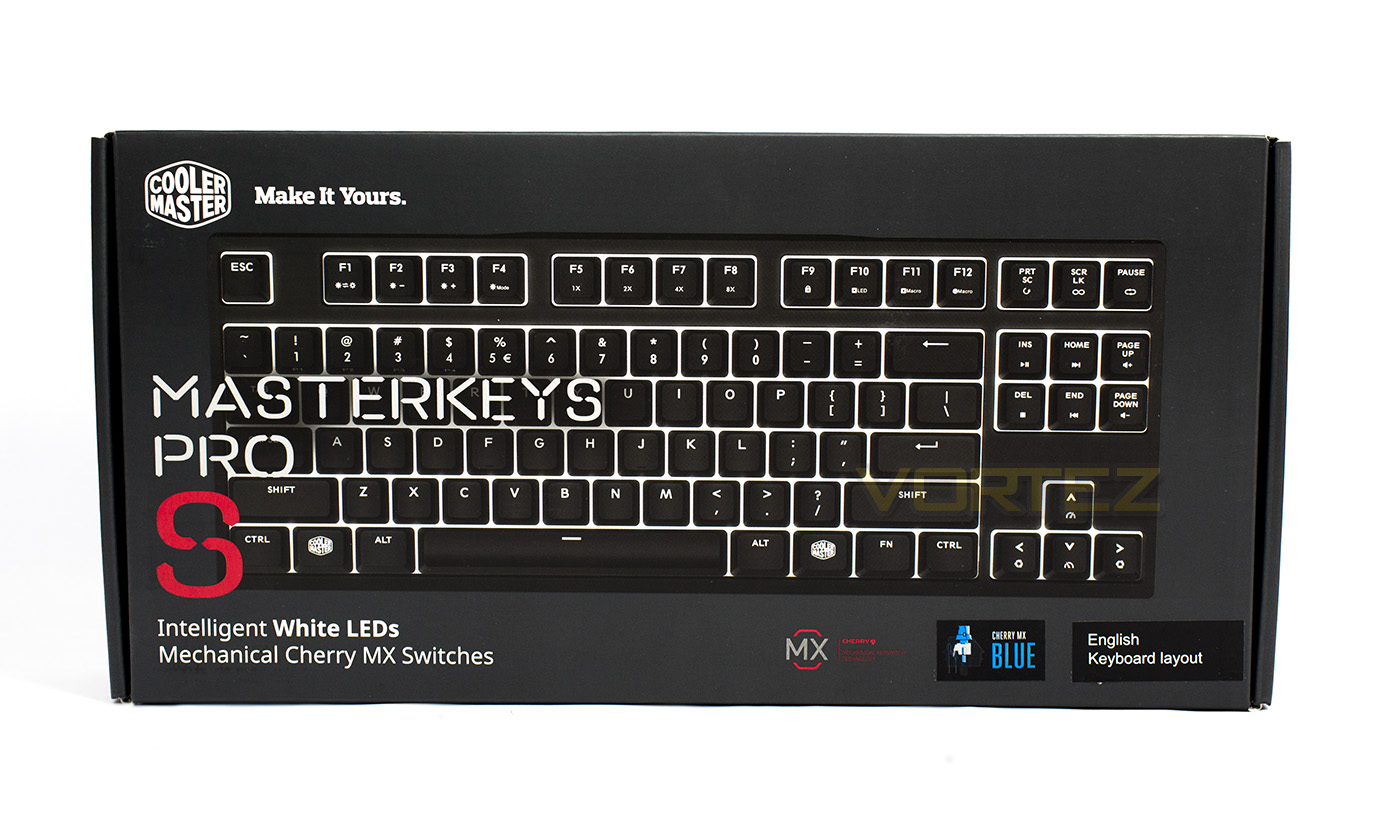
Following suit with the other Master Series products, the packaging is an almost gunmetal grey with a very clear, uncluttered layout featuring the Cooler Master logo, a large image of the product and the model name, and information about the mechanical switch type and layout.
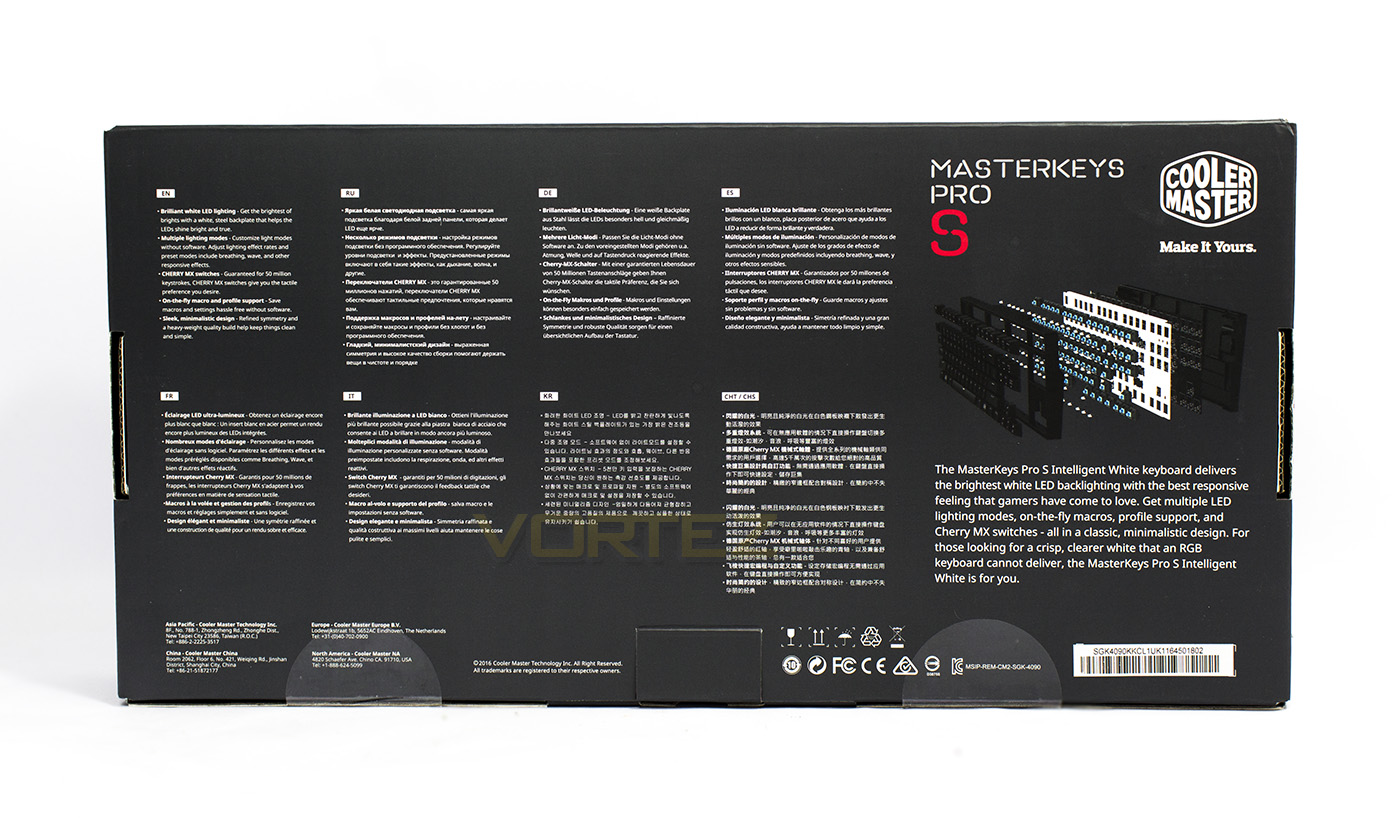
At the back there is information about the features in various languages as well as an overview.
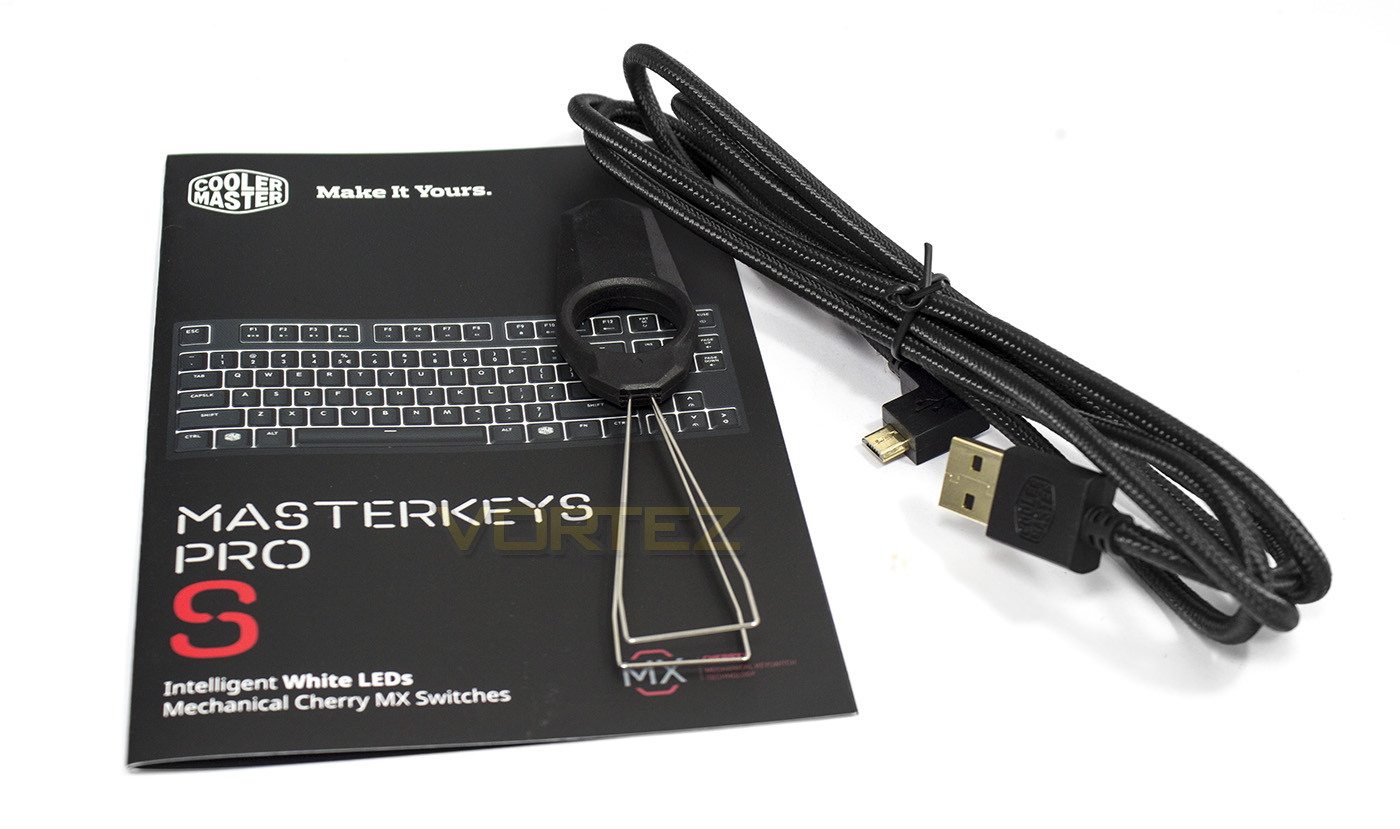
Inside the box we are giving an information guide containing a more detailed guide (more so than what was included with the MasterKeys Pro L RGB) as to how the Fn commands can be used. Also supplied is a detachable 1.5m USB-microUSB cable that is braided and features gold plated connectors, as well as a key-cap remover.
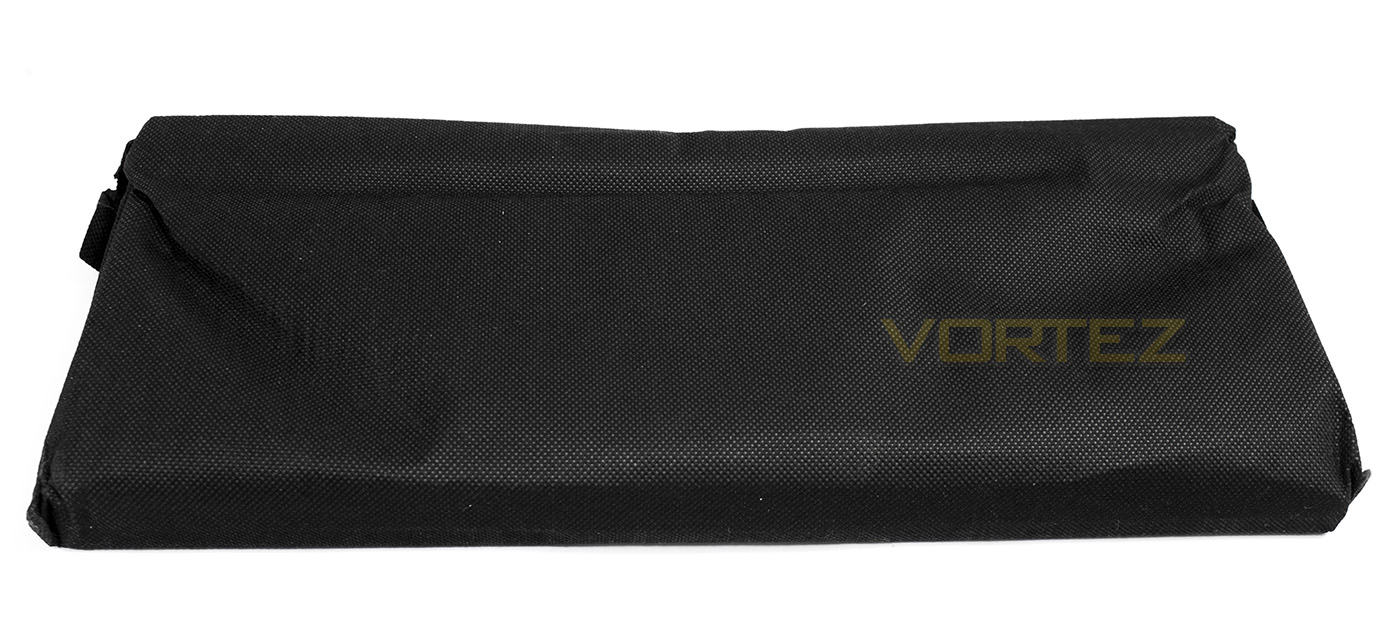
Rather than being packaged in a plastic bag, the MasterKeys Pro keyboards are supplied in a woven… plastic bag (nylon right?)… which is suitable for light protection from scratches and dust should you wish to use this keyboard as a portable solution.
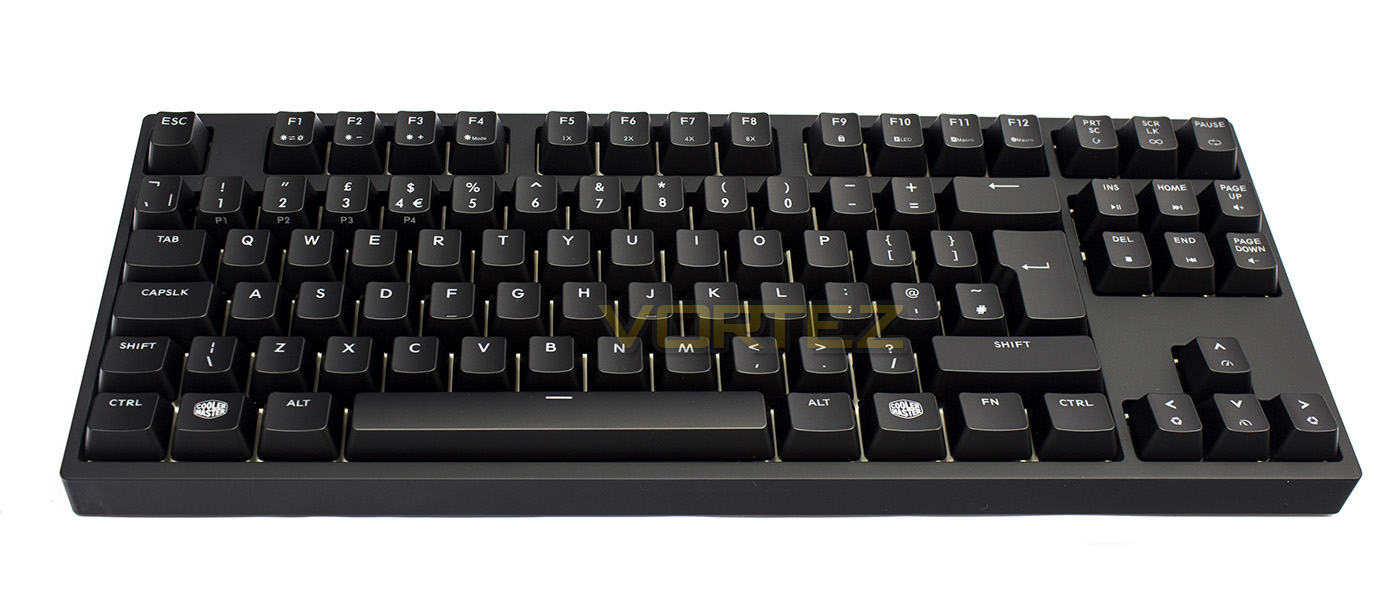
The MasterKeys Pro S White has a minimalistic frame with a thin bezel giving it a very small footprint of just 359 x 130.8 mm, however, it does look a little blocky still due to its height of 39mm, though it is 2mm lower than the MasterKeys Pro L. The backplate is metal with a reflective white layer on top which serves as a light dissipator (sounds like the name of a god?) for both RGB and White LEDs.
Closer Look
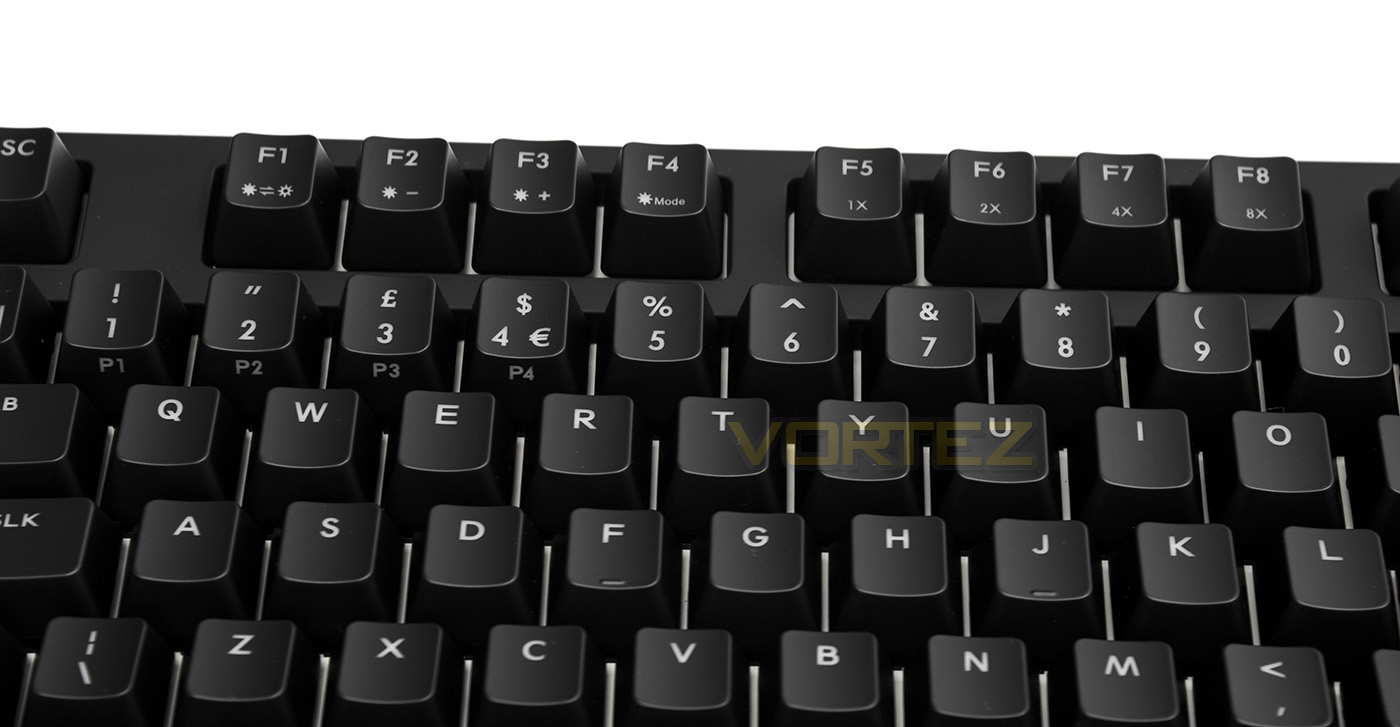
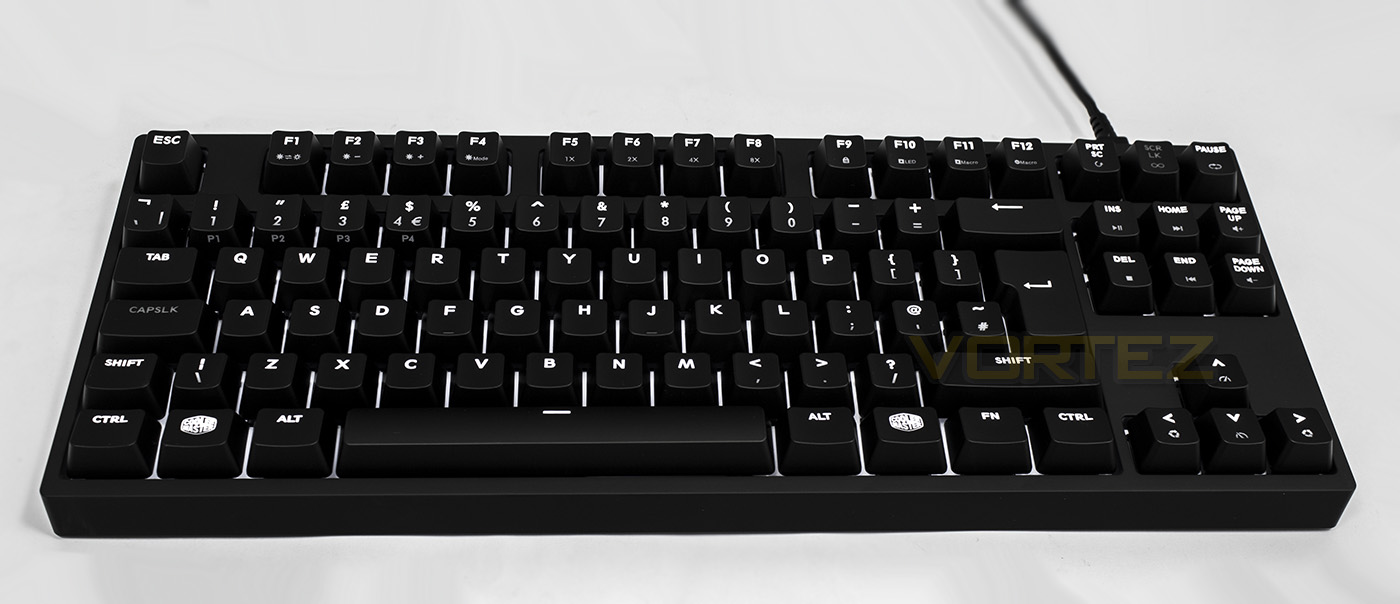
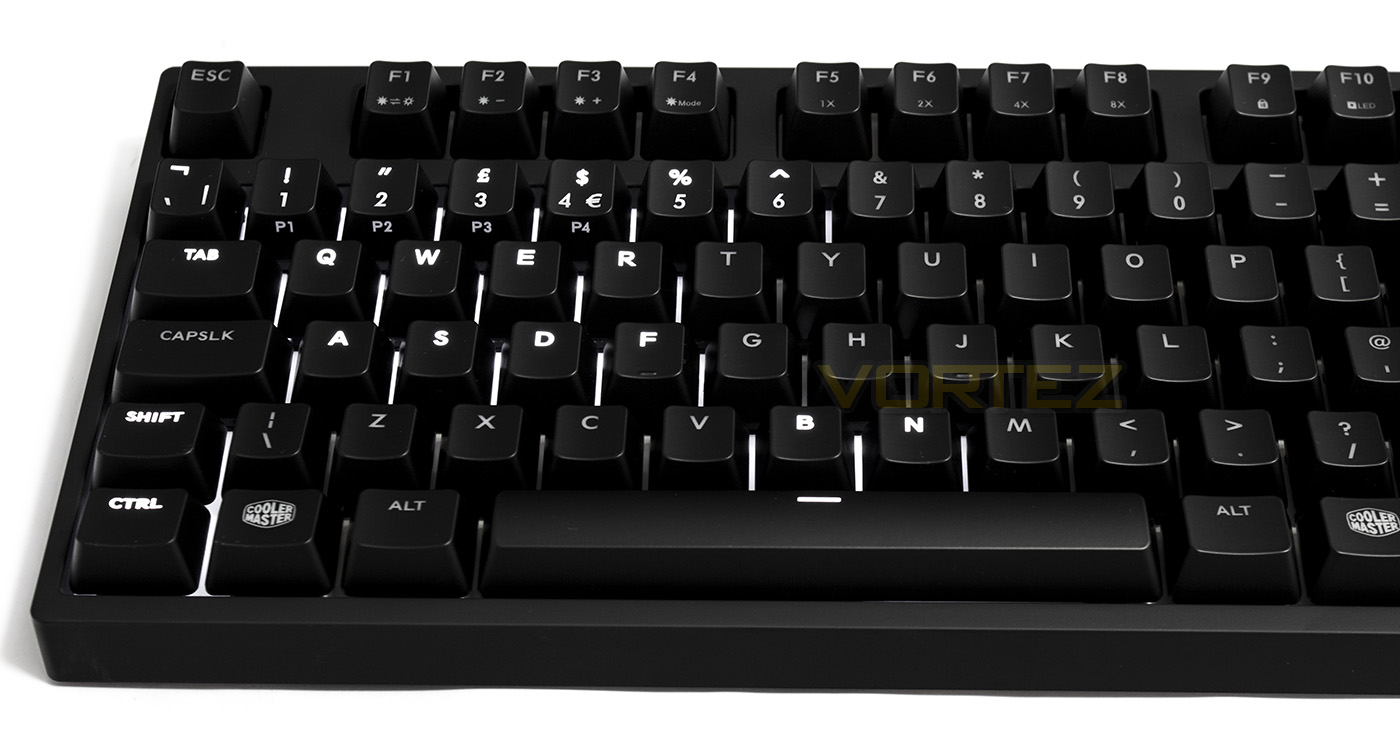
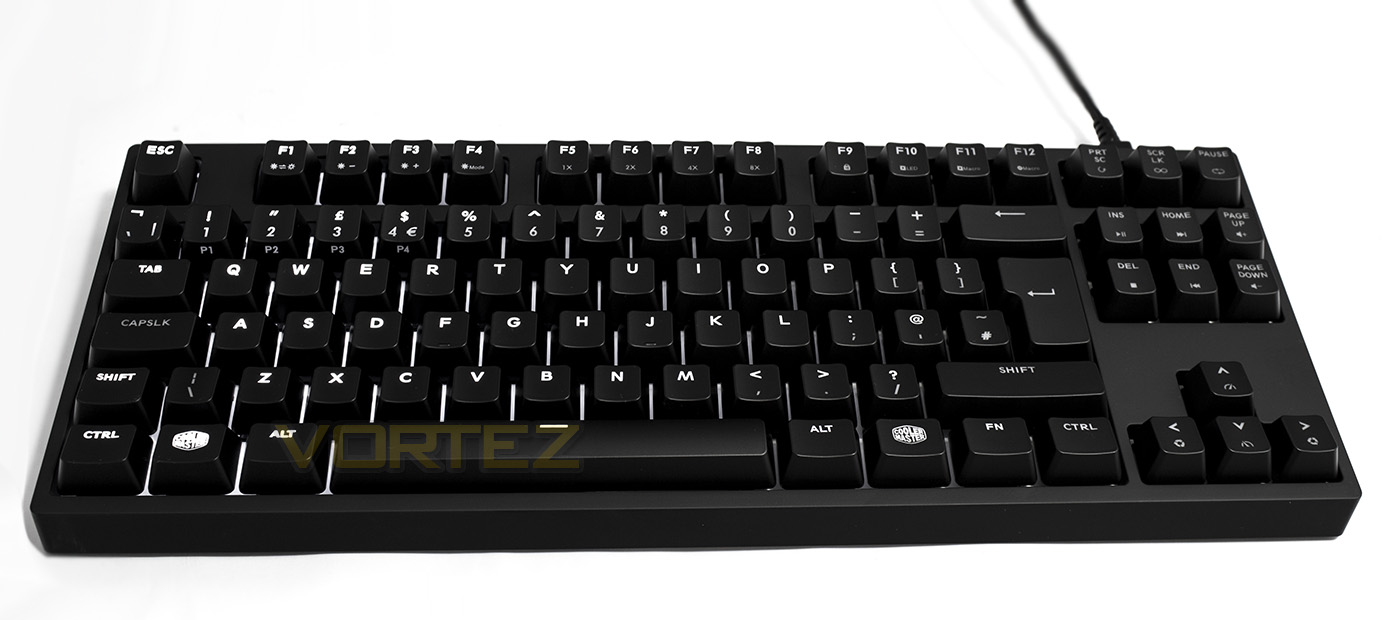
As there are fewer keys thus less space, the MasterKeys Pro S does without dedicated profile keys, instead, the default profile remains as Fn + Esc, while the 4 additional profiles to which you can customise and save your own settings and macros, are now doubled up as Fn 1-4 on the number keys. Fn + F1 turns the LED lighting on/off, Fn + F2/3 decreases/increases the brightness respectively, while Fn + F4 swaps the lighting mode. F5 – F8 adjusts the repeat rate of the keyboard.
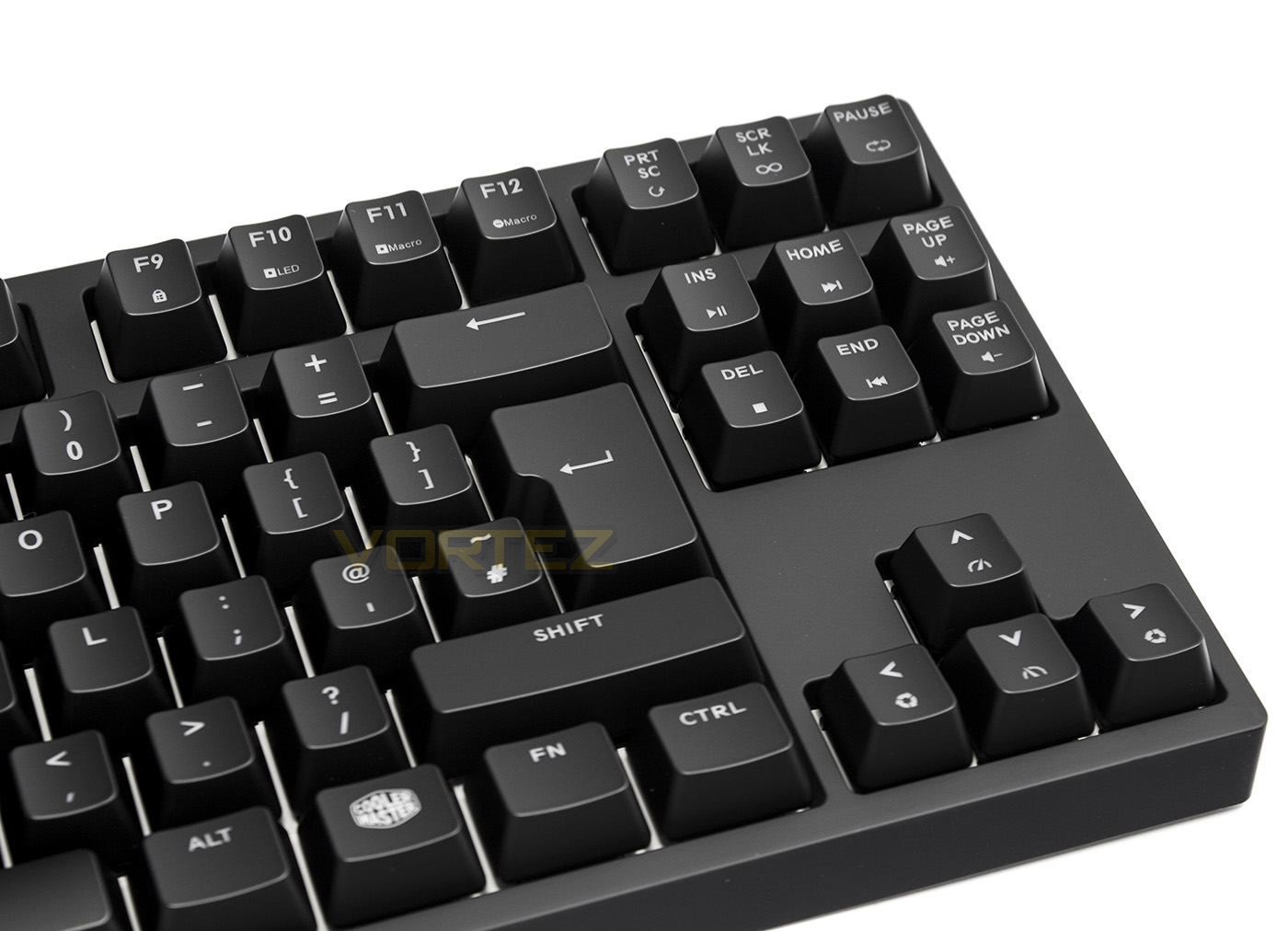
Here we see that the F9 key doubles up as the Windows Lock key, F10 is the LED record function, allowing you to customise your layout, while F11, F12, Print Scr, Scroll Lock and Pause are the Macro Record, Delete, single, toggle and loop inputs. The Cursor keys act as the Speed up/ slow down lighting effect, which the left/right keys change lighting direction.
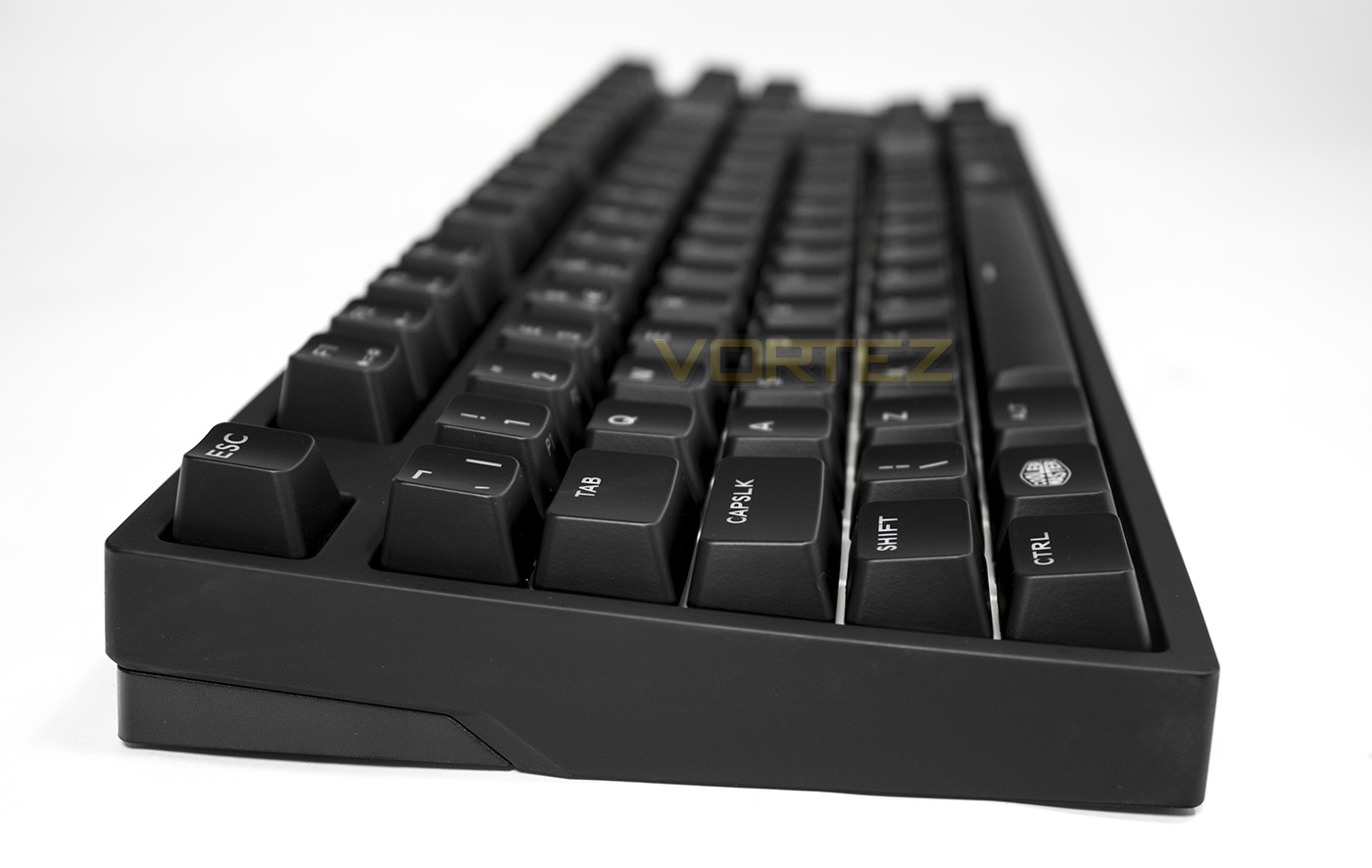
The side view displays that the keyboard has a slight natural taper, making the keys easier to access for typing. The steep sides of the frame give the MasterKeys Pro S an almost monolithic appearance.
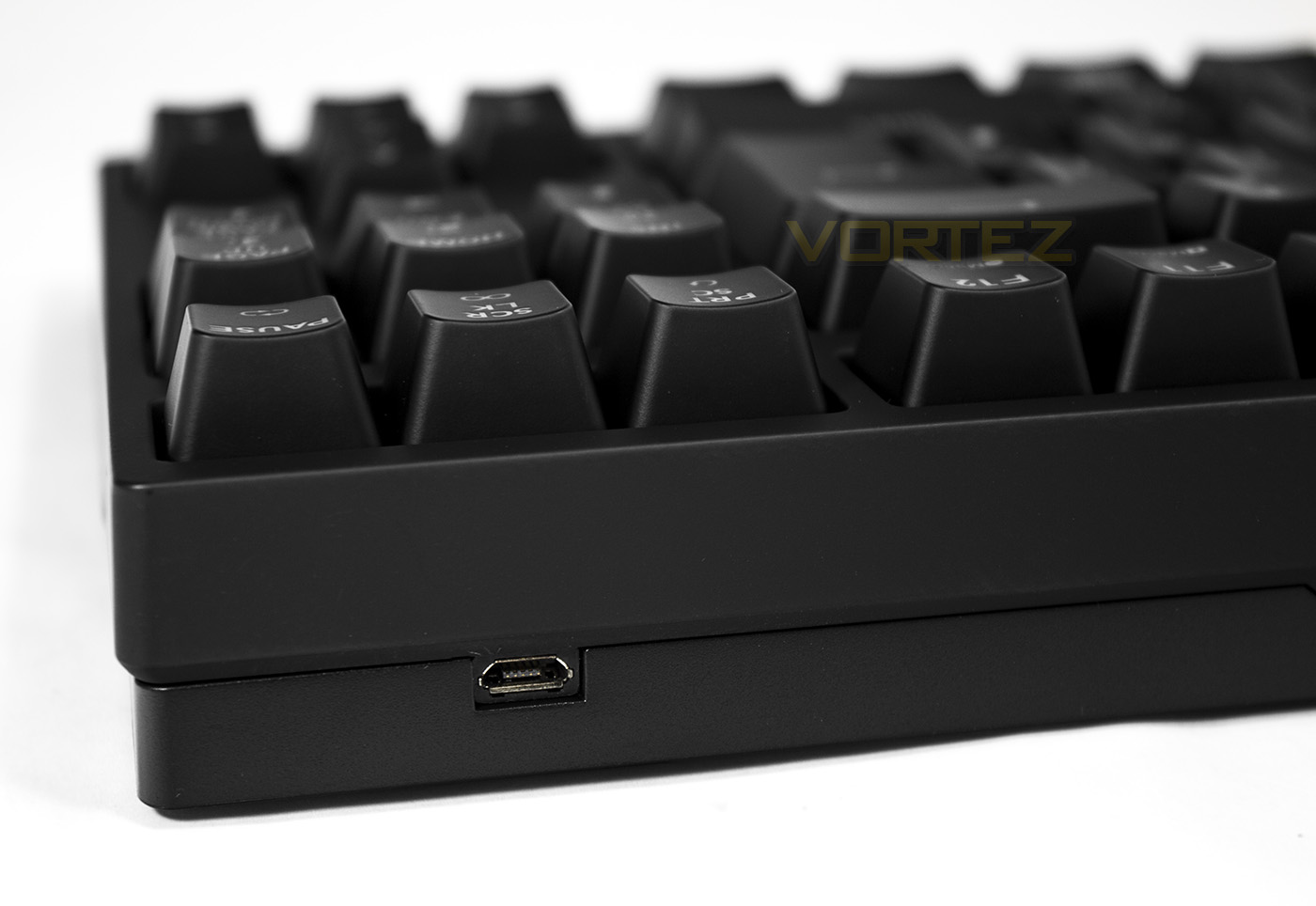
The MasterKeys pro S connects via a detachable cable and unlike many older keyboards that used a detachable cable using a miniUSB port, we can see that it uses the more ubiquitous microUSB connection.
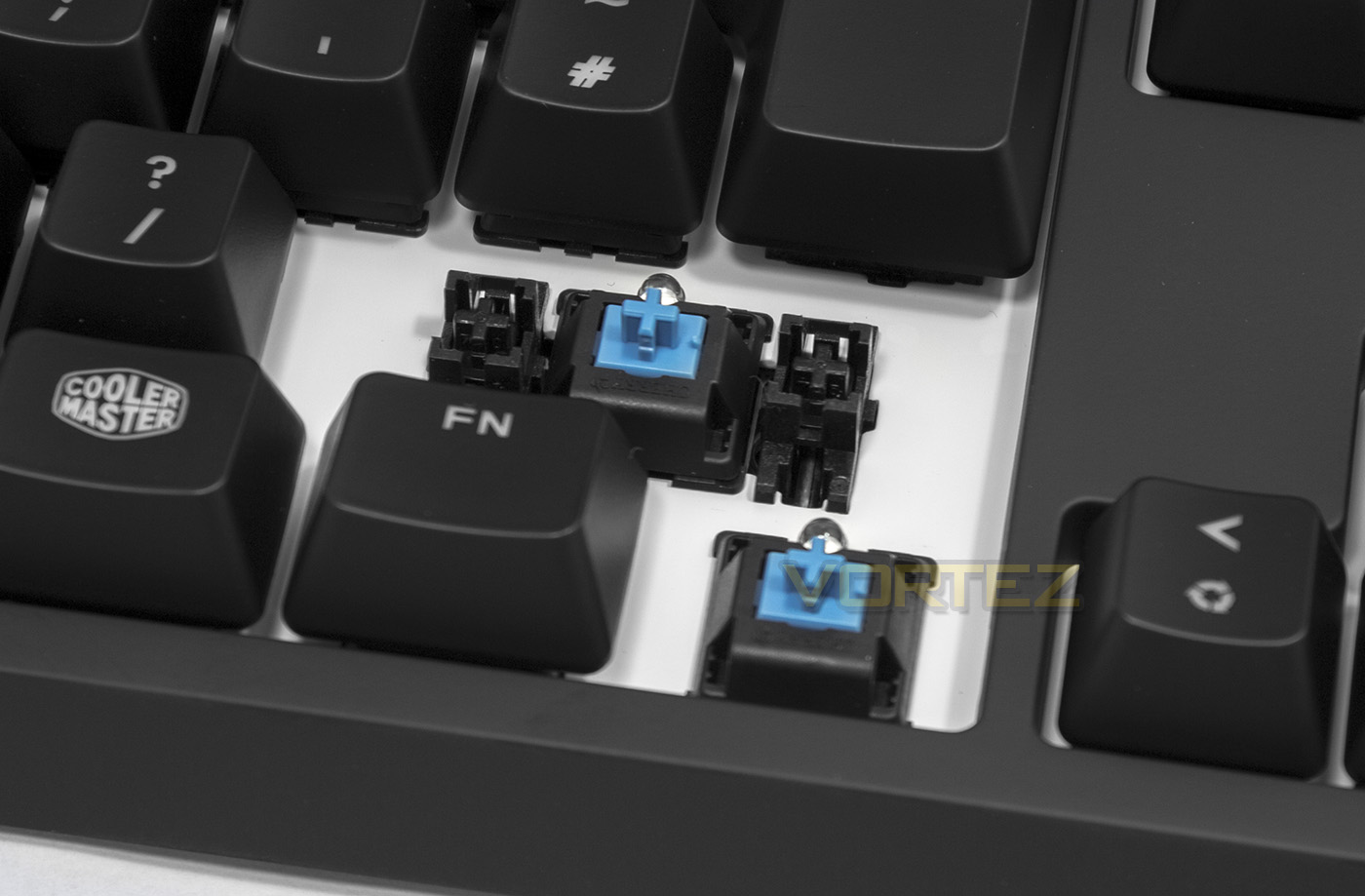
The model we have features the Cherry MX Blue switches which are tactle/clicky, and are accompanied by dummy key stabilisers rather than metal bars. Some have asked about the differences between the two, so let’s give a little breakdown. The Cherry type stabilisers (dummy switches) allow the key-caps to be removed easier and are quiet while providing decent pressure distribution. The metal bars (Costar type) can often be noiser, make removing the larger key-caps (shift, enter, space bar) significantly more difficult to remove, however the pressure distribution is superior giving a much more reliable and natural keystroke. Preference is subjective, historically we weren’t too keen on the Costar stabs due to the rattle/noise they can produce, but lately their implementation has been much better and so each have their own merits that we enjoy equally, so long story short, unless you have already developed your own preference, this isn’t really something to worry about.
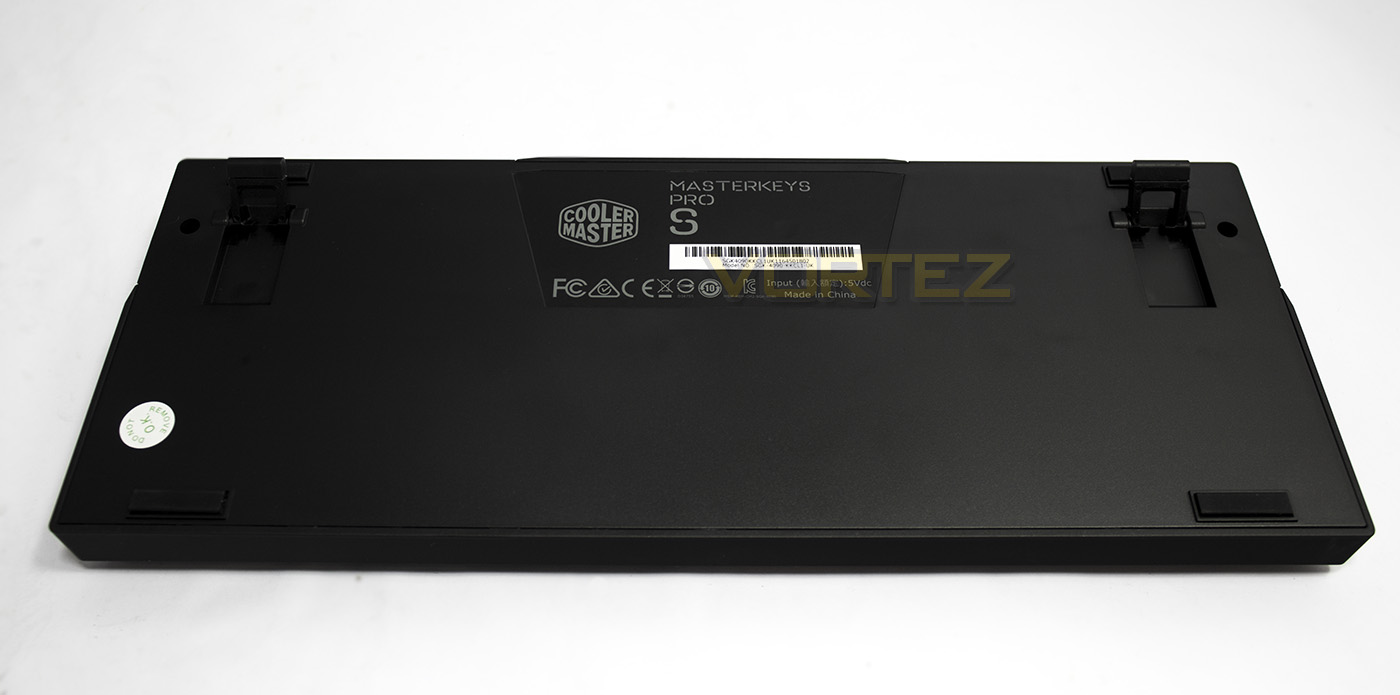
Underneath the MasterKeys Pro S is flat and plain with just a few non-slip pads and the angle adjustment feet.
Controls & Lighting
The lighting effects on the MasterKeys Pro S White are not quite as extensive as you would find on the RGB model, reflected by the slightly slower MCU used. That being said, the MCU is still powerful enough to handle all the inputs and commands that has been implemented here. The lighting modes include ‘Static, Wave (direction adjustable), firework (forms a cross over the key you press), reactive, breathing, rain, custom, snake and more. Something we failed to mention with the MasterKeys Pro L RGB is that Cooler Master have also provided an SDK for users to create their own advanced lighting effects that can also be shared.The commands are a little more straightforward with the white versions of the MasterKeys Pro keyboards due to only being one colour, however, the premise is mostly the same, it is for this reason CoolerMaster decided that it wasn’t necessary for a supporting app to help customise the lighting/colours as with the RGB version.
Macros are also supported, they can be recorded on the fly by pressing Fn + F10, the lights will then dim a little awaiting for you to then press which key you wish to assign the macro to. (To record a macro you must be using one of the primary 1-4 profiles, not the default ‘Esc’ profile). Once you have decided which key you will assign the macro too, the lights will then turn off, awaiting for you to input the series of keystrokes you wish to record. Once you have done so, you will then need to press Fn + single/toggle/loop to finish, and Fn + Esc to save. If you press the Fn key, it will cause all active keys to flash on the keyboard indicating which is in use. Once you have recorded a macro, it will playback the keystrokes with preset intervals loosely based on the actual timings input. The timings are not real-time, but a little slower and maybe robotic, so they may not be entirely useful for those that input long-strings and expect a near instantaneous result.
Performance Testing
Setup, Design & Observations
The MasterKeys Pro S White only needs a spare USB port to get going as there is no need for additional drivers. The exterior construction is mostly robust plastic, while there is an interior metal plate holding the mechanical switches in place. This also gives it a decent amount of weight (relative to its size) as well as preventing any flex.
As the keyboard itself is rather tall with steep edges, some may struggle a little to use it comfortably without the aid of wrist support and we generally recommend that any keyboard over 35mm in height should be used with a wrist-rest to prevent any strains or discomfort. This is especially true for typists and office workers. Gamers on the otherhand will largely have no real problem or discomfort hammering away at WASD.
The overall impression of the MasterKeys Pro S White is rather… cute, and it is hard not to love a TKL keyboard as a gamer. You give yourself extra room on your desktop thanks to the small footprint. Though, past experience has told me that I need a numpad (and the Alt code symbols they help unlock), though your situation may be wholly different. If the S doesn’t fit your needs but still require less than the L full size, then there is always the MasterKeys Pro M
Performance
I found it very quick and easy to jump into typing at my normal pace with the MasterKeys Pro S White despite my lack of fondness for the Blue switches. Using Aqua’s KeyTest, we held down as many keys as we could with two hands and found that the anti-ghosting kicked in a treat, easily going beyond what I could conclusively count. In doing this I ended up creating some random lighting effects and several partial macros while holding that many keys at once, which was rather interesting, should you accidentally do this, you can reset profiles/everything by pressing Fn + E (everything) or Fn + R (profile reset).
Gaming is where the MasterKeys Pro S really shines and sometimes I felt that it is a shame that they didn’t create a TKL keyboard with a row of dedicated macro keys. Sure this is counter intuitive to the premise of a minimalistic keyboard, this level of functionality and portability feels like it can be that little more. As in game performance, unless you are using macros, rarely varies with most contemporary keyboards outside of comfort, the biggest advantage gained by using the MasterKeys Pro S is the huge amount of additional space created for your mouse hand, something gamers will particularly appreciate.
Conclusion
One of the driving factors of the popularity of the Quick Fire XTi and likely the MasterKeys Pro series is that they are minimalistic and (mostly) driverless, yet still contain many advanced features. This means that there is little effort in regards to setting up. It has on-board memory to save your settings to each profile, making it easy to take your macros and custom lighting effects with you to whichever system you may be using. This level of transportability is increased with the MasterKeys Pro S simply because of its compact and lightweight stature, sitting at around 20% smaller than the full-size equivalent. The large white LEDs used by Cooler Master, are as described, Super bright! It is almost piercing in a dark room at 100% brightness. The case made for choosing white LED backlighting for their static option is sound, as it means there is no need to create a different coloured backplate for a the RGB and White Keyboards, and it means that they can offer all colours effectively.
There is no real deal breaker to the MasterKeys Pro S White, it is available in various switch types to suit all preferences, and gamers will specifically love the additional room for their mouse. If you are regularly moving around between different systems, the MasterKeys Pro S offers that extra transportability again due to its size.
In regards to how I think it could be improved as a product, I would start by lowering its height, bringing it closer to form with the ROCCAT SUORA or the HyperX Alloy FPS. If it can be reduced to 31-35mm in height (quite difficult for mechanical keyboards), it will appear all the more sleeker and will provide better comfort without the use of a wrist-rest. If a frameless design could be implemented, further space saved, I too believe that a TKL keyboard of this calibre could also earn some extra brownie points amongst gamers if it had a row of dedicated macro keys on the left side. Alternatively, they could keep it at this size and make it a wireless mechanical keyboard.
From the dazzling super bright white LEDs, to the form and functionality, there is little else more one could want from such a compact keyboard. If you are looking to downsize, or simply want more space on your desktop, then we would recommend that you take a look at the MasterKeys Pro S White, (or the RGB if that is your thing).
20% smaller in size compared to the MasterKeys Pro L, the MasterKeys Pro S White is still big on features, if that wasn’t enough, the super bright white LEDs will certainly capture everyone’s attention.
Pros.
+ Solid Construction
+ Ultra compact
+ Choice of Cherry MX Red, Blue, and Brown switches
+ Super Bright white LED lighting + various effects
+ Easy setup/ no software needed
+ 4 + 1 On-board Profiles
+ Detachable cable
Cons.
– Seems a little tall
+ Solid Construction
+ Ultra compact
+ Choice of Cherry MX Red, Blue, and Brown switches
+ Super Bright white LED lighting + various effects
+ Easy setup/ no software needed
+ 4 + 1 On-board Profiles
+ Detachable cable
Cons.
– Seems a little tall
Click here for an explanation of our awards at Vortez.net.