With so many options in the keyboard and peripheral market, manufacturers are having to come up with cunning ways of setting theirs apart from the rest. How does the Cooler Master MK750 fare in this cut-throat market?

Product on Review: Cooler Master MK750
Manufacturer: Cooler Master
Street Price: £159.00 / $159.00
Today’s review revolves around the Cooler Master MK750 keyboard, boasting per-key RGB illumination, a minimalistic design, magnetic wrist rest, Cherry MX key switches, full N-Key rollover support, a removable braided USB Type-C cable and much more.
Alongside the lengthy list of features, Cooler Master appear to be pushing the software-less design of the keyboard, seemingly trying to appeal to LAN-party goers or those that prefer to leave their PC without any kind of “bloatware”.
Perhaps the most important feature when considering a keyboard is comfort, with appearance coming in at a close second. The MK750 is equipped with a soft, leatherette wrist rest which attaches magnetically, meaning there’s no attachment mechanism to break. The keyboard is also covered in RGB goodness, for the fans of flashy lights.
Cooler Master have priced the keyboard at £160, right in the midst of several keyboard heavyweights such as the Corsair K70, Razer Blackwidow Chroma V2 and SteelSeries Apex M750. Does it perform on a par or are we likely to see something special from Cooler Master? Read on to find out.
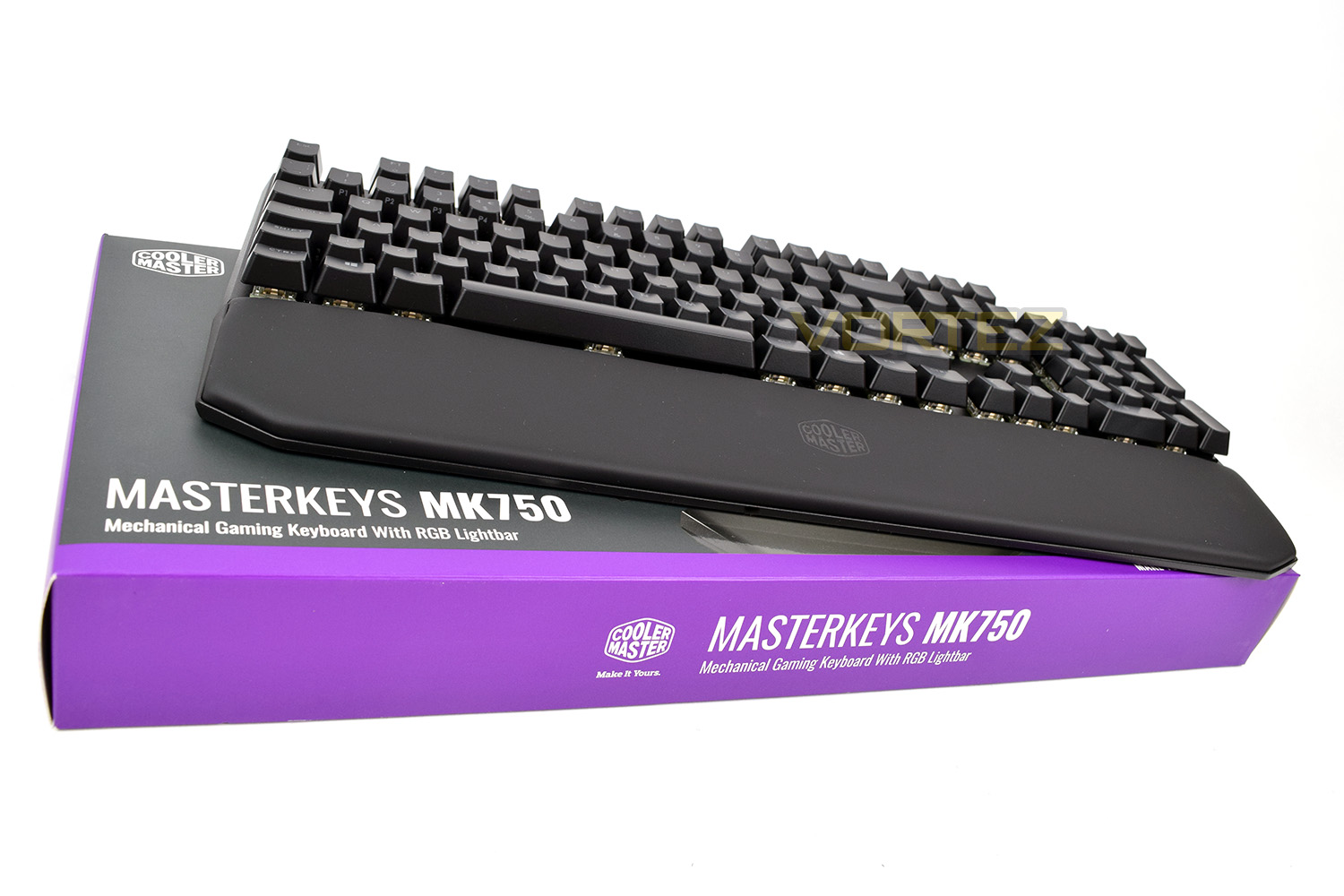
Cooler Master on the MK750:
The MK750 is a pro-grade mechanical gaming keyboard for the straightforward gamer. Minimalistic design with sleek profile includes a removable magnetic wrist rest for superior comfort during long gaming sessions. The RGB lightbar surrounding the keyboard offers lighting for added ambience. The MK750 is fully loaded with practical features to ensure success on the battlefield, with Cherry MX Switches for responsiveness, durability, and tactile satisfaction. Additionally, On-the-Fly controls, dedicated multimedia keys, and hybrid key rollover ensure your keyboard doesn’t get in the way of your fights.
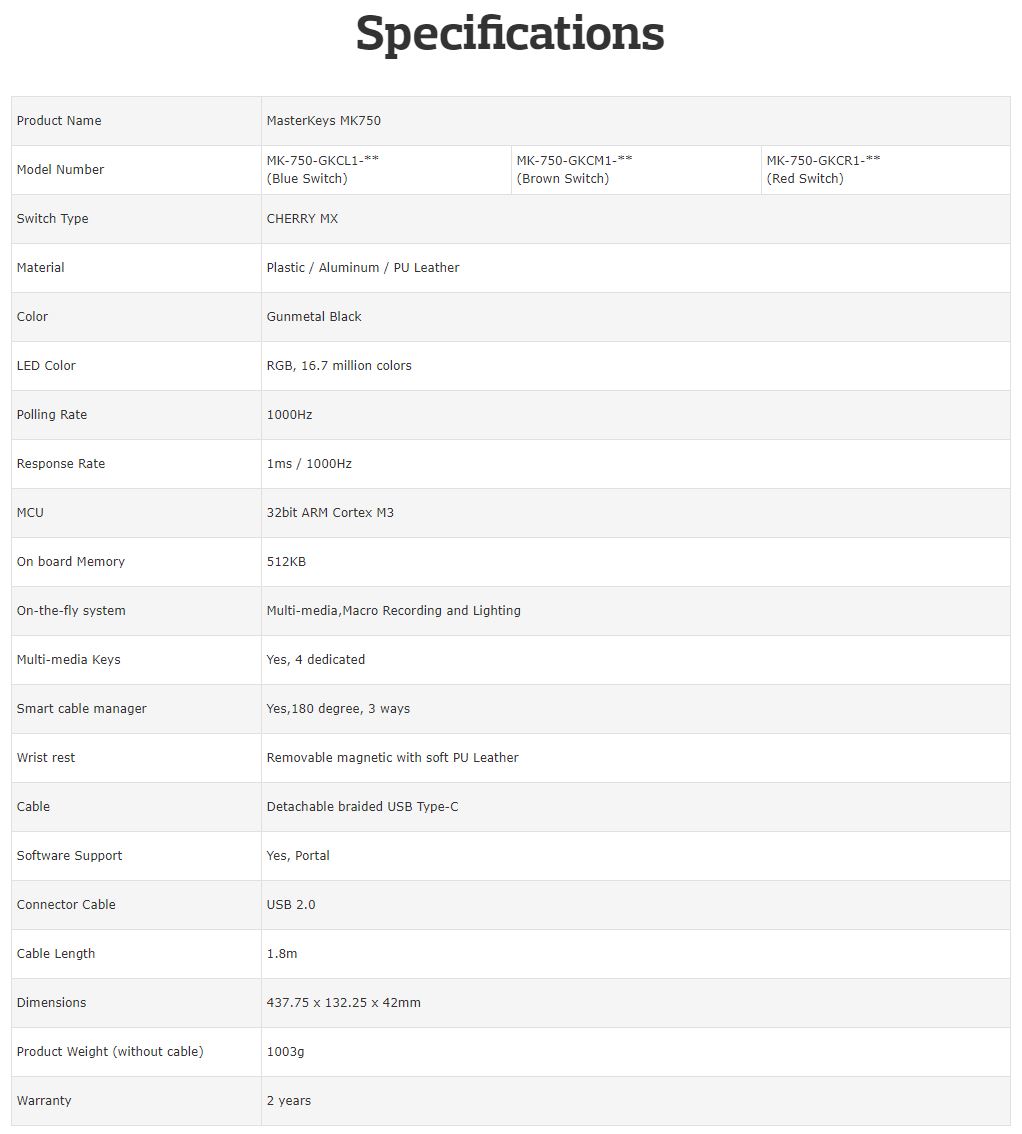
Technical Specifications
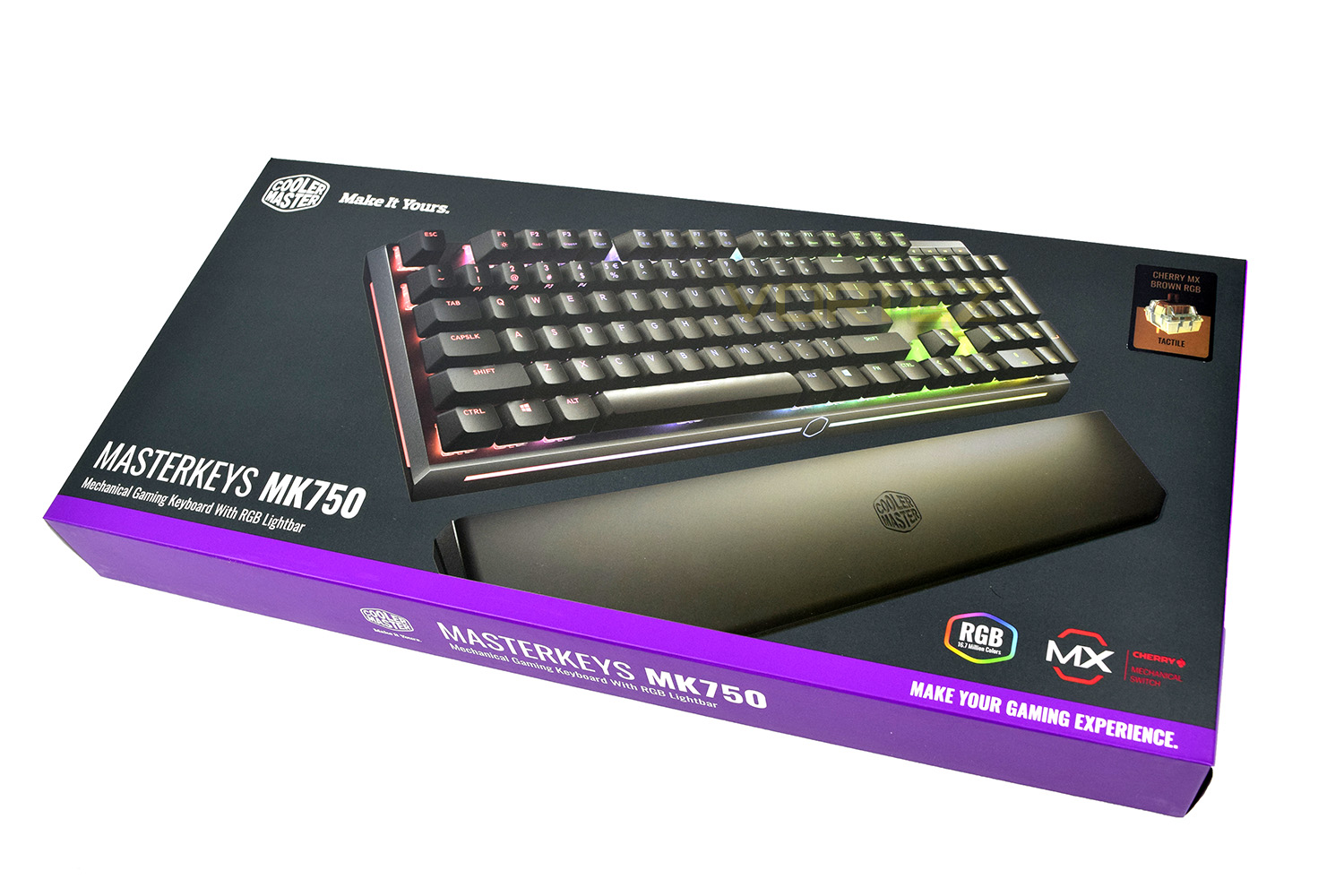
Packaging & Bundle
Cooler Master certainly haven’t held back on the purple when designing their outer box. It’s very eye-catching, which is important in today’s market where hundreds of manufacturers are now making mechanical keyboards.The front of the box gives some basic information on the MK750, including the type of Cherry MX key included. Our provided sample is equipped with the Brown keyswitches.
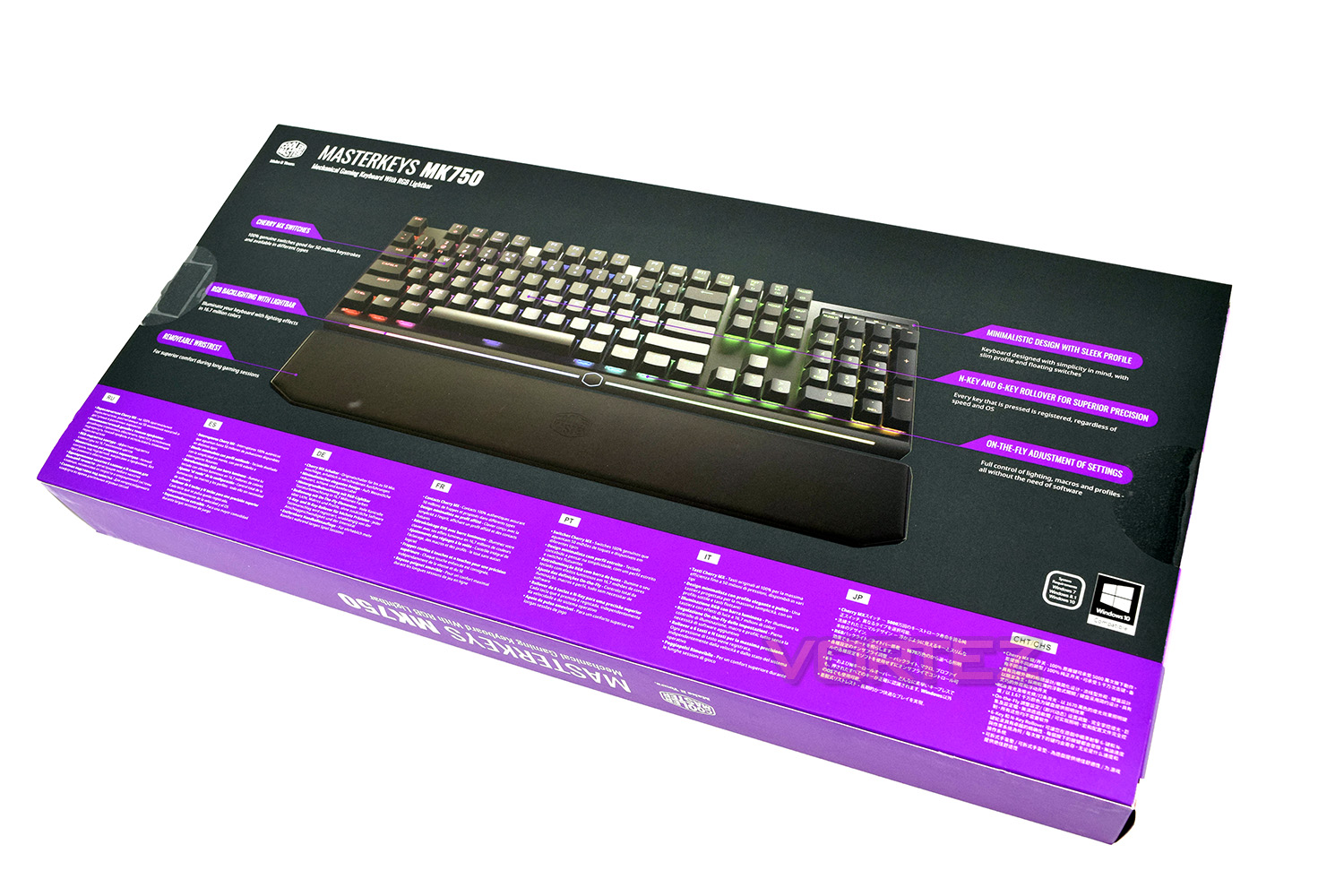
Flipping the box over, we’re presented with the 6 key selling points of the keyboard as well as some annotations of the MK750.
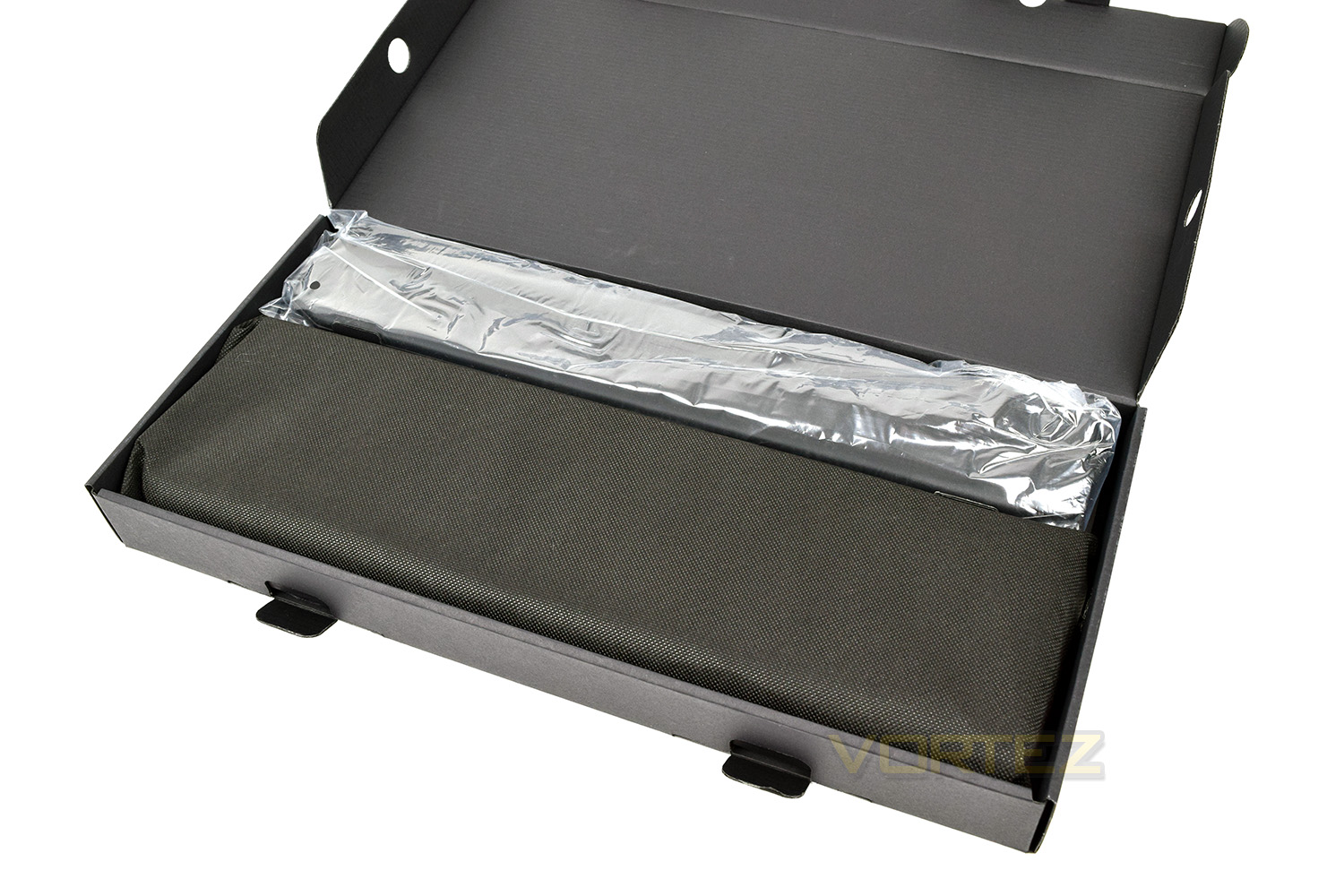
Cooler Master have used an internal box to ensure your keyboard arrives in perfect condition; they’ve even gone so far as to use a cloth bag around the keyboard. This will be handy if you wish to transport it around to LAN events and the like. The magnetic wrist rest is wrapped in plastic above.
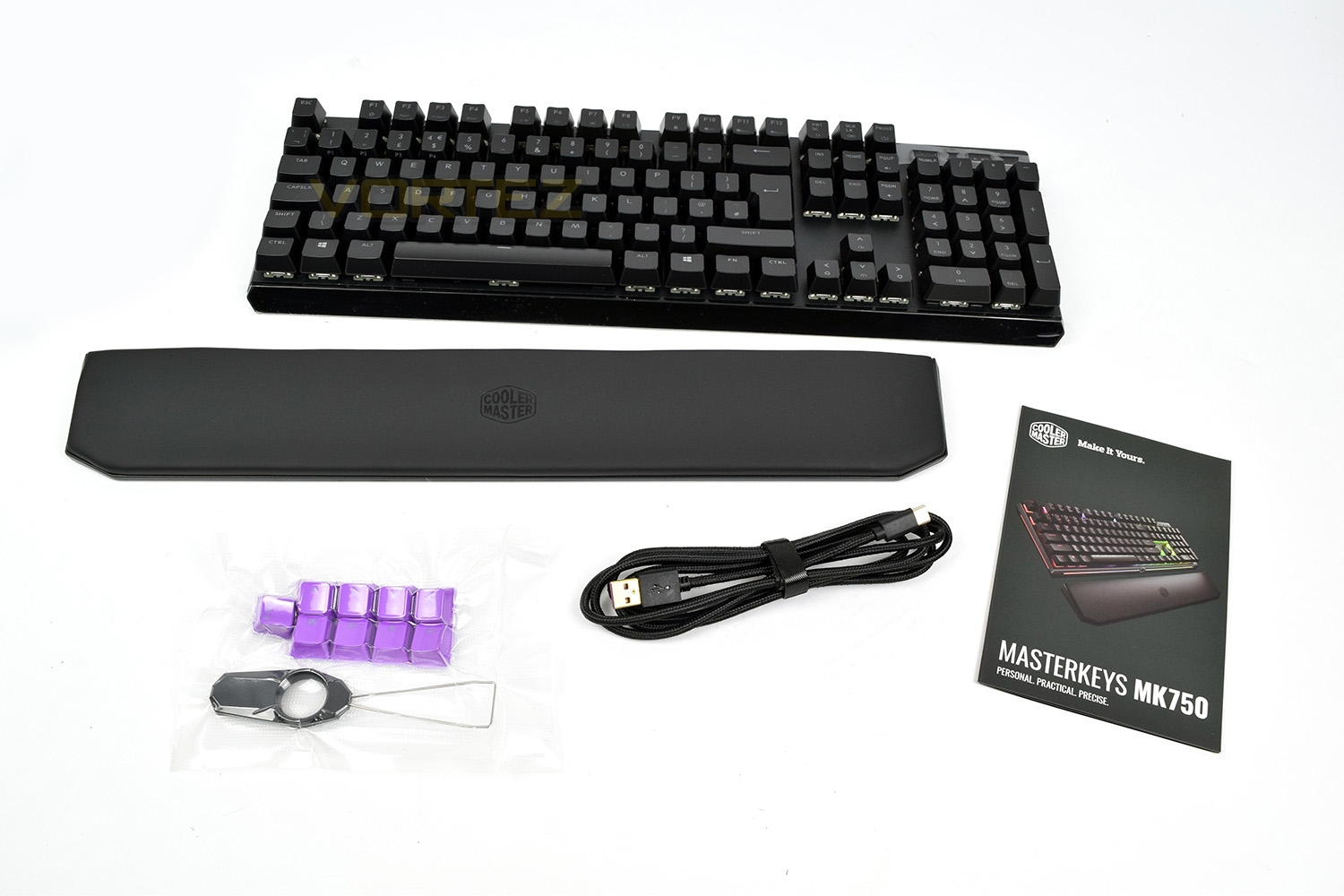
Laying everything out, you can see the quick start manual on the right, purple replacement keycaps, with removal tool. A 1.8M, braided, detachable USB Type-C cable, which can be replaced with a cable of differing lengths to suit your specific desktop layout, if required. The wrist rest is made from a soft leatherette which can be removed and repositioned with ease due to the magnetic attachment system.
Closer Look
The MK750 keyboard utilises its space well, going right up to the very edges of the keyboard while maintaining a full size layout. Many of the keys feature a second function to allow on-the-fly adjustments to many different parameters. The top portion of the keyboard is constructed from a piece of aluminium, giving two clear benefits of being lightweight while also offering substantial strength.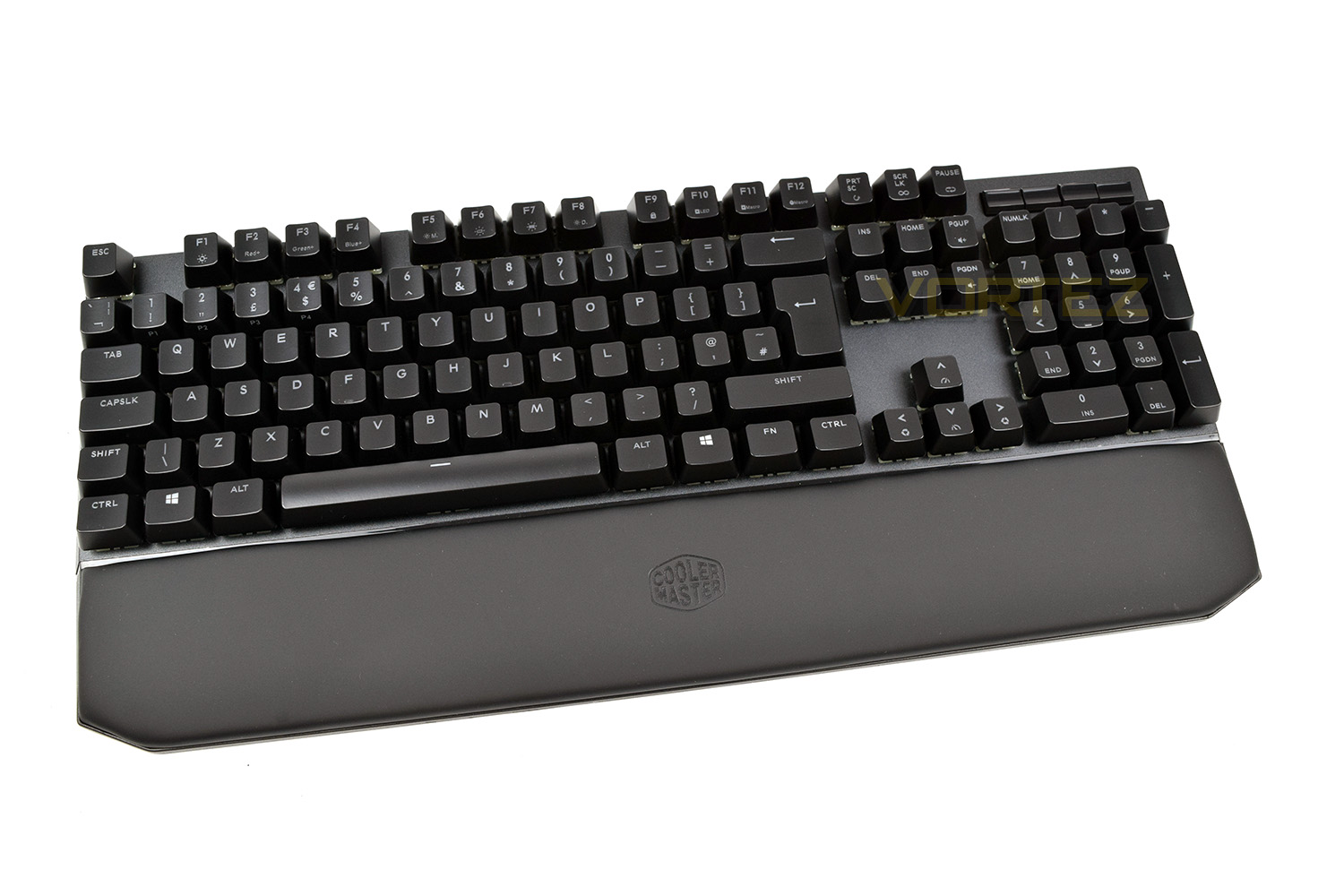
The front of the keyboard features an RGB lighting bar hidden behind the glossy plastic shroud; unfortunately, this ends up being covered when the magnetic wrist rest is in place.
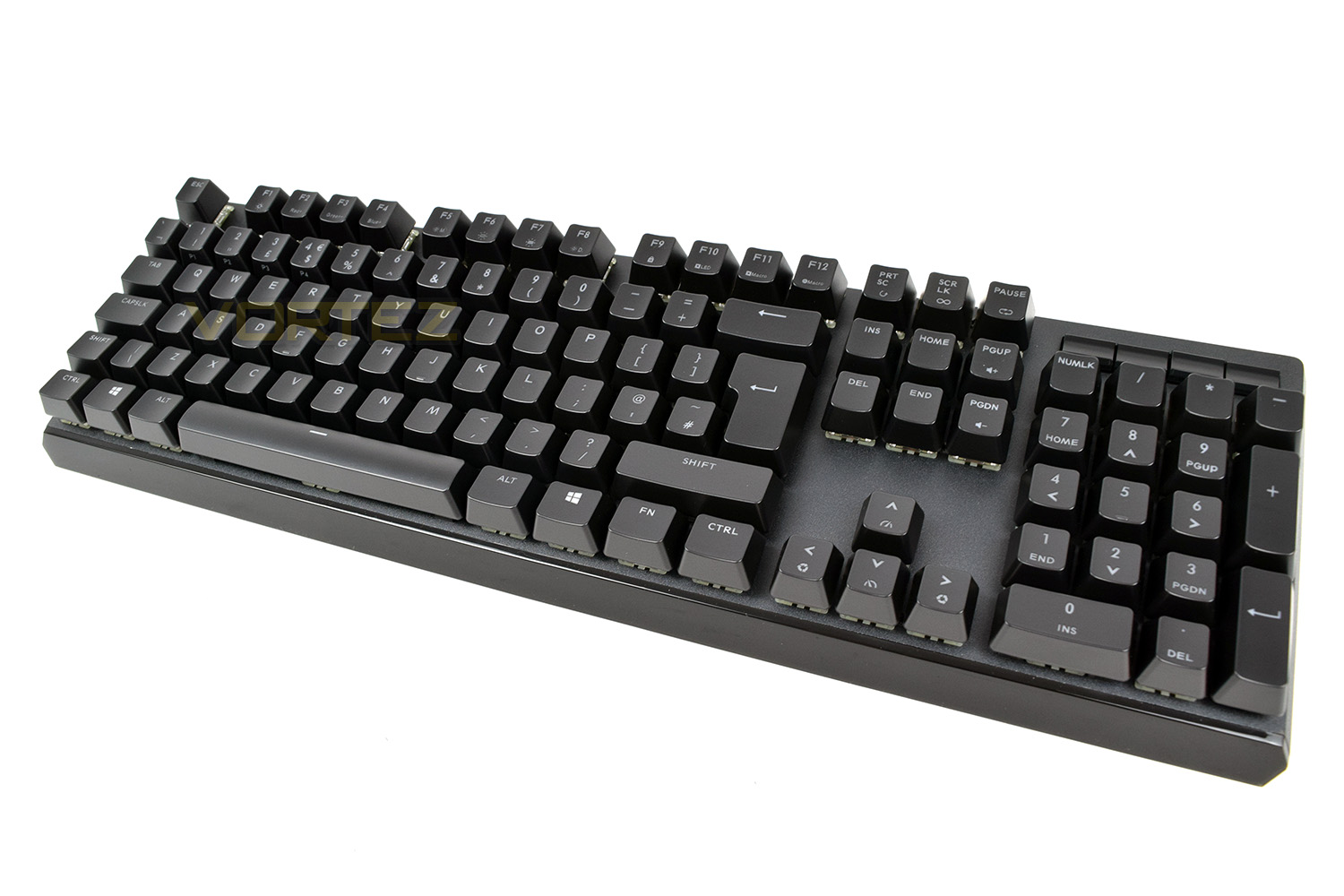
That same lightbar is carried on around the sides; the LEDs aren’t bright enough to be seen when sat in front of the keyboard, even in a dark room, but they look good for anyone looking your way.
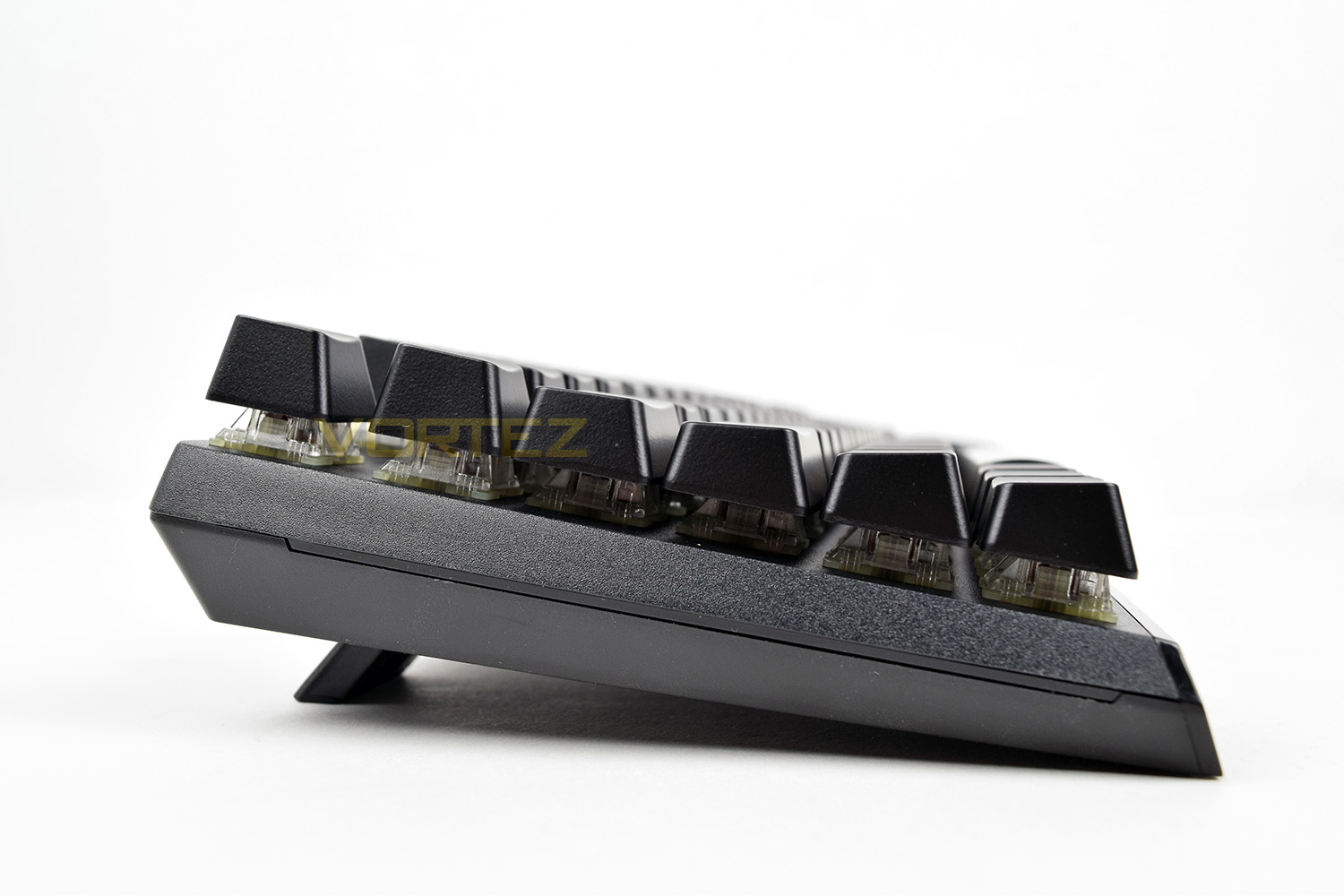
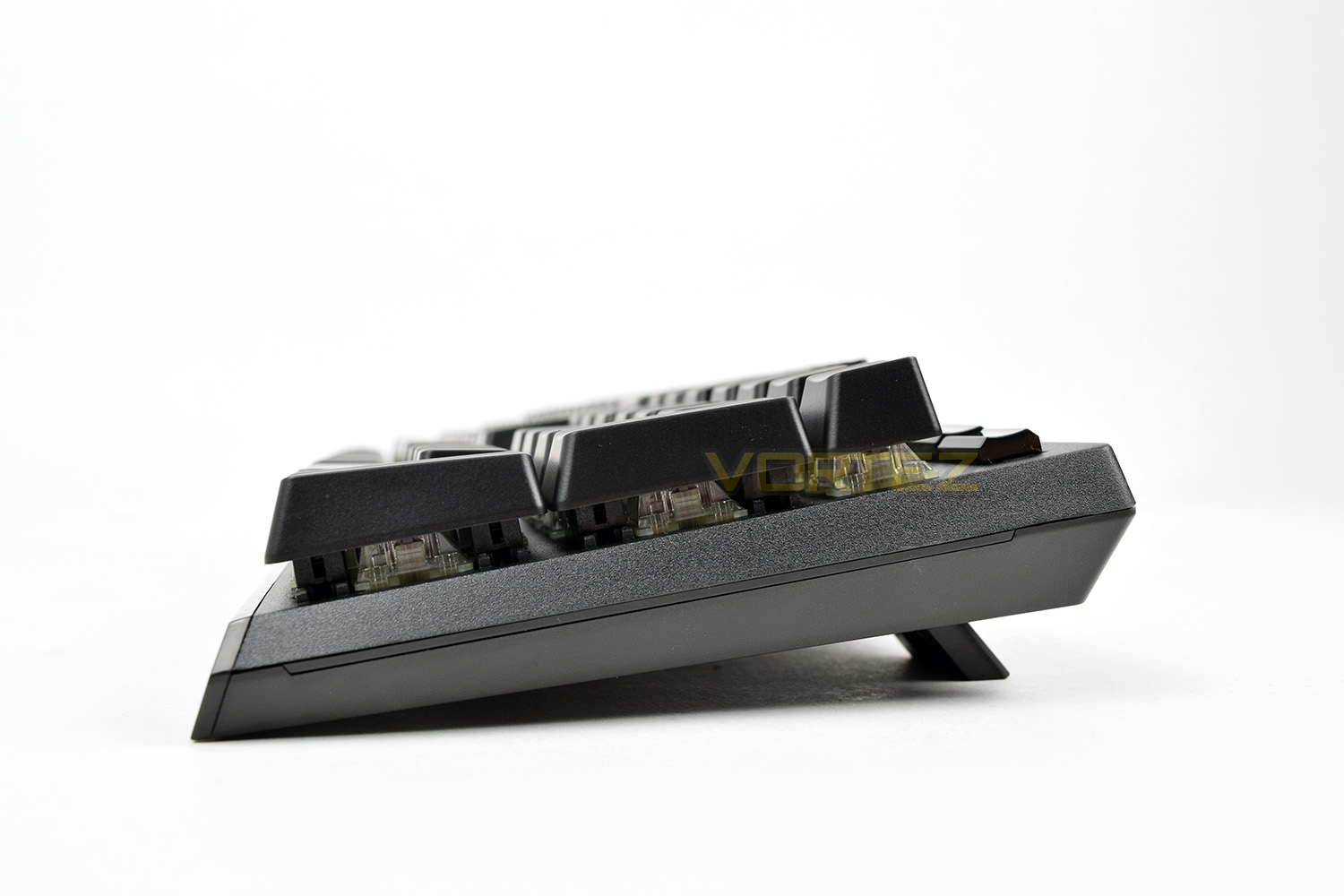
The right and left hand sides are identical with very little to comment on other than the lightbar. Using the included riser feet elevates the keyboard from roughly 25mm to 38mm.
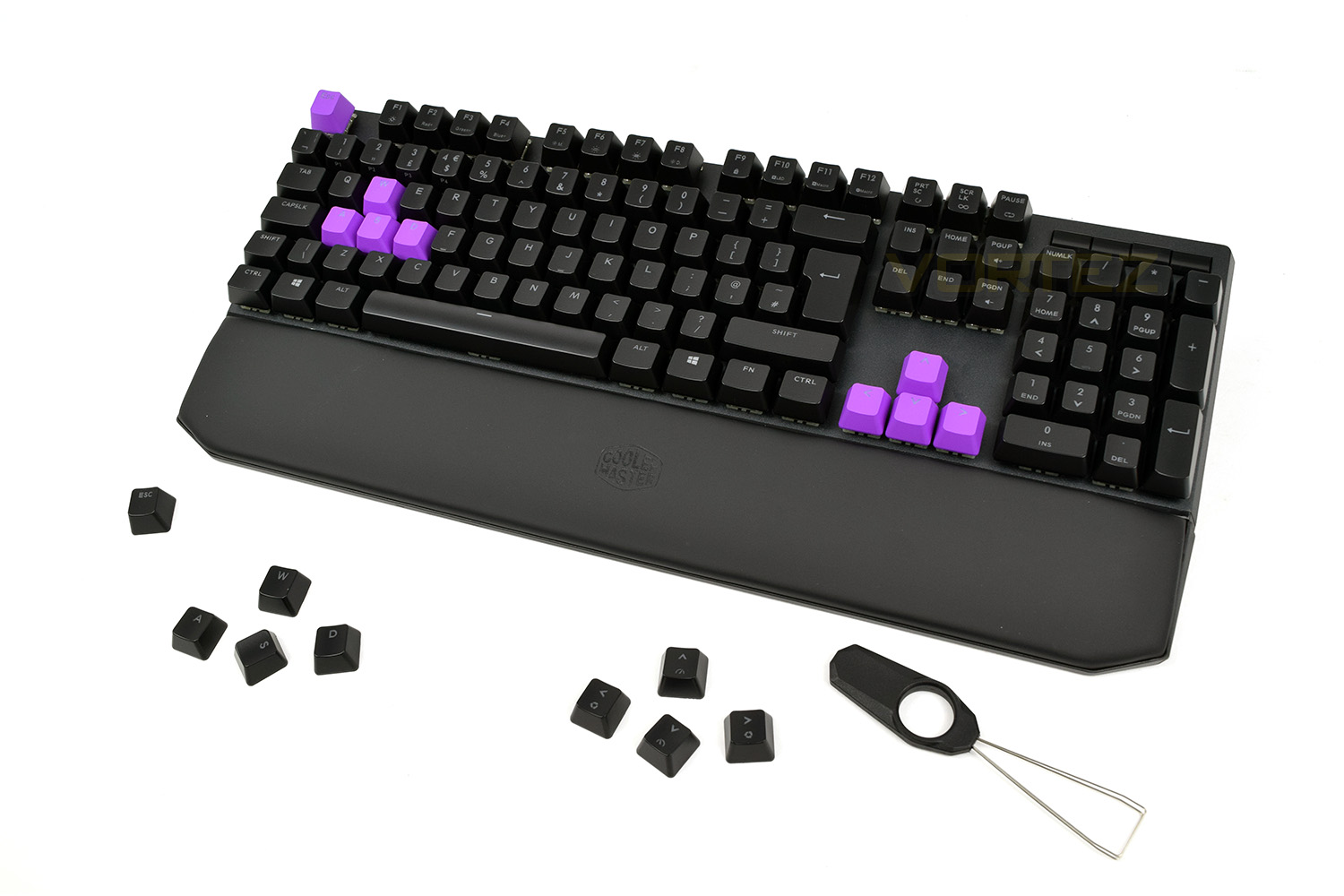
The top-right of the keyboard is home to four media keys, however when the keyboard is powered down, these keys are completely blank. From left to right, these keys are mute, play/pause, backwards and forwards.

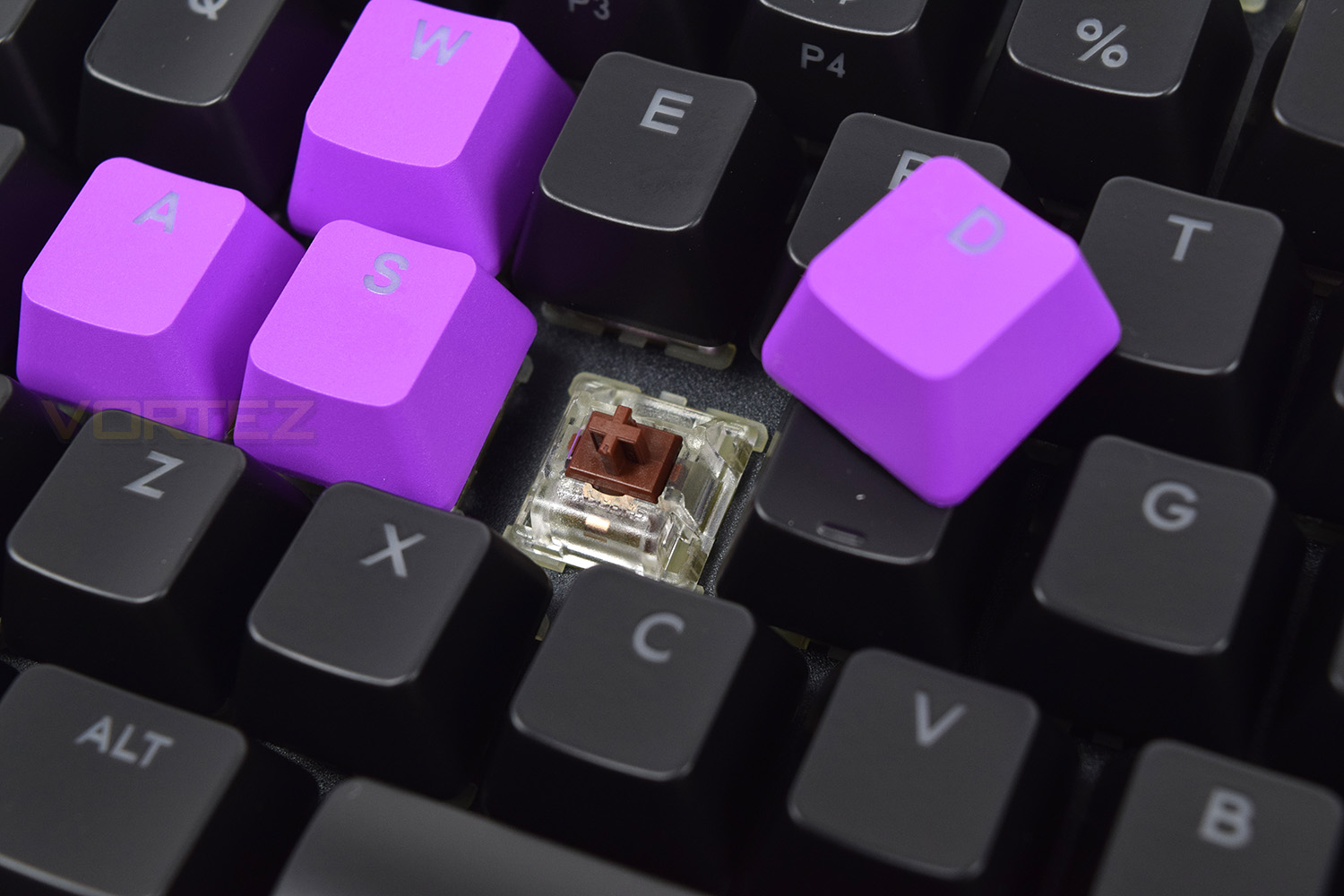
Nine purple replacement keys have been provided for Escape, WASD and the arrow keys, giving this keyboard a rather awesome and very different appearance. There’s also an included keypuller to make removing the keys all that bit easier.
Closer Look (Continued)
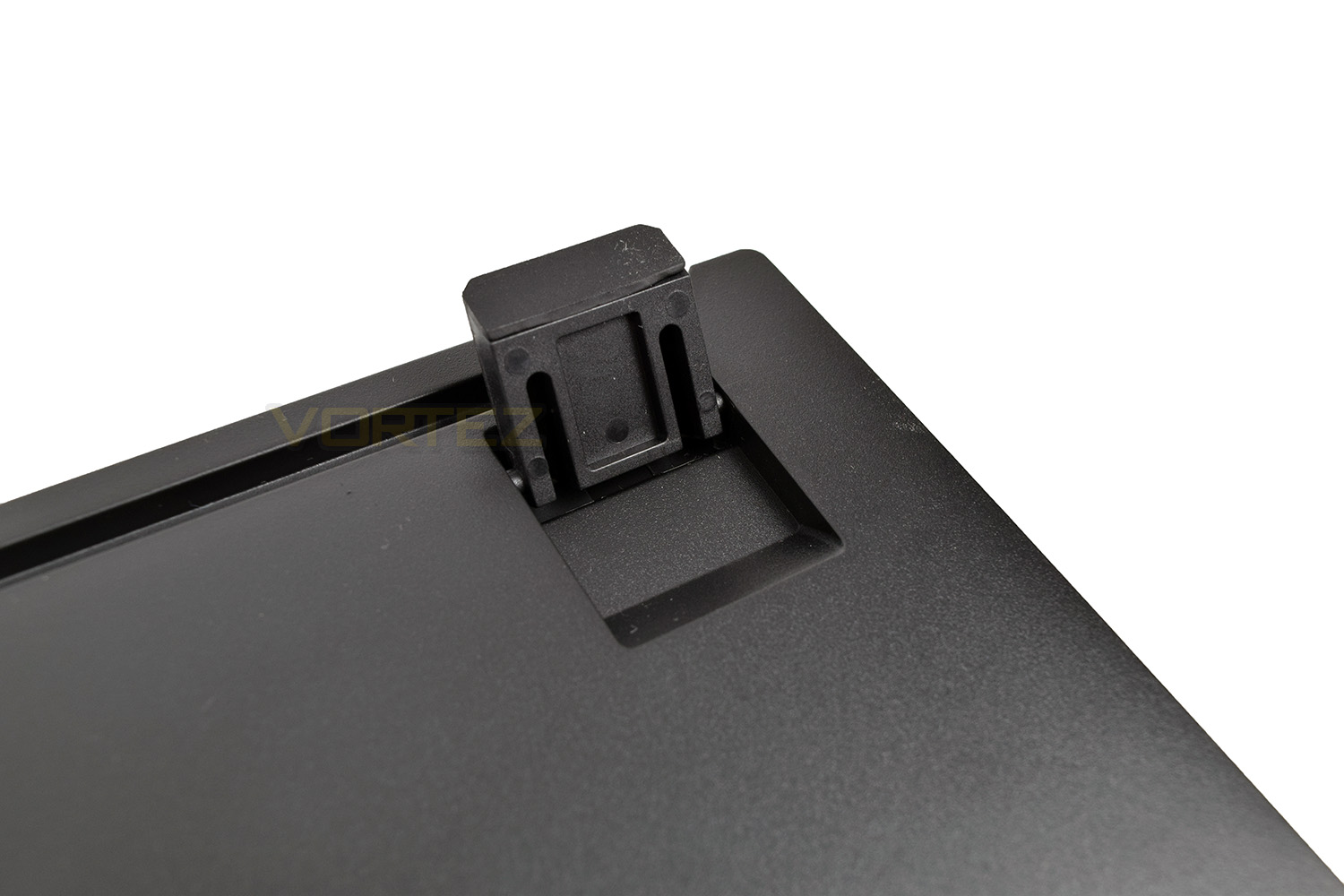
Underneath the keyboard we can see two small rubber pads at the front to help maintain the keyboard’s position on the desk. In each corner at the rear, we have a riser foot each side, increasing the keyboard’s height from 25mm to 38mm.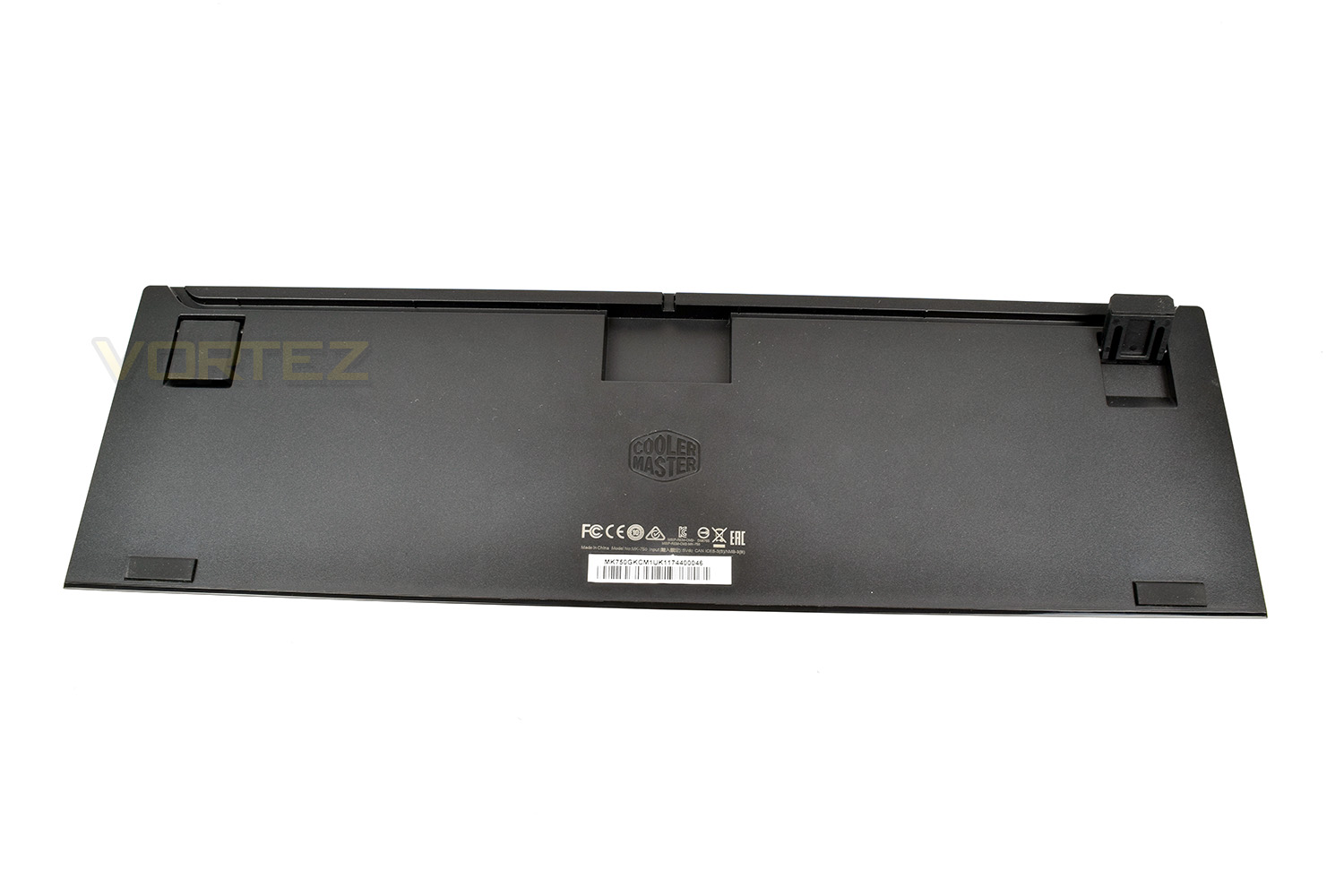
When raised, the feet also feature a rubber base, helping to further prevent the keyboard from moving around.
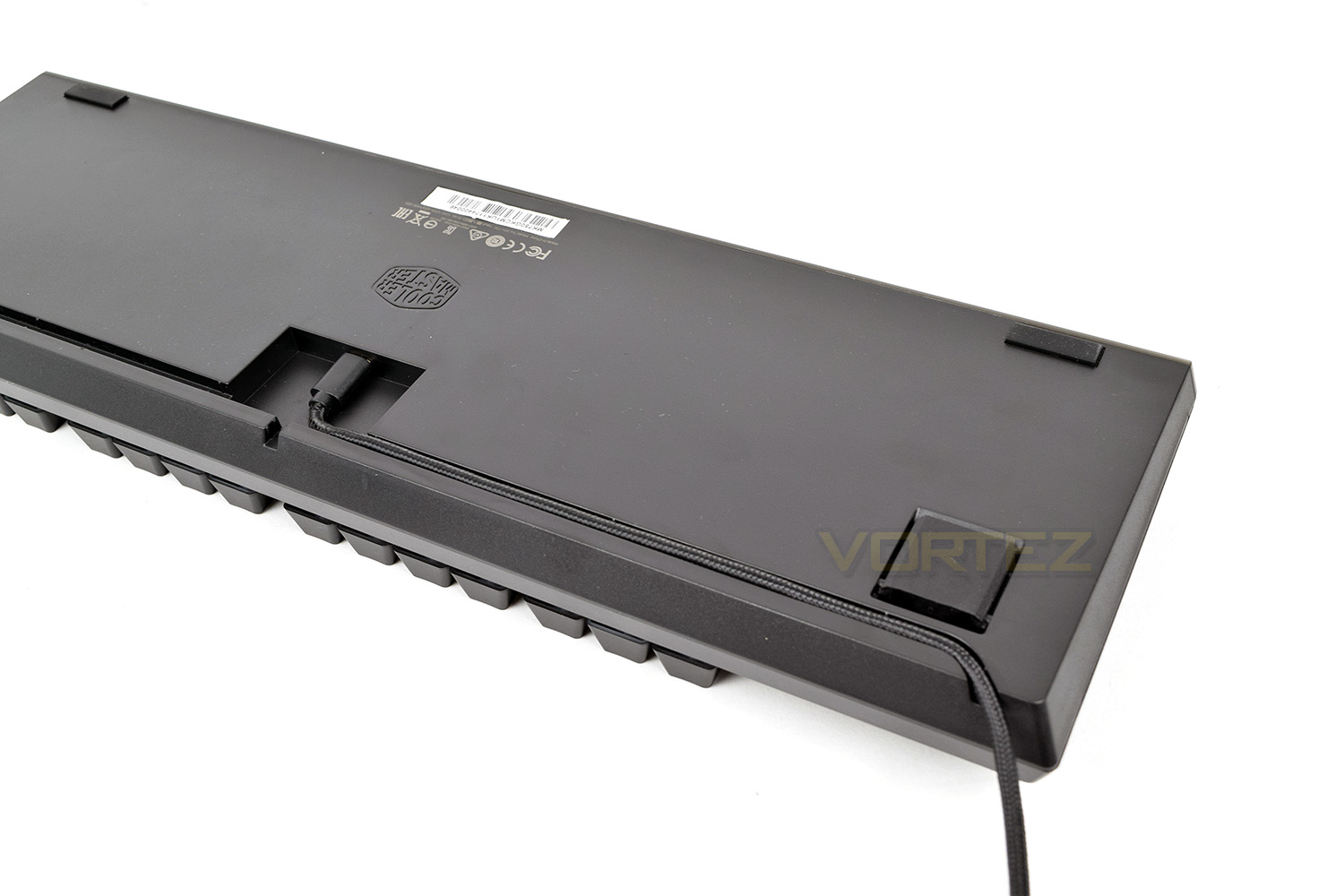
One main feature of the Cooler Master MK750 is the removable cable, utilising the USB Type-C standard, this can be changed for a cable of a differing length or colour, if you so wish.

Cooler Master have built in cable routing, designed to perfectly house the included braided cable. This can exit directly out the centre, or either of the rear corners on the keyboard and is held snugly in place.
The Cooler Master MK750 uses Cherry MX keys and is available with Brown, Blue or Red switches. Our sample is equipped with Brown.
Software
The Cooler Master MK750 can be used with software on the PC, but this is entirely complementary to the keyboard and most functions can be carried out using shortcut keys on the board itself. We do find a visual interface much easier to use, but those who attend LAN parties or need to rapidly change settings on-the-fly might find the shortcut keys much more useful.The software can be obtained from the product page on the Cooler Master website, however, please don’t fall into the same trap as ourselves and download the “software” option – instead select the Cooler Master Portal and follow the instructions within.
Upon opening the software, one aspect that instantly bugged us was the inability to scale the software. The resolution of the open window was 1920 x 1080, meaning this wouldn’t fully fit on a 1080p display with an active taskbar.
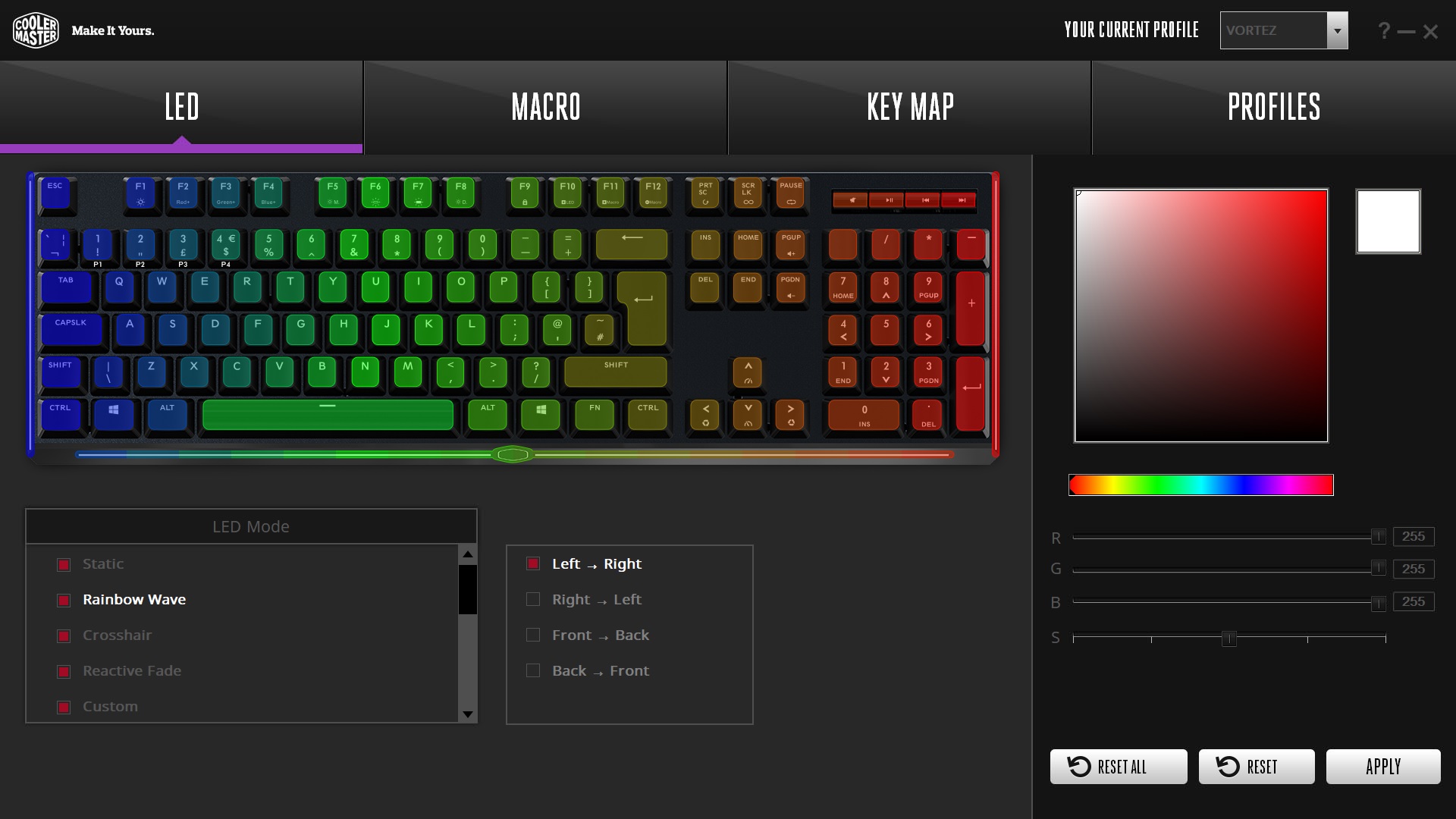
The initial screen controls all aspects of the RGB LED features, giving you the ability to set which lighting modes can be toggled via the FN keys, as well as configuring colour schemes and the direction of flow for each of the themes. It’s also possible to apply lighting schemes which react to your CPU load or audio output.
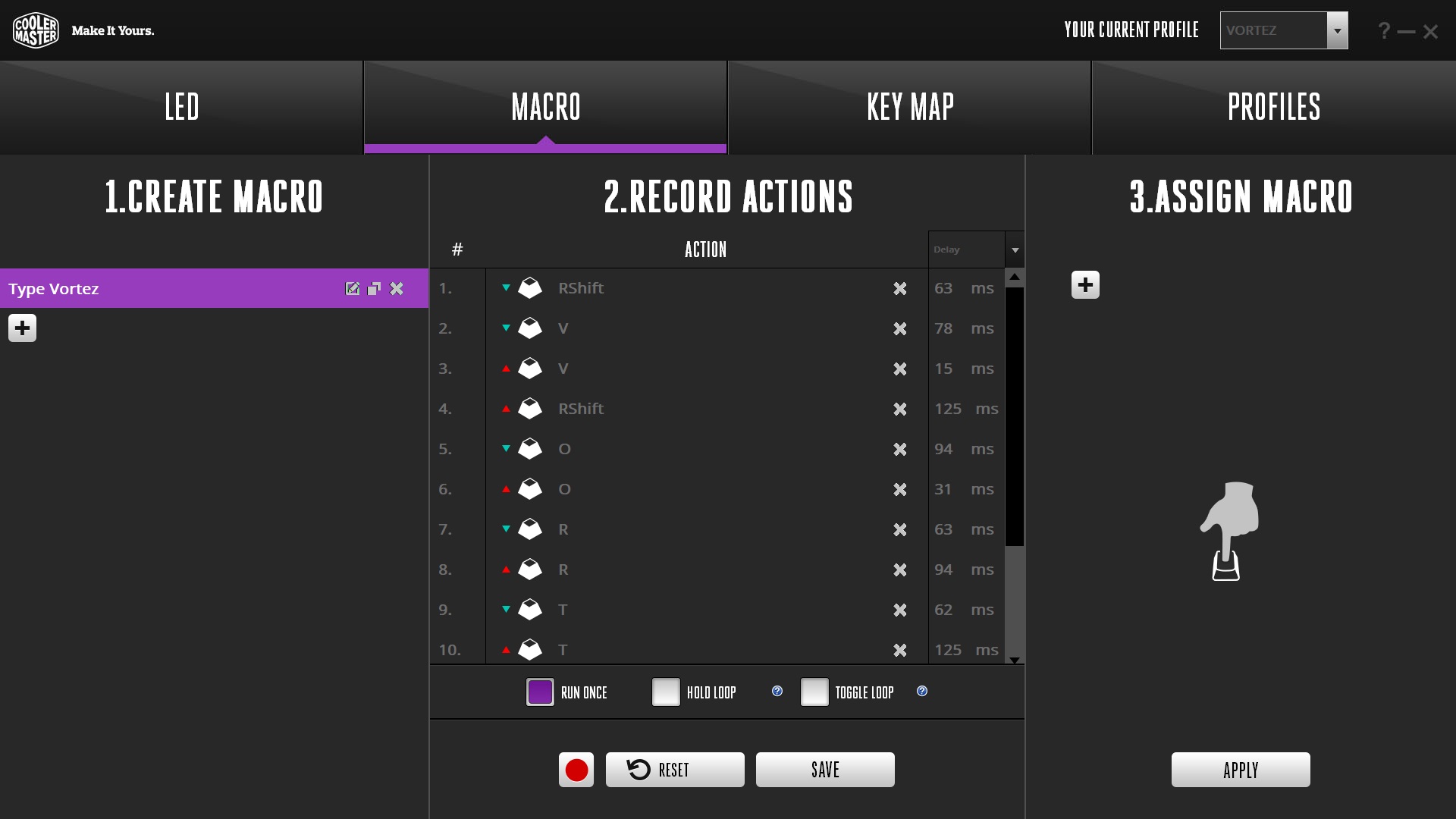
Macros are configured on the next page; this isn’t only limited to the keyboard but can also read inputs from the mouse, making this a rather useful tool for power users.
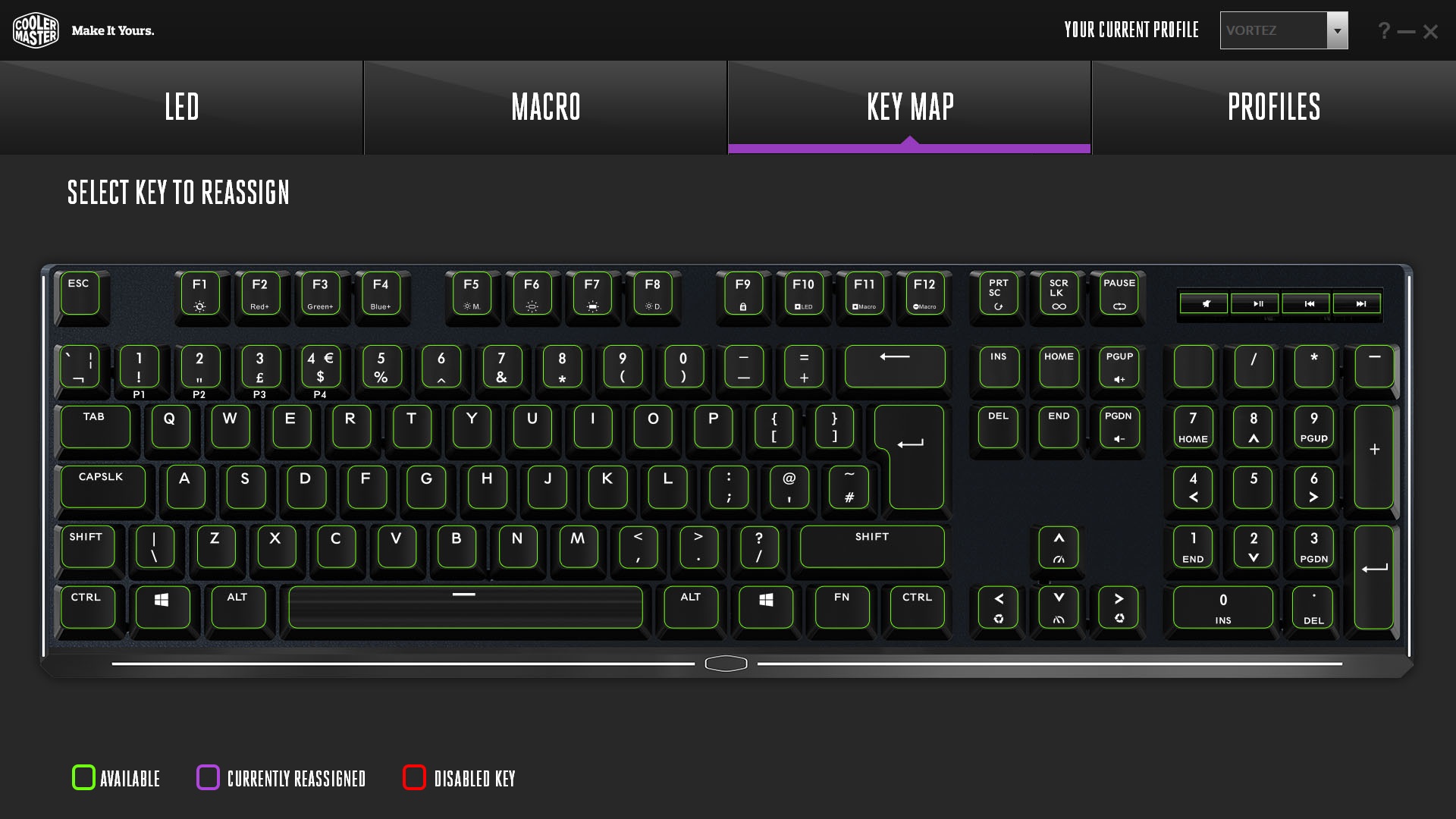
The third tab allows the customisation of individual keys, allowing you to assign macros to specific keys, or even disable the key altogether. One downside of this part of the software is the inability to assign multiple key shortcuts to a key; one specific example would be assigning FN + PGDN and FN+ PGUP to the forward and backward keys in the media key section, to turn them into dedicated volume keys instead. With a little ingenuity, however, macros could be made to complete this action. Having said that, the macro function can only be applied via the respective tab which seems poorly thought out.
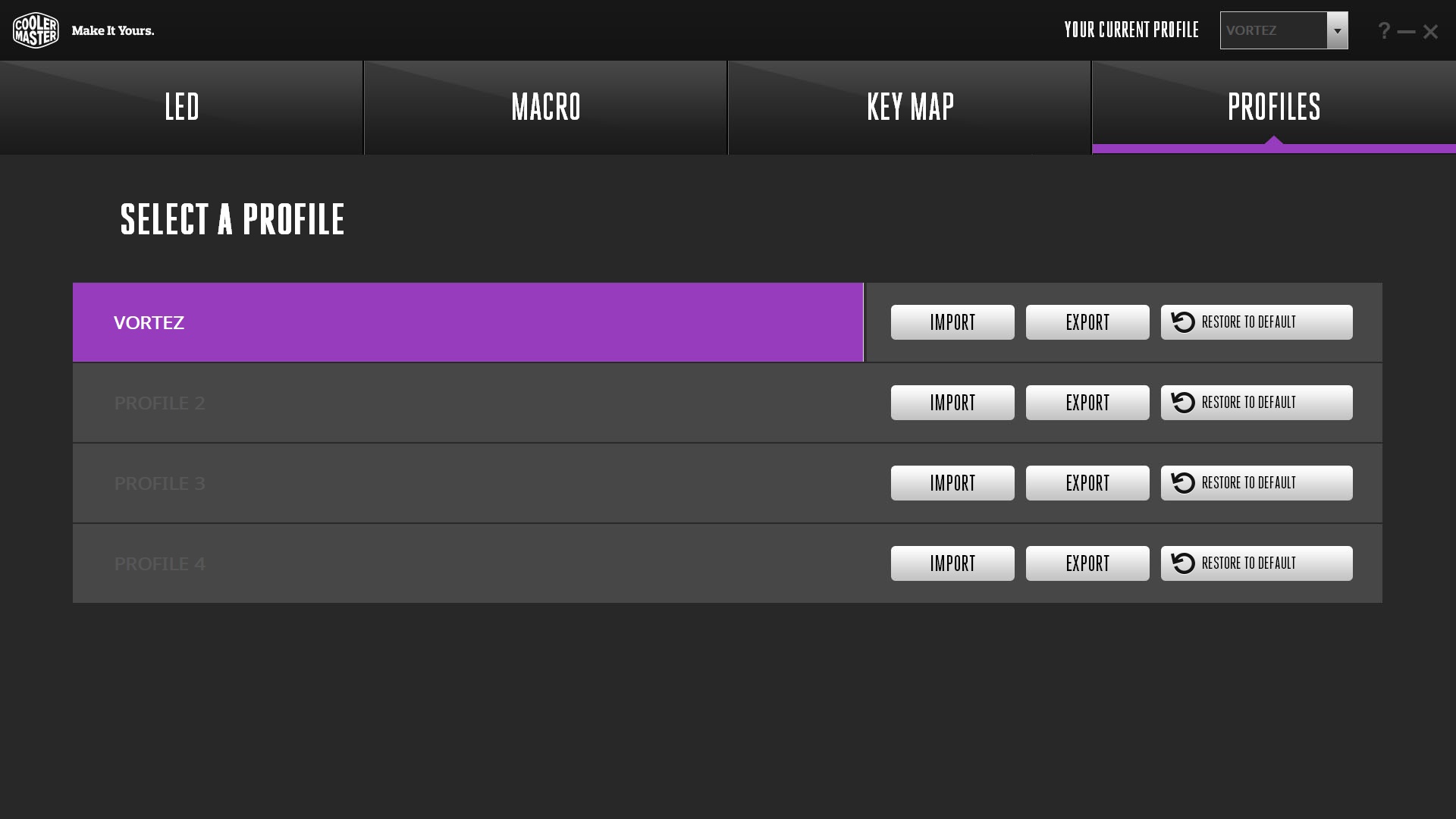
The fourth and final tab allows the importing and exporting of profiles, which can be saved onto the keyboard to be used at a LAN event or round at a friend’s house. Handy if you move around often.
Despite all of that, the main focus of this keyboard is the ability to perform these tasks from the keyboard itself. There’s certainly better software suites from rival brands but they lack the same hardware buttons to complete tasks.
Performance Testing
Starting off with the overall build quality, Cooler Master have done a fantastic job of piecing everything together, using high quality materials, including the anodized aluminium faceplate and double shot keycaps. There is no noticeable flex within the keyboard, even when twisted with an extreme amount of force.The removable wrist rest increases comfort no end, giving your wrists somewhere to lie while typing for long periods will help keep your arms and wrists straight resulting in a safer work/gaming environment. The magnets used within the detachment system are strong enough to ensure the rest locates itself perfectly every time, but shouldn’t cause any damage to nearby equipment which may be sensitive to magnetic fields, another added bonus is there’s no kind of clips, or other holding mechanisms to break while removing the rest.
Cooler Master offer the MK750 with three different types of Cherry MX key switches, the Brown, Blue or Red. We’ve been supplied with the Brown switches which are designed to offer a tactile feedback with reduced noise, handy for typing in an office environment or if you tend to use a sensitive microphone while gaming. At some point, during an online gaming session, we’ve all experienced a player that sounds as if they’re tap dancing along their desk; the Cherry MX Brown switches could reduce this somewhat. We found these keys were a dream to type on and equally as good for gaming, the tactile feedback, once attuned to it, allows the user a shorter actuation point than your typical keyboard, shaving off valuable micro seconds from your reaction times. Every little counts when playing fast paced games!
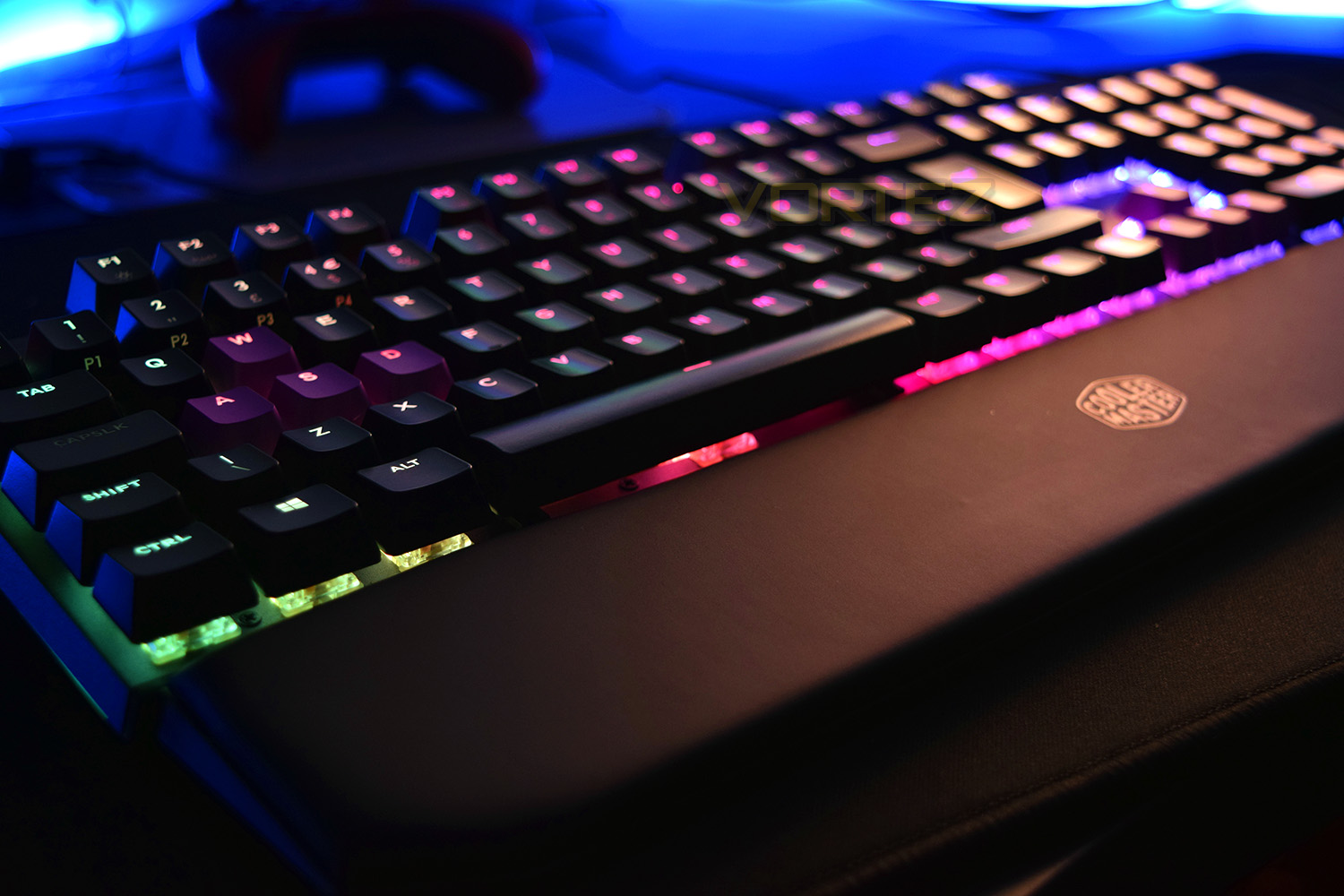
Keyboards aren’t just a tool for typing or playing games, they’re often used as a way of displaying different colour schemes across your desk space via RGB LEDs; the Cooler Master MK750 doesn’t disappoint on this front, with per-key RGB illumination and plenty of built in lighting profiles, you can choose from 16.7 million colours and hundreds of different animations/themes. The keycaps allow plenty of that vivid lighting to escape, being bright enough to be seen even during the day, however it’s at night that the keycaps really come to life, lighting up the entire room. The lighting strips along the front and sides of the keyboard also look fantastic, though it’s a shame the wrist rest covers the front while in position – perhaps Cooler Master can remedy this somehow with a V2 of the MK750.
Even though a full software suite is available for the keyboard, Cooler Master have designed this to be entirely optional and instead programmed several different functions and profiles directly into the keyboard, allowing on-the-fly adjustments of almost everything on the keyboard, including macro recording, changing lighting profiles and even adjusting the functions of specific keys. Learning all of the key commands is a fairly long-winded task, but if they’re useful to you, they’ll be worth persevering with. Simple functions, however, such as changing the volume are well placed, using the PGUP and PGDN buttons, which lie in close proximity to the FN key, making this an entirely one handed affair. It would’ve been nice to see volume controls included with the dedicated media keys at the top right though.
The detachable, braided USB Type-C cable is a great inclusion, allowing cables of differing lengths and/or colours to be used. If you only need a cable of half a metre or so, being able to do away with the 1.8M cable can make your desk appear much tidier. The other added bonus is making the keyboard much easier to transport around, again, tying into the LAN party theme of the keyboard.
Conclusion
All in all, we’ve been very impressed by the MK750, despite its £160 pricetag. This puts it firmly in line with the Corsair K70, SteelSeries Apex M750 and the Razer Blackwidow Chroma V2, all of which are very good and capable keyboards. The MK750 certainly trades blows with all of these heavy hitters. Even though the price is around about the same as its competitors, we’d like to see the overall cost of keyboards come down to a more palatable level.
RGB backlighting is a must-have feature for most, these days. This keyboard delivers on that front, with bright, vivid lighting, even during the day. Illumination animations, which can sometimes be iffy on other keyboards, are smooth and look great.
The choice of three distinct types of Cherry MX key switch is great for the consumer, allowing them a wide range of feel and noise, depending on their particular usage type. If you’re primarily a gamer, we would recommend the red switch, somewhere in-between with gaming and typing, the brown would probably suit, whereas if you intend to use this almost exclusively for typing, the blue switch is likely to fit best.
One of our favourite features of this keyboard was the magnetic wrist rest, being super easy to remove and put back into place, with no risk of damage to plastic clips traditionally used for a wrist rest.
At the end of the day, Cooler Master have done a fantastic job with the MK750, offering everything you need in a LAN-Friendly keyboard while also providing the home-comforts you come to expect.
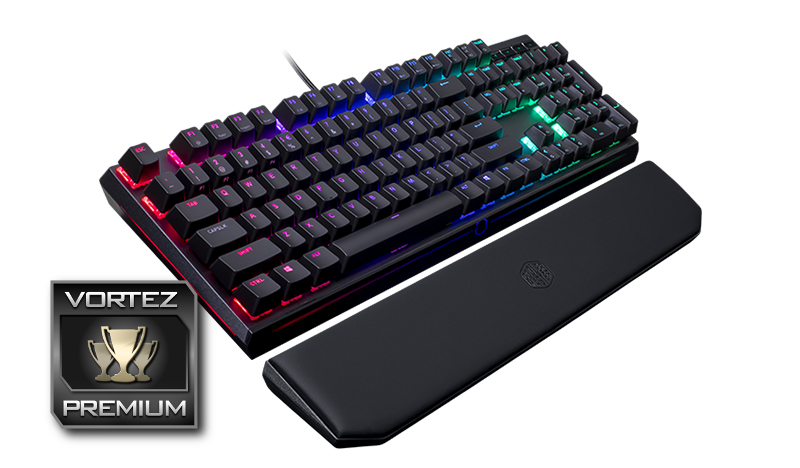
Comfortable, capable and good looking, the MK750 performs well and is certainly worth considering.
Pros
+ Looks great
+ Utilises its real-estate well
+ Dedicated media keys
+ Magnetic wrist rest
+ Soft and comfortable wrist rest (padded leatherette)
+ Per key RGB backlighting + lighting around the sides
+ Choice of Cherry MX keyswitches (Brown, Red or Blue)
+ Detachable, braided USB Type-C cable
Neutral
+- Although not strictly necessary, the software does lack some features
+- £160 pricetag
+- Lightbar is covered by wrist rest
Cons
– Fiddly multi-function keys
– Confusing software/portal system
+ Looks great
+ Utilises its real-estate well
+ Dedicated media keys
+ Magnetic wrist rest
+ Soft and comfortable wrist rest (padded leatherette)
+ Per key RGB backlighting + lighting around the sides
+ Choice of Cherry MX keyswitches (Brown, Red or Blue)
+ Detachable, braided USB Type-C cable
Neutral
+- Although not strictly necessary, the software does lack some features
+- £160 pricetag
+- Lightbar is covered by wrist rest
Cons
– Fiddly multi-function keys
– Confusing software/portal system
Click here for an explanation of our awards at Vortez.net.
Stay connected with the Vortez Social Media pages: