The 10-years old Noctua NT-H1 still holds its own today, but how does it compare to the brand new NT-H2? Let’s find out using our AMD Ryzen 7 2700X CPU.

Product on Review: Noctua NT-H2
Manufacturer: Noctua
Street Price: GBP £11.48 / USD $14.90
For over 10 years now, Noctua have supplied PC enthusiasts with a thermal paste called the NT-H1, this paste offers excellent heat conducting properties as well as total non-conductance. However, after a decade, technologies and understanding moves on. Noctua now believe they’ve bettered the formula with the NT-H2.
The NT-H2 improves over its predecessor in many ways including being less viscous for better distribution, a new fine-tuned mixture of metal oxide micro-particles for lower thermal resistance and reduced bond-line thickness.
Just like the previous formula, the NT-H2 is non-conductive and non-corroding which reduces risks of short circuits to zero and allows the paste to be used on heatsinks made from copper or aluminium and is even safe to use with nickel-plated coolers.
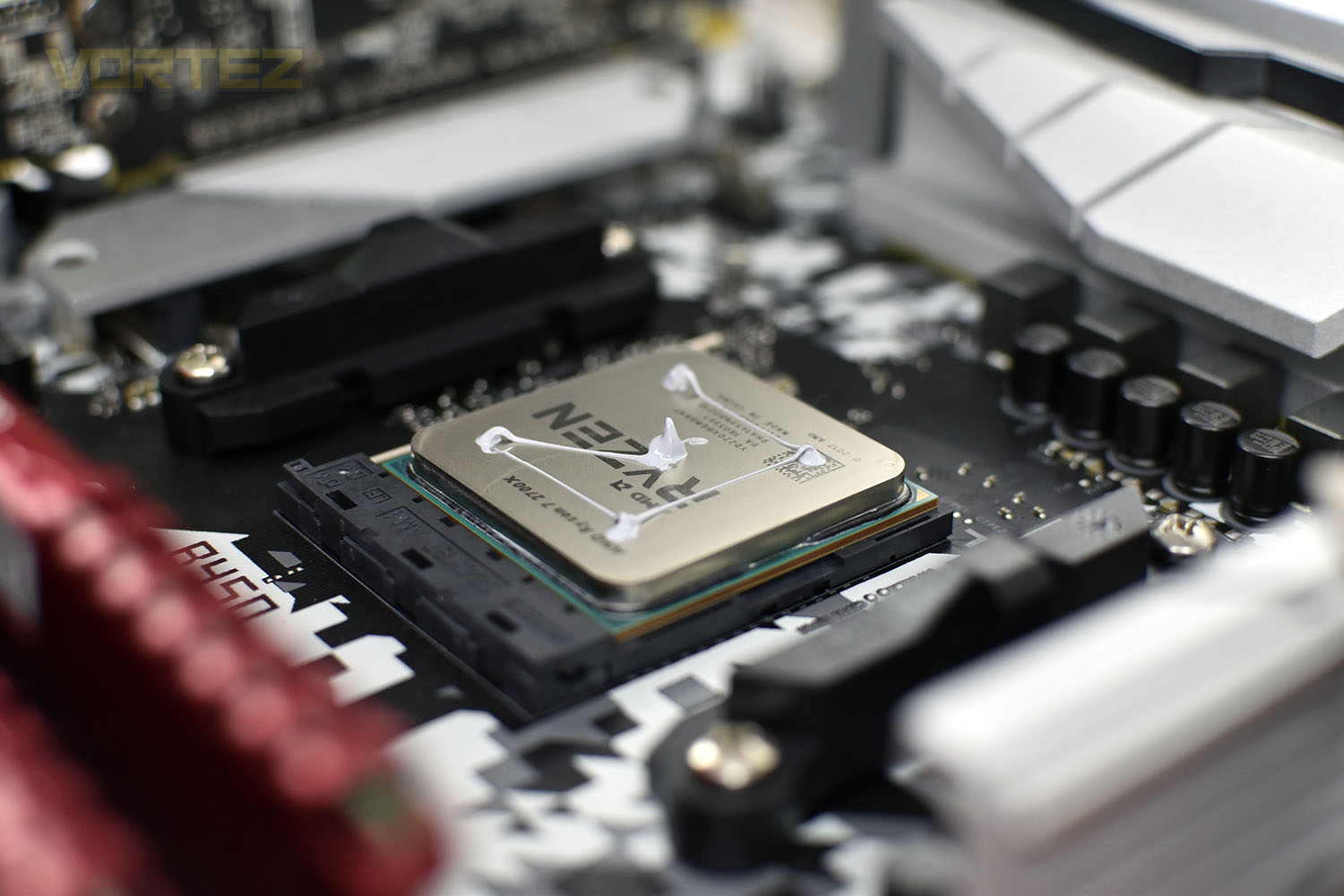
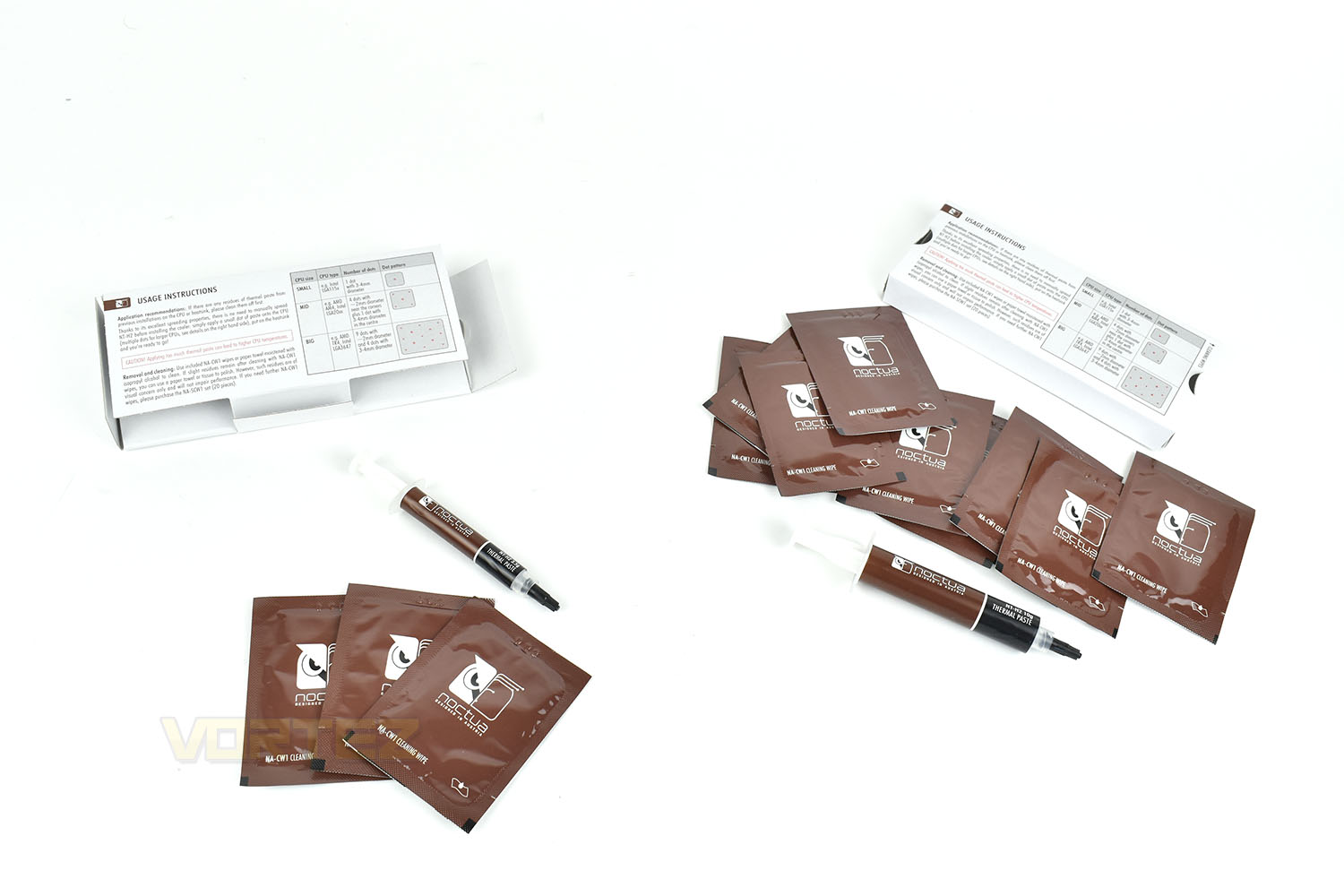
New to the NT-H2 is an availability of 10g tubes, as well as the usual 3.5g. These will be better suited to system integrators or reviewers, like ourselves, who can get through multiple 3.5g tubes in a month if we’re busy. This reduces plastic waste and improves value. A new paste isn’t the only change, Noctua now also provide NA-CW1 cleaning wipes (Three wipes with the 3.5g and ten wipes with the 10g).
Noctua have also revised the packaging to reduce their use of plastic, instead using an all-cardboard design from now on; that same revision also makes its way over to the NT-H1 formula.
Noctua’s own tests show the NT-H2 is a better thermal interface material than the NT-H1, but of course, we can’t just take their word for it, so let’s see how it compares. We’ll also be testing other popular thermal pastes to see if it can beat the competition, and if so, by how much?
Noctua on the NT-H2:
NT-H2 is the further improved second generation of Noctua’s award-winning hybrid thermal compound. Combining the iconic NT-H1’s proven features, superb ease-of-use and renowned long-term stability with a novel, fine-tuned formula of micro particles for even better thermal performance, NT-H2 is an enthusiast-grade paste for the highest demands. Whether it’s air- or water-based cooling, CPU or GPU applications, overclocking or silent systems: NT-H2 will consistently deliver outstanding results and thanks to the included cleaning wipes, it is just as easy to remove as to apply.
Technical Specifications
Specification
Weight: 3.5g/10g
Volume: 1.2ml/3.6ml
Density: 2.81 g/cm³
Colour: Grey
Recommended storage time (before use): up to 3 years
Recommended usage time (on the CPU): up to 5 years
Recommended storage temperature: room temperature
Operating temperature: -50 to 200°C
Weight: 3.5g/10g
Volume: 1.2ml/3.6ml
Density: 2.81 g/cm³
Colour: Grey
Recommended storage time (before use): up to 3 years
Recommended usage time (on the CPU): up to 5 years
Recommended storage temperature: room temperature
Operating temperature: -50 to 200°C
Packaging, Bundle & Closer Look
As we mentioned in our introduction, the packaging is now plastic-free, going fully cardboard. The impact that cardboard has on the environment pales into insignificance when compared to plastic, not to mention it’s far easier to recycle. We definitely approve of this and hope to see changes like this across the industry sooner rather than later.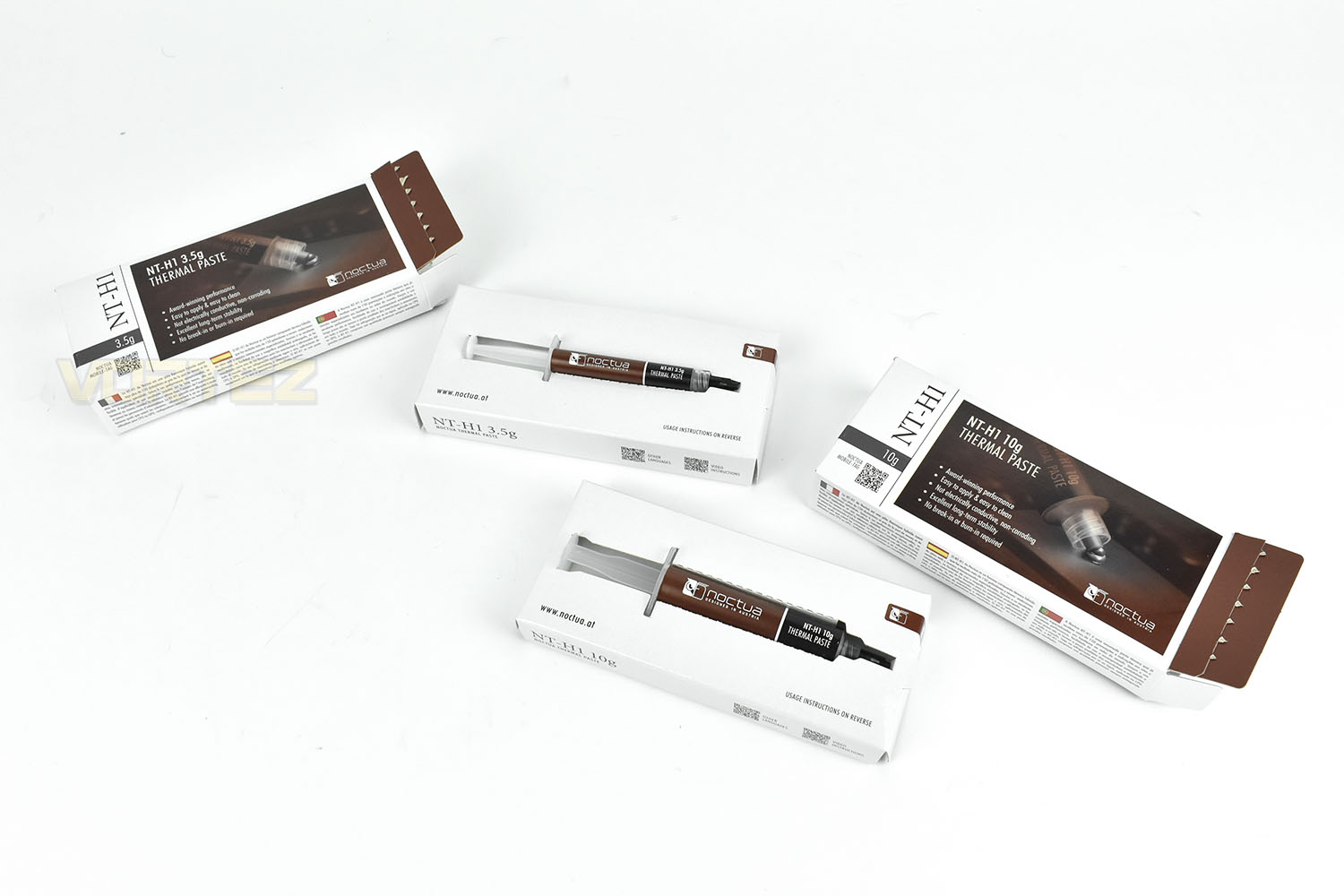
The 3.5g and 10g packages differ slightly to accommodate the larger tube and the increased quantity of cleaning wipes.
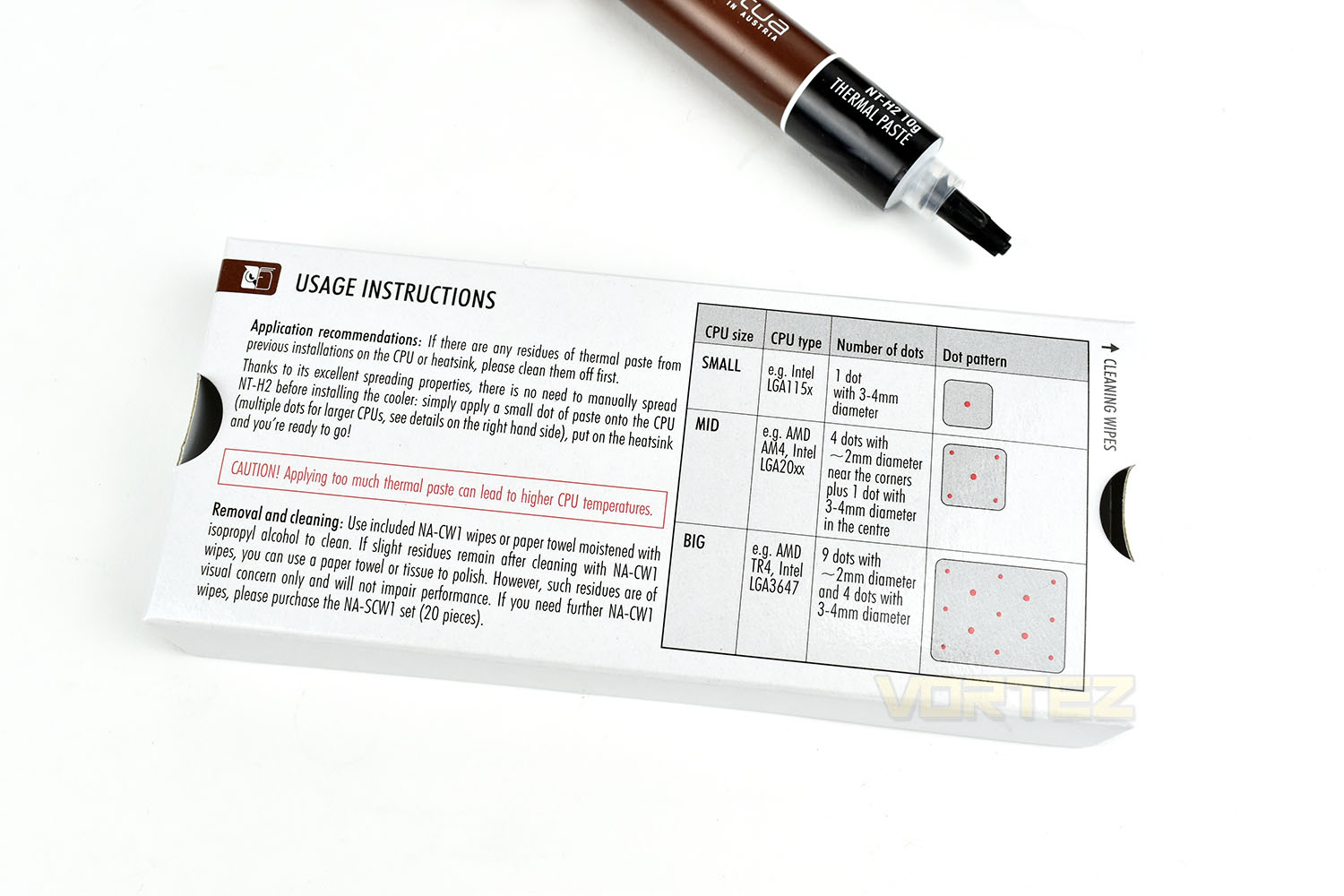
What’s new and exciting with this packaging are diagrams showing the optimal method to apply the paste for different sized CPUs. It’s no longer guess work, Noctua have done the testing. We will be using an AMD Ryzen 7 2700X (Socket AM4) so will adopt the “Mid” method.
Test Setup & Methodology
Within our testing, we are aware that thermal pastes can present a difference but we’re also savvy to the fact that the difference could be less than a single degree. To ensure our tests are accurate and fair, we will take the following steps:Each paste will be applied, tested and removed 3 times to try and average out both the amount of paste applied and the way the cooler is installed which will inevitably vary slightly between each run.
We will apply thermal pastes to manufacturers guidelines where available, otherwise reverting to the standard “rice grain” in the centre of the CPU.
The machine will be powered down for 10 minutes between each test to allow everything to reach ambient temperature.
We will aim to keep the room temperature at 20°C but will keep a very close eye on ambient temperatures with a thermometer that is accurate to 0.1°C. Our results will then be a delta to ambient (Average core temperature minus ambient room temperature). We will have an office fan circulating air in the room to prevent any kind of stagnation of the air.
Tests will be conducted straight away, leaving the paste no time to cure or change.
Our tests will last precisely 20 minutes, at which point the CPU temperature will be monitored with RealTemp for 60 seconds and then averaged out across all 8 cores.
We will also have a fan circulating air around the room to help stabilise and maintain an ambient temperature instead of allowing hot air to stagnate around our testing area.
Test System
Processor – AMD Ryzen 7 2700X
Motherboard – ASRock B450 Steel Legend
Memory – 16GB Corsair Vengeance DDR4-3000MHz
Video Card – AMD Radeon RX480
Power Supply – Corsair RM750x
Storage Drive – Western Digital Black SN750 EKWB
Case – DimasTech Easy V3.0 Testbench
Monitor ASUS ROG SWIFT PG278Q
Motherboard – ASRock B450 Steel Legend
Memory – 16GB Corsair Vengeance DDR4-3000MHz
Video Card – AMD Radeon RX480
Power Supply – Corsair RM750x
Storage Drive – Western Digital Black SN750 EKWB
Case – DimasTech Easy V3.0 Testbench
Monitor ASUS ROG SWIFT PG278Q
Thermal Interface Materials Tested
Noctua NT-H1
Noctua NT-H2
Arctic MX-4
Corsair TM30
Thermal Grizzly Conductonaut
Thermal Grizzly Kryonaut
Benchmarks – Thermal Results
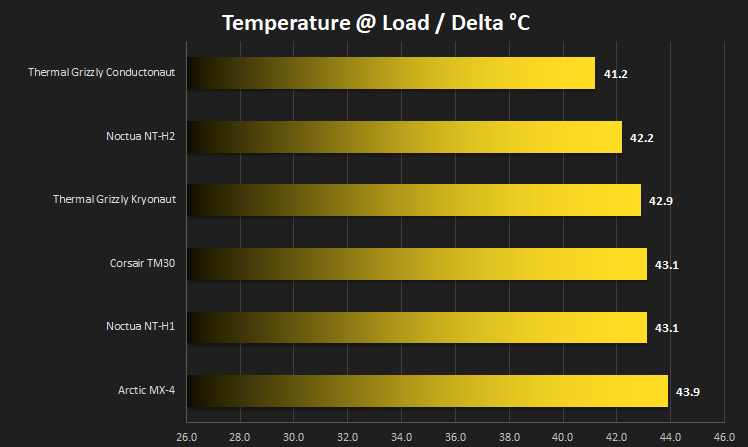
As we mentioned in our test methodology page, we applied the thermal interface material per manufacturers instructions or, failing any recommended application, we’ll revert back to the typical grain of rice sized blob in the centre of the CPU.Below are the results, which show an average between the 3 tests as a delta to the ambient room temperature at the time of the reading.
Conclusion
To attempt to give you, the reader, a better and more realistic understanding of the differences between thermal interface solutions, we decided to use an AMD Ryzen 7 2700X. This is a CPU with a 105W TDP that operates on a 12nm process. The popularity of the CPU as well as its reasonable heat output makes it suitable for our purpose.The first thing that became obvious to us when testing the Noctua NT-H2 was how much the viscosity of the TIM has changed, it’s much runnier and easier to spread than its predecessor, the NT-H1, though that isn’t all good. One issue we found was applying a measured amount to the CPU’s IHS, it was a lot more difficult to get a tiny amount out of the tube. The runny nature of the paste also made it prone to stretching, like hot cheese, which could easily result in paste ending up on components around the CPU socket.
Never the less, the temperature results speak for themselves, with the NT-H2 being around 1°C better than the NT-H1. While this might not seem like much for 10 years of development, the science behind the improvements is huge, with the new paste even beating an enthusiast favourite, the Thermal Grizzly Kryonaut. Having said that, for outright performance, the Thermal Grizzly Conductonaut outperformed the NT-H2 by a full 1°C; the trade off with that being that it’s highly conductive, as a liquid metal, and is much more difficult to apply.
During our tests, we had to apply and remove thermal pastes tens of times which gave us a good opportunity to test the cleaning wipes; they work really well, removing the paste in one swoop and drying quickly, though the reliance on alcohol within the wipe does mean they’re rendered useless within a short period of being opened, which can be annoying.
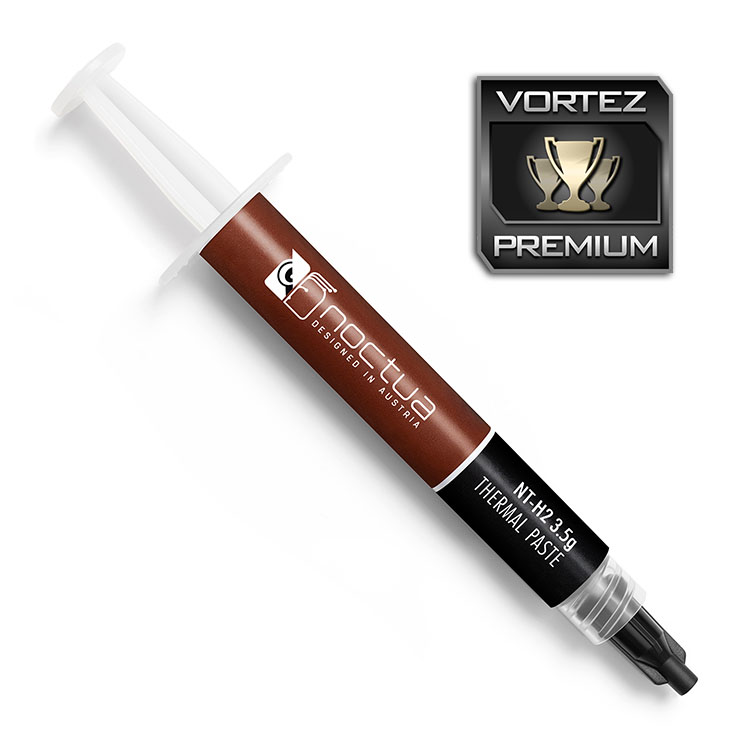
Noctua’s move to a more environmentally friendly packaging, inclusion of cleaning wipes and a reasonable improvement in performance makes this a decent upgrade for anyone that currently relies on their NT-H1, and thanks to the larger 10g tubes, you can get better value for money too.
Pros
+ Better performance
+ Easier to spread
+ Cleaning wipes
+ Environmentally conscious packaging
+ Larger 10g tubes are better value for money
Cons
– Difficult to measure a small amount from the tube
+ Better performance
+ Easier to spread
+ Cleaning wipes
+ Environmentally conscious packaging
+ Larger 10g tubes are better value for money
Cons
– Difficult to measure a small amount from the tube
Click here for an explanation of our awards at Vortez.net.
Stay connected with the Vortez Social Media pages: