







A revamp and smaller variant of the popular Phantom chassis is here – dubbed the Mini Phantom will 410 build on the amazing success of the original case?

Product on Review: Phantom 410
Manufacturer and Sponsor : NZXT
Street Price: £84.99 / $99.99 / €99.90
NZXT’s Phantom set the enthusiast world on fire upon its release and won multiple awards for its unique visual appearance, roomy internal layout and impressive cooling . Whether you love or hate the Phantom – it stands out in a flooded market and began the “white trend” of computer chassis that every other manufacturer seems to be adopting to their portfolio options. It’s been well over a year since the Phantom was first released and today sees the unveiling of a smaller variant – the Phantom 410.
Phantom 410 is essentially a smaller version of the original Phantom. Dubbed “mini Phantom” the 410 takes many of its characteristics from the original design. Those who admire the original for all of its features but seek a smaller shell have hit the jackpot. Phantom 410 comes with 3x pre-installed fans, has a Perspex window, comes with USB 3.0 and a fan controller but will it retain its former glory? There’s only one way to find out. Let’s begin our analysis of this new release. The ‘mini Phantom’ awaits…
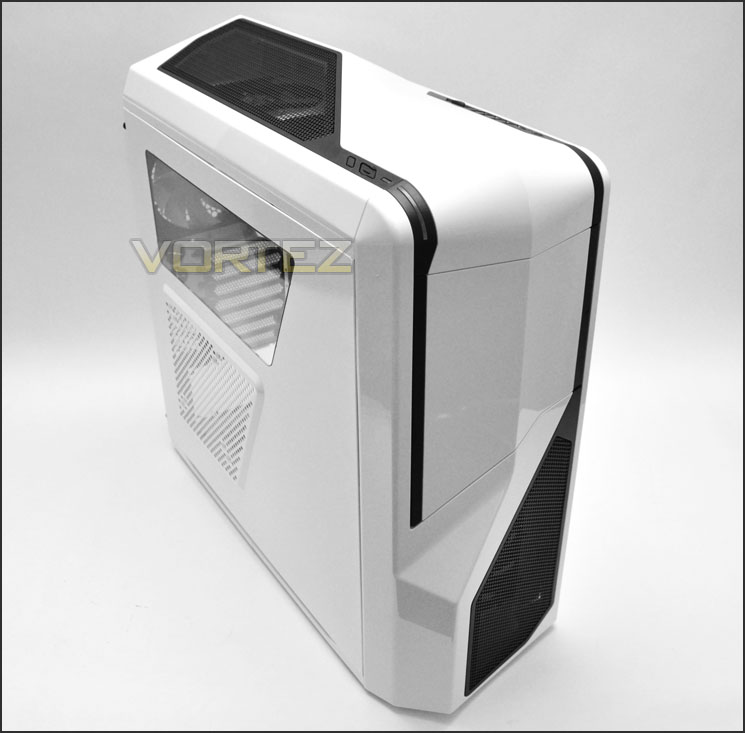
NZXT’s take on Phantom 410
Features & Specifications
• Clearance for top 240mm dual radiator for water cooling solutions
• Adjustable interior pivot 120mm/140mm fan slot for directional air flow
• Removable HDD cage to allow more room for extended video cards
• Innovative right mounted HDD rails for easy hard drive replacement
• Single 120mm/140mm side fan with acrylic window for interior viewing and cooling
• Front Internal 2x USB 3.0 headers, 2x USB 2.0, audio and microphone input
• 30W 3-step fan control for setting up your system for silence or performance
• Wire management support up to 25mm space for easy cable management
• Screw-less 5.25″ and HDD trays that secures 2.5″ SSD
• Cooling capability of up to eight fans (2x 120mm and 1x 140mm LED fan included)
Bays & Expansion
– External 5.25″ : 3
– Internal 3.5″ : 6
– Expansion Slots : 7
Cooling
– Front 2 x 120mm or 1x 140mm (1x 120mm included)
– Top 2 x 120 or 2x 140mm (1x 140mm included)
– Side 1 x 120 or 1x 140mm
– Rear 1 x 120mm (included)
– Bottom 1 x 120mm
– Interior 1 x 120mm or 140mm
Clearance
– VGA Support 305mm (w/o fan), 280(installed), 230 (full pivot)
– CPU Heatsink support 170mm
– Wiring Space 25mm
Case Specs
– Dimensions 215mm (W) x 516mm (H) x 532mm (D)
– Material(s) Steel, Plastic
– Total weight 9.1KG
– Motherboard support ATX, Micro-ATX, Mini-ATX
– External Connections 1 x Standard Audio/Mic
– 2x USB 3.0, 2 x USB 2.0
Warranty
2 Years
Color
White, Black, Red
Packaging & First Look
Phantom 410 is presented in a large black box. A depiction of the case is found on the front along with the series this new chassis belongs to – Crafted. The sides and rear of the box have details that include dimensions and cooling fans. Inside, Phantom 410 is covered in a clear plastic sheet and held in place via 2x polystyrene pillars.
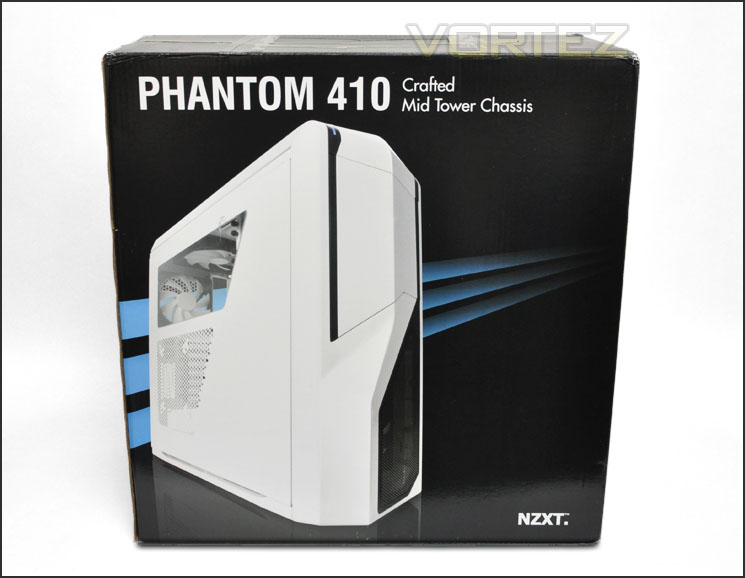
Phantom 410 Packaging
With Phantom 410 out of its packaging we can see that it still retains a lot of its styling from the original Phantom case just in a smaller shell. Those who have a soft spot for Phantom but feel its overkill on size could well be in for a treat here. The prominent side panel is part Perspex and part perforated mesh. The perforated mesh has mounting holes for a single 120/140mm case fan. The alternate side has no significant design except that it is solid.
As we found with the original Phantom, white and black contrast superbly and the overall look of the Phantom 410 is eye-catching and favourable.
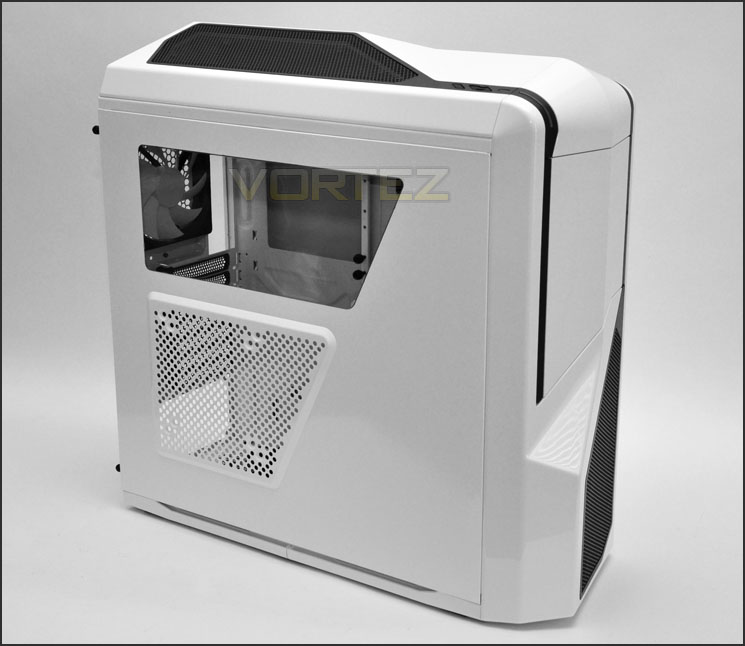
The prominent side with Perspex window and perforated mesh for attaching side fan
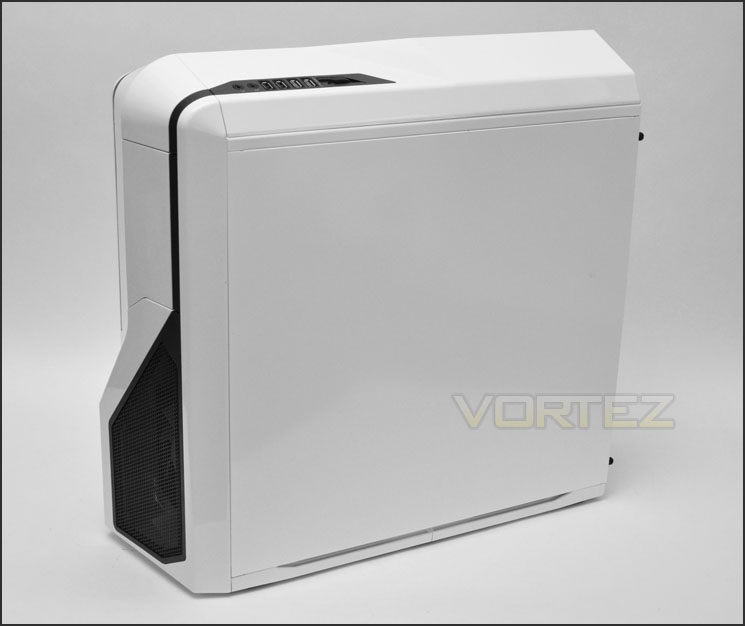
Striking looks that retain characteristics from the original Phantom case
Follow over the page and we will take a closer look at the external elements of Phantom 410.
Exterior
The front of Phantom 410 is almost identical to that of the original Phantom. The lower section has an extended region with mesh grill. Behind this grill is a 120mm intake fan. Further up there is a compartment marked out; this opens out to reveal the 5.25” bays.
Around the back there is an opening at the bottom of the case for mounting the PSU. Above this there are 7x PCI expansion slot covers each with ventilation holes. Beside this are 2x circular rubber grommets for water-cooling tubes and a mesh grill immediately below. Phantom 410 has a 120mm rear exhaust fan.
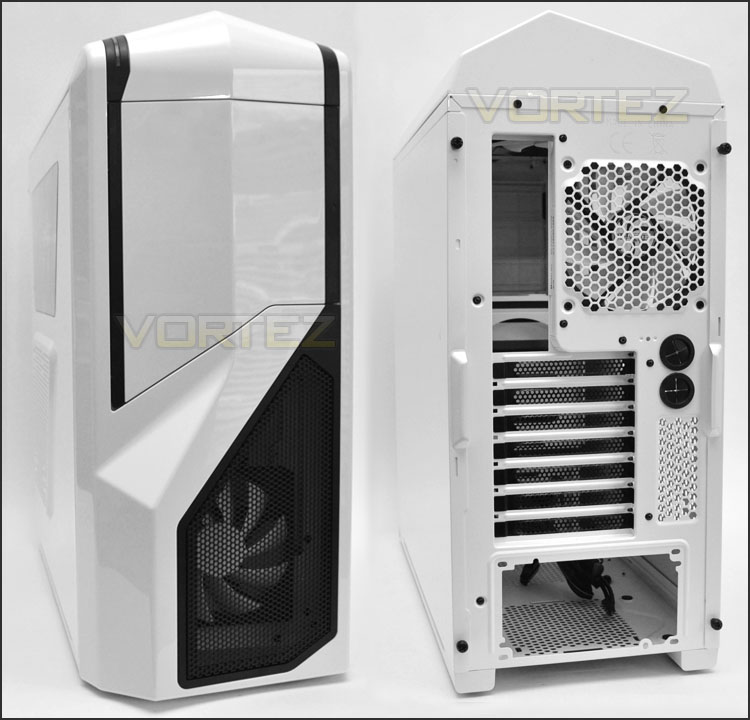
The front and back of Phantom 410
As mentioned previously Phantom 410 has a door that opens out. To open this door the middle of the black strip that runs along the edge just needs to be pressed in. Upon opening the door there are 3x 5.25” drive bay covers. These covers can be removed from the outside of the case, as you can see from the below picture – there are quick release catches to achieve this.
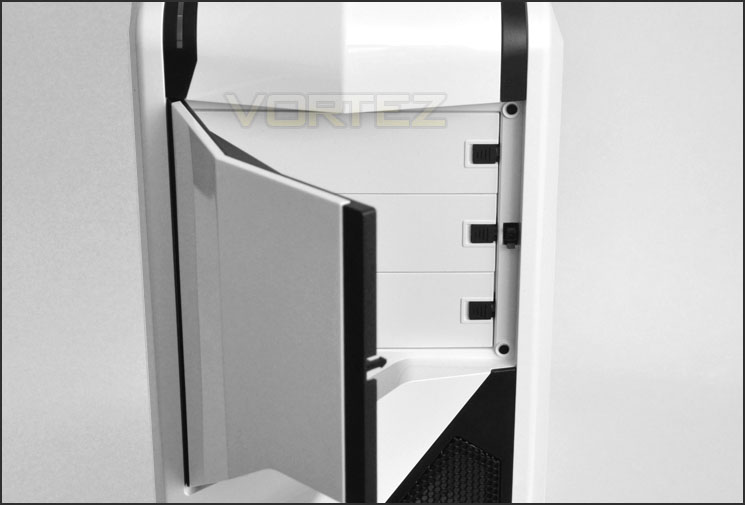
A door covering the 3×5.25” drive bays
Front panel controls on Phantom 410 are separated into two sections, on the right side there are:
• Headphone and Microphone jack
• 2x USB 2.0 ports
• 2x USB 3.0 ports
• 3-speed Fan Controller
Whilst on the left side there are:
• Reset / Power buttons
• Activity / Power LEDs
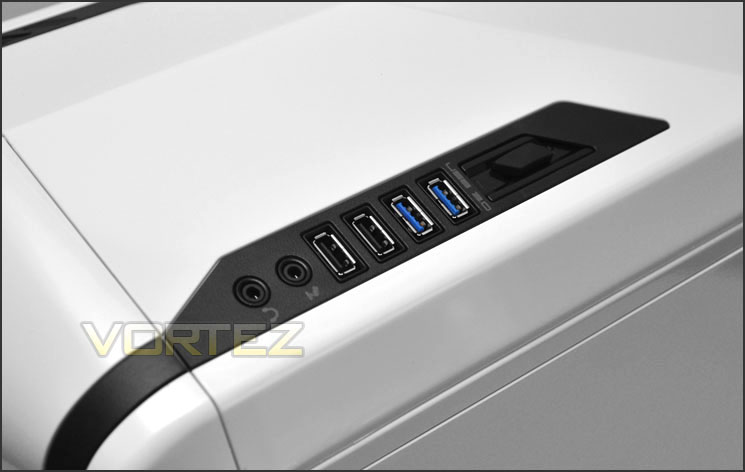
Front panel controls include a fan controller and USB 3.0
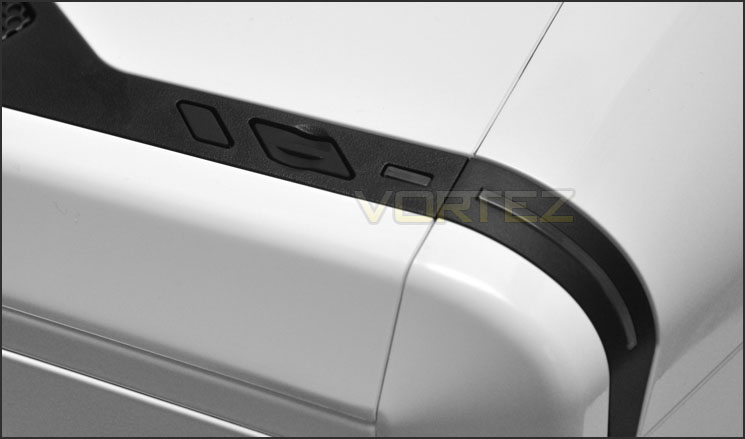
Power/Reset buttons are on the other side
Over the page we will continue our tour of the exterior.
Exterior (Continued)
At the top of Phantom 410 is a large perforated grill. The entire top fascia can be removed but 2x screws must be taken out first. On the underside of this panel is a 140mm LED cooling fan and there are placements for more cooling – we will take a closer look at this in the next section.
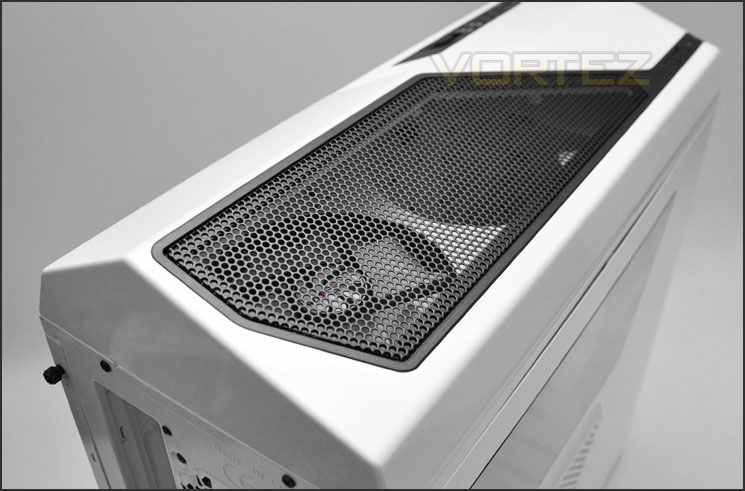
The top of Phantom 410
Lastly, the underside has 6x rubber pads for keeping the chassis from slipping if it is placed on a smooth surface and there is a thin air filter sheet on the underside of the PSU area – if you choose to mount the PSU with the fan facing downwards. This filter can only be removed by flipping the case on its side as pictured. Next to the PSU area is an area for mounting a 120mm fan for additional cooling. Also seen on the underside shot of Phantom 410 is the gap at the bottom of the front fascia – this allows you to pull the front cover away from the case.
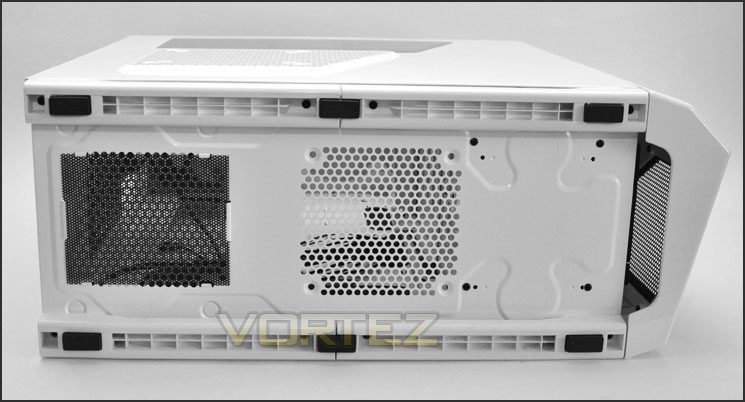
The underside of Phantom 410
In the next section we will delve into the internal features of Phantom 410.
Interior
As is typical nowadays, the side panels on Phantom 410 are secured via 2x thumbscrews on either side. When removed, the side panels reveal a well laid out interior with cable management cut-outs, plenty of cooling fans and tool-less design mechanisms throughout. Fans and other elements have been given the black/white contrast to give Phantom 410 a professional look.
On the reverse – the HDD section has various trays for attaching drives and is accessed from this side.
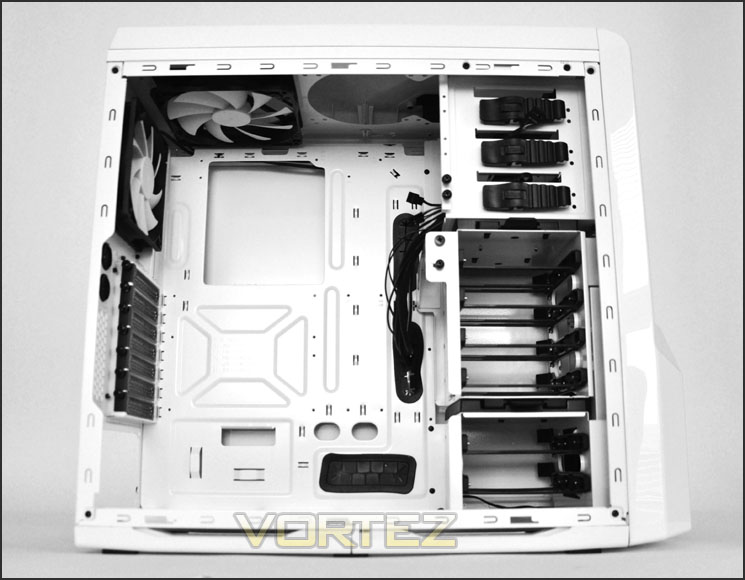
A roomy mid-tower with black/white internals
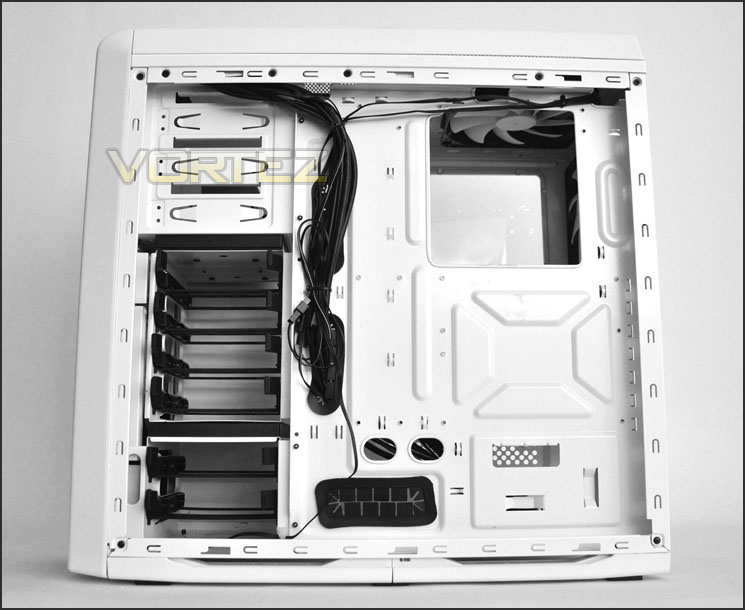
Cable management cut-outs and HDD access on reverse
Moving inside Phantom 410 – the PSU seating area has the rubber pads for preventing vibration and reducing scratching. As we saw in the previous section, the underside of the PSU area does have a filter but the case must be flipped over to access this. Next to the PSU area is another mesh grill for attaching an additional 120mm fan for increased airflow.
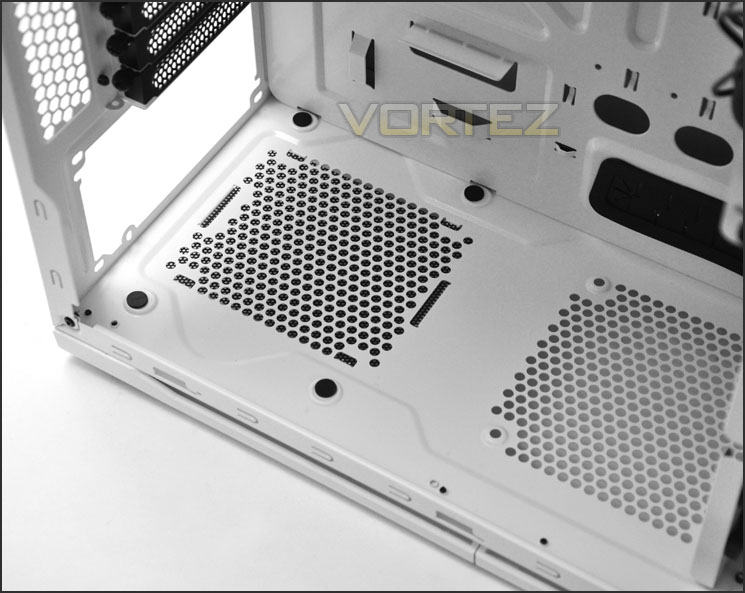
PSU mounting area has anti-vibration pads
Over the page we will continue our tour of the internal aspects of Phantom 410.
Interior (Continued)
Moving up through the case there are 7x PCI expansion slot covers. Each of these covers have perforation for maintaining better airflow, each cover also has a thumbscrew for easy removal. To the side are 2x circular rubber grommets for water-cooling tubes.
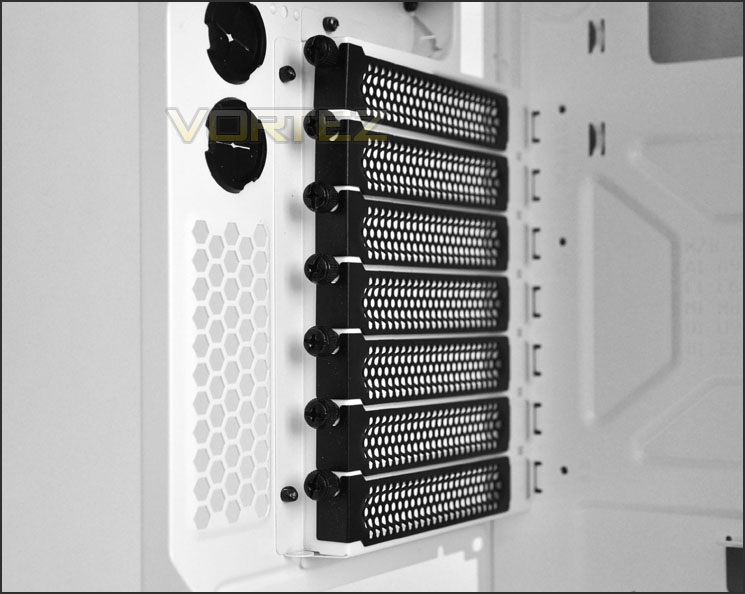
7x PCI expansion slot covers for multiple GPU configurations
In terms of cooling at the front and top of Phantom 410 – there is a 120mm rear exhaust fan and a 140mm top exhaust LED fan. Both of these cooling fans are connected to the fan controller by default. Next to the top mounted fan is an additional spot for installing another 120/140mm fan.
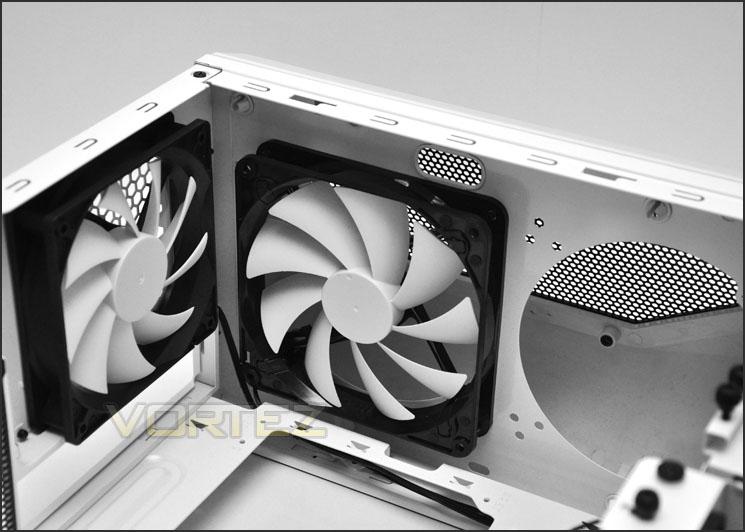
Exhaust fans – 120mm rear and 140mm top
Over on the other side as already mentioned – there are 3x 5.25” drive bays – each of these bays have a tool-less design mechanism that we have seen many times on NZXT cases. The ribbed section just needs pressing in when the drive passes through the bay and upon release the pins will slot into the mounting holes on the drive. The switch acts as a lock. On the edge of the cage are thumbscrews – these have been placed here for future usage and are handy for keeping spare screws.
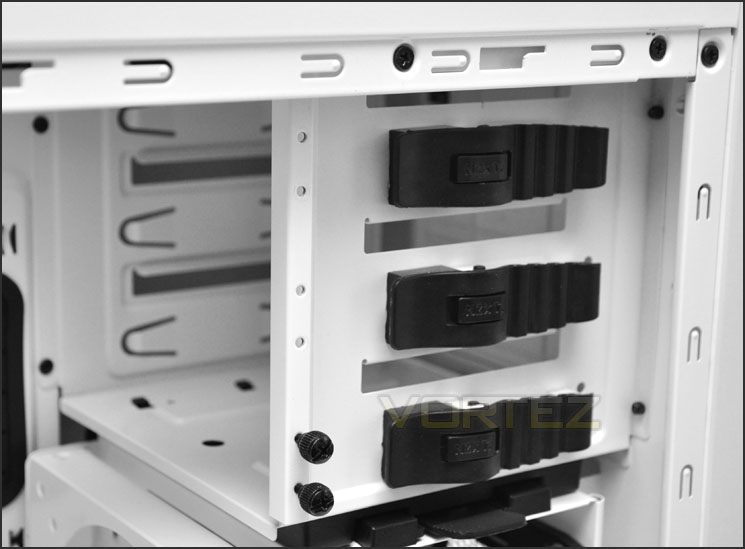
3x optical drive bays with tool-less design mechanisms
Beneath the optical drive storage are 2x HDD cages, here there are 6 trays for installing 2.5” and 3.5” drives. The top cage is removable and allows access to the 120mm intake fan behind and improves graphics card clearance should it be removed. Move on the HDD installation in the next section.
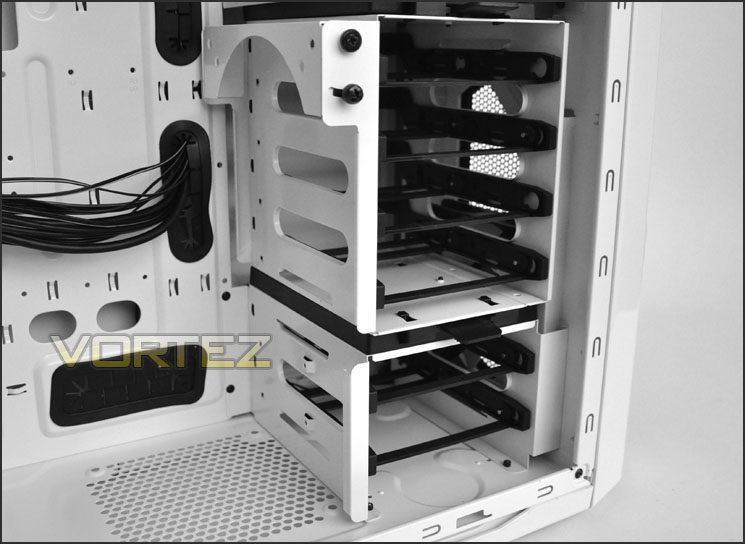
HDD storage options with removable upper cage
Over the page we will report back on the installation process – including all clearance compatibility.
Installation
The entire installation process is quick thanks to the available space and tool-less design mechanisms within. One aspect that I really liked about this particular area of the review was the motherboard standoff adapter for tightening up the standoff screws; this makes the task just so much easier and avoids sore fingers.
Creating a slick, tidy interior has never been easier thanks to good clearance and strategically placed cable management cut-outs.
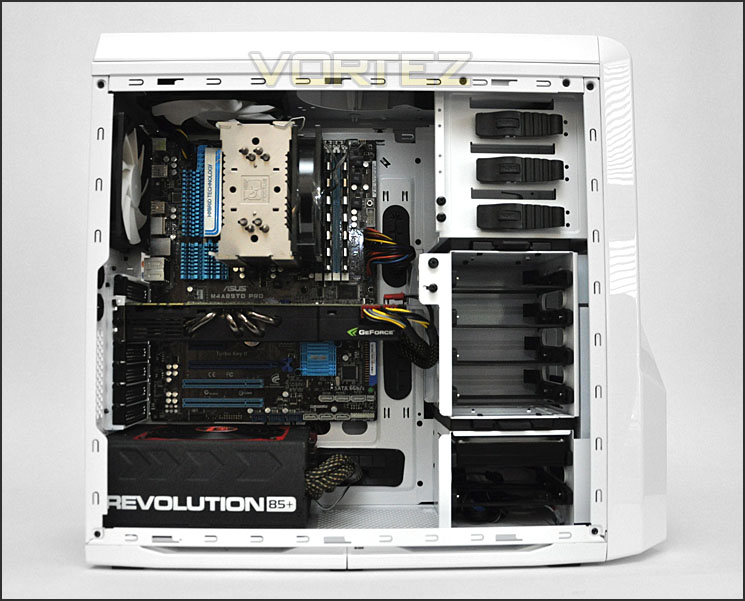
Installation complete
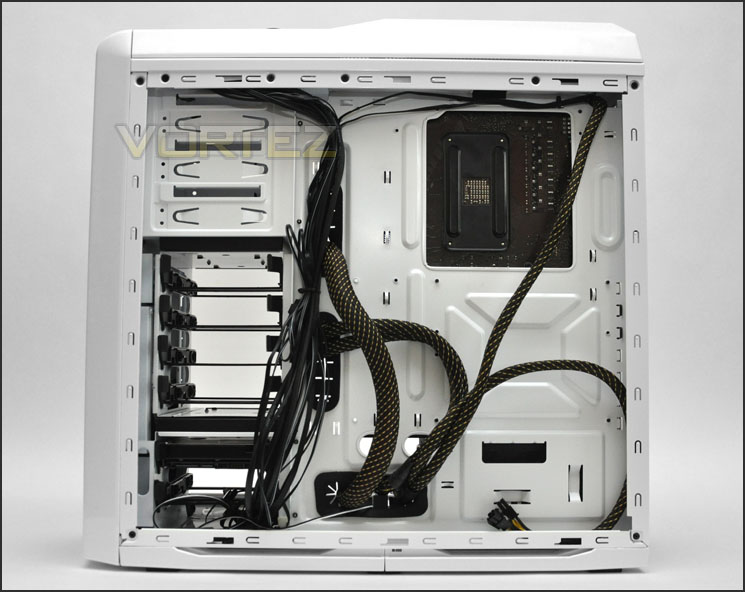
Cable management behind motherboard tray
One slight niggle I did have was getting the CPU power cable to route up behind the back of the motherboard tray. Whilst it did reach, the cut-outs up at the top are extremely tight – in the end I gave up a long battle and unscrewed the top fascia and the top mounted fan to give me adequate clearance for getting the cable through.
As you can see from the picture of the CPU power cable plugged in – the cable is extremely close to the blades on fan attached to the roof of Phantom 410. This shows you just how much space you have when trying to get this cable in between the motherboard and the frame of the fan. Things are very tight.
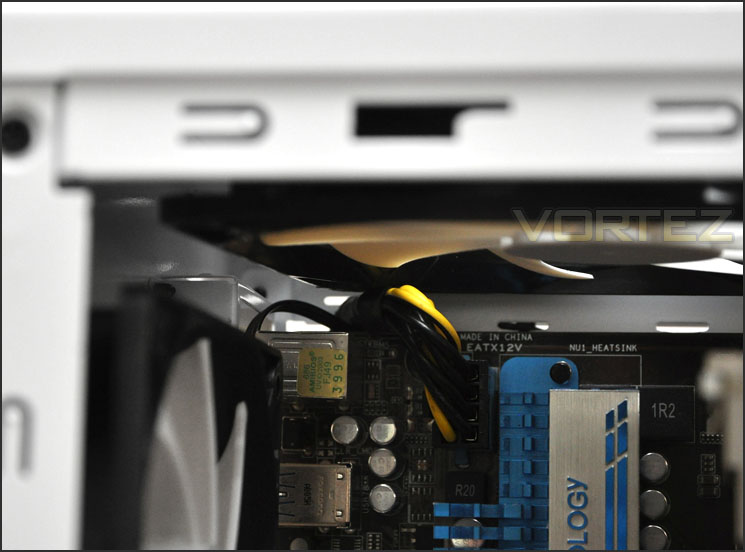
CPU power cut-outs are very tight
To install a HDD inside Phantom 410 the drive must be attached to one of the provided trays. These HDD trays will accommodate 2.5”/3.5” drives – for 3.5” pins will slot into the sides of the drive within the tray. To attach a 2.5” drive – screws must be attached to the underside.
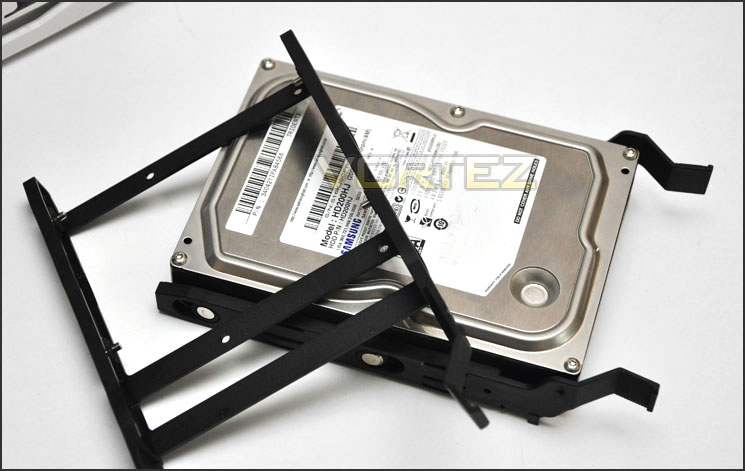
2.5”/3.5” HDD installation compatability
In the next section we will report back on clearance compatibility for Phantom 410.
Clearance – CPU, GPU, WC, Cable Management
Clearance inside a chassis is essential to enthusiasts, in this section we will be looking at all areas to reveal just how flexible Phantom 410 really is.
First up the CPU cooler. Here NZXT claim support for up to 170mm. Installing inside Phantom 410 is the Noctua NH-U12P which measures 158mm in height. As you can see from the picture below we are left with very little clearance and the side panels are not convex. We still have enough room for the two most popular flagships – Noctua NH-D14 and Thermalright Silver Arrow. Both these coolers are 160mm in height.
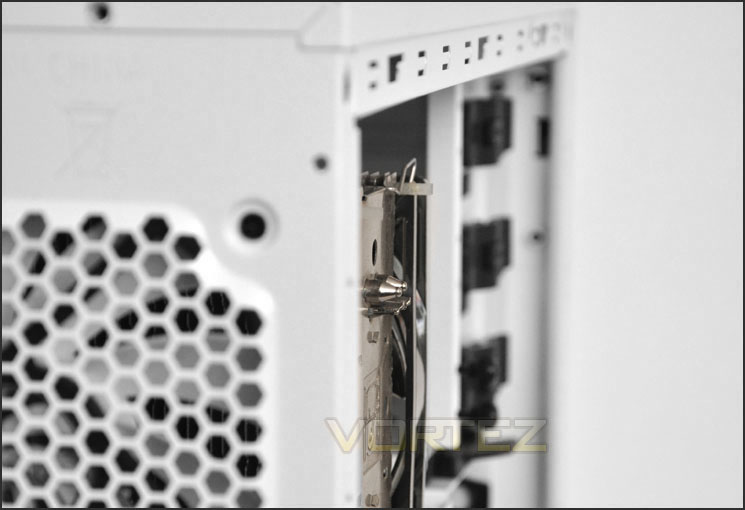
CPU cooler compatibility allows up to 170mm – covering most flagships
Next the graphics card clearance. Of course with the upper HDD cage being removable we have unlimited amount of clearance but with the HDD cage in place there is approximately 12” of clearance. Pictured is the NVIDIA GTX 480 which is 11” in total length.
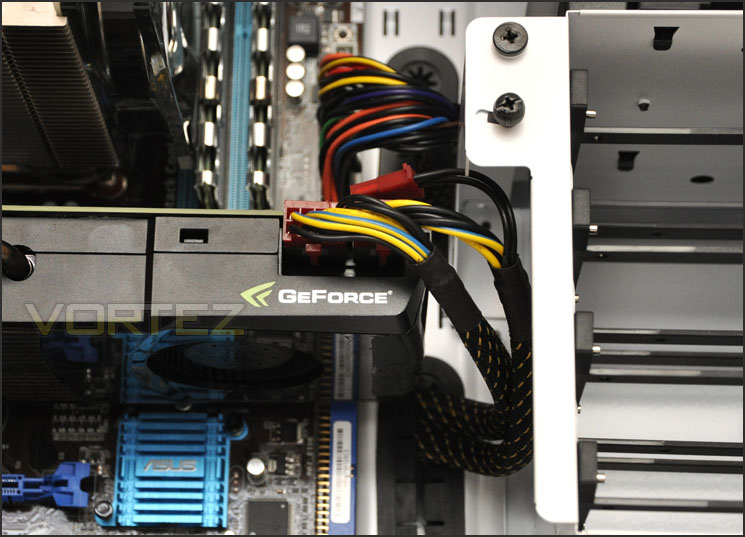
Graphics card clearance options – up to 12” with upper HDD cage
Removing the top fascia on Phantom 410 there is sufficient mounting holes for attaching a 240 radiator – pictured is Phobya G-Charger 240 Radiator. Sadly though the top fascia does not clip back into place due to the thickness of the radiator – the top fascia doesn’t have enough clearance within. Note: This radiator is 6cm (just short of 2"
 in thickness. Thinner radiators that are 2.5cm thick will fit without a problem.
Attaching the radiator on the inside isn’t possible either due to the mounting holes at the top being too close to the motherboard – the thickness of the radiator means it will touch the motherboard components.
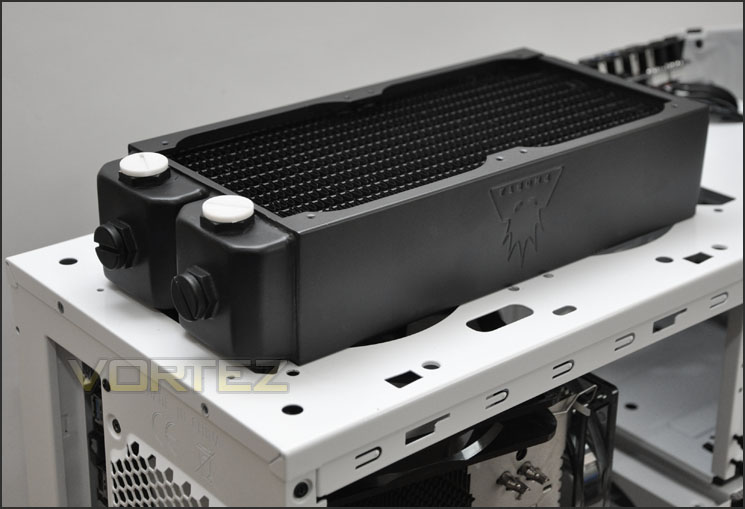
Radiator positioned at the top of Phantom 410
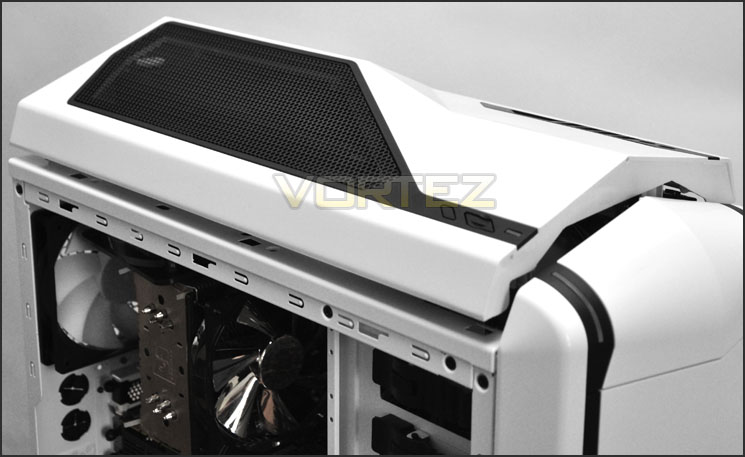
Top fascia does not fit with radiator attached to roof
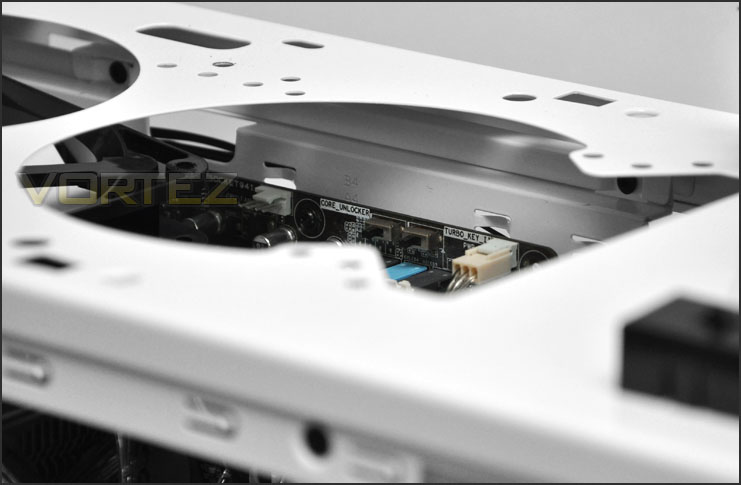
No space inside for radiator
Finally behind the motherboard tray there is just short of 2.5cm clearance. This is very forgiving and is a lot more generous than most cases will give you. It means you can route all cables behind the motherboard without any bother at all. Brilliant!
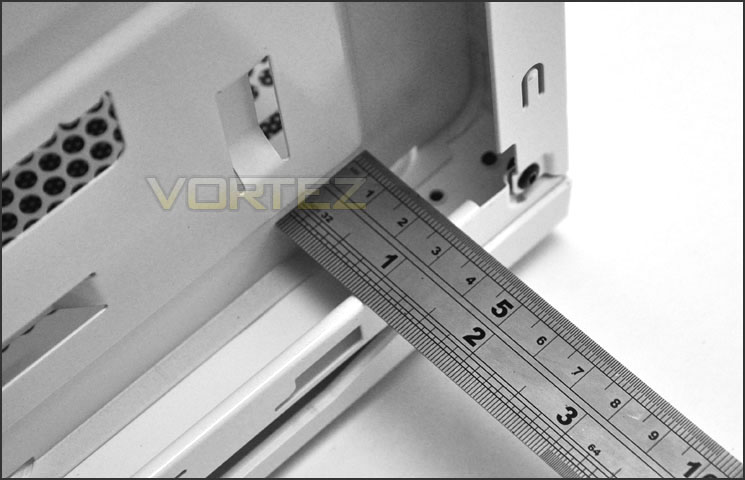
A very generous 2.5cm of clearance behind the motherboard tray
Next we will be investigating the thermal performance that Phantom 410 can offer. Follow us over the page.
Thermal Performance Testing
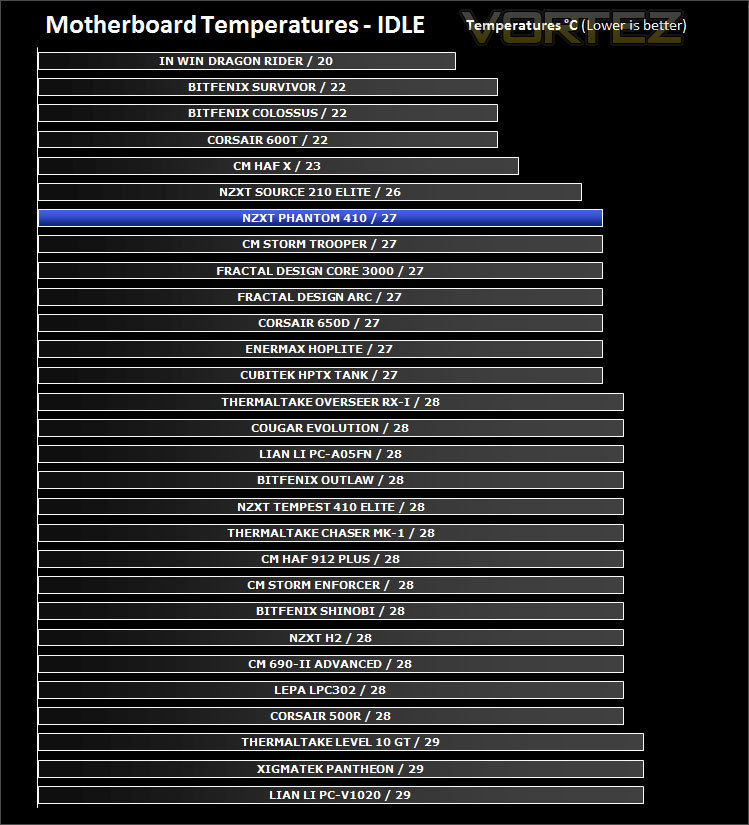
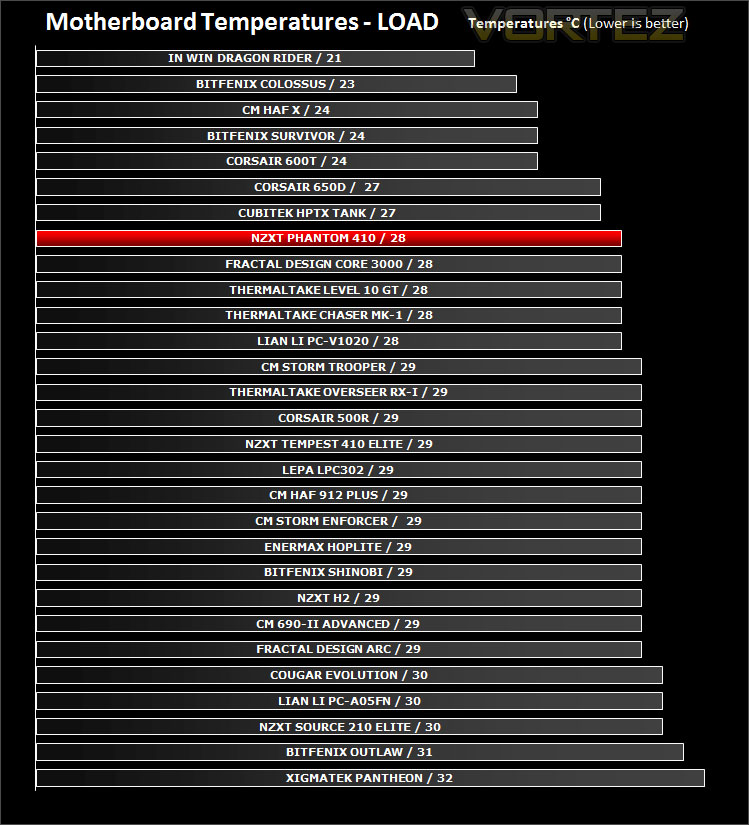
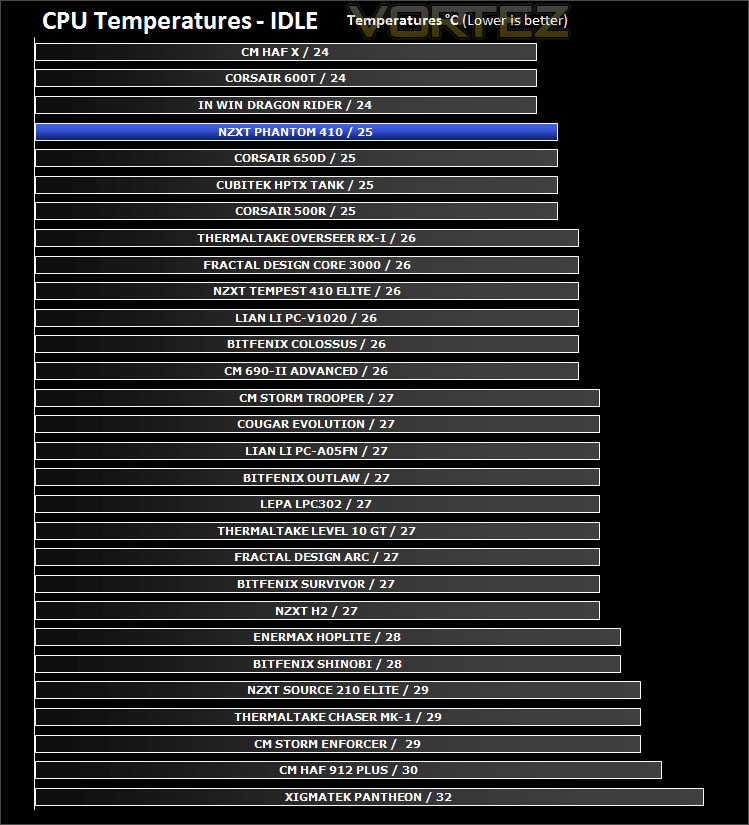
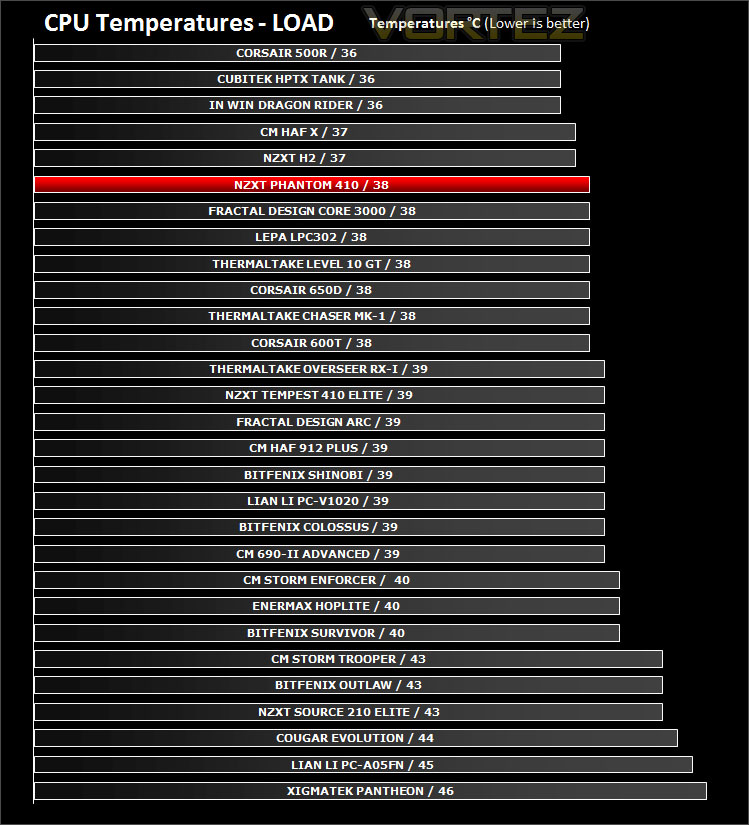
Inside Phantom 410 there are 3x pre-installed case fans – a 120mm front intake, 120mm rear exhaust and a 140mm top exhaust. This follows traditional airflow design and should in theory result in pleasing thermal performance. For the purpose of testing all fans will be connected to the fan controller and set to “low”.
To discover the thermal performance of the Phantom 410 I will record idle temperatures after 20 minutes from a cold boot. I will then stress the system and temperatures will again be monitored after 30 minutes have elapsed.
System Components
CPU AMD Phenom II X6 1055T 2.8GHz
Motherboard ASUS M4A89TD PRO
Graphics ZOTAC NVIDIA GTX 480 AMP
Memory 4GB Mushkin EM3-10666 DDR3
HDD Samsung Spinpoint 500GB SATA-II
PSU Enermax Revolution 85+ 850W
Conclusion
Sequels usually struggle to stand up to the challenge of being better than the original but is this the case with Phantom 410? Does it live up to its former glory?
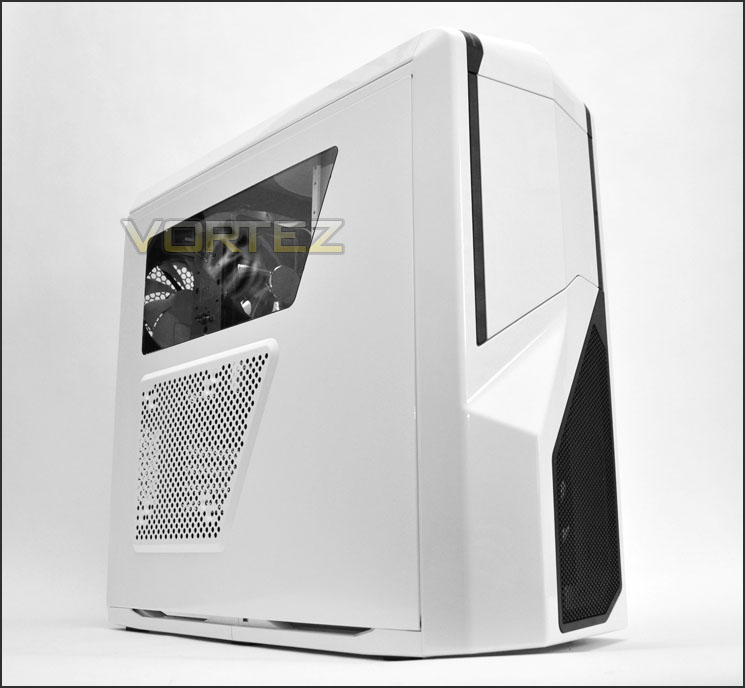
NZXT have given enthusiast and gamer alike the opportunity to own a smaller version of the original Phantom with a significant chunk of its features available at a lower price-tag. Phantom 410 is available in 3 different colours – black, white and red. Giving the consumer plenty of choice, this is a great idea because the Phantom design is proven to be popular so offering the variety of colours will satisfy different tastes.
In terms of features, Phantom 410 has tool-less design throughout for easy installation and NZXT have equipped the case with 3 pre-installed fans that can each be connected to a fan controller to deliver great cooling performance due to the fact that the fans have been placed in traditional airflow spots.
Phantom 410 has been given a price-tag of £84.99 inc. VAT meaning it will be poised to take on the might of Fractal Design’s R3 and almost touches similar pricing to Corsair’s 500R. As a result it will face some stuff competition but due to it being slightly cheaper this will work in its favour.
The bottom line is NZXT have built on the success of a firm favourite. Phantom 410 boasts similar characteristics to that of the original Phantom but in a smaller shell and more affordable price-tag.
+ Smaller representation of a popular chassis
+ Available in 3 colours
+ Great cable management
+ Good cooling performance
+ Fan controller
Cons
– Thinner water-cooling radiators only compatible
– Very tight gap for CPU power cable


Click here for an explanation of our awards at Vortez.net.


