







A new addition to the Chaser series is in our midst. The A31 mid-tower gaming chassis seeks to satisfy enthusiast and gamer alike.

Product on Review: Chaser A31 (VP300A1W2N)
Manufacturer and Sponsor: Thermaltake
Street Price: £65-75 / $120 (At time of review)
We’re already into the second month of 2013 and Thermaltake haven’t been holding back with their product launches, but one particular series has certainly remained almost dormant for over a year and a half. Thermaltake’s Chaser series arrived on the scene with a spectacular production, we really liked the Chaser MK-1 and have been waiting to see what other developments this range would bring. After certain success, the cooling giants are back with their next instalment to this exciting series; enter the Chaser A31.
Chaser A31 is a mid-tower computer chassis with distinct characteristics. Thermaltake have decided to opt for a middle of the road approach to styling with this new release, choosing to entertain both gamer and enthusiast alike. Both camps will appreciate what this case has to offer, and both camps should be satisfied by the generous features A31 promises to deliver.
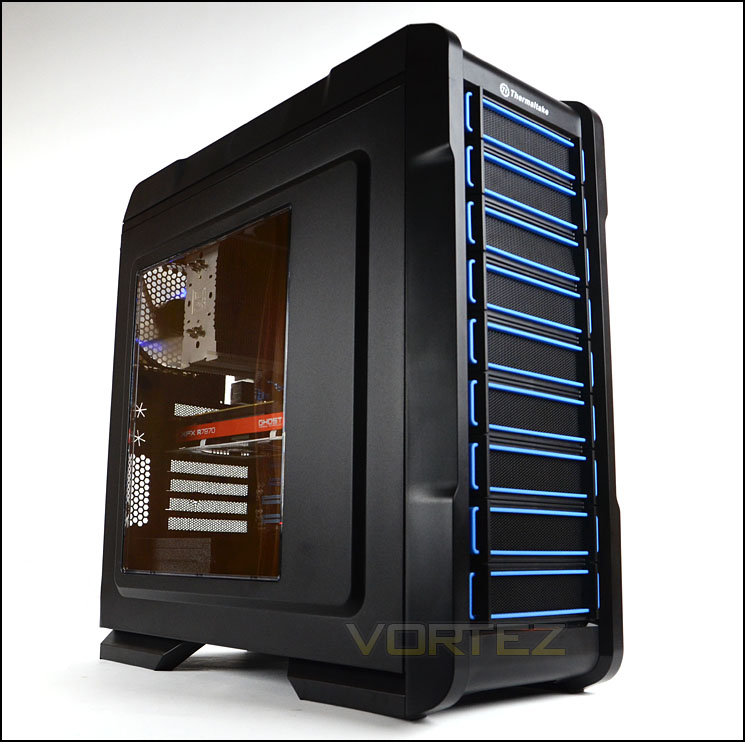
Thermaltake on Chaser A31
The new Thermaltake Chaser A31 gaming case designed for computer gamers and enthusiasts that deliver a combination of cooling, performance and expandability any full tower features within this ultra-mean case. It has an e-sports appearance and outstanding protection designs that characterize a unique personality. Take a look at the side, the transparent windowed panel offers the best inner view for built system see through. Since gaming hardware produces a lot of heat, therefore this enclosure is built for maximum cool with a perforated front bezel with two 120 mm fans at front and rear. The two USB 3.0 SuperSpeed ports are located on front panel for faster data transfer and easy access. There’s even an user friendly tray on top for mobile, mp3player, digital camera have lying around. The Chaser A31 is maximally customizable to fit user’s needs; the modular design lets you modify the placement of the front fans and hard drive cages. Get ready to be envied at the next LAN party.
Technical Specifications
Case Type
Mid Tower
Dimension (H x W x D)
501 x 212 x 495mm (19.7 x 8.4 x 19.5 inch)
Net Weight
6.5 kg/14.4 lb
Side Panel
Transparent Window
Color
Exterior & Interior : Black
Cooling System
Front (intake):
120 x 120 x 25 mm Turbo fan x 1 (1000rpm, 16dBA)
120 x 120 x 25 mm (optional)
Rear (exhaust):
120 x 120 x 25 mm Blue LED fan (1000rpm,16dBA)
Top (exhaust): (optional)
120 x 120 x 25 mm fan x 2 or 140 x 140 x 25 mm fan x 2
Bottom (Intake): (optional)
120 x 120 x 25 mm fan
Drive Bays
– Accessible: 3 x 5.25’’ , 1 x 3.5’’ (Converted from one 5.25” drive bay)
– Hidden: 6 x 3.5’’ or 2.5’’
Expansion Slots
7
Motherboards
9.6” x 9.6” (Micro ATX), 12” x 9.6” (ATX)
I/O Ports
USB 3.0 x 2, HD Audio x 1
PSU
Standard PS2 PSU (optional)
LCS Upgradable
Supports 1/2”、3/8”、1/4” water tube
CPU cooler height limitation
160mm
VGA length limitation
290mm(with HDD rack)
410mm(without HDD rack)
Mid Tower
Dimension (H x W x D)
501 x 212 x 495mm (19.7 x 8.4 x 19.5 inch)
Net Weight
6.5 kg/14.4 lb
Side Panel
Transparent Window
Color
Exterior & Interior : Black
Cooling System
Front (intake):
120 x 120 x 25 mm Turbo fan x 1 (1000rpm, 16dBA)
120 x 120 x 25 mm (optional)
Rear (exhaust):
120 x 120 x 25 mm Blue LED fan (1000rpm,16dBA)
Top (exhaust): (optional)
120 x 120 x 25 mm fan x 2 or 140 x 140 x 25 mm fan x 2
Bottom (Intake): (optional)
120 x 120 x 25 mm fan
Drive Bays
– Accessible: 3 x 5.25’’ , 1 x 3.5’’ (Converted from one 5.25” drive bay)
– Hidden: 6 x 3.5’’ or 2.5’’
Expansion Slots
7
Motherboards
9.6” x 9.6” (Micro ATX), 12” x 9.6” (ATX)
I/O Ports
USB 3.0 x 2, HD Audio x 1
PSU
Standard PS2 PSU (optional)
LCS Upgradable
Supports 1/2”、3/8”、1/4” water tube
CPU cooler height limitation
160mm
VGA length limitation
290mm(with HDD rack)
410mm(without HDD rack)
Packaging & First Look
A31 arrives in a large eye-catching box. The front has an illustration of the chassis and back details key features. Technical specifications are available on the sides to provide further information. Inside, A31 is covered in a clear plastic sheet and held in place with dual polystyrene pillars – being a double reinforced box, A31 has plenty of protection during transit.
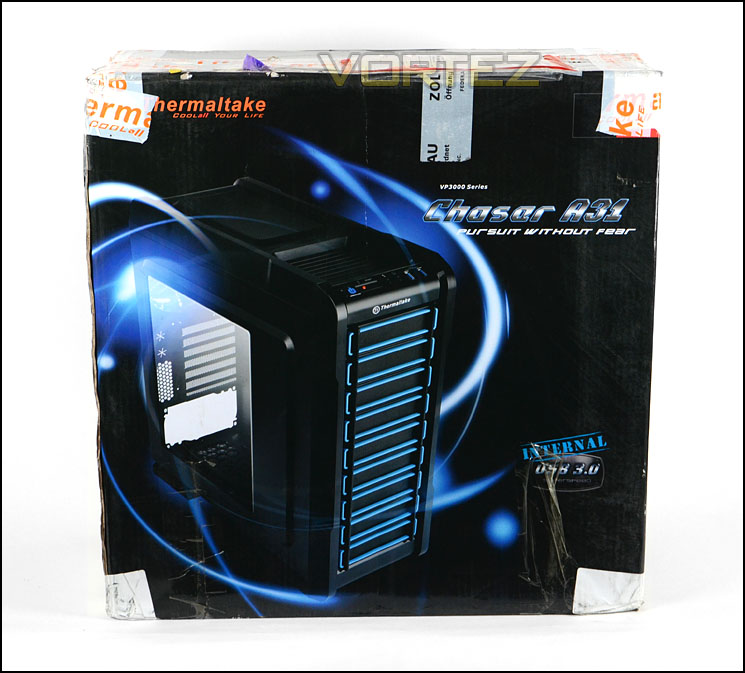
Packaging for Chaser A31
Having A31 out of its packaging we can weigh up the initial appearance of this chassis. Thermaltake have designed a very stylish product in the A31, we have the black version of this mid-tower under review today but this case is also available in blue and white variants too.
Both side panels feature solid side panels with convex construction to allow more flexibility for the CPU cooler and cable management. The prominent side has a large Perspex window to allow a view inside the case.
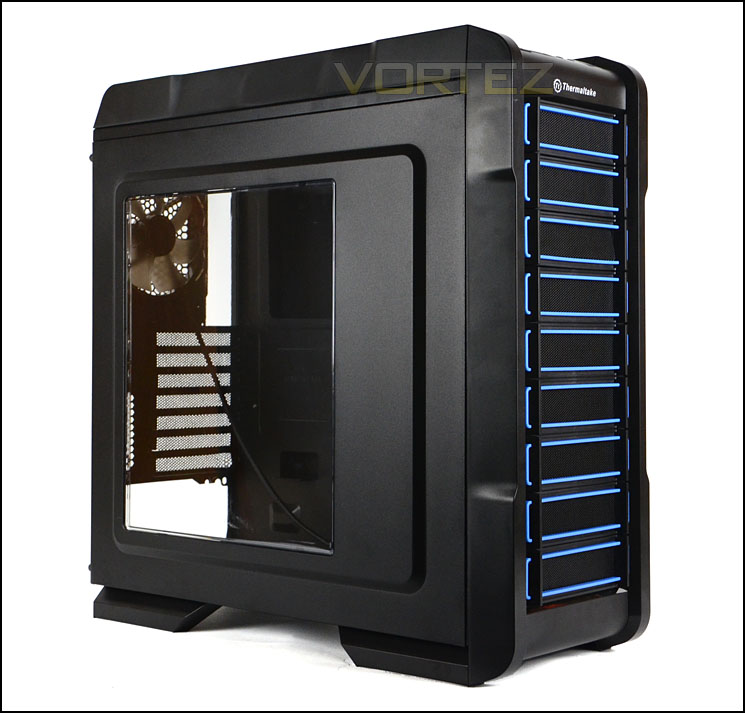
The prominent side with large Perspex window
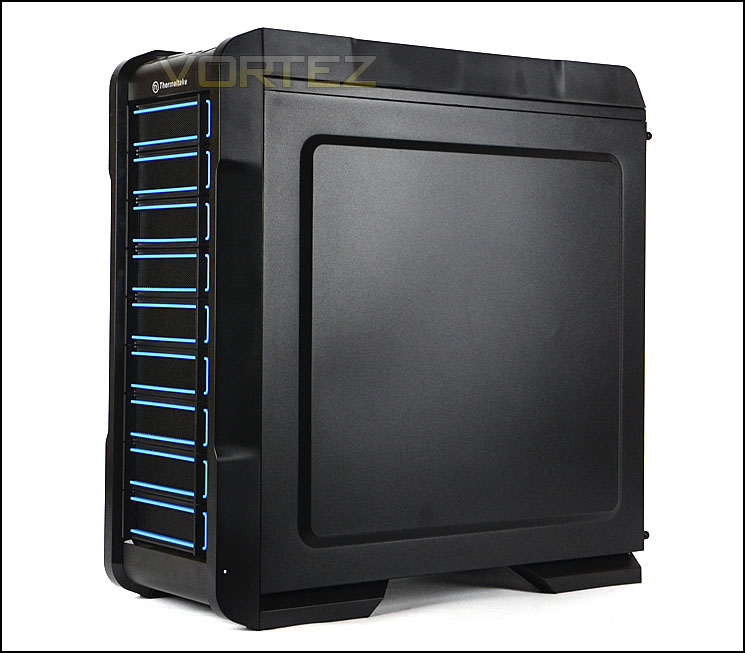
A stylish and good looking computer chassis
Exterior
A31 adopts gamer styling but maintains a subtle approach to this type of design. The front of the case features a plastic fascia with a series of 5.25” covers. Being mesh, these covers also have baby blue plastic frames which compliments the overall design very well.
The back of the case has been entirely powder coated in black, the bottom has a space for mounting the PSU and above this there are seven PCI expansion slot covers which each have ventilation mesh for airflow. To the right of these covers are two circular rubber grommets and some honeycomb mesh. Above this is a 120mm rear exhaust LED fan and a cable tidy bracket is fixed directly above.
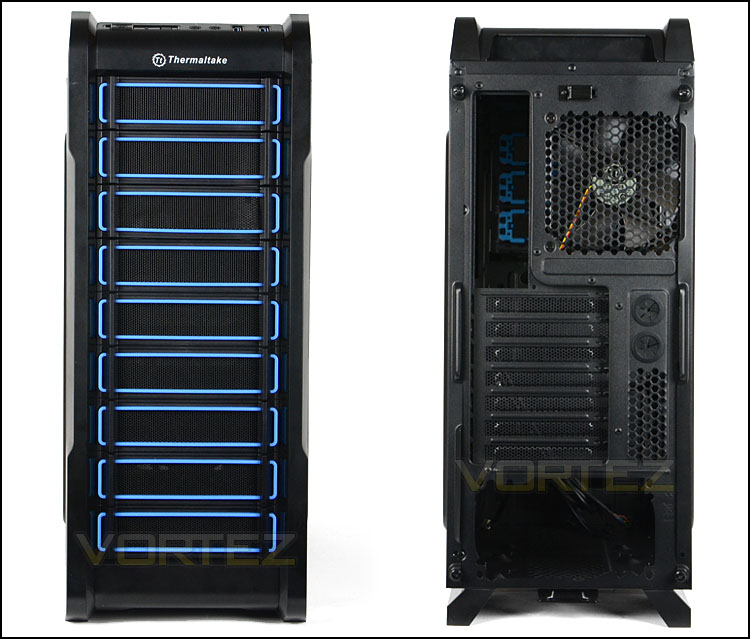
The front and back of A31
At the top of the case is the front panel connectivity, this includes a power/reset button with LED, headphone/microphone jacks and dual USB 3.0 ports (via internal motherboard header). Behind these ports is a plastic tray designed for storage of small items such as USB pen drive, keys etc.
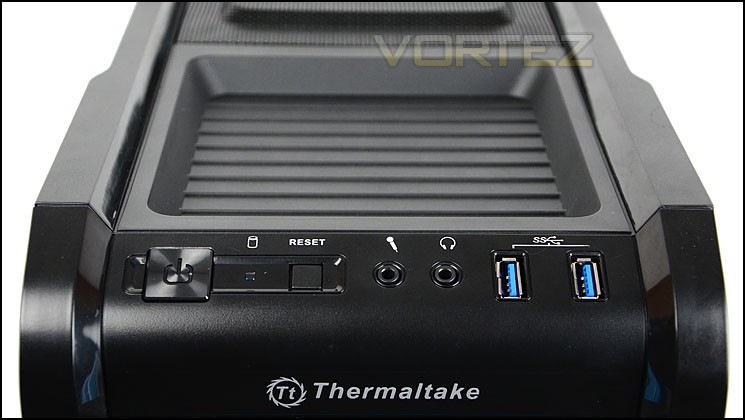
Front panel connectivity includes USB 3.0 support
Further back, along the top is a large perforated mesh section which gives ventilation to the section top of A31. There are no cooling fans included at the top but there are options to attach fans/coolers – we will investigate this more closely when we move inside the chassis.
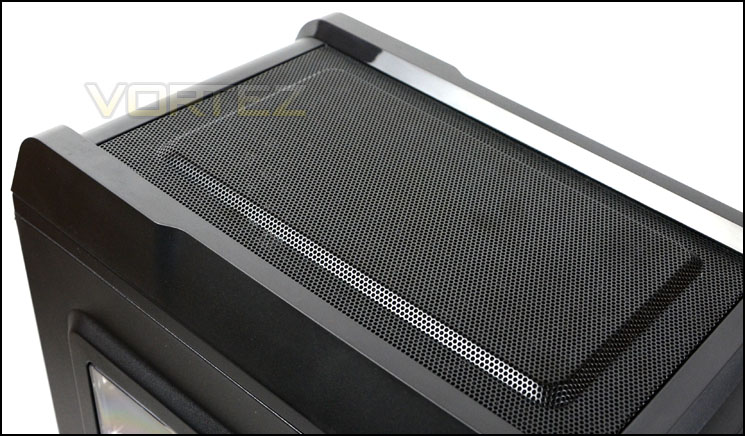
The top of A31
Finally, on the underside of A31 there is a large dust filter which covers the PSU area and the lower section where a cooling fan can be installed. This filter is removable whilst the case is stood upright. Oddly, there are no rubber feet to the underside of the case which is a strange omission. This is usually a customary feature on computer cases nowadays.
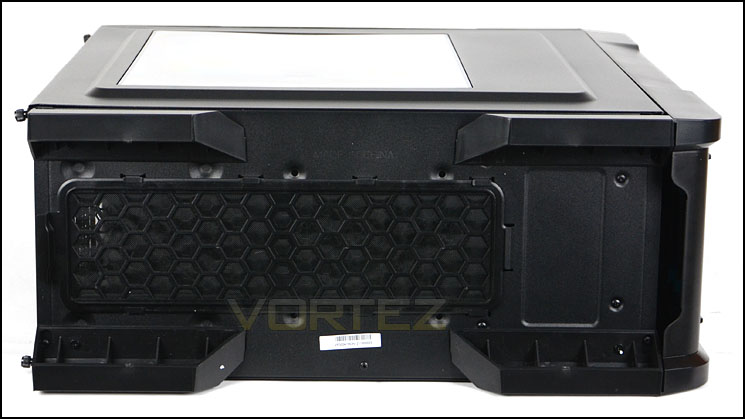
Underside with long dust filter
Interior
The side panels on A31 are held in via thumbscrews. After removing the panels we have a good overview of the internal layout within our case.
From an initial look the layout, design and features look good. The internals are all powder coated black and there appears to be some good placements for cable management.
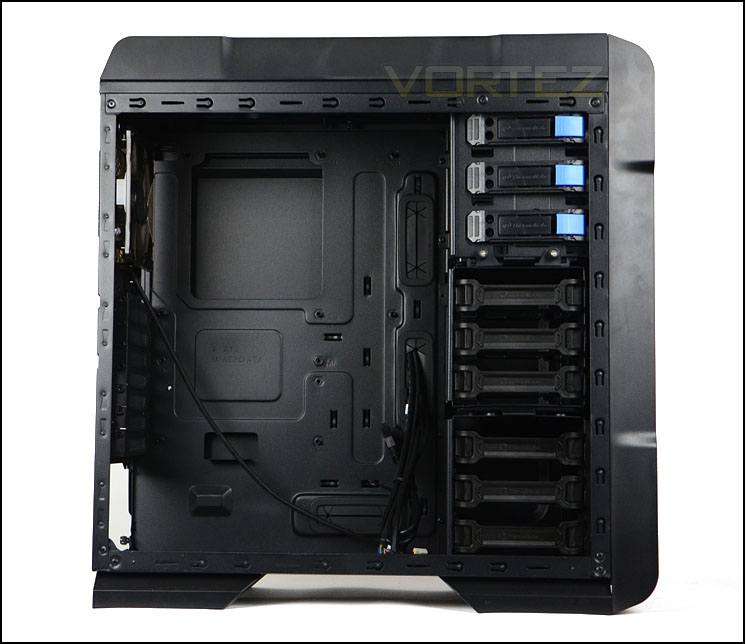
An overview of the internal layout for A31
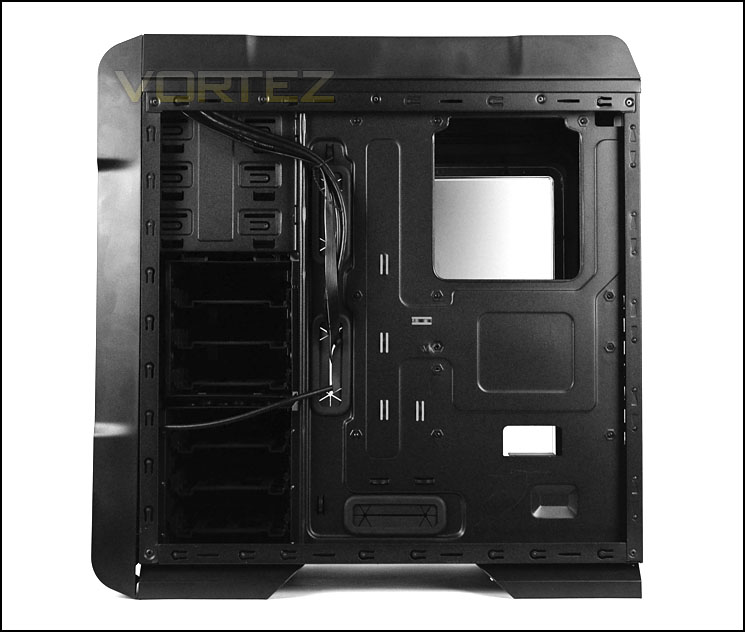
Behind the motherboard tray
Moving in for a closer look, the first area to take note of is the PSU seating at the bottom of the chassis. In this area there is plenty of ventilation and even a space for mounting a 120mm cooling fan next to the PSU. Although there are studs to allow the PSU to sit, Thermaltake have decided not to use anti-vibration rubber which is an odd design omission. Having rubber here not only prevents vibrations but also avoids scratching the chassis or PSU. Covering both the PSU and fan ventilation is a large dust filter which can be removed whilst the case is stood upright.
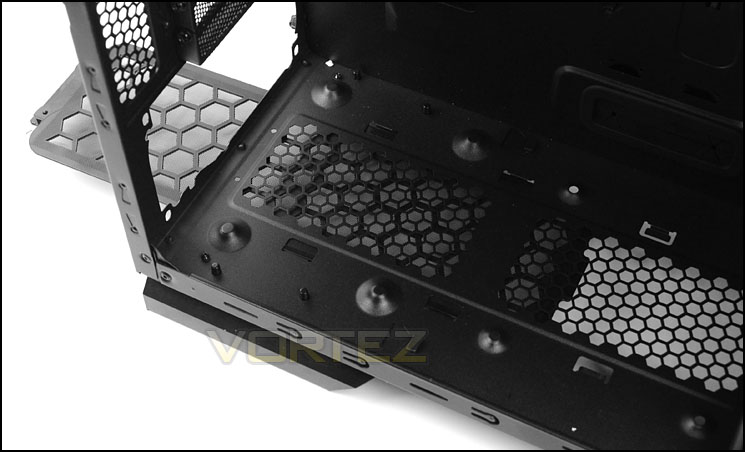
The PSU accommodation area
There are seven PCI expansion slot covers which are ventilated and use normal screws to allow removal. We would typically have thumbscrews in this area to make things easier, it would have been good to see thumbscrews in this area.
Beside these covers are two rubber grommets and honeycomb ventilation.
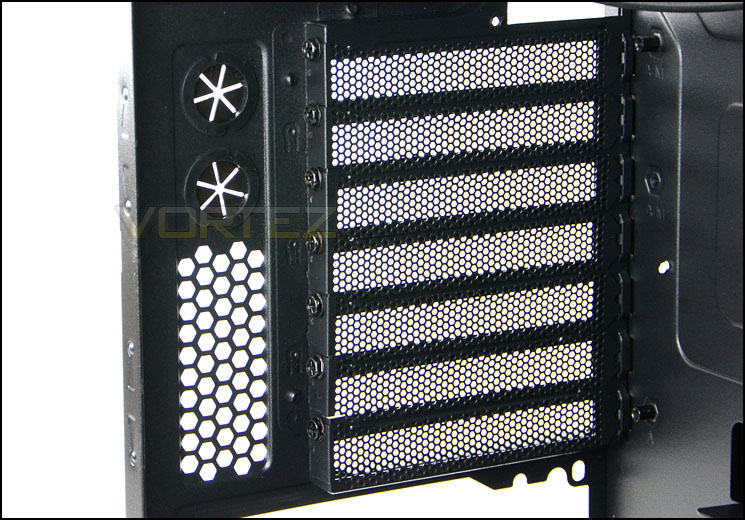
Seven PCI expansion slot covers
Interior (Continued)
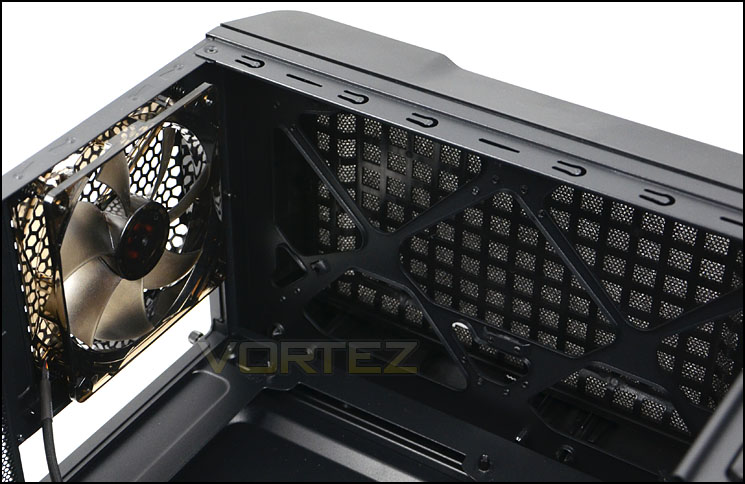
At the back of the chassis there is a 120mm rear exhaust LED fan. This fan operates at 1000RPM and is the only exhaust fan found within A31 – the top of the chassis does have options for installing fans but they are not included. At the top of the A31 dual 120mm or dual 140mm fans can be attached, alternatively a slim 240mm radiator can be installed – so there is support for popular liquid cooler such as Corsair H100 or Thermaltake Water 2.0.
Cooling options at the back and top of A31
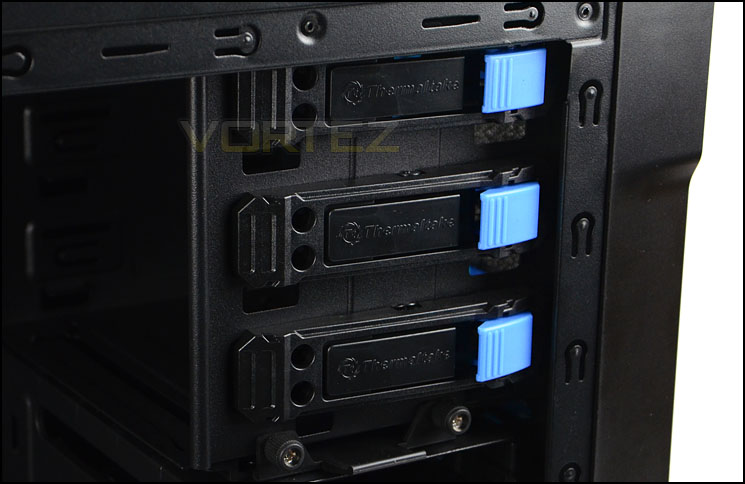
Over on the other side there are 3x 5.25” drive bays, each have a tool-less design mechanism to allow a quick and easy method of installing devices.
Tool-less design mechanisms for 5.25” drive bays
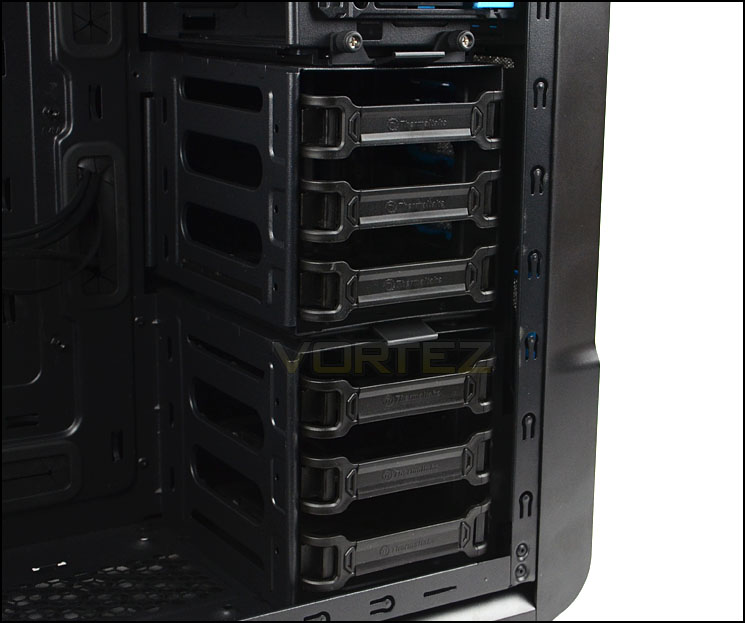
Below the optical drive bays is the HDD storage. There are two cages here, each can accommodate three drives each via HDD brackets, furthermore the upper HDD cage can be entirely removed to assist with better airflow from the front and support better graphics card compatibility. Both 2.5” and 3.5” drives are supported and we will be taking a closer look at the installation process later.
At the front, behind these cages is a 120mm intake cooling fan which operates at 1000RPM. There is also another slot for attaching an additional 120mm fan.
Plenty of storage options with compatibility for long graphics cards too
Installation
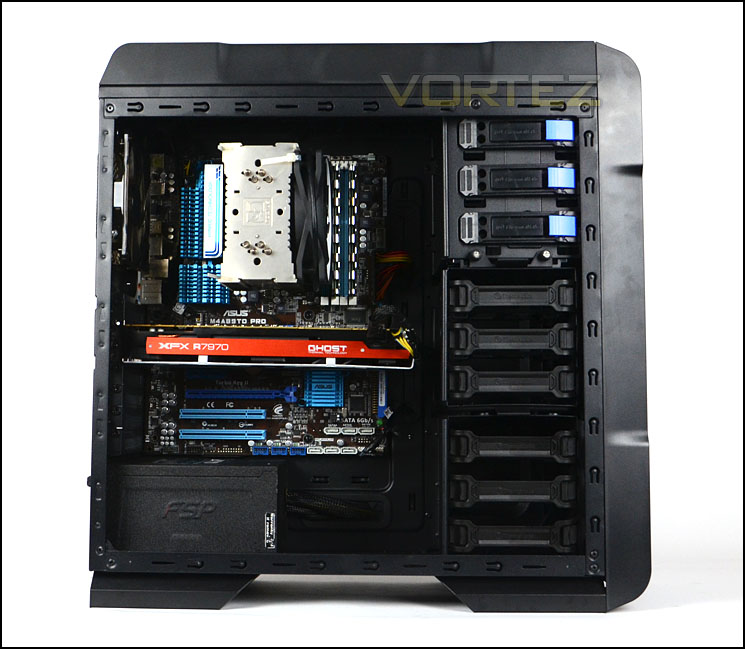
Looking at a bare computer chassis only reveals one side of the coin and so it’s important for us to take a look at the A31 with a full system installed so that we can determine its strengths and weaknesses (if any!).
It’s fair to say that A31 handled our ATX system very well. Large CPU coolers, long graphics cards and an assortment of high-end kit can be arranged within the chassis easily. Cable management is also easy to maintain thanks to the options available.
A31 is able to accommodate high-end hardware
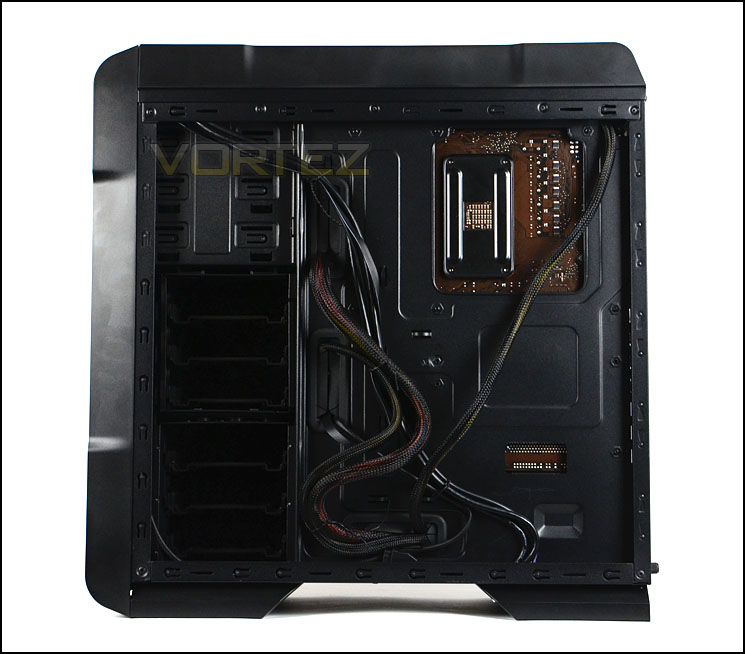
Cable management is easy to maintain
In order to install HDDs, the drive has to be installed within a HDD bracket. This HDD bracket can accommodate both 2.5” and 3.5” drives. To install a 2.5” drive screws need to be attached to the underside, whilst a 3.5” drives simply sit within the bracket without any screws – pins slot into the screw holes.
The quality of these HDD brackets is good, the plastic is firm and doesn’t flex.
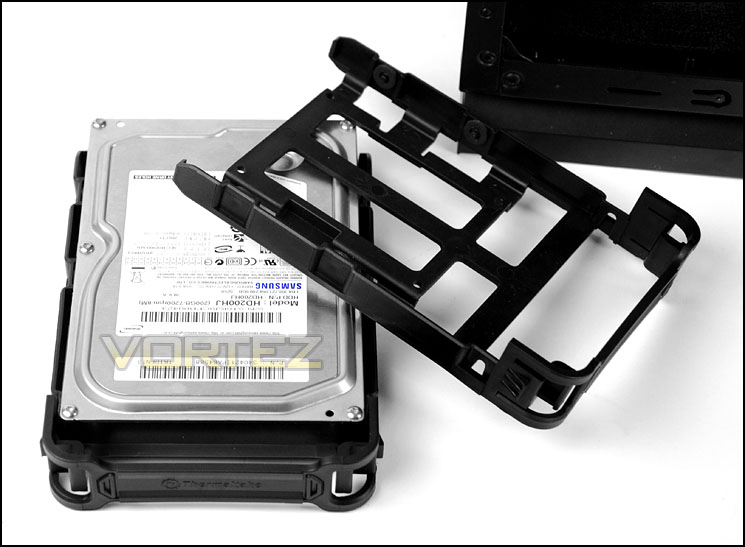
HDD brackets can accommodate 2.5” and 3.5” drives
Clearance – CPU cooler, GPU, Cable Management
Clearance is an important aspect of case design for the enthusiast as it establishes whether certain hardware will be compatible with a chassis or not.
A31 can entertain big CPU coolers – in fact the compatibility is such that coolers with a height of 160mm can be installed, so this covers popular choices like Noctua NH-D14 and Thermalright Silver Arrow. Pictured is Noctua’s NH-U12P which is 158mm in height.
Not forgetting, the side panel is also convex so additional clearance is provided too.
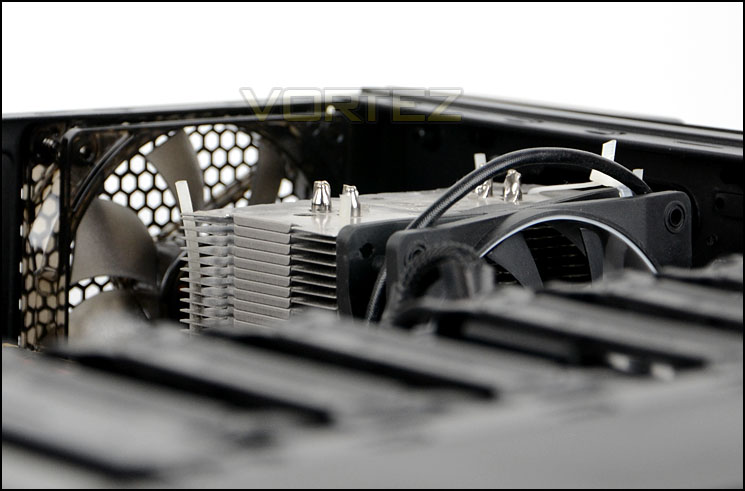
Support for large CPU coolers
Graphics card clearance is also pleasing, having support for up to 10.5” in length with the upper HDD cage installed, and without – support for anything currently on the market.
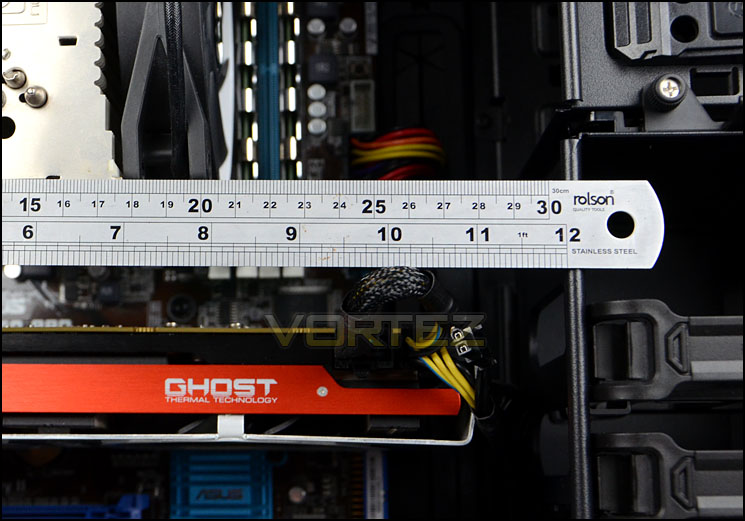
Good clearance for long graphics cards
Behind the motherboard tray there is just under 1.5cm of clearance plus the additional 5mm of space from the convex side panel. This allows for great cable management options throughout A31.
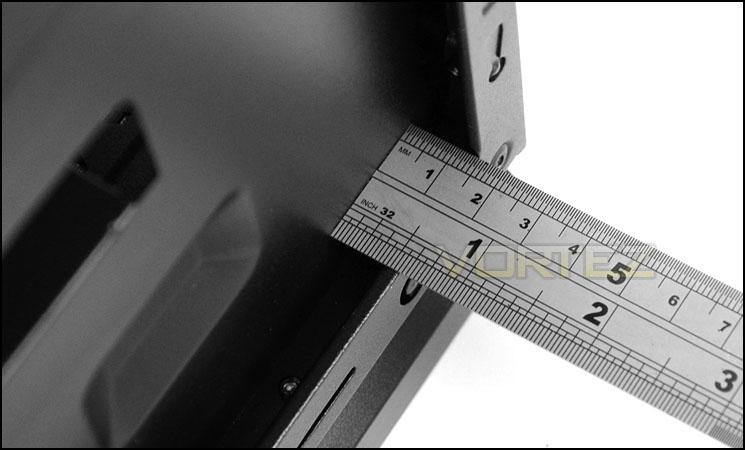
Space for good cable management
Thermal Performance Testing
Placed inside A31 are just two 120mm cooling fans, one as an intake at the front and another at the rear as an exhaust. Both fans operate at 1000RPM.
To discover the thermal performance of the A31 we will record idle temperatures after 20 minutes from a cold boot. We will then stress the system and temperatures will again be monitored after 30 minutes have elapsed.
For the purpose of accurate analysis the idle and load temperatures for CPU and GPU will be recorded and the range between idle and load will be calculated to determine how efficient cooling is.
NOTE: Ambient temperature is 20C
System Components
CPU AMD Phenom II X6 1055T 2.8GHz
Motherboard ASUS M4A89TD PRO
Graphics NVIDIA GTX 480 (Different from card pictured)
Memory 4GB Mushkin EM3-10666 DDR3
HDD Samsung Spinpoint 500GB SATA-II
PSU FSP AURUM GOLD 650M
Motherboard ASUS M4A89TD PRO
Graphics NVIDIA GTX 480 (Different from card pictured)
Memory 4GB Mushkin EM3-10666 DDR3
HDD Samsung Spinpoint 500GB SATA-II
PSU FSP AURUM GOLD 650M
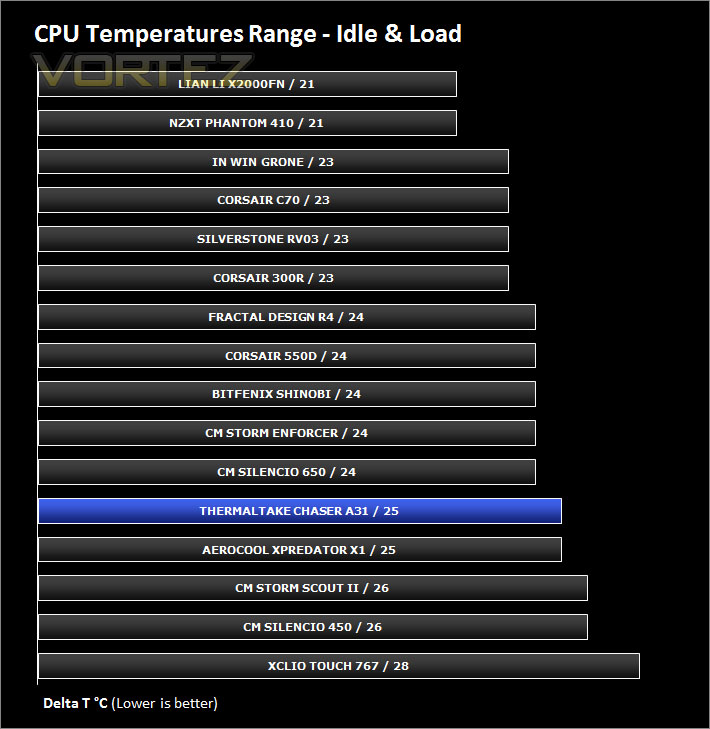
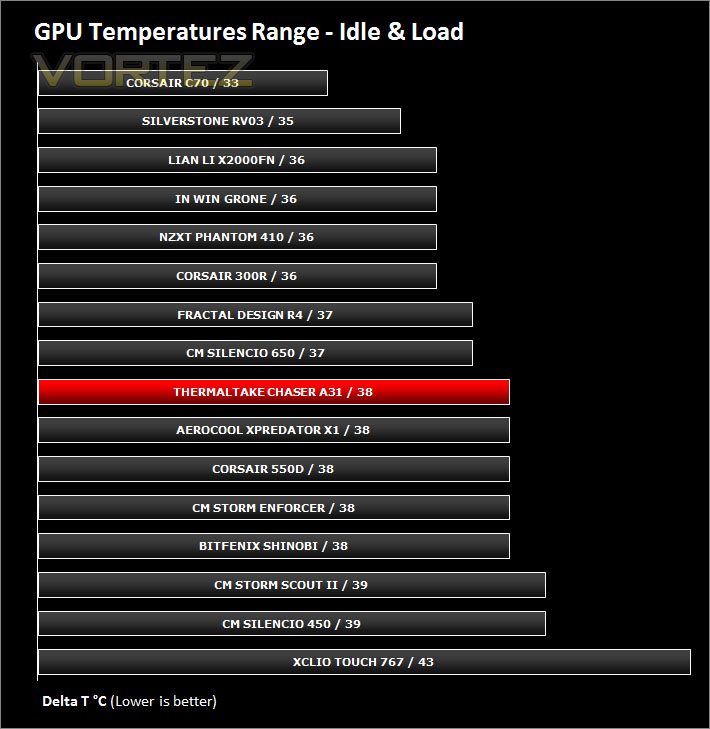
Noise
With both fans operating at just 1000RPM the balance for performance and noise is well placed. The cooling performance is good and noise levels are relatively low and not disruptive by any means.
Conclusion
Thermaltake are typically associated with designing gaming computer cases but with the introduction of Chaser A31 the audience isn’t exclusive to this type of market. Thermaltake have bridged the gap and have made the A31’s styling less gaudy than previous cases in their portfolio yet there are still distinct characteristics to be had.
A31’s external design gives the illusion of being much taller than it actually is because of the front panel, but inside this mid-tower is actually quite compact yet a vast range of high-end kit can be accommodated. Large CPU coolers can be installed as well as 240mm liquid coolers which are fast becoming a popular choice for many enthusiasts. Long graphics cards and other hardware also have good compatibility and Thermaltake have generously furnished A31 with plenty of assistance for cable management.
Having just two cooling fans, A31 does reasonably well for its thermal performance. Operating at just 1000RPM means these case fans emit low-noise and this results in less disruption under normal usage.
Chaser A31 is priced approximately £65-75 / $120 dropping this case into a very competitive price-range. A31 will have its work cut-out to remain a top-pick but it does offer a nice alternative.
Thermaltake add another good computer chassis to the Chaser series. A31 is a mid-tower available in an assortment of different flavours to suit different tastes. Distinct characteristics and a strong feature-set put Thermaltake in good standing.
VIDEO REVIEW – VORTEZ TV
Pros
+ Distinct visual appearance
+ Support for high-end kit
+ Good cable management
+ Low noise case fans
Cons
– Lack of rubber for PSU/feet
+ Distinct visual appearance
+ Support for high-end kit
+ Good cable management
+ Low noise case fans
Cons
– Lack of rubber for PSU/feet

Click here for an explanation of our awards at Vortez.net.


