







Another Mid-Tower chassis finally joins the Graphite Series with an emphasis on flexibility and affordability. Can Corsair take the low-mid crown?

Product On Review: Graphite Series 230T
Manufacturer and Sponsor: Corsair
Street Price: £65 GBP / 70 EUR
It’s another new month and Corsair are yet again releasing a brand new computer chassis. The multi-faceted computer tech giant seems to be engaging in a full-scale assault on the computer case market. Last month we reviewed the Obsidian 750D and the time before that, Carbide 330R. This time it’s the turn of the Graphite series to welcome a new candidate and its certainly been a while – the only case within the series, the 600T was released back in 2010!
The new 230T is a mid-tower computer chassis available in orange, grey and black and is aimed at budget conscious system builders. Can Corsair triumph in the low-mid range market with this new Graphite chassis?
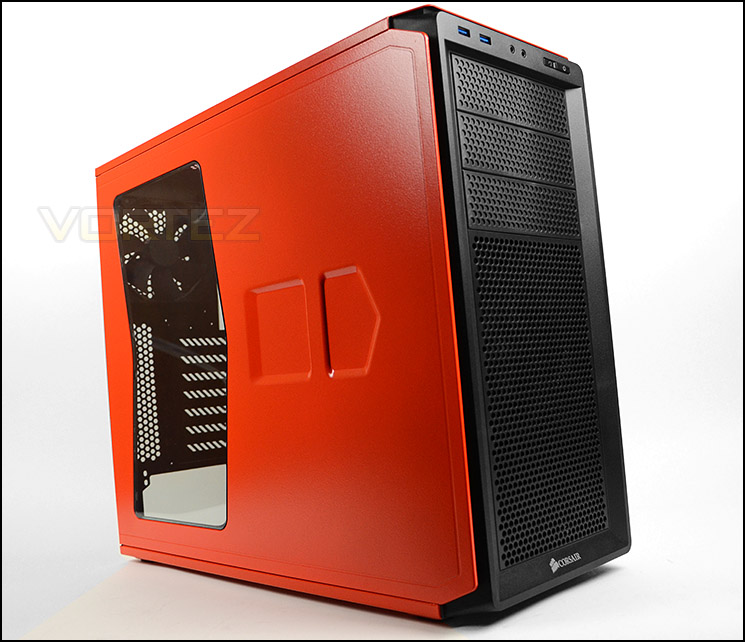
Corsair’s take on 230T
The Graphite Series 230T mid-tower PC case has a striking, leading-edge look for building fast systems that look just as fast as they run. The sculpted exterior features dual intake fans bathed in soft, color coordinated LED lighting and a tinted side panel window. Inside, it has the system builder-friendly ergonomics and cooling and expansion flexibility that Corsair is known for. With smart features like dedicated SSD bays and our innovative cable management system, builds, maintenance and upgrades are fast and easy.
Graphite Series 230T is a great choice for gaming PCs, graphics design workstations, or any application where high performance and high style both matter.
Graphite Series 230T is a great choice for gaming PCs, graphics design workstations, or any application where high performance and high style both matter.
Technical Specifications
Dimensions (L x W x H)
Metric (mm): 550 x 210 x 440
Imperial (inches): 21.7 x 8.2 x 17.3
Weight
Metric (kg): 6.16 kg
Imperial (pounds): 13.6 lbs
Specifications
2.5 inch bays: 4
3.5 inch bays: 4
5.25 inch bays: 3
Fans
2x 120mm LED intake, 1x 120mm exhaust
Total fan mounting locations
6 (3x 120mm/140mm, 3x 120mm)
Motherboard compatibility
mATX, ATX
Expansion slots
7
Max CPU cooler height
160mm
Max GPU Length
430mm (top slots)
320mm (lower slots)
Metric (mm): 550 x 210 x 440
Imperial (inches): 21.7 x 8.2 x 17.3
Weight
Metric (kg): 6.16 kg
Imperial (pounds): 13.6 lbs
Specifications
2.5 inch bays: 4
3.5 inch bays: 4
5.25 inch bays: 3
Fans
2x 120mm LED intake, 1x 120mm exhaust
Total fan mounting locations
6 (3x 120mm/140mm, 3x 120mm)
Motherboard compatibility
mATX, ATX
Expansion slots
7
Max CPU cooler height
160mm
Max GPU Length
430mm (top slots)
320mm (lower slots)
Packaging & First Look
In true Corsair fashion, 230T is presented in a large eco-friendly box. The front has an illustration of the case and some fundamental features listed. Around the back there is a schematic diagram showing a break-down of the features for those who are interested.
Inside, 230T is covered in a clear plastic sheet and held in place with polystyrene pillars at the sides and also the top.
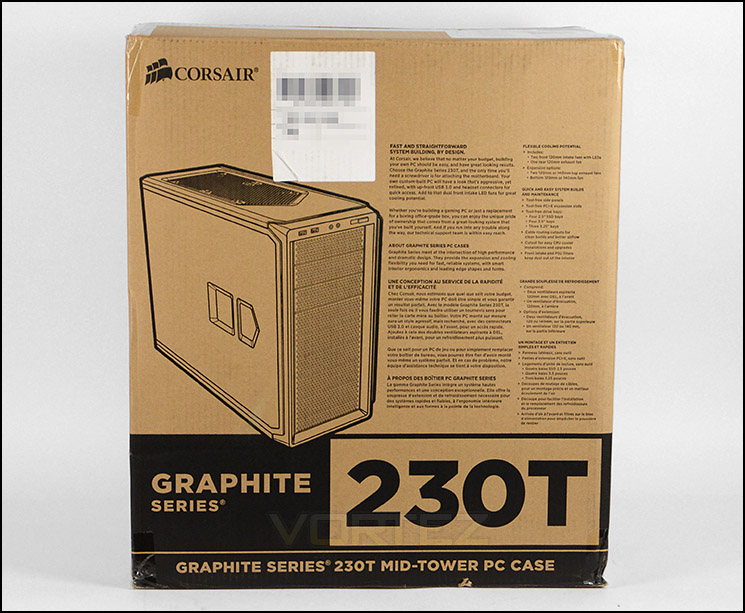
Eco-friendly packaging
Revealing 230T for the first time we are met with a vibrant mid-tower computer chassis. The visual appearance and styling is middle of the road between the gamer and minimalist approach. 230T is available in “Battleship Grey”, “Rebel Orange” and Black. Our sample is of course the Rebel Orange – this also comes with respective orange LED fans at the front.
The prominent side panel features a Perspex window which gives a viewpoint over the rear-end of the case. The reverse side panel has no significant features except to say that, just like the prominent side, there are indentations to help assist with panel removal. An interesting design concept which Corsair have implemented on 230T is that the side panels slide forwards rather than backwards for removal.
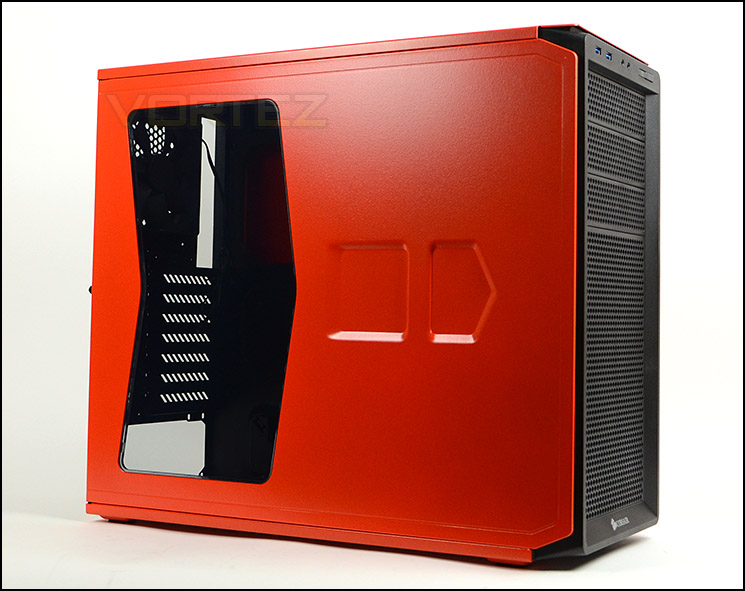
Prominent side panel with Perspex window
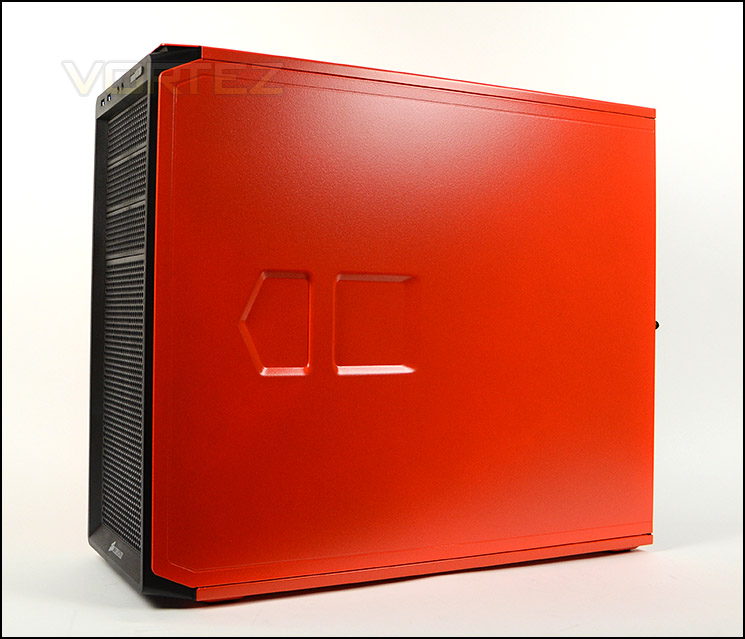
Vibrant “Rebel Orange” catches the eye
Over the page we will take a closer look at the external aspects of 230T.
Exterior
The front of 230T is predominately plastic. Front panel controls can be found at the top whilst below, 3x 5.25” drive bay covers provide plenty of choice for optical drives. All three covers are removable from the inside of the case and have a mesh design with dust filter. Below this there is a large perforated mesh area which allows ventilation for the dual 120mm cooling fans at the front. These fans are LED ready so when the system is powered up a warm orange glow will be experienced.
Around the back there is an opening at the bottom of the case for mounting the PSU, whilst above there are a total of seven PCI expansion slot covers – each with ventilation. Some additional ventilation can be found the immediate right via a honeycomb mesh design. At the top of the case Corsair have positioned a 120mm rear exhaust cooling fan.

The front and back of 230T
The front panel connectivity consists of just two USB 3.0 ports, headphone and microphone jacks and power/reset buttons. The USB 3.0 ports use the internal motherboard connector for functionality.
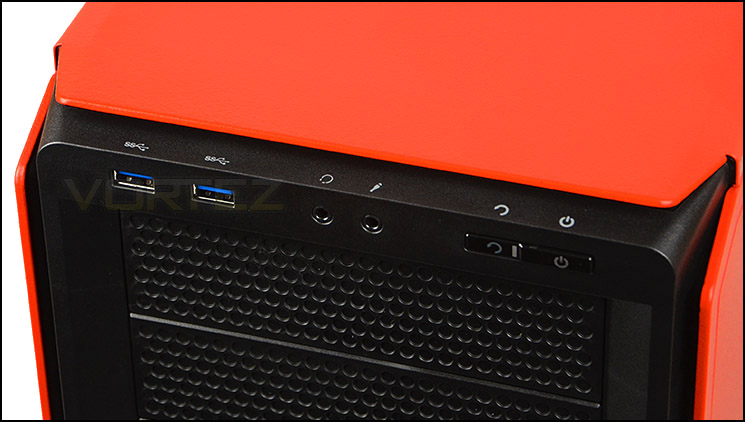
USB 3.0 ports at the front of 230T
At the top of the case there is a slight indentation and perforated mesh area, giving mounting placement for dual 120/140mm cooling fans. Corsair haven’t included any dust filters which, even without any fans would help to prevent dust entering the case. Ideally we’d have liked to see a barrier of some kind here.
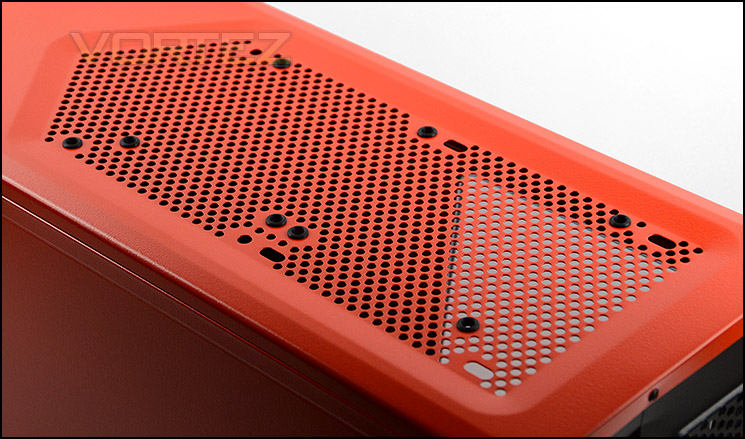
The top with placement for optional 120/140mm cooling fans
On the underside of 230T there are four rubber feet to prevent the case from slipping on smooth surfaces. These feet give very little clearance underneath but Corsair have still included a dust filter for the PSU. The eagle eyed amongst you will notice there is flexibility for mounting a 120/140mm fan at the bottom.
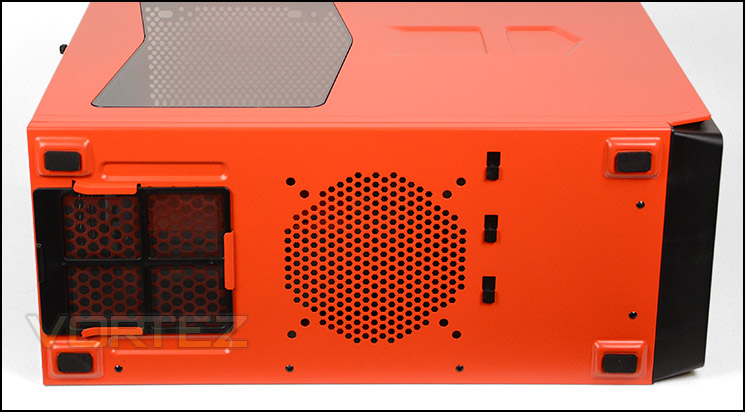
A view of the underside of 230T
Interior
Both side panels as previously mentioned, slide forwards rather than backwards and are held in place with just a single thumbscrew on either side.
Casting our eyes upon the inside of 230T, we can see Corsair have powder coated this black to contrast brilliantly with the flamboyant orange. This case can accommodate ATX and Micro ATX form factors and has a plethora of tool-free design mechanisms for attaching devices. There are cut-outs for cable management but no rubber grommets unfortunately – this is likely to be due to 230T being on a tight budget.
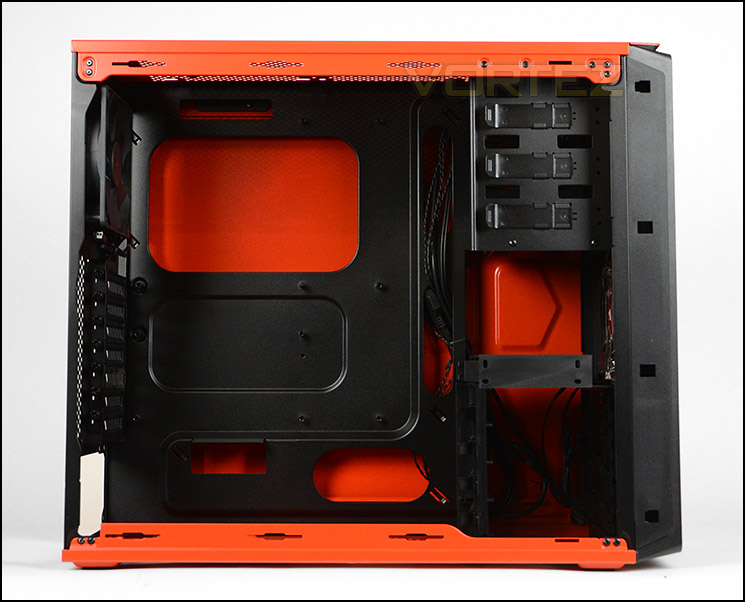
ATX and Micro ATX support

Power coated black contrasts against orange
At the bottom of the chassis we can mount the PSU – this area unfortunately has no anti-vibration rubber so care must be taken when installing the PSU since scratching can occur. Corsair have included a removable dust filter but it can be quite awkward to remove whilst the case is stood up due to the limited clearance underneath the case, we had to tilt the case to detach the filter. Next to the PSU area is an optional 120/140mm cooling fan placement.
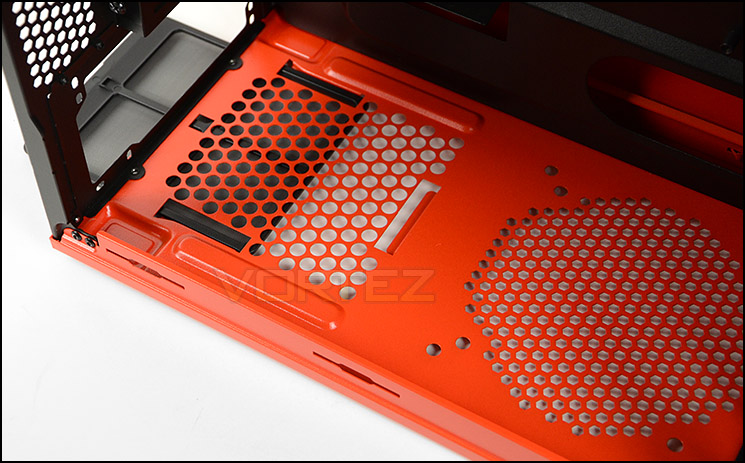
The bottom of 230T – PSU mounting region
Moving up inside the case, we come to seven PCI expansion slot covers – giving multi-GPU support. These covers all have ventilation cut-outs to encourage better airflow inside the case and have accompanying thumbscrews to make the job of removal much easier.
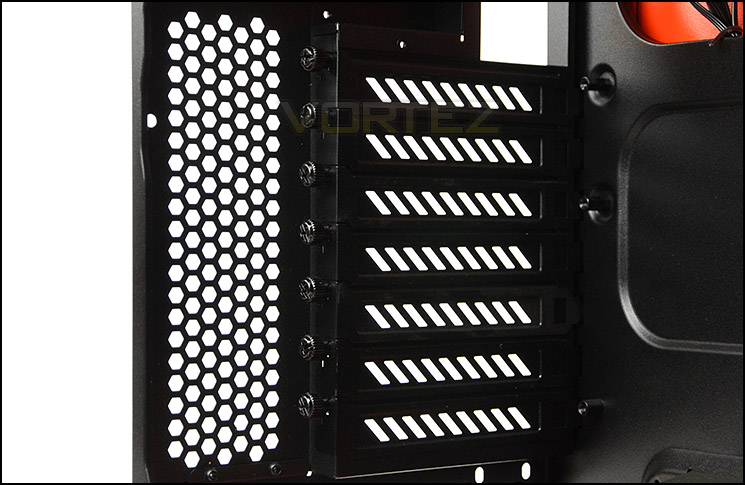
Multi-GPU support
Over the page we will continue our look at the internal design and features of 230T.
Interior (Continued)
At the back of 230T, Corsair have included a 120mm rear exhaust cooling fan which uses a 3-pin connector. There are also optional slots at the top of the case for mounting dual 120/140mm cooling fans.
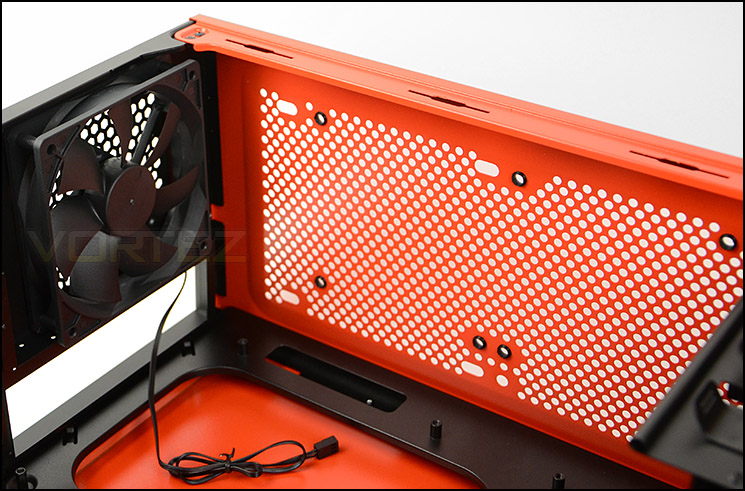
120mm rear exhaust fan and additional slots at top for cooling
Across the case on the other side, there are 3x 5.25” drive bays. Each of these bays has a tool-free design mechanism for attaching devices – the latch system is easy to use and results in a hassle free option for getting kit in and out of the case.
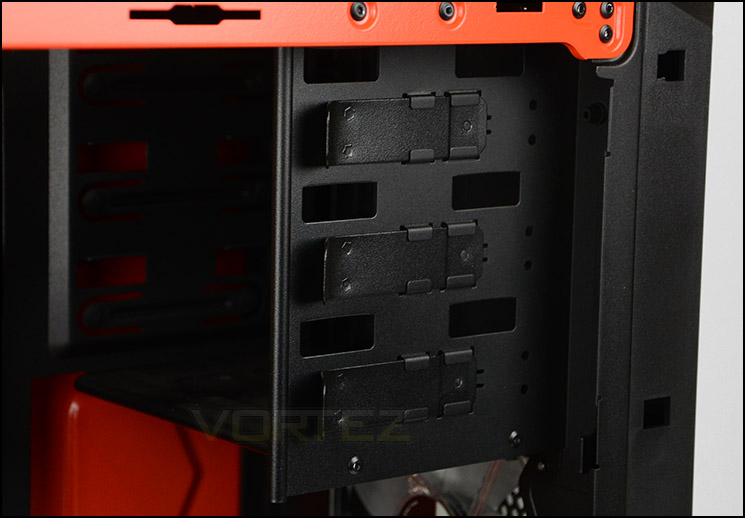
Tool-free mechanisms for optical drive bay
Meanwhile, at the bottom of 230T, at the front, Corsair have included another tool-free design. The HDD cage can accommodate up to 4x 3.5” drives and has a plastic adapter on the roof to house up to 4x 2.5” drives. Both drive types just slide in with ease.
By integrating these storage options within 230T, Corsair have taken up very little space, meaning there is better clearance for other hardware and less airflow disturbance for the front cooling fans.
Corsair have included dual 120mm cooling fans at the front and positioned them to be intakes. These fans are LED ready and for the orange variant of 230T – emit an orange glow when powered up.
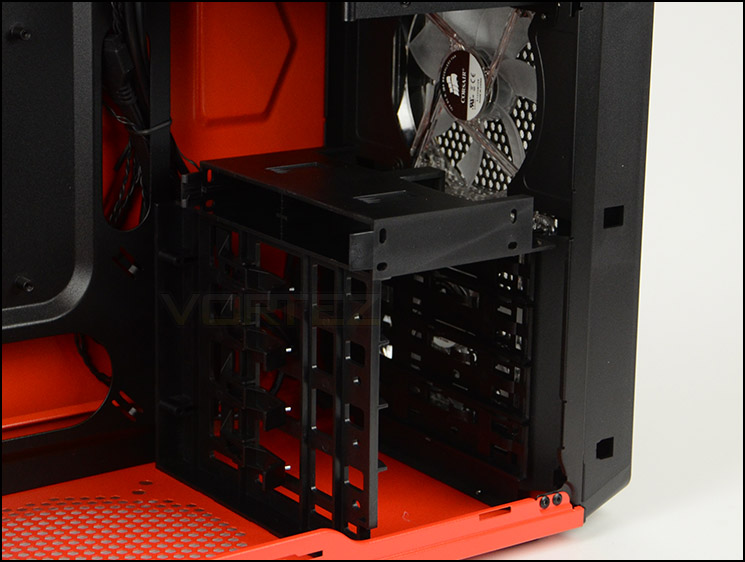
Storage options for 2.5” and 3.5” drives
Installation
For such a small mid-tower chassis, 230T is surprisingly easy to work with. During the installation of our ATX test system we encountered no problems at all. All of the hardware we installed had no clearance issues whatsoever and cable management was relatively easy to control.
The only aspect to criticise is the lack of rubber grommets. Without these handy items on motherboard cut-outs, the case can look a little untidy – especially since the side panel on the reverse side is orange and highlights anything in front of it.
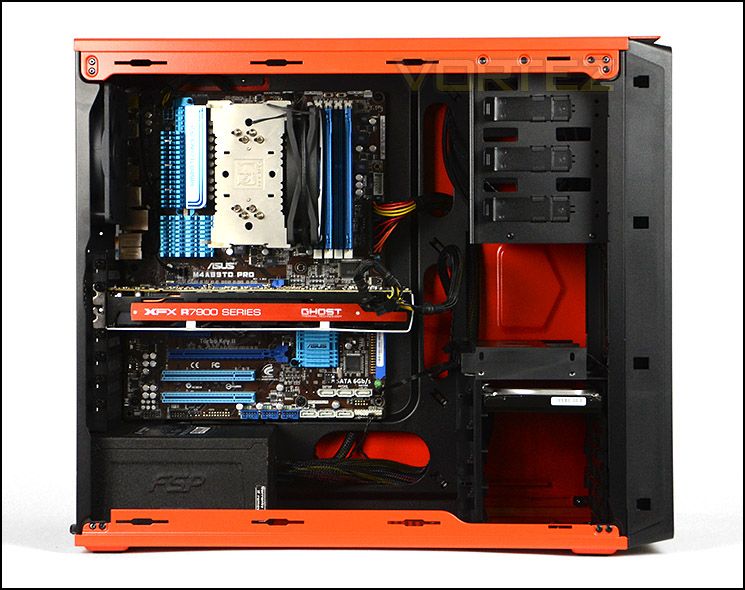
230T handles our ATX system without any problems

A nice tidy system
Clearance – CPU Cooler, GPU, WC, Cable Management
Space, distance and clearance is of utmost importance to system builders because it helps to identify what hardware fits inside a case and what doesn’t.
In the CPU cooler department 230T can just about house flagship CPU coolers which are 160mm in height. Pictured below is Noctua’s NH-U12P which is 158mm.

Support for big CPU coolers
For graphics card support there is adequate space for high-end options. If you are planning to use the top PCI-E for a single card configuration then there should be no conflict with the HDD cage since this slot sits above the 2.5” adapter. For multi-GPU configurations using lower slots there is approximately 12” or 320mm of clearance for the total length of the card.
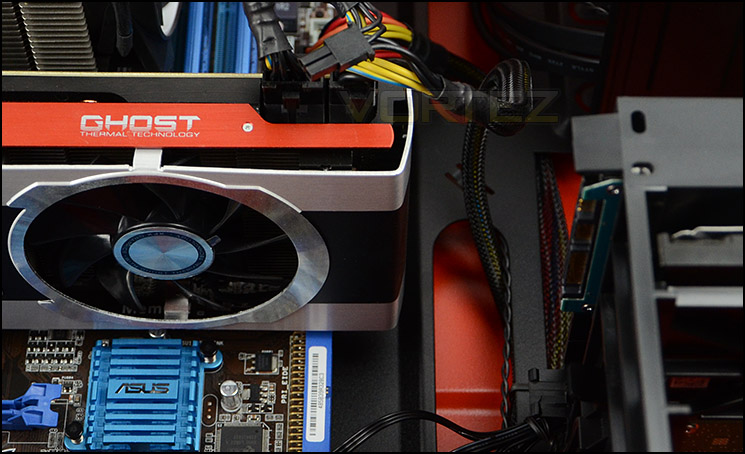
High-end graphics cards are accommodated
Since the top has 120/140mm fan support, this also means radiators such as Corsair’s Hydro Series H100 will fit here too. As you can see from the picture, this radiator is installed without the cooling fans attached and the edge of the radiator is directly above the top of the motherboard.
Success in attaching cooling fans to such a radiator will demand low-profile motherboard heatsinks at the very least.
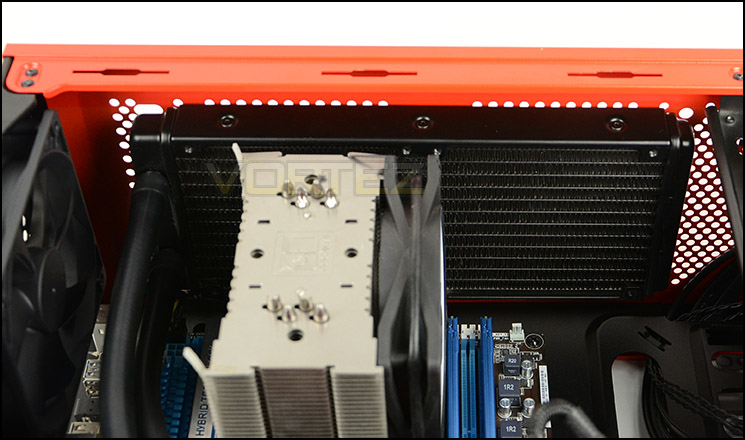
H100 attaches but limited space for cooling fans
Around the back of the motherboard tray there isn’t a great deal of distance between it and the side panel – just 1.5cm. Thankfully though, the motherboard tray is concave in certain areas to assist with cable management in this regard. In our experience with 230T we had no problems getting the side panels on with all the cables routed behind the motherboard tray.

Clearance behind the motherboard tray
Thermal Performance Testing
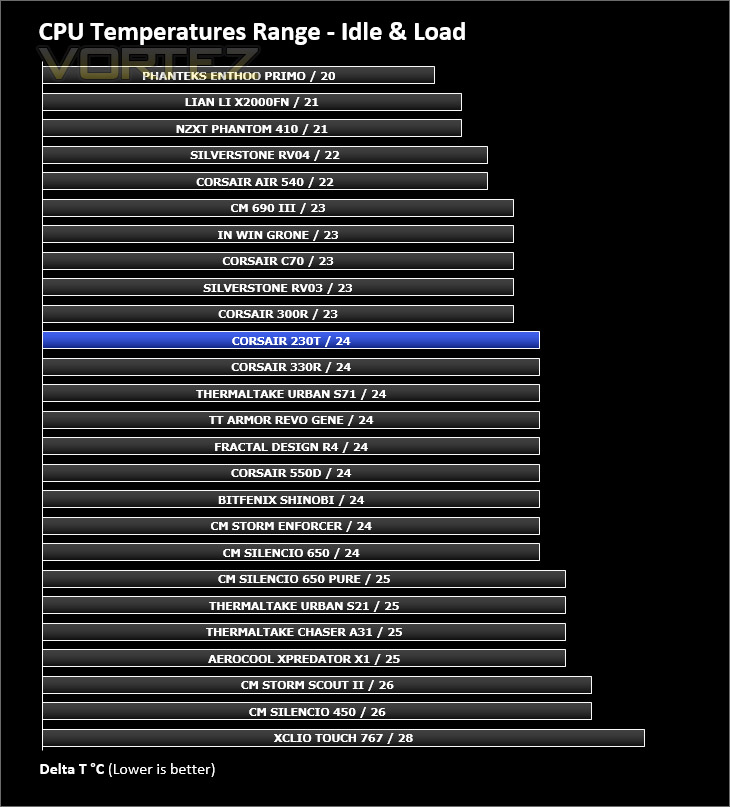
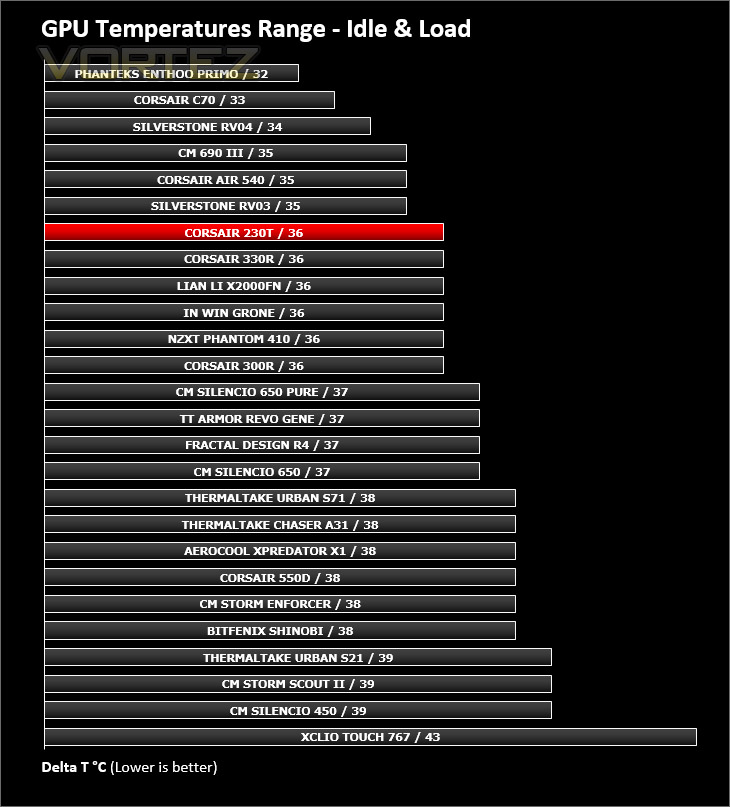
230T has a trio of 120mm cooling fans. Dual 120mm intakes at the front and a single 120mm rear exhaust. These fans are positioned in key areas which have a proven track record for yielding good results.
To discover the thermal performance of the 230T we will record idle temperatures after 20 minutes from a cold boot. We will then stress the system and temperatures will again be monitored after 30 minutes have elapsed.
For the purpose of accurate analysis the idle and load temperatures for CPU and GPU will be recorded and the range between idle and load will be calculated to determine how efficient cooling is.
NOTE: Ambient temperature is 20C
System Components
CPU AMD Phenom II X6 1055T 2.8GHz
Motherboard ASUS M4A89TD PRO
Graphics NVIDIA GTX 480 (Different from card pictured)
Memory 4GB Kingston HyperX DDR3
HDD Samsung Spinpoint 500GB SATA-II
PSU FSP AURUM GOLD 650M
Motherboard ASUS M4A89TD PRO
Graphics NVIDIA GTX 480 (Different from card pictured)
Memory 4GB Kingston HyperX DDR3
HDD Samsung Spinpoint 500GB SATA-II
PSU FSP AURUM GOLD 650M
Noise
Since 230T is quite an open case – (by this we mean the front, underside and top have lots of ventilation) noise can easily escape. The noise from the cooling fans is noticeable but by no means disruptive.
Conclusion
It’s certainly been a while since we have seen anything from Corsair’ Graphite Series but today we finally have something to explore and report upon. Corsair have plenty of cases in and around the £100 mark but have few cases that satisfy those at the lower-end and this is where the 230T comes in.
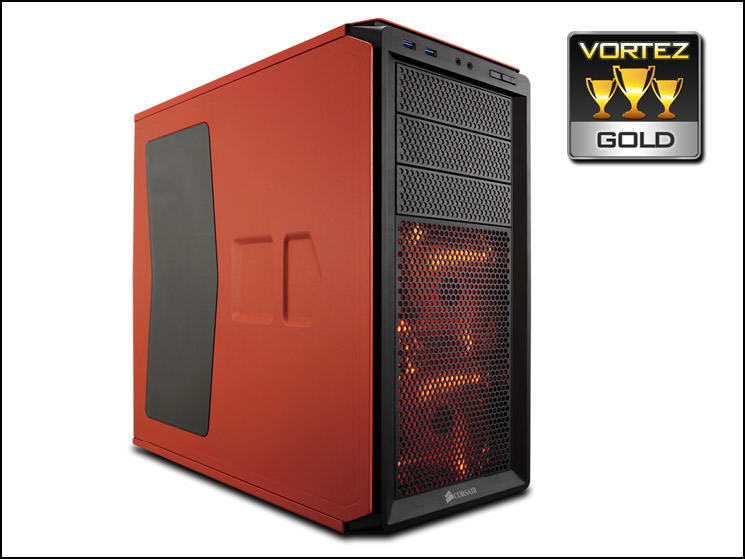
230T is available in three options – orange, grey and black. Today we had the delight of taking a look at the vibrant orange choice. If you are wanting to make a statement, then this case will certainly capture plenty of attention. Regardless of this, we found the chassis to be an attractive addition to Corsair’s product-line.
Although 230T is quite a small mid-tower it still manages to accommodate a wide array of high-end hardware. Large CPU coolers up to 160mm in height can be installed and pretty much any graphics card currently on the market will present no clearance issue – especially if you are only using the top PCI-E slot. We like that Corsair have given 230T a dedicated 2.5” adapter at the top of the HDD cage to house SSDs and such like. Having up to eight slots for storage drives in such a small area is a bonus, airflow is unhindered and graphics card clearance has the freedom it needs.
Our experience with 230T is largely positive but there are a few areas which are worth taking note of. There is no rubber padding for the PSU – this helps to prevent scratching since both the case and the device are metal, and assists in preventing unwanted vibration. There is also no rubber grommets for the cable management, although this isn’t a requirement it does make the job look cleaner, especially on an orange background with our sample. The other aspect is the PSU filter – due to the small gap given by the feet on 230T there is very little space to remove this filter. As a result it was necessary for us to tilt the case to extract the filter and this really defeats the object of having a removable filter.
230T is priced at £65 / 70EUR, projecting it into direct competition with the likes of BitFenix Shinobi and amongst others: Cooler Master’s HAF 912 and 690-II cases. We can safely say that Corsair have the low-mid range covered with this new addition to the Graphite series.
Corsair have designed a tasteful mid-tower in the 230T. System builders who are on a tight budget do not need to compromise. 230T brings with it stylish aesthetics, flexibility and good cooling performance.
VIDEO REVIEW – VORTEZ TV
Pros
+ Three exciting colour options
+ Attractive design
+ Great value for money
+ Can accommodate high-end hardware
+ Condensed storage options
+ Decent cooling performance
+ Tool-free installation throughout
Cons
– No rubber padding for PSU
– No rubber grommets for motherboard cut-outs
– PSU dust filter hard to reach
+ Three exciting colour options
+ Attractive design
+ Great value for money
+ Can accommodate high-end hardware
+ Condensed storage options
+ Decent cooling performance
+ Tool-free installation throughout
Cons
– No rubber padding for PSU
– No rubber grommets for motherboard cut-outs
– PSU dust filter hard to reach

Click here for an explanation of our awards at Vortez.net.


